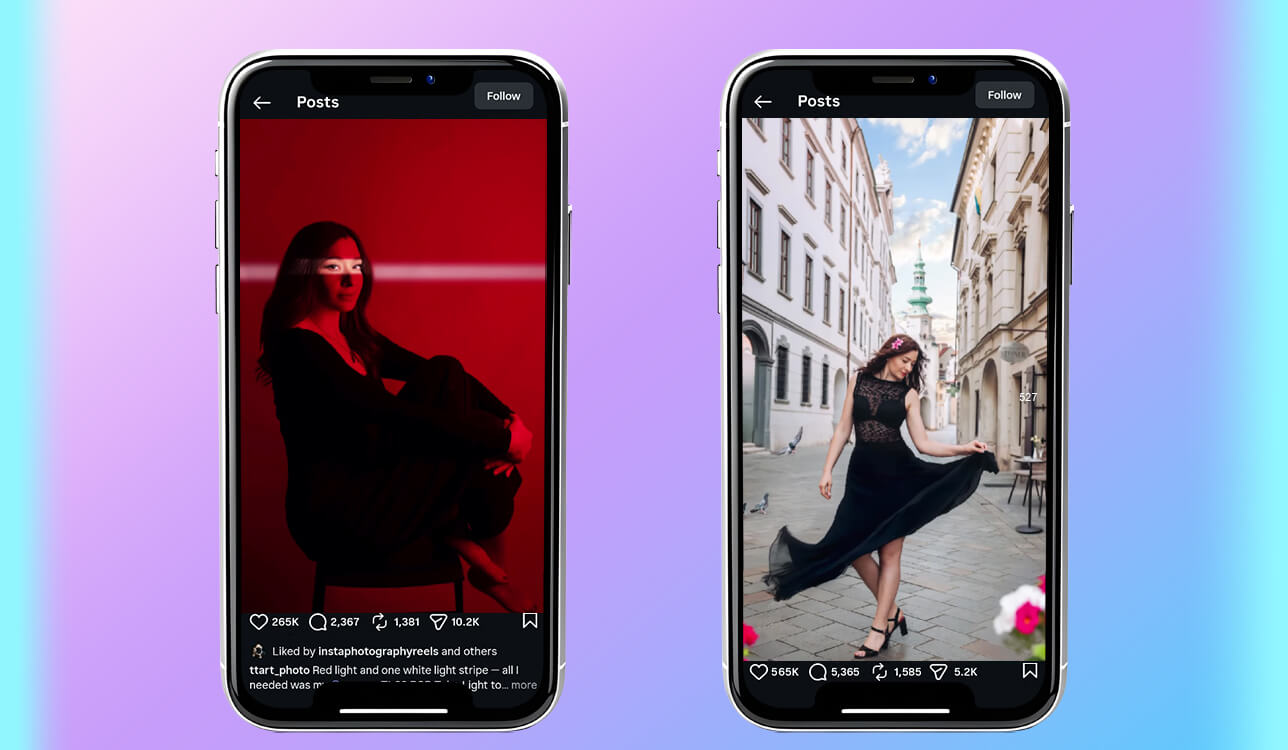
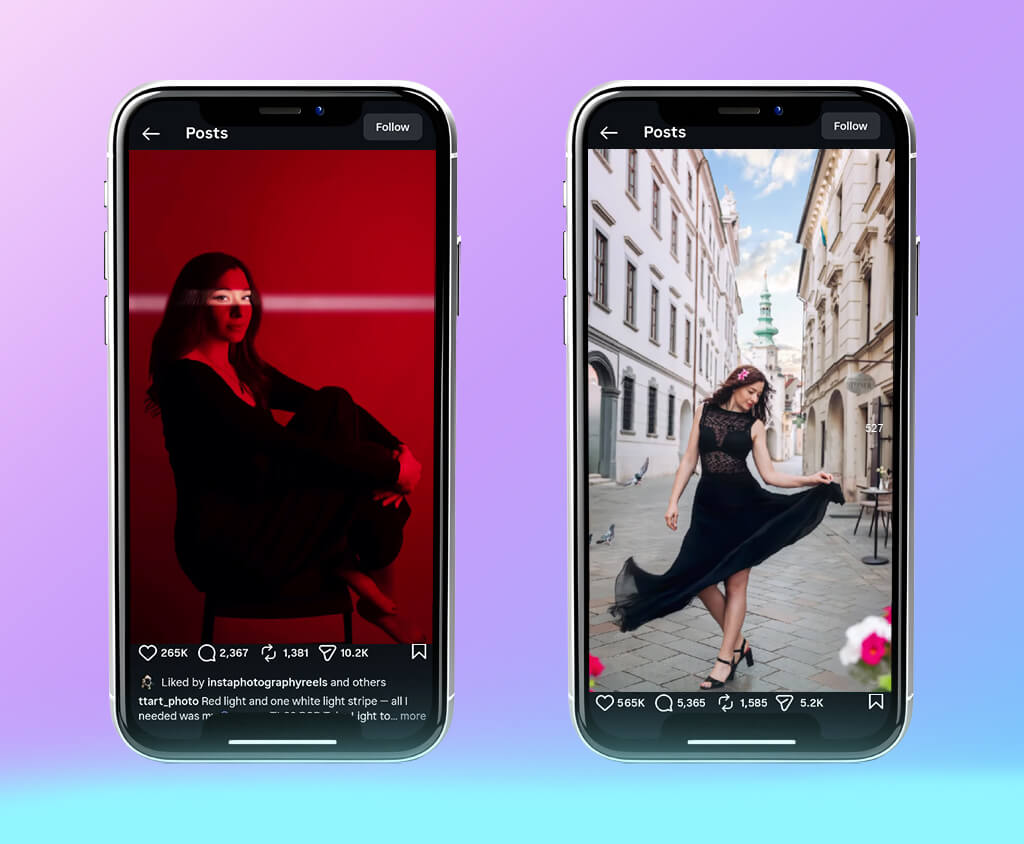
I am currently working on a project to promote a small online brand. Even though it still has low visibility, it’s quite important for me. I need to publish tech-related content and write about learning skills that are necessary for studying online. This is why I often need to publish short posts, eye-catching carousels, and sometimes even threads to reach out to my target audience. They should be engaging enough to make people stop scrolling and start reading.
The main problem is that I sometimes have many ideas for writing posts. However, when it comes to writing content, I am often stuck and unable to move past the first sentence. I get distracted by watching videos, which slows down my workflow even further.
This is when I discovered that I need to find a dedicated AI content post generator to produce outputs that sound natural instead of robotic. When I started looking for the most suitable options, I realized that I needed to determine first what kind of solutions I needed.
I wanted to find an AI social media post generator that would produce content that would look as if it was written by a real person. It should have extensive functionality and enable me to produce content with a strong storytelling component, write useful tips, and create educational posts. Besides, it should allow me to tweak the outputs and partially rewrite them in my own voice. I also needed to find tools with high speed to expedite my workflow. I needed to discover a solution that would allow me to write well-structured posts based on rough drafts.
I wanted to publish new content daily for one month. However, without using dedicated scheduling tools, I kept missing days. This is why I needed to find an AI tool that would help me move faster from an idea to a finished post. I did not want to rely on AI only to produce content. After testing the most highly recommended solutions, I discovered that they could help me create the initial version of my posts and optimize my schedule.
I asked my colleagues from the FixThePhoto team to help me write engaging AI posts for my blog. Together, we have created a list of the most popular solutions available today. We used my ideas to test out the capabilities of each tool and choose the platforms that delivered the best results.

Even though social media could be the perfect place for publishing AI posts, only well-written content manages to grab the attention of a wide audience. Readers should be able to see the value of a blog post clearly.
Most social media platforms, including Instagram, TikTok, LinkedIn, and X, do not rank AI content lower automatically or reduce its visibility. Their algorithms cannot check whether a post was written by a human. However, they analyze attention, engagement, and retention. If many people read, comment, and bookmark content, algorithms rank it higher, and its outreach automatically increases.
It’s important to understand that AI content is often perceived as inauthentic. Most users quickly scroll past the posts that look too generic. Even though the AI may help one produce a lot of content faster, it does not guarantee that it will generate a lot of interest.
However, if one uses AI post generators to create posts with an engaging story, genuine emotions, or a reference to personal experience, such outputs may evoke a response from a wider audience than texts written from scratch manually. People do not engage well with AI-generated content that does not look unique or written by a real person.
These days, many marketing professionals use AI to create drafts and quick ideas and then rewrite such outputs. The best strategy is to use a hybrid approach and tweak AI-written content manually to produce authentic posts.
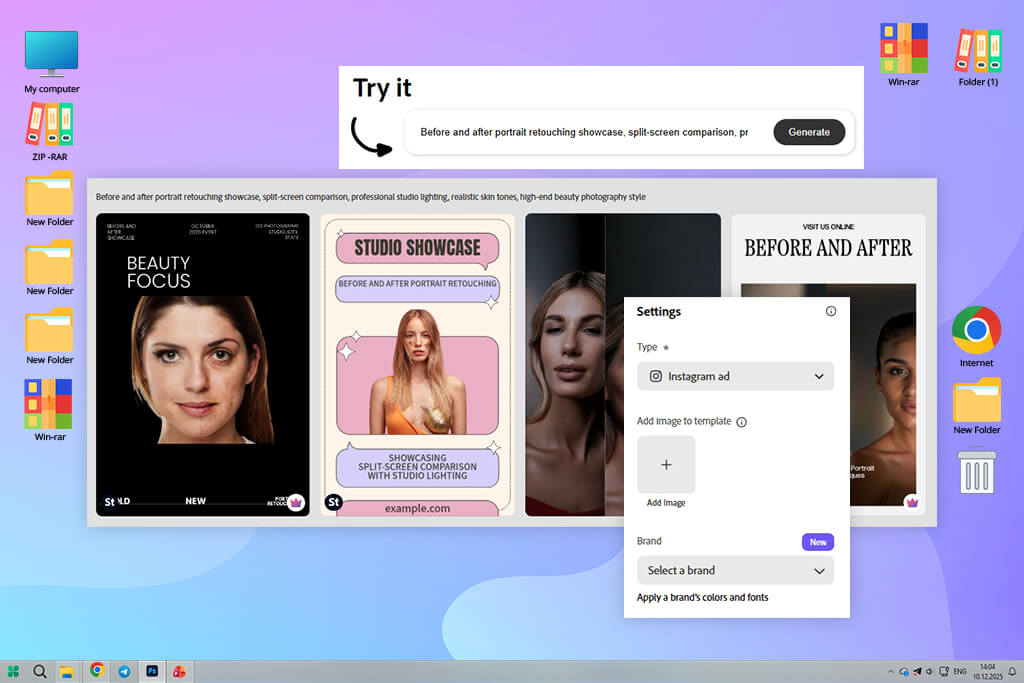
Many people mentioned that Adobe Express was best suited for creating polished posts with the help of AI tools, which is why I decided to use it first. After opening this software, I typed a simple prompt to describe the topic I was interested in and waited for it to produce an output. I discovered that it created a full post with visuals instead of just generating text content. It helped me save a lot of time, as I did not need to use any other tools.
Next, I decided to experiment with different tones, including casual, motivational, and modern-sounding. This AI post generator handled every task well, so I did not need to improve the outputs much. While using other services, I have to rewrite AI-generated content a lot. However, Adobe Express produced blog posts that did not require much tweaking, which helped me speed up my workflow.
I was especially pleased with its customizable templates. When using other services, I am often frustrated with limited customization options. However, I did not have this problem here. I could move blocks, rewrite the whole sections, and maintain the original design. The AI opened a lot of creative possibilities instead of providing me with the final output.
“I was impressed by the fact that it helped me create engaging social media posts with captions and images. Even though it may feel that it focuses on templates too much, it saves me a lot of time when I need to come up with new ideas.”

In addition, I wanted to see how long it would take me to go from a rough draft to the final version. I managed to create a polished blogpost in less than 10 minutes. It was especially impressive considering the fact that I would normally spend this time trying to come up with some ideas. Even though this solution supports high speed, it does not compromise on quality. It helped me produce posts that were ready to be published without much tweaking.
After using this solution while working on different tasks, I started to use this free Adobe software more often than other tools. It does not always produce perfect results, but it has helped me spend less time creating content.
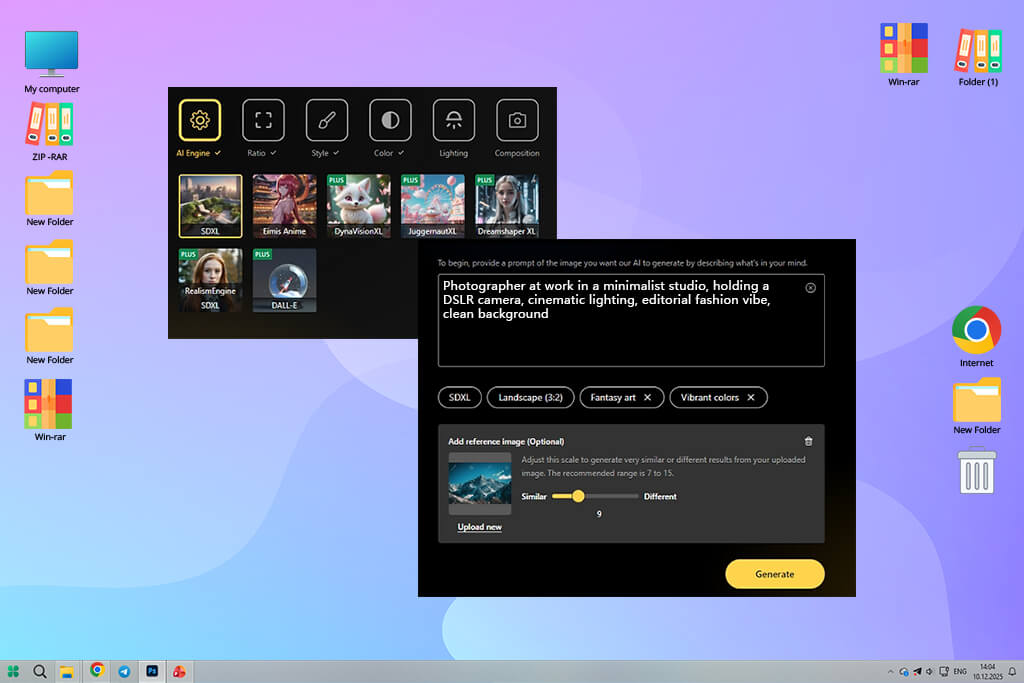
Before I started to use 123RF, I thought that it was a typical stock photography site with some extra tools. However, I still decided to give it a try. Instead of using text prompts, I selected some visuals. It changed the way I created content. I was able to generate ideas that matched the images instead of trying to write blog posts from scratch. This approach changed my workflow.
When I started to use it to generate blog posts, I realized that it was less focused on text than other tools. Even though it can be used for such a purpose, you won’t be able to automate your routine if you decide to use only this platform. I still had to choose the main message and decide on the structure of my blog post. However, this way, I was able to control the output with high precision.
What I liked most was that this AI post generator allowed me to choose the right image quickly. I was able to find the visuals I needed without delays, as there were plenty of relevant recommendations. It has significantly streamlined my workflow.
123RF is less suitable for generating a full post. I had to think over my content more and spend more time trying to achieve the desired output. This platform is hardly suitable for producing a finished result. However, it could be quite helpful for optimizing certain parts of a workflow.
I decided that it might be a good idea to use it in situations when I knew what message I wanted to bring across. It’s perfect for improving content. However, you may need to find another solution if you want to create content from scratch. This platform can become an integral part of a hybrid workflow. However, it’s better to avoid using it as the main tool for all kinds of content generation tasks.
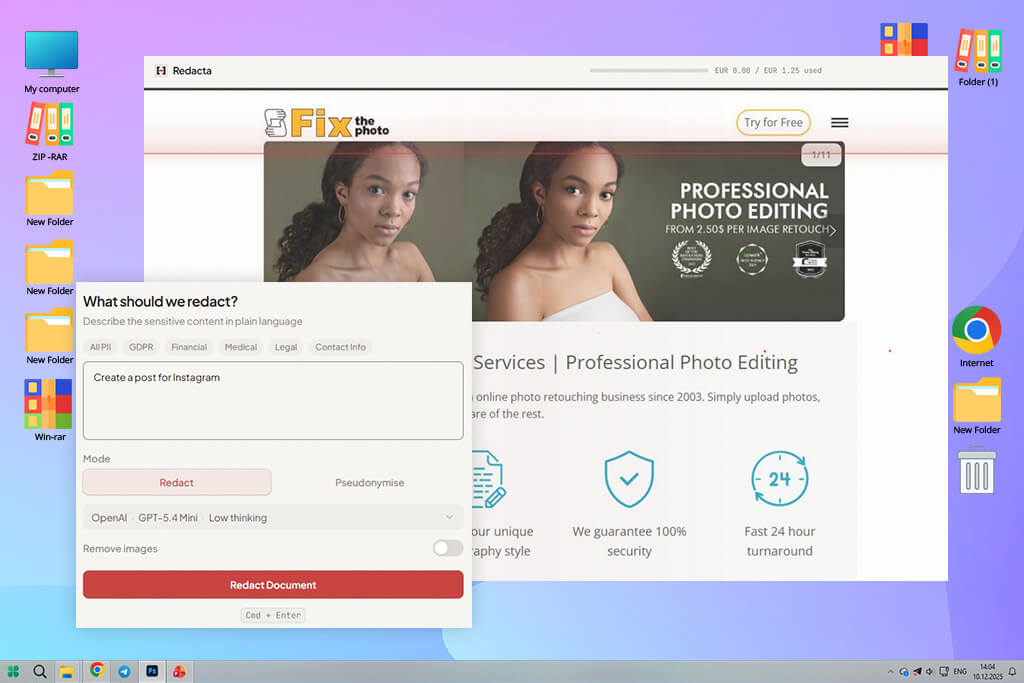
Redacta is known for its text generation tools, so I decided to roughly outline the results I was hoping to achieve instead of using well-structured text prompts. I was impressed by the performance of this AI writer, as it created content that was easy to read and comprehend. It interpreted my instructions with high accuracy, even though I hadn’t described everything in detail.
The more I tested this AI post creator, the more I discovered that it typically produced structured writing. It generated polished posts that were easy to understand. However, I occasionally thought that the results looked a bit too perfect. This is why I had to make some changes to ensure that these blog posts matched my voice. Redacta helped me organize my ideas and produce structured outputs.
I also experimented with different content types, including tips, short stories, and reflections. It generated better long-form content with some depth. However, its short posts sound less engaging and original. I had to make extra adjustments when I needed to write short, witty posts.
“It’s especially suitable for situations when you need to create polished text posts without thinking too much. Even though it does not have any advanced tools, it’s easy to use even for novices.”

I liked the fact that this service helped me achieve consistent results. It produced high-quality outputs all the time, so I did not notice any performance drops. The results were predictably good, which made it easier for me to maintain a consistent posting schedule.
After completing the testing process, I realized that this solution is especially suitable for creating drafts. While it’s hardly the best choice for creating finished outputs, it helps me expedite my workflow. It’s better to use it to generate the initial version of a blog post and then continue editing the text using another software.
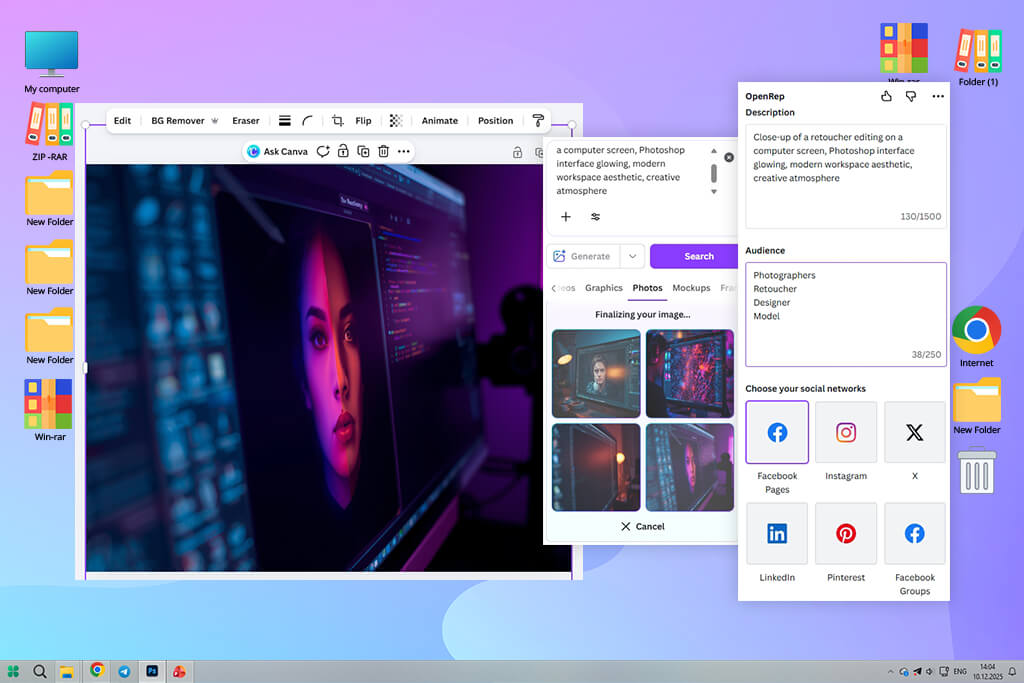
I decided to use Canva after hearing that this platform was quite intuitive. I was pleased with its functionality and overall performance. I used a simple prompt, and it generated several versions of a blog post within seconds. Due to its fast performance, it was easier for me to choose the ideas I liked the most.
Next, I decided to experiment with different styles to choose the one that would appeal to my target audience. This AI Instagram post generator selected the right tone and format in an automated mode. I was guiding the AI instead of creating content from scratch. It helped me to achieve consistent outputs with little to no effort.
I liked the fact that I was able to access every tool I needed in one place. Canva comes with a set of helpful writing and design tools. It was easy to integrate it into my workflow. Using its features, I can write content, create designs, and make adjustments without switching between different software. Thanks to its extensive functionality, Canva saved me a lot of time.
I noticed that some outputs did not look unique enough. However, when I made some adjustments, I was able to use them. I did not need to rewrite AI-generated content too much, as it was enough to make some subtle refinements. However, even though Canva does not produce perfect content, it allows one to achieve higher workflow efficiency.
After using it a few times, I realized that it’s perfect for performing tasks quickly without getting tired. This platform helped me streamline my posting process.
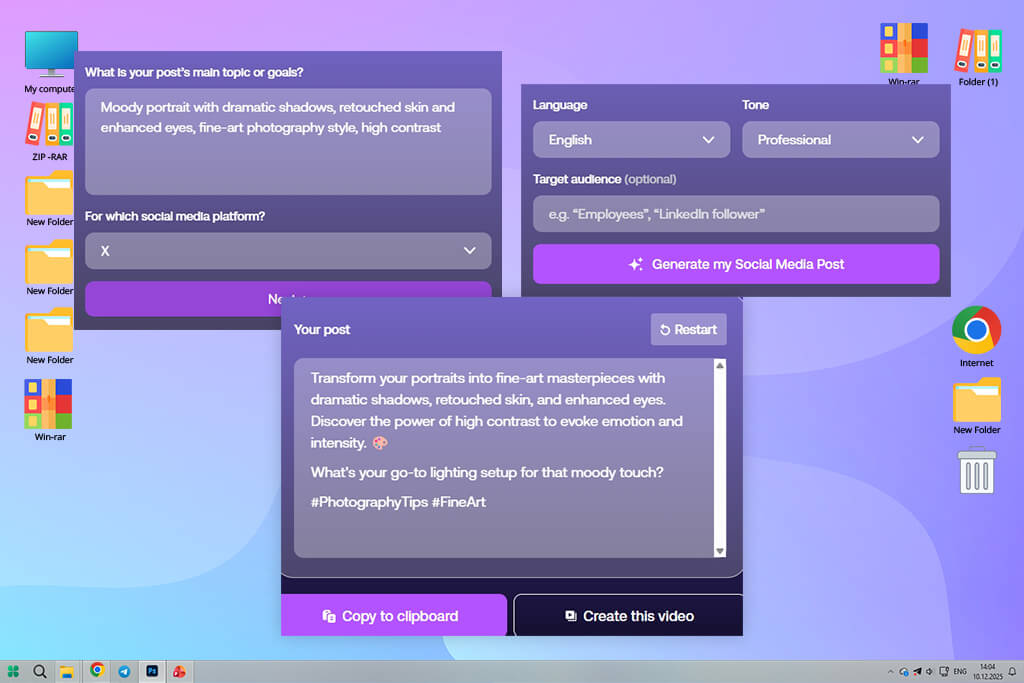
PlayPlay is a video-focused service that is different from other tools I’ve tested. I decided to give it a try to see whether it would help me generate engaging short clips based on text prompts. Even though it was a bit unusual to use it at first, I was pleased with my experience and the outputs it produced. It helped me make my content unique and engaging.
The AI analyzes my draft and suggests scenes. When I started to use this AI post generator, I started to consider the segments I wanted to see in my videos. This approach helped me make my storytelling more dynamic. I learned how to visualize my ideas better and mastered new skills.
“This service is extremely fun to use. It’s best suited for creating quick posts with videos. Even though it prioritizes high speed over extensive customization, it’s perfect for generating social media content quickly.”

When I started to use this service, I realized that I had to perform more tasks manually. While it’s similar to many free AI text effects generators, it does not allow you to fully automate your workflow. I had to control pacing and visuals manually. Even though it took me longer to complete my project, the output looked more intentional.
Using this solution, I created a more engaging blog post than with the help of other similar tools. The platform helped me make my content more eye-catching. However, I don’t use this service daily, as it takes me more time and effort to handle my tasks with its help. Despite this fact, I was satisfied with the results of my testing. This solution facilitates working with content that is not text-based. I think that I may use it when I need to create impactful content in a visual format.
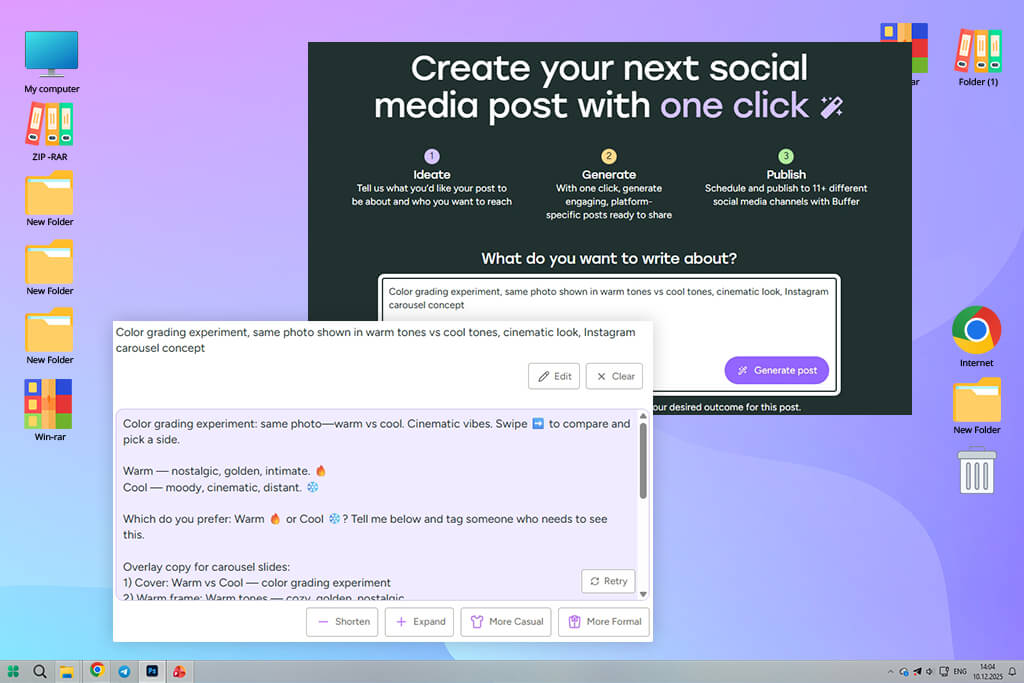
Buffer is not a simple standalone AI post generator. It is a system with a set of workflow optimization tools. I used it to generate some ideas and then switched to scheduling. Due to its extensive functionality, I do not need to switch between different apps. Besides, I no longer think about separate posts that I need to create and think about timelines. This service helped me to understand how to streamline my processes and expedite my content creation pipeline.
I was pleased with the performance of the AI caption tool. I discovered that even though the generated captions looked simple, it was easier to use them as drafts and rewrite them in the tone I needed to use. At first, I did not like the fact that they were sort of basic, but gradually I realized that their simplicity helped me speed up my processes. As a result, I was able to publish my content quickly.
I started to use the planning view mode more often than I expected. It helped me preview my posts before publishing them and discover the areas that required improvement. Besides, I was able to identify gaps in my schedule and make the necessary adjustments. It helped me maintain consistency.
This helpful AI tool for social media management enables me to spend less time on planning and keep my audience engaged by publishing content regularly.
This solution is less suitable for those who are looking for a source of creative ideas. However, I was aware of this limitation and decided to mostly use it as a powerful content distribution engine. I started to use it to publish my content faster.
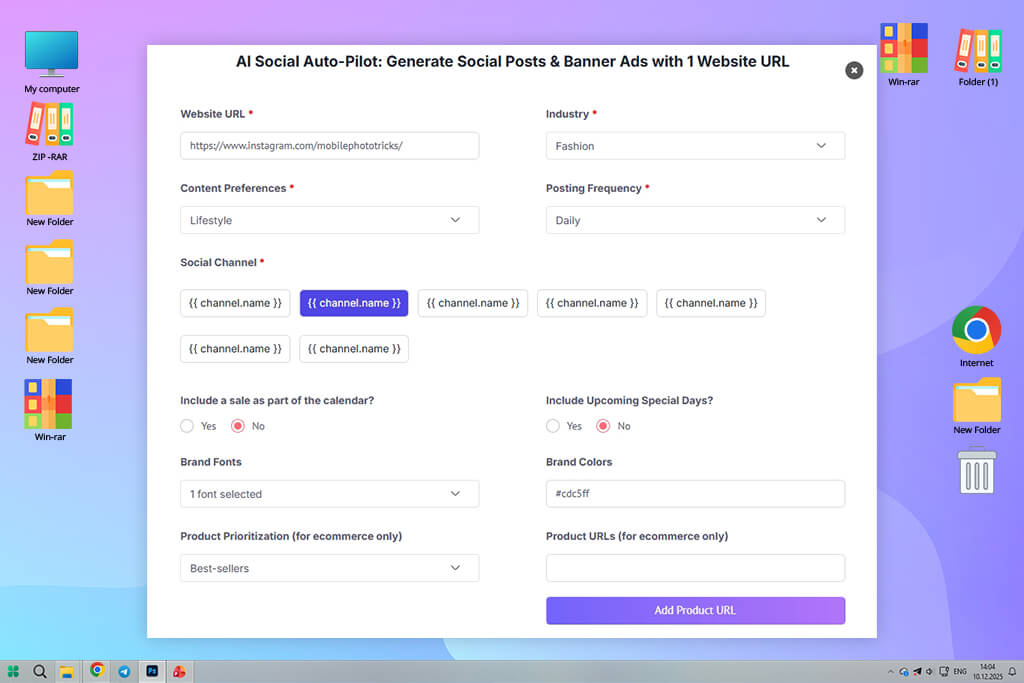
I decided to test Picmaker, because I wanted to check whether it would allow me to maintain consistency of my visuals without recreating my designs from scratch. This is why I used it to create a batch of posts united by the same theme. I wanted to see whether it would help me keep everything perfectly aligned. I was immediately struck by the fact that it handled structure perfectly. The layouts it generated were well-organized and matched the brand’s style.
When I started to use this AI post creator more often, I became even more impressed with its layout generation speed. I did not need to spend a lot of time choosing the right spacing, alignment, and composition. It makes a lot of decisions automatically, which allows me to focus on the things that matter most. Such functionality makes it especially suitable for creating multiple posts. I could focus on the ideas I wanted to implement instead of spending hours on formatting.
“It has an impressive collection of templates and AI tools, making it perfect for quick content generation. Even though it’s not the most creative solution, I use it often when I need to generate content quickly.”

I was less pleased with its AI-based text generation tools. I discovered that I often had to rewrite the posts it produced to ensure that they were written in the right tone of voice. However, even though I was disappointed with these limitations, I gradually realized that this platform is more suitable for creating designs. It explains the fact that its text generation features are so basic.
What makes this generative AI tool especially useful is that it makes it easier for me to work with formats that do not require much creativity and do not focus on storytelling. With it, I can write helpful tips, brief announcements, or posts with quotes quickly, while maintaining full consistency. It allows me to publish content that looks more intentional and makes my feed stand out. I use this platform whenever I need to experiment with different ideas and styles.
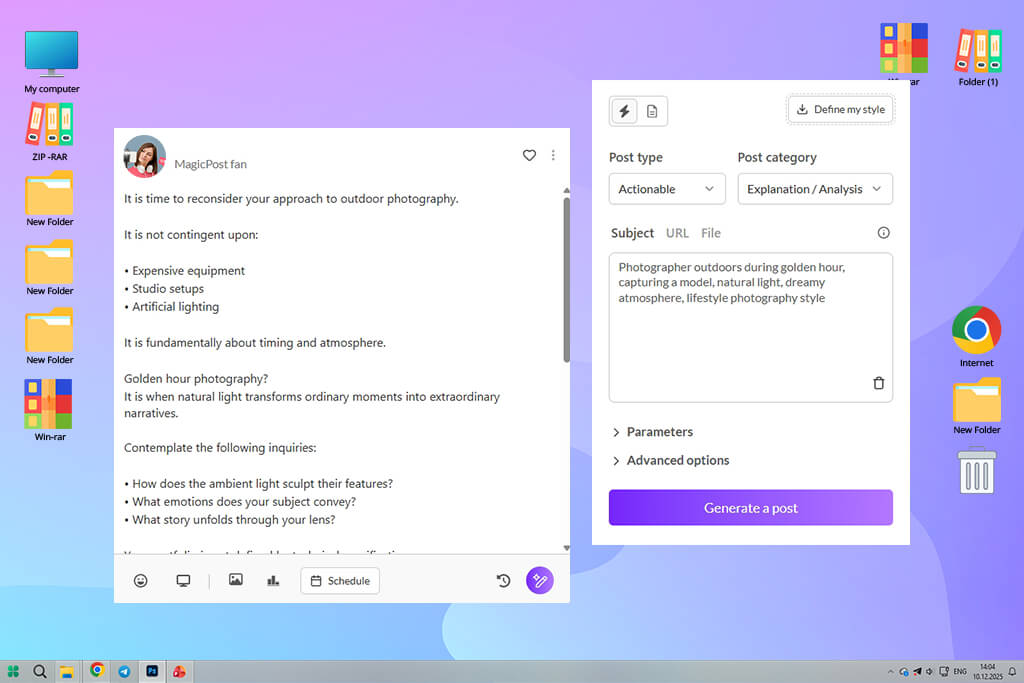
When I started to test this service, I was struck by the fact that it was focused on natural storytelling. I did not need to polish my prompts to achieve perfect results. It was sufficient to write rough descriptions of my posts to get well-structured content that answered the questions my audience was interested in. It was built to write engaging posts, so I do not need to spend a lot of time explaining what outputs I wanted to achieve. It made the testing process simpler and more enjoyable.
What impressed me most about this service is that it generated brilliant hooks. I typically need to spend a lot of time to write an eye-catching opening, but this text editor produces excellent hooks quickly. They do not look generic and fit the main theme of a story perfectly. It allows me to spend less time on content creation tasks.
The more I used this AI post generator, the more I realized that it followed certain rules when structuring content. Each post had a clear structure and included a hook, helpful insights, reflections, and key takeaways. However, even though this structure is suitable for creating engaging content, it starts feeling repetitive after a few posts. This is why I had to write some posts from scratch that would not look as if they were based on generic templates. It helped me maintain a predictable posting schedule and publish content that had a distinct voice.
The only significant limitation of this service is that it’s less suitable for writing quick tips or short posts promoting some products and services. As it has powerful storytelling capabilities, it tries to add a narrative even to short-form content, thus making it less efficient. It makes this solution hardly suitable for some use cases. However, if you are mostly interested in storytelling, it will allow you to achieve consistency and publish engaging content.
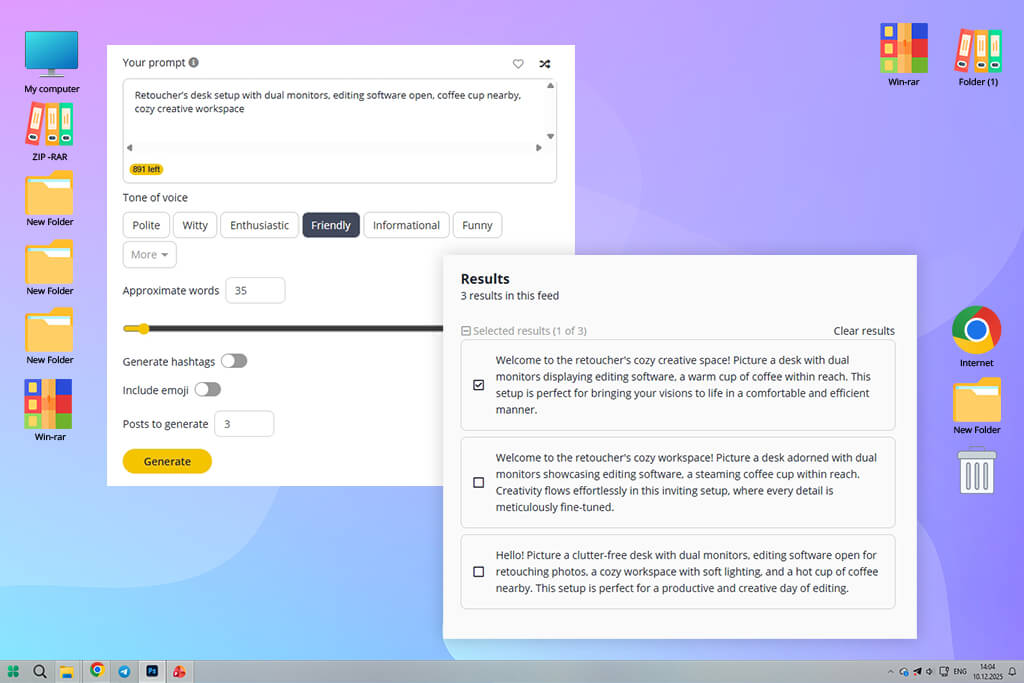
When I started to use SocialBee, I discovered that its suggestions regarding content were extremely useful. I no longer needed to create content from scratch. While writing prompts, I would try out various loose ideas to check how many variations they would produce. It generated several engaging alternatives, which gave me plenty of options to choose from.
What impressed me most about this platform is that it makes my workflow less segmented by allowing me to access different types of content creation tools in one place. I could use it to generate captions, create hashtags, and come up with new ideas regarding my posts. It optimized my whole content creation process. I did not need to switch between different tools and could access every feature I needed here, which enabled me to expedite my processes.
“It’s an invaluable solution for content planning and creating content using automated tools. Even though it’s hardly suitable for producing creative outputs, it’s perfect for managing content and publishing it across different platforms quickly.”

Due to an extensive variety of outputs, I decided to adopt a different strategy to choose the best option. Instead of trying to choose the best option, I would compare several outputs and decide which one matched my tone better. This approach helped me make decisions faster without compromising on quality. Besides, I had many drafts to work with, which made it easier for me to focus on the things that mattered most.
The more I used this service, the easier it became to achieve consistency and natural outputs. I learned how to generate content and use scheduling tools, which helped me streamline my workflow. This platform helped me make my posting routine steady and eliminated the emotional stress from facing too many options to choose from.
Eva Williams organized our testing process and assessed the practical usability of each service. In addition, she tested each tool to see how quickly she would be able to create a piece of content from scratch.
Kate Gross was more interested in visuals, layout structure, and typography elements. Her task was to check whether the designs were ready for publication without any additional editing. Vadym Antypenko wanted to evaluate the performance of these services, assess their automation capabilities, and check whether these tools were suitable for generating captions and creating several content variations based on the same prompt.
As we wanted to achieve consistent results, we used the same prompts when using different tools. For instance, we asked each solution to write an Instagram post to advertise a wedding photography agency, create a LinkedIn post announcing the release of a new tool available in an AI photo editor, and write a promotional post for a social media platform to advertise a limited-time discount on portrait retouching services. This approach helped us achieve unbiased results and compare the outputs produced by different tools.
We quickly discovered what made each platform unique. Some solutions helped us create aesthetically appealing Instagram posts in a few seconds. The outputs they produced had soft color palettes, polished layouts, and captions that did not require a lot of editing. We had to make only minor adjustments to change wording or spacing before publishing such content.
Other tools produced content almost instantly, but created captions that did not look unique or engaging. As a result, we had to rewrite them completely to ensure that they sound natural and are written in our brand voice.
When we started to use these tools to generate LinkedIn-style posts, the difference in the output quality became even harder to miss. The most powerful solutions generated a well-structured post that looked like they were written by a team of marketing professionals. Such posts were easy to comprehend and stood out for their expert tone. We were able to use such outputs without any additional editing, as they clearly informed our readers how new features could help them optimize their workflow.
Less advanced solutions generated posts that sounded too valuable, making them less suitable for professional use. Such content required a lot of editing. Sometimes, we had to rewrite it fully.
After concluding the testing stage, we came to the same conclusion that there was no AI post generator that would be equally suitable for every area. Some of them delivered fast performance but generated content that lacked true depth. Others were suitable for creating visually-appealing images but produced blog posts that were not engaging. There were also solutions that, when configured, delivered decent AI-generated visuals and text content.
However, they were more difficult to set up, and their outputs required further editing. Eva concluded that beginners could benefit from using the platforms with many templates.
Kate discovered that even posts that looked visually perfect at first glance had design issues that were noticeable only when you looked at them closely.
Vadim concluded that the best platform had automation features that were crucial for workflow optimization, including scheduling and content recycling. These tools were even more important than the quality of the generated text and visuals.

Readers always focus on the first two sentences and make their decision about continuing to read a blog post based on whether they like them.
This is why, instead of informing my reader about the content of an article, I add phrases that may grab their attention, like “I have spent two weeks writing a blog post that nobody will ever read” or “90% of people make this mistake while writing blog posts.”
When using AI tools, I ask them to come up with at least five versions of such hooks in different styles. Next, I choose the option that instantly catches my attention.
I never ask the AI to write posts on generic topics. Such prompts never work well. Instead, I write something like, “Describe the experience of a person who became frustrated with content writing and discovered a simple method that helped them publish content regularly without experiencing burnout.” This strategy ensures that the AI will try to come up with a believable story instead of writing boring, informative content.
I ask the AI to follow a simple structure to write intriguing blog posts.
Every engaging blog post keeps a reader’s attention from the beginning to the end. I use the following structure to make the content more dynamic:
I noticed that unless I use this structure, my texts fail to keep the attention of my audience.
Texts generated by the AI often sound too perfect to be believable. This is why I always ask the AI to add such elements:
These tips may seem simple, but they help me keep a reader’s attention till the end.
Search algorithms rank content higher if it evokes strong reactions. This is why I add such elements at the end of my posts:
For instance, I may ask my reader whether they have experienced something similar or had the same thoughts on a certain topic. Such questions make my content more relatable.



![9 Best Descript Alternatives in {{%year}} [Expert Insights]](http://fixthephoto.com/blog/images/gallery/news_main__preview_28971.jpg)

![7 Best YouTube Banner Generator [Real Channel Tests]](http://fixthephoto.com/blog/images/gallery/news_main__preview_28946.jpg)
![Add Leprechaun to Photo Online [Free]](http://fixthephoto.com/blog/images/gallery/news_main__preview_28919.png)
![11 Best AI Sticker Generators [Simple for Non-Designers]](http://fixthephoto.com/blog/images/gallery/news_main__preview_28980.jpg)

![7 Best HeyGen Alternatives [{{%year}} FixThePhoto Choice]](http://fixthephoto.com/blog/images/gallery/news_main__preview_28944.jpg)


















