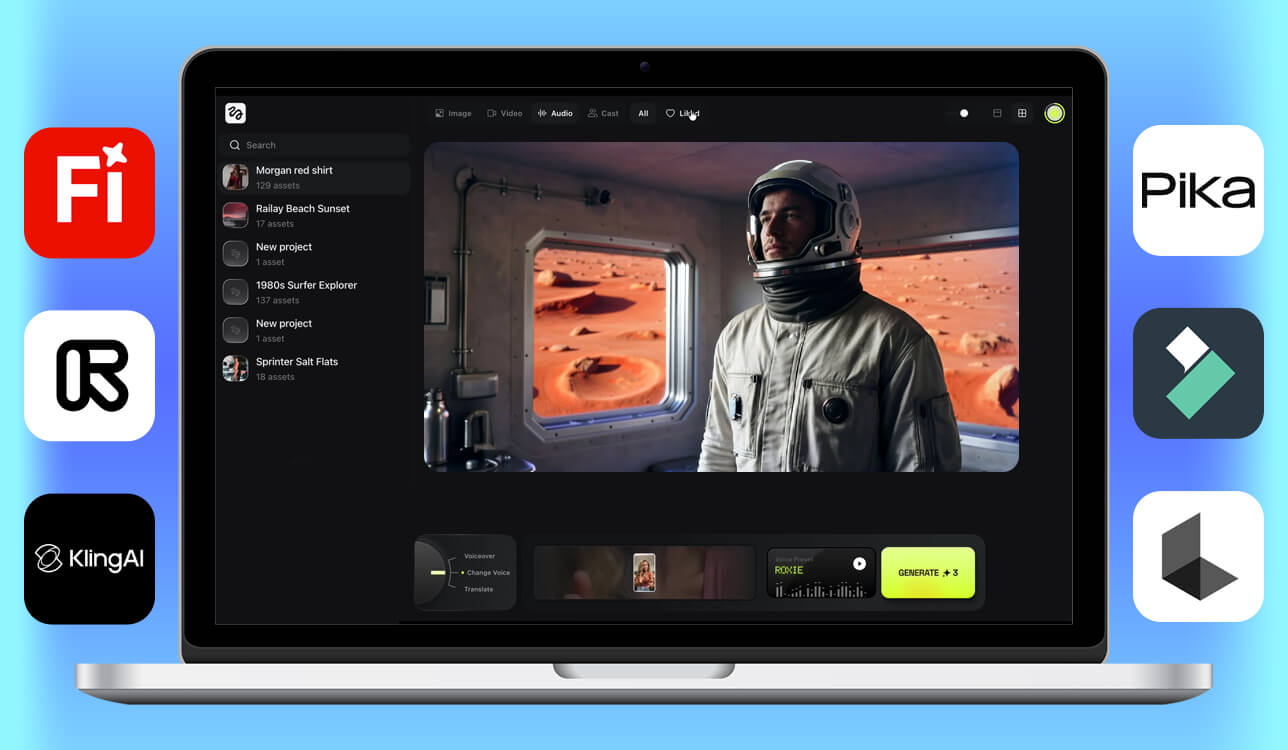
Higgsfield does a lot of things well. But "a lot of things" is very different from "everything you need." Whether you're a solo creator facing the tool’s limitations, a professional whose work demands more integration, or someone who just wants a more predictable output on demand, you've probably started questioning Higgsfield competitors.
My team and I ran meticulous tests of 50+ alternatives. We didn't read spec sheets, but generated real content, pushed each tool toward its edge cases, and tracked which ones held up and where they showed weak points.
The criteria we cared about were how good the output looked, how much creative control you got, how stable results were across sessions, and how well it fitted into a real working day.
| Tool | Best for | Motion controls | Editing ecosystem | AI voice |
|---|---|---|---|---|
|
Higgsfield |
UGC, AI ads
|
✔️
|
Limited
|
✔️
|
|
AI filmmaking
|
✔️
|
✔️
|
❌
|
|
|
Adobe workflows
|
✔️
|
✔️
|
❌
|
|
|
Narrative realism
|
✔️
|
Limited
|
✔️
|
|
|
Social content
|
✔️
|
Limited
|
❌
|
|
|
Photorealistic visuals
|
✔️
|
Limited
|
❌
|
|
|
AI + editing workflow
|
Limited
|
✔️
|
✔️
|
|
|
Multi-model exploration
|
Limited
|
✔️
|
❌
|
|
|
Business communication
|
❌
|
✔️
|
✔️
|
|
|
Music & art visuals
|
✔️
|
Limited
|
❌
|
One thing I want to be upfront about is that none of these tools is a better version of Higgsfield. They each solve a different problem. Some show remarkable results where Higgsfield struggles. Others take a completely different approach to video creation altogether.
There's a specific moment that sends most people searching for the best Higgsfield alternatives. It happens when the program no longer meets their needs and doesn’t fit their current workflow. That moment looks different for everyone.
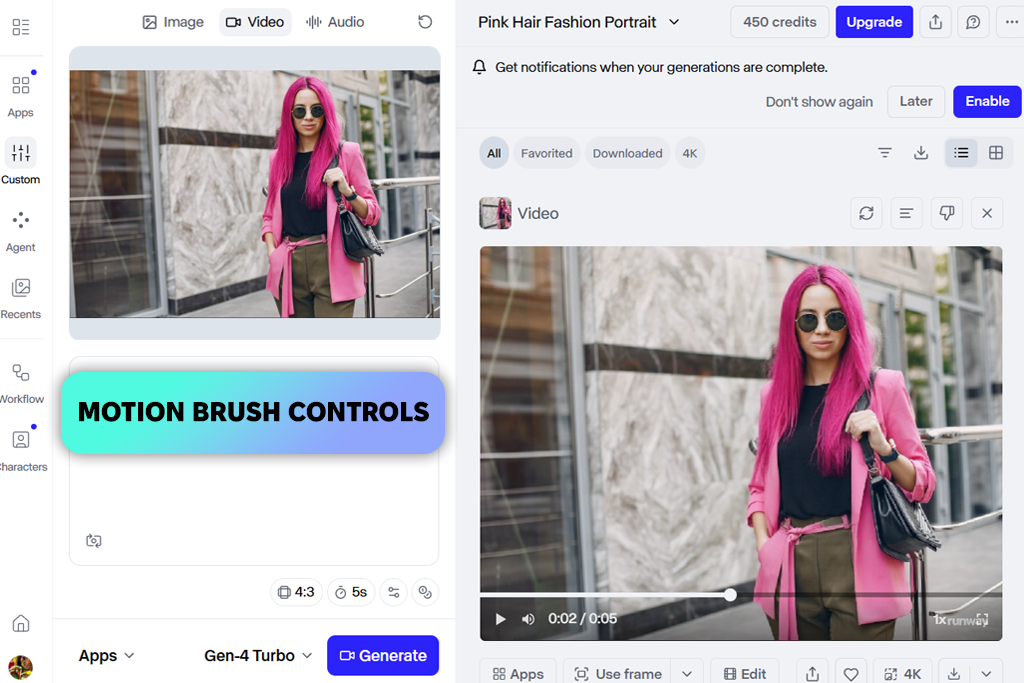
If Higgsfield is excellent at one job, Runway offers a huge toolset for different tasks regarded by many as a gold standard for AI in filmmaking. I frequently use this software when a project requires more than a well-executed clip.
I ran the same brief through both tools to keep the comparison honest. It was a product teaser involving environmental motion, shifting light, and layered camera movement. Higgsfield gave me a usable result quickly. Runway gave me a result I could actually shape. The difference is creative ownership. With Runway, I was directing. With Higgsfield, I was prompting and hoping.
“Tested this on a product teaser with moody lighting and slow tracking. The non-destructive camera tweaks saved so much time. No need to start over from square one.”

Higgsfield has a real edge with human-focused video including natural gestures, facial movement, and close-up realism. When I pushed Runway into those same scenarios, body mechanics occasionally drifted from what real physics would produce. The tradeoff is scope. Runway handles environments, visual transformation, and production pipelines in a way Higgsfield simply doesn't attempt.
All in all, if your day involves quick social clips with AI presenters, Higgsfield wins on speed. If you're building something that looks more like a short film or a high-end brand piece, Runway is a more powerful Higgsfield alternative. It justifies every extra cent at its higher tiers.
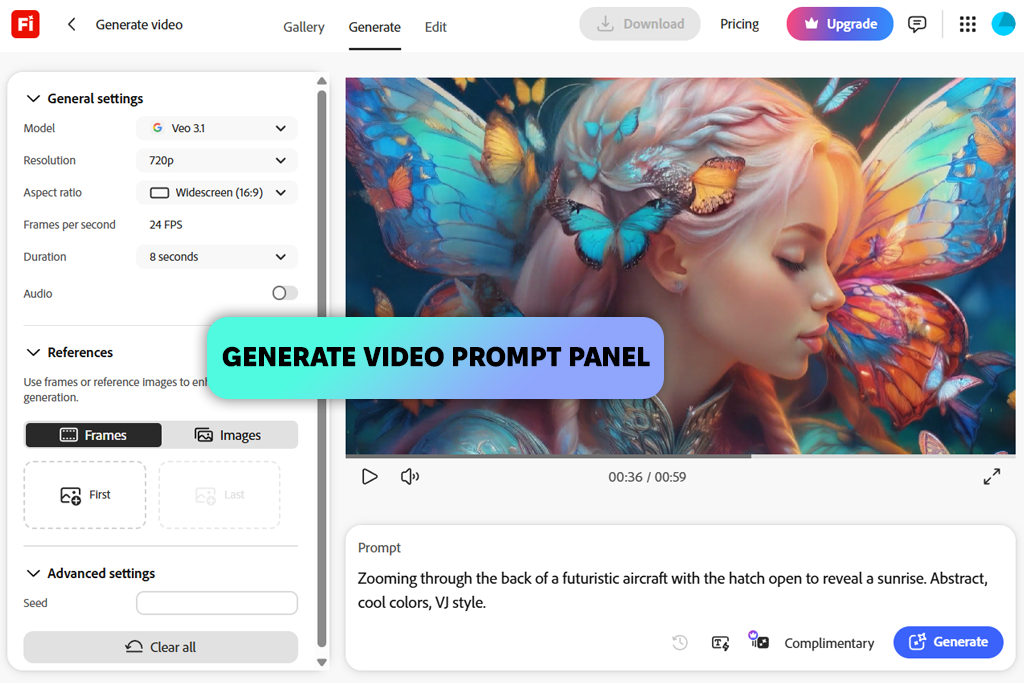
I think this is the best Higgsfield AI alternative, and not just because I'm deep in the Adobe ecosystem. When I ran the Firefly Video Model alongside Higgsfield, I wasn’t impressed by a particular feature. I was totally stunned by the underlying design philosophy.
Higgsfield thinks about people, namely, how they move, speak, and perform on camera. Firefly thinks about assets: how they look, integrate, and hold up once you're done generating and start editing.
“Firefly helped me generate backgrounds, refine the product, and explore visual options. Working entirely within Adobe made the whole process faster and easier.”

Firefly copes amazingly with atmospheric B-roll, polished product visuals, and compositions that need to hold up across sizes and contexts. The results are more consistent than I've gotten from Higgsfield. Human performance is Firefly's genuine weak spot. If believable body language and expressive talking-head video are your primary use case, Higgsfield still wins that head-to-head.
When comparing these 2 programs, it is important to consider commercial licensing clarity. Adobe's training approach and enterprise positioning make Firefly-generated content much simpler to deploy in client work, brand campaigns, and commercial contexts where IP questions can get complicated fast. That alone is worth a lot if you work professionally.
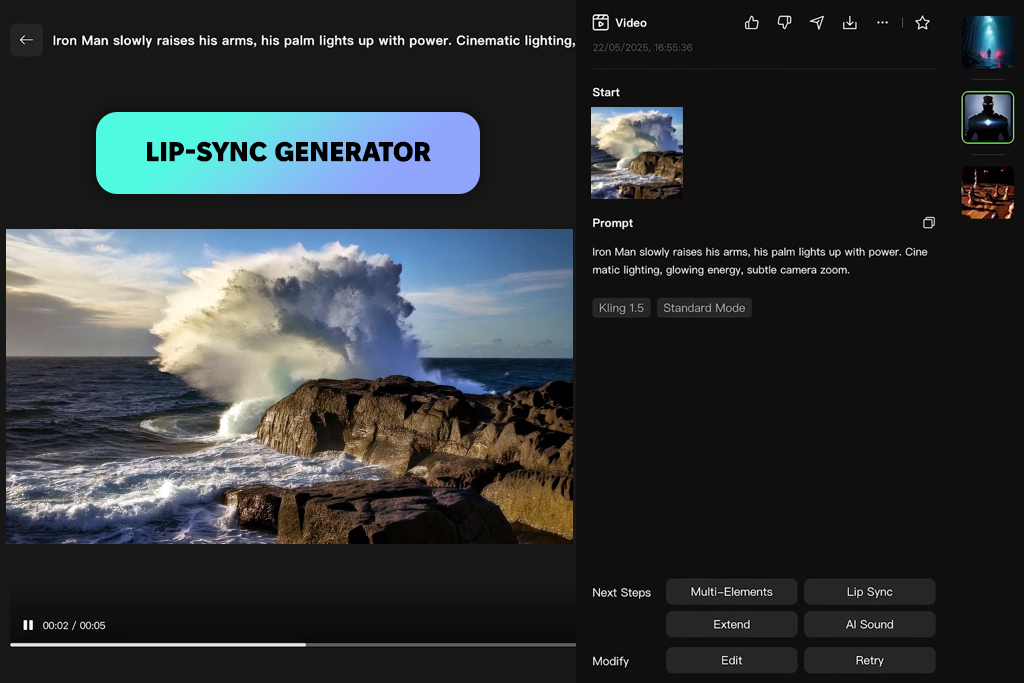
My colleague Tetiana would lead this list with Kling AI, and I get it. There's a specific thing Kling does that no amount of clever prompting fixes in other tools. It makes people look like people. I stress-tested this AI video generator with the exact scenarios that tend to perplex other apps like Higgsfield, namely, hands holding objects, walk cycles, and head turns mid-conversation.
With Higgsfield, I occasionally saw physics get lazy. With Kling, these looked physically committed, like the model actually understood what I needed. Even compared to other top AI video generators, Kling's motion smoothness is unrivalled.
“The motion quality keeps me coming back. Movement looks natural, transitions are smooth, and I'm barely spending time fixing unstable frames anymore.”

When I moved into scene-level work, dealing with environments, camera shifts, and lip-synced dialogue, Kling gave me more narrative range than Higgsfield's social-first structure allows. Higgsfield is faster for templated outputs and character consistency in ad formats. Kling rewards you when the content needs to look like it actually happened rather than like it was generated.
If Higgsfield frustrates you specifically because characters occasionally look uncanny or motion loses logic mid-clip, Kling is the most direct solution on this list. It's not chasing the same market as Higgsfield, and that difference in focus is exactly what makes it worth trying.
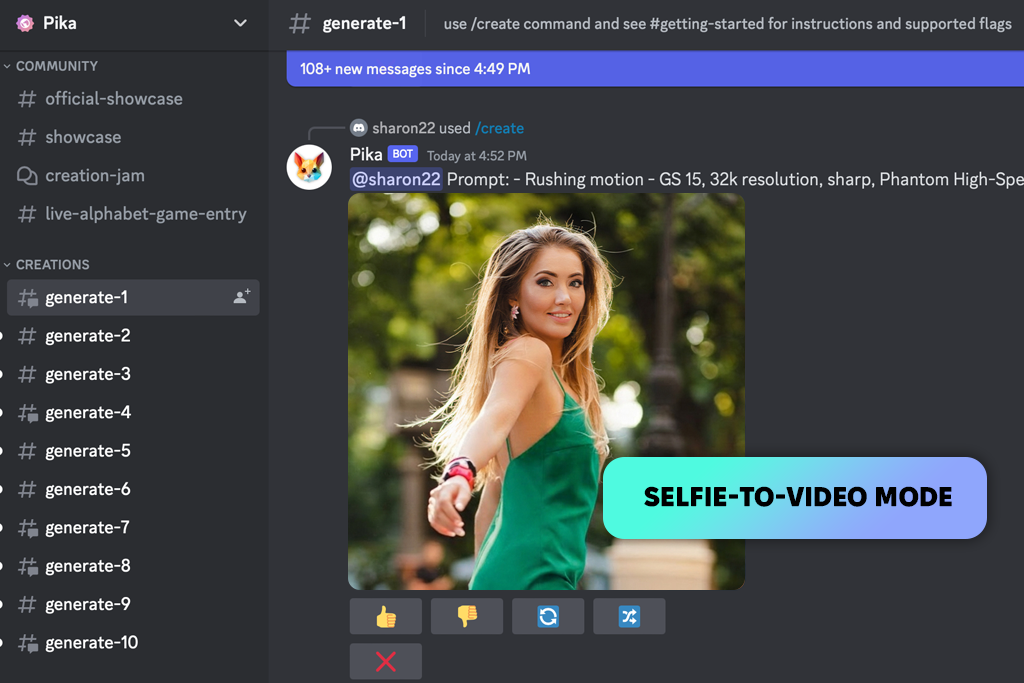
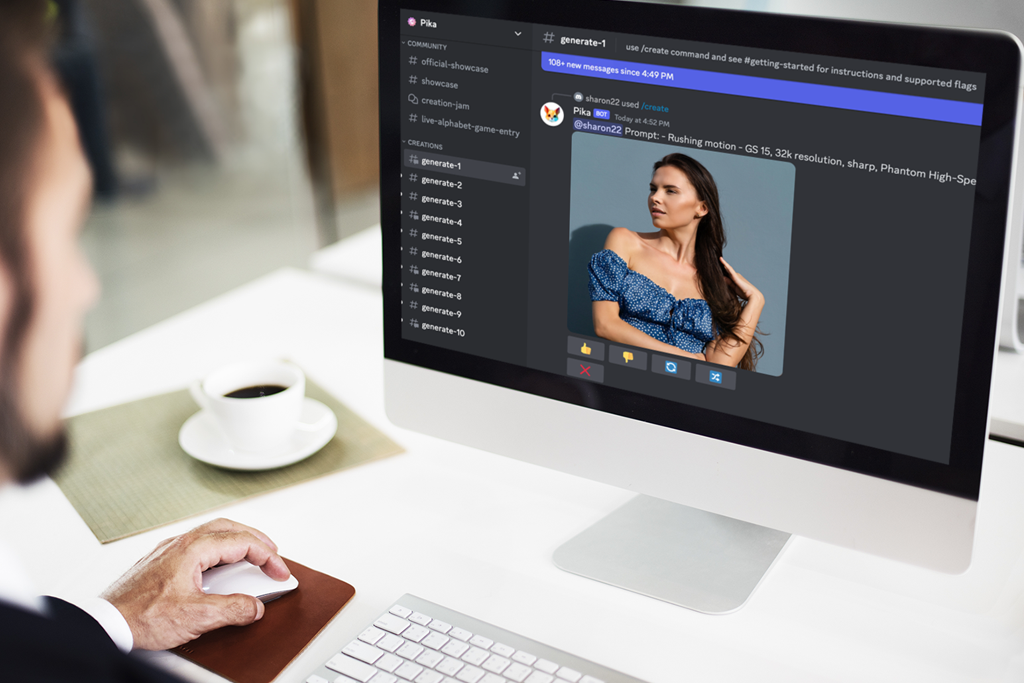
Pika doesn't want to be cinematic. That's not a criticism, but the key to understanding when it outperforms Higgsfield. I tried this AI clip maker first on fast product clips, stylized transitions, and short verticals where mood beats realism every time. It was quicker and more playful than Higgsfield, and effects like inflate, melt, and camera drift gave me results that looked genuinely creative.
The problem appeared when I rebuilt a scene I'd already done in Higgsfield. It included subtle facial reactions, natural object interactions, and a character moving through a room. Pika's version looked good. It just didn't look real. Characters occupied space with broad strokes rather than physical precision. Higgsfield handles that grounded believability better.
What Pika handles better is everything that doesn't need to feel real, which, for a lot of social content, is most of it. I came to think of Pika as a Higgsfield alternative I'd reach for when a brief says "make it scroll-stopping" rather than "make it convincing."
Its approach to AI-assisted clip creation leans into energy and visual surprise, which is perfect for selfie-to-film, content embracing strange motion, and fast iteration loops. These features that solve real social content problems. Just not the same problems Higgsfield was built to solve.
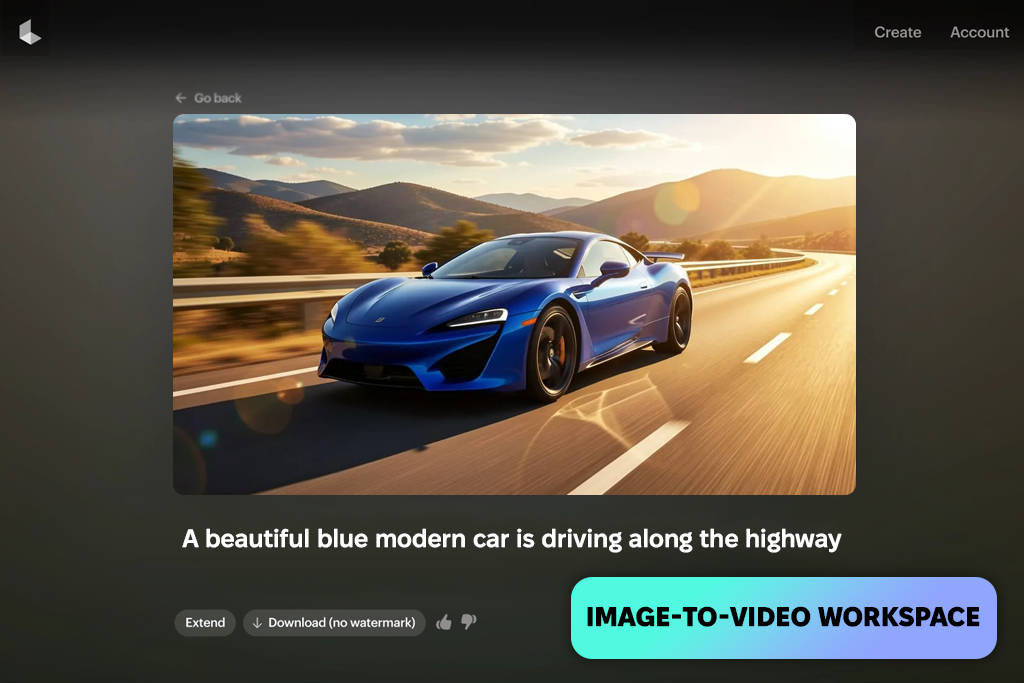
Some tools like Higgsfield simulate a world. Luma Dream Machine renders one. The difference sounds poetic, but it shows up directly in the output, when materials and light look realistic, and environments feel like actual places rather than backdrop textures.
I skipped character work entirely on my first session and focused on wet surfaces, soft fog, fabric movement, and nighttime reflections. Such things reveal lighting engine quality fast. Compared to Higgsfield's results on the same brief, Luma's scenes looked like they had physical mass behind them.
"My go-to for anything with difficult lighting like wet streets, moving headlights, and night environments with fog. The results are coherent and take less time than with other services."
When I uploaded a product render I'd animated in Higgsfield, Luma handled surface response much better. Higgsfield gave me control over camera presets, deliberate choreography, and reliable social-format output, but Luma impressed me with physics. You're not directing it the same way, but guiding a model that already has strong visual instincts and letting those instincts carry the scene.
The choice between them boils down to a simple question – do you want to build precisely, or do you want results that look like they were shot on location? Higgsfield answers yes to the first question. If the visual quality of environments, lighting, and 3D-like spatial depth is your main frustration with Higgsfield, Luma is one of the strongest Higgsfield competitors in this regard.
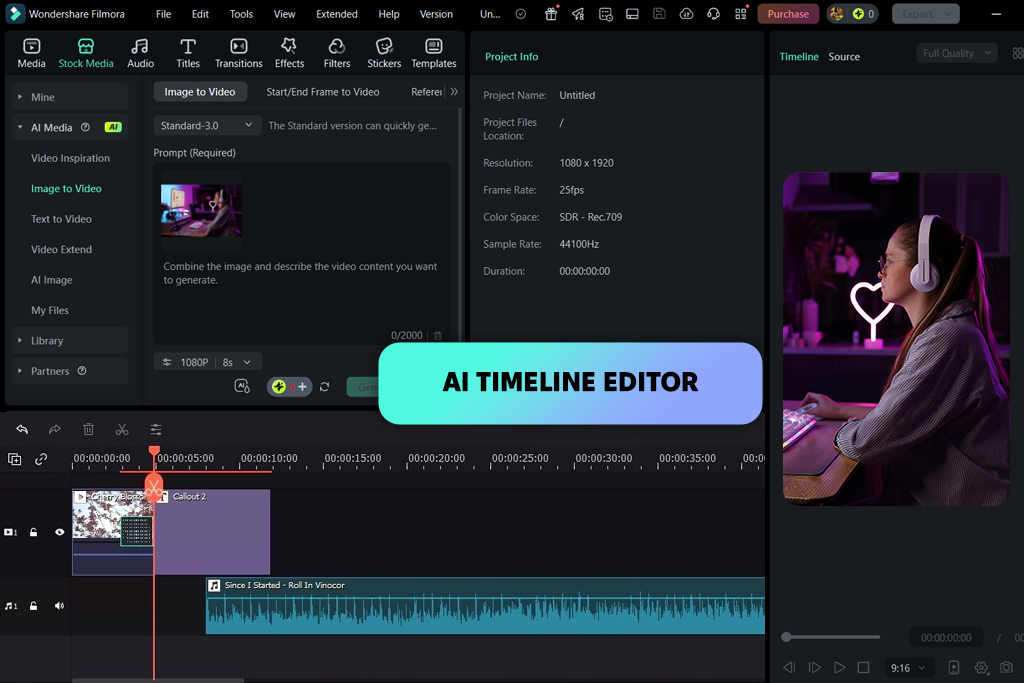
Including Filmora here is a deliberate choice, because it represents a different theory of how AI video should work. This program doesn’t try to generate the perfect clip, but it offers all the modern features for building the best video. Those are different intentions, and for a lot of creators, the second one matters more.
Its AI Text to Video and AI Image to Video features, running on Sora 2 and Veo 3.1, feed directly into a full editing timeline. You generate, then you fix. That loop is faster than most people expect going in.
“Being able to fix things directly on the timeline is underrated. Filmora may not win on cinematic quality, but when you need real editing flexibility, it has much to offer.”
Higgsfield's model is fundamentally. You start the generation and then export the result. Filmora's model is different. You get close enough with generation and then edit your way to done. When I worked through both on the same brief, Filmora's approach cut more time off the final stage, because there was a real final stage with tools to use in it.
I also tested the Nano Banana Pro image generator inside Filmora. While it is not a standout on its own, it is accessible in the same workspace, which is more practical than I expected.
Filmora won't win a head-to-head on cinematic realism or AI-native character work. That's not what it's designed for. This is one of the strongest Higgsfield AI competitors for creators who are more comfortable in an editor than in a prompt box.
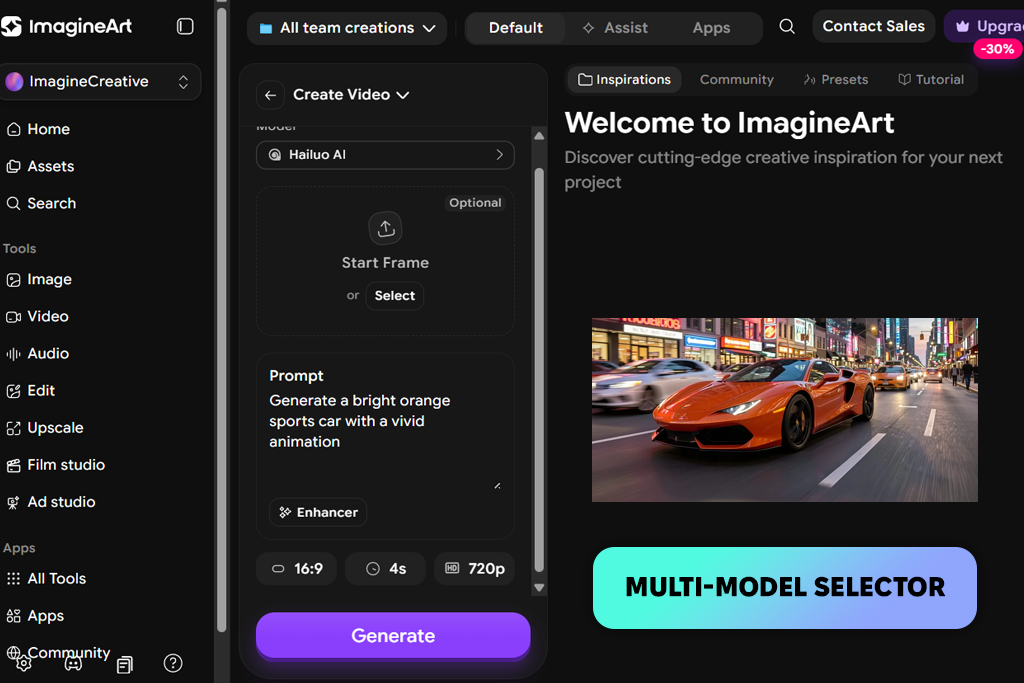
ImagineArt solves a problem that doesn't get talked about enough – the discovery phase of creative work. You have a rough concept, but don't know yet if it needs Sora-style movement, Kling's human realism, or Veo's visual treatment. Running separate trials on three different generative AI tool options takes time and account management overhead.
ImagineArt puts several of those engines behind one dashboard, which meant I could take the same prompt and see how different models interpreted it in a single session without switching tabs or logging in elsewhere. That exploration-friendly setup is very different from Higgsfield's experience.
Higgsfield has a deliberate point of view about what it generates and how. ImagineArt is more like a testing lab, which is useful for visual direction work, mood research, and pre-production exploration, but less helpful when you need precise camera control or a specific directorial output. The multi-model approach gives you breadth. Higgsfield gives you depth within its particular lane.
The subscription value makes ImagineArt even more popular among users. If you currently jump between multiple platforms for different projects and want to consolidate that overhead into one cost, it handles the comparison work efficiently. I wouldn't make it my primary free Higgsfield alternative for polished final deliverables, but as the platform where rough ideas get pressure-tested before production begins, it earned its spot on this list.
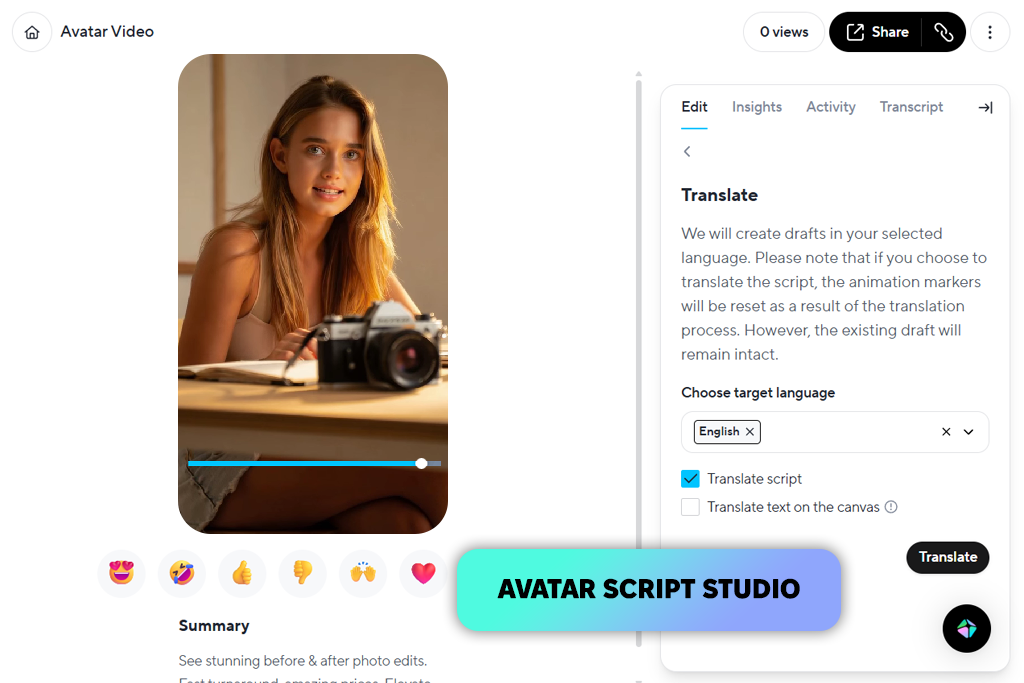
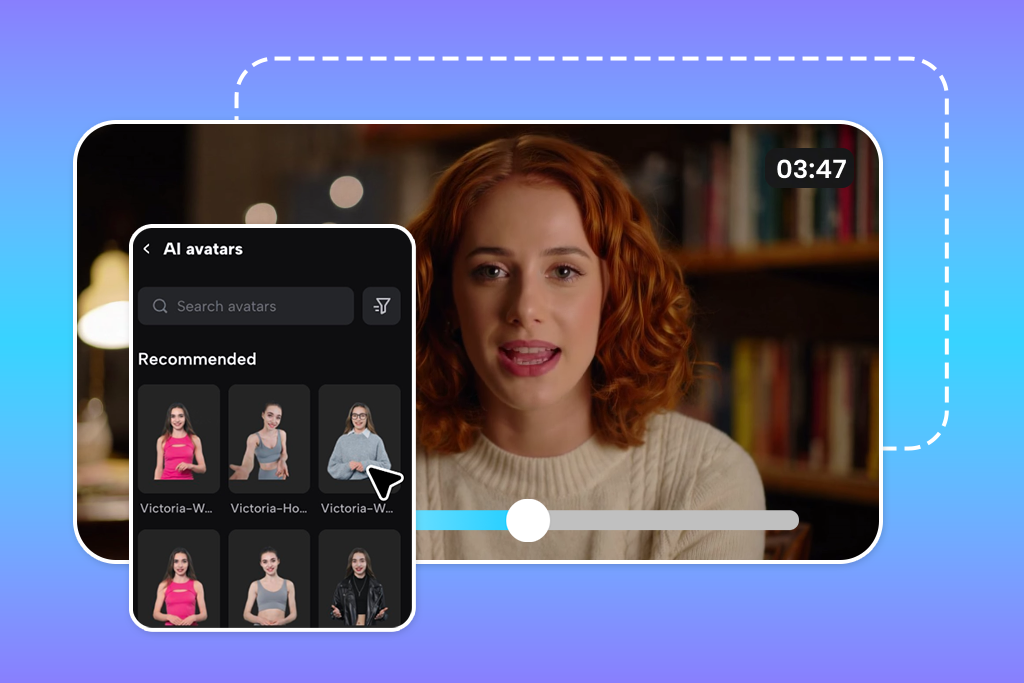
Testing HeyGen as a Higgsfield AI alternative free with cinematic prompts or stylized scenes would miss the point entirely. HeyGen isn’t aimed at making beautiful videos, but helps users communicate their ideas clearly. I used it for product explainers, onboarding scripts, and multilingual spokesperson content.
The workflow stripped out every unnecessary step. I selected avatar selected, pasted the script, configured the voice, and rendered. I didn’t require visual directing or scene building manually.
“I use it for explainers, internal updates, and short marketing pieces. The whole process is focused on presenting certain ideas clearly. Visual complexity barely enters into it.”
HeyGen surprised me a lot with voice output. Different voice types, languages, and pacing adjustments were on point, and I know that Higgsfield's voice features can’t match that quality. The combination of voice cloning, multilingual support, and avatar-based presentation made it the obvious choice for anything that needs to be said clearly across multiple markets.
HeyGen and Higgsfield have almost opposite creative identities. Higgsfield gives you visual freedom with people as the subject. HeyGen gives you communication efficiency with words as the product. Teams that produce frequent training content, localized marketing, or scripted presentations will find HeyGen handles those jobs faster and more reliably than Higgsfield was ever designed to support.
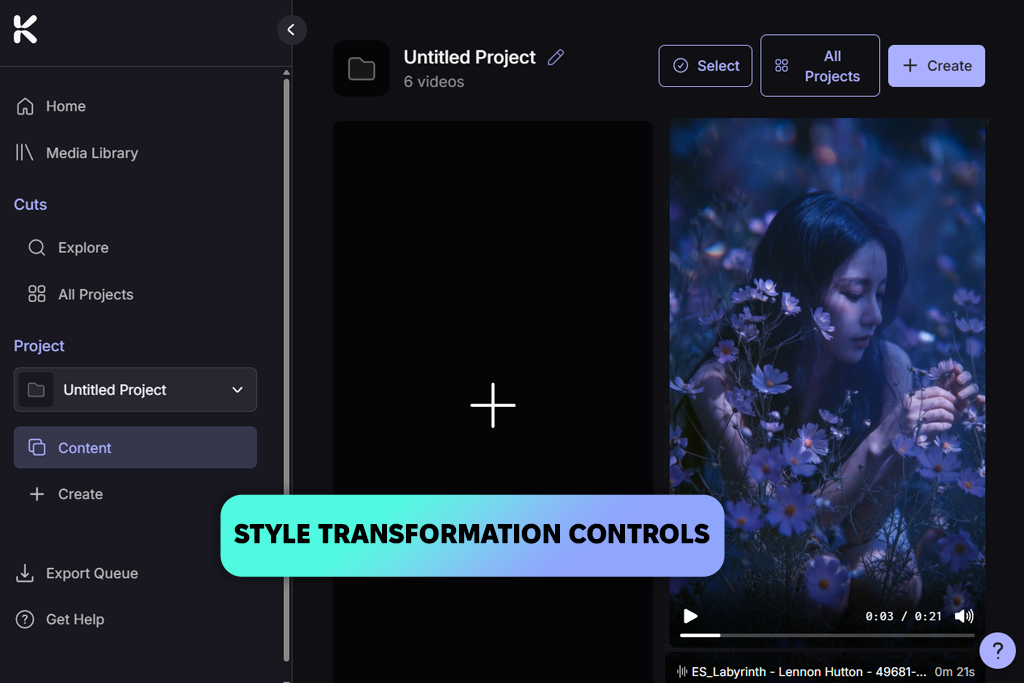
Many sites like Higgsfield try to convince you the output is real. Kaiber makes the output unforgettable. From my first generation, it was clear the platform wasn't competing in the realism category, but was operating in an entirely different register. It creates expressive, stylized, visually assertive content that is unachievable for Higgsfield.
When I took a static brand visual and transformed it into short motion with a dark, atmospheric treatment, Kaiber returned something I wouldn't have expected from any other tool on this list. It wasn't consistent across every frame, but it had visual personality. Higgsfield produces coherent, camera-logical output that meets expectations reliably. Kaiber gives output that looks like a deliberate aesthetic decision was made, and that quality is rarer than it sounds.
For realistic narrative content or character-driven scenes, Kaiber hits its limits quickly. Scene control is loose, and predictability is lower than most Higgsfield AI alternatives here offer. But that's not its purpose. Music videos, brand mood pieces, abstract storytelling, art-forward social content are the briefs that Kaiber handles with ease.
When picking the best Higgsfield alternatives, you should answer the question – "which tool fixes my actual problem?" Here's how I'd frame the decision:
If you are interested in better visual scope and creative range, Runway and Luma Dream Machine are terrific starting points. Runway gives you directorial control over complex scenes and camera behavior. Luma gives you visual realism that seems grounded in actual physics. Neither one tries to replace Higgsfield's social-video strengths. They expand into the territory Higgsfield doesn't cover.
If you are frustrated about workflow and integration, Adobe Firefly Filmora offer completely different solutions to the same underlying problem. Firefly plugs directly into Adobe's ecosystem. Filmora takes the opposite approach to generation entirely (build and edit rather than prompt and regenerate), which suits creators who think in timelines more naturally than in prompt boxes.
If you seek human motion and realistic performance, Kling AI is the most targeted Higgsfield alternative. It makes people look physically real and does that more consistently than anything else I tested. HeyGen handles the other end of human-centered video, offering structured delivery and multilingual communication for scripted content, rather than physical performance and visual storytelling.
If you're in exploration mode and not yet sure what direction fits your work, ImagineArt lets you run the same idea through multiple models before committing to a platform. If the goal is visual style over realism, Pika AI and Kaiber AI offer different creative identities. Pika leans into energy and effect-driven social content, while Kaiber favors aesthetic boldness and brand-first visual work.
FixThePhoto team and I didn't benchmark these tools against theoretical specs, but tested with projects that Higgsfield users typically run. Every tool received the same creative briefs where possible, so comparisons were based on output under identical conditions rather than best-case demos.
My focus throughout testing was motion and physical believability. Since Higgsfield's reputation rests partly on how it renders human movement, I kept returning to close-up tests, featuring hand interactions, walking, facial responses, and body weight. I tracked frame stability, transitions, and how consistent character behavior was from one generation to the next. Of course, I noted which type of content triggered the failure.
Kate approached the testing from a directorial control standpoint. Rather than just judging what the output looked like, she focused on how much influence each tool gave over camera behavior, scene structure, pacing, and refinement.
The question she kept asking was: how much of this final result was my decision, and how much was the model's default? That's a meaningful distinction in professional creative work, and it shaped how each program ranked in terms of usability over multiple sessions.
Tetiana concentrated on production practicality, noticing the factors that determine whether a tools like Higgsfield survive contact with a real working week. She analyzed pricing model clarity, usability, advanced features, export options, and subscription limitations. Strong output quality means less if the surrounding workflow is fragile or expensive to scale.
Finally, we each looked at fit versus flexibility. Some tools work best when used for one specific kind of content. Others try to cover more ground. Rather than rewarding breadth as an automatic virtue, we measured each tool against the tasks that most commonly push Higgsfield users to look elsewhere, and scored them on how directly they resolved those specific gaps.



![9 Best Lumen5 Alternatives [{{%year}} FixThePhoto Choice]](http://fixthephoto.com/blog/images/gallery/news_main__preview_28975.jpg)


![7 Best Cricket Logo Makers [{{%year}} FixThePhoto Choice]](http://fixthephoto.com/blog/images/gallery/news_main__preview_28973.jpg)


![7 Best Badge Makers [Create Designs That Sell]](http://fixthephoto.com/blog/images/gallery/news_main__preview_28983.jpg)
![7 Best HEIC to JPG Converters [{{%year}} FixThePhoto Choice]](http://fixthephoto.com/blog/images/gallery/news_main__preview_29011.jpg)

















