A couple of months ago, I posted my first episode of AI-generated news on my YouTube channel. The video had a digital news anchor, AI-made voiceovers, and automatically produced subtitles. I wanted to check if a modern AI news generator can deliver a realistic-looking video with minimum manual input. The episode I posted looked incredibly natural, which led to a lot of users asking me what software I used to make it.
Such a response made me understand that the demand for AI-based content creation is bigger than I thought, which is why I decided to try out a variety of other tools to find the best AI news generator out there. To keep my biases to a minimum, I reached out to several coworkers from the FixThePhoto team, including our main video editor and content strategist, to conduct the test and compare our findings.
Before we dive into our conclusions, let's first cover what AI news generators actually are. Typically, it’s a platform that employs artificial intelligence to automate the core processes involved in producing news, which usually include script writing, story summarizing, visual generation, voiceover generation, or producing entire news episodes with minimum user involvement.
They serve to streamline the news creation workflow while delivering consistent results for individual content creators, small studios, and anyone interested in leveraging AI functionality for their work.

When I initially tried out AI-based news creation, I soon realized that using such platforms isn’t as easy as pressing “Generate.” You can receive fantastic results, but only if you figure out the limits of the tool you’re using and don't make any common mistakes.
Some users get carried away by their desire to automate everything and end up producing videos that look and sound robotic while spreading misinformation instead of actual news. Here are the typical pitfalls you should avoid:
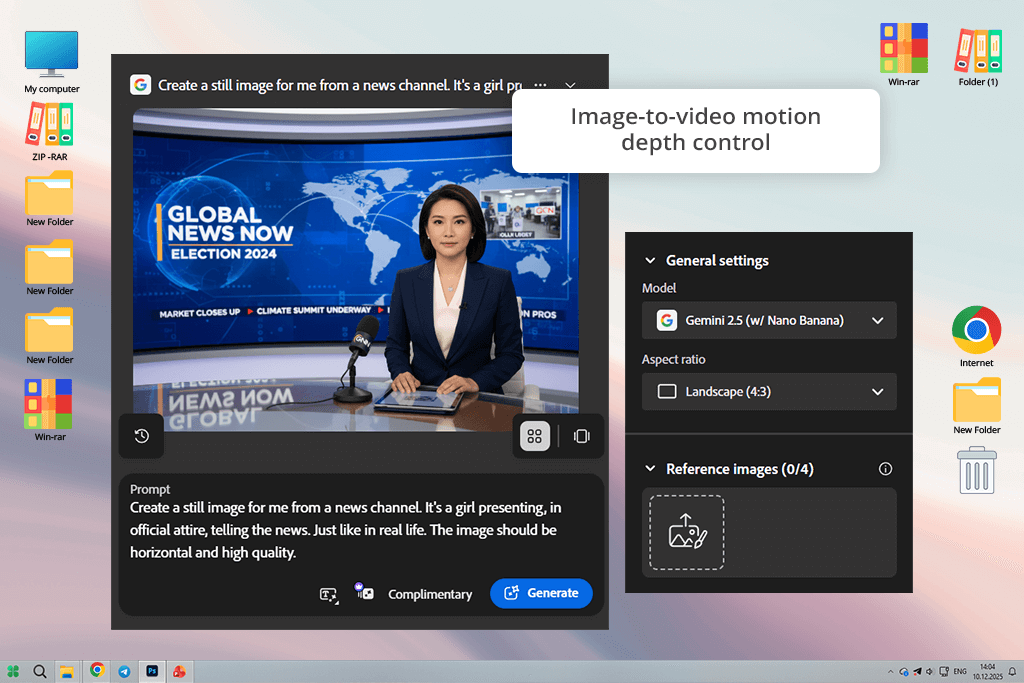
I’ve been using different Adobe software for over a decade now, so I’m not surprised that the Firefly video model has proven to be the best AI news creator I've tried. I began with a basic project: a brief 1-minute news script about popular AI trends. I imported the script into Firefly, chose an avatar that resembled a newsroom anchor, picked a professional-sounding British accent, and pressed "Generate."
It took less than 60 seconds for me to receive a polished video of the presenter reading my text against a virtual newsroom backdrop. The lip-syncing was pleasantly precise, and the voice carried the expected note of professionalism.
Afterward, I experimented with multiple other avatars, including a young tech journalist and an older, more experienced anchor, and I was happy with how the tone of the video changed despite me using the same script. You can choose from a wide range of avatars, depending on your preference in skin color, accent, and clothing. Adobe Firefly also lets you pick from various backdrops like newsrooms, office spaces, or plain color backgrounds.
Next, I checked out the extra features: adding cinematic audio and visual effects. For example, I wrote "add news show intro sound" and "add camera flash effects," and the AI delivered exactly what I wanted, making my video look even more professional. Adobe Firefly isn’t perfect, as the generated anchor can blink awkwardly or mispronounce uncommon words, but if you want to quickly generate a ready-to-publish news video – this is the best tool for the job.
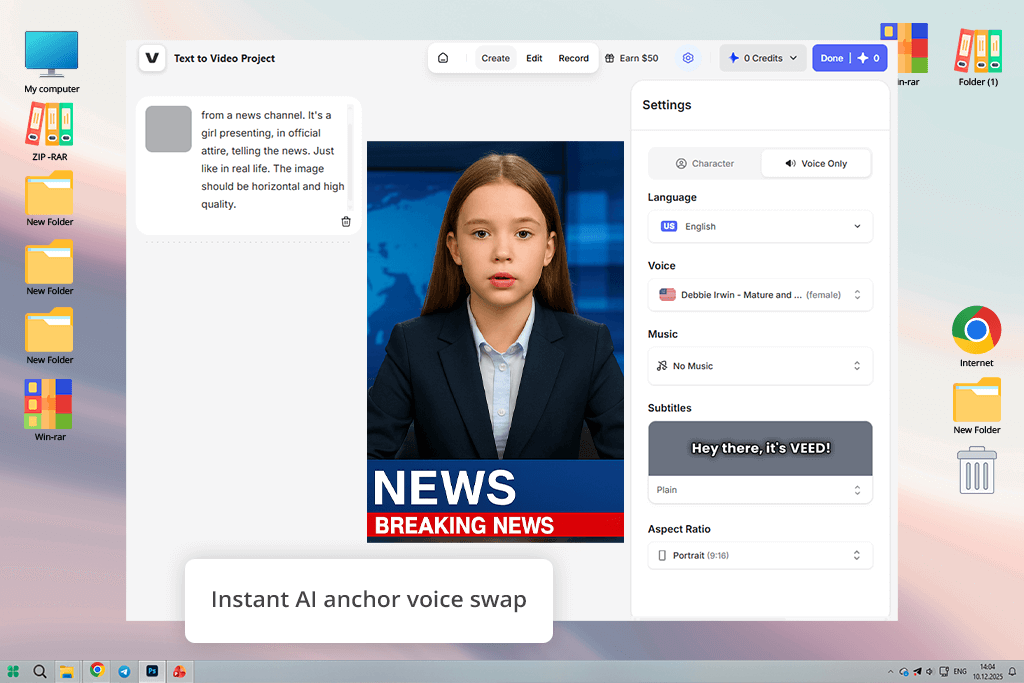
VEED is my go-to automated news generator that uses AI to produce social media videos. The first thing I did was check if it could fit into a quick, newsroom-themed workflow. I imported a script about current AI regulations, and it only took less than a minute to convert it into an entire video with a clean voiceover, proper transitions, and cinematic framing.
I particularly liked how much control I had. I could use my own script, instruct the AI to generate one, or use artificial intelligence to rewrite and touch up my text. VEED also lets you choose the aspect ratio (9:16 for Reels, 16:9 for YouTube), the caption style, and a voiceover that is a good fit for your vision. Additionally, you can generate branded intros or use your own logo, while the automatically created subtitles are perfectly synchronized with the audio without requiring any manual input.
Next, I looked into one of VEED's biggest selling points: AI avatars. You can choose one of the premade news anchors or generate your own avatar. I imported an image to test this feature, and even though the resemblance wasn’t perfect, it still copied my overall appearance and talking style. The avatar also looked realistic enough to be used for brief news videos without having to record myself in a professional environment. The biggest drawback was the occasional desynced lip movements.
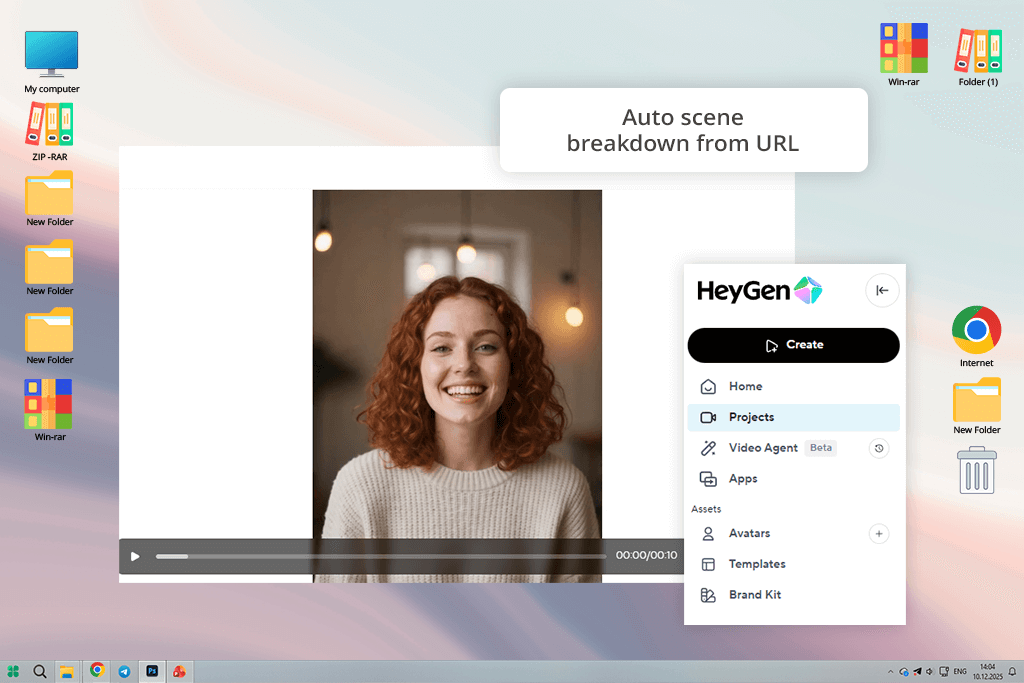
I first found HeyGen after simply googling “AI breaking news generator.” I instantly appreciated how professionally and broadcast-ready everything looked. This tool did a great job with the pacing, transitions, and voiceovers, generating a fully immersive newsroom experience. I barely had to tweak any parameters, which is incredible for a solution that I almost skipped.
Having read that this platform is capable of tackling local updates and regional accents, I wanted to use it to produce a local news video. I came up with a mock story about a photography contest in my town, and HeyGen quickly produced a video with a calm female voice with a subtle regional accent. The tone struck a good balance between conversational and professional, which is something I usually have to painfully fine-tune in alternative solutions.
Additionally, I checked how well this AI video translator can handle translating the script into Spanish and French. HeyGen did a great job automatically synchronizing the captions and narration.
For the final test, I generated a corporate-style news update in the vein of an internal company announcement. I wrote a brief leadership message and chose a male avatar with a confident voice. The only drawback of this online AI news maker is the inconsistent emotion slider that sometimes fails to convey the desired tone. However, if your main goal is to convert scripts into branded news videos, HeyGen is an incredible find.
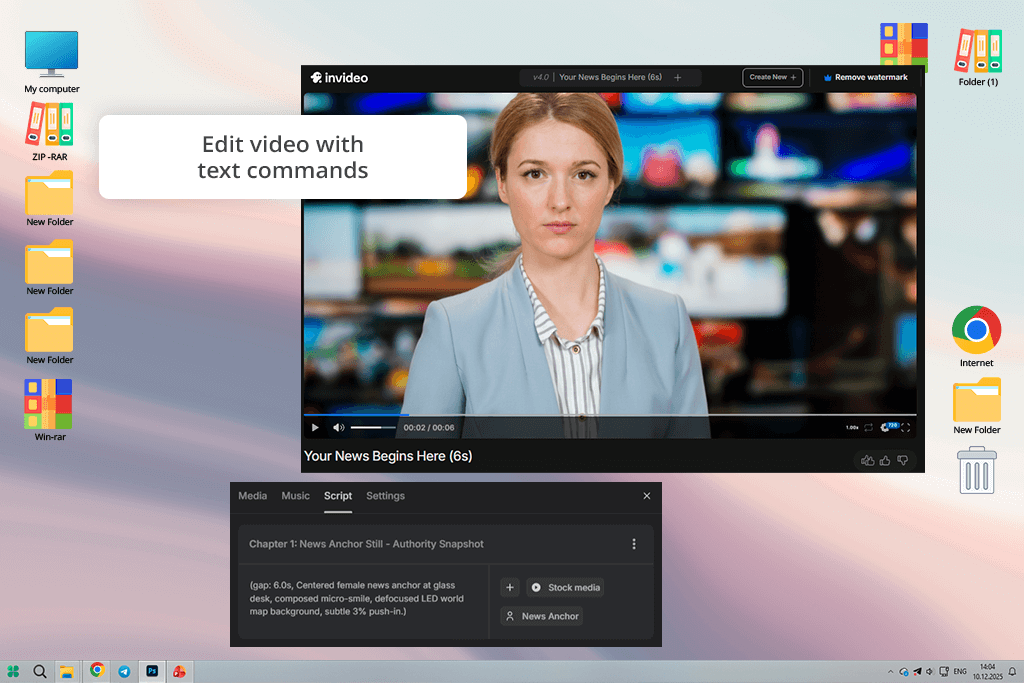
My coworker Kate firmly believes that Invideo is the best AI news generator on the market, so I wanted to try it myself. I began by importing a brief, three-paragraph tech news snippet while specifying the desired length of around 45 seconds, choosing a British female voiceover, minimalistic background music, and pressing "Generate." It only took this platform a couple of minutes to produce a professional, well-paced video with subtitles, transitions, and a color palette that reflected our branding.
I particularly liked the text-driven editing approach of this solution. Rather than messing around with the timeline, you merely need to write instructions like “reduce the intro length” or “swap the last clip with city skyline footage.” It’s quick, user-friendly, and very useful if you’re rushing to meet a tight deadline. I used Invideo to "add energetic background music" and "switch the voice accent to American" to the first video I made, and both changes were made instantly without disrupting the flow of the clip.
Lastly, I tested the text-to-video feature on a lengthier news post, which would ordinarily require about an hour of manual work. This AI video generator summarized the main talking points, generated visuals, synced captions, and added fitting transitions between the different scenes.
The result looked professional and was ready for publishing. The only notable drawback was that sometimes the voices sounded a bit too joyful when covering serious news.
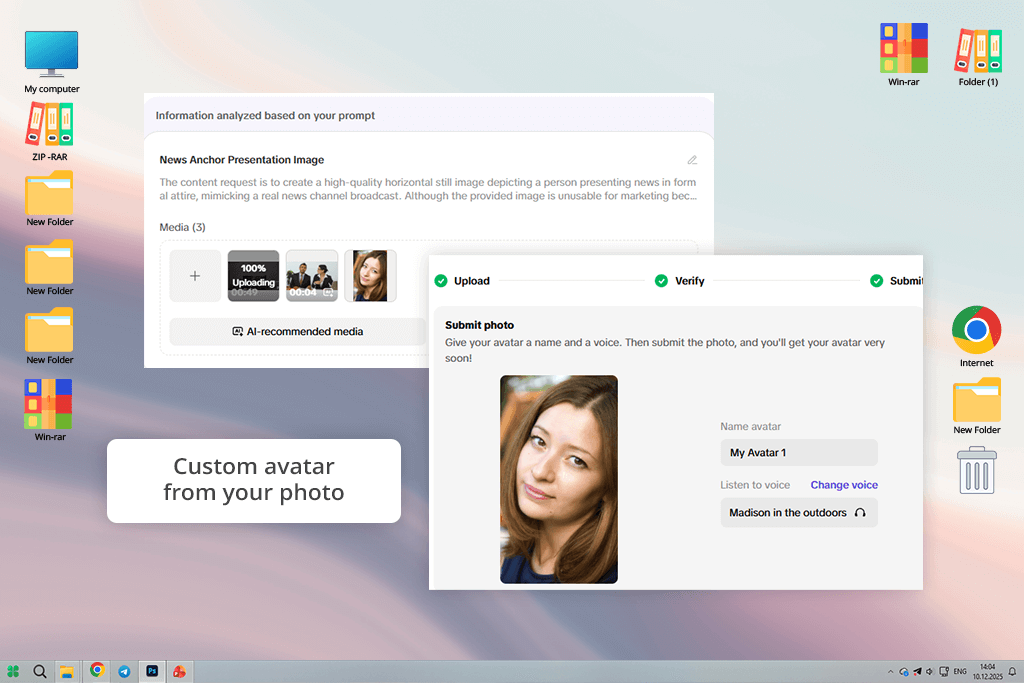
Pippit hasn’t made a big name for itself yet, but I was very excited to check this AI news writing tool out. It offers a streamlined UI that allows me to simply input the article link, pick the "Breaking News" preset, and write a brief prompt along the lines of “summarize the key talking points and make a 1-minute social media video.” After just a couple of minutes, I received a clean, vertical-oriented clip that I could upload to YouTube and Instagram.
Pippit allowed me to switch the aspect ratio, replace the background in the footage, and even adjust the pacing of the narration. For the first rendition, I picked an AI avatar and combined it with the voice generated from my own short audio sample. The outcome? An anchor that sounded like me – not a perfect match, but easily recognizable. This feature on its own already makes Pippit a good fit if you want to preserve brand personality without appearing on camera all the time, akin to AI voice cloning software.
Additionally, I tried out one of the provided templates for breaking news – a mockup piece about a big tech corporation launching a new product. The platform automatically identified and emphasized crucial talking points with subtle animations and broadcast-grade transitions. The sole drawback is that avatars have somewhat stiff faces, particularly the eye area. However, for a recently released tool, Pippit shows a lot of promise.
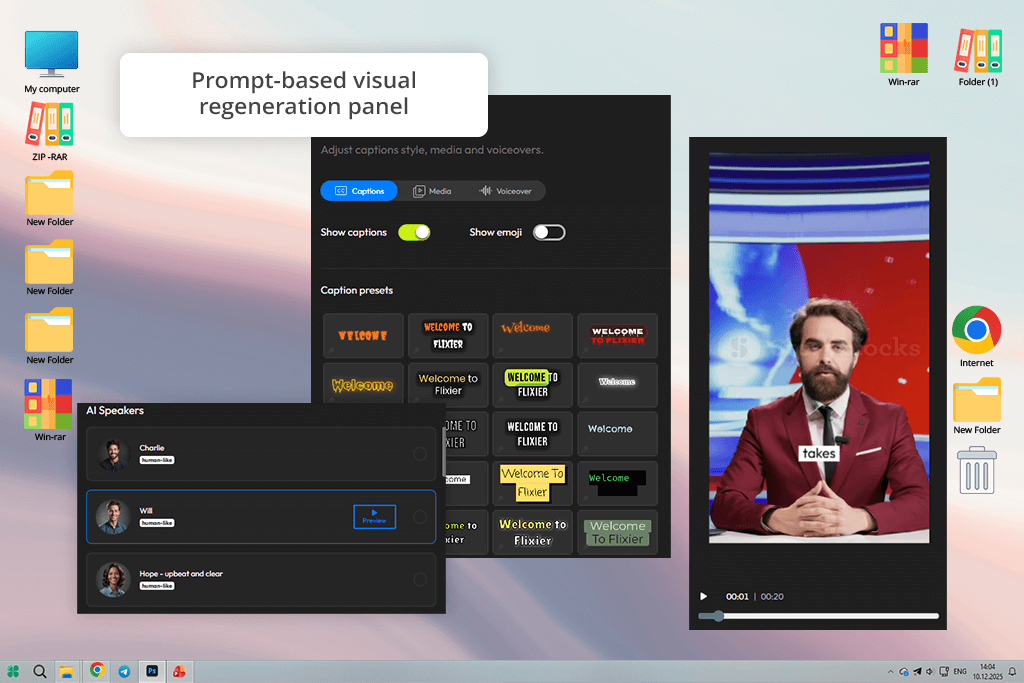
In my perception, Flixier is primarily an AI video editor that you can use to trim footage, synchronize captions, and apply motion graphics. I began with a basic prompt: “Generate a one-minute news segment about the increase in AI use in creative industries.” Next, I picked a calm narrator voice with a professional vibe, and Flixier produced the entire video within two minutes.
The combination of AI-powered generation and editing makes this solution both versatile and very easy to use. I leveraged the provided prompt-driven customization, requesting additional details like “add footage of artists using laptops” and “add ambient newsroom-style background music.” Flixier performed these changes instantly, producing a new ideation of the segment that featured those visuals and music. It also allows me to switch the aspect ratio mid-project, as I made separate versions for YouTube and Instagram without having to redo everything from scratch.
This AI news editor also lets you pick between different styles. To check this feature out, I generated the same news segment two times: once in a neutral “broadcast” tone, and the second time using a more uplifting social-media voice. The second video featured more colorful transitions and quicker cuts, which met all my expectations. The only drawback? Some of the used footage didn’t fit the context of the narration, so I had to replace it manually.
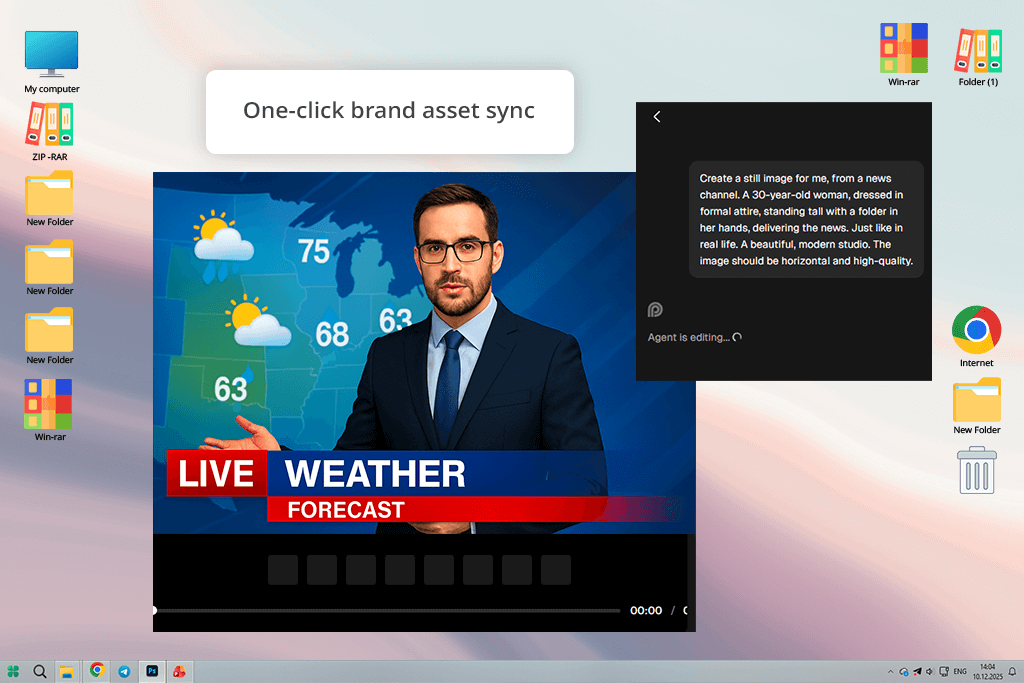
When using Opus Clip, I added a brief script about the AI industry to Agent Opus, the platform’s integrated AI news article generator. After just a couple of minutes, I received a video with dynamic effects, broadcast-style transitions, and a professional voiceover that sounded natural and well-paced – all without having to tinker with messy timelines or complex settings.
Afterward, I imported FixThePhoto’s logo and our brand colors, while instructing the AI to take care of the stock visuals. Since the news segment was about camera technology, I was happy with the selected footage, as it included cameras, interviews, and light reflections. Opus Clip also offers a voice cloning feature. It’s not perfect, but it can still be very useful if you want to personalize the result further.
Lastly, I employed this platform to produce a mock breaking news update. It generated a 45-second video in less than two minutes, while ensuring it had motion effects and captions ready for YouTube. However, this clip did suffer from a minor delay between the subtitles and sound. Thankfully, I quickly fixed that manually.
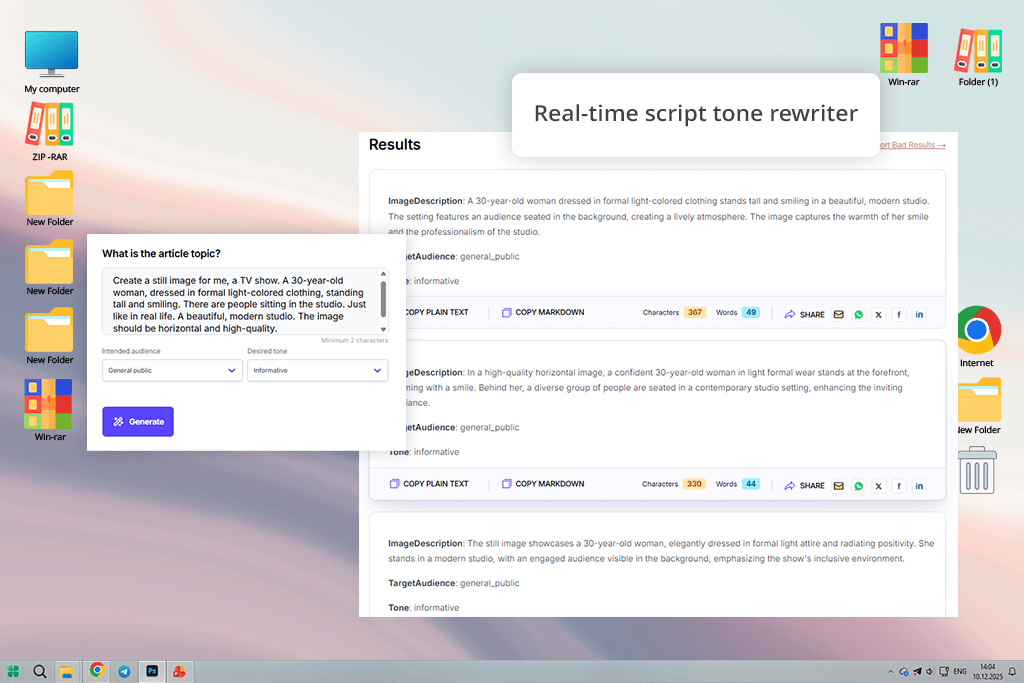
Unlike all the previous platforms, Mailmodo is more of an AI news feed generator than a video production tool. It’s incapable of creating video content, but it excels at turning short news drafts into complete, well-written articles. It’s perfect for preparing your script and ridding it of flaws before you move on to recording.
This AI news creator is focused on script writing and formatting. It helped me summarize a long tech article into a brief, two-paragraph script that carried the exact tone I wanted. It’s also capable of generating headlines, subheadings, and social snippets, which is perfect for preserving a cohesive voice across different platforms.
However, if your goal isn’t just to find an AI press release or news summary generator, then you’ll find the lack of avatar, video, and animation generation functionality to be very disappointing. Mailmodo is a great pre-production solution, but you’ll need to find other software for your video-making needs.
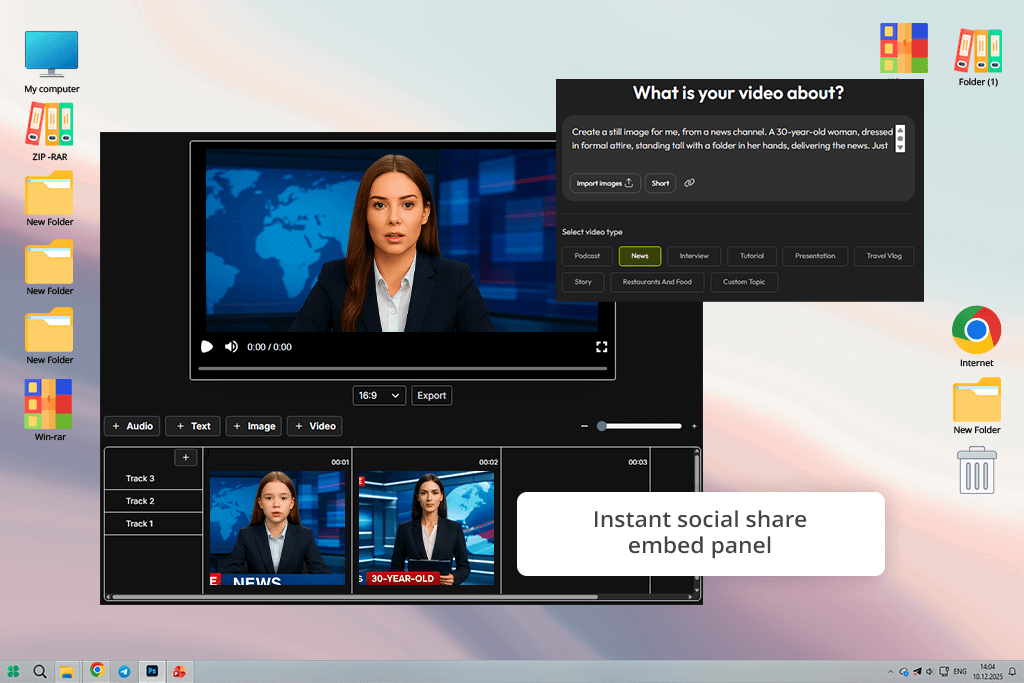
From what I knew, Vadoo is primarily a video hosting and distribution platform, so I tempered my expectations. Surprisingly, it can be of great help as an AI news automation tool, allowing me film, host, and share news videos quickly. I imported one of my test clips, generated captions, and had a shareable video link ready within a few minutes.
I particularly like how intuitive Vadoo is. You don’t have to deal with messy menus or convoluted setup processes. Instead, you’re greeted with a minimalist dashboard that allows you to input your script, choose the template, and make the AI take care of the trimming, captions, and pacing. I produced a brief 40-second news segment leveraging its text-to-video functionality, and even though the visuals were rather basic, the voiceover and pacing were top-notch.
I recommend using Vadoo as your AI news assistant rather than a complete generation solution. Its primary benefits include embedding, sharing, and tracking your creations rather than video generation. For individuals and small teams, Vadoo is a great addition to their toolset.
To ensure the testing process was unbiased and balanced, we adapted the same workflow we rely on when making AI-generated news content. For every solution, I imported the same source – a 200-word news script – and instructed the platform to generate a short, publishing-ready video. This helped me evaluate the speed of each option and how good it is at replicating the desired tone, pacing, and structure. I focused on how the AI tackles factual text and transitions, since those aspects greatly affect whether the final result feels natural or artificially stiff.
During her tests, Kate evaluated how every tool approached visual consistency and brand integration. For example, she imported the FixThePhoto logo, color palette, and intro clip into every tool that supported personalized branding. This allowed her to find AI news generators that could preserve a professional newsroom look without requiring manual involvement. Platforms like Firefly and Opus Clip provided the best results, generating cohesive footage with matching lower thirds, captions, and backdrops. Other solutions required some editing time to get this aspect right.
Voice realism and language accuracy also received a lot of our attention. Nataly experimented with several narrator options, using both preset AI voices and the voice-cloning feature if it was available. She evaluated the clarity, pronunciation, and tone control, determining if the AI is efficient at going from fast, breaking-news narration to calm, feature-style delivery. Some platforms, like HeyGen, did a great job matching the expected emphasis and emotion, while others generated voices that sounded too flat for the context of the news.
To judge workflow speed and flexibility, I measured the duration of each process from input to final export. Additionally, I took note if dealing with minor problems was quick and easy or turned into a real hassle. VEED and Flixier are the standouts here, providing fast re-renders with convenient prompt adjustments. Meanwhile, platforms that demand redoing the entire generation process just to make a basic change received lower scores in this category.
Lastly, we evaluated distribution readiness – how convenient it is to publish or share the delivered video. Vadoo is the best AI news generator in this aspect, as it offers terrific single-click publishing functionality, while most others force you to download and upload your creations to social media manually.
When summarizing the results of all our tests, it became evident that even though there are many tools capable of generating news videos, only a couple of them are suitable for the entire production cycle that covers everything from script writing to instant sharing.



![5 Best Free JPEG to JPG Converters [Without Watermarks]](http://fixthephoto.com/blog/images/gallery/news_main__preview_28485.jpg)
![10 Best Video Delivery Platforms [Simple & Free]](http://fixthephoto.com/blog/images/gallery/news_main__preview_28433.jpg)


![AI Bratz Doll Filter Online [FREE]](http://fixthephoto.com/blog/images/gallery/news_main__preview_28411.png)


















