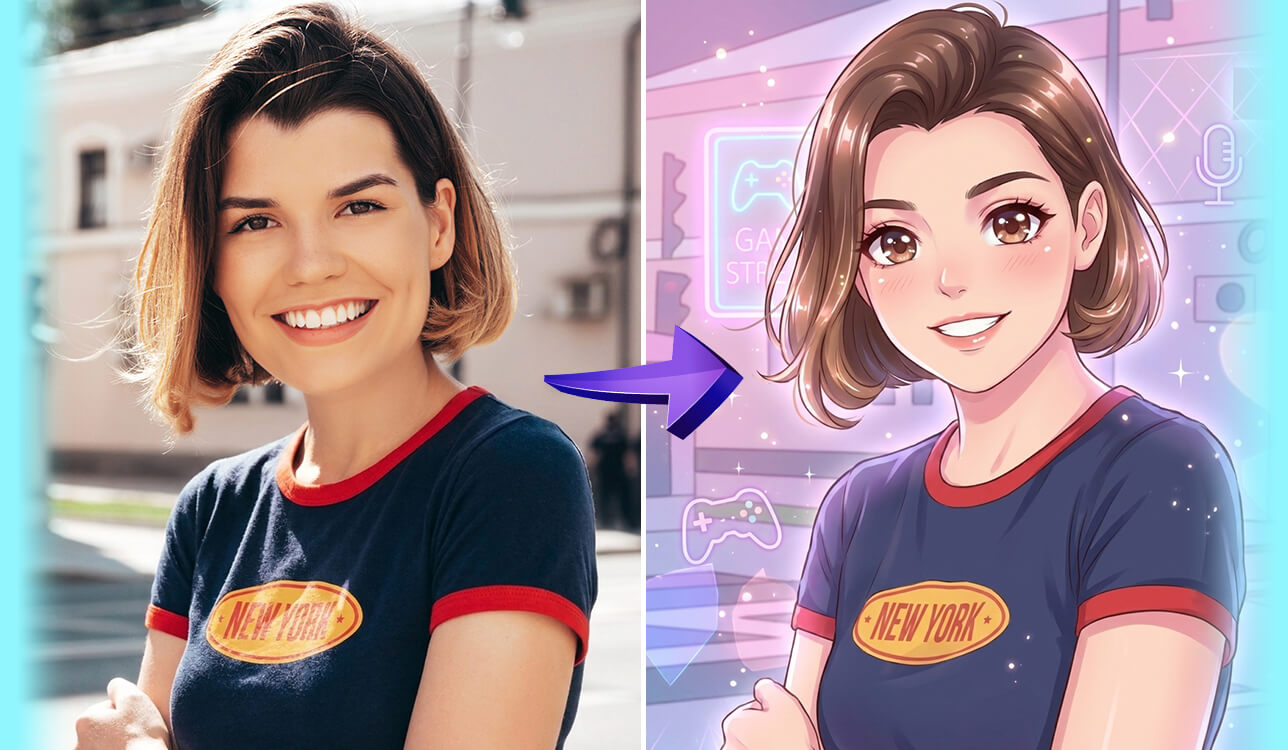
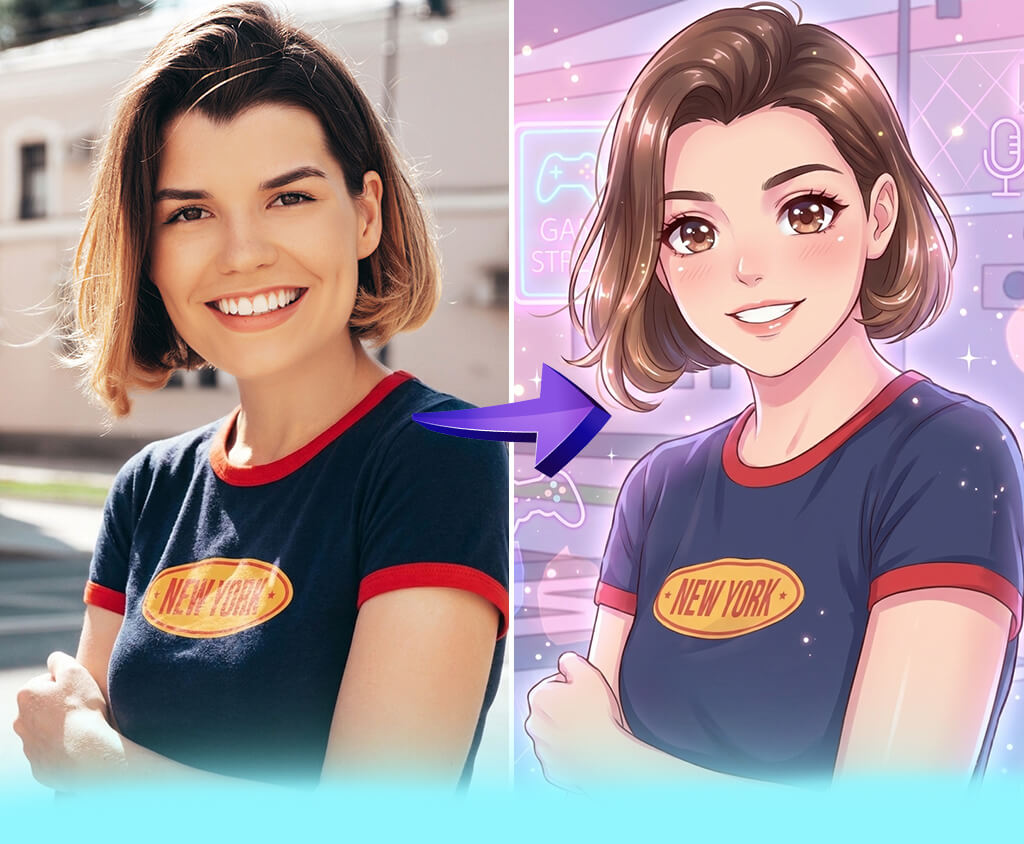
I started to consider using AI VTuber makers when I discovered that many content creators started to use virtual avatars for streaming and producing video content. When working on projects at FixThePhoto, I often test all sorts of tools that can streamline content creation. This is why I decided to check whether it would be easy to use popular services to design and animate a VTuber without installing and configuring advanced software.
The main problem I discovered when testing widely used services is that many of them either have limited functionality or are too difficult to use. Some solutions allow users to build only static avatars.
Others require prior experience in 3D rigging and are challenging to master. I did not want to use software that would slow me down. I discovered that it was nearly impossible to achieve consistent outputs while using random solutions I’d found online. This is why I decided to thoroughly test the available options to find the best services for building VTubers.
I spent several weeks testing all sorts of AI VTuber makers, from basic avatar creators to more complex solutions with advanced animation and tracking tools. While testing each of them, I would build a character, switch between different styles, tweak facial expressions, and preview the output when creating content.
During this testing process, I discovered a few things that I considered to be the most important:
The best solution not only allows you to create avatars. They produce outputs that can be used without a lot of additional tweaking. The most reliable tools will help you implement your ideas in a few minutes, so that you won’t have to spend hours building a character.
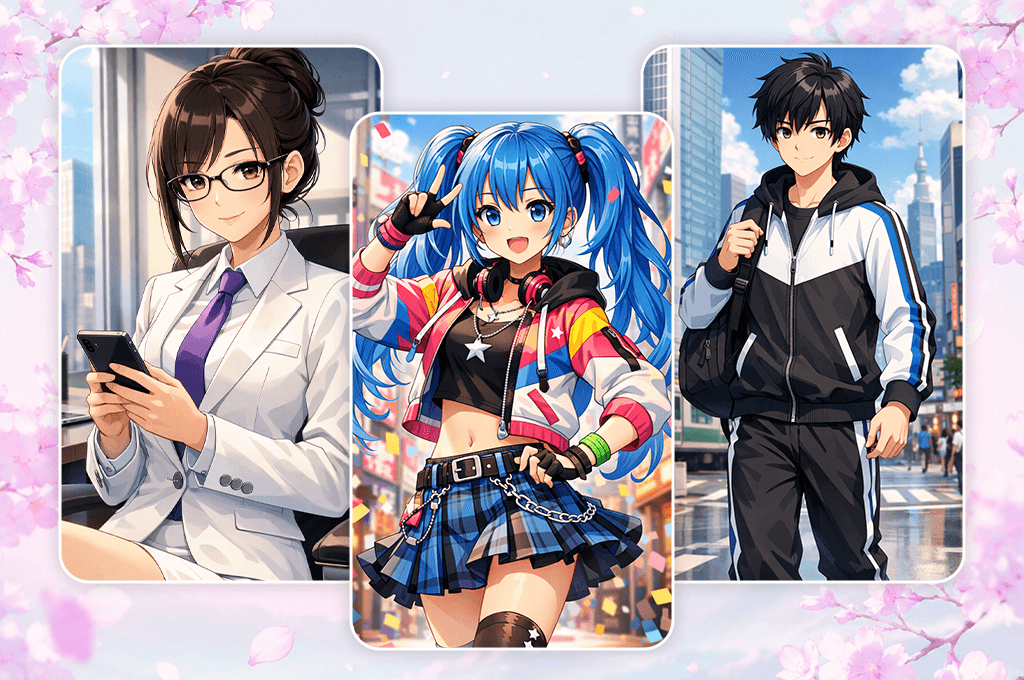
I started to notice VTubers in my feed increasingly often and quickly became impressed with the professional feel of such videos. I wasn’t surprised when this format became even more popular soon. A VTuber is a person who uses a digital avatar as an online representation of their identity. Such animated avatars copy the facial expressions, movements, and emotions of their creators. It becomes possible due to the use of animation tools.
What strikes me about modern avatars the most is that they look extremely realistic and react to motion in real time quickly. It makes them different from previous animated models that supported limited motion. When you use a digital model created with the help of the best avatar maker app, you may achieve a similar visual output. However, VTuber avatars also support real-time interaction.
If you want to produce VTuber content, you can create and use a simple setup:
Some solutions support basic face tracking. More advanced AI-powered tools allow users to make their avatar’s movements more natural by making motions and transitions smoother. The better setup you use, the easier it will be for you to produce natural outputs.
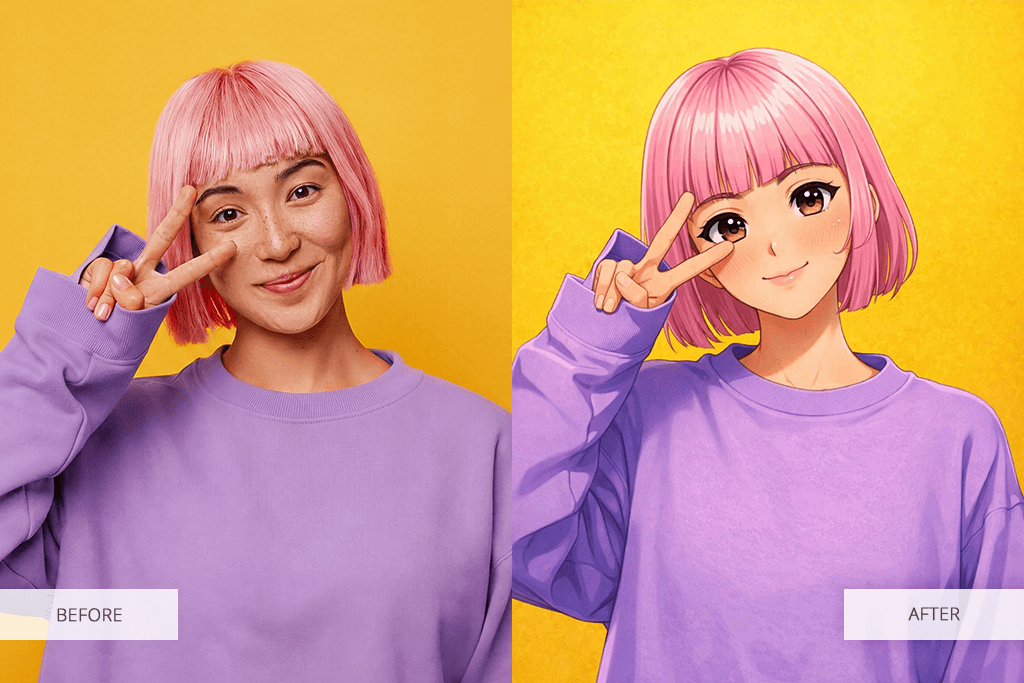
Many content creators became interested in VTubing due to its flexibility. You don’t need to worry about your appearance, as such tools allow you to create a natural-looking character with a unique personality, style, and tone.
AI VTuber makers facilitate creating content and building a strong visual identity. I discovered that now it's easier than ever to build a realistic avatar. Until recently, I had to use a complex setup with many tools for creating avatars, animating them, and streaming content.
These days, AI tools allow creators to significantly streamline their workflows. They have the following benefits:
You no longer need to spend a lot of time trying to set up complex software and can focus on experimenting with different types of content and styles. The only difficulty you may face lies in building a unique VTuber.
Best for: quick avatar creation and visual styles
Ease of use: 5/5
Avatar styles: 1,000+ variations
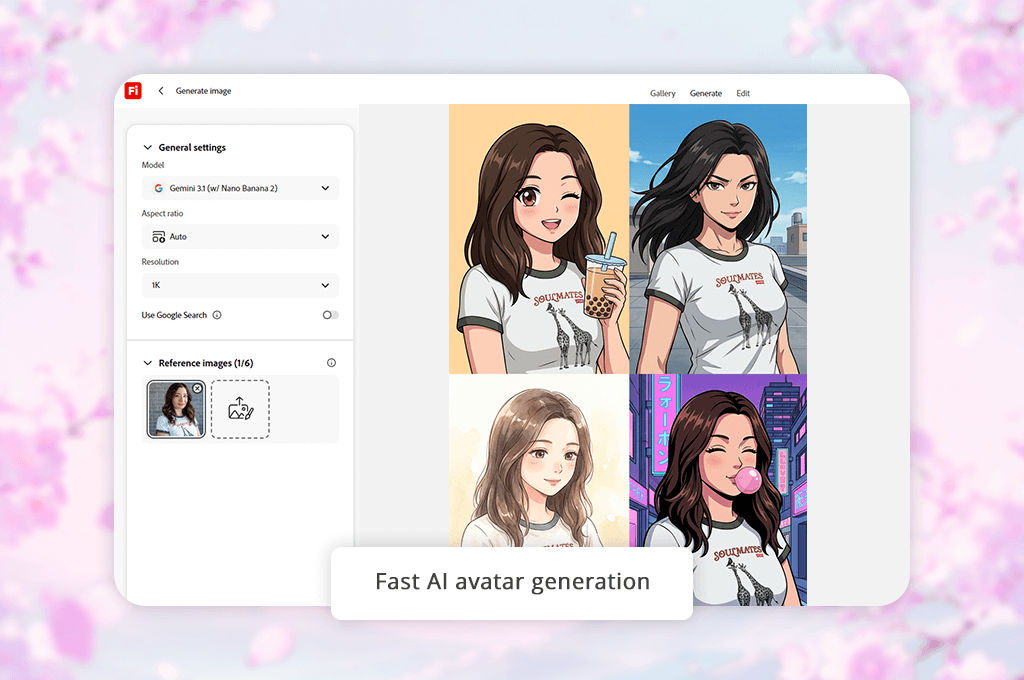
I’ve been using Adobe Firefly when working on all sorts of tasks that involve the use of AI tools. However, I did not set my expectations high when one of my colleagues recommended it to me as the best AI VTuber maker. Our FixThePhoto team often tests various tools suitable for creating visual content, so I became naturally curious about the capabilities of this solution and decided to check whether it would be suitable for building a character without using advanced 3D software.
When I started to use this service, I liked how streamlined my workflow felt. I uploaded a simple prompt and used the Text-to-Image Generation feature to design an avatar in different styles. It quickly created multiple variations that were ready to be used.
Next, I decided to tweak the appearance of my character. I used the Style Customization option to test out different looks. This solution allows you to create several versions of your avatar without rebuilding it from scratch.
“If you want to create an avatar quickly, lock a base prompt and then adjust small details one by one. It will help you maintain character consistency.”

I especially like the fact that this solution helped me create assets that can be reused in other animation programs. I used Prompt Variations to build consistent character styles that could be used in all sorts of scenes. What makes this service the best AI VTuber maker is that it allows one to create a full character instead of a static image.
I was also pleased with the quality of the produced outputs. The models looked polished and ready to be used. They did not require a lot of editing, which helped me produce content quickly. Even the free version will allow you to experiment with different ideas and create simple avatars.
My advice: Use basic prompts and tweak them step by step based on the output with the help of the Prompt Editing feature. It will allow you to achieve the desired result more quickly.
Pricing: free (limited credits), from $9.99/mo, from $99.99/year
Best for: creating anime-style 3D avatars
Ease of use: 4/5
Customization: High
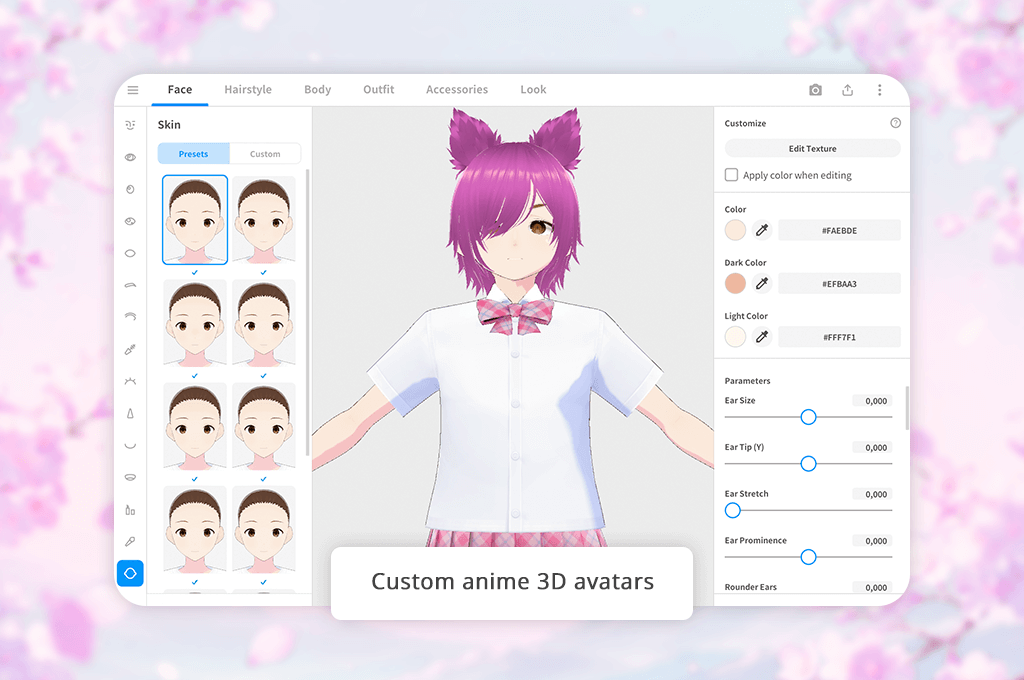
When I started to use VRoid Studio, I realized that it was quite different from many other AI generators I had tested. Here, it’s important to spend a lot of time on your character to achieve the output you need.
I decided to use it when I needed to maintain complete control over my model and did not want to deal with random outputs. It’s somewhat similar to the best AI comic generator if you compare them in terms of workflow. This AI VTuber avatar creator will help you build a character with a consistent identity.
I started by selecting a suitable base model. Then, I started to design my character manually. I spent a lot of time using the Face Editing tool and fine-tuning Hair Design. During this stage, I created the main features of my avatar and achieved the right proportions.
Next, I experimented with the Texture Painting tool to choose the right skin tone and specify other details that gave my model a unique look.
“Start by building the base model and tweak the facial features and hair until you are satisfied with the result. Then, it will be easier for you to make other adjustments and achieve the desired output.”

I was surprised to discover that even small adjustments can fully transform the look of my model. When I moved Face Sliders a bit, I noticed that they instantly affected the facial expression and transformed the look of the avatar. I realized that one should also be quite careful when using the Hair Editor. However, if you tweak shapes and hues in the right way, it will quickly give your character a more natural feel.
Keep in mind that this solution does not support fast performance. It will take you a while to produce a polished output and maintain consistency. However, if you do everything right, it will allow you to design a character that will look great from different angles. You may not be able to create a finished design in one session. Nonetheless, the output will look more professional and unique if you compare it to the result you can achieve with the help of template-based services.
This free AI VTuber avatar maker is best suited for situations when you need to create a pro-grade avatar compatible with different platforms and animation services.
My advice: Be sure to start by using Face Editing tools and adjusting Hair Design. Only after you are completely satisfied with the results can you adjust clothing or subtle details. Starting from the base model will help you maintain character consistency and spend less time on design.
Pricing: Free version; Premium from $19.99/month
Best for: creating and animating 2D VTuber avatars
Ease of use: 3.5/5
Customization: Very high
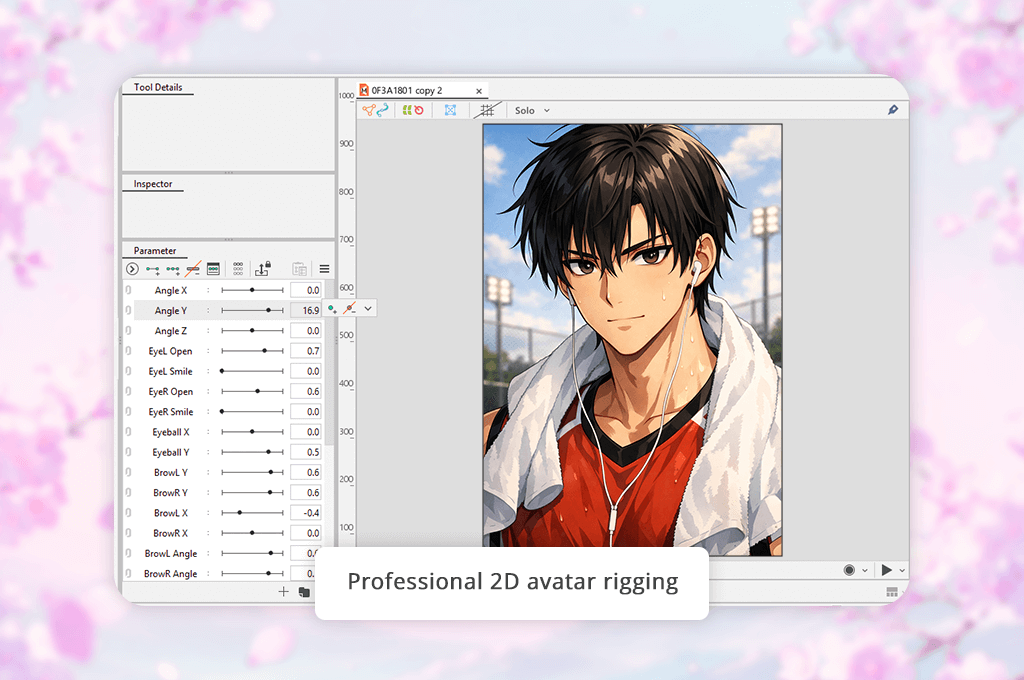
Live2D Cubism stands out among other VTuber maker AI tools for its professional features and complex workflow. The main focus here lies not on generating a new avatar but on animating a 2D character by performing careful rigging.
The first thing you should do is import a layered character file and use Rigging Tools to prepare it properly. I had to spend a lot of time configuring Deformers and performing Mesh Editing. It helped me specify the movements of the specific parts of the face and body. Even though it took me a while to master these features, I was able to make my animations more realistic.
I was especially pleased with the high level of precision. I configured Parameter Settings to achieve realistic eye movement, adjust mouth shapes, and make subtle expressions natural. You won’t create polished avatars quickly. Similar to an AI pixel generator, it requires you to control the output with high precision and make even the subtlest adjustments carefully to avoid changing the output too much.
The only shortcoming I noticed when using this AI VTuber generator online is that it’s hardly suitable for beginners. It will take you some time to set it up. Be sure to perform rigging properly. Otherwise, your avatar won’t move naturally. However, after completing every step, you will be impressed by the high animation quality.
“Be sure to start with rigging the face. The eyes and mouth define 90% of how realistic your generated avatar will look in motion.”

This solution will be perfect for your needs if you need to maintain complete control over your 2D VTuber models and are willing to spend some time mastering its tools.
My advice: Avoid rigging the whole model at once. Configure Eye and Mouth Parameters, make movement smooth, and only then make other adjustments. It will simplify the whole process and help you achieve more predictable outputs.
Pricing: free trial; Pro from ~$13.99/month
Best for: fast AI VTuber creation from text or images
Ease of use: 4.5/5
Generation speed: Fast
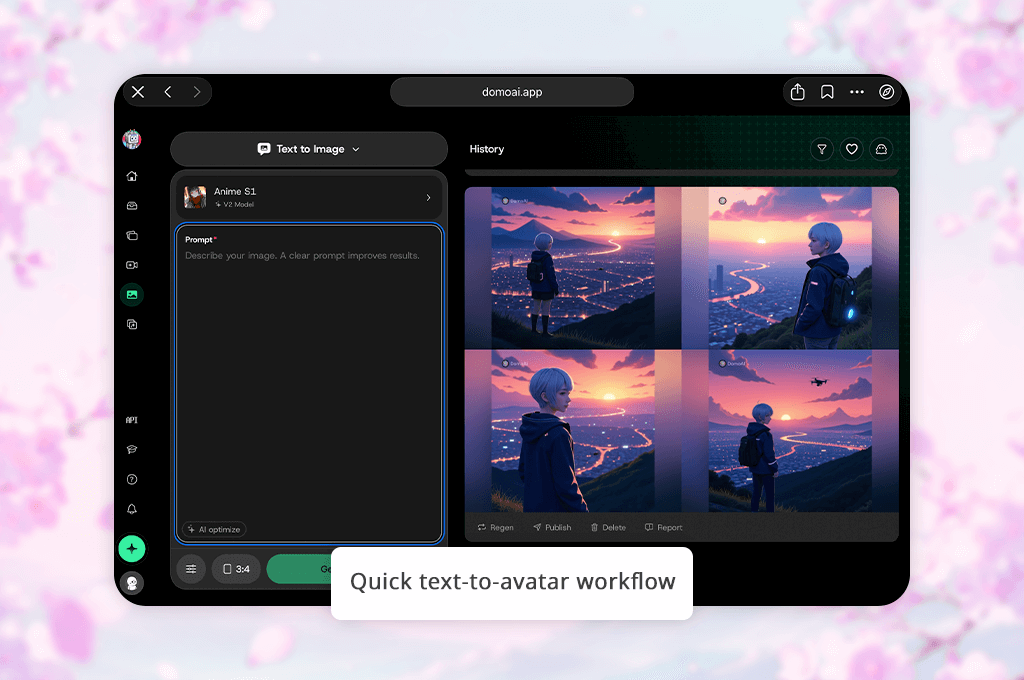
DomoAI is an excellent solution for those who do not have time for complex adjustments and prioritizes high speed. It allows you to create a polished avatar in seconds without going into technical details.
You will figure out how to use this AI VTuber maker free of charge quickly, especially if you have already used the best free anime AI art generator when working on your projects.
The process includes a few simple steps. I used the Text-to-Avatar Generation and Image-to-Avatar tools and was pleased with their performance. In most situations, this service managed to generate a finished character in less than one minute. It makes it one of the best solutions in its niche.
What struck me most about this service is that it facilitates experimenting. I used Style Presets to create several variations of the same character and compare them side by side. It will allow you to choose the most suitable direction for your project before creating the final output with the help of more advanced tools.
I was a bit disappointed with the limited control over the output. After making subtle adjustments, I noticed that the look of my avatar had changed too much. Due to this, it was difficult to maintain consistency.
“Use basic prompts and provide consistent instructions. If you adjust too many details at once, you may fully transform the look of your avatar.”

This AI VTuber model generator is the perfect choice for those who need to come up with quick ideas and produce initial concepts when trying to choose the most suitable avatar style.
My advice: Use the Text-to-Avatar Generation tool to create a simple prompt, then make only one small adjustment at a time. It will allow you to maintain character consistency across different versions.
Pricing: free plan; paid plans from ~$10/month
Best for: simple VTuber avatars from text
Ease of use: 5/5
Generation speed: Very fast
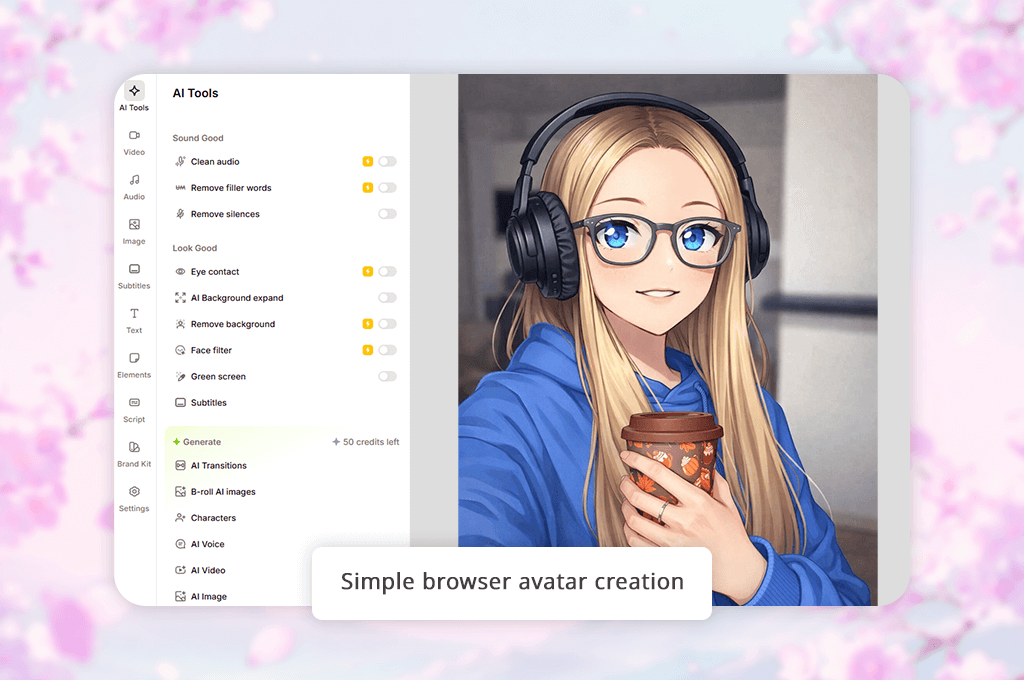
VEED AI is the best choice for situations when you need to create a VTuber avatar in a few moments without mastering complex tools or installing any software on your device. It’s one of the most intuitive services I’ve tested. The process is similar to filling out a form and allows you to generate a character with little to no effort.
The workflow is extremely streamlined. First, I used the Text-to-Avatar Generation feature. Then, I selected a suitable option from the collection of Pre-made Templates. The platform generated a nice-looking avatar automatically. I did not need to import images, configure settings, or change complex settings.
I was especially impressed with the high iteration speed. I created several versions by adjusting the prompt a bit and experimenting with different Template Styles. Each time, this service produced a new polished variation without delays. It makes this VTuber maker app AI perfect for visualizing different ideas quickly and meeting tight deadlines.
The only noticeable shortcoming of this service is that it supports limited control over the final output. The avatars may look similar to each other. Due to limited customization, it’s hard to produce unique models. Besides, you won’t be able to make subtle adjustments to the facial structure and the overall style. You will need to use more advanced tools for such edits.
“Choose the most suitable template and adjust only the main elements. If you decide to change too many features at once, the outputs may look inconsistent.”

It’s the best choice for those who need to create engaging content quickly and want to use an avatar as an additional component without focusing on it too much. This platform is also suitable for experimenting with different ideas before trying to implement them with the help of more advanced solutions.
My advice: Use the Text-to-Avatar Generation feature to create the basic versions of a model. Then, try out different Template Styles. This way, you won’t need to rewrite your prompt. It will save you a lot of time and help you achieve more consistent outputs.
Pricing: free plan; paid plans from ~$12/month
Best for: cross-platform 3D avatars
Ease of use: 5/5
Customization: Medium
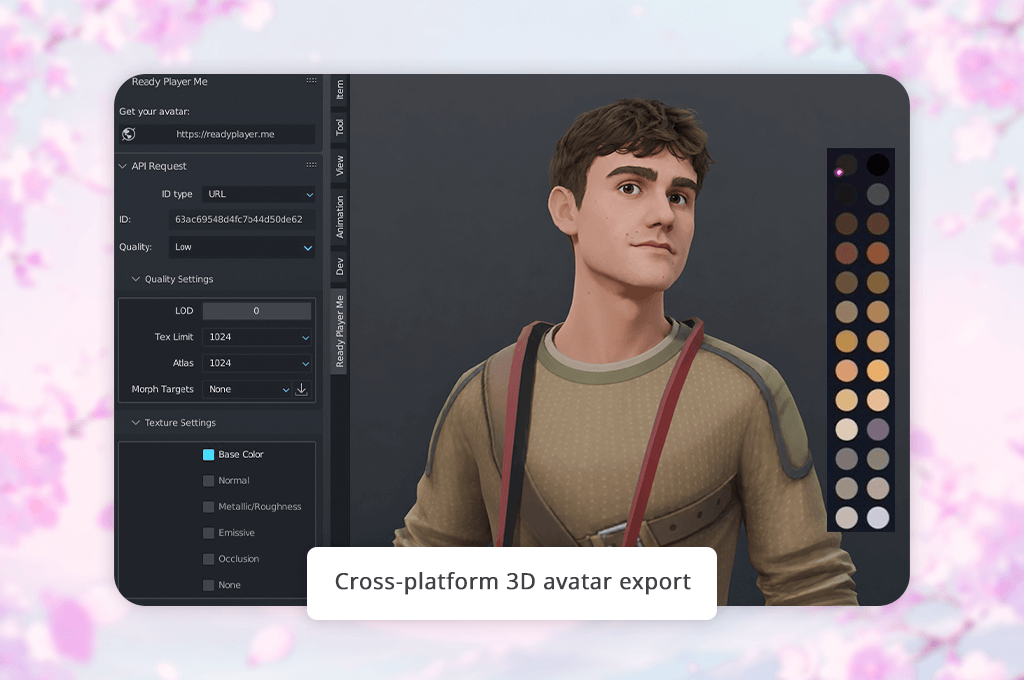
Ready Player Me is the optimal solution for those who need to create a believable 3D avatar quickly without spending hours on creating a model manually. It’s one of the most intuitive solutions on the list. It will be useful for those who want to create a practical solution and use it right away.
The process is quite streamlined. I uploaded an image and clicked on the Photo-to-Avatar Generation feature. You can use this tool to create VTuber avatar in a few seconds. Next, I further tweaked the result using the Avatar Customization feature. I changed hair, tweaked hues, and adjusted basic features.
What strikes me about this platform is that it allows me to create an avatar that can be used straight away. You can export it and connect to other platforms without delays, making it an excellent choice for speeding up your workflow. It will help you produce polished outputs quickly, making it similar to the best AI thumbnail maker.
However, you may notice that it supports limited customization compared to more professional solutions. The style of avatars looks quite generic, so it might be difficult to create something unique.
“Unlike Canva, it has a more limited choice of creative tools but is more suitable for narrow tasks. However, I consider this limitation one of its advantages, especially when I need to handle a lot of client tasks.”

It will come in handy if you need to create an avatar quickly and use it across different platforms without a long setup. You can use this AI VTuber creator free online. It is suitable for those who prioritize consistency and want to use an avatar compatible with different platforms without performing advanced customization.
My advice: You can use the Photo-to-Avatar Generation feature and then improve the hair and face shape of your avatar. If you try enhancing other features as well, the result will look less realistic.
Pricing: free
Best for: quick VTuber setup and streaming
Ease of use: 4.5/5
Avatar options: Ready-made + customizable
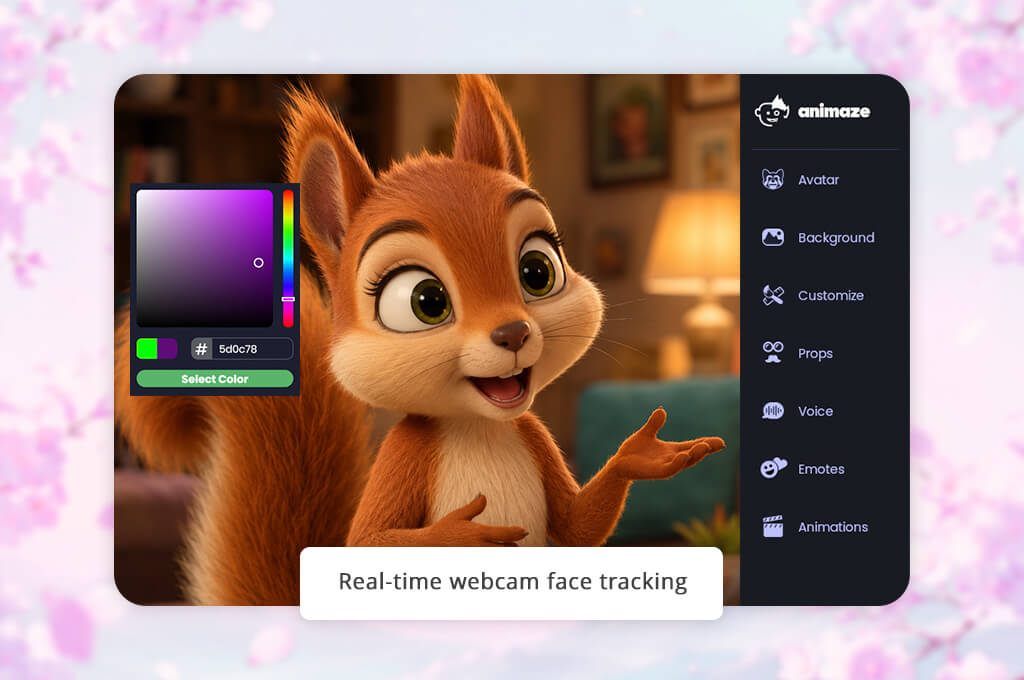
Animaze is a quick solution for those who want to launch a VTubing channel without creating models from scratch. You don’t need to spend time trying to design avatars manually, as you can use the available tools to create a believable character quickly.
The process is quite streamlined. After choosing one of the available base avatars, I activated the Face Tracking feature, which helped me connect the avatar to my webcam. The avatar started reacting to my facial expressions without delays. It blinked, smiled, and moved its head without any issues.
In addition, I decided to experiment with the Avatar Customization feature. It helped me choose suitable colors and accessories. Even though this service offers a limited choice of options compared to more advanced design solutions. However, it will help you make your character more unique.
I was impressed by the fact that I was able to create a fully functional VTuber avatar quickly to start recording or streaming content. This accessible VTuber maker software was created for those who value high speed.
“Start by choosing the closest avatar to your style. It will be easier for you to achieve a realistic result by performing minor tweaking. This way, you won’t need to redesign the character from scratch.”

This solution will come in handy if you need to record your videos and start streaming quickly without installing any software or configuring complex technical settings.
My advice: Use the Face Tracking calibration feature first. Even the simplest avatars look polished when tracking is seamless, and there are no alignment issues.
Pricing: free version; Pro from ~$19.99/year
Best for: real-time 3D VTuber tracking
Ease of use: 4/5
Tracking quality: High
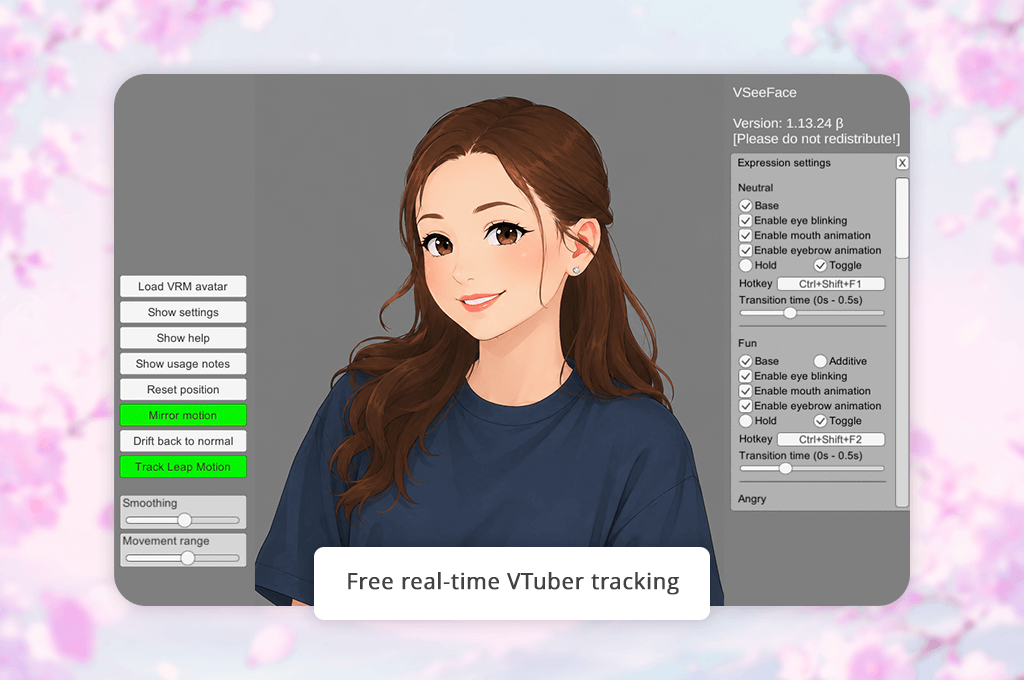
VSeeFace will help you optimize your workflow if you need to make your pre-designed avatar move naturally in real time. While it does not have character generation tools, it will help you use your avatars in videos and streams.
It might be more difficult to configure this AI VTuber maker for streaming than use beginner platforms. After importing my model, I used the Face Tracking feature and configured Tracking Settings to ensure that the avatar reacts to expressions naturally. Even though the process is not fully automated, it will help you make your avatar’s motions smoother if you configure everything properly.
In addition, I decided to use the best AI background generator to create basic scenes and display them behind the avatar. It will allow you to achieve more polished outputs without spending a lot of time on your designs.
I was impressed with the performance of this service even when I used it on weaker computers. I used it during long editing sessions and was pleased with the consistency of tracking. There was no perceivable lag. It makes it an excellent solution for those who prioritize stable performance.
“Before importing your avatar, be sure to double-check everything to make your model more polished. It will allow you to achieve more realistic tracking regardless of the software you decide to use.”

This VTuber avatar generator is the perfect choice for those who have already created an avatar and are looking for a professional solution to animate it while seeing the results of their edits in real time.
My advice: Focus on configuring Tracking Settings instead of relying on default settings. Even minor adjustments can help you make the movement look more natural.
Pricing: free
Best for: generating VTuber avatars from text
Ease of use: 4.5/5
Generation speed: Fast
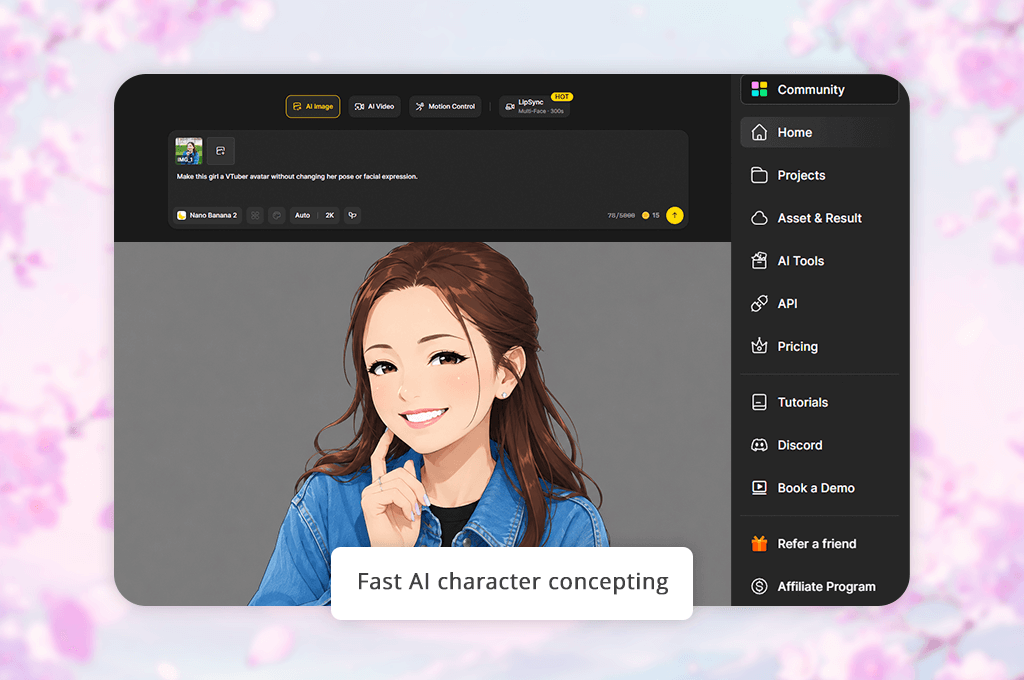
Dzine AI is an excellent solution for those who need to implement ideas quickly instead of creating avatars right away. This platform will allow you to experiment with different styles without installing any software on your device.
The process is quite intuitive. I used the Text-to-Avatar Generation tool to create multiple versions of the same character. I tweaked minor details in my prompt to understand how these edits would affect the output. This service generated outputs quickly, which helped me compare avatars in different styles side by side.
When using this AI anime VTuber maker, I realized that the most difficult thing is to maintain consistency. By adjusting wording, you can fully transform the way your avatar looks. It will help you experiment with different ideas and understand the direction you want to move in without committing yourself to one design right from the start.
In addition, I used the Prompt Editing feature to enhance specific details. However, it’s important not to overdo it when using it. If you try to edit too many details, it will make it difficult for you to achieve consistent results.
“It’s better to use one main description and change only one element at a time. It will allow you to maintain the consistency of your avatar and ensure that it stays recognizable after every upgrade.”

This solution is more suitable for developing concepts, as it supports high generation speed and allows users to produce several variations based on one prompt with ease. It’s a useful platform for coming up with new ideas that can be further improved with the help of more advanced tools.
My advice: Use Text-to-Avatar Generation tools to create the initial draft. Then, you can create a copy of this version and improve the details one by one to produce more consistent results. It will make it easier for you to refine your output.
Pricing: free plan; paid plans from ~$10/month
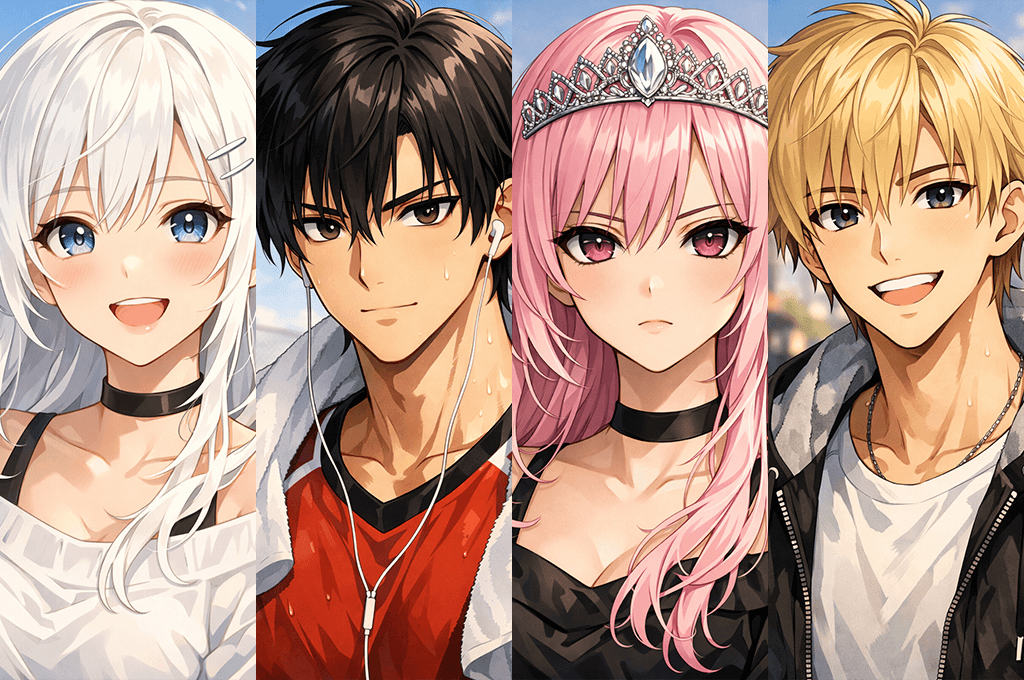
When I decided to experiment with VTubing, I realized that it’s not just another passing trend. It helped me understand that it was possible to create content in a different way. After testing popular tools and analyzing the strategies used by creators who were interested in this niche, I realized that people used avatars to produce engaging content for different reasons.
When you use an avatar, there is no need to show how you actually look. You can create any character and ensure that it behaves naturally. For instance, you can follow the same steps you take when using solutions like South Park avatar creator. It’s also possible to take a step further and animate your avatar.
Here are the main advantages of this approach that impressed me most:
Unlimited global reach. You no longer need to focus only on content that reflects your real identity. You can create an avatar that appeals to your target audience in any region or use a niche-specific avatar to engage the representatives of certain communities and groups. I noticed that VTuber content has a wider global reach because people like the appearance of AI-generated avatars and do not associate them with a certain location.
Full control over your identity. This is what makes VTubing unique. This approach allows you not only to create content in a different way, but to design a believable character. I tried creating AI avatars in different styles and with different personalities. I used different types of visuals as well. Now, it’s much easier to change the way you look and the way people see you.
Maintaining privacy while building a strong connection with the audience. Not every person is comfortable with their appearance. However, AI avatars make content creation accessible for everyone. You still maintain the connection with your target audience, but it will be focused on your character instead.
Improving branding recognition. A professionally-made avatar is more recognizable than the face of an average person. VTubers can build a strong visual identity with ease and choose a custom design, colors, personality, and tone. It allows them to produce memorable content in a consistent style.
Higher level of audience engagement. If the audience likes your AI-generated character, it will more likely interact with it more often. It will allow you to achieve higher engagement. I noticed that VTuber communities are more likely to continue interacting with the content of such channels. They create fan art and memes more often as well.
| Feature | VTubing | Traditional Content |
|---|---|---|
|
Identity
|
Custom avatar
|
Real person
|
|
Privacy
|
High
|
Low
|
|
Setup
|
Medium
|
Low
|
|
Creativity
|
Very high
|
Limited
|
|
Branding
|
Character-based
|
Personality-based
|
|
Audience reach
|
Global
|
Often local
|
|
Content flexibility
|
High
|
Medium
|
I realized that VTubing involves something more important than hiding the way you look. It allows you to maintain full control over how you present yourself and your content. Using modern AI solutions, you can produce unique content without expensive gear or a complex setup.
An AI VTuber character creator is a service that allows you to produce a virtual avatar with the help of AI tools. You can use text prompts, images, or templates. Such programs typically do not require advanced design or 3D skills.
Most solutions require a user to follow a few simple steps. You need to generate a character based on a text prompt or a photo, customize the result to your liking, and then use dedicated animation or tracking programs to animate your avatar.
Yes, many programs have free or trial versions. However, free versions often have a limited choice of features and support low-quality exports. Besides, they may not support extensive customization.
Novices can use services with intuitive interfaces and collections of templates. If you don’t have any experience, you can use solutions like Adobe Firefly, Ready Player Me, or Animaze.
Yes. Even though you can use AI tools to create an avatar more quickly, you will need to use dedicated face tracking and animation software if you want to use your avatar in videos or on streaming platforms.
Yes, after creating an avatar and connecting it to tracking software, you can use it on popular live streaming platforms like YouTube, Twitch, or TikTok.
Be sure to upload high-quality pictures or use detailed prompts. Besides, it’s important to focus on achieving consistent lighting and angles. You will also need to tweak details after generating an initial draft instead of trying to create the perfect output on the first try.
When I decided to find the best AI VTuber makers, I did not want to compare the available options based on the generated outputs only. Instead of just using them to generate a single avatar, I wanted to check whether they could be integrated into my workflow.
This is why I tested them on the tasks I normally work on together with the FixThePhoto team. We produce visual content daily, so we were mostly interested in practical solutions that could help us work on our projects more efficiently.
The first thing I did was to read Reddit threads, comments under YouTube videos, and discussions in creator communities. It helped me create a list of the most widely used AI generators, avatar builders, and platforms with animation features.
Then, I narrowed down the selection to choose the solutions that were best suited for creating VTubers. This approach helped me exclude the tools that generated random avatars that were impossible to use several times. Besides, I decided to exclude the solutions that took too long to set up or failed to help me handle practical tasks.
Here’s how we tested AI VTuber makers to ensure that the results of our comparison would be unbiased:
After thorough testing, we included only the tools that demonstrated high performance when it came to solving practical tasks. We did not focus only on the most widely used platforms but prioritized the solutions that had intuitive tools for creating and using VTubers.




![9 RunwayML Alternatives [Better, Faster & Cheaper]](http://fixthephoto.com/blog/images/gallery/news_main__preview_28969.jpg)
![7 Best AI Quote Generators [People Actually Save & Share]](http://fixthephoto.com/blog/images/gallery/news_main__preview_28979.jpg)



















