At FixThePhoto, we rely solely on the best pamphlet makers to produce marketing assets, client presentations, and promotional materials. Many solutions offer convenience, but suffer from problems like outdated templates, restricted customization, convoluted UIs, or export restrictions in free versions. Some options can tackle basic layouts, but aren’t versatile enough for high-quality print projects, which are often required for my work.
To determine which pamphlet makers are actually worth it, I tested over 25 tools, evaluating their template quality, user-friendliness, customization options, and export parameters.
Additionally, I explored the feedback left by other designers and marketing experts on Reddit and Quora to learn what other people thought. Having finished my test, I realized that picking the right pamphlet design software is essential for receiving a high-quality result quickly.
| Tool | Best For | Free Tier Highlights | Free Tier Quality |
|---|---|---|---|

|
Visually appealing printable pamphlets, branded templates
|
Free pamphlet templates, drag-and-drop controls, brand kit, PDF/PNG export
|
★★★★★ (5/5)
|

|
Data-driven pamphlets, business materials
|
Infographics, charts, customizable templates, export options
|
★★★★☆ (4/5)
|

|
Creative layouts, marketing & social designs
|
Expansive template library, drag-and-drop controls, collaboration, export
|
★★★★☆ (4/5)
|

|
Informative pamphlets, structured layouts
|
Professional templates, data visualization tools, easy customization
|
★★★★☆ (4/5)
|

|
Custom branding, unique pamphlet designs
|
Premade templates, design editor, branding features, print-ready export
|
★★★★☆ (4/5)
|

|
Interactive digital pamphlets, flipbooks
|
PDF to flipbook, animations, online sharing, customization
|
★★★☆☆ (3.5/5)
|

|
Business graphics, pamphlets, presentations & social media content
|
Free templates, drag-and-drop editor, design assets, AI Writer, AI Translate, basic customization
|
★★★★☆ (4/5)
|

|
Image-based pamphlets, quick edits
|
Design templates, photo editing tools, effects, export
|
★★★★☆ (4/5)
|
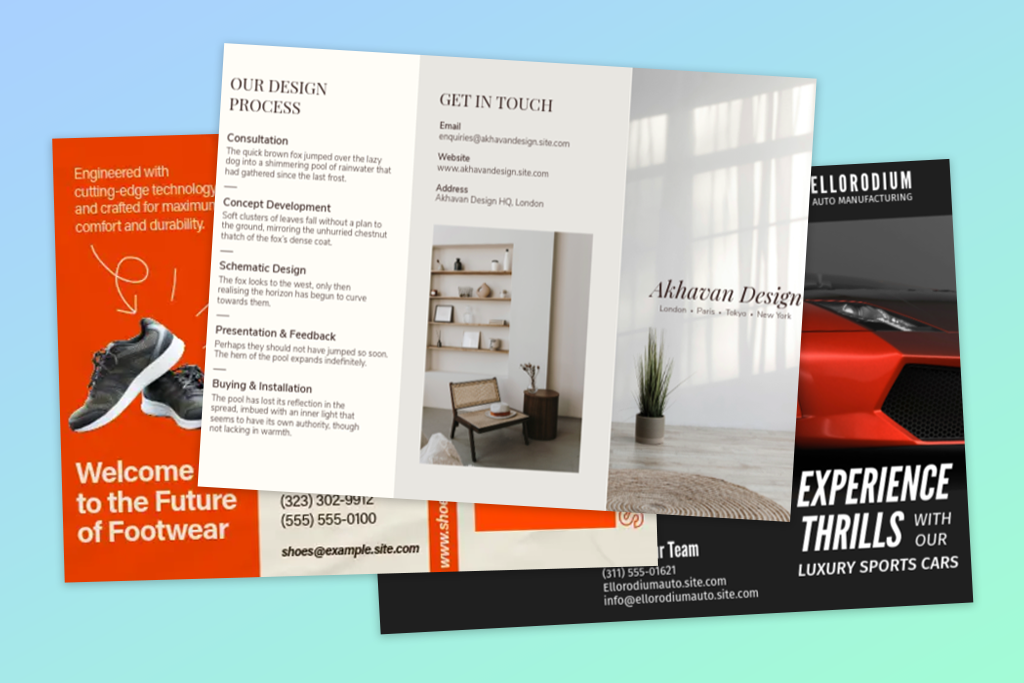
I’ve designed a large number of pamphlets for clients over the years, working with both local companies and large-scale companies, but not every design will look great in real life. Some look great on the screen, but lose their appeal when printed. Others look very minimalistic, but the clients still adore them.
As I became more experienced, I came up with several design styles that consistently received positive feedback and reviews. A lot of these suggestions can be implemented with the help of free brochure makers, which also put an emphasis on structure and clarity.
Price: Free or from $9.99/month
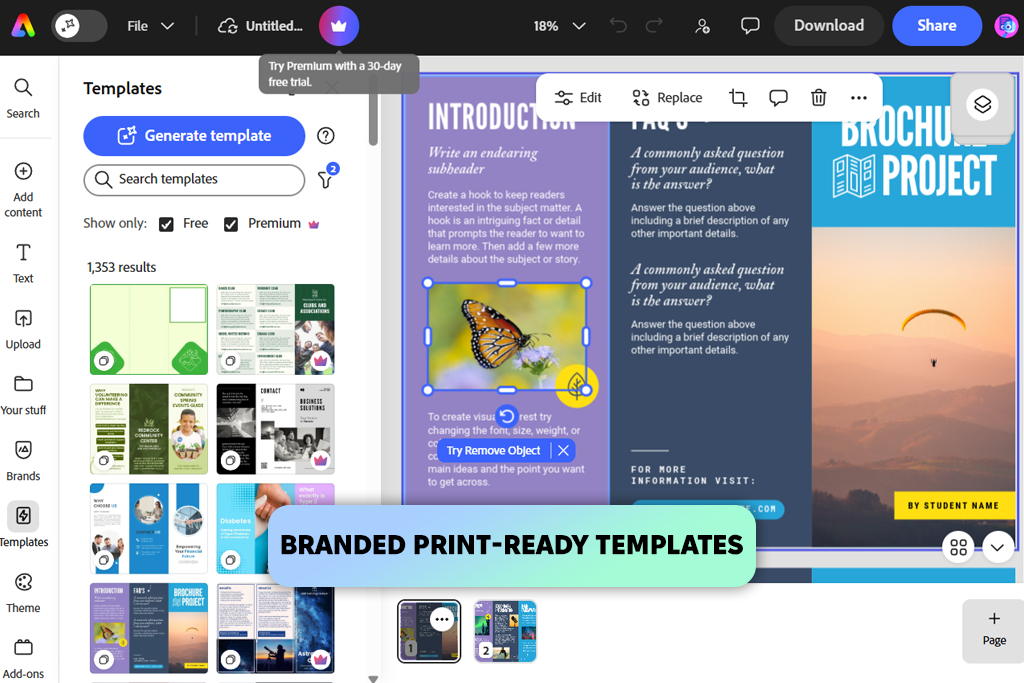
When I began testing Adobe Express, I was amazed by how fast it let me design a polished pamphlet without stressing out over the layout. The workflow was visual and user-friendly, and I could even switch from working on my laptop to my smartphone without skipping a beat. The templates all look contemporary and don't require a lot of customization to feel professional.
An update I greatly appreciated was this online pamphlet maker letting me upload PDFs with tables without ruining their structure. This helped me preserve the premade layouts sent by clients instead of having to recreate them from scratch.

Adobe Express has also enhanced the image swap controls when editing templates. It allows you to limit visuals to specific brand assets or libraries, making it easier to preserve visual consistency across branded pamphlets.
I’m also a huge fan of how versatile this solution is. It allows me to conveniently rearrange elements, change the typography, and adjust the colors to match the brand. You can also save the project in PDF or PNG format, meaning you can prepare your pamphlet for print or digital use, which is perfect for client work.
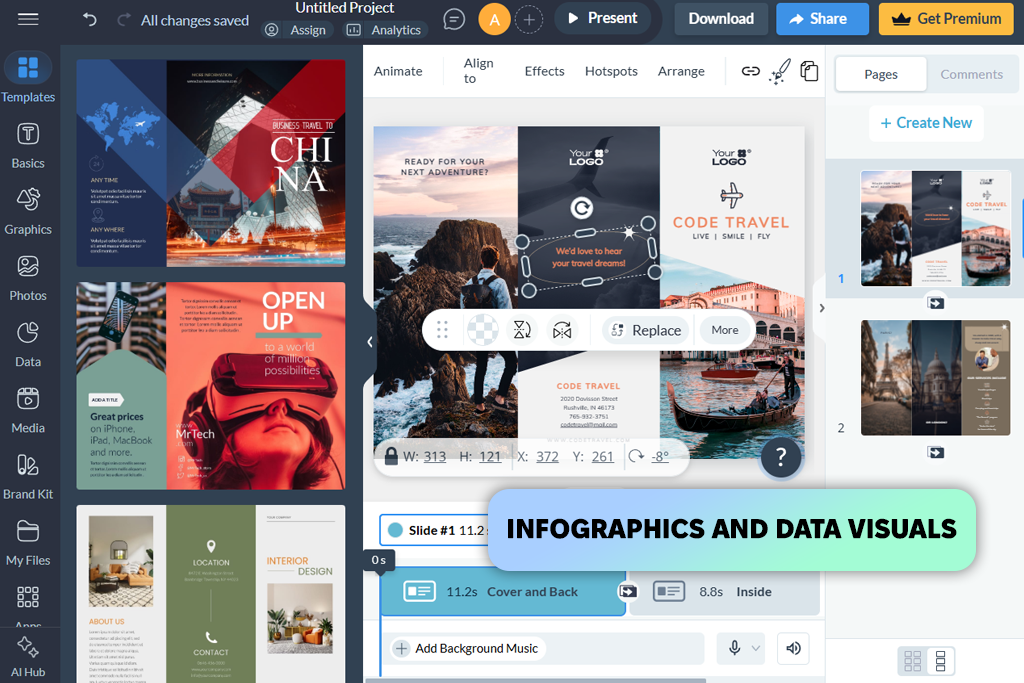
From the first minute I started using Visme, it resembled a structured design platform more than an on-the-go editor. The UI was built around helping you create polished layouts, which is why this is a great pamphlet template maker for more demanding projects.
It helped me create a business-style pamphlet with separate sections, icons, and brief descriptions. Rather than adding the elements randomly, everything looked organized, and I could conveniently adjust the spacing and alignment. The integrated charts and visuals are also useful for ensuring the pamphlet looks informative and eye-catching.
I was especially impressed by how Visme deals with complex layouts. When I wanted to create a more elaborate design, Visme provided enough flexibility to achieve a polished, organized result. It takes some time getting used to, but the professional result you get is more than worth it.

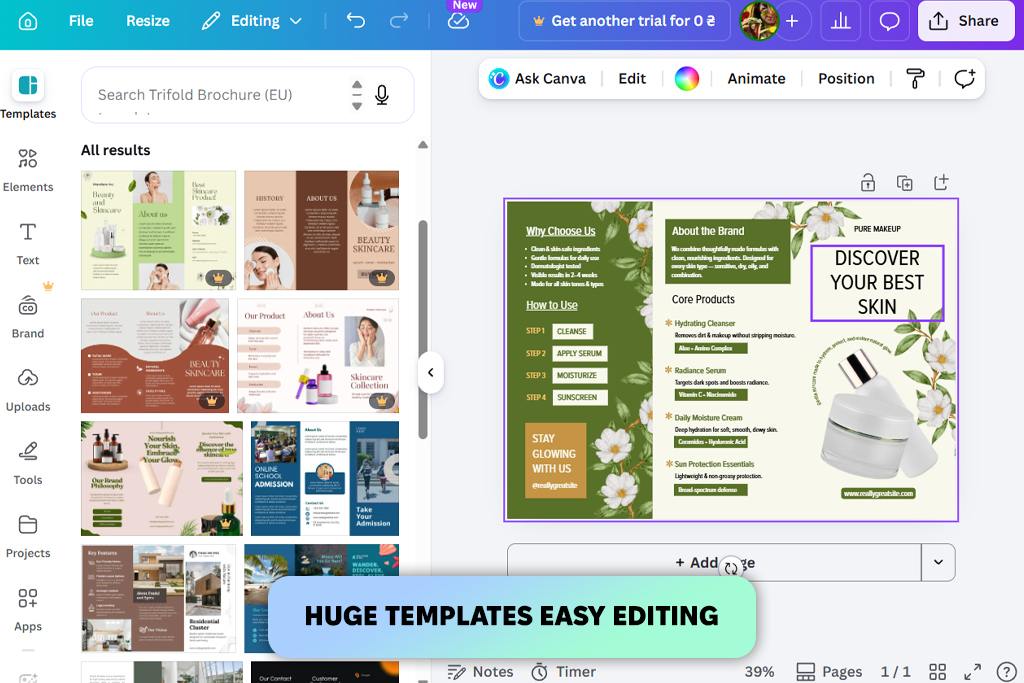
Canva is a fantastic free pamphlet maker that is also suitable for working on a wide range of other design tasks. It doesn’t require any setup, allowing you to pick one of the many templates instead of having to start with a blank canvas.
“I particularly loved the template resizing tool, which allowed me to easily prepare my pamphlets for different formats without having to start from scratch.”

Integrated assets like icons, shapes, and text blocks are pre-optimized, ensuring you can create polished designs without a lot of fine-tuning. However, Canva might feel a little restrictive when trying to design a fully custom layout due to the lack of advanced editing features.
For everyday projects, Canva is a top-tier solution. It allows you to design simple and effective pamphlets quickly without having to invest a lot of your time.
Price: Free or from $10/month
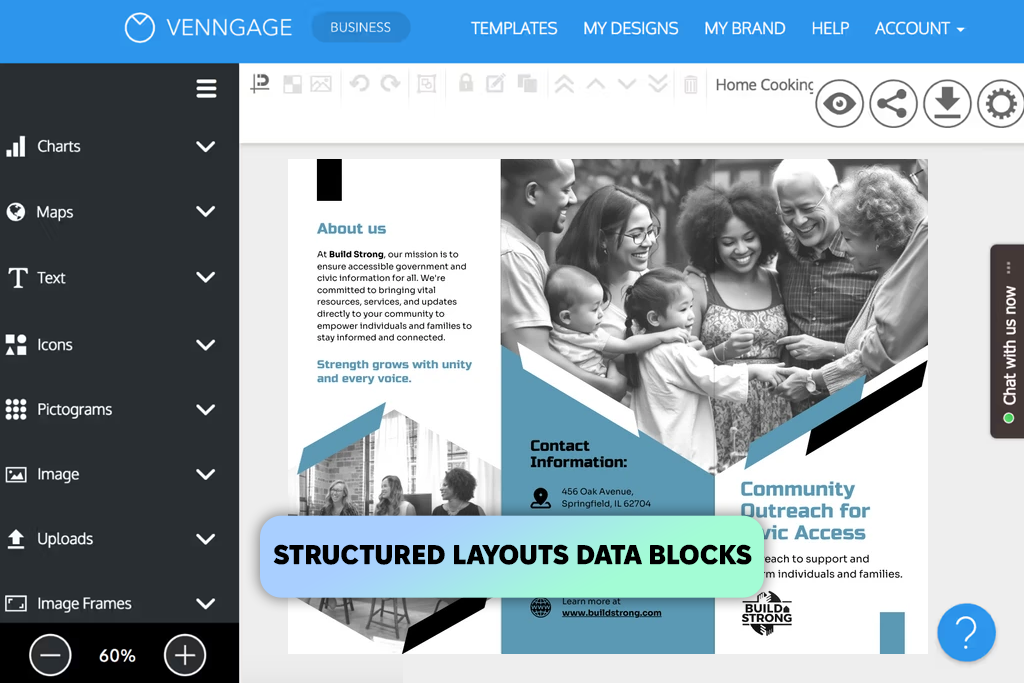
If creative freedom isn’t your priority, Venngage is among the best pamphlet makers you can try. Rather than inviting you to freely create a layout, it has you organize information by adjusting existing sections and blocks. If you pit Venngage vs Canva, the difference in versatility becomes even more apparent.
I used it to create a service pamphlet that included pricing, features, and brief descriptions. I employed the provided templates, added icons, edited the text parts, and tweaked the colors to preserve visual consistency. The layout system ensures everything looks structured, which is important if you need to feature a lot of information.
The downside of this platform is that it lacks flexibility. I can't freely rearrange elements and experiment with the layouts as I can in Adobe Express or Canva. It's a lot more limited and requires a lot more time to arrive at something more personalized.
I can recommend Venngage for basic, information-focused pamphlets that prioritize clarity over style. It’s a great platform for structured designs, but if you like to create your pamphlets from the ground up, consider choosing a different option.
Price: Free (some features paid)
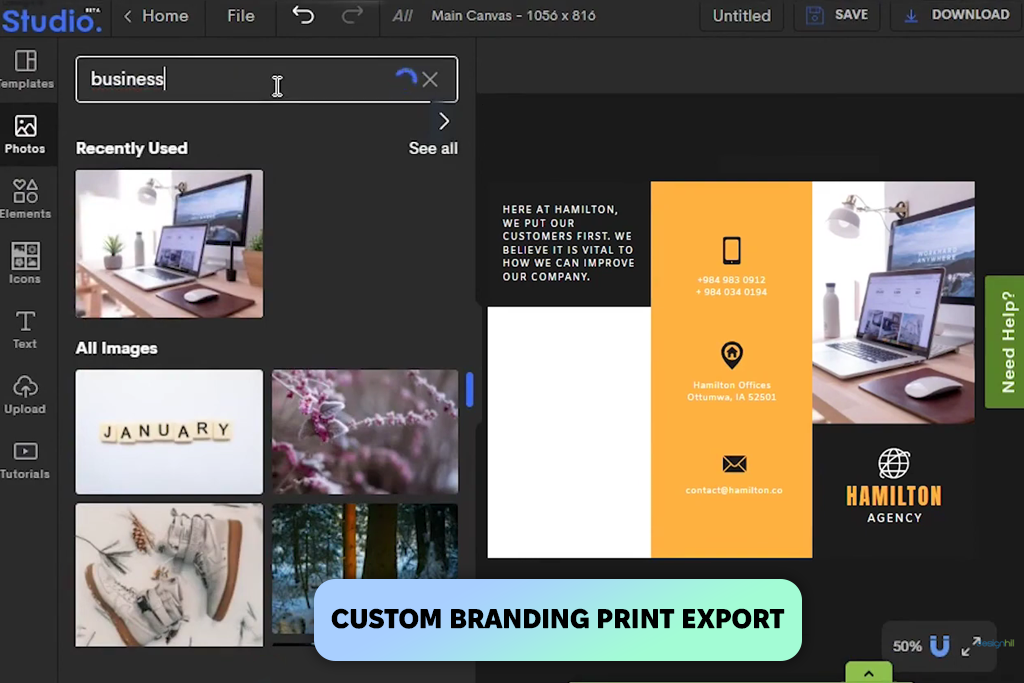
Designhill might fall short compared to professional pamphlet creators, but it’s a great option if you’re interested in an intuitive interface that lets you start working on your designs instantly. You can also pair it with other solutions like the best free logo makers, which is essential if you want to ensure the branding remains consistent across different pamphlet designs.
I also liked how streamlined and organized it is. Simultaneously, the design options are rather basic, so it’s a better fit for simple layouts rather than visually stunning creations.
Designhill is a fantastic tool to have if you need to make a clean, polished pamphlet quickly and need to meet a tight deadline.
“The biggest perk is how quickly I can create the text and layout without dealing with complex tools, which is great when you have to achieve a polished result while trying to meet a tight deadline.”

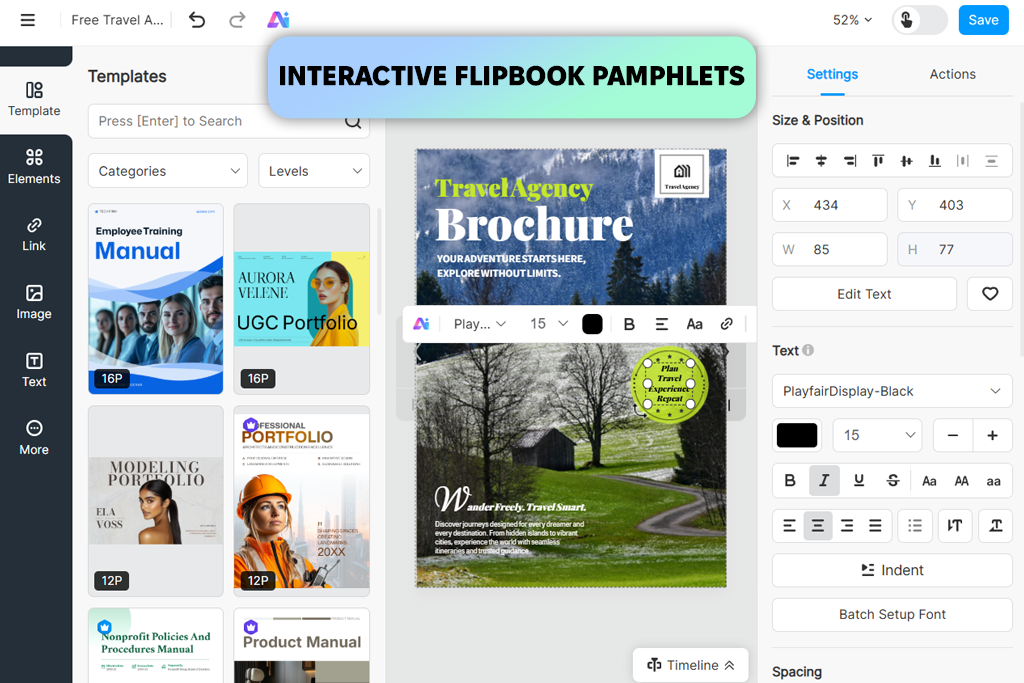
FlipHTML5 is an easy pamphlet maker to use if you don't like creating designs from scratch. It's a great platform to consider if you have already made a pamphlet and would like to enhance it further.
I greatly enjoyed how the interactive format enhanced the feel of my creations. A formerly static pamphlet suddenly feels a lot more engaging. The provided editing features are pleasantly straightforward but also very limited, so it’s difficult to make in-depth design adjustments.
FlipHTML5 is great at presenting and sharing your designs in a more interactive manner. It’s helpful if you have already made a pamphlet, but would like to impress your clients or audience with the presentation.
Price: Free or from $15/month
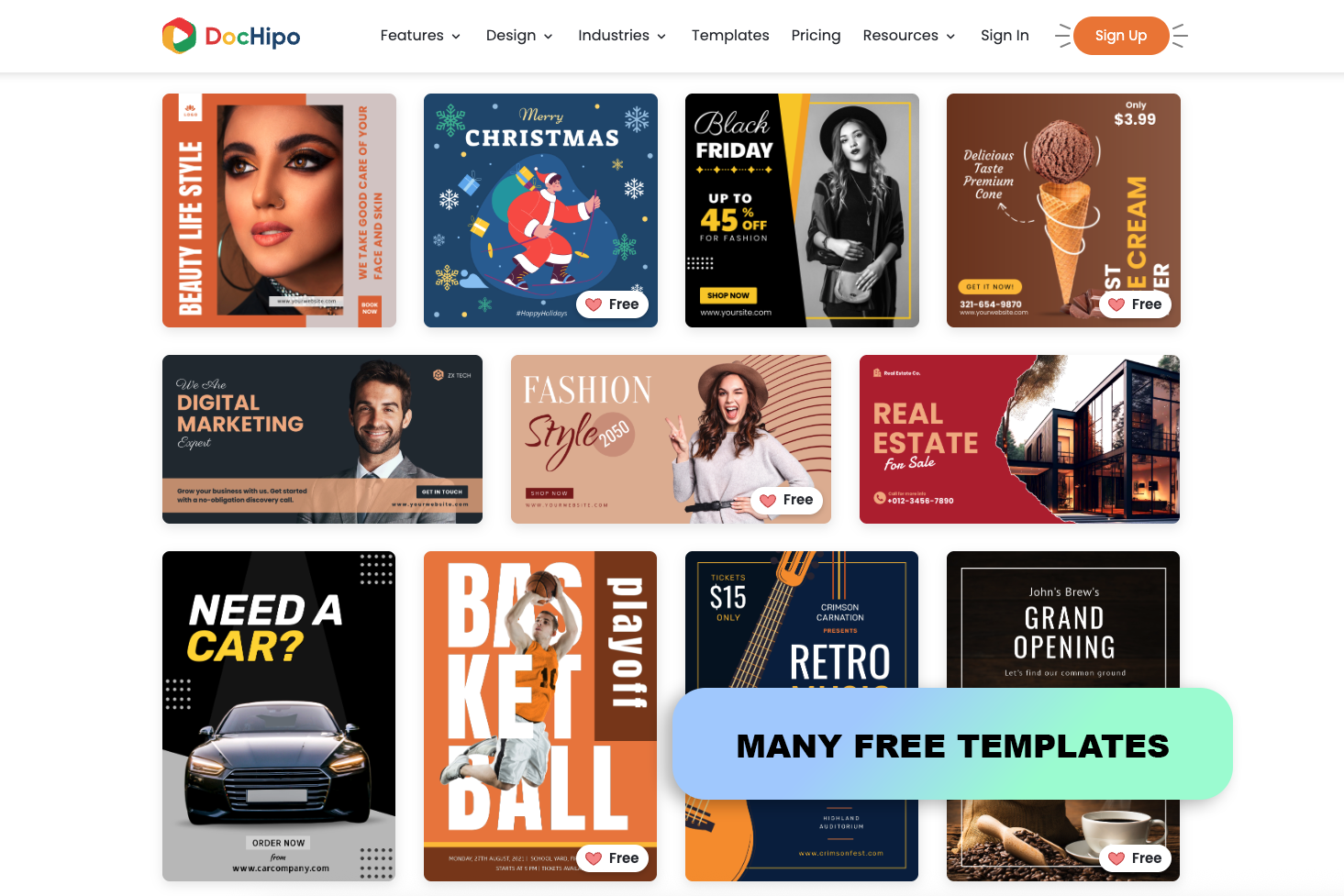
I could tell right away from the first few minutes I spent using DocHipo that it was made for anyone who want to quickly produce high-quality visual material without having to deal with complex professional applications. It is particularly helpful for presentations, brochures, social media postings, advertisements, and other marketing materials due to its enormous template library and simple interface.
Additionally, I appreciated that DocHipo is more flexible than a simple template editor because it has AI Writer, AI Translate, AI Image Generator, and a backdrop remover.
Price: Free or from $8.99/month
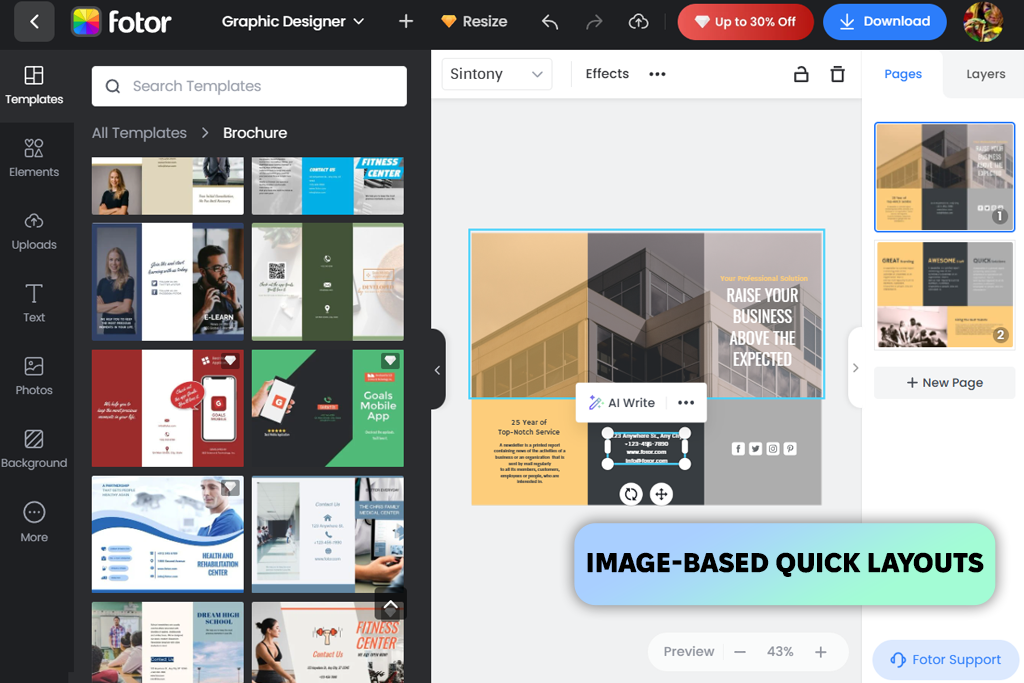
Fotor allows you to create pamphlets online that prioritize visuals over layout design. It offers an intuitive UI, letting you start creating your projects without worrying about the setup.
Fotor makes it easy to improve imagery before adding it to your designs. On the other hand, the layout customization is quite basic, making it challenging to design more structured or detailed pamphlets.
Fotor is best suited for basic, image-heavy designs that draw the viewer’s attention to the visuals. It’s a great option for quick designs, particularly if you want to edit images and customize the layout using the same platform.
“The integrated editing features are very time-efficient, allowing me to tweak images and add them to the pamphlet without using any other tools.”

Most pamphlets don’t manage to fulfill their purpose simply because people haven’t read them. In the real world, the average person won’t give your design more than 2-3 seconds, and if that wasn’t enough to interest them, they’ll move on. This is true not only for pamphlets, but for anything you make in free booklet creators or banner generators as well.
My worst mistake was wanting to "convey everything." Lengthy descriptions, unnecessary details, and extra elements. I thought I was creating something informative, but it turned out that I was simply overwhelming people. Nowadays, I prioritize conveying the main idea of a pamphlet while ensuring all elements serve to support it.
It’s also very important to create the perfect first impression. The top of the pamphlet makes or breaks your design. If the headline and imagery aren’t eye-catching enough, it doesn’t matter what follows below.
Additionally, I no longer focus on ensuring my designs are “pretty,” instead prioritizing their usefulness. An aesthetically pleasing design is pointless if the clients don't see the benefits it brings. A straightforward layout with a clear message is usually more efficient than overdesigned pamphlets.
It’s always a good idea to cut content instead of adding more. I usually take out about 30-40% of text, making my design more readable and polished.
While there’s nothing wrong with being creative, clarity is a lot more important when it comes to pamphlet design. If you keep your priorities straight, your creations will get approved quicker and do a better job engaging the target audience.
A pamphlet maker is a solution that allows you to design organized marketing or informational materials with the help of premade templates, text blocks, and visual assets.
Adobe Express is among the best pamphlet design tools, as it provides contemporary templates, convenient customization, and a wide range of export parameters for both print and online use.
Yes, the web has a lot of free solutions that let you take advantage of templates, different text tools, and export options, even if the premium functionality is locked behind a subscription.
A high-quality pamphlet needs to feature a clear headline, short text blocks, appealing visuals, and a call to action that is clear and motivating.
Yes, the majority of solutions offer drag-and-drop controls, ensuring even inexperienced users can design polished and professional-quality pamphlets with ease.
Yes, most featured solutions let you save the design as a high-quality PDF, which is perfect for print.
PDF is usually the standard choice since it preserves the layout, typography, and quality for both digital sharing and printing.
To find the best pamphlet maker, I evaluated each solution in real-world scenarios along with my colleagues from FixThePhoto. Our goal wasn’t to simply look at the available tools, but to also examine how they perform in real life.
While adhering to our usual algorithm, we tested each solution on actual projects.
We prioritized the evaluation of the following aspects:
Additionally, we evaluated how every platform behaved in real-world conditions that involve tight deadlines and several revision rounds. Some options are great at providing quick results, while others sacrifice speed to offer more customization tools.
After testing all pamphlet makers in identical scenarios, we managed to determine which solutions are time-efficient and professional and which fell short of our expectations.



![7 Best YouTube Banner Generator [Real Channel Tests]](http://fixthephoto.com/blog/images/gallery/news_main__preview_28946.jpg)


![11 Best AI Tools for Content Creation [Free & Simple]](http://fixthephoto.com/blog/images/gallery/news_main__preview_28962.png)

![9 RunwayML Alternatives [Better, Faster & Cheaper]](http://fixthephoto.com/blog/images/gallery/news_main__preview_28969.jpg)
![12 Best AI Flyer Generators [Online & Free]](http://fixthephoto.com/blog/images/gallery/news_main__preview_28910.jpg)

















