When I set out to find the best AI script generator for videos, FixThePhoto’s YouTube channel and blog were booming, but writing scripts from scratch was too time-consuming. Between photo editing tutorials, gear reviews, and quick software guides, our production speed needed a major boost without compromising quality.
I quickly discovered that generic text generators just didn't work. We needed an AI tailored specifically for video flow that could make sticky opening hooks, structure clear step-by-step visuals, and explain complex editing techniques in a completely natural voice. Plus, with content ranging from 60-second social clips to detailed tutorials, good pacing control was non-negotiable.
While testing AI script generators, I wanted to find a tool that fits my daily workflow. I partnered with my FixThePhoto team to evaluate different solutions, while working on an educational project.
We weren't looking for promises but searched for control. We wanted a program that lets us edit generated sections, pivot tones for different audiences, plug in key product details, and tweak underperforming lines without starting over. Above all, accurate prompt comprehension and reliable quality mattered most. After setting our criteria, we jumped straight into testing to separate the standout script generators from the noise.
AI-Powered Script Generation
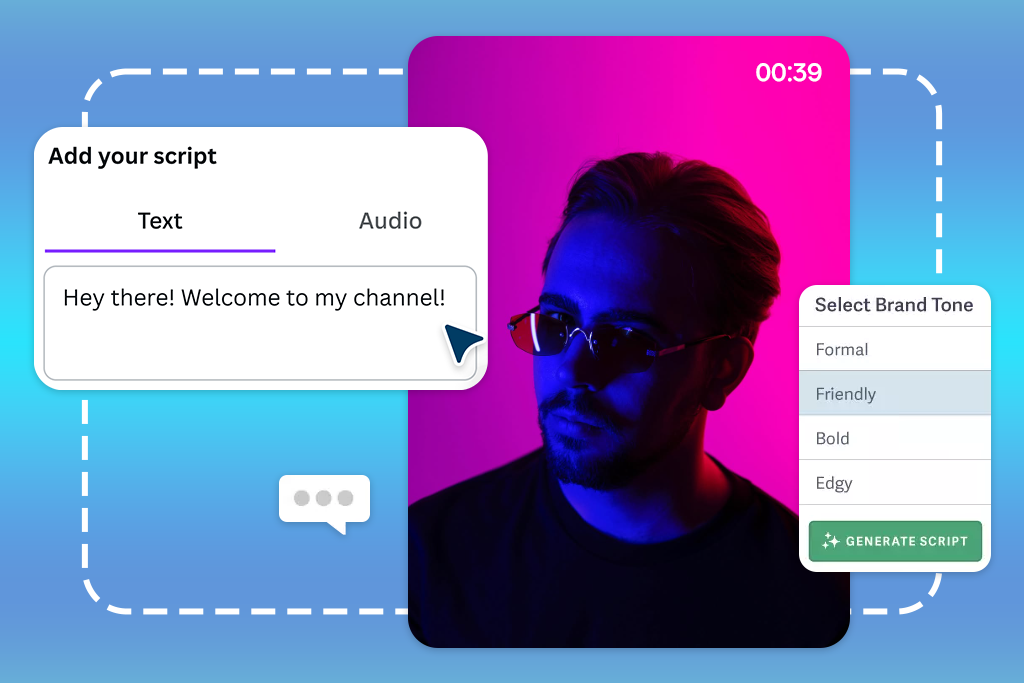
At the heart of every great AI video script generator is its ability to turn a simple idea, spark, or keyword into a full-fledged script. A standout tool doesn't just spew text. It builds a logical flow complete with punchy introductions, smooth transitions, insightful core points, and a memorable conclusion.
What to look for:
Customizable Tone and Writing Style
No creator wants to sound like a repetitive robot. The best AI writing tools let you dial in a distinct voice, ensuring your script resonates whether you’re speaking to industry executives or casual viewers.
What to look for:
Script Length Control
Different platforms demand vastly different attention spans. The best AI script generator for videos recalculates script depth and pacing depending on where your video will live.
What to look for:
Strong Prompt Understanding
Top-tier AI video tools stand out because they truly interpret nuanced instructions rather than pumping out generic fluff. The deeper the tool’s prompt comprehension, the closer the first draft gets to your vision.
What to look for:
Video Outline and Storyboard Creation
Before jumping into dialogue, many creators map out the visual narrative. Generators featuring built-in outline and storyboard capabilities help you see the bigger picture before recording a single take.
What to look for:
AI Editing and Script Refinement
Your first AI draft is rarely your final draft. Advanced refinement tools let you improve raw text, sharpen dialogue, and fix awkward phrasing without restarting from scratch.
What to look for:
Multiple Language Support
If you're aiming for a global reach, multilingual AI features eliminate the barrier to entry by translating and localizing your message.
What to look for:
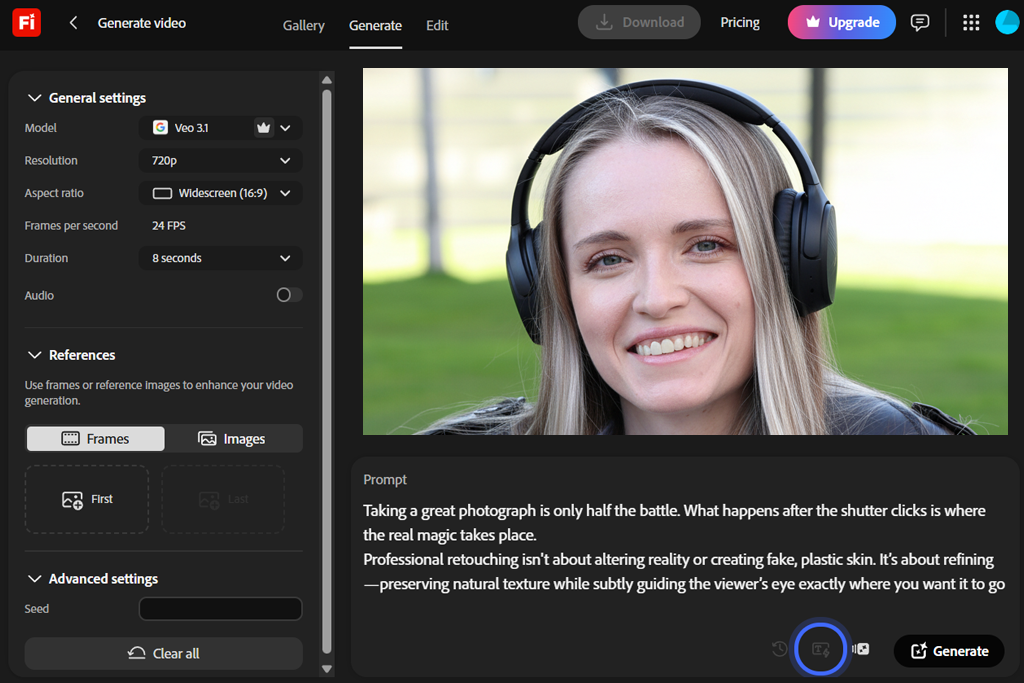
When searching for the best AI video script generator to elevate our FixThePhoto educational content, I knew a single click wouldn't produce a true masterpiece. Instead, I needed an efficient assistant to brainstorm, organize, and structure tutorials, software reviews, and complex editing guides. Since Adobe software is already central to my creative workflow, testing Adobe Firefly Video was like a logical next step.
It quickly became clear that Adobe Firefly Video works best as a collaborative co-pilot rather than a standalone scriptwriter. Supplying it with detailed prompts, specifying target audience demographics, core goals, and conversational tone, yielded well-organized video blueprints. This helped us map out beginner-friendly Photoshop walkthroughs and short feature explanations with ease.
You can enjoy the true power of the suite when combining Firefly's generation tools with Adobe Express. Utilizing features like Generative Fill, Text to Image, and built-in AI writing prompts allowed me to draft written outlines alongside matching graphic assets simultaneously. This dual approach makes it easier to produce visual hooks and educational sections.
“It’s great for generating ideas quickly and creating professional-looking results. I usually make a few adjustments afterward so everything looks more like my own work.”

Testing free Adobe software, I learned how a simple concept can evolve into a full content plan. When I inputted a topic on improving portrait retouching, Firefly generated a clean blueprint with an introduction, core talking points, and matching visual concepts.
The biggest win is the possibility of steering creative direction on the fly rather than staring at a blank screen. Staying entirely within the Adobe ecosystem meant transitioning between writing, design, and editing without breaking my workflow.
Ultimately, Firefly is a perfect fit for creators who care about the entire production pipeline. While dedicated AI writers may beat it on long-form scripting, Firefly excels at transforming rough ideas into top-notch video concepts. For our FixThePhoto projects, where visual clarity is just as vital as the script itself, such an approach is paramount.
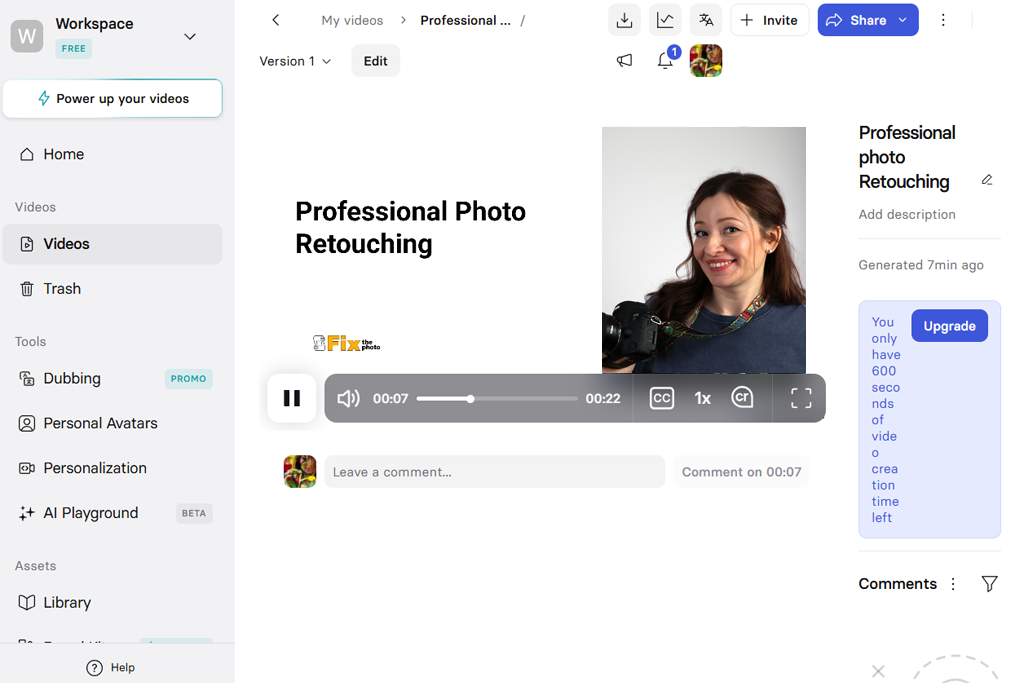
Ever wondered how to build slick instructional video content without ever stepping in front of a camera? I personally tested Synthesia across multiple educational projects, ranging from beginner software walkthroughs to photo editing lessons, to discover whether this platform could deliver genuine professional value for modern content creators.
The platform immediately impresses with its AI Script Assistant. Instead of simply generating basic blocks of text, it intelligently organizes your core concepts into structured modules complete with clear intro hooks, detailed step-by-step breakdowns, and summary slides. This structured setup saved me significant drafting time for my FixThePhoto guides and provided a remarkably strong starting foundation for every lesson.
Operating as a robust online AI video script generator, Synthesia offers all the needed tools for initial text generation and final video output. By combining customizable AI Avatars, AI Voices, and Voice Cloning, it enables creators to construct complete presenter-led video lessons effortlessly without purchasing expensive studio equipment or hiring professional talent.
All in all, Synthesia proves to be an exceptionally powerful YouTube transcript generator for educators, corporate teams, and online instructors who need high-impact training materials quickly. While higher pricing plans might deter casual creators, the efficiency gains make it a top contender for serious video production workflows that demand speed and consistency.
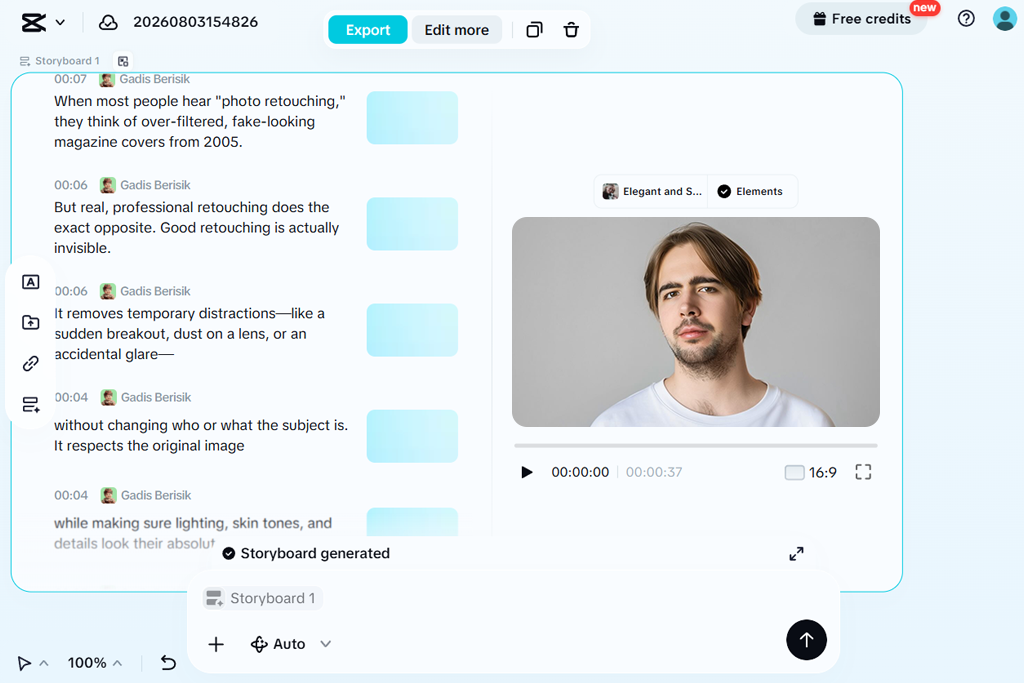
I tested CapCut using bite-sized photo editing tutorials, software breakdowns, and quick design hacks to determine whether this wildly popular editing platform could be really helpful for modern digital creators.
The standout feature during my evaluation was undeniably the platform's built-in AI Writer. If you need an AI video script generator free of overly dense corporate jargon, this tool excels at making punchy hooks, clear step-by-step explanations, and high-converting calls to action tailored specifically for TikTok, Instagram Reels, and YouTube Shorts. Combining this intelligent scripting capability with Text-to-Speech and Auto Captions, allowed me to transform raw ideas into ready-to-share video concepts in a fraction of the usual time.
“I was able to create short social videos quickly because the interface is so simple. The templates are helpful for speeding things up, although after using it for a while, some designs started to feel a little too familiar.”

CapCut outperforms some analogs with its all-in-one content creation workspace. Immediately after finalizing your draft script, you can generate dynamic subtitles, fine-tune overall clip pacing, apply stylized visual filters, and experiment with creative voice effects without ever switching applications. I didn’t need to export files across multiple desktop programs, so my multi-platform content distribution workflow at FixThePhoto became more convenient.
I believe CapCut serves as an indispensable AI video editor and script generator for digital educators, online marketers, and social media creators who value speed, flexibility, and quick execution. While it may not replace specialized desktop editing software for intricate, long-form video masterclasses, it offers an unbeatable, efficient solution for rapidly testing fresh video concepts and consistently publishing engaging short-form educational content.
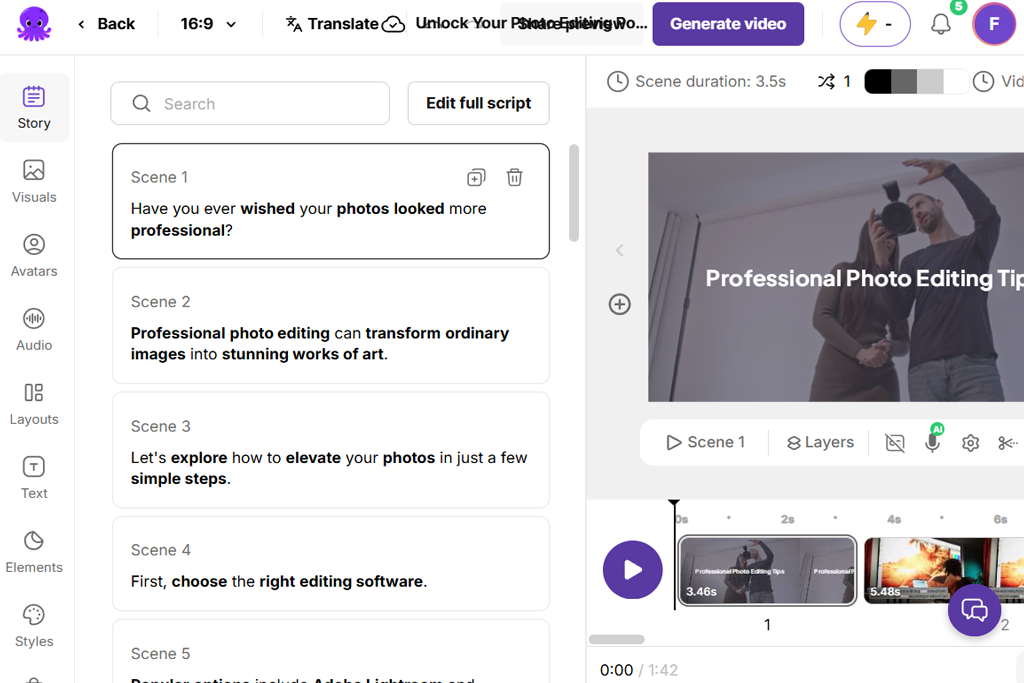
Pictory lets you breathe fresh life into your library of published articles without starting your video production process entirely from scratch. I uploaded several long-form tutorial texts, assessing how effectively it extracts core concepts, curates relevant visual assets, and formats cohesive educational videos.
The star feature during my evaluation was the Script to Video tool, which simplifies turning written guides into dynamic visual presentations. After submitting a draft, the platform intelligently parses the narrative, breaking it into logical scenes while matching relevant imagery and background music to the text pacing. Besides, the AI Video Summarization feature proved invaluable for condensing lengthy software guides into concise, bite-sized clips without losing critical context.
What makes Pictory particularly efficient as a video tutorial software is its real-time text-based video editing system. Automatic subtitles, synthetic voiceovers, and dynamic media syncing allow you to improve projects easily. If you tweak a line of text in your script, the platform instantly re-aligns the underlying video scenes and audio tracks, sparing you from tedious manual timeline adjustments.
Pictory will surely please digital publishers, content marketers, and educators looking to convert existing text into engaging video formats. While it may not suit high-concept cinematic storytelling due to its template constraints, it works great for rapid content transformation. If you are searching for a free online AI video script generator to jumpstart your multimedia content strategy, Pictory offers an incredibly accessible, time-saving entry point for your entire team.
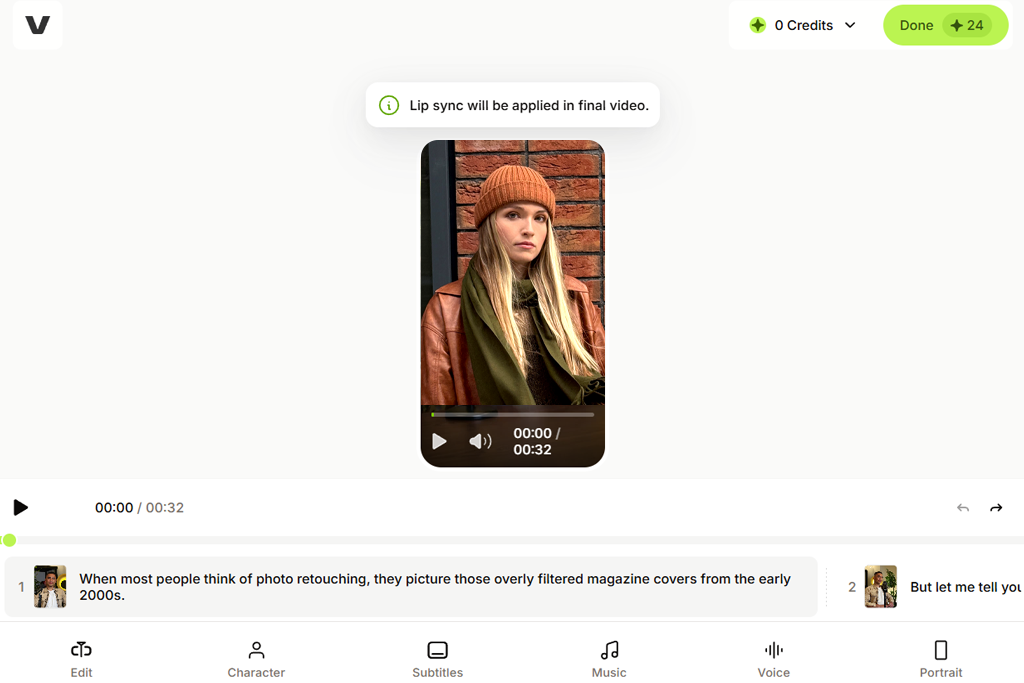
I tested VEED, using portrait editing tutorials and software guides to see how well it turned raw concepts into professional educational content for digital audiences.
The platform’s dedicated AI Script Generator served as my primary starting point for organizing new educational subjects. By inputting sample topics like beginner Photoshop techniques and photography tricks, the software rapidly produced functional outlines and editable text drafts. Rather than forcing rigid narrative structures, it provided flexible, open frameworks that allowed me to integrate custom expert advice, personal insights, and practical FixThePhoto examples without feeling restricted.
“The online workflow is super convenient, and the captioning feature is one of my favorites. It's excellent for fast video creation, but I usually need something more powerful for longer or more complex videos.”

VEED sets itself apart with its comprehensive, post-generation video editing suite. Integrated capabilities like Magic Cut, Auto Subtitles, AI Voice Generator, and Text-to-Speech accelerated my overall production workflow. The automated captioning tool proved invaluable for educational videos. Furthermore, multi-canvas aspect ratio resizing allowed me to adapt a single video lesson for YouTube, Instagram Reels, and TikTok without ever rebuilding timelines from scratch.
VEED operates as an exceptionally efficient, all-in-one digital content workspace for creators, educators, and collaborating video production teams. While its built-in text generation can occasionally feel somewhat simple compared to standalone writing tools, it can properly balance quick automation with fine-grained creative control. If you are searching for an adaptable AI script generator for video projects that streamlines editing and publishing, VEED is a remarkable end-to-end web platform.
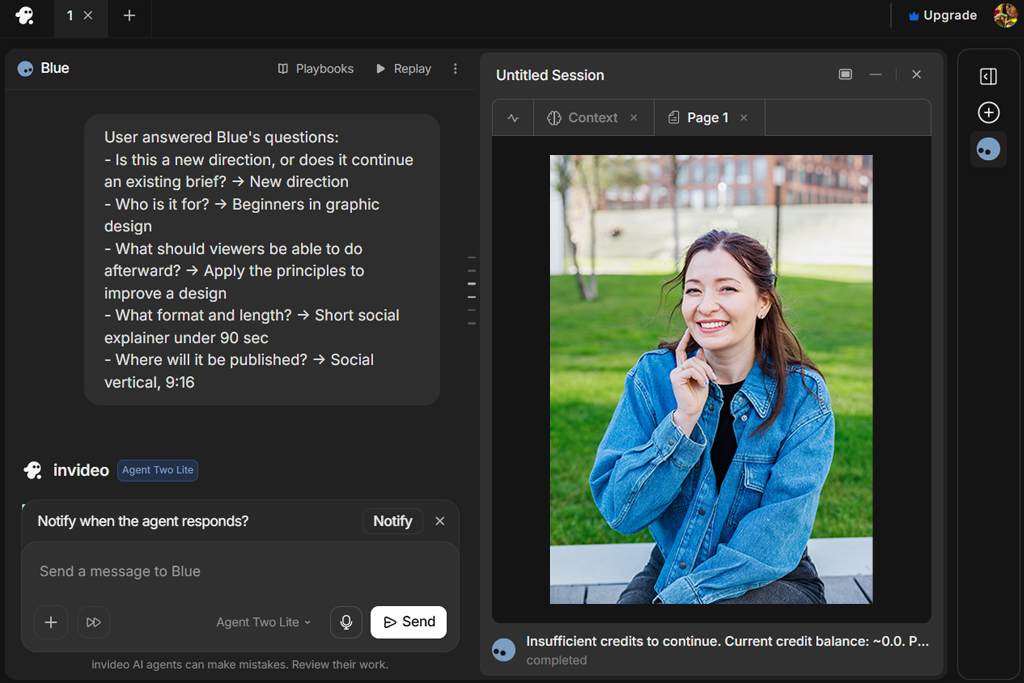
When launching new projects for FixThePhoto, I frequently start with basic concepts rather than fully realized scripts. I built sample videos focused on photo editing techniques, software reviews, and beginner tutorials to evaluate whether InVideo could generate near-final drafts.
I primarily relied on the AI Text to Video feature, which converts a simple topic entry into structured scripts, scene layouts, and visual recommendations. I also spent time testing Magic Box. This is an intuitive command tool that lets you make rapid adjustments using simple text prompts rather than digging through menus.
For instance, I could ask the app for video captions to shift the narrative tone, trim redundant sections, or modify styling. Experimenting with different script variations was fast and simple.
I paid close attention to post-generation creative freedom. Features like realistic AI Voiceovers, deep stock libraries, and editable templates transformed basic outlines into slick, professional videos. InVideo’s automatic scene-matching saved time on informational videos, though highly technical photography topics still required swapping out generic stock clips for more suited examples.
InVideo is a fantastic shortcut for creators who want to jump straight into production without staring at a blank canvas. It is tailored for educators, marketers, and bloggers who need to publish high-quality videos on a tight schedule. I think this is a great online AI video script generator to turn raw ideas into polished drafts without tiresome manual tweaking.
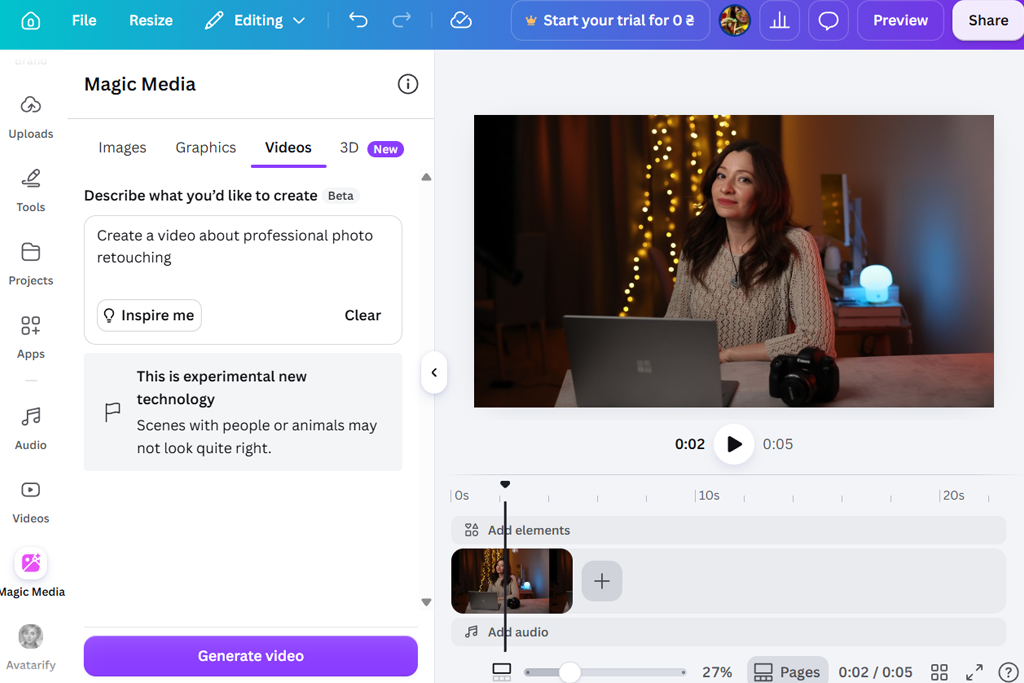
As someone who already relied heavily on Canva for graphic design, I was eager to explore its newly expanded AI video toolkit. Since our team regularly produces educational presentations, social clips, and video tutorials, having an all-in-one creation hub promised to save us time, effort, and resources across every single new project we undertake.
To evaluate its real-world performance, I used Canva to draft video outlines, generate social promos, and build full explainer clips starting from simple concepts. The main standout feature throughout testing was Magic Write, which rapidly produced structured outlines, engaging hooks, and concise explanations for various video topics.
I also used Magic Media, which converted text descriptions into tailored supporting visuals. For example, while crafting a photography tutorial, I generated custom graphics instantly instead of manually searching stock photo libraries. Writing, visual creation, and scene editing happened within a single workspace.
“What I like most is how approachable it is for beginners. There are plenty of ready-made templates that make the whole process quick and simple, so it's easy to create attractive videos without much effort. The trade-off is that some finished videos can feel a bit repetitive because many templates share the same overall look.”

I was pleased with the creative freedom available after generating initial content drafts. With built-in Brand Kit, Templates, Animations, and Auto Captions, it was easy to align every video with FixThePhoto’s visual identity. Adjusting color palettes, fonts, layouts, and transitions required zero technical skill, allowing me to quickly produce sleek, professional educational videos without any hassle or delay.
To my mind, Canva’s greatest advantage is its comprehensive versatility. It functions not merely as an AI script generator, but as a complete design ecosystem where scripting is just one part of a larger workflow. For creators who need to generate scripts, design graphics, and publish branded videos within a single unified platform, Canva is a highly effective solution.
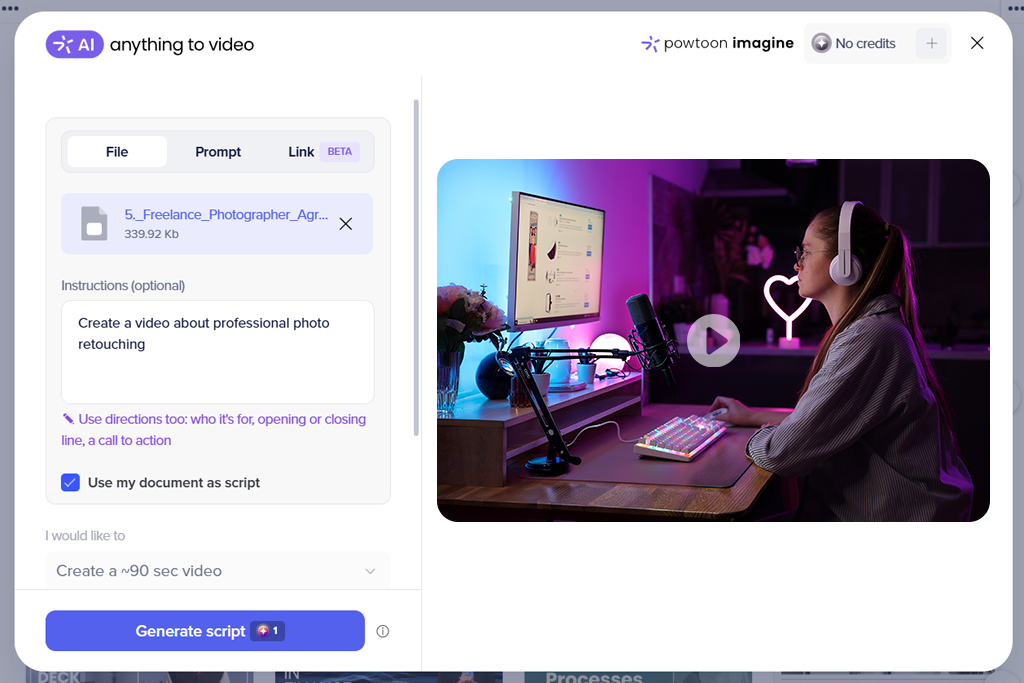
If you want to transform standard educational content into engaging visual stories without learning complicated software, Powtoon is a solid platform to consider. To test its capabilities for FixThePhoto, I created several test projects covering photography tips, software features, and beginner editing techniques.
My primary objective was to see if Powtoon could simplify video production while keeping lessons interesting. The platform aims to bridge the gap between simple video editing and full-scale animation, offering creators a fresh way to explain concepts.
I started my test by exploring Powtoon AI. This is a helpful AI video script generator that turns simple prompt ideas into structured video concepts and scenes. Testing prompts like explaining photo retouching basics, I could see how effectively the tool organized information. Additionally, using the Storyboard Creator made it easy to plan the outline before adding visual elements. Creating a visual blueprint first helped ensure that the core messaging remained clear, focused, and well-structured throughout the entire video creation process.
During testing, Powtoon’s animation tools stood out as its strongest feature set. Utilizing the Character Builder, Animated Templates, and rich asset collections allowed me to craft dynamic visual guides. Explaining complex photo editing workflows became straightforward by pairing animated characters with clear step-by-step visuals.
While customizing design elements requires patience, the final result offers a more engaging experience than traditional tutorials. Overall, Powtoon is an excellent free promo video maker for creators who want animated, beginner-friendly educational videos.
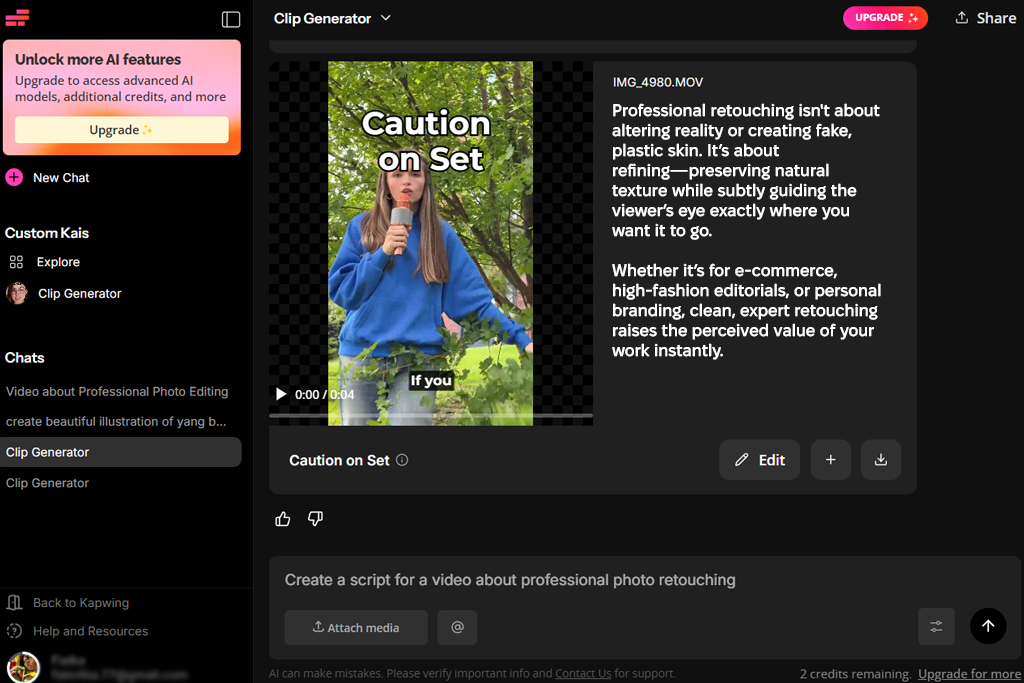
If you need to quickly adapt a single content idea into multiple video formats without spending hours inside complex editing software, Kapwing is an efficient solution. To evaluate its capabilities, I created short photography lessons to test the complete workflow from raw text to finished export. The platform acts as an all-in-one content hub designed to streamline production for modern online creators.
I began my evaluation by testing the script creation tools to see how quickly conceptual ideas could become clear storyboards. Kapwing features an integrated AI Script Generator that turns simple prompts, e.g., basic portrait lighting or beginner photo editing techniques, into structured video outlines. The generated drafts provided well-organized hooks, clear explanations, and strong call-to-action conclusions. Later, I added specific photography examples to enhance accuracy.
“It works well for fast team projects and quick content creation. The editing tools are straightforward and practical, but it starts to feel limited when working on more advanced edits.”

Kapwing neatly integrates scripting features with its automated post-production tools. After finalizing a draft, I used Smart Cut, Text-to-Speech, and Auto Subtitles to complete my video. The precise transcript generation is particularly beneficial for educational content, making Kapwing an excellent YouTube transcript generator for silent viewers. Furthermore, resizing projects for TikTok, Instagram Reels, and YouTube Shorts requires only a few clicks.
Kapwing is a versatile AI video script generator that bridges ideation and publishing. While dedicated writing tools may offer deeper prompt customization, Kapwing unites planning, editing, and multi-channel resizing within one practical dashboard. For our FixThePhoto workflow, it proved to be an invaluable instrument.
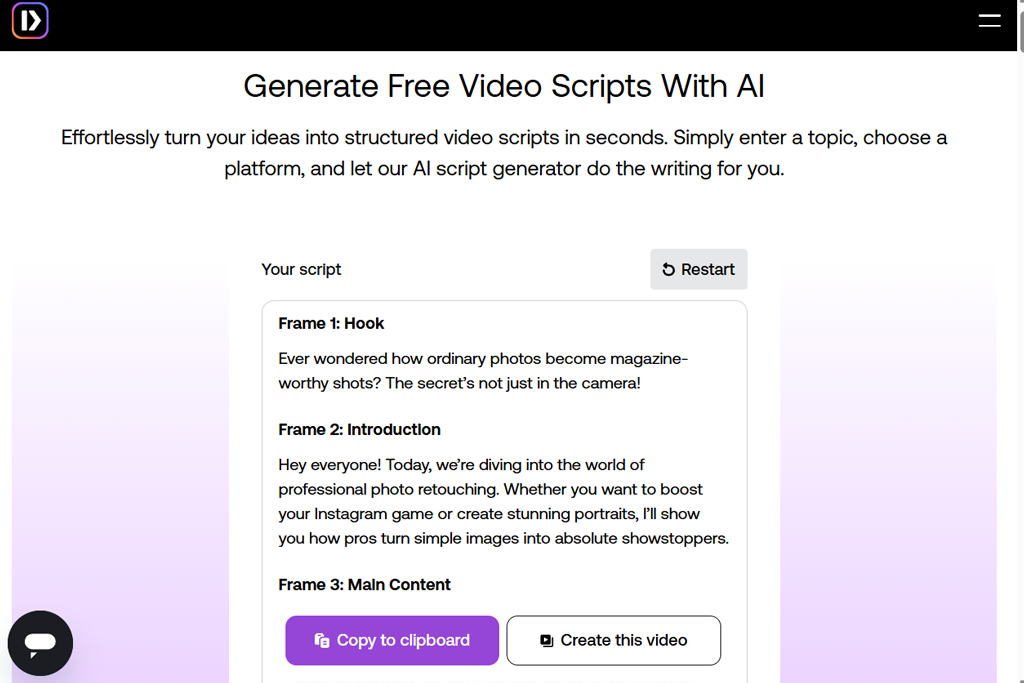
Finding a reliable tool that balances corporate polish with rapid video production can be tricky. During testing, PlayPlay appeared to be a specialized platform tailored for corporate teams needing consistent output.
I began by testing PlayPlay's Text-to-Video capabilities alongside its free online AI video script generator features to convert structured ideas into complete scenes. The built-in AI Assistant streamlined script polishing by reshaping complex photography jargon into beginner-friendly explanations. Rather than spending hours tweaking phrasing manually, this AI video transcriber quickly suggested clear scripts tailored to specific audiences.
Beyond script generation, PlayPlay excels at keeping visual branding intact. Utilizing its integrated Brand Kit, licensed stock library, and automated subtitling tools, I easily produced cohesive tutorials that matched professional standards.
Team collaboration tools further simplified sharing drafts and collecting internal feedback. While PlayPlay lacks deep creative customization for artistic projects, it excels at structured messaging. Ultimately, it offers FixThePhoto an efficient way to deliver branded educational videos at scale without experiencing unnecessary design friction.
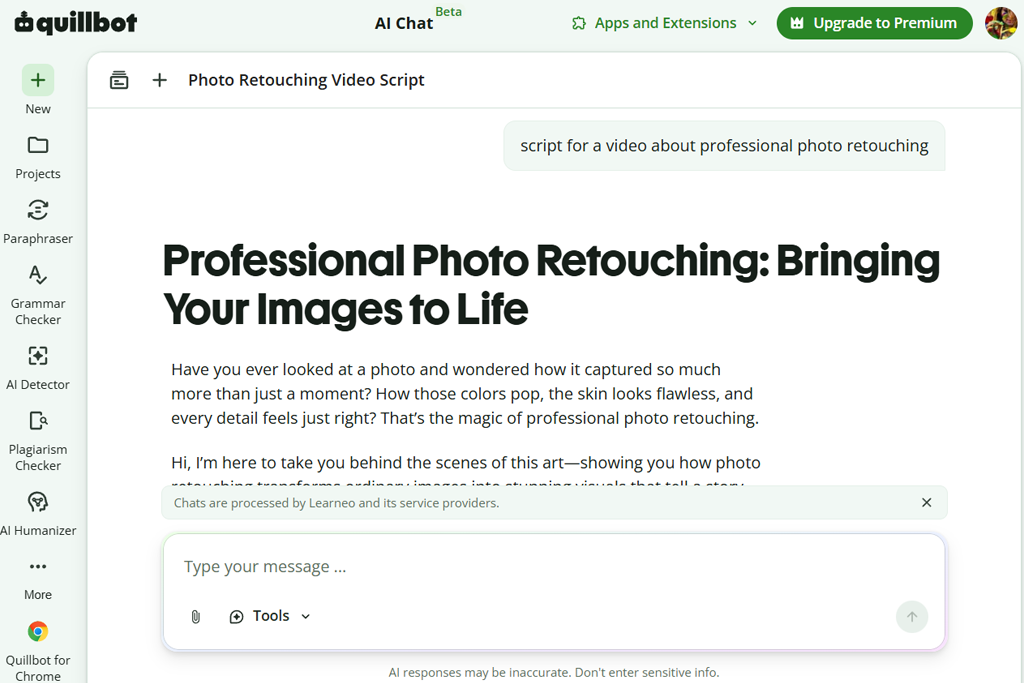
Unlike platforms that generate complete visual media, QuillBot focuses primarily on refining and expanding written content. During my practical testing for FixThePhoto, I integrated QuillBot at the conceptual planning and editing stages to craft scripts for photo editing tutorials, software reviews, and educational guides. My main goal was to determine whether its text tools could transform rigid drafts into natural, engaging video narration.
I started by evaluating QuillBot’s core features, including the Summarizer, Paraphraser, and Grammar Checker. These capabilities made it simple to condense lengthy technical explanations into concise, punchy script sections designed for voiceover narration. When working on a complex software tutorial, shortening dense explanations ensured the final lesson remained informative without overwhelming beginner audiences.
“I mostly rely on it to clean up my scripts and improve awkward wording. It's great for brainstorming and polishing ideas, but I still use a different tool when it's time to create the actual video.”

Beyond basic editing, I leveraged the AI Writing Assistant features to enhance transitions, strengthen hook introductions, and polish the overall narrative flow. Because QuillBot does not generate complete video assets automatically, I paired it with custom outlines to maintain creative control. Its greatest advantage was elevating text quality. It removed repetitive phrasing and made technical jargon sound conversational and understandable.
QuillBot is an exceptional supporting tool rather than a standalone AI video script generator free. It delivers maximum value when you already possess a rough script draft that needs polishing before recording. For the FixThePhoto workflow, QuillBot proved to be an indispensable editing partner that ensures educational scripts sound clear, professional, and ready for production.
To discover the best AI video script generator for real-world workflows, the FixThePhoto video team developed a comprehensive testing methodology rooted in practical content creation. We wanted to find tools capable of streamlining our production of educational videos focused on photo editing, creative software, and photography techniques. Working alongside team members Eva Williams, Kate Debela, and Vadym Antypenko, I evaluated each platform across the entire media creation lifecycle.
We standardized our testing process by running identical prompts through every tool, focusing on realistic topics such as “beginner Lightroom tips”, “portrait retouching workflows”, and “common photo mistakes to avoid”. Eva Williams managed the script quality evaluation, assessing how effectively each free AI video script generator option created engaging intro hooks, logical technical explanations, and clear conclusions tailored specifically to our primary creative photography audience.
“Some scripts were surprisingly human, while others were much flatter. The better AI tools created strong openings, explained complex concepts clearly, and kept the content interesting from beginning to end without sounding artificial.”

Next, Kate Debela explored creative flexibility and customization capabilities across each platform. She tested tone adjustments, script rewriting, video duration controls, AI outlines, and automated storyboard suggestions across various popular video formats.
Kate evaluated whether a tool could adapt one core concept into concise social media clips, structured educational tutorials, or detailed long-form guides. Platforms granting precise narrative control earned higher scores for integrating into our daily editorial workflow.
Finally, Vadym Antypenko focused on practical post-production efficiency and direct workflow integrations. He tested AI voiceovers, auto-subtitles, video templates, embedded timeline editors, and export capabilities to measure how quickly a raw script concept could become a finished video asset ready for publication.
By scoring platforms on script accuracy, flexibility, usability, and time saved during production, we successfully separated superficial text generators from truly transformative visual software tools that empower creators to plan better videos and elevate content quality.





![9 Best AI Audio Silence Removers [{{%year}} FixThePhoto Choice]](http://fixthephoto.com/blog/images/gallery/news_main__preview_29189.jpg)

















