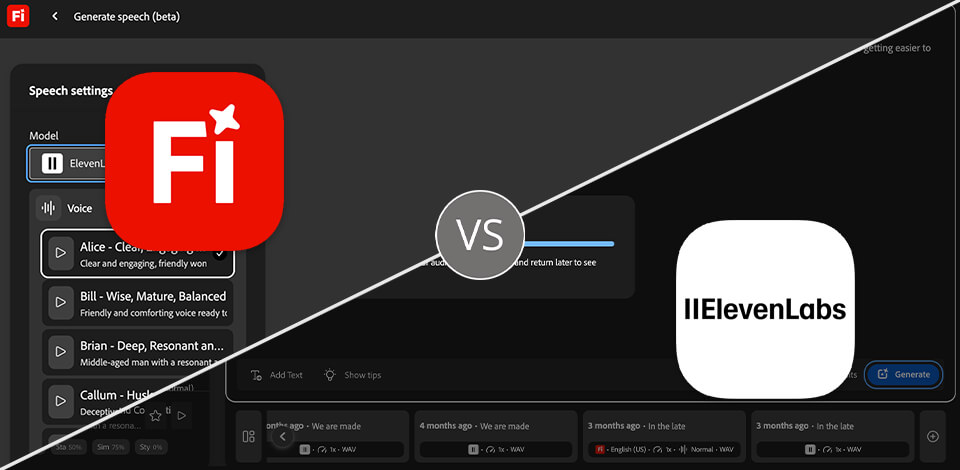
When I need to create tutorials, social media content, or marketing materials, I often use Adobe Firefly and ElevenLabs to expedite my workflow. Occasionally, I need to use AI to generate images or short AI videos. While working on some projects, I also need to produce natural-sounding voiceovers and audio.
Both platforms have long become part of my workflow, which is why I decided to compare Adobe Firefly vs ElevenLabs features to understand which is better and can be used for solving specific tasks.
Adobe Firefly is an AI-based creative service that allows users to generate images, videos, audio, and other visual assets based on text prompts. It supports integration with other Adobe apps. ElevenLabs supports AI voice generation and enables users to access text-to-speech tools, perform voice cloning, generate subtitles, and automatically produce audio for videos, podcasts, and other content.
While comparing Adobe Firefly vs ElevenLabs, I mostly focused on content quality, intuitive functionality, customization support, AI tools, workflow efficiency, pricing, and value for money. In addition, I checked how I can use each platform while working on real projects, from producing visual assets to creating professional voiceovers for videos and digital content.
While testing these services, I asked my FixThePhoto teammates to help me compare the outputs after using different prompts and while working on all sorts of creative projects.
Adobe Firefly is the best option, as this all-in-one solution is suitable for generating pictures, videos, speech, and graphics. It uses the ElevenLabs model to produce high-quality voiceovers and integrates seamlessly with other Adobe software, which allows me to streamline my workflow.
|
|

Adobe Firefly |

ElevenLabs |
|
Key features
|
AI image, video, audio, and vector generation, Generative Fill, text effects
|
AI text-to-speech, voice cloning, dubbing, speech-to-text, AI voice changer
|
|
Speed
|
Quick content generation (from a few seconds to a minute)
|
Fast voice generation (it takes a few seconds)
|
|
Free plan
|
Yes (limited generative credits)
|
Yes (limited generative credits)
|
|
Pricing
|
Starts at $9.99/month
|
Starts at $6/month
|
|
Primary use
|
AI-powered visual and multimedia content creation
|
AI voice generation and dubbing
|
|
Ease of use
|
★★★★★
|
★★★★☆
|
|
Platforms
|
Web
|
Web
|
|
AI features
|
Text-to-image, text-to-video, image editing, text-to-speech, AI sound effects, speech enhancement, AI audio generation, vector generation, Generative Fill
|
Text-to-speech, voice cloning, AI dubbing, voice changer, speech-to-text, sound effects
|
|
Voice quality
|
High-quality, natural AI voices
|
Highly realistic AI voices
|
|
Languages supported
|
20+ languages
|
70+ languages
|
|
Collaboration
|
Creative Cloud integration, shared libraries, team workflows
|
Shared workspaces, API, team collaboration
|
When comparing Adobe Firefly vs ElevenLabs pricing, I noticed that both services have free versions with limited functionality. These versions are mostly suitable for testing the available AI tools. If you want to produce content regularly, you will have to pay for a premium version. It will allow you to stop worrying about usage limits, access advanced tools, and use the outputs commercially.
Adobe Firefly
Adobe also regularly offers generous Adobe discounts for those who want to purchase annual subscription plans or pay for Creative Cloud bundles. Those who are going to use Firefly for a long time can purchase this solution at an affordable price.
ElevenLabs
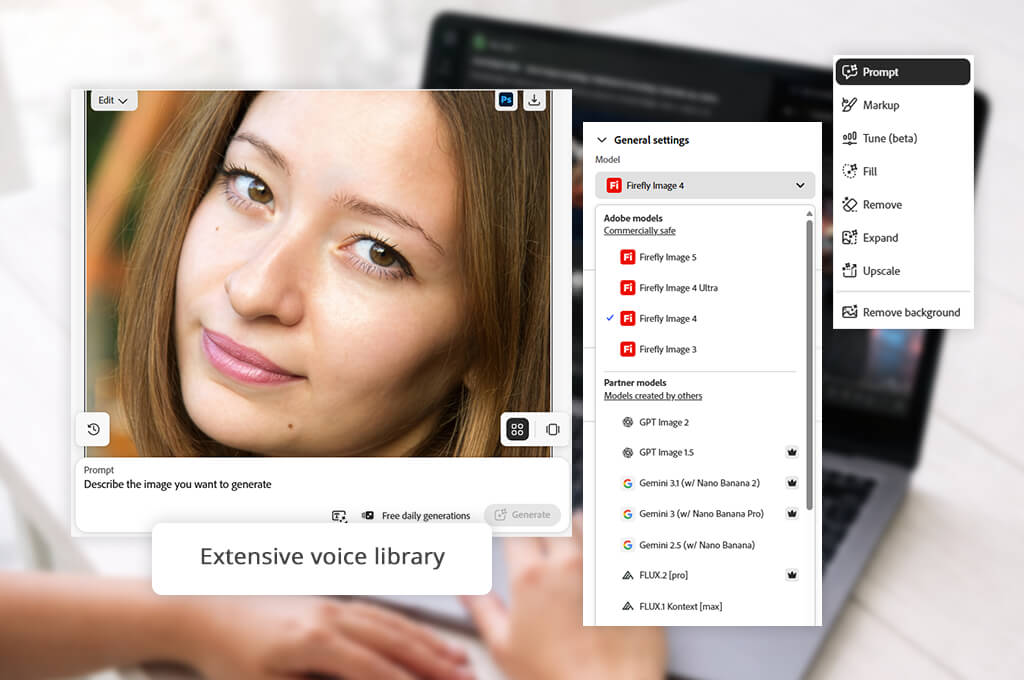
Adobe Firefly is the winner because it comes with a set of powerful visual and audio AI tools
that can be accessed from a single ecosystem. With its AI tools, I can generate pictures, videos, vector graphics, voiceovers, and sound effects based on text prompts and then use features like Generative Fill and Generative Expand to enhance the output. Besides, it allows me to upload reference images, adjust style, use the results for commercial purposes, and edit prompts quickly to adjust the outputs. With it, I can produce professional-level content without performing a lot of manual tasks.
Adobe Firefly and ElevenLabs both rely on AI technology to expedite content creation. However, when I use Firefly as an ElevenLabs alternative I can work both with pictures and audio. Besides, I prefer to use Firefly because of its integration with other Adobe software. I start working on my project in Firefly and then continue editing it in Photoshop, Illustrator, Premiere Pro, or Adobe Express.
I was also pleased to discover that Firefly allows me to create multiple versions, try out different styles, choose the most suitable size for different platforms, and improve the outputs using AI-based editing tools available in Adobe software. Firefly is the best AI tool for content creation that allows me to implement my ideas and achieve the desired results quickly.
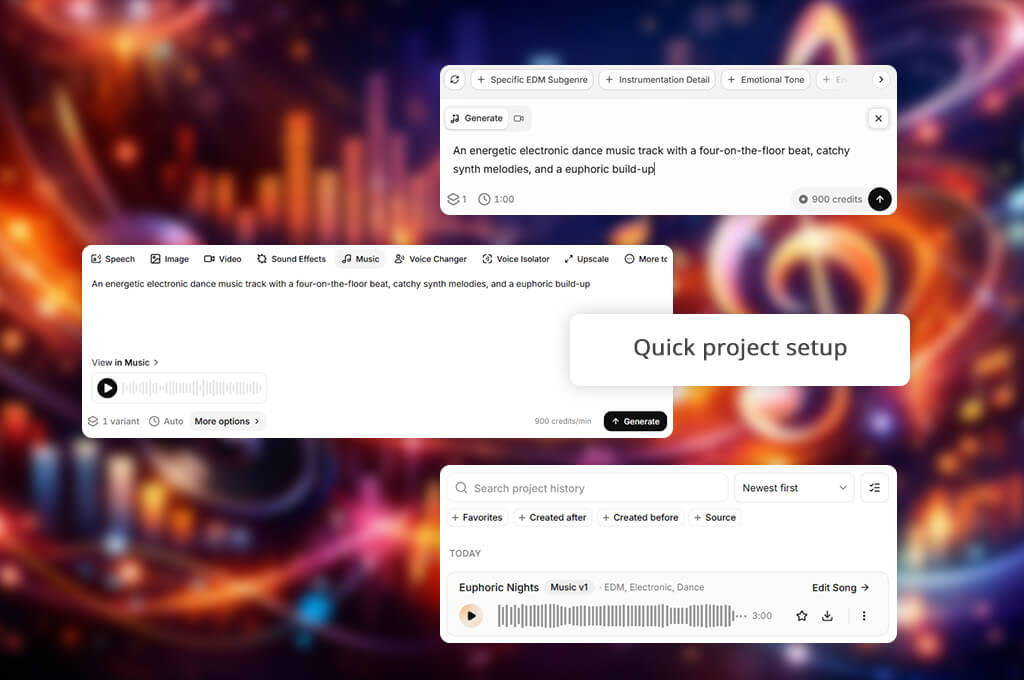
I use ElevenLabs when I need to produce natural-sounding AI voices for videos, tutorials, podcasts, or marketing materials. It supports text-to-speech generation, voice cloning, multilingual dubbing, AI-based sound effects, speech-to-text, voice adjustment, and deploying custom AI voice agents. I was especially impressed with its voice controls, extensive voice library, and multi-language narration generation capabilities.
What I like the most is that I do not need to choose between Adobe Firefly and ElevenLabs. ElevenLabs supports Firefly by default, which means that I can produce professional voiceovers using the Adobe interface. I use Firefly to generate visuals, create narration using AI tools available in ElevenLabs, and keep editing my project using other free Adobe software.
What makes ElevenLabs different from Adobe Firefly is that it’s more suitable for creating custom voices. However, when using its voice cloning tools, I need to focus on responsible use of voice data.
Adobe Firefly is great for:
ElevenLabs is perfect for:
When I tested ElevenLabs vs Adobe Firefly, I was pleased to discover that both solutions have intuitive interfaces, making them suitable for beginners. However, they were designed for different creative tasks. They are suitable for content creators who want to generate AI content without mastering advanced tools.
Adobe Firefly comes with a set of AI-powered content creation tools. It has a polished and well-organized interface, which allows me to generate content based on prompts quickly. I use it to produce images, videos, audio, and vector graphics. It allows me to achieve unique outputs using intuitive controls and try out various creative styles. I discovered that Adobe Firefly is easier to use because I can access all the tools quickly from a single dashboard.
ElevenLabs is more narrow-focused. Its interface is best suited for voice generation. It includes text-to-speech, cloning, and dubbing tools. Besides, it allows me to manage voice libraries. This AI voice generator is quite intuitive, but most of its tools are suitable for working with audio. As I often need to produce visuals and sound, I prefer to use Adobe Firefly when working on my projects.
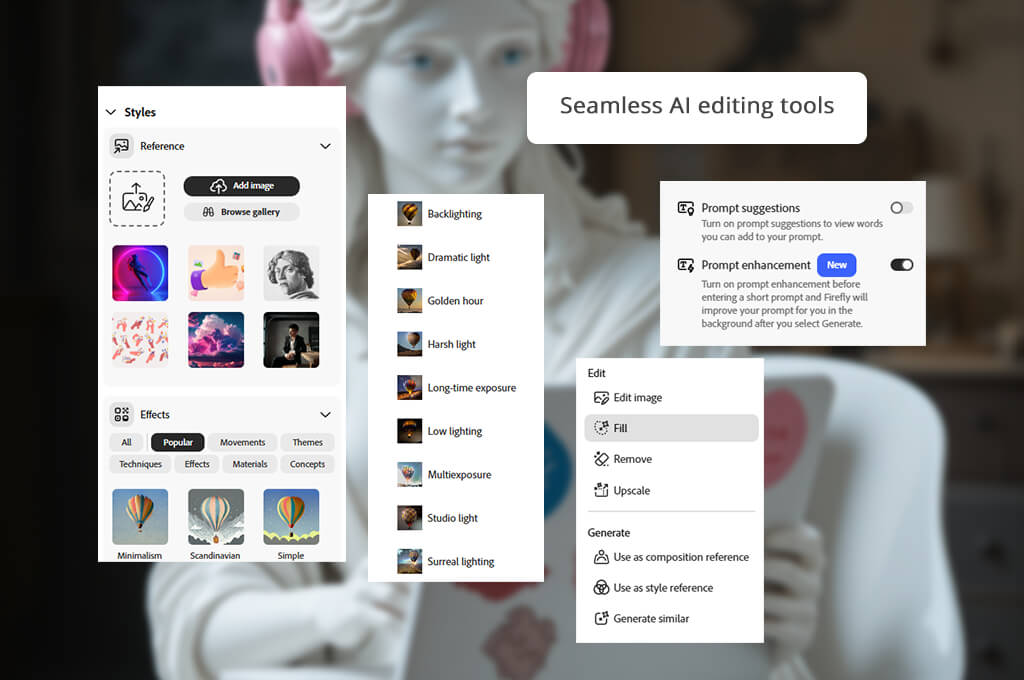
When I decided to compare Adobe Firefly AI vs ElevenLabs AI in terms of their suitability for video creation, I also quickly noticed some differences between them. Adobe Firefly was created for generating unique visuals based on text prompts. It produced AI pictures, videos, vector graphics, and text effects.
With it, I could generate different versions, customize styles, specify aspect ratios, and improve the outputs using AI editing tools like Generative Fill and Generative Expand. This solution will be especially suitable for creators who need to produce images and audio.
ElevenLabs has a narrower area of application. It excels at creating AI voices, dubbing, and speech generation. This is why it does not support AI image or text-to-video generation like Adobe Firefly.
Even though I occasionally use ElevenLabs to add high-quality voiceovers to AI-generated videos, I prefer to use Adobe Firefly video tools when I need to create visuals.
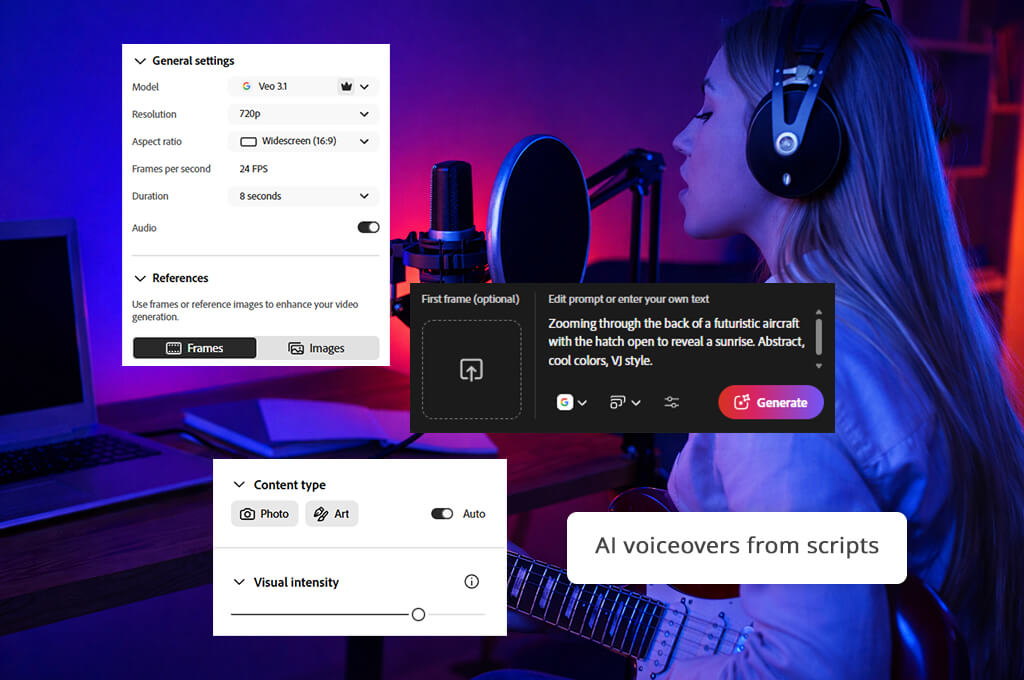
Adobe Firefly and ElevenLabs come with advanced AI tools designed to produce realistic speech. However, they use different approaches. As I was interested in an unbiased Adobe Firefly vs ElevenLabs comparison, I produced voiceovers for product ads, Instagram Reels, and short tutorials. For instance, I used these solutions to create voiceovers for a 30-second skincare ad and a tutorial with a lot of technical terms.
When using text-to-speech tools, I assessed the output quality, pronunciation accuracy, pacing, expressiveness, pauses, and the amount of editing the results needed to become ready for publication. Both solutions produced clear, realistic narration quickly. However, ElevenLabs helped me produce more expressive outputs in some situations.
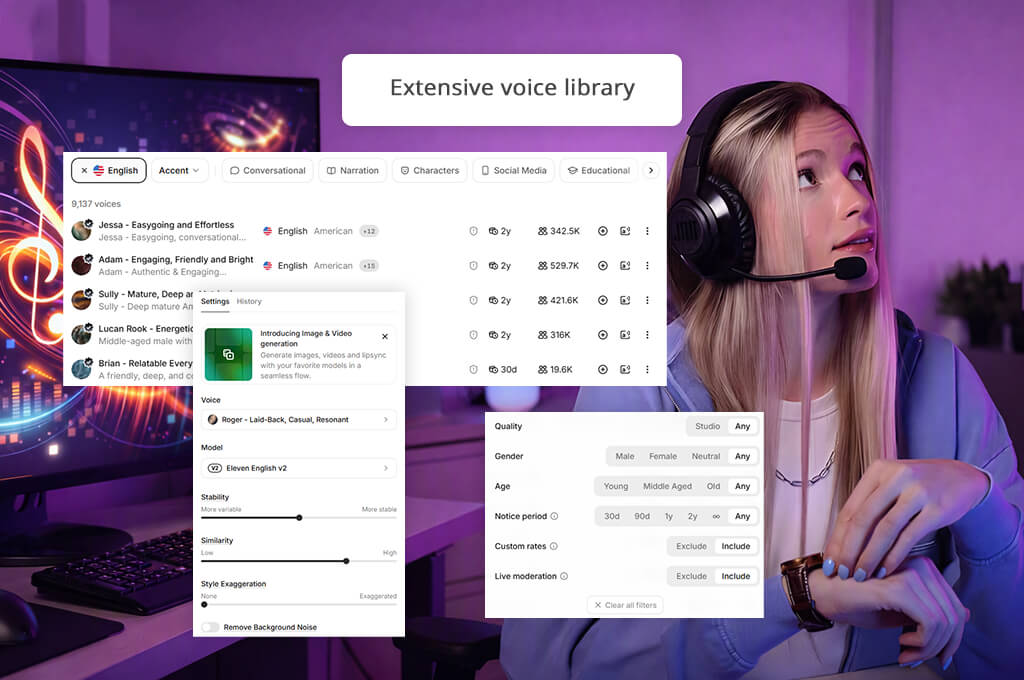
I noticed the main difference between them when I tried using these solutions for other tasks besides voice generation. Using Adobe Firefly voice generator, I could produce engaging social media ads without using third-party tools. ElevenLabs supports more advanced voice cloning.
Besides, this multilingual AI dubbing software allows users to generate speech and customize voice style and delivery, making it an excellent solution for podcasts, audiobooks, or localization. However, Adobe Firefly delivers faster performance when it comes to producing marketing videos and social media content that includes visuals and voiceovers.
I tested Adobe Firefly text to speech vs ElevenLabs to see whether each of these services can be used as an AI sound effect generator for creating short ads, Instagram Reels, and promo videos. I added phrases like "camera shutter," "whoosh transition," "crowd applause," and "cinematic impact" to my prompts to assess output quality, prompt precision, realism, and the way each effect matched the images.
Both platforms produced audio in seconds, but Adobe Firefly generated more natural outputs that fit the context perfectly, while ElevenLabs delivered better performance with voice-oriented prompts.
While working on my projects, I noticed that Adobe Firefly has helpful sound generation tools that can be easily integrated into a creative workflow. With it, I could quickly regenerate new versions, adjust prompts, and use the outputs. ElevenLabs facilitated producing custom audio and voice-based effects, but it’s mostly suitable for producing voice content, making it less suitable for general sound design tasks.
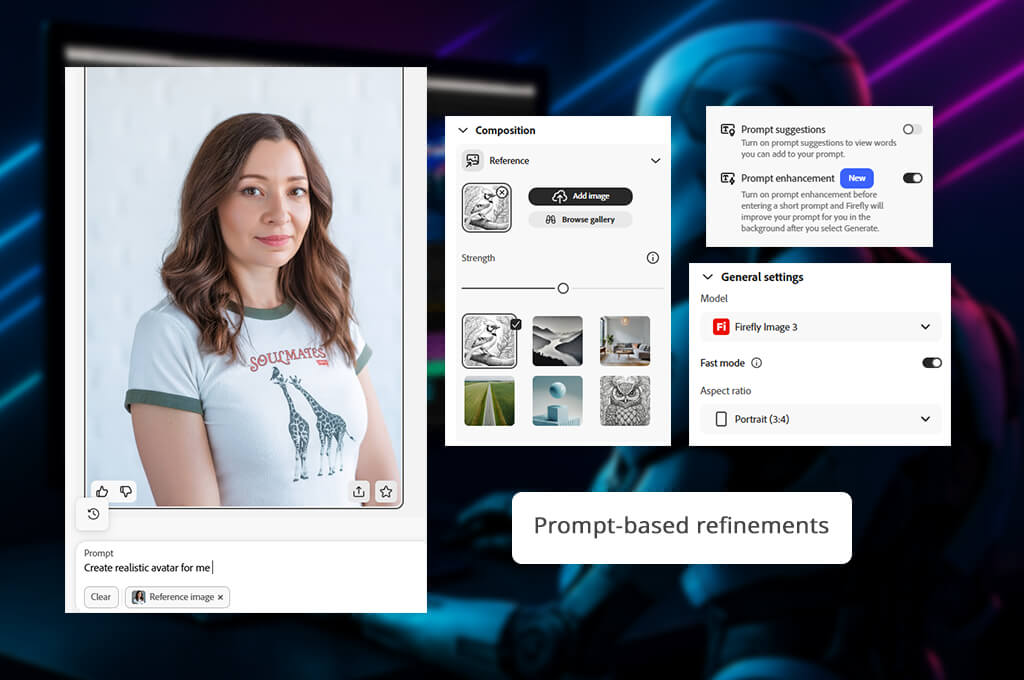
When comparing Adobe Firefly vs ElevenLabs, I also wanted to know whether each AI software would give me a high degree of control when generating AI content. Both solutions support extensive customization, which allows me to change my prompts and regenerate content multiple times.
Adobe Firefly has a more extensive choice of editing tools. Using them, I can enhance my pictures using Generative Fill and Generative Expand tools, delete or replace objects, customize styles, apply reference pictures, edit generated videos, and adjust AI speech without using third-party software.
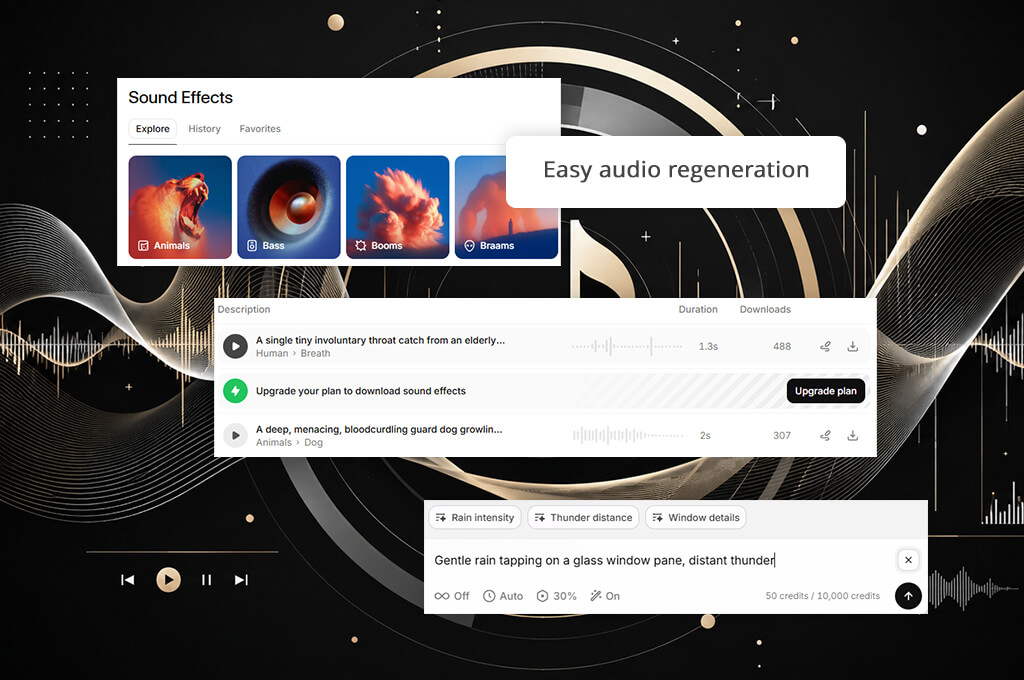
ElevenLabs also supports extensive voice customization. It allows me to adjust pronunciation, pacing, expressiveness, and speaker settings. Besides, it supports custom voice libraries and multilingual dubbing. Those controls make it an excellent free audio editing software.
When assessing Adobe Firefly audio vs ElevenLabs, I did not focus much on language support, knowing that both solutions are suitable for generating content for a global audience. ElevenLabs allows users to produce content using text-to-speech tools in 70+ languages. It supports voice cloning and dubbing, making it perfect for those who work on multilingual audio projects.
Even though Adobe Firefly allows users to write prompts and generate AI content in 20+ languages, I prefer to use it to generate images, videos, and AI voiceovers. Compared to ElevenLabs, it supports fewer languages, but it’s still perfectly suitable for creative and marketing tasks.
When I started to use Adobe Firefly, I was especially pleased by the fact that it generated AI visuals, videos, and voiceovers quickly even when I used more detailed prompts. It allowed me to generate multiple versions, change prompts, and regenerate outputs without details. ElevenLabs also delivered fast performance when I used it to generate voiceovers and text-to-speech content. It produces realistic audio quickly.
Whether you use Adobe Firefly or ElevenLabs, you will see that these services have different approaches to content generation. Firefly is a free Adobe software that allows me to create and enhance different types of content from one dashboard.
ElevenLabs is one of the fastest solutions for AI voice generation I’ve tested, but it mostly focuses on producing audio. When I work on complex creative projects and need to generate images and voiceovers, I prefer to use Adobe Firefly, as it helps me simplify my workflow.

If you use the premium versions of Adobe Firefly and ElevenLabs, you will be able to use the outputs for commercial purposes. Adobe Firefly delivers more consistent results because it uses generative AI models that were trained on licensed and public-domain content. It makes it the best option for professional and business use.
ElevenLabs is also suitable for producing commercial content, but you need to get the necessary rights and permissions to use cloned voices responsibly, without breaking the law. Even though I use both generative AI tools, I believe that Adobe Firefly might be a better option for content creators, designers, marketers, and brands that want to avoid licensing issues while producing commercial content using generative AI tools.
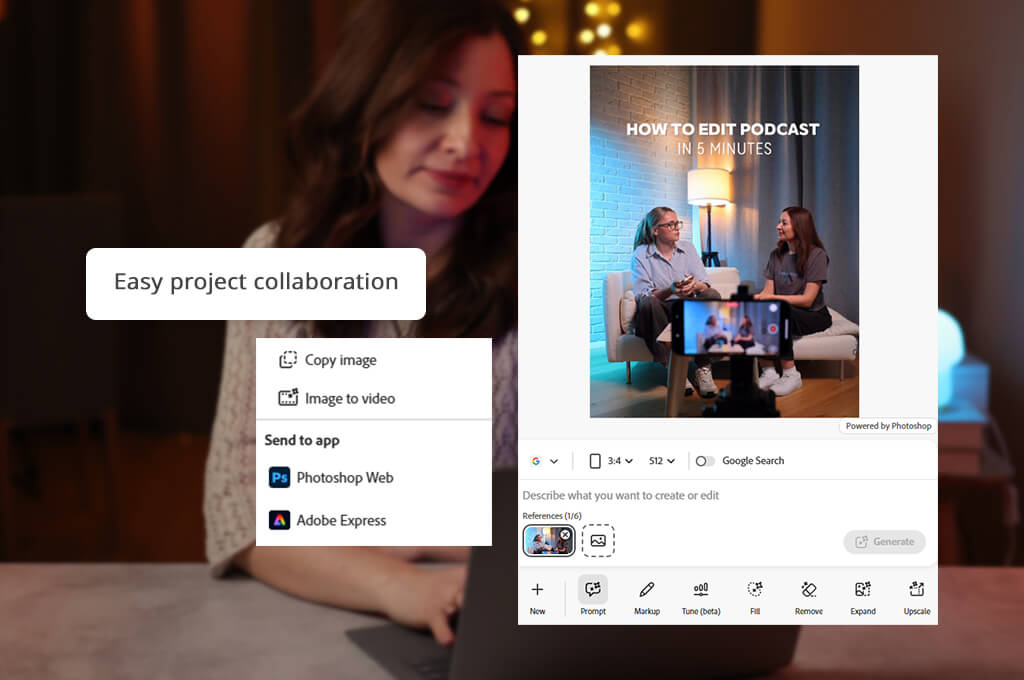
If you often need to work together with designers, marketers, or other professionals when working on your projects, it’s better to use a solution with helpful collaboration tools to expedite your workflow. While comparing Adobe Firefly vs ElevenLabs, I noticed that both solutions have collaboration features, but they are suitable for different creative tasks.
Adobe Firefly facilitates sharing creative assets, achieving brand consistency, and collaborating with other team members when working on visuals. I discovered that this solution is perfectly suitable for my marketing and design workflows.
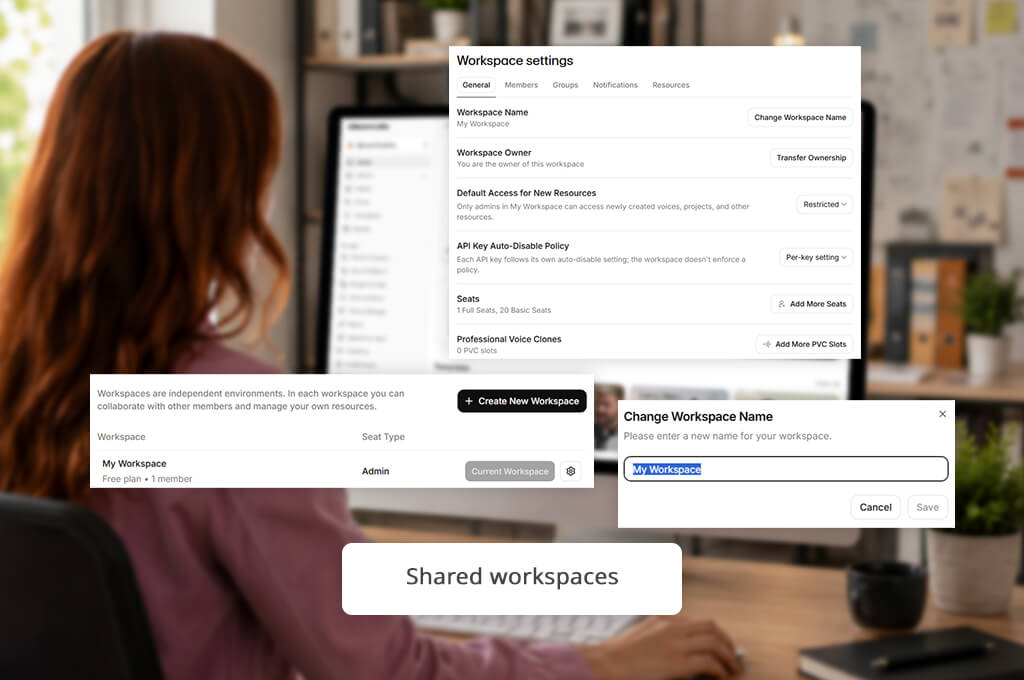
ElevenLabs is an excellent Adobe Firefly alternative that allows colleagues to work together on the same tasks using shared workspaces, voice libraries, project management tools, and API access for businesses that need to produce audio content. Those tools make it especially suitable for voice production, but they are suitable for other tasks as well.
After thoroughly testing and comparing Adobe Firefly vs ElevenLabs, I concluded that both platforms are best suited for different tasks. ElevenLabs is one of the most efficient solutions for generating realistic AI voices, performing voice cloning, and creating subtitles in multiple languages. For me, there is no need to choose one of these options because I can access the ElevenLabs model without leaving Adobe Firefly. With it, I can produce pro-level voiceovers and further process them using other Adobe software.
However, when I need to work on my projects, Adobe Firefly is the best option to consider. I can also use this AI video generator to produce pictures, graphics, and voiceovers. It helps me expedite my workflow and makes it unnecessary to switch between multiple tools. Adobe Firefly is the best all-in-one service for those who are looking for a solution suitable for long-term use.


![7 Best AI Voice Designers [{{%year}} FixThePhoto Choice]](http://fixthephoto.com/blog/images/gallery/news_main__preview_29367.jpg)
![7 Best AI Image Analyzers [{{%year}} FixThePhoto Choice]](http://fixthephoto.com/blog/images/gallery/news_main__preview_29393.jpg)
![7 Best Magazine Mockup Generators [{{%year}} FixThePhoto Choice]](http://fixthephoto.com/blog/images/gallery/news_main__preview_29336.jpg)


![9 Best ImagineArt Alternatives [Better AI Art Apps]](http://fixthephoto.com/blog/images/gallery/news_main__preview_29310.jpg)


















