I’ve used ElevenLabs for quite some time, and it works really well for storytelling and podcast-style content. The voices feel natural, and the emotional expression is strong. However, when I began a large e-learning project for a client, I realized I needed more powerful ElevenLabs alternative.
I was handling dozens of long training modules, each lasting several hours and requiring different voice styles, accents, and exact adjustments to speed, tone, and emphasis.
The issue I ran into is that ElevenLabs doesn’t offer the level of detailed control I need for this type of project. It’s difficult to adjust pauses for long technical sections, and there isn’t enough flexibility to fine-tune tone differences across multiple modules.
On top of that, I need batch processing for hundreds of scripts, and the workflow feels too hands-on and time-consuming at that scale. For a project where consistency and adaptability matter so much, it began to feel more like a limitation than a helpful tool. That’s why I decided to test 50+ ElevenLabs alternatives recommended among creators.
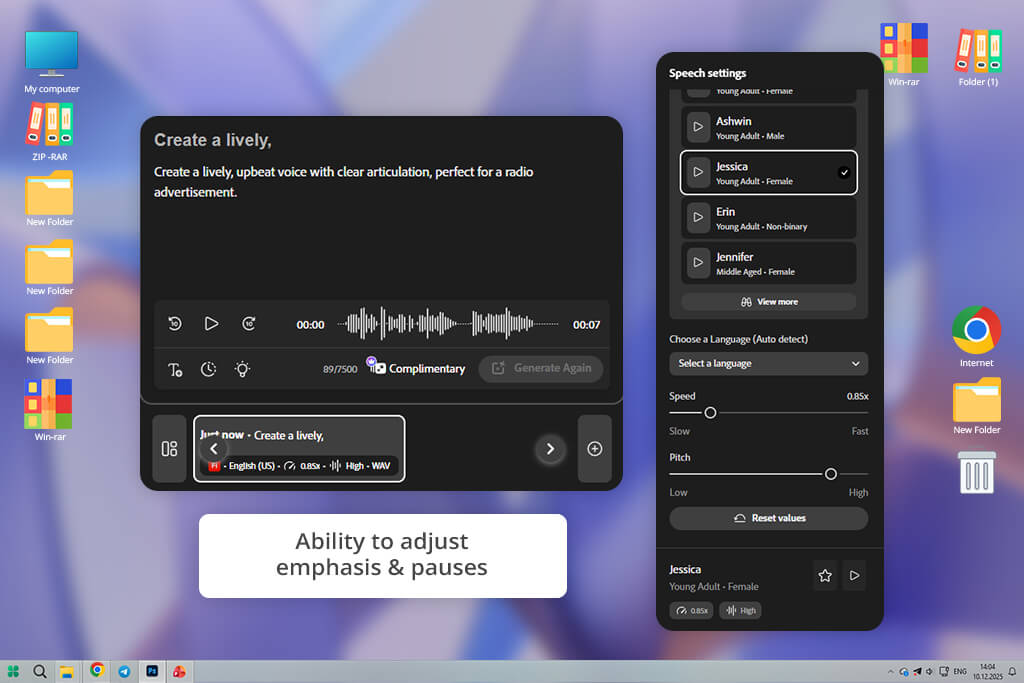
When I tested Adobe Firefly video model, I focused on long educational narration, since that’s where ElevenLabs didn’t fully meet my needs. I uploaded a complete training module, and the voice stayed stable from start to finish. The pacing felt natural and well-controlled, not robotic. That consistency made the overall result sound more professional.
I tested it with technical terms and brand names as well. Firefly pronounced them clearly without any extra adjustments. With ElevenLabs, I often had to change wording to fix strange emphasis. Here, the voice sounded clean and professional right away.
“After uploading a long training script, I noticed how smooth and professional the voice sounded. Even difficult brand names were pronounced correctly without extra work.”

Another major improvement was the level of control. Changing emphasis and pauses gave consistent results instead of unexpected tone shifts. This made the editing process much quicker, and I didn’t feel like I was struggling against the software.
When working on larger projects, Firefly felt much more practical. Its smooth batch exports and seamless integration with creative tools made the workflow faster and easier. In comparison, ElevenLabs didn’t feel as production-focused. Firefly seems built for serious, large-scale work where consistency and scalability truly matter.
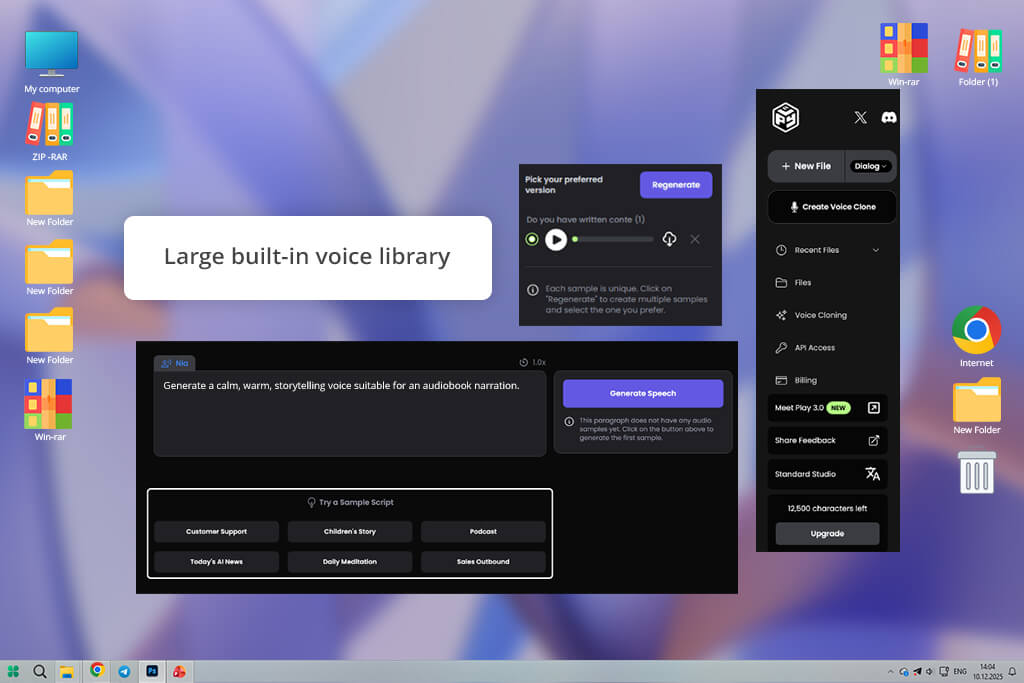
From the first test, PlayHT stood out for how naturally it handled conversational content. I tried a relaxed, blog-style script, and the voice automatically adjusted its rhythm and emphasis in a way that felt fluid and human. I didn’t need to fine-tune every sentence to make it sound engaging.
With ElevenLabs, I often had to edit wording or add phonetic hints to avoid a flat delivery. In comparison, this AI sound effect generator responded more intuitively to the tone I wanted, which made the initial setup much faster and easier.
To test this alternative to ElevenLabs further, I ran longer explainer scripts through PlayHT to see if it could keep the narration engaging. Unlike ElevenLabs, which sometimes falls into repetitive intonation patterns, PlayHT adjusted pacing more naturally and highlighted key points with subtle variation. The delivery felt intentional rather than automated.
“Exports were fast, and I could fine-tune emphasis using simple sliders instead of rewriting whole sections. That made the refinement process much more efficient.”

One of the first things I tested was how it handled difficult words - brand names, product titles, and technical abbreviations. PlayHT pronounced them correctly right away. With ElevenLabs, I often had to adjust the phonetic spelling to fix mispronunciations. Not needing those extra edits saved me time. For professional or branded content, that level of precision really matters.
Managing multiple voices across projects was easier here. I could save presets and use them again whenever needed, which helped keep narration consistent. With ElevenLabs, there wasn’t a simple way to organize and reuse voice settings for repeat projects, which made the process slower.
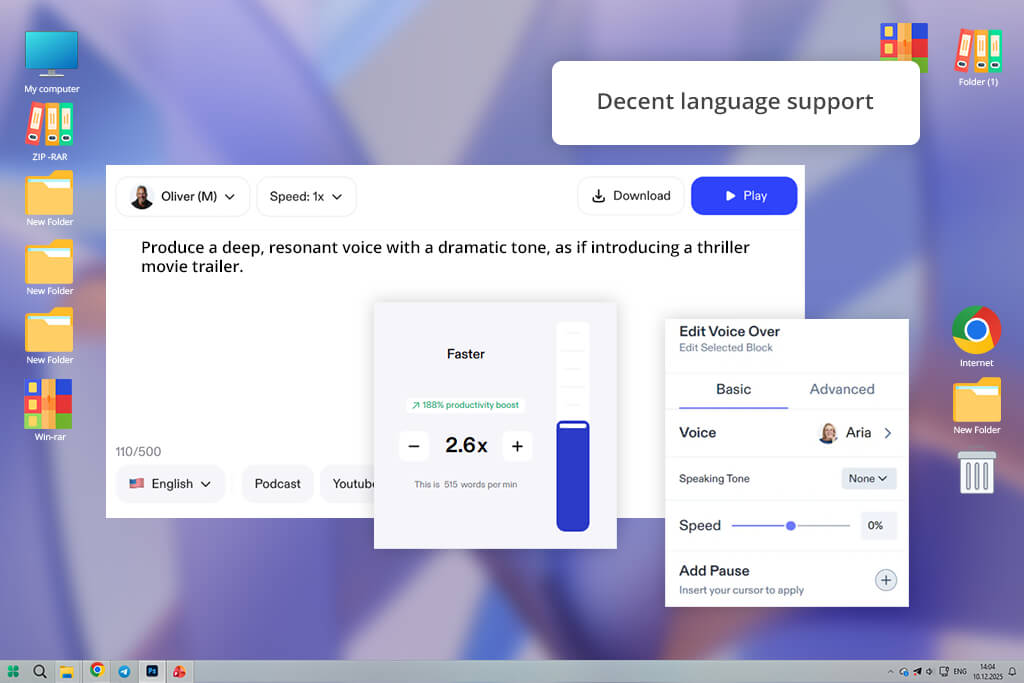
I began by uploading a long article for accessibility narration, and what stood out first was how steady and comfortable the voice sounded. It maintained a consistent rhythm that made extended listening easy. In longer passages, ElevenLabs sometimes varies slightly in tone, which can distract from the content. Speechify, though, kept a steady and even pace the whole time.
I also tested a script that mixed casual and technical parts. Speechify moved between the two styles smoothly, without sounding sharp or mechanical. With ElevenLabs, those changes were more noticeable - some lines felt too strong, others too flat. Speechify kept the tone even, which made the whole script sound more natural.
“I tested text to speech tool with a 15-minute article, and the narration stayed smooth to end. Moving between casual and technical language felt natural, without awkward shifts.”

Changing the playback speed was another strong point. With Speechify, small speed adjustments still sounded natural and clear, without distortion or rushed speech. When I tried similar changes in ElevenLabs, the voice sometimes lost clarity outside the default speed settings. So, Speechify was a better fit for accessibility content and training materials.
I also saw that the voice stayed the same over long parts. It didn’t suddenly change emotion or sound robotic. ElevenLabs sometimes added small mistakes when reading long scripts, so I had to fix them. For long stories or learning content, Speechify gave me a steadier and more professional result without needing much editing.
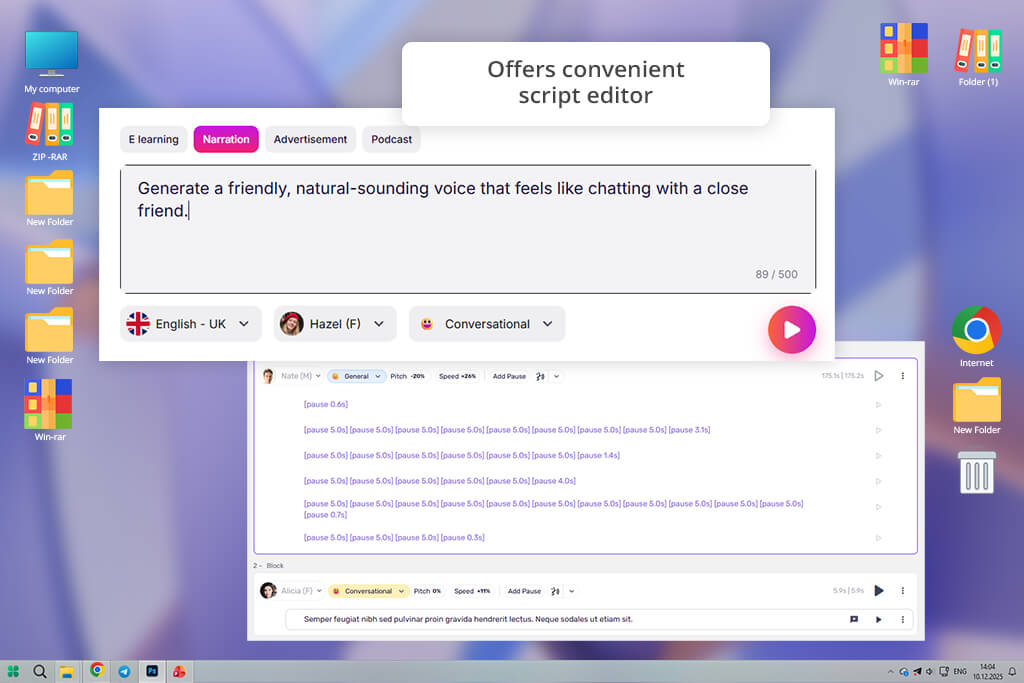
When I tested Murf AI, I focused on business tutorials and corporate training content. The voice sounded clear and confident right away, without the slight pauses or uneven rhythm I sometimes notice in ElevenLabs. This made it a strong fit for professional settings where tone needs to feel precise and polished.
Then I tested features like pitch, emphasis, and speed. The controls were easy to use, and the changes worked the way I expected, without needing lots of trial and error. With ElevenLabs, similar adjustments sometimes caused odd tone shifts that required extra editing. Murf felt more reliable, which gave me greater confidence in the final result.
“I used this professional AI voice generator for product demos and training videos, and the narration sounded clear and confident right away.”

I also tried a long training script to see how the voice handled extended content. Murf stayed steady the whole time, with no pitch shifts or awkward pauses. With similar long scripts, ElevenLabs sometimes showed small rhythm changes that needed manual fixes. Because of its consistency, Murf felt like a stronger choice for structured learning materials.
In the final step, I tested how well the narration matched slides and visuals. With Murf, the timing aligned smoothly with presentation cues, so I didn’t need to keep adjusting it. With ElevenLabs, I often had to cut and rearrange audio to fit visual transitions. In terms of workflow speed and polished results, Murf was clearly the stronger option.
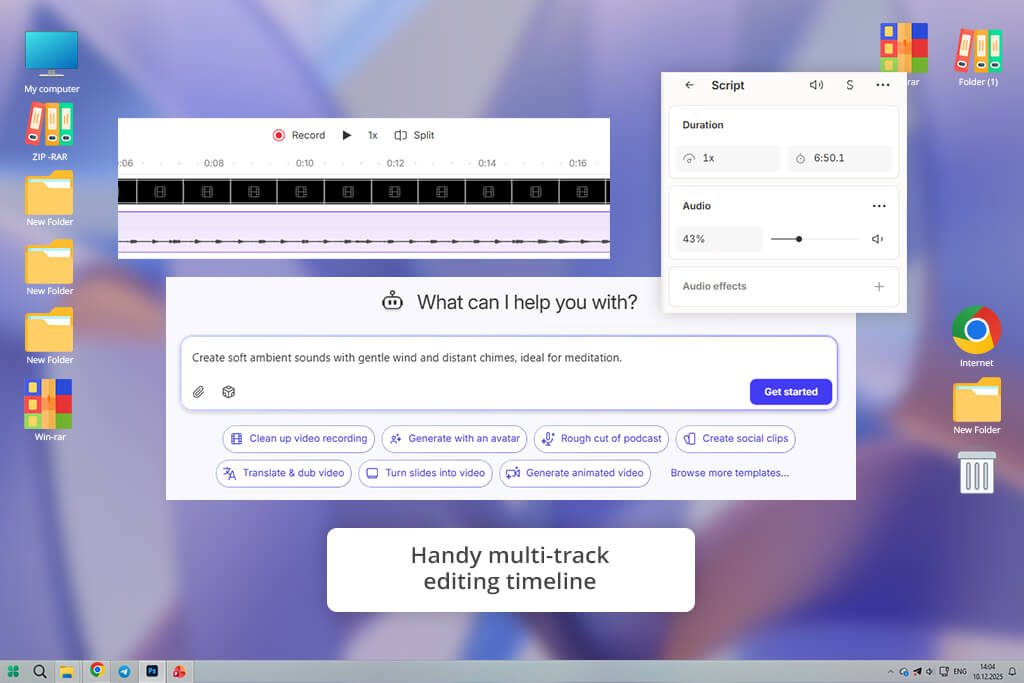
The first thing I noticed about Descript was how easily it combined voice creation with editing. I put in a script and changed the text like I was editing a document, and I could hear the updates right away. With ElevenLabs, I had to do everything separately - make the voice, save it, edit it in another program, and bring it back in, which took more time.
I tested it with a tutorial that needed many updates. Every time I changed the text, the audio updated right away. That made fixing things much faster. ElevenLabs didn’t give that kind of quick feedback, so each change felt messy and disconnected. Descript also came with tools to clean up the audio, like removing “ums” and making breaths sound smoother.
“I was working on a tutorial with many edits, and this tool made it very easy. Whenever I changed the script, the audio updated instantly - no exporting or extra steps.”

I tested it further by combining narration with on-screen text and sound effects. Everything stayed in sync without needing extra timing tools. ElevenLabs can produce good audio, but fitting it smoothly into a video workflow takes more work. Descript handled the whole process in one place, which made everything much easier.
In the end, exporting was quick and straightforward. I could download high-quality audio in different formats with one click. With ElevenLabs, the export process often meant switching between tabs or tools. For creators looking for an all-in-one free audio editing software combined with voice generation, Descript clearly stood out as the more complete solution.
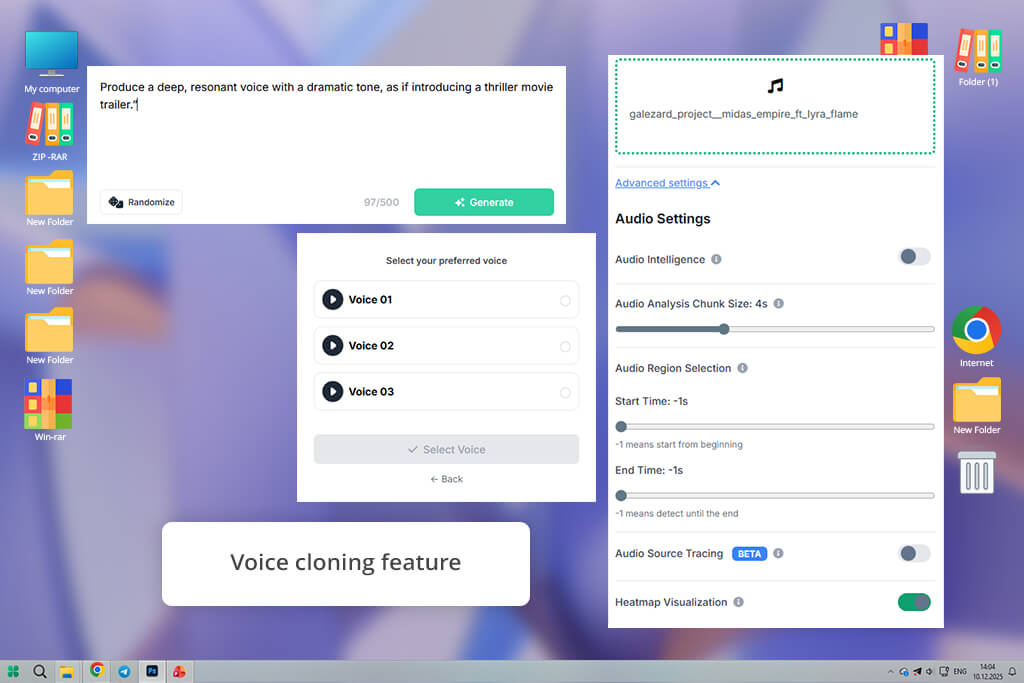
When I tried Resemble AI, I began by making a custom voice. I wanted the narration to feel special and fit my brand. I was able to change the voice’s personality in deep ways, much more than what ElevenLabs gave me right away. This made the voice sound like a real person representing my brand, not just a regular narrator.
Next, I tried changing emotions in one script. Resemble AI moved between them very smoothly - it showed gentle excitement, calm authority, and warm friendliness without sounding fake. ElevenLabs sometimes had trouble with these deeper feelings, and I had to use punctuation tricks to get similar tones.
“I wanted a voice that really fit my brand, so I tried changing personality traits and tones. The voice stayed the same even when I moved from calm to energetic in the middle of the script.”

One feature that stood out about this ElevenLabs alternative was the ability to blend accents and styles within the same voice. Instead of creating separate files, I could combine different vocal traits directly inside this AI video generator. That level of flexibility isn’t easy to replicate in ElevenLabs.
At the end, Resemble AI kept the voice steady throughout long recordings, even when the tone changed partway through. I don’t see that often in voice tools. For work that needs custom character voices or a steady brand narrator, this tool worked better than ElevenLabs.
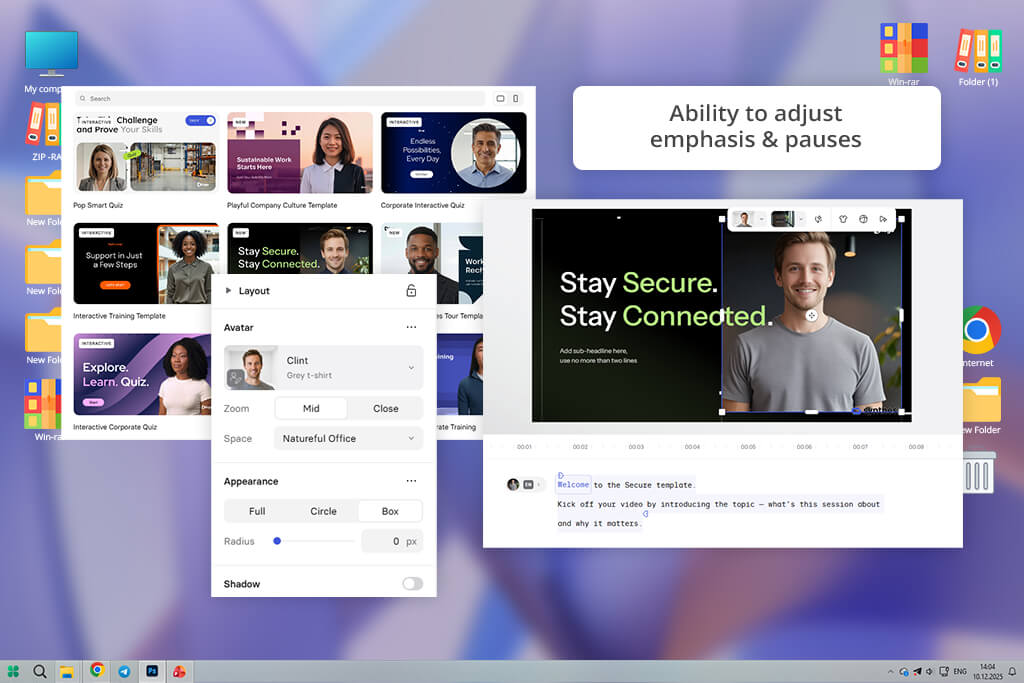
When I tested Synthesia, I worked on projects that combined audio and video, where the voice needed to match the visuals and lip movements exactly. I created a script with avatars that moved in sync with the speech, and the result felt more engaging than audio alone. ElevenLabs creates great voices, but it doesn’t offer avatars or on-screen presenters within the same tool.
I also tried making video versions in several languages. This AI clip maker handled the translation and synced the voice with the visuals automatically, so I didn’t have to cut or adjust anything by hand. By contrast, using ElevenLabs meant relying on extra tools and additional steps to achieve similar results.
“For a video project, I combined the voice with avatars, and the timing worked perfectly. The lip movements and facial expressions lined up exactly.”
I also tested video scenes with different character roles. The generated voices interacted smoothly, making the dialogue feel more natural and dynamic. ElevenLabs can create strong individual voices, but syncing multiple speakers with timing and visuals took more effort. This tool handled that coordination much more easily.
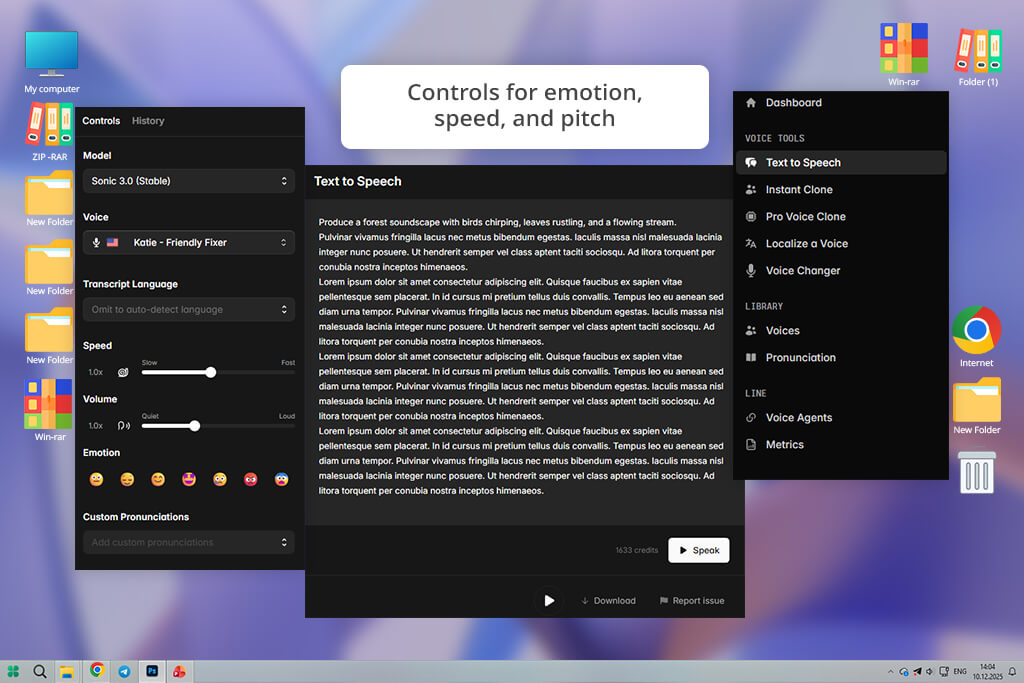
When I tried Cartesia, I was impressed by how quick it was to create a voice. I put in a long educational script and noticed the voice was clear and pleasant to hear, even before I made any changes. Unlike ElevenLabs, which sometimes needed me to fix words to stop it from sounding robotic, Cartesia gave me good narration right from the start without much work.
I also tested how well Cartesia handled voice changes. The platform made it simple to shift between different tones using the same script. I could adjust warmth and energy levels alongside basic controls like speed and pitch. With ElevenLabs, getting that same variety usually meant spending extra time editing text and fine-tuning manually.
“I tried this AI speech synthesis tool with business slides and long presentation scripts. The voices sounded natural the whole time and stressed the right words just as I wanted.”

I also tried Cartesia using long business modules with many paragraphs to see how it managed complicated content. The voice stayed steady across every section, and the changes between paragraphs felt thoughtful, not like a simple pattern.
With ElevenLabs, the speed or rhythm sometimes shifted in longer pieces, so I had to add pauses or punctuation myself to make it sound right. Cartesia kept the story moving smoothly without needing those extra fixes.
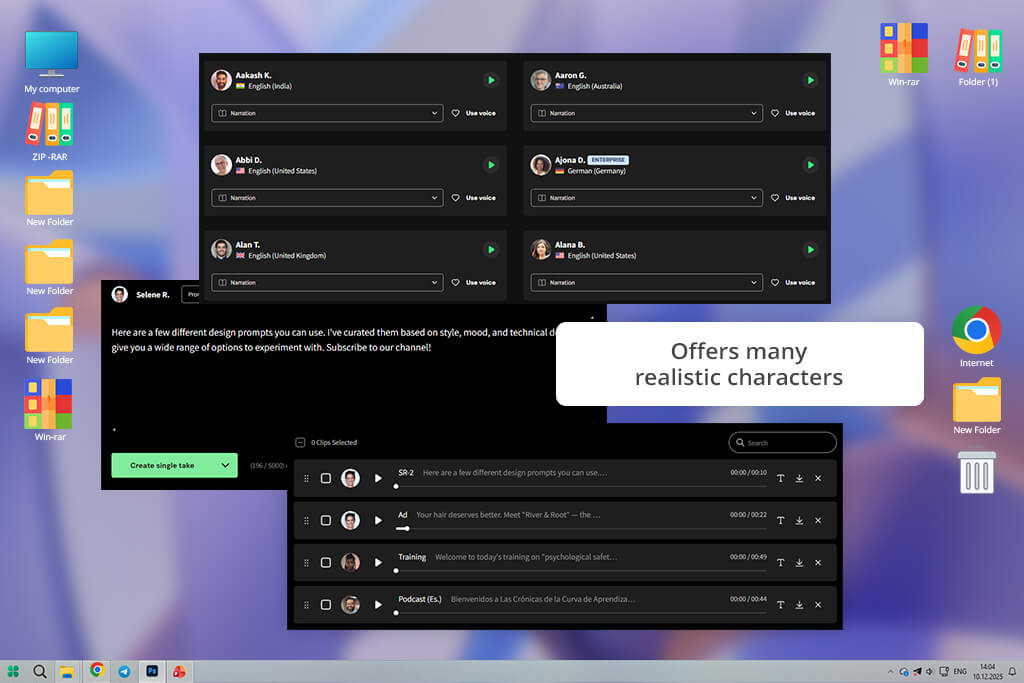
I started by testing WellSaid Labs with a long corporate training module. From the beginning, the voice sounded very controlled and professional. Even technical sections were delivered smoothly, without strange tone shifts. While ElevenLabs can sound natural, the voices here felt more consistently polished from start to finish.
Then I tested pronunciation and pacing across multi-section content. This AI music generator handled long sections smoothly, while ElevenLabs sometimes showed small rhythm changes that required extra editing. The clear delivery and steady flow were clear strengths.
“When I tested it with long modules, the voice stayed steady and professional. Small changes in tone and speed sounded natural. There were no mistakes or strange breaks.”

I then tried making small changes to the tone. I could add slight emphasis without the voice sounding fake. With ElevenLabs, doing the same thing sometimes felt overdone or unnatural unless I wrote the script very carefully.
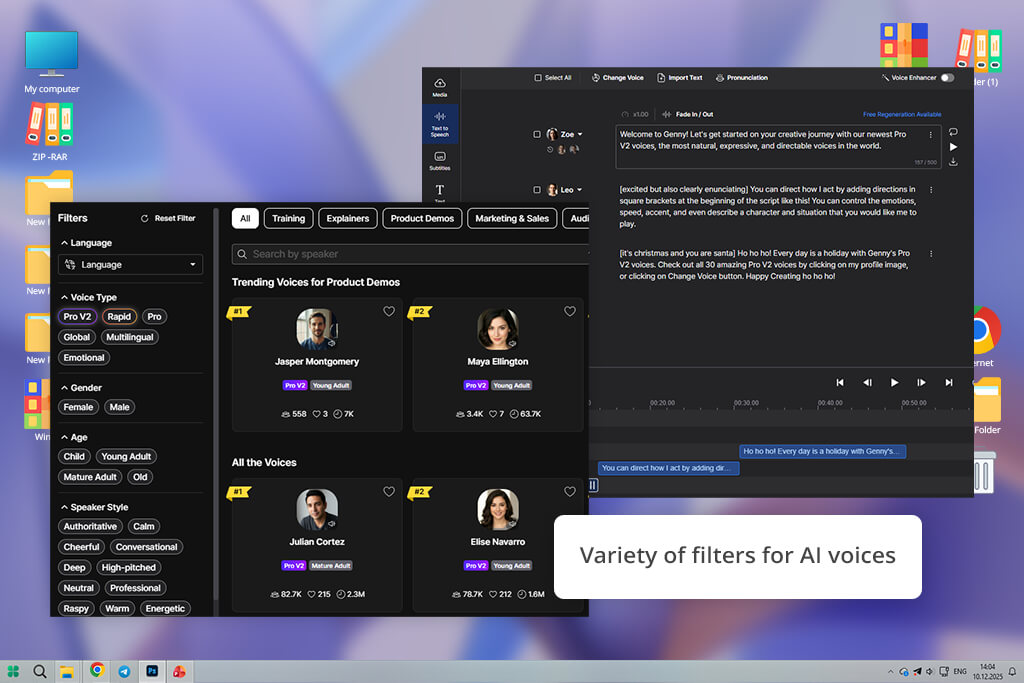
LOVO impressed me with how quickly I could produce finished voiceovers for short videos and posts. Within minutes, I had friendly, modern voices that fit social media scripts perfectly. With ElevenLabs, I usually needed extra time to tweak settings for a relaxed tone. LOVO, however, sounded natural from the beginning, which made the process much faster.
I also tested it with longer scripts to see how it handled extended narration. Although the emotional range wasn’t very wide, the voice stayed even and consistent the whole time. That steadiness worked well for regular content, where a natural sound is more important than strong dramatic expression.
“I created short social media videos, and the voices sounded warm and approachable. In longer clips, the tone stayed consistent from beginning to end.”

In the end, the fast generation speed stood out the most. I could draft several scripts quickly while keeping the audio clear and usable. For creators who post regularly and need quick results, this AI voice cloning software felt more convenient and efficient than ElevenLabs.
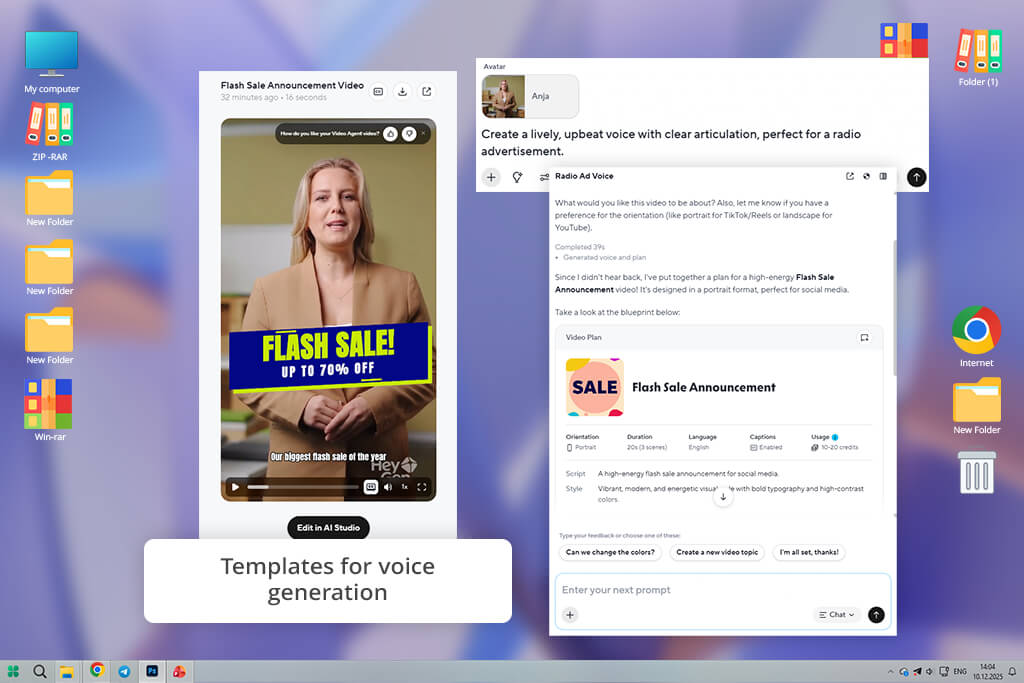
When I tested HeyGen with avatar-based storytelling, its advantage was obvious. The voices matched the facial movements and gestures on screen smoothly, making everything feel more realistic. ElevenLabs can create high-quality voice files, but it doesn’t include built-in visual integration. That means syncing audio with visuals requires extra steps and more manual work.
“I used this ElevenLabs alternative to create marketing videos with avatars, and the voice naturally emphasized important points. Adjusting the tone for different parts was easy.”
During testing, I saw a clear boost in audience engagement when the voice was fully synced with the avatar. Viewers watched for longer and showed stronger retention overall. For projects where visual storytelling matters as much as audio quality, this AI dubbing software delivered a more complete solution than ElevenLabs.
When I tested Fish Audio, I started with instant voice cloning: a 15-second audio sample produced a working voice model in about a minute. What stood out most was how naturally the cloned voice transferred across languages. I recorded a sample in English and generated narration in Japanese, and the vocal character carried over cleanly throughout.
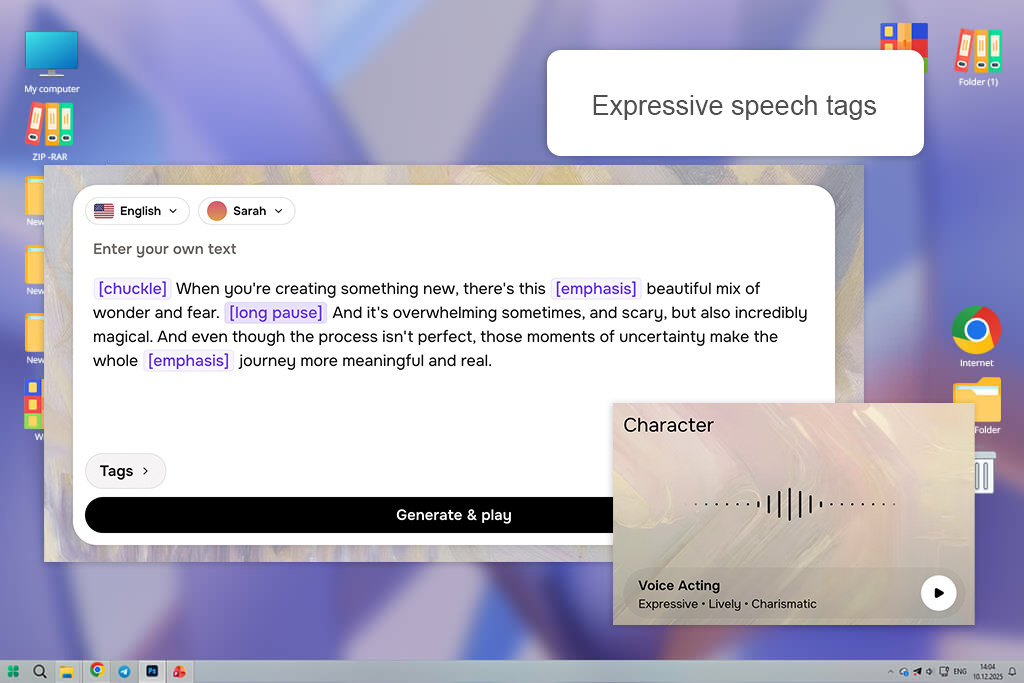
"I ran a multilingual narration test and was impressed by how consistently the voice held across languages. Adding emotion tags gave me clear, precise shifts in delivery without any extra editing or rewriting."
The emotion control tags were the other major highlight. Rather than rewriting lines to coax a different tone, I added tags like [excited] or [whispering] directly in the script, and the voice responded with natural-sounding shifts in energy and delivery. For longer scripts with varied emotional beats, this made pacing and tone management notably faster.
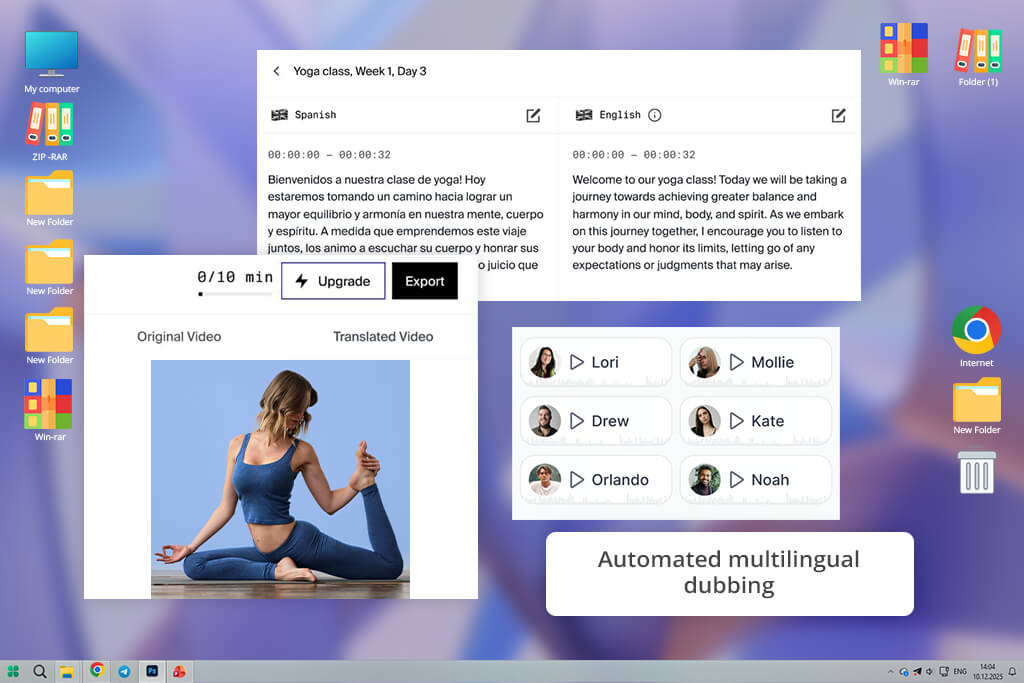
When I tried Rask AI, I focused on creating content in multiple languages because I needed voiceovers that could work across different markets. The tool handled both translation and voice generation smoothly in a single process. With ElevenLabs, I had to use separate translation software and then sync everything by hand.
“I tried this tool for a project in multiple languages, and it really impressed me. The voices automatically changed their speed to fit each language, and tricky words were spoken correctly.”
I also checked how accurately the tool pronounced words in different languages. Rask handled unusual terms with surprising precision. ElevenLabs sometimes needed me to adjust the spelling to fix pronunciation, which added more editing time.
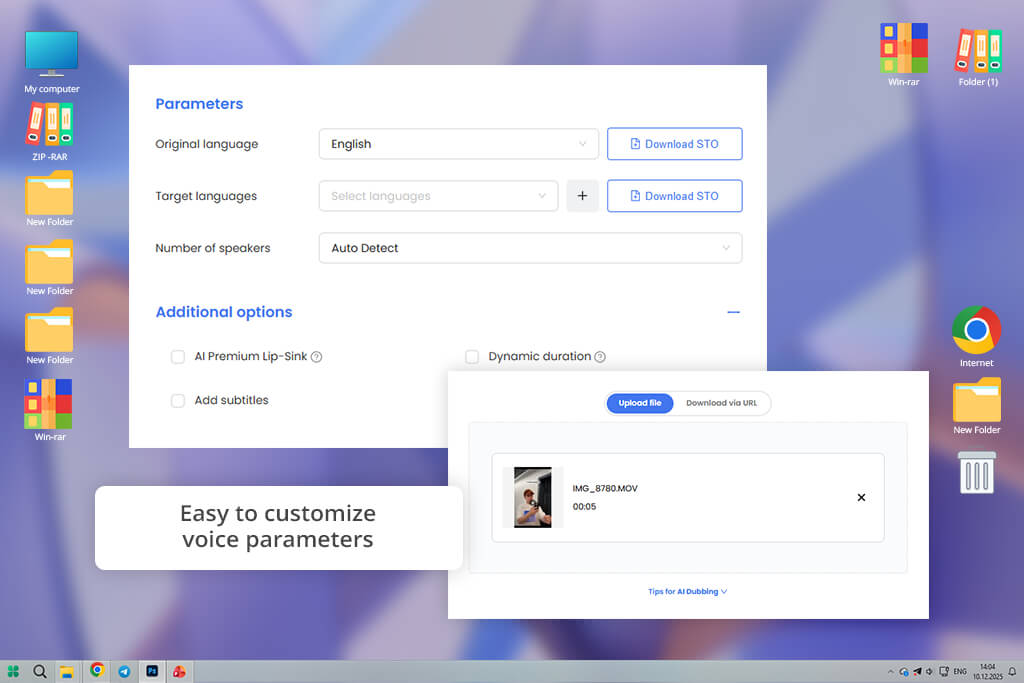
The thing that impressed me most about AI Studios was how much control I had over voice settings. I could change pitch, speed, tone, and emphasis in ways that ElevenLabs didn’t allow. This let me shape the voice exactly to fit my brand’s style.
“For a long e-learning course with multiple voices, I loved the control over pitch, speed, and tone. Batch generation saved hours, and real-time previews let me tweak as I went.”
Next, I created batches of narration, and the export tools worked without issues. ElevenLabs often made me repeat steps manually for multiple files. With AI Studios, I could line up and export large amounts all at once.
Realism & naturalness. The voice should sound genuinely human with natural shifts in tone, realistic breaks, and a smooth flow. It must not feel flat, stiff, or robotic at all.
Emotional range. The voice should convey different emotions like calm, excitement, urgency, or empathy based on context. This flexibility is crucial for storytelling, marketing, and e-learning, where tone drives engagement.
Customizability. Ability to adjust pitch, pace, emphasis, and pauses. This control helps professionals tailor the tone to different content types and audiences.
Multiple voices & accents. A wide selection of unique voices and accents across genders, age groups, and languages, which is essential for global projects or multi-character narration.
Consistency. The voice should stay consistent throughout long recordings or across sessions, without sudden shifts in tone or audio quality.
High audio quality. Clean, high-quality sound free from glitches, distortion, or background noise - ready for commercial and broadcast use.
Workflow & integration. Support for batch processing, seamless integration with video, e-learning, or social platforms, and export options in various formats.
Speed & scalability. Quick rendering for large-scale projects without losing quality, with reliable handling of lengthy scripts.
Commercial licensing. Transparent licensing for commercial and monetized use, allowing voices to be used in ads, tutorials, or client work without legal concerns.
To identify the top AI voice generator alternatives to ElevenLabs, our FixThePhoto team followed a well-organized testing process based on real-world use cases. We created voiceovers for a variety of scenarios, including YouTube explainers, online courses, marketing videos, and social media ads.
Each platform was tested with both short scripts and longer narration to assess pacing, pronunciation, and emotional consistency. We also measured how much manual adjustment was needed to get natural, professional-sounding audio.
Tata concentrated on long educational and tutorial scripts. She tested how each voice handled 8-12 minutes of continuous narration, carefully watching for tone shifts, listener fatigue, and clear pronunciation of complex terms.
In this area, several tools performed better than ElevenLabs by keeping a stable pace and avoiding awkward stress changes. The top options sounded natural without needing to rewrite or adjust sentences.
Tani focused on short-form and marketing content, such as product promotions and social media scripts. She evaluated how fast each platform could generate lively, conversational voices and how easily they shifted between casual and persuasive tones.
Compared to ElevenLabs, some alternatives produced more expressive results from the start, requiring fewer adjustments to punctuation or emphasis. She also considered generation speed and how quickly changes could be made during revisions.
Robin examined how efficiently each tool supported high-volume production. He created several voiceovers at once, applied saved voice settings to new projects, and tested file exports in different formats for editing.
Platforms with reliable bulk generation, organized project controls, and steady results across multiple scripts ranked above ElevenLabs. Based on our overall testing, we selected several natural-sounding alternatives that showed greater stability, adaptability, and readiness for professional use.





![22 Best Video Animation Services For Brands [Insider Insights]](http://fixthephoto.com/blog/images/gallery/news_main__preview_27142.png)


















