I often create magazine mockups for clients from different industries. My designs include layouts, covers, and promotional materials, which is I need to use professional software. In most cases, I use Adobe InDesign. It allows me to edit layouts with high precision, make typography elements readable, and produce outputs ready for printing.
Recently, some of our readers started to ask me how to create a realistic magazine mockup without experience in design or pricey software. Together with my team, I tested 30+ magazine mockup generators to provide our audience with recommendations. We were interested in functionality, customization, output quality, export settings, and the time we spent creating a polished magazine presentation.
We decided to include only the best magazine mockup generators in this list, as they have tools that will be useful for beginners and professional designers. While using them, users can upload covers, adjust shadows to make them look natural, add page effects, produce high-resolution mockups, and customize the backgrounds without advanced editing skills.
Some services come with AI-based design tools, large template libraries, and helpful branding features, which allow one to use them to create pro-grade magazine presentations in a few moments.
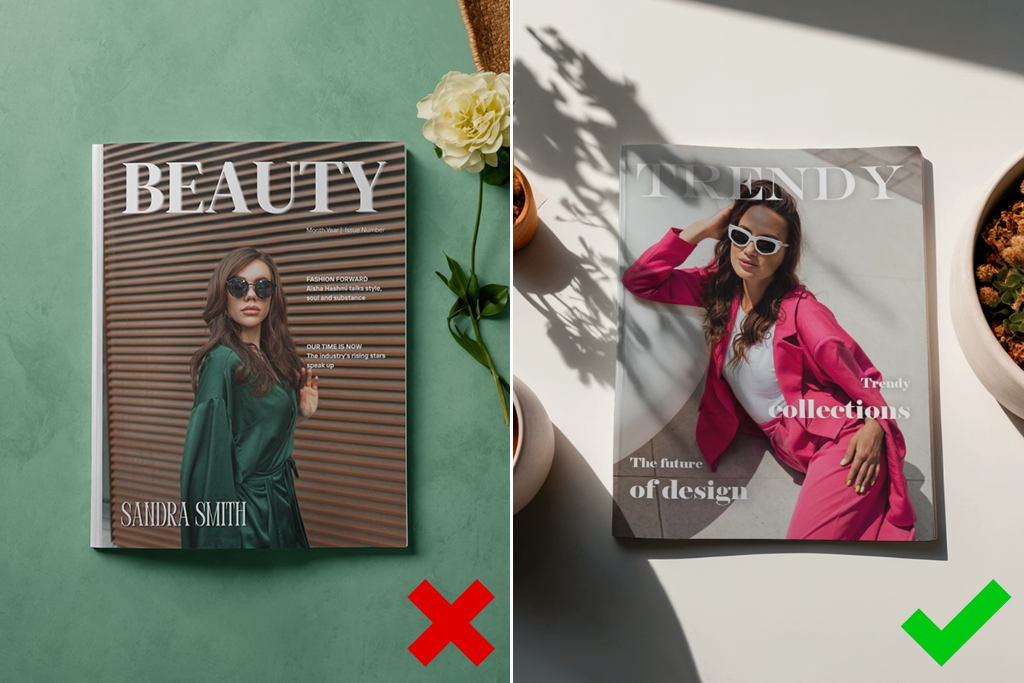
Building a professional magazine mockup involves more than choosing the most suitable service. After completing many projects, I’ve discovered that it’s better to follow several simple steps to create pro-level mockups ready for a client presentation or marketing campaign:
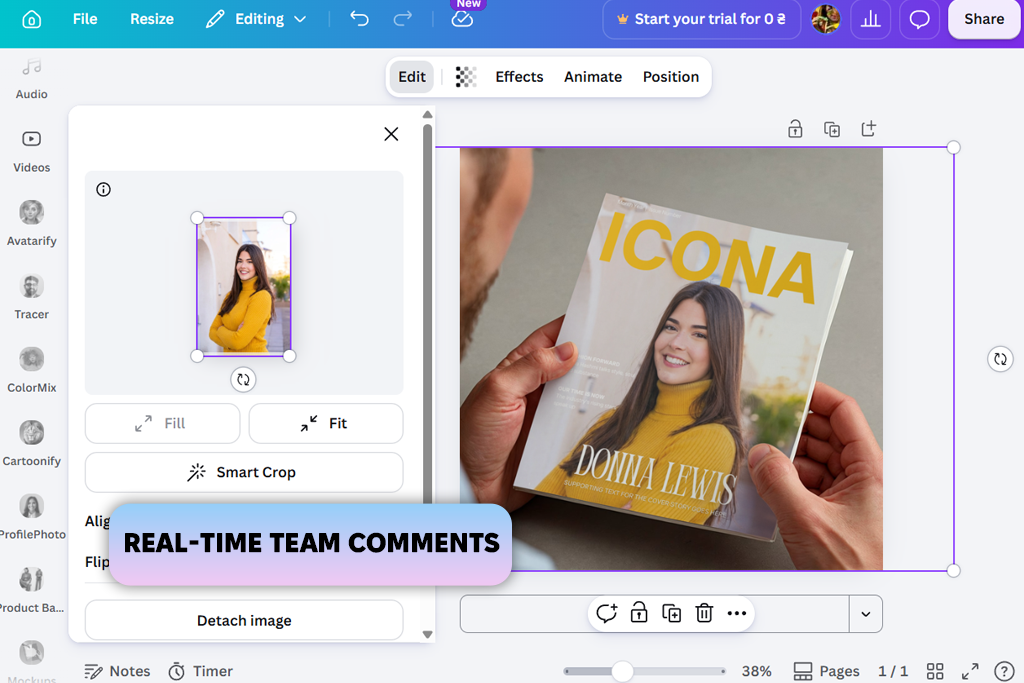
We often use Canva when we need to get feedback from multiple people. To test it as a free magazine mockup generator, I uploaded a magazine cover and selected one of the magazine mockup templates. Then, I changed the fit and orientation to ensure they match the layout.
Within a few moments, I created a realistic mockup that was perfect for a client presentation. I could save the output in a high-resolution PNG format without making any additional adjustments.
“Recently, I sent a magazine mockup to our content team, and they left their comments directly on the design in Canva. It helped me significantly expedite my workflow.”

I was impressed that it helped me streamline collaboration with my team members and clients. I did not need to send screenshots to get feedback, as I could share the design link with my colleagues and see their comments displayed on the mockup.
In addition, I tried creating various mockup scenes to understand how the same magazine would look in marketing materials. This drag-and-drop editor allows me to replace backgrounds, add graphic elements, and create different versions without building mockups from scratch.
I tested the algorithm-based tools available in this AI magazine mockup generator as well. Magic Edit made it easy to replace objects without switching to another software. Background Remover helped me remove unwanted elements. The only shortcoming is that some of the more advanced tools are available only to those who pay for the Pro subscription.
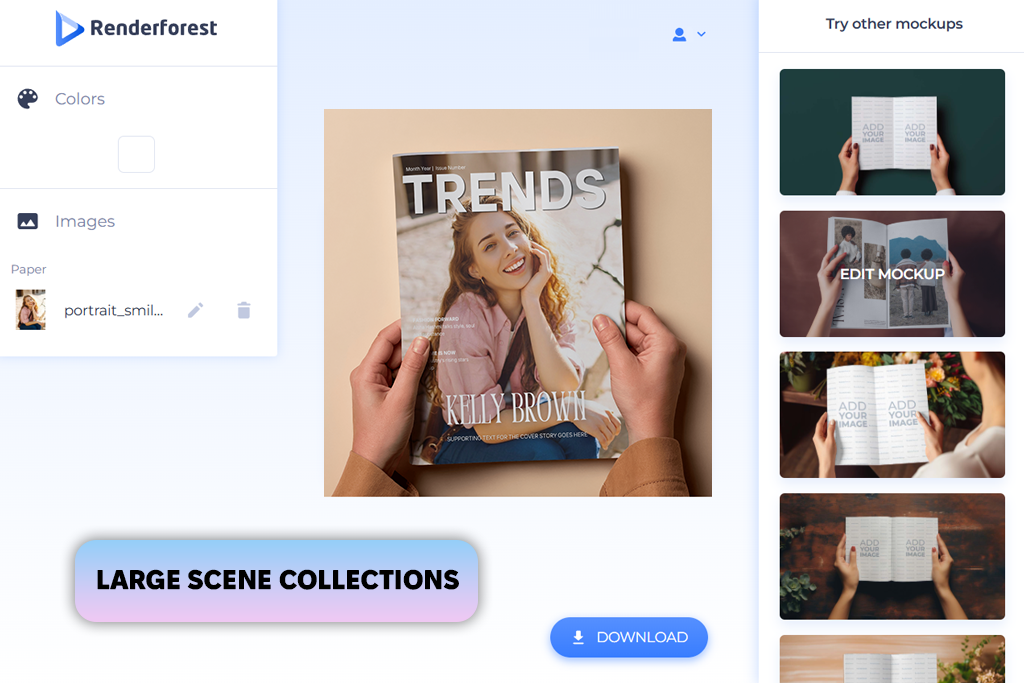
Even though I’ve tested a lot of Renderforest alternatives, this magazine mockup generator still stands out due to its pre-made scenes, like Aesthetic Magazines Mockups, Blue Desk Mockup Pack, and Art Magazine Mockups. Whether I need to produce a polished editorial output or a lifestyle-focused mockup, I could easily find a suitable template.
“I could explore templates to choose the most suitable to create outputs quickly without building mockups manually from scratch. Some scenes were more eye-catching than others.”

To test it, I used the same magazine covers. While searching for the best assets to use, I discovered that some template collections were created in a similar style. Even though it was easy to find suitable options, in some cases, I needed to spend more time trying to find a suitable scene.
While testing this service, I checked whether it would be possible to create multiple mockups for the same project quickly. I would produce several versions and compare them to see which option would be suitable for a client review and creating promotional materials for a social media campaign.
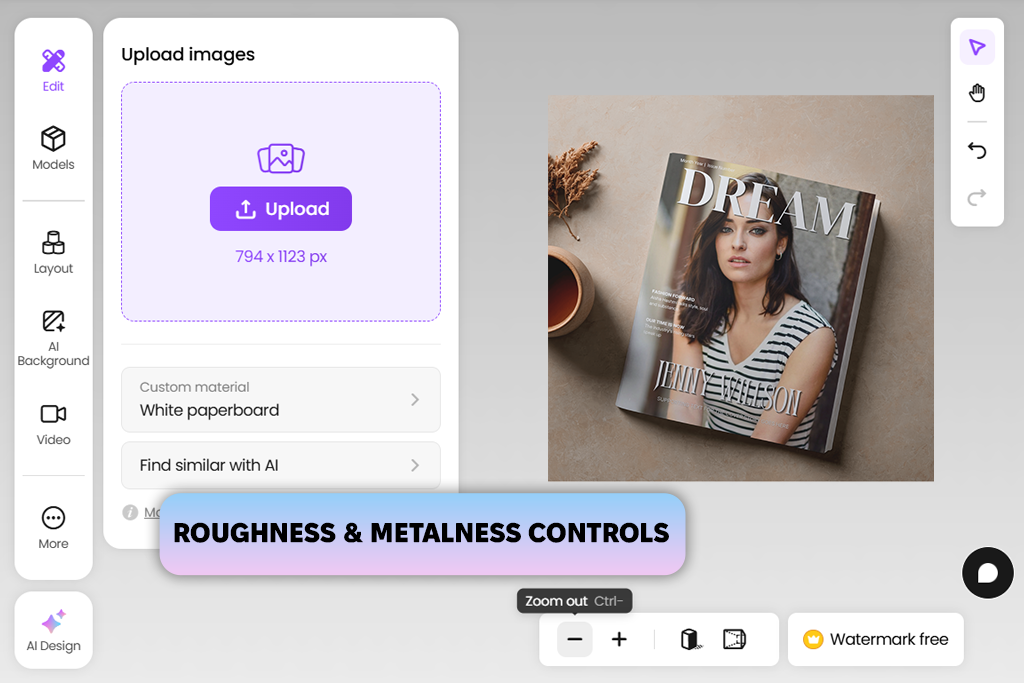
My colleague Eva recommended Pacdora to me. She mostly uses it as packing design software. I became curious about its tools after hearing that it might help me control how my magazine looked instead of focusing only on the surroundings.
After uploading one of my magazine covers, I discovered that I could choose various formats, including A4, 8.5×11, open magazines, and cover-only layouts. I decided to create multiple versions of my presentation to preview my design in different contexts and formats.
“I liked the opportunity to visualize spreads, as it allowed me to notice a spacing issue near the gutter that was difficult to notice in the design file.”

As I often need to create editorial layouts, I prefer to preview spreads to see whether pictures, headlines, and ads on the pages create a well-balanced composition. I prefer to preview every publication before printing instead of blindly using the marketing materials generated with the help of AI-driven tools.
While working on some of my test projects, I noticed some minor alignment issues in the mockup that were less noticeable in the design files. I like using this magazine cover mockup generator for previewing the outputs, as it allows me to control quality instead of focusing only on a presentation.
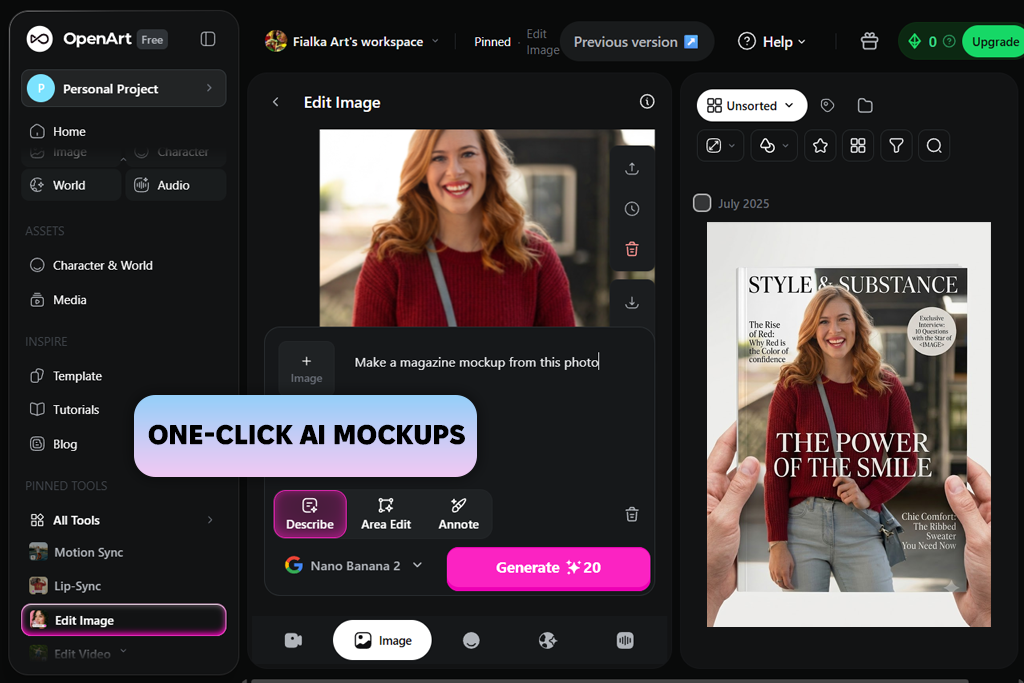
With this AI image generator, I did not need to look through magazine-specific templates trying to find a suitable option. I could quickly create polished mockups using the magazine cover designs I uploaded. The workflow was quite intuitive. I would choose a suitable template, add the design, adjust the settings, and wait until this service creates a polished visualization.
I was impressed that I did not need to rely on manual editing much. I did not have to spend a lot of time adjusting shadows, editing perspectives, or changing placement, which allowed me to fully dedicate myself to creating the finished product.
I tried using various styles and layouts, tweaking colors, and arranging design elements. This magazine spread mockup generator helped me see how the magazine would look in different situations. It almost felt as if I was directing the result instead of trying to build it from scratch.
When working on different versions, I discovered that OpenArt was more suitable for concept presentation than for creating designs ready for review and printing. However, the generated mockups were suitable for client pitches, portfolios, and social media posts.
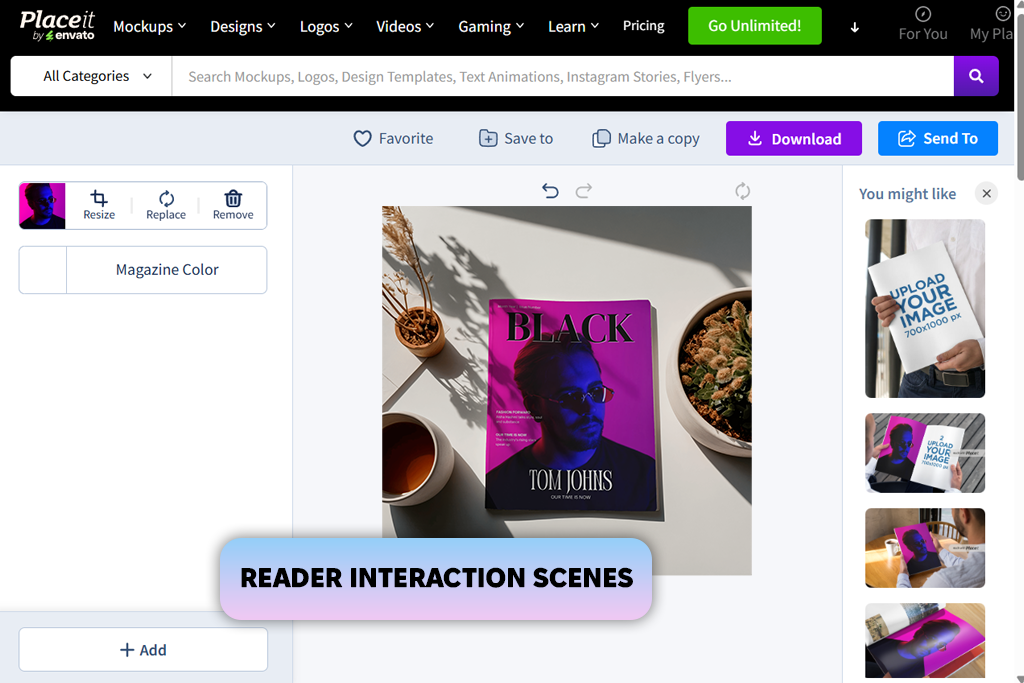
It was my colleague Nataly who told me about Placeit. While many Placeit alternatives have collections of generic templates, it allows me to use a variety of filters to choose the right format, orientation, and scene type.
At first, I used this magazine page mockup generator to create lifestyle mockups with people who were reading magazines. Then, I started to visualize standalone studio-style scenes to see how my designs would be perceived in various situations.
“Placeit allows me to preview how a cover would look in different environments. I was working on a travel magazine project where the design was looking more appealing when I created a lifestyle scene with a person holding the magazine.”
After uploading a magazine cover, I would change the scale to ensure that my design fits the area and preview the result instantly. I was impressed by the choice of environments. Some mockups were showing magazines when they were displayed on desks, others were shown in the office, and some of them showed people reading them or discussing the published materials.
I also tested different backgrounds and tried to tweak magazine colors to ensure that they would align with various branding ideas. This platform is quite intuitive, which means that it can be used even by beginners without any prior experience in design.
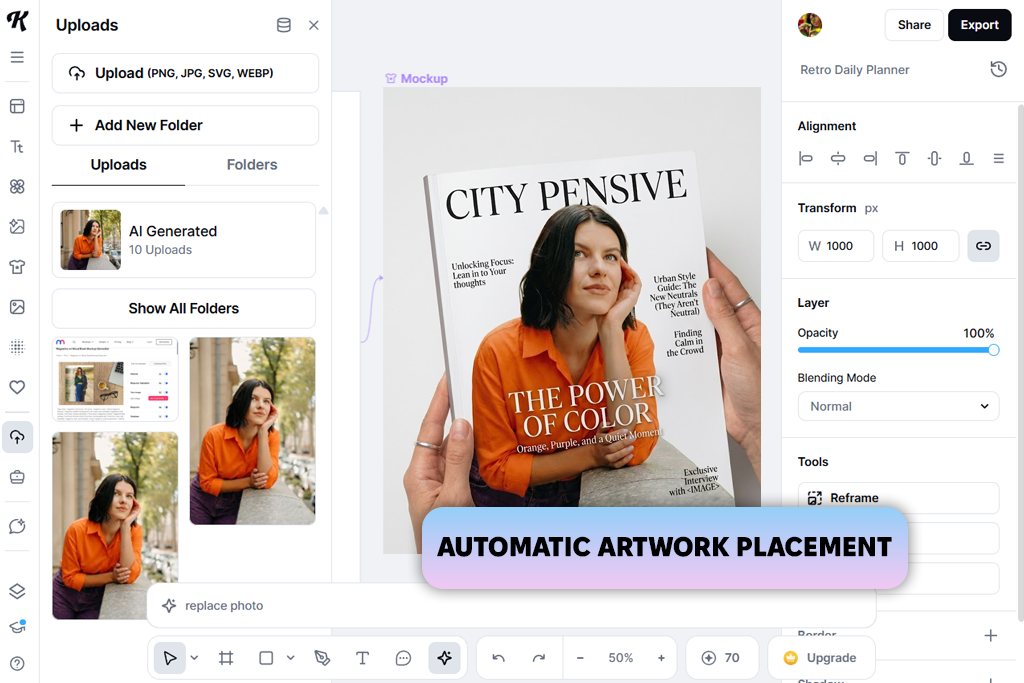
I discovered Kittl on Google when I was looking for reliable magazine mockup generators. At first, I thought that it looked more like a design platform. I was pleased to discover that after adding visuals, I did not need to perform much editing. It automatically fixed the perspective, which ensured the accurate positioning of my design within the magazine layout.
“When I uploaded a cover, I thought that I would need to spend some time trying to fix alignment issues. However, every element was aligned perfectly.”
I liked that this service adjusted placement automatically. I tried creating visuals for covers and layouts that would allow me to showcase the magazine, including its pages. I liked the automatic perspective adjustment tool, as it allowed me to maintain consistency. It was especially useful when I needed to switch between different templates.
I was struck that I could quickly make my mockups polished before uploading them to a portfolio. The outputs were perfectly suitable for presentations or being published on social media and did not require extra editing. This magazine layout mockup generator helped me optimize my workflow.

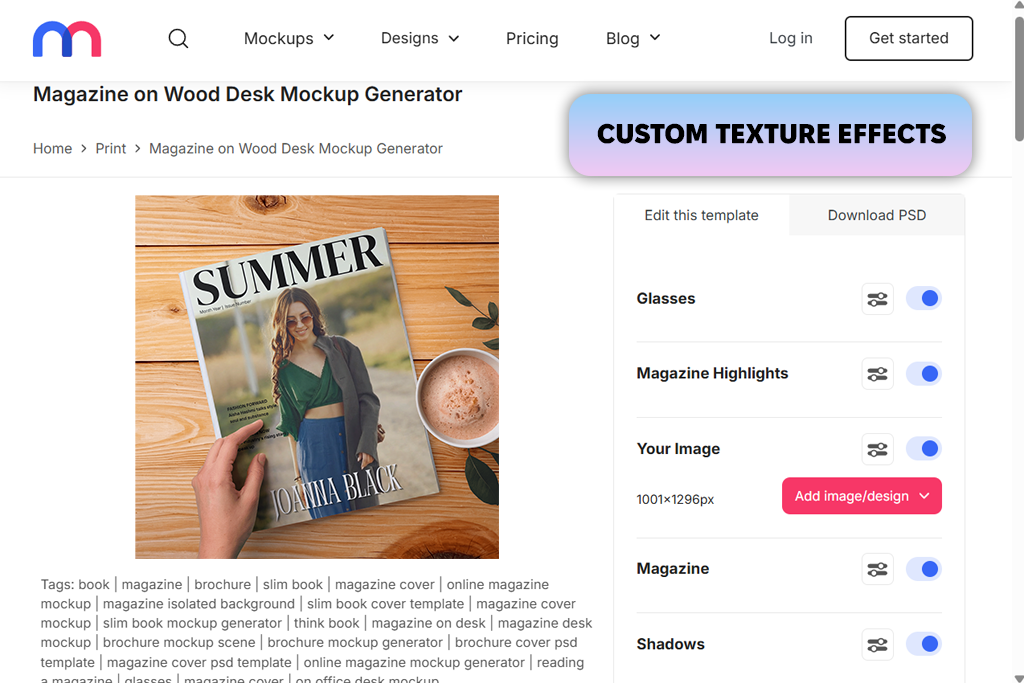
I decided to start by uploading a magazine cover into one of the magazine templates available in Mediamodifier. I was pleased to see that the cover was put into the right place automatically. Besides replacing the cover image, I could tweak colors, test out different texture overlays, and change specific elements of the scene.
After mastering this 3D magazine mockup generator, I started to experiment with different presentations. Some scenes were dedicated to the publication, while others took place in more realistic environments. I could also compare different cover concepts side by side and discovered that I could produce new versions faster than in Photoshop.
I could download the outputs in PNG or JPEG format. Some templates even had PSD versions, which made it easy to edit them later. While browsing, I discovered that it was challenging to find the style I needed to use, as there were so many templates.
Our FixThePhoto team is often tasked with designing magazine covers, editorial layouts, and print marketing materials. This is why we decided to test these tools to see whether they are suitable for practical tasks.
Our main objective was not only to understand whether these solutions are suitable for generating mockups but also to understand whether they could be used in professional workflows. To ensure that our comparison is unbiased, we used the same covers, double-page spreads, and promotional layouts across all the platforms.
One of the main things I focused on was the quality and choice of available mockups. I wanted to know whether each service supported various presentation styles, including cover-only previews, open magazines, lifestyle scenes, and studio setups. I assessed realism to understand whether there were any issues with lighting, shadows, perspective accuracy, page depth, and the way the uploaded designs were blended with the scene.
Nataly wanted to assess the editing experience. She tested whether it would be possible to upload designs, improve positioning, resize artwork, and make the output more polished. Nataly was interested in testing features that could help us optimize our workflows while working on real projects, including automatic perspective adjustment, drag-and-drop editing, material enhancement, background customization, and AI-powered editing tools.
Eva decided to analyze export capabilities and presentation readiness. She assessed the quality of outputs, checked which export formats were available, examined supported resolution, and assessed whether it would be possible to use the finished mockups for portfolios, social media, advertising campaigns, and internal design approvals without extra editing.
Finally, I considered whether these tools could become a part of a professional workflow. Besides using these tools to create attractive visuals, we checked whether these services could help us detect layout issues before printing, streamline collaboration, revise designs, and expedite the process of creating previews for clients and stakeholders.




![9 Best AI Audio Silence Removers [{{%year}} FixThePhoto Choice]](http://fixthephoto.com/blog/images/gallery/news_main__preview_29189.jpg)


![7 Best AI Baby Dance Video Generators [For Trendy Moms]](http://fixthephoto.com/blog/images/gallery/news_main__preview_29020.jpg)
![7 Best Free Pokémon AI Generators [{{%year}} FixThePhoto Choice]](http://fixthephoto.com/blog/images/gallery/news_main__preview_29022.jpg)
![9 Best Higgsfield Alternatives [{{%year}} FixThePhoto Choice]](http://fixthephoto.com/blog/images/gallery/news_main__preview_29303.jpg)

















