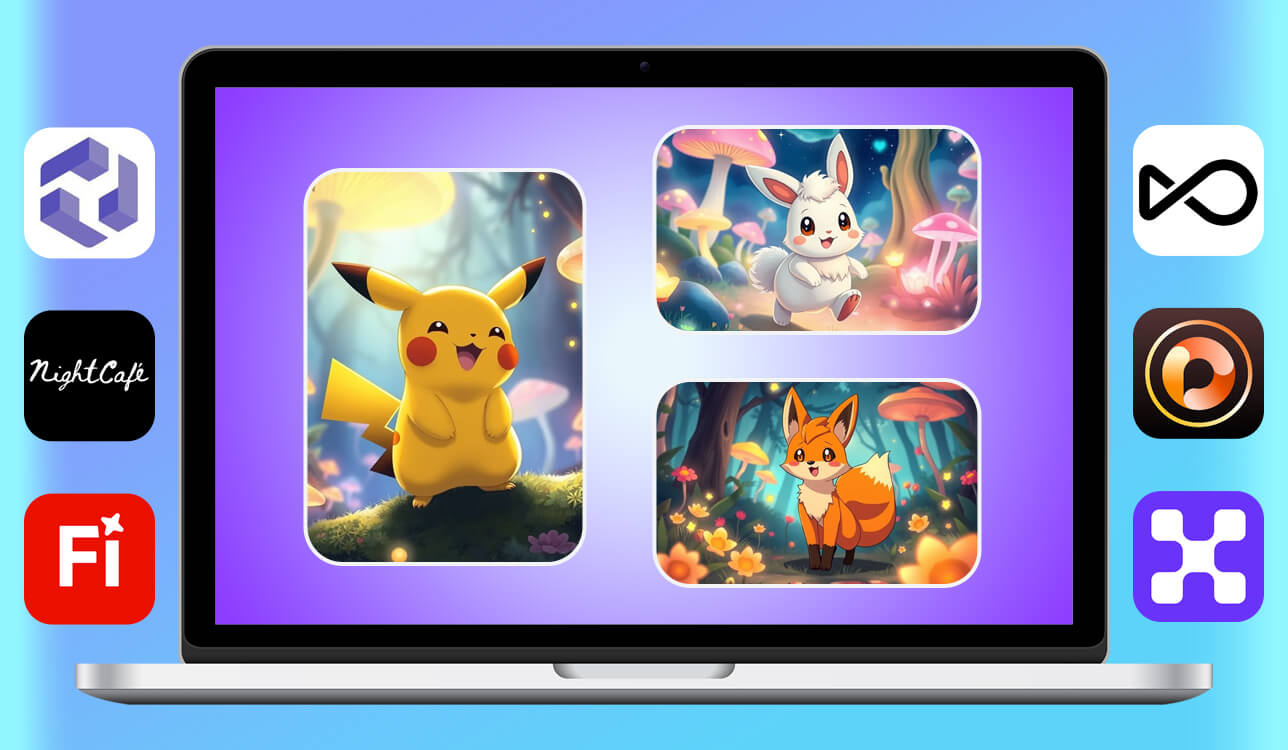
As a specialist in creative AI workflows, I spent months exploring and assessing the actual capabilities of the latest graphic generation platforms. With the landmark 10th anniversary of Pokémon GO just around the corner, I made a brand-new collection of fan-made pocket monsters and posted them across our digital media channels. The response was immediate. A huge wave of followers reached out to ask exactly which free Pokémon AI generator I used, wanting to know if they could access these tools without opening their wallets.
Since the heavy-duty software platforms in my work are usually expensive corporate subscriptions, I took this inquiry as a personal mission. I gathered our talented FixThePhoto team to conduct an unbiased, deep-dive evaluation of every popular Pokémon AI generator free option on the web. Our goal was to push each tool beyond standard templates by comparing how they handled identical concepts, diverse artistic styles, and different generation modes to find the absolute top options available.
The applications listed here earned their spots because they provide accessible text-to-image creation, handle styles that mimic official franchise designs, and allow you to build completely original characters from scratch. Many of these free suites also bundle in tools for smart editing, automatic style matching, and generation variations. I made sure to only include platforms that deliver repeatable results, look professional, and offer genuinely accessible free tiers.
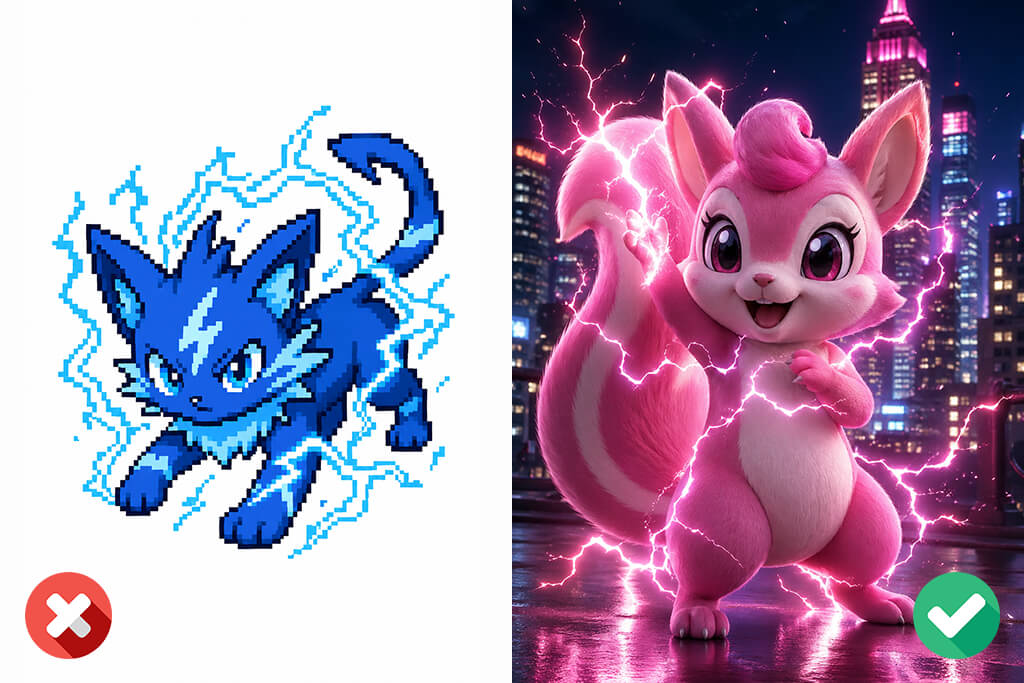
Your text instructions, not the program itself, will ultimately dictate the quality of your generated artwork. It is incredibly common for beginners to rely on short, generic phrases like "cute Pokémon" or "fire creature," but these minimal details almost always lead to chaotic or generic designs.
I got much better results by treating my text as a descriptive framework, weaving together structural anatomy, elemental traits, emotional expressions, and background themes simultaneously. For example, framing a prompt like "a small electric-type creature with fox features, glowing blue accents, and a cyberpunk city background" gives the system explicit boundaries, producing clean, usable characters.
Another handy idea is to build upon traditional franchise design rules instead of explicitly copying pre-existing monsters. AI Pokémon generators online perform beautifully when you feed them familiar archetypes, evolutionary tiers, or hybrid animal attributes. Rather than pitching entirely abstract concepts, try describing your ideas like "grass-type starter with plant-based armor and a friendly expression." This simple strategy keeps your chosen tool completely within a recognizable aesthetic while ensuring your final design is 100% original.
Additionally, fine-tuning your iteration process is just as vital as adjusting image resolution. Since the free version usually places restrictions on render sizes, you shouldn't expect a flawless masterpiece on your very first click. Throughout our testing phase, I routinely ran 5 to 10 subtle phrasing variations to find the perfect baseline before refining. Even minor tweaks to lighting, palette, or posing can completely transform your final art.
It is also highly beneficial to experiment with built-in style presets and specialized rendering models when you generate Pokémon AI online. Most platforms allow you to cycle through "anime," "realistic," or "cartoon" modes. For authentic monster art, sticking to classic anime or crisp illustration styles is advisable. Whenever a platform features negative prompt bars or precision sliders, utilize them to filter out annoying glitches like misplaced limbs, skewed eyes, or overly hectic backdrops.
Besides, spending a few minutes on post-processing is always worth the effort. Even the best free Pokémon AI generator rarely outputs a flawless piece on the first click. I always spend a few minutes adjusting contrast, sharpening edges, and patching up visual anomalies. Doing this, you can receive a high-tier image to proudly share with the community.
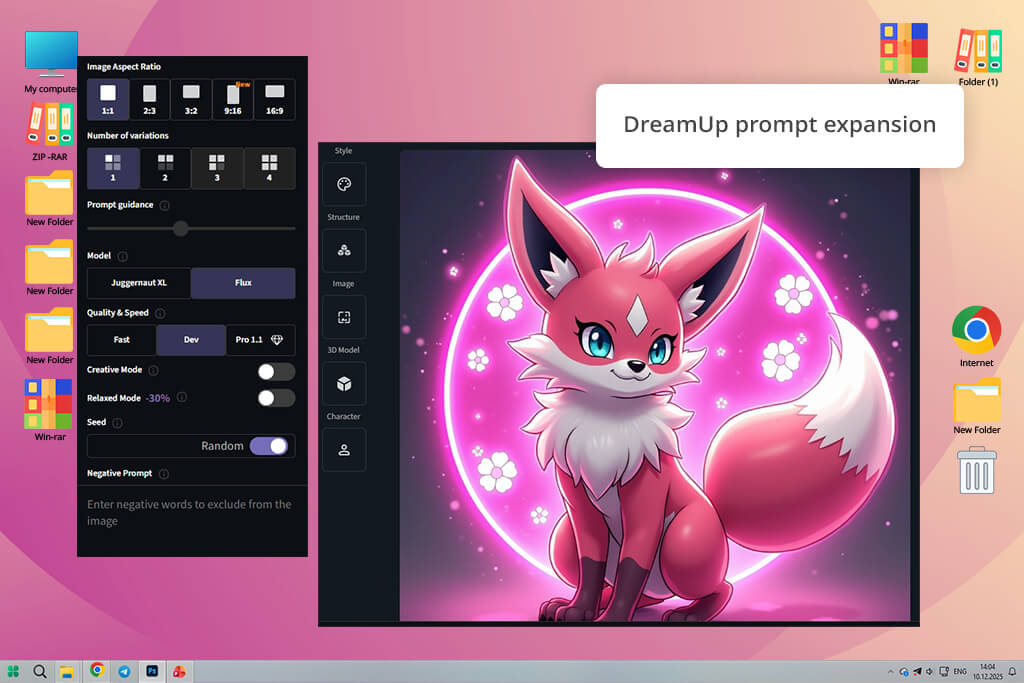
When I first opened the program, I spent more time navigating the configuration menus than running renders. The platform lets you hot-swap between major base engines like Flux Dev, Flux Pro, or Stable Diffusion, and you can easily layer on custom aesthetic LoRA styles through the Filter panel. I also experimented with the automated DreamUp prompt expander.
It intelligently builds out your text, adding vital descriptions that give my final creatures much better coherence, particularly when balancing complex flame textures, physical anatomy, and environmental backgrounds. However, such a variety of toggles can be overwhelming if you are interested in simple AI art generators.
“Much better creature structures when you give detailed prompts. The LoRA styles aren't just nice extras. They come in handy a lot. Highly recommend!”

However, it is precisely this framework that makes CGDream the absolute strongest Pokémon design generator AI tool in my creative toolkit. Because it is explicitly tailored for creature illustration rather than generic landscapes, the outputs look incredibly authentic. Plus, with a generous daily injection of 100 free credits, you can map out experimental ideas completely free of restrictions.
My initial test prompt,"a Fire-type Pokémon resembling a lion with a mane of glowing flames", instantly yielded a striking creature layout. The physical framing and elemental traits were properly aligned with official monster design choices. Later, I tried advanced modules like Image-to-Image composition, Style Transfers, and Structure controls, uploading a crude, hand-drawn creature sketch which the system transformed while following the silhouette with incredible accuracy.
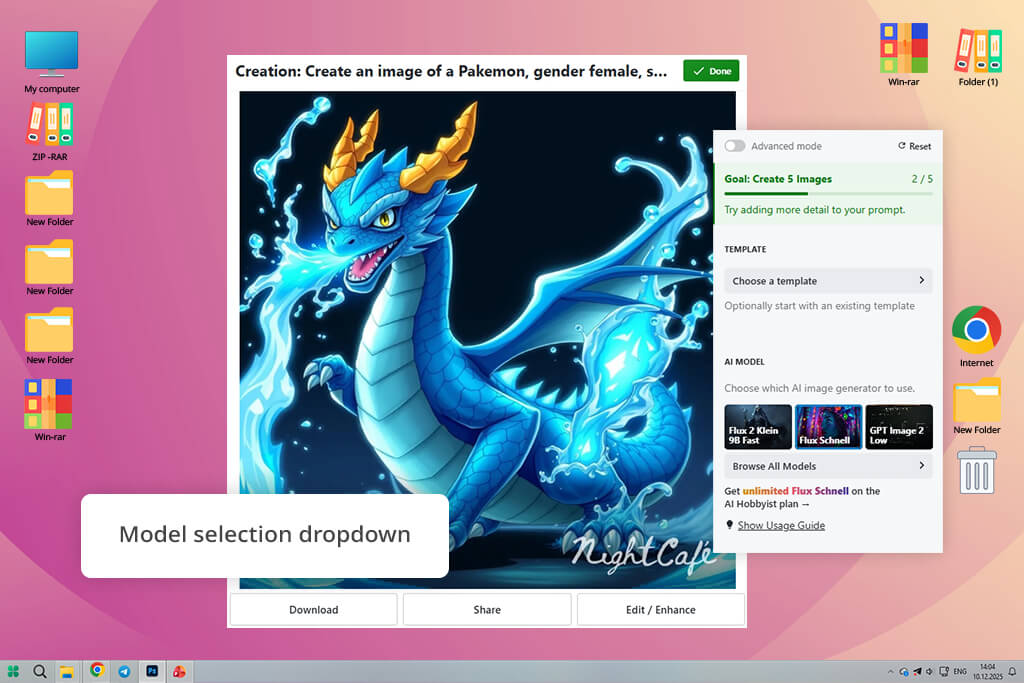
I already use NightCafe for my daily work, so I decided to test it out from a fresh perspective. It is a really strong platform that offers a lot of different AI models. Even though you have to pay for most of them, there is one version you can use completely for free. I wanted to see how well this free option could make stylized creatures, so I typed in a simple idea: “an electric fox with a glowing tail and soft light”. The image it created was clean, full of detail, and looked really good.
“NightCafe is great for loose brainstorming. Instead of fussing with settings, I can just rapid-fire ideas to see what sticks. The free version is pretty barebones, but it gives you a solid preview. Perfect for rough concepts, not final art.”

What makes NightCafe cool is that it includes popular engines like Flux, DALL·E 3, and SDXL, but I only used the free features for this test. The platform is very easy to navigate, so I was able to start making images right away without any confusing setup. You also get free credits every day, which is awesome because it allows me to make multiple pictures and see which ones look best.
Just keep in mind that if you start clicking on the premium models out of curiosity, you will run into limitations pretty fast. You have to be careful about which model you select if you want to use this AI character generator for free.
Later, I tried a harder prompt to see what would happen. I asked for a “calm grass monster wearing armor made of leaves inside a forest”. The system did a great job understanding the structure and the mood of the picture without needing any special settings or extra tools. In reality, it works like a flexible Pokémon character generator AI tool that adjusts to what you type, rather than a service made only for one specific game. It definitely gives you useful results, but you may need to adjust your descriptions a few times so your creatures don't look too generic.
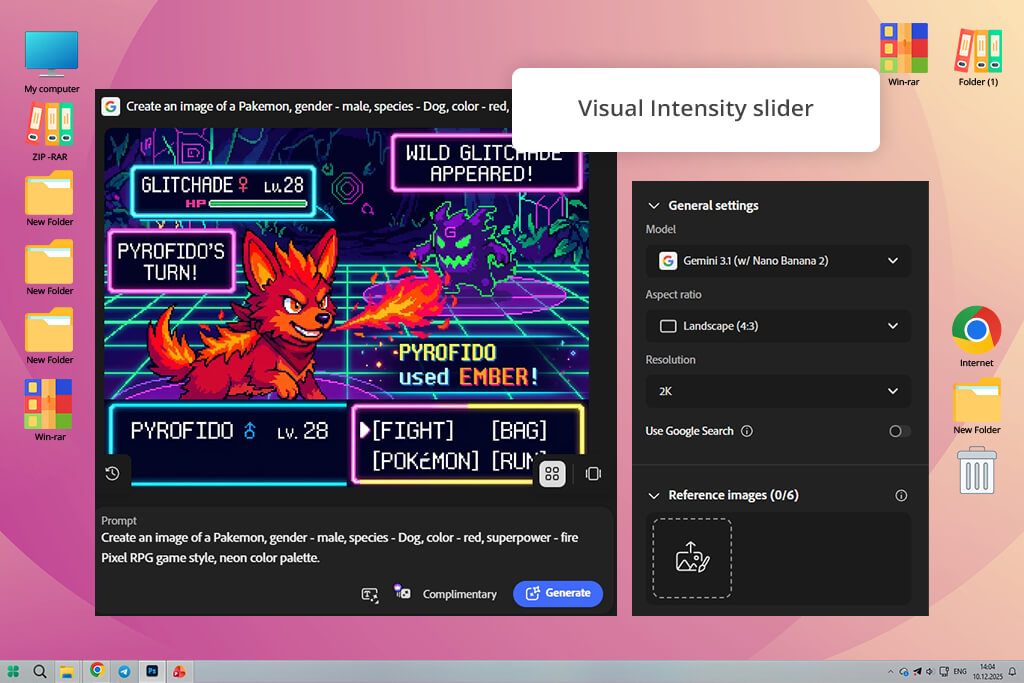
Adobe Firefly doesn’t have a dedicated Pokémon mode, but it may be the most efficient free option if you care about output quality. I’ve used Adobe tools for years, so the interface is understandable, but even a first-time user would get comfortable quickly.
My first prompt was “a grass-type Pokémon modeled after a small hamster, with rounded leaf ears, a soft underbelly, and warm anime-style coloring,” and the result looked like something you’d see in official promotional art. Considering different Pokémon art generator AI free options, this one sits at the top for illustration quality.
“Firefly is most useful when you already have a direction. It is incredibly effective for expanding and upgrading structural concepts. The raw outputs are sharp, but remember to use bold descriptions to break away from safe styles.”
I like that this program lets you control all important details. Turning up Visual Intensity made creature designs more vivid and bold. Switching between “Digital Art” and “Anime” modes on the same prompt gave me two completely different but equally usable results.
The Structure feature, where you upload a sketch as a guide, worked well, too. Firefly respected the composition without making it feel traced. My one note is that the default output style leans “safe.” Push your prompts to be more specific and expressive, and you’ll unlock much more interesting results.
Using Adobe Firefly inside Photoshop with Generative Fill to extend backgrounds, refine small details, and clean up any weird edges around the character worked without breaking the visual style.
Illustrator’s Text to Vector feature also came in handy for creating flatter, more simplified versions of the same design, which worked nicely for sticker-style or sprite-style Pokémon art. As a standalone AI Pokémon generator, Firefly may be limited. But it truly impresses users when you treat it as one piece of a broader Adobe workflow.
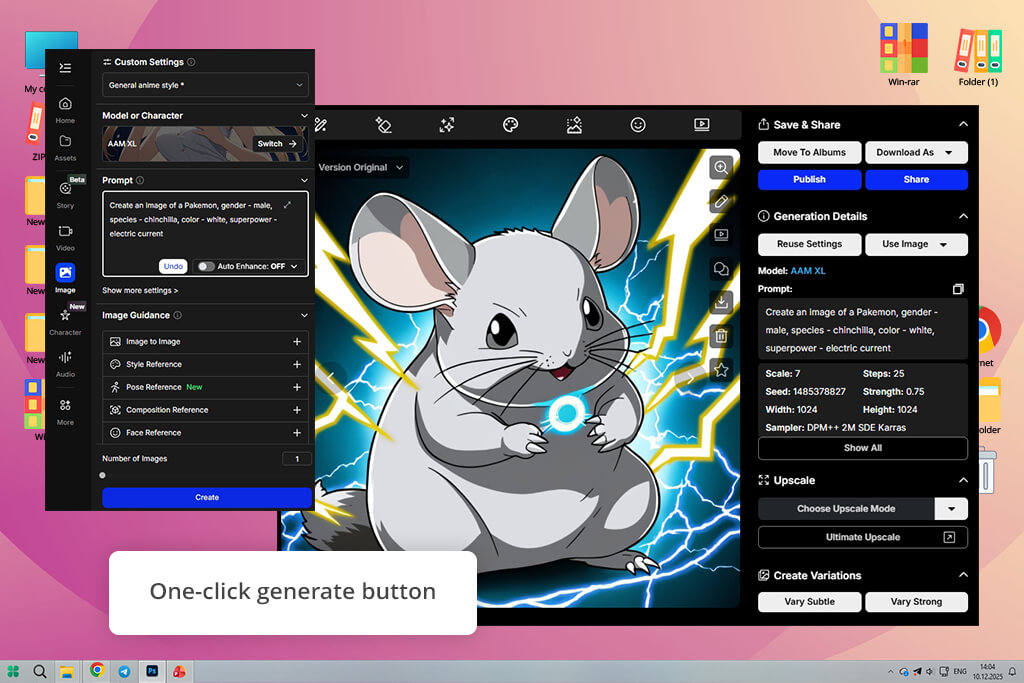
OpenArt is one of the friendliest tools you'll find if you're new to AI generation. I already knew it as a go-to AI anime generator, so I was curious how naturally it would adapt to Pokémon-style prompts. It turned out that the program can do that well. The interface is stripped back in a good way. There are no overwhelming menus.
You get clear controls and a big Generate button. My first prompt was “water-type Pokémon with a jellyfish body, softly glowing tentacles, and gentle anime shading,” and the result was stylized, clean, and ready to share. As a Pokémon generator AI free option, it’s hard to beat for ease of use.
I appreciate that iteration is very fast. You don’t need to plan a perfect prompt – just hit Generate, see what you get, tweak one thing, and go again. I ran through variations like “bioluminescent glow”, “deep ocean with coral background”, and “dark water with rays of light” in quick succession, and each version was coherent with the last. The outputs stayed visually consistent even as I adjusted the details, which is exactly what you want when you’re trying to develop a creature concept rather than start from scratch every time.
The results OpenArt produces are genuinely shareable. For fan art, concept sketches, or building out an original Pokémon region, it’s more than capable. It keeps your projects private, doesn’t require payment to get started, and makes it easy to generate Pokémon ai online across a whole batch of creature ideas in one sitting. If you want a creative environment to explore different ideas, OpenArt is a perfect option.
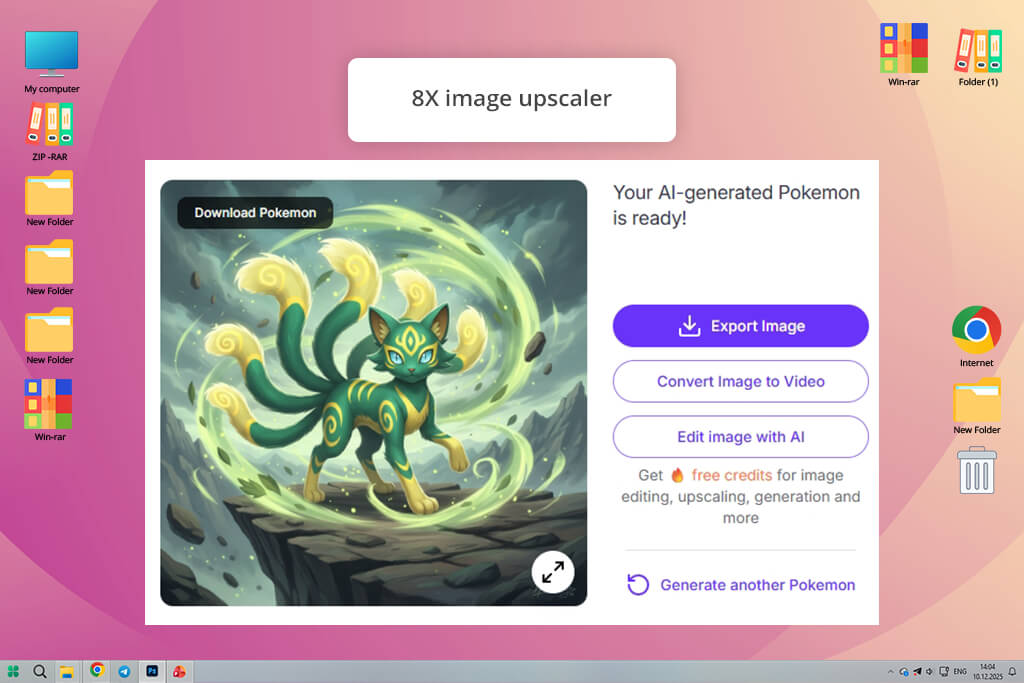
Pixelbin came onto my radar through a colleague, and it fills a very specific niche well. There’s neither an account nor a setup required. You open the browser, type your prompt, and you have an image in seconds.
When I tested it with “ghost-type Pokémon with a wispy, smoke-like body and hollow glowing eyes,” the result was quick and perfectly usable. It’s not the most creative or flexible Pokémon design generator AI on the list, but sometimes you just need something fast, and that’s exactly what this program delivers.
“Pixelbin brags about speed. When I needed a quick visual reference without touching a settings menu, this was my first stop. The upscaling feature surprised me most. It works well for sharpening and scaling up whatever you generate.”

The preview step before downloading is a small but smart addition. It lets you catch any obvious issues before committing to a download. The real star, though, is the upscaler. I bumped a mid-resolution creature image up to HD, and the detail held together much better than I expected.
I received sharp edges with no smearing or obvious artifacts. The style control is minimal, so if you want to guide the generator toward something specific, you’ll hit the limits quickly. But for rapid prototyping and cleanup, it deserves its place on the list.
Keep in mind that Pixelbin works just as well on mobile as it does on desktop. The full feature set is available on both, with no slowdown or missing options on smaller screens. The instant share link feature is a practical bonus. If you want quick feedback from a friend or collaborator, you can have the image in front of them without downloading and re-uploading anything.
As a lightweight tool for fast generation and solid upscaling, Pixelbin is worth bookmarking even if you use heavier tools for serious work.
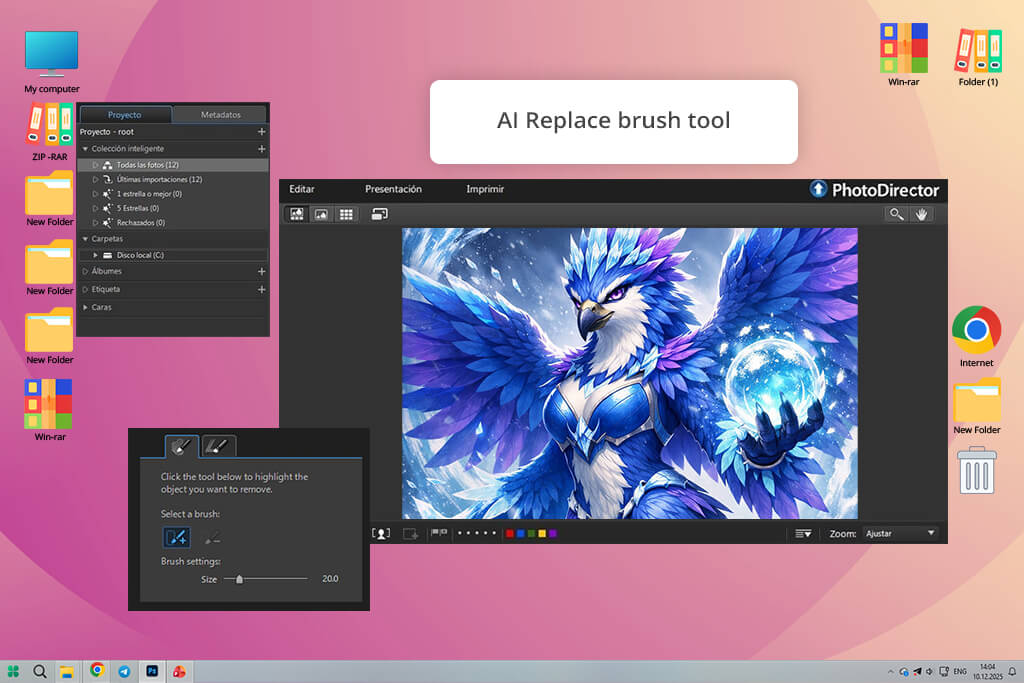
PhotoDirector works differently from everything else on this list, and it’s important to understand that going in. I’ve always known it as an AI photo editor rather than a standalone generator, and testing confirmed that’s still exactly what it is.
The experience here isn’t about creating a Pokémon from nothing. It’s about placing a Pokémon-style creature into a photo you already have. That’s a genuinely useful use case, especially if you want to make it look like a Pokémon actually appeared in a real-world photo, e.g., for social content, fan edits, or creative projects.
I didn’t approach this as a generator at all. It’s a photo editor that happens to have excellent AI insertion tools. AI Replace is the standout feature. If you have a photo you like and want to drop a Pokémon-style creature into the scene, it handles the blending surprisingly well. Just be precise with your selection brush.
AI Replace was the feature I kept returning to. The workflow is intuitive. Paint over the area of the photo where you want the character to appear, type a description like “small electric-type Pokémon with a glowing tail and bright yellow fur,” and the tool generates something and blends it in.
It doesn’t always get the lighting or scale right on the first try, but when you take your time with the selection and give it a clean area to work with, the results look natural. Sloppy selections lead to sloppy blends, so keep this in mind.
Outside of the Pokémon-specific use case, PhotoDirector has a lot going on. It is suitable for avatar creation, photo-to-drawing conversions, manga and anime style filters, and more. None of it is built with Pokémon in mind, but together these features open up a lot of creative directions for someone who likes to experiment.
This AI Pokémon image generator updates regularly, which is a good sign for long-term usefulness. Some of the more advanced features are paid, but the free tier is solid enough to get real value without upgrading.
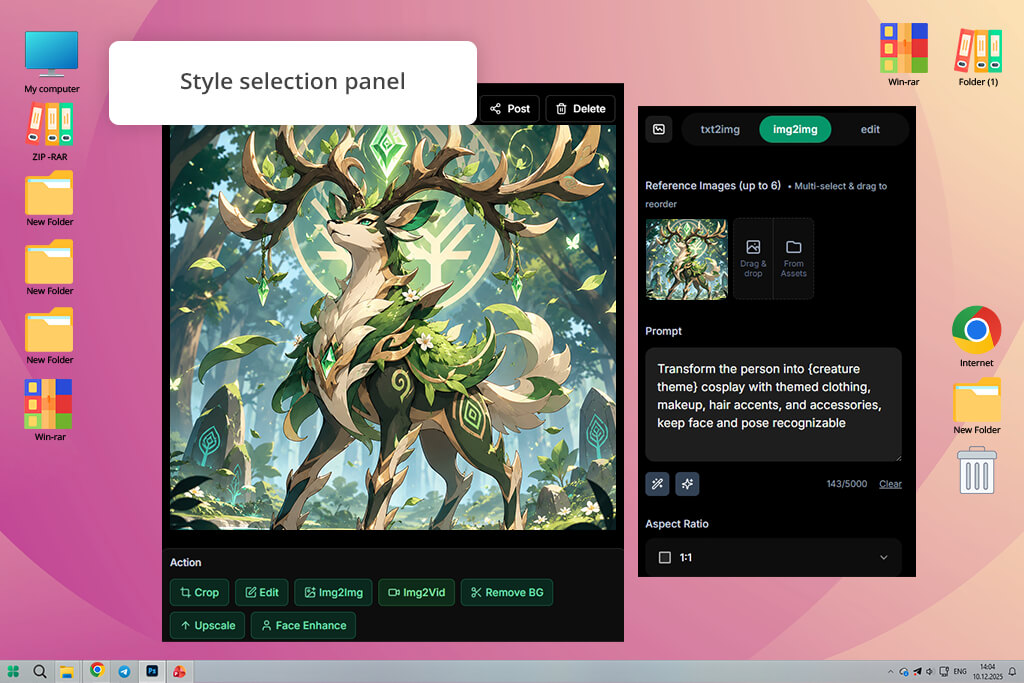
BudgetPixel is the most niche tool on this list, but I believe it is a strength. While other tools try to do everything, BudgetPixel is built to help you design original Pokémon-style creatures with purpose. Whether you’re building fakemon, sketching out evolutions, or designing a fusion, it has a dedicated workflow for each scenario. I came at it like a proper AI fakemon generator tool rather than a general image app, and it rewarded that approach immediately.
The step-by-step process sets BudgetPixel apart. You don’t just drop a prompt in and hope for the best. You build the creature systematically, choosing type and element first > animal inspiration and key traits > style. The style options include Ken Sugimori-inspired art (the classic Pokémon look), anime, and sprite-like pixel visuals. Using the same concept across different style options lets you see the same creature at different stages of game production. It’s the closest thing to a real Pokémon character generator AI built around actual game design logic.
Evolutions and fusions in BudgetPixel are amazing. I combined two concepts (a water-type jellyfish creature and a steel-type mechanical one), and instead of getting a random mess, I received a recognizable design with translucent plating over a mechanical core with bioluminescent accents. It wasn’t perfect, and prompts with too many traits at once can lead to oversimplified results, but for building out a creative Pokémon concept from scratch, this tool surpasses many analogs.
Testing free Pokémon AI generators properly takes time and thought. We weren’t measuring general image quality, but asked a specific question – “Can this tool produce creature designs that look like they belong in a Pokémon game?” So, we looked for clear silhouettes, readable elemental types, consistent anatomy, and a recognizable visual style. A beautiful image of a vague fantasy creature doesn’t pass. A slightly rough image of something that clearly reads as a grass-type starter with leaf armor? That does.
Another important stage of our testing was prompt responsiveness. Eva used structured, detailed prompts for each tool. She defined the needed animal base, element type, personality, texture, and environment, and tracked how closely the output matched the intention. Some tools translated detailed input almost perfectly. Others drifted unpredictably and needed multiple rewrites to stay on track. Knowing how much control you have over a Pokémon ai generator free tool is just as important as knowing what the output looks like.
Tati focused on what happens after that first generation. She paid attention to creative control features like style switching, model selection, image-to-image input, and structure guidance. Tati ran the same prompt with incremental changes across each tool to see whether iteration was productive or random. Tools where small adjustments led to predictable, improving results scored significantly higher than those where every generation felt like starting over.
I rounded out the testing by evaluating output quality and practical usability. I factored in resolution, sharpness, consistency across multiple generations, and whether results needed heavy cleanup before they were usable. I also looked at features that extend the tool’s usefulness, namely, upscaling, background editing, export options, and integration with other software. A great AI Pokémon image generator isn’t just one that produces a good image once. It should fit into a real creative workflow.
Besides, we looked hard at each free tier. This is a roundup of tools you can use without paying, so we tested every restriction, including daily generation limits, credit systems, model access, watermarks, and download quality. We did our best to figure out if someone wants to experiment with these tools regularly, create Pokémon with AI free on a real creative project, and share the results – how far does the free version get them? That answer shaped every ranking on this list.



![7 Best Badge Makers [Create Designs That Sell]](http://fixthephoto.com/blog/images/gallery/news_main__preview_28983.jpg)

![7 Best AI Quote Generators [People Actually Save & Share]](http://fixthephoto.com/blog/images/gallery/news_main__preview_28979.jpg)
![9 Best 2x2 Picture Makers [{{%year}} FixThePhoto Choice]](http://fixthephoto.com/blog/images/gallery/news_main__preview_29017.jpg)


![11 Best AI Sticker Generators [Simple for Non-Designers]](http://fixthephoto.com/blog/images/gallery/news_main__preview_28980.jpg)
![7 Best Speechify Alternatives [{{%year}} FixThePhoto Choice]](http://fixthephoto.com/blog/images/gallery/news_main__preview_28954.jpg)

















