Picking AI voice generator software sounds simple, until you actually have to do it. I learned that the hard way. I was making a short video and some explainer clips, and I needed a lifelike voice.
Recording myself was never really on the table. I didn’t have a decent mic, and I can’t stand hearing my own voice played back.
Hiring a voice actor was out of my budget. So, I decided to use AI. I didn’t expect how quickly things could go sideways with the wrong tool. And trust me, there are a lot of wrong tools out there.
Choosing the best AI voice generators came down to one thing – fit. Not which tool had the longest voice list, but which one actually delivered what I needed: consistency, natural sound, and real control over the output.
I didn’t go through this process alone, though. My colleagues from FixThePhoto the jumped in to help. Together with Kate Debela, Vadym Antypenko, and Eva Williams, we tested 40+ AI voice generators to find the best one.
AI voice generators are impressive tools, but after testing them, I can tell you that they still have some rough edges. Here’s what you’ll run into:

AI builds voices through text-to-speech (TTS) technology that runs on machine learning and neural networks. Here’s a simple way to understand how it all comes together:
Breaking down the text. The AI starts by going through the text and splitting it up into words, sentences, and tiny sound units called phonemes. Plus, it pays attention to punctuation so it knows when to take a breath or switch up the tone.
Trained voice models. Modern AI voice tools are powered by deep learning models (typically neural networks) that have been trained on countless hours of real human speech. Through this training, they figure out how people say words, shift their pitch, emphasize certain syllables, and carry emotion in their voice.
Creating the sound. From there, the system takes all that processed text and turns it into audio by producing sound waves that closely match real human speech. The more advanced models can fine-tune tone, speed, pitch, and emphasis, giving the voice a natural feel instead of sounding flat and robotic.
Adjusting style and mood. A lot of neural AI voice generators let you pick from different voices, accents, or speaking styles. Some models can even add emotions to the mix or tweak the voice to suit different scenarios, such as a narration vibe or a natural back-and-forth conversation.
Exporting the audio. Once it’s all done, the finished speech gets saved as an audio file (MP3 or WAV). Later, you can insert it into videos, podcasts, games, or apps.
AI voices are made by training computers to understand how people talk and then copy that speech in an easy, repeatable way. People don’t need to sit down and record every single line.
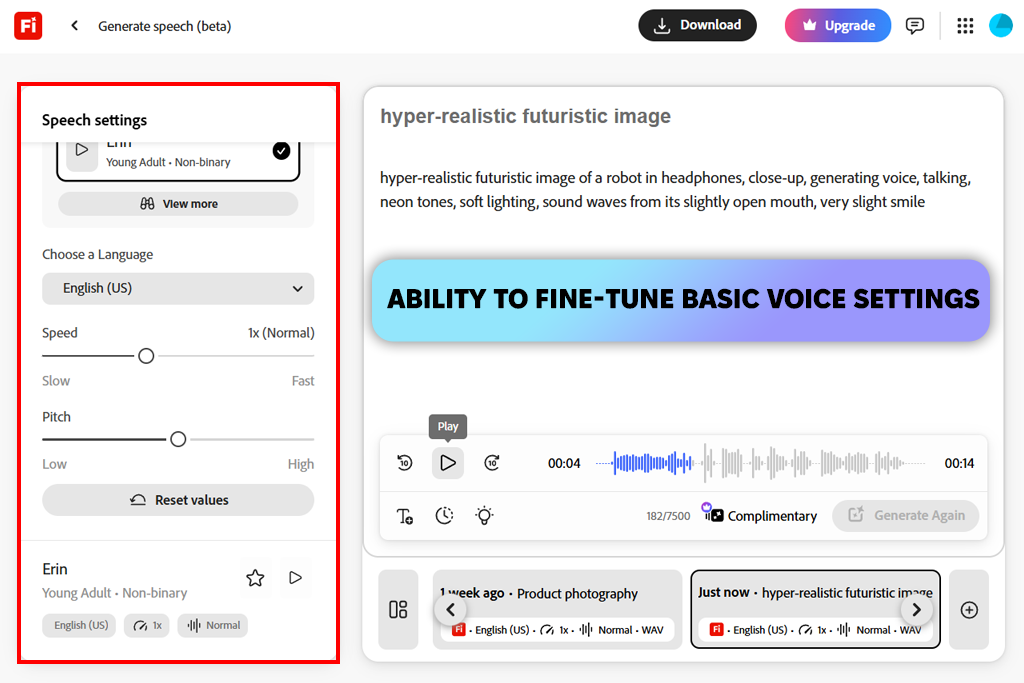
When I first sat down with Adobe Firefly video model, I wasn’t in the mood to experiment. I needed something I could actually rely on for commercial work. So, I entered a clean explainer script for a brand website, and received a neutral and professional result.
Then I pushed it further with a longer educational piece. Multi-paragraph narration is where a lot of online AI voice generators start falling apart, grappling with tone shifts and pacing. Firefly didn’t flinch. It stayed steady throughout, and around the denser, more technical parts, it actually slowed down deliberately.
The audio didn’t sound like AI reading off a page, but more like someone who’d done this a hundred times before.
“I used a tutorial script, and this tool didn’t disappoint me. Pacing was perfect, and technical words were pronounced correctly. I think it’s reliable for branded content.”

I fed Firefly a short promo script, one with some emotional undertones baked in. It didn’t oversell it. I heard calm, grounded confidence – exactly what I needed to represent a brand. I particularly liked the consistency. I ran multiple takes, and the voice held steady every single time. That’s a big deal when you’re producing content at scale and need everything to sound cohesive.
My honest take is that Firefly is genuinely production-ready. It’s not trying to be flashy or push creative boundaries. It brags about clarity, stays consistent, and brings a professional feel to everything it touches. This is one of the top text to speech generators AI for branded or corporate work.
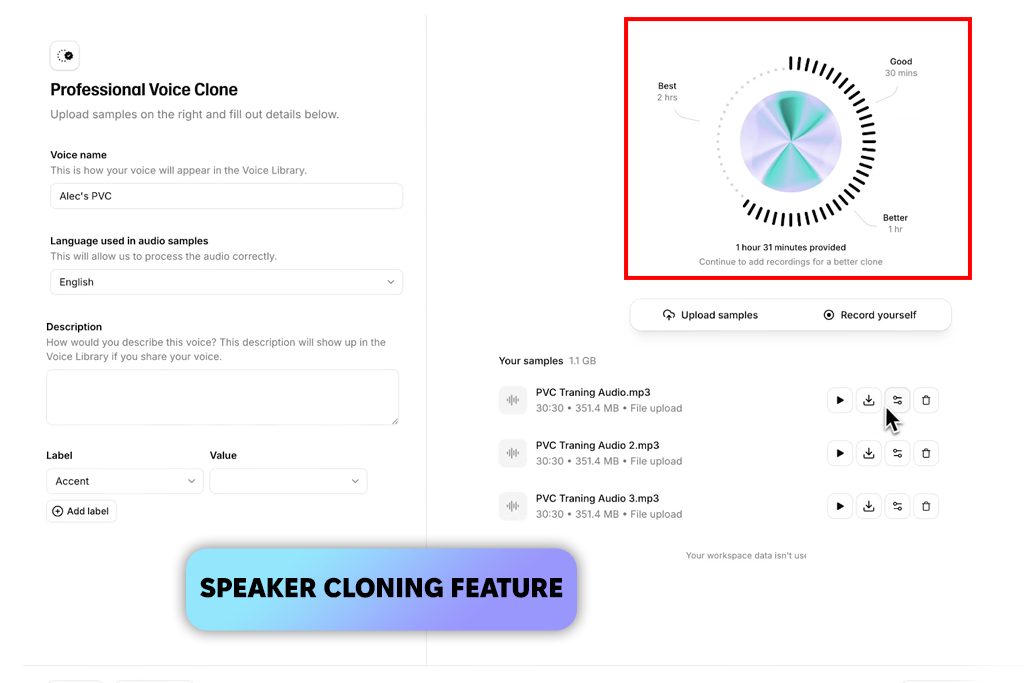
I’ve tested a lot of voice tools. Most of them sound like a machine reading text. ElevenLabs was a different story. I dropped in a simple narrative script expecting the usual robotic output. Instead, I got natural pauses, real emotional shifts, and intonation that made sense. First tool in a while that made me replay the audio just to double-check.
Then I pushed it – rewrote the script with tension and excitement. It picked up on every bit of that energy. The right words got emphasized without sounding overdone or forced. Most AI voice over generators process your text. This one genuinely reacts to it, which is a rare thing.
“I tried a storytelling script, and the finished sound was properly emotional. It even mimicked excitement and suspense. I recommend it for podcasts and long reads.”

Next, I used a five-minute script. The voice stayed expressive without drifting. There were a couple of minor pronunciation hiccups, but it was nothing serious. Generally, ElevenLabs rewards good writing. The more intention you put into your script, the better the output. It takes a little more effort than basic AI voice generators, but the realism you get back is on another level.
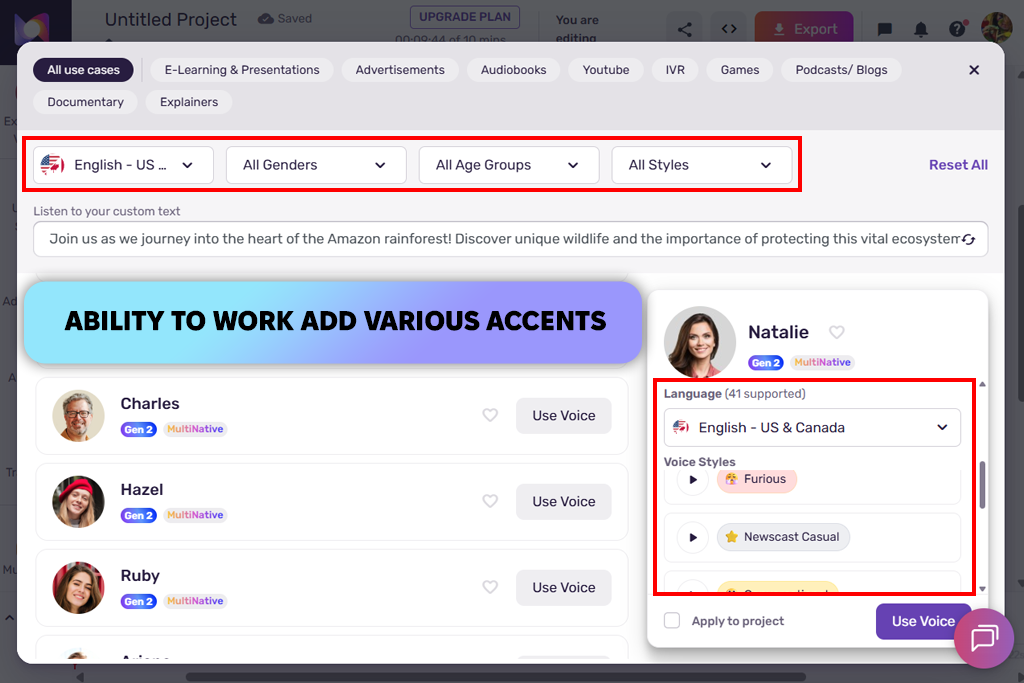
Murf AI surpasses many analogs for one specific reason. It sounds professional right out of the box. The interface is clean and intuitive. I dropped in a product demo script, and the output was sharp, structured, and polished almost instantly. It genuinely reminded me of well-produced corporate explainer videos. For instructional content, clarity is everything.
Next, I tweaked the pitch, adjusted the speed, and tried to pull out something warmer and more conversational. It helped a little, but Murf naturally leans formal. Short sentences landed great, but longer paragraphs felt a bit flat emotionally. I think Murf isn’t trying to sound human. It’s trying to sound reliable. That’s what you need for tutorials, presentations, and professional demos.
“I used it for a product demo, and received clear and structured sound. Short sentences come out sounding natural, while longer paragraphs may lack emotion.”

When I ran a lengthy training module through this AI audio tool, the voice stayed remarkably consistent from start to finish. I didn’t hear any random tone jumps or awkward pauses. Everything flowed naturally between sentences. If you’re building onboarding videos or internal corporate content, this is one of the best professional AI voice generators out there.
I also spent some time exploring the voice library and multi-language support. The selection is reasonable. Nothing is overwhelming, but enough to work with. Some voices genuinely sound human, others feel a bit robotic, so you’ll want to test before committing. I tried various accents, too. Clarity stayed solid across most of them, though subtle emotion was largely absent.
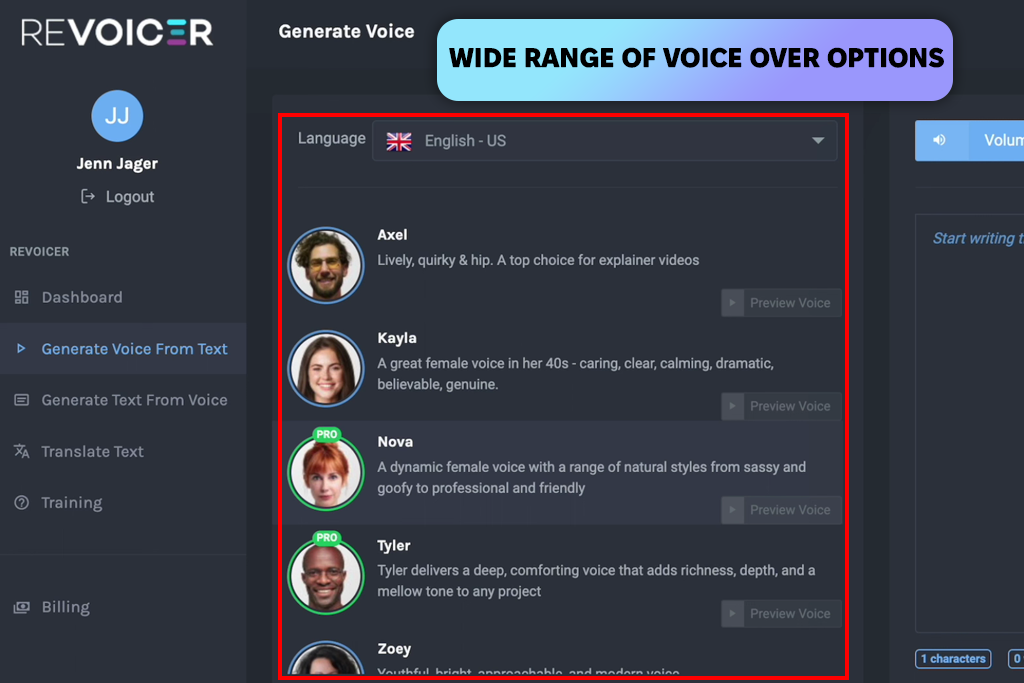
I wasn’t expecting much when I first opened Revoicer, but it genuinely surprised me. The voice had a natural punch to it. Key phrases landed with real weight and the energy felt right. It was exactly what I needed for a short ad. A few lines went slightly overboard on the drama, but nothing deal-breaking.
Then I got ambitious and tested this voice over software on longer narration. That’s where I had to slow down. The energy started drifting between paragraphs. Some sentences sounded unintentionally loud, others felt a little flat. And the pauses were occasionally awkward, like someone forgot to breathe at the right moment.
“I tested it with a short promo script. The voice I received was loud and energetic without tweaking. Longer content requires customization, but you can rely on it for quick ads.”

I also experimented with narration styles and tone settings. By tweaking the pitch, speed, and emphasis, I could make the voice sound more relaxed for lighter content. It picked up on small adjustments pretty well, but the high-energy feel never fully goes away. I tried it on all kinds of scripts, and it copes with short and snappy clips best of all. Longer, calmer narration required extra tweaking.
I also tested it for commercial use. The voices are bold and catchy, which can help a brand stick in people’s minds. That said, I’d think twice before using it for soft storytelling or lengthy videos. Generally, it is one of the top AI speech generators for ads, social media, and announcements, where being loud and energetic actually works in your favor.
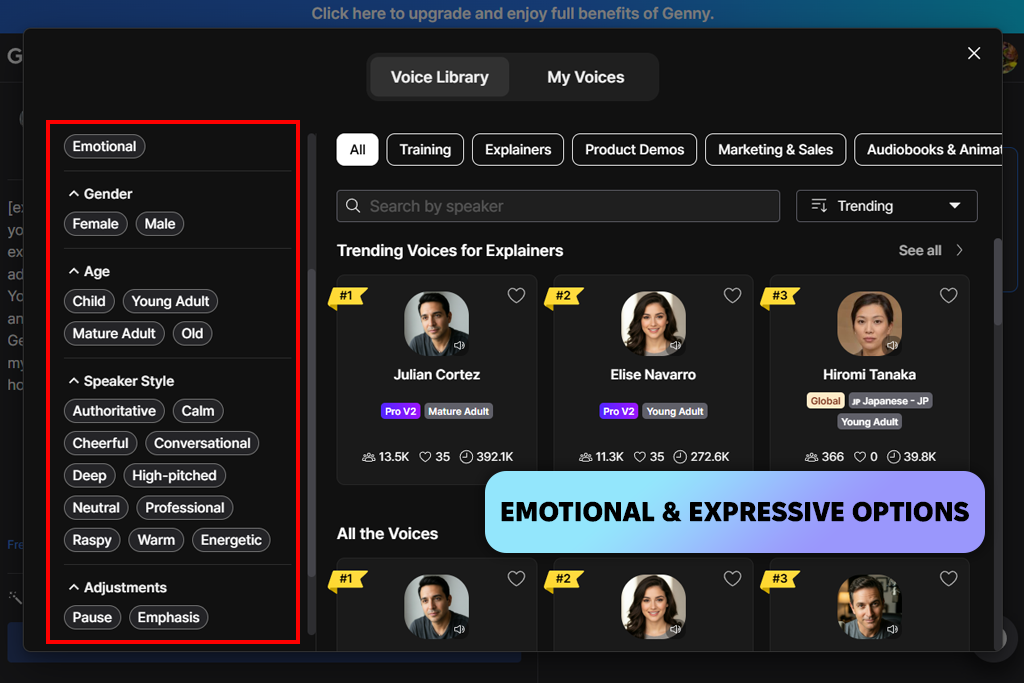
Jumping into LOVO for the first time, I was surprised by how clean and easy everything looked. The voice options alone were enough to get me curious, so I created a few short social media scripts to see how it handled a casual dialogue. The first voice I picked felt warm and natural, like someone actually talking to you.
Adjusting the speed and pitch was straightforward. Then I moved on to a longer explainer script. The voice stayed clear the whole way through, but it did feel a little emotionally flat next to a real human narrator. Still, it came across polished and easy to follow. Trying out different voices, I understood that picking the right one can make or break how engaging your content actually feels.
“I used this tool to generate voices for social media videos. It worked perfectly, particularly with short clips. Longer explainer scripts sounded a bit flat.”

I also tested this AI video generator for a brand project. I went with a professional tone, and it held up well. The voice stayed clear and polished – formal enough for a business setting without sounding stiff. I made several small tweaks to the speed and emphasis. I can definitely see myself coming back to this AI voice generator for videos when making branded social content.
Next, I analyzed the multi-language feature. LOVO offers a solid range of accents and languages, though some sounded noticeably smoother than others. For anyone creating content for a global audience, that flexibility is a big plus. Generally, using it was easy, and exporting files was quick and hassle-free.
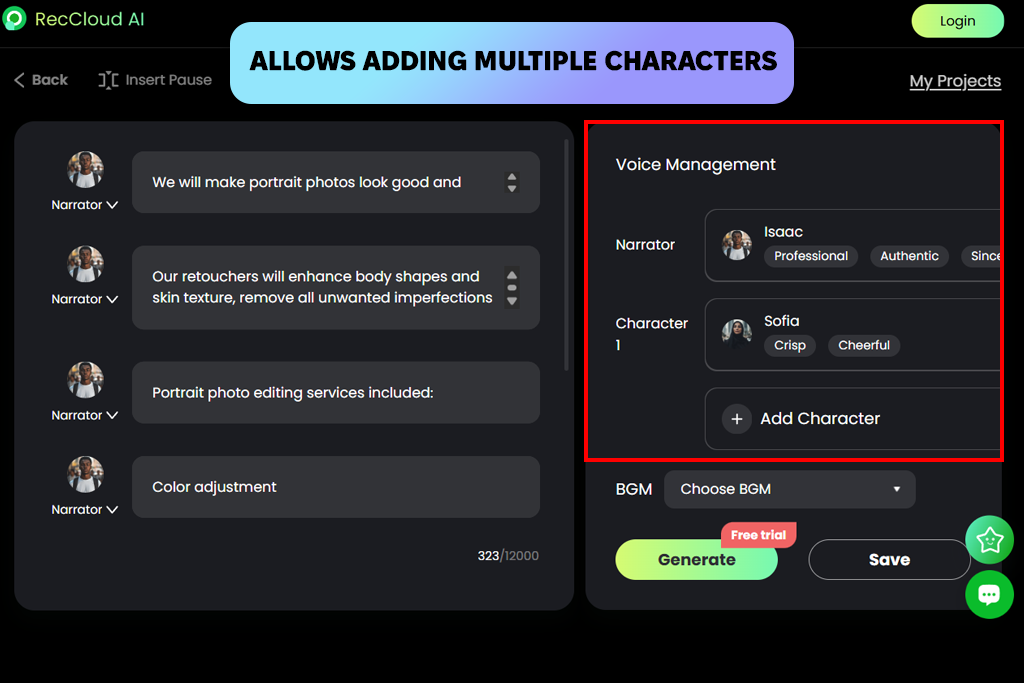
When I first tried RecCloud, it stood out from other AI voice generators for content creators, just not in the best way. The output was usable, but a robotic tone hit me right away. I dropped in a short instructional script and the result came back fast.
To see its capabilities, I uploaded longer, multi-paragraph content. The pacing held up pretty well, but the rhythm was too predictable over time. It lacked human-like flow. Tweaking the punctuation was slightly helpful, but the voice still sounded pretty mechanical.
“I uploaded a short training script, and received the result almost instantly. The voice was understandable but far from natural-sounding.”

I also tested it with a multiple-language script, and the results were mixed. English sounded the best by far, while other languages came out a bit more robotic. For quick, no-frills narration, it gets the job done. But it’s not as versatile as some other tools on my list.
The biggest downside is that it doesn’t handle melody generation, so if you need music alongside your voiceover, you’d have to bring in a separate AI music generator to fill that gap.
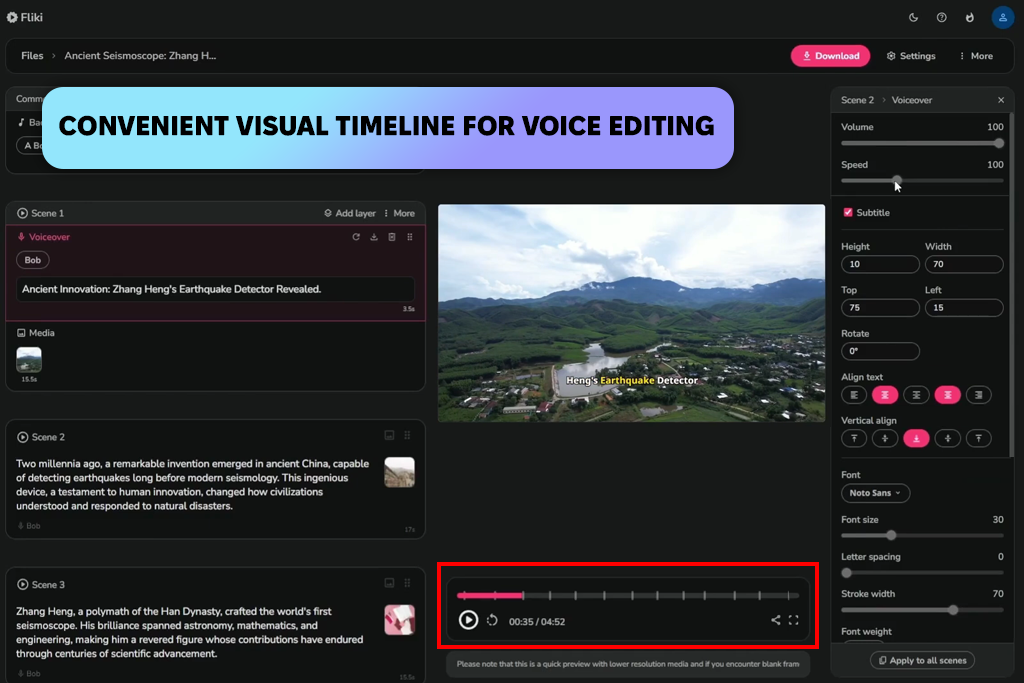
I came across Fliki while working on a short video that needed visuals to go along with it. Hooking up text with video was easier compared to other tools I’d used before. The voiceover lined up naturally with the captions and what was happening on screen, so I didn’t have to waste time fixing the timing myself. The audio was steady and clean, even if it wasn’t super expressive.
Overall, Fliki is one of the top realistic AI voice generators for people who want to have fast results.
“I used this tool for a short video project. The voice synced properly with visuals, especially when sentences were short. I think this tool is great for quick video projects.”

I also uploaded a storytelling script. It handled short lines well, but longer paragraphs appeared a little robotic. Tweaking the speed and pitch made a small difference, while cutting the script into bite-sized sections was very helpful. It became pretty clear that Fliki suits quick, broken-up content more than long narration.
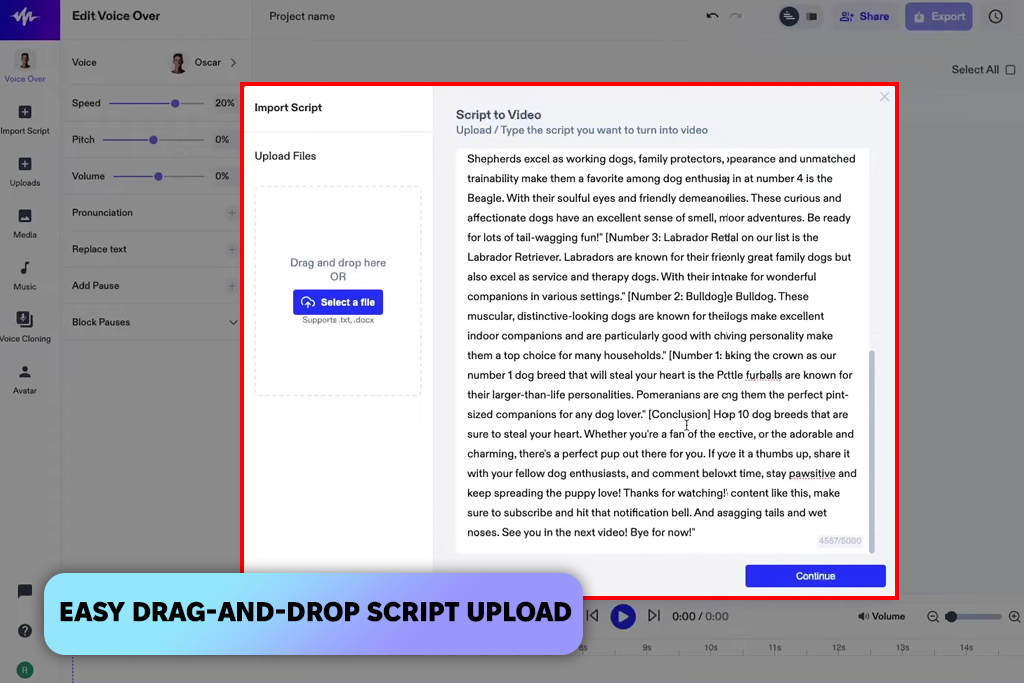
While testing Speechify, I used everyday conversational text to see how well it could keep up. It did better than I expected, picking up on keywords naturally without going overboard on emotion. The pacing was just right, making it easy to follow and genuinely enjoyable to listen to. It seems like a solid human sounding AI voice generator for explainer videos or educational podcasts.
“I uploaded an article, and received a natural voice. Emphasis was properly made, so listening to the material was comfortable. The results were satisfying even with long content.”

Next, I uploaded large chunks of content one after another. The voice stayed smooth and consistent throughout without weird tone shifts or pacing issues. Small punctuation changes helped with pauses. It was genuinely easy to listen to. Customization had some limits, though. Speed and voice worked fine, but emotional depth and emphasis control were pretty basic.
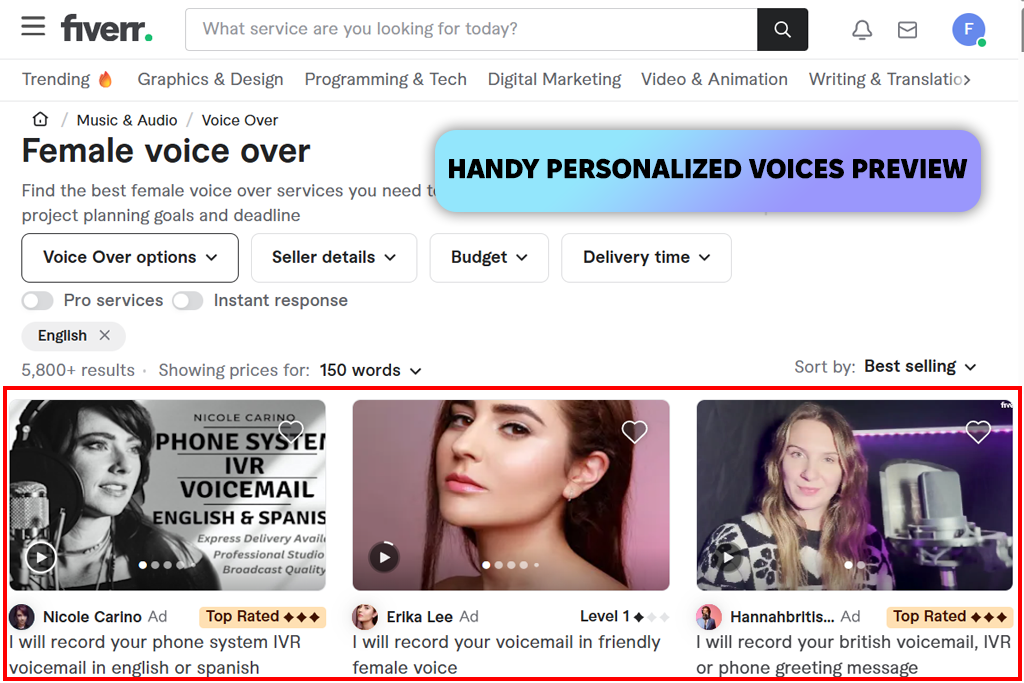
Trying out Fiverr was very interesting. It is a marketplace, not just a single AI voice generation technology. I scrolled through AI voice gigs and the difference in quality and style from one seller to the next was pretty wild. I placed an order for a short narration just to see how the whole process was organized.
The clearer you are with your instructions, the better the result. Revisions did take a bit of back and forth, but eventually I got something that matched what I had in mind. Fiverr takes more hands-on effort than just using an automated generative AI tool.
“I bought a short AI voice gig, and liked the result. The quality depends on the provider, so it is important to give clear instructions. Some voices are great, while others leave much to be desired.”

Customizing your order means talking to sellers directly. There are no settings or controls to tweak yourself. That’s both a good and a bad thing. You get more flexibility, but it slows things down. Prices vary a lot, too, so shopping around helps. It’s best suited for niche or highly specific voice styles.
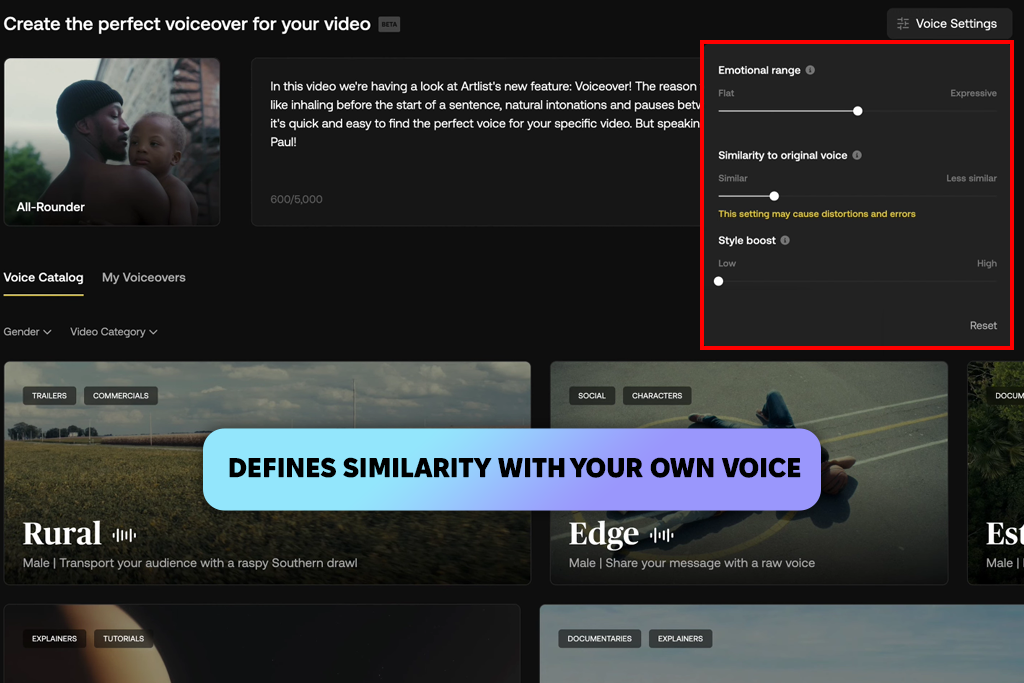
I tested Artlist’s AI voice on a real video project, and it genuinely impressed me. The audio came out clean and cinematic, blending with the background music right away. Then I threw a branded script at it to check how well it handled a more formal tone. It stayed composed and professional throughout. Emotional depth was minimal, but for corporate videos, it hit the mark perfectly.
“It delivered great results with my branded video. The speech perfectly matched the background music and visuals. Emotional range was limited but subtle.”

The voice styles varied nicely. Some were cool and neutral, while others appeared upbeat for promotional use. It is handy to switch styles to get different audio variations. The best part is that the quality was consistently good across every test I ran.
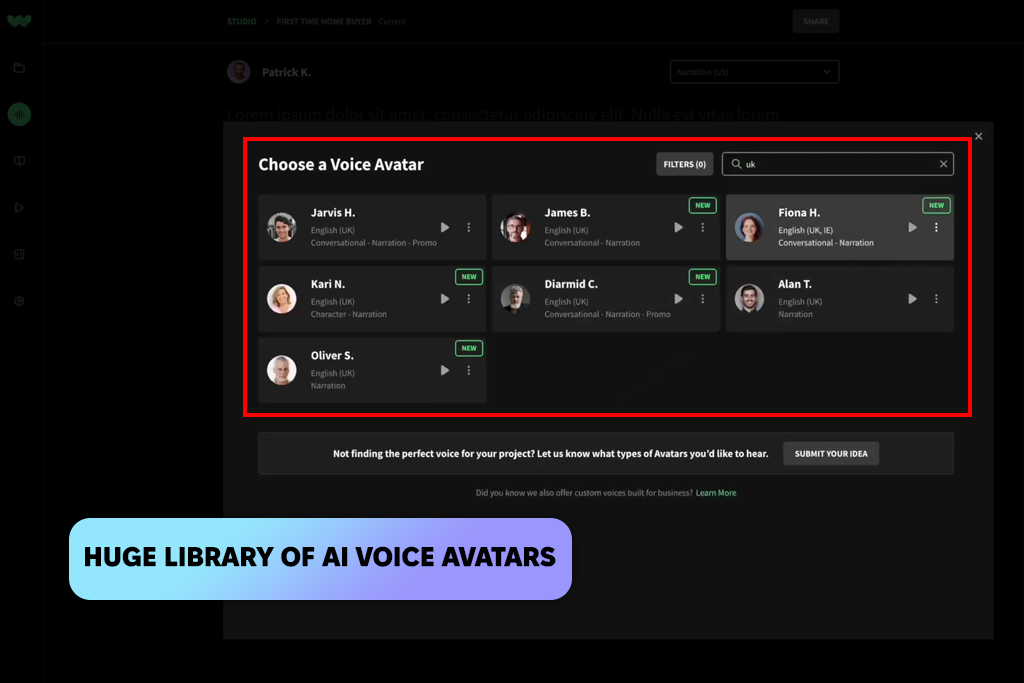
I tested WellSaid Labs with corporate narration scripts, and it impressed me quickly. From the very first line, the voice was confident and clean without sounding stiff. It handled technical terms perfectly. That’s usually where free AI voice generators fall apart, but this one held up well. It reminded me of a real voice actor who knows exactly what they’re doing in a professional setting.
“I generated confident and precise voices for corporate scripts. Pronunciation was excellent, even when handling technical terms. I just applied some simple tweaks for emphasis.”

I also spent some time going through the voice and accent options. The selection wasn’t huge, but every voice from the library was clean and professional. Multi-language pronunciation held up pretty nicely for everyday terms, though once in a while, an uncommon word needed a little tweaking to sound just right.
One thing that did bug me, though, was the lack of a built-in editing feature. So, when I was testing the app, I had to go find a separate free audio editing software just to make a few fixes.
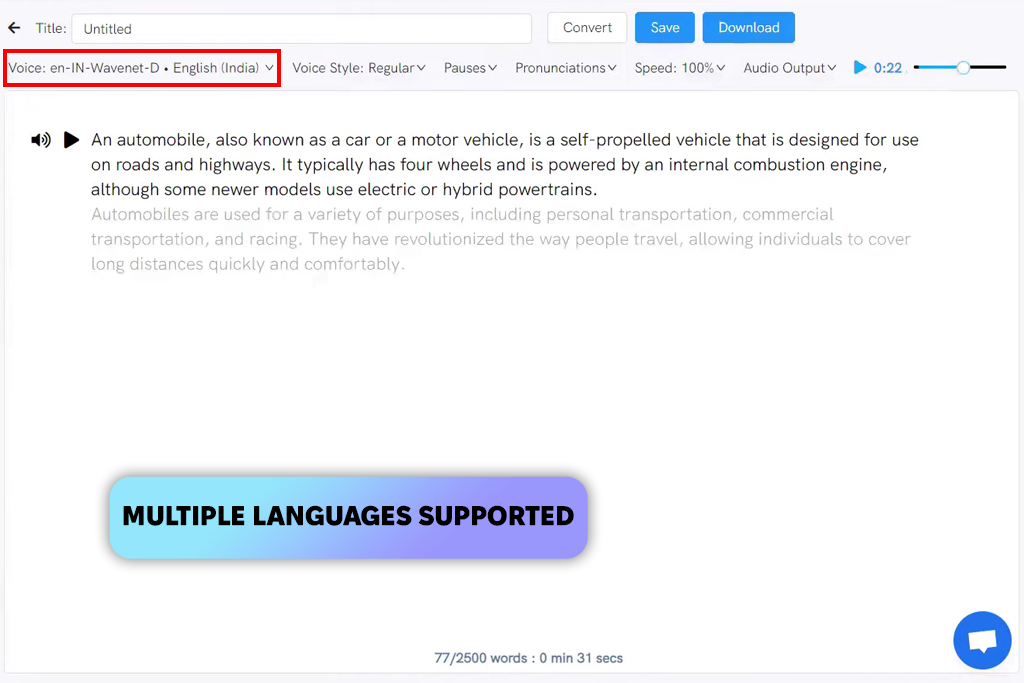
To see the capabilities of Listnr, I used podcast-style scripts. The voice was clean and easy to understand without overly dramatic touches. The speed at which it converted text to audio caught me off guard in a good way. For anyone who needs simple, dependable narration, it seems like a pretty decent pick.
“I tested this tool with a podcast-style script. The voice was clear and consistent, but lacked emotion. All pauses were accurate, and it’s generally easy to use.”
I ran a few sections back-to-back just to see if the voice would stay consistent throughout. The rhythm held up pretty well, but the longer it went, the more it started to feel a little repetitive. A few small tweaks here and there helped smooth things out. To my mind, this Listnr is a great AI voice generator for straightforward, informational content.
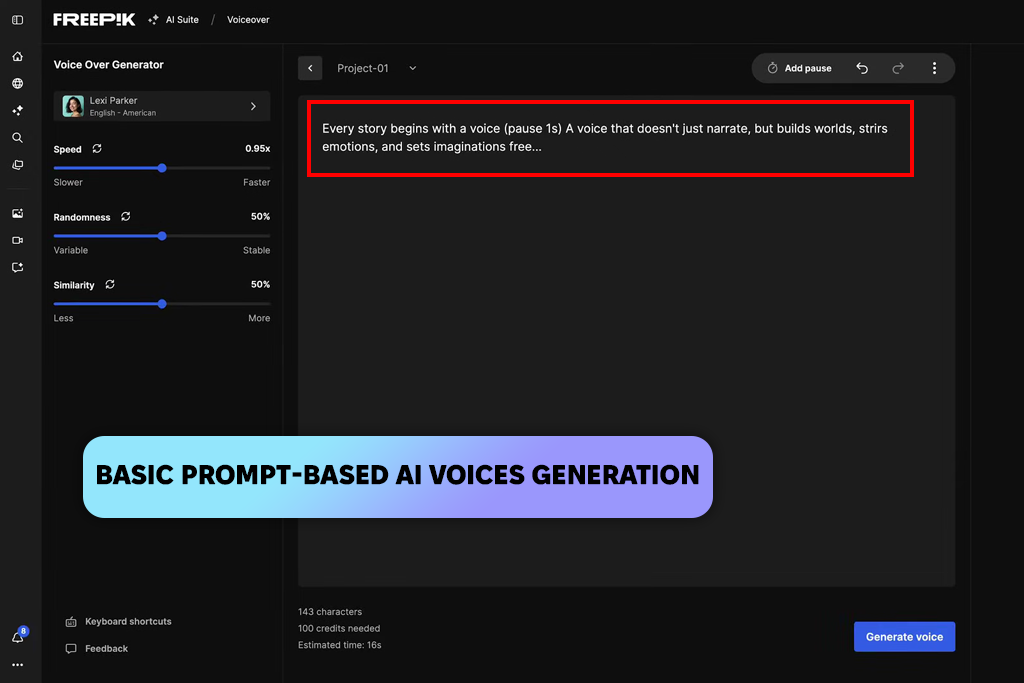
To test Freepik’s AI voice, I used my design project. Short scripts sound decent and easy to follow, but longer ones disappointed me. It is handy when you just need a quick voiceover for your visuals. I tried different voices and accents, but the differences aren’t very noticeable. To my mind, this is a decent tool for visuals, but it lags behind purpose-made human sounding AI voice generators.
“I tested it for quick design-based projects, and it worked surprisingly well. Short scripts sounded clear and clean. Longer content felt robotic. Great as a bonus for visuals or small clips.”
I also used it to narrate multiple paragraphs. It worked okay, but longer scripts made it clear that the voice struggles with expression and rhythm. I applied some manual corrections, but it still sounded robotic over longer sections. Overall, Freepik’s AI voice works best as a quick, handy add-on for simple narration when you’re already using it for visuals – not as a main voiceover tool.
Our testing team had three FixThePhoto team members: Kate Debela, Vadym Antypenko, and Eva Williams. Kate checked how clear and accurate the pronunciation was. Vadym looked at the speed and consistency of speech. Eva evaluated how well the voices expressed emotions.
To test each AI voice generator fairly, we used the same scripts across all tools. These included short social media posts, tutorials, promotional content, and longer educational material.
Kate flagged any robotic or mispronounced words. Vadym checked whether the pacing stayed steady, especially in longer sections. Eva tested emotional delivery – whether the voice sounded excited, calm, or professional based on the content. One test used a brand announcement. Another used a five-minute technical tutorial.
Next, we evaluated how realistic and practical each tool sounded. LOVO worked well for casual scripts but lacked emotional depth in longer content. Revoicer felt bold and energetic, making it great for short ads, though longer scripts needed extra adjustments.
Murf AI performed best for tutorials and corporate content thanks to its clear, structured tone. ElevenLabs impressed us with natural-sounding storytelling and smooth emotional shifts. Adobe Firefly was steady and dependable for brand and educational material.
We also looked at speed, customization, and ease of use. Kate tested how quickly each tool produced audio and how simple it was to adjust pitch, speed, and emphasis. Vadym checked export options, language support, and video integration. Eva rated each tool on expressiveness and how human it sounded.
Overall, LOVO and Fliki suited short social media content, while Murf AI, WellSaid Labs, and ElevenLabs were better for longer, professional narration.
Our team tested each AI voice generation tool in real situations, evaluating clarity, emotion, consistency, and usability. By combining Kate, Vadym, and Eva’s findings, we created an honest, well-rounded review to help you choose the right tool for your project.




![5 Best Real Estate Datasets for Machine Learning [{{%year}} FixThePhoto Choice]](http://fixthephoto.com/blog/images/gallery/news_main__preview_28903.jpg)


![Best Leonardo AI Alternatives [FixThePhoto Choice]](http://fixthephoto.com/blog/images/gallery/news_main__preview_28887.jpg)
![7 Best AI Handshake Video Generators [{{%year}} FixThePhoto Choice]](http://fixthephoto.com/blog/images/gallery/news_main__preview_28493.jpg)
![11 Best Jasper AI Alternatives in {{%year}} [Reviewed & Tested]](http://fixthephoto.com/blog/images/gallery/news_main__preview_28888.jpg)
![5 Best EML File Converters to PST in {{%year}} [Windows & Mac]](http://fixthephoto.com/blog/images/gallery/news_main__preview_28894.jpg)

















