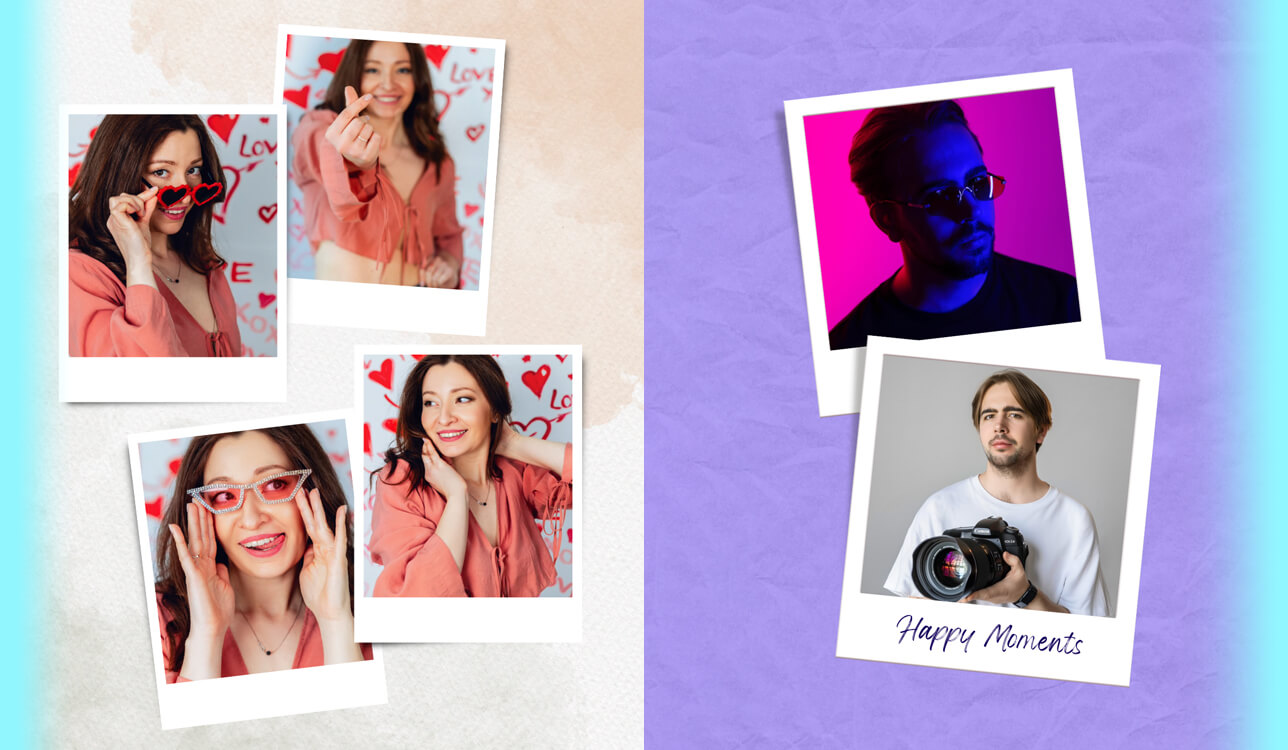
I had been taking photos to capture lovely moments that I wanted to remember for a long time for years. Over the past few months, I started to collect my favorite pictures taken during school trips, late-night walks, family occasions, and other wonderful moments that I wanted to keep in my memory forever. I decided to add Polaroid-style frames to them to give my collection a deeper personal meaning. I wanted to print my photos to preserve my memories in a physical form.
However, when I tried finding a suitable free Polaroid frame app, I realized how difficult it would be. Some were too advanced for such a task and had many editing tools that were difficult to master. Others had impressive collections of frames, but they were available only to those who paid for the premium subscription.
Some apps had free versions but added watermarks to outputs. Some glitchy apps cropped my photos in strange ways. This is why I decided to find a free, intuitive app with a stable performance that would allow me to add Polaroid frames to my photos with ease.
This is why I decided to consider the features I was most interested in.
I decided that I wanted to find a free app that did not have any limitations. Such an app should have Polaroid-style frame templates that would allow me to recreate a realistic effect. I wanted to be able to adjust spacing and customize borders without degrading the quality of my photos.
Besides, I needed an app that would allow me to save my images in high resolution to print them later. The perfect app should also deliver fast performance, load photos quickly, and be easy to set up and use. After understanding the main features I was interested in, I realized that the best apps do not focus only on creating nice-looking pics.
I wasn’t interested much in creating social media content. However, I wanted to create a personal visual diary. I wanted to add frames to my pictures for personal reasons. I was hoping that they would help me preserve and remember the most important moments better. I did not want to focus solely on aesthetics. However, it was essential for me to experience my life fully.
This is why I started to look for the top apps. I compared the available options, applied the available templates, and used extra features until I discovered the solutions that met my needs perfectly. Together with my colleagues from the FixThePhoto team, I decided to create detailed reviews of the best free Polaroid frame templates apps available today.
| Parameter | Details |
|---|---|
|
Overall size
|
Standard Polaroid (like Polaroid Originals i-Type film): 108 mm × 88 mm, including the white border
|
|
Image area (inside photo)
|
About 79 mm × 79 mm, perfectly square
|
|
Aspect ratio
|
The image itself is 1:1 (square format)
|
|
Borders (iconic frame style)
|
Top – thin, sides – medium, bottom – thicker (about 2–3× thicker than top border), classic Polaroid style
|
|
Resolution (digital templates)
|
Common sizes: 1000 × 1200 px (full frame), 800 × 800 px (image area)
|
|
Color & style characteristics
|
A bit soft contrast, warm or retro hues, occasional film grain effect, or fade
|
|
Orientation
|
In most cases portrait, but the square image format enables various uses
|

Key takeaway:
When adding Polaroid-style frames, it’s crucial to use the standard square image format (1:1) and make the bottom border thicker. It will allow you to make your photos look as if they were taken with a Polaroid camera.
You can use Fix The Photo Body Editor & Tune to add Polaroid-style borders to your pictures. This app will allow you to add a vintage feel to your pic and edit it in a few taps. You will be able to publish the outputs on social media or use them for personal purposes.

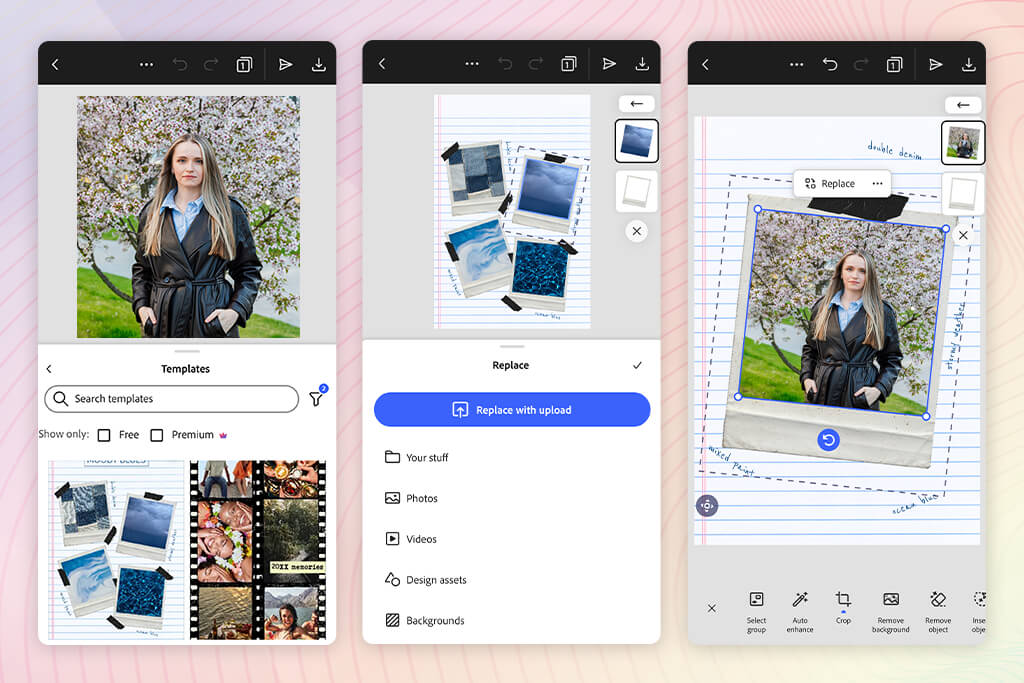
I became interested in Adobe Express, as many people recommended this solution to me. This is why I decided to consider it a performance benchmark. After uploading a small batch of pictures, I went to the section with Polaroid templates.
I was immediately struck by the choice of the available options. The collection includes clean, minimalist frames and more elaborate, stylized borders. They look quite natural when you apply them to photos. I did not need to read any guidelines or watch a tutorial to learn how to use Adobe Express, as it’s quite intuitive. After opening it, I started to edit my images straight away.
The more I used this free Polaroid frame app, the more I realized how perfectly customizable its templates were. I set custom spacing, changed the size of my images, and checked whether it would be possible to add captions under the frame. I was especially interested in the bottom border, as I consider it to be the most important. Everything worked without any issues.
My layouts did not have any alignment issues, which I had to deal with when using other apps. Besides, I could customize the presets to my liking. It helped me make my outputs more creative while ensuring that my frames won’t get distorted.
“This app allows me to achieve polished results with ease. Everything works perfectly, and the outputs have a professional feel. I was able to add overlays to my photos without any issues. However, it might not be the fastest option for those who prioritize high performance speed.”

In addition, I checked how quickly I would be able to switch between different formats. At first, I created a print-ready layout. Then, I tried to adjust it to make it suitable for sharing online. The app resized the layout without distorting it instantly. Due to this fact, I did not need to re-create my design from scratch. I did not need to perform any repetitive tasks, which streamlined my workflow. I was able to focus on my pictures instead of spending hours adjusting layouts.
While using this free Adobe software, I also focused on the output quality. I downloaded several versions and previewed them on my phone and laptop. The pictures looked perfectly sharp, and their frame proportions stayed the same, which made it easier to prepare them for printing later.
Even though I used the free version, it did not add watermarks to my outputs. All in all, I was thoroughly impressed with the performance of this free app due to its extensive functionality.
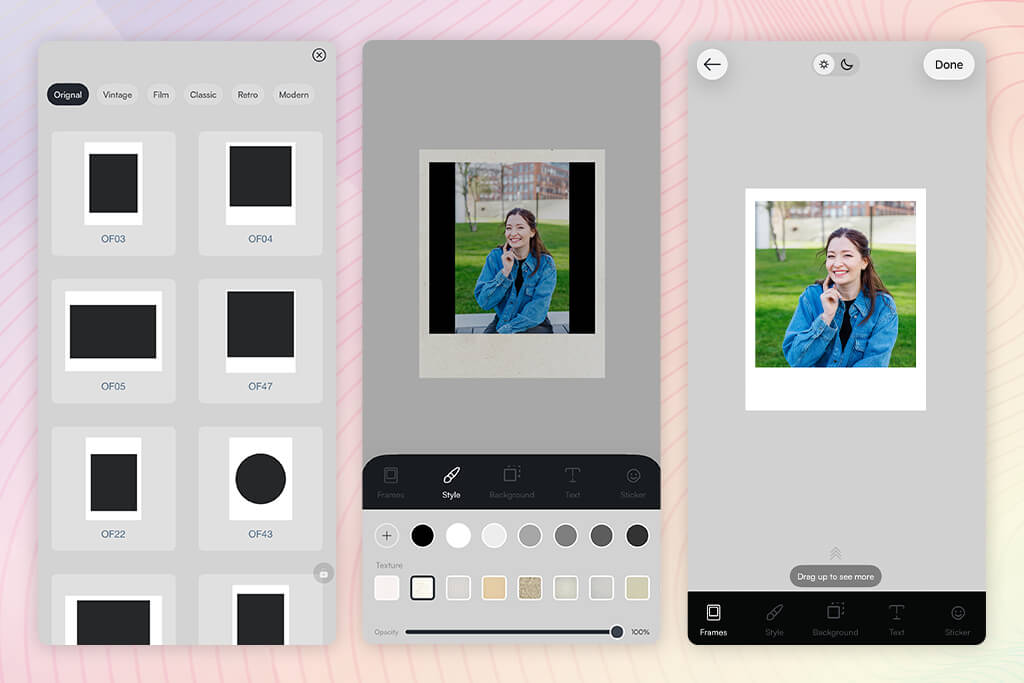
When I started to use Frames, I did not expect it to deliver such a powerful performance. I uploaded a small batch of photos and was pleased with how quickly they became available in the app. There was no need to log in or install any software, as I was able to start editing my photos straight away. I selected some Polaroid-style frames and applied them to my photos to see whether I would be able to achieve consistent results. The process was quite streamlined, so it did not take me long to learn how to use the available tools.
I liked using this app for photographers, as it gave me a lot of control over the output. With it, I could move the image inside the frame to make the composition better balanced. However, while doing it, I noticed some limitations. Only a few positioning options were available. Besides, it was impossible to adjust the settings with high precision. Quite often, I had to use the layout that was available by default.
I compared the results I achieved while using this app to see how different they were. Even though the app allows users to choose from the available frame styles, they often seem similar after edits. For instance, it was impossible to change border thickness or spacing. As a result, outputs looked quite generic.
Despite some shortcomings, I liked the fact that this app delivered a reliable performance. I could use the Polaroid frame templates app free of charge. I did not have to wait too long or deal with any technical issues. This simple solution is perfectly suitable for those who want to expedite their editing workflow.
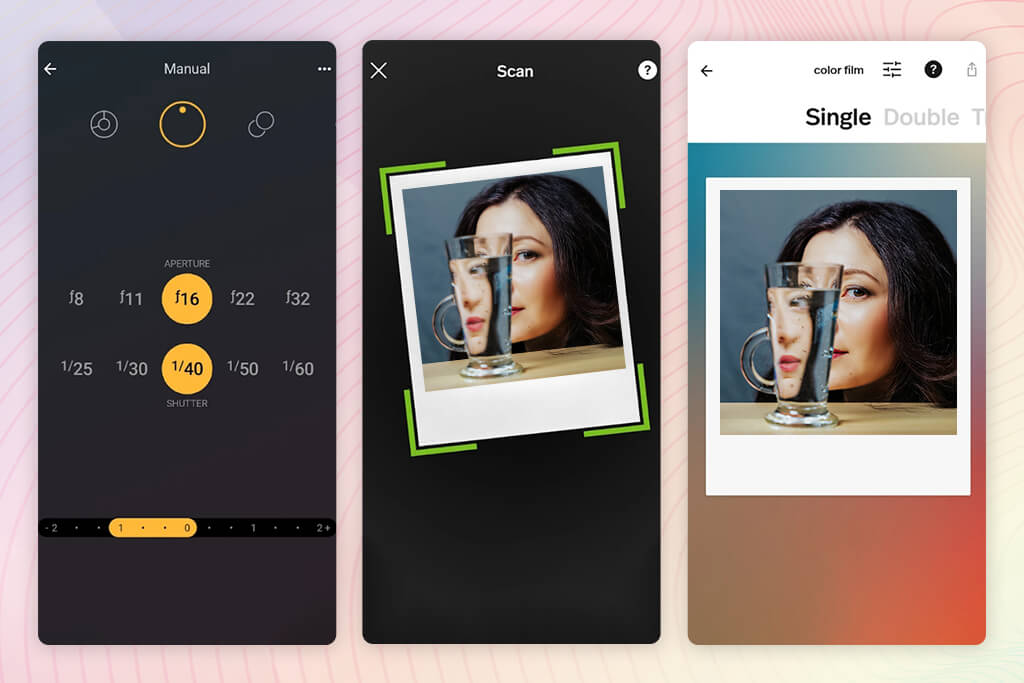
I decided to test Polaroid to see whether it would allow me to recreate the recognizable instant-photo effect. After uploading my pictures, I started to add frames to them. The app is suitable for making photos look vintage in a few clicks. Its functionality is quite streamlined, making it similar to other lightweight solutions. I figured out how to use it quickly, as this app is accessible for users with little to no experience.
While adding frames to different types of photos, I was assessing the outputs in terms of authenticity. Some frames helped me recreate the Polaroid style, but failed to maintain the right proportions. I focused on the bottom border, as I consider it the most important detail. In some cases, it did not look right, which made it impossible for me to achieve the desired result.
“Using this solution, I gave a vintage feel to my pictures and made them look like instant photos with ease. However, even though it’s fun to use, its functionality is quite limited. The output looks generic after a few edits.”

In addition, I decided to test the flexibility of my editing workflow. I changed the positions of images and frames, scaled my pictures, and experimented with alignment to make my outputs better balanced. I noticed that the controls were less precise than I expected. Due to this fact, I wasn’t able to adjust the layout the way I planned. The whole experience was similar to applying presets.
I was pleased with the performance of this Polaroid photo frame app, as it remained smooth during the entire editing session. I edited several pictures quickly without any problems. This app allows me to experiment with different types of photos. It supports high speed and helps me optimize my workflow.

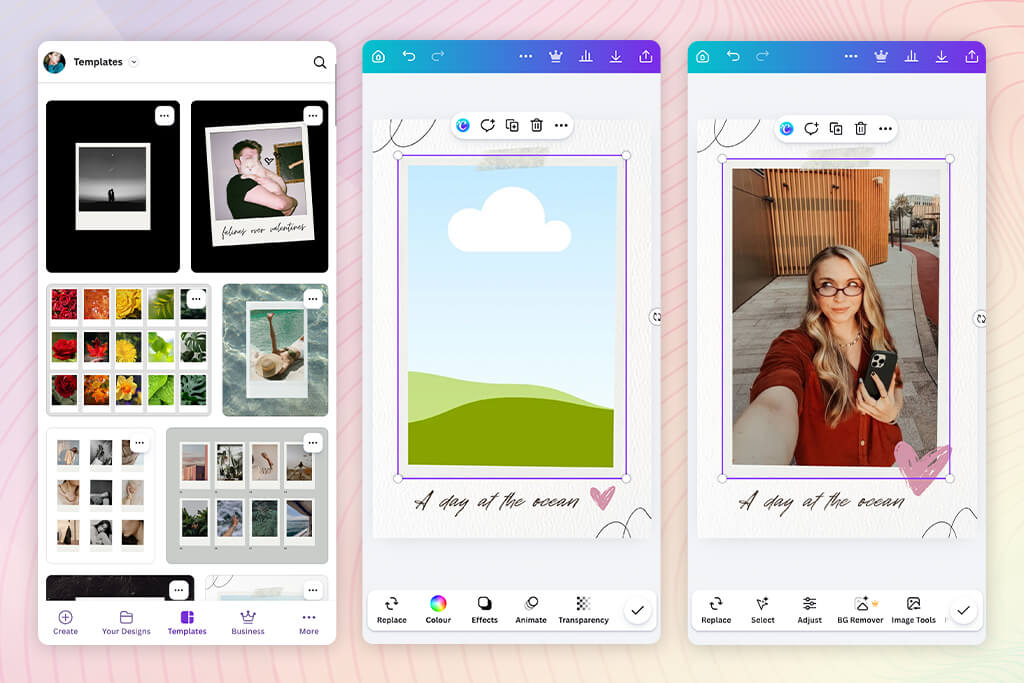
When I started to use Canva, I became immediately impressed with the wealth of creative possibilities that this platform offers. I decided to find Polaroid-style templates and was struck by the choice of available options. Instead of simply applying a frame, I was able to choose between a variety of layouts and compositions. It helped me transform my creative workflow and achieve outcomes that looked intentional.
I decided to create a layout from scratch to assess the flexibility of the available tools. It was easy for me to drag and drop images into frames. I could change their position the way I liked. I was pleased by a high degree of control when it came to adjusting spacing and alignment. I was able to use layers to achieve a high degree of customization and experiment with different ideas.
Even though Canva has such flexible functionality, it has its shortcomings as well. I had to think over each decision carefully instead of applying a template. It slowed down my workflow and made it challenging to achieve the desired results quickly. The whole experience is more design-focused. It makes this service less suitable for performing editing tasks.
I also decided to test output quality and the available formats. After comparing many free vs paid Polaroid frame apps, I did not expect much. However, Canva allows me to save images in different sizes and prepare them for printing and digital publication. The outputs looked polished and had a consistent style, which I liked. However, it was sometimes difficult to understand which elements were available in the free version and which options were not. It made this platform a bit less convenient to use.
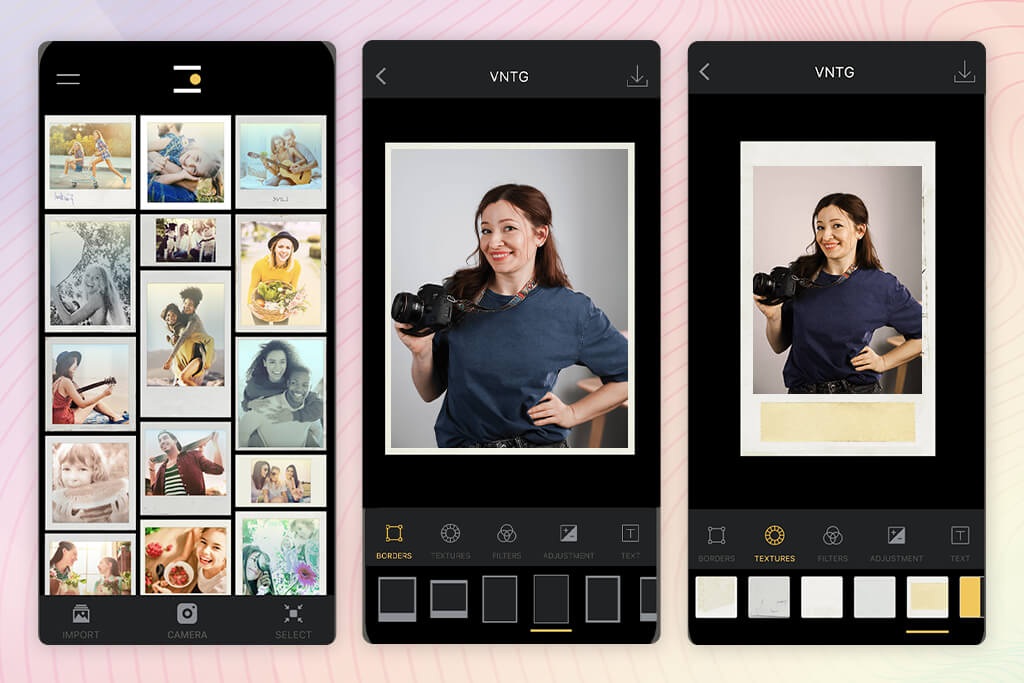
When I started to use VNTG, I was impressed by the fact that this app allowed me to both add frames to my photos and transform the atmosphere of my images. Unlike other apps, it allows users to apply the effects to their images first and only then add matching borders.
The hues were soft and a bit faded, which helped me achieve the film effect. This filter app helped me change the mood of my photos. Such functionality makes it stand out among many other apps on the list.
I decided to combine the available filters with Polaroid-style frames. The outputs looked consistent because the style of my photos aligned with the style of the frames I used. The final result looked more natural, which helped me evoke the nostalgic effect I wanted to achieve.
“This app has cool vintage filters and overlays, making it perfect for those who like the retro style. However, it’s hardly the best choice for those who want to edit their photos in a modern style or perform advanced customization.”

However, when I decided to experiment with the available layouts, I discovered that there was a limited choice of them. This service prioritizes style over structure, so I wasn’t able to test out many frame variations. As a result, my outputs looked less creative than they should have. Even though a limited choice of options helped me achieve the results that looked intentional, the limitations felt quite restrictive.
My editing workflow was quite streamlined and intuitive. It was easy to find the tools I needed, and the UI is nicely organized. It helped me focus on the task of editing my photos. I liked the simplicity of this free Polaroid frame app, as I did not have to spend a lot of time mastering it.
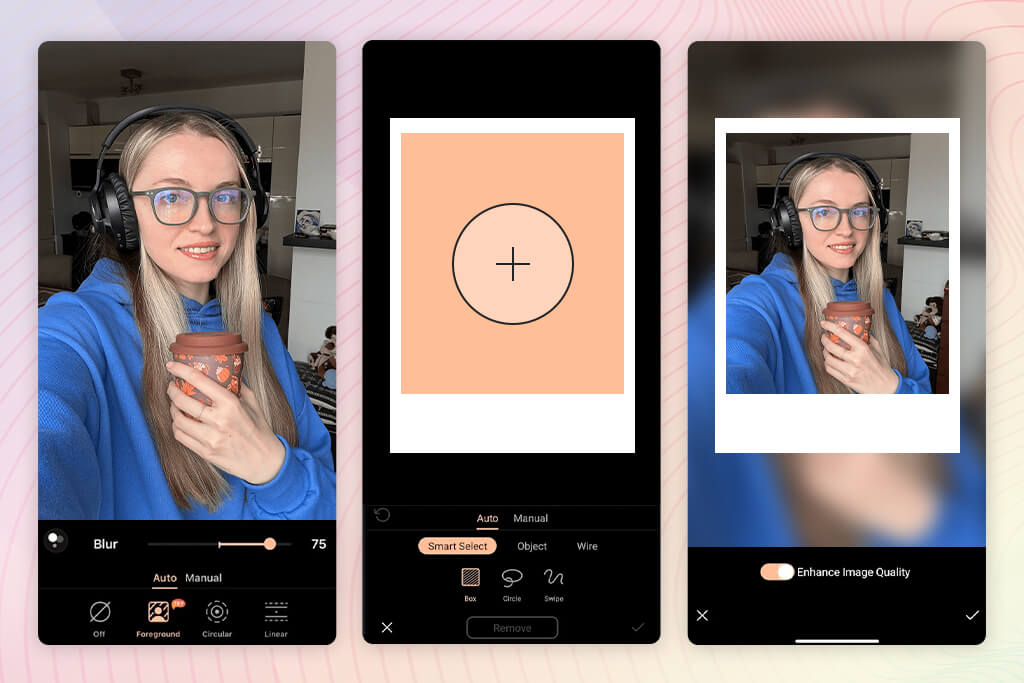
When I started to use PhotoDirector, I realized that this solution was more similar to a full editing studio than a simple app. When I imported my photos and started to experiment with the available frames, I discovered that this service has more extensive functionality. I allows me to adjust lighting, colors, and effects, making it suitable for complex tasks. I was impressed by its powerful performance. It may seem a bit too advanced for such a simple task as adding frames.
I followed several simple steps to create a Polaroid-style image. After adding a frame, I adjusted my photo and used layers to apply effects. I was pleased with the high level of control, as it helped me achieve impressive accuracy. I was able to edit details and implement my creative ideas.
The only shortcoming of this free Polaroid frame app is that it slowed down my workflow. I had to take too many steps to solve even the simplest tasks. It was difficult at times to find the tools I needed, as there were so many menus. This service allows me to edit my photos at a professional level, which has fully transformed my experience.
I experimented with different export quality settings and tried saving my files in different formats. The high-quality outputs had the right resolution and were perfectly clear. This free photo editing app is perfect for detailed editing. However, it might not be the best choice for those who want to achieve quick results. I do not always need such a level of depth.
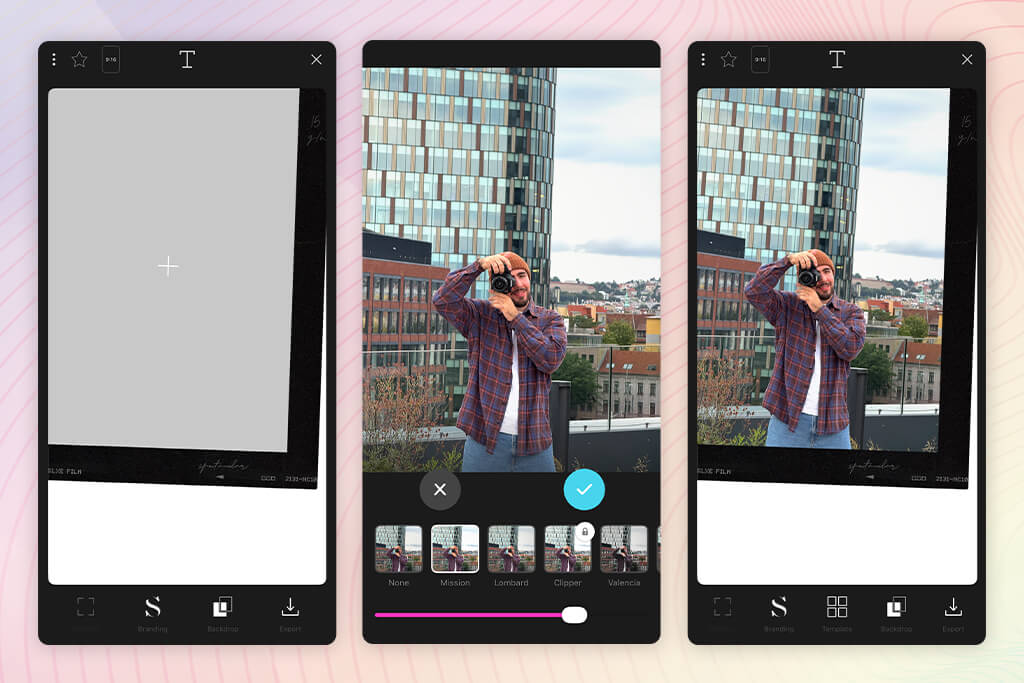
When I started to use Storyluxe, I realized that it was perfect for turning photos into Polaroids. After choosing a suitable template in the Polaroid style, I dragged and dropped my photos into it. The outputs looked professional and did not require a lot of further editing. I was able to share my photos almost instantly.
I tested the available templates and was pleased with their variety. I could find plenty of templates that added a modern, stylized feel to my Polaroid-style photos. Some of them were more suitable for creating social media content than classic frames. Such a variety allowed me to experiment with different creative styles. The templates available on this platform are more trendy than vintage.
“This service is best suited for editing photos in the Instagram style. It allows you to achieve the right aesthetic with ease. However, the free version is quite limited. I wish it included more editing tools.”

Storyluxe helped me streamline my editing process. I did not have to worry about placement or proportions. This service has plenty of templates to choose from. Its collection of filters helped me create several photos quickly. This Polaroid photo frame app allows me to make my workflow smoother.
However, I was less satisfied with the limited customization options. It was impossible to adjust some elements in the way I wanted. Due to this, I was not able to personalize the outfits much. I couldn’t change the templates too much, so they remained a bit generic.
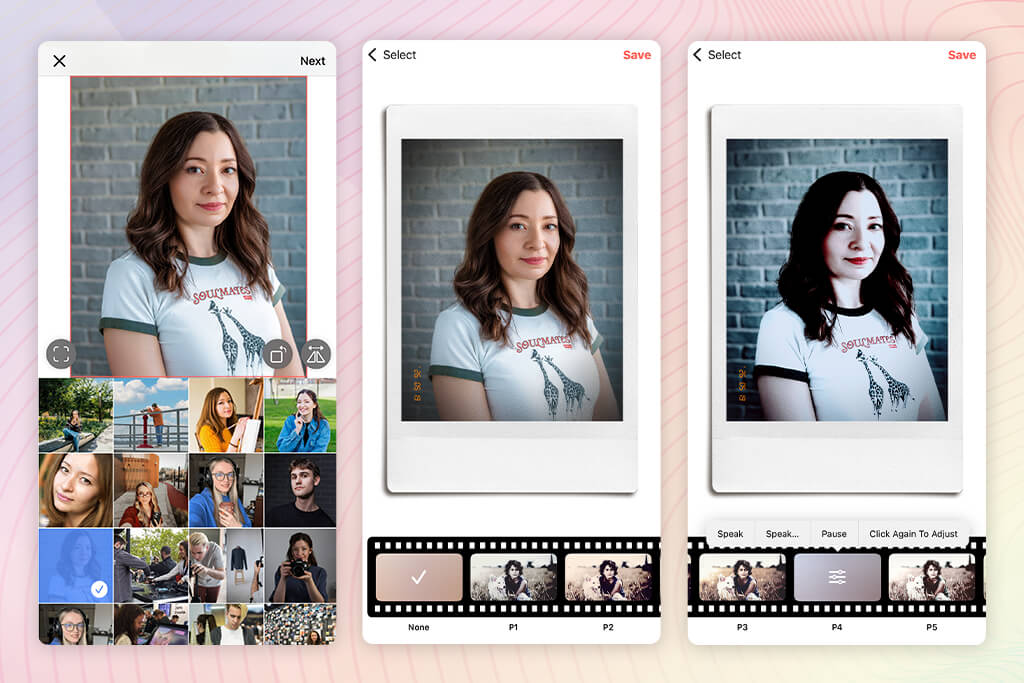
Before I started testing PoPo Frame, I heard a lot of positive things about this intuitive app and was hoping that it would help me bring my Polaroid picture ideas to life quickly. First, I imported some photos, added frames, and applied filters to them in a few simple steps.
The app allows users to apply vintage effects with Polaroid borders, which helped me enhance my pictures in a consistent style. I did not need to spend a lot of time on setting it up or mastering its tools. It’s easy to use even for novices.
I tested various presets from its collection to see whether it would help me add some variety to my images. Using the available filters, I made the color temperature warmer and added grain to achieve a retro effect. However, most outputs looked quite similar. Besides, it was impossible to use filters separately from the frames. It limited the available customization options.
When I tried to make more complex adjustments, I discovered that the available controls were quite limited. It was challenging to set spacing and proportions with high accuracy. The app prioritizes speed over precision. While it makes it quite intuitive, users have a limited choice of customization options. As a result, I wasn’t able to customize the presets much.
The performance was seamless, and my images loaded without delays. I did not notice any lag. This app is perfectly suitable for those who need to edit their casual photos in a few seconds.
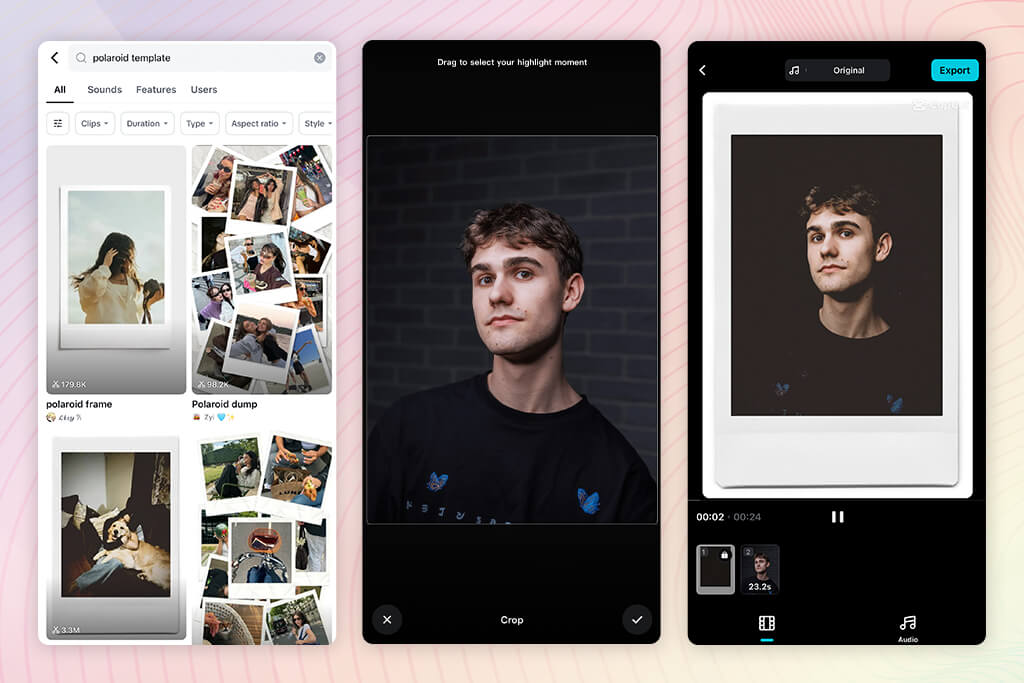
It was an unusual idea to use CapCut to add Polaroid frames to photos. I imported my pictures into the timeline and used them as video layers. Next, I added Polaroid overlays manually. This creative approach complicated my workflow, but I achieved the results I needed.
I tested the animations by adjusting the position of frames and inserting transitions. It helped me produce a dynamic version of Polaroid photos that looked like a slideshow. Among the photo frame apps I tested, it was the first solution that supported such functionality. It allowed me to tell stories instead of creating static pictures.
“Based on my experience, it’s an extremely convenient app for those who need to edit their videos quickly. The overlays and effects are easy to apply. The editing process is streamlined and intuitive.”

However, I discovered that it was more challenging to use this app to edit photos. My workflow became too complex. The app does not have dedicated tools for achieving a Polaroid photo effect. As a result, I had to adjust my approach to achieve my goal.
The app has powerful tools that deliver excellent performance.
I used layers to edit the elements with high accuracy and adjusted timing. Even though I was pleased with the high degree of control, it took me some effort to produce the desired outcomes. It was impossible to create outputs instantly.
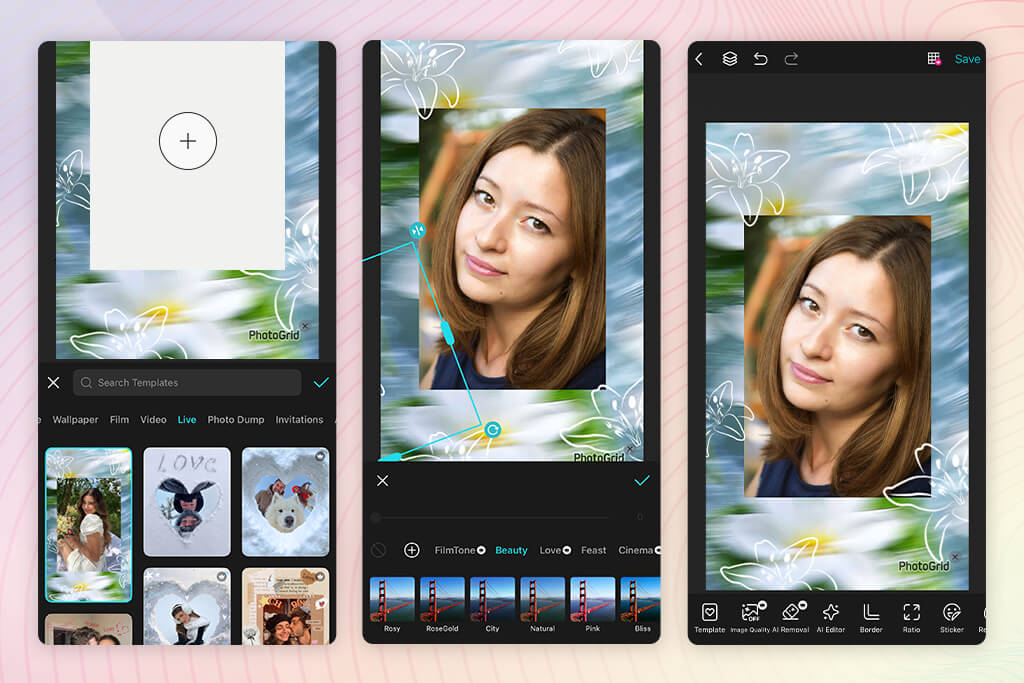
When I started to test PhotoGrid, I liked its intuitive functionality. After choosing several photos, I applied collage layouts with Polaroid frames. It did not take me long to perform this task, as the UI is quite streamlined. The outputs did not require a lot of adjustments.
I experimented with different layouts to assess their flexibility.
This photo collage app is especially suitable for combining images. When using it, I was able to create collages of photos united by the same theme. However, it’s more focused on designing collages than on achieving the authentic Polaroid photo style.
While using it, I decided to adjust spacing and arrangement. Even though the app supports customization, it’s quite limited, so I wasn’t able to achieve the proportions I needed. As a result, my frames looked less realistic and more stylized. I wasn’t able to achieve high accuracy, but I liked the smooth and consistent performance. I did not have to deal with any technical issues.
The app was quite responsive, which made my editing experience more enjoyable. I used this Polaroid collage app free of charge several times when I needed to make my photos look more stylized.
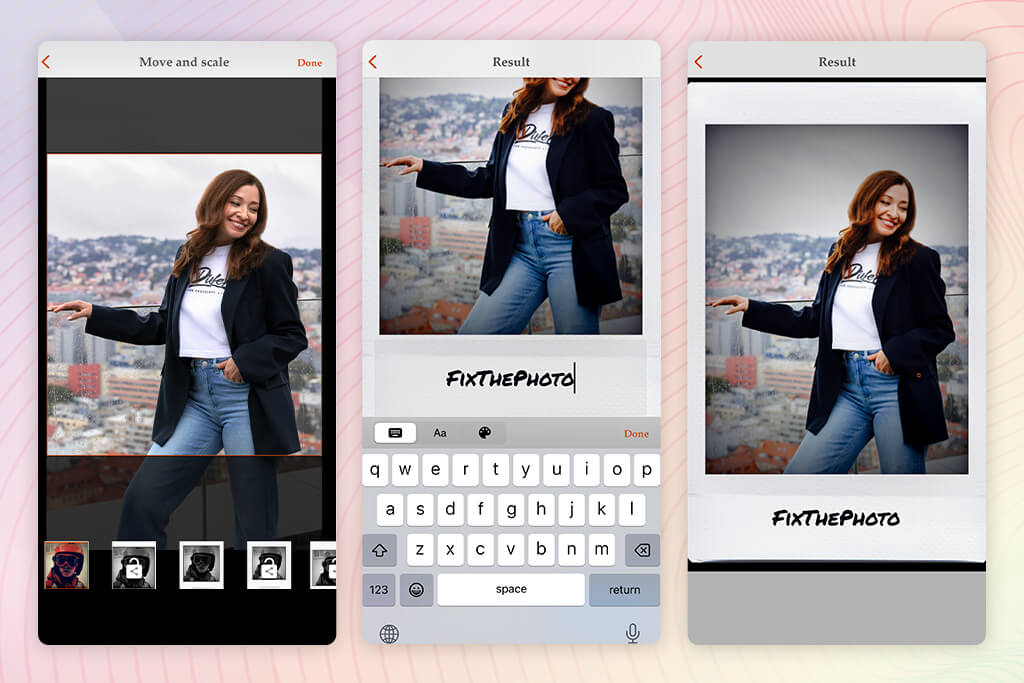
When I started to use Instants, I noticed that it allows me to achieve the desired outputs more easily than many similar apps. I added frames to my pics and was pleased with the accuracy of their proportions. The results looked intentional because the spacing and layout were similar to real Polaroid photos. I liked the fact that this app allowed me to focus on detail.
I used a variety of frames to assess the suitability of this app for projects that required higher flexibility. Even though its collection of assets is more limited than in some other apps, the outputs look consistent. The edited photos looked realistic and had an authentic feel. The app does not offer a wide choice of styles, making it easier for a user to avoid making their photos look overly edited.
“This app has a stripped-down interface and allows me to achieve polished results. However, it does not have many features, making it better suited for basic edits than for complex tasks that require a creative approach.”

The editing process was streamlined. The menu is easy to navigate and includes only the basic tools you are likely to use on every project. This way, I could focus on my photos and achieve the intended results.
However, I was a bit disappointed by the lack of pro-level tools. I could not customize the available designs a lot, which makes this app not the best choice for creative tasks. Despite the fact that this app is suitable for narrow use cases, it handles basic tasks well.
Together with my colleagues, Nataly Omelchenko, Robin Owens, and Julia Newman, I decided to test these apps on the same batch of casual photos. We wanted to use these solutions in the same way most users use them daily. Instead of trying to find an app with the highest number of features, we decided to find options that would allow us to achieve natural results quickly.
When working on this Polaroid template apps comparison, our main focus was on intuitive functionality, realistic frames, output quality, and the features available in the free versions. We wanted to see whether these apps would be suitable for handling the tasks a regular user may be interested in.
The first thing we did was to choose a consistent testing approach. Each member of our team used the same 15–20 photos, including portraits, landscapes, and pictures taken in low-light conditions. Next, we applied Polaroid-themed frames to these images in different apps. Each person focused on different things.
For instance, Nataly wanted to check whether it would be possible to recreate Polaroid proportions with high accuracy and make the bottom border much thicker. Julia wanted to compare visual aesthetics and check whether color tones in the outputs would be consistent with the Polaroid style. Besides, she assessed whether the frames blended with the photos perfectly.
Robin tested, the practical usability of each app by checking how long it would take us to achieve the output from scratch. I was more interested in customization and checked whether it would be possible to adjust spacing, alignment, and other parameters without distorting the layout. This approach helped us form an unbiased opinion of each app by assessing it from multiple points of view.
When we started to test solutions like Adobe Express and Canva, our tests became more advanced. We would try to build the same Polaroid-style layout to see whether these solutions supported a high degree of control and performance speed. We were pleased to discover that Adobe Express enabled us to resize and export our photos quickly without quality loss.
Canva prioritized manual adjustments over layout organization. When using more basic apps, we tested the batch editing feature to see whether they would allow us to add frames to 10 photos at once. We wanted to test these top Polaroid frame apps free of charge to check whether they would deliver a consistent performance.
Some applications delivered seamless performance, while others were prone to lagging or produced inconsistent outputs. Testing these apps helped us understand whether they would be suitable for practical use cases. We did not want to test them only in perfect conditions.
In addition, we focused on output quality. We downloaded the edited photos and viewed them on different devices. Then, we printed them to assess sharpness and check whether borders would stay the same.
Julia discovered that some services compressed pictures too much, which worsened the output quality and made the final images look less professional. Nataly resized the images and checked the proportions of the frames in the exported files to see whether they would remain the same as in the source images.
Robin checked whether these apps added watermarks or reduced resolution in the free versions. This approach helped us exclude the apps that had free versions with limited functionality and rank the most practical solutions higher.



![11 Best AI Sticker Generators [Simple for Non-Designers]](http://fixthephoto.com/blog/images/gallery/news_main__preview_28980.jpg)


![9 RunwayML Alternatives [Better, Faster & Cheaper]](http://fixthephoto.com/blog/images/gallery/news_main__preview_28969.jpg)



















