I’ve been putting together a series of video tutorials for my online design class, and AI has really helped me get things done. In the past, I used Synthesia to create both the voiceover and the video presenters. It worked pretty well for a while. The voices were decent, and using avatars meant I didn’t have to be on camera myself.
However, I soon noticed the downsides. The voices lacked a human feel, the avatars weren't expressive, and syncing them with the slides needed constant adjustments. This made it hard to keep the professional quality I wanted for my course.
Now I'm looking for other tools that can create both realistic AI voices and AI video together in one place. I need voices that can sound different - friendly for introductions, and more serious for technical parts. The video also needs to match the speed and energy of the voice.
I need to be able to control timing, emphasis, and visuals, so the video feels natural - not like a robot made it. It's also important to have different voice options and accents since my audience is from around the world. And I need commercial licensing so I can safely use the content in my paid course.
I'm working on a project with more than 50 videos. Each video is between 2 and 15 minutes long. The narration needs to sound natural, and the visuals must match smoothly with slides, text, or demo examples. I also want to try different voices and avatars for different parts of the course without spending hours recording or editing by hand. The platform should have easy text-to-speech, realistic AI video generation, and flexible export options.
I’ve decided to stop using Synthesia because it no longer fits my professional needs. The AI voices sound too robotic, the avatars show very little emotion, and adjusting timing or syncing takes too much time. For my tutorials, I need a tool that can produce natural narration and well-matched visuals quickly, while keeping the workflow simple and the final videos polished and engaging for my audience.
My colleagues from the FixThePhoto team gathered a list of more than 30 alternatives to Synthesia and offered to help with testing. Together, based on my requirements, we immediately started trying them out on my real work projects.
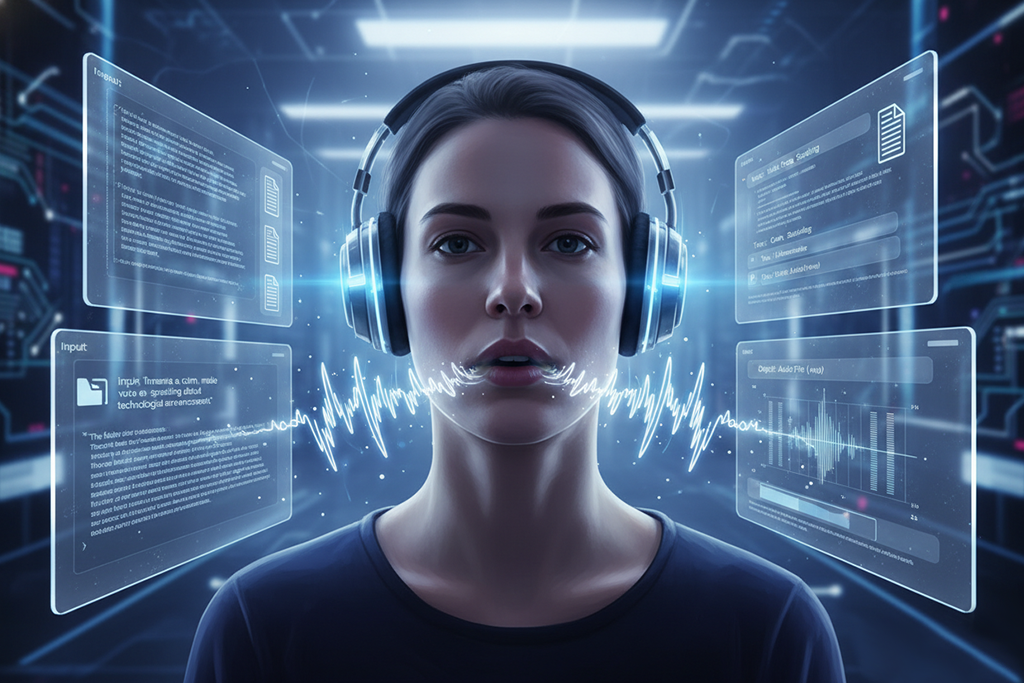
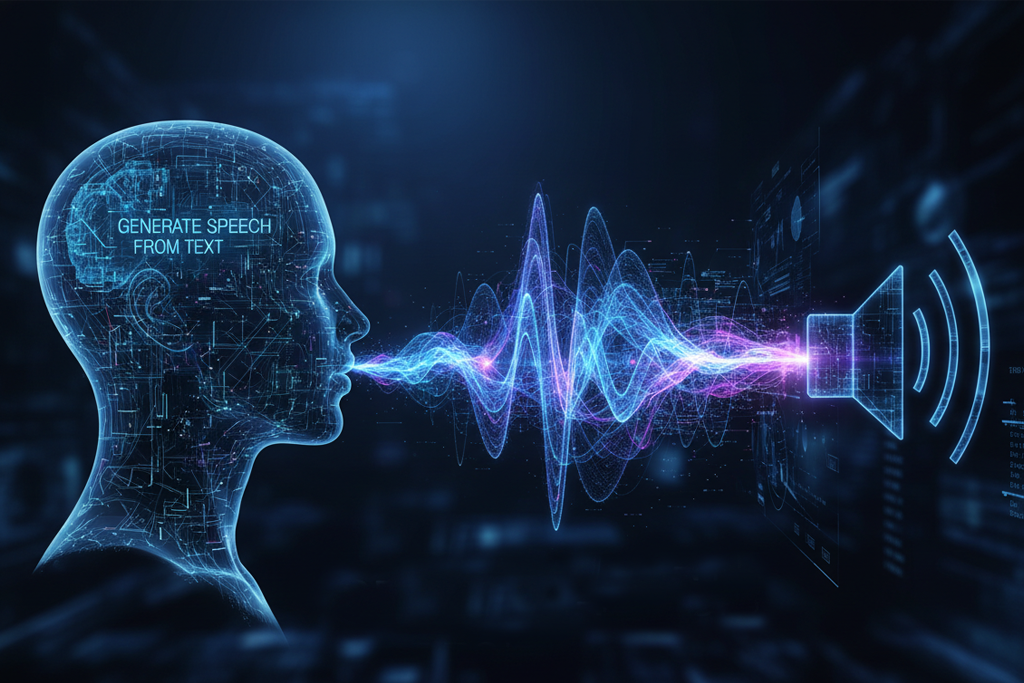
Match the voice tone to your content. For tutorials or explainers, use a steady, easy-to-follow voice. Promotional clips or advertisements benefit from a lively and engaging tone. Always keep the target viewers in mind - relaxed, conversational delivery suits social platforms, while a more confident, expert-like voice fits business or learning content.
Adjust pacing for comprehension. Detailed explanations are easier to understand when the voice is slightly slower. Faster delivery may work for quick intros or short highlights, but it’s not ideal for longer videos. Many AI tools let you adjust the speaking speed in different sections, which helps keep the video clear and comfortable to follow.
Use multiple voices for variety. If your project includes parts with different speakers, themes, or emotions, consider using more than one voice. Changing accents or voice types slightly can keep viewers interested and make the video feel more dynamic. Just don’t overuse it - the aim is to add variety without distracting the audience.
Emphasize keywords and phrases. Make important words stand out by adding emphasis in the AI narration. Many voice generators allow small pronunciation adjustments or emphasis tags. This helps highlight key instructions, brand names, or main ideas and makes them easier for viewers to remember.
Preview and iterate in context. Always preview the AI narration together with your video. A voice may sound good on its own, but feel mismatched once combined with quick edits or animations. Check the timing carefully and make small tweaks before exporting the final version.
Consider background audio carefully. If your video includes music or sound effects, select a voice that remains clear over the background audio. Adjust volume levels or EQ if needed. When the narration blends too much with the background, the video can sound less professional.
Break long scripts into sections. For longer videos, create the narration in smaller sections instead of one continuous file. This makes it easier to control timing, edit parts during production, and avoid a repetitive sound. You can also slightly change the tone or speed between sections to make the voice feel more natural.
Select natural-sounding AI engines. AI voices vary in quality, so it’s important to choose platforms that provide natural intonation, well-placed pauses, and smooth delivery. For longer videos, a voice that is slightly less expressive but steady and consistent can often work better.
Maintain brand consistency. If you create several videos for the same brand, use the same voice style each time. Keeping one consistent voice across tutorials or social media content helps build familiarity and makes your brand feel more professional.
Test on multiple devices. Lastly, check the generated narration on headphones, desktop speakers, and a phone. This helps confirm that the audio stays clear on different devices and that important details remain easy to hear even on small speakers.
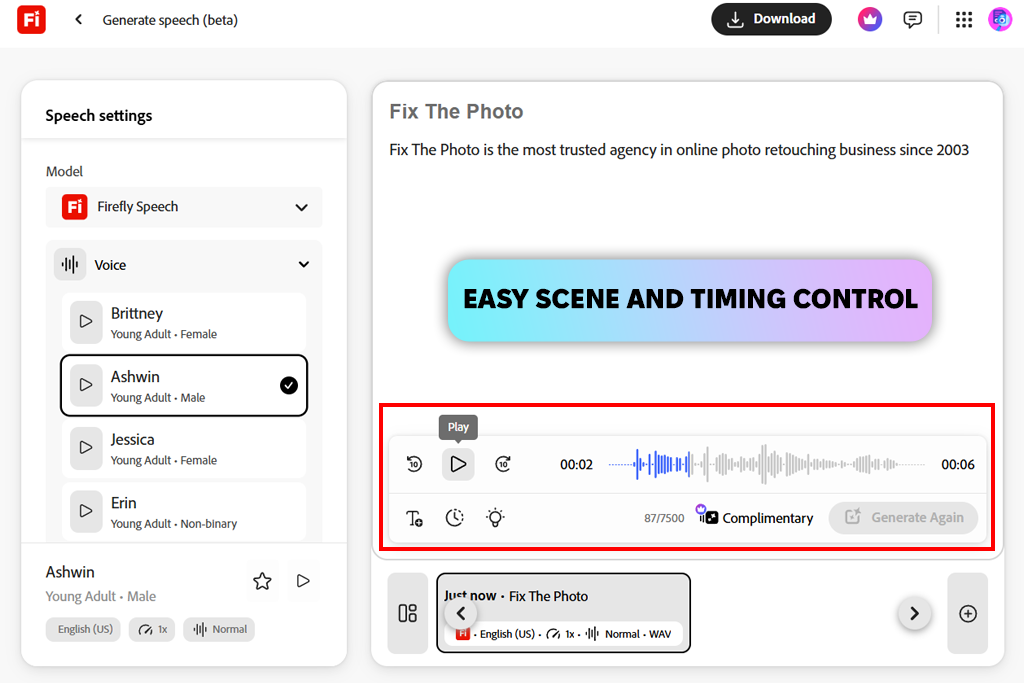
When I first tested Adobe Firefly Video for AI video projects, what impressed me most was how creative and flexible the process felt. Unlike Synthesia, where you’re limited to fixed avatar frames, Firefly allowed me to create scenes, motion graphics, animated text, and voiceovers in a much more open and customizable way.
After adding my script, I selected a natural-sounding voice and then built the visuals around the narration. This approach gave me control over how the scenes supported the message. Because of that, my tutorials felt much more lively and engaging instead of showing the same talking head for over ten minutes.
For my first test, I made a 7-minute course video with Adobe Firefly. The voice felt way more real than Synthesia's. I could tweak the speed easily, and it didn't add awkward pauses or weird emphasis like before.
That saved me from all the little fixes I used to make just to get the audio sounding okay. It was clear the voice engine was built to sound like real speech - not just read words out loud.
“I tried it for training videos, and the voices were way better than I thought they'd be. When clients asked for changes, fixing scenes and re-recording audio was fast. The whole thing felt easy to adapt, not locked into some stiff template.”

Another big win with the free Adobe software was how I could build a visual story. I wasn't stuck with flat slides and robotic avatar movements anymore. I could bring in animated text, cool backgrounds, and smooth scene transitions that actually lined up with what the voice was saying.
I tested syncing a script with on-screen bullet points and icons, and everything came together naturally. I didn't have to line up every cut by hand. With Synthesia, I was always making small timeline adjustments to match visuals. But here, the workflow felt smoother and more intuitive.
Exporting and repurposing stuff was super easy. I did one full tutorial, then chopped it down into shorter clips for social media - just changed the size and trimmed bits. The visuals stayed synced with the voice the whole time, no extra work.
Firefly's flexibility makes it perfect for creators who make all kinds of videos - not just long tutorials. If you're tired of boring, stiff AI videos and want something that mixes good voices with lively visuals, Firefly is much better than the old Synthesia competitors I used.
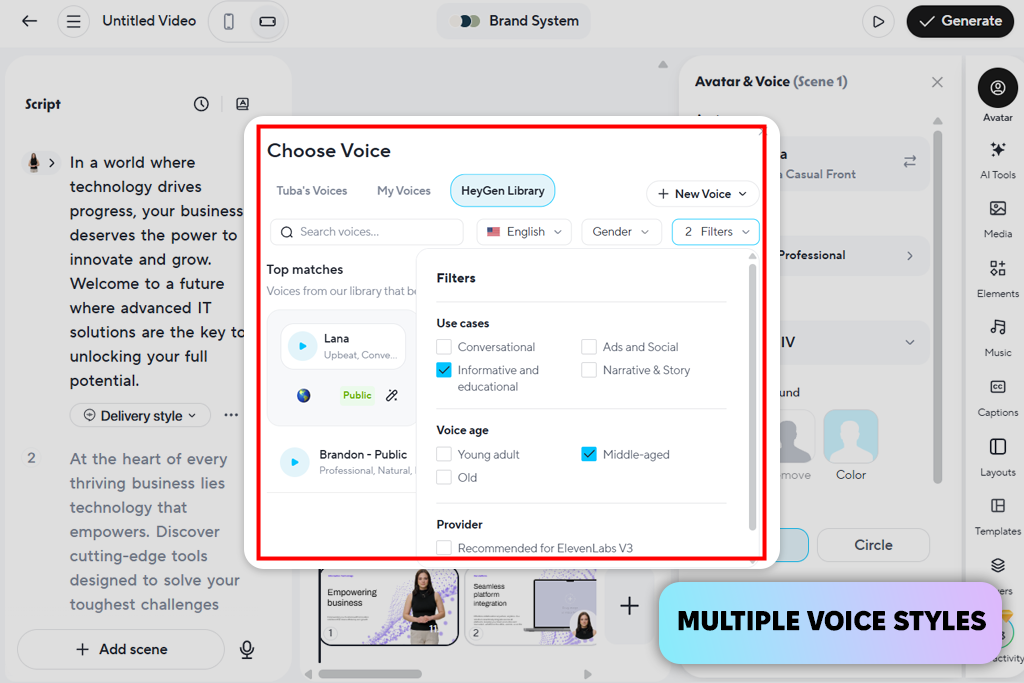
What stood out to me first in HeyGen was how natural the voices sounded, especially in parts where emotion was important - something Synthesia often struggled with in my earlier projects. Whether it was an energetic intro or a more thoughtful explanation, the narration felt smoother and less robotic. Because of this, my videos felt more like they were presented by a real person rather than just a script being read aloud.
HeyGen’s avatars also looked more natural in motion and facial expression compared to what I experienced with Synthesia. Instead of rigid movements, the characters responded subtly to the rhythm of the voice, making even simple presentations feel more lively. Because of this, I spent far less time adjusting timing to match the narration, which saved me many hours.
“The avatars feel natural and expressive rather than stiff. Changing the voice tone also quickly shifts the mood of the video, which works well for social media and personal branding.”

Another benefit of this AI voice cloning software was the wide range of voice settings. I could adjust pitch, speed, and emphasis more accurately than in Synthesia, where the controls often felt limited. This made it easier to match the narration to different parts of my course without making it sound inconsistent.
By the end, I felt this tool created a more engaging mix of voice and visuals, making my videos feel less “AI-generated” and more like carefully made presentations. For anyone disappointed with Synthesia’s limits, this tool feels like a clear improvement.
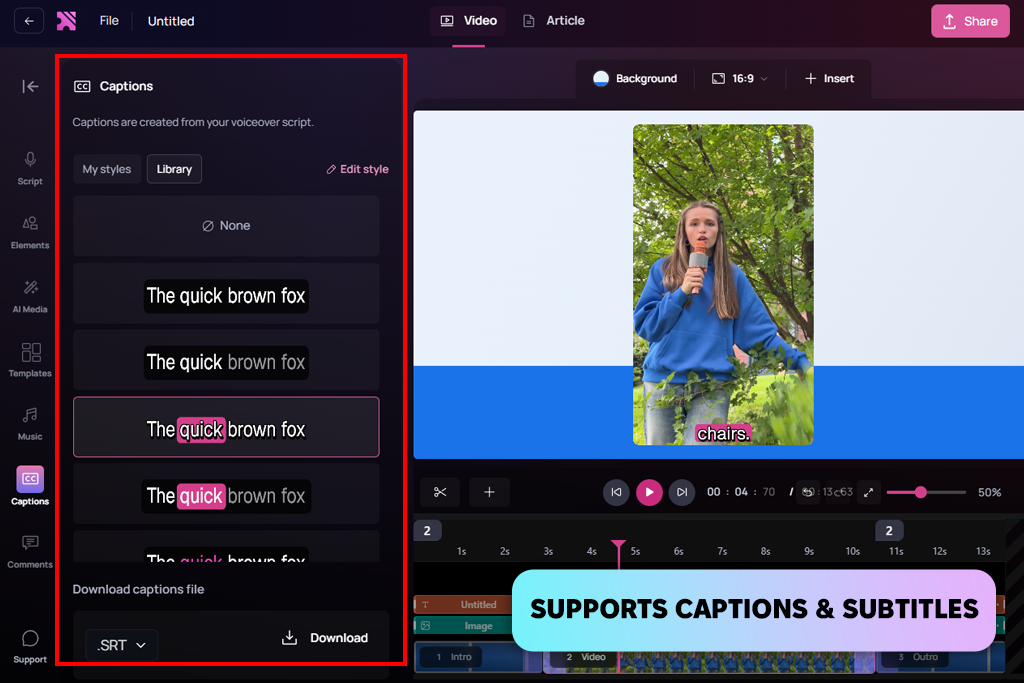
Using Clueso showed me how important smart, context-based narration is. The AI didn’t just read my script word for word - it understood what I meant. Longer parts sounded natural, and important words were stressed in a way that felt right. With Synthesia, I usually had to edit the script to make it sound better, but with Clueso, I needed to do that much less.
Another thing I loved was how the video automatically matched the voice. No more manually lining up slides. This AI video generator just got the timing right - transitions felt natural and tight. I always wanted Synthesia to do that, especially for longer videos.
“This Synthesia alternative software worked really well for longer tutorials where pacing is important. The voice didn't turn robotic halfway through, which surprised me. And syncing slides with the narration felt almost automatic.”

I tested a video with multiple sections, and the voice sounded the same throughout - no odd pauses or weird shifts in speed. That was always an issue with Synthesia. The voice would sometimes change a little between clips without warning.
The biggest thing: everything worked together smoothly without me trying hard. If you're tired of fighting with Synthesia to make voices sound real or match the visuals, this is so much easier.
I noticed the voice quality difference immediately. DeepBrain just sounded better - fuller and more natural, especially with longer or tricky sentences. Synthesia often made detailed parts sound flat or choppy. This one flowed smoothly, like a real person talking. Honestly, that alone made my tech videos way more listenable.
The video side of things was way more polished, too. No more just a static person with slides slapped on top. Here, the visuals actually responded to the voice - little zooms, smooth cuts, and transitions that kept things interesting. Synthesia's avatars always felt separate from the rest of the video. This one made everything feel connected.
“I used this tool for explainer videos, and the voice sounded much smoother. The visuals also adapted better when I changed the timing. Because of that, I didn’t have to redo recordings as often, which saved a lot of time.”

Another thing I liked was the ability to modify short parts of the text without processing the whole video again. This made updates much quicker, which was especially helpful when clients asked for adjustments. In comparison, working with Synthesia felt much less convenient.
After finishing my tests, this AI sound generator became my main choice for clear narration and well-matched visuals, producing a far more engaging final result than I previously achieved with Synthesia.
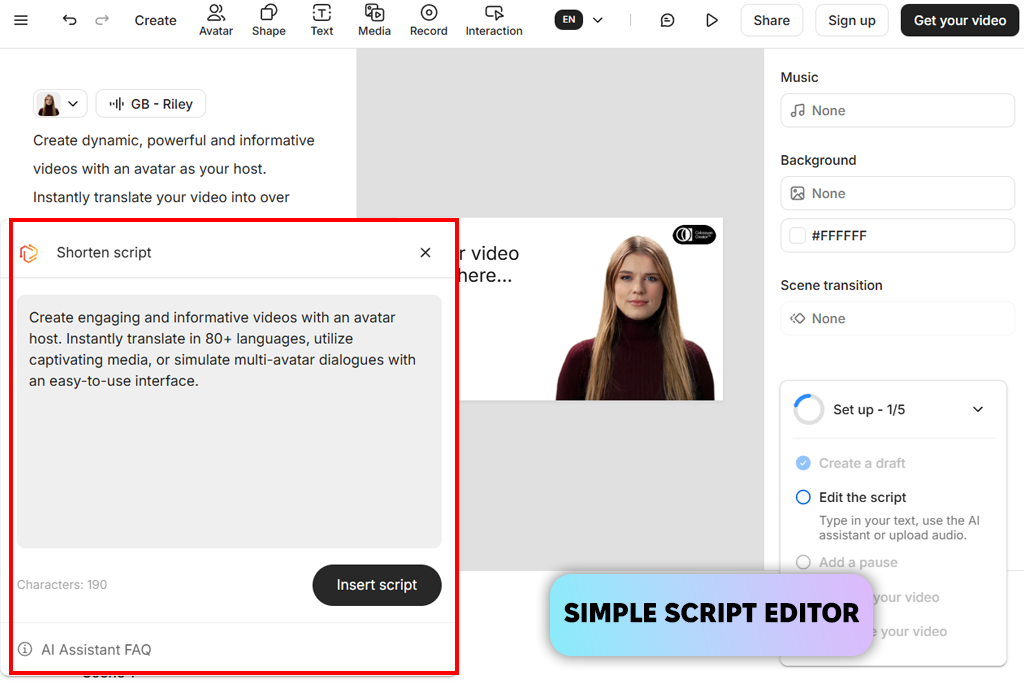
The first thing I noticed about Colossyan was how expressive the voices were. They had warmth and variety in tone, so serious instructions felt friendly, and long stories stayed interesting. When I compared the same scripts with Synthesia, the difference was obvious. Colossyan's voices just kept my attention better.
The video tool was smarter. It placed text, images, and cutaways where they made sense - not just piled on like I had to do with Synthesia. My courses looked cleaner and more put together, not like random parts mashed up.
“What impressed me most was how easily I could break the content into scenes and fine-tune each one. The narration remained clear and professional, even for complex topics. Overall, it felt especially well-suited for educational videos.”

I also noticed that this Synthesia alternative AI video maker handled technical terms and names much more accurately, so I barely needed to adjust pronunciation. In many of my earlier Synthesia projects, fixing awkward readings took a lot of time, but here everything sounded correct from the start.
After running some longer videos through this AI clip maker, it was obvious - the narration sounded more natural, the visuals were way smarter, and I barely had to fix anything. Compared to all the tweaking Synthesia needed, this is a huge upgrade. If you're a creator who wants both quality and speed, this is definitely better.
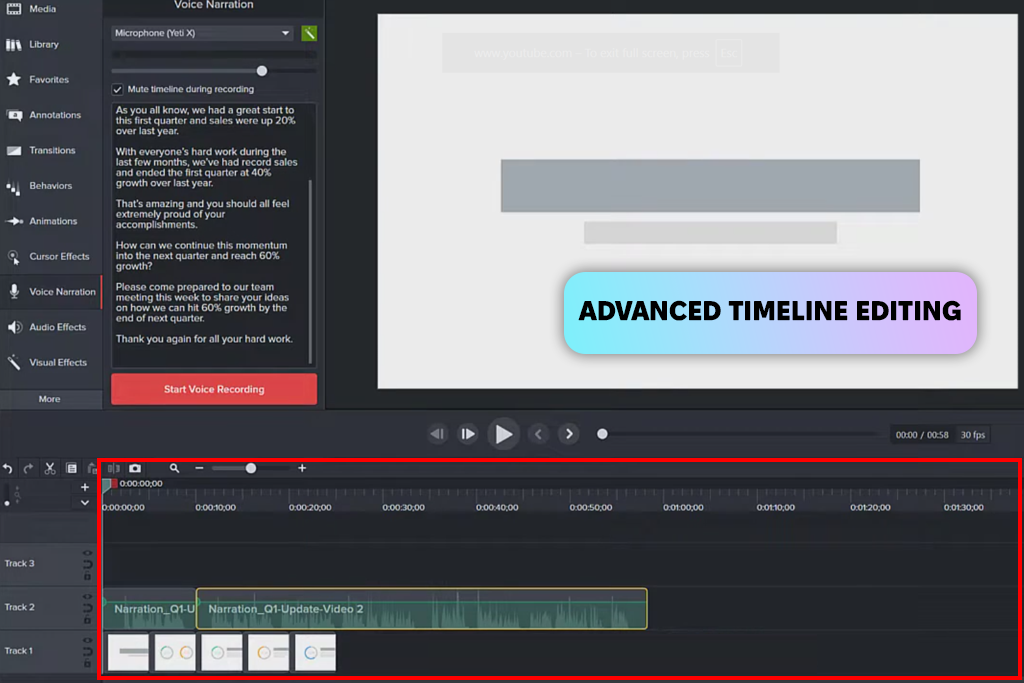
Even though Camtasia isn't a pure AI tool like Synthesia, using it with modern AI voice engines gave me more control and a better result. I could adjust voice timing, edit clips exactly on the timeline, and add slides, effects, and captions with precision. The final video felt much more professional.
I edited a bunch of tutorials, matching the voice and visuals frame by frame - something you just can't do easily with Synthesia. When you're teaching something step by step, that kind of control makes all the difference.
“This tool is ideal if you need detailed control over every frame. I combined screen recordings with AI narration, and the final video looked clean and professional. It’s a great option when precision matters more than fully automated video generation.”

The audio tools built into Camtasia, like noise reduction and EQ, were a huge plus. They just made everything sound cleaner and more professional. It's that kind of polish that older generative AI tools always seemed to lack.
If you're a creator who likes to have total control over how your AI voices and visuals turn out, this mix of tools just works better. The end result feels way more thought-out and refined than what Synthesia could ever do on its own.
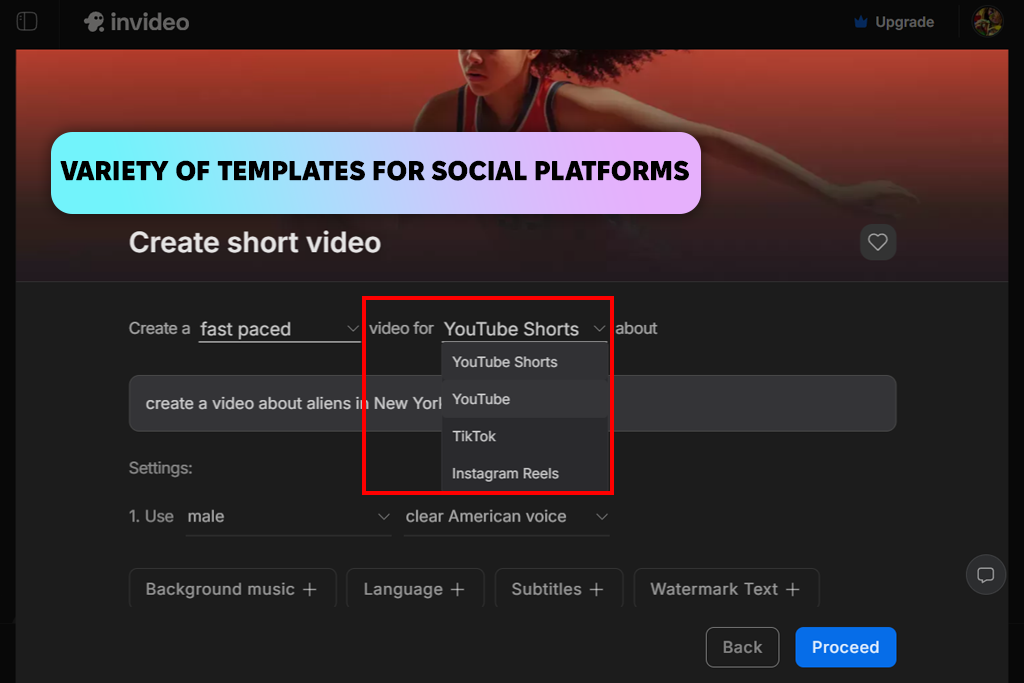
InVideo actually felt like a storytelling tool, not just another avatar AI video generator. I dropped in my script, and it gave me scenes and visuals that made sense with what was being said - not just random backgrounds. That was a big improvement over the stiff formats I'd used before.
The voice sounded more expressive, and the pacing matched the scene changes naturally. I didn’t need to add pauses manually to sync with the visuals - everything flowed smoothly.
“I added my text and quickly got a finished video with visuals and narration. The rhythm felt smooth and engaging, not rushed or dull. It works well for quick marketing clips or short YouTube explainers.”

Switching between formats was very simple with this AI video editor. I exported versions for widescreen, social media, and educational use, and the narration stayed clear while the timing remained accurate. In comparison, doing this in Synthesia used to be much more complicated.
After finishing my tests, I saw that this tool handled scene structure more intelligently and blended narration with visuals more smoothly, especially for dynamic videos that go beyond simple talking-head formats.
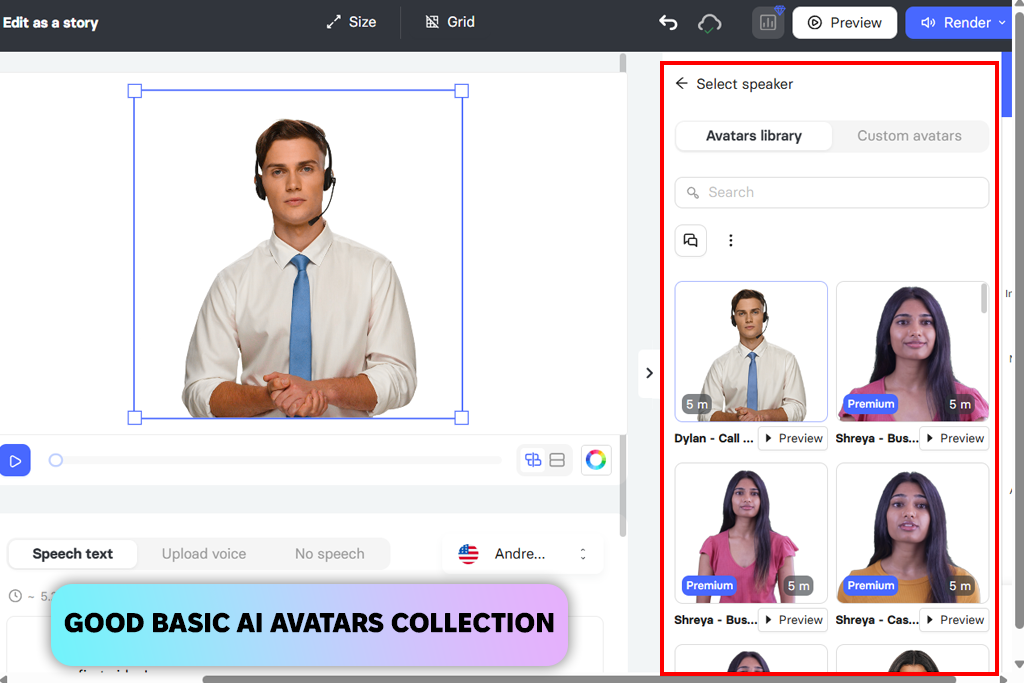
What I liked about Elai IO was how natural and warm the voices sounded right away - no endless tweaking. Getting the right tone in narration was always a pain with Synthesia. Here, it just kind of happened on its own. My longer tutorials actually felt interesting to listen to.
The video visuals actually matched the voice naturally - no stiff or repetitive cuts. That's way better than the old avatar tools, where I was always shuffling slides around to cover up weird pauses. This AI just got the timing right.
“The voices actually had feeling behind them - perfect for storytelling. No more fighting with weird pauses or bad timing. Everything just worked smoother.”

Another thing I loved: you could tweak the script, and the video just updated itself - no manual fixing. Huge time-saver when I was polishing things after recording. That's the kind of flow that makes revisions easy, not annoying. After running Elai IO through its paces, the voice quality and visual sense were just better than what I ever got from Synthesia.
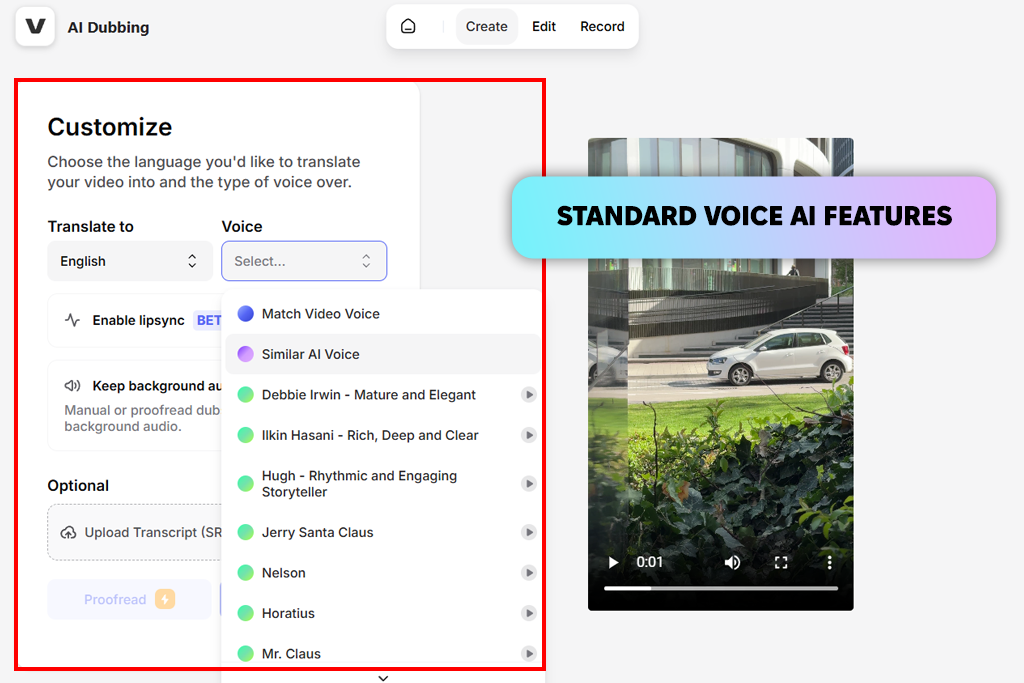
VEED became my favorite tool when I needed AI voice and full editing together in one place. I could create narration, add subtitles, trim scenes, and finish the video without ever leaving the program. Synthesia never handled that well - you always had to export and piece things together manually afterward.
The voice sounded natural every time, and the automatic captions were surprisingly precise. I tried it on long scripts, and even when I cut or moved clips around, the captions adjusted immediately. That saved me hours of fixing captions by hand.
“I liked how everything was in one place - voice, subtitles, and visuals. Exporting in different formats was easy. It's a great option when you're working quickly or managing multiple platforms.”
Visually, VEED let me customize everything like backgrounds, overlays, and color grading, so my videos felt polished and consistent, not like a basic template. The final result looked much better than a simple avatar presentation. For creators who want voice generation and modern editing tools all in one place, this AI video maker was way better than my old Synthesia workflow.
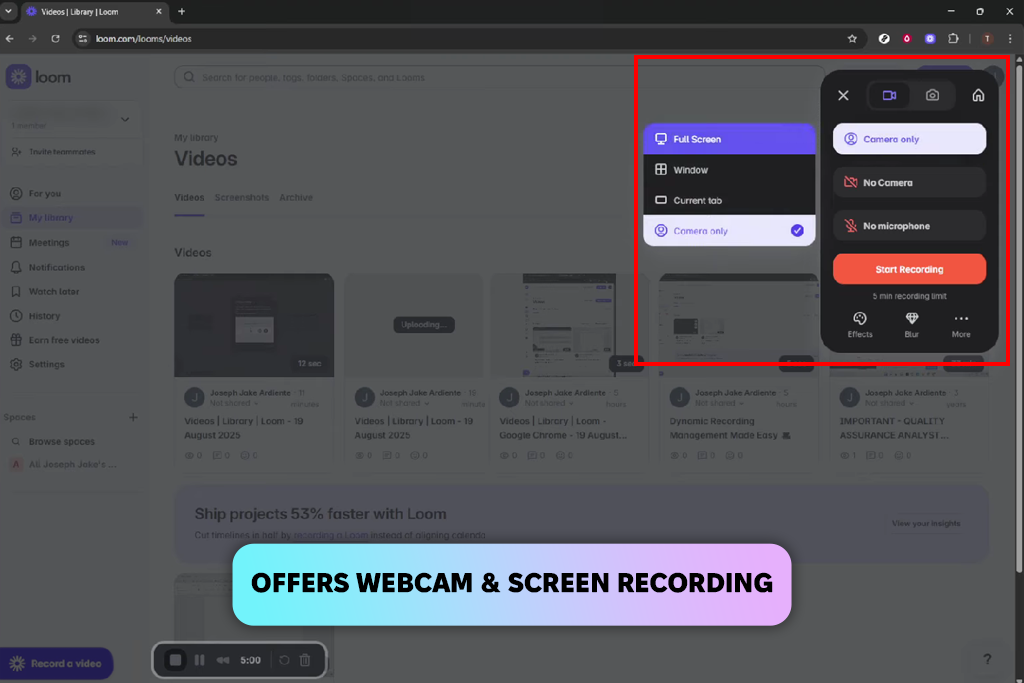
I used Loom because I wanted real recordings enhanced with AI - something Synthesia doesn’t really offer. I recorded my screen and webcam first, then added AI narration to improve clarity. This combination kept the videos personal while still making the workflow faster with AI.
I didn't need to force everything through avatars - the real visuals did the work, and the AI voice just filled in the gaps. That gave my presentations an honest, trustworthy feel. Synthesia's stiff templates never came close to that kind of natural vibe.
“This was great for short team videos and tutorials. Mixing real video with an AI voice looked and sounded natural. It never felt like a cheap AI video - that's what I loved most.”

Editing was a breeze. Cutting clips, trimming fat, adjusting pace - the voice never drifted out of sync. Even hour-long training modules held up perfectly. For actually teaching people, this free video editing app was one of the most useful workflows I’ve come across.
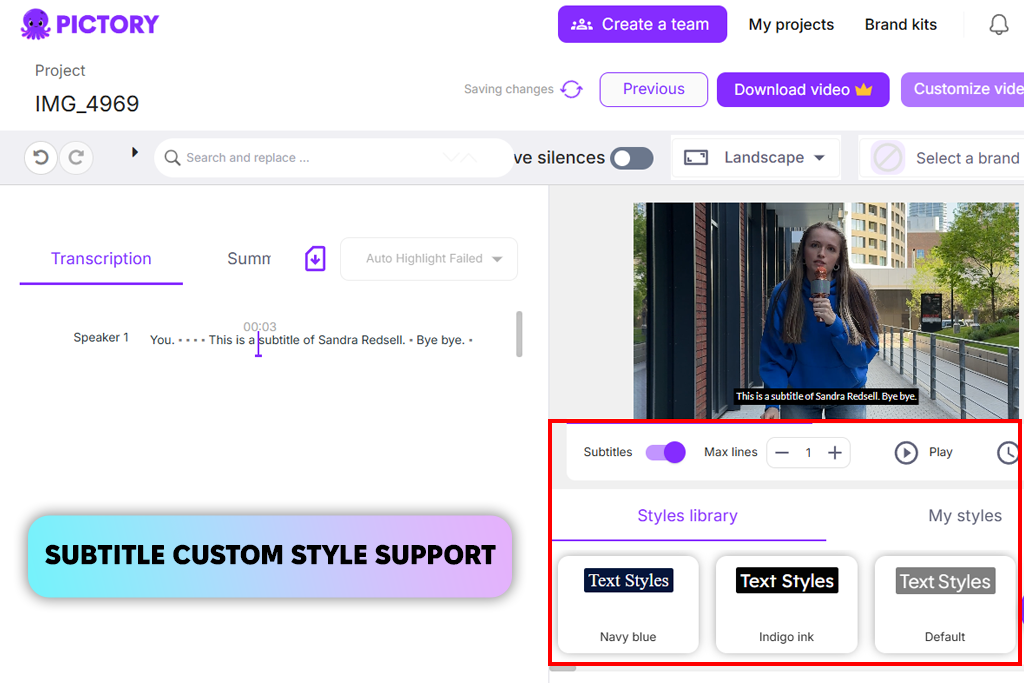
Pictory felt like a more advanced tool for turning text into video stories. Instead of just reading words over a still slide, it recommended visuals, real video clips, captions, and transitions that fit the script. That was a huge improvement over the fixed avatar format I used with Synthesia.
The AI narration carried genuine emotion and naturally followed the rhythm of each sentence. I didn't rely on special characters to improve the delivery. The final audio felt fluid and unforced.
“Perfect for cutting down lengthy scripts into tight videos. The voice never wavered from beginning to end. Saved me tons of hands-on editing time.”

Another win: editing scenes or voice was effortless - changes flowed through without issues. Older software meant manually realigning everything after each tweak. For longer projects that require clear audio and well-matched visuals, this tool performed far better than the one I used previously.
When we started testing alternatives to Synthesia, our goal was to find tools that could truly replace it for both AI narration and video production. Together with Vadym Antypenko, Kate Gross, and Kate Debela, we created a shared test project based on real client tasks, including short explainer videos, tutorial lessons, and branded promotional clips.
Each platform was tested using the same scripts, visuals, and timing rules so the comparison remained consistent. We paid close attention to how natural the voices sounded, how flexible the video creation was, how quickly edits could be made, and how easy it was to update content during the project.
Vadym concentrated on evaluating longer voice segments by creating tutorial scripts about 5-7 minutes in length. This helped us see how the AI narration performed over extended periods. During testing, we quickly found that many alternatives delivered smoother pacing and more natural pauses than Synthesia, particularly when explaining technical material.
Kate Gross evaluated avatar-driven and visual AI platforms. She checked how accurate the mouth movements were, how natural the facial animations looked, and how well the visuals followed the narration. Several tools clearly performed better than Synthesia by offering more lifelike characters or more dynamic visual styles instead of static presenters.
Kate tested real scenarios: fixing scripts after client comments and quickly exporting new videos. Synthesia made this slow and rigid. Other tools let you edit fast, control the timeline better, and swap voices easily. She also checked how well they handled different languages and tricky words like brand names. Most got it right without forcing manual pronunciation fixes.
At the end, we exported everything and reviewed the videos the way a client would. The verdict? Most alternatives beat Synthesia - better voice quality, more flexible layouts, and a workflow that just worked without friction.
Videos seemed more human, cuts looked cleaner, and syncing voice to video worked on the first try. Our whole team agreed: for making lessons, ads, or brand videos today, these other tools are just better and more professional than Synthesia.



![Fish Eye Filter Online [FREE]](http://fixthephoto.com/blog/images/gallery/news_main__preview_28873.png)
![11 Best Videoleap Alternatives for Filmmakers [Online & Free]](http://fixthephoto.com/blog/images/gallery/news_main__preview_28875.jpg)
![5 Best EML File Converters to PST in {{%year}} [Windows & Mac]](http://fixthephoto.com/blog/images/gallery/news_main__preview_28894.jpg)
![12 Best AI Flyer Generators [Online & Free]](http://fixthephoto.com/blog/images/gallery/news_main__preview_28910.jpg)

![7 Best JFIF to JPG Converters in {{%year}} [Fast & Free]](http://fixthephoto.com/blog/images/gallery/news_main__preview_28570.jpg)



















