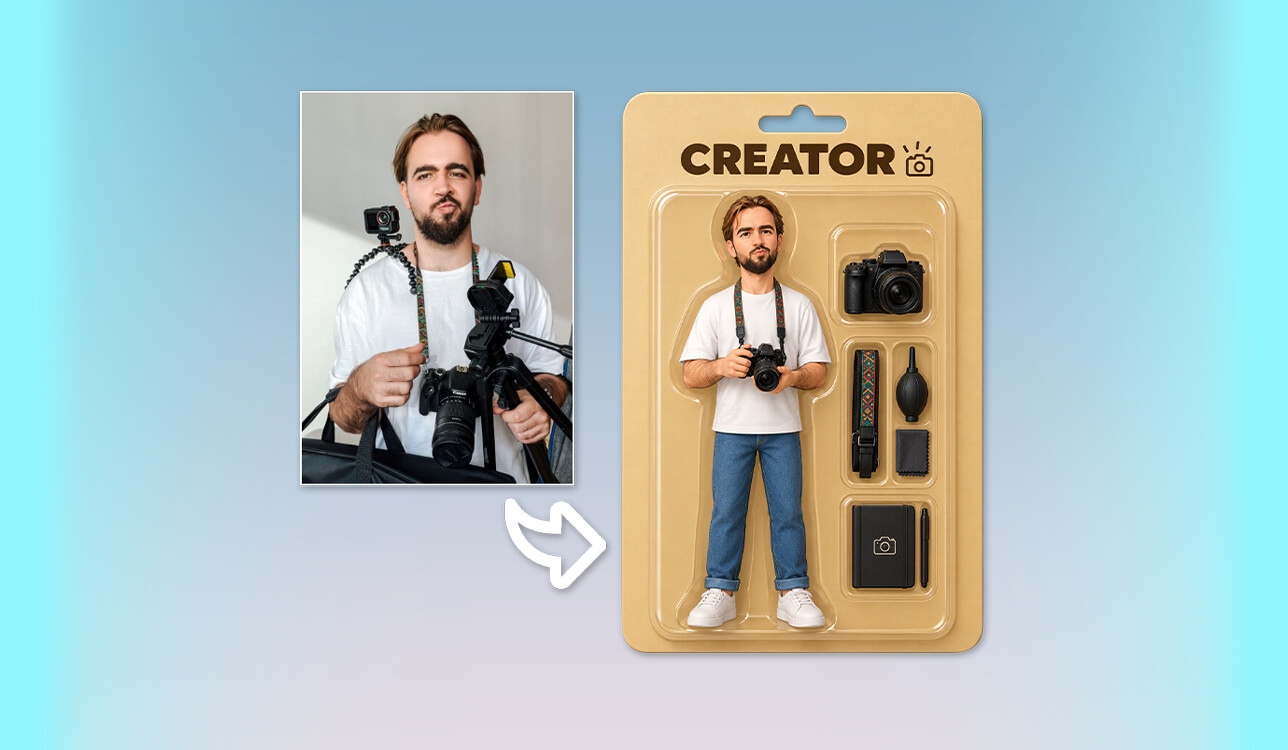
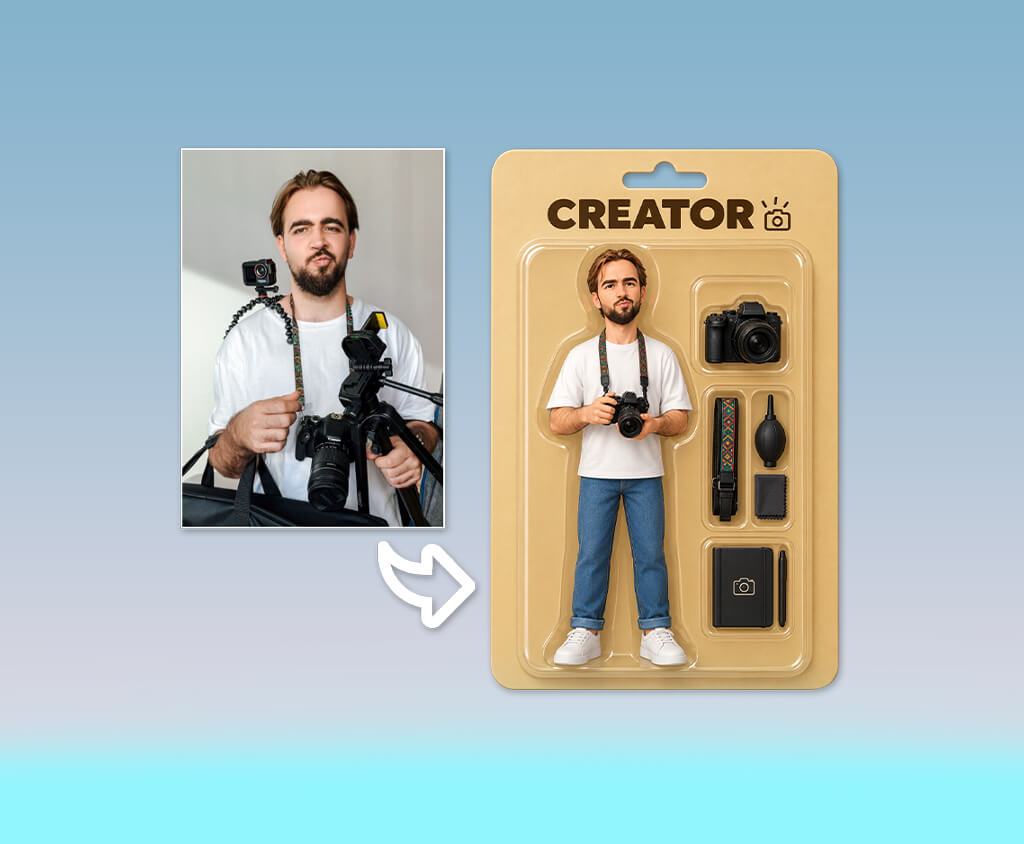
I decided to try AI action figures generators after a conversation with my colleagues. We fantasized about how each figure would look when put in a box, displayed together with tiny accessories showcasing its personality, hobbies, and work. After this, I started testing generators. Some of the solutions I’ve tested produced realistic outputs, while others distorted our facial features, added extra fingers, etc.
I wanted to discover the solutions that would allow me to design action figures based on our photos without writing complex prompts or editing the outputs manually. I tested 25+ AI action figure generators and discussed the results of my testing with my colleagues.
We considered how well each solution preserved our physical appearance, followed our requirements, designed accessories, and produced realistic toy-packaging. Some options produced visually appealing designs but made it difficult to tweak the outputs.
| Tool | Quality | Speed | Top features | Free plan |
|---|---|---|---|---|

|
★★★★★
|
Fast
|
Style controls, lighting, reference images
|
✔️
|

|
★★★★☆
|
Fast
|
Custom packaging, name labels, accessories, templates
|
✔️
|

|
★★★★☆
|
Fast
|
Prompt-based, design editor, background editing
|
✔️
|

|
★★★★★
|
Medium
|
3D modeling, product renders, manufacturing-ready formats
|
✔️
|

|
★★★★☆
|
Fast
|
Multiple styles, custom prompts, aspect ratios
|
✔️
|

|
★★★★☆
|
Medium
|
Templates, background removal, upscaling
|
✔️
|

|
★★★★☆
|
Medium
|
Collectible packaging, display bases, backgrounds
|
✔️
|

|
★★★★★
|
Medium
|
Detailed prompts, iterative editing, personalization
|
✔️
|

|
★★★★☆
|
Fast
|
Multiple styles, photo transformation, enhancement
|
✔️
|

|
★★★★☆
|
Medium
|
Toy packaging, multiple AI models
|
✔️
|

|
★★★★☆
|
Medium
|
Effects, aspect ratios
|
✔️
|

|
★★★★★
|
Fast
|
Multiple styles, effects, image editing
|
✔️
|

|
★★★★☆
|
Medium
|
Face preservation, consistent packaging, automatic name layout
|
✔️
|
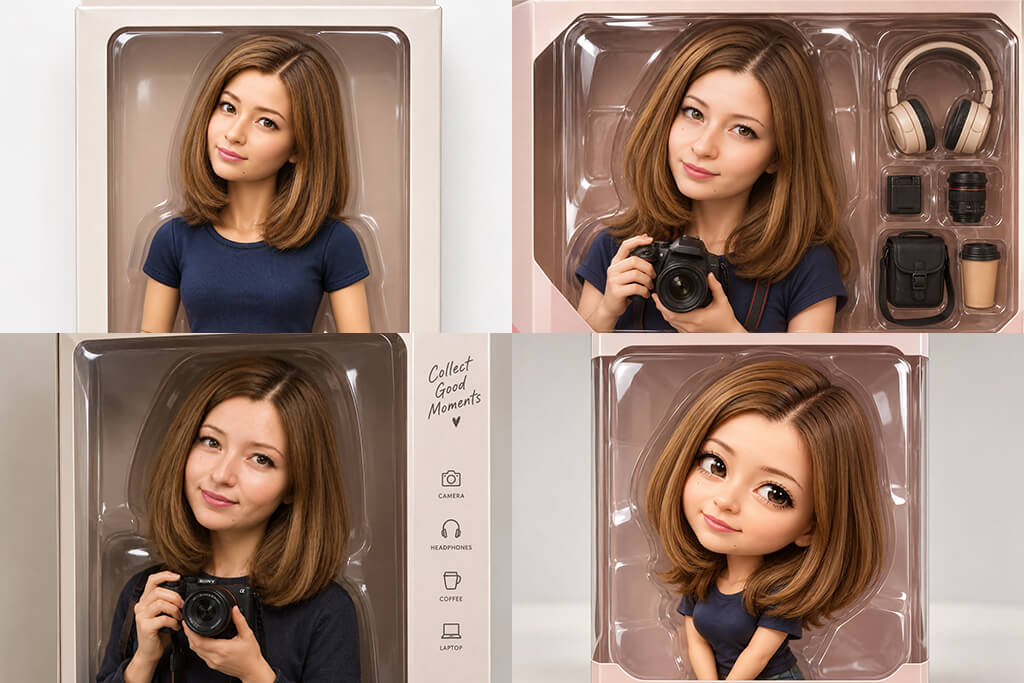
When designing an action figure based on my photo, I achieve better outputs when I describe the result I want to get in detail. Instead of using generic prompts like “create an action figure based on my photo,” I describe the outfit, pose, materials, accessories, and packaging. Such prompts allow the generative AI tool to produce more personalized results.
Here are my main tips for writing efficient prompts:
Example of a detailed prompt: Design a realistic collectible action figure based on my photo while keeping my facial features and hairstyle recognizable. The figure should wear a white blazer, black T-shirt, straight-leg jeans, and white sneakers. Add a small camera, laptop, and coffee cup in the compartments, and put everything inside transparent blister packaging. Include a beige backing card with my name printed on it. Use molded-plastic textures, studio lighting, subtle shadows, and a centered full-body composition. The output should look like a professionally photographed retail collectible.
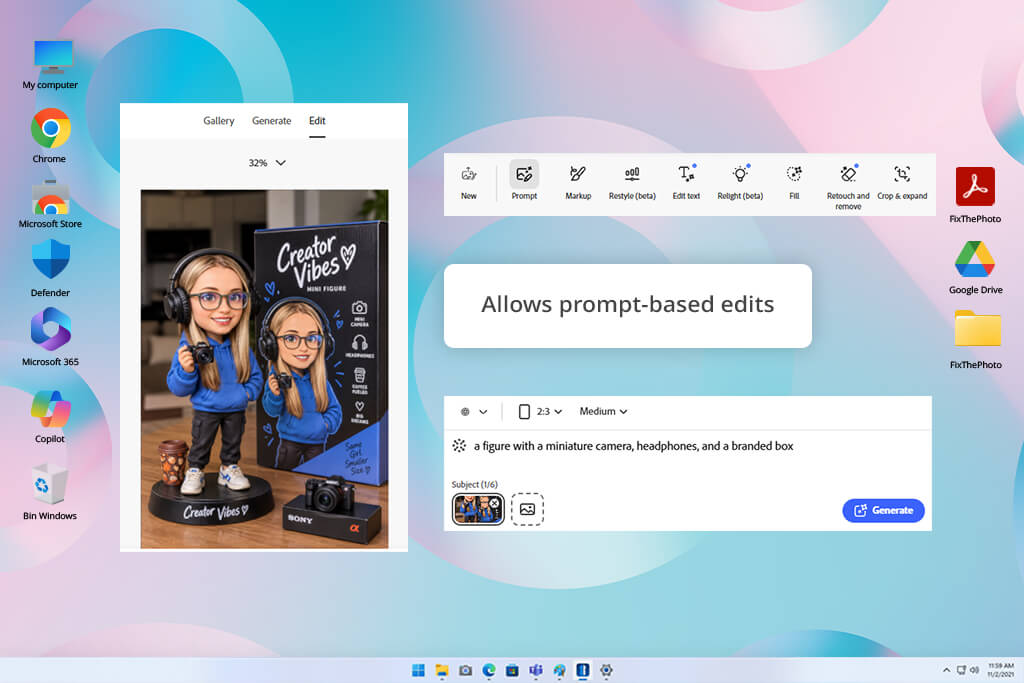
Firefly’s AI action figure generator can produce polished collectible-style toy designs based on photos. After uploading a photo, I described the output in detail, including the clothing, accessories, plastic finish, and blister-pack packaging.
This solution facilitates experimenting: I could choose an AI model, move the Strength slider to specify how closely the output should remind the original, and design several versions. I decided to generate a figure with a camera, headphones, and a branded box. Firefly produced the product-style design with studio lighting and glossy plastic textures.
This free Adobe software allows users to adjust other details while designing an action figure, including aspect ratio, lighting, visual style, and reference strength. It was also convenient to be able to describe the packaging in the same prompt. I could also tweak the prompt to edit the output and produce a new version of my design.
Firefly comes with editing tools that allow me to adjust the lighting, composition, and background. I can continue editing in Photoshop using tools like Generative Fill. Another advantage is that they use commercially safe licensed material and public-domain content. However, the free plan has a limited number of credits and they can be spent quickly .
Price: Free (limited credits) or from $11.99/mo
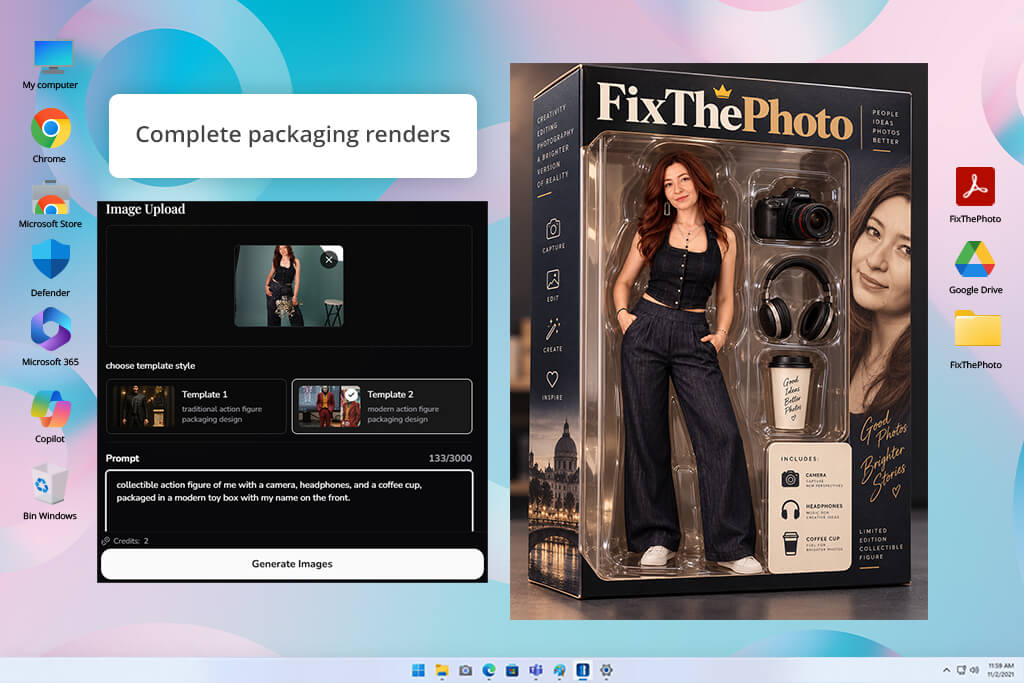
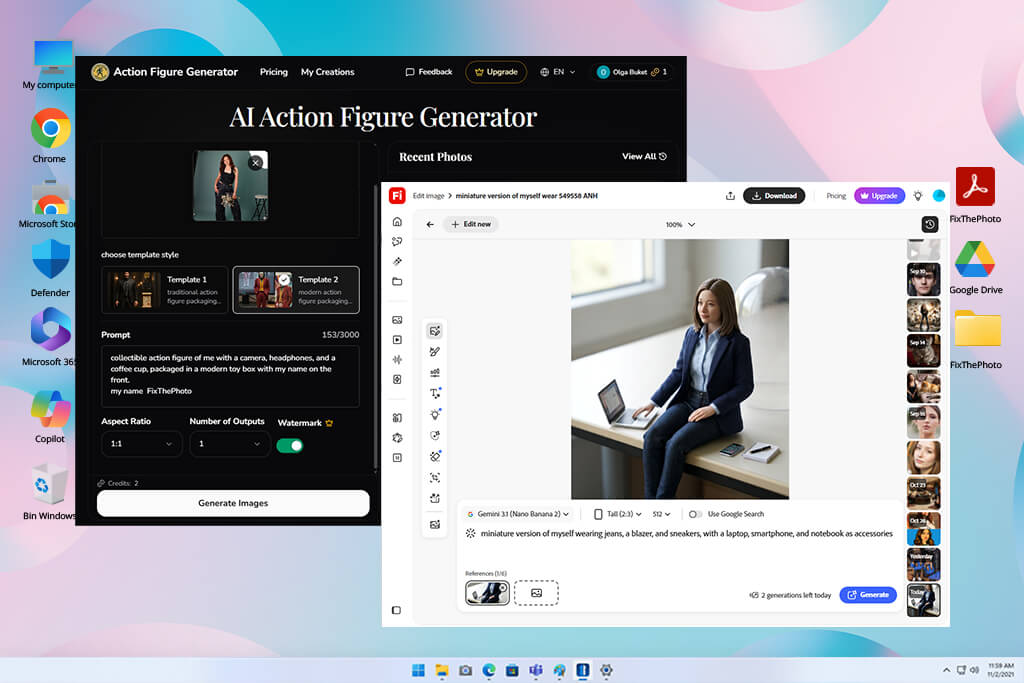
ActionFigureGenerator is an AI action figure generator from photo that allows me to quickly design a collectible-style figure with polished toy packaging and relevant accessories. After uploading a photo, I could choose one of the two templates: a traditional action figure box and a modern one.
This AI software supports JPEG, PNG, GIF, and WEBP images up to 20MB. Its UI is available in 19 languages. I could customize the output by choosing the character's name, headline, and accessories.
I used the following prompt “Design a collectible action figure based on my photo. Place a camera, headphones, and a coffee cup beside it. It should be packaged in a modern toy box with my name on the front.” I was happy to see that the accessories reflected my interests. However, I had to tweak the prompt to change some details.
I could choose different aspect ratios and produce several versions with different layouts. The 2:3 format was the best choice for boxed figures. Other options were better suited for superhero and chibi designs.
The output still depended on the uploaded photo. The AI's interpretation was not always consistent. Sometimes, my facial features did not look the same, and some accessories or text did not meet my requirements. The free version covers a limited monthly generation allowance and doesn't include commercial usage rights.
Price: Free (no commercial usage rights) or $19.99 for 150 credits
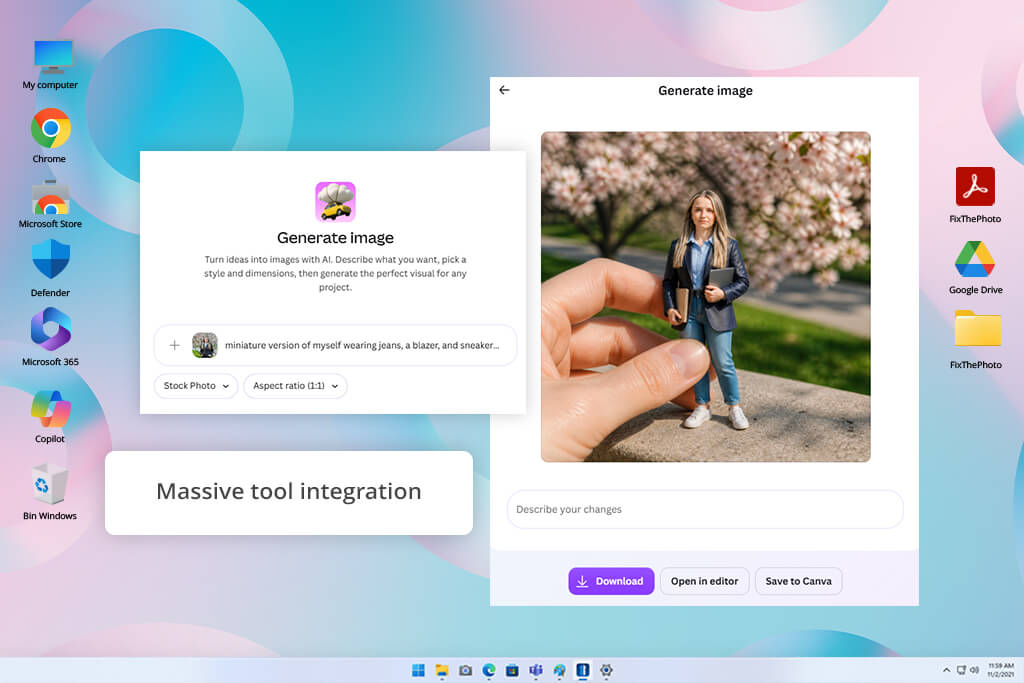
Canva can be used as a custom AI action figure generator that does not require users to master any complicated settings. I wanted to create a toy design based on my photo.
I asked the AI to generate an action figure wearing jeans, a blazer, and sneakers, with a laptop and smartphone. I mentioned that I needed the output with realistic facial features, molded plastic textures, and transparent blister packaging with a name label. This AI image generator designed a polished action figure. I further improved it using follow-up prompts.
I could switch between realistic toy aesthetics and fun comic-inspired styles. It was convenient to be able to open the output in Canva's editor instead of exporting it to third-party software. I designed versions that could be used as a gift or social media post. Next, I added a character name, packaging elements, and a suitable background.
It was easy to apply filters and use the output to create a party invitation or post. However, the resulting image did not always meet the requirements mentioned in the prompt. Occasionally, I had to fix small text or accessories manually. Canva requires you to sign in before generating designs. Access to its AI tools depends on your current plan and usage limits.
Price: Free (limited credits) or from $15/mo
“I created a toy version of myself using Canva and asked it to add a small laptop and headphones beside it. I used its intuitive editor to tweak some small details manually.”

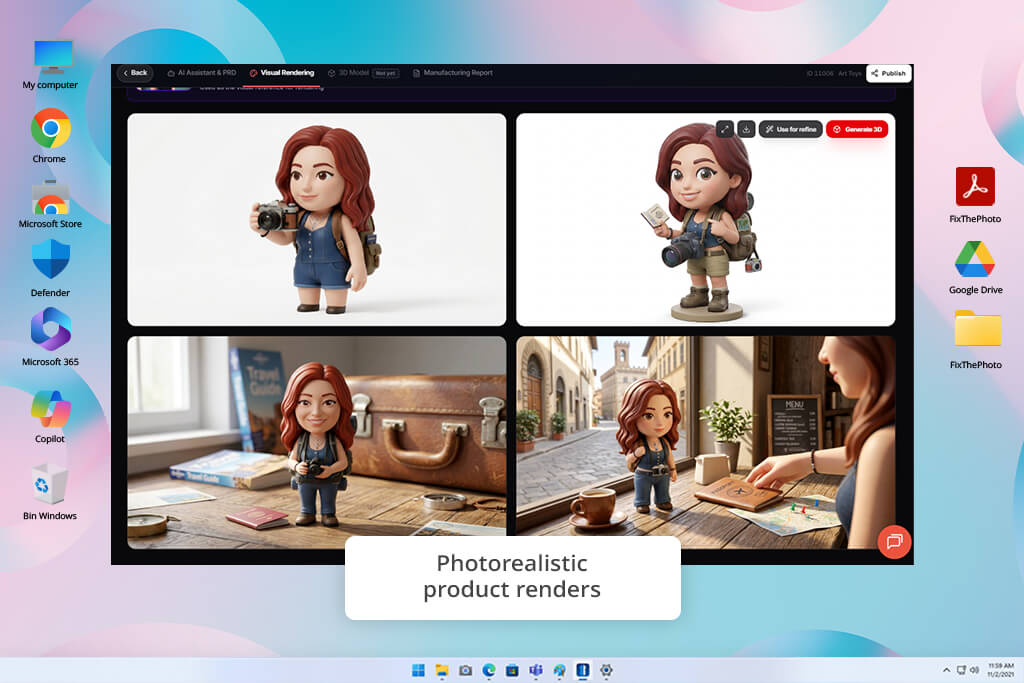
I started testing RapidDirect's AI Creator Lab after learning that it helps users design action figures that can be used for producing physical collectible items. It stands out for its photorealistic product rendering capabilities and tools for creating parametric 3D models.
I could choose a suitable design variation and save the output in one of the supported production formats, including STL, GLB, and STEP. Besides, it allows one to save files in PDF formats while creating specification reports.
What makes RapidDirect different from a regular free AI action figure generator is that it was built for those who are interested in product design and manufacturing. It allows users to make several design revisions and perform batch asset management. Users get 200 free credits daily. Besides, the service supports commercial use and data isolation. However, you may need to have some technical skills to prepare a figure for production.
Price: Free daily credit (200 points)
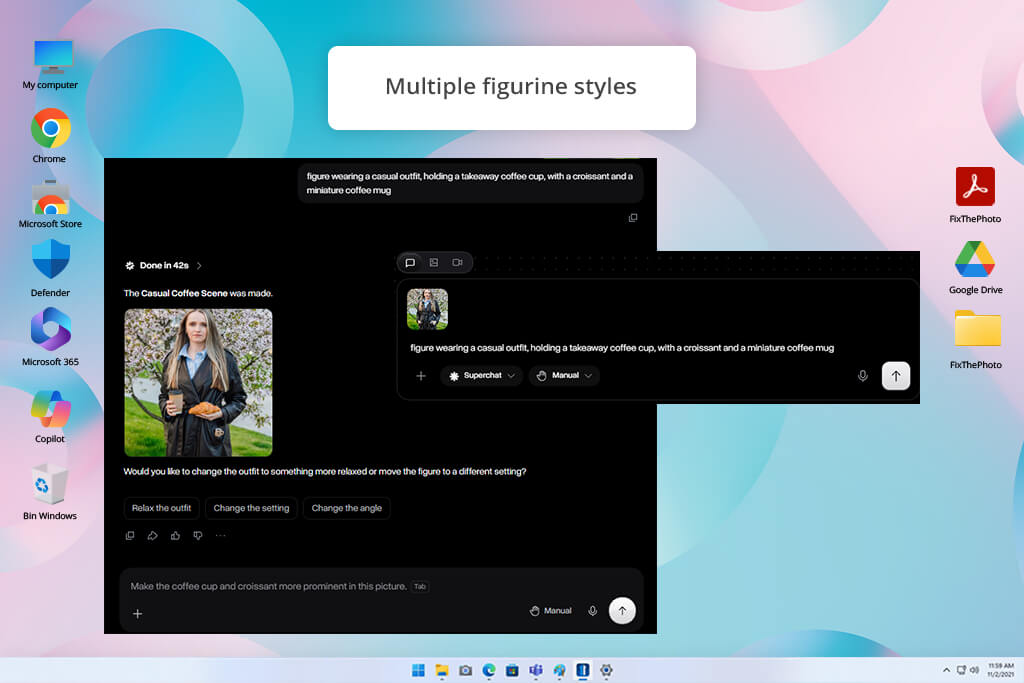
Overchat AI is a free AI action figure generator that allows users to design collectible toys in a variety of styles, including classic action figures, Funko Pop, and Chibi designs. After uploading a portrait, I selected the action figure style and produced several versions. I also used a prompt describing a figure wearing a casual outfit.
I specified that I wanted it to hold a takeaway coffee cup and asked the AI to display a tiny croissant and a coffee mug beside it. I choose transparent toy packaging. I could switch between realistic and oversized toy proportions to experiment with different looks.
It was convenient to be able to choose from different styles, but some outputs lacked consistency. Some facial features did not look recognizable, and small packaging details were less accurate than I expected.
Despite these shortcomings, I could still achieve the result I needed after multiple attempts. I also noticed some loading delays and bugs. Overchat AI is a free AI website. Besides, it has versions for iOS and Android. However, the performance of its apps is less stable.
Price: Free (10 credits) or from $14.99/mo
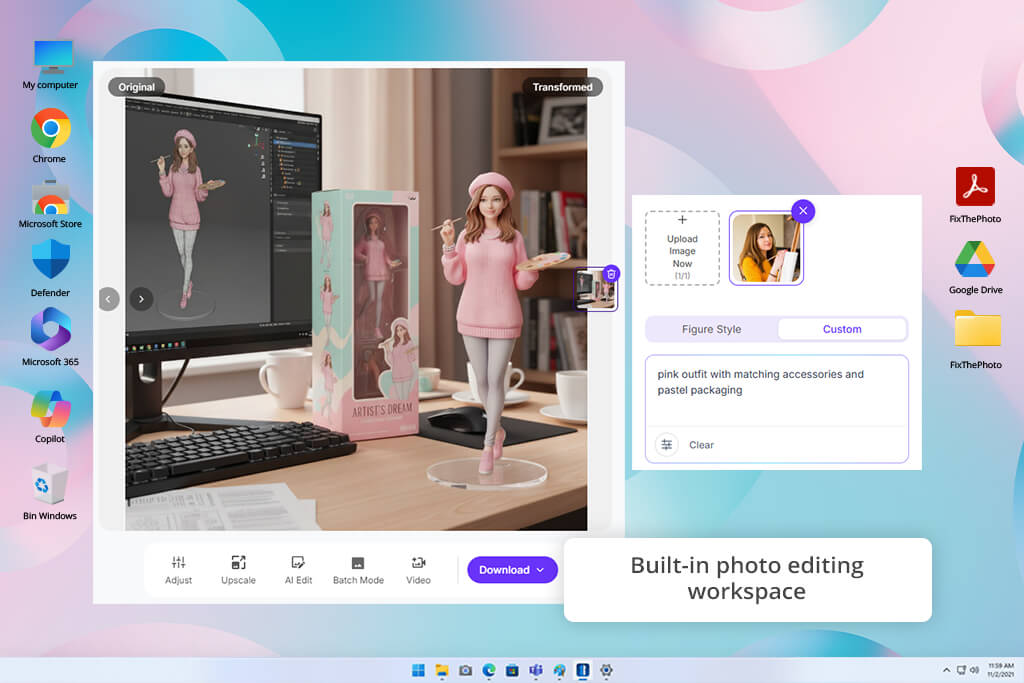
Pixelbin allows you to quickly turn yourself into an action figure online without using nuanced prompts or installing anything. I uploaded a portrait, clicked on the Action Figure template, and chose a suitable style from the available collection that includes LEGO and Barbie-themed designs.
You can choose a suitable AI model, such as Nano Banana or its Pro version, and specify an aspect ratio. I liked the intuitive workflow of this free AI action figure generator. It helped me design a 3D-style collectible automatically.
Pixelbin comes with handy editing tools. I used them to delete unwanted objects, replace backgrounds, compare the outputs to the source images, and upscale the output by 2x, 4x, or 8x. It allows me to choose an aspect ratio suitable for a specific platform.
Premium plans support batch editing. However, when you generate images automatically, it’s more difficult to design the accessories and packaging you need. The quality of the outputs depends on the original photo. The service limits the size of uploaded files to 10MB.
Price: Free (limited credits) or from $15/mo
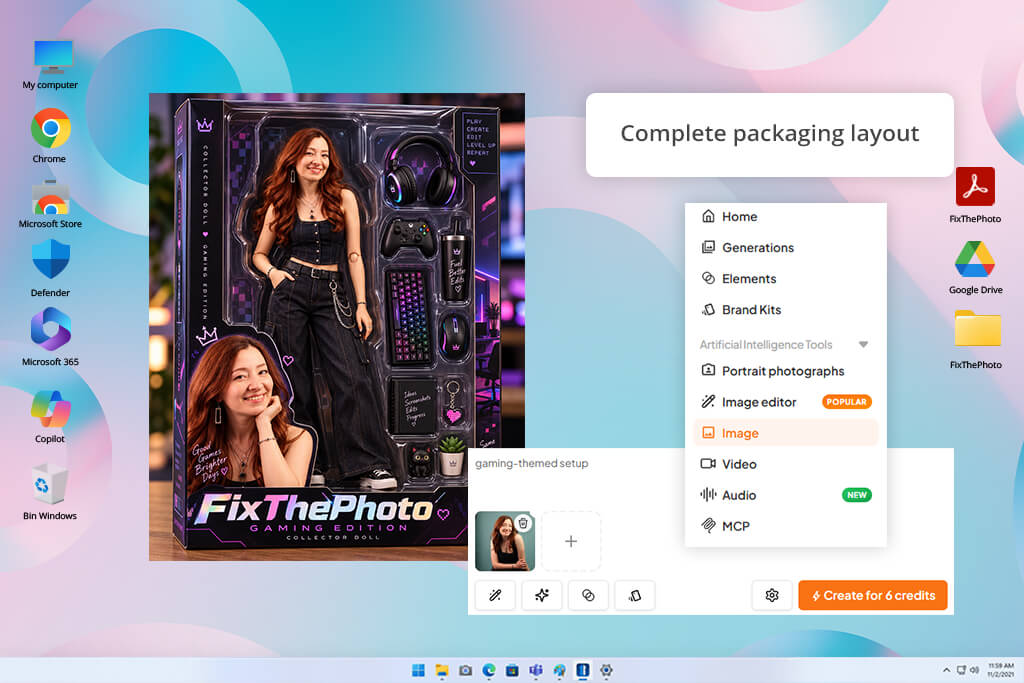
Aragon is a practical solution that allows users to design 1/7-scale collectible figures with realistic toy packaging and accessories. I uploaded a high-quality picture and chose one of the available backgrounds.
Users can choose between a gamer room, a spotless studio, and a gray collector's room. When using this AI action figure generator online, there was no need to write a long prompt or adjust many settings. I had to wait for a few minutes to get the output. It produced a picture of a professionally photographed collectible.
I also created a figure in a gaming-themed setup. The AI generated a detailed box and a display stand that made the character look more realistic. Aragon supports uploads in JPG, PNG, WEBP, and HEIC formats. You can download the outputs in high resolution to use them on social media, as profile pictures, or visual references for 3D printing.
However, other AI character generators support more extensive customization options. The output depends on the quality and angle of the source photo. Facial features do not always perfectly match the original. I recommend uploading clear, front-facing portraits with good lighting to get high-quality outputs.
Price: Free (limited credits) or from $12/mo
“While testing Aragon, I uploaded a clear selfie and asked it to use a simple studio background. It produced a polished output, even though my facial features weren’t exactly accurate.”

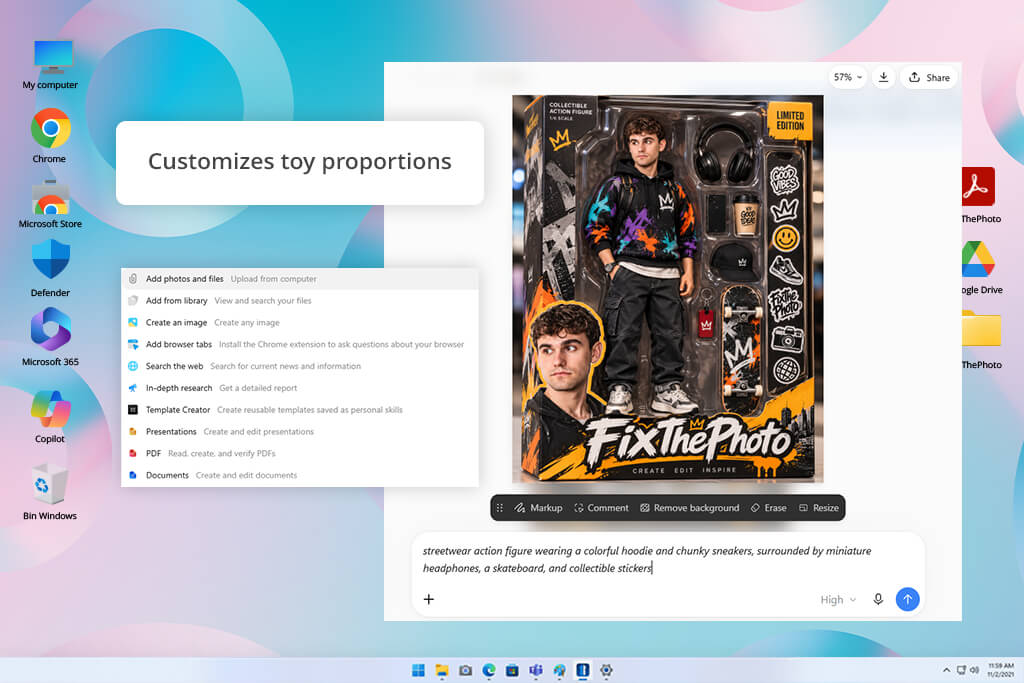
ChatGPT is a popular AI action figure generator that uses portrait photos and descriptions of what the user wants to achieve. I wanted to create a streetwear action figure and described what clothes I wanted the AI to design. I specified that I wanted the character to wear a colorful hoodie and chunky sneakers.
Moreover, I decided to add some accessories such as headphones, a skateboard, and collectible stickers. While writing a prompt, I mentioned that I wanted the AI to make transparent blister packaging, a name label, and use a simple studio background. I could improve the output by writing follow-up prompts. For example, I asked ChatGPT to change the outfit and pose, apply plastic texture, and make the packaging more realistic.
I was happy to see how easy it was to edit creative details such as the color scheme, accessories, lighting, and style. In addition, I tried creating a fun version with exaggerated proportions and colorful packaging. Such designs could be used as personalized gifts and social media posts.
The only disadvantage of this AI for designers is that it does not always follow user guidelines with high precision. Sometimes, it fails to generate small accessories correctly, misspells the title on the packaging, or changes facial features. I had to regenerate my image several times to get the desired result.
Price: Free (limited credits) or from $20/mo
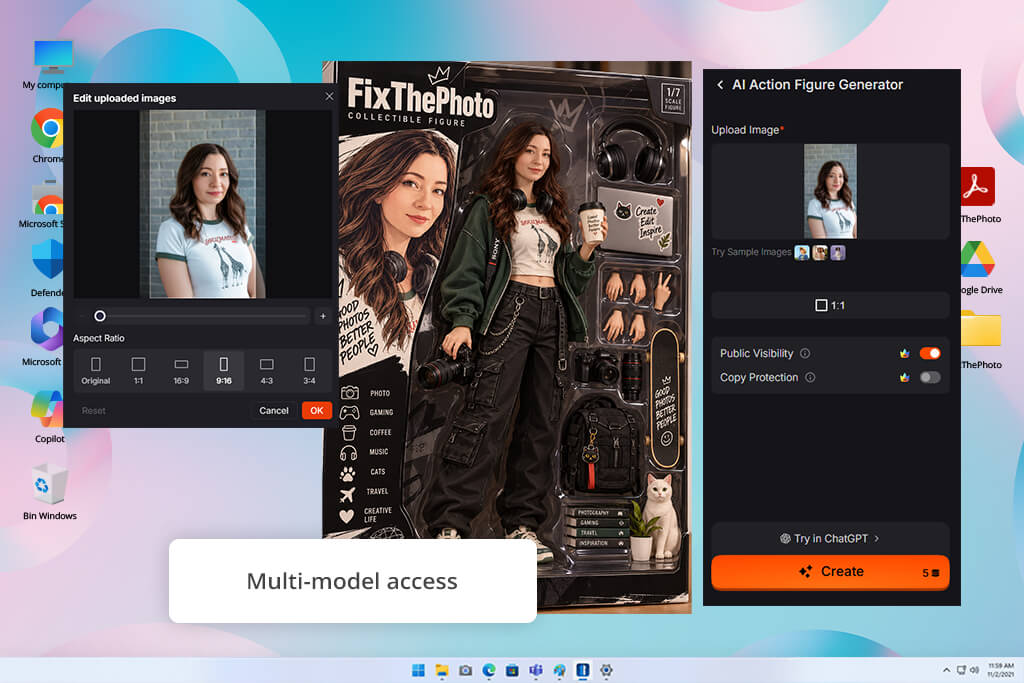
Pollo AI is an AI action figure generator from a photo that does not require advanced editing skills. This AI allows you to create a stylized collectible character based on a regular photo. It is suitable for generating action figures of different types of characters, including anime-themed ones with bright colors and bold outlines.
After uploading a portrait, I specified that I wanted to create a character wearing an oversized hoodie of a purple color, a pleated skirt, and chunky sneakers. Also, I asked the AI to add some star-shaped accessories. It generated a fun picture of a toy-like figure that could be used as a profile picture or social media post.
Pollo AI gives access to major AI models, including Kling, Runway, Seedance, and Pollo. In addition to tools for designing characters, Pollo AI also allows using an AI image upscaler. I tried uploading various source photos and experimenting with the available visual styles to see how well the platform would interpret my requests. I did not have to write detailed prompts or possess any advanced skills.
The quality of the output depended on the uploaded source photo. I noticed that sometimes, the facial features or small accessories did not match my request or the source image. However, I liked the ability to work at high speeds. I could just upload another photo if I did not like the first one. The output is a stylized image and not a 3D model ready for production.
Price: Free (20 credits) or from $15/mo
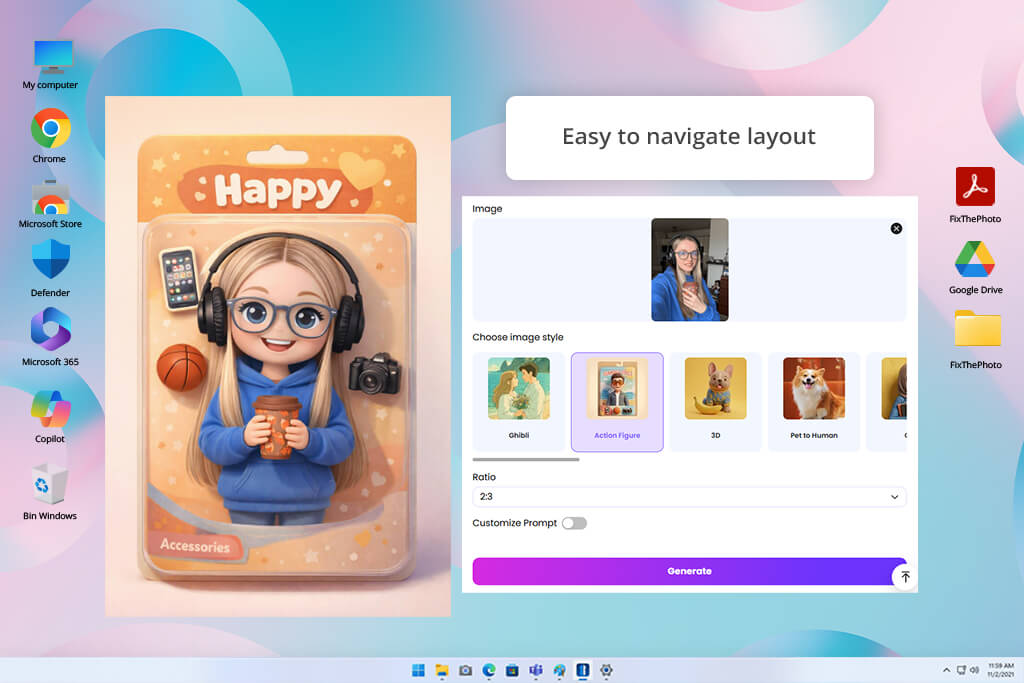
EaseMate AI provides an intuitive workflow and is great for those who want to produce a collectible toy design using a portrait. I uploaded a photo and chose a casual outfit including a striped T-shirt, denim shorts, and sneakers. Also, I asked the AI to show sunglasses, a backpack, and a camera along with the figure.
This AI action figure generator supports JPG, JPEG, PNG, and WEBP formats. You can upload files up to 20 MB. After uploading a portrait, I clicked Generate, and it created a 3D doll-style design in a minute. EaseMate supports multiple AI models, including Nano Banana and Seedream.
Also, EaseMate allows creating presentations with collectible figures that include blister packs, window boxes, and diorama scenes. After producing a design, I could preview it, download it to my device for free, or upload another photo to create a new one. In addition, you can choose outputs in Studio Ghibli, Disney, Pixar, Lego, clay, and watercolor styles.
The only shortcoming that I found was the difficulty to edit some details manually. If you do not like the position of an accessory item or want to change facial features, you will have to regenerate the whole image.
Price: Free (30 credits) or from $9.90/mo
“EaseMate AI was so intuitive that I quickly figured out how to use it. I was impressed with the choice of the collectible packaging options. But it was difficult to edit details after generating a design.”

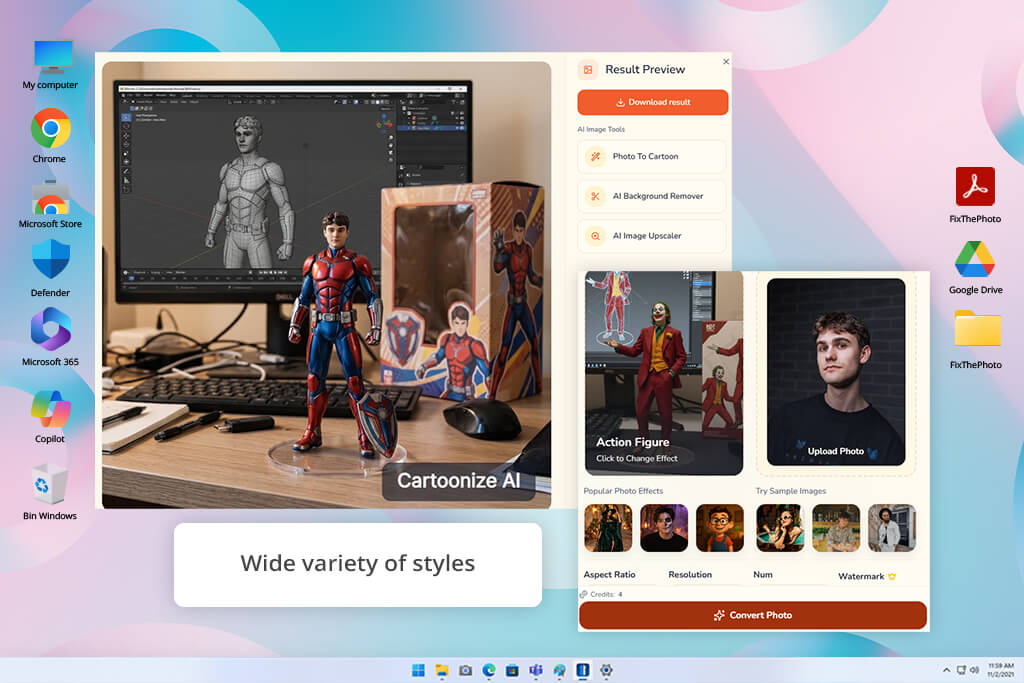
I got interested in testing Cartoonize AI after hearing that this AI action figure generator from a photo is the best for designing a superhero collectible figure. I uploaded a photo, selected the Action Figure effect, and adjusted the aspect ratio to ensure that there would be enough space for a full-body pose. I wanted to create an action figure of a hero in a red-and-blue armored suit.
While selecting accessories, I specified that I needed metallic gloves, a utility belt, and a small shield. This makes it extremely easy to choose toy-like proportions, articulated joints, heroic poses, and collectible-themed styles. Its library contains a lot of photo effects such as Pixar style and Halloween filters.
I was pleased to find out that Cartoonize AI supports JPEG, JPG, PNG, and WEBP formats. It allows uploading files up to 24 MB and choosing square, portrait, and landscape aspect ratios.
However, I noticed that the quality of the results depends on the AI interpretation of the source photo and prompt. This AI art generator also may experience problems with visualizing fine details like hands or rendering text on packaging.
Price: Free (with watermark) or from $19.99/mo
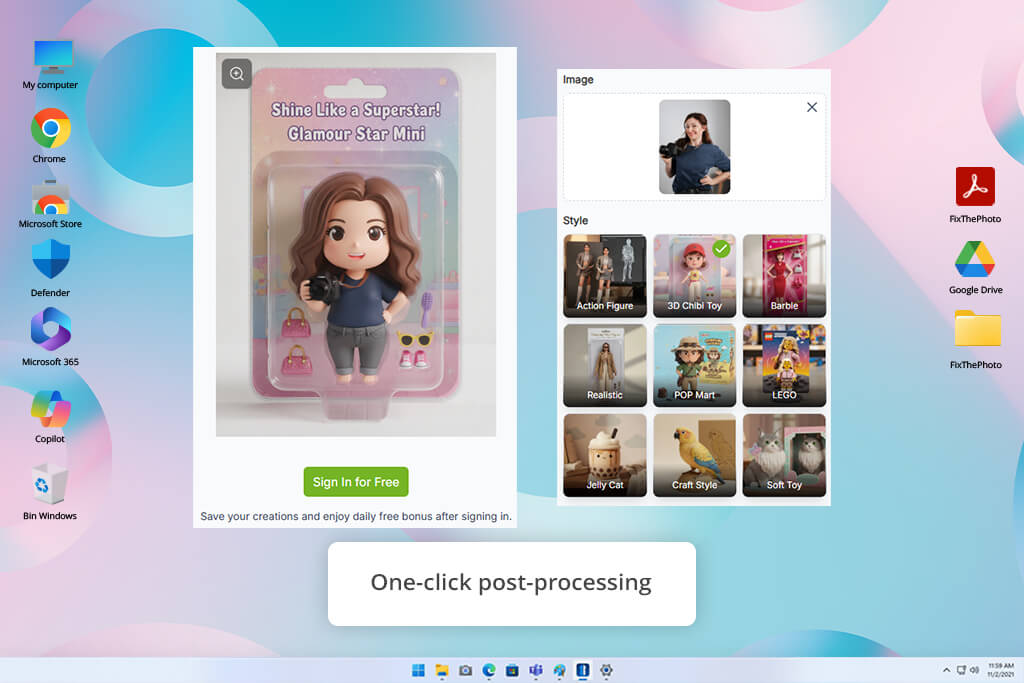
VisualGPT is a custom AI action figure generator allowing me to try various collectible figure styles. After uploading a photo, I chose the necessary style and waited until the service created the character. I could try different AI action figure styles ranging from realistic collectible toys with clothes and accessories to cute chibi figurines and conventional plastic dolls.
I liked the possibility to use realistic textures when designing collectible figures, apply exaggerated proportions when creating chibi figure and choose 3D rendering while creating realistic designs.
This AI 3D character creator can generate a design based on the photos of your pets or other subjects. After creating the output, I can easily remove the background, enlarge the image, use expansion tools to enhance the packaging design and create a professional-looking design. The only drawback is that the facial features and small costume details may be different in generations.
Price: Free (limited credits) or from $8/mo
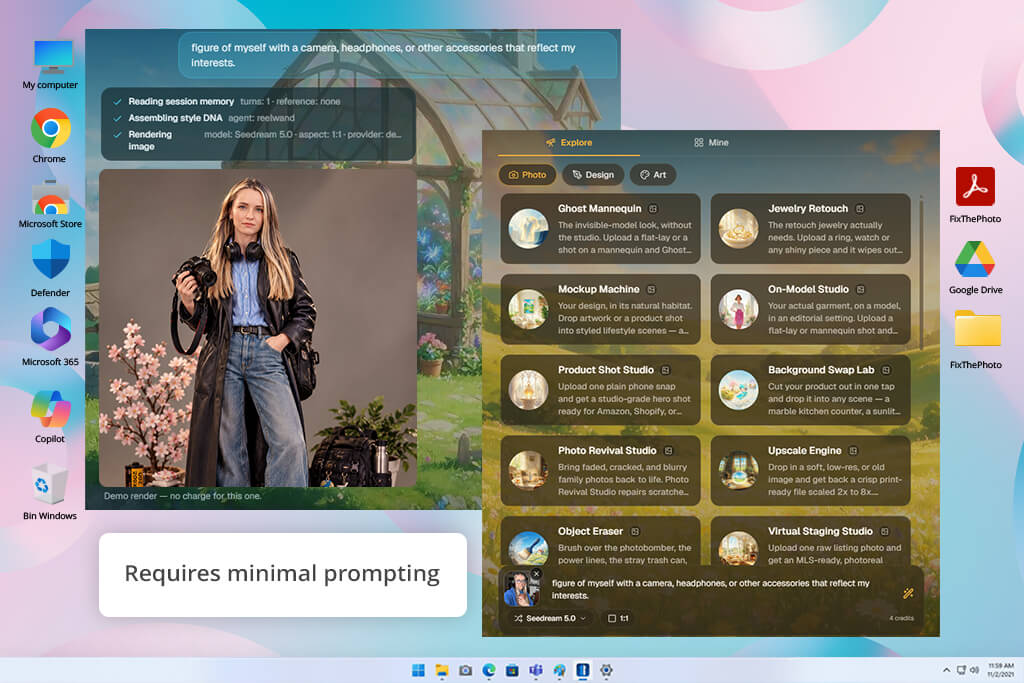
ReelWand is a handy AI action figure generator with a narrower focus. It allows me to create a boxed collectible figure based on my selfie photo. After uploading a photo, I used Action Figure Factory and checked if it was going to preserve my facial features while creating a toy figurine.
This service automatically creates a blister pack, glossy plastic tray, and header card. Then it creates miniatures of accessories beside the figurine and includes my name in the packaging. I was glad that I did not have to provide a detailed description of the packaging. The output has a vertical 9:16 format that allows me to quickly share it on Instagram Reels or TikTok.
It works with selfies as references and preserves facial features accurately. Moreover, this service creates consistent packaging and makes it easier to create a toy collection. However, it has some drawbacks. Primarily, it works with boxed toys, meaning that it is more difficult to create non-standard compositions or scenes. Its free version is very limited.
Price: Free (8 credits once) or from $15/mo
Yes. You can use solutions like Adobe Firefly, VisualGPT, and ActionFigureGenerator to design a character styled as a collectible figurine based on your selfie photo. You can customize the clothing, accessories, and toy packaging.
Upload a high-quality photo taken in good lighting conditions with your face clearly visible. Use a solution that preserves facial features and check the output.
Yes. Using ChatGPT or Canva, you can specify what accessories to add.
When writing a prompt, provide information about the desired outfit, pose, hairstyle, accessories, figure material, and packaging. Indicate if you need a transparent blister pack or personalized nameplate.
Most solutions do not have a special tool to do this. However, RapidDirect has product design tools and manufacturing services that can allow you to create a real product based on visual concepts. However, after generating the image, you will have to use 3D modeling tools and perform some other actions to produce real figurines.
Yes. Using platforms like ChatGPT and Canva, you can create character concepts based on text descriptions. Describe the character's appearance, clothing, pose, and accessories to receive the necessary output.
Yes. VisualGPT allows you to choose different styles. You can create realistic collectibles, chibi characters, stuffed toys, and block figures. Adobe Firefly allows users to experiment with different aesthetic styles. All you need to do is write a detailed prompt and indicate if you need realistic plastic textures, personalized outfits, and collectible packaging.
While searching for the best AI action figure generator tools, my colleagues, Robin, Tetiana, and Vadym and I tested several solutions, using our selfies, different text prompts, and checking whether the solutions would transform a photograph into a collectible figure with high accuracy. We aimed to identify the services that would help us to get eye-catching results without design skills.
“Adobe Firefly helped me to quickly create an excellent action figure based on my selfie. I was impressed by the realistic textures and the fact that I could tweak the design until I was fully satisfied with the result.”
Along with my FixThePhoto team, I have also tested such solutions as Clipfly, Midjourney, Flux AI, Tripo, Leonardo AI, NeoSpark, Fotor, Picsart, Meshy, Playground AI, Luma Genie, Bing Image Creator, DALL-E 3, Ideogram, and Craiyon.
However, I decided not to include these into the final version of my list because some of them were mostly useful for general AI image generation, for creating artistic illustrations, or for 3D modeling. It made it challenging to use them to design action figures with toy packaging.
When testing these platforms to find out the best AI action figure generators, we concentrated on the following aspects:
“Pollo AI helped me to create a stylized figure artwork based on a portrait. I tried different looks, but I found some issues with facial details and accessories.”
Having thoroughly tested these AI action figure generators, we came to the conclusion that there are three best solutions, and each of them is ideal for its specific purpose: