When our team at FixThePhoto expanded into interactive educational content, static tutorials were no longer acceptable. We needed digital hosts, namely, custom 3D avatars capable of explaining photography techniques, highlighting editing tools, and anchoring our brand across promotional media. Building detailed assets from scratch wasn't viable under tight production deadlines. That’s why we decided to look for the best AI 3D character generator.
A surface-level visual generator wasn't enough. The ideal platform had to deliver lifelike renders while offering granular customization over hairstyles, outfits, poses, and facial traits. Crucially, maintaining character consistency across multiple video projects was non-negotiable. Because animation was on our horizon, backend integration mattered just as much as aesthetics.
We also needed rigging functionality, flexible export formats, and compatibility with industry tools like Blender and Unreal Engine. When we picked a proper AI solution that balanced creative freedom with production-ready versatility, our visual workflow changed greatly.
Finding the right fit meant evaluating how each platform performed long after the initial render. Beyond raw visual output, post-generation control was crucial. We needed to tweak outfits, fine-tune facial expressions, swap art styles, and quickly regenerate targeted details. We understood quickly that text-to-3D generation, automated rigging, animation support, and high-resolution textures were a must for our job.
To cover more ground, my colleagues from the FixThePhoto team jumped in. We established a standardized scoring checklist and digested recommendations from search trends, ChatGPT reviews, and user feedback. Next, we started practical testing across every candidate.
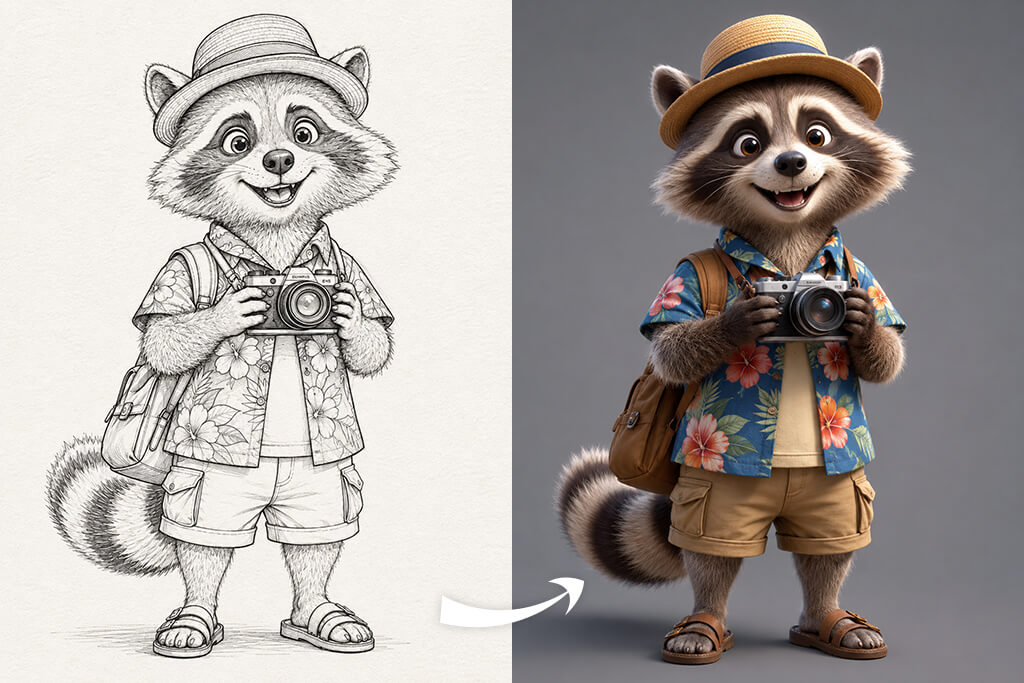
Yes, AI can already generate remarkably high-quality 3D characters, but overall quality depends on your project's specific demands. Today's advanced generative tools can easily construct photorealistic digital humans, stylized video game heroes, virtual presenters, and custom marketing avatars.
However, the most pragmatic perspective is clear. AI currently functions best as a production accelerator for 3D workflows, not a complete replacement for skilled 3D artists.
Where AI already excels at:
Current limitations to consider:
Ideal use cases for today:
For our creative production workflow at FixThePhoto, we decided to use AI as a high-speed production foundation, not as a replacement for a seasoned artist. Top-notch generative AI tools can validate creative ideas and deliver professional visual results for digital projects, movies, AAA games, and more in a quick way.
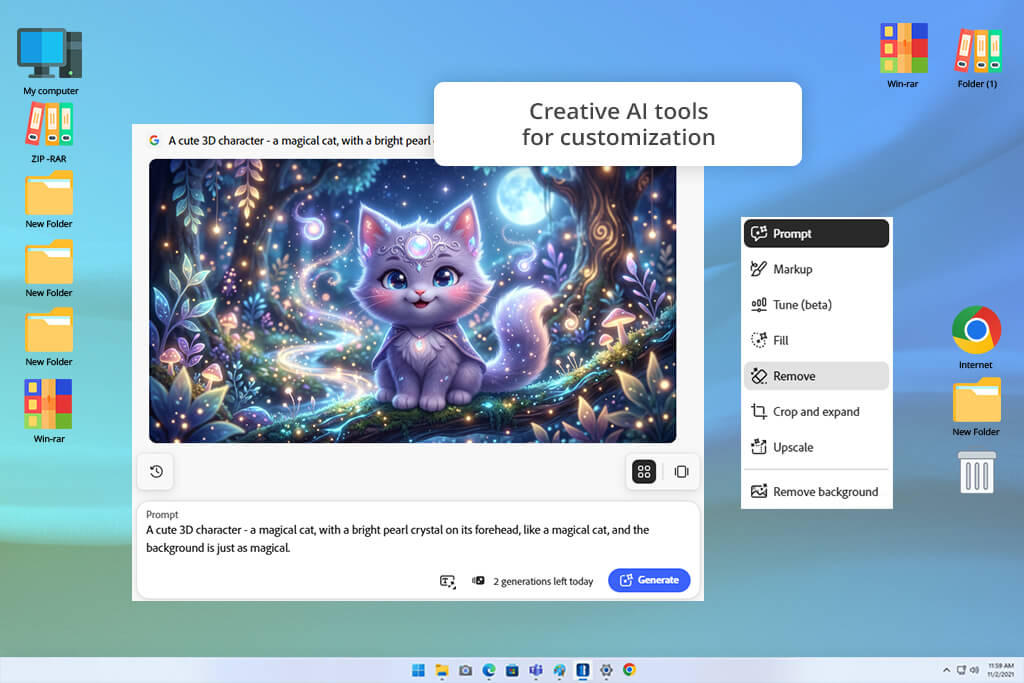
When building custom digital personas for FixThePhoto’s educational tutorials, I tested Adobe Firefly. I wanted to see if it could be suitable for early-stage design.
Explaining complex photography techniques and software workflows demands approachable, consistent hosts. However, spending weeks manually sculpting character base meshes during preliminary brainstorming simply wasn't viable for our team's fast-paced content production schedule. We needed the best AI 3D character creator capable of transforming high-level personality ideas into clear visual concepts almost instantly.
Rather than treating Firefly as a standalone 3D modeler, I evaluated its capacity to supercharge our ideation pipeline. I made targeted text prompts through Text to Image feature for a diverse cast of digital hosts, ranging from an approachable photography instructor to an upbeat studio mascot.
By dialing in specific text descriptions regarding studio lighting, clothing textures, character traits, and environmental mood, Firefly produced surprisingly detailed visual baselines. The platform excelled at generating stylized variations, giving our design team immediate clarity on which artistic directions resonated best before committing to full production.
“I enjoyed how fast I could transform simple ideas into character designs. The results looked impressive, but I still had to use additional tools when I wanted to create complete 3D models.”

This free Adobe software offers instant access to a broader Adobe Creative Cloud suite. Once a character concept passed internal review, transferring visual assets into Adobe Substance 3D or Adobe Express takes seconds.
This deep interoperability allowed our designers to refine complex surface textures, adapt color palettes, and mock up promotional video materials without ever breaking stride. Firefly acts like an ultra-fast digital concept artist, letting us iterate through dozens of creative directions in a single afternoon.
All in all, Firefly proved to be an indispensable jump-start for our overall visual development workflow. While professional 3D artists will still need specialized modeling software to handle final geometry, character rigging, and complex skeletal animations, Firefly reduces the overall time required to go from a blank canvas to a fully realized character vision.
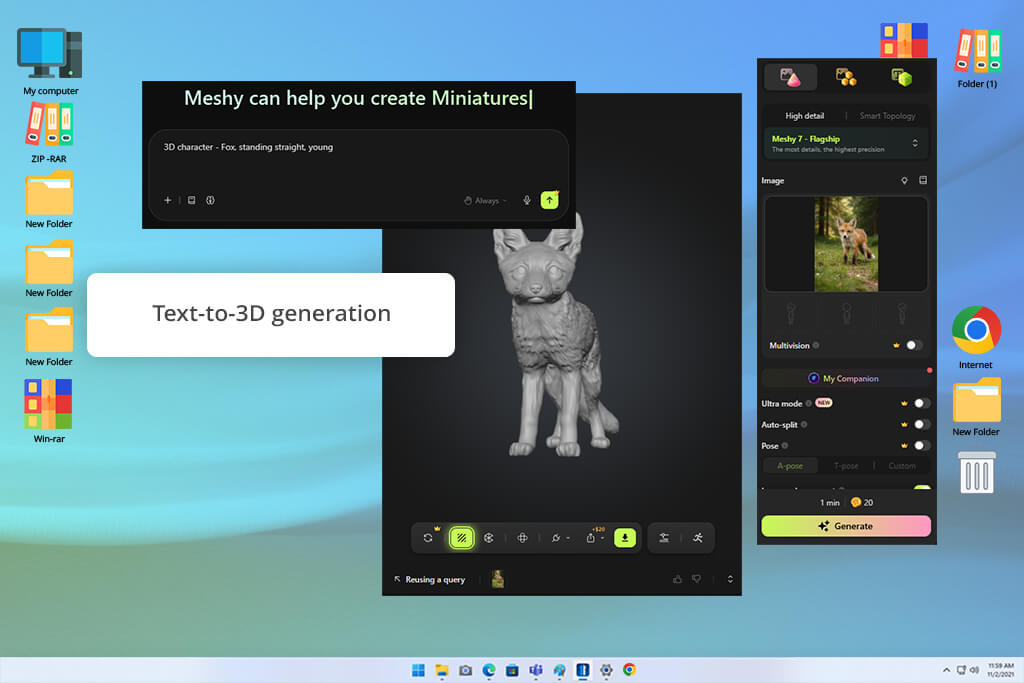
Can generative technology really transform a basic text prompt into a production-ready asset? That was the core question driving our team to test Meshy. Beyond just rendering attractive concept art, we specifically required an AI 3D character creator capable of outputting functional models for tutorials, digital animations, and interactive media production.
Our primary goal was to evaluate whether this automated workflow could meaningfully accelerate studio tasks without sacrificing baseline asset quality in real-world production environments.
To thoroughly evaluate this AI tool for designers, I leaned into the core Text to 3D engine. By feeding the platform diverse prompts, spanning photorealistic human figures, stylized digital avatars, and intricate fantasy concepts, I tested how accurately the system interpreted nuanced descriptive language into full geometry.
For projects anchored by pre-existing concept art, the Image to 3D tool proved equally valuable, converting flat two-dimensional reference images into workable volumetric models in a matter of minutes.
Material texturing usually creates major time issues during traditional 3D asset development, but the AI Texture Generation eliminated hours of tedious manual surface painting. I closely inspected how generated models handled tricky structural elements like draped clothing, facial geometry, and layered accessories. Although subtle edge details and complex folds required refinement, the speed of producing a fully textured base asset provided an undeniable productivity boost for rapid iteration.
Ultimately, Meshy is a great tool for a high-speed engine for conceptual exploration and rapid asset prototyping. It offers digital artists and game developers an intuitive way to go from abstract ideas to structured base meshes. While it certainly won't entirely replace fine manual sculpting techniques just yet, it cuts early production overhead and lets you comfortably test diverse creative directions in minutes.
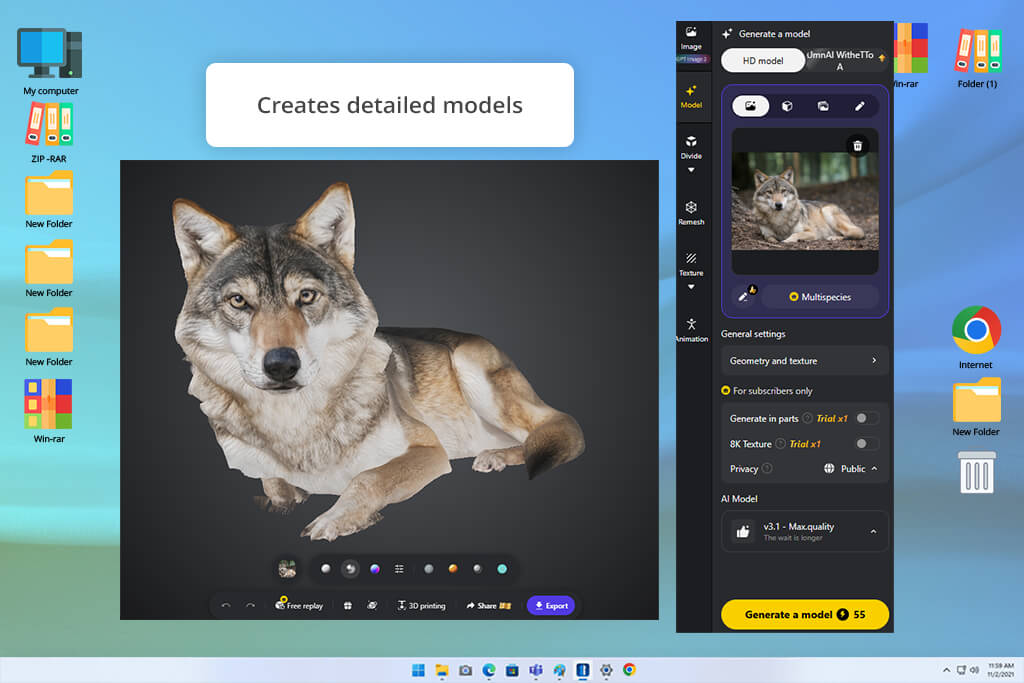
At FixThePhoto, producing high-volume visual assets and tutorial examples means we constantly need fresh material. We wanted to determine whether Tripo could streamline early asset creation without requiring deep traditional modeling expertise.
To test its versatility, I started with the Text to 3D feature, converting detailed descriptions into fully formed models. My prompts ranged from photorealistic professionals and animated educators to custom-branded digital characters. To push this AI image generator further, I loaded flat reference photos into the Image to 3D converter. The speed was impressive, generating textured volumetric geometry from flat visual inputs in mere seconds rather than hours.
When assessing the results, I focused on structural balance, clean mesh topology, surface textures, and overall editability. Using this AI 3D character generator, our team could produce a diverse gallery of character concepts almost instantaneously. While the generated geometry occasionally requires minor manual sculpting or cleanup before going live in a project, having a ready-to-use base mesh saves setup time during early visual development.
“The speed of turning images into 3D models was one of the biggest surprises for me. It was excellent for creating rough concepts in minutes, but I usually spent a little extra time fixing small imperfections afterward.”

Tripo excels as an accessible, high-speed conceptual springboard for content creators, designers, and educators alike. By eliminating the initial technical confusion of 3D asset creation, it allows creators to turn raw ideas into tangible digital assets with virtually no prior experience.
For our FixThePhoto workflow, it proved to be a practical, highly efficient tool for rapidly generating visual concepts, testing asset directions, and building functional base models before committing to deep production timelines.
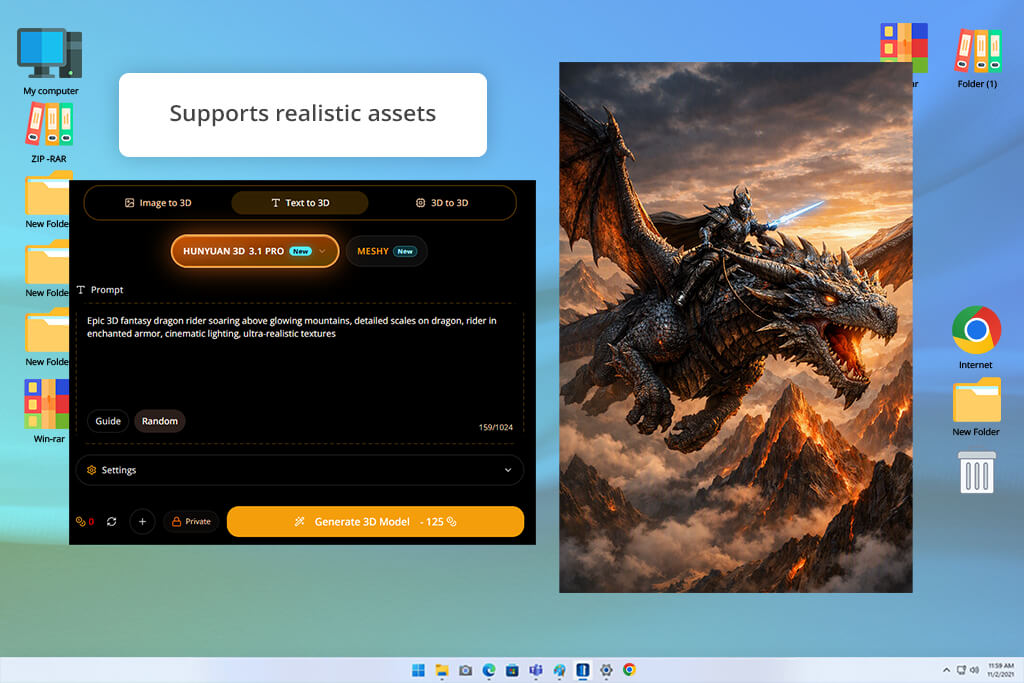
In the sphere of digital content creation, tight project deadlines and laborious workflows are constant hurdles. At FixThePhoto, constructing bespoke 3D characters for our educational video series usually consumes dozens of manual modeling hours. To streamline our production process without compromising artistic flair, I tested Hunyuan3D.
I wanted to evaluate whether next-generation AI 3D modeling software could handle real-world creative demands.
My primary objective was to convert creative ideas into production-ready visual assets rapidly. I began with the text-to-3D feature, feeding the generator diverse prompts ranging from stylized figures to intricate character concepts. Seeking integration with our existing design workflow, I also benchmarked its image-to-3D performance using standard 2D reference artwork and preliminary sketches.
The initial output quality was impressive. This AI 3D character creator online transformed basic text descriptions and flat reference photos into dynamic, volumetric models featuring clean geometry, proportional accuracy, and surface details. Rather than yielding crude shape approximations, the engine generated cohesive, recognizable character structures that immediately felt like functional creative prototypes rather than mere rough draft experiments straight out of rendering.
Naturally, raw generative assets rarely arrive completely production-ready. I carefully examined the generated mesh topologies, texture quality, and structural integrity to determine how much post-processing cleanup was required. While certain models needed minor manual topology tweaks before final rendering, the turnaround speed was phenomenal. Rapidly generating multiple character variations in minutes allowed our studio team to explore bold artistic directions.
To my mind, Hunyuan3D is a powerful program for modern creative studios looking to accelerate early-stage visual development. Although setup demands some technical familiarity, its exceptional speed and generative precision provide an invaluable rapid-prototyping solution. For our FixThePhoto projects, it lets us jump from creative imagination to tangible 3D concepts, turning tedious manual tasks into an efficient, highly streamlined visual production workflow.
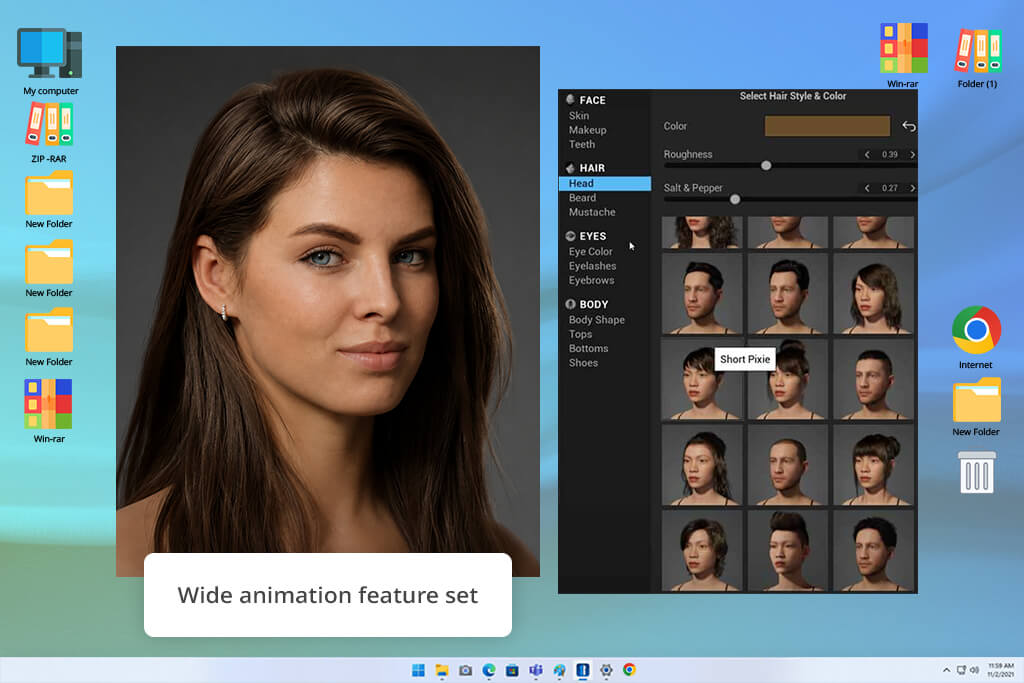
In our ongoing effort to push the boundaries of visual storytelling at FixThePhoto, I decided to test MetaHuman Creator. Our goal was simple yet ambitious. We wanted to explore whether photorealistic digital avatars could serve as engaging virtual instructors for our technical video series. We needed a 3D model that looked genuinely human, capable of delivering detailed photo editing tutorials without looking distracting.
The moment I launched this free online AI 3D character creator, the depth of creative control was obvious. Using fine-tuning tools, I customized every nuance of facial anatomy, adjusting bone structure, skin texture micro-details, eye pigmentation, and realistic hair physics. Pairing these models with MetaHuman Animator unlocked even greater potential, transforming real-world performance capture into fluid, believable facial expressions that completely eliminated the classic uncanny valley effect.
“The facial expressions and character quality were better than I expected. It’s clearly built for serious work, but I had to spend some time learning how everything fit together before I could use it to the fullest.”

To stress-test the system, I designed distinct virtual personalities tailored for specific learning modules, including a master photo retoucher and a color grading expert. Evaluating these characters across varied lighting scenarios and dramatic camera angles demonstrated that their high-resolution geometry easily holds up under tight close-ups. They preserved a proper visual identity throughout our production workflow.
Of course, reaching this visual fidelity comes with steep operational requirements. Operating the full pipeline successfully requires a deep understanding of Unreal Engine, as well as high-performance computing hardware equipped with an advanced graphics card. MetaHuman Creator is far from a quick avatar tool. It functions as a comprehensive, studio-grade digital human production suite.
Ultimately, MetaHuman Creator sets a breathtaking standard for modern digital character design. While its technical complexity makes it overkill for simple social content, it is an indispensable tool for high-end video production, interactive learning, and virtual broadcasting. For FixThePhoto, this test confirmed that photorealistic virtual instructors are ready to redefine digital media creation.
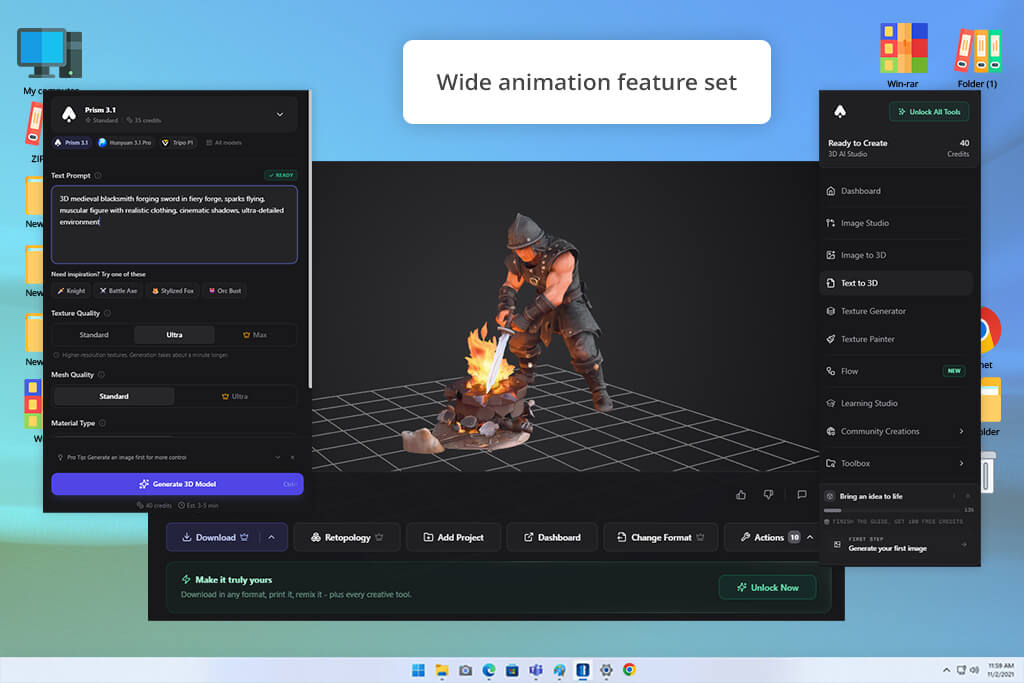
Testing 3D AI Studio was an interesting experience for our active production team. At FixThePhoto, speed and creative agility are paramount. Before fully committing valuable resources to a complex project, we routinely test dozens of competitive ideas.
Traditional 3D software comes with a daunting learning phase that slows down early-stage brainstorming. We wanted to see if this AI 3D model generator could let us turn wild concepts into tangible 3D models almost instantly.
The absolute centerpiece of the platform is its AI 3D Model Generator, which turns descriptive text prompts into fully rendered digital assets. I evaluated this feature by feeding it diverse prompts, ranging from photorealistic human characters to colorful, stylized mascot designs. Beyond the base models, the automated AI Texturing tool is worth checking out. By generating realistic surface materials and vibrant colors automatically, our team saved valuable hours of painstaking manual painting during initial concept reviews.
The most fascinating thing about this AI 3D avatar creator is its accessibility for every user. Content creators do not need deep technical expertise or specialized sculpting skills to achieve immediate, visually engaging results. You can quickly spin up a draft model, evaluate its creative potential, and decide whether to greenlight the idea. This rapid iteration capability prevents creative teams from burning precious time on full-scale rendering for concepts that may ultimately be scrapped during the preliminary design phase.
3D AI Studio offers an extraordinarily practical shortcut for modern creators looking to streamline production. While it certainly will not replace master 3D artists or high-end digital sculpting suites, it lowers the entry barrier significantly. For FixThePhoto, it has become an invaluable asset for rapid prototyping, concept validation, and testing diverse creative directions before finalizing ideas.
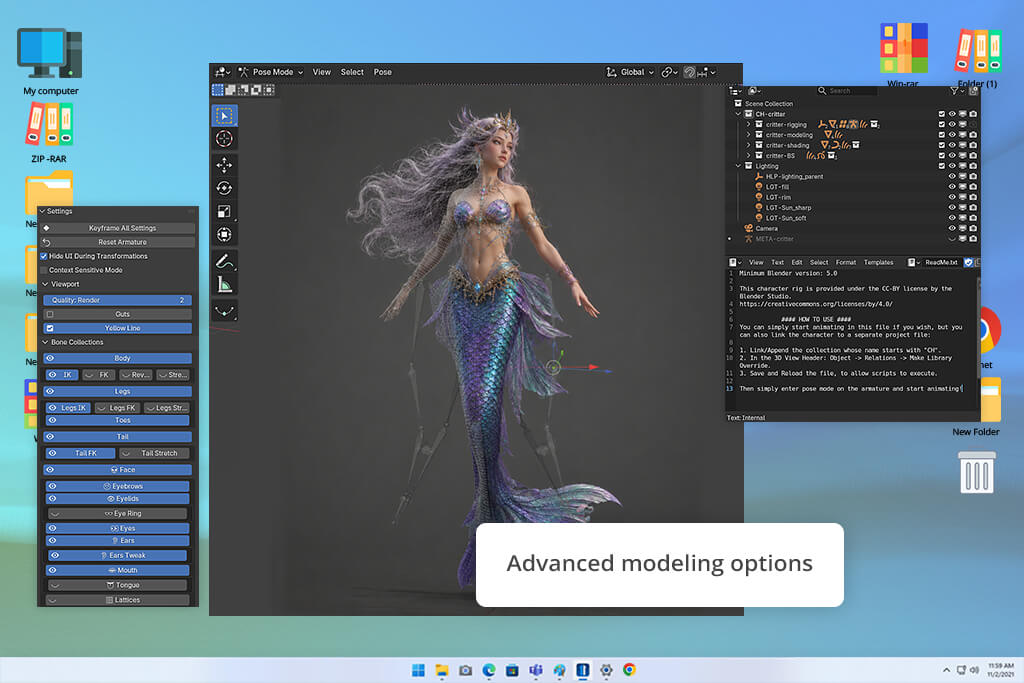
I brought Blender into our testing to evaluate how a heavyweight, industry-standard 3D software suite stacks up against automated AI character model generators. Our team was eager to discover whether Blender’s vast ecosystem, paired with emerging AI-powered add-ons, could deliver bespoke 3D characters tailored for high-impact educational content without sacrificing output quality.
Testing Blender required approaching it through the lens of a creator who demands total precision rather than a simple one-click asset generation shortcut. My objective was to evaluate its comprehensive toolkit across the entire workflow, spanning initial concept sketches to fully realized, production-ready assets.
Unlike fast AI tools, this 3D sculpting software provides total mastery over every vertex. I explored its versatile Sculpting Brushes, complex Character Rigging, custom Geometry Nodes, and AI extensions that accelerate repetitive tasks. I also tested advanced material shading, dramatic scene lighting, and fluid animation capabilities.
While the initial setup demands significantly more technical effort than automated generators, the depth of customization remains entirely unmatched.
“I was surprised by how powerful it became after I got past the initial learning stage. It isn't the easiest software to pick up, but the control and flexibility make the effort worthwhile.”

While building test models, I specifically evaluated how effectively Blender adapts assets for diverse FixThePhoto client deliverables. I pushed the limits by sculpting subtle facial micro-expressions, tailoring intricate clothing items, building dynamic skeletal rigs, and preparing characters for motion capture.
The ability to fine-tune every artistic variable proved remarkable. We were never constrained by pre-built style templates or algorithm-driven randomness. However, achieving these results confirmed that Blender demands a meaningful investment of time, patience, and technical learning before yielding top-quality assets.
All in all, Blender stands as the best free AI 3D character creator for visual artists who demand complete freedom and full ownership over their creative assets. It is certainly not a quick solution for casual users seeking immediate results, but it delivers endless control. At FixThePhoto, we use Blender when projects require uniquely customized, reusable characters designed for long-term marketing campaigns rather than quick, disposable AI prototypes. By investing time into learning its rich toolkit, creators unlock endless artistic potential without any restrictive subscription fees.
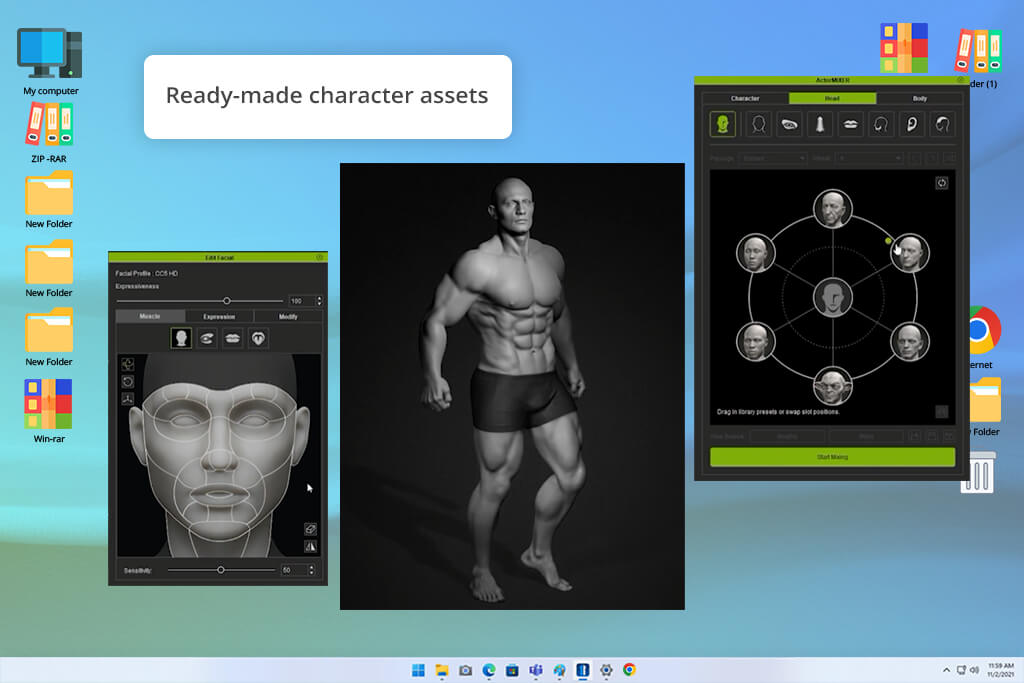
When our team at FixThePhoto set out to produce a new series of educational videos featuring virtual presenters, static 3D models simply weren't going to satisfy us. We needed fully rigged, highly believable digital humans ready for dynamic onscreen action.
That specific objective led me straight into testing Reallusion. This is a dedicated software ecosystem engineered specifically to build, customize, and animate realistic digital humans in a streamlined way.
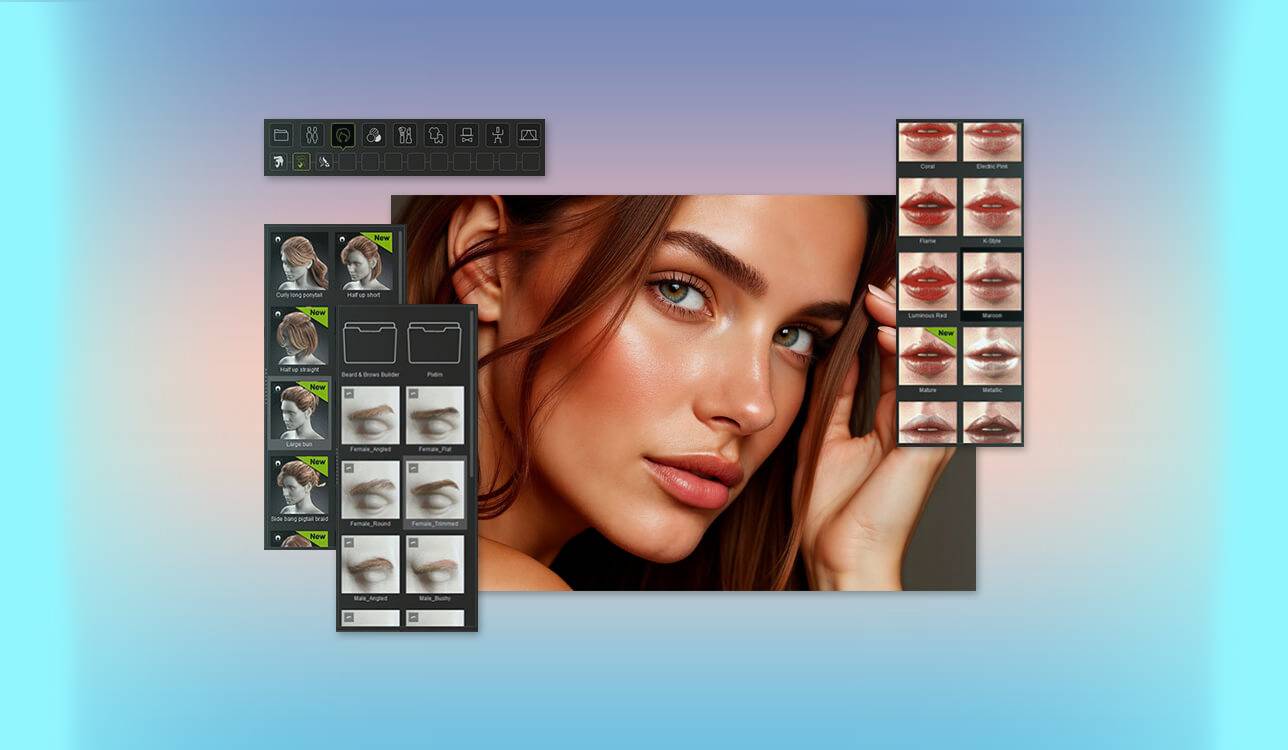
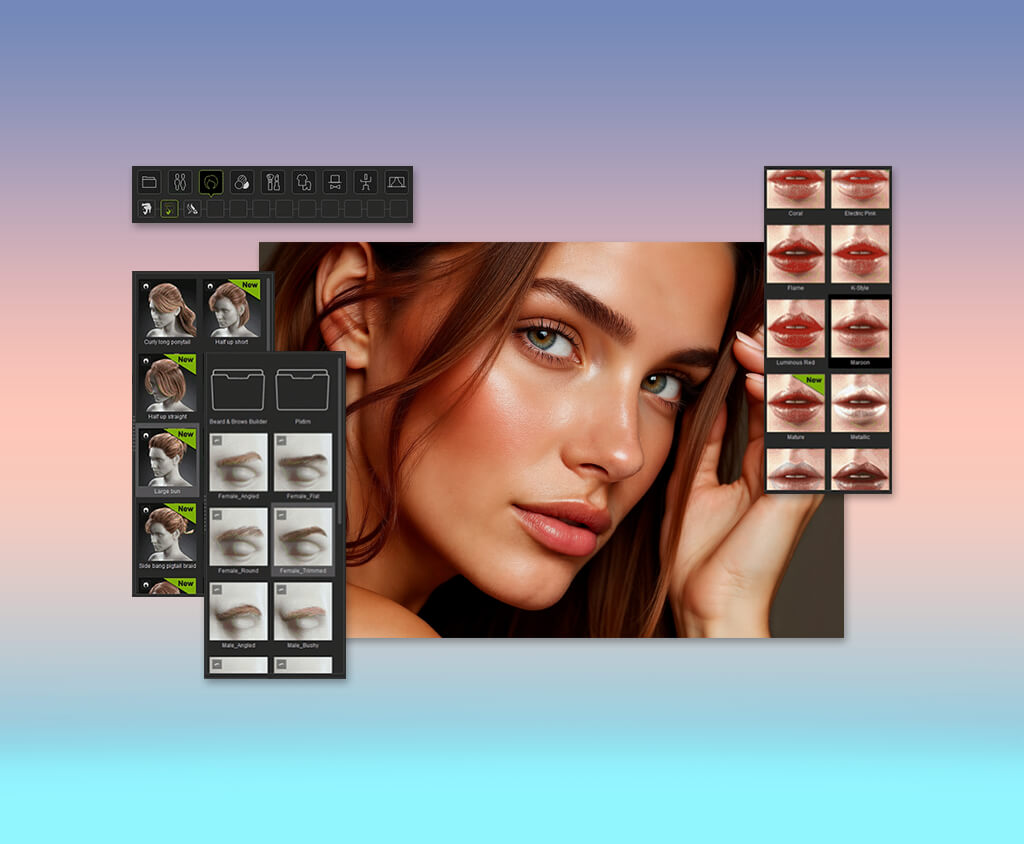
My testing focused heavily on Character Creator 4 (CC4), which immediately sets itself apart from conventional AI 3D model generators for characters. Instead of spitting out static, uneditable renders, CC4 functions as a full-fledged digital human studio. I spent time tweaking facial geometry, body proportions, clothing, and hairstyles to get characters with distinct visual identities.
To push efficiency further, I tested the Headshot AI plugin, which converts reference photos into flexible 3D base-mashes. Blending fast AI generation with deep manual editing gave me unprecedented artistic control over every final detail.
However, a virtual host is only as compelling as its movement. Shifting the characters into iClone allowed me to analyze Reallusion's animation capabilities, focusing on realistic body motion and subtle facial expressions.
The smooth switch between character creation and active animation proved to be the platform's greatest strength. Developing a character once and deploying it across multiple scenes solves a big challenge for ongoing video production.
Based on what we learned, I can say that Reallusion delivers a powerful blend of automated speed and granular customization without forcing you to build 3D assets entirely from scratch. For creators managing serious commercial projects, it is a top-tier, production-grade AI art generator. For our work at FixThePhoto, it is an exceptional solution for generating recognizable, recurring virtual presenters that maintain visual consistency across long-form video courses.
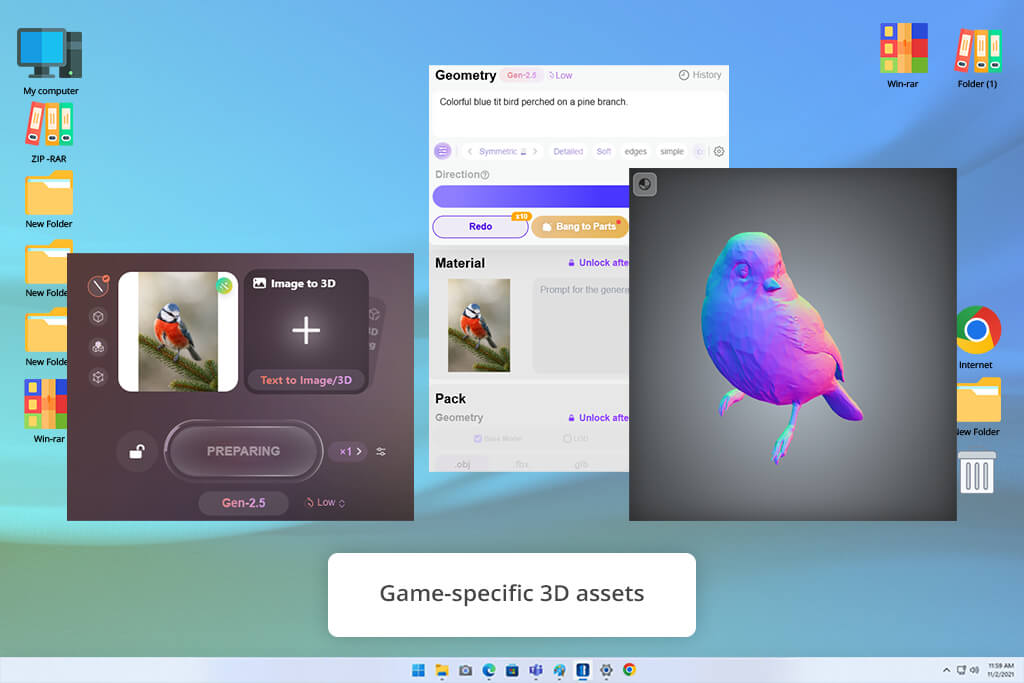
When rapid prototyping takes priority over lengthy manual modeling, tools like Hyper3D Rodin become essential additions to a creative toolkit. I tested this platform for FixThePhoto to evaluate how effectively modern generative AI can accelerate the early stages of 3D character design at scale.
In fast-paced production environments where creative directions change rapidly, waiting days for initial 3D block-outs simply isn't efficient. My primary goal was to determine whether Rodin could quickly translate loose visual ideas into functional 3D concepts without requiring complex setups.
The platform's core strength is its AI 3D Generation engine, which makes fully realized 3D models directly from text prompts and reference images. I systematically tested a broad spectrum of visual styles, ranging from photorealistic digital humans and stylized game figures to whimsical brand mascots.
The image-to-3D feature proved particularly impressive, consistently preserving the core proportions, recognizable shapes, and silhouette details of 2D concept art. Skipping the tedious manual modeling phase allowed me to transform flat illustrations into tangible, rotatable 3D assets within minutes.
“The quality of the AI-generated models was better than I expected, especially considering how fast they were created. They worked well as a starting point for prototypes, but I still spent some time refining the geometry and details before using them in a project.”

Beyond initial generation, I thoroughly examined texture quality, polygon structure, and post-processing requirements to judge real-world utility. While the generated surface details and color textures look surprisingly sharp right out of the box, the underlying geometry often demands manual retopology cleanup before hitting a downstream game or rendering engine.
However, the speed advantage completely outweighs these minor topology quirks. Being able to iterate through half a dozen character variations in a single sitting transform how creative teams evaluate potential concepts during early design reviews.
Hyper3D Rodin is a high-speed 3D avatar generation AI engine for conceptualizing and prototyping 3D assets on demand. While it won't fully replace specialized digital sculpting software or end-to-end animation suites, it compresses the stage between ideation and visualization. Our FixThePhoto team likes it a lot, as we can rapidly pitch, evaluate, and refine character concepts visually before committing major production resources to final sculpting, modeling, and rigging.
Can AI 3D platforms truly deliver studio-grade digital humans without eating up production schedules? To find out, my colleagues Tetiana Kostylieva, Kate Gross, Tati Tailor, and I tested the top tools rigorously. We evaluated each option across visual realism, customizability, and workflow speed. We wanted to pinpoint solutions that accelerate output while keeping full artistic command in the creator's hands.
We began the first phase by testing base character generation and overall visual quality. To ensure a fair, apples-to-apples comparison, we fed identical design prompts into every platform. We challenged each AI character model generator to make 3 distinct personas: a realistic virtual photography instructor, a sleek creative assistant, and an iconic branded mascot built specifically for FixThePhoto's content.
Tetiana Kostylieva led the visual analysis, evaluating prompt accuracy and detail retention across various renders. She meticulously scrutinized subtle nuances, from facial geometry and skin textures to hairstyles and stylistic coherence, to determine whether generated models could preserve a character’s core visual identity without losing the original artistic vision.
Next, Kate Gross stress-tested the technical capabilities shaping downstream production workflows. She benchmarked text-to-3D and image-to-3D conversion, rigging flexibility, interactive editing, and export compatibility for industry pipelines like Blender. Platforms offering modular customization, smooth video animation support, and true creative control earned top marks in our final evaluation.
“For me, the real test wasn't the initial character generation but everything that came next. I preferred the AI tools that treated the generated model as a starting point. Being able to adjust individual features, build 3D models from images, animate them, and export them for further work in Blender made those platforms far more practical for real projects.”
Tati Tailor spearheaded the practical usability testing, evaluating how these AI 3D character creators fit into fast-paced daily content production. Her primary mission was to measure how quickly a rough design concept turns into a fully usable character asset while maintaining strong visual style consistency across multiple branding campaigns.
To evaluate this parameter, we built various iterations of the same character, directly benchmarking generation speed against post-processing demands. By carefully tracking the amount of manual cleanup and editing required after the initial AI generation, we effectively separated intuitive, entry-level tools from the best AI 3D avatar creators for complex projects.
Generally, we scored every platform across visual realism, identity consistency, customization depth, user-friendliness, and overall value for digital creators. This practical testing method highlighted which tools consistently deliver studio-grade digital characters for full production environments and which are better suited for fast visual experiments. Ultimately, evaluating these platforms through actual FixThePhoto production scenarios gave us a clear picture if they can expedite and simplify our work.




![7 Best AI Video Highlight Generators [100% FREE]](http://fixthephoto.com/blog/images/gallery/news_main__preview_29348.jpg)
![9 Best AI Picasso Generators [{{%year}} FixThePhoto Choice]](http://fixthephoto.com/blog/images/gallery/news_main__preview_29366.jpg)
![7 Best PDF to Video Converters [{{%year}} FixThePhoto Choice]](http://fixthephoto.com/blog/images/gallery/news_main__preview_29441.jpg)
![9 Best AI Eye Contact Correction Online Tools [{{%year}} FixThePhoto Choice]](http://fixthephoto.com/blog/images/gallery/news_main__preview_29443.jpg)

![7 Best Free Online Video Prompter [{{%year}} FixThePhoto Choice]](http://fixthephoto.com/blog/images/gallery/news_main__preview_29369.jpg)


















