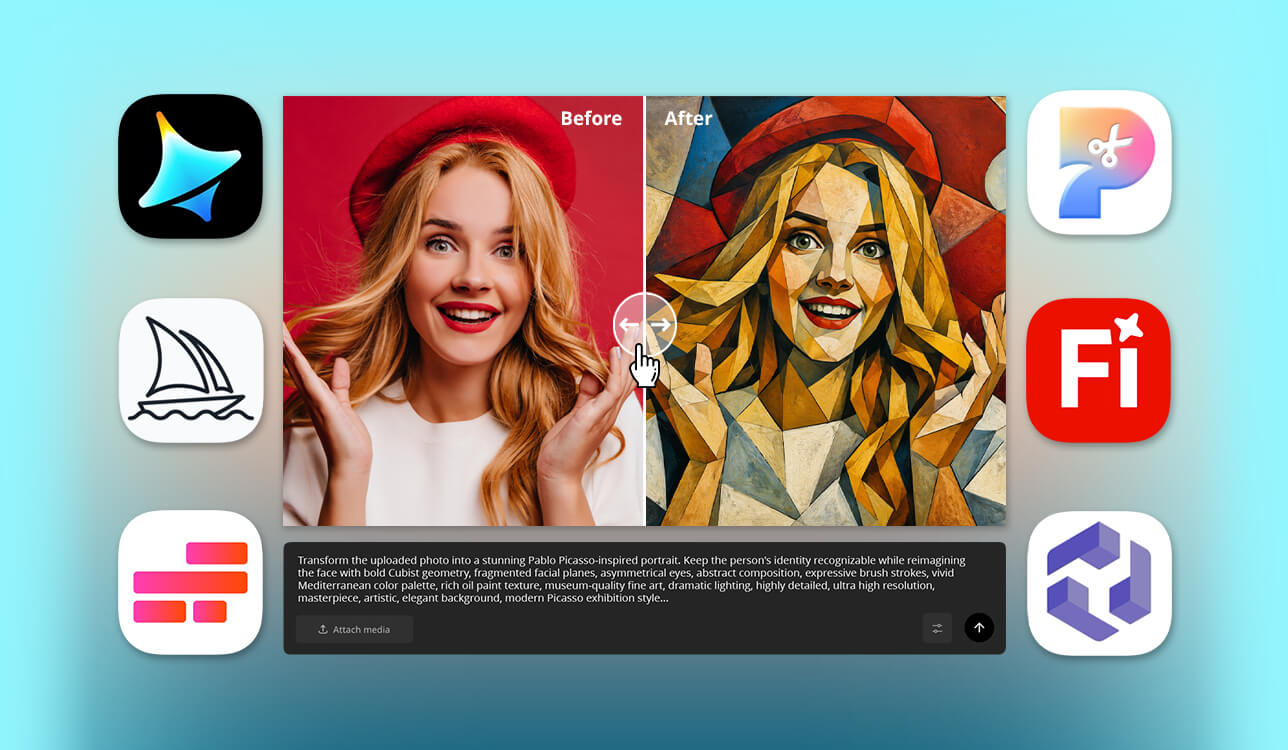
As an AI creator, I constantly experiment with generative image tools, testing new releases and uncovering practical solutions for different projects. Lately, my followers keep asking one question: which platform is genuinely the best AI Picasso generator for abstract paintings? They crave authentic Cubist geometry and dramatic visual tension, not just a generic painting filter slapped over a standard photo.
To provide a detailed answer, I collaborated with my talented colleagues from the FixThePhoto team. Together, we performed an extensive, structured comparison. We benchmarked top tools using standardized text prompts, systematically evaluating image clarity, style consistency, prompt adherence, and overall editability. Our main goal was filtering out hype to spotlight software that consistently translates complex concepts into striking masterpieces with rich artistic depth. Here is what we learned.
The top AI Picasso generators described below impressed me with their genuine artistic intelligence and creative depth. Instead of simply applying shallow Cubist filters, they master color relationships, structural composition, and brushstroke dynamics while respecting my exact prompt instructions.
With precise controls for reference images, aspect ratios, and style intensity, these programs appeared highly versatile, being suitable for casual creative experiments and professional commercial artwork.
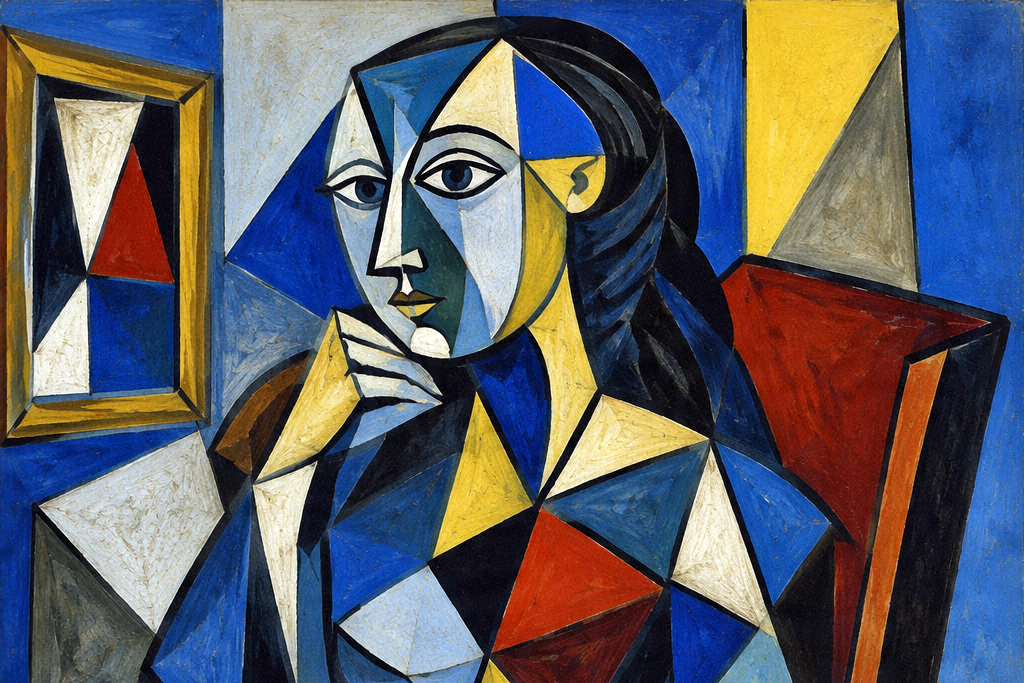
As a digital creator who experiments with creative image algorithms daily, I have realized that finding the best free AI Picasso generator is only step one. The true secret to generating captivating, museum-quality Cubist artwork is to learn how to use such a tool properly. Over hundreds of experimental renders, I have refined a practical creative workflow that transforms generic outputs into striking artistic compositions. Before evaluating any new generative AI tool or publishing a finished piece, these are the five golden rules I always follow.
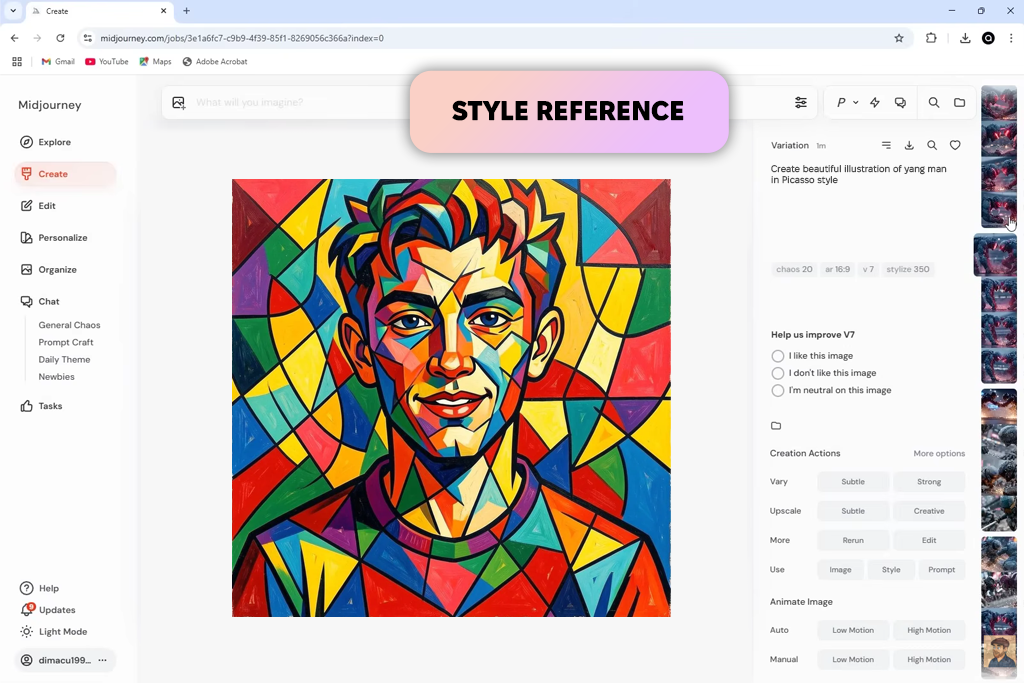
If you are searching for the best AI Picasso generator that captures the spirit of modern art history, Midjourney easily secures its spot. Rather than simply slapping a surface-level abstract filter over a standard image, it grasps the structural geometry, fragmented planes, and emotional nuance behind classic Cubism.
During testing, we contrasted Picasso’s iconic Blue and Rose periods using similar subjects. The engine captured these subtle thematic shifts properly. Blue Period prompts yielded cool, introspective portraits, while Rose Period references instantly transformed the same aesthetic toward warmer tones and softer compositions.
“I’ve noticed Midjourney works better when I keep my prompts focused on a few main visual elements instead of adding too many details at once. For the Picasso experiments, I kept the subject clear and adjusted things like the era, colors, and Cubism style one at a time.”

To test its technical limits, we created detailed prompts combining overlapping planes, multi-perspective distortion, and heavy impasto brushwork. Utilizing parameters like -ar 3:4, we preserved proper portrait framing, allowing Midjourney to construct intricate, angular facial structures without collapsing into an unrecognizable or chaotic jumble.
Moving beyond traditional portraiture, the generator proved remarkably flexible across diverse artistic sub-styles. A simple prompt for a continuous-line cat produced a clean sketch with subtle Cubist accents, while requests specifying synthetic Cubism, mixed media collage, or bold primary colors yielded gallery-ready digital paintings.
The primary trade-off comes down to prompt clutter, which is also a problem for many Midjourney alternatives. When too many descriptive terms compete, the model can struggle. Pruning unnecessary adjectives usually yields stronger results than piling on instructions. Ultimately, for realistic canvas textures, expansive stylistic range, and authentic composition, Midjourney remains a great tool for generating Picasso-inspired art.
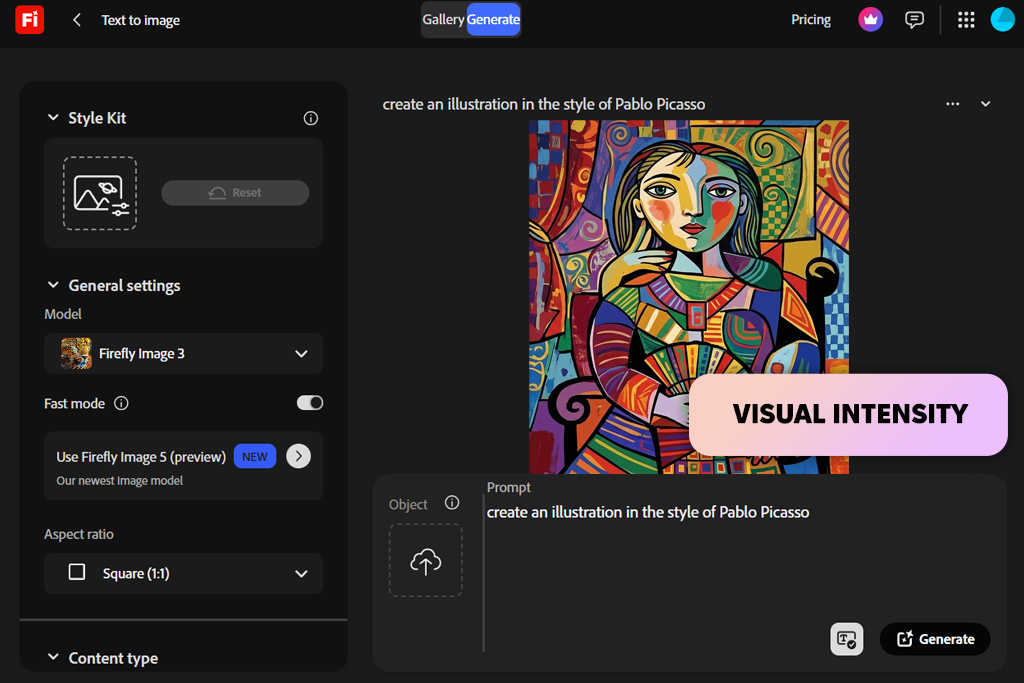
If you want to transform reference imagery or portraits into striking Cubist artwork, Adobe Firefly can be the best AI Picasso generator from photo available today. Rather than relying solely on text prompts, Firefly in Photoshop integration gives creators unprecedented control over composition, texture, and structure.
We started with the standalone Firefly web app, inputting a prompt for a musician constructed from multi-perspective facial planes and bold geometric shapes. Setting the content type to "Art" provided several strong visual directions almost instantly. However, the real power emerged once we transitioned the workflow into Photoshop.
“I prefer making a few initial versions and refining them with Generative Fill. Fixing small details is faster and more practical for me than regenerating the entire image every time.”

By using reference-guided generation, you can upload existing portraits or stock photos to anchor the structural composition, forcing the model to reinterpreting features through an authentic Cubist lens. When a generated section looked too smooth, we applied Generative Fill to specific regions to introduce heavy impasto brushwork or fractured geometry without scrapping the entire canvas. This target-specific editing workflow makes translating standard photos into textured, Picasso-inspired masterpieces easy.
Another advantage worth noting is Firefly's expanding multi-model architecture. Beyond Adobe's native Firefly engines, the ecosystem provides access to partner models, including FLUX and Gemini, as well as GPT Image integration across broader workflows. Switching between these models makes it easy to contrast clean, graphic vector-style Cubism against deeply textured, painterly renditions.
The main drawback is that precision takes time. Adjusting reference strengths, tweaking style controls, and fine-tuning individual selections means you will spend longer dialing in details than you would with a single-click generator. But for artists seeking commercial-ready outputs, smooth photo-to-art transformations, and granular control, Firefly is an essential creative tool.
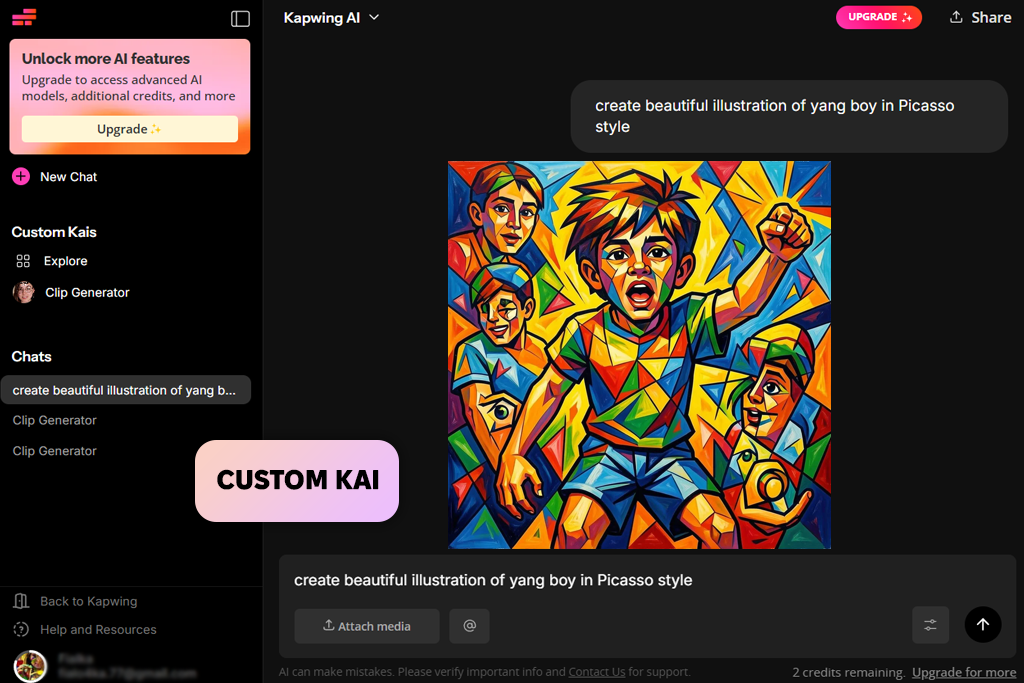
My colleague Ann recommended Kapwing, and I can clearly see why she likes this tool so much. It instantly demonstrates that generating an abstract piece is merely the first step in building a modern media campaign.
Instead of downloading static art files and importing them into third-party software, generated assets land directly inside the browser-based Kapwing Studio interface. From here, creators can adjust canvas dimensions, overlay typography, re-crop key focal points, and verify social platform safe zones without leaving the workspace.
“I usually turn to Kapwing for social posts because it’s convenient to generate and adjust content in the same workspace. For the Picasso images, I just created a few different sizes and layouts without having to start over.”

We pushed this unified ecosystem further by testing its generative motion capabilities on Cubist prompts. By specifying directional movement, camera angles, and dynamic lighting, this AI art generator converted static abstract artwork into engaging video sequences, saving time when producing rapid, motion-driven social assets.
Team-focused utility provides another operational advantage. Through Custom Kai features, design studios can store specific prompt frameworks and model behaviors to ensure visual style consistency across initiatives. Combined with real-time multiplayer editing, brand kit presets, and direct social publishing, the platform streamlines group workflows under tight deadlines.
For marketing teams, agency designers, and content strategists seeking to deploy multi-format campaigns, dynamic clips, and responsive graphics, Kapwing stands out as a comprehensive asset engine and arguably the best AI Picasso generator for cubist art.
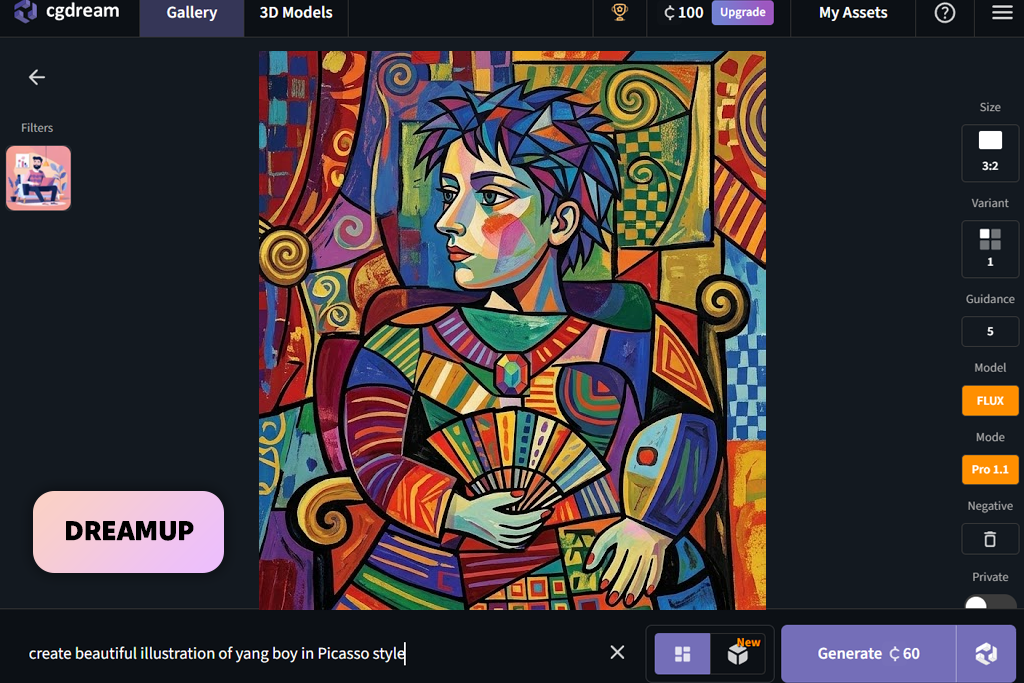
If you are looking for an accessible entry point into digital art creation, CGDream is a streamlined, highly intuitive platform. I used it with a straightforward prompt for an abstract portrait featuring asymmetric eyes, sharp geometric planes, and vibrant color palettes. The platform quickly delivered cohesive initial outputs without requiring tedious setup or technical configuration.
Moving beyond basic portraiture reveals how effectively the engine interprets complex concepts. When prompting a futuristic cityscape rendered in classic Cubist abstraction, CGDream transforms towering architecture into interlocking geometric planes while preserving the scene's structural readability.
Integrated access to Flux AI models allows creators to test ideas freely before deciding whether premium upgrades are necessary, making it one of the best AI image generators for budget-conscious artists.
During long creation sessions CGDream adapts across diverse visual subjects. Switching between character concepts, abstract environments, and fantasy illustrations requires simple prompt tweaks rather than navigating a complex artistic suite. For creators searching for the best AI Picasso generator online, this workflow keeps the focus entirely on experimenting with color, composition, and form.
While power users may miss deep manual editing controls, the platform offers an unbeatable balance of speed and convenience. It eliminates the need to micromanage every stage of image generation. All in all, it is an efficient choice for turning abstract ideas into striking art.
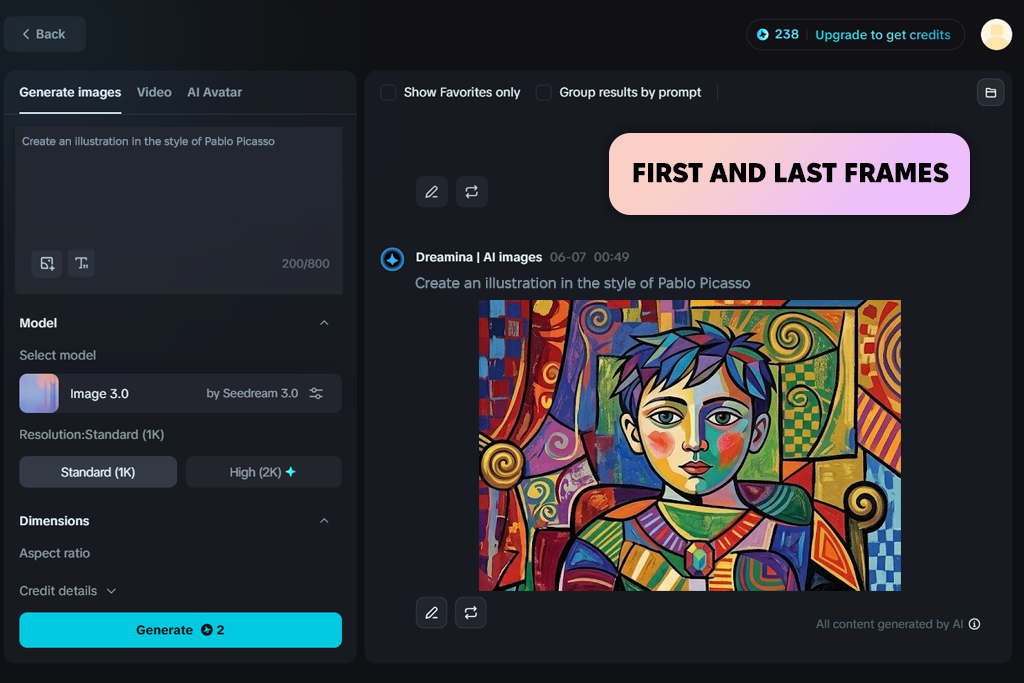
Developed by the team behind CapCut, Dreamina offers a new approach to AI-driven artistic creation. We launched our initial tests within the Seedream image generator, inputting prompts for abstract female portraits characterized by cool blue tones, fragmented facial planes, and striking asymmetry.
By using reference images to steer visual direction, shifting between distinct artistic eras became fluid and intuitive. You can easily nudge a single composition toward the restrained mood of Picasso’s Blue Period, then pivot toward the bold geometric structures of synthetic Cubism without rebuilding your core concept.
“I first created two Picasso-inspired images and used them as the start and end points for a Seedance animation. Having those reference frames helped guide the movement and made the transformation feel more connected. The first result lost too many facial details along the way, but after trying again, the transition looked much more natural and consistent.”
Beyond static canvases, the platform offers an exceptional workspace for digital creators seeking the best AI Picasso generator without watermark clutter on exported files. Through its integrated Seedance video engine, static Cubist portraits transition into dynamic motion sequences. Utilizing first-and-last frame control features allows you to establish precise starting and ending keyframes for morphing.
Rather than simply panning across a finished painting, you can direct a realistic portrait to gradually deconstruct into intricate, rearranging geometric planes directly across the video frame.
This dual-engine workflow completely redefines conceptual creation by encouraging artists to explore abstract art through motion. In one test, we made two distinct images specifically to map their transformation. Cool-toned, monochromatic portraits dynamically shifted into vibrant, multi-perspective compositions with shifting facial proportions.
While complex visual transitions occasionally require a second attempt to maintain clean geometric alignment, guiding motion via reference frames provides creative control for experimental projects.
Whether you need standalone Cubist portraits or full motion sequences, Dreamina can easily produce static art and videos without treating them as separate projects.
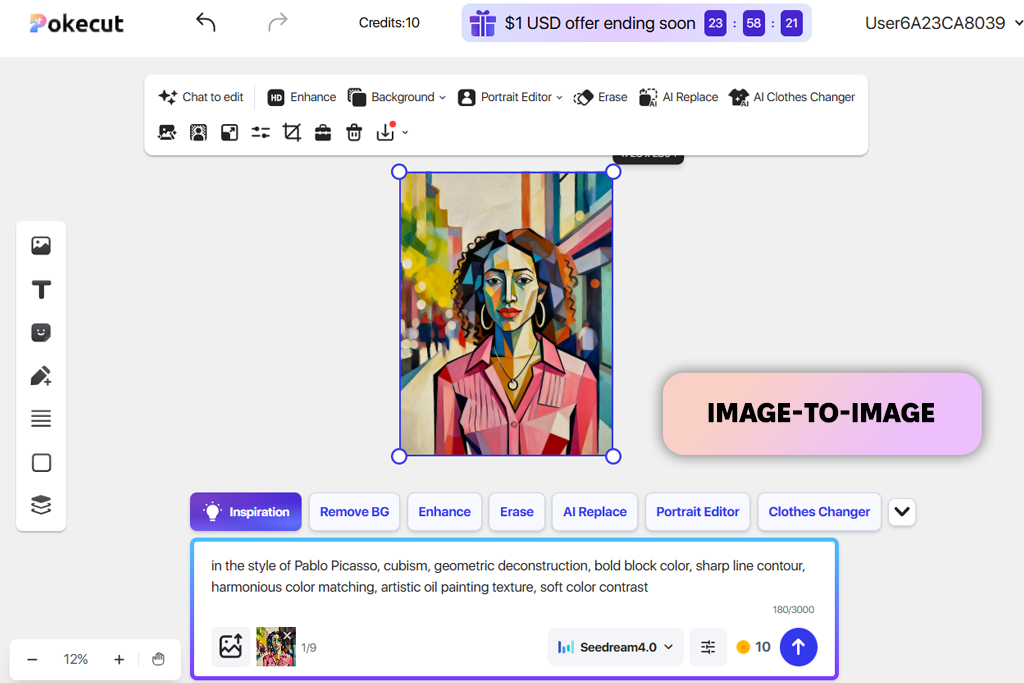
Have you ever wondered what happens when you process a standard portrait in a dedicated AI Cubist generator? That exact curiosity brought me straight to Pokecut. Rather than agonizing over complex text prompts, I uploaded a regular photo to see how it handled recognizable human features.
Powered directly by the Gemini Nano Banana Pro model, the tool automatically mapped the face, translating standard facial proportions into striking geometric planes and dynamic perspective framing. The result was impressive. It was not just a colorful filter slapped onto an image, but a true restructuring of depth, shape, and rich oil painting texture.
Testing several different images revealed a clear trend. Pokecut works best when you give it a focused subject to interpret. It preserves core facial identity while applying bold artistic abstraction. While customization enthusiasts may crave manual styling knobs or fine-grained artistic toggles, this hands-off approach is also great.
You skip the frustration of art history jargon and jump directly to vibrant, high-impact visuals. It turns image transformation into an intuitive process that delivers immediate artistic value without technical hurdles.
If you want to breathe fresh creative life into existing photos without building complex prompts word by word, this AI oil-paint generator is fantastic. It turns everyday snapshots into striking gallery-style masterpieces in seconds. For artists and casual creators seeking fast, high-quality stylistic shifts, Pokecut is easily the best AI Picasso generator for abstract paintings.
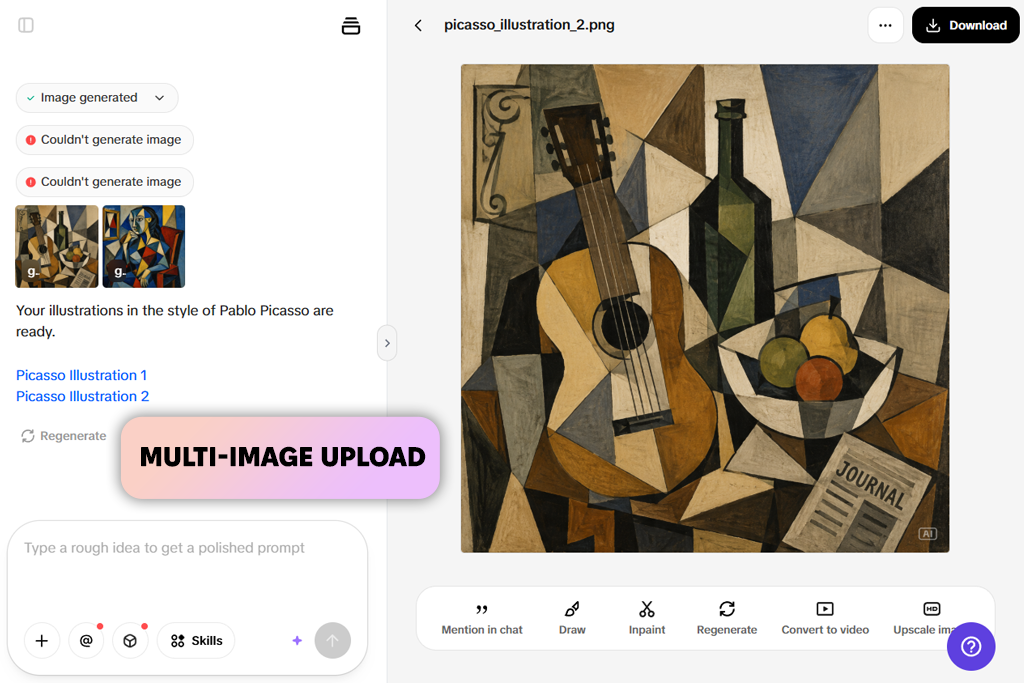
If you are searching for the best AI Picasso generator with no sign-up process, Pippit stands out as an exceptional candidate. Rather than applying superficial color filters over an image, Pippit carefully analyzes underlying visual structures. It intelligently reconstructs facial features using angular facets, shifting dimensions, and overlapping perspective planes.
The transformed subjects remain recognizable while achieving a distinct, authentic Cubist aesthetic. Furthermore, its batch upload feature allows you to process up to 5 pictures simultaneously, making it incredibly convenient to test how one stylistic concept behaves across different photos without setting up prompts repeatedly.
“The ability to add multiple images in one go was really useful because I wanted the portraits to have a unified look. I followed the same creative direction for each one, then compared the results and kept the variations that had the strongest visual balance in terms of color and geometry.”
When you prefer to build abstract artwork entirely from scratch, Pippit transitions into a text-driven creative studio. Powered by advanced engines like SeeDream 4.0 and Nano Banana, it allows you to define custom canvas dimensions while making complex visual scenes. You can easily request abstract musicians composed of fragmented geometric shapes, vibrant color blocks, and multi-perspective faces.
Pippit interprets these nuanced art history cues without requiring elaborate prompting or specialized artistic terminology. Because each prompt generates multiple distinct variations, you can quickly evaluate different geometric interpretations and choose the composition that delivers the strongest visual impact.
Beyond individual image generation, Pippit functions effectively as a production engine for social media graphics, posters, and branded series. By adjusting canvas sizes, you can maintain visual continuity across an entire project. Combining image-to-image reinterpretation with direct text-to-image generation in one unified workflow gives creators total artistic flexibility. You can shift from converting existing portrait photography to generating original geometric abstractions without leaving the canvas. Just keep in mind that reviewing every generated option takes time.
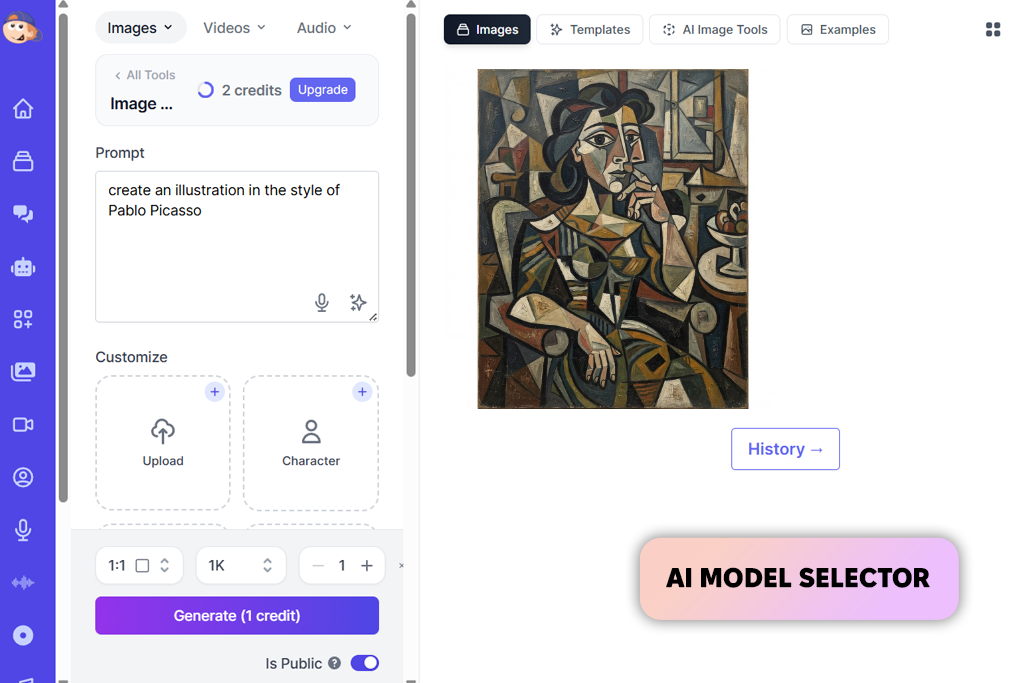
When my talented colleague Kate suggested we test out Easy-Peasy for our digital artwork experimentation, I immediately headed straight toward its dedicated Picasso creation module. My initial attempt focused on making a complex portrait defined by fragmented facial features, dramatic angles, and intentionally muted geometric planes.
While that first render created a solid foundational image, adding specific stylistic art descriptors like "Analytical Cubism" or "Blue Period" was indispensable. After that, I received striking and dynamic results.
“Using the same prompt and subject throughout made the comparison much more meaningful. One model produced sharper, more structured geometry, while another stood out by creating a richer, more painterly texture.”
This platform apart is its expansive collection of top-tier AI engines. With access to Midjourney V7, GPT Image 1.5, Nano Banana Pro, FLUX, Stable Diffusion, Imagen, and Recraft in a single place, you can easily maintain your primary Cubist concept while comparing how different generative models interpret the exact same prompt. Furthermore, feeding a custom reference image into the system gives you incredible creative control, though picking which engine to use next can definitely take some deliberation.
If you are searching for the best AI Picasso generator for beginners, this tool offers an amazingly intuitive option for exploring historical art styles. I had an absolute blast prompting a vintage still life featuring a guitar and bottle in subtle brown tones, followed by an abstract figure bathed in monochromatic blues. However, keep in mind that free trial image generations are fairly limited, so plan out your prompts wisely to maximize overall daily creativity.
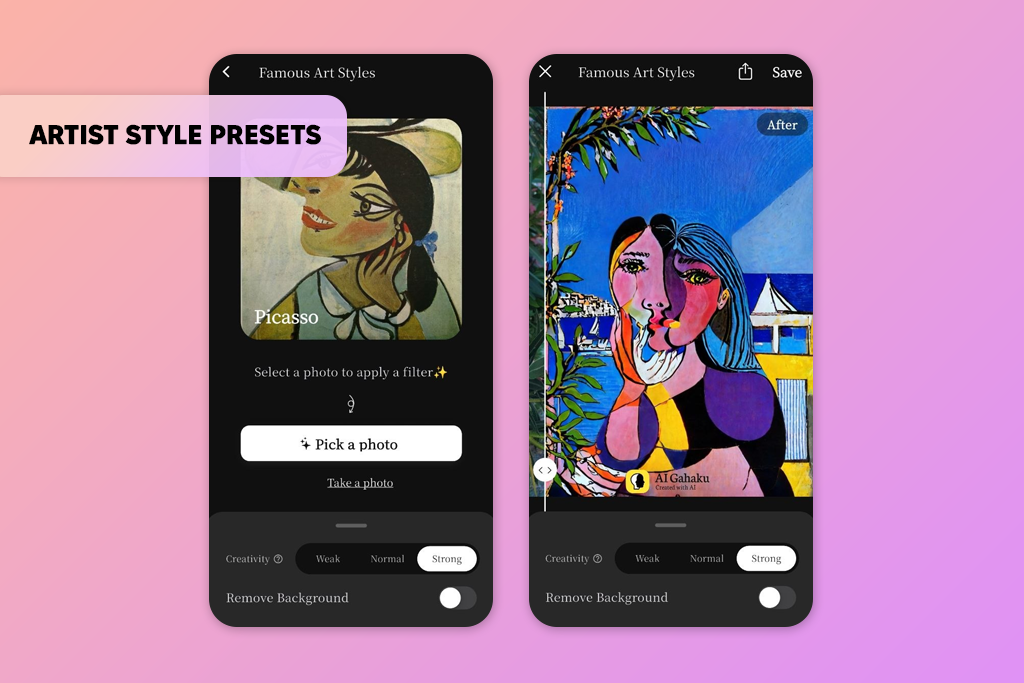
Transforming personal portraits into classic artistic masterpieces takes mere seconds using AI Gahaku. Rather than struggling with complex text prompts, you simply upload a clear photo, select a Picasso-inspired aesthetic, and watch the instant visual transformation. The platform preserves basic facial structure while dramatically altering the surrounding painted character, offering possibilities of rapid creative exploration.
With roughly 30 styles available on the web version and hundreds more on mobile apps, this platform easily stands out as the best AI Picasso generator online for fast portrait conversions. Swapping between different preset filters reveals how lighting, line work, and geometry dynamically shift. While you cannot specify individual color choices, the incredible simplicity easily balances out limited custom controls.
Keep in mind that your starting photo heavily influences final results. Gahaku requires a distinct, full-face snapshot to deliver clean stylistic renders. If you want to turn everyday selfies into striking Cubist artwork without grappling with prompt engineering, this intuitive generator remains one of the most accessible tools to try online today.
Finding an exceptional generator requires looking far beyond basic surface-level color tweaks or simple facial distortions. When our testing team set out to identify the best AI Picasso generator, we demanded true mastery of authentic Cubist visual logic.
We wanted to see if AI tools could actually handle fragmented forms, simultaneous perspective shifts, sharp geometric construction, and iconic period palettes – from the melancholic blue tones of the Blue Period to the warm balance of the Rose Period.
“It's easy to pick the most visually appealing image and stop there, but I don't think that's a fair comparison. I spent more time testing how the model responded to edits. Could it shift the color palette without ruining the composition? Could it lean harder into Cubism while preserving the person's identity? Those follow-up changes were a much better measure of quality.”
To push these creative engines to their absolute limits, I started by testing a series of standardized text prompts across every platform. Portraits served as our baseline stress test because human faces instantly reveal weak style application. Merely slapping asymmetrical eyes onto a head is easy. Restructuring facial anatomy into harmonious geometric planes requires deep architectural understanding.
From there, I expanded our testing suite to cover traditional still lifes, dynamic animal figures, and expansive conceptual compositions. I systematically layered in specific prompt parameters like canvas texture, heavy brushwork, and structured directional lighting to carefully evaluate each model's artistic responsiveness.
Meanwhile, my colleague Kate took full charge of evaluating photo-based style transfers and image-to-image workflows. She fed clean reference portraits into each tool to determine whether it was executing a deep structural reconstruction or simply applying a cheap surface filter overlay.
Kate scrutinized facial segmentation, background integration, texture preservation, and how fine-tuning sliders affected the final visual impact. Platforms offering multi-model comparison, reference weight adjustments, and direct image guidance scored significantly higher during her hands-on evaluations.
A great generator must also deliver a flexible user experience. Our teammate Ann audited essential workflow features, including custom aspect ratios, editing capabilities, high-resolution output downloads, and daily free-generation allowances. For platforms supporting video generation, she tested motion consistency to ensure Cubist shapes maintained structural integrity across frames instead of collapsing into chaotic visual noise. Her rigorous testing proved crucial for highlighting the best AI Picasso generator for abstract paintings, especially when complex geometry needed to stay coherent across multiple artistic variations.
Finally, we prioritized long-term consistency over individual lucky renders. Because AI image generation inherently involves algorithmic randomness, I generated dozens of variations for every prompt to judge true reliability. A platform earned top honors on our final list only when its controls produced predictable, repeatable, and controllable artistic improvements.
By focusing on intentional art creation rather than randomized generation lotteries, we ensured that our recommendations reflect tools capable of turning your creative vision into a genuine masterpiece-level Cubist art.





![5 Best Podcast Cover Art Creators in {{%year}} [100% FREE]](http://fixthephoto.com/blog/images/gallery/news_main__preview_29304.jpg)


![9 Best AI Car Video Generators [{{%year}} FixThePhoto Choice]](http://fixthephoto.com/blog/images/gallery/news_main__preview_29281.jpg)



















