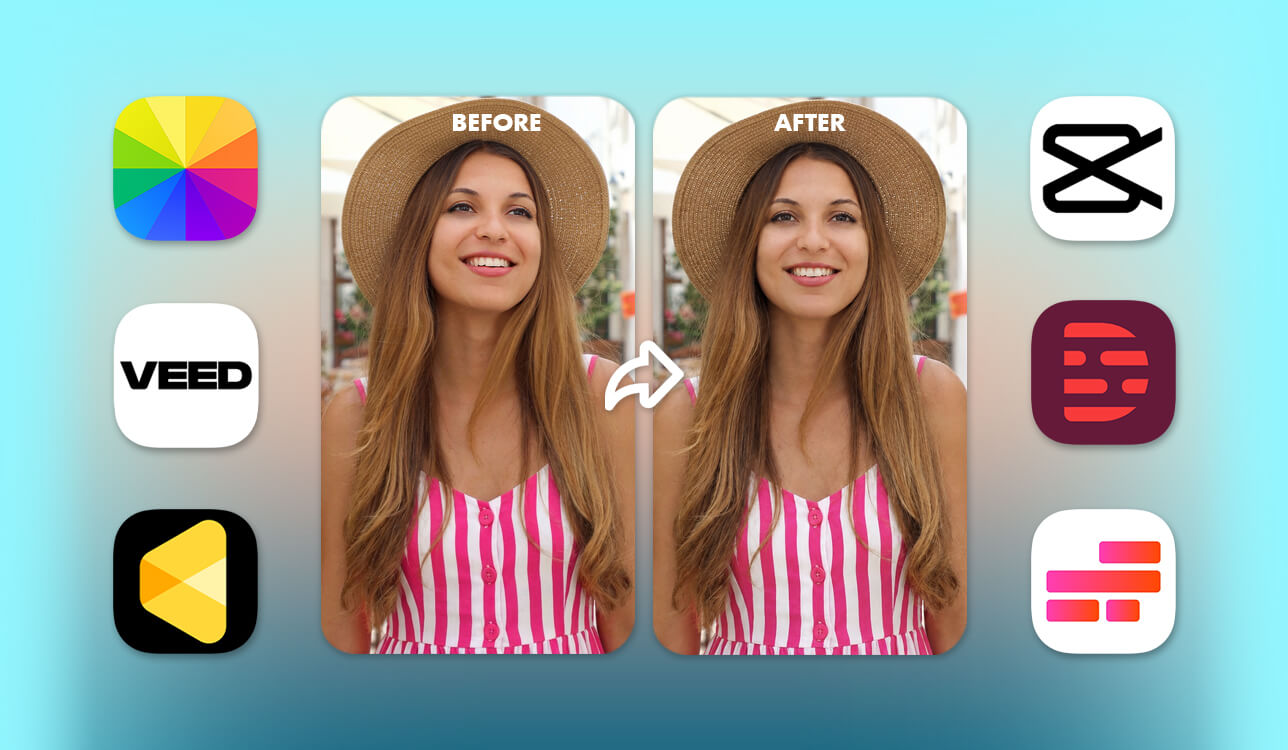
As a professional video retoucher, I regularly deal with complex editing suites, especially when fine-tuning natural eye contact for clients. But after receiving a wave of reader inquiries asking for a simpler way to fix stray gazes, I got curious. Have web-based AI tools advanced far enough to match pro-level solutions without confusing users with multiple menus and settings?
To get through the marketing hype, the FixThePhoto team and I tested the top online AI eye contact generators with rigorous real-world tasks. We evaluated their performance across diverse lighting setups, tricky camera angles, and varied facial movements to see how naturally they adjusted gaze.
We weren't interested in bloated feature sets. Our mission was to identify the user-friendly platforms that produce convincing eye contact with minimal effort. Here is what we discovered after evaluating smart browser-based editing solutions head-to-head.
I handpicked web-based AI eye contact correction tools that are understandable even for complete beginners. Every platform in this guide automatically realigns your gaze directly at the camera, ensuring your videos look natural, engaging, and top-quality. Whether you are creating online courses, prepping for video interviews, recording sales presentations, or posting daily social content, these online services help you build instant connection with your audience in just a few quick clicks.
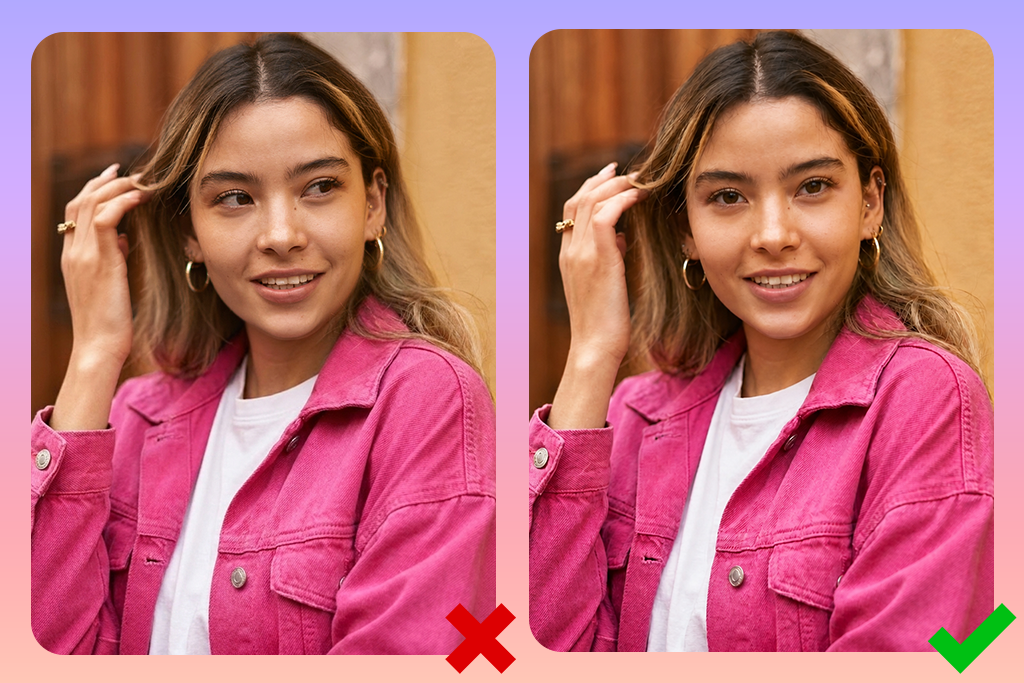
Even the most sophisticated AI video tool can’t work miracles on poor footage. Throughout my testing, I realized that achieving truly natural eye contact depends just as much on how you record your video as it does on the software you choose. If your source video lacks clarity, the AI will struggle to generate believable results. To ensure your final output looks completely realistic, here are five essential tips to stick to.

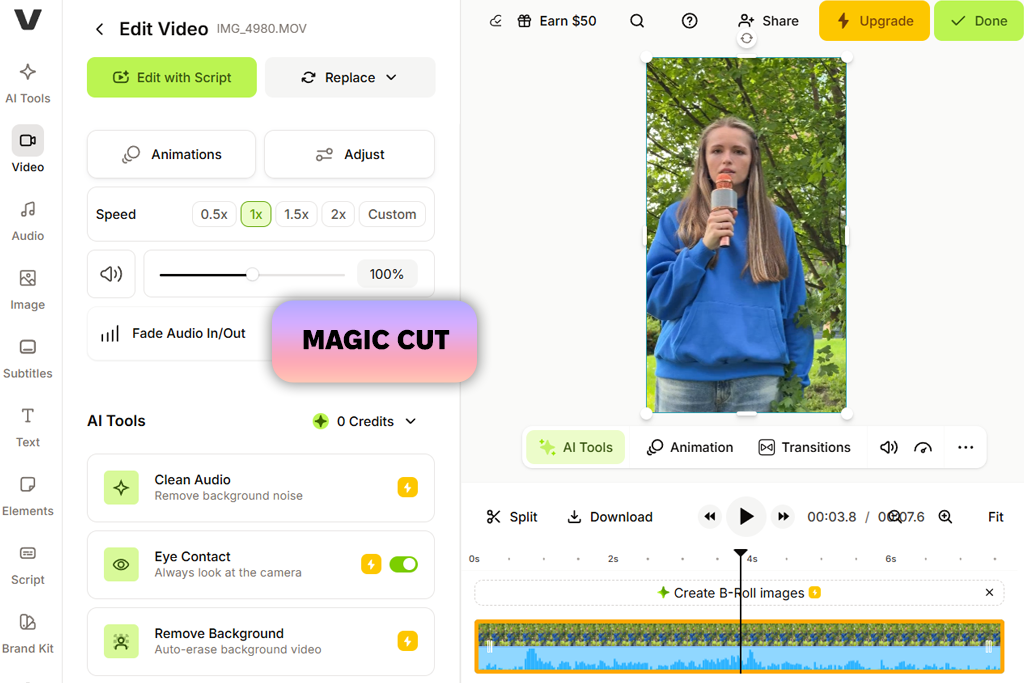
Ever find yourself glancing at off-screen notes during a recording, only to realize later that your line of sight looks completely unfocused? That scenario happens constantly when filming quick talking-head clips. As someone who routinely jumps into VEED for fast video touch-ups while working away from my main desktop software, I was eager to see if its AI Eye Contact feature could hold its ground against dedicated AI tools.
Getting started could not have been easier. I dropped a short video onto the timeline, clicked the clip, and toggled the Eye Contact option directly inside the side toolbar. Within sixty seconds, the setup was complete. When you are editing on the go, such a fast experience is invaluable.
“I usually turn to VEED when I need a quick fix without opening a more complicated editor. The eye contact correction was a lifesaver for a few videos where I kept looking down at my notes while recording.”

The real bragging point of this AI eye contact correction tool is the unified workspace. Rather than exporting the modified video to run through a separate platform, everything stays inside a single browser tab. Right after adjusting my gaze, I triggered Magic Cut to strip out awkward silences and filler words, fixed the audio clarity, and tested the background remover on the exact same project file.
As for visual quality, the eye correction looks surprisingly realistic. As long as your head remains relatively centered in the frame, the gaze appears warm and natural, preserving the casual feel of an unscripted conversation. You may spot a slight digital lock if you abruptly turn your head away from the camera, but it remains subtle enough that average viewers won't notice.
Testing a larger, full-length video file slowed down the rendering procedure, which is standard for web-based apps handling heavy media. However, once the AI finished processing, I immediately added automated captions, polished lower thirds, brand logos, and extra B-roll without ever leaving the platform. That all-in-one working environment is precisely why VEED remains a top choice for transforming raw footage into publish-ready video in one session.
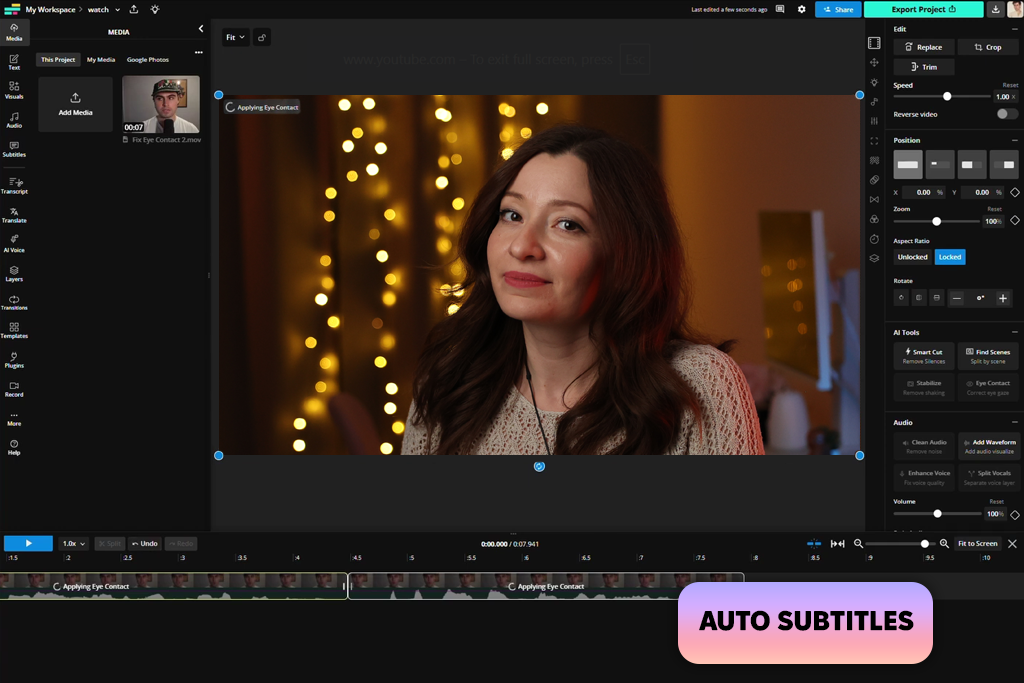
Nataly on our team convinced me to give Kapwing a second look. She’s been using it regularly for quick client previews and social media clips, so I figured it was time for a test drive. I uploaded a talking-head clip where I was constantly glancing off-camera at a script beside my monitor. I turned on the AI Eye Contact feature to see if it could fix those awkward moments without making me look like a wide-eyed robot.
Honestly? The results were way better than I expected! The correction blended smoothly—even during quick side glances—and I loved that I could keep editing in the exact same workspace rather than exporting the file after every little tweak.
“I mainly use Kapwing for quick social clips, so I liked that the eye contact feature is like a natural part of the editing process. It was also better at fixing small glances away from the camera than I expected.”

Once the eye contact looked natural, I got to trimming the clip, auto-generating captions, and cutting out weird pauses. The whole workflow was intuitive since everything happened on a single timeline. It instantly made sense why people love using this AI eye contact corrector to repurpose long webinars, interviews, or podcasts into bite-sized social posts.
The only real speedbump was the updated interface. A few buttons had shifted since Nataly last used it, so I spent a minute hunting around for features I assumed would be right in front of me.
To test its limits, I also worked with a longer, unscripted video with lots of natural head movement. This AI video editor still held up remarkably well. It delivered realistic results across most scenes, avoided that creepy "frozen stare" issue some other editors have, and saved me from having to re-record a perfectly good take just because I looked away. Editing did lag a bit as the project got bigger, and casual users will definitely feel the squeeze of the free project limits pretty fast. But for short-form content, this AI eye tracking software is good enough.
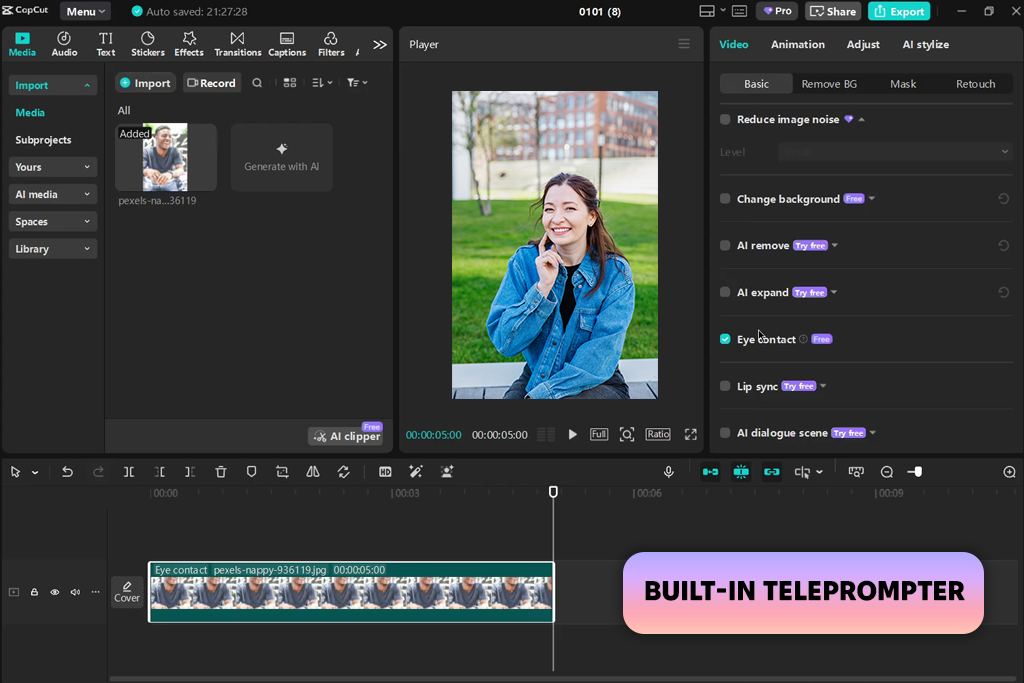
If you make content for social media, chances are CapCut already lives on your phone or desktop. Known for its viral effects and intuitive interface, this popular editor also brags about smart AI-powered eye contact correction. I analyzed this feature, using a long-scripted tutorial clip, letting the app auto-correct my gaze without tweaking a single setting manually.
The results were surprisingly authentic. Instead of locking your pupils in a creepy, unblinking death stare, CapCut preserves your micro-expressions and realistic blinking patterns. It aligns your gaze with the camera lens while keeping the overall impression relaxed and natural. The built-in Teleprompter is also useful, letting users create a powerful system for educators, vloggers, and keynote presenters who want to read detailed scripts without losing visual connection with their audience.
“I was impressed by how subtle the eye correction looked during regular recordings. It works best when I’m not making big movements, but for tutorials and short-form content, having all the editing tools in a single project saves a lot of time.”

CapCut is deservedly called one of the best video editing apps. Rather than forcing you to jump between external AI apps, crop footage elsewhere, and import files back and forth, CapCut lets you fix your gaze directly on your main timeline. From there, you can instantly add animated captions, apply trendy color grades, drop in transitions, or tweak audio levels within seconds.
Naturally, no tool is totally flawless. If you make quick, aggressive head movements while speaking, frame-by-frame scrutiny may reveal a slight softness or ghosting around the edges of the eyes. Furthermore, while quick social clips export in a flash, rendering longer, feature-heavy videos can slow your export times down noticeably. Still, these minor hiccups are easy to overlook. CapCut successfully fuses smart AI automation with a complete editing suite, making professional-looking eye contact simpler and faster to achieve than ever before.
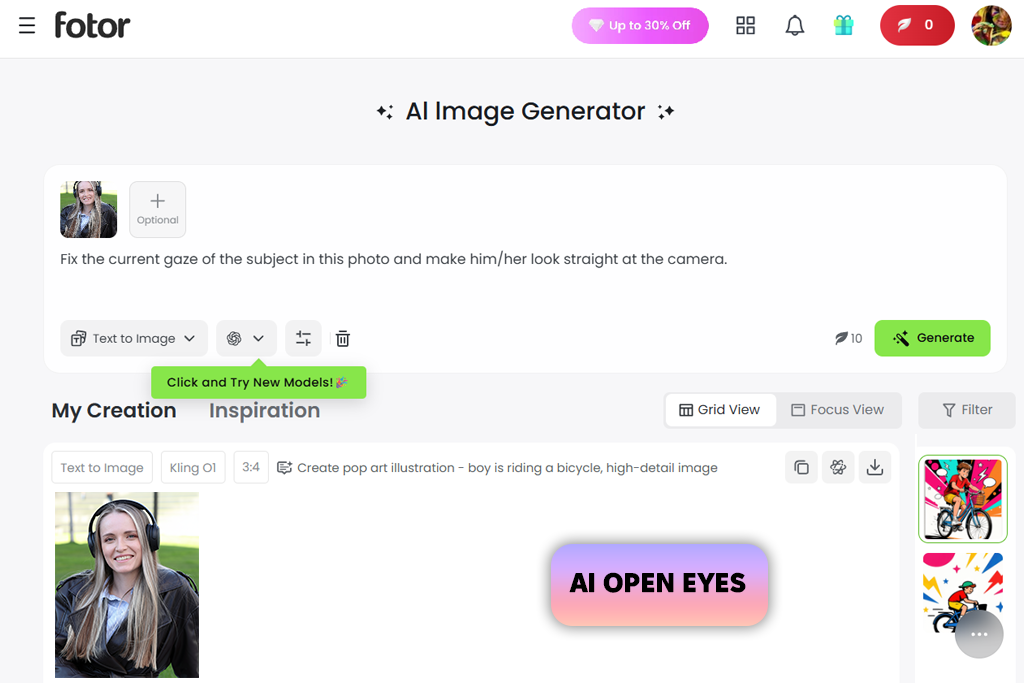
While most free AI eye contact correction tools focus heavily on video, Fotor takes a completely different path by mastering still photography. If you have ever taken a headshot where your gaze landed slightly off-camera, you know how frustrating it is.
I tested Fotor on a mismatched portrait, and it swiftly realigned the subject’s gaze toward the lens without distorting their facial expressions. It is a fantastic fix for LinkedIn profile pictures, dating app bios, or professional headshots that need an instant boost of confidence.
Fixing group photos can be an absolute nightmare, especially when everyone looks in a different direction. Fotor handles this remarkably well by aligning multiple gazes across the frame. While it is always smart to double-check each face, since the intensity can vary depending on lighting, it saves incredible amounts of time compared to traditional editing software. Plus, its clever AI Open Eyes feature easily fixes accidental blinks or squinting in otherwise perfect shots.
Beyond fully automated fixes, Fotor packs a surprisingly useful toolkit of manual retouching brushes. You can clean up red-eye, add subtle mascara, or adjust shadows right inside the editor. This makes it an ideal pick for content creators, marketers, or photographers prepping quick client drafts. While extreme close-ups can occasionally reveal slightly airbrushed textures around the eyelids, the overall result remains impressively crisp.
Still, keep in mind that Fotor is strictly a photo editor, so video creators will definitely need to look elsewhere. Additionally, while basic tweaks are free, the most advanced AI features require credits or a paid subscription. Nevertheless, for fast and simple, and flawless photo corrections that make every subject look direct and truly engaging, Fotor is an undeniable winner.
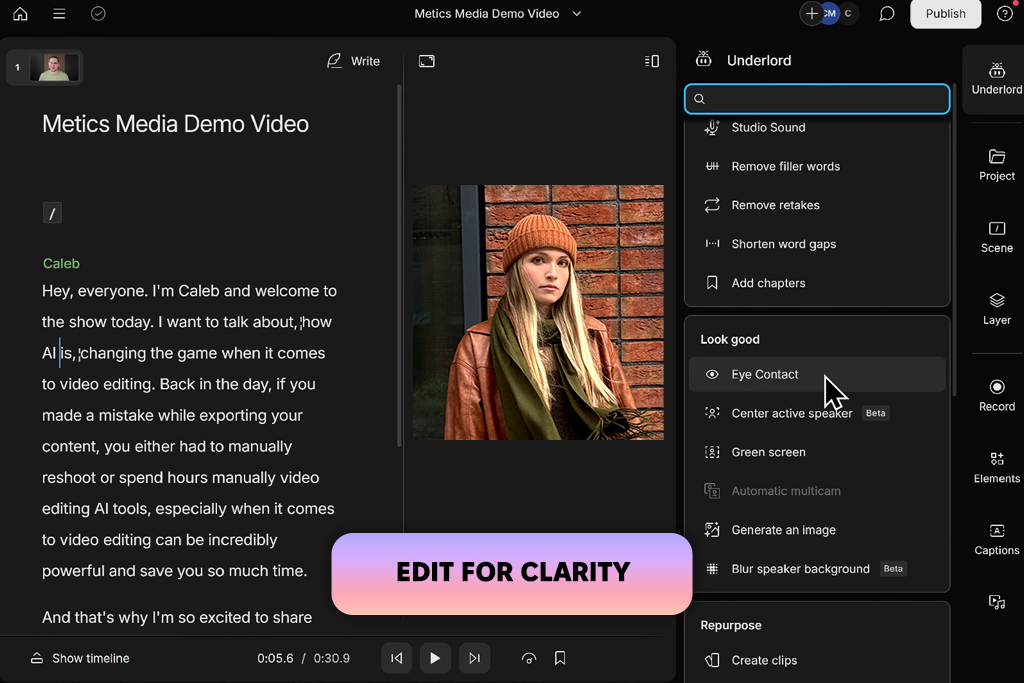
Having relied on Descript as an AI audio tool long before trying its visual features, it was interesting to test its AI eye-contact correction online. I recorded myself reading script notes positioned just beneath my camera. This is a familiar challenge for anyone trying to keep viewers engaged while staying on topic. The results were surprisingly impressive.
Descript adjusted my downward gaze, creating the illusion that I stayed focused straight into the lens throughout the recording. If you regularly produce video tutorials, lectures, or product demos where referencing notes is essential, this single tool is an absolute must. It completely eliminates the stress of memorizing every line or shooting dozens of frustrating retakes.
“I tried Descript mainly for podcast editing, and the eye contact feature was a nice extra. It helped keep my gaze natural when I was reading notes during tutorials.”
Descript appeals to users with its streamlined post-production workflow. Because my footage was already inside the platform, I continued editing the project without jumping into separate software. I utilized its built-in Edit for Clarity and Remove Retakes to scrub out awkward filler words, purge duplicate takes automatically and construct organized chapter markers for longer videos.
Since the eye correction remains non-destructive, you can toggle it off anytime to compare raw footage against the final edit. It yields the most realistic look when correcting slight gaze shifts, preserving your natural on-camera persona.
Still, when I pushed the system with abrupt head turns or clips where studio lighting reflected off my eyeglasses, the gaze tracking struggled to maintain accuracy. Community feedback on forums like Reddit also points out that Descript's advanced AI capabilities depend on monthly usage limits, meaning power creators could run through their quota fairly quickly.
Overall, Descript is a tremendous asset for solo creators making standard talking-head content. By blending smart script manipulation with automated video polishing, it streamlines tedious editing tasks into a simple, enjoyable process.
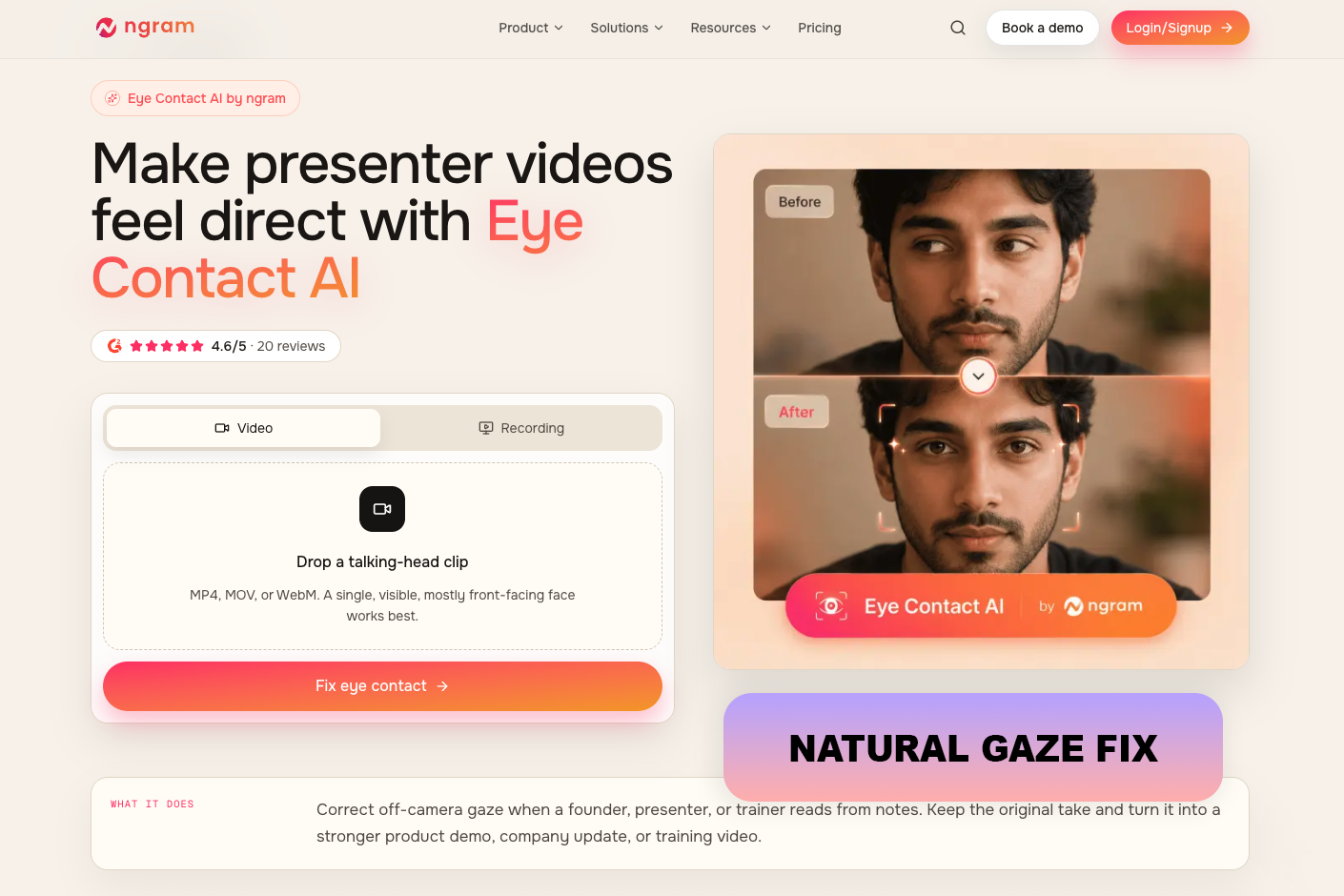
I used a tutorial to test ngram while reading notes that were positioned just below the camera. The technology preserved my natural blinking, facial expressions, and original delivery while rerouting my look toward the lens frame by frame after I uploaded the clip. Instead of being forced, the fix appeared delicate and expert.
The preview option, which let me compare the corrected and original versions before saving the outcome, was quite appealing to me. There was no need for laborious revisions or hand keyframing, and the entire procedure was swift. I was able to make the video better without having to do another take thanks to it.
For product demos, instructional materials, founder updates, and sales presentations, ngram is very helpful. It helps videos feel straightforward, professional, and captivating by giving presenters a more concentrated and assured appearance.
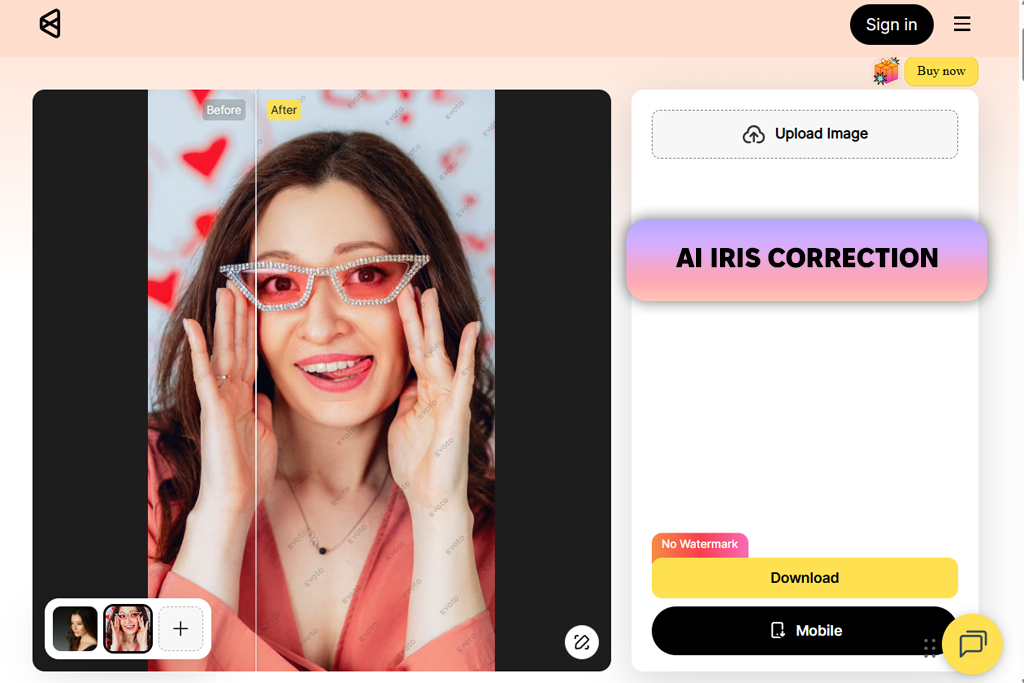
If you spend hours retouching portraits, Evoto may just become your favorite tool. That was the case with me. To test its capabilities as AI eye contact correction tool, I imported a studio headshot where my subject was glancing slightly off-camera to test its gaze-correction capabilities.
Right out of the gate, the automated adjustment delivered remarkably natural results. Instead of slapping on generic synthetic eyes, Evoto preserved the natural catchlights, subtle eyelid contours, and intricate iris textures that make a photograph appear authentic.
“The best part for me was the balance between automation and manual control. I usually tweak default settings instead of leaving them as they are, so the ability to adjust each eye individually was a really helpful feature.”
Evoto also has a desktop version, which grants creators precise manual oversight alongside smart AI automation. While the automatic direct-gaze setting works wonders for minor fixes, opening the granular AI Iris Correction panel with the Direct Gaze option lets you tweak horizontal position, vertical alignment, and scale for each eye independently. You can eliminate tiny imperfections without creating that uncanny, frozen look that plagues lesser AI tools. The edits blend seamlessly into existing skin tones and ambient lighting.
Speed is another major selling point. I tested the workflow across a batch of portrait photos from a single session. This AI tool for content creation processed the entire sequence effortlessly, maintaining consistent quality without requiring me to rebuild adjustments for every shot. This is important for busy event, wedding, studio, and corporate headshot photographers handling high volumes of client media daily.
The only real hitch occurs with dramatic side profile shots. When pushing a subject’s gaze too far from their original perspective, the results can start to look slightly artificial under close inspection. However, for standard portraiture, keeping adjustments subtle delivers flawless, client-ready images in record time.
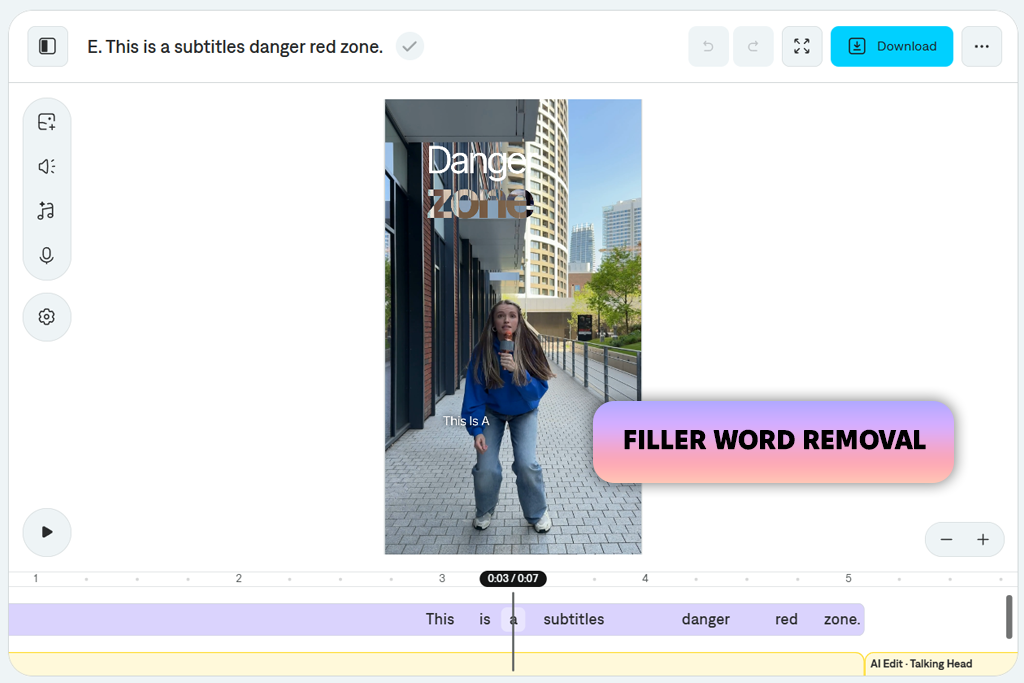
While Captions earned its reputation as a top-notch AI caption generator, its eye-contact correction feature proves it is much more than a one-trick tool. I tested the platform with a standard talking-head clip where I deliberately glanced away to check my script notes. The software identified those downward glances and repositioned my eyes directly toward the camera without sacrificing natural blinking or facial dynamics.
Having everything built into one workspace makes the post-production process very efficient. Rather than switching between different apps, I cleaned up awkward vocal pauses using the filler-word remover and generated crisp captions in a single pass. For creators who rely on scripts or digital teleprompters, this AI eye contact video editor eliminates the constant pressure of staring unblinkingly at the lens. You can speak naturally, read your outline, and let the software handle the rest.
However, the technology does have its limits. When I tested footage featuring quick, erratic head movements or wide shots taken from a distance, the tracking lost some precision. Dramatic shifts occasionally caused slight visual artifacts, though standard playback smoothed over most minor flaws. Besides, the full functionality requires a paid subscription, so it is better suited for creators who will actually utilize the full suite of AI editing tools rather than casual users looking for a quick one-off fix.
All in all, Captions excels at turning raw vertical clips into publish-ready social content. If your workflow relies on fast-paced script readings, this all-in-one assistant saves time while keeping your audience fully engaged.
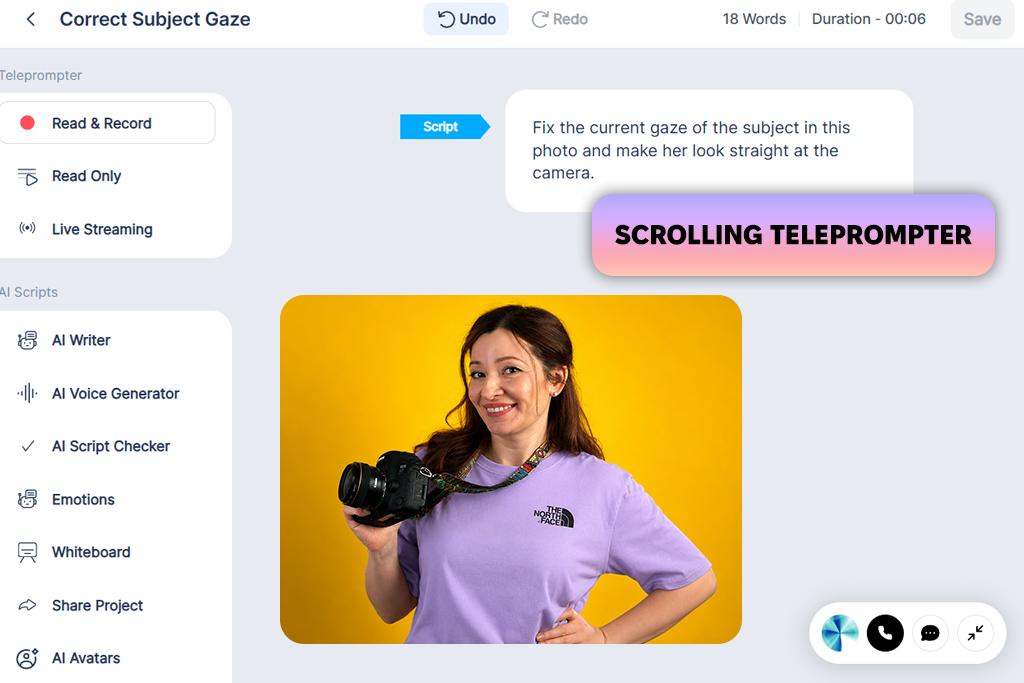
While researching video tools online, BIGVU caught my attention for its laser focus on script-driven content. Designed from the ground up for presenter-style videos, it aims to make talking directly to your audience easy.
To test its capabilities, I uploaded a short presentation script into its built-in teleprompter and recorded myself reading along. The eye-contact correction algorithm performed impressively well. As long as I maintained a reasonable distance from my lens, the software smoothed out my glance line so effectively that no one would guess I was reading off a screen.
“The teleprompter was the reason I tried BIGVU in the first place, so that became my main focus during testing. I liked not having to memorize every sentence before recording, which made the process much easier to get through.”
Most of all, I liked BIGVU’s all-in-one ecosystem. Having script creation, teleprompting, auto-captions, and gaze correction housed under one roof creates a remarkably efficient production line. It eliminates the need to switch between multiple specialized apps. However, the post-production workspace isn't as slick as some modern AI eye contact correctors offer. Navigating certain tools took a bit more hunting around than I would have liked.
Performance is another area with room for improvement. While export quality remains crisp and consistent, processing longer or more complex projects requires some patience. The rendering speeds drag compared to faster alternatives, and switching between different layout options occasionally triggered small visual bugs.
Despite those minor issues, BIGVU remains a powerhouse for entrepreneurs, educators, and social media creators who record structured presentations on a regular basis. If you want to deliver script-backed videos without losing that vital eye contact with your viewers, this platform is well worth a check out.
Ever recorded a video only to realize you spent half the runtime staring down at your script, checking notes, or glancing everywhere except directly at the lens? You are definitely not alone. As a team of professional photo and video retouchers, we run into this exact challenge every single day. AI-powered eye-correction tools promise to magically realign your gaze with a single click, but can these popular algorithms truly replace genuine eye contact without making you look like an eerie, uncanny robot?
Instead of relying on polished marketing claims, our editing team rigorously tested the top AI eye contact correctors. We deliberately recreated the messy recording scenarios creators face, e.g., reading teleprompters, glancing at second monitors, shifting in their seats, and making natural head movements mid-sentence.
To give you an honest breakdown, we split our evaluation into four distinct areas. First, I personally examined every rendered frame for visual authenticity, hunting down dead giveaways like robotic irises, glitchy reflections, missing blinks, distorted eyelids, and subtle facial warping around the eyes. We also tested how well the eye correction held up under tricky lighting setups, thick eyeglasses, wide angles, and varying footage resolutions.
“Using the same footage across every tool made it much easier to spot the differences. I looked closely at facial realism, especially blinking, eye highlights, and how well the edits tracked when the person moved. Even small inconsistencies were enough to make an edit appear less natural.”
Next, Nataly tested software flexibility and precise control. She evaluated automatic one-click fixes against manual adjustments that allow detailed fine-tuning of eye direction and individual positioning. Casual content creators usually prefer instant simplicity, while professional editors require granular control when polishing high-stakes client deliverables. Having both options ensures the AI eye tracking software can adapt to entirely different skill levels and project goals.
Meanwhile, Tata evaluated how naturally these gaze-correction tools fit into complete post-production workflows. A specialized tool is only useful if it plays nicely alongside captions, background removal, color adjustments, and fast export pipelines without adding extra steps. Processing speed, batch editing features, and overall system stability directly impact daily editing productivity.
Finally, we tested dozens of talking-head recordings with varied expressions, lighting, and dynamic poses rather than relying on a single lucky render. AI gaze correction has made impressive leaps forward, but it is not 100% perfect. While certain tools deliver remarkably believable results, others glitch the moment a speaker turns their head too far. Knowing where AI excels and where meticulous human editing remains essential is the real secret to achieving proper video eye contact.




![7 Best AI Accent Generators [{{%year}} FixThePhoto Choice]](http://fixthephoto.com/blog/images/gallery/news_main__preview_29428.jpg)


![7 Best Free Online Video Prompter [{{%year}} FixThePhoto Choice]](http://fixthephoto.com/blog/images/gallery/news_main__preview_29369.jpg)



















