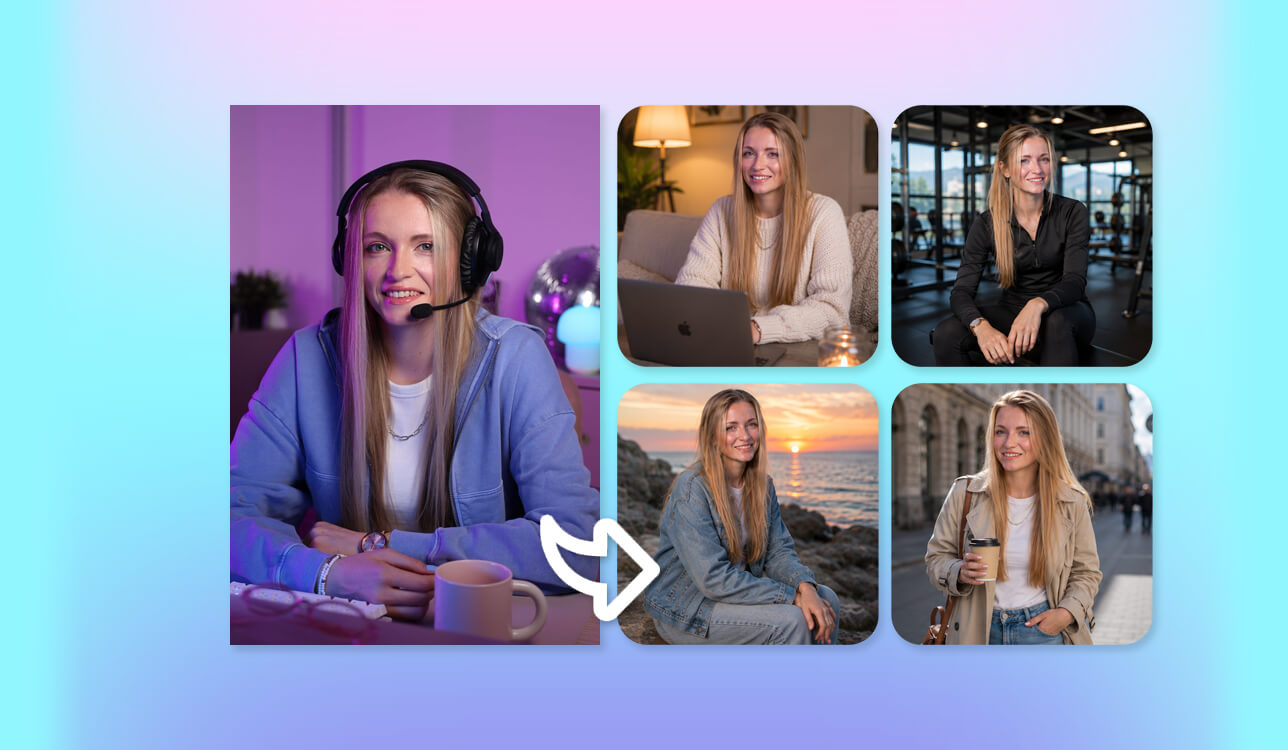
I started searching for the best AI consistent character generator while working on a fantasy mobile app with a cast of original digital characters. We needed the same heroes to appear in hundreds of different visuals, including character profiles, promotional banners, social media posts, and in-app artwork. Creating the first version of a character wasn't difficult, but keeping the same face, outfit, and overall look consistent across every image quickly became the biggest challenge.
At first, I experimented with several image generators, but the results weren't consistent. A character could look perfect in one image and completely different in the next. That wasn't suitable for our project because people needed to recognize the same heroes throughout the app. So, I started looking for a tool that could preserve a character's identity by keeping the face, hairstyle, clothing, and overall appearance the same across every image.
As I tested different platforms, I paid the most attention to the features that would make character creation easier over time. My goal was to keep the same character while changing poses, expressions, outfits, and backgrounds without losing the original design. Features such as reference images, character training, image variations, and inpainting proved especially valuable because they made it easy to update and expand existing characters instead of creating new ones for every scene.
Working with my colleagues from the FixThePhoto team, I found that the best AI consistent character generators don't just create images. They help you create characters that stay recognizable throughout your entire project.
Using the right tool saved me hours of correcting inconsistent characters and made it much easier to build a complete cast for the app. The biggest advantage was being able to keep every character looking the same across all the content we created.
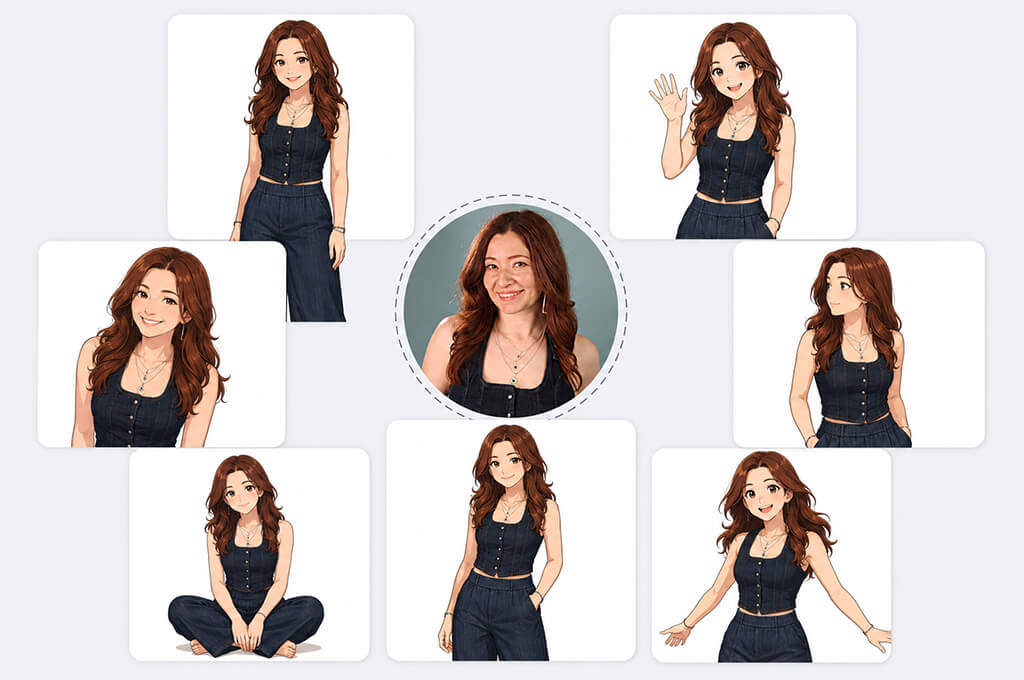
1. Create a detailed character reference sheet
Before creating multiple images, decide on your character's main features:
A clear character description acts as a guide, helping the generator understand which details should stay the same in every image.
2. Use reference images
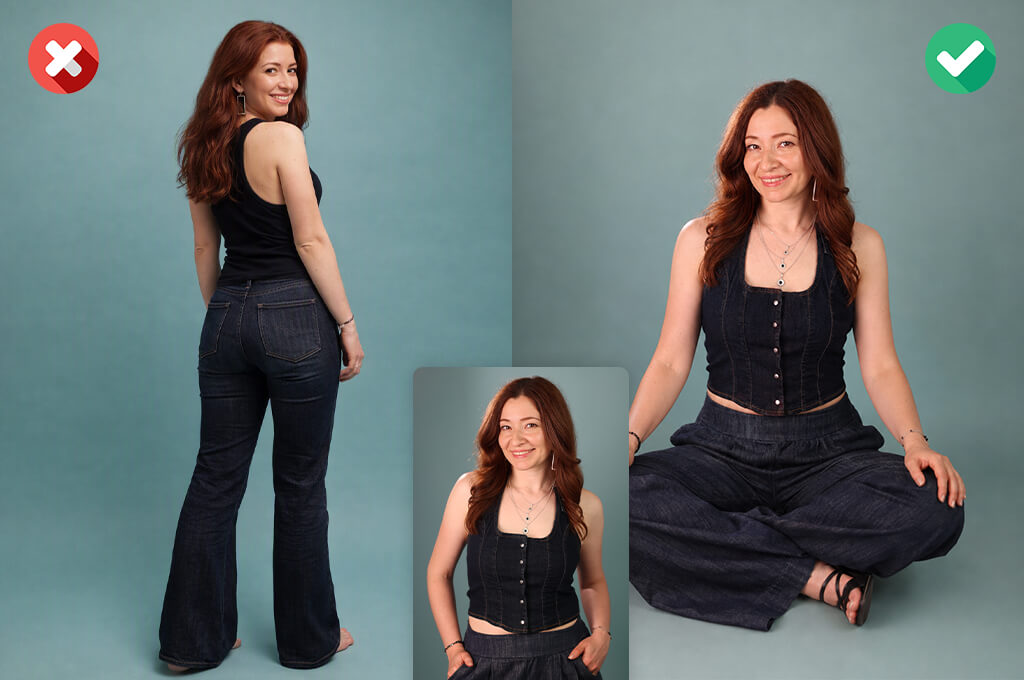
Using a reference image is one of the easiest ways to keep a character consistent. Instead of describing the character from scratch every time, upload the original image and use it as a guide while creating new poses, scenes, or backgrounds.
Many modern tools include features such as:
These features help keep the same character in every image, so new scenes look like different versions of the same person instead of a completely new character.
3. Keep the same prompt structure
Making big changes to your prompt can change the character's appearance. Create one detailed prompt for your character and only update the parts related to the pose, scene, expression, or background.
For example:
This helps keep the character looking the same while placing them in different scenes and situations.
4. Use AI tools with character training or saved profiles
Some AI tools for designers let you save a character or train a custom model. These features are especially useful for long-term projects because they help keep the same appearance across new images instead of relying only on text prompts.
This is especially useful for:
5. Generate multiple images from the same seed
Some AI consistent character generators let you reuse the same seed number, which helps produce similar results each time. Using the same seed can make it easier to keep the character's face, composition, and overall style consistent across multiple images.
Using the same seed can help, but it usually isn't enough on its own. For the most consistent results, combine it with reference images or character reference features.
6. Use inpainting instead of regenerating everything
If only one detail looks wrong, don't generate a new image. Instead, use inpainting or selective editing to fix only the part that needs changing, such as:
This lets you fix small mistakes while keeping the rest of the character exactly the same.
7. Choose the right AI generator
Not every generator is good at keeping characters consistent. If you plan to use the same character in multiple images, look for:
Tools like Adobe Firefly, Midjourney, and Leonardo AI are popular choices because they offer better control over character references, image variations, and consistent results across multiple images.
8. Create a “character library”
For larger projects, save:
This makes it easy to use the same character again, even weeks or months later.
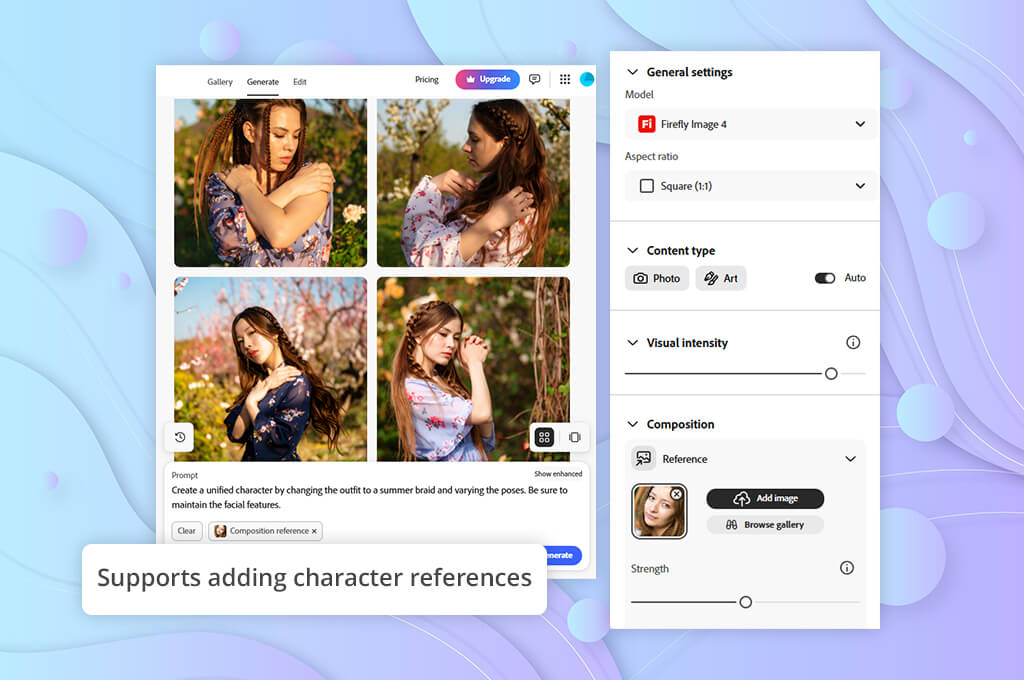
Character reference support. A good AI consistent character generator should let you start with a reference image and build new images around it. This makes it much easier to keep the same face, hairstyle, clothing, and overall look, even when placing the character in different scenes, poses, or outfits.
Identity preservation. The main goal of a consistent character generator is to make sure the same character stays recognizable in every image. A good tool should keep the face, body shape, unique details, and overall style consistent, even when the character appears in different poses, outfits, or backgrounds.
Customization controls. Features like inpainting, image variations, pose editing, and outfit changes give you more control over your character. Instead of creating a new image from scratch, you can make small changes while keeping the same character.
Style consistency. A quality AI image generator should keep the same visual style across every image. Whether you're creating realistic portraits, fantasy art, anime characters, or 3D designs, the character should have a consistent look throughout the entire project.
Pose and expression control. The best AI consistent character generators let you place the same character in different scenes while keeping their appearance consistent. Features like pose editing, facial expression controls, and full-body generation make it easy to create more natural and expressive images.
High-quality output. Look for generators that produce sharp facial details, realistic lighting, detailed textures, and high-resolution images. This makes characters suitable for games, marketing, storytelling, and other digital content.
Saved character profiles. For long-term projects, it's helpful to choose a tool that lets you save character settings, reference images, and prompts. This makes it easy to continue working with the same character later while keeping their appearance consistent across new images.
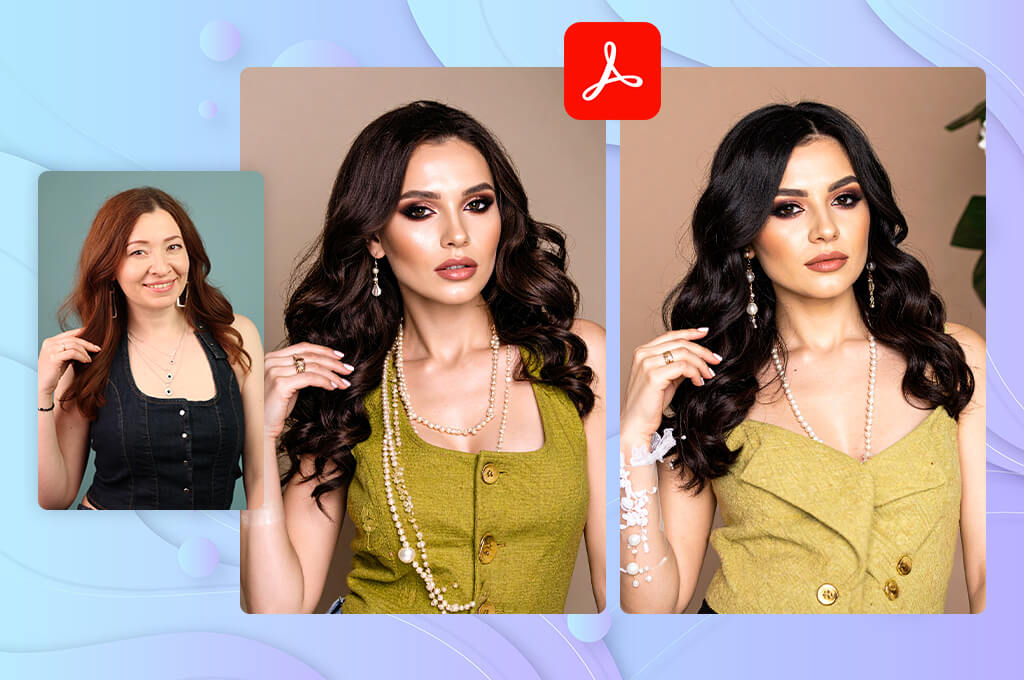
I started using Adobe Firefly while working on a fantasy mobile app that required the same digital characters to appear in many different images. We needed each hero to stay recognizable across promotional graphics, in-app scenes, and other project visuals, so keeping their appearance consistent became our biggest challenge.
Many image generators could create great-looking characters, but they often looked like different people in the next image. I wanted to find out whether Firefly could keep the same character recognizable across multiple images instead of creating a new version every time.
I began by creating several main characters and placing them in different scenes using the same reference. I tested features like Reference Images, Text to Image, and Generative Fill to see how well Firefly could keep the same face, hairstyle, clothing, and overall look across multiple images.
The same character was placed in different backgrounds, poses, and situations to see how well the appearance stayed consistent. The best results came from combining reference images with detailed prompts instead of relying on text descriptions alone.
“The images looked polished, and creating different character ideas was easy. Keeping the same character consistent across many images still required some extra work.”

What impressed me most about this free AI consistent character generator was how easy it was to refine a character with this free Adobe software. Instead of creating a new image from scratch, I could use Generative Fill to fix clothing, backgrounds, or small details while keeping the rest of the character unchanged.
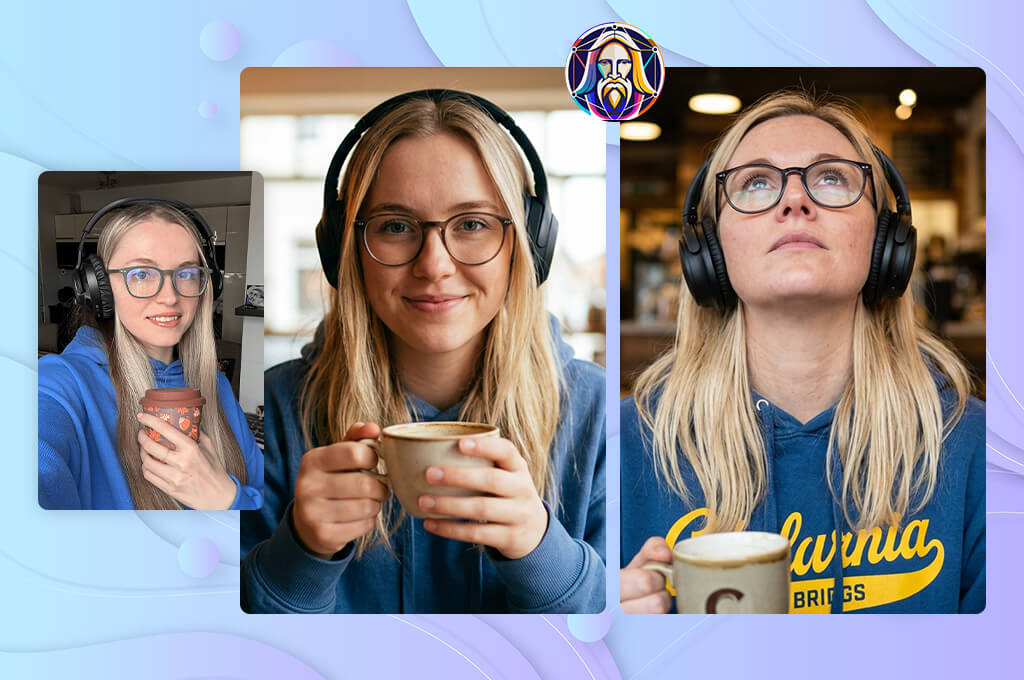
I chose to test Leonardo because I wanted more control over creating consistent characters. While working on the fantasy app project, I needed a tool that could keep the same characters recognizable while letting me place them in new scenes, poses, and situations.
I also wanted to see how well this AI art generator could keep the same character while changing outfits, backgrounds, and moods. My goal was to build a character library that felt connected instead of looking like a collection of separate AI experiments.
The testing began with several reference characters using Leonardo's Image Guidance and reference-based generation tools. The same character images were used in different scenes to see how well this AI consistent character generator could keep the face, clothing, and overall appearance consistent across multiple images.
I also tested Alchemy to see how much it improved the final images. It noticeably enhanced image quality, lighting, and fine details. Comparing several versions helped me find the settings that produced the most consistent characters.
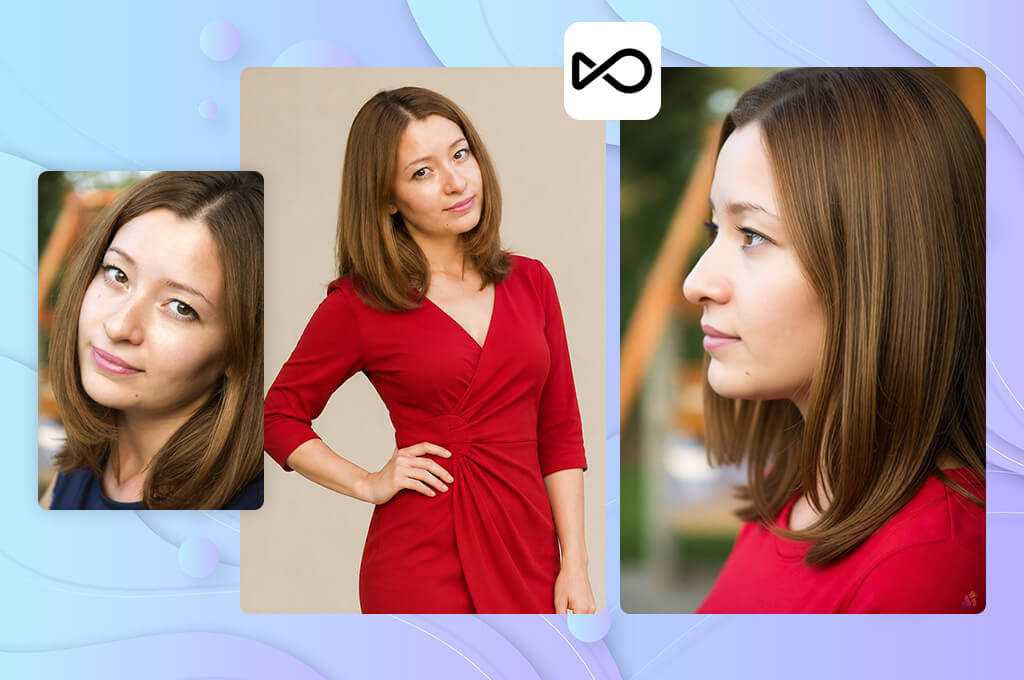
I tested OpenArt because I wanted to see how well this AI character generator could create consistent characters while still giving me plenty of creative freedom. Our project involved building an entire fantasy world, with each character having a unique look and personality. I wanted to find out whether OpenArt could handle original ideas while keeping every character recognizable across different images.
I started by testing OpenArt's Character Reference and image generation tools. I created several fantasy characters and used the same references in different scenes to see how well they stayed consistent. I also changed the backgrounds, outfits, and art styles to check if the characters still looked like the same people. When the first image wasn't quite right, Image Variations made it easy to improve the result.
“I enjoyed trying different styles and creating new versions of the same characters. The results were good, but keeping the character exactly the same took a little practice.”

What stood out most was how easy OpenArt made it to explore different creative ideas. I tested various models and visual styles to design unique characters for the app. It was simple to create several versions of the same hero, compare them, and choose the one that fit the project best. OpenArt worked especially well when I wanted original characters instead of typical fantasy designs.
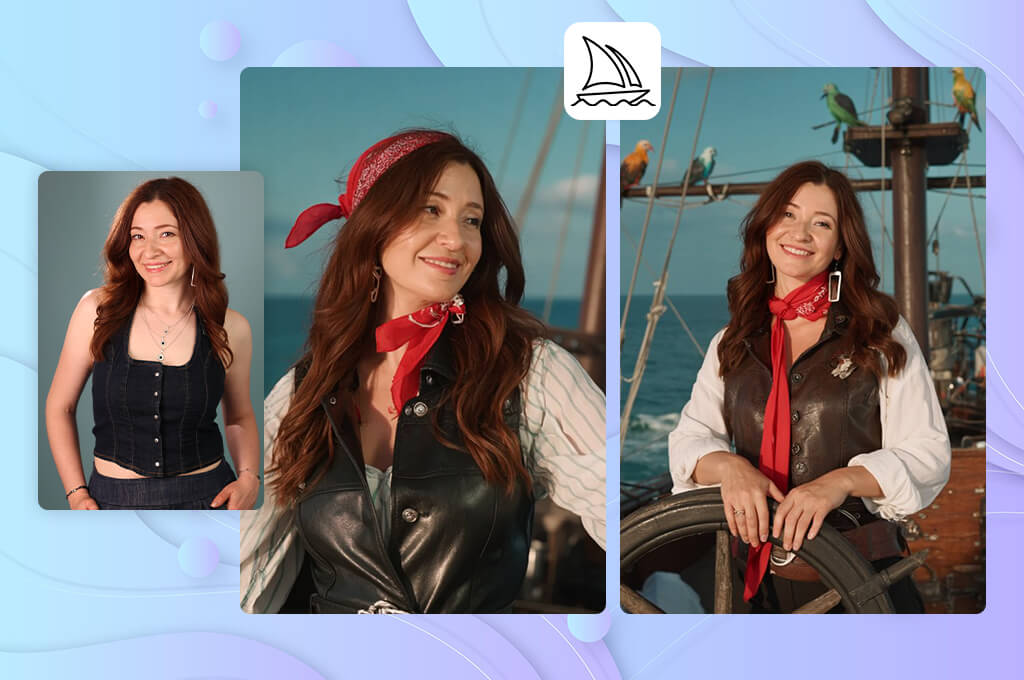
I tested Midjourney because I wanted to see if its excellent image quality could also keep characters consistent. For our fantasy mobile app project, the artwork needed to look great, but it was just as important for the main heroes to stay recognizable across every image.
My goal was to see how well the same character stayed recognizable in different scenes. I also wanted to find out whether Midjourney's impressive image quality came with enough control to create consistent characters.
I evaluated Character Reference and Style Reference by creating different versions of the same characters. I placed them in new locations, changed their outfits and expressions, and compared how well the face, hairstyle, body shape, and overall style stayed the same. The reference features worked best when I used a clear image of the original character.
This AI consistent character generator impressed me with the level of detail and atmosphere this AI tool for content creation could produce. Even when creating different versions of the same character, the images looked like high-quality fantasy concept art with dramatic lighting and cinematic scenes.
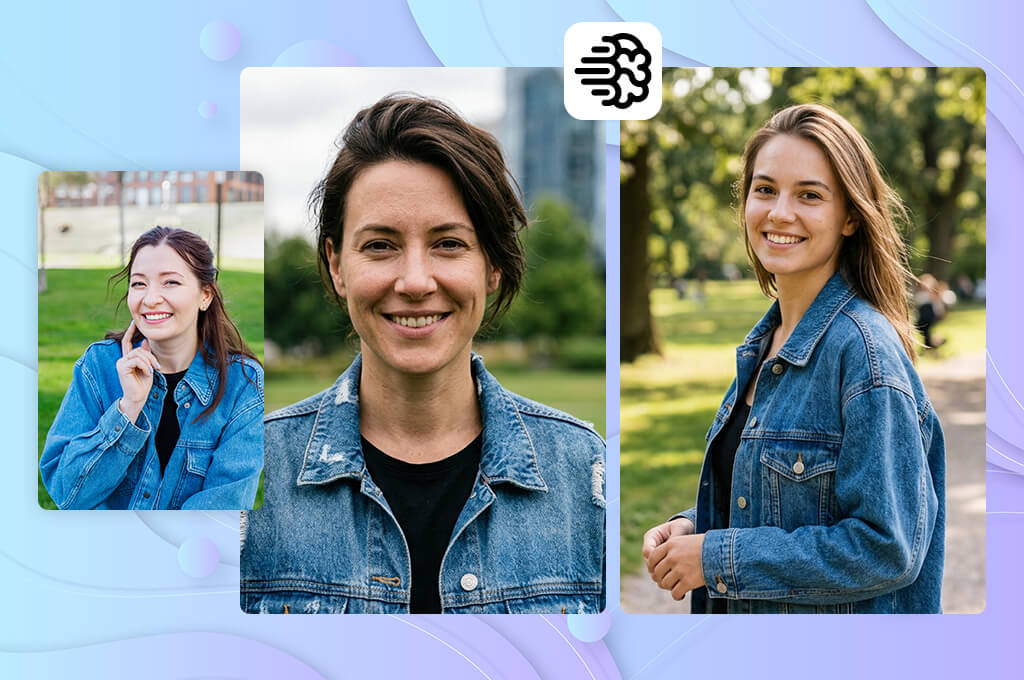
Testing Ideogram was part of finding out how well this AI headshot generator could keep characters recognizable across multiple images. By that stage of our project, we already had several main characters, and the next step was creating new visuals without changing their original look or personality.
The testing focused on whether Ideogram could keep the same character while creating different scenes and designs. Instead of judging only the image quality, I paid close attention to how well the character stayed recognizable across different generations.
The testing began with reference images that I used to create new versions of the same character using different prompts and settings. I compared the face, hairstyle, clothing, and overall appearance to see how well Ideogram kept the character consistent, since even small changes could make them look like someone else.
Ideogram's Magic Prompt feature helped turn simple ideas into more detailed prompts, often leading to better results. I also tried different visual styles to see how well the same character could stay recognizable in realistic, illustrated, and fantasy-inspired images.
“It's quick and easy for creating character concepts. The results looked good, but keeping the same character consistent was more difficult.”

What I liked most about Ideogram was how easy it was to test different ideas. I could quickly create several versions of the same character and compare how well the key details stayed the same. It worked especially well for clean, promotional-style images with polished compositions. While more complex character changes were less consistent, using strong reference images noticeably improved the results.
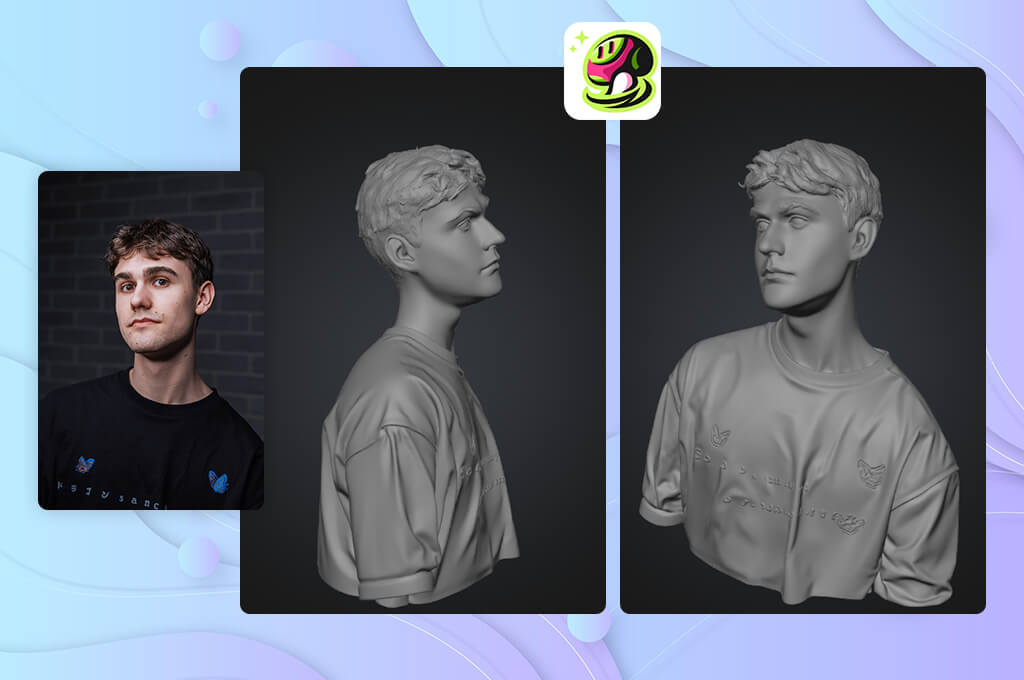
I tested Meshy from a different perspective because I wanted to see if character consistency could be maintained in 3D as well as 2D. Since our project could eventually include interactive content, I wanted to find out whether Meshy could turn character designs into 3D models while keeping their original look.
I wasn't only interested in how the models looked - I also wanted to see if they could fit into a real creative workflow. My goal was to find out how well this AI 3D model generator could create 3D characters that stayed consistent and could be reused in future projects.
Most of my testing focused on Meshy's Text to 3D and Image to 3D tools. I first created characters in 2D and then converted them into 3D models to see how well the original design was preserved. I compared the shape, textures, proportions, and overall appearance to check whether the characters stayed recognizable. The Image to 3D feature gave the best results because it kept more details from the reference image.
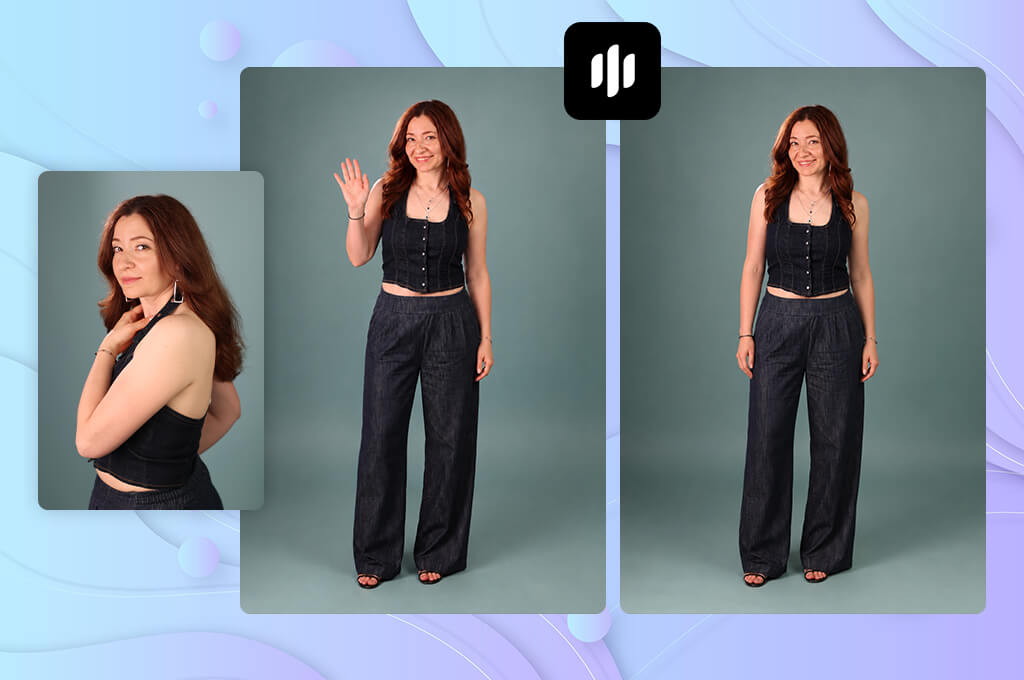
I decided to test Morphic because I wanted a simpler way to create consistent character images without rewriting prompts every time. One of the biggest challenges was recreating the same character weeks later, not generating the first image. I wanted to see whether Morphic could make the process more organized and help keep the same visual style across multiple images.
I tested this online AI consistent character generator by creating several character concepts and generating different versions of each one. I compared how well the AI kept the same face, style, and overall appearance across different prompts. I also placed the characters in different scenes to see if the AI could keep them recognizable while adapting them to new settings. This helped me understand how well Morphic could handle larger character projects.
“It was easy to explore different character ideas and create new versions. Great for generating concepts, though I would have liked more advanced editing tools.”

One of Morphic's biggest strengths was how quickly I could explore different ideas. Instead of spending a lot of time refining prompts, I could generate several versions, compare them, and choose the direction that worked best. That made it especially useful during the early stages of character design.
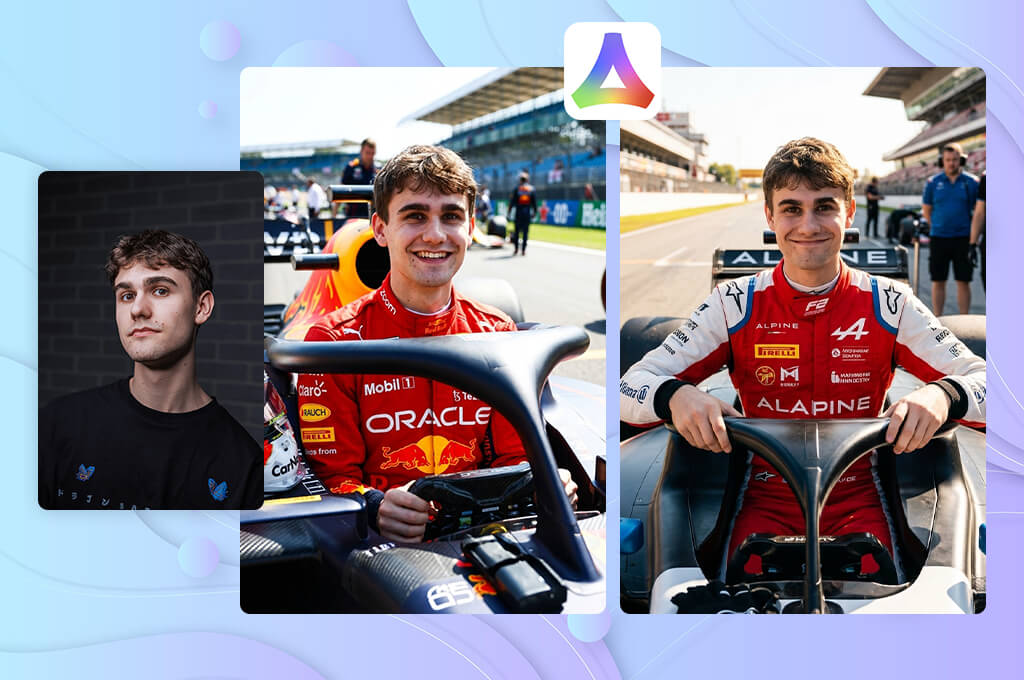
To evaluate Vivago, I used different prompts, character descriptions, and reference images to see how well it kept the same character across multiple generations. Compared with other AI apps, I focused on details like the face, hairstyle, clothing, and overall look, then placed the character in different scenes to check whether the setting could change without changing the character. This gave me a clear idea of where the app performed best.
Designing an impressive character is only the first step. The bigger challenge is making sure people can recognize that same character in every new image. I wanted to see how well Vivago could handle that and deliver reliable results across multiple generations.
While testing Vivago, I used different prompts, character descriptions, and reference images to see how well it handled repeated generations. I compared details like the face, hairstyle, clothing, and overall look to check whether the character stayed recognizable. I also placed the same character in different scenes to see if the background could change without changing the character's identity. This helped me understand where this AI consistent character generator performed best.
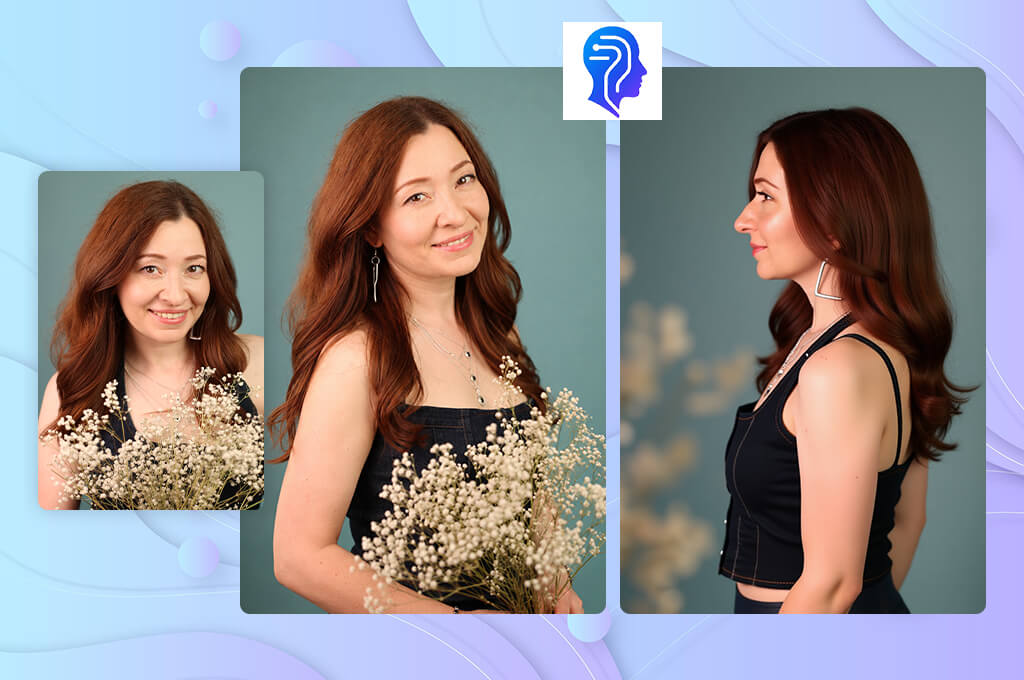
I came across ConsistentCharacterGenerator while looking for a tool built specifically to keep the same character consistent across multiple images. After testing several general AI art platforms, I realized that most were better at creating new characters than preserving an existing one. That's why I wanted to see how well a tool focused on character consistency would perform.
For our project, this was a major challenge because every image needed to look like it belonged to the same world. I wanted to find out whether a tool built specifically for character consistency could make that process easier and produce more reliable results.
I started with a few base character designs and created new versions in different scenes. I changed the poses, backgrounds, outfits, and facial expressions to see how well the character stayed recognizable. I paid close attention to the face, overall style, and whether each new image still looked like the same person. Because the tool was designed for character consistency, the process felt simpler than using generators that focus mainly on creating new images.
“It kept characters consistent across multiple images, making storytelling projects easier. I still had to adjust prompts occasionally.”

With this free AI consistent character generator, I spent less time fixing unexpected changes between images. Instead, I could focus on developing the character and creating new scenes. This was especially useful for projects where the same character appeared in many different images. The results weren't always identical, but the overall look stayed much more consistent.
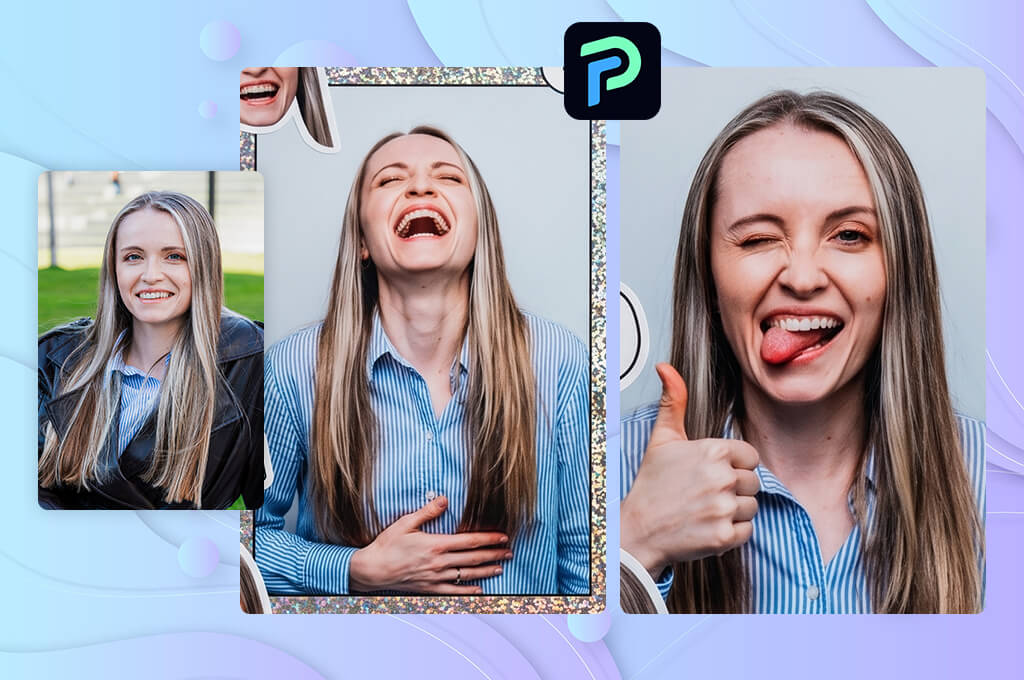
I decided to test PXZ because I wanted to include a tool that took a different approach to character creation. Instead of focusing only on realistic images, I wanted to see how well it supported creative workflows and helped keep the same characters consistent across multiple images.
For our project, we wanted an easy way to explore new character ideas while keeping the overall visual style connected. I wanted to see how much creative control PXZ offered and whether it could support that process without making the characters feel unrelated.
I created several character concepts and compared different versions to see how well PXZ kept them consistent. I placed the same characters in different scenes, poses, and art styles while keeping the main description unchanged. Throughout the testing, I checked whether the AI preserved key details instead of creating a completely different character. This helped me see how well PXZ could handle characters that appear across multiple images.
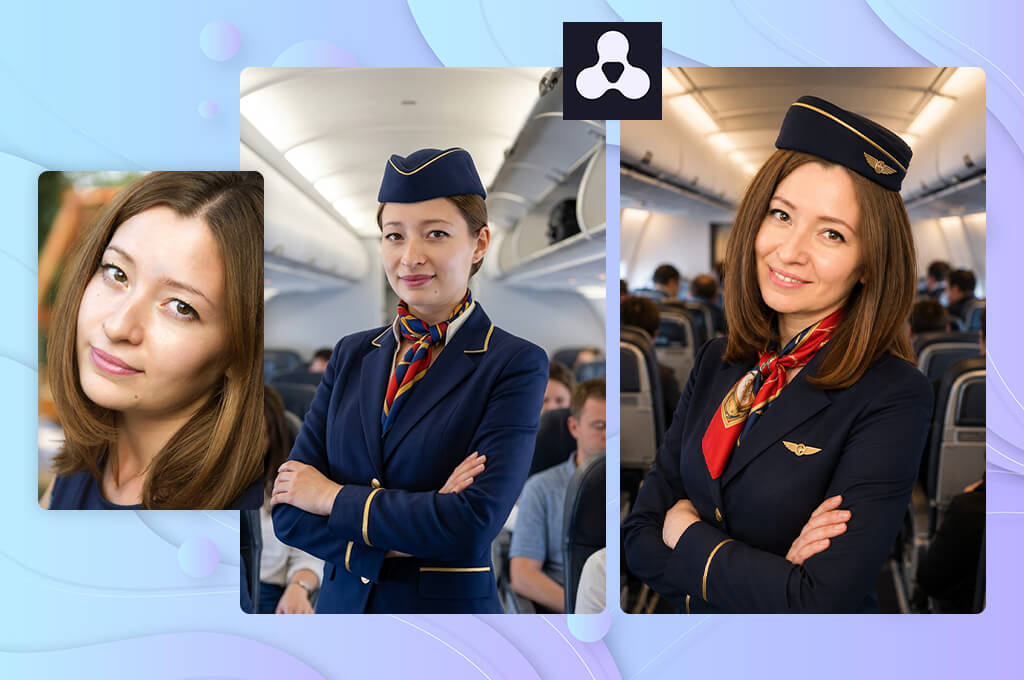
Artbreeder stood out because it takes a very different approach from most prompt-based AI consistent character generators. I wanted to see whether its unique way of creating characters could help develop faces that felt both original and recognizable. When building a cast of digital characters, finding a distinctive look is often the hardest part, so I was especially interested in how well Artbreeder could support the early design process.
I adjusted facial features, age, expressions, and other details to see how much control Artbreeder offered. The process felt more like shaping a character step by step than simply generating random images.
“I enjoyed mixing different features to create unique characters. It's great for exploring ideas, though it's less suited for detailed character projects.”

What I liked most was how easy it was to try different ideas and watch a character evolve with each small adjustment. It worked especially well for designing unique faces before creating full scenes or illustrations in other tools. Exploring different options often led to creative character ideas.
When we started testing AI consistent character generators at FixThePhoto, we wanted to evaluate them the way real creators use them. Creating one impressive character is easy - the real challenge is keeping that same character recognizable across dozens of different images.
Together with Tata Rossi, Vadym Antypenko, and Kate Debela, I tested different platforms to see how they performed in real creative projects. We focused on how well each tool could keep the same characters recognizable across different scenes, poses, and visual styles.
Tata Rossi focused on how well each generator preserved the same character across different images. She created detailed character concepts and tested them in new outfits, locations, and facial expressions to see how much of the original appearance stayed the same.
We compared the results by checking how well each tool preserved key details like the face, hairstyle, clothing, and overall character design. The generators that kept characters recognizable with fewer corrections received the highest scores in our testing.
Vadym Antypenko focused on the editing and customization tools available on each platform. He tested features like character references, image variations, inpainting, style controls, and prompt settings to see how easy it was to refine and keep the same character after the first image.
“I looked at how easy it was to edit a character after creating the first image in Firefly. I used character references, image variations, and inpainting to place the same character in different scenes. The best tools kept the character consistent with very little editing.”
For example, we tested whether the same fantasy character could appear in different scenes without changing their appearance. The tools that made these changes easier and kept the character more consistent performed the best.
Kate Debela focused on how easy each generator was to use in real projects. She tested how quickly we could create different versions of the same character, prepare images for different purposes, and fix small issues without starting over. We also checked how much editing was needed and whether the results worked well for storytelling, marketing, and other creative projects.
After testing all AI consistent character generators, we compared them based on character consistency, image quality, customization, and ease of use. The biggest difference was between generators that simply created attractive images and those that could keep the same character recognizable across multiple scenes. This hands-on testing helped us identify the best AI consistent character generators for creators working on larger projects.





![9 Best Image Brighteners Online [{{%year}} FixThePhoto Choice]](http://fixthephoto.com/blog/images/gallery/news_main__preview_29194.jpg)

![7 Best AI PDF Translators in {{%year}} [100% FREE]](http://fixthephoto.com/blog/images/gallery/news_main__preview_29342.jpg)

![7 Best Free Monogram Makers [{{%year}} FixThePhoto Choice]](http://fixthephoto.com/blog/images/gallery/news_main__preview_29343.jpg)

















