When working on videos for blog and social media posts, I would frequently find myself pitting Adobe Firefly vs Kapwing in my mind, as I decided which option was better suited for the task. Firefly excels at producing AI photos and videos, while Kapwing is superior when it comes to editing, creating captions, and preparing my creations for publishing. As both rely on AI in different ways, I decided to compare them and determine which one fits specific workflows more naturally.
Adobe Firefly prioritizes AI-based content generation, allowing you to produce images, videos, and audio by entering text prompts while being tightly integrated into Adobe's ecosystem. Meanwhile, Kapwing is a web-based video editor with AI functionality for editing, repurposing, subtitling, and publishing content with minimum effort.
When making an Adobe Firefly vs Kapwing comparison, I focused on aspects like AI video generation quality, editing feature sets, user-friendliness, collaborative tools, export parameters, performance, and overall smoothness. Additionally, I examined how both platforms tackled real-world content production projects that ranged from generating new footage to enhancing existing clips before publishing.
Final Verdict: Adobe Firefly is the better option overall, as it provides premium-grade video generation, a regularly expanding set of features, and convenient integration with the Adobe ecosystem. It’s more flexible when producing original footage and images, which is why it’s easier to recommend to graphic designers, marketing experts, and businesses interested in creating polished, pro-grade content.
|
|

Adobe Firefly |

Kapwing |
|
Key features
|
AI image, video, audio & vector generation, Generative Fill, Text Effects, Creative Cloud integration
|
AI video editor, auto captions, clip generator, background removal, smart resize, collaborative editing
|
|
Speed
|
Fast
|
Fast
|
|
Free plan
|
Yes (limited generative credits)
|
Yes (limited exports, watermark, usage limits)
|
|
Pricing
|
Starts at $9.99/mo
|
Starts at $16/mo
|
|
Primary use
|
AI content generation and creative asset creation
|
Online video editing and social media content production
|
|
Ease of use
|
★★★★★
|
★★★★☆
|
|
Platforms
|
Web
|
Web
|
|
AI features
|
Text-to-image, Text-to-video, Image-to-video, Generative Fill, Generative Expand, AI audio generation, Text Effects, vector generation
|
AI captions, AI video clips, AI script generator, AI voice, AI translation & dubbing, background removal, smart cut, text-to-speech
|
|
Video editor
|
Basic AI-powered editing and integration with Adobe Express & Premiere Pro
|
Full-featured online video editor with timeline editing, transitions, effects, captions, and media management
|
|
Export quality
|
High-quality, commercial-ready assets
|
Up to 4K video export
|
|
Collaboration
|
Creative Cloud sharing and team workflows
|
Real-time collaborative editing and commenting
|
Both sides of the Kapwing vs Adobe Firefly battle have free plans, allowing you to try out their functionality before spending any money. Kapwing is aimed at AI-based video editing and collaborative projects, while Adobe Firefly prioritizes generative AI tools.
Adobe Firefly
Additionally, the company regularly provides Adobe Firefly deals, particularly for yearly plans and new users.
Kapwing
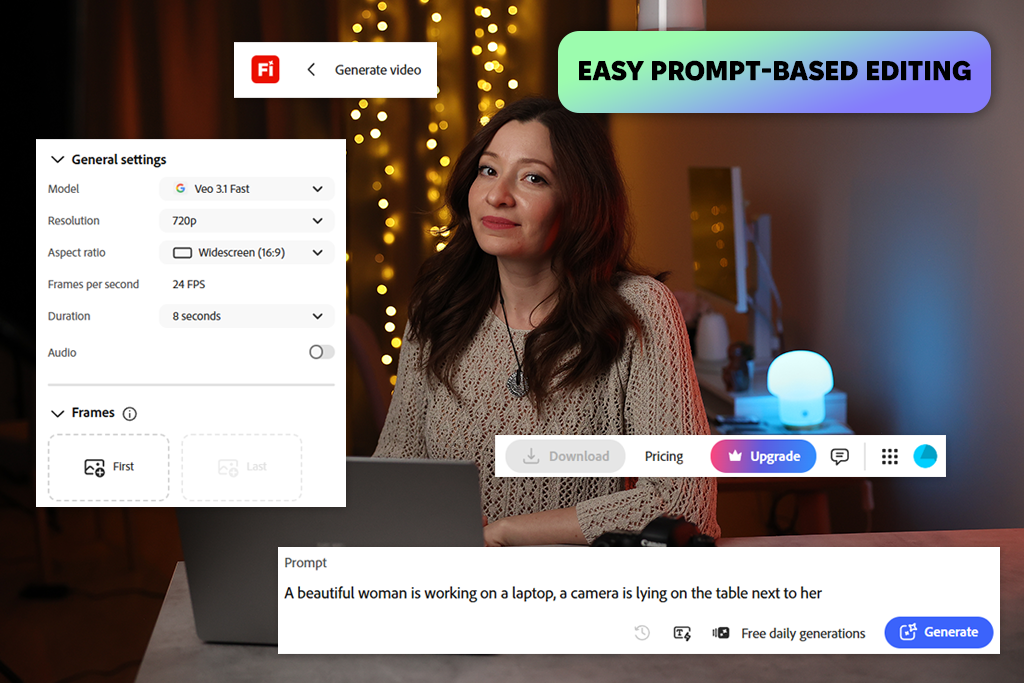
Adobe Firefly is my go-to AI solution for projects that require new content rather than enhancing existing footage or photos. I rely on it to generate images, videos, and vector illustrations, as well as audio effects based on text prompts, while AI tools like Generative Fill, Generative Expand, Image-to-Video, and object removal allow me to receive a diverse range of original creative assets. Whereas Kapwing is more focused on editing imported content, Firefly gives me free rein during the content creation stage.
I particularly enjoy how smoothly Firefly slots into my workflow. It lets me generate multiple concepts within seconds, enhance them with AI, and then use other free Adobe software like Photoshop, Premiere Pro, Illustrator, or Adobe Express. Kapwing has a more streamlined timeline editor and better collaboration features, but I prefer to use Firefly whenever a project requires original imagery or AI-made videos rather than repurposed existing content.
For social media content, I tend to begin my work by going to Adobe Firefly to generate images or AI clips, before doing the rest of the tasks in the other Adobe applications if necessary. While Kapwing is perfect for dealing with captions, resizing, and easy edits for TikTok or Reels, Firefly is a premium AI tool for content creation for any user who values creativity since its generative AI functionality delivers significantly more original and adjustable content.
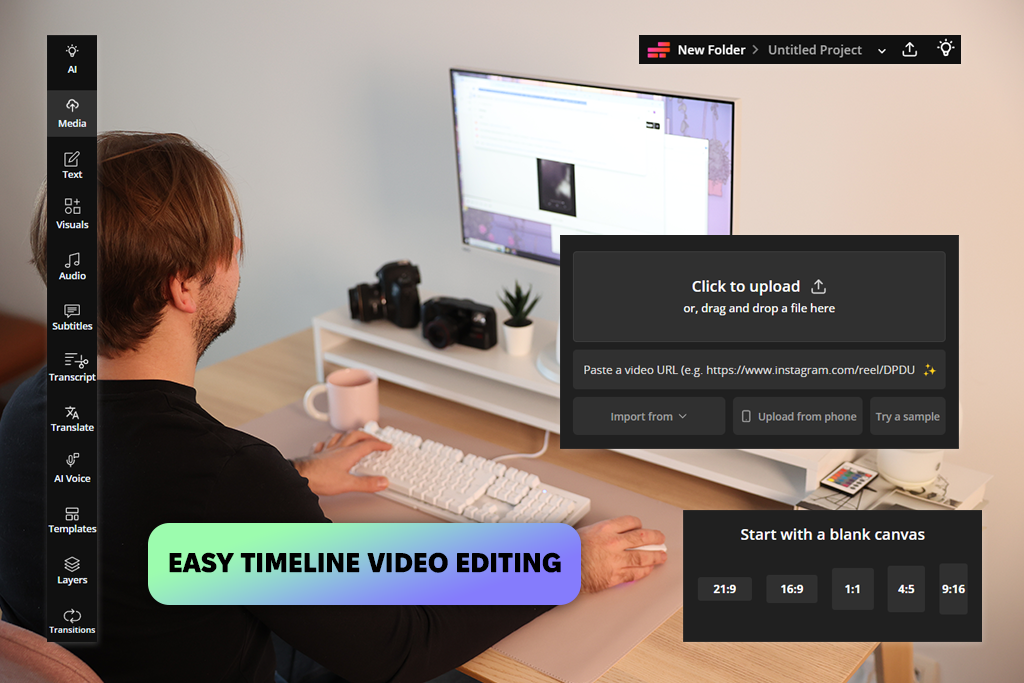
Kapwing is an AI-based video editor that is very helpful whenever I want to conveniently transform longer footage into shorter, attention-grabbing social media content. Its AI Highlights feature automatically identifies the most captivating moments, while AI-generated captions, automated reframing, and subtitle translation cut down the time spent on editing even further.
When pitting Adobe Firefly vs Kapwing for content creators, you’ll notice that the latter prioritizes editing and repurposing existing clips instead of producing new AI footage based on prompts.
I appreciate its browser-based structure, as it allows me to work on my videos on all of my devices without having to worry about installing any apps. For my test, I imported podcasts, interviews, and tutorials, and Kapwing managed to precisely select clips while only requiring subtle adjustments. Additionally, this AI video editor allows me to trim clips, get rid of filler words, apply transitions, and resize videos for TikTok, Instagram Reels, and YouTube Shorts within seconds.
Unlike Adobe Firefly, Kapwing provides a more comprehensive editing workflow, including a classic timeline, collaboration features, and a variety of templates. While Firefly is superior when it comes to generating brand new videos, Kapwing should be your go-to choice if you mainly need a tool for editing, enhancing, and repurposing existing footage with the help of AI.
Adobe Firefly is perfect for:
Kapwing is great for:
When drawing a comparison between Adobe Firefly vs Kapwing for AI video creation, I instantly noted how differently they tackle the entire process. Both solutions feel intuitive to use, but are aimed at different types of projects.

Adobe Firefly is entirely centered on AI generation, so its UI is minimalistic, clean, and prompt-focused, ensuring you can produce photos, video, or audio without worrying about anything else. I think Adobe Firefly as a Kapwing alternative is easier to use primarily because most of your workflow is reduced to typing in a prompt and tweaking a couple of settings.

Meanwhile, Kapwing is closer to a classic web-based video editor with a timeline, asset library, and editing panels, which might feel more intuitive if you’ve used similar software in the past. It has a more noticeable learning curve than Adobe Firefly since it offers several manual editing features, but it also provides more editing freedom.
To examine real-world performance, I employed both Adobe Firefly and Kapwing to produce social media content from scratch. Adobe Firefly generated most AI pictures within 15 seconds, while video generation can take between 30 and 100 seconds, based on the prompt and model. Even when running several simultaneous generations, the platform remained responsive, and I didn't suffer from any lag.
Meanwhile, Kapwing is closer to a classic web-based video editor with a timeline, asset library, and editing panels, which might feel more intuitive if you’ve used similar software in the past. It has a more noticeable learning curve than Adobe Firefly since it offers several manual editing features, but it also provides more editing freedom.
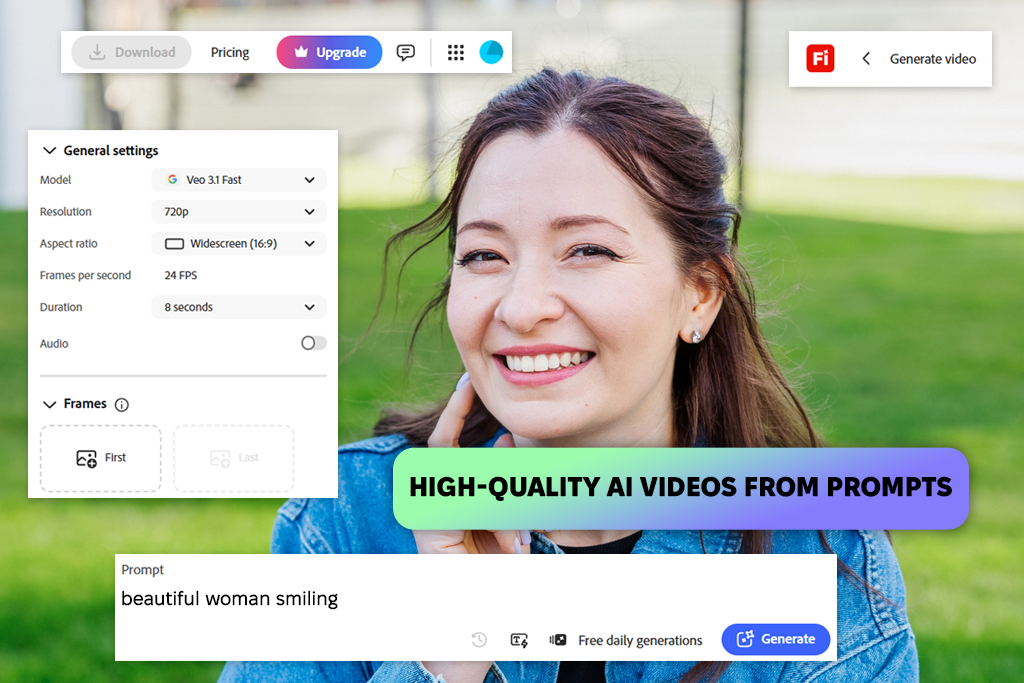
Adobe Firefly and Kapwing both count as AI video generators, but their functionality is vastly different. Adobe Firefly excels at delivering polished AI clips with smooth motion, cinematic lighting, and realistic results. It allowed me to generate footage based on text prompts as well as convert static images into clips, receiving the content I need completely from scratch.
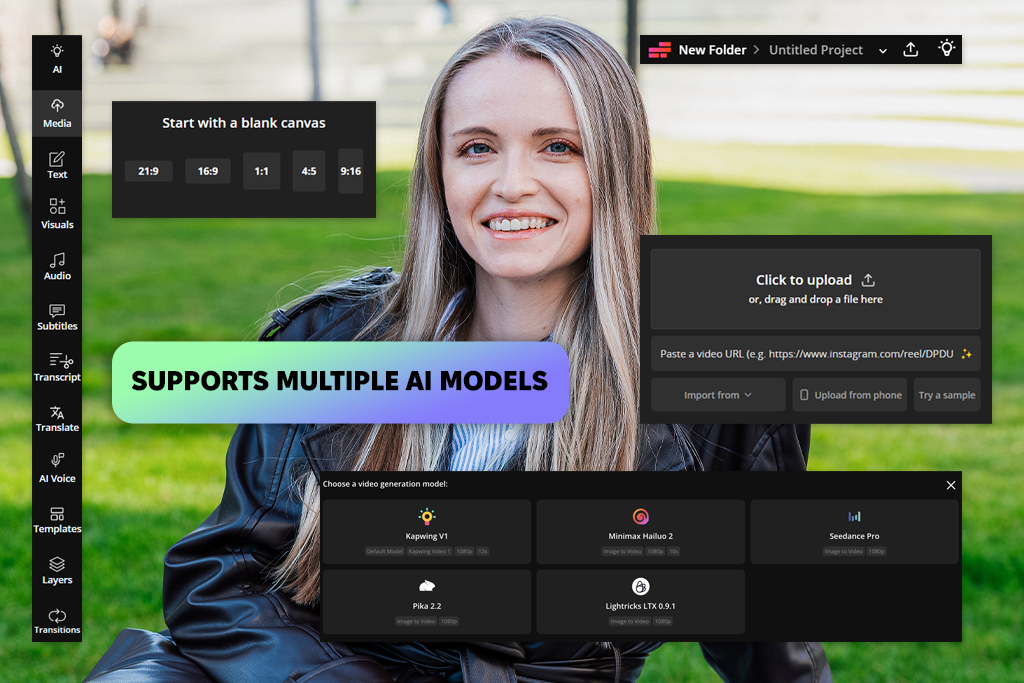
Kapwing also has a wide range of AI features. I used it to produce videos based on text prompts, photos, articles, PDFs, and scripts. It’s compatible with AI models like Veo, Sora, Kling, Wan, and Seedance, while also allowing me to edit, brand, and export everything in the same solution. Additionally, the automated resizing feature makes it easy to prepare the same clip for TikTok, YouTube, and Instagram.
While Kapwing is impressively flexible, I think Adobe Firefly video is the more robust generator. It delivers higher-quality results that are better at implementing my prompts and don’t require as many edits. However, Kapwing is still among the best options for enhancing and posting AI-generated videos.
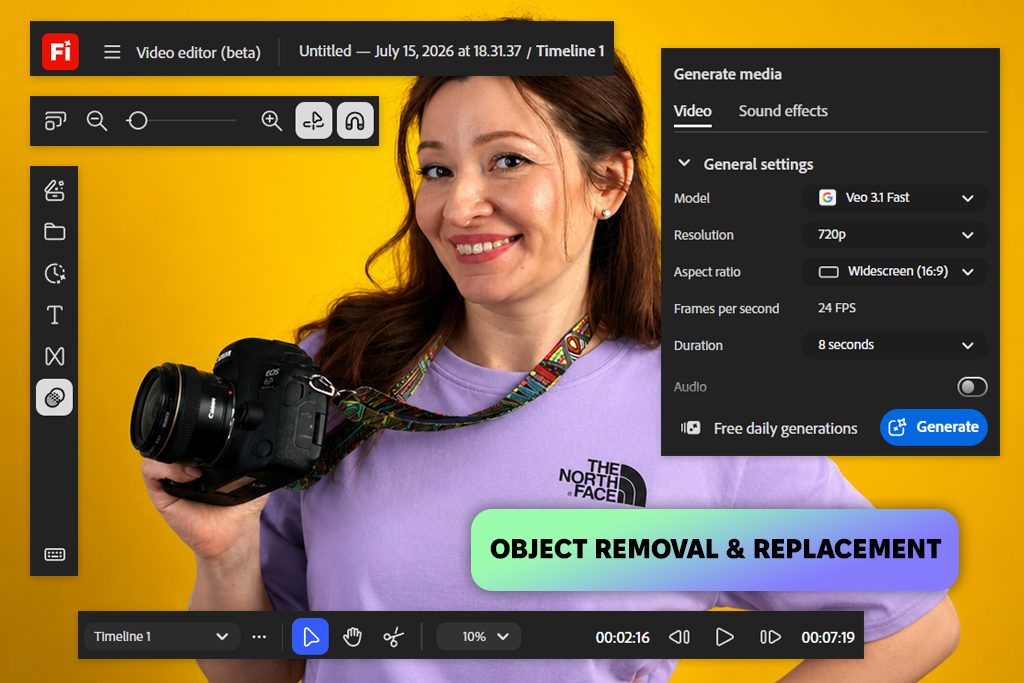
Having worked on a variety of short-form projects, seeing how well-suited both sides of the Adobe Firefly vs Kapwing battle are for video editing was very interesting. The former allows me to edit footage using text prompts to perform actions like removing objects, swapping out backgrounds, or upscaling footage, and I could also go to its desktop video editor to trim videos, rearrange clips, add titles, voiceovers, audio, and even employ Quick Cut to generate an initial edit. Additionally, I was a fan of its audio enhancement and single-click color correction features, which can be huge time-savers.
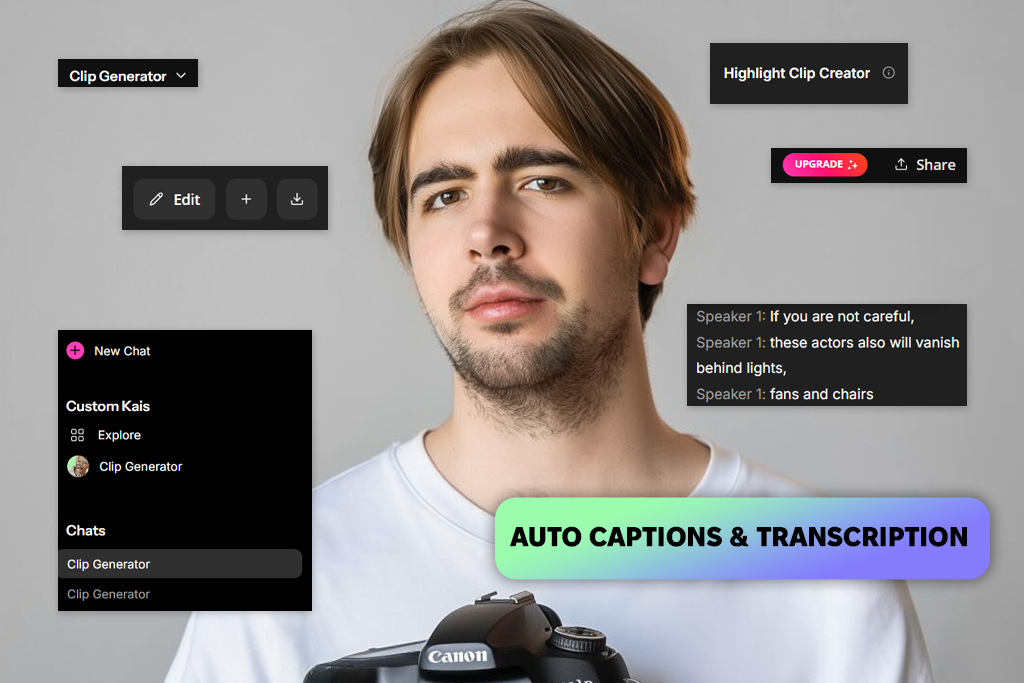
Kapwing offers a mix of AI generation and video editing in one online workspace. I could begin with a prompt, script, PDF, or upload my existing footage, then leverage AI to trim clips, generate B-roll, create subtitles, translate, resize, upscale, delete backgrounds, produce AI voiceovers, and save the results in up to 4K. Tools like Trim with Transcript, Smart Cut, and the chatbot-based editor ensured Kapwing is tailor-made for enhancing and preparing social media content for publishing.
For content creators, both Adobe Firefly and Kapwing are great at establishing a smooth editing workflow, but I liked the Adobe video editor more for AI-based enhancements, while Kapwing won whenever I needed manual timeline editing and wanted to repurpose my existing footage.
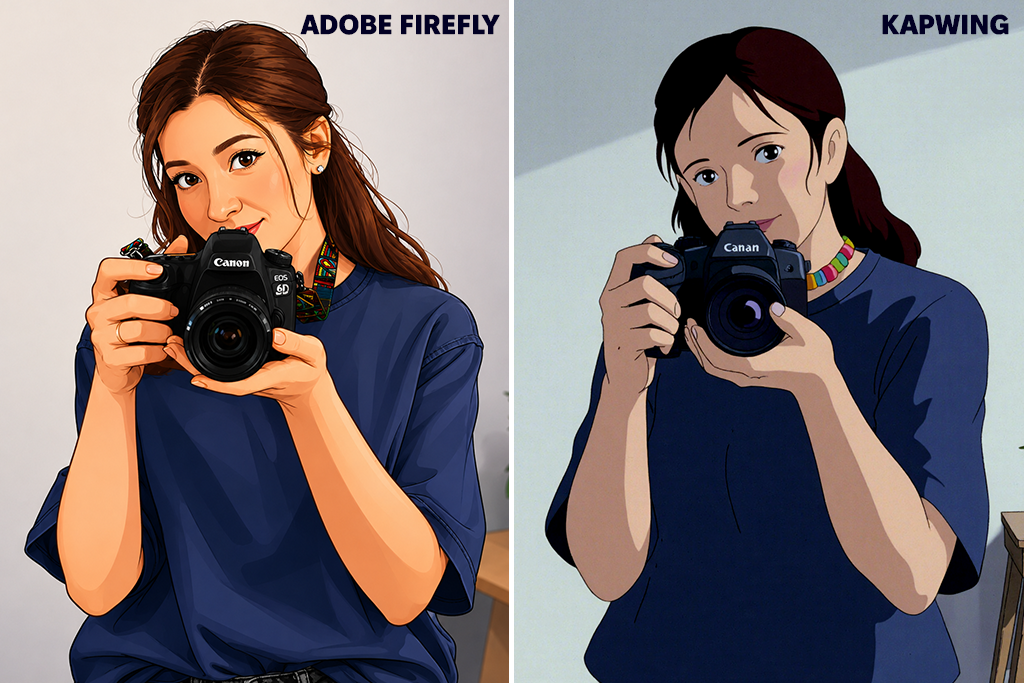
Kapwing vs Adobe Firefly is a particularly fierce battle when it comes to producing visuals for all possible scenarios. The latter comes with a robust AI image generator, delivering four high-quality variations for each prompt I typed in within a couple of seconds. It allowed me to generate photorealistic imagery, illustrations, or drawings before enhancing them by using tools like reference images, Generative Fill, style controls, lighting parameters, aspect ratios, and color settings as you see fit.
Kapwing also offers a solid AI image generation feature that lets you produce images based on text prompts or reference pictures while enhancing them with its AI chatbot. It allowed me to delete objects, experiment with different styles, add captions, and generate marketing assets for advertisements, product showcases, and social media.
Additionally, I appreciated the ability to leverage several AI models while also letting me edit my visuals in the same workspace. That said, the level of photorealism on offer here doesn’t always match Firefly’s, which makes it inferior to Adobe’s platform, particularly if your main goal is producing highly detailed, ultra-realistic imagery.
In addition to evaluating the AI image and video generation functionality, I looked into all the other AI features both options bring to the table. Those can include tools for streamlining workflows, with Adobe Firefly offering a wider AI toolkit, while Kapwing focuses on content production and online publishing.
Adobe Firefly:
Kapwing:
I think Kapwing's additional AI features are particularly handy for editing and repurposing videos, while Adobe Firefly focuses on providing creative AI tools for graphic design, audio, translation, and ideation.
When examining how Adobe Firefly vs Kapwing hold up for social media, I was impressed by how both streamline the export process. The former allows me to pick the aspect ratio before generating content for TikTok (9:16), Instagram, or YouTube (16:9).
I can save high-quality images directly, while AI-generated videos can be saved as MP4 files in up to 4K resolution. Due to the provided Adobe integration, it's also possible to continue working on your project in Premiere Pro or Adobe Express.
Kapwing prioritizes publishing finalized content. I can save videos in several aspect ratios, resize them in a single click, and post them straight to TikTok, YouTube, and Facebook without even having to download them. Pro plan subscribers can export in 1080p, while the cloud-based structure ensures your files are synchronized across devices.

Both solutions allow you to conveniently share projects and preserve brand consistency, but they aim to accommodate different workflows. If your work requires collaborative edits for social media content, Kapwing is the more appealing option, but for broader collaboration, I would recommend choosing Adobe Firefly instead.
Firefly is inseparably integrated into Adobe Creative Cloud, which is why it’s so popular among creative teams. I particularly enjoyed Firefly Boards, which allow team members to ideate concepts, organize inspiration, add pinned comments, and review designs as a group. Additionally, teams can utilize Creative Cloud Libraries and Shared Style Kits to preserve consistent fonts, colors, logos, and brand assets across Photoshop, Illustrator, and Adobe Express. For bigger companies, the admin console streamlines license and AI credit management.
Kapwing is more user-friendly for projects that have several people editing the same video. It offers shared workspaces, real-time co-editing, timestamped comments, version history, and Brand Kits that allow creators, marketing experts, and clients to work together without constantly exchanging files. Its live editing experience is a lot more streamlined compared to Firefly's.
After pitting Adobe Firefly vs Kapwing, it became obvious that both options are fantastic, but are aimed at different groups of creatives.
Adobe Firefly offers industry-leading generative AI functionality, high-quality photo and video creation, and tight integration with Adobe Creative Cloud. I recommend using it for producing unique visuals, ideation, and creating professional assets from the ground up.
Kapwing is a great platform for users interested in a streamlined, online workflow for editing, repurposing, and posting social media content. Its AI editing features, collaboration functionality, and convenient export parameters ensure it’s a great fit for teams and short-form video production.
For my needs, Adobe Firefly is more preferable since it offers a lot more creative freedom and a broader selection of AI features. That said, Kapwing is still a great choice for quick video editing and content management, particularly if you value speed and collaboration the most.
When pitting Adobe Firefly vs Kapwing, I tested both options in real-world scenarios instead of blindly believing in the marketing promises. I put them through a variety of projects, including short-form videos for our Instagram accounts led by Tetiana Kostylieva and Nataliia Omelchenko, promotional posts, AI-generated visuals, and social media content.
I prioritized essential factors like AI image and video generation, editing features, export parameters, speed, user-friendliness, collaboration functionality, and how well each solution fits the daily workflows of content creators. During the review, I got assistance from my FixThePhoto teammates. I also examined how much time it took to transform ideas into finished assets, from generating visuals with AI prompts to making clips for TikTok, Instagram Reels, and YouTube Shorts.
Throughout the test, I evaluated both the output quality and the user experience. As such, I came to realize that Adobe Firefly is a better fit for creative AI-based workflows, whereas Kapwing has the edge when it comes to quick editing and social media content.




![9 Best AI Audio Silence Removers [{{%year}} FixThePhoto Choice]](http://fixthephoto.com/blog/images/gallery/news_main__preview_29189.jpg)

![7 Best TIFF to PDF Converters [{{%year}} FixThePhoto Choice]](http://fixthephoto.com/blog/images/gallery/news_main__preview_29305.jpg)



















