I became interested in testing AI article to video generators because I realized that it took me too long to produce short clips based on long blog posts. While working at FixThePhoto, we often need to publish extensive tutorials, long interviews, or detailed photography guides. I am often tasked with repurposing such articles to produce videos for YouTube Shorts, Instagram Reels, TikTok, and other platforms.
It takes too much time to summarize articles, choose suitable visuals, add captions, and record voiceovers. This is why I wanted to check whether it would be possible to use AI to handle such tasks and produce polished videos that will grab our audience’s attention.
I thoroughly tested over 12 tools to check which solutions would help me convert articles to videos with high accuracy. I examined how well they summarized text, selected visuals, produced voiceovers, and created subtitles. Besides, I wanted to know how much editing the outputs would require before publishing.
I read reviews on Reddit, G2, Capterra, and Product Hunt to understand what other creatives thought about these services and asked my colleagues from FixThePhoto to provide feedback on their experience of using such platforms.
When looking for the best AI article to video generators, I wanted to understand how well they converted articles to videos, produced scripts, added subtitles, generated voiceovers, and selected suitable visuals. I wanted to find solutions that support URLs, PDFs, and all sorts of documents.
Besides, I was interested in the tools that produce AI avatars, support popular export options for social media for photographers like Instagram or Facebook, have intuitive functionality, support high output quality, produce videos quickly, have affordable pricing, and allow me to automate most of my workflow.
After using these AI article to video generators, I discovered that they are perfect not only for expediting my workflow. Here are the main advantages of these services I discovered:
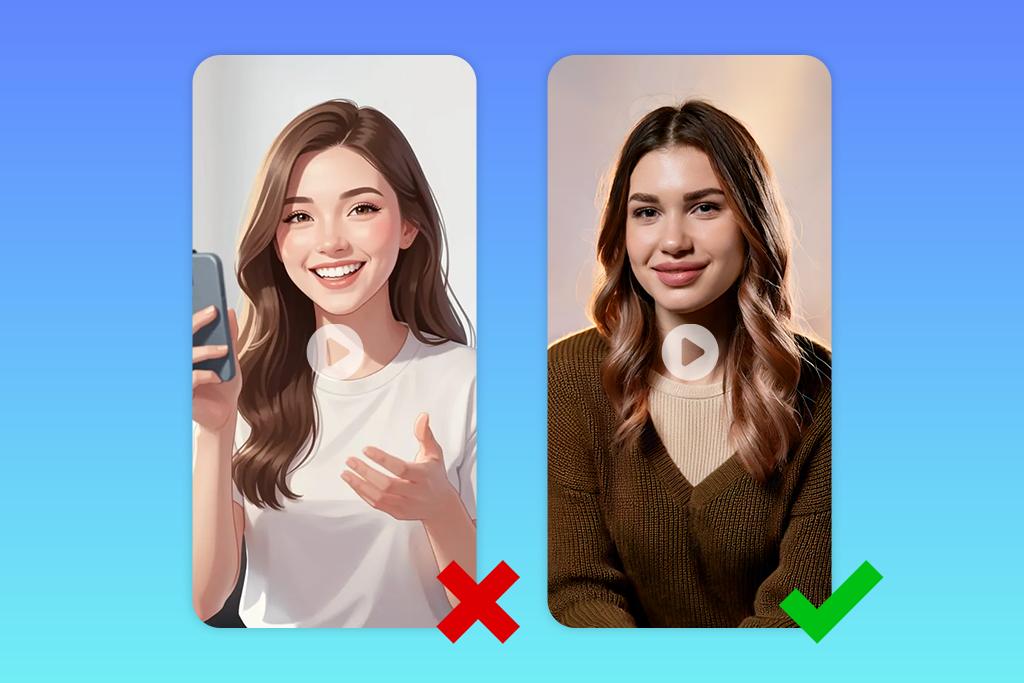
Even if you use the best AI article to video generator, it may still fail to produce the results you need. This is why I recommend following these recommendations to achieve better outputs:
I prefer to use custom visuals generated with the help of AI tools instead of using stock footage. This is why I use Adobe Firefly video generation tools to produce unique images and clips that match the content of my blog posts.

Price: Free (10 credits, watermark) or from $16/mo.
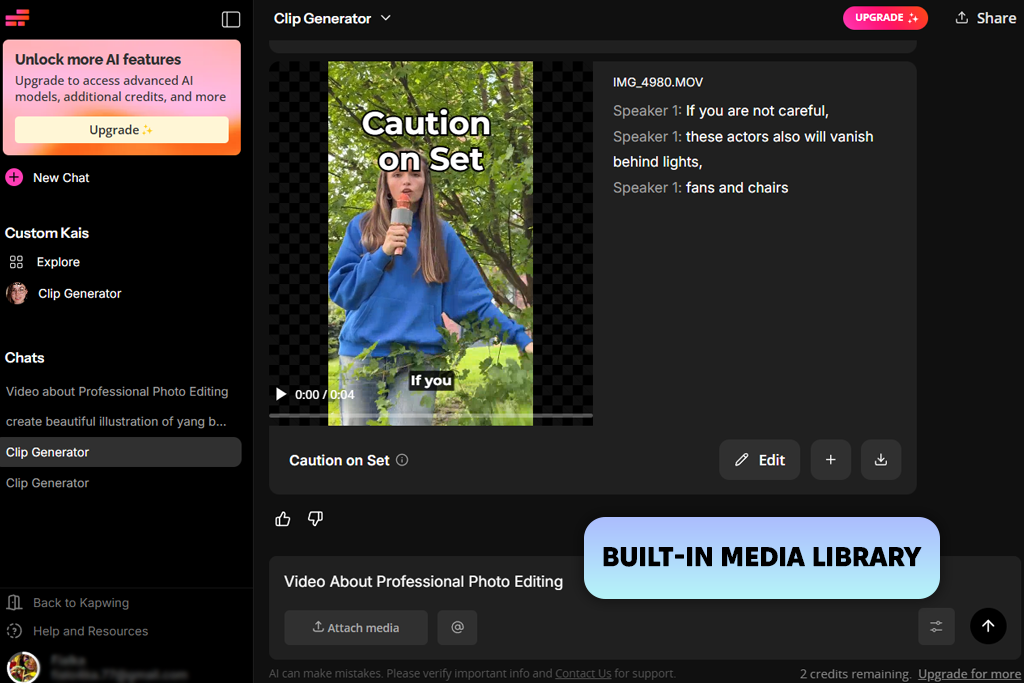
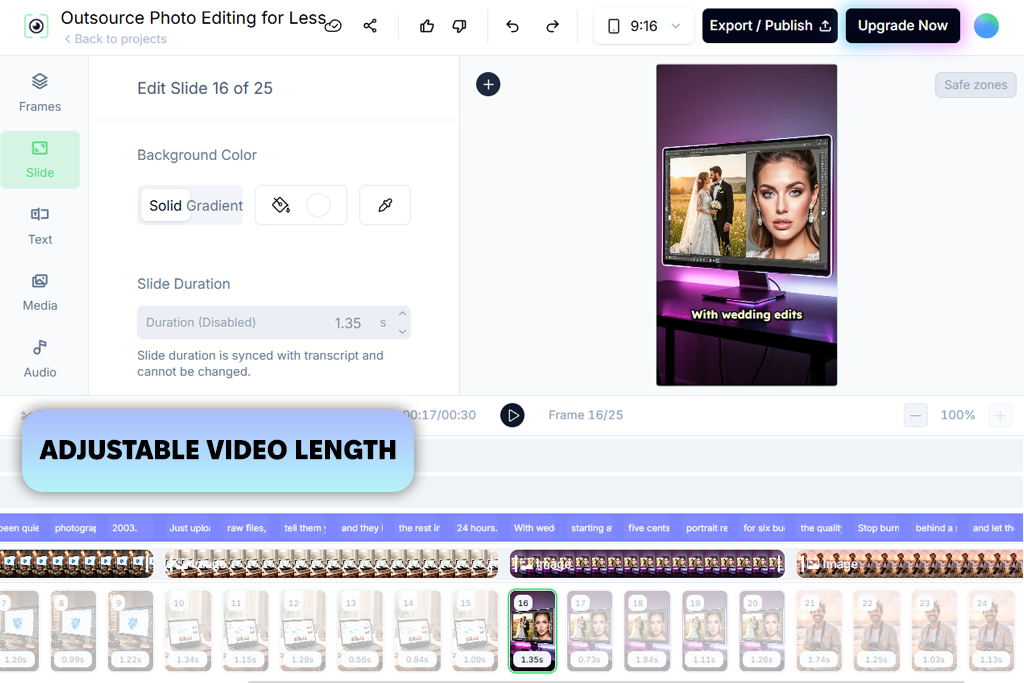
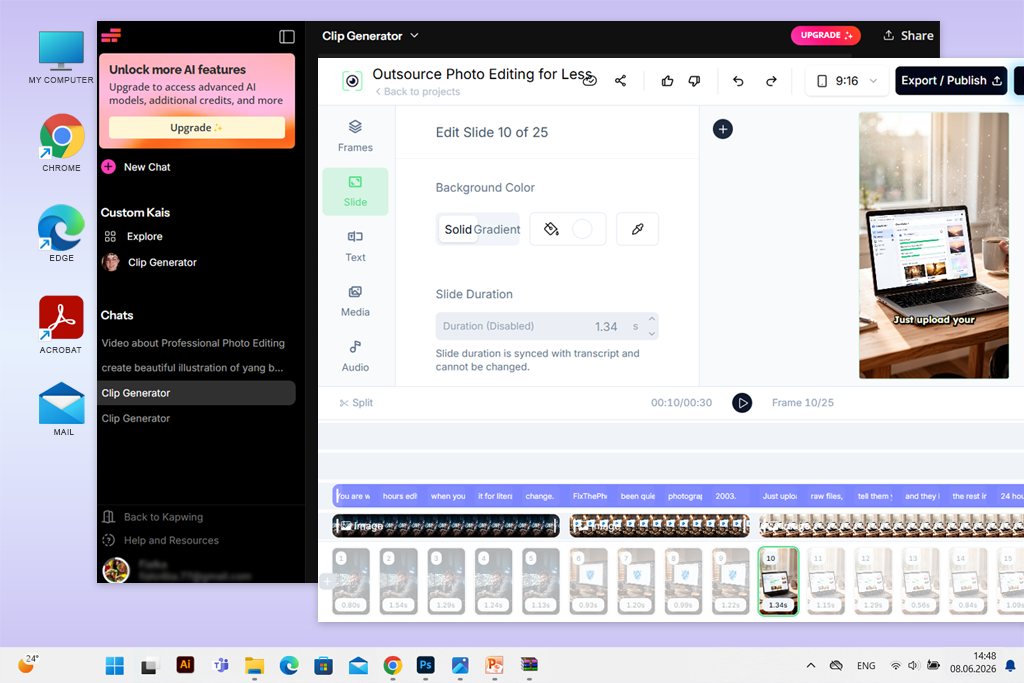
I became interested in Kapwing after hearing that it does not simply summarize the content of an article to create a video script. It helps users to build complex video projects and edit the outputs to achieve higher precision. While testing this AI article to video generator, I uploaded one of my blog posts in a PDF format. I decided to create a vertical video for Instagram Reels. After choosing a suitable format, I wrote a simple prompt where I described the style I needed.
Kapwing extracted the main insights quickly, created scenes, generated a voiceover, added subtitles, found suitable stock footage and AI-generated visuals, and added background music.
The output was well structured. I changed only a couple of scenes where the visuals did not match the text. It was easy for me to edit scenes, captions, visuals, and voiceovers using timeline editing tools. Besides, I could customize the output to make it less generic. I used the same article to produce a 16:9 video for YouTube and a 9:16 clip for TikTok. Kapwing adjusted the layout automatically to fit these formats.
I was also pleased with the Brand Kit, AI translations into 100+ languages, royalty-free assets, AI-generated B-roll, and unique fonts. This AI video generator is perfect for those who need to produce videos on a daily basis. The free version allows you to test out the main tools available on the platform, but the outputs have watermarks. Besides, you will have to deal with export restrictions and limited AI generations.
Price: Free trial or from $39/mo.
When I decided to test Revid as AI article to video generator, I started by pasting the URL to one of my blog posts. There was no need to upload any file, which made the process quite intuitive. The AI analyzed the post, summarized the key ideas, created a script, generated a professional voiceover, produced subtitles, and found suitable footage and AI-generated images for each section. This service helped me to produce an engaging 3-minute video based on a 1,000-word blog post within a few minutes. The output has the right pacing and provided all the information a viewer might need.
I was also impressed by the fact that Revid allowed me to control the output even before launching the generation process. It was possible for me to choose whether the AI should provide the article’s summary or use the original text. I could also set the desired video duration, find suitable stock footage, add AI-generated visuals or animated pics, and customize the voice and music. This service also allows me to choose the output video format.
After generating a video, I enhanced some scenes with the help of the AI video editor. It allowed me to replace some visuals that did not illustrate the main topic perfectly.
The only significant downside was that it was challenging to maintain character consistency across different scenes. Besides, this service does not have a permanent free version. You can use it for free only for the duration of the trial period.
“I was struck by how quickly Revid analyzed my article, extracted key info, and created a short video based on these insights. I made subtle adjustments when working on some AI-generated scenes, but this service helped me significantly expedite my workflow.”

Price: Free trial or from $20/mo.
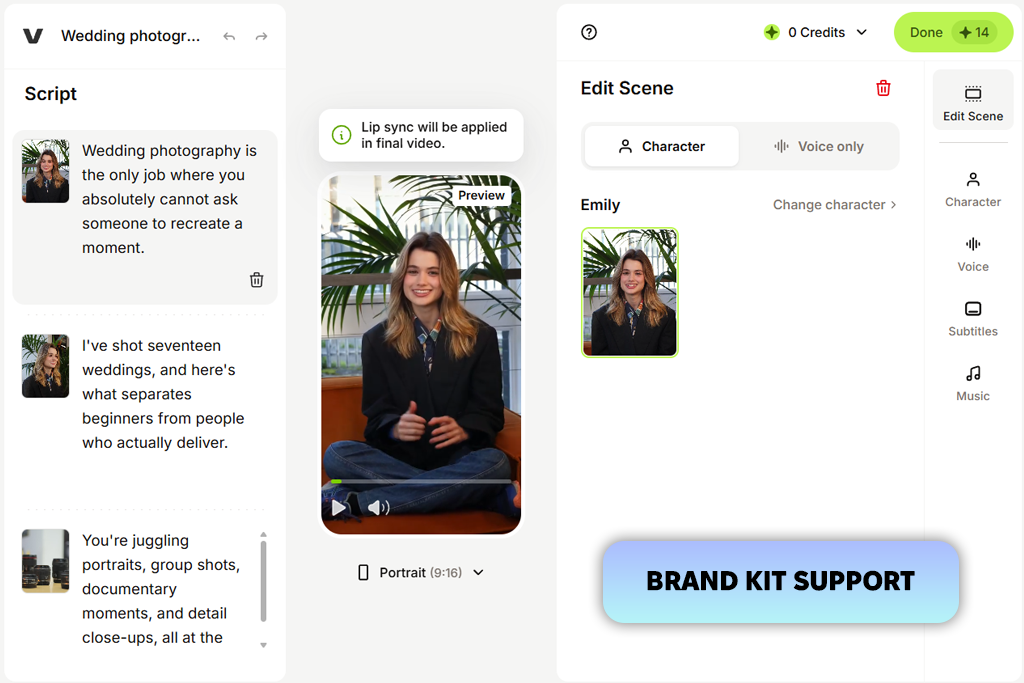
VEED is an excellent solution for those who need to produce engaging clips based on text. While testing this online article to video generator, I used my tutorial to create a 9:16 how-to video for Instagram Reels. The AI generated scenes based on the article, created a voiceover, added subtitles, selected suitable stock footage, and added background music.
I used this article to video generator online free of charge. The first draft this service generated was perfectly structured and covered the most important points of my how-to article. I replaced a couple of visuals that did not match the main idea of my post. It was also possible for me to choose various video types, choose between an AI voice or presenter, set the aspect ratio, edit subtitle styles, and enhance the output using the timeline editor. In addition, I tested the Brand Kit to check whether it could help me achieve consistency when working with branding elements and uploaded my own footage for some scenes.
The main shortcomings I discovered were a 5,000-character limit for text-to-speech conversion and lower speed when working on large videos in a browser. Besides, I realized that it’s necessary to pay for a premium plan to access pro-grade AI tools, get extra credits, and save your outputs in 4K.
Price: Free (limited AI credits) or from $17/mo.
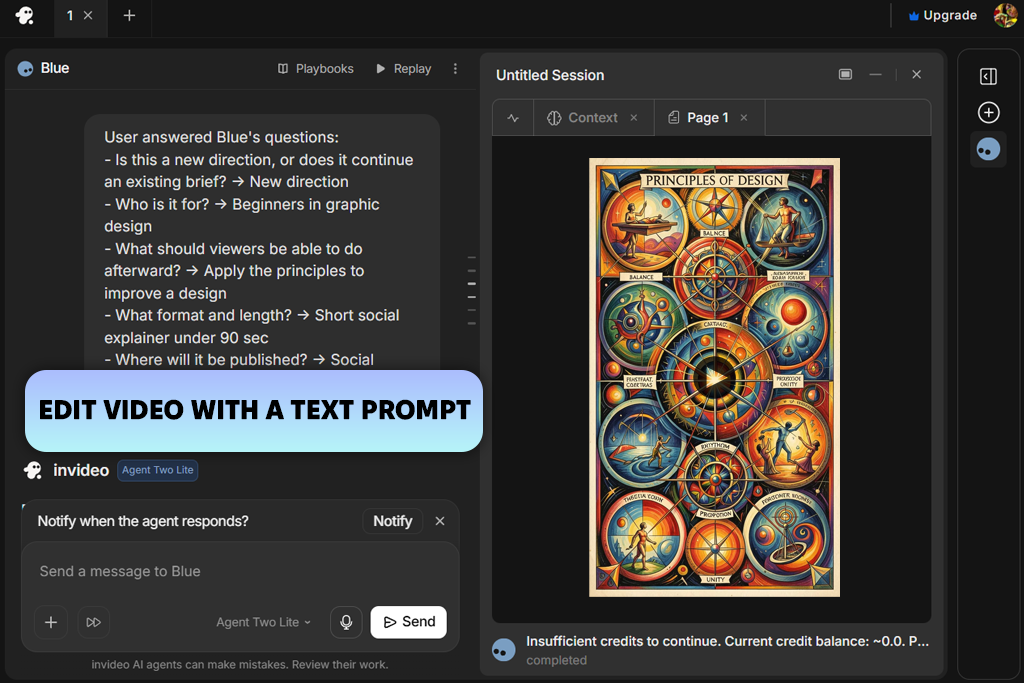
InVideo was built for those who want to convert an article into a video automatically. When I started to test this free article to video generator, I used a URL to one of my tutorials. Before launching the generation process, I selected the target platform, specified video length, opted fr subtitles, and indicated that I needed an English voiceover with a US accent.
InVideo analyzed the guide quickly, produced a script, created AI visuals, added transitions, selected matching background music, generated subtitles, and produced a natural-sounding voiceover. The output looked quite polished. I enhanced only a few scenes before saving the result.
I especially liked the Magic Edit box feature and used it quite often. With it, I did not need to use manual timeline editing tools. I could type the commands like "replace this scene," "change the voiceover accent," and "add an intro," and the AI made changes in the video automatically. I was also glad to have access to a library of AI-generated visuals and a collection of 16+ million stock photos and videos.
Nonetheless, in some cases, I discovered that some automatically added visuals looked a bit repetitive or did not match the topic of my article exactly. In such cases, I replaced them manually. The free version of this video editing software for Windows and MacOS is suitable for testing. However, you will need to pay for a premium version to export videos without watermarks and access more AI tools.
Price: Free (limited credits) or from $24/mo.
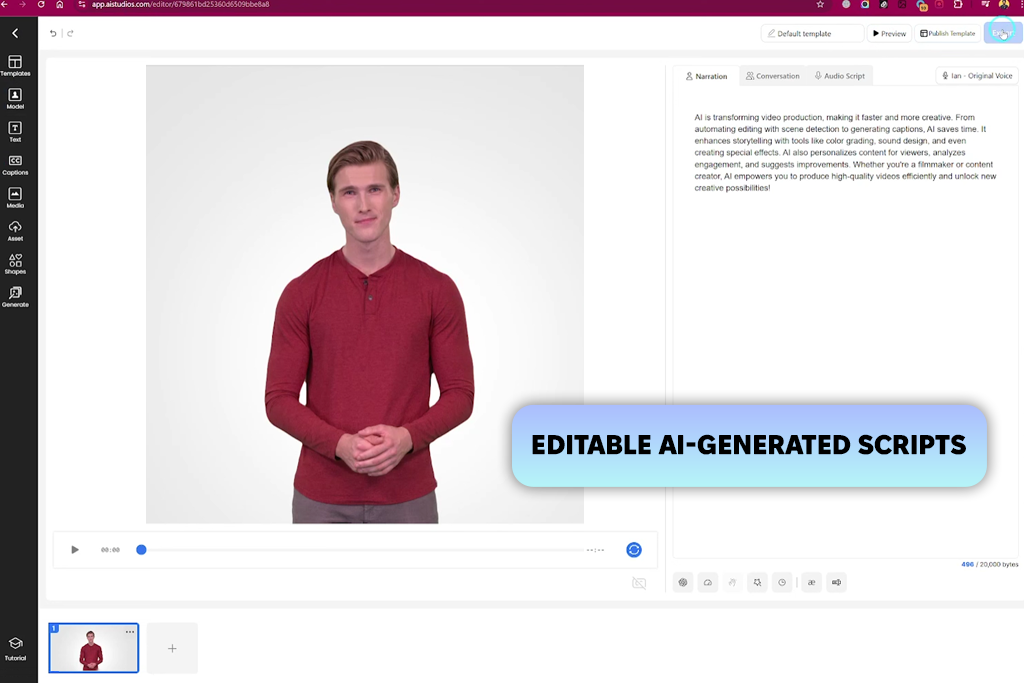
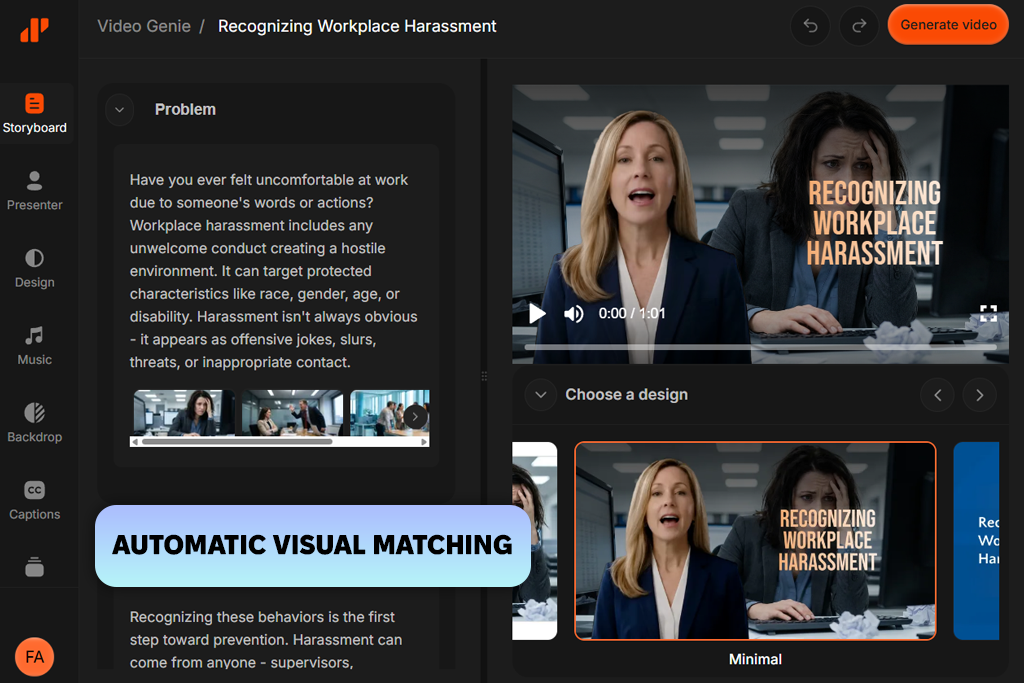
AI Studios is a practical solution that can easily beat many other similar tools because it produces presenter-style clips with AI avatars instead of using only stock footage and text animations. This free online article to video generator analyzed the text, produced a comprehensive script, selected suitable videos and B-roll, and created a customizable draft with AI-avatar narration. I discovered that the output looked more polished and engaging with the avatar, making this service perfect for producing educational and business content.
Another thing that makes this generative AI tool so useful is that I can fully control the output before generating it. I can specify the purpose of my video, set its duration, choose a language, find a suitable template, or indicate which media resources I want to use. Then, after producing the output, I can edit the script, find suitable visuals, regenerate scenes, or choose another avatar.
However, when I started to work with longer and more nuanced articles, I noticed that the AI summarized them in an overly simplistic way, which is why I had to edit them afterward. It also took me a while to render HD videos.
"While testing this service, I noticed that the automatic script and B-roll generation helped me expedite my workflow. I just wish the free version of this service had a more extensive collection of templates and supported more export options."

Price: Free (limited credits) or from $10/mo.
I tested DeepReel because I knew that its AI article to video generator allows users to convert an article by pasting its URL. Then, I chose a vertical 9:16 format to produce a social media clip. DeepReel extracted the most interesting information automatically, created a comprehensive video, selected suitable visuals, and added a realistic AI avatar with natural-sounding narration.
In addition, I used this AI tool for content creation to convert a PDF guide into a video. It analyzed the document structure and produced a clip with logically organized sequences.
I was particularly impressed by the fact that I could specify what result I wanted to achieve and customize the settings before generating a video. It was possible to choose from 50 AI presenters, 624 AI voices across 35 languages, customize the voice speed and emotion, choose AI-generated or stock visuals, and use brand colors, fonts, and logo automatically.
In addition, I liked the fact that it was easy for me to keep editing my project in Canva or Adobe Express after exporting it. I discovered that some visuals that were suggested automatically looked too generic for specific topics, which is why I replaced several clips. In addition, I noticed that some editing tools were more challenging to customize than in other editors.
Price: Free (1200 credits per month) or from $18/mo.
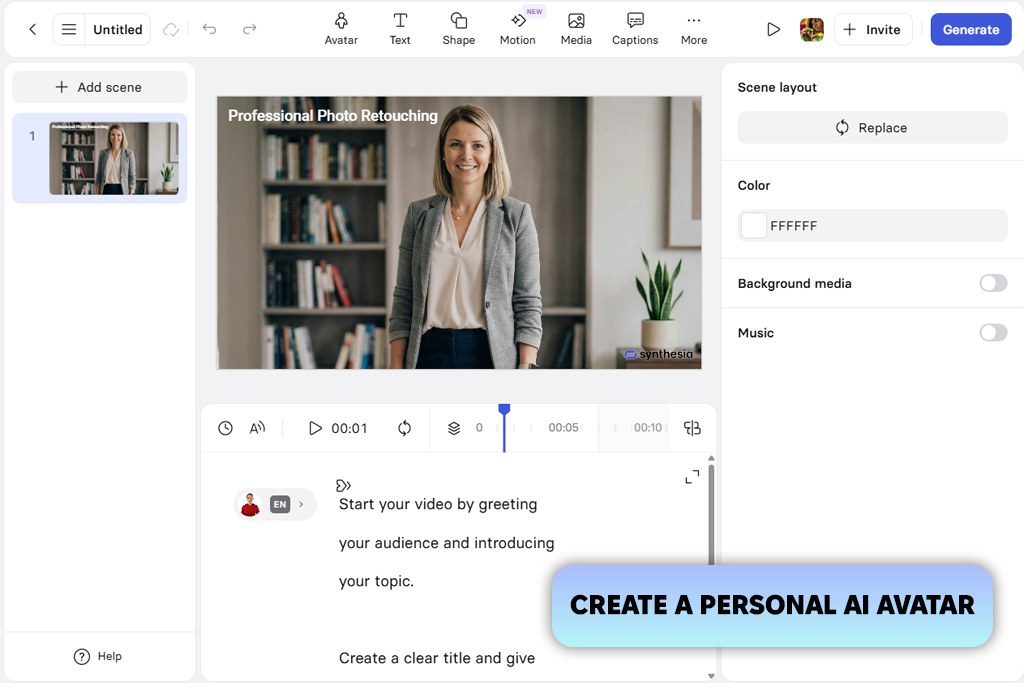
Synthesia allows users to create presenter-style videos based on articles. You can use this AI article to video generator free of charge. Start by importing a URL and uploading a file in PDF, DOCX, PPTX, or TXT formats. With the help of this article to video generator, I produced a horizontal YouTube video and a vertical clip for social media based on my tutorial.
The AI analyzed the article, extracted the main insights, created a well-organized sequence with multiple scenes, created an AI presenter, and added voiceover, captions, and suitable visuals.
The initial version it generated already looked polished and perfectly structured. This is why I focused only on wording and replacing some visuals. There was no need to regenerate the whole video or its segments.
While using this AI software, I could experiment with 240 AI avatars, translate the output into 160+ languages, experiment with different templates, generate AI B-roll from text prompts, and add my own branding, animations, music, and graphics. However, I discovered that some avatar gestures and voice pacing did not look realistic, especially in longer videos.
When I decided to create a list of the best AI article to video generators, I tested a variety of services using the same sample articles and blog posts to ensure that my comparison is unbiased. My colleagues from FixThePhoto also helped me test these services and provided their feedback after using these tools to produce videos for social media, YouTube, and marketing projects.
During the testing stage, we also tested Vidu, HeyGen, Leadde, Adori, Pictory, Fliki, Lumen5, and Descript but decided against including them in the final version of our list. Some of them are more suitable for producing AI avatars or general video editing, as they do not have dedicated article-to-video conversion tools. Others are more focused on manual workflows, do not have useful automation tools, and fail to deliver consistent results.
"I was pleased with VEED’s performance, as it converted my article into a vertical video for Instagram Reels without delays. The only shortcoming I noticed is that it might take this service a while to process longer files when I use it in my browser."
Here are the main things we considered when we tested these services:
"Synthesia helped me expedite my workflow because I didn't need to film videos or record voiceovers myself. It’s a great option for creating explainer videos. However, some AI-generated don't look sufficiently realistic."

After thoroughly testing AI article to video generators, I decided to include in this list only the solutions that produced accurate summaries, high-quality visuals, and natural-sounding voiceovers. I wanted to get consistent outputs that did not require much manual editing. I discovered that every service has its unique advancements. However, only the best solutions helped me produce professional-level videos based on long articles in a few minutes. Using them, I did not need to spend hours editing the outputs manually to achieve the result I needed.
Yes. Most AI article to video generators like InVideo, VEED, and Kapwing allow users to produce vertical 9:16 videos for Instagram Reels, TikTok, and YouTube Shorts. Using them, one can also generate 16:9 videos for YouTube and presentations.
If you need to produce videos with a virtual presenter instead of generating generic stock footage, Synthesia, AI Studios, and DeepReel support natural-looking AI avatars, voiceovers in multiple languages, and customizable presenters that can be used for educational, business, and marketing videos.
Yes. Many services allow users to create AI voiceovers in multiple languages and accents. Synthesia supports 160+ languages, while DeepReel allows you to choose from hundreds of AI voices and customize their speed and emotion to achieve more realistic results. Many platforms also allow you to clone your own voice and customize it to your liking.
It’s better to use detailed blog posts, tutorials, product reviews, news pieces, educational tutorials, case studies, and how-to articles. Comprehensive and well-structured source texts allow users to achieve better outputs because the AI can summarize them with high accuracy.
Yes. Most services like Kapwing or VEED allow you to edit the generated script, replace frames, change the AI voice, improve subtitles, add background music, insert brand elements, and choose suitable fonts and colors.
Not. They allow users to produce video content automatically, but I still believe that one should analyze the output carefully to see whether it might be necessary to change the script, replace generic-looking frames where it’s necessary, and make final edits before saving the file.



![9 Best Higgsfield Alternatives [{{%year}} FixThePhoto Choice]](http://fixthephoto.com/blog/images/gallery/news_main__preview_29303.jpg)
![11 Best AI Virtual Assistants in {{%year}} [Reviewed & Ranked]](http://fixthephoto.com/blog/images/gallery/news_main__preview_29081.jpg)


![9 Best AI Car Video Generators [{{%year}} FixThePhoto Choice]](http://fixthephoto.com/blog/images/gallery/news_main__preview_29281.jpg)

![9 Best AI Virtual Try On Outfits Tools in {{%year}} [100% FREE]](http://fixthephoto.com/blog/images/gallery/news_main__preview_29082.jpg)


















