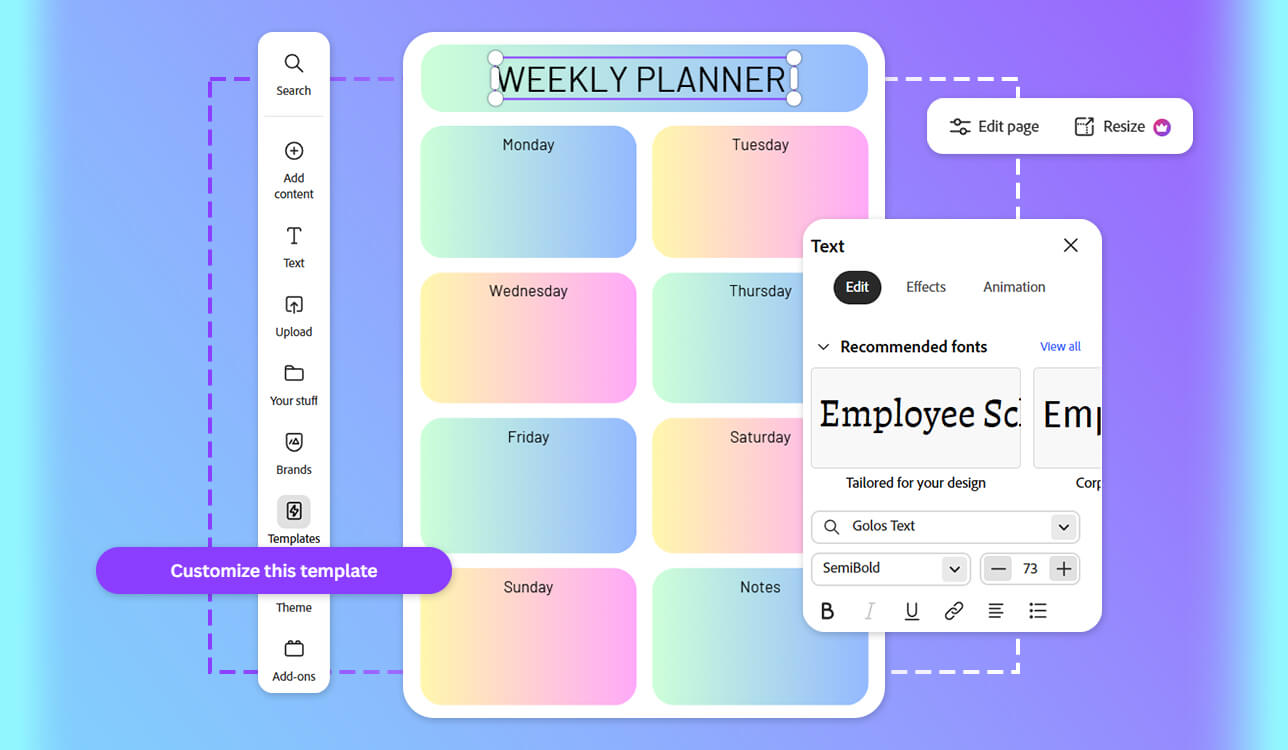
Over time, the planner maker has become one of my key work tools. As a project manager at FixThePhoto, I constantly keep deadlines, conference calls, revisions, and urgent tasks in mind. At some point, it became clear that sticky note reminders and random apps were no longer cutting it. I needed a system that was flexible and one that I wouldn’t find annoying to use every day.
The problem is that most tools are either too basic or, alternatively, overloaded. I don’t have time to figure out complicated software just to create a basic weekly plan. But choosing the first free planner maker I found on Google is also not an option. In the end, I decided to approach this as a full-fledged test, together with my team.
For several weeks in a row, we tested over 50 planner makers. These included digital planner creator apps to printable planner makers and even trending AI planner generators based on recommendations from Reddit or YouTube. Each week, we tried a new tool, created real work plans in it, and compared how convenient it was in practice.
After all the tests, I had a clear list of requirements. Here’s what’s really important to me:
After several weeks of testing with my team, I realized one simple thing: there is no “one-size-fits-all” planner maker. Different tools are designed for different tasks and work styles. And the most common mistake (which I also made at the beginning) is to choose based on appearance rather than on how you actually work.
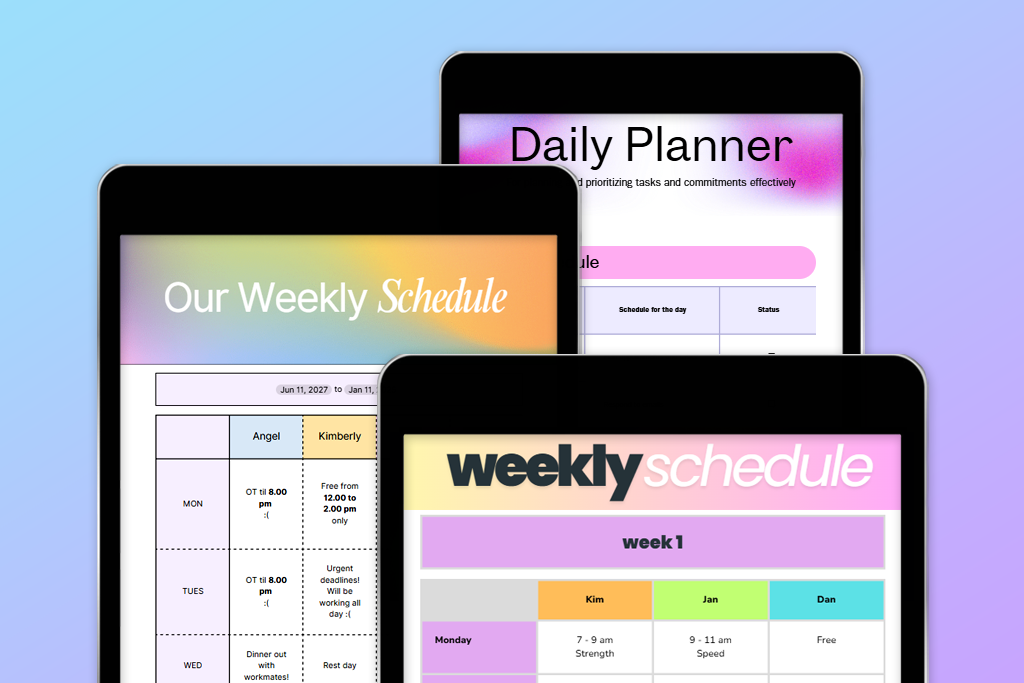
1. Visual online planners (templates + drag & drop). These are services where you can quickly put together something that looks good and works, without any complicated setup. They’re convenient when you need something that’s both quick and neat.
Who it’s for: Designers, marketers, content creators, event managers
Top picks:
My advice: Don’t limit yourself to changing colors and fonts. Try changing the structure: section sizes, margins. Even small tweaks can significantly change the feel of the planner.
2. AI planner generators. This type really surprised me. These services can put together a basic structure in just a few seconds, especially when you have no idea where to start.
Who it’s for: busy professionals, manmanagers, beginners, and those who don’t like to start from scratch
Top picks:
My advice: Use AI as a starting point. Then be sure to fine-tune it manually. This is how I’ve always achieved the best results.
3. Digital productivity planners (apps). Here, the key is not the visual appearance, but the ease of use. This is about real productivity, not about design.
Who it’s for: Managers, students, freelancers, and anyone whose schedule is constantly changing
Top pick:
Structured is the best digital planner creator for daily planning out of all the ones I’ve tried.
My advice: If your schedule is constantly changing (like mine), it’s best to go digital right away. Paper planners just can’t keep up with that pace.
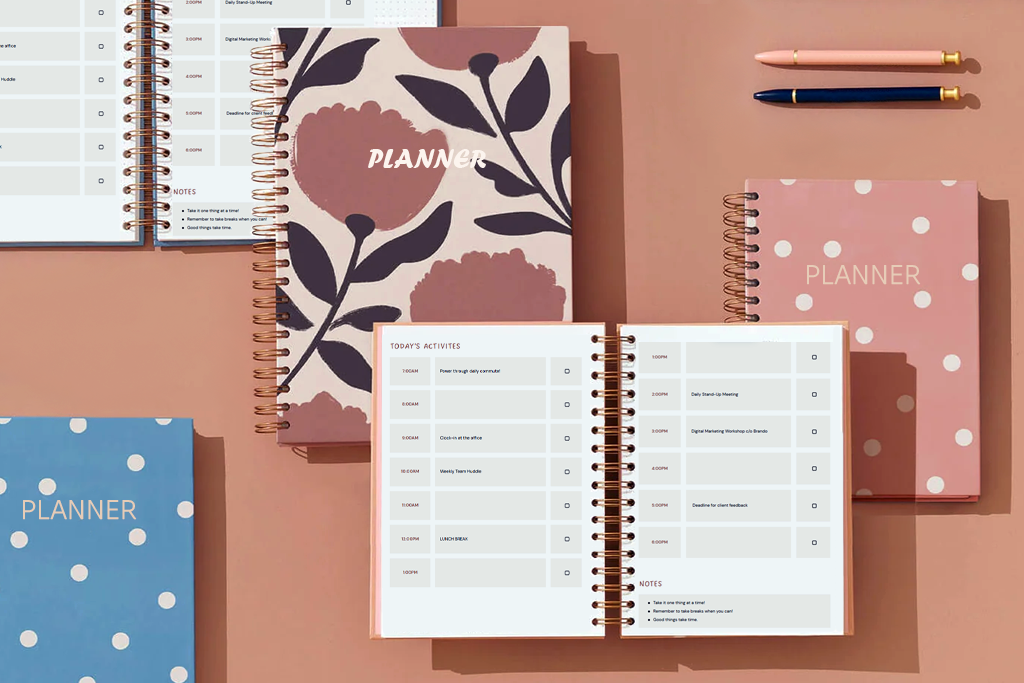
4. Physical & printable planner makers. I didn’t expect it, but this format turned out to be great too. There’s something about writing down tasks by hand – it helps you focus better.
Who it’s for: creative people, small business owners, those who enjoy handwriting
Top picks:
My advice: Be sure to print out a test version. I didn’t check it once, and as a result, I ended up with awkward margins and a ruined layout.
Best for: quick stylish planners
Ease of use: 5/5
Planner templates: 1,000+
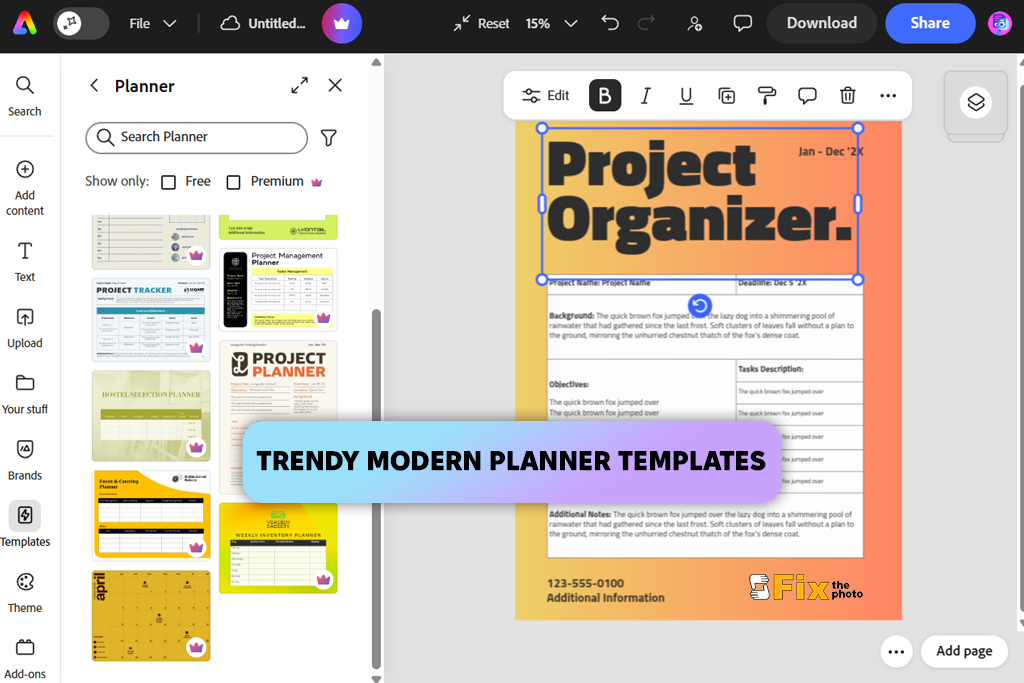
I’ve been using Adobe Express for a long time to create quick visuals for newsletters, social media, and internal tasks. At FixThePhoto, it often comes in handy when we need to get something done quickly. But I didn’t find out right away that it could be used as an online daily and weekly planner maker.
When I opened the section with planners, the first thing that struck me was that everything was very simple and clear. There’s no clutter like in more complex programs. I picked a ready-made template (by the way, there are quite a few of them, and they look decent), and in just a few minutes, I put together a basic version for my week.
Then I started customizing it to suit my needs. I rearranged the sections to fit my clients’ tasks, added color labels for priorities, and even created something like a hybrid format so that both my daily and weekly schedules were in one place. You can do all this without feeling like you’re “breaking” the template.
“Compared to Canva, this daily planner app is faster and easier to use. When you need to get a neat result quickly, this is one of the most convenient options.”

One of the updates it got was a PDF import feature. I uploaded an old planner that I had saved as a PDF, and it came up with an editable structure. I didn’t have to put everything together from scratch. I just tweaked the text, adjusted the indents, and updated the tasks.
In terms of export quality, everything is excellent. I even printed a test version for our photoshoots: it came out clean, with no layout issues. What’s more, the free version is more than enough. There are paid features, but you can easily do without them.
My advice: Choose the simplest template possible and customize it to suit your needs. It’s better not to “struggle” with it, but to carefully adapt it. It’s faster and cleaner that way.
Pricing: free (limited assets), from $9.99/mo, from $99.99/year
Best for: versatile planner creation
Ease of use: 4.5/5
Planner templates: 5,000+
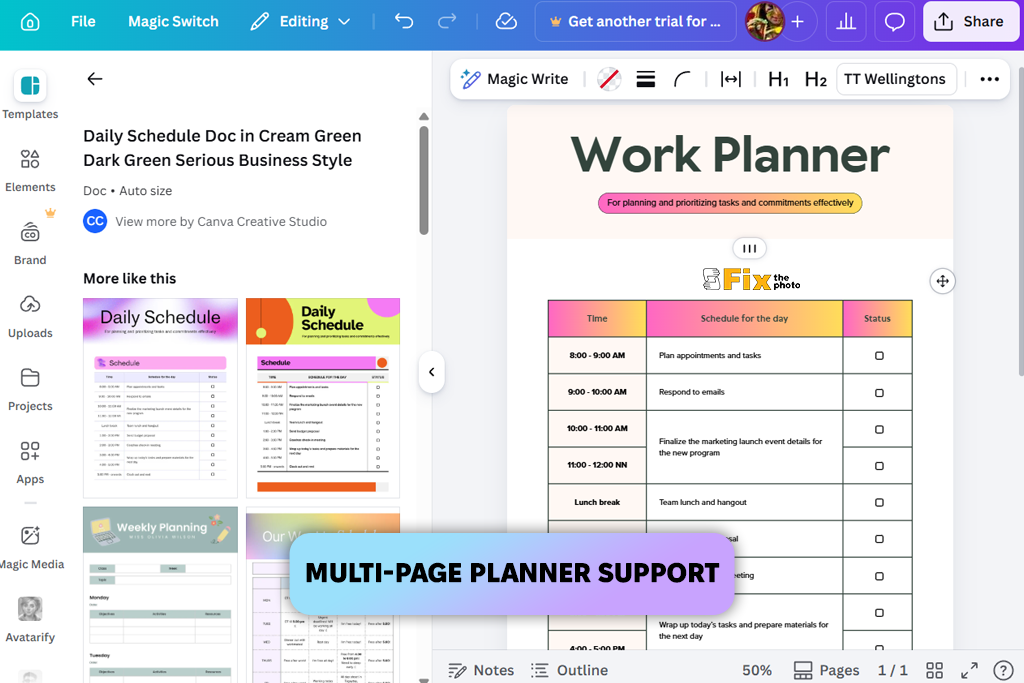
I first considered Canva as a digital planner creator after seeing it on Reddit, where it was constantly recommended as a versatile option for “all occasions.” Of course, I had used it before, but I hadn’t seriously considered it as a full-fledged planning tool until this test.
The first thing that really stands out is the number of templates. There are genuinely a lot of them: from simple, minimalist templates to more designer and lifestyle options. I was putting together a planner for my team’s weekly workflow, and it did a better job than I expected.
“I liked the built-in prompts and Magic Design. When you need to quickly sketch out a structure or layout ideas, they really speed up the process.”

Canva’s main advantage is its flexibility. Unlike simpler free schedule makers, here you can customize everything in greater depth to suit your needs: change grids, duplicate pages, create multi-page planners, and maintain a consistent style. As a result, you can create a full-fledged planner that looks cohesive and neat.
The output is also great. When I printed the result, there were no issues with alignment or indentation, which is important to me. But there’s a caveat: at first, it can be challenging due to the sheer number of options. It’s easy to get bogged down in making choices and waste time.
The free version is sufficient for basic tasks, but if you need all the features and more flexibility, the Pro version is indeed more convenient.
My advice: Don’t endlessly scroll through templates. Choose a simple one and start building your system. You’ll get results much faster that way.
Pricing: free (limited assets), from $12.99/mo, from $119.99/year
Best for: aesthetic custom planners
Ease of use: 4/5
Planner templates: 500+
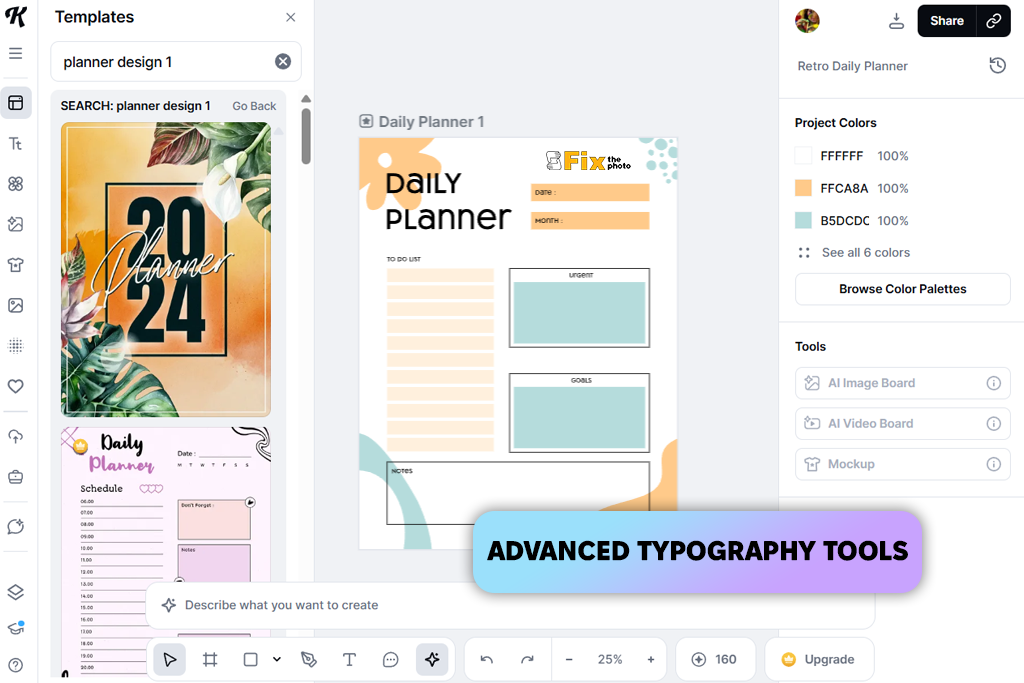
I found out about Kittl from a colleague. She said, “If you’re tired of planners that look like they came out of Canva, try this.” It was immediately clear that this was a different approach. It’s less about the number of templates and more about the quality of the design. As a custom planner maker, it places a strong emphasis on typography and composition.
I used this calendar app to create a planner for my personal tasks, and it looked like something you could sell on Etsy. There are fewer templates, but they are more “designer-like”: interesting fonts, vintage elements, and neat, modern layouts. There’s no sense of mass production; instead, everything looks more thoughtfully designed.
“Printing is great too. I printed out one version, and it really looked like a finished product, not a home-made draft.”

There are plenty of customization options, but at first, they may not be as obvious as in Canva. On the plus side, there are advanced text settings and visual assistance, which give you more design freedom.
On the downside, it’s not as fast, and it can be more difficult for beginners to figure out. The free version is limited, and the main value is unlocked with a subscription.
My advice: Use Kittl when the visual appearance is important and you want to create something that stands out, rather than just a convenient planner.
Pricing: free (limited features), from $10/mo, from $120/year
Best for: daily productivity planning
Ease of use: 5/5
Planner templates: none (timeline-based)
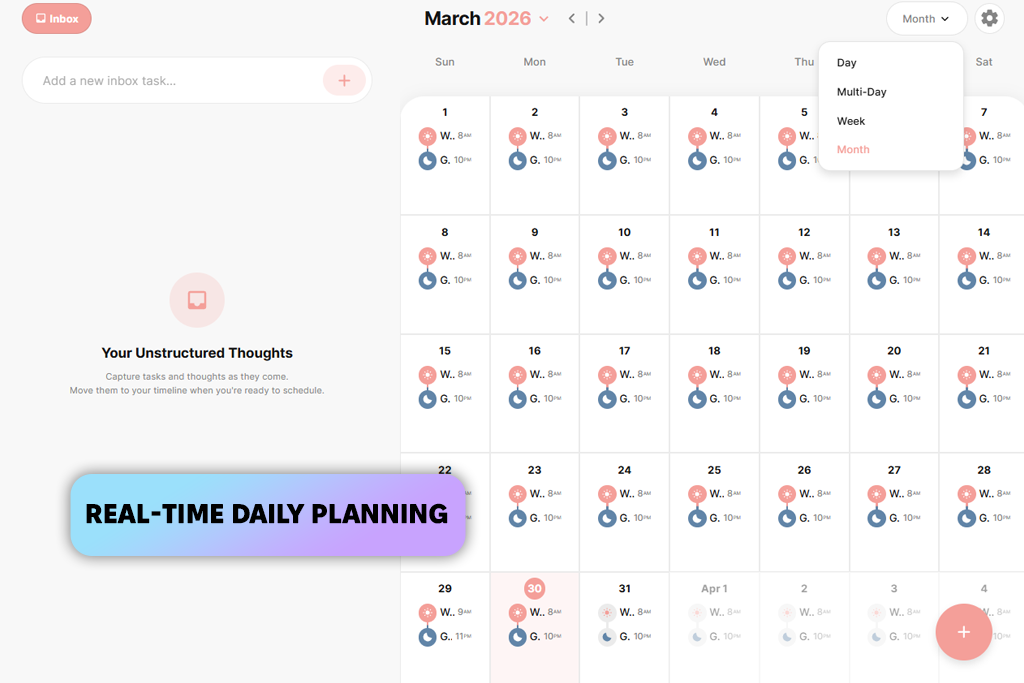
I found out about Structured through a poll on Instagram. When I asked people what they use every day, this app kept popping up in the responses. It’s an all-digital planner maker that’s more like a time-based schedule.
Instead of just jotting down tasks, you organize your day into blocks. To test this program to make a checklist, I mapped out my workday in the app - from morning emails to late-night edits - and it turned out to be much closer to reality than regular, static planners.
“The main advantage is that you can change everything on the fly. Tasks move, get rearranged, and adapt to the day. And when clients’ priorities are constantly shifting, this is a real lifesaver.”

There are no familiar templates here. You create the structure of your day yourself. There’s no AI either, but you don’t really need it here. The free version is sufficient for basic use. Paid features are optional.
My advice: It’s best to use it in conjunction with a weekly planner maker, not as a replacement.
Pricing: free (limited features), from $4.99/mo, from $29.99/year
Best for: quick AI planner drafts
Ease of use: 5/5
Planner templates: AI-generated
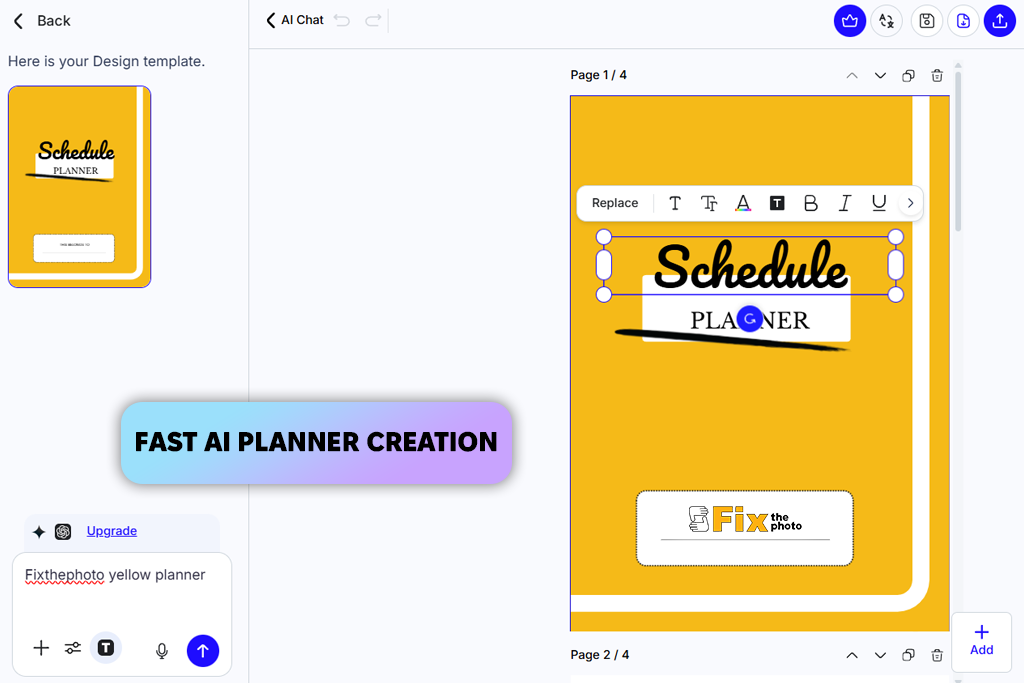
I’ve been using Template.net for a long time for contracts, proposals, and all sorts of work-related documents. But it was only during this test that I found out they offer AI planner generator. Here, it’s all about speed. You enter a simple query, and in a couple of seconds, you get a ready-made structure.
“When your head is a mess and you need to quickly “get your ducks in a row,” this really comes in handy.”

Unlike Canva or Express, you don’t start with a visual; you start with an idea. For example, I set a task for the team’s weekly plan, and I immediately got a perfectly logical structure, without any extra steps.
But it’s important to understand: this is not a student planner app for the final design. Rather, it’s a draft that provides a convenient starting point. For example, I later refined everything using another free online planner maker.
In terms of quality, everything is fine, including for printing, but visually, it’s more about functionality than about being pretty.
My advice: Use it to quickly put together the foundation, and then refine the visual appearance in another tool.
Pricing: free (limited downloads), from $9/mo, from $60/year
Best for: business planners
Ease of use: 4.5/5
Planner templates: 1,000+
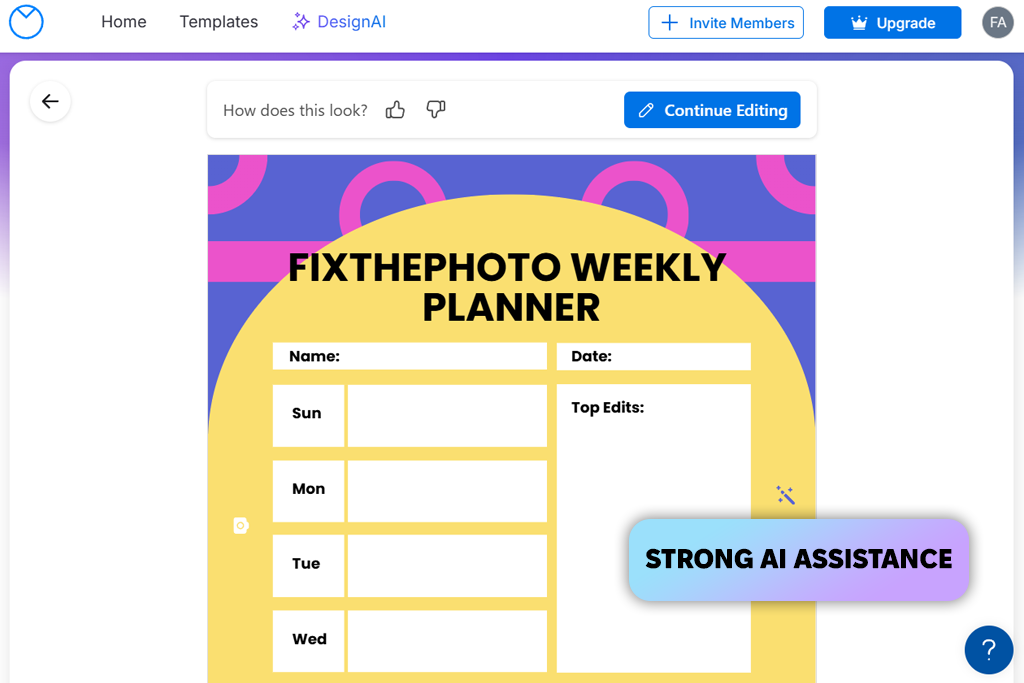
A colleague told me about Venngage. She said it was more about order and structure than about pretty templates like in regular free online planner makers. When I tested it, I used their tools to plan my team’s week. The sections are logically divided, the indents are neat, and there’s nothing superfluous. It’s more like a timeline generator for work than for personal notes.
“Compared to Canva, it’s less creative but more focused. And, honestly, on weeks when I have a lot of client tasks, that’s actually a plus.”

There are customization options, but they’re more for rearranging pre-built blocks than for having full control over the design. On the plus side, the result is neat and looks professional, and you can easily share it or print it out.
My advice: Use Venngage when organization and clarity are more important than visual appeal.
Pricing: free (no downloads), from $10/mo, from $120/year
Best for: clean visual planners
Ease of use: 4.5/5
Planner templates: AI-generated
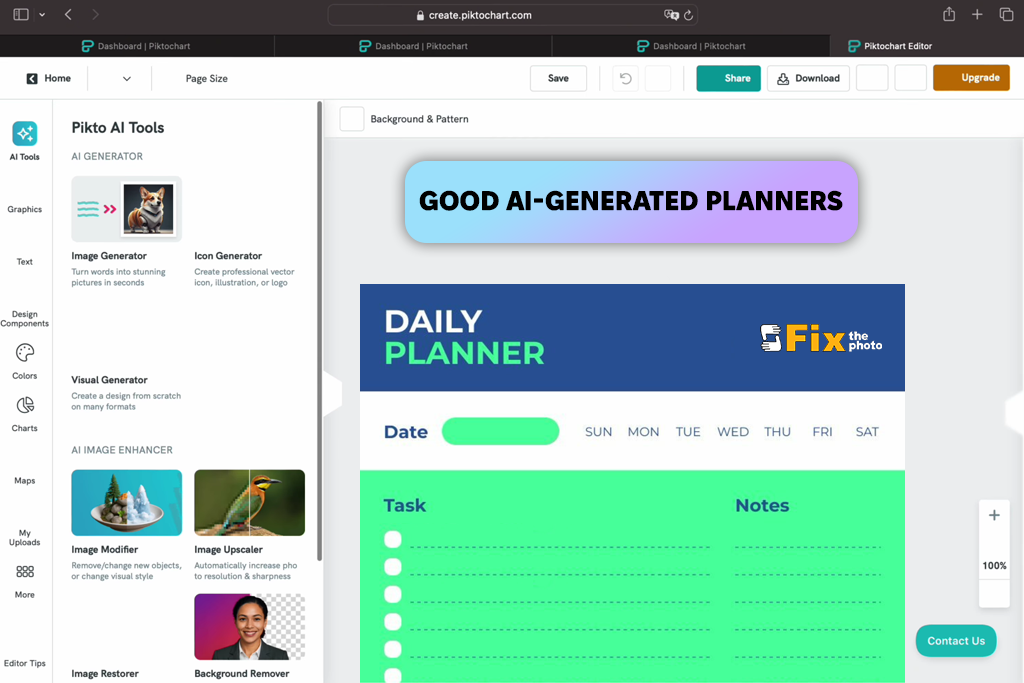
I found out about Piktochart on YouTube, where it’s often recommended for neat and easy-to-understand layouts. I decided to give this AI planner generator and scheduling software a try, and overall, it really produces very clean visuals.
I used it to create a weekly plan for the content team, and it immediately organized everything into blocks so that it was easy to see at a glance. Nothing is superfluous; everything is logically arranged.
“It feels like it’s somewhere in the middle: not as rigid as Venngage, but not as flexible as Canva either. And that balance is just right for me. There’s structure, but there’s also a bit of flexibility.”

There are customization settings: you can change the colors, the blocks, and the structure, and nothing falls apart. It’s also suitable for printing, although visually, everything is quite understated.
My advice: It’s a good choice if you value clarity and neatness, but without excessive design.
Pricing: free (limited exports), from $14/mo, from $168/year
Best for: custom printable planners
Ease of use: 4.5/5
Planner templates: 100+ layouts
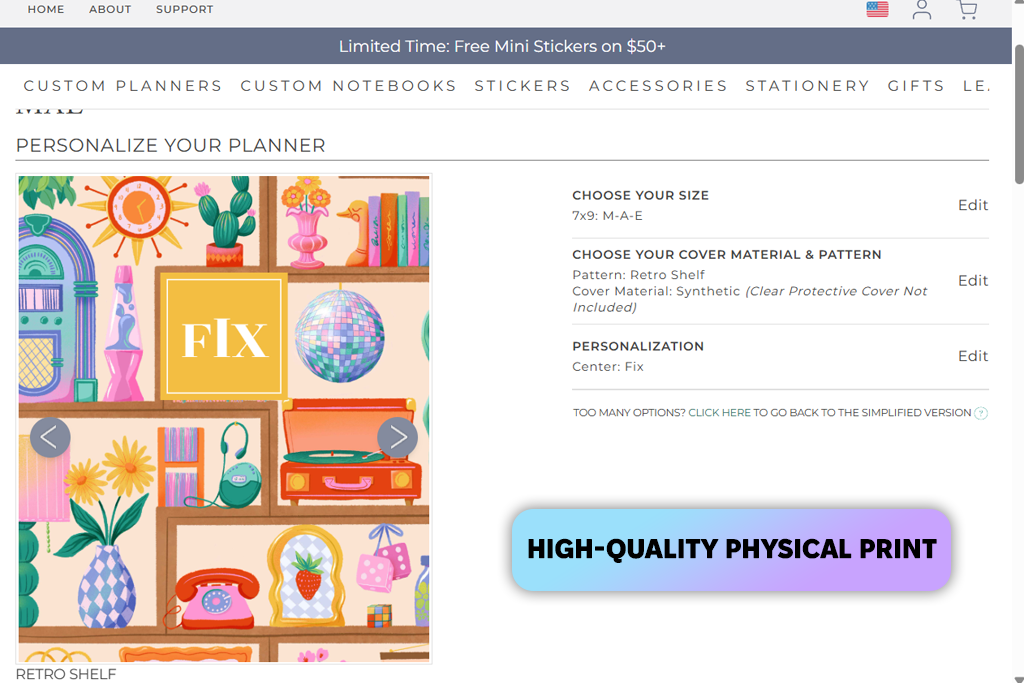
I found Plum Paper on Google when I was looking for printable planner makers. At first, I wasn’t impressed at all, as it looked more like a store than a tool. But when I started digging deeper, I realized it was a completely different format.
Here, you don’t edit a pre-made template; you literally build your own planner from scratch. I tried to recreate my actual workflow: I chose the structure, added sections for client edits, and inserted extra pages. It feels like you’re building a system from scratch, not just tweaking something.
“There’s no AI here, but the level of structure customization is very high. You can change indents, captions, and categories – things that are often left untouched in free online planner makers.”

After that, I decided to go all the way and ordered the planner. Before paying, you can review everything properly, which is convenient. When it arrived, I was genuinely surprised: the paper was thick, the colors matched, and everything was printed neatly with no misalignments or odd margins. Even the team mentioned during the meeting that it looked very neat and “put together.”
My advice: Before you place your order, think through the structure as carefully as possible. Once it’s printed, it’s hard to make any changes.
Pricing: from $35 per planner
Best for: advanced structured planning
Ease of use: 3.5/5
Planner templates: fully customizable
I found out about Agendio from my sister – she’s very detail-oriented, and when she said, “You can customize absolutely everything here,” I decided to give it a try right away.
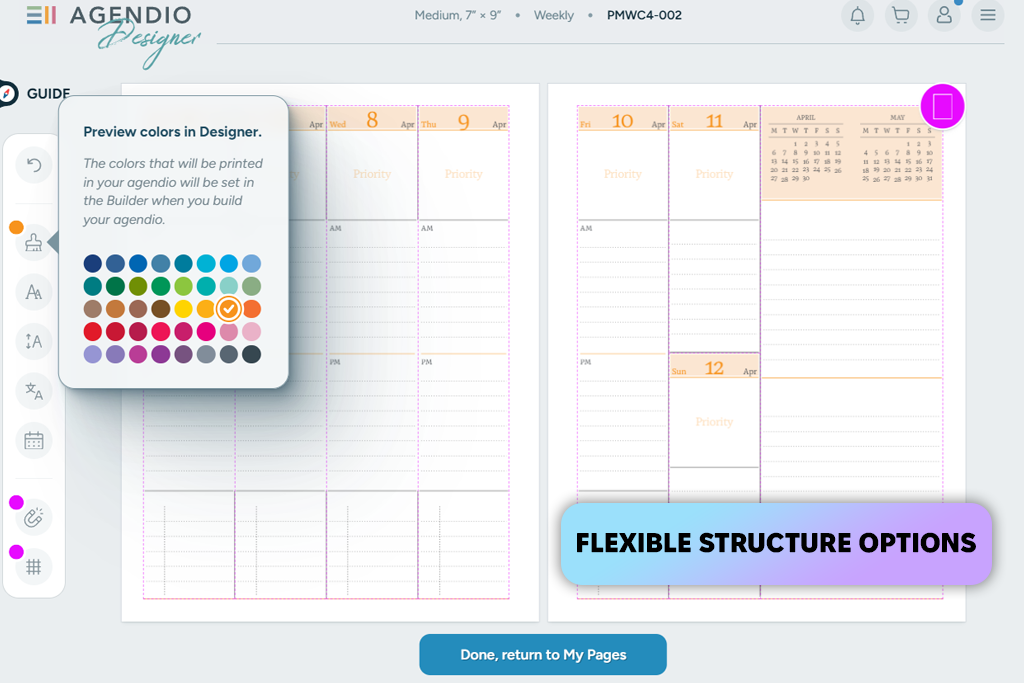
And yes, this is probably the most advanced weekly planner creator of all the ones I’ve tested. Here, you don’t just choose a template; you literally build your planner block by block. I created a version for working with multiple clients, and it easily handled the workload.
Unlike Canva, here everything is built not on appearance, but on logic. You decide for yourself how the planner will work: where the tasks go, where the time goes, where the notes go, and how priorities are set.
“I noticed that it was especially convenient for working on multiple projects. My team also found this format more suitable for work tasks.”

After setting it up, I ordered a printed version to check how it looked in real life. Everything turned out perfectly: the alignment was neat, the indents were in the right place, and the structure was transferred without any surprises. The paper and binding are also of decent quality, and after just a week of use, it became clear that this is truly a working tool.
My advice: Don’t rush through the setup stage. Take the time to put together a convenient system. It will pay off handsomely later on.
Pricing: from $40 per planner
Best for: creative lifestyle planning
Ease of use: 5/5
Planner templates: 100+
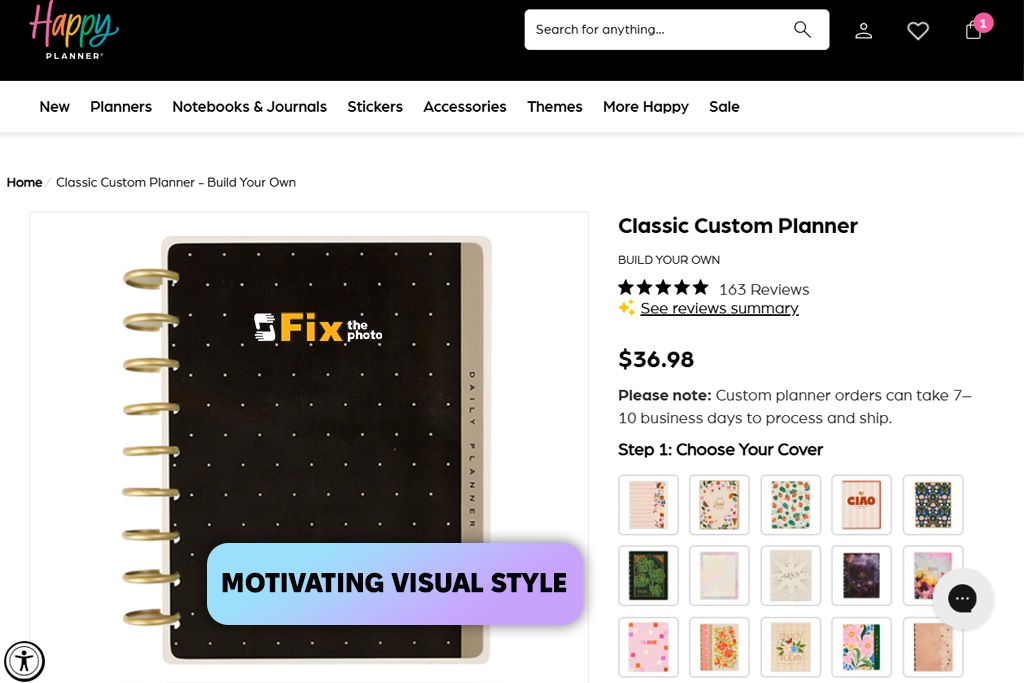
A colleague recommended The Happy Planner, saying that compared to structured tools, this one leans heavily into personality and visual storytelling. When I tested it, I built a planner for a lighter, more lifestyle-focused week (content ideas, mood boards, personal tasks). As a printable planner maker, it’s very template-driven—lots of colorful, trendy layouts that feel modern and fun.
A colleague told me about The Happy Planner. She said that, unlike more formal planner design software, it focuses more on mood and visuals. I decided to test it out during a lighter week, so I added content ideas, personal tasks, and all sorts of inspiring stuff.
You can tell right away that it’s built around templates. There are lots of vibrant, modern options, and everything looks lively and not boring. This format is more for enjoying the process than for following a strict system.
“It turned out to be even more motivating than my usual planners. I didn’t expect that at all.”

There are fewer customization options than in more flexible weekly planner creators, but you can still combine layouts, choose the format, and tailor the main sections to your liking.
The process itself is more like buying a finished product than creating something from scratch. When the planner arrived, it looked like a full-fledged store version: vibrant, neat, and well thought out. The print quality is excellent, the colors are rich, and the materials are pleasant to the touch.
My advice: Don’t try to make it perfectly structured. It works best when you use it more freely and creatively.
Pricing: from $30 per planner
Best for: goal-oriented planning
Ease of use: 4.5/5
Planner templates: structured layouts
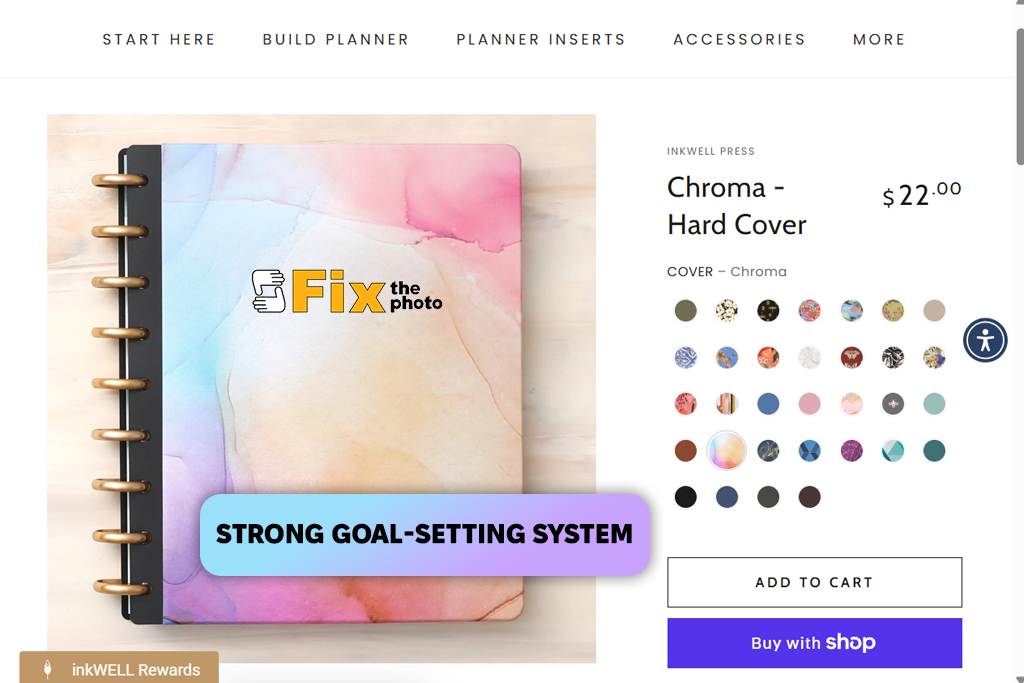
I found out about Inkwell Press on Reddit, where it’s often called a productivity planner maker. And it’s really not about visuals or one-size-fits-all templates. Rather, it’s a system focused on goals and planning.
When I tested it, I created a weekly planner for long-term projects, and it makes you look at tasks in a different way. It’s not just about “what to do today,” but about how it fits into the bigger picture.
The layouts are very minimalistic: nothing superfluous, everything is well thought out. There are separate sections for priorities, habits, and goals – things that most digital planner creators completely ignore. It offers less design freedom, but more clarity.
“Our team noted that this is the most “serious” option among all the printed planners we tested.”

I decided to put it to the test in real-life work and ordered a printed version. The quality is immediately evident: a sturdy cover, high-quality paper, and neat printing.
But the most important thing is how easy it is to use. Everything is easy to read, nothing is distracting, and it’s easy to stay focused. I used it for a week, and it really helped me stay focused on my long-term goals.
My advice: Don’t try to adapt it to suit your own needs. It’s better to follow the system that’s already in place; it works.
Pricing: from $35 per planner
For me, testing planner makers didn’t look like, “I opened the template, looked at it, and moved on.” At some point, it turned into a full-fledged process that I went through together with the FixThePhoto team. We constantly have deadlines, several clients at the same time, and everything can change at any moment, so we needed tools that could handle this kind of work, not just look nice.
First, I put together a long list of over 50 services. My main sources were Reddit, YouTube, and even recommendations from my Instagram followers. Then my team and I narrowed the list down to about 25 options that were really worth testing. I deliberately included everything: online services, apps, printable planner makers, and even AI tools.
Some of the options were eliminated quickly. For example, Notion and ClickUp are more like full-fledged task management systems than planner makers. Trello is too focused on boards. GoodNotes relies heavily on third-party templates. Zinnia is interesting, but it’s limited when it comes to more structured planning.
Then the real testing began. I didn’t just look at the features. I built my actual workflow in each tool. And I put them all through the same test:
How quickly you can get started. If a tool requires a lot of steps or is confusing, it immediately gets a minus. Plus, the team also checked how easy it was to figure out from scratch.
Templates and flexibility. Can you customize the tool, or are you limited to pre-built options? It was important that the planner could be used for both daily and weekly planning.
How well it works in real life. I recreated my schedule: client-related tasks, calls, and content plans. If a tool started to crash under this workload, it didn’t pass the test.
Balance between flexibility and simplicity. With some tools, there are too many settings, and everything is slow; with others, on the contrary, the functionality is too limited. The best options are those that offer a balance.
Result quality. If it was a printable planner, I would always check the export and printout for indentation, readability, and overall neatness. For digital tools, I checked how convenient they were to use during the process.
Printing and real-world use. I didn’t limit myself to PDFs. Whenever possible, I ordered physical versions. My team and I would look at the paper, the color, the binding, and most importantly, how well the layout translated from the screen to the physical product.
Price and real value. I don’t mind paying if it saves me time. But if the basic features are locked or there’s no real benefit, I pass on it right away.
In the end, the list included only those tools that truly met the challenge: they don’t slow things down, they don’t complicate work, and they help keep everything under control. Everything else, even if it’s popular, simply didn’t pass the test.