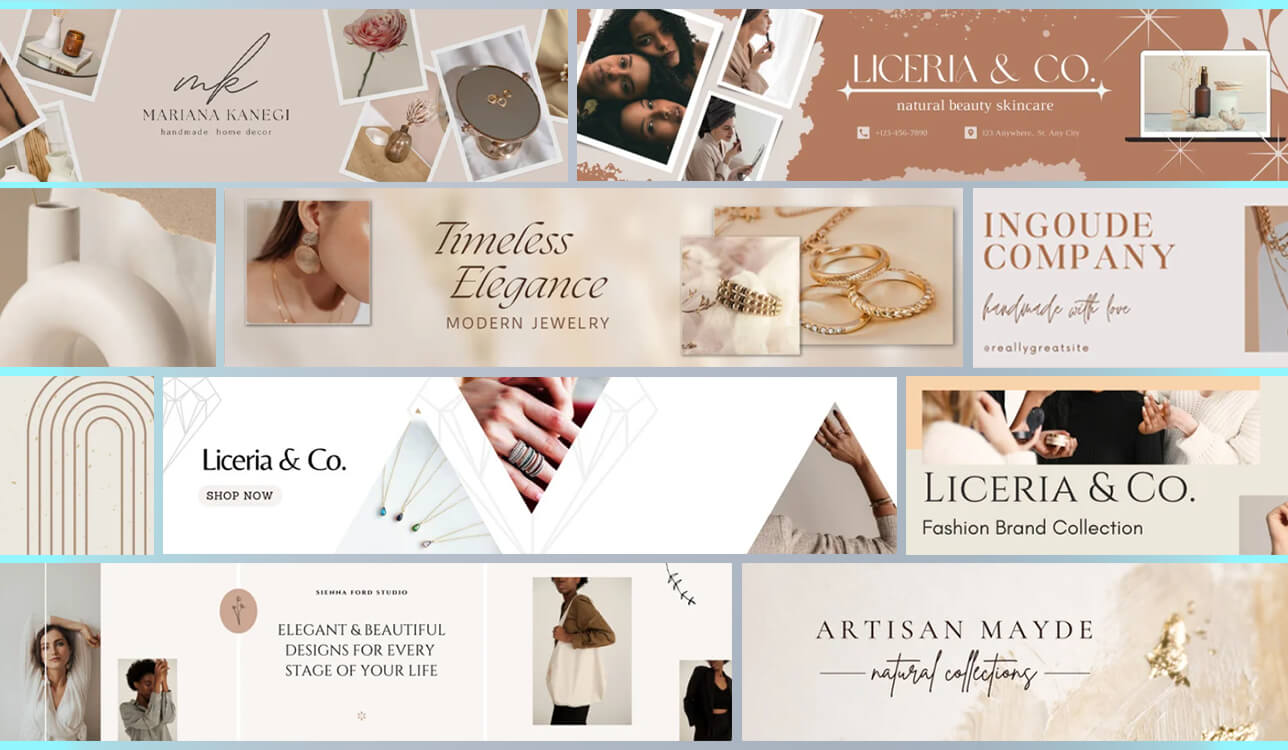
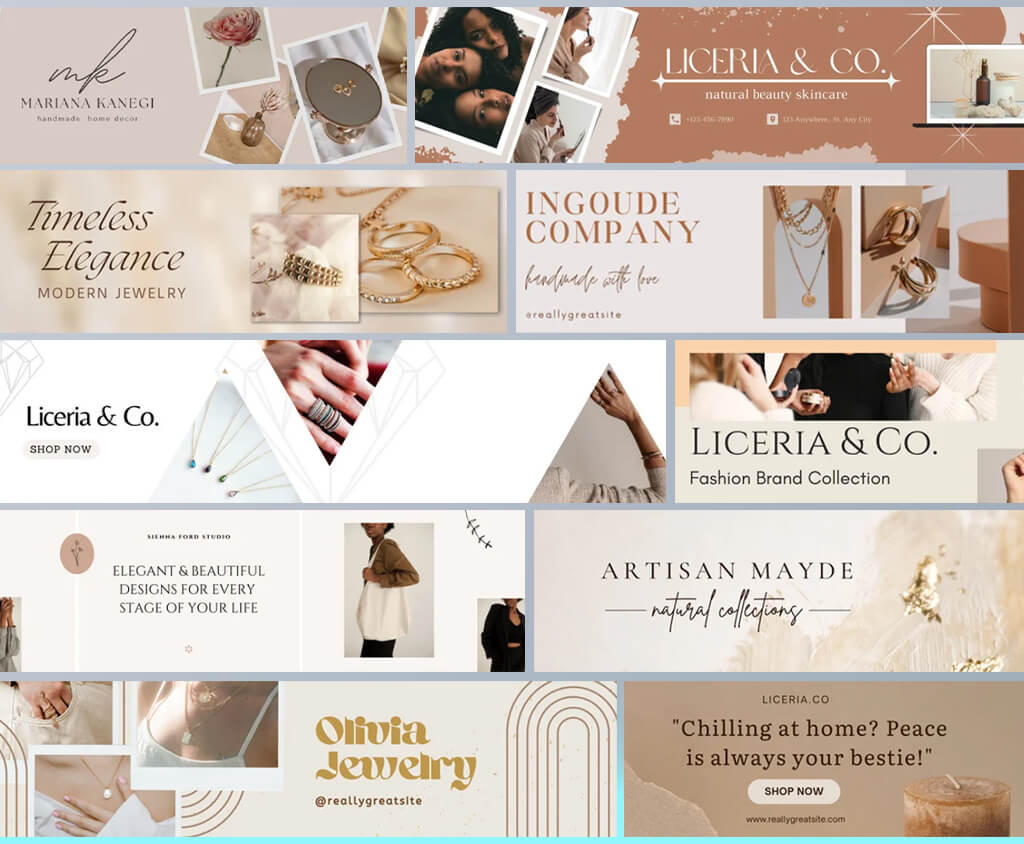
The desire to find the best Etsy banner maker was born when I was put in charge of handling the FixThePhoto Etsy store, where our company sells presets, overlays, and LUTs. It was my job to take care of all the visual assets – making banners for sales, seasonal launches, new listings, and branding updates.
A high-quality banner can be the first thing a buyer sees, so it can be important for increasing the click-through rate and building trust.
I didn’t want to resort to using Photoshop or Illustrator just to design a basic shop banner. As such, I decided to dedicate several weeks to trying out various Etsy banner maker tools that I’ve seen suggested on Reddit, YouTube, and different forums. I tested 30+ Etsy banner makers before putting together a shortlist.
What I expect to see from the best Etsy banner creator:
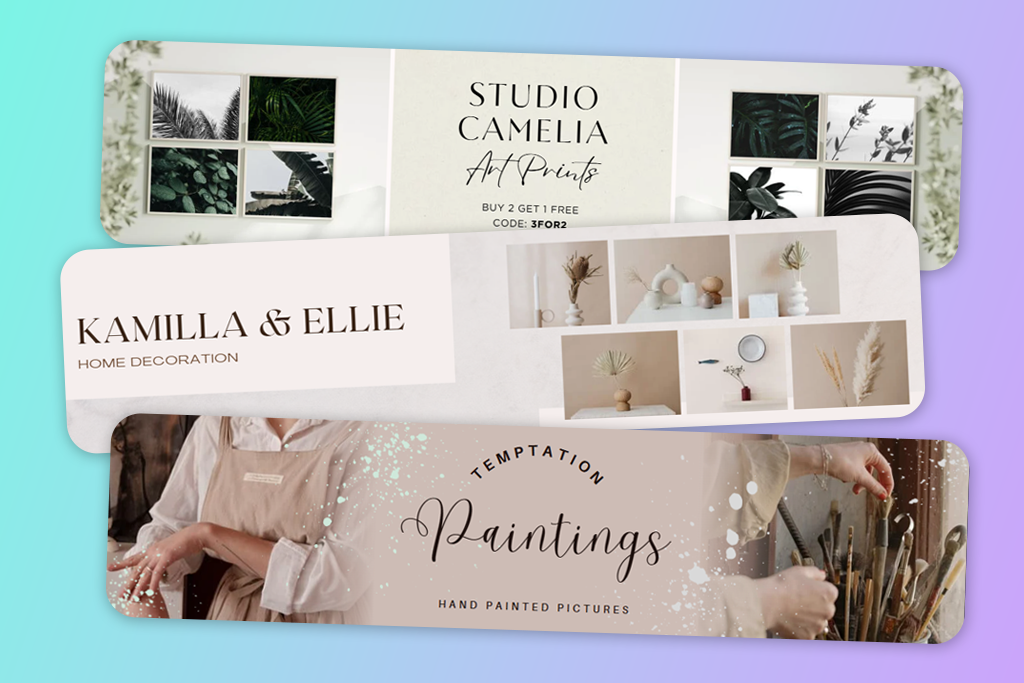
Whenever someone visits an Etsy store, its banner is among the first things they see. They take note of its visual style and text before reading the store description, user reviews, or browsing the product listings.
As such, your banner can be instrumental in ensuring your shop feels professional, trustworthy, and suitable for their taste. That’s why I recommend looking at the banner as a component of the sales funnel, not a “good-to-have” addition.
In just a few seconds, a banner answers three silent questions:
If the user doesn’t like the answer to any of those questions, you just lost a potential customer, even if they would be interested in your products otherwise.
A typical mistake many people make (including myself at the start) is ignoring Etsy’s standard banner sizes or saving the banner in the wrong format. Remember to stick to the following dimensions when using an Etsy banner maker online:
I create banners in a high resolution (2× scale) to ensure the text and graphics are sharp, particularly when viewed on retina screens. Additionally, it’s important to remember that Etsy crops banners differently on desktop and mobile. Important text or logos need to be centered horizontally and vertically.
After going through dozens of popular shops and experimenting with our own banners, I singled out several important principles that have proven to be very effective:
I’ve created banners with both detailed descriptions and short ones, and the latter almost always perform better. Etsy already has a lot of imagery, and your banner shouldn’t be fighting against your product listings.
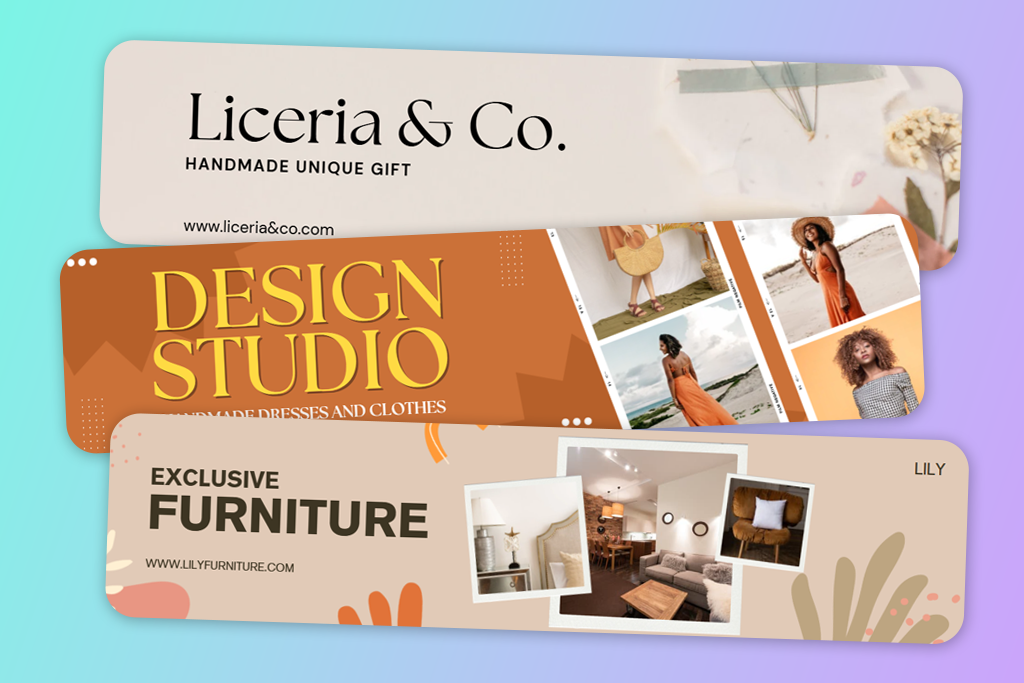
I get asked this question often. In my opinion, both approaches are viable as long as you pick suitable Etsy banner maker templates.
Text banners are recommended if you sell digital products or services (presets, planners, mockups).
Image-only banners are usually the superior choice for physical or artistic products that stand out on their own.
For FixThePhoto Etsy product photos, I typically include brief captions like: “Professional Lightroom Presets”, “Editing Tools for Photographers”, “Instant Download”. Short, benefit-oriented, and easily readable.
Yes, as long as you don’t go overboard with them. While I don’t create new banners every week, I do make new designs for:
Such banners don’t have to be visually overwhelming. I tend to simply adjust the colors, add a tasteful sale label, and edit the text. Having a dependable free Etsy banner maker with reusable templates can help you save a lot of time when handling this task.
Based on analytics, promotional banners are great at boosting interactions with your store while getting your featured listings more attention.
Over 50% of Etsy’s audience uses mobile devices, and banners are displayed differently on smaller screens. On smartphones:
This is why I tend to use Etsy banner makers for beginners instead of complex software. They allow me to quickly and easily create and customize designs for mobile without having to recreate the banner from scratch for every platform.
Best for: professional shops, branding-focused sellers
Etsy banner templates: 100+
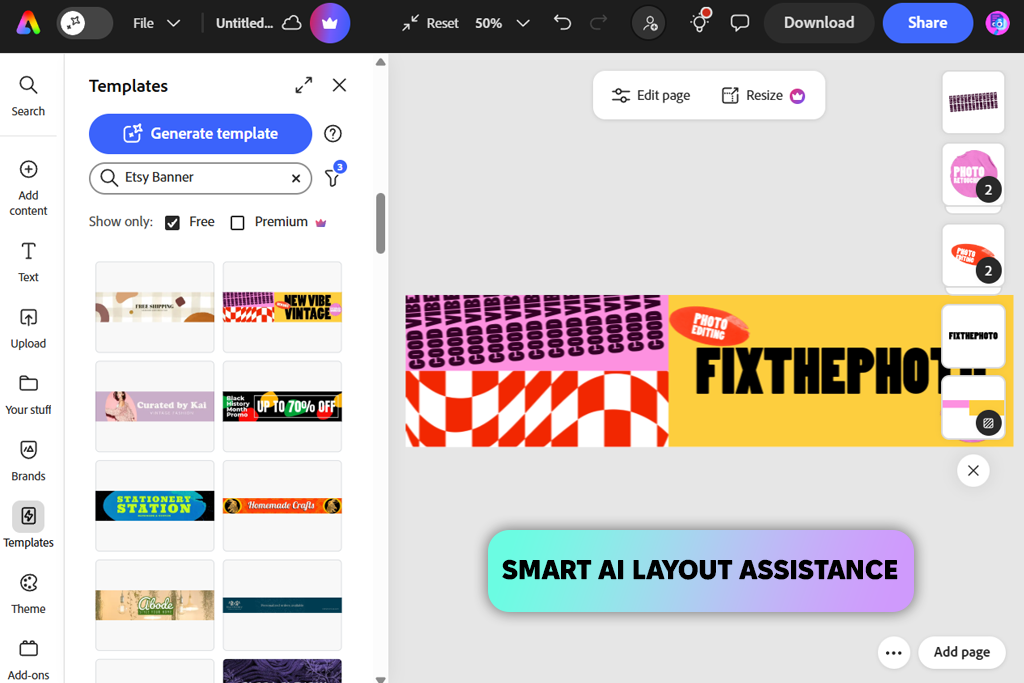
Several of my coworkers at FixThePhoto said that they were using Adobe Express not only for making social media content but as a professional Etsy banner maker too. That prompted me to give it a go myself.
I instantly appreciated the level of polish that I got from this platform without having to deal with the steep learning curve that is usually associated with Adobe software. The templates look modern and relatively unique, and a large number of them were made with Etsy in mind, offering refined typography, neutral color schemes, and diverse layouts.
I tried multiple Etsy-optimized presets, ensuring I didn’t have to think about cropping afterward. Adobe Express offers a great balance between speed and customization. I could switch fonts, tweak the spacing, change the colors, and much more without ruining the layout.
“The AI-based tools were very helpful, allowing me to easily get rid of backgrounds or apply different layouts, particularly when optimizing my banners for seasonal sales.”

The Etsy banners I made looked clean and matched our FixThePhoto branding style. Being able to receive such results is what labels Adobe Express as the best Etsy banner maker in my book, especially compared to the majority of template-oriented solutions.
There are limits to what you can do in the free version, but if you need to design banners frequently, then getting a subscription is worth it. For everyone else, the free plan should be enough.
Tips from my workflow: Pick a single template family and don’t diverge from it to ensure your designs are visually consistent, and remember to preview your banners on your phone before exporting.
Pricing: Adobe Express free plan; From $9.99/month
Best for: beginners, fast banner creation
Etsy banner templates: 500+
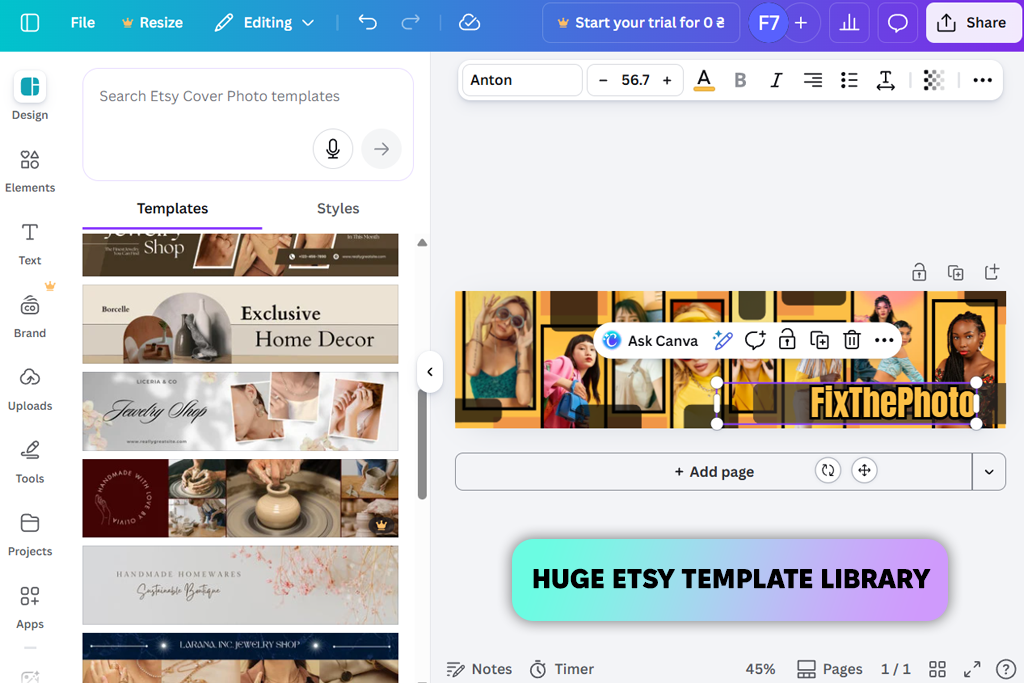
Canva is the most popular free online Etsy banner maker for a reason, particularly if you’re looking for a beginner-friendly option.
When it comes to convenience and ease-of-use, Canva is a top-tier Etsy and Facebook banner maker. It offers a huge selection of specialized templates, many of which follow modern trends: bold text blocks, subtle gradients, lifestyle visuals. Canva helped me get results quickly, which is especially useful if you need to make a simple banner for a seasonal sale or some event.
Canva manages to remain pleasantly intuitive to use while still offering a variety of customization options. It has drag-and-drop controls for arranging the different elements. It also lets you swap fonts, import your color palette, and apply the same layouts to multiple designs.
“Canva’s AI functionality (like Magic Resize and text suggestions) is particularly handy when adapting a single design to match multiple formats.”

I was satisfied with the result, even though it doesn’t feel as professional and unique as what I got in Express. Overall, I believe Canva is the better choice for beginners who are willing to do a bit of tweaking to ensure their design doesn’t have a “stock template” feel to it.
If you only need to make a couple of banners a year, then the free assets should be enough. The benefits of the Pro plan only come into effect if you want to use premium templates or the background removal feature.
My advice: begin with a basic layout, get rid of unnecessary decorative elements, and prioritize typography to ensure your banner looks personalized.
Pricing: Free (watermark-free exports); From $14.99/month
Best for: branding-heavy Etsy shops
Etsy banner templates: 80+
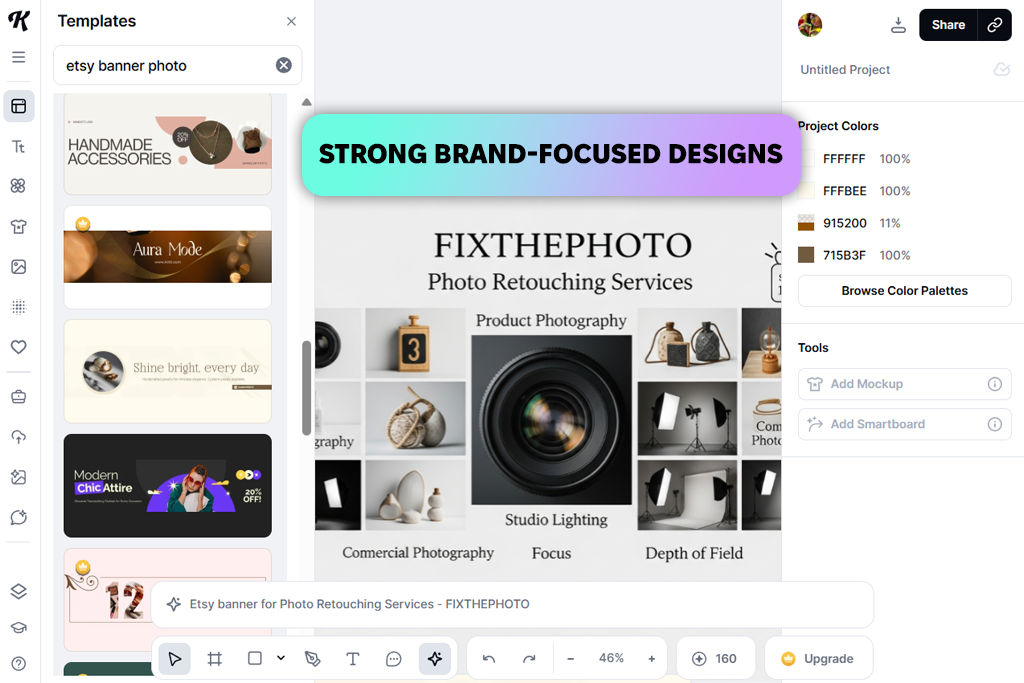
I decided to try Kittl after watching a bunch of YouTube reviews that praised it as a fantastic tool for typography and branding. I initially doubted if it could be used as an Etsy shop banner maker since most videos showed how it can be used for logo design, not for Etsy. However, after having used Kittl myself, my doubts melted away.
This platform isn’t the same as Canva or Express. It doesn’t insist on you picking a generic layout, but rather promotes experimentation. The templates are trendy, eye-catching, and typography-focused.
When making Etsy banners using this tool, I prioritized using expressive text and decorative elements instead of relying on images. This is a particularly promising approach when selling digital products like presets.
“Kittl’s text engine is incredible. Curved or layered lettering, outlines, and vector effects that look polished and professional. It’s great if you want to ensure your banner stands out.”

The output quality is terrific, particularly when viewed on PCs and laptops. For smartphones, you have to be more attentive when choosing the font size to ensure your text looks readable and visually appealing on a smaller screen.
While a subscription probably isn’t worth it for just making one banner, the free plan is quite restrictive when it comes to exports and assets. However, if you put a lot of value in your branding, then paid access to this Etsy and Tumblr banner maker is worth it.
Tip: Rely on Kittl if you want to catch the user’s attention with your typography rather than photos.
Pricing: Free (export limits); From $10/month
Best for: quick banners, beginners
Etsy banner templates: 40+
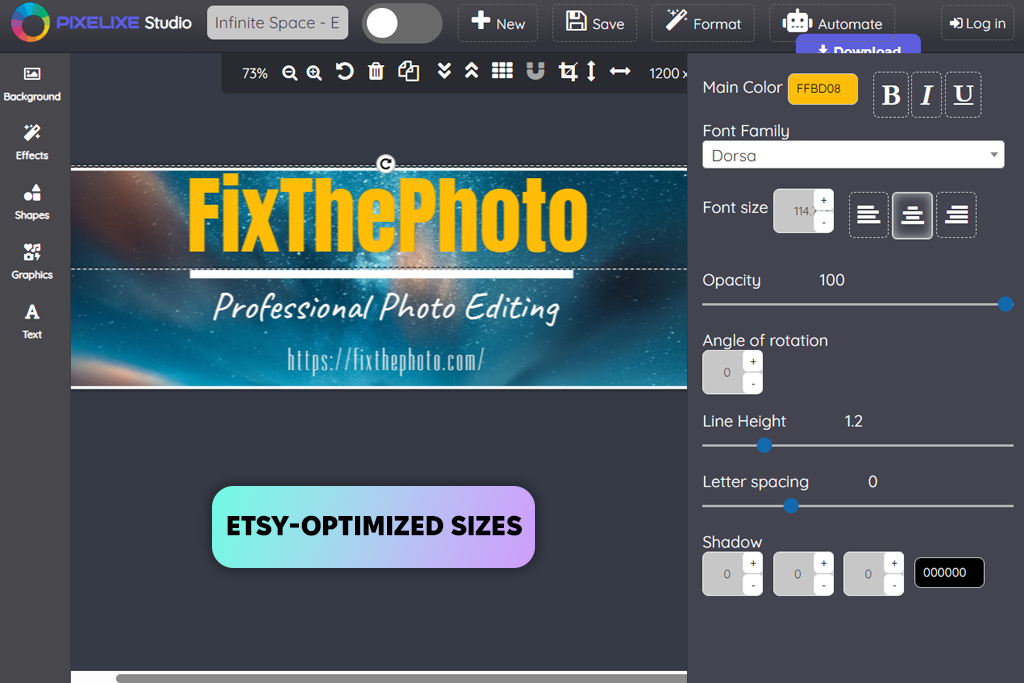
Pixelixe was recommended to me by our followers. Multiple FixThePhoto subscribers suggested I give this free Etsy and Twitter banner maker a try. They promised that it’s a great solution for sellers who aren’t interested in dealing with accounts, subscriptions, or complex tools.
Testing Pixelixe was smooth and easy. Instead of bombarding you with hundreds of options, this solution is all about efficiency. I picked one of the Etsy banner templates, tweaked the text, set the colors to match my brand, imported an image, and saved the result – all in less than 10 minutes.
“If you simply want to make a single banner without paying, Pixelixe should be right up your alley. However, when it comes to long-term branding, it’s more of an auxiliary tool than your primary software.”

Pixelixe offers minimalistic, polished templates that look practical and attention-grabbing without feeling too flashy. It helped me create a temporary promotional banner. The preset I chose was already optimized for ready, meaning I didn’t have to adjust the design’s dimensions.
This is the ultimate option if you’re looking for an easy Etsy banner maker. It isn’t overloaded with AI functionality or elaborate typography features. Pixelixe is a straightforward browser-based solution that allows you to receive decent results for free, even if it can’t match the quality offered by Adobe Express or Kittl.
Advice: Stick to minimalistic designs, as Pixelixe works best when you don’t overwhelm your creations with different visuals.
Pricing: Free (basic assets); From $8/month

Best for: beginners, quick updates
Etsy banner templates: 60+
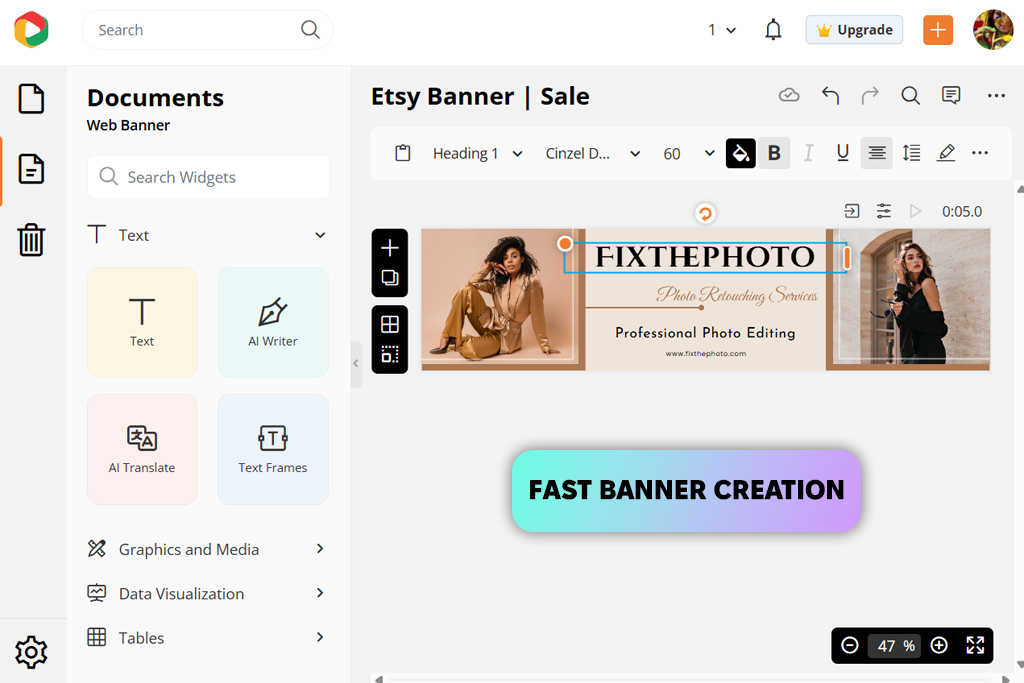
Dochipo was recommended to me by a coworker who told me it was the top Etsy banner maker for users interested in a more streamlined version of Canva, which is perfect if you don’t want to spend a lot of time agonizing over different design choices.
Dochipo is all about speed. It doesn’t bog you down with countless menus or parameters. You pick a preset, add your text, change the colors to match your branding, and import a product mockup if necessary. The platform naturally prompts you to make a clean layout, which is ideal if graphic design isn’t one of your strengths.
“Templates feel trendy and minimalistic while also being Etsy-oriented. Dochipo is a great Etsy banner design maker for beginners since it stops you from making poor design choices.”

This platform still lets you adjust the fonts, spacing, and colors, while guiding you toward achieving good visual balance and readability. Dochipo is particularly great at creating mobile-optimized banners.
The exported banners looked sharp on both desktop and mobile screens. They don’t feel particularly awe-inspiring, but they carry the air of professionalism, which is more important for Etsy.
If you’re only interested in creating a single banner, the free plan of this Etsy and Instagram banner maker should be sufficient, though exports may be limited. For making frequent updates, it’s advisable to get a subscription.
Tip: Use Dochipo for quickly designing polished banners without feeling overwhelmed by dozens of features.
Pricing: Free (export limits); From $8/month
Best for: fast, no-thinking designs
Etsy banner templates: 100+
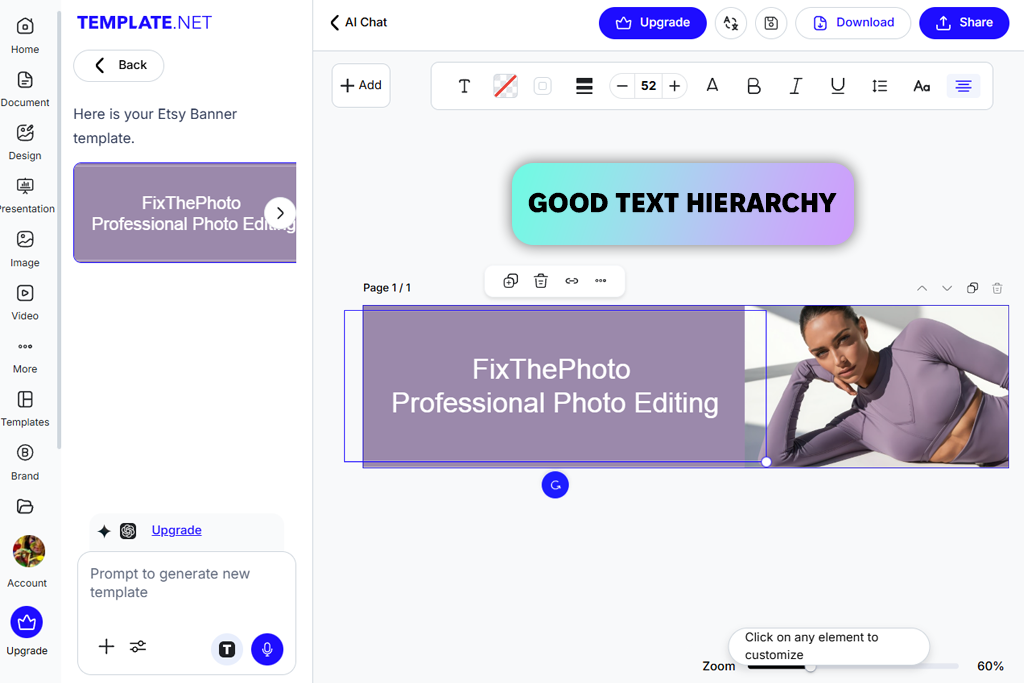
I’ve employed Template.net in the past for presentations and documents, but I didn’t think it could be used as an Etsy banner maker app as well until recently. I wanted to check its AI-based workflow and see if it’s suitable for Etsy-specific designs.
I was very impressed by the speed of this option. I simply provided a brief description of what I wanted – product category, style, and tone – and the AI generated several fitting banners. If you’re looking to get a great result with minimum manual effort, this is great news.
Templates look clean and professional rather than artistic, but they also feel pleasantly modern. I tweaked the fonts, colors, and text blocks to ensure the banner matched Etsy’s visual style.
“Its sizing presets match Etsy requirements, which was very time-efficient. Customization lacks the depth you can find in Kittl, but it’s sufficient for receiving clear, readable banners.”

The quality of the results was consistent and polished. That’s why this Etsy and Twitch banner maker was included on this list: it’s dependable and quick. For one banner, the free plan is enough, but watermark-free exports demand that you get a subscription.
Advice: Use AI to generate a base, then enhance it manually for Etsy.
Pricing: Free (watermark); From $9/month
Best for: sales, promo banners
Etsy banner templates: 500+
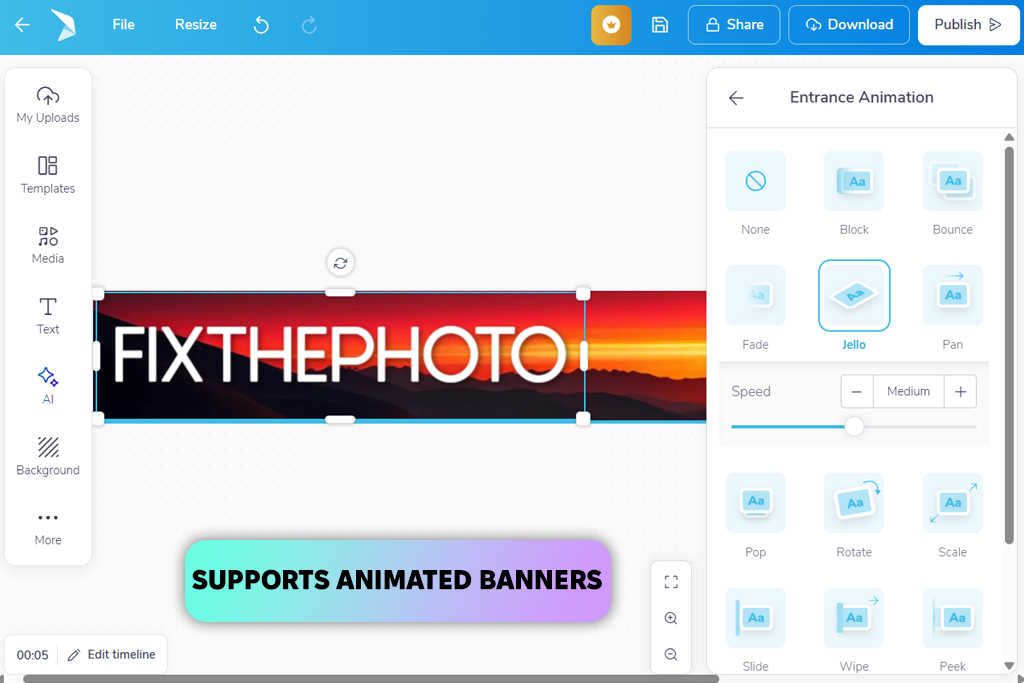
Postermywall earned my attention by being frequently ranked number one in Google results for custom Etsy banner makers. I wanted to check if it got its spot by being genuinely great or simply well-optimized.
“Postermywall provides a wide selection of templates, from minimalistic to daring and eye-catching.”

I employed it to make sale banners that prioritize impactful visuals and readable text. Postermywall is versatile, allowing you to design static and animated banners, rearrange different elements, and tweak the layouts with more freedom than you can in Dochipo. It’s the middle ground between Canva and Express, providing a lot of customization options without feeling overwhelming.
The quality of the output is impressive, particularly when making promotional materials. Free exports have a watermark on them, but that shouldn’t be a problem when creating a draft. If you only need one banner, you can get the cheapest subscription once you’re happy with your design.
Tip: Use Postermywall for promo-focused or visually striking Etsy banners.
Pricing: Free (watermark); From $11/month
If your needs aren’t limited to making banners for Etsy, but include Instagram, sites, and email send-outs as well, this is worth your attention. FixThePhoto provides masterfully crafted banner templates that you can fine-tune to meet your requirements for various platforms in a matter of minutes.
These templates offer balanced layouts, professional typography, and clearly marked safe areas that will ensure none of your elements are cropped. They are ideal if your goal is to establish a cohesive visual style across Etsy and all the other platforms you use.
Trying to find the best Etsy banner maker ended up being a structured, weeks-long process that I participated in along with other members of the FixThePhoto team.
As we’re actively involved in running an Etsy store, we could put these tools in real-life scenarios to see how they perform. We used them to create designs for sales, new product launches, seasonal discounts, etc. We followed our real-world needs to shape the context of the test.
I began by gathering suggestions from fellow Etsy sellers by browsing platforms like Reddit, YouTube, and specialized forums, while also getting a few tips from our FixThePhoto followers. I ended up with a list of over 30 solutions that were suitable for creating Etsy banners.
Certain popular tools weren’t included in the final shortlist, including Snappa, Fotor, VistaCreate, BeFunky, and Crello. Even though they all have their strengths, they underperformed in crucial areas: dated templates, underwhelming Etsy-specific sizing, restrictive customization, and free plans that didn’t allow making a proper banner without a watermark.
Actual banner creation. Each solution was tested by making at least one actual Etsy banner for our FixThePhoto store. I refused to use dummy text or abstract layouts, instead featuring actual product titles, branding elements, and messaging.
Such an approach made it easier to find the limits of each Etsy banner maker software. If it couldn’t provide readable text, proper spacing, and a logical hierarchy, it didn’t pass my test.
Setup speed and onboarding experience. I also evaluated how much time it took to get the software working. Did the setup involve a tiring sign-up process, lengthy tutorials, and other extra steps? Solutions that allow you to choose a suitable template and start making your banner right away received higher marks from us.
Template quality and trend relevance. We focused on how contemporary and Etsy-fitting the templates looked. I examined whether the designs kept up with marketplace trends or felt outdated and bland.
My coworkers went through this step with me, comparing how the banners looked next to actual Etsy listings. Solutions that provided dated layouts or overly “generic” designs weren’t included in the final list.
Customization depth and control. I evaluated how much freedom I had when adjusting the fonts, spacing, colors, and layouts. Even though I don’t want to resort to using Photoshop to make a banner, I still want a decent degree of customization. Options that forced me to use rigid templates or make minimal edits were removed from consideration.
Mobile readability and export accuracy. As a lot of Etsy users are on mobile, I checked how my banners looked on the phone upon export. Along with my FixThePhoto coworkers, I checked the text’s readability, cropping behavior, and overall visual balance on smaller screens. Solutions that could only create banners that look great on desktop but not on mobile were ranked a lot lower.
Consistency and repeat edits. We didn’t simply make one banner per tool. I revisited each application to design different variations, including seasonal versions, sale banners, or to make the necessary text updates. This helped me evaluate the consistency of each tool. Options that made it difficult to receive consistent results or make edits received worse scores.
Free plans, pricing, and real value. Lastly, I compared the free plans to the paid ones. I don’t think it’s wrong to pay for time-efficient solutions, but we got rid of options that locked even basic tools behind expensive paywalls. Banner makers that are included in this overview justify their cost by streamlining the design process and making it more reliable.
The best tools for making Etsy banners were those that were time-efficient, delivered polished Etsy-optimized results, and could satisfy real-world store needs. Tools that added unwanted friction or forced me to compromise on my design vision were disqualified, regardless of how beloved they are online.



![7 Best AI ASMR Video Generators in {{%year}} [100% WORKING]](/placeholder-450x300.svg)