Creative professionals know how difficult it might be to organize their workflow. However, without proper planning, it may become too chaotic. I was struggling to organize my retouching projects, allocate time for client revisions, and plan shooting days and content creation. As a result, I realized that I needed to find the best timetable maker to organize my workflow.
I started testing popular tools to understand which services could help me streamline my workflow at FixThePhoto. I wanted to use them to plan some time for editing batches, meet client deadlines, and organize monthly tasks.
As a result, I tested 15+ timetable makers. Some of them had impressive functionality but were overly complicated, and others were basic but did not support customization.
As I wanted to remain objective, I asked my colleagues for help. We decided to focus on intuitive functionality, convenient timetable tools, and the features that could help us manage our tasks with ease. Using the right timetable maker, I was able to optimize my workflow and meet my deadlines, which helped me prioritize more creative tasks.
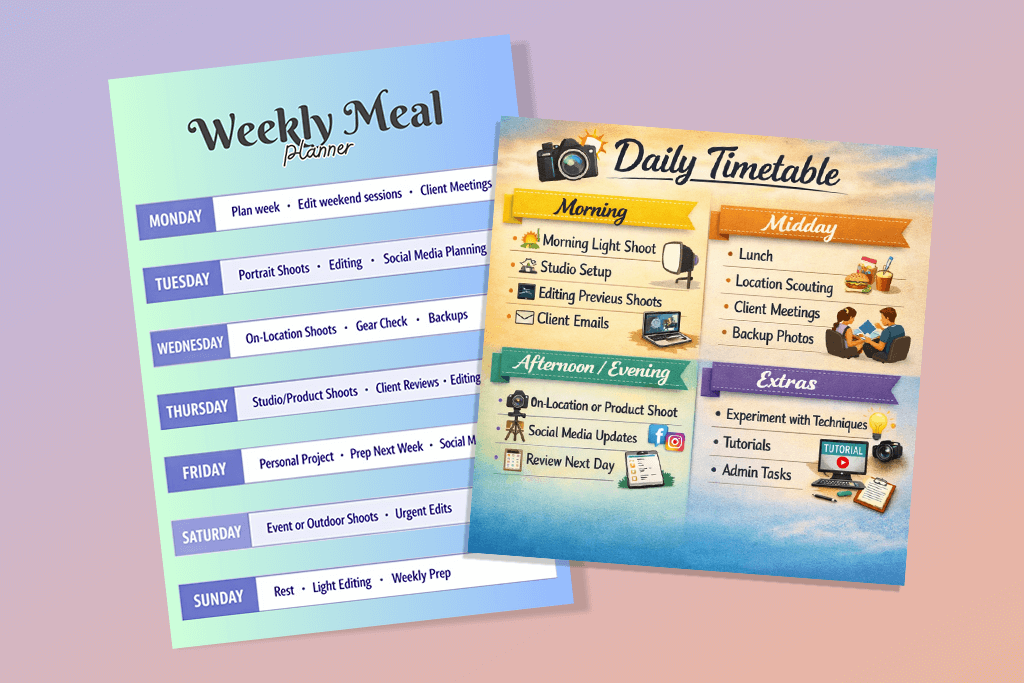
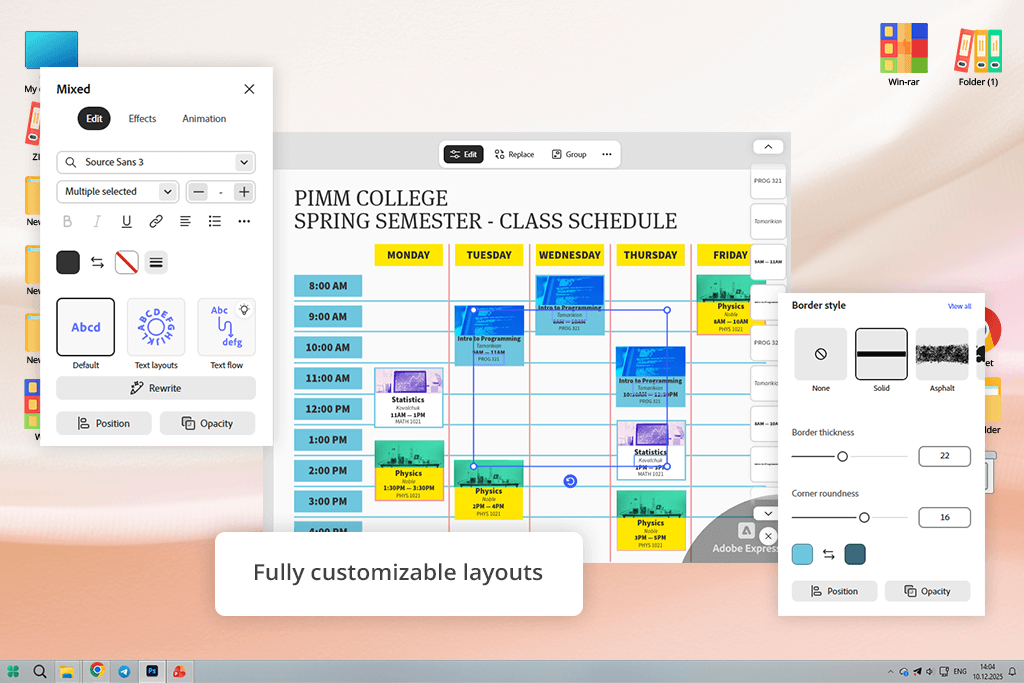
Adobe Express is the best timetable maker for me, as it allows me to streamline my workflow with ease. I can access thousands of professional templates to create daily, weekly, or class timetables. Besides, it allows me to fully customize each template by adding text, icons, images, PSD, or AI-generated files.
When testing this all-in-one editor, I was impressed with its extensive functionality. It allows me to perform resizing, adjust colors, and change layouts with ease. Using the generative AI suggestions, I was able to create professional-looking timetables with modern designs in a matter of minutes.
“Adobe Express is the best for my needs when I want to create printable timetables with an eye-pleasing design. It helped me organize my workflows and create easy-to-read timetables.”

I was able to quickly access this timetable maker online free of charge from any device without installing it. I was able to create timetables for batch editing tasks, weekly shoots, and monthly content planning sessions. I used icons and colors to organize tasks by their priority, added project images, and tested out different layouts to create clear and beautiful timetables.
I was able to export the outputs in PDF format and share them without any issues. My colleagues were able to offer their feedback in real time. However, this free graphic design software has a limited choice of tools. To access premium features, you will have to pay for a premium subscription.
Price: Free or from $9.99/mo
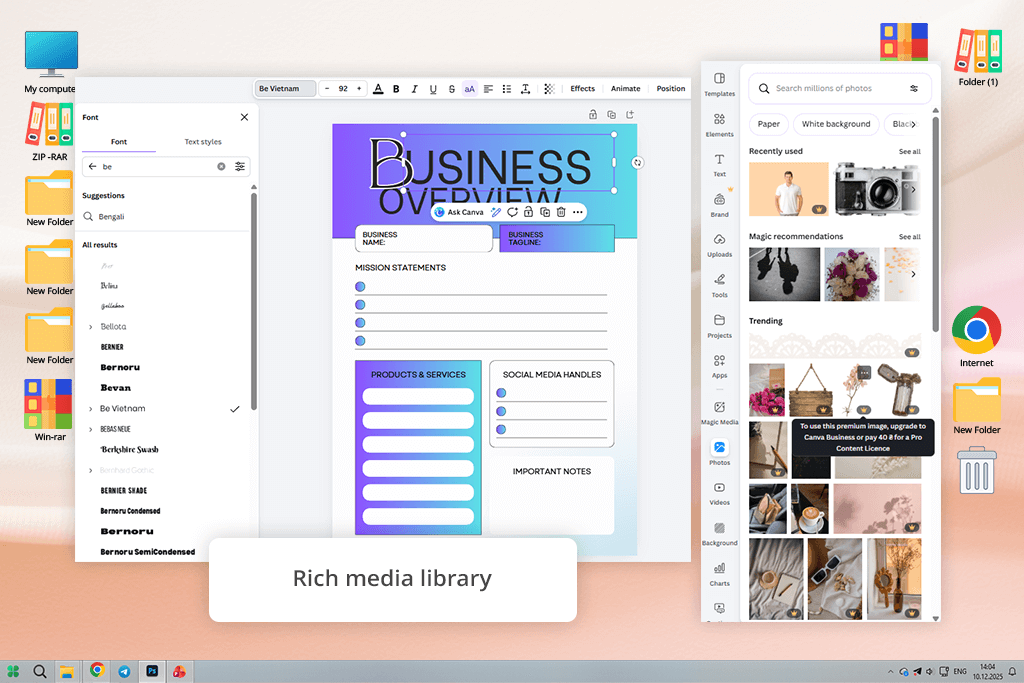
It might be challenging to organize tasks when working on multiple projects and meeting tight deadlines. This is why I like the daily and weekly timetable maker in Canva, as it allows me to streamline my workflow.
It has a collection of professionally designed templates for daily tasks, weekly routines, study schedules, and team projects. You can use it to create timetables for your studies, classes, or other tasks. The drag-and-drop UI facilitates adding, deleting, or rearranging tasks. You can access the large library of fonts, colors, icons, and images to customize your schedule.
I tested Canva to create timetables for weekly editing tasks, shoots, and projects that involved content creation. I used the available templates, used color coding to create custom content blocks, inserted project icons, and added images for certain tasks. This free timetable maker has desktop and mobile versions. However, the latter has more limited functionality.
I was pleased with the quality of outputs, as they looked clean and attention-grabbing. I was able to quickly share my timetables with colleagues due to the available collaboration features. Besides, I was able to download my designs as high-quality PDF files and print them.
You will have to pay for a subscription to access some professional templates and design elements. However, the free version of this weekly schedule maker also has plenty of handy features that will suit the needs of most users.
Price: Free or from $15/mo
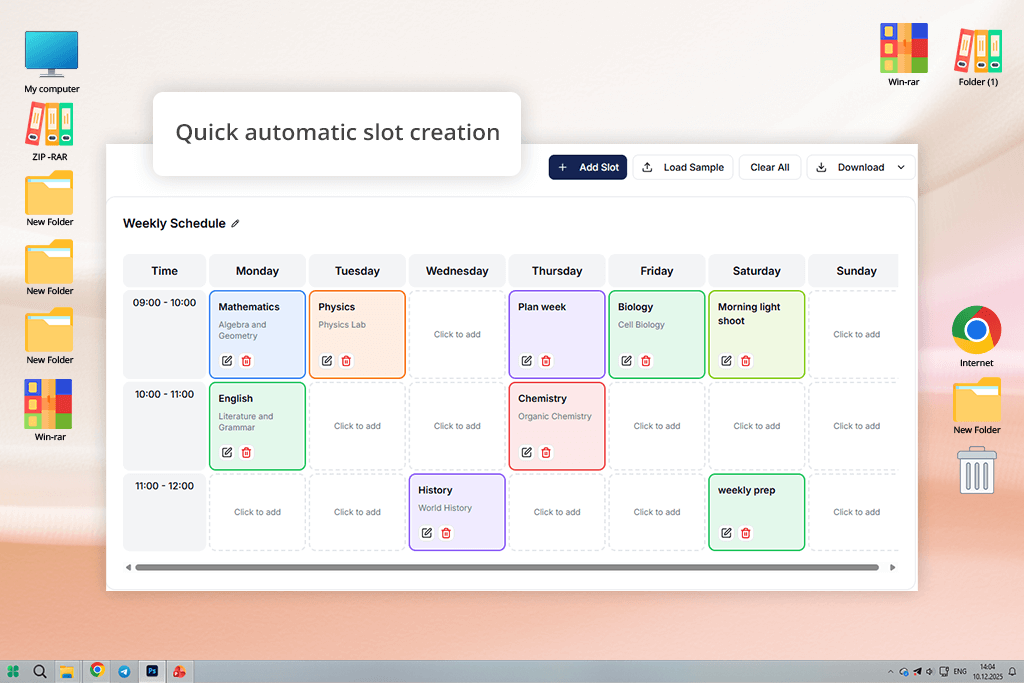
DaySchedule is an automatic timetable generator where you can design custom daily or weekly timetables for school, work, or personal tasks. Even though there is only one template, you can customize it to your liking by adding slots manually or automatically. Besides, you can choose colors, add descriptions, and change the title.
This service supports several export formats, including PNG, CSV, and JSON. It makes it easier for one to share the outputs and create backups.
“DaySchedule is perfect for professional scheduling. While I do not use it for designing creative study layouts, it’s reliable for managing client sessions.”

When I started to test DaySchedule, I created timetables for daily editing tasks, weekly shoots, and client reviews. With the help of the work schedule maker, I color-coded tasks to achieve higher clarity. It helped me organize slots and create convenient timelines. The AI timetable generator allowed me to spend less time on repetitive tasks.
I exported the output in CSV format. Due to this, I was able to use my timetables when using other services and share them with my team members. The web-based version has a helpful auto-saving feature that allows me to preserve my edits. However, this free schedule maker is less suitable for managing complex workflows with different types of appointments.
Price: Free
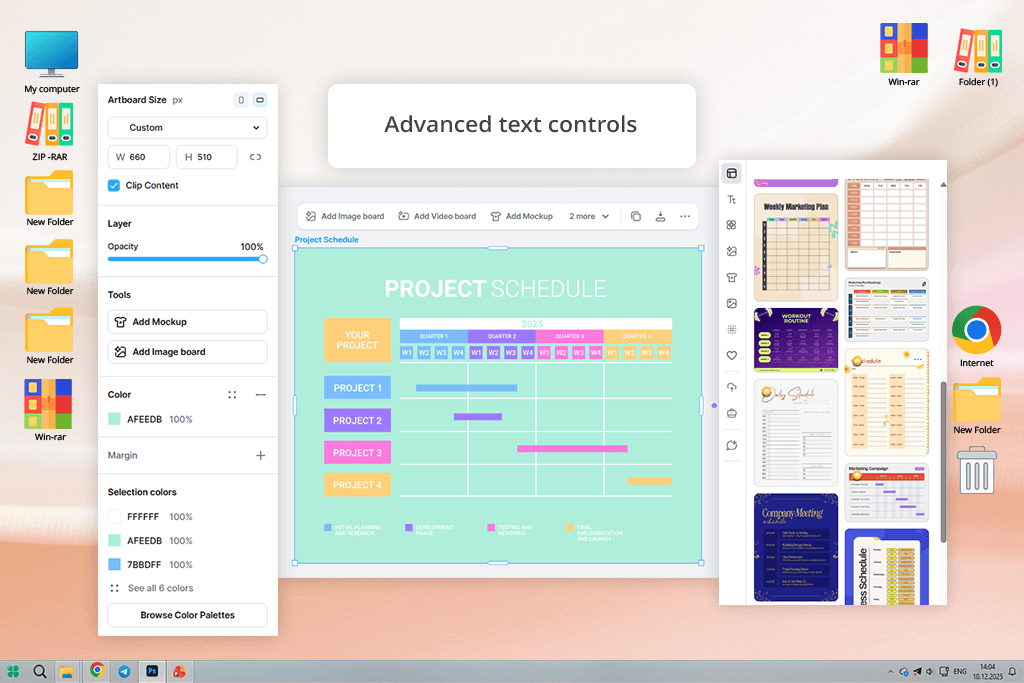
I decided to test Kittl as I heard many positive things about this online timetable maker. It supports advanced design customization and has handy scheduling tools. This free task management software comes with a collection of printable templates for daily, weekly, or class timetables.
You can design custom layouts from scratch or use AI suggestions and adjust the templates the way you see fit. The drag-and-drop interface makes it easy to add tasks, color-code activities, and include notes. By customizing fonts, icons, and images, you can customize the design of each timetable.
Using the available typography tools, I was able to create custom designs for branded planners. The study timetable generator helped me expedite my workflow. I was able to experiment with different layouts and export my files in PNG, JPG, and PDF formats to streamline printing and sharing.
The outputs were perfectly organized and attention-grabbing. I was able to use these timetables to plan my activities and work together with my colleagues. The free version is limited, which means that you won’t be able to access the whole library of templates and assets. It makes it less convenient to use than such solutions as Canva and Adobe Express.
Price: Free or from $15/mo
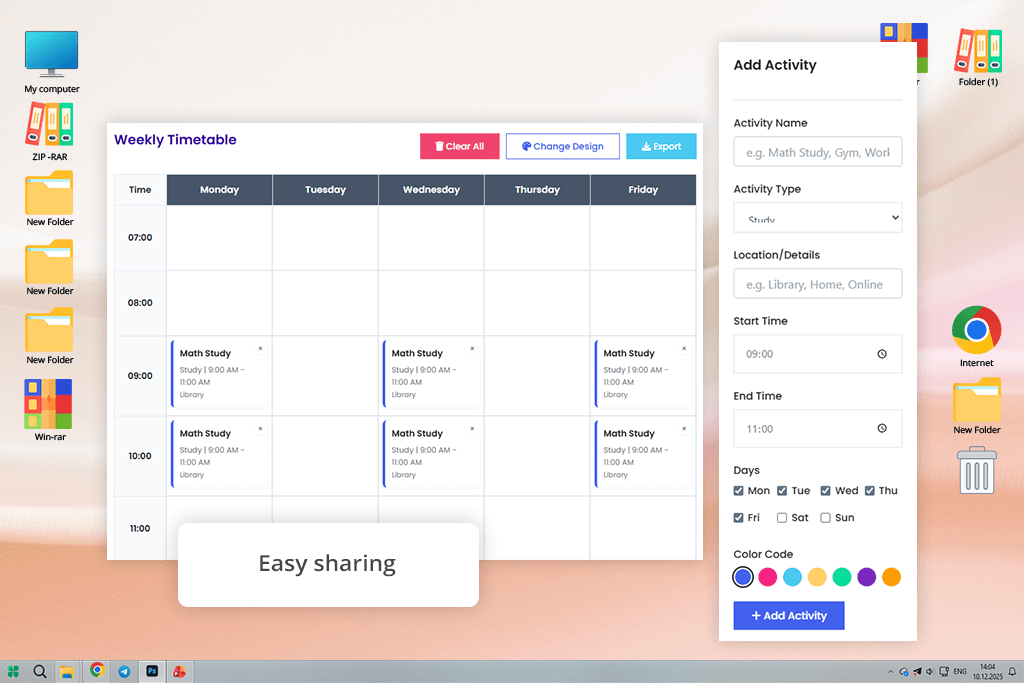
EasyTimetable delivers a fast performance, making it perfect for students, staff members, businesses, and families. The platform has automatic timetable generator tools and supports manual customization. Using it, you can add courses, shifts, and tasks, set priorities, and create timetables without any conflicting issues.
This free software for students supports various export formats. With it, you can save your timetable using a template for Excel, create a printable PDF based on a weekly schedule, and create Word files to streamline printing and sharing.
“When I started to use EasyTimetable, I became impressed with its ability to create timetables automatically. I used it to create a weekly study plan, and it saved me a lot of time.”

This service has a drag-and-drop interface, which streamlines editing and allows one to create perfectly organized timetables. I used red color-coded blocks to make urgent tasks more noticeable. Besides, I decided to use blue for shoots and green for editing projects. It helped me understand which tasks were my top priority.
You can use this class timetable maker to streamline your weekly workflow. I was able to export the output to Excel to use it on other tracking platforms. The service creates structured, visually clear, and practical timetables suitable for planning and sharing. The only shortcoming is that it might be challenging to drag multiple blocks at times.
Price: Free, paid by request
No. Popular timetable makers, like Adobe Express, Canva, Kittl, and EasyTimetable, come with collections of templates and have drag-and-drop interfaces. Besides, you can use AI tools available in a timetable maker app to automate your workflow. Using such solutions, even a person with little to no experience in design can create professional timetables.
Yes. Many popular timetable makers like Adobe Express or Canva make it easy to switch between daily, weekly, and monthly views.
Design a timetable free of any cluttering elements. It should be easy to read. Use time blocks, readable fonts, and spacing. If you want to create a timetable for your studies, be sure to separate different subjects clearly. When creating a work schedule, add priorities and deadlines. For class timetables, it’s necessary to separate periods and locations.
Firstly, indicate all fixed commitments you may have, such as classes, meetings, or work shifts. Then, add tasks that can be solved at any time. Leave some free space between different activities, schedule breaks, and check whether your timetable is well-balanced to avoid overload. You may use a printable timetable template to expedite this process.
To be easier to understand, a timetable should have time blocks, task or subject names, priority level, location, deadlines, and breaks. You may also add notes, reminders, or progress tracking features.
Break every day into 1-hour or 30-minute blocks. Add recurring events, then assign 2-4 high-priority tasks. Add some breaks and leave some time slots for unexpected issues. You can adjust the timetable at the end of the day depending on the situation.
It’s better to assign a certain color to each category. For instance: Follow a consistent approach and use easy-to-memorize colors to ensure that your brain recognizes them quickly.
Yes, many weekly and daily timetable makers, including Adobe Express and Kittl, allow you to save timetables in PDF, DOCX, or XLSX formats or share them online via a link. It streamlines collaboration between team members.
Together with my colleagues from FixThePhoto, I tested a variety of timetable makers to discover the most efficient solutions with extensive customization that were suitable for planning tasks.
We tested many tools, some of which weren’t included in the final version of the list, including Schedule Builder, TimetableMaster, EasyTable, Classroomscreen, ClickUp, Gizmoa, TimetableGenerator, PrimeTimetable, and DesignCap.
Some of them support a limited number of export formats, while others have limited conflict detection capabilities, unimpressive web-based work schedule maker features, or limited flexibility for different types of tasks. Besides, we excluded the options that do not allow users to create printable timetable templates with ease.
Here’s how we tested each service:
Functionality. We assessed each online timetable generator to see whether it would be suitable for creating a daily and weekly schedule for those who need to plan their classes and work-related tasks.
Automation & AI. I evaluated automatic schedule-building features, assessed conflict resolution, and tested smart time-block suggestions.
Flexibility. Ann tested drag-and-drop editing tools, performed color-coding, and evaluated recurring events. Besides, she checked whether these solutions were suitable for students, teachers, and professionals.
Export options. Vadym decided to check whether these tools supported exporting to PDF, Word, and Excel. Besides, he checked whether the files could be used as printable timetable templates.
Usability. I used these services to see whether their interfaces are easy to navigate and selected the most efficient solutions that allowed us to create a complete weekly plan from scratch.
Real workflow testing. We tested these solutions in realistic scenarios. It allowed us to understand whether these tools were suitable for creating student study timetables, class schedules, and well-organized work calendars with deadlines and priority blocks.
The best online timetable makers helped us save a lot of time, minimize scheduling conflicts, and create printable timetables suitable for daily use.



![9 REVE Alternatives with Better Results [Free & Paid]](http://fixthephoto.com/blog/images/gallery/news_main__preview_28905.jpg)
![Best Leonardo AI Alternatives [FixThePhoto Choice]](http://fixthephoto.com/blog/images/gallery/news_main__preview_28887.jpg)
![9 Best Runway Alternatives [{{%year}} FixThePhoto Choice]](http://fixthephoto.com/blog/images/gallery/news_main__preview_28896.jpg)
![11 Best Jasper AI Alternatives in {{%year}} [Reviewed & Tested]](http://fixthephoto.com/blog/images/gallery/news_main__preview_28888.jpg)
![7 Adobe Capture Alternatives [Free for iOS & Android]](http://fixthephoto.com/blog/images/gallery/news_main__preview_28909.jpg)
![7 Best YouTube to MKV Converters [{{%year}} FixThePhoto Choice]](http://fixthephoto.com/blog/images/gallery/news_main__preview_28907.jpg)
![Add Leprechaun to Photo Online [Free]](http://fixthephoto.com/blog/images/gallery/news_main__preview_28919.png)


















