

Achieving your goals in school isn’t about simply studying more. It's also about picking the optimal tools. Back to school with Adobe provides students with an entire ecosystem of tools that allow you to write, design, edit, and collaborate on projects while staying organized during the entire academic year. Moreover, Adobe provides AI-based features, which help you further streamline the process of working on assignments, presentations, and all kinds of documents.
To check what all these tools have to offer, my coworkers and I tested over 10 tools and AI-based features, examining whether they’ll be suitable for tackling common tasks like summarizing research papers, editing PDFs, making presentations, scanning notes, generating visuals, and collaborating on group projects. We evaluated their user-friendliness, range of features, performance, and how much value they bring to the table.
Adobe offers both cutting-edge creative features and advanced AI functionality, allowing students to achieve great results while cutting down the time they spend on repetitive tasks. Going back to school with Adobe for students means being fully prepared to write reports, design presentations, edit clips, and prepare research while staying within one ecosystem.
Some of the main benefits include:
Among the biggest advantages of going back to school with Adobe is the student discount. Adobe discounts allow eligible students to save 75% on Adobe Creative Cloud, receiving over 20 apps including Acrobat Pro, Express, Photoshop, Premiere Pro, and Firefly for $15.99/mo for the first year (then $69.99/mo). If you plan to actively use several Adobe apps, it's among the best-value options on the market.
Price: Free or from $19.99/month, if billed yearly
Availability: Web, Windows, macOS, iOS, Android
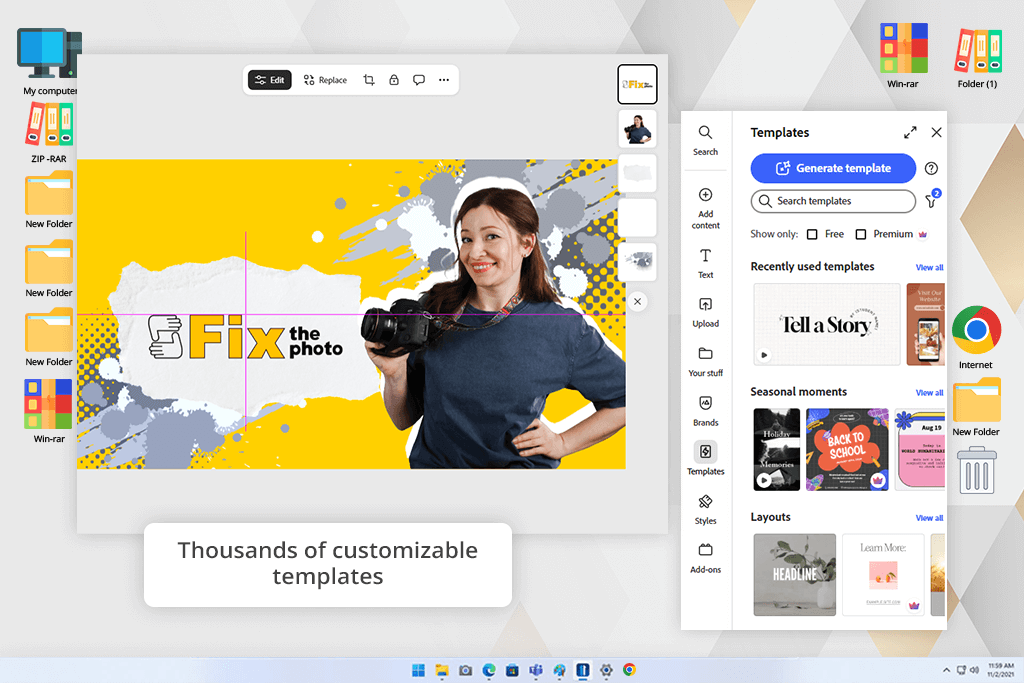
By going back to school with Adobe Express, you’ll be able to conveniently work on presentations, reports, infographics, posters, videos, and other class projects without having to waste hours making each design using a blank canvas. This free graphic design software offers a user-friendly drag-and-drop editor with thousands of adjustable templates, allowing you to efficiently create polished assignments within minutes.
I particularly like the AI features that are included in Adobe Express. I relied on Generate Image to produce unique visuals for presentations, Generate Template to make layouts based on prompts, Generate Similar to ideate on different concepts, Rewrite to enhance text, and Translate to ensure my projects were readable in different languages. For streamlined image editing, I used Remove Background, Erase, and Insert Objects, while Generate Video ensured I could conveniently transform my ideas into engaging clips.
The UI is pleasantly minimalistic and easy to navigate. Templates, AI tools, Adobe Stock assets, fonts, and icons are sorted into handy categories, allowing me to easily find anything I needed. Additionally, all my creations were automatically synchronized across my laptop, tablet, and phone, ensuring I could keep working on them wherever and however I pleased.
Price: Free or from $9.99/month.
Availability: Web, Windows, macOS, iOS, Android
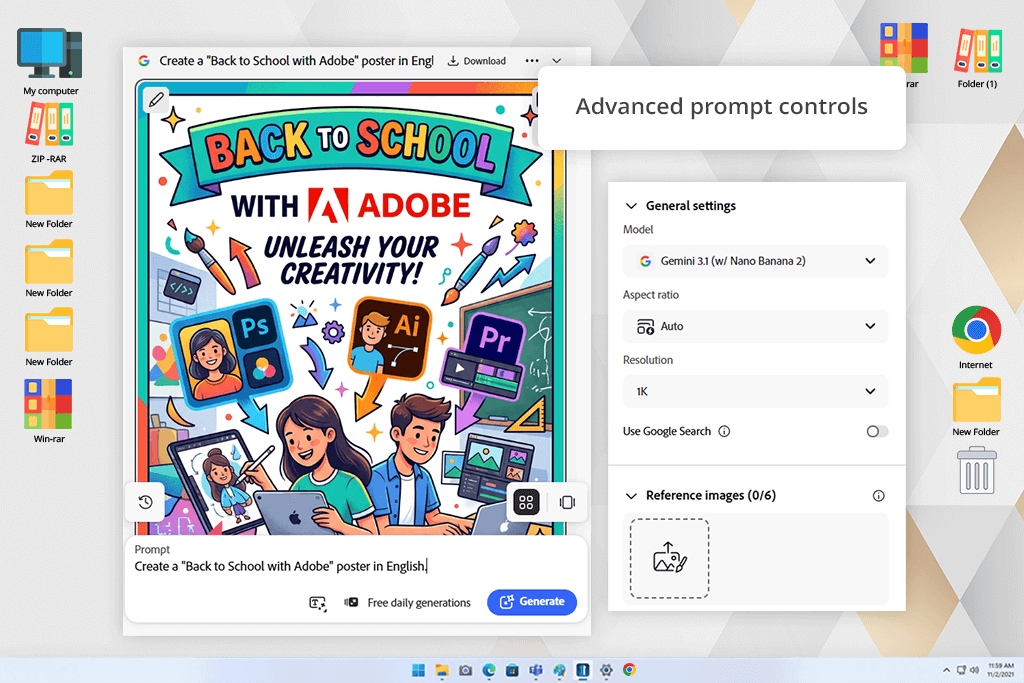
If you choose to go back to school with Adobe Firefly, you’ll never have to worry about producing original images for your assignments again. It’s perfectly suited for generating visuals for presentations, posters, reports, and infographics, ensuring you receive consistent results within seconds. This tool allows you to bring your ideas to life even if you don’t have any graphic design or photography skills.
The UI is streamlined and straightforward to navigate. You can simply write what you need into the prompt field and then adjust the output by selecting the desired content type, aspect ratio, style, camera angle, lighting, color, and composition. This AI image generator delivers several variations, simplifying the task of picking the optimal option for your creative vision.
In addition to image generation, Firefly provides cutting-edge AI editing tools. I frequently employ Generative Fill to add or delete various elements, Generative Expand to extend visuals for different layouts, Text to Vector Graphic for icons and illustrations, and Generate Video to produce brief AI video clips. As Firefly is built into Adobe Express and Photoshop, I can conveniently continue working on my assignments without disrupting the overall workflow.
“If I were to suggest a single AI-based platform to students, Firefly would likely be it. It's user-friendly and can help you tackle a variety of school projects.”

Price: 7-day free trial or from $19.99/month. if billed yearly
Availability: Web, Windows, macOS, iOS, Android
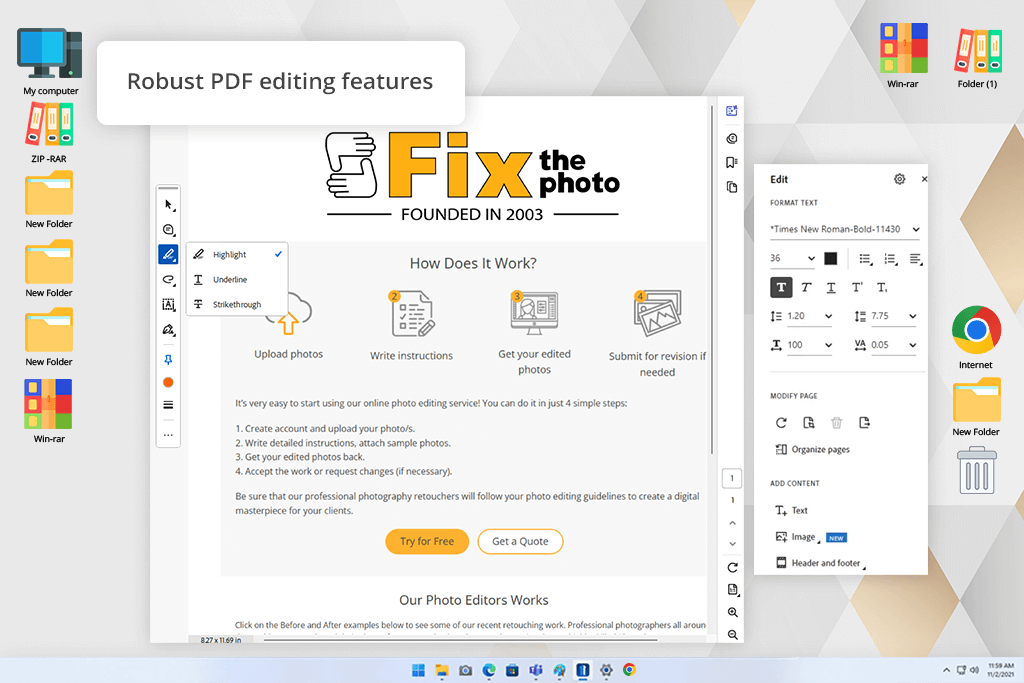
If you’re planning to go back to school with Adobe tools, Acrobat should be near the top of your list. Nearly all students have to deal with PDFs, and Adobe Acrobat Pro DC can ensure that process is as smooth as possible. Whether you have to study lecture notes, annotate research papers, merge documents, convert files, or gather e-signatures for group assignments, this solution has you covered.
The UI looks polished and neatly organized. All the most popular features, including Edit PDF, Convert, Organize Pages, Compress, Merge, Protect, Fill & Sign, and Export, are located in the sidebar, meaning you don’t have to waste time browsing through menus. Additionally, your documents are automatically synced across desktop, web, and phones. Adobe Acrobat Pro also offers OCR (Optical Character Recognition) functionality, transforming scanned pages into searchable and editable documents.
I was also highly impressed by the Adobe Acrobat AI assistant. Rather than being forced to read through entire lengthy research papers, it allowed me to generate summaries, ask questions about the document, identify essential information, and easily break down complex topics. Moreover, it let me compare PDFs and locate vital details before exams or when handling assignments, saving me a ton of time.
Price: 7-day free trial, then $22.99/month
Availability: Windows, macOS
If you’re planning to go back to school with Adobe Creative Cloud, then Premiere will come in handy for handling video assignments, presentations, interviews, and portfolio projects. This solution is among the most complete video editing software for Windows and MacOS you’ll find on the market if you want the ability to fully control how your projects look.
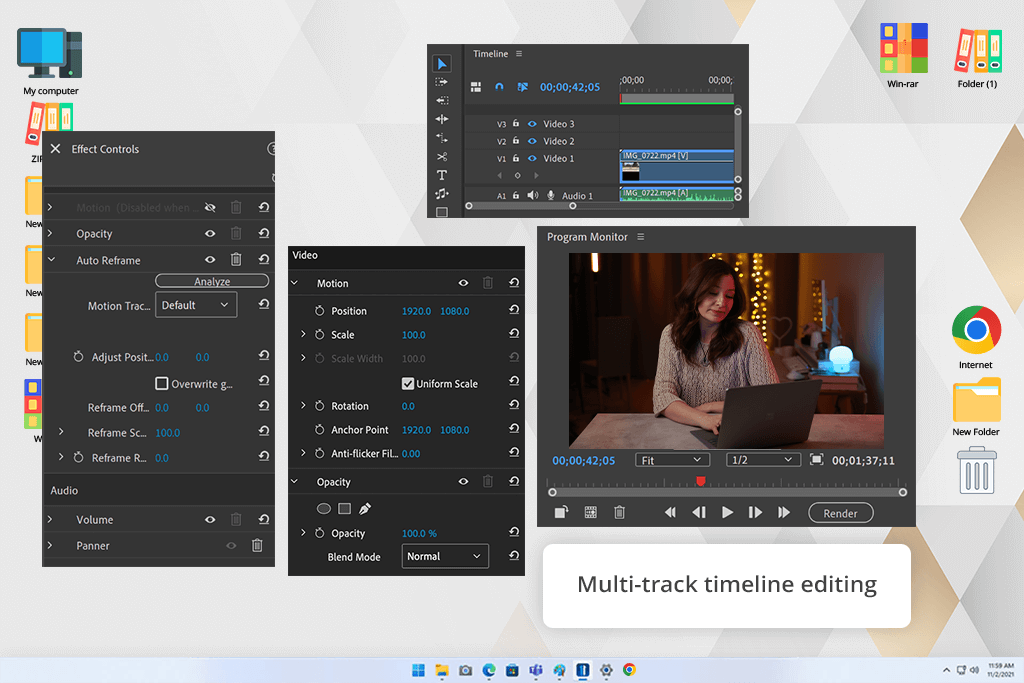
The UI is intuitive and highly customizable. It can be rearranged as you see fit, allowing you to ensure the tools you use the most are always visible. While Adobe Premiere Pro offers a broader feature set compared to most alternatives, the interface is still relatively easy to learn, and you get access to a huge selection of templates and tutorials to make the onboarding process easier.
This Adobe video editor comes with both basic and advanced tools that you can use for your school assignments: multi-track video editing, automatic transcription and captions, AI-based Speech Enhance, text-based editing, color grading, motion graphics, transitions, and audio features.
Additionally, I enjoyed using Generative Extend, which relies on Adobe Firefly to extend video footage when I wanted a couple of extra seconds to enhance a transition or adjust the timing. The integration with Adobe Express, Photoshop, Illustrator, and After Effects ensures you won't have any trouble switching between different solutions without having to worry about importing and exporting your assets.
“Premiere Pro comes with a wide range of cutting-edge tools. After you master the essentials, you’ll have all the features one might need to produce school videos and presentations.”



Price: Free or from $9.99/month
Availability: iOS, Android
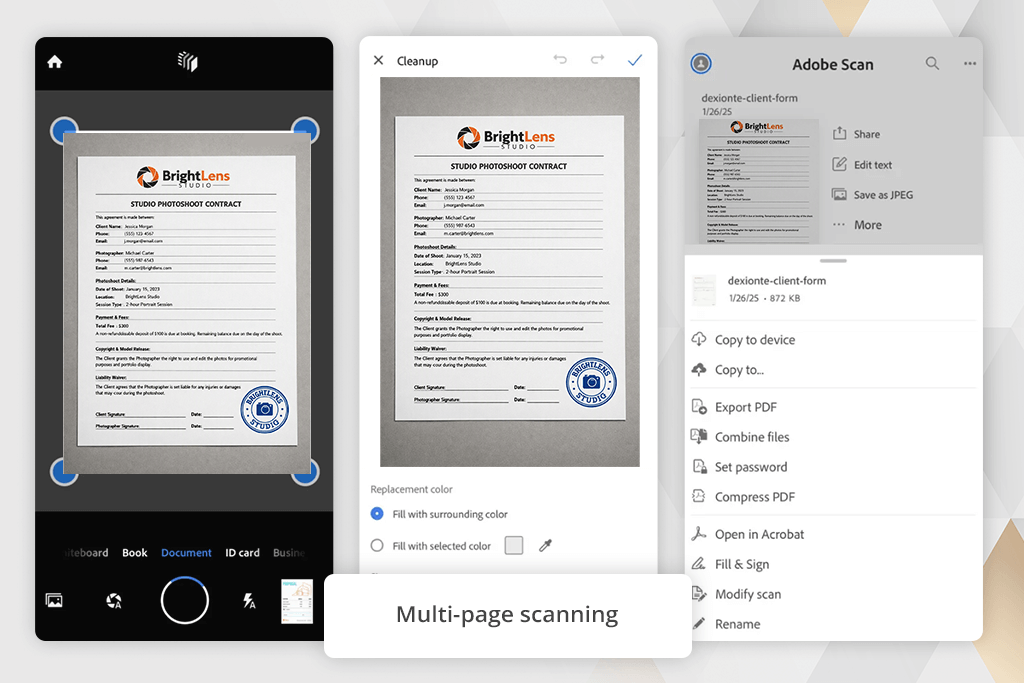
While going back to school with Adobe Classroom can already be a game-changer, you can make your life even easier by adding Adobe Scan to your toolset. Rather than being forced to constantly worry about endless piles of handwritten notes, you can just scan them with your phone and have all of them available as easy-to-read PDFs.
The UI is straightforward and newbie-friendly. I simply launched the document scanning app, aimed my camera at a document, and Adobe Scan automatically identified the page, cropped it, adjusted the perspective, and enhanced the visuals. It allows you to scan multiple pages and save them as a single PDF, rearrange them, rename documents, and save all of them straight to Adobe Document Cloud.
I especially liked using the provided OCR. It converts scanned notes and documents into searchable text, ensuring you can conveniently find specific information when preparing for tests. Additionally, I appreciated the ability to edit the scanned PDFs in Adobe Acrobat, as well as add annotations, highlight essential sections, and share documents with classmates.
When preparing this guide on going back to school with Adobe Creative Cloud, I collaborated with my colleagues from FixThePhoto to try out a variety of solutions and features that are typically used by students. Since Adobe provides an entire ecosystem of creative and automatic tools, we wanted to determine which applications were a natural choice for various educational needs.
During testing, we worked on actual student tasks, including editing PDFs, summarizing research papers, scanning notes, preparing presentations, generating AI visuals, and producing videos. Additionally, we examined the UI, user-friendliness, AI functionality, collaboration tools, cross-platform availability, and overall value of every solution.
While all free Adobe software offered terrific performance, some apps are mainly designed for professional use, while others are a better choice for daily tasks. This review highlights five solutions that offer a balance between functionality, ease of use, and productivity for students looking to go back to school with Adobe templates, tailor-made for all popular types of projects.
We also looked into the offered student & teacher discounts, which let eligible students use Adobe Creative Cloud at a reduced cost. Since the discounted package offers a long list of applications in a single subscription, we evaluated how well they work together and how much value they can bring throughout the school year.





![7 Best Free Pokémon AI Generators [{{%year}} FixThePhoto Choice]](http://fixthephoto.com/blog/images/gallery/news_main__preview_29022.jpg)
![9 Best AI Car Video Generators [{{%year}} FixThePhoto Choice]](http://fixthephoto.com/blog/images/gallery/news_main__preview_29281.jpg)
![7 Best AI Baby Dance Video Generators [For Trendy Moms]](http://fixthephoto.com/blog/images/gallery/news_main__preview_29020.jpg)


![7 Best Photo Grid Makers [No Design Skills]](http://fixthephoto.com/blog/images/gallery/news_main__preview_29018.jpg)

















