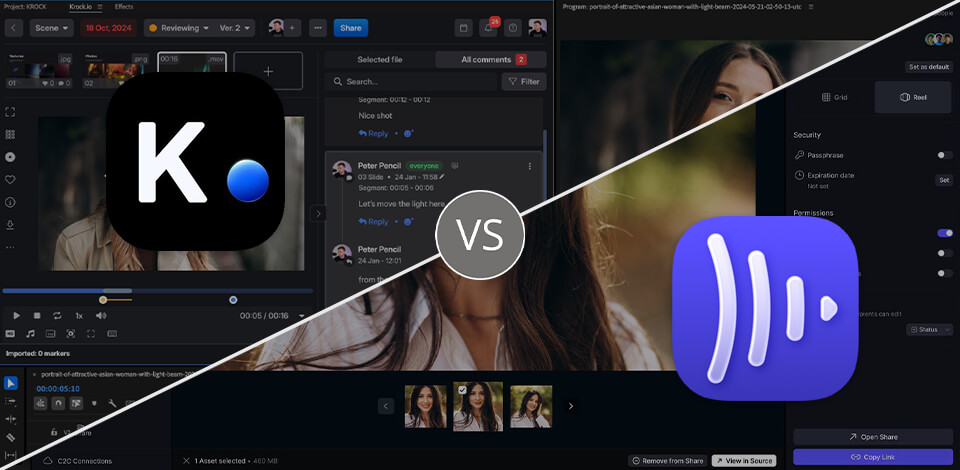
At FixThePhoto, I regularly work with platforms that help me check photos, videos, and other visual materials. After spending several months using these two services, I decided to compare Krock IO vs Frame IO more closely, since both can make it easier for teams to share comments, get approvals, and stay in touch throughout a project.
Krock IO feels more like an all-in-one workspace. I can use it to review files, manage tasks, share project materials, plan work, and communicate with clients instead of switching between different tools.
Frame IO is more focused on reviewing and approving visual content, with features like time-stamped comments, asset sharing, and integrations that work well for professional video projects.
I used both video review software while working on creative projects. I shared visual files, collected feedback from teammates, managed revisions, and followed each project as it moved forward. I also compared their collaboration and proofing tools, project management features, file handling, integrations, ease of use, and pricing to see how they fit into my everyday workflow.
|
|

Krock IO |

Frame IO |
|
Key features
|
Media proofing, project management, storyboards, version control, visual annotations
|
Media review, approvals, asset management, workflow management, metadata
|
|
Best for
|
Creative teams, agencies, animation and video production
|
Video teams, editors, and Adobe-focused workflows
|
|
Free plan
|
Yes
|
Yes
|
|
Pricing
|
Pro for $10/user/mo.
|
Pro for $15/user/mo.
|
|
Primary use
|
Managing creative projects from review to approval
|
Reviewing, organizing, and approving media assets
|
|
Ease of use
|
★★★★★
|
★★★★☆
|
|
Platforms
|
Web
IOS, Android (release in November) |
Web, iOS
|
|
Proofing & feedback
|
Visual annotations, comments, approvals, version comparison
|
Time-stamped comments, annotations, approvals, version management
|
|
Video review
|
Frame-accurate comments, annotations, frame-by-frame playback
|
Time-stamped comments, annotations, review and approval
|
|
Image & audio review
|
Yes
|
Yes
|
|
Integrations
|
Adobe Creative Cloud, DaVinci Resolve, Final Cut Pro, Slack
|
Adobe Creative Cloud, Camera to Cloud, Zapier, Workfront and other integrations
|
|
Collaboration
|
Team tasks, comments, private feedback, client reviews, unlimited reviewers
|
Comments, approvals, sharing, workflow management, team and client collaboration
|
Krock has a straightforward pricing setup. The free plan covers one user, while Pro costs $10 per user/month and gives you unlimited projects and workspaces, 4K playback, custom branding, and 2 TB of storage. A larger videography company can choose the Unlimited plan, which starts at $400 for 100 users.
Frame IO has several paid options. The Free plan allows up to two members and comes with 2 GB of storage. Pro costs $15 per member/month and supports up to five members, with 2 TB of storage plus 2 TB for each extra member and unlimited projects. There is also a Team plan at $25 per member/month, while Enterprise pricing is custom. Paying annually gives you a 13% discount.
The main difference is in how the two services structure their plans. Krock keeps pricing more straightforward, with a lower Pro price per user and no extra charges for reviewers, while Krock alternatives may differ in how they handle these costs. Frame IO has more plan options, which gives teams more flexibility when choosing based on their size and production needs. For my workflow, I found Krock easier to manage.
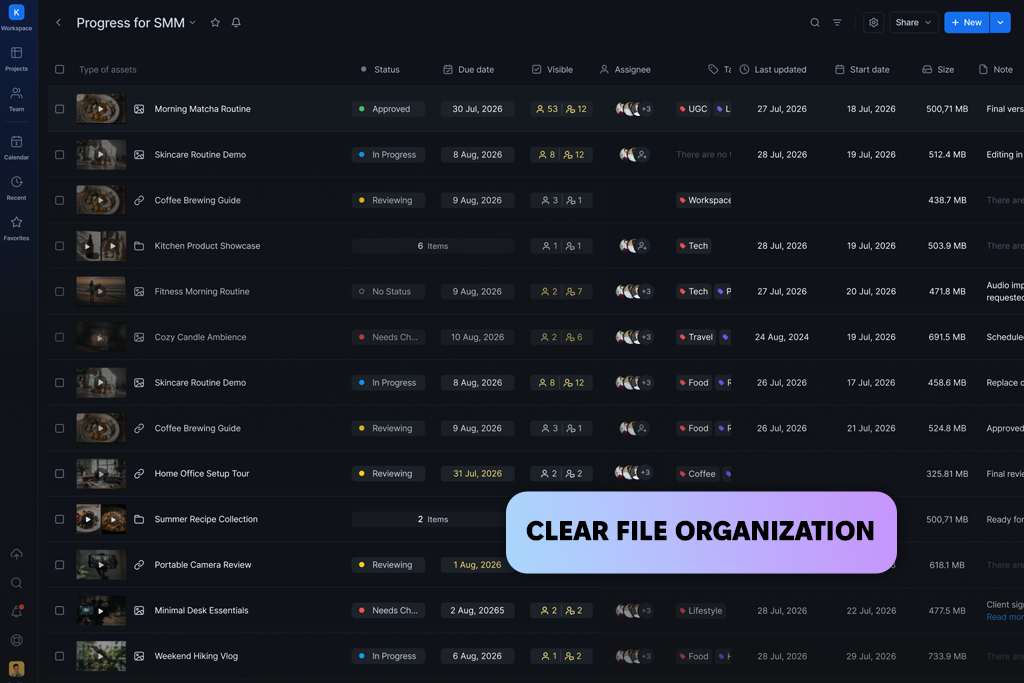
Krock IO puts media review, feedback, approvals, and project management in one workspace. I can upload photos and videos, bring in unlimited reviewers, leave time-coded comments, mark up files, and handle approvals without using several different tools.
It also provides dedicated workspaces, role-based access, and plenty of storage, which makes it practical for projects involving several people. In my Krock vs Frame IO comparison, these features made Krock feel more like a complete project workspace than a tool for media review alone.
Krock has a few handy options for checking edits. Overlay mode lets me compare two versions side by side, while Auto-Compare points out visible changes automatically. Frame IO covers versions and annotations too, but Krock adds task lists, storyboards, animatics, and planning tools. For teams looking at Frame IO alternatives, this gives them more ways to keep the creative work organized.
For video work, Krock’s plugins connect feedback with the editing process. I can link the playhead to time-coded comments, bring in markers and comments, and clear them once the changes are done. The Board tool is useful for planning storyboards, animatics, and scripts. With live communication and project management built in, Krock keeps planning, feedback, and production together.
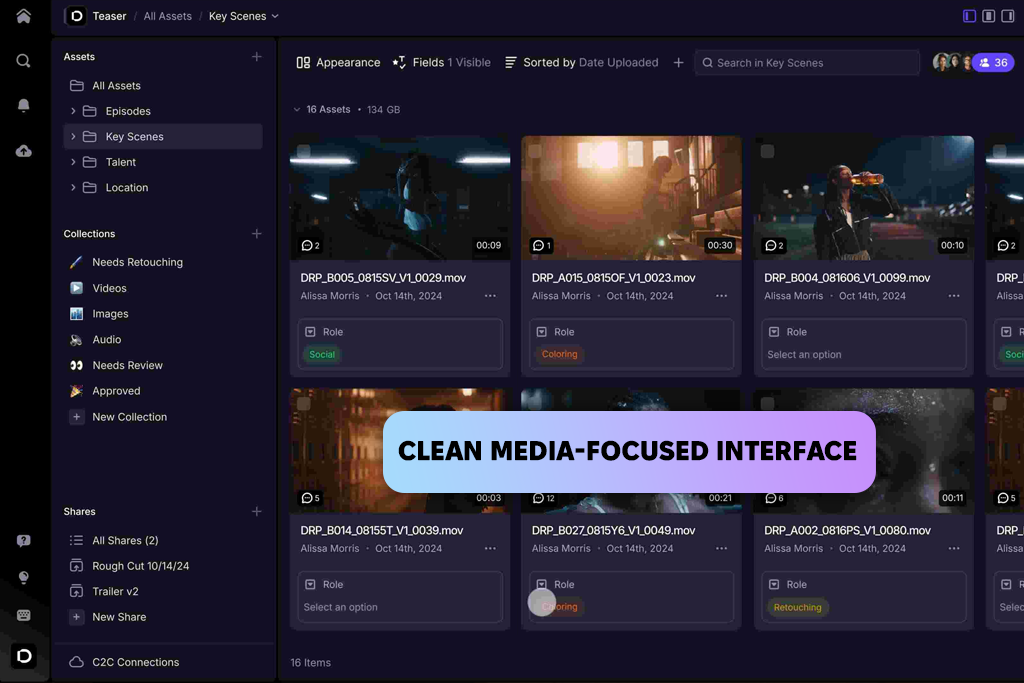
Frame IO focuses mainly on reviewing, approving, and sharing media. I can upload creative files, add notes, manage different versions, and send them to clients for review. It also has permissions, metadata, custom-branded shares, and other tools that help organize the review process. Compared with Krock, Frame IO puts more attention on media and post-production, while Krock covers more of the planning, storyboarding, and production side.
The service fits well into professional video editing because it connects with tools like Adobe Premiere Pro and Final Cut Pro. During testing, I could comment on specific moments, keep track of different edits, send files for review, and collect approvals in one place. Its workflow is mainly built around video production, while Krock gives more space to planning, storyboards, and other project tasks.
Frame IO works well for client reviews, especially when several people are involved in a project. Paid plans add useful extras like more control over shared links and projects, custom branding, comment attachments, and stronger security. If you’re comparing Frame IO competitors, Krock is worth considering when you also want tools for planning and managing the project.
Krock IO is great for:
Frame IO is great for:

Krock IO puts projects, files, feedback, tasks, and approvals under one roof. Unlike Frame IO, it works more like a creative project hub, letting me review files, handle tasks, and build storyboards without jumping between apps. It may take a little time to get familiar with all the tools, but the main options are easy to find.

Frame IO keeps its interface focused on media files, comments, versions, and review links. I found it convenient when I just needed to upload a video, mark specific frames, and send the file for approval. This setup works well for editors and production teams, while users who also need project management software and task tools may prefer the broader set of options in Krock.
Krock IO runs smoothly for most day-to-day tasks. I can move between projects, open files, and leave feedback without much delay. Since comments and annotations are attached to the media, I can go through changes without switching to another tool. Larger projects may load more slowly, especially when they contain lots of high-resolution files.
Frame IO is well suited to handling media-heavy workflows. For video reviews, I found playback smooth, and it was easy to switch between comments and versions while checking each frame. For teams comparing Krock alternatives, the main difference is that this platform combines media review with project management, while Frame IO stays focused on reviewing files.
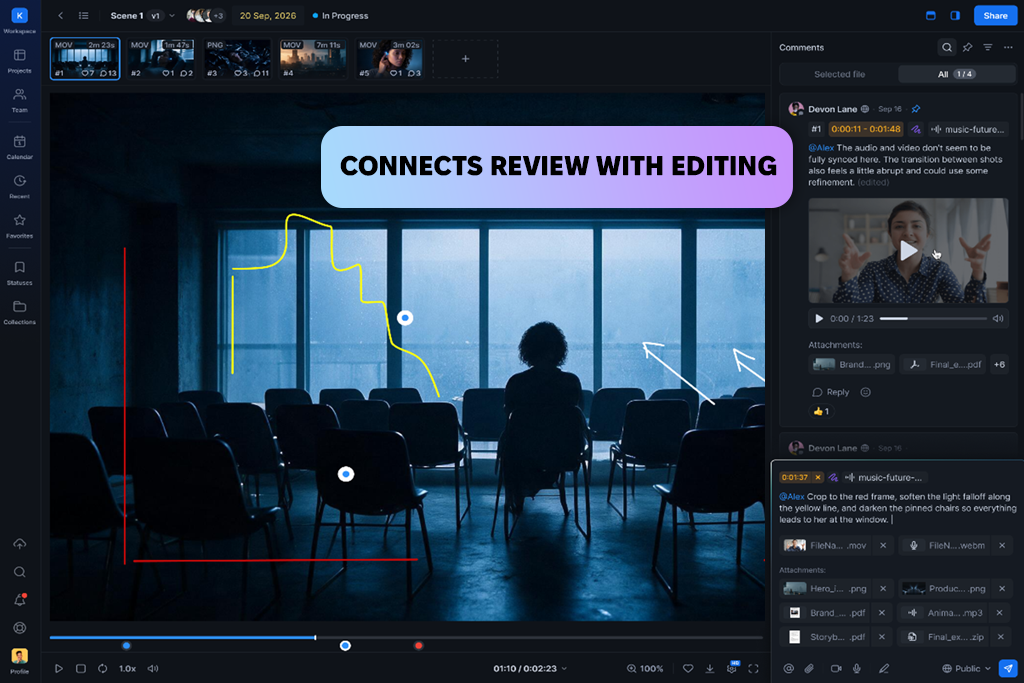
With Krock IO, I can add time-coded comments, annotations, drawing tools, and attachments while checking a video. I can point out exact moments, compare edits, and keep notes with the footage. Plugins can link feedback to the playhead, which makes switching between editing and review easier. Krock also works with images, PDFs, and other files, with options to add notes and compare versions.
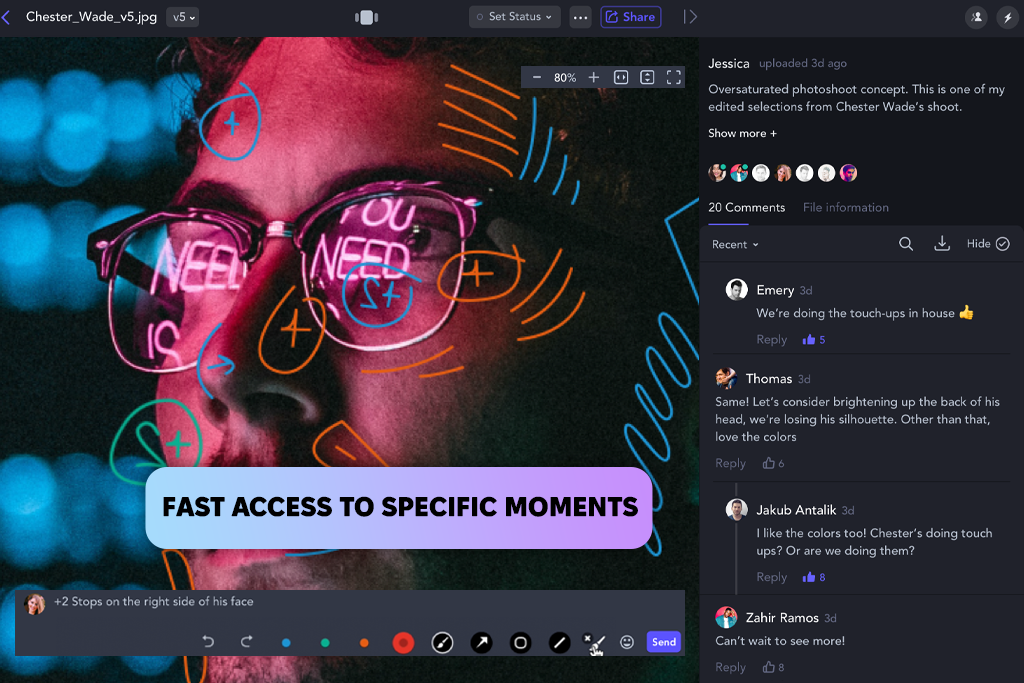
Frame IO is made for detailed video feedback. I could leave frame-accurate comments, annotations, manage versions, and control playback while reviewing a cut. It was easy to jump to the exact part that needed changes and follow the discussion across different versions. Krock links video review to more general creative project tools, while Frame IO keeps its focus on video feedback and approvals.
Krock IO was useful when I needed to make sure the requested edits were done. I tested it as image comparison software by checking an original against an edited version and looking at changes to colors, the background, and objects.
Overlay mode let me move across the image and check each part, while Auto-Compare marked visible changes for me. I could also keep the comments panel open while comparing versions, which made it easy to match changes with the related feedback. For videos, Krock can show several versions at once, making differences between cuts clearer.
With Frame IO, I can check two files against each other in the Comparison Viewer. During testing, I used it to look at different video cuts, zoom into details, and control playback while keeping both files synced. The tool also works with video, images, audio, PDFs, and Microsoft Office files. Krock gives me more options for finding visual changes, while Frame IO keeps this part of the workflow centered on media review.
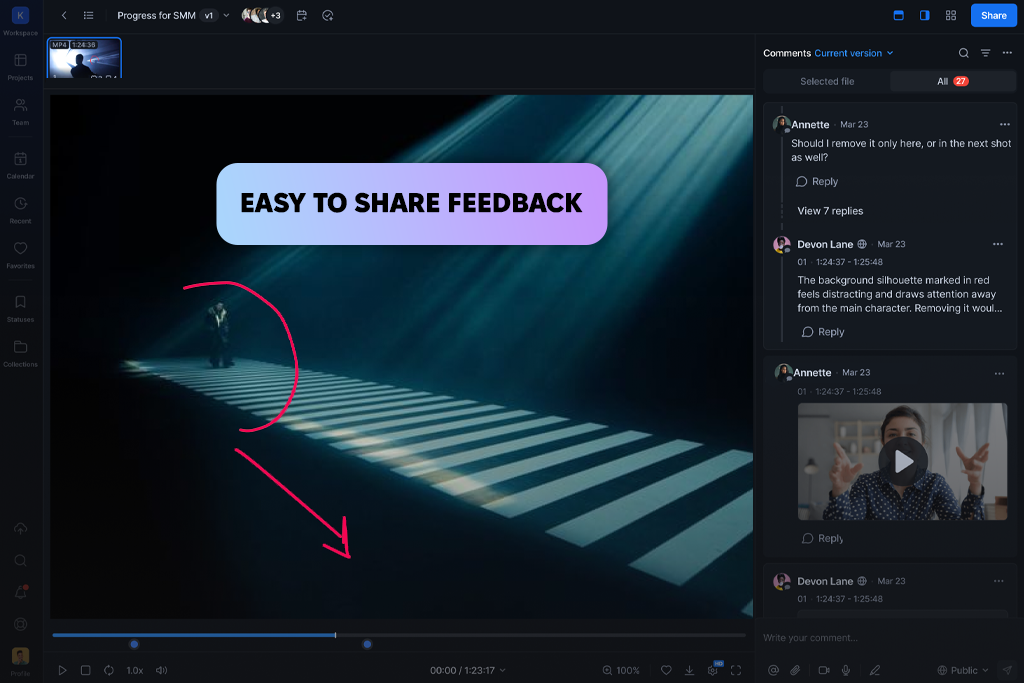
Krock IO lets me leave time-coded comments, annotations, drawing tools, and attachments right on a video. With its editing plugins, I can also sync the playhead with feedback and jump straight to the part that needs work. The process of comparing Krock vs Frame IO was easier when video editing was part of a larger production workflow.
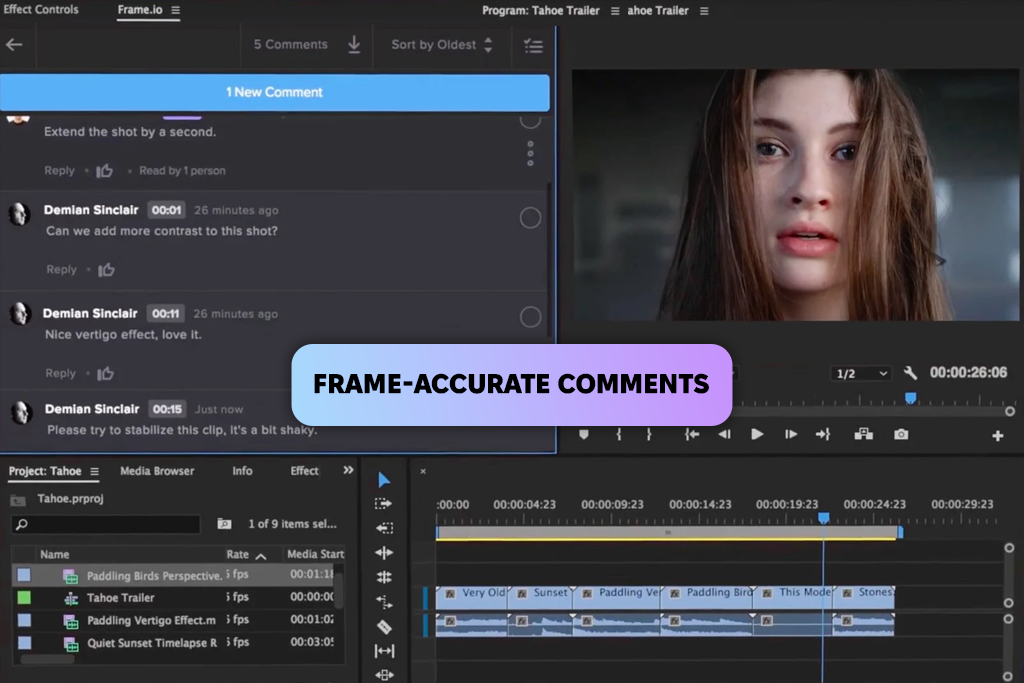
Frame IO is built mainly for detailed video feedback, with frame-accurate comments, annotations, version tracking, and review links. Krock takes a broader approach by connecting video feedback with project management, storyboard software, and other tools for planning creative projects.
Before production even begins, Krock IO can help with several creative tasks using AI storyboard generation, AI image generation, and script assistance. In my test of this AI tool for content creation, I could start with a text brief, turn it into a rough storyboard, create concept images, and develop the script before moving on to production.
With Frame IO, AI is mainly useful after you already have media to work with. Its AI Assistant can organize files, rename assets, add metadata, and summarize comments or transcripts. AI Search also lets me find specific media using natural-language searches.
Firefly-powered tools can handle tasks like video reframing, audio translation, and background removal. Compared with Krock, Frame IO puts more of its AI features toward managing and editing existing content.
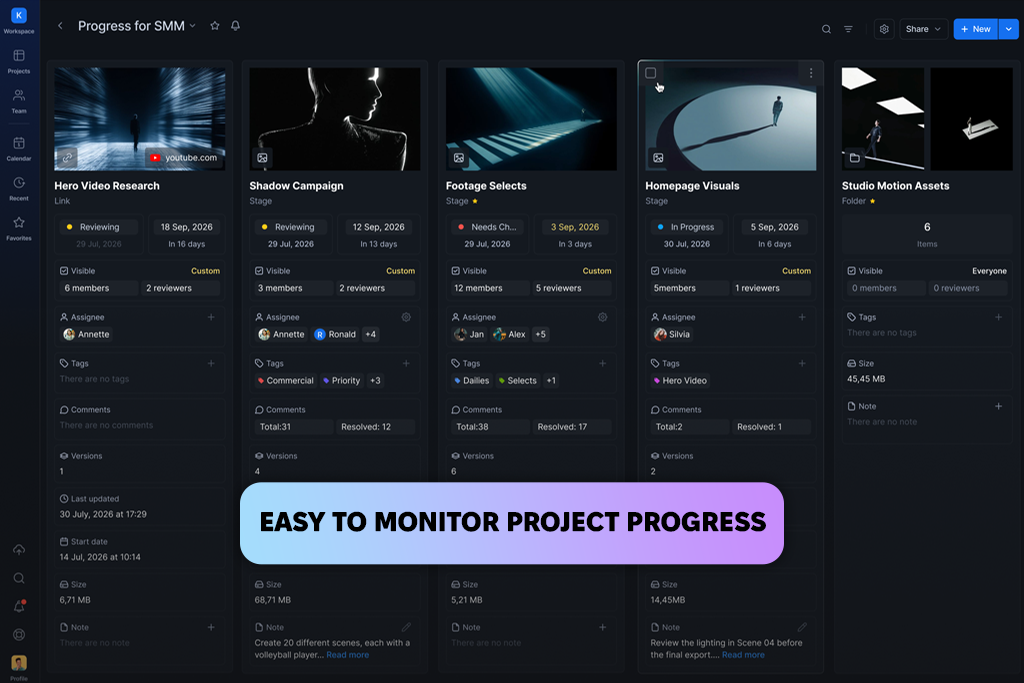
When a project has lots of people and revisions, keeping everything organized can get messy. Krock IO keeps tasks, deadlines, workspaces, roles, storyboards, and animatics in one place. While testing it, I could track changes and assign new tasks without jumping between different tools.
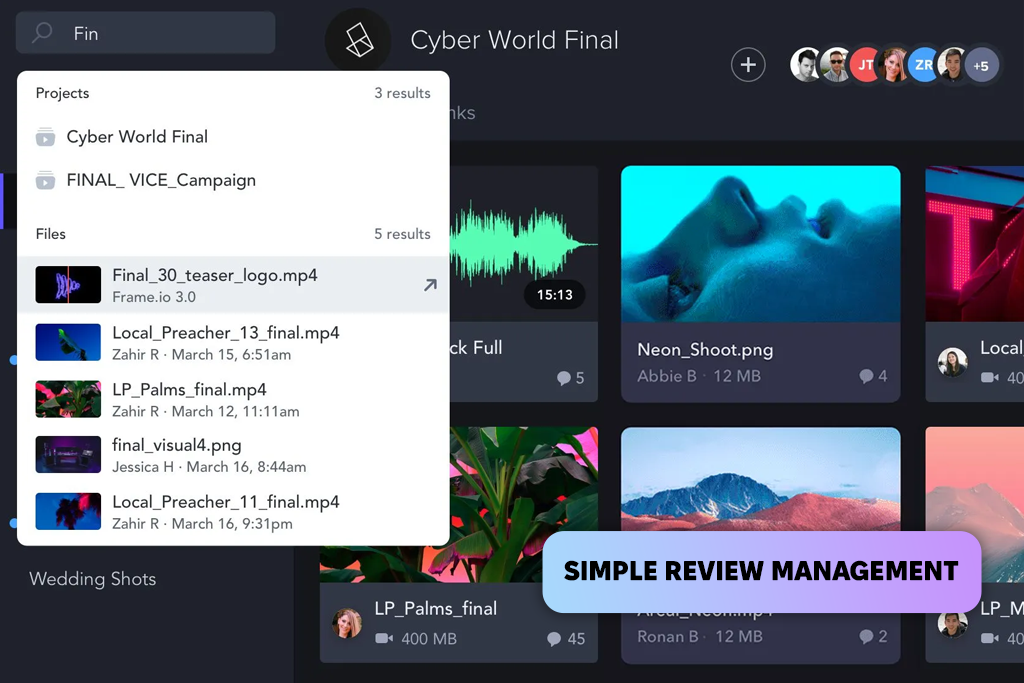
Frame IO is built mainly around media review, so projects, files, versions, comments, and approvals all stay connected to the review process. I liked how easy it was to see where each asset stood, but Krock gives me more options for planning tasks and keeping track of the whole production.
The difference stood out when I had several people reviewing the same project. With Krock IO, I could invite unlimited reviewers, add comments and annotations, assign tasks, and set access based on each person’s role. I could also keep client feedback and team notes linked to the same files, so everything stayed in one place.
Frame IO makes it easy to share work with clients using share links, comments, annotations, approvals, and permission settings. I liked using it to send video cuts and see exactly what clients wanted changed in each frame. Krock covers this too, but also adds tools for handling tasks and managing the project.
Krock’s plugins are useful when I need to bring feedback into the creative apps I already use. They work with popular software such as Adobe Premiere Pro, After Effects, and Photoshop. During testing, I could keep feedback and time-coded comments linked to my editing work instead of copying notes over by hand.
Frame IO works with a wide range of software used in professional video production. It integrates with Adobe video editors like Adobe Premiere Pro, After Effects, and Final Cut Pro, as well as other creative apps.
This means teams can review and manage their media without having to move between different platforms. Frame IO offers more integrations for established media workflows, while Krock combines its plugins with project management and creative planning tools.
Using both platforms made the differences between Krock vs Frame IO easier to see. Krock IO was a better fit for my workflow when I needed to handle not only media review, but also project management, task tracking, storyboards, AI-assisted planning, and team collaboration. With all these features in one place, I didn’t have to rely on several different tools to manage the creative process.
I found Frame IO especially handy for video work. It made it easy to give frame-accurate feedback, track versions, review videos with clients, and work with professional editing software. In the end, the right option depends on what you need: Krock covers more parts of the creative process, while Frame IO is mainly focused on reviewing and producing media.
For my Krock IO vs Frame IO comparison, I tested on both platforms using the method and real project tasks. I checked photo and video reviews, version changes, feedback, revisions, and project organization with several people involved. I also tried their tools for client reviews and teamwork at different points in a project.
I looked at how both tools handle media checks, video editing, file versions, project tasks, AI features, teamwork, client communication, integrations, and everyday use. I tested them with before-and-after images, checked if edits were made correctly, compared different video edits, and used notes and markups to keep track of changes.
I also asked my FixThePhoto teammates, including Tetiana and Nataliia, to share their thoughts during testing. Their input helped me see how well both platforms work when several people review the same files, share feedback, and follow updates.
Looking at how each service worked in real projects also showed clear differences in their day-to-day use. Krock gave more flexibility for planning and organizing work before and during production, while Frame IO felt more streamlined when the main task was reviewing media and getting approvals.





![7 Best PDF to Video Converters [{{%year}} FixThePhoto Choice]](http://fixthephoto.com/blog/images/gallery/news_main__preview_29441.jpg)
![7 Best AI Image Analyzers [{{%year}} FixThePhoto Choice]](http://fixthephoto.com/blog/images/gallery/news_main__preview_29393.jpg)



















