During a workshop, a student unveiled three stunning Photoshop designs, followed by a surprising confession: "I don’t have anything ready for a portfolio."
It made me realize how many emerging creatives make the exact same mistake. They hold out for big clients or official internships before launching a showcase, completely ignoring the goldmine of work hiding inside their own computer folders. Your unfinished Illustrator drafts, Lightroom edits, and class assignments are real portfolio material.
You do not need a long client list to build a strong digital portfolio. You just need to frame your existing projects strategically. By curating your best personal experiments and classroom wins, you can make a compelling story that lands your first job.
The best part is that you can build and host your site directly through Adobe Portfolio while taking advantage of lucrative student savings. Right now, eligible students get Creative Cloud Pro for $19.99 monthly for the first year with a huge 75% discount off the standard $69.99 rate.
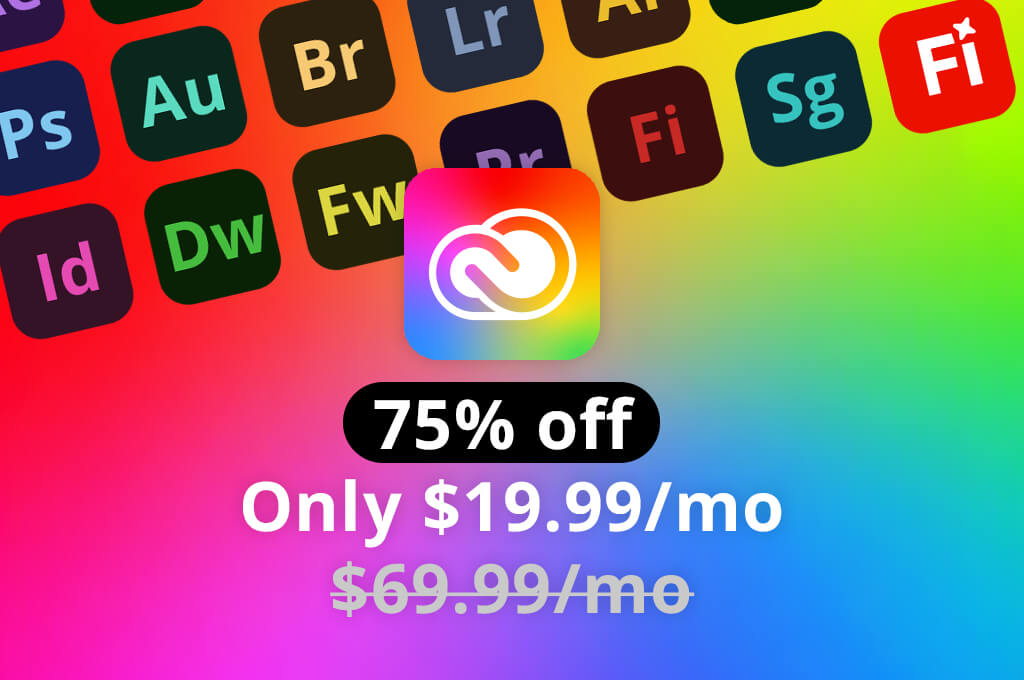
That grants full access to 20+ creative apps, Adobe Firefly features, 100GB of cloud storage, and portfolio publishing. Before opening Photoshop, Adobe Creative Cloud Student Portfolio, or other design tools, ask yourself one crucial question: What action should visitors take after viewing your portfolio?
The answer shapes every choice you make. Trying to show off every skill, from logo design and 3D modeling to wedding videos, only confuses hiring managers. Instead, align your content directly with your target objective:
To keep your showcase sharp, build around a simple formula: 1 Goal + 1 Audience + 1 Core Skill. For instance:
Thus, deciding what stays and what gets cut becomes easier.
You do not need to lock into one career path forever. However, choosing a clear, deliberate direction right now ensures hiring teams instantly understand your value. Start curating with purpose today and build a killer portfolio that opens real doors for your future creative career.
“The strongest student portfolios I’ve seen rarely have the most work. They usually have the clearest idea of what the student wants to do next.”

Whenever emerging creatives ask me how to create a portfolio, my response usually surprises them. I claim they should stop trying to make brand-new work from thin air. Instead, step back and audit what you’ve already created over the years.
Rummage through forgotten drive folders, cloud archives, camera rolls, abandoned project files, and half-baked school submissions. You’d be amazed by what’s hiding in plain sight:
Ignore that quiet inner voice asking, "Is this client-ready?" Instead, ask a better question: Does this piece demonstrate a valuable skill I want to get hired for?
A simple class assignment can showcase layout design just as effectively as a paid campaign. A casual portrait of a friend demonstrates lighting and retouching skills. A crisp 30-second video edit reveals pacing far better than a lengthy project where you only played a minor assisting role.
The most common trap is pitching personal work into the trash just because no one paid you for it. Early in your creative career, money isn’t the ultimate metric. Taste plays a bigger role. Your goal is simply proving you make sharp creative choices.
What if your older work looks rough? Don't panic. A mediocre draft with a solid core concept is a goldmine waiting to be polished up. Reopen those archived files and ask yourself:
This is where integrated ecosystems like Adobe Creative Cloud come in handy. You can retouch a photo in Photoshop, tweak vector icons in Illustrator, assemble presentation slides in Adobe Express, and package a complete case study in a single place. Your dream digital portfolio is already sitting on your hard drive. You just need to improve it.
When reviewing a student’s creative portfolio, landing on nearly thirty projects doesn't signal deep expertise. It usually means a clear lack of focus. Reviewers instantly wonder which handful of pieces deserve their valuable time and attention.
Quality will always beat sheer volume. Thoughtful curation demonstrates genuine creative confidence, whereas padding a site with filler signals hesitation and self-doubt. Aim for a tight, high-impact lineup of five to eight stellar pieces. To build a compelling foundation, sort your current body of work into three clear categories:
Once categorized, carefully evaluate your primary group. If four separate entries showcase the exact same skill set, trim the excess. Demonstrating versatility in real-world problem-solving matters just as much as technical polish.
To compile a good creative portfolio for students, apply this practical six-project framework:
This balanced strategy strikes the ideal balance between monotonous repetition and chaotic randomness, proving you know how to curate your own story.
“Six strong projects can say more than fifteen mediocre ones. Your ability to edit down your own work is part of what makes a portfolio look professional.”

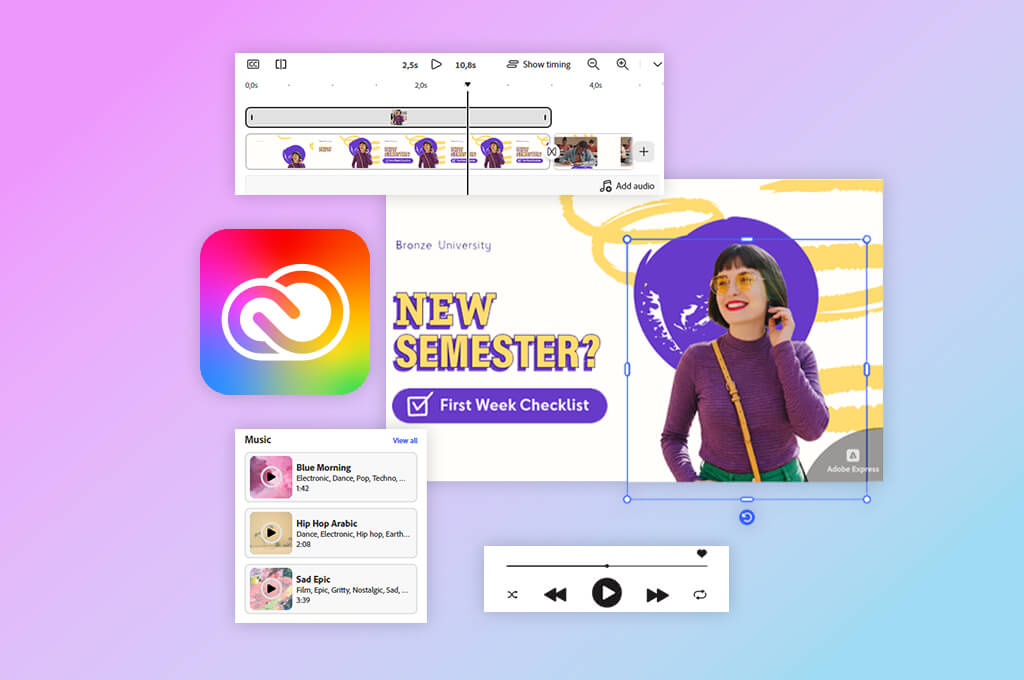
The single biggest trait separating a basic folder of artwork from an exceptional digital student portfolio is the story-driven flow. Creative directors and prospective clients do not simply want to look at finished deliverables. They need to understand the strategic thinking behind your decisions. A high-converting case study relies on a proven five-part framework: Context > Challenge, Workflow > Result > Reflection.
Keep your written explanations concise. A sharp summary between 100 and 200 words combined with high-impact visual proof communicates more effectively than an overwhelming wall of text.
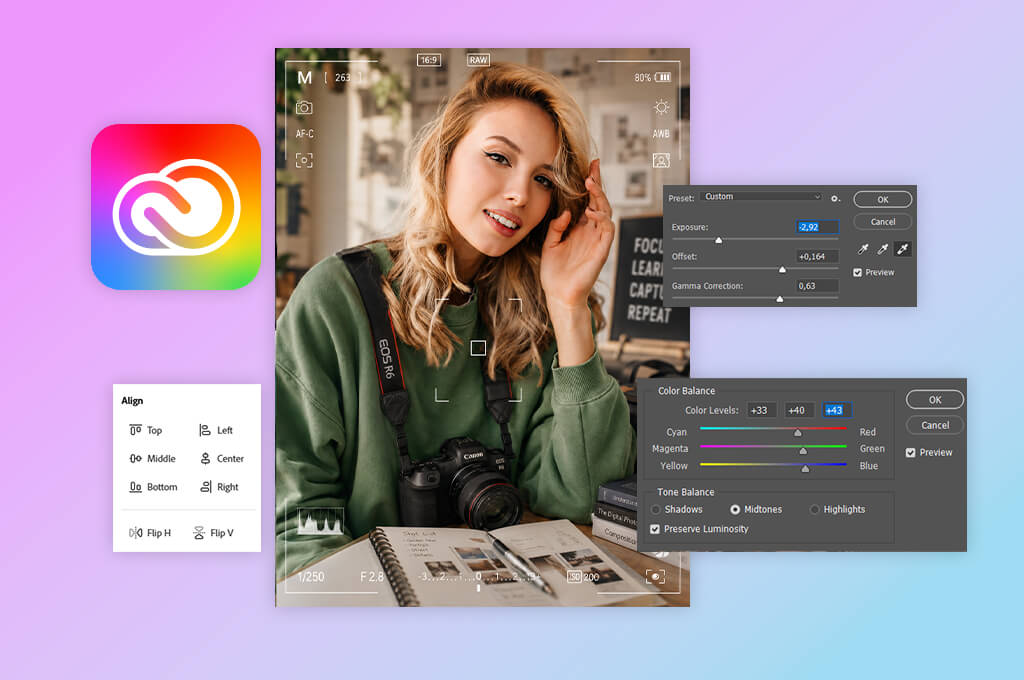
Even though a Creative Cloud Pro free trial hands you over 20 applications, 100GB of cloud storage, and cutting-edge Firefly AI tools, having access to everything doesn’t mean you need to use everything.
| If you create | Adobe tools I’d start with | Good portfolio material |
|---|---|---|
|
Graphic design
|
Photoshop, Illustrator, InDesign
|
Branding, posters, layouts
|
|
Photography
|
Lightroom, Photoshop
|
Photo series, retouching, edits
|
|
Video
|
Premiere, After Effects
|
Reels, short films, motion
|
|
Illustration
|
Illustrator, Photoshop, Fresco
|
Artwork, process, variations
|
|
Social content
|
Express, Photoshop, Premiere
|
Campaigns, posts, short video
|
|
Mixed media
|
Photoshop, Illustrator, Premiere
|
Cross-format case studies
|
Focus beats overload every single time. Employers care about deep, functional skills, not a diluted list of programs you’ve barely touched. Mastering three core applications is more important. If your passion is graphic design, double down on Photoshop and Illustrator. If you live behind a camera lens, let Lightroom and Photoshop anchor your workflow. Video creators should take a closer look at Premiere Pro.
Adobe Firefly with AI features can certainly supercharge your creative process. Use generative features thoughtfully to clean up distractions, extend canvas borders, or rapidly prototype initial concepts directly inside Illustrator or Photoshop with student discount. However, treat AI as a collaborator, not as a substitute. Never pad your portfolio with pure machine output while staying silent on your process. If AI helped shape the final piece, own it. Highlight your specific prompts, edits, and artistic choices.
Hiring managers are interested in your vision, problem-solving instinct, and the distinct creative choices only you can make. Keep your core toolset targeted, use technology responsibly, and let your core strengths command the spotlight.
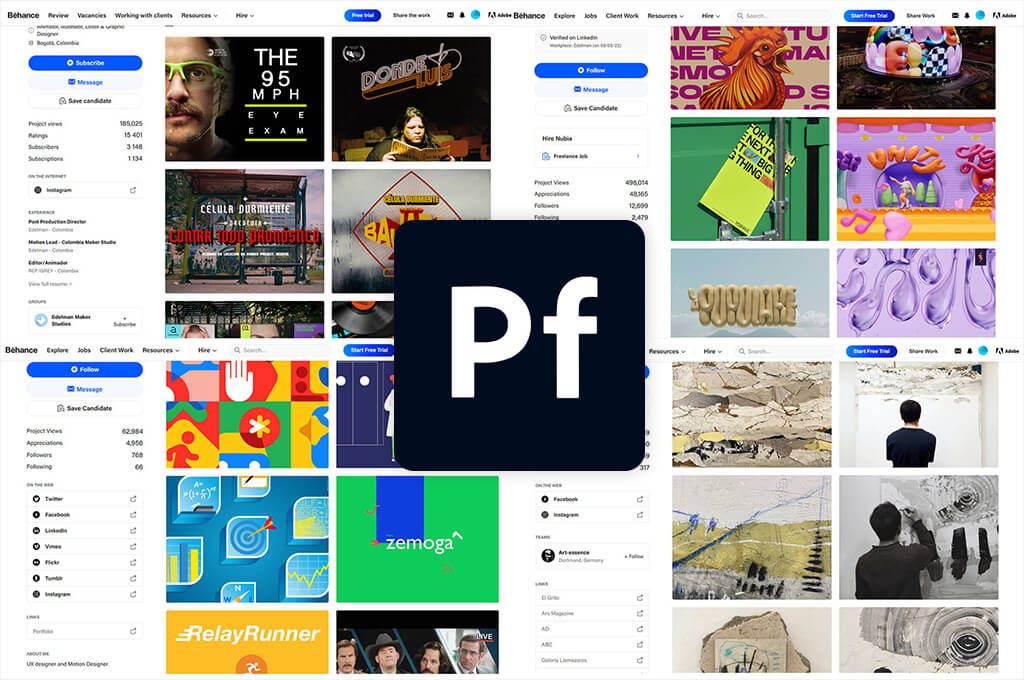
When your projects are finalized, head directly to Adobe Portfolio. Because Adobe integrates this tool into standard Creative Cloud subscriptions, enrolled students do not need to invest in external web hosting or third-party site builders.
Lots of users appreciate such simplicity. Instead of getting bogged down evaluating platforms, complex plugins, custom code, and elaborate visual animations, your primary focus should remain squarely on publishing quality work.
To help students build impactful presence, follow this optimized deployment strategy:
“I’ve seen students spend days tweaking fonts, layouts, and pages when the projects themselves aren’t ready yet. For me, the work comes first. The website is just the frame around it.”

Picture a potential employer skimming your portfolio with 8 other tabs open. They will not spend five minutes deciphering your homepage before choosing where to click. Apply a quick ten-second audit. Can a first-time visitor immediately identify:
If the answer is no, strip away the excess. Skip lengthy personal introductions and lead with a clear header – your name, concise functional specialty, and a high-impact work grid. Above all, never arrange projects in a student graphic design portfolio chronologically just to preserve a timeline. Your portfolio is a curated showcase, not a personal journal. Place your absolute strongest piece front and center where it cannot be missed.
While core student portfolio principles remain constant across creative disciplines, each field requires distinct evidence.
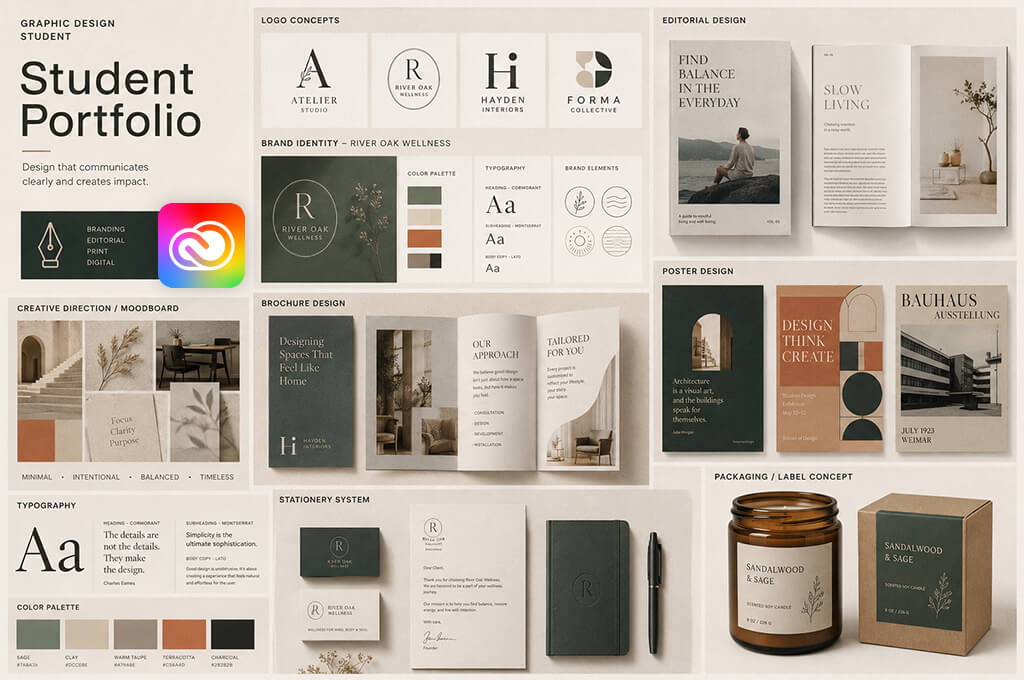
Student graphic design portfolio. Pretty mockups look great, but rely on them too much, and you may hide how your design functions. A gorgeous Photoshop template can’t compensate for a weak identity system. Balance those contextual shots with clean, flat artwork to show your thinking.
For a branding project, use free software for students and walk us through the journey. Start with the brief > share early sketches > map out the logo system, typography, colors, real-world uses > and deliver the final mockups.
If you’re showcasing editorial work, include full, readable spreads instead of just a magazine floating gracefully against a pastel background. Your portfolio should prove that you make smart design decisions, not just that you know how to present things.
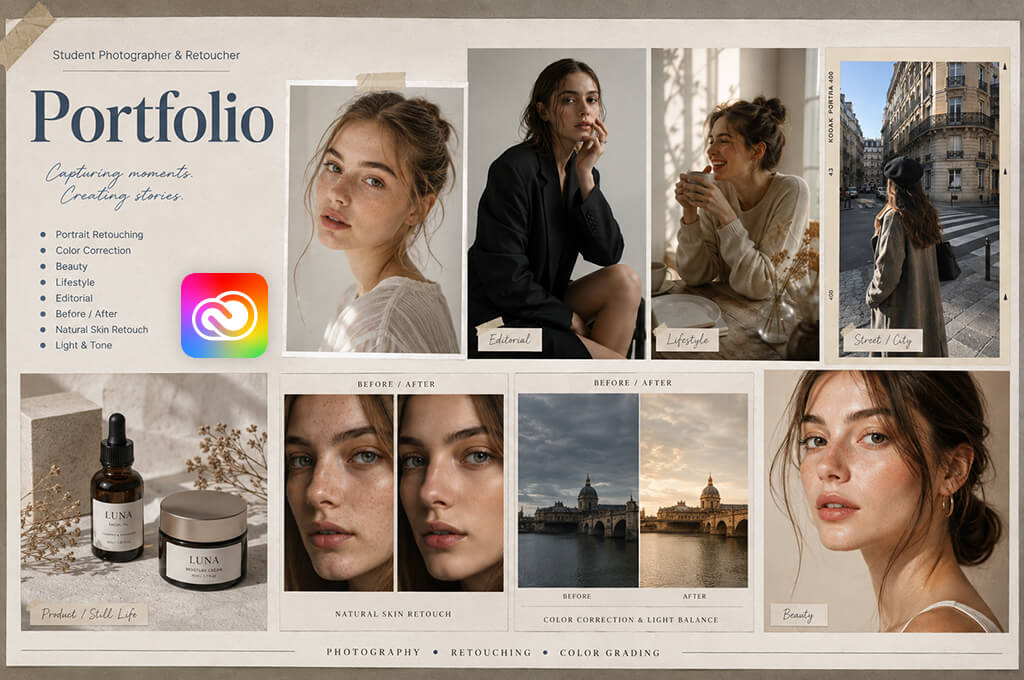
Student photography portfolio. If you want to pursue a career with photography, rigorous curation is paramount. Reviewers consistently value conceptual depth. Twelve cohesive images building a singular, compelling story carry more weight than forty disconnected, high-quality shots.
Structure your portfolio around thematic series, whether dedicated to portraiture, street, architecture, or fashion, allowing individual images to communicate as a collection. Additionally, illuminating your post-production workflow builds immense professional credibility. Include before-and-after retouching comparisons, Lightroom contact sheets, or quick behind-the-scenes snapshots to highlight your artistic discretion, technical precision, and storytelling maturity.
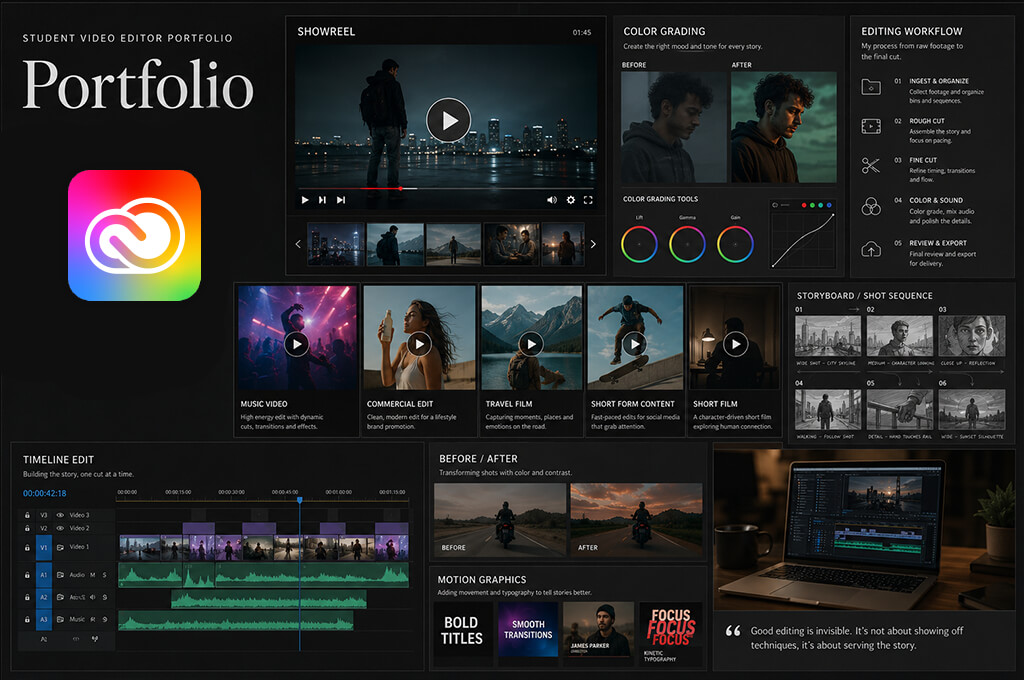
Student video editing portfolio. The biggest challenge with a student video editing portfolio is attention. Viewers rarely watch everything. Hook them instantly. Lead with a dynamic 30-to-60-second highlight reel for quick viewing, followed by standalone case studies for those who want deeper context.
Transparency about your exact role is non-negotiable. If you edited a group project, explicitly state "Editor." If you also handled color grading and audio mixing, list those too. Never force recruiters to guess where your contributions start and end.
For featured projects, pair the final video with brief commentary explaining the source footage, pacing choices, sound design, or technical challenges you solved.
“When you’re showing student video work, don’t be vague about your role. Say what you actually edited and contributed. It’s better to own a smaller part of a team project honestly than to make it seem like the whole thing was your work.”

This framework applies universally across creative fields. Whether showcasing animation, motion design, or illustration in your Creative Cloud student portfolio, the formula remains the same. Display the finished piece, define the creative problem, and clearly prove your specific impact.
The single most frequent question aspiring creatives ask is simple: “How do I build a portfolio without real clients?” The answer is straightforward. Don’t wait around for permission to begin creating. Self-directed projects hold immense value, often allowing you to demonstrate targeted talents far more effectively than restrictive commercial work.
Reimagine an existing brand or product. Pick an app interface, product packaging, book cover, or event poster and develop a fresh visual concept. Transparency is key here. Clearly label the piece as a personal concept or graphic design idea to avoid misrepresenting it as an official client campaign.
Fabricate a realistic client brief from scratch. Design for a hypothetical artisanal bakery, boutique skincare line, local music festival, or eco-friendly non-profit. Avoid the common trap of designing aimlessly. Establish specific parameters before opening your software and creating an Adobe portfolio.
Ask critical questions upfront like “Who is the target demographic?”, “What key deliverables are required?”, and “Where will these assets live?” Self-imposed boundaries transform a simple exercise into a believable, professional case study.
Develop a structured photography project. Rather than relying on a scattered archive of past snapshots, pick a clear central narrative for your student photography portfolio. 5 intentionally styled, cohesive portraits sharing a single theme will elevate a portfolio more than 20 random images.
Repurpose existing video content. Using accessible open-source footage or previous raw takes, make an entirely fresh cut. Test your skills on a high-energy trailer, a snappy social media promo, or a documentary scene.
Partner with creative peers. Cross-disciplinary collaboration mimics real-world agency dynamics. A designer can create branding for a film student’s short movie, while a video editor translates a photographer’s behind-the-scenes clips into engaging reels. Always give explicit credit to your collaborators.
Refine past coursework. Take a previous project that failed, identify its flaws, and fix them with your upgraded skills. Displaying a quick "before and after" snapshot subtly proves your professional evolution without explicitly bragging about your growth.
If I had 20 minutes to critique a creative student portfolio, I would spend most of that time removing material rather than suggesting new additions.
Here are the first elements I would challenge:
“I have a simple test for my own updates: if there’s something I’d feel awkward showing a really strong client, it’s probably not worth keeping.”

Studying student portfolios offers brilliant inspiration, but blind replication is a big mistake. Instead of fixating on decorative fonts or custom cursor effects, focus on structural mechanics. Ask yourself these strategic questions:
This mindset transforms casual viewing into actionable research. Exploring Adobe Portfolio examples helps highlight functional layouts, but resist merging every trendy feature into your own build. Your portfolio should be easy to navigate.
Imagine a typical design assignment: creating brand identity for a local neighborhood bakery.
Currently, the student only displays 4 basic items:
It technically qualifies as a portfolio piece, yet it reveals very little value. Here is how to strategically rebuild it:
Without changing the creator or the prompt, the final perception transforms entirely. You don't need a slate of new projects. You just need to polish, flesh out, and properly frame the work sitting right in front of you.
Before submitting your student portfolio to any recruiter, agency, or potential client, perform this ten-point audit:
Afterward, have a neutral reviewer explore your layout. Continuous editing creates blind spots, making you ignore subtle navigation hurdles. A fresh visitor instantly highlights where your presentation stumbles or confuses.
Have them answer these questions: What do I specialize in? Which project lingered? Was anything unclear? Genuine user feedback is more important than visual tweaking multiple times.
So, how to create a student portfolio? First of all, you don’t need to become an expert in every program. Instead, you should establish a smooth pipeline that transforms raw coursework into easy-to-follow case studies ready for public viewing.
Creative Cloud is perfect for the task due to its modular flexibility. Graphic designers can refine layouts in Illustrator and Photoshop, photographers can curate imagery within Lightroom, and video creators can finalize cuts using Premiere Pro and After Effects. There are tools tailored specifically to different disciplines.
When the final creative work is finished, Adobe Portfolio acts as a perfect publishing hub. It allows students to assemble an elegant, professional online showcase without wasting valuable time learning complex web development skills from scratch.
Most importantly, you shouldn't delay this process until you feel fully established. Building a student portfolio isn't a reward reserved for seasoned professionals. It is the essential practice that elevates your skills, sharpens your focus, and transforms you into a professional in the first place.
Focus on 5-8 standout pieces. A curated selection of high-quality work highlights your core capabilities better than a lengthy archive of repetitive classroom exercises.
Absolutely. Passion projects, redesigned brand concepts, academic assignments, and collaborative efforts showcase real talent. Simply maintain total transparency about your process, clearly labeling self-directed studies so employers recognize your honesty alongside your creativity.
It isn't free standalone but comes bundled with student Creative Cloud subscriptions. Eligible students usually access discounted monthly rates during their first year, gaining access to full design apps along with instant website hosting capabilities.
Feature diverse applications like branding, editorial layouts, and packaging aligned with your career goals. Combine polished mockups with early developmental sketches and process notes to reveal the problem-solving journey behind your finished visual student portfolios.
Group image collections into cohesive thematic series to create a pro-grade Adobe Creative Cloud student portfolio. Focus on your chosen niche, such as portraiture, documentary, or commercial work, and incorporate clear before-and-after comparisons if highlighting digital retouching expertise.
Lead with an energetic demo reel followed by detailed project breakdowns. Clearly specify your contributions, like color grading, audio, or motion graphics, and ensure videos load fast with your best footage placed upfront.
Not initially. Blending complementary disciplines into a single curated digital portfolio for students works well, provided your site maintains a cohesive focus. Only split your work into distinct portfolios if you target vastly different, completely unrelated career paths.
Don’t publish half-finished projects merely to pad volume. Instead, apply your upgraded talents to refine past assignments into polished masterworks, incorporating select preliminary concepts inside case studies to demonstrate your creative progress.





![7 Best AI Voice Designers [{{%year}} FixThePhoto Choice]](http://fixthephoto.com/blog/images/gallery/news_main__preview_29367.jpg)
![7 Best Fantasy Portrait Generators [Free & Cheap]](http://fixthephoto.com/blog/images/gallery/news_main__preview_29406.jpg)



















