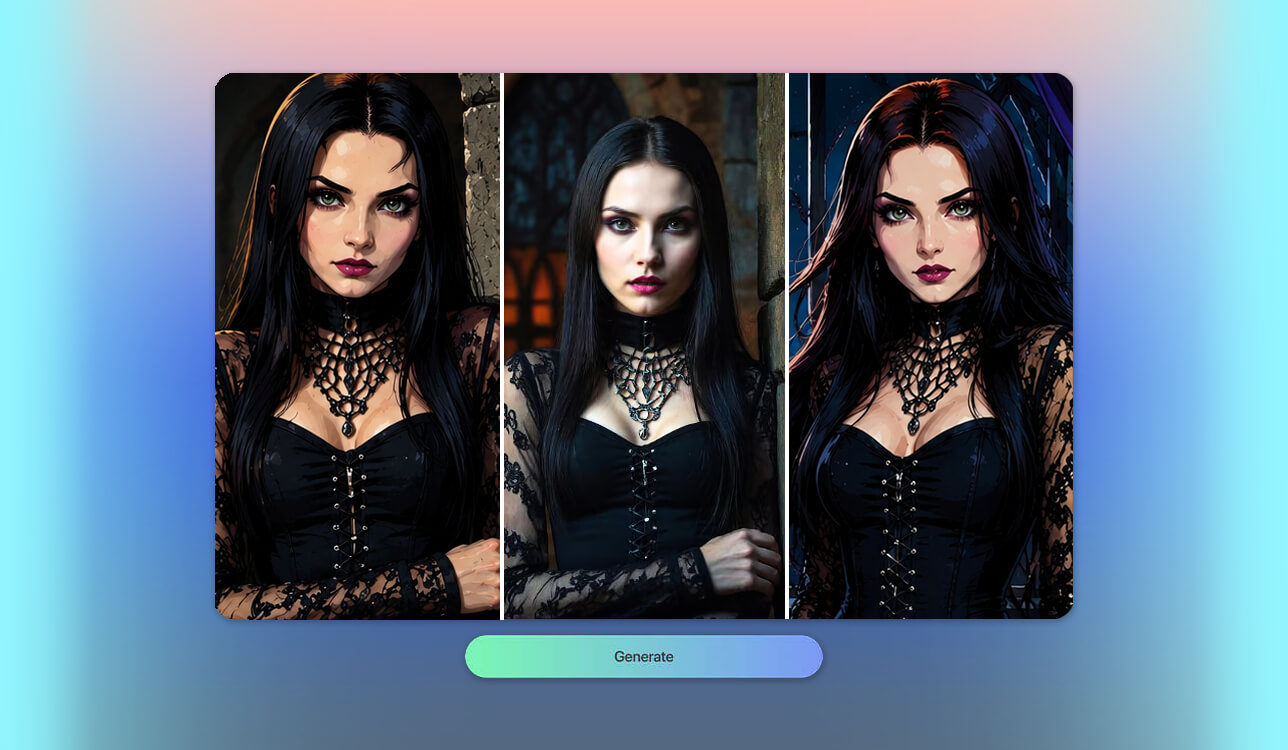
My search for top-tier gothic image engines began during a brand campaign that called for a distinct, dark, moody visual identity. Finding the best free online goth AI generators was unexpectedly challenging. The vast majority of standard platforms rendered bland, generic dark pictures rather than authentic, highly detailed gothic aesthetics complete with recognizable fashion, rich makeup, and expressive lighting.
Such AI platforms can make striking graphics across creative concepts, marketing campaigns, character concept work, and personal media without expensive photography setup costs or tedious post-processing. To identify the best options, I rigorously tested over 15 tools, analyzing output fidelity, prompt comprehension, fine-grained control, and free tier capacity. I collaborated with my colleagues from FixThePhoto to guarantee that only high-performing free platforms earned a spot on this list.
Our evaluation methodology extended well past standard resolution metrics. We scored how effectively each generator rendered authentic dark subculture visuals, interpreted prompts, converted portrait photos, and kept facial structures intact. Furthermore, we assessed built-in modification tools, AI Generative fill tools, overall user interface clarity, rendering performance, file export options, free daily usage limits, watermarking policies, and user registration constraints.
As a digital content creator, I explored lots of creative possibilities by integrating a dark aesthetic AI engine into my toolkit:
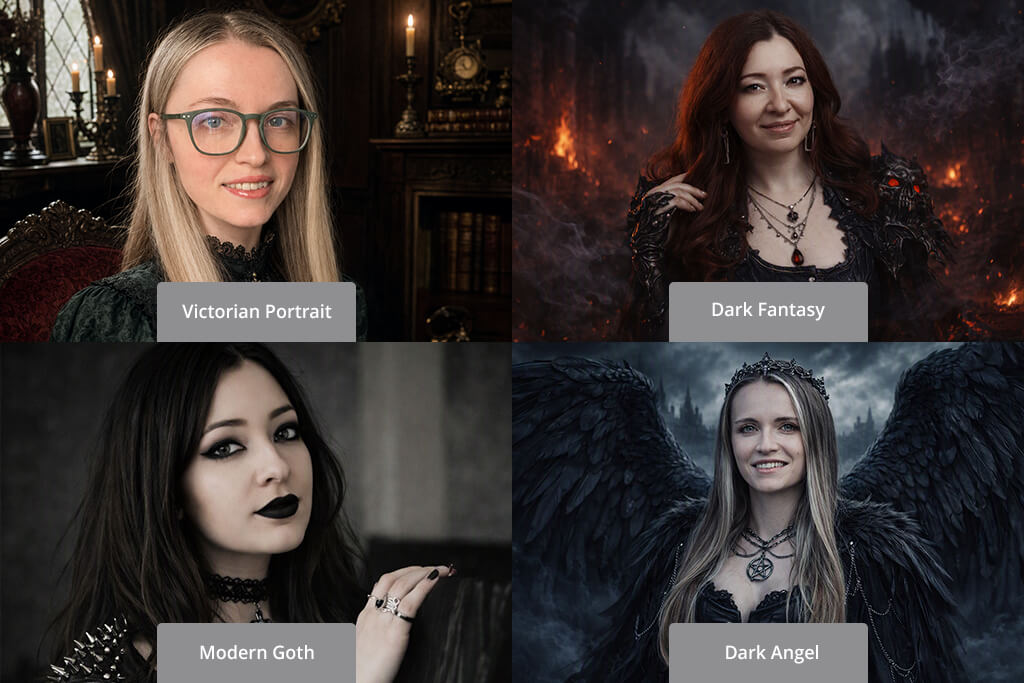
During testing, I noticed that detailed, descriptive prompts yielded better results. Skipping vague phrases like "goth girl" in favor of specific details about wardrobe, atmospheric lighting, and surroundings produced stunning visual results. Here are some prompt formulas that you can use to achieve a recognizable look:
Mixing in powerful descriptive keywords like photorealistic, cinematic lighting, 8K, highly detailed, dramatic shadows, and moody atmosphere will instantly elevate your output quality across almost any platform.
Price: Free or from $9.99/mo.
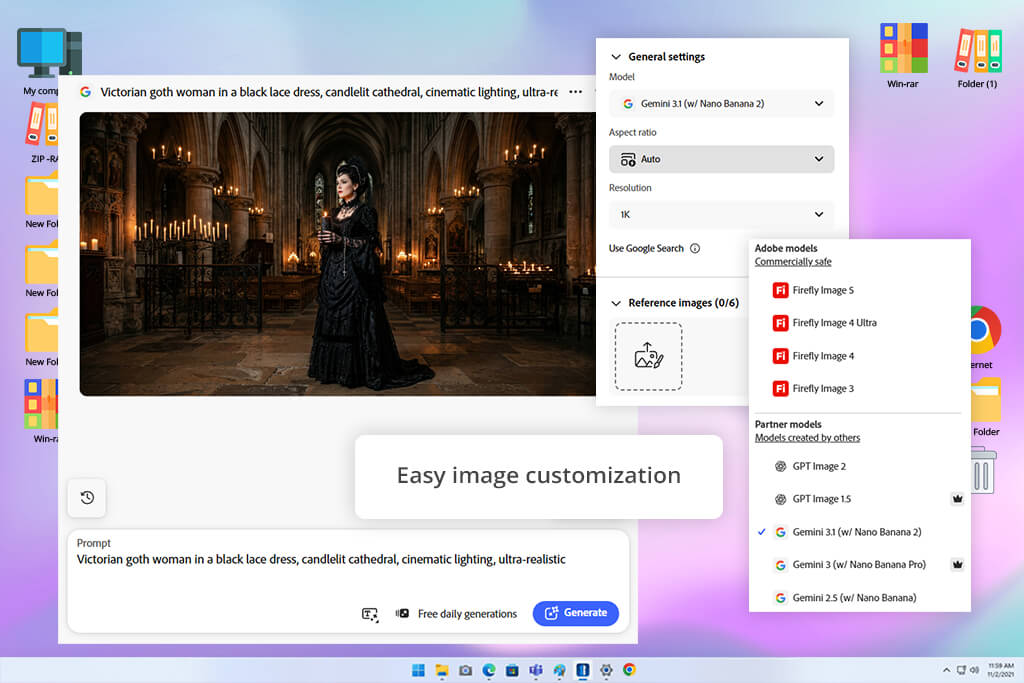
I picked Adobe Firefly as the first tool for my testing because it stands out as the gold standard for realistic AI image generation. Operating as a free online goth AI generator, it turned complex text prompts into convincing dark portraits with incredible ease, capturing Victorian lace textures, bold dark makeup, pale complexions, eerie castle backdrops, and cinematic lighting. Even multi-subject prompts delivered balanced compositions with natural skin tones and realistic features.
As a web-based AI image generator, Firefly gives you extensive control over your artwork. You can switch between content styles, adjust aspect ratios, tweak visual effects, and generate fresh variations from the same prompt. When I wanted to fine-tune a picture, I turned to Generative Fill to swap out clothing, backgrounds, or accessories in seconds without re-generating the entire shot.
The built-in AI Assistant also came in handy for expanding simple ideas into rich, detailed scenes or experimenting with new creative styles. Plus, if you need matching brand assets, Firefly can generate custom text effects, vector graphics, and illustrations in the exact same style. Just be attentive and keep an eye on your daily generative credits.
“Adobe Firefly became my go-to since it created really convincing gothic lighting and fine details. I just wish the free plan offered a bit more flexibility.”

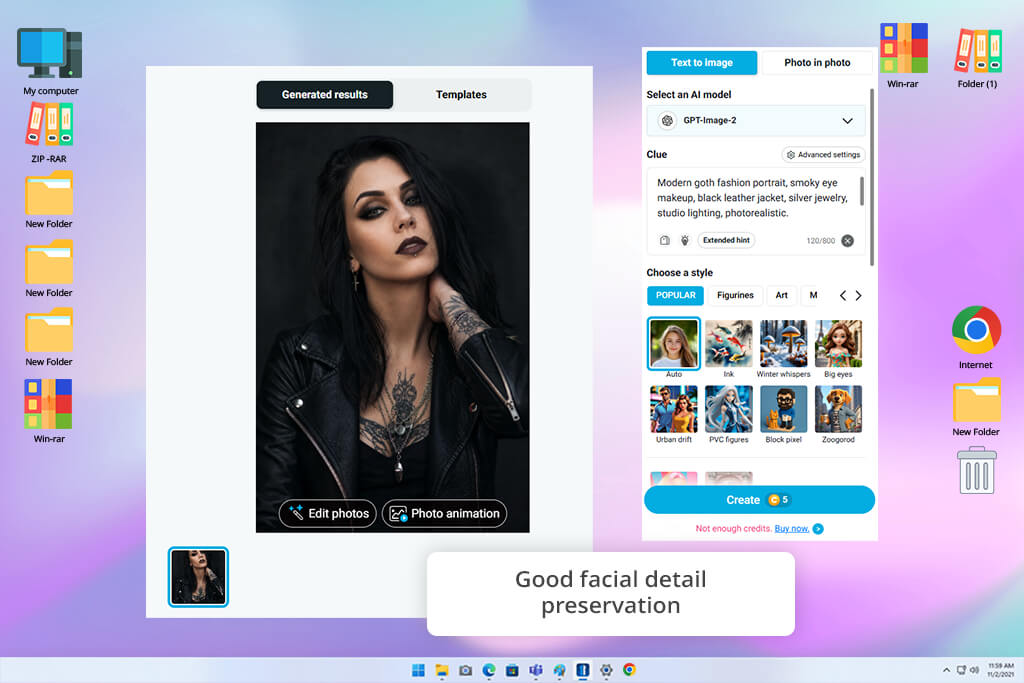
Price: Free (with watermark) or from $3.33/mo.
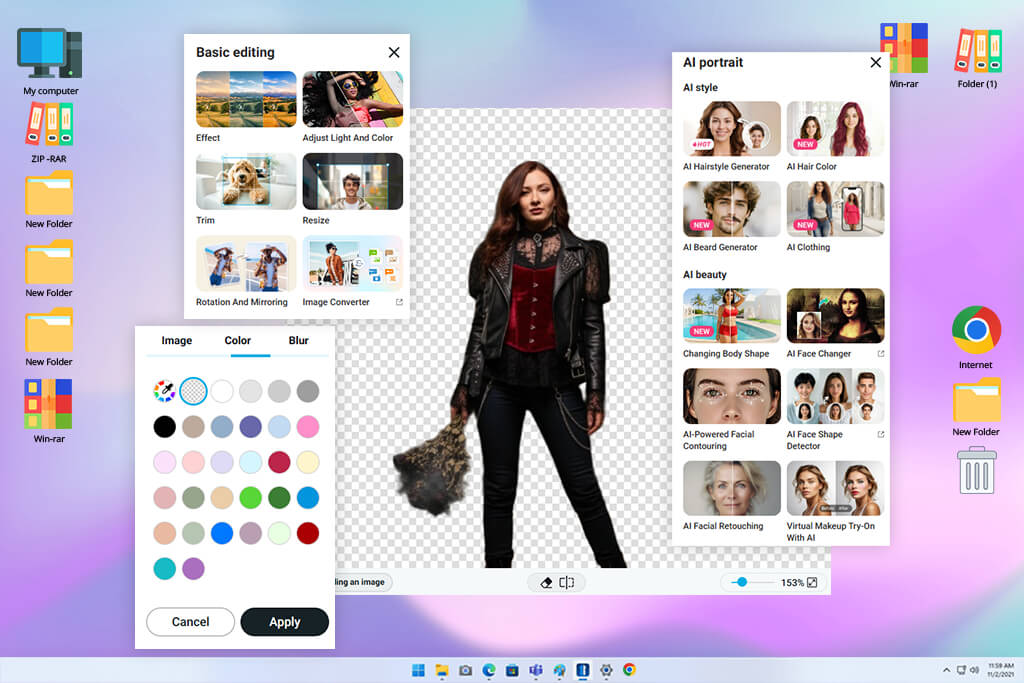
To understand the real power of YouCam Online Editor, I tested it with portraits shot under different lighting conditions. Beyond image uploads, it also generates goth visuals straight from written prompts, making it the best free online goth AI generator from text for both quick photo makeovers and original AI artwork.
The speed and performance for fast edits impressed me right away. You can pick from over 70 AI style presets, adjust frame ratios, add negative prompts, fine-tune CFG scale settings, and adjust output quantities for total creative control. To improve a portrait, I relied on AI Replace, swapping out jewelry and outfits, AI Background Remover for dropping in dark scenery, and AI Image Extender to expand the frame.
Even better, you can convert your final static goth art into a short AI video clip directly inside this image to prompt generator. This is a huge win for social media creators.
The main trade-off comes down to free tier restrictions. Premium tools require spending credits or upgrading to a subscription, and downloaded images carry a watermark. In addition, extremely complex prompts occasionally resulted in slightly varied facial details compared to dedicated AI art engines.
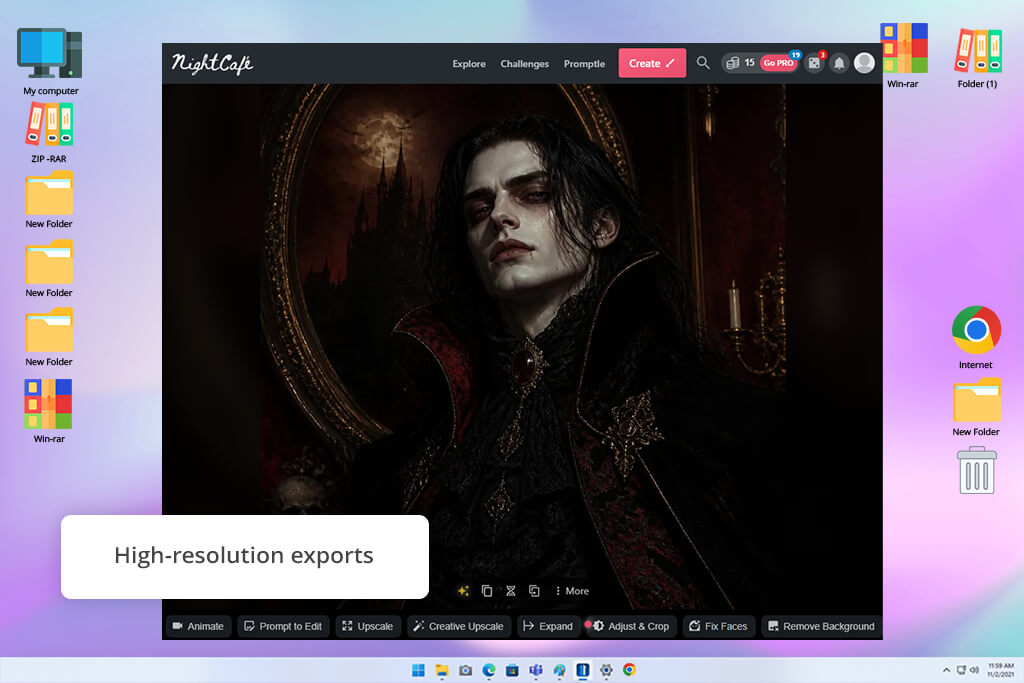
Price: Free (5 free credits each day) or from $12.49/mo.
NightCafe boasts one of the most diverse selections of AI rendering models out there, letting you test different dark aesthetics in one place. I used this free online goth AI generator without watermark to build everything from Victorian portraits and candlelit halls to dark fantasy warriors and medieval cathedrals. With over 30 AI models onboard, including Flux, GPT Image, Seedream, and Nano Banana, you can quickly compare models to see which one brings your vision to life in the most accurate way.
It was very easy to experiment in this program. NightCafe offers ready-to-use Gothic Art templates that give you a great head start if you don't feel like typing prompts from scratch. Simply outline your subject, historical vibe, lighting, and medium, then flip between AI models or tweak your text prompt to create completely unique spins on the same concept. I also ran image-to-image tests, which successfully flipped uploaded portraits into dark gothic artwork while keeping facial identity recognizable.
I also appreciate the vibrant NightCafe community hub. You can browse thousands of public creations, steal prompt inspiration, save favorite styles, and share your own masterpieces. Free daily credits give you a great entry point, though they go quickly if you run top-tier models or generate heavy variations. Built-in editing is somewhat basic, so for complex object replacement, you'll likely want to finish up in a dedicated AI photo editor.
“NightCafe filled my gallery pretty quickly since every model had its own unique vibe. The only thing that slowed me down was the longer generation time than in other programs.”

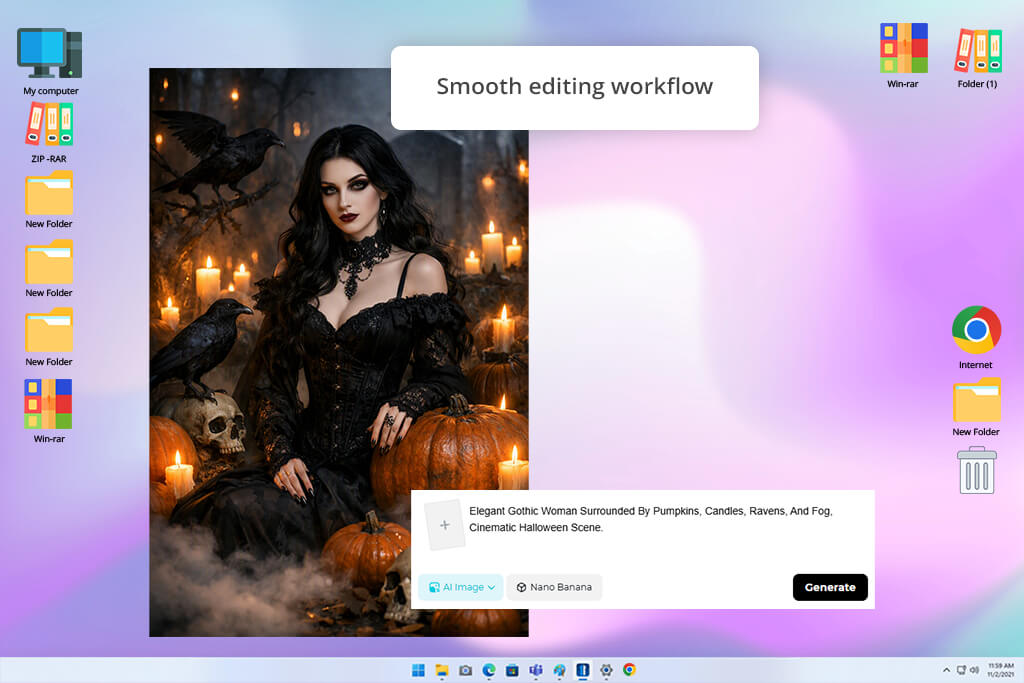
Price: Free (limited daily credits, watermark) or from $8/mo.
Dreamina blends AI image creation, selfie transformation, and smart editing on a single canvas. When trying to figure out whether it can be called the best free online goth AI generator from photo, I uploaded source photos and generated moody gothic portraits complete with Victorian dresses, bold dark makeup, dramatic lighting, and fantasy scenery. Using the Seedream 5.0 engine, it rendered crisp visuals with realistic garment textures and natural color tones.
Both text-to-image and photo transformation modes delivered very convincing gothic results. The engine did a stellar job keeping facial features realistic, while the Interactive AI Edit tool let me tweak specific details, swapping out jewelry, outfits, or backdrops, without regenerating the whole picture. I also like the option to choose aspect ratios and run limitless iterations, which is incredibly helpful when you make social media graphics and creative projects.
The primary restriction of this artificial intelligence software comes down to credit caps on premium features and higher generation speeds. Intricate or multi-layered text descriptions also took a couple of prompt re-rolls before dialing in the exact dark atmosphere I wanted.
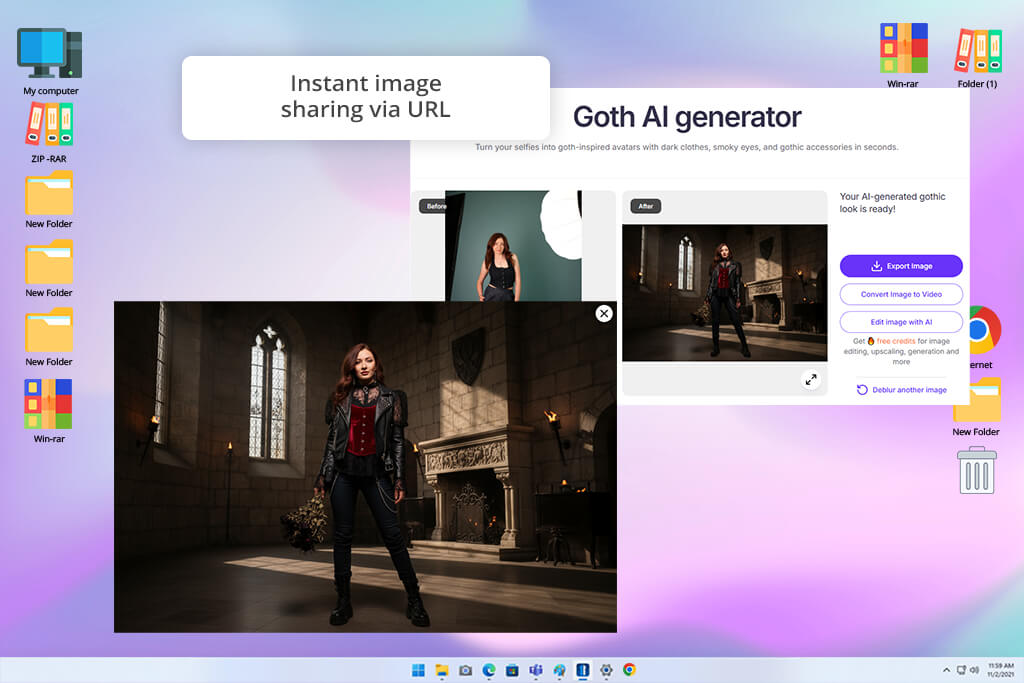
Price: Free (10 free credits) or from $15.99/mo.
Pixelbin is a fast browser tool that can convert standard selfies into striking gothic avatars in a flash. It is positioned as the best free online goth AI generator no sign up, and I wanted to check whether it was true. I uploaded a portrait and got a styled dark avatar back in seconds without creating an account. The AI automatically detected facial contours, applying dark makeup, gothic fashion, eerie backgrounds, and dramatic contrast without requiring manual edits.
The overall user experience was smooth and beginner-friendly. On top of portrait transformations, I tested the AI art prompt generator to make different dark variations. Downloads exported in sharp HD without watermarks, and built-in upscaling tools let you boost clarity by 2x, 4x, or 8x. The fact that you don't even need to create an account to start is a huge bonus, though the lack of advanced manual editing means it's best suited for fast avatar creation rather than complex digital painting.
“I really liked that I could start using it without creating an account. I just wanted a few more options to adjust the gothic aesthetic.”

Price: Free (4 free credits) or from $9.99/mo.
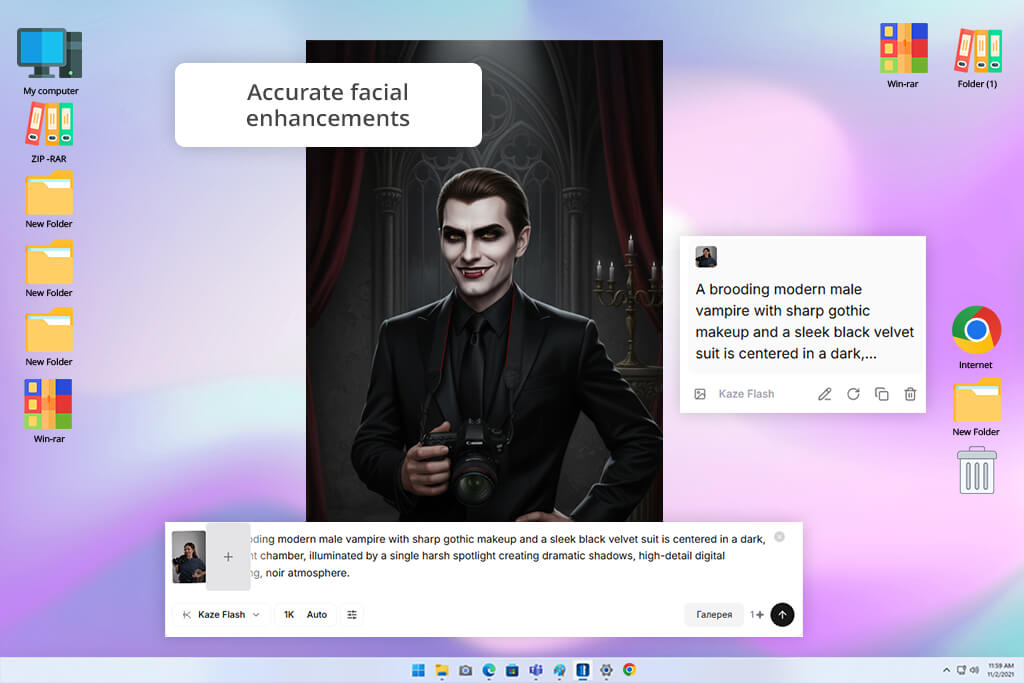
Kaze AI is worth using if you want to give existing portrait photos a moody gothic makeover. Built specifically for portrait editing, it focuses on natural facial enhancement, dark makeup styling, and quick visual transformations rather than text-based abstract art.
Uploading several test photos showed how effectively the AI adds dark cosmetics, pale skin tones, dramatic shadows, and high-contrast lighting while keeping facial expressions completely natural. The live side-by-side comparison slider makes reviewing your edits easy before saving.
When I wanted to dial up the dark vibe, combining the Goth Filter with Kaze's background switcher and vignette controls inside the same browser window worked properly. The biggest limitation is creative control. You can't customize individual wardrobe items or accessories. Plus, since it's built strictly for photo transformation, it can’t be called the best free online goth AI generator from text.
Price: Free (10 credits, watermark) or for $16/mo.
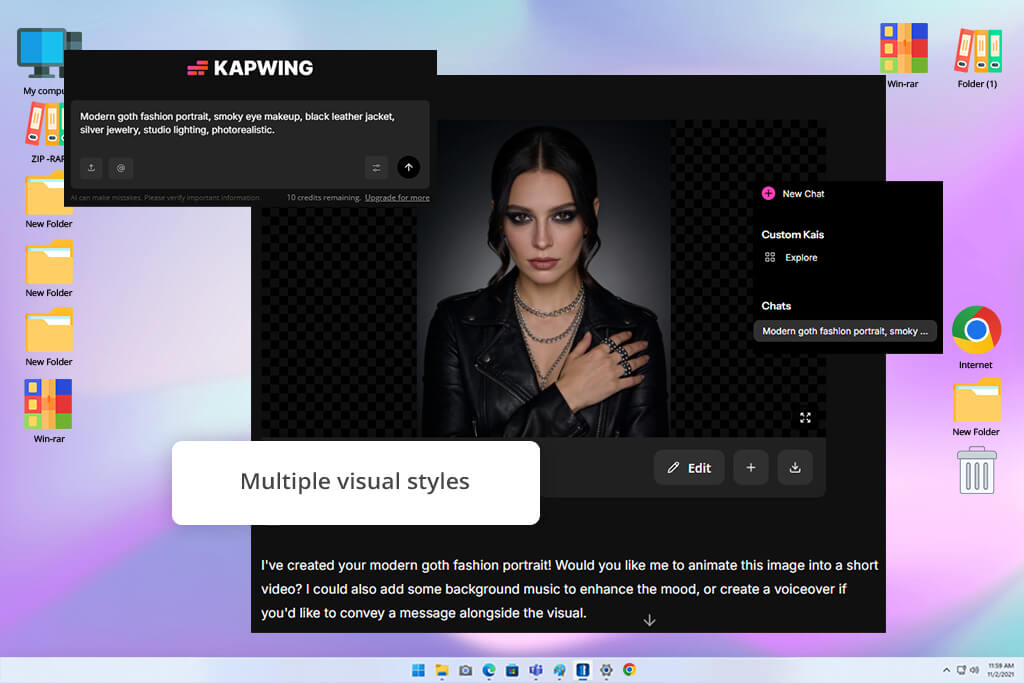
Operating as a versatile text-to-image gothic AI generator, Kapwing lets you create original dark artwork, transform source photos, and generate short AI video animations from a single prompt. Throughout my testing, I received atmospheric portraits with Victorian garments, stone castles, dramatic cosmetics, and theatrical lighting. The integrated AI Assistant was a standout feature. I could refine images through a conversational chat interface by swapping backgrounds, changing outfits, or removing objects without beginning from the ground up.
You can also convert source photos into gothic art styles, create 3–12 second AI video clips, and fine-tune your assets using Kapwing's built-in AI video editor. Smart resizing, social media safe zones, Brand Kit integration, and direct exports make preparing content across multiple channels easy. While the free plan handles light projects well, you need to pay to unlock full AI capabilities. Besides, heavy media files can occasionally cause browser lag.
“I stopped rewriting prompts from scratch thanks to the AI Assistant. It worked great most of the time, though bigger projects could get a little sluggish.”

My colleagues from FixThePhoto and I spent weeks testing lots of free gothic AI visual generators to find which apps delivered stunning output, easy controls, and useful free tiers. To keep our reviews fair, we ran the exact same text prompts and test photos through every single platform.
When testing text-to-image engines, we used identical descriptions, namely, "Victorian goth woman dressed in elaborate black lace, candlelit ancient cathedral, dramatic cinematic shadows, ultra-detailed photorealism" and "Dark fantasy vampire lord portrait with gothic cosmetics, black velvet attire, dramatic lighting." For photo-to-photo tools, we uploaded matching portraits to see how well each AI kept real facial features intact while adding dark makeup, alternative outfits, dramatic hair, moody props, and eerie backgrounds.
Key criteria we tested:
Along the way, we also tested bonus features like photo-to-photo styling, magic object erasers, backdrop swappers, canvas expanders, AI chat helpers, and download options.
Other popular options like Media.io, DeepAI, MyAIArt, Bylo AI, Anifun, FlexClip, StarryAI, OpenArt, AnimeGenius, and Pippit were tested but ultimately missed the cut. While a few delivered acceptable pictures, they usually missed that genuine dark vibe, required a subscription for basic features, lacked handy editing tools, glitched on tiny details, or favored generic pop art over true gothic style.
After all that side-by-side testing, we selected the best free online goth AI generators for portraits that delivered incredible dark visuals, offered useful free perks, and were intuitive to use.
Based on our in-depth testing, Adobe Firefly delivers the most photorealistic dark portraits, whereas NightCafe features the widest selection of generation engines. If you want to convert personal selfies into gothic art, Dreamina and Kaze are the top recommendations.
No prior design background is necessary. Today’s AI generators are completely user-friendly. All you need to do is type out a short description or upload a photo. In just a few seconds, the AI gives you a finished image complete with simple sliders to tweak the results if you want.
Yes, you can. Adobe Firefly, Kapwing, and NightCafe support text-to-image generation. You can map out from outfit choices and makeup styles to dramatic candle lighting, spooky backgrounds, and overall mood by typing.
Absolutely. Most top-tier platforms feature "photo-to-photo" modes. You just upload a standard picture, and the generator applies a dark, atmospheric aesthetic, while keeping your face completely recognizable. Dreamina, YouCam Online Editor do a fantastic job with this.
Yes, you can. Some free versions place small watermarks on your image or cap the download resolution, while others, like Pixelbin, let you download clean, high-res images for free. It’s always a good idea to check a tool's free-tier rules before you hit download.
The secret is specificity. Instead of typing generic phrases like "goth person," flesh out the details. Mention the specific vibe (Victorian, dark fantasy, vampire, or medieval), outfit details, makeup, lighting, and camera style. Good prompt example: "Victorian goth woman dressed in elaborate black lace, candlelit ancient cathedral, dramatic cinematic shadows, ultra-detailed photorealism."




![7 Best Magazine Mockup Generators [{{%year}} FixThePhoto Choice]](http://fixthephoto.com/blog/images/gallery/news_main__preview_29336.jpg)
![11 Best AI Virtual Assistants in {{%year}} [Reviewed & Ranked]](http://fixthephoto.com/blog/images/gallery/news_main__preview_29081.jpg)


![5 Best Podcast Cover Art Creators in {{%year}} [100% FREE]](http://fixthephoto.com/blog/images/gallery/news_main__preview_29304.jpg)
![9 Best AI Audio Silence Removers [{{%year}} FixThePhoto Choice]](http://fixthephoto.com/blog/images/gallery/news_main__preview_29189.jpg)


















