I decided to compare Ceros vs Adobe Express after talking to a colleague from another marketing team. She said that Ceros is very helpful when you need to create an interactive digital project without constant assistance from a developer.
I became interested because I have been using Adobe Express for a long time. At FixThePhoto, I work with content marketing, and I often have to quickly switch between different formats. For one campaign, you may need Instagram posts, a short promotional video, a PDF checklist, and several graphics for an article.
Ceros caught my attention with a completely different approach. It’s not just an editor for banners or social media. It’s more about interactive materials: infographics, landing pages, digital reports, microsites, lookbooks, and presentations that look more alive than regular static pages.
You can use it to assemble, publish, and analyze an interactive project without having to wait each time for the developer to manually code the page.
|
|

Ceros |

Adobe Express |
|
Rating
|
4.5/5
|
4.7/5
|
|
Best for
|
Interactive campaigns, microsites, reports
|
Fast branded content for different platforms
|
|
User level
|
Marketers and designers who are ready to figure it out
|
Beginners, marketers, small teams
|
|
Main strength
|
Interactive web projects
|
Universal content creation for every day
|
|
Editor style
|
Freeform, no-code visual canvas
|
Simple drag-and-drop editor
|
|
Free option
|
✔️
|
✔️
|
|
Pricing
|
Custom quotes
|
From $9.99/month
|
|
Platforms
|
Browser-based
|
Browser and mobile apps
|
|
Pros
|
✔️Interactive content |
✔️Quick start |
|
Cons
|
❌Narrower specialization |
❌Less interactivity |
The winner: Adobe Express because it’s easier to get started without a long learning curve.
The difference between the editors is noticeable immediately. Express is very quick to use. The UI looks familiar even to a person who has never worked in professional design programs or Adobe Express alternatives. I can add text, upload photos, insert design elements, move objects on the canvas, and quickly switch to another template without wasting time searching for the right panel.
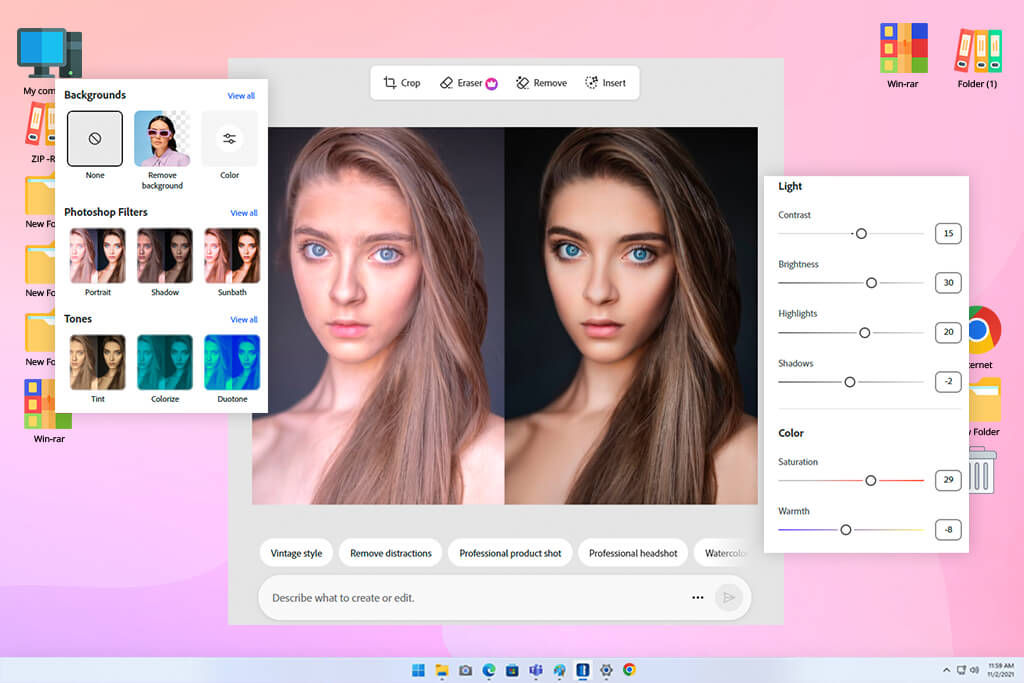
That’s why Adobe Express is convenient on a busy workday. For example, if I need to turn graphics for an article into a Pinterest pin and an Instagram Story, I don’t want to rebuild the layout or customize complex interactive elements. I need to copy the design, resize it, correct the text, and export the finished file.
Ceros isn’t an alternative to Adobe Express is this regard, as it has more professional and highly specialized interface. In Studio, the free canvas gives you more control over object placement, animation, and interactive actions.
The Design, Interact, and Animate tabs help divide the work into stages. Studio uses hotspots for many interactive elements. This is convenient when you understand the logic, but you have to be more careful at the beginning.
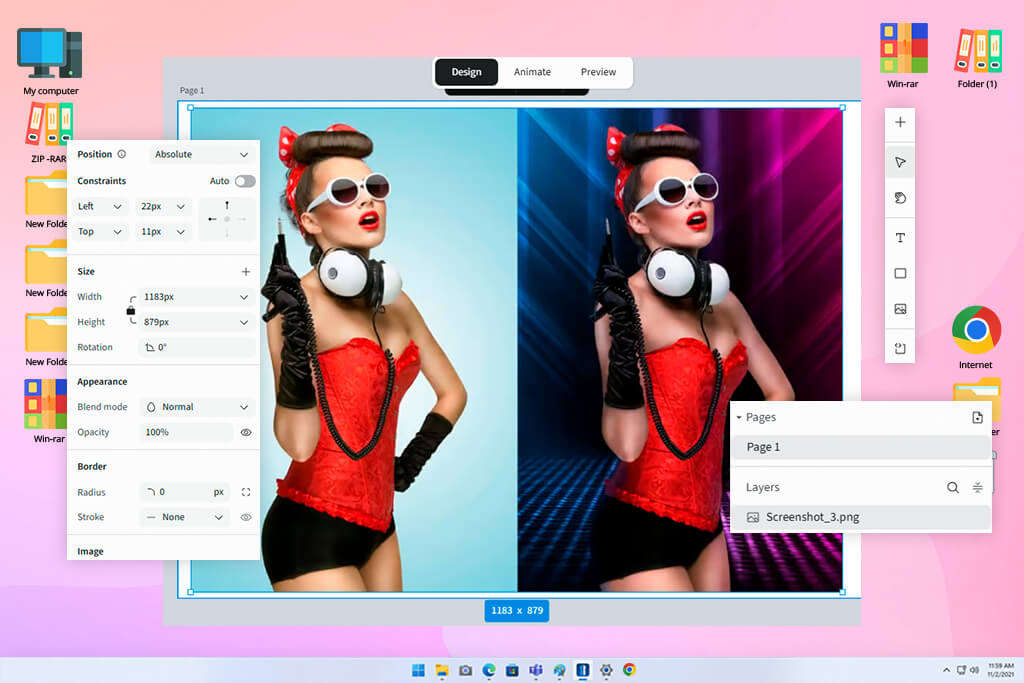
Flex simplifies the process a bit. It has Design, Animate, and Preview modes. In Design, I can arrange content and create adaptive versions. In Animate, I can customize motion, object states, transitions, carousels, and scrolling effects. Preview helps you check how the layout looks on different screens before publishing.
“For a beginner, I would still choose Express. Ceros is not complex in the sense that coding tools are, but it makes you think not only about a beautiful layout, but about the entire user journey.”

The winner: Adobe Express because the cost is transparent.
In the Ceros vs Adobe Express comparison, the difference in cost clearly shows who these services are made for.
Adobe Express is easy to test before purchasing a subscription. The free plan includes basic design tools, a limited number of credits for generative AI, and a smaller library of materials. Premium currently costs $9.99 per month. It includes premium templates, more AI credits, one-click resizing, brand kits, 100GB of cloud storage, and expanded stock and font libraries.
For a marketer, freelancer, student, or small business, this is an understandable scheme. You can start for free and then switch to a paid plan if you need additional materials and features that really save time.
Ceros has a different model – the price is calculated individually. The pricing page lists the Starter, Growth, and Enterprise plans, but the final cost depends on the company, its objectives, and the required set of features.
I understand why Ceros chose this approach. This is not an ordinary graphics application. It offers interactive publishing, analytics, collaboration, templates, branding control, and tools for larger marketing processes.
But for my tasks, Adobe Express still wins this round. I immediately understand how much I’m paying and what I’m getting, and I can use one tool for many small projects throughout the week.
The winner: Adobe Express because its library better covers everyday tasks.
When comparing Ceros vs Adobe Express templates, it all depends on what kind of content you need to create.
I often choose Adobe Express when I need a quick start for a familiar format. This content creation app has templates for social media posts, flyers, posters, presentations, videos, logos, invitations, business materials, and other standard projects. Premium users get access to all premium templates, including static and video formats.
The main advantage is that I hardly have to think long about the structure. If I need to quickly prepare promotional graphics, I choose a suitable layout, change the photo, edit the font, add corporate colors, and complete the task without switching between multiple programs.
Ceros templates work in a completely different way. They don’t just give me a ready-made square post for social media. Rather, they help me start an interactive project. Ceros Studio supports hundreds of templates, a blank canvas, and responsive layouts. The platform is more designed for dynamic reports, interactive presentations, content hubs, and branded digital stories.
I find Ceros templates especially useful when there is a bigger idea behind the campaign. For example, an interactive guide with drop-down boxes and clickable recommendations will look much better in Ceros than in a regular PDF.
“Unlike Ceros, Adobe Express is faster at handling tasks like a carousel, flyer, banner, or simple presentation.”

The winner: Ceros, because its animation helps not just to decorate the project, but to tell the story better.
Adobe Express has plenty of animation tools, especially if you need to create visual content for social media. I can animate text, images, icons, and other elements to make static graphics look more alive. This works well for Reels covers, animated posts, short promos, and simple slides for presentations.
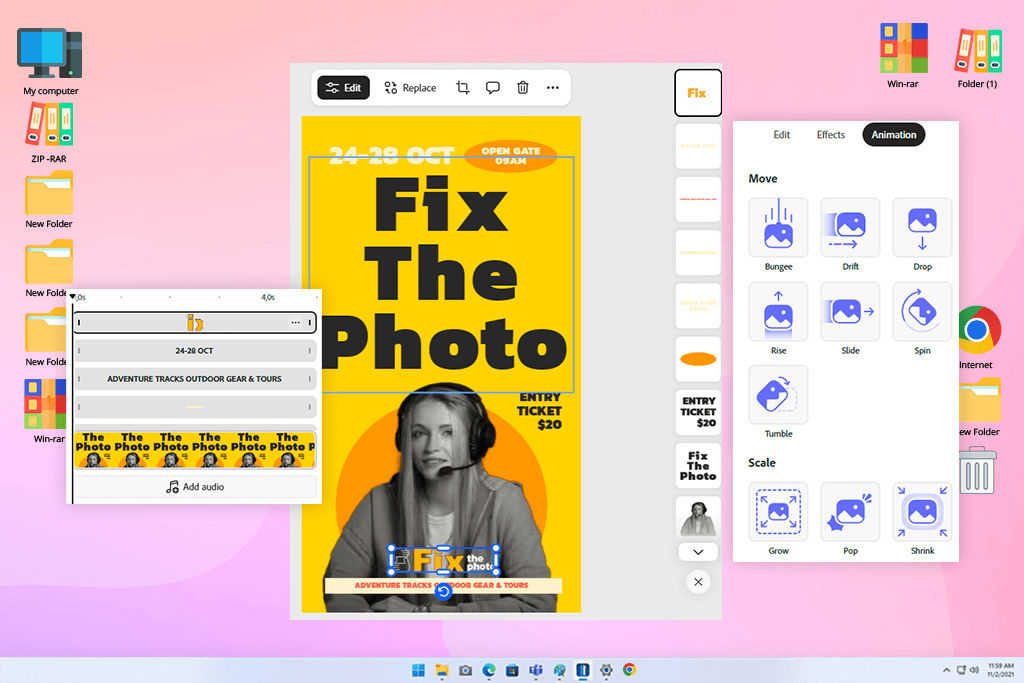
Ceros provides much more control. Studio supports built-in animations and transitions, including subtle fades and more noticeable effects. It can trigger animations when an element appears in view, when a user interacts with it, or when a new page opens.
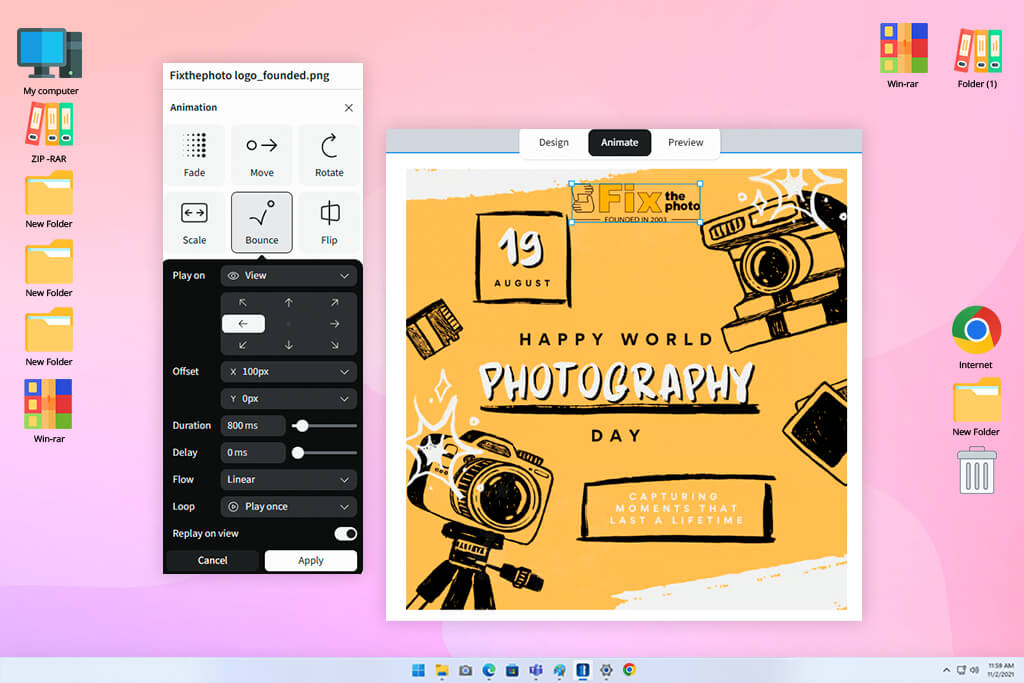
Flex also gives users a dedicated Animate mode for motion, scroll effects, object states, navigation, and other actions. This difference matters when animation is part of the storytelling rather than decoration.
“If I’m making a post for social media, Express is quite sufficient. But if you need the reader to gradually open sections, move through a visual story, or interact with the page while scrolling, Ceros is better.”

The winner: Ceros because interactivity is its main purpose.
Ceros vs Adobe Express interactive content is almost no longer perceived as direct comparison. Ceros was originally designed for interactive digital projects. In Studio, I can add hotspots, create clickable zones, show and hide objects, customize transitions between pages, and guide the user through a pre-planned scenario.
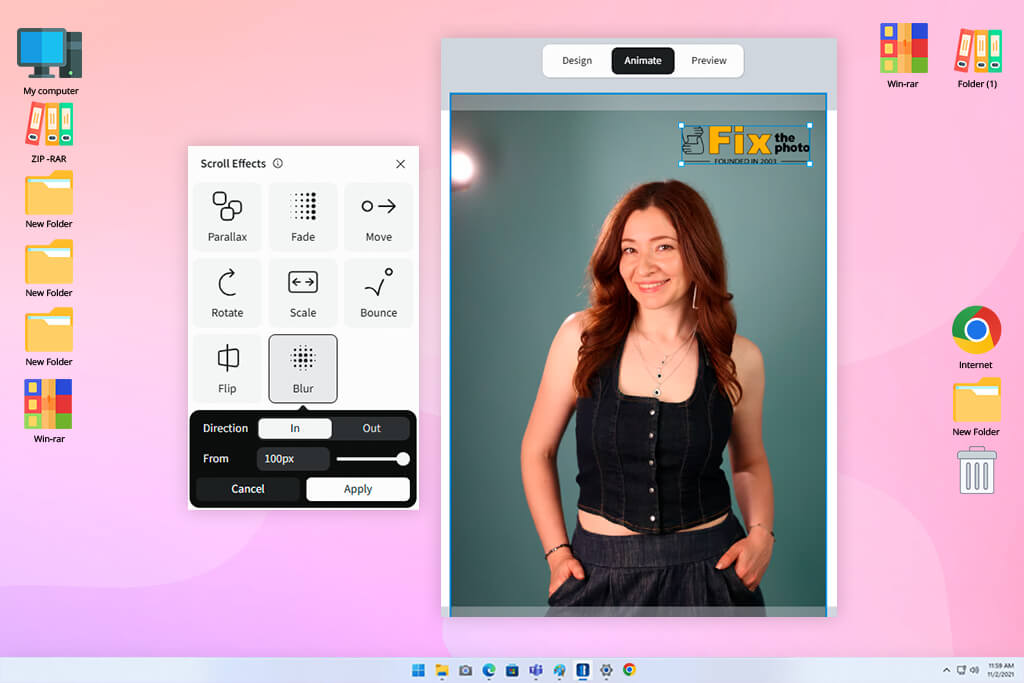
In Flex, actions are set at the object level, so it’s easier to understand what exactly triggers the effect and what happens after a click or scroll. The new Flex AI can create custom HTML, CSS, and JavaScript components inside the embed frame. You can build calculators, quizzes, timers, animations, and interactive data visualizations without manually writing code.
Such interactive product demo software is especially useful for campaigns where engagement is important. Instead of a long static infographic, I can create a page with expandable blocks, interactive comparisons, clickable points, animated maps, or elements in a mini-quiz format.
Adobe Express also has simple tools for web pages. You can use it to build a page with text, photos, buttons, GIFs, videos, photo grids, slideshows, split layouts, a table of contents, and a navigation bar. But I wouldn’t choose it for a complex interactive project.
“The webpage builder in Express is convenient for a simple story, a portfolio page, or a branded announcement. But if interactivity itself is an important part of the idea, Ceros is a better fit.”
The winner: Tie because the AI functions here solve different tasks.
Both platforms offer AI tools for designers, but they use them differently. Adobe Express integrates generative features into regular content work. I can create images, edit finished visuals, add or replace objects, remove unnecessary details, expand the background, and generate text variants.
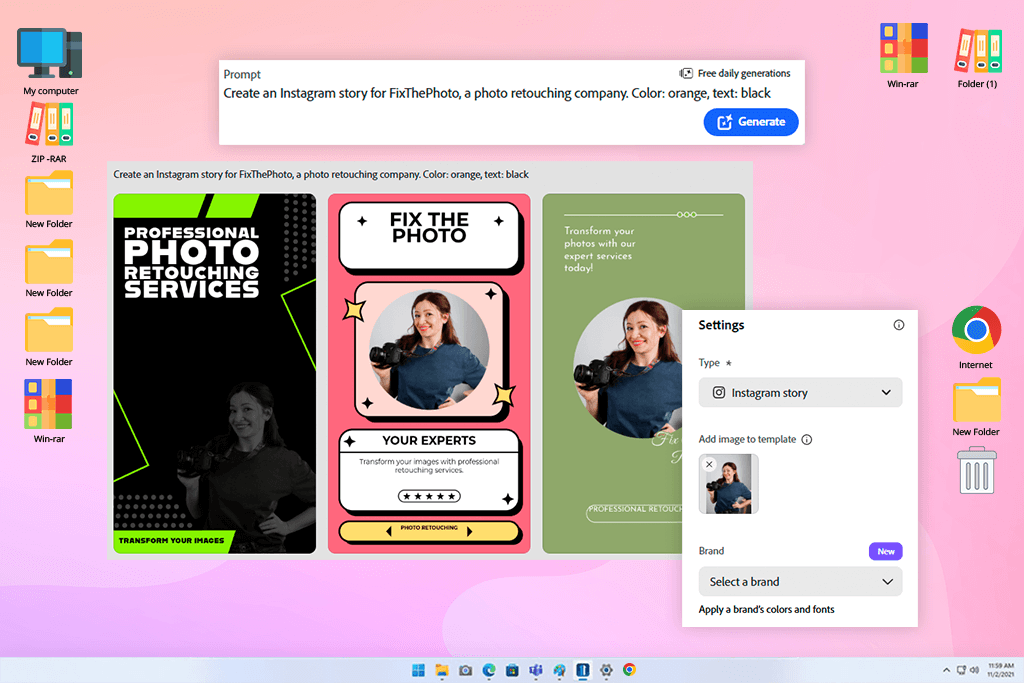
It also has an AI Assistant. It combines Adobe Firefly and selected third-party models, and then selects the appropriate model for the task. This is convenient for my daily work. For example, if I need to quickly clean up the background of a product photo or if an image for an article doesn’t have enough space for a title, I can often fix it right in Express without opening another editor.
Adobe Express is more geared toward quick content for different channels. Premium has one-click Resize to quickly adapt a single layout to multiple formats, making it handier in Ceros vs Adobe Express comparison for marketers.
Ceros Flex AI helps more with interactive projects than with individual images. It understands the canvas, the page structure, and the design concept. The assistant has four modes:
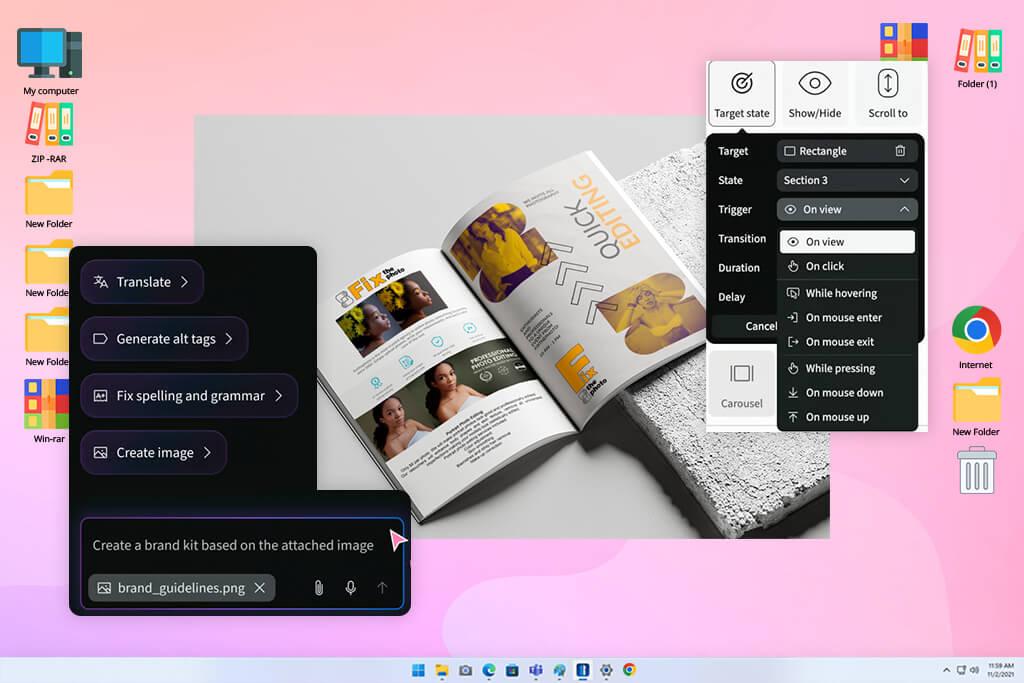
I see the Flex AI tool for content creation more as a project assistant than as a quick image generator. It’s more useful when I’m putting together a large amount of digital material and want to better organize the sections, refine the layout, check the page, or create interactive elements.
Ceros also has a strong point with responsive design, especially when it comes to web projects. Flex supports responsive variants, breakpoints, overrides, previews, and a more intuitive process for adapting new projects to different screens.
“For a responsive microsite, I would choose Ceros. But if you need to prepare ten sizes for social media by the end of the day, Adobe Express will be much more practical.”


The winner: Adobe Express because it handles routine photo editing faster.
Photo editing is one of the main reasons why I often use Adobe Express for routine tasks. It offers cropping, resizing, background removal, filters, an eraser for unwanted areas, format conversion, image enlargement, object removal, and the ability to add and replace objects using generative AI.
“For precise retouching, complex masks, or serious color correction, I would still open a more specialized editor. But many marketing tasks simply don’t require that level of control.”
For example, if I need to remove the background from a portrait, add more space for the title, crop the photo to a vertical format, and immediately export it for social media, Adobe Express allows me to do everything in one place. This saves time, especially when I’m preparing multiple materials for one campaign.
Ceros supports visual materials, image effects, and convenient drag-and-drop content organization, but photo editing is not its main task. Studio has an Asset Library for images, videos, icons, logos, templates, and other materials that can be reused.
I would open Ceros after all the images are ready. But when choosing Ceros or Adobe Express, I wouldn’t use the former to clean up photos, remove the background, or make several versions of one image.
The winner: Adobe Express because it handles fast video better.
Video is another area where even the free Adobe Express version feels more versatile. You can crop a video, change the framing and size, combine several clips, add captions, remove the background, and convert a file to MP4 or GIF. Adobe Express also supports AI video and Clip Maker for creating short videos for social media.
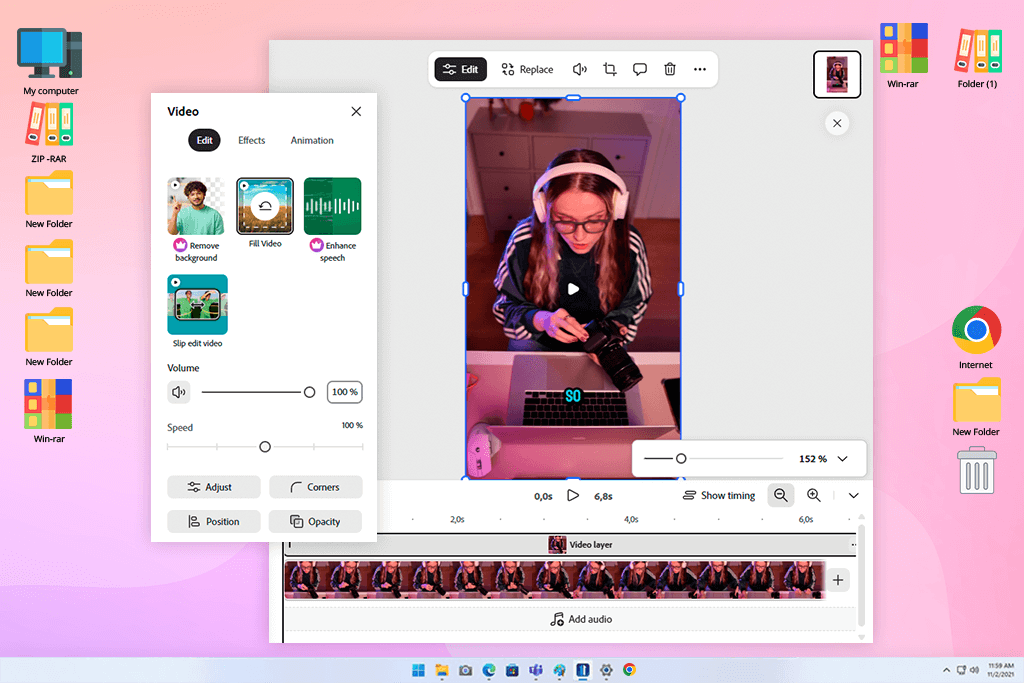
I like that all these features are literally at my fingertips. If I need to quickly shorten a video, add captions, make a GIF, or adapt the material for a post, I don’t have to open a full-fledged video editor. I would like to specifically mention working with subtitles: in Adobe Express, you can generate, edit, format, and move them directly within the editor.
Ceros is stronger not in editing, but in how video can be embedded in an interactive story. I can add a video to a page, create a scroll script, and link the video to other visual elements and user actions. In Studio Lightboxes, you can also pull in external content: product pages, websites, and YouTube videos.
“If I need a landing page with video points, interactive viewing, or storytelling, Ceros looks more interesting. But if you need to edit the video file itself, Adobe Express is much more convenient.”
The winner: Adobe Express because it has more ready-made materials.
When choosing Adobe Express or Ceros in terms of assets, both help keep visual materials organized, but Express gives me more content that can be used right away. Its Premium provides access to over 200 million royalty-free Adobe Stock materials: photos, videos, music, and design elements. It also includes the entire Adobe Fonts collection – more than 30,000 fonts.
For me, this is a big plus, because I can find a background, an icon, music, or an additional image right in the editor. In my day-to-day work with social networks, articles, and promotional materials, this saves time and reduces the number of open tabs.
Ceros also has its own Asset Library. It can store images, videos, icons, logos, templates, and other elements that the team reuses. But I see this library more as a brand control tool than a huge stock catalog.
“Ceros is well-suited for teams that already have a ready-made corporate identity, and everyone must work with approved materials. Adobe Express is more useful when I need to find additional visuals quickly.”
The winner: Tie because it all depends on the size of the team and the type of projects.
In Adobe Express, working with branding is very simple. Premium has brand kits where you can add corporate colors, logos, and fonts. After that, it’s much easier to apply a unified style to different layouts.
This is really convenient for my daily tasks. I don’t need to look for the exact color code every time or check if I’ve chosen the right font. I open the saved palette, apply it to the design, and move on. This is especially helpful when several people are working on the same project.
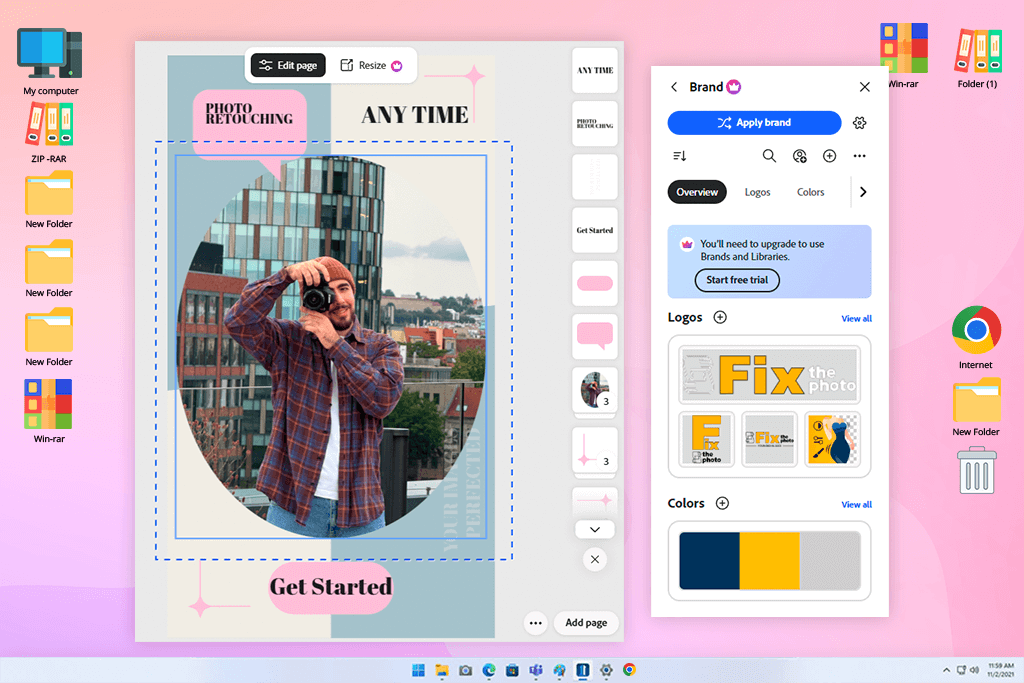
Adobe has also enhanced features for companies. Organizations can manage corporate templates, restrict image replacement to approved sources only, assign roles and access rights, lock individual elements, and link multiple brands to templates.
For designers and marketers, Ceros has deeper brand control, especially when it comes to interactive campaigns. Designers can freely work on the canvas and assemble non-standard layouts, while marketers can use pre-approved elements and templates to stay within the corporate style.
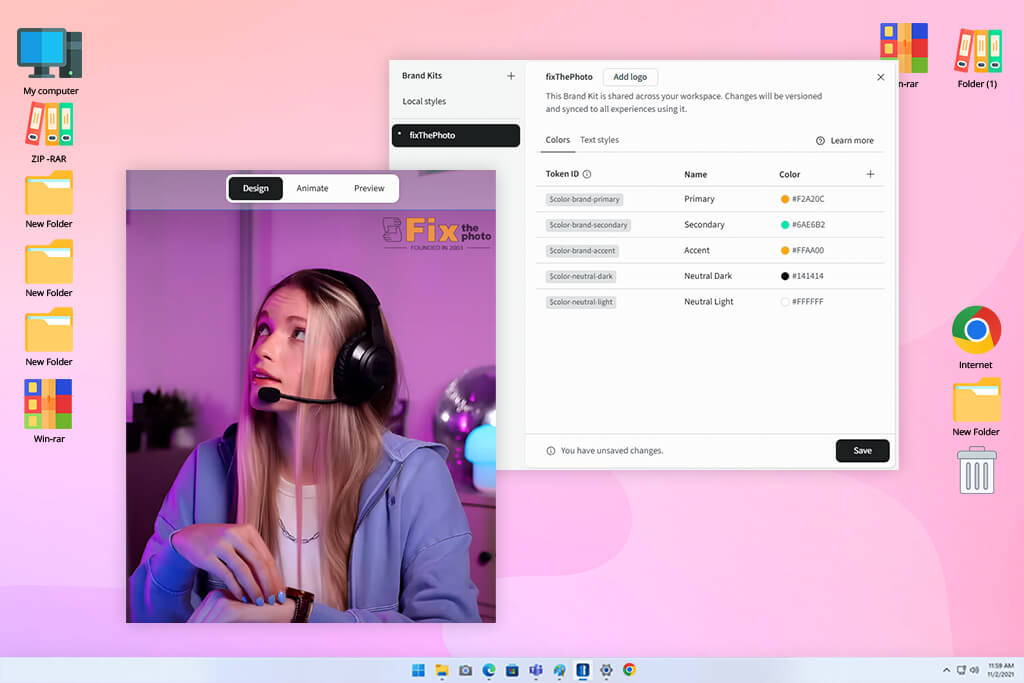
“For a small team, Express is easier to maintain. But if a large company is working on complex digital projects, Ceros gives more room for creativity while helping to maintain a consistent style.”
The winner: Tie because these tools have different publishing tasks.
The way publishing works clearly shows the difference between Ceros and Adobe Express. Ceros is designed for interactive web projects. In Studio, a team can quickly publish finished material, monitor its effectiveness, and embed the project on a website. If an iframe isn’t suitable for external hosting, you can export the code and place it on your own servers.
Studio also supports offline export in .cde format. For me, this is one of the main arguments in favor of Ceros when it comes to a campaign page. I can assemble an interactive project, publish it, and then change the headings, images, or individual blocks without having to contact the developers each time.
Adobe Express is more convenient for daily work with content. You can export graphics, videos, GIFs, PDFs, and presentations from it. The platform also has a Content Scheduler, where you can plan, view, schedule, and publish posts on social networks. Adobe Scheduler supports Facebook, Instagram, X, Pinterest, LinkedIn, and TikTok.
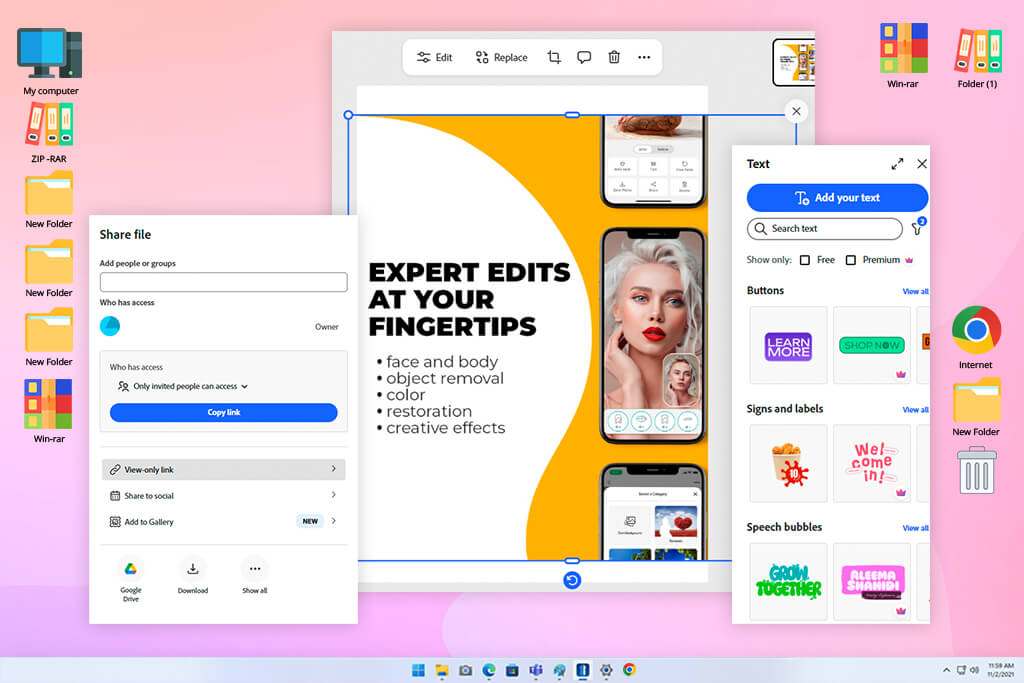
“Express is more practical because the finished file often needs to be downloaded, converted to a different format, or published on multiple platforms. But if I need an interactive landing page, I switch to Ceros.”
The winner: Ceros because it shows how people interact with interactive content.
Analytics is one of the most useful features of Ceros for marketers. Ceros Studio has real-time analytics, so the team can see how users behave within the material and improve the project after publication. The platform helps track content performance and can work with external analytics tools.
Studio also has integrations for analytics. For example, the Ceros documentation explains how teams can track Studio events through Adobe Launch and use the built-in tracking code for published projects.
This makes Ceros more suitable for content creation where not only views are important, but also the user’s actions themselves. If I’m compiling an interactive report, I need to understand which sections people open, which elements they click on, and whether they explore the page deeply enough.
Adobe Express is more related to publishing and scheduling content for social media, including free social media scheduling tools. It is convenient when you need to prepare a campaign and send materials directly to social networks. Adobe also supports shared calendars and integrations with external social media tools, such as Hootsuite.
But unlike Ceros, Adobe Express is not designed to analyze user behavior in detail within a complex interactive project. Ceros is noticeably stronger for such a task.
The winner: Tie because both tools help the team make edits and approve materials faster.
Both platforms offer collaboration, but it differs. Ceros brings together marketers, designers, and other project participants in a single workspace. Studio has reusable templates, commenting tools, and real-time collaboration on the canvas. Ceros also has MarkUp, a separate tool for collecting precise edits to PDFs, websites, videos, and other types of content.
I like this approach for large interactive projects. Comments remain next to the relevant block of the landing page or report, and are not lost in a long correspondence, where you then have to search for what exactly the edit was about.
Adobe Express is convenient for easier daily teamwork. Projects function as shared spaces where invited participants can open files, brands, libraries, and cloud documents. You can grant access for editing or just for comments, and you can also send a link to the project to colleagues.
Here, you can also leave contextual comments, tag people, filter edits, and close already resolved issues directly within the shared file.
“For social media and regular branded content, Express feels faster and easier. And if the project is complex, interactive, and involves many people, Ceros provides the team with a more convenient environment for review and approval.”
The winner: Tie, Ceros for web processes, Adobe Express for working with creative applications.
The most convenient integration system depends on the tools the team already uses. Ceros Studio can import files from Photoshop, Illustrator, Sketch, and PDF. You can also transfer assets from Figma through a separate integration process. When importing, Studio turns layers into groups, and then this file can be used as the basis for an interactive project.
Ceros also supports tracking code, marketing automation pixels, Google Tag Manager, retargeting pixels, and third-party forms through the Custom HTML field. This is convenient if the interactive page is intended to be part of a large marketing system, rather than just a separate, attractive page.
Express naturally integrates into the ecosystem of paid and free Adobe software. It works with Photoshop and Illustrator assets, Adobe Fonts, Adobe Stock, Creative Cloud files, and add-ons for other services. Adobe has also added integrations with Figma, SharePoint, Brandfolder, Hootsuite, Sprout Social, Slack, and Microsoft 365 Copilot.
“Express is more convenient for my work because I already use Adobe tools. And Ceros becomes more valuable when the final project is a web campaign with tracking and interactive actions.”
Ceros works best when the campaign is built around user interaction. Adobe Express is stronger in another area: when you need to quickly prepare several neat materials for different platforms. When preparing this Ceros vs Adobe Express comparison, I saw this difference particularly well in two typical tasks.
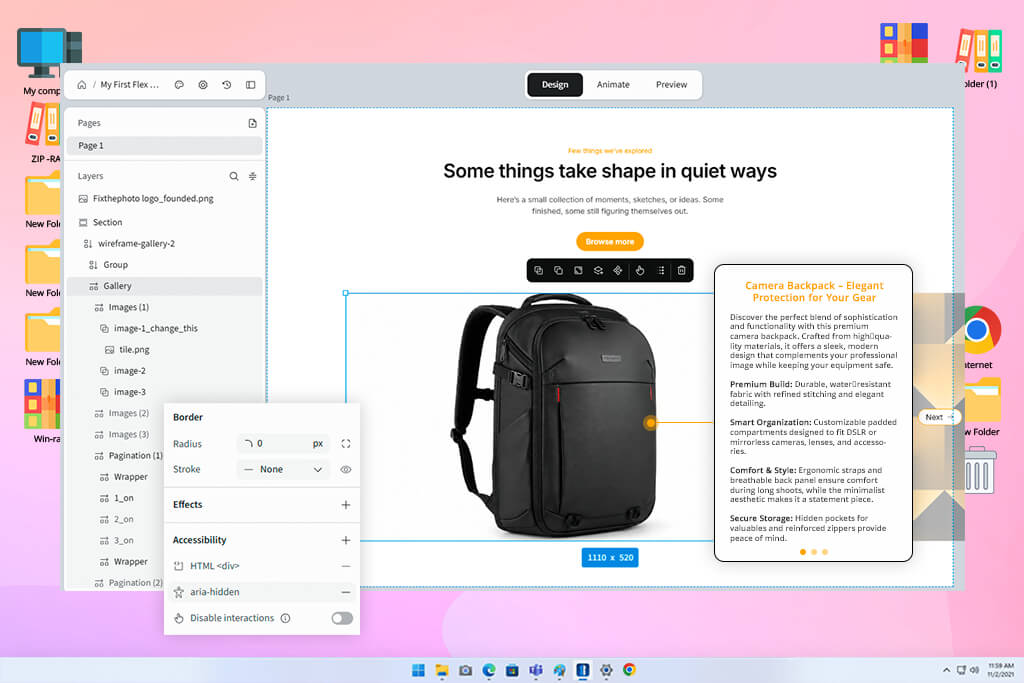
Example 1: Interactive product launch. Let’s imagine that a marketing team is launching a new camera backpack. On the product marketing page, you need to show the compartments, materials, and usage options, but not turn it all into a long sheet of text.
In Ceros, I can place hotspots directly on the product image. The user clicks on the backpack compartment and sees a short description or an additional photo. You can also add a comparison carousel, a drop-down FAQ, and a small quiz to help users choose the right backpack size. As a result, Ceros offers the following advantages here:
Adobe Express can also be useful in such a project, but more for additional materials. I would use it to create Instagram Stories, a short promotional video, a Pinterest pin, and an email banner based on the same product photos.
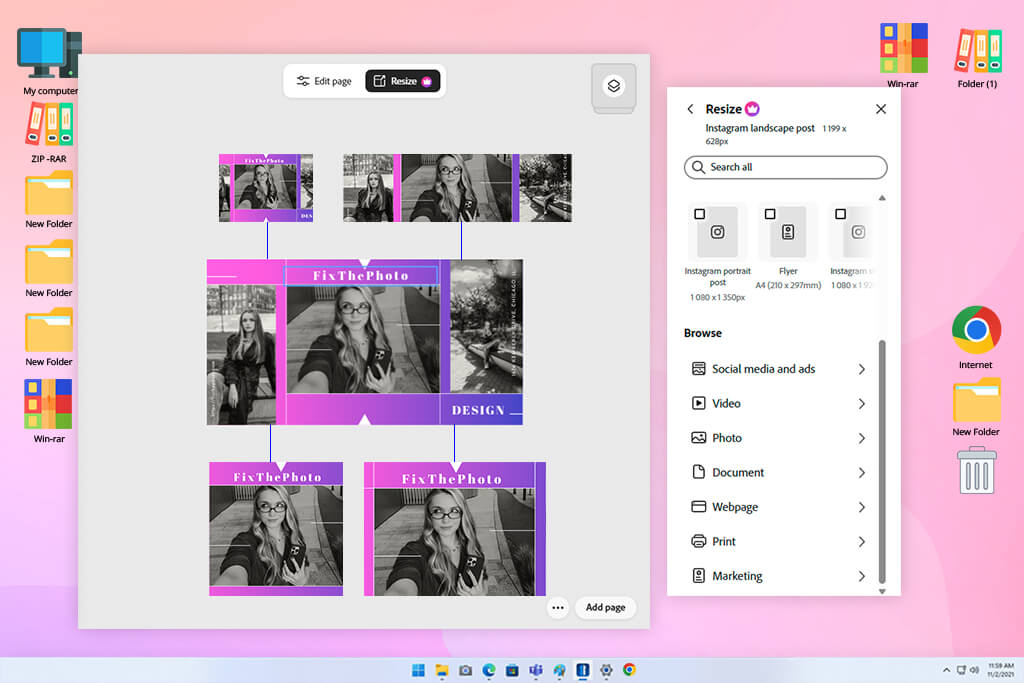
Example 2: Adapting one design for six channels. Now, a different situation: the designer has received an approved visual for a seasonal FixThePhoto promotion. The same photography marketing concept needs to be prepared as an Instagram post, Story, Pinterest pin, LinkedIn graphic, email header, and a slide for a presentation.
In Adobe Express, I can duplicate the original design, quickly resize it for each platform, adjust the text placement, and export all the finished files from a single workspace. Brand kits help you keep your corporate colors, fonts, and logo.
And if you need to clean up the background of an image or add more space around an object, you can do it right there, without switching to another editor. In this case, Adobe Express offers the following advantages:
When comparing Ceros vs Adobe Express for designers, I wouldn’t choose Ceros first for this kind of work. Its interactive tools are simply not needed here and are more likely to complicate the process if the output requires mostly static materials.
Ceros and Adobe Express are useful, but for different tasks. Ceros is better suited for interactive web projects with animation, clickable elements, and detailed engagement analytics. Adobe Express is more convenient for everyday content creation, especially when you need to quickly prepare branded visuals, short videos, and materials for social media.
You should choose based on how you work:
For my work, I would choose Adobe Express. I create content for different channels almost every day, so a simple interface, a clear price, and versatile tools for photos, videos, and branding are better suited to my work rhythm.

At FixThePhoto, we have prepared a free collection of marketing templates for photographers and content creators. It includes stylish flyers, price lists, Facebook covers, and other PSD designs that can be adapted for current campaigns, social media, and client materials.
These templates come in handy when you need a neat layout but don’t have time to start the design from scratch every time. Just download a suitable option, replace the text and images in Photoshop, and then adjust it to your corporate identity.



![9 Best AI Car Video Generators [{{%year}} FixThePhoto Choice]](http://fixthephoto.com/blog/images/gallery/news_main__preview_29281.jpg)


![7 Best HEIC to JPG Converters [{{%year}} FixThePhoto Choice]](http://fixthephoto.com/blog/images/gallery/news_main__preview_29011.jpg)



















