While browsing Facebook, I frequently came across page banners that seemed unpolished - some appeared outdated, others felt cluttered, and many were simply uninteresting. At FixThePhoto, our goal was to create banners that were both distinctive and professional. However, I found that many Facebook banner makers fail to produce high-quality results.
Some tools provided many templates but limited customization. Others promoted advanced design features but felt slow and difficult to use. A few could generate acceptable banners, yet the quality was inconsistent, especially on high-resolution screens. That’s why I tested over 15 tools more than 15 tools, closely examining their features, usability, and customization options to identify the ones that truly make banner creation simple and effective.
Your Facebook cover is often the first element visitors see when they open your page. A thoughtfully designed cover can capture attention, communicate your brand's message, and encourage engagement with your content. Using a Facebook cover photo maker simplifies this process, even for those without professional design experience.
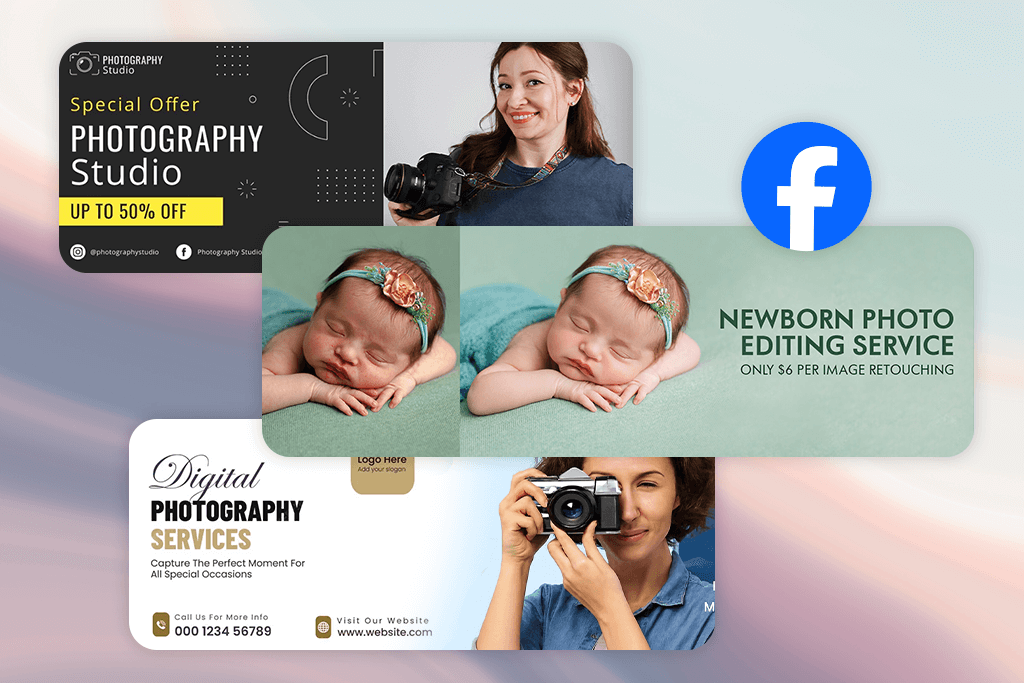
By applying these strategies, your Facebook cover becomes more than just a visual element - it turns into a tool for engaging your audience and reinforcing your brand presence.
Price: Free or from $9.99/mo.
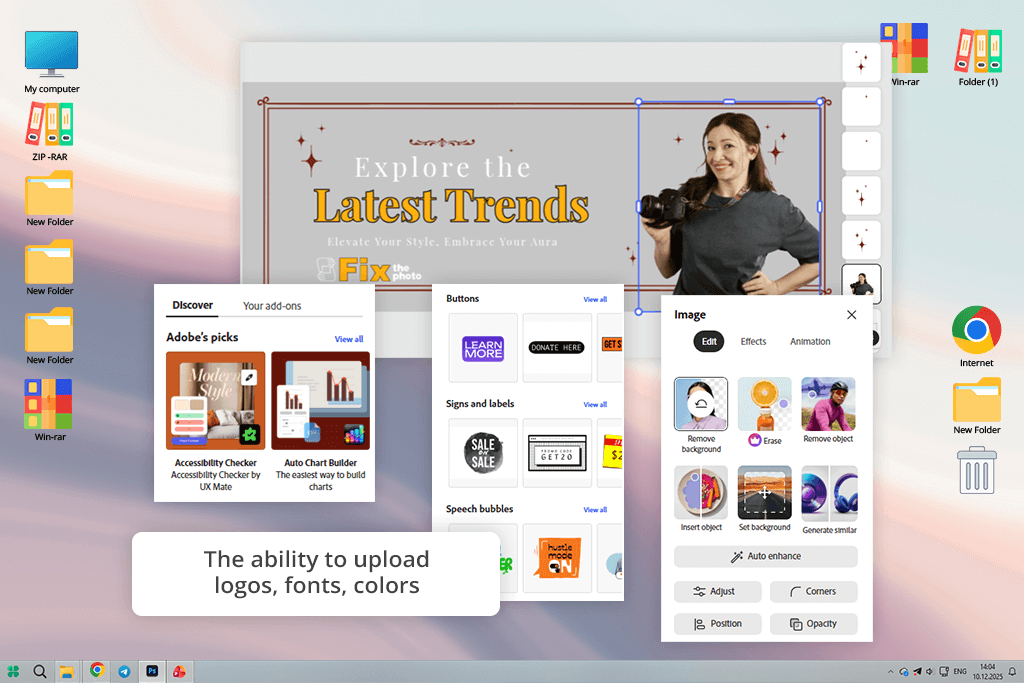
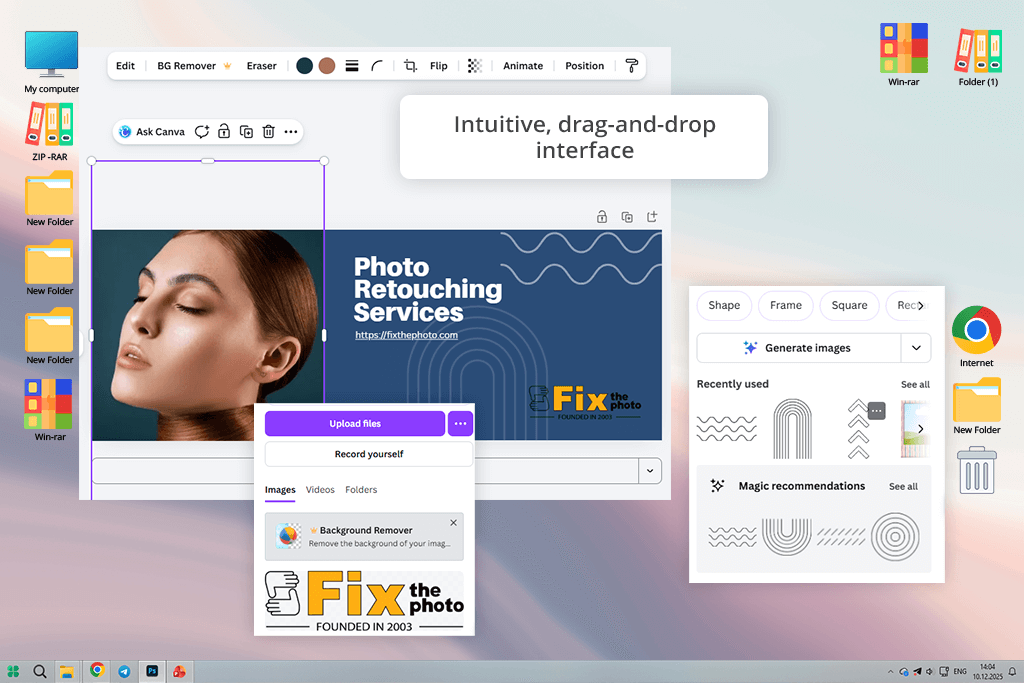
Adobe Express stood out for its speed and ease of use as a Facebook cover maker. The process was simple: I began by choosing from thousands of templates, then uploaded my own images and explored stock photos from their built-in library. The drag-and-drop interface allowed me to easily adjust layouts, add text, and include subtle animations to make the banner more engaging.
One feature I particularly liked was the Resize tool. It let me quickly adjust my Facebook cover to different dimensions without disrupting the layout. I tested it on various projects, including personal profiles, business pages, and client team pages. For instance, I created a brand-focused banner using FixThePhoto’s colors and logo, then added a call to action to promote a new service. The final result was polished, visually appealing, and perfectly sized for Facebook.
The tool runs in a web browser and also offers a mobile app for editing on the go. Its AI-powered features, such as text-to-image generation and automatic background removal, help save significant time. I was able to add subtle animations and calls to action to my Facebook banners, and the results consistently looked polished and professional.
“I was able to create a Facebook banner for a client's photography page in less than 10 minutes. I added animations and a subtle gradient, and the final result looked so good it actually made me smile when I saw it live.”

Price: Free or from $15/mo.
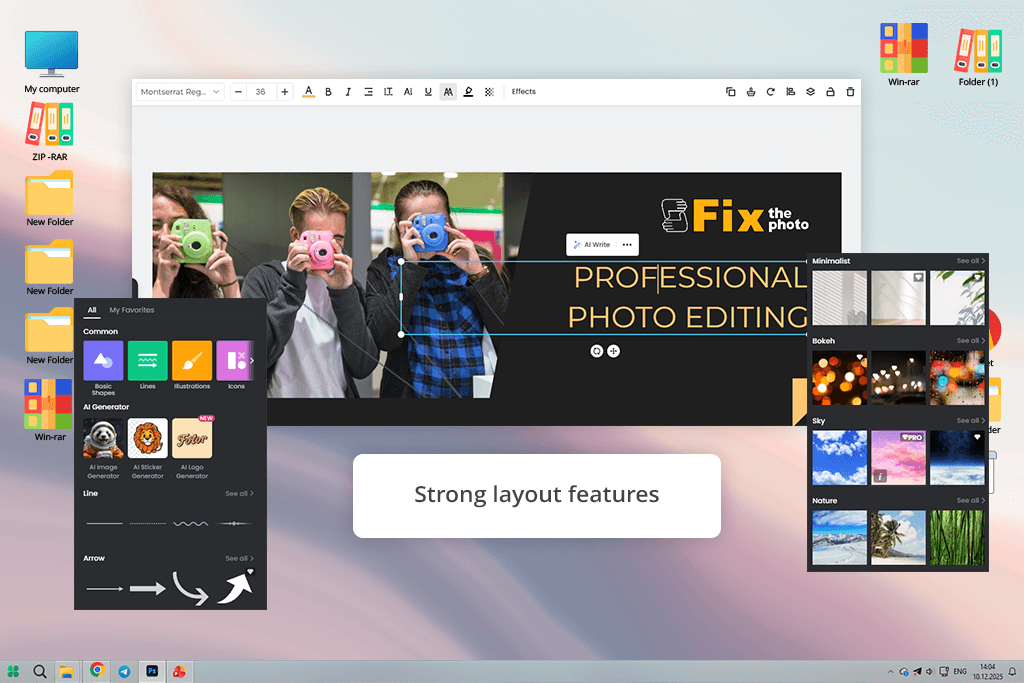
When I first explored Canva, as an online Facebook banner maker, I was impressed by how easy it was to use. I tested it for both personal pages and business profiles. The process was straightforward: I started with one of their thousands of templates, which ranged from minimalist layouts to bold, colorful designs.
I then customized my chosen template with my own photos, videos, fonts, and brand colors. I also experimented with a few animated covers and even collaborated on a team banner with colleagues in real-time.
The finished banners looked striking, clean, and professionally crafted. They suited Facebook pages perfectly, whether used for advertising, brand building, or personal expression. As a free design tool, Canva works wonderfully, offering countless stock photos, graphics, and color schemes. That said, some templates appear frequently, so designs can occasionally lack originality. I also noticed that resizing sometimes caused slight blurriness.
Price: Free (watermark) or from $8.99/mo.
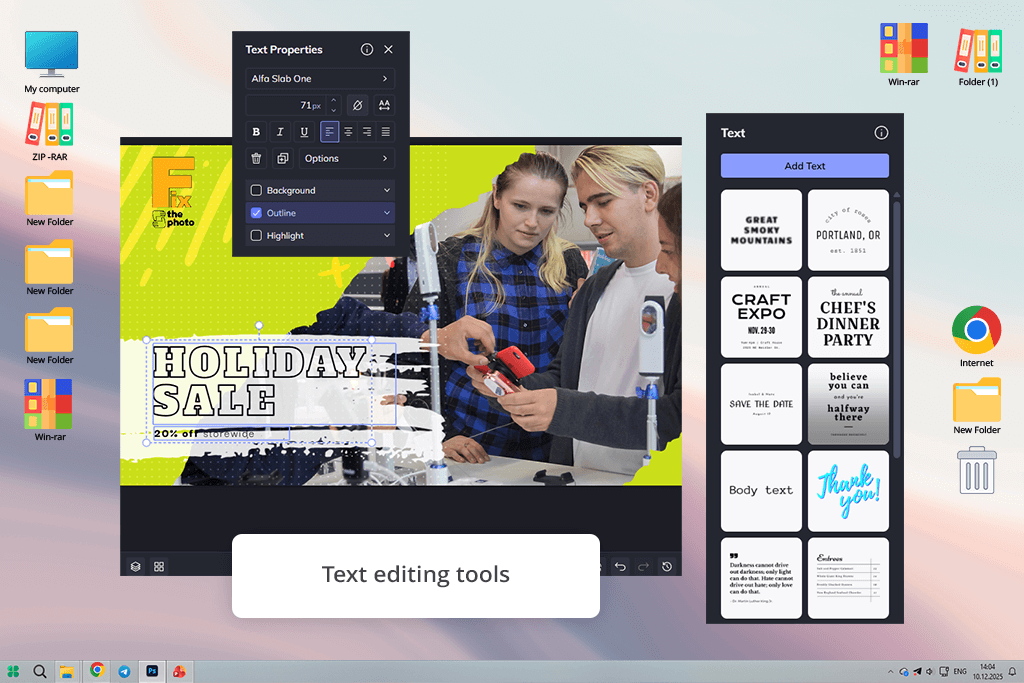
I evaluated Fotor for designing Facebook covers. I worked on three distinct projects: one for a company profile, another for a limited-time offer, and a third for an individual account. Beginning with a selection from over 600 layout options, I modified the color schemes, chose different typefaces, incorporated graphic elements, and added my own pictures. The simple drag-and-drop interface kept the workflow efficient, and the layouts were ready to use, with Facebook's size specifications already built in.
The most impressive part of testing Fotor was its AI Facebook cover photo maker. I created a custom background by typing a description, and the AI image generator helped me create short promotional text. The final banners looked clean, professional, and eye-catching - especially for themed designs like holidays or business promos. That said, some premium design elements felt a bit generic, and complex projects slowed down slightly in the browser. Fotor also offers desktop apps for Mac and Windows, plus mobile versions for Android and iOS.
“For me, Fotor is all about creative freedom and flexibility. I can begin with a template or a blank canvas, explore different layouts, colors, and fonts, and create a cover that feels completely my own.”

Price: Free (with watermark) or from $14.99/mo.
BeFunky is photo editing software for beginners. I discovered it performs admirably for designing Facebook headers. I picked a pre-made professional layout, modified the color scheme to align with the brand identity, inserted custom typography, and refined images using its internal photo enhancement tools. Every template came pre-configured to match Facebook's exact size specifications. Additional handy AI features include instant background elimination and a tool for removing unwanted objects.
As a Facebook banner design tool, BeFunky stands out for combining design features with photo editing capabilities. I appreciated the quick access to stock photos and graphics without needing to leave the platform.
The final banners looked clean, well-aligned, and visually engaging, especially photo-based covers such as collages or brand story visuals. That said, while the editor is simple to use, managing multiple text layers can feel a bit awkward, and the asset library is smaller compared to some competing Facebook cover generators.
Price: Free (30 credits daily) or from $12/mo.
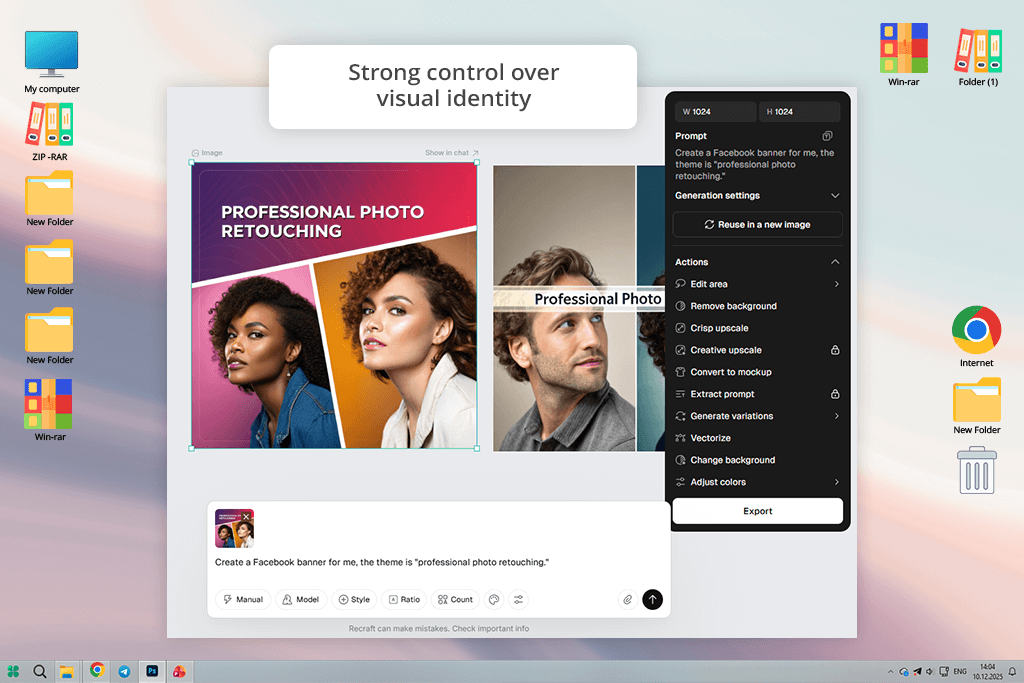
The cover creator in Recraft relies on AI image generation from written prompts, offering a different approach to building Facebook banners. Rather than using pre-made layouts, I experimented by describing the visuals I wanted, selecting artistic styles, and letting the system produce banner concepts based on those inputs. I produced a promotional product header, a striking event graphic, and a polished personal page header - each featuring distinctive visuals that felt fresh and custom-made. The workflow begins with selecting a style or writing a description of the desired look, followed by generating options and refining them until the result matches the concept.
I liked that I could add logos, adjust colors to match my brand, and save sharp JPG or PNG files already sized for Facebook. Features like removing backgrounds, an AI image upscaler, and vector tools improved image quality without needing extra software. But the interface isn't very easy for beginners, and images from the free plan may have limited commercial rights and could show up in the public gallery.
“Recraft is great for brainstorming. I input imaginative prompts, the AI generates designs, and I tweak the top results into real Facebook covers.”

Price: Free (with watermark) or from $9.95/mo.
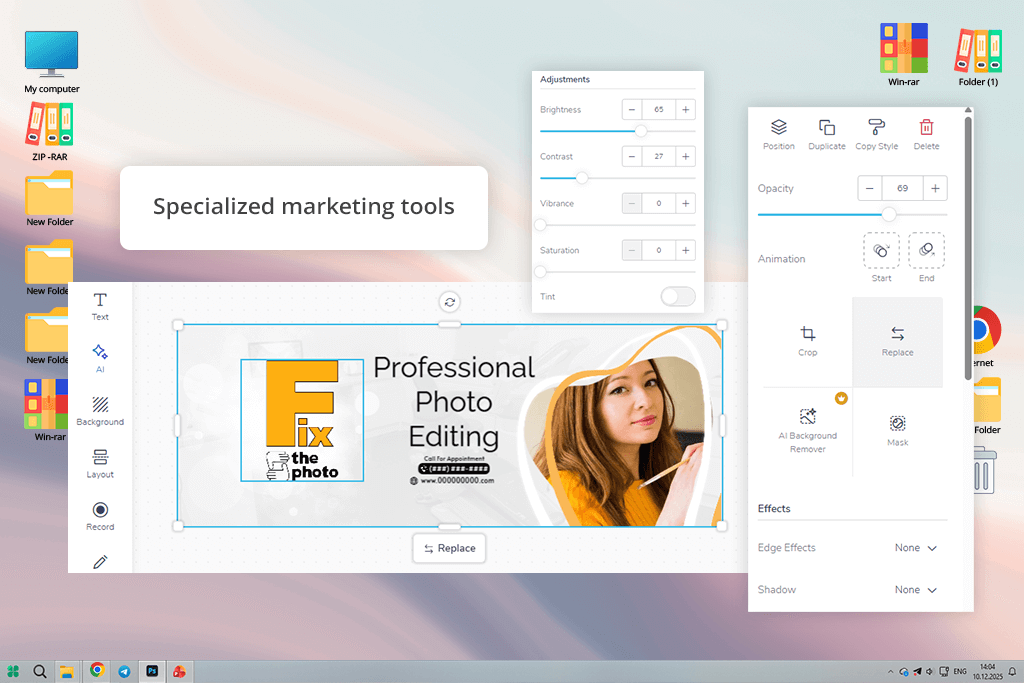
Designing an eye-catching Facebook cover isn’t always easy, but PosterMyWall made it surprisingly smooth. With a huge collection of pre-designed layouts available, I modified designs, added logos, adjusted brand colors and typography, and even included motion elements. The AI caption generator and Brand Kits also helped keep visual identity consistent across banners for both a business page and a personal profile.
The interface is straightforward, and the automatic scaling tool guarantees proper sizing across various social channels. I also took advantage of its free social media scheduling tool to organize content for Facebook, Instagram, and X, cutting down on time significantly. On the downside, complimentary exports come with branded overlays, and certain advanced options cost more than similar tools on the market.
Price: Free (3 downloads per month) or from $10/mo.
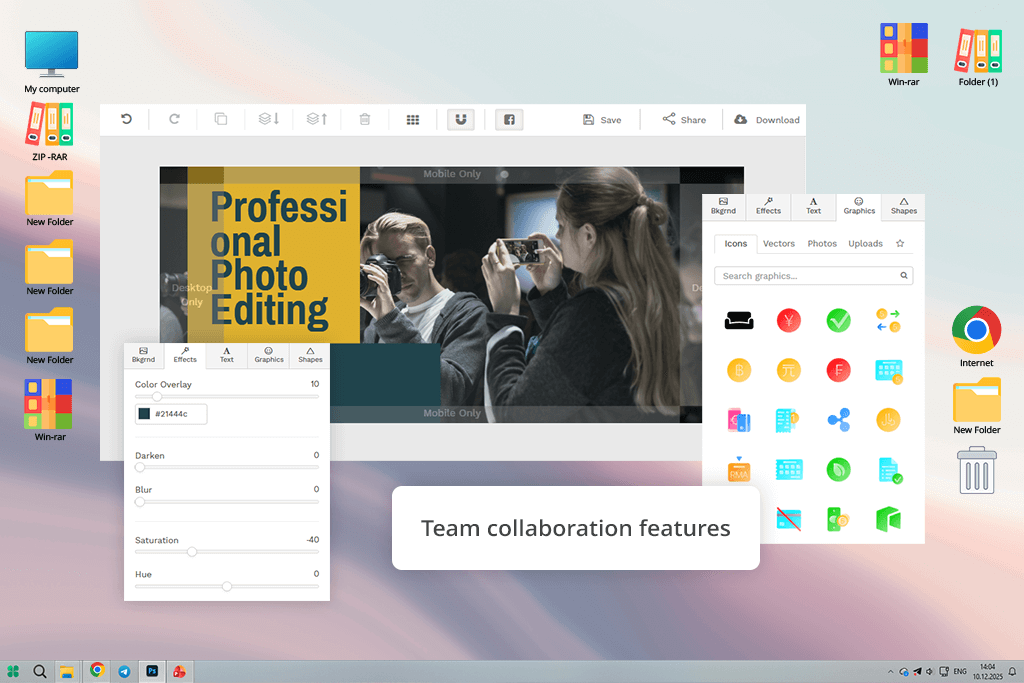
Snappa works as an online Facebook header banner maker. You begin with templates that are already the right size, add high-quality stock photos, and customize text, shapes, and colors in just a few clicks. The finished banners always look clean, attractive, and fit Facebook perfectly.
With over 5 million royalty-free images, it's easy to match the style of any page. The drag-and-drop editor keeps the process simple and stress-free. I also reuse my covers for Instagram and X, which helps maintain consistent branding without extra work.
Beyond basic tasks, I use Snappa as free graphic design software to add finishing touches. I layer semi-transparent shapes to create depth and try different text styles to make my Facebook headers stand out. What I value most is that the free plan lets me download banners with no watermarks. However, Snappa doesn't support animated designs like GIFs, and its editing tools are somewhat basic for advanced projects.
“Snappa helps me keep branding consistent across pages. I simply resize a Facebook banner for Instagram or LinkedIn, and the layout stays perfectly in place.”
A Facebook cover should be 820 pixels wide and 312 pixels tall. Because mobile screens show a cropped version (640x360), make sure your main text and visuals stay within the safe center area.
A Facebook cover should highlight your personality, brand, or the message you want to share. You can use a favorite image, design a custom graphic, create a collage, or build a simple infographic. Focus on balanced composition, cohesive colors, and key elements that clearly represent your style or brand identity.
Yes. Several leading banner creation tools, including Adobe Express and Canva, support motion elements for cover designs. You can use ready-made video layouts and export the finished result as an MP4 file before uploading it to Facebook. Motion-based covers help your page feel more lively and visually engaging.
Yes. Many Facebook banner design tools, including Adobe Express, Fotor, and BeFunky, let you convert a new or existing design into a reusable template. In most cases, you simply open the three-dot menu near the download option and follow the prompts to store the design as a template for future use.
Yes. Many modern banner creation tools, including Recraft and Fotor, provide AI-based Facebook cover generation. You can enter a short description, and the platform produces custom visuals for your page, helping you save time while creating distinctive, creative designs.
I tested many Facebook banner makers to find the ones that truly deliver professional results. Several tools didn't make it into this review despite being useful, including Design.com, CapCut, Pixlr, Placeit, PicMonkey, Sivi, Pippit, Kittl, Glorify, Bannersnack, and BrandCrowd.
The reasons varied: some offered limited customization, others relied on outdated templates. A few lacked AI features, while free plans often came with watermarks. In some cases, the interfaces simply felt too complicated for fast, efficient work.
To make the evaluation more comprehensive, several colleagues from FixThePhoto joined me in reviewing each tool side by side.
Our evaluation focused on several key aspects:
By combining my practical testing with feedback from my colleagues, we pinpointed the Facebook banner makers that offer the best balance of quality, features, and usability, while setting aside those that didn't meet our standards.





![7 Best AI Handshake Video Generators [{{%year}} FixThePhoto Choice]](http://fixthephoto.com/blog/images/gallery/news_main__preview_28493.jpg)

![7 Best YouTube to MKV Converters [{{%year}} FixThePhoto Choice]](http://fixthephoto.com/blog/images/gallery/news_main__preview_28907.jpg)
![7 Best ODT to PDF Converters [{{%year}} FixThePhoto Choice]](http://fixthephoto.com/blog/images/gallery/news_main__preview_28601.jpg)
![9 REVE Alternatives with Better Results [Free & Paid]](http://fixthephoto.com/blog/images/gallery/news_main__preview_28905.jpg)
![The Best Lecture Recording App for Students [Tested & Ranked]](http://fixthephoto.com/blog/images/gallery/news_main__preview_28904.jpg)

















