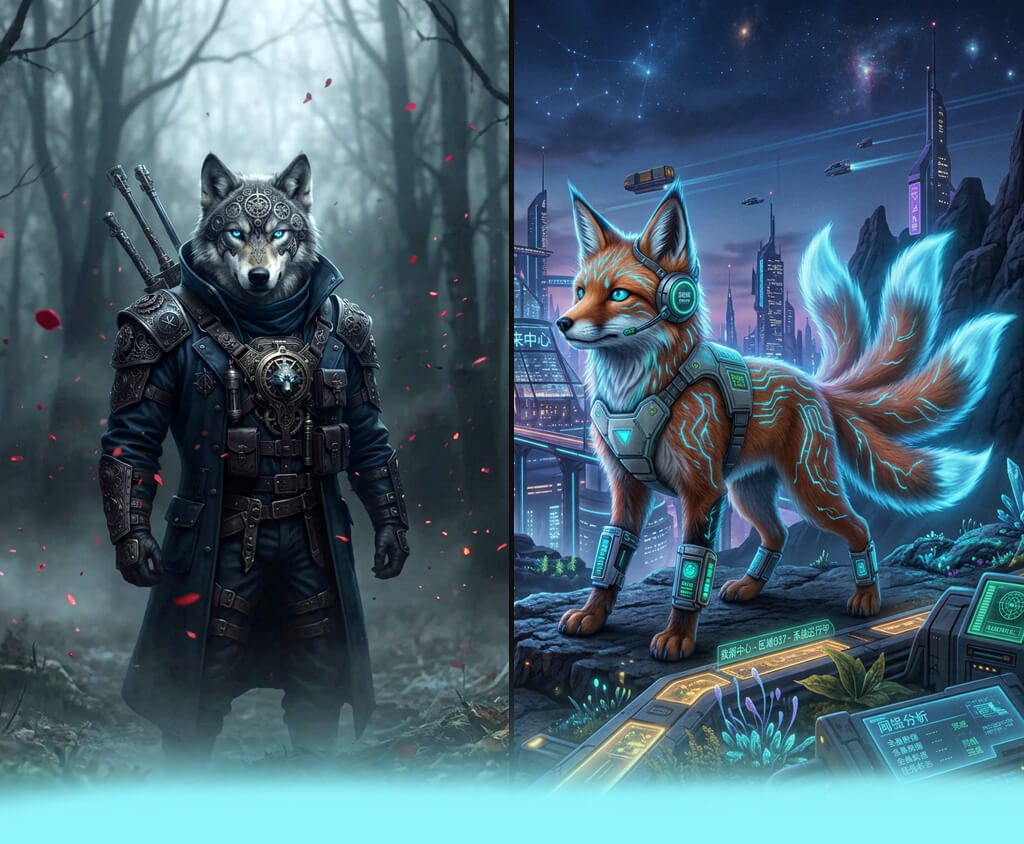
Recently, I needed to create concept art for an indie fantasy game. Then, I needed to come up with some creative animal hybrids for the bestiary. I wanted to create some realistic hybrids of animals that could be fit into the game world.
For example, I had to create a creature that combines the traits of a wolf and an owl, a fox with butterfly wings, or a tiger with some reptile traits. I understood that it would take too much time to draw each concept manually. That is why I had to find the best AI animal hybrid generators.
The main problem I faced was that I needed to find a solution that allows combining two animals naturally. I wanted to create realistic hybrids with believable anatomy, proper proportions, detailed fur, feathers, scales, and natural lighting.
While considering each generator, I needed to know how fast it will allow fixing prompts and whether it is possible to use the output for a commercial project. I also wanted to understand how pricing influences the quality of each AI.
I was trying to discover a solution that could help me generate high-quality outputs and choose the right artistic style. I needed intuitive tools that can provide the outputs with consistent anatomy. I needed to visualize my creature ideas and produce the polished designs that can be used by my game team.
I also asked my colleagues from the FixThePhoto team to help me test 50+ AI animal hybrid generators to discover which solutions are best for generating fantasy animal hybrids.
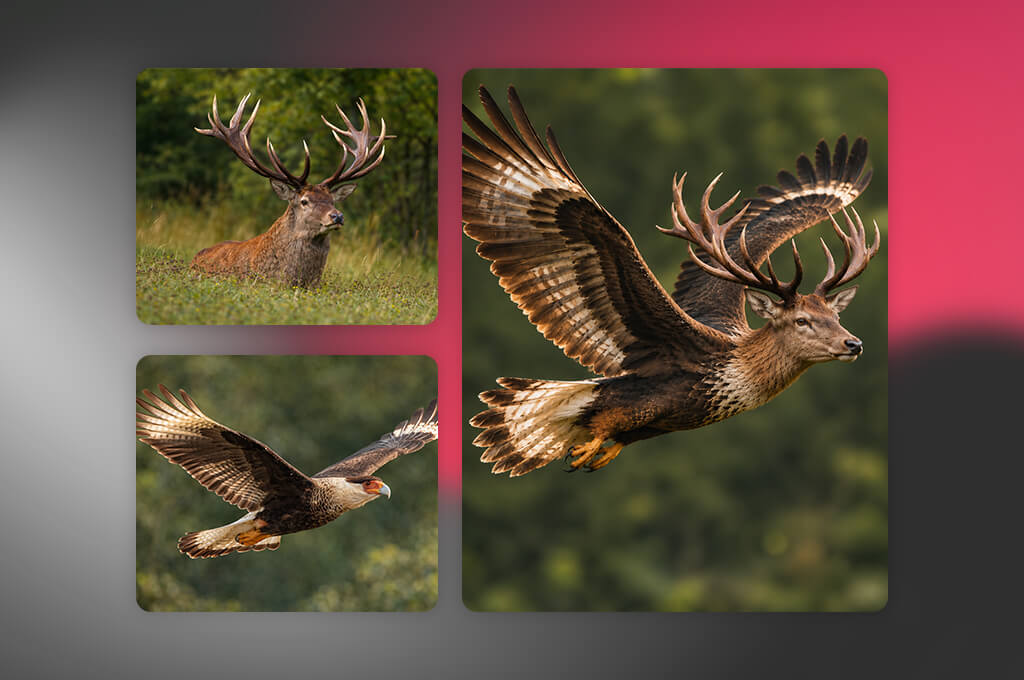
FixThePhoto experts recommend using the following prompts:
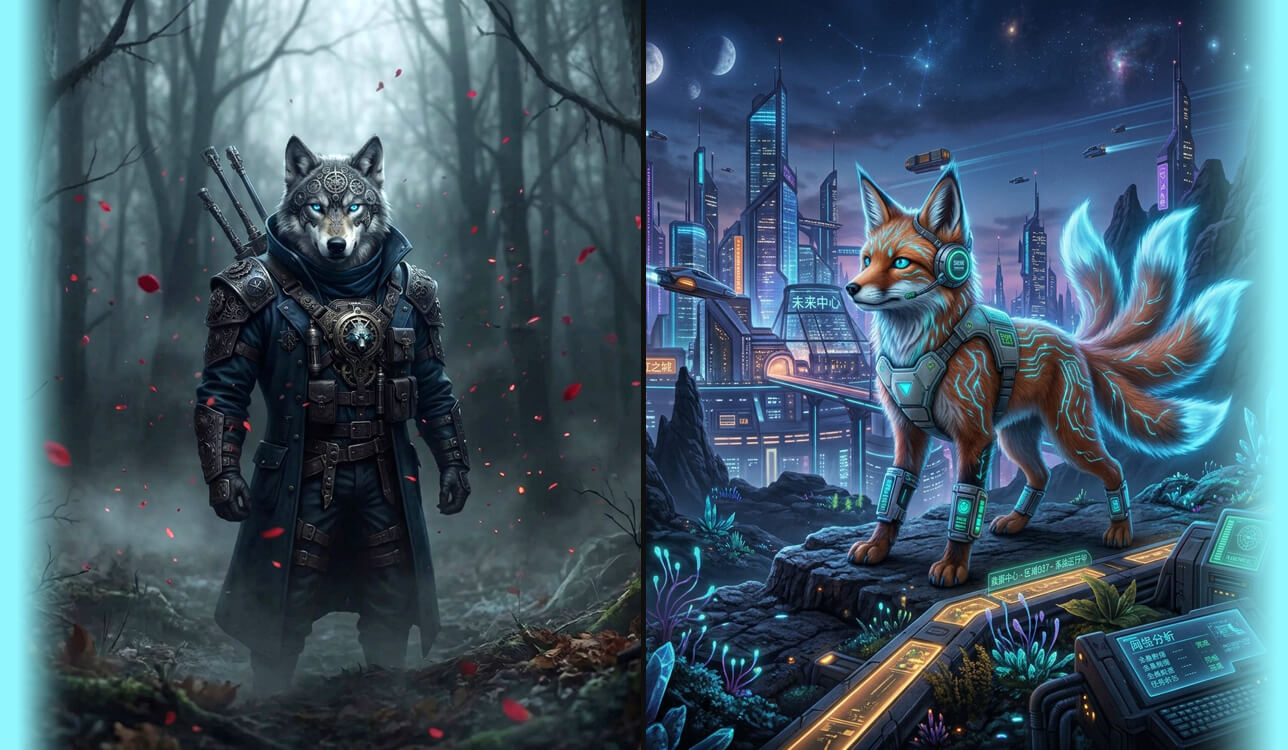
“Generate a detailed wolf-owl hybrid with the muscular body and a gray wolf’s muzzle, the facial disk and golden eyes of a great horned owl, and large feathered wings connected to its shoulders in a realistic way. Blend fur and feathers perfectly, use realistic anatomy and proportions, add complex feather details, use dramatic moonlight, and add a misty ancient forest background. The result should look like sharp, cinematic fantasy concept art with detailed textures.”

“Create a magical fox-butterfly hybrid with orange fur, a fox face, huge translucent butterfly wings with complex blue, violet, and gold patterns, small antennae, and barely visible iridescent markings along its back. The wings should be connected to the body realistically. Keep the fox's natural proportions, use a sunlit wildflower meadow setting, and add small floating pollen particles. The output should look like a fantasy illustration with rich colors, complex textures, and professional creature design.”

“Create a scary tiger-crocodile hybrid with a muscular tiger's body, orange-and-black stripes, armored crocodile scales along its back and tail, powerful clawed paws, and minor reptilian features around the jaw. Blend fur and scales in the most realistic way while keeping the tiger's face recognizable. The hybrid animal should crouch beside a tropical river in the jungle. Add a humid atmosphere. Use realistic skin and fur textures, natural dramatic lighting, wildlife photography style, detailed anatomy, and full-body composition.”

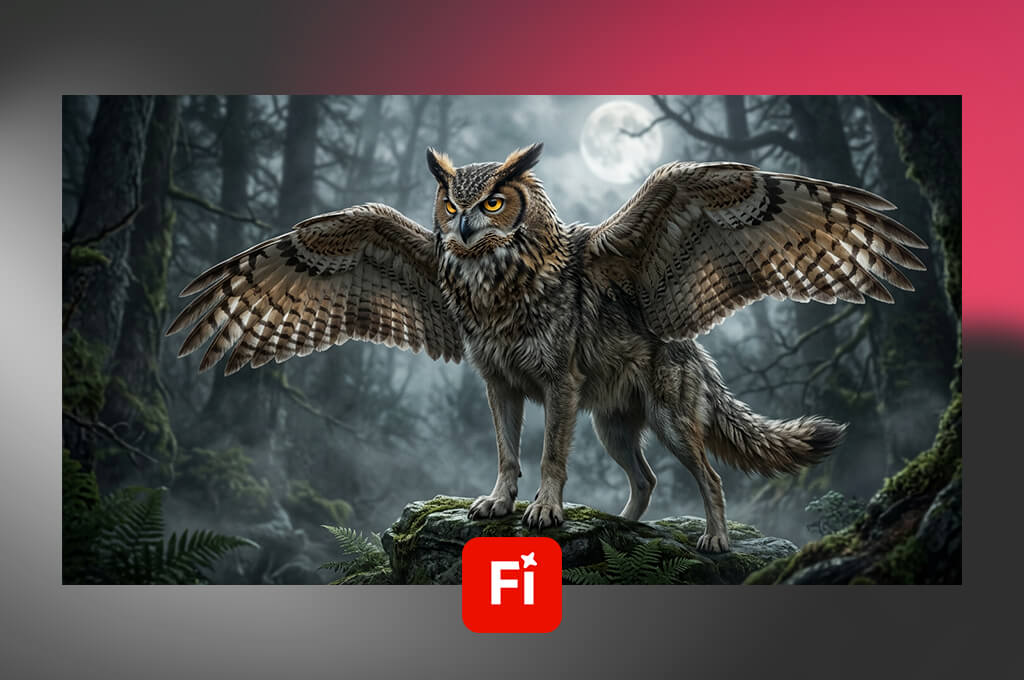
Adobe Firefly was the first solution I tested when I needed to generate a wolf-owl hybrid because I wanted to discover whether it would allow me to combine two different creatures. I asked it to produce an animal hybrid with a broad chest, feathered shoulders, an owl’s face, and large wings.
I liked using its text-to-image generation tools. Besides writing a prompt, I uploaded style and composition references to give the AI hints about the creature's appearance and setting. The first batch included multiple visually appealing fantasy images. However, some creatures had issues with wing attachment.
Then, I generated a fox with butterfly wings. I uploaded reference images for guidance and compared the outputs to choose the versions where the wings did not distract too much attention from the fox's body.
“I created a wolf-eagle hybrid and was extremely pleased with the result! In some cases, the wings looked a bit strange, but I managed to fix these issues by adjusting the prompts.”
Nuanced prompts helped me generate more believable outputs, especially when I specified where the wings should start and how they should be connected with the shoulders. It was much easier to generate the fox's face and fur.
Unlike many free AI animal hybrid generators, it has some advanced tools. I tried using the Generative Fill tool to edit some parts of an image using a text prompt. It helped me fix a hybrid instead of regenerating it from scratch. This feature is especially useful for small changes. However, I still had to analyze the edited area to avoid the influence on the neighboring areas.
This free Adobe software is suitable for visualizing an idea and then editing a generated image further. Its prompting tools, reference support, and targeted editing features allow me to maintain full control over the outputs. However, I still had to analyze the areas around paws, feathers, and wing joints closely.
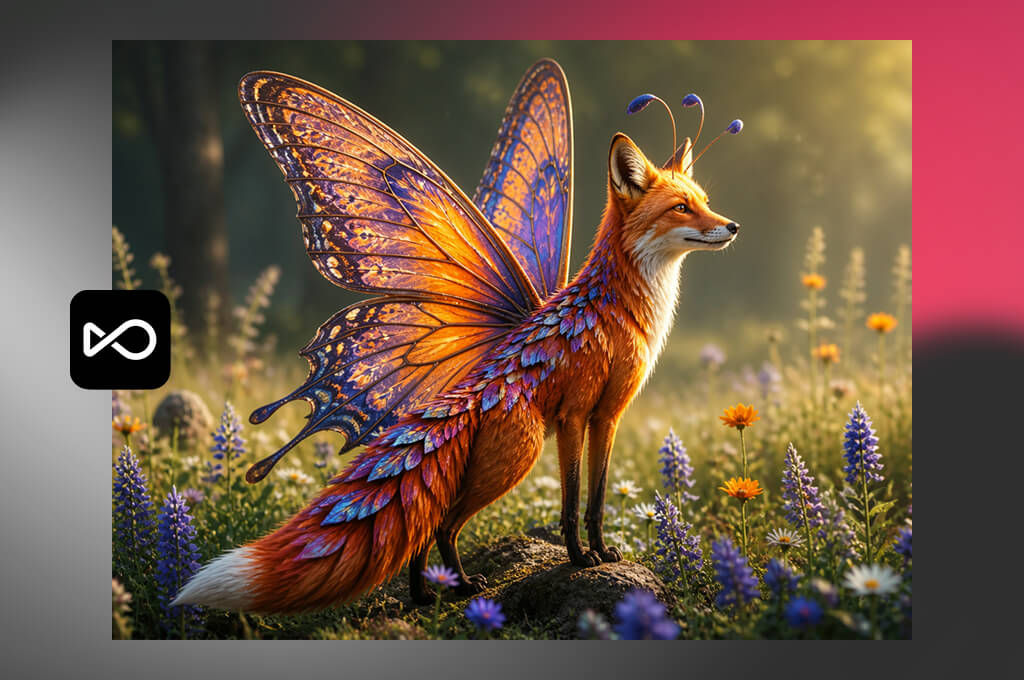
While testing OpenArt, I asked it to generate a tiger-reptile hybrid for my bestiary. I specified that it should have striped fur, scales along the back, feline paws, and a long reptilian tail. I used a text prompt to generate an image, then chose an image-generation model. These tools helped me produce outputs in different styles from fantasy to more realistic hybrids.
For the next test of this animal hybrid generator, I created a fox with butterfly wings. I wanted to see whether the AI art generator could keep the fox recognizable while adding wings with thin membranes and detailed patterns.
I compared the results I achieved with different prompts and styles. While assessing the outputs, I took into consideration the fox's face, wing placement, and overall silhouette. Some results looked more believable than others.
While using this AI animal hybrid generator online, I also uploaded image references and tested character-consistency tools. It is suitable when the same creature has to appear in different artworks. With references, I could generate a consistent-looking tiger hybrid. However, I noticed that stripes, scale patterns, and proportions varied across generations.
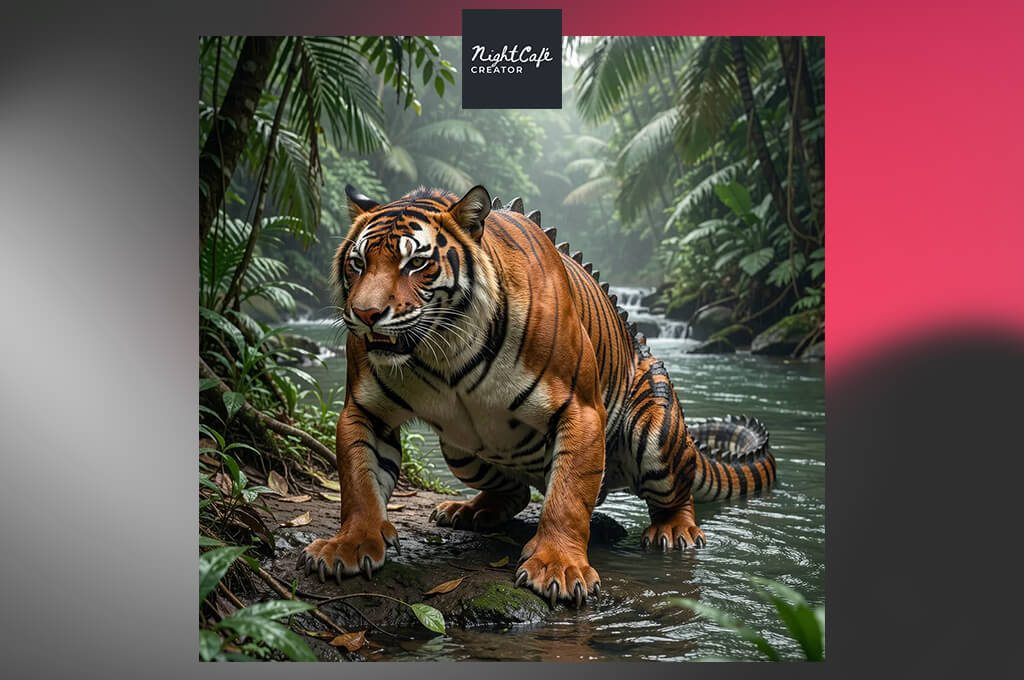
I decided to test NightCafe to see whether this AI animal hybrid generator would help me to generate creatures in different art styles quickly. While writing a text prompt, I requested the AI to generate a wolf-owl with a wolf's body, an owl’s face, layered feathers, and broad wings.
I liked using the text-to-image generation tools and switching between AI models, which allows the AI to interpret my prompts differently. It generates all sorts of outputs, from photorealistic wildlife photos to dark fantasy illustrations.
While testing this generative fill tool, I also asked it to generate a deer with peacock features. I specified that the creature should have a deer body, iridescent feathers, and a colorful tail. After generating multiple versions, I chose the one where the feathers blended into the creature perfectly.
I was surprised that the output depended on the wording so much. When I simply mentioned the names of the species, the outputs were less polished. That is why I started describing the creature's shape, texture, and feature placement to get more detailed results.
“It's extremely fun to generate all sorts of fantasy creatures! The outputs can be attention-grabbing, but I had to check the results carefully to ensure that there won't be extra legs.”
I also considered whether it would be easy to experiment with different visual styles. I switched between the models to discover new interpretations. However, using the same prompt did not guarantee that I would get consistent designs across generations.
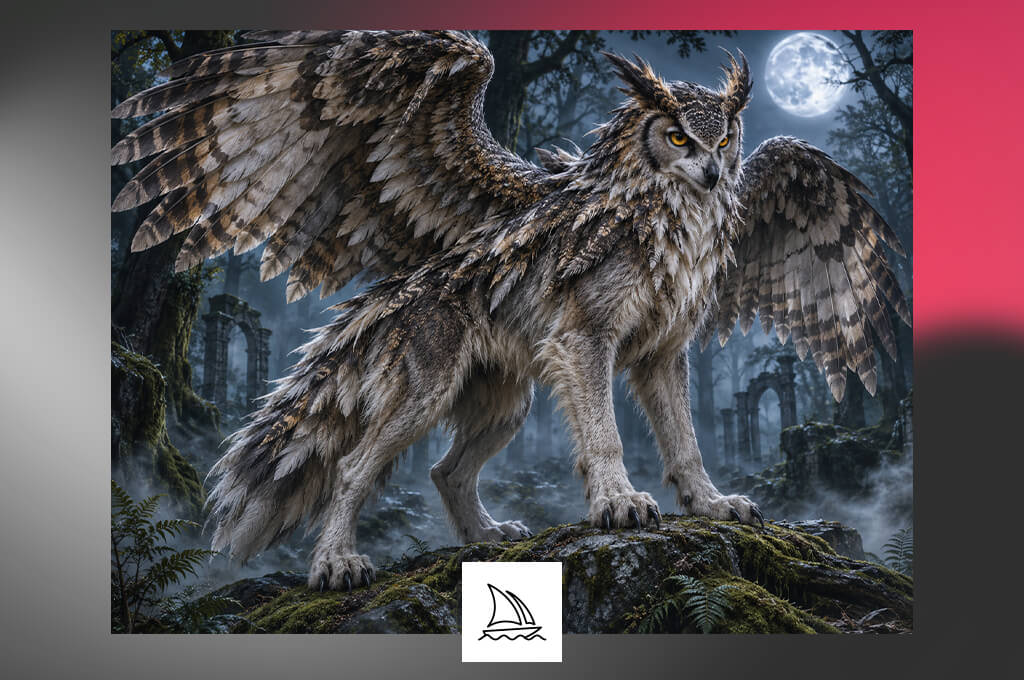
I asked Midjourney to generate a tiger-reptile hybrid first and indicated that it should have well-defined feline muscles, overlapping scales, and heavy claws. I specified that I needed dramatic lighting.
I tested the prompt-based generation tools to change the silhouette, edit materials, change the setting, and fix lighting. The best outputs stood out for rich textures and a memorable atmosphere. However, I noticed occasional anatomy issues in some dramatic versions.
During the fox-butterfly test, I paid special attention to the wings. I described the desired shape, patterns, placement, and the way they should be attached to the fox's body. I also tested image prompts. I uploaded a reference image to show what composition I needed. It helped me control the output. However, the AI occasionally failed to follow my guidelines closely.
I also uploaded style references to check whether it would maintain consistency. What makes it one of the best animal hybrid generators is that it helped me generate other animal hybrids in a similar style. I compared the outputs in terms of lighting, texture, and art style. The references helped me make the AI animal hybrids recognizable. However, specific features and proportions varied across generations.
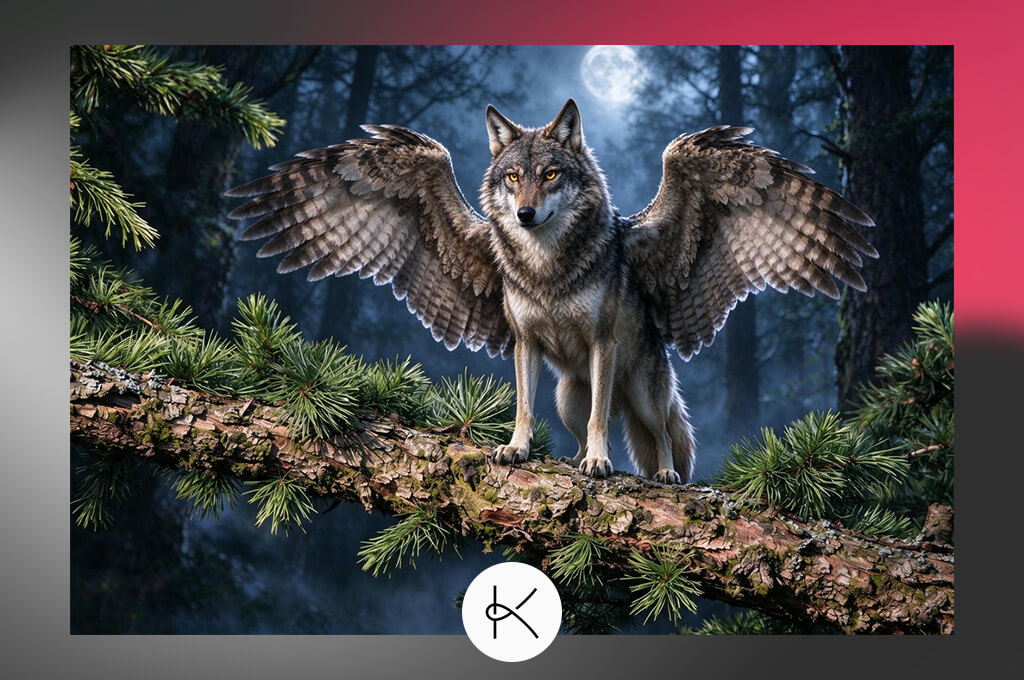
I decided to give Kaze a try to check whether it would help me to generate polished outputs. During the first test, I asked it to generate a wolf-owl with feathered shoulders, a wolf's muzzle, and broad wings. I specified that I needed the AI to use a moonlit forest setting.
I used its prompt-based image generation tools. I could adjust the description a bit to see how the silhouette and details improved. This AI app generated several visuals that helped me choose the right artistic style. However, I had to analyze the wings closely.
Next, I requested it to generate the fox-butterfly hybrid with orange fur, patterned wings, thin membranes, and a natural woodland setting. I checked whether the fox was recognizable and whether the wings looked like a natural part of the hybrid. I started using more detailed prompts to generate the output I needed. Some images still required manual improvement.
“It was nice to experiment with creature designs and edit the outputs afterward. Some AI animal hybrids looked quite eye-catching, while others required further editing.”

After comparing the versions and choosing the one I liked most, I used image enhancement and upscaling tools. The enhancement features helped me to give my images a polished look. The upscaling features enabled me to improve the resolution of the outputs to make them easier to view at a larger size.
I also paid attention to the textures. However, there were also tools that could correct any misaligned limbs and oddly shaped wings. I could compare the enhanced pictures with the original ones to evaluate whether the additional details had improved the output.
After trying this AI animal hybrid generator for free, I understood that it could be really helpful for people who want to generate visual ideas and polish them. It was pointless to improve designs visually in case they already looked bad, and it was impossible to make the design better by exporting it with a higher resolution.
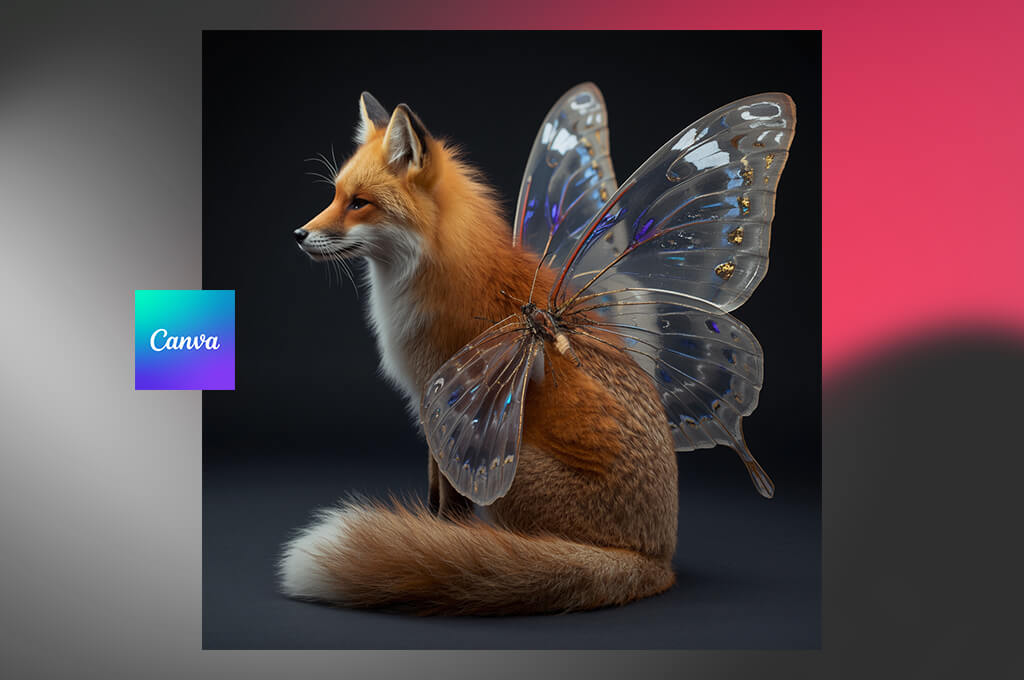
As I was asked to quickly generate visual creature concepts for my game design team, I decided to try Canva. I tested its Magic Media feature and provided the following prompt: "Create a wolf-owl hybrid with a wolf's face, feathered shoulders, and large wings."
I compared outputs to find the most consistent design and choose versions that had a clear silhouette. I could use the outputs to brainstorm new visual ideas. However, the wing structures of the animals did not seem consistent.
Then, I created a fox with butterfly wings. I specified that the creature should have orange fur, translucent wings, and a woodland environment. I modified the text prompt to see whether it was possible to get a better output by providing more specific description. I found that Canva AI hybrid animal generator was user-friendly. However, I noticed that some outputs had incorrect anatomy.
While testing this free graphic design software, I appreciated that I could add generated visual material to Canva's layout and use presentation tools to indicate a creature's name, habitat, and skills. Also, I could add some notes for the game team.
Canva had many useful features that allowed me to provide some additional information about the generated creatures. I could also place several animal hybrids side by side and create a concept sheet.
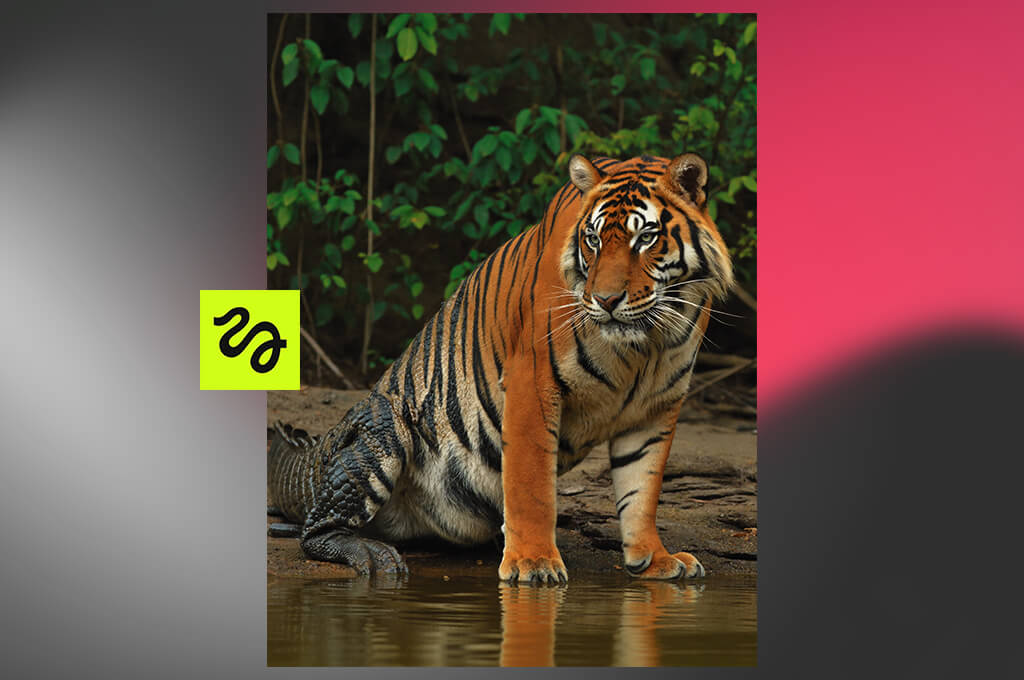
I included Higgsfield in my review because its AI Animal Generator is a dedicated tool for creating plausible animal images, hybrids, and fantasy creatures. I created a tiger-reptile hybrid. While writing the prompt, I specified that the creature should have orange-and-black stripes, scales along the back, feline paws, and a long tail.
I compared the outputs to find a creature that had both feline and reptilian features. The output that had a clear body shape seemed the best. While analyzing different outputs, I paid special attention to the tail and transition between fur and scales.
While testing a wolf-owl, I focused on the wings. I tweaked the prompt a bit to mention the wing shape, feather placement, wolf's face, and general proportions. I could choose from different model and style options and switch between them easily.
The outputs were different concerning their mood and finish. I noticed that the most cinematic outputs were not necessarily realistic concerning the anatomy.
"The outputs often looked excellent, and I enjoyed experimenting with unusual creatures. In some cases, it took me several tries to achieve the right anatomy."
I then tried to edit the outputs using prompts and uploading references. I was interested to see whether it would be possible to change the output without regenerating the whole image. In prompt-led editing, a user describes an edit that should be made. I found this AI reference to video generator appropriate for my project as it had dedicated tools for creating animal hybrids.
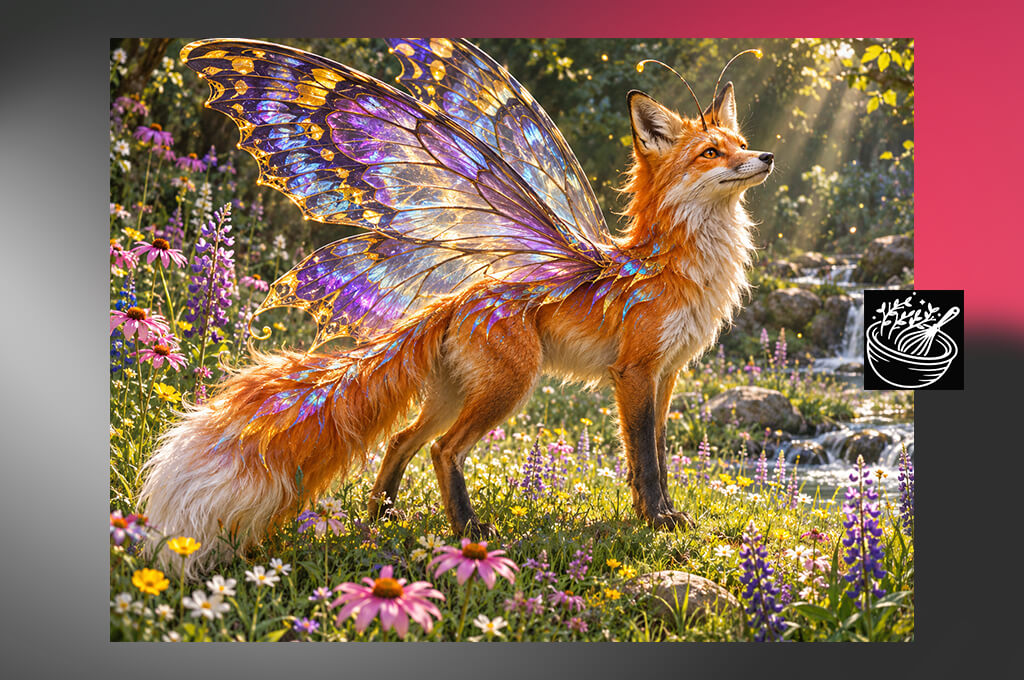
I decided to try this AI hybrid animal generator to see whether it would allow me to create a hybrid of two animals using a simple prompt with fewer details. I wanted to generate a fox-butterfly hybrid, and I wanted the creature to have orange fur, patterned wings, and the body of a fox.
In assessing my workflow, I thought about whether it was possible to describe the animals quickly, achieve the desired results, and have full control over the output. Although I wanted to streamline the process of creating hybrids, it was important to create believable hybrids.
I found the wolf-owl test to be more complicated because added wings transformed the body shape too much. The color and texture of the output seemed realistic. I was interested in whether the wolf's face stayed recognizable and the wings were a natural continuation of the body.
While testing this AI tool for designers, I analyzed different variations to see whether it would be possible to generate different and distinctive outputs. This helped me to prioritize the quality of the outputs over the strangeness of the combination.
I also considered the requirements of using the outputs in a game project. It was convenient to upload reference images and use editing tools to adjust the output and get the result I needed. Besides, I appreciated that this platform had a high-resolution export feature, and I could use it to generate artwork that can be displayed or enhanced on a larger scale.
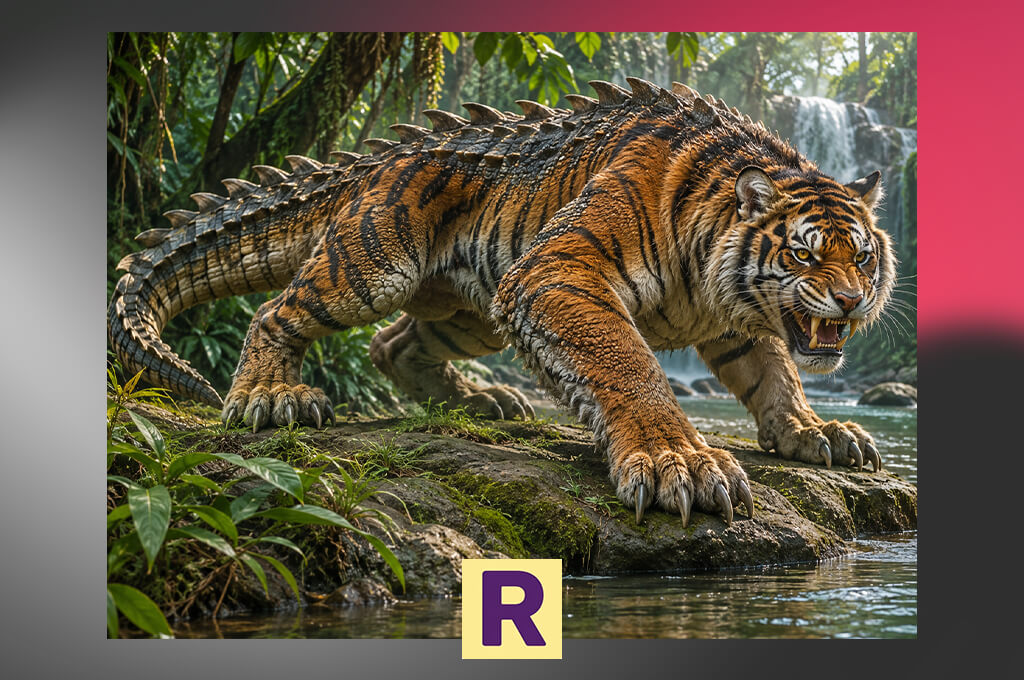
I tested Tuimiz to see whether it would be possible to use it to generate images using a text prompt. I asked it to create a hybrid of a tiger and a reptile with striped fur, overlapping scales, feline paws, and a long reptilian tail.
When it created the output, I checked whether it followed my guidelines and created a believable image of a creature with features of both species. I also considered whether it was easy to tweak the prompt and generate new variations.
In the second part of the test, I asked this AI tool for content creation to generate an image of a deer with peacock feathers, an elegant body, and a vibrant tail. I wanted to make sure that the feathers follow the body shape of the animal in the most realistic way possible.
While comparing the outputs, I analyzed whether they had recognizable animal features, balanced proportions, and perfect silhouette. These factors were especially important because I wanted to use the outputs in our game-art development project.
"It was so enjoyable to generate strange animal mashups! I'd like to have higher control over the output, especially when I need to combine animals with different body shapes."
I also analyzed which additional tools could help us to optimize our production workflow. I appreciated the fact that this platform supported reference images, as it was easier to specify what output I wanted to get. Also, I could use its editing tools to make local adjustments and export the file in high resolution for further use.
It was difficult to rate Tuimiz AI animal hybrid generator higher without having more detailed information about its features. This is why I considered whether it was possible to use it for generating believable hybrids and how many adjustments were necessary after generating visuals.
Tetiana Kostylieva, Kate Gross, and Tati Tailor from FixThePhoto team were mostly interested in image quality, anatomical consistency, prompt accuracy, customization options, and intuitive functionality. Our main goal was to discover the solutions that would allow us to generate a believable creature by combining the traits of two different species.
We tried implementing three test concepts:
These ideas helped us test the capabilities of each platform and discover whether it was suitable for handling complex anatomy, fine patterns, and contrasting textures. We used detailed prompts, produced several versions, and tweaked descriptions to understand whether these solutions would follow our guidelines accurately.
For example, when creating the wolf-owl hybrid, we considered whether the wings were attached naturally to the body. During the fox-butterfly test, we examined how well these services created wing patterns without compromising on the fox's signature features.
Then, we tested the extra tools available on each platform. We checked whether it was easy to use reference-image controls, compared the available artistic styles, and tested the editing features to enhance specific details. We were looking for the generators that maintained consistency across different variations and produced detailed outputs, making them perfectly suitable for fantasy concept art.
“I liked Firefly because of its Generative Fill feature that helped me edit small details in my animal hybrids without recreating the image from scratch. Midjourney has excellent lighting options and textures, perfect for generating fantasy creatures.”
Finally, we examined the outputs and compared them in terms of creativity, visual quality, control, usability, and suitability for further editing. We wanted to see whether there would be any widespread issues such as misplaced wings, unnatural proportions, and unrealistically blended fur and scales.
Our main objective was to discover the solutions that would help us produce visuals that could be used as starting points for character design. The final versions of our list include the solutions that delivered the best performance during testing. Before using them for commercial purposes, be sure to consider their licensing terms and test their less-documented tools.