I first started looking for the best AI twin generator, having produced multiple similar introductions for FixThePhoto posts in a single week. The scripts were unique, but each recording involved the same setup: preparing the backdrop, fine-tuning the camera and lighting, doing several takes, and fixing minor issues during editing.
Producing one video was manageable. Making dedicated versions for YouTube, Instagram, TikTok, product pages, and international audiences required a lot of time. Even subtle script changes required recreating the setup and re-recording the footage.
Wanting to avoid such a hassle, I wanted to learn if I could make a digital copy of myself that would deliver new scripts. Not a generic presenter I could find online, but a "twin" that would have my appearance, voice, facial expressions, and delivery style.
Multiple FixThePhoto colleagues already have experience creating AI avatars for tutorials, product demos, and social media content. Their feedback inspired me to check out such solutions, but I was still feeling skeptical. The advertisements looked great, while regular source images often resulted in uncanny expressions, inaccurate faces, or desynced voiceovers.
To figure out which options deserve your attention, my coworkers and I tested more than 30 AI avatar and digital twin tools suggested to us in American Google results, creator communities, Reddit threads, and specialized video forums.
We evaluated all solutions using portraits, phone recordings, professional footage, brief social media scripts, product demos, and multilingual voiceovers.
For the final ranking, I focused on aspects like realistic looks, natural speech, reliable lip-syncing, multilingual support, handy editing features, and a usable free version or trial.
| Tool | Use case | Free plan/trial | Cost |
|---|---|---|---|
|
Voice generation and complete creative workflow
|
✔️
|
From $9.99/month
|
|
|
Hyper-realistic personal video twins
|
✔️
|
From $29/month
|
|
|
Quick AI twin videos and content automation
|
✔️
|
From $17/month yearly
|
|
|
Image-based twins and social video editing
|
✔️
|
From $16/month yearly
|
|
|
Digital twins with a built-in video editor
|
✔️
|
From $12/month
|
|
|
Mobile-oriented AI twin content
|
✔️
|
From $24.99/month
|
|
|
Training and professional business videos
|
✔️
|
From $29/month
|
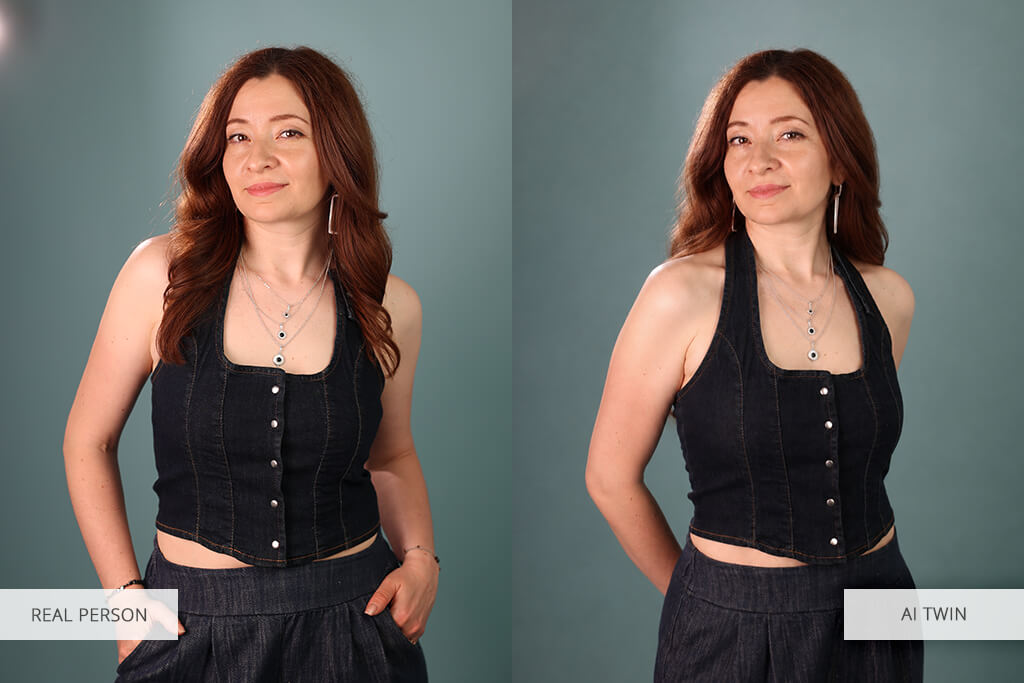
An AI twin is a digital copy of an actual person that is capable of talking and delivering freshly-generated content. Based on the specific solution you choose, you can create an AI twin from a photo, multiple portrait images, or a short video of you talking to the camera.
Most regular tools can only add motion to a still photo, while more cutting-edge platforms try to recreate the speaker's facial expressions, natural movements, voice, and delivery style. After a digital twin has been generated, you can add a script to produce a new video without having to record it manually.
Content creators. I can produce multiple variations of an introduction, product overview, or social media clip without having to go through the entire recording process again. A digital twin is very useful if the only thing that changes is the script.
Marketing teams. Businesses can benefit from an “official” spokesperson twin for product updates, ads, onboarding videos, and localized campaigns. The same person can cover multiple scripts while preserving a cohesive brand appearance.
Educators and trainers. An AI twin can deliver updated lessons or internal training materials without forcing the instructor to do a new recording for each revised section. Synthesia and HeyGen are a great fit for structured educational videos.
International teams. Many solutions can also be used as AI video dubbing software, translating a script, generating a new voice track, and syncing the speaker’s lip motion in several languages. This is great if you have to make one video available for multiple regions in different languages.
Small businesses. A founder or product specialist can stay the public-facing face of the company while delivering more videos than a regular recording schedule would make possible.
Problem 1: The twin that doesn’t resemble me. Some image-based generators copied my hairstyle and attire but morphed the shape of my eyes, jaw, or smile. The output looked like a similar person rather than an identical digital replica.
Problem 2: Stiff motion and unnatural eye contact. Multiple twins only had their lips animated, while the rest of the head remained static. Others had unnatural blinking or looked straight at the camera, which felt unnerving.
Problem 3: A good face with an artificial voice. A realistic avatar can come across as artificial if the dialogue has unnatural pauses, pronunciation, or emotional emphasis.
Problem 4: Outfit and background changes affect identity. Some options generated an accurate twin in the original setting but morphed the face when I tried asking for a different outfit or location.
Problem 5: Hidden or confusing consent and privacy rules. A digital twin contains sensitive biometric data. I don’t recommend picking an option that lets me copy another person without enforcing a clear authorization process.
My main suggestion is to use the AI twin like an actual presenter instead of a visual effect.
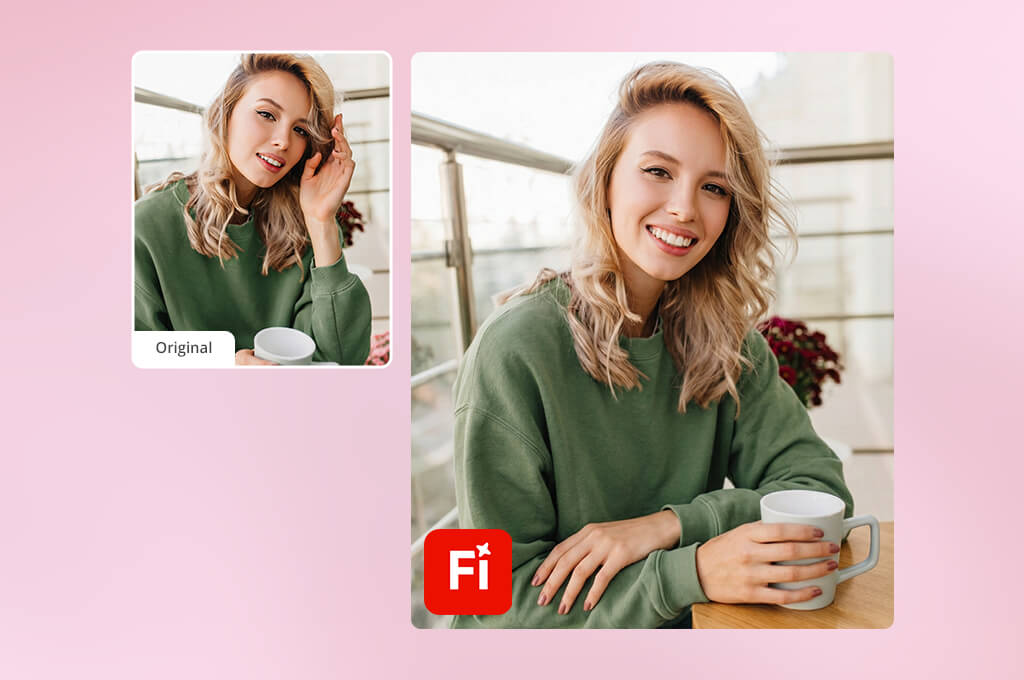
A FixThePhoto video editing expert recommended I approach Adobe Firefly differently than other options. Rather than using it as a single-click service that automatically copies my whole appearance and voice, I employed it as a creative playground for creating and polishing all the elements around the AI twin.
You can also use it in tandem with other AI character generator tools. For instance, if you want to generate a stylized digital presenter rather than an identical twin for yourself.
Firefly has proven to be arguably the best AI twin generator during my test that involved making a brief FixThePhoto instructional video on editing product pictures for an eCommerce store. I produced a voiceover using the platform’s Generate Speech feature, produced multiple supporting visual scenes, and put together all the elements in Premiere Pro.
The speech tool was extremely useful for my test. I imported the script, chose a voice, and fine-tuned the delivery to ensure it sounded informative without feeling overly emotional. The generated narration did a great job adding natural pauses compared to most text-to-speech solutions I’ve used.
Adobe’s Generate Speech is great at delivering voices with customizable emotion, pacing, and emphasis. It includes Firefly Speech voices along with ElevenLabs options. Firefly Speech currently requires 10 generative credits per 1,000 characters, while the ElevenLabs multilingual model consumes 15 credits for 1,000 characters.
“Adobe Firefly is my go-to solution if I want to fully customize the voice, visuals, audio, and other aspects instead of relying on automatic tools.”

Firefly Generate Speech is a paid feature, but free users are allowed to make two complimentary lifetime generations. If you want to continue using it, you’ll have to get a Firefly Standard or Pro plan with generative credits.
My tip: Divide longer scripts into shorter paragraphs and generate them separately. This will make it simpler to fine-tune pronunciation or emotion without having to redo the whole video.
Why it’s in my top:
Pricing: Limited free access; premium Firefly plans available
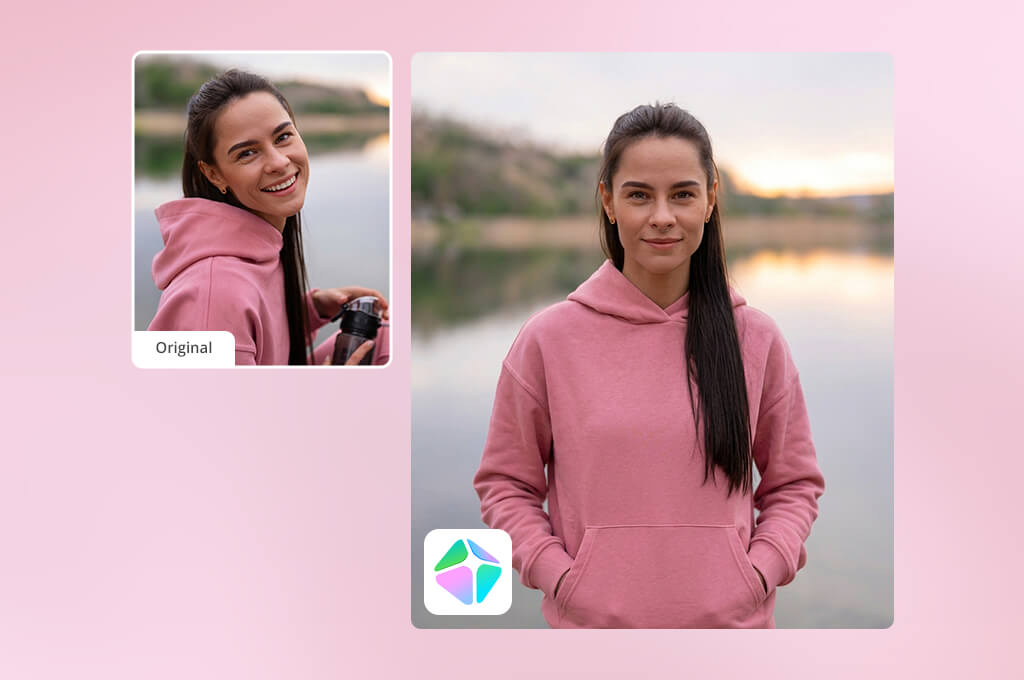
HeyGen has proven to be the best free AI twin generator when it comes to realism. I’ve seen impressive examples online, but I wanted to learn if it was possible to achieve a realistic result using videos recorded in my apartment instead of a professional studio.
Having generated my twin, I added it to a 50-second software demo. The lip syncing was on point, and HeyGen maintained the overall feel of my facial expressions. Subtle gestures and head movements ensured the output looked more believable than a basic talking image. was convincing, and the platform preserved the general rhythm of my facial expressions.
Among the HeyGen alternatives I tried, only a couple could offer a similar level of natural facial motion, setup convenience, and consistent lip syncing.
This platform allows you to choose from over 500 stock digital twins. Its free version lets you generate three videos (up to 1 minute in length), provides access to Avatar IV and Video Agent, and a single personalized Digital Twin. The Creator plan will cost you $29/mo on monthly billing.
“I suggest using HeyGen if realism is a priority, but I tend to film the source footage in soft, even lighting while looking right at the camera.”

Additionally, I tried making an image-based digital twin. It was easier to make, but the one based on video footage looked more realistic since it had more data to work with when generating motion and expressions.
I think HeyGen is a great choice for handling simple educational scripts. If dealing with highly emotional dialogue, the expressions tend to look exaggerated. The platform’s latest Avatar V controls allow you to describe motion and delivery in simple terms, like asking the digital twin to lean forward, keep a thoughtful expression, or say something with a gesture.
My tip: Film about 5 seconds of silence before and after talking. Don’t crop the source video too close to your face or words since the platform requires clean footage to determine your natural posture and resting facial expression.
Why it’s in my top:
Pricing: Free; Creator from $29/month
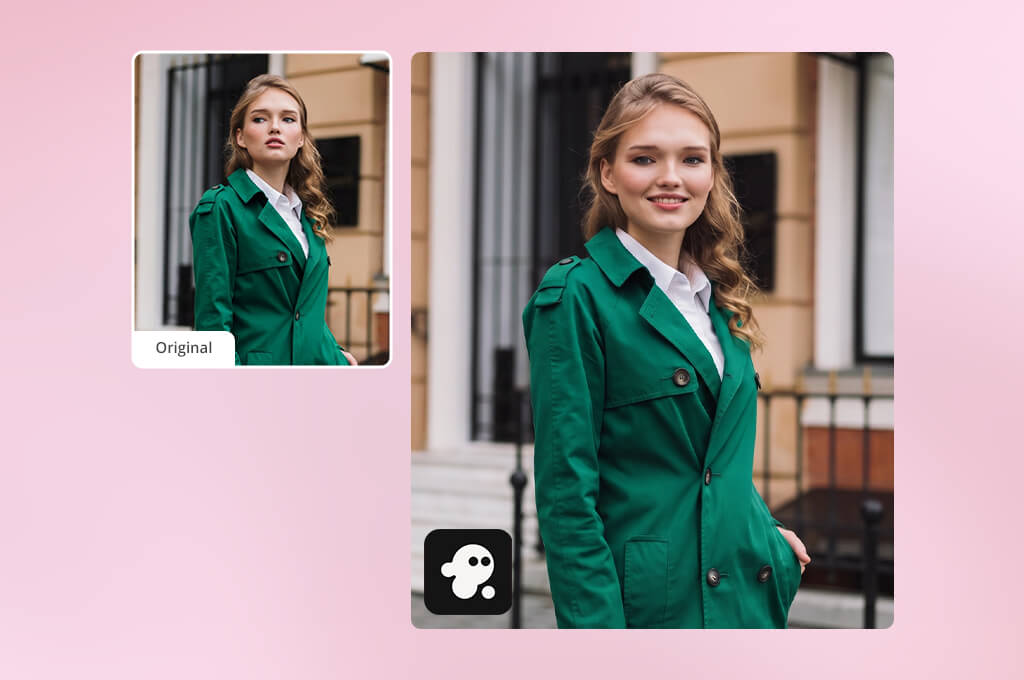
I stumbled upon this AI twin generator online when searching for a more efficient method for reusing existing talking-head videos. Having already made multiple FixThePhoto videos for YouTube, a feature for creating an avatar based on uploaded content was an instant attraction.
For my test, I imported a new tutorial filmed against a neutral backdrop. I then made InVideo generate a vertical video covering three common image-editing mistakes.
InVideo AI went a lot further than simply animating my digital twin. It produced a script structure, provided supporting footage, generated captions, background music, and optimized the video into a social-friendly sequence. Its integrated AI image generator helped me receive additional videos to supplement the original footage, if that was necessary for the script.
Such flexibility is very important if you need a completed draft instead of an isolated talking-avatar clip. InVideo is especially great for users who like to describe the desired content and entrust the AI with generating the initial version.
“My suggestion is to employ InVideo for full-fledged video production rather than just an avatar generator. Its biggest upside is the combination of the twin with scripts, B-roll, music, and editing features.”

I can recommend it for short ads, list videos, product tutorials, social media posts, and channel updates. For an impactful brand film or an in-depth professional tutorial, I still suggest editing the footage manually.
My tip: Import videos that only feature one speaker. Don't use quick cuts, abrupt hand movements in front of your face, and avoid rough shadows or background music since they can all make it more difficult to generate a polished digital twin.
Why it’s in my top:
Pricing: Free; from $17/month yearly
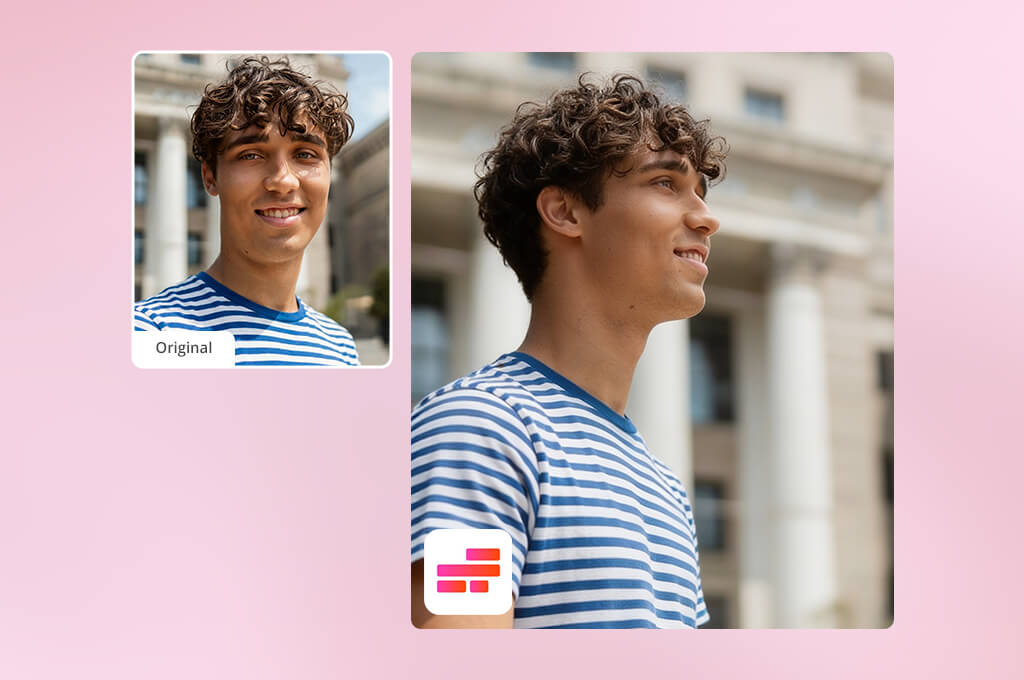
Kapwing stood out from other options since you can use its digital twin generator from photos rather than multi-minute videos that are required by most other solutions. You simply need to provide a set of reference pictures, and its AI Persona feature will handle the rest.
After making a Persona, I pasted a brief script for a social media clip about getting rid of distractions in product photography. Kapwing produced a talking-head video with automatic lip syncing, which I could later edit in the regular timeline.
Kapwing promises that its AI Twin Generator can recreate the appearance, voice, tone, and speaking style. Its AI Persona tool delivers a digital twin within a minute if you have a Pro account.
“The image-based approach is Kapwing’s main advantage. I recommend importing multiple consistent portraits rather than mixing old selfies with studio portraits.”

The provided stock collection is also very impressive. Kapwing lets you use over 50 premade AI twin characters if you don’t want to create your personal model. The library covers both realistic presenters and stylized characters.
Kapwing’s free version lets you test the platform, but you can only generate a usable Persona with a paid plan. You can get the Pro subscription for around $16/mo with yearly billing.
My tip: Pick images taken within the same period, particularly if your hair, makeup, or facial appearance drastically changed. Mixed references can result in a digital twin that doesn’t resemble you at all.
Why it’s in my top:
Pricing: Free editor; Pro from $16/month with yearly billing
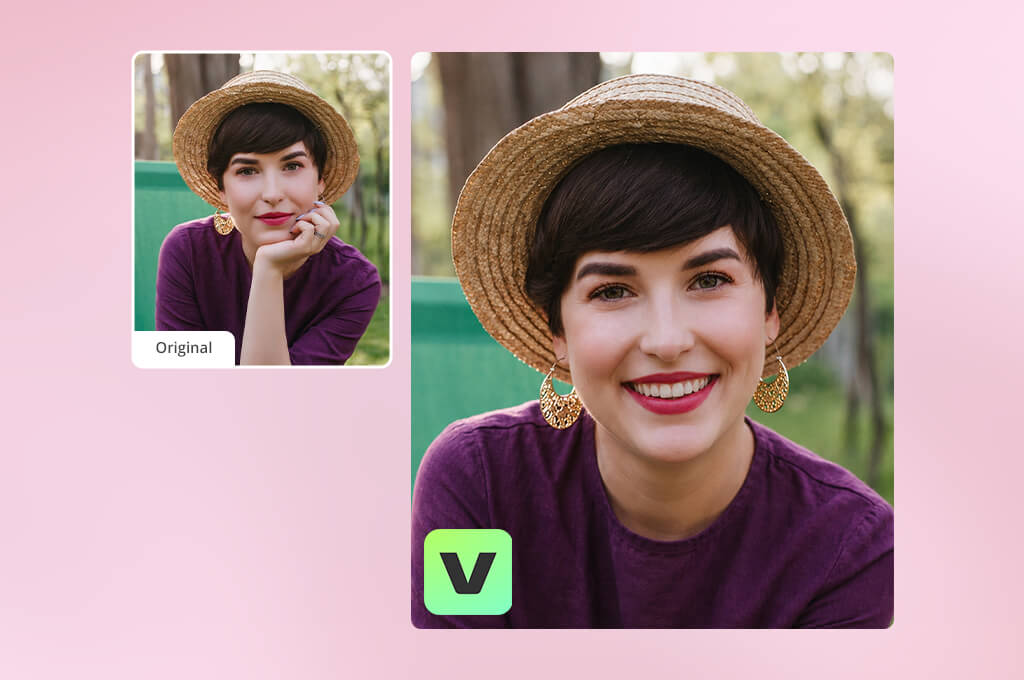
I picked VEED for a project where the AI twin was only a part of it. I wanted to generate a brief presenter introduction before transitioning to screen-captured footage with animated captions and a product demo.
Its integrated AI art generator helped me produce additional backgrounds and b-roll footage. For my avatar, this free AI twin generator required one recording of my face and voice. I completed the setup and could import my script and produce new talking-head videos without doing additional real-life recordings.
VEED offers stock AI avatars while also letting you make personal avatars based on your face and voice recording. Its avatar tool supports over 120 languages, and stock options can be experimented with for free. A paid subscription is needed for additional credits, personalized avatars, and watermark-free downloads.
“I got the most impressive results by ensuring my scripts sounded conversational. Long sentences made the delivery sound rushed, so I included more punctuation and separated each idea into individual lines.”

The avatar quality is more than high enough for educational and social content. HeyGen did a great job conveying subtle facial movements, but VEED is superior when it comes to handling subtitles, B-roll, sound cleaning, transitions, and polishing.
Its subtitle functionality is especially useful. This platform can generate captions in different styles, highlight key phrases, and create optimized formats for Instagram, TikTok, and YouTube.
My tip: Ensure the face is fully visible when recording the training video. Hair, glasses reflections, hands, or a microphone obscuring part of the face can hurt the accuracy of the lip syncing and facial expressions.
Why it’s in my top:
Pricing: Free; paid plans from about $12/month
Captions is the best AI twin generator if you’re looking for a solution for your phone. For my test, I had a script and a couple of portrait photos, but no lights or microphone.
I made an AI twin for a short vertical clip covering a FixThePhoto article. Next, I tried changing the outfit and backdrop. The face preserved its features, but substantial changes to the environment sometimes resulted in subtle differences in skin texture and hair.
“Captions provides the best results for quick social media clips. I suggest generating multiple shorter clips rather than a single long video, since it’s easier to replace one small section instead of having to regenerate the entire project.”

You can get Captions Max for $24.99/mo and receive access to generative AI videos, AI actors, and digital twin creation. You can also choose between additional Basic and Scale tiers, but the ability to use specific generative features depends on the chosen plan and available credits.
I think Captions is a great choice for Reels, TikToks, short ads, product showcases, creator updates, and quick mobile drafts. HeyGen or Synthesia are a better fit for lengthy corporate presentations that benefit from gestures and frames looking more restrained.
My tip: Before producing the entire video you need, test your current setup by generating one sentence containing your name, brand, and any relevant product terminology. Fix pronunciation mistakes first and then add the entire script.
Why it’s in my top:
Pricing: Limited free access; Max from $24.99/month
Synthesia is the last solution I tried since I wanted to check if I could produce a formal training video instead of casual social media content.
Synthesia helped me make a Personal Avatar based on a short video I imported from my smartphone. Before generating a video, I also explored the available AI profile picture generator to create a cleaner presenter image for my test, but the recorded avatar still delivered more realistic expressions and consistent results.
You can produce avatars by using this AI twin generator from photos or short videos. Additionally, it offers over 240 premade avatars as well as video generation in more than 160 languages.
“Synthesia is my go-to choice for training and business projects. Film the source footage in the formal style you need the AI twin to imitate later.”

The available presentation editor helped me pair the generated avatar with text, graphics, screen captures, and organized scenes. Such freedom helped me edit individual parts of the video without having to record the presenter again.
You get a single Personal Avatar in the yearly Starter and Creator subscriptions. Extra Personal Avatars created based on your footage currently cost $240/year before tax. Processing can take around one business day.
Synthesia was developed with corporate education, internal announcements, employee onboarding, product demos, compliance content, and multilingual training in mind. It’s harder to recommend this solution for expressive influencer-style content.
My tip: Stick to plain clothing without small patterns when filming footage of your Personal Avatar. Make sure the hands are below chest level unless you specifically want to include gestures.
Why it’s in my top:
Pricing: Free trial; paid plans from approximately $29/month
My FixThePhoto team and I prepared an in-depth breakdown of a wide range of AI digital twin generators since they are often hard to evaluate by simply looking at the promotional examples.
Developers typically showcase their software by relying on perfect studio recordings, carefully selected scripts, and the best output out of several generations. I made it my goal to check if they could deliver high-quality footage to an ordinary user.
We explored over 30 platforms suggested to us in American Google results, YouTube comparisons, Reddit threads, creator communities, marketing forums, and education-focused groups.
I imported the same source materials into each platform (as long as they supported them):
Multiple popular solutions failed to be included on my final list:
We tested both paid and free AI twin generators based on photos and videos while adhering to the same criteria.
Setup and consent. I checked how clearly each option described the recording requirements and whether it asked for authorization from the person being cloned. Tools that didn’t handle consent properly got a lower ranking.
Facial accuracy. My FixThePhoto colleagues compared the generated twins to the original portrait and video. They examined the eye shape, jawline, smile, teeth, hair, skin tone, and facial structure.
Lip syncing quality. I used scripts with regular English sentences, product names, abbreviations, numbers, and difficult names. I analyzed the output at normal speed and frame by frame.
Voice realism. We rated the pronunciation, rhythm, emotional tone, pauses, emphasis, and whether the cloned or generated voice stayed consistent throughout the entire clip.
Natural motion. I evaluated blinking, eye contact, head movements, shoulders, hands, posture, and transitions between different expressions. A still face with moving lips got a worse score even if the appearance of the speaker was well-preserved.
Image and video input. Some platforms accepted a single photo, while others demanded a training video. I evaluated whether the more streamlined image workflow resulted in a notable reduction in realism.
Identity consistency. I produced multiple videos with different scripts and examined whether the twin still looked like the original model. Additionally, I tried adding new backdrops, attire, and aspect ratios whenever possible.
Editing features. I checked to see if the platform offered captions, trimming, B-roll, backgrounds, music, screen recordings, translations, eye-contact correction, branding, and timeline editing.
Multilingual performance. We produced extra versions in different languages while evaluating the accuracy of the mouth movement, timing, and voiceovers. Native speakers reviewed terminology whenever feasible.
Export quality. I looked at the resolution, watermarks, aspect-ratio parameters, rendering speeds, and whether the downloaded video contained new artifacts.
No option will let you create the perfect digital twin from a photo or video every time. I managed to get the most natural results by using clean reference footage, shorter scripts, even lighting, thoughtful pronunciation checks, and by performing a thorough review before publishing the video.


![7 Best Free Monogram Makers [{{%year}} FixThePhoto Choice]](http://fixthephoto.com/blog/images/gallery/news_main__preview_29343.jpg)


![9 Best AI Picasso Generators [{{%year}} FixThePhoto Choice]](http://fixthephoto.com/blog/images/gallery/news_main__preview_29366.jpg)

















