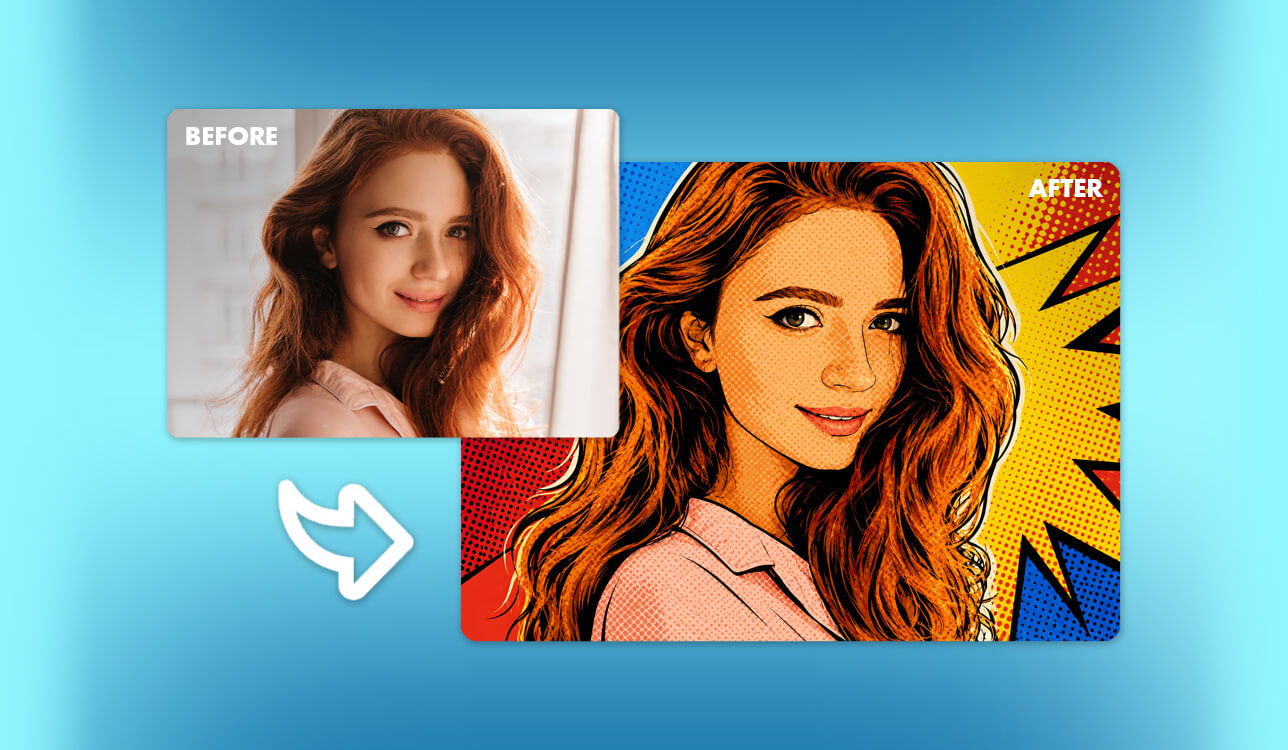
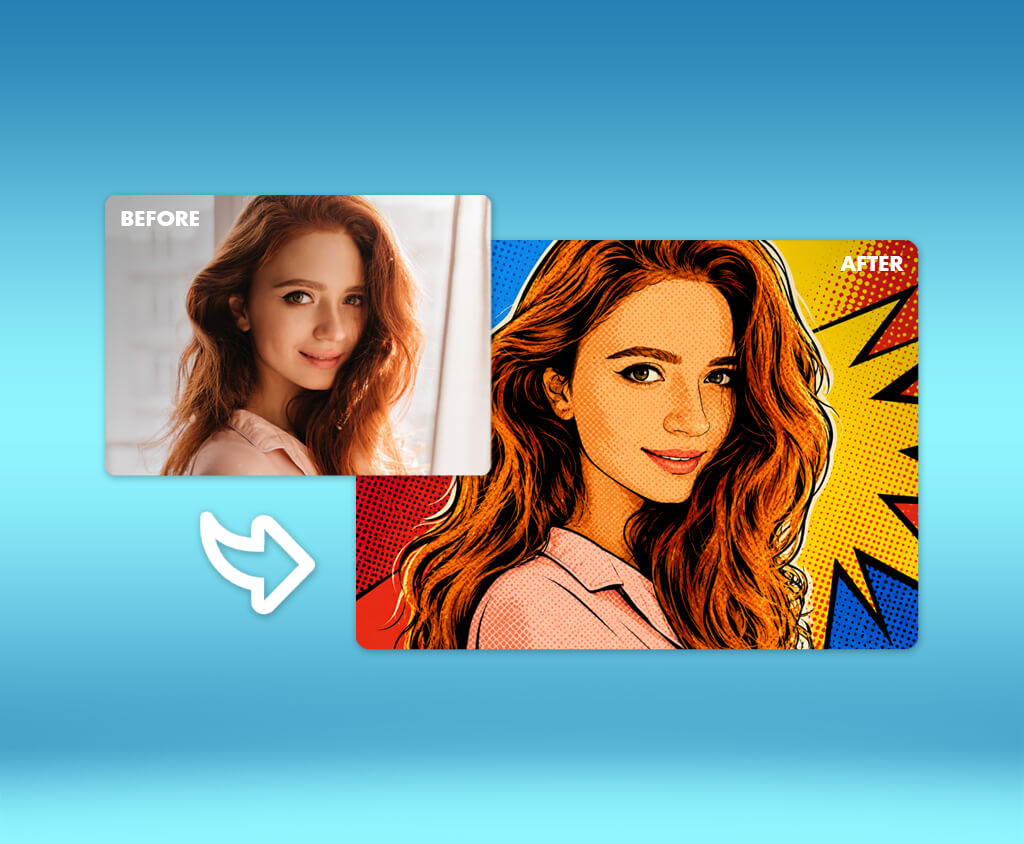
Before I started testing these tools, I expected an AI pop-art generator to be nothing more than a simple app that adds colorful filters to photos. Since I work as a content creator and photo editor at FixThePhoto, I often edit portraits, product images, advertisements, social media graphics, and digital illustrations. Because of that, I wanted a tool that could do much more than apply one quick effect.
My goal was to find an AI that could produce true pop-art images while keeping the important details of the original person, object, or scene. I was also curious to see whether AI could create entirely new pop art from written prompts, rather than just changing the colors of an existing image.
My team recommended that I try many popular AI tools that are often suggested by designers, photographers, creators, and the top Google search results in the USA. Some of these programs were built for creating images from text, while others were mainly designed to turn existing photos into retro comic-style artwork.
After comparing all of them, I found that the best tool depends on the kind of pop art you want to make.
Adobe Firefly was the strongest choice for professional text-to-image creation and commercial projects that fit into Adobe's creative workflow. OpenArt gave me more control when I wanted to change photos into different comic or vintage pop-art styles. DeepAI was the quickest solution whenever I needed a simple pop-art image without spending time changing lots of settings.
To discover which tools were the most useful, my team at FixThePhoto and I tested more than 25 AI art generators and photo filter programs. We created many different images, including pop-art portraits, pet artwork, product advertisements, comic pages, profile pictures, album covers, and promotional designs.
While reviewing every AI pop-art generator, I looked for:
| Tool | Use case | Free plan/trial | Cost |
|---|---|---|---|

|
Commercial text-to-pop-art images
|
✔️
|
From $9.99/mo
|

|
Detailed photo-to-pop-art transformations
|
✔️
|
Free; paid plans available
|

|
Fast pop-art generation
|
✔️
|
From $0.01/image
|

|
Easy pop-art portraits and filters
|
✔️
|
Free; paid plans available
|

|
Social media pop-art designs
|
✔️
|
Free; paid plans available
|

|
Warhol and comic-style effects
|
✔️
|
Free preview; Plus required for premium effects
|

|
Mobile pop-art editing
|
✔️
|
7-day free trial
|
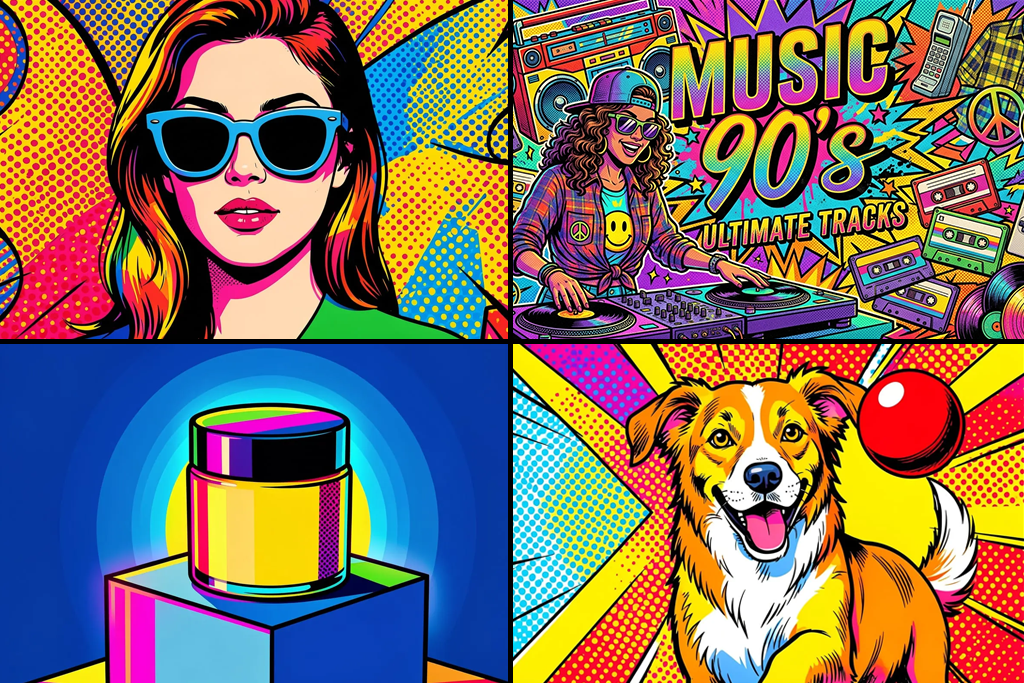
While putting together my list, I found that pop-art AI tools can do much more than I expected. Before trying the AI image generators, I thought they were only useful for making colorful portraits, and now, after using them in different FixThePhoto projects, I realized they can be used for many other creative tasks.
Photographers and photo editors. Pop-art effects can change a simple studio portrait into eye-catching artwork with bold colors. I found that OpenArt and Fotor were especially good at keeping the person's pose and facial features the same while replacing natural colors with bright shades of red, yellow, blue, and pink.
Social media creators. Picsart and Photoleap are great for making profile pictures, Instagram posts, story covers, YouTube thumbnails, and promotional images. Both tools mix AI image creation with editing features that many people already know how to use. After creating an image, you can easily add text, stickers, new backgrounds, and different layouts. Picsart currently includes over 48 art styles, one of which is pop art, and it also offers layers, background removal, and AI Replace for extra editing.
Marketing teams. Pop-art designs work well for promoting new products, holiday campaigns, event posters, restaurant advertising, and fashion brands. Adobe Firefly was my favorite for this type of work because it created cleaner images and made it simple to continue editing them in Photoshop or Adobe Express.
Small business owners. Pop-art graphics can help product packaging, menus, postcards, stickers, and advertising materials stand out and be easier to remember. Fotor was useful because it quickly created several colorful versions of the same product image, giving me more choices without much extra work.
Pet owners. Fotor and BeFunky can turn pet photos into colorful artwork that looks great on prints, phone cases, gifts, and wall decorations. Fotor has pop-art effects made for portraits, pets, flowers, and landscapes, while BeFunky offers different screen-print and halftone-style filters that give images a classic comic look.
Musicians and podcasters. Pop-art designs are a good choice for album covers, podcast artwork, posters, and promotional graphics. Fotor combines AI image generation with design tools, making it easy to create covers and matching branded visuals. This is one of the reasons I also tested it when researching the best AI album cover generator.
Teachers and students. AI pop-art generators can help create school presentations, art history projects, posters, and lessons about color theory. DeepAI is a good option when you need a quick example, while Adobe Firefly gives students more freedom to test different prompts and compare different artistic styles.
One tip that helped me get better results was describing the exact parts of pop art instead of simply writing the words "pop-art style."
A stronger prompt should mention details like:
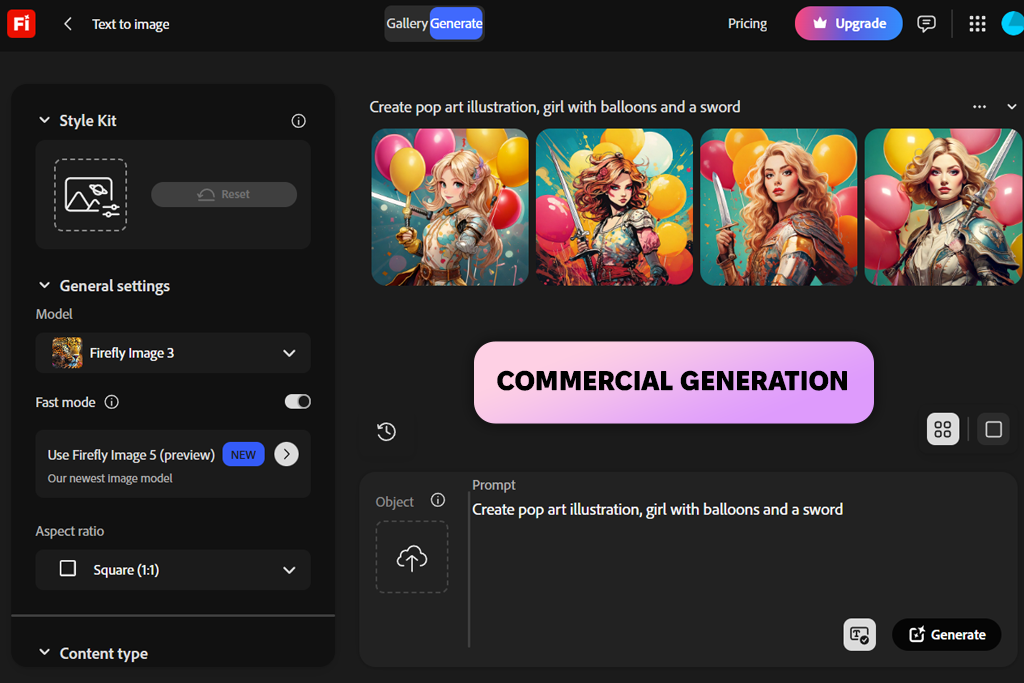
I picked Adobe Firefly as the best AI pop-art generator because it gave me the right mix of high-quality image creation, useful editing tools, and smooth support for professional design work.
With Firefly, you can create pop-art images from text prompts, photos, or simple sketches. I was able to describe an image from scratch, upload a reference for the style or layout, and improve the result without changing the whole design. Before paying for a subscription, it is also a good idea to look at the latest Adobe Firefly deals, especially if you want extra Firefly credits together with other Creative Cloud apps.
Compared to many regular AI pop-art generators, Firefly kept the original shape of the sunglasses much more accurately. It also left enough open space around the product, which made it easy to add advertising text later.
This platform is especially useful for people who already work with Photoshop, Illustrator, Adobe Express, or other Adobe Creative Cloud software. According to Adobe, Firefly can generate pop-art images from text prompts, photos, and sketches, while also allowing users to continue editing their work in other Adobe applications.
“Start with a small color palette and include details like halftone dots, thick black outlines, and a screen-print texture in your prompt if you want your artwork to look closer to classic pop art. ”

To test the photo-to-art feature, I uploaded a simple studio portrait with balanced lighting. Firefly kept the person's face shape and pose close to the original image. It replaced natural skin colors with flat graphic color blocks and added printed halftone dots in the shadow areas.
The final image still needed a few small fixes. Some halftone dots appeared over the eyes and teeth, and the hair outlines were sometimes thicker than I wanted. Even so, I could easily create new versions or make the final edits myself in Photoshop.
Adobe says that new users can try Firefly for free with a limited number of image generations each day. At the moment, the paid Firefly Standard plan includes 2,000 monthly generative credits for $9.99 per month, while Firefly Pro offers 4,000 monthly credits for $19.99.
My advice is to describe the artistic style, image layout, printing method, and colors in one prompt. For example, a prompt like "Four-color screen print, thick outlines, halftone shadows, cream paper texture" gives a much clearer result than simply writing "make it pop art."
Why it’s in my top:
Pricing: Free; from $9.99/mo
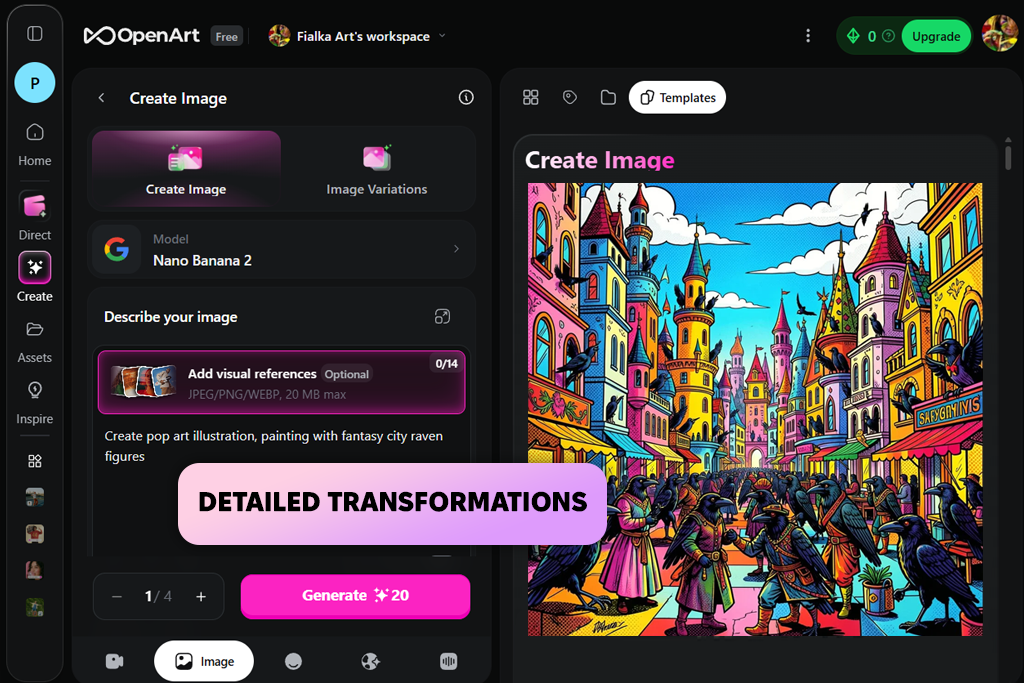
I first came across OpenArt when I wanted an AI tool that could change a real photo into pop art without replacing the main subject with something completely different.
OpenArt includes both a text-to-pop-art generator and a tool that turns photos into pop-art images. It studies the uploaded picture and applies an artistic style while keeping the main subject and overall composition.
The platform also supports many other art styles, which is why I previously included it in my list of the best Ghibli AI generators for people who prefer softer, hand-drawn effects.
The tool generated several different versions of the same idea. One looked like a comic-book panel, another resembled an old magazine advertisement, and a third had a cleaner style that looked more like modern vector art.
“Upload a clear portrait with a simple background. This helps OpenArt keep the person's facial features while adding detailed effects.”

I also tried the AI pop-art generation tool with a product photo. OpenArt kept the main object looking accurate, but small labels and tiny text on the product were sometimes changed or distorted. If you are creating product advertisements, it is better to generate the artistic background with AI and then place the original product image on top during the final editing stage.
OpenArt describes its pop-art generator as free, private, and easy for beginners to use. Since it works directly in a web browser, you can quickly create extra versions if the first result does not match what you wanted.
My tip is to upload a clean image with one clear subject. Photos with busy backgrounds often produce messy outlines, uneven halftone dots, and too many colors competing for attention.
Why it’s in my top:
Pricing: Free; paid plans available
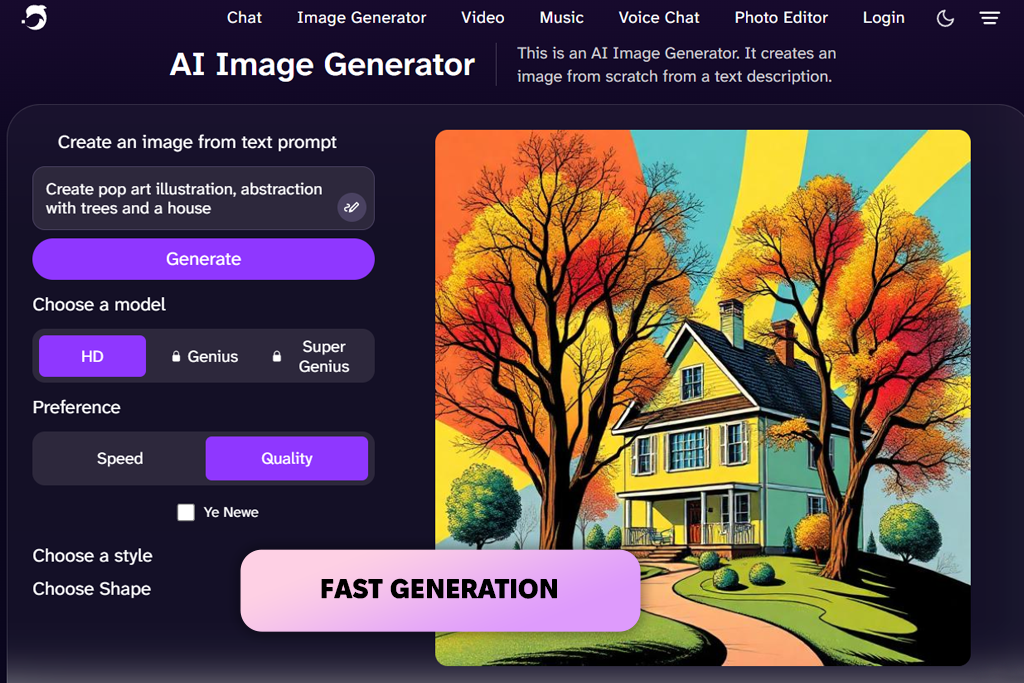
I decided to test DeepAI because I wanted to see how fast it could turn a simple prompt into a pop-art image that was good enough to use.
Out of all the tools I tried, its process was one of the easiest. I opened the pop-art generator, typed my prompt, selected the available options, and let the AI create the image.
The image was generated quite quickly and clearly matched the style I asked for. It was not as polished as the artwork created by Adobe Firefly, but the bright colors, bold comic outlines, and strong graphic contrast made it easy to recognize as pop art.
DeepAI offers more than 100 different AI image models, including one made specifically for pop-art generation. Standard images can cost as little as $0.01 each, while higher-quality modes are priced at a higher rate. Users with a DeepAI Pro subscription also receive a monthly number of both standard and premium image generations.
“Keep your prompt simple and focus on one subject, one group of colors, and one pop-art effect. This usually gives more consistent results.”

The biggest downside I noticed was the limited amount of editing control: I could rewrite my prompt and generate another version, but I did not have the same freedom to edit the image as I did in Adobe Firefly, Picsart, or Fotor.
Because of this, I think DeepAI is a better choice for getting quick ideas, making simple illustrations, or creating early concepts instead of producing finished artwork for professional clients.
My advice is to keep the prompt short and clear. I achieved better results when I described only one subject, one background, one color palette, and one printing style instead of adding too many visual details.
Why it’s in my top:
Pricing: Free limited use; from $0.01 per standard image
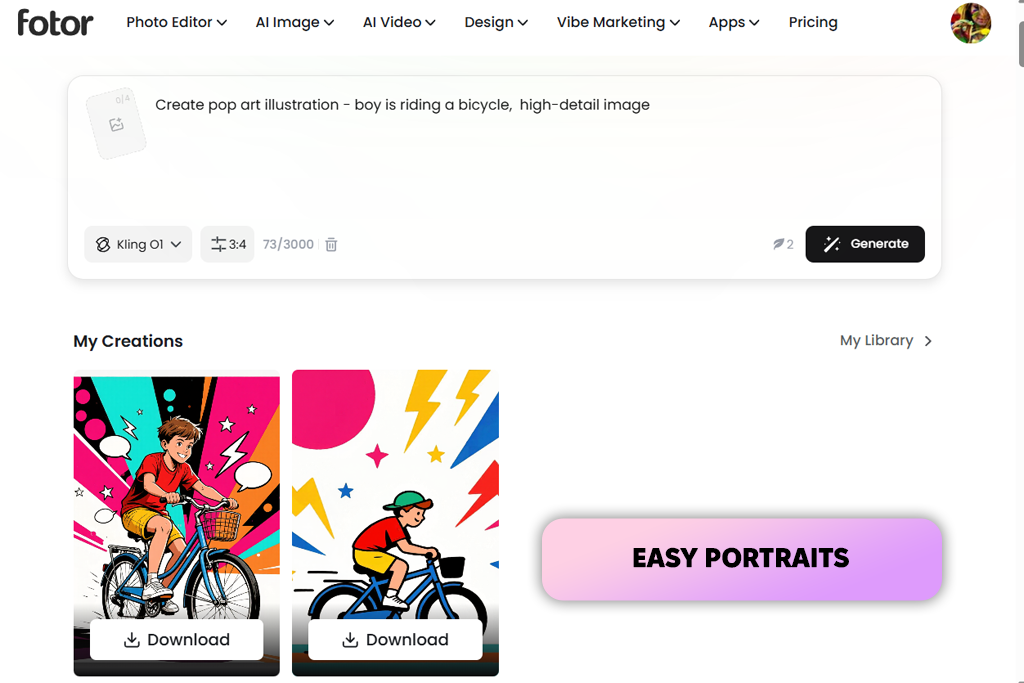
I also tested Fotor because its pop-art feature is mainly designed to turn existing photos into artwork instead of creating completely new images from text.
The process was quick and easy. I uploaded a portrait, chose one of the pop-art filters, adjusted how strong I wanted the effect to be, and downloaded the finished image.
Fotor includes several pop-art styles, from traditional to more modern abstract designs. It can transform portraits, pet pictures, landscapes, flowers, and many other types of photos. Before saving the final image, users can also control how strong the effect looks.
The best result came from a photo with clear lighting and visible shadows. The AI pop-art generator changed those shadows into large color areas and bold graphic outlines, which looked much better than the result I got from an overexposed selfie.
“Increase the contrast of your photo before using the pop-art effect. This helps create stronger outlines and more noticeable blocks of color.”

Fotor also includes many other AI tools, such as text-to-image generation, object replacement, image expansion, background removal, photo retouching, templates, filters, and design features. Because it combines all of these tools in one place, it is a good option for people comparing Fotor with other Fotor alternatives. Its AI image generator also brings together several different image models inside one platform.
The free Basic plan gives users a limited number of AI credits along with standard editing tools. Paid plans unlock more AI credits, premium filters, high-resolution exports, transparent PNG files, and extra cloud storage.
My recommendation is to improve the contrast before adding the pop-art effect to your photo. These filters usually look better when the original photo has clear highlights, midtones, and shadows.
Why it’s in my top:
Pricing: Free; paid plans available
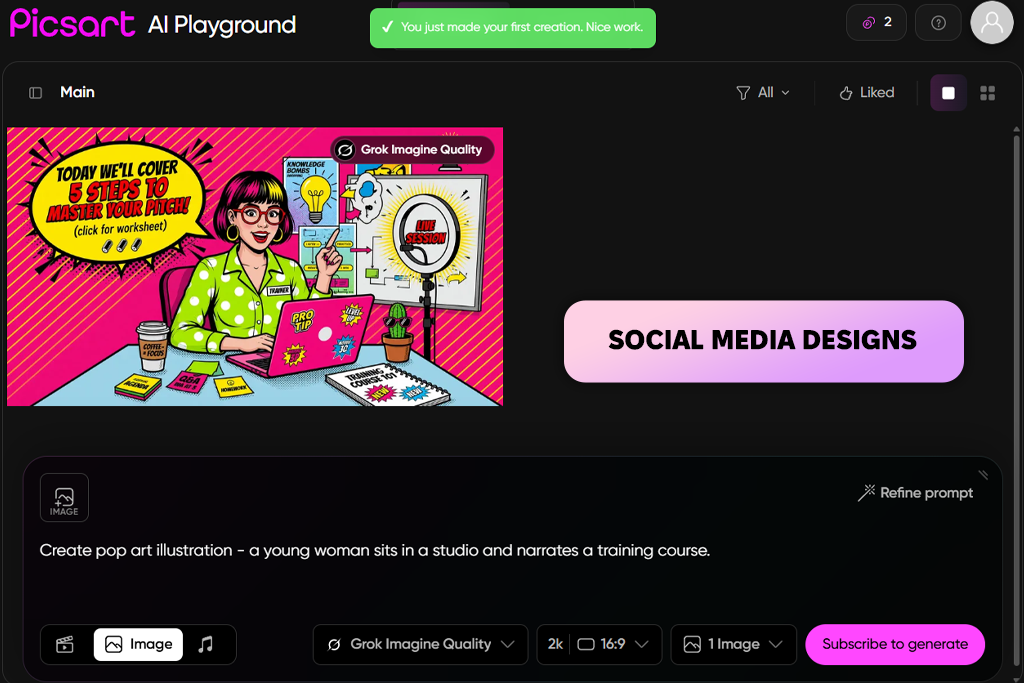
I was already familiar with Picsart as an editor for social media content, so I wanted to see if it could do more than simply add a colorful pop-art filter to an image.
Today, Picsart combines pop-art effects with several AI image generation models. It also includes an AI Art Generator that offers more than 48 styles, including pop art, oil painting, abstract art, graffiti, and pixel art. This makes it useful as an AI wedding photo generator for creating creative wedding portraits, invitation designs, and social media graphics.
In my opinion, this complete editing process was the biggest advantage of Picsart. I did not need to export the generated portrait and continue editing it in another design program because everything could be done inside the same platform.
“Create the portrait first, then use the built-in editing tools to add text, stickers, and graphic shapes instead of asking the AI to generate words inside the image.”

Picsart also lets users compare how different AI models create images from the same prompt. This made it easier for me to choose between a detailed illustration and a flatter graphic style. After the image was generated, I could continue editing it with background removal, AI Replace, color correction, and layers.
The free version is enough for trying out the features from time to time, although premium styles and higher usage limits are only available with a paid subscription.
My tip is to create the main pop-art portrait first and add the text afterward. AI-generated letters are still often uneven or incorrect, while Picsart's standard text editor gives much better control over the final design.
Why it’s in my top:
Pricing: Free; paid plans available
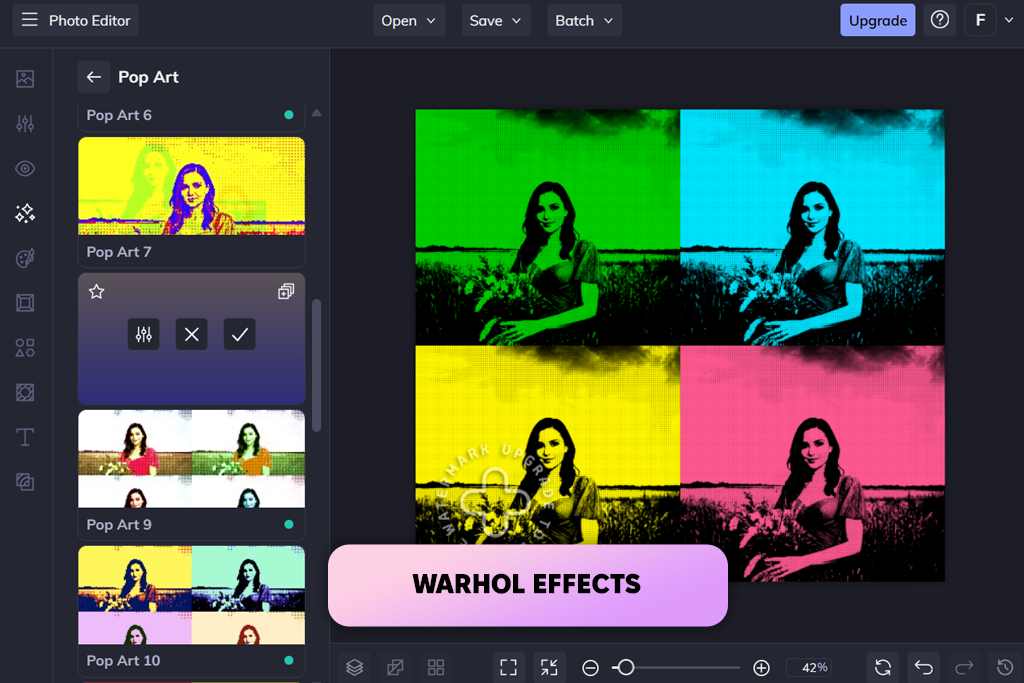
I included BeFunky in my testing because it has been offering creative photo effects for a long time and has a separate collection of pop-art filters.
Instead of creating brand-new images from text like many AI generators for pop-art images, BeFunky is mainly designed to modify photos you already have. It includes effects based on screen-print colors, halftone dots, comic-book artwork, and Andy Warhol-inspired multi-panel designs.
One thing I liked is that BeFunky lets you preview all of its effects without signing up for an account. However, if you want premium filters, batch editing, and other advanced tools, you need a BeFunky Plus subscription.
The product photo needed a little more preparation before applying the effect: shiny surfaces caused uneven color patches, so I removed the background first and increased the image contrast before using the pop-art filter.
“Copy the same portrait into four separate panels and apply a different bold color palette to each one to create the classic gallery-style pop-art look that many people recognize.”

BeFunky also includes a Collage Maker, which is useful for building multi-panel artwork. I made four copies of the same portrait, gave each one a different color palette, and combined them into one finished design.
The AI pop-art generator offers more than a dozen filters made especially for pet portraits, including classic screen-print effects and halftone styles inspired by comic artwork.
My advice is to create four versions of the same photo with different limited color palettes instead of using one heavily edited image.
Why it’s in my top:
Pricing: Free preview; BeFunky Plus required for premium effects
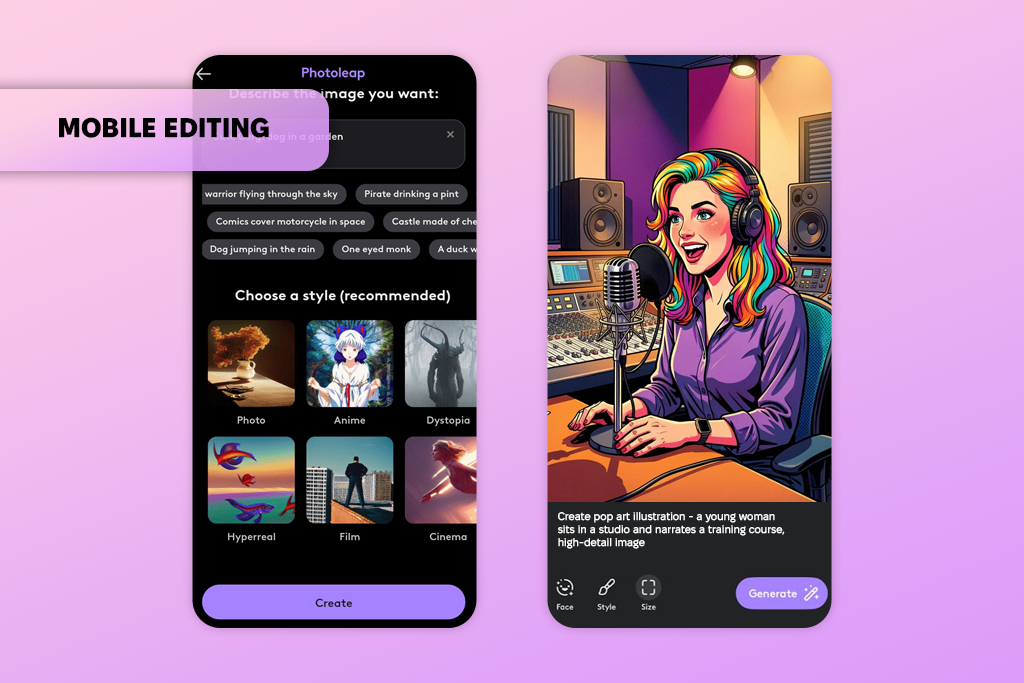
I picked Photoleap as my favorite mobile option because it brings together AI image generation, photo filters, layers, effects, and social media editing inside one app. It is also a good choice for people who want an alternative to ImagineArt and prefer creating AI artwork directly on their smartphone.
Photoleap can generate images from text prompts and also turn uploaded photos into different artistic styles, including pop art. Its QuickArts feature and photo effects include several options that create comic-inspired artwork.
When I finished editing, the image was ready to post as an Instagram Story without needing to transfer it to my computer.
“Use one main pop-art effect with a medium strength, then add a simple background and a light dotted texture. This usually creates a cleaner image than using every available effect.”

Photoleap is not as accurate as Photoshop or Adobe Firefly for detailed professional editing, but it works well when I need to create a quick design while traveling or working away from my main computer.
The app includes a free seven-day trial. After that, you need a paid subscription to continue using its premium features.
My recommendation is to avoid turning every effect up to the highest level. A simple mix of one pop-art filter, one dotted texture, and one clean background usually gives a much better final image.
Why it’s in my top:
Pricing: 7-day free trial; paid subscription available
FixThePhoto team and I tested more than 25 AI pop-art generators, online editing tools, and mobile apps. We used different images to compare how well each platform performed.
During our testing, we created comic-style portraits, retro advertising posters, Andy Warhol-inspired grid designs, social media graphics, and promotional product images. Whenever a tool supported both text-to-image creation and photo-to-art editing, I tested both features to see how well they handled different creative projects.
We scored every AI generator by looking at:
I also tested Canva, NightCafe, StarryAI, Vivid AI, and GetIMG. However, I did not include them in my final recommendations because their results were less consistent, they offered fewer pop-art controls, or they needed too much manual editing before the images looked good.
The highest scores went to tools that produced bold outlines, flat colors, halftone dots, and screen-print textures while keeping the original subject easy to recognize. I gave lower ratings to generators that changed facial features, altered product details, ignored the colors I requested, or simply added bright colors without creating a true pop-art style.
I also compared image resolution, watermarks, download limits, AI credit systems, and subscription costs. The tools that made my final list of the best AI pop-art generators provided the best mix of image quality, creative control, ease of use, and overall value.




![9 Best Higgsfield Alternatives [{{%year}} FixThePhoto Choice]](http://fixthephoto.com/blog/images/gallery/news_main__preview_29303.jpg)



















