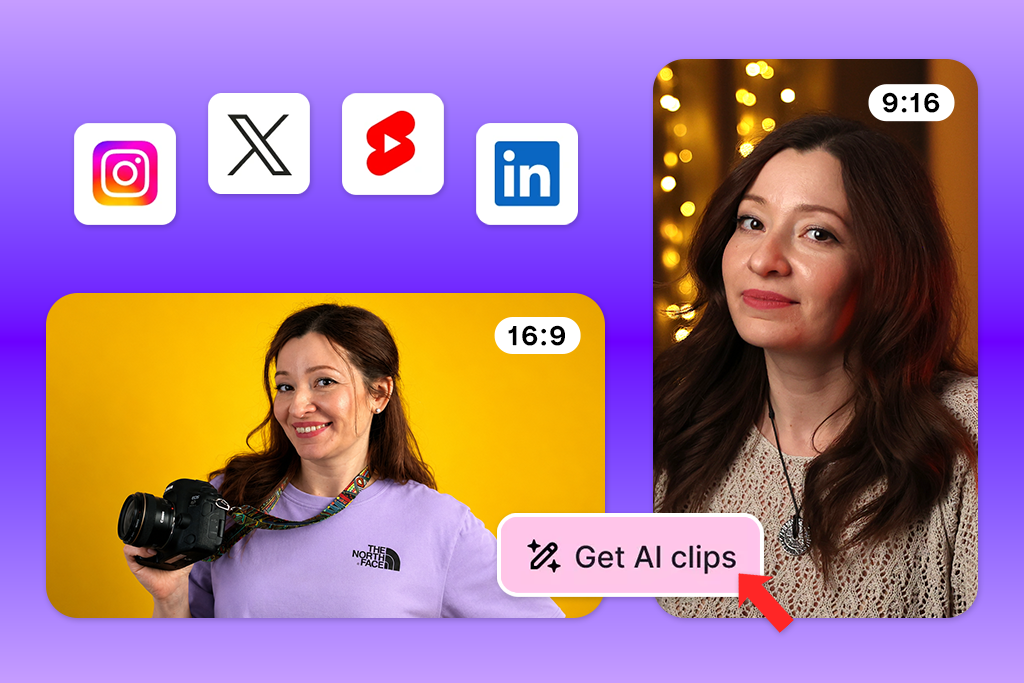
At FixThePhoto, I regularly turn long videos into short clips for blog posts, guides, and social media. From my experience, choosing the best parts usually takes more time than editing them. A reliable AI podcast clip maker should quickly find interesting moments, add clear subtitles, and format each video for TikTok, Instagram Reels, and YouTube Shorts, saving creators a lot of time and effort.
To see which tools are truly worth using, I tested over 20 tools using podcasts with different speakers, recording quality, and video lengths. I also worked with the FixThePhoto team to review feedback from Reddit, Quora, YouTube, and other creator communities, helping identify the tools that perform well in everyday content creation.
| Tool | Best For | Speed | Export Quality | Free plan/Trial |
|---|---|---|---|---|

|
AI B-roll & podcast visuals
|
Very Fast
|
Excellent
|
✔️
|

|
Automatic highlight detection
|
Very Fast
|
Excellent
|
✔️
|

|
Fast podcast repurposing
|
Fast
|
High
|
✔️
|

|
Transcript-based editing
|
Fast
|
High
|
✔️
|

|
Podcast recording & clips
|
Fast
|
Good
|
✔️
|

|
Multi-speaker podcast clips
|
Very Fast
|
High
|
✔️
|

|
Podcast-to-Shorts
|
Fast
|
Good
|
✔️
|

|
Browser-based editing
|
Medium
|
High
|
✔️
|

|
Content repurposing
|
Fast
|
Good
|
✔️
|

|
Transcript editing
|
Fast
|
High
|
✔️
|

|
Audiograms & social clips
|
Medium
|
Good
|
✔️
|

|
AI automation & viral clips
|
Medium
|
High
|
✔️
|

|
Manual podcast editing
|
Medium
|
Good
|
✔️
|
To choose the best AI podcast shorts generators, I checked how well each tool found interesting parts of a podcast, created accurate subtitles, and made editing easier with transcripts and smart AI features. I also looked at rendering speed, video quality, support for multiple speakers, compatibility with popular social platforms, editing flexibility, pricing, and how much hands-on work was needed to create polished clips ready to publish.
These tips have helped me cut down on editing time while creating more engaging podcast clips. Even the best AI podcast clip generator delivers better results when you combine its automation with a quick manual review before publishing.
Price: Free (limited daily generations) or from $9.99/mo.
Availability: Web
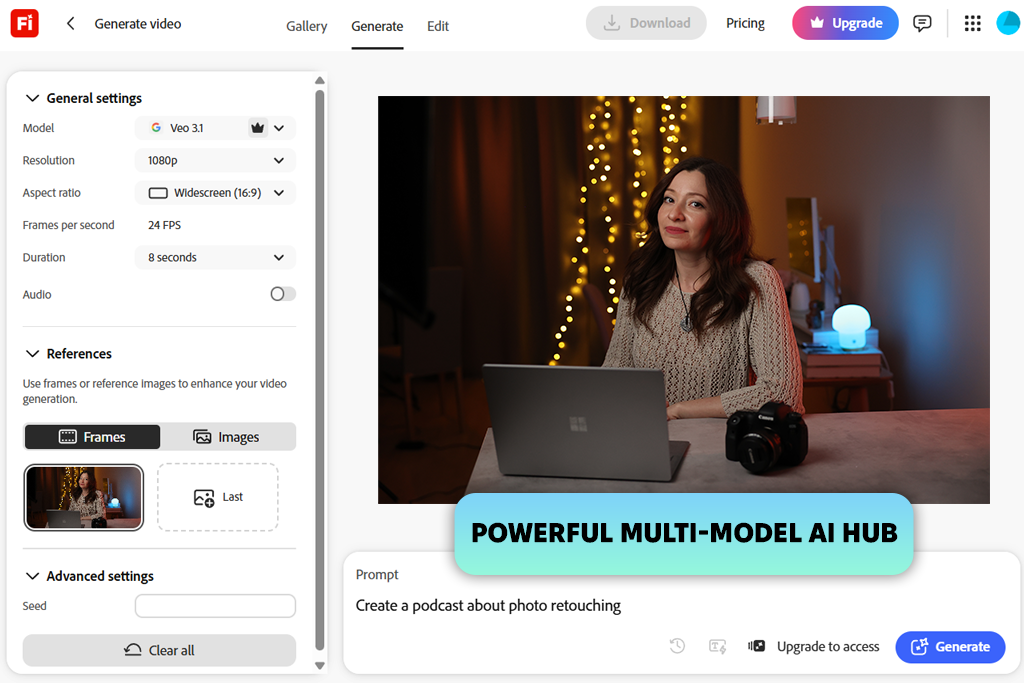
During my testing, Adobe Firefly stood out as a tool for improving podcast videos rather than working as a traditional AI podcast clipper. It generates AI-created B-roll, motion graphics, backgrounds, and transitions from text prompts or reference images, helping transform static conversations into eye-catching social media content. I could also compare Adobe's AI models with partner models to achieve different visual styles, motion quality, and generation speeds.
I tested both the Text to Video and Image to Video features to create visuals for different podcast topics. I experimented with prompts, camera movements, and visual styles to see how flexible the tool was. The interface felt simple and easy to navigate, making it quick to regenerate videos, refine prompts, and try new creative ideas.
I also liked the camera controls, which made it easy to add zooms, pans, and cinematic movement. The generated videos looked polished and were suitable for YouTube Shorts, Instagram Reels, and other promotional podcast content.
Another feature I appreciated was the ability to turn a single image into a short animated scene. It was especially helpful for filling gaps where I didn't have supporting footage. Although Adobe Firefly video isn't designed to clip podcasts automatically, it complements podcast editing tools by creating high-quality AI visuals that give short-form videos a more professional and dynamic look.
“Adobe Firefly stood out for its ability to create eye-catching AI visuals that elevate podcast videos. I could generate polished B-roll, animated scenes, and creative backgrounds in minutes, all through an intuitive interface that required almost no learning curve.”

Price: Free (60 credits/mo. with watermarks) or from $15/mo.
Availability: Web
I found Opus Clip to be one of the most complete AI podcast clip generators. It automatically scans long podcast episodes, picks out the most engaging moments, creates short vertical videos, adds animated captions, optimizes the layout for different platforms, and even provides an AI virality score to help identify clips with the best potential.
I tested Opus Clip using podcast episodes with different speakers and durations to see how well it handled real-world content. It quickly identified potential highlights and created several ready-to-edit clips. After making a few adjustments to the captions and framing, I exported the videos for TikTok, Instagram Reels, and YouTube Shorts. I especially liked how modern and intuitive the interface was, allowing me to finish almost everything in one place.
The AI did an impressive job of identifying the strongest moments, and its speaker tracking kept each person centered throughout the clips. The automatic captions were highly accurate as well, requiring only a few minor edits. While this AI podcast generator didn't always choose the most compelling highlights, it still saved me a significant amount of time compared to reviewing, editing, and clipping podcast episodes manually.
Price: Free (60 credits/month) or from $29/mo
Availability: Web
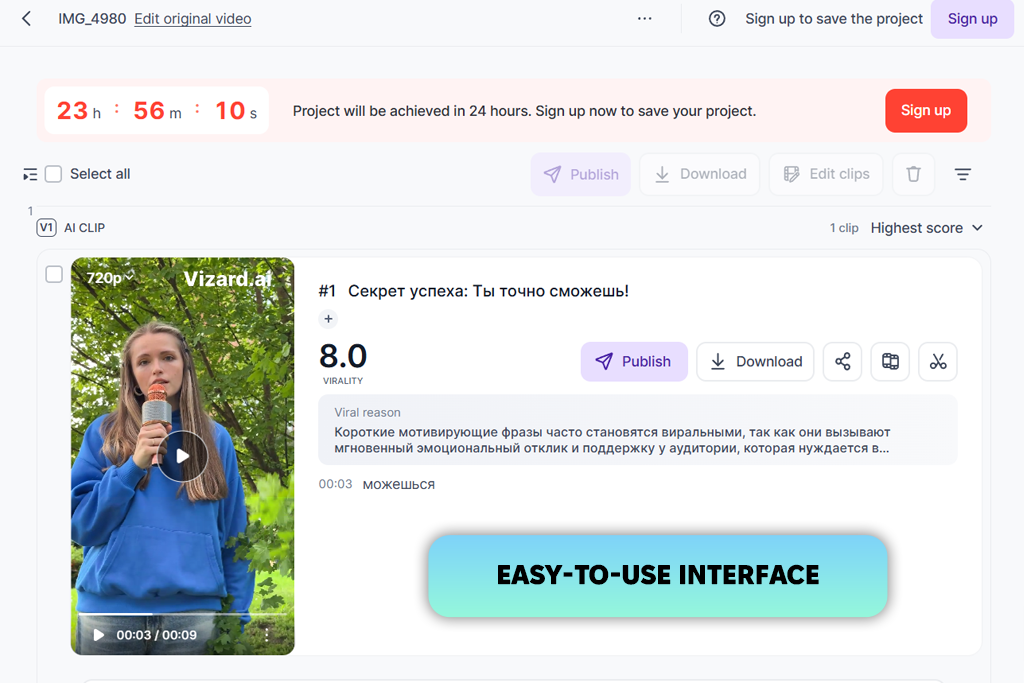
Vizard is an AI podcast clip generator that transforms long podcast episodes into short, shareable videos. It automatically detects key moments, creates accurate transcripts, auto-reframes videos for vertical formats, and works as an AI caption generator by producing customizable subtitles.
It also includes a text-based editor for quick adjustments and supports transcription and captions in more than 30 languages, making it a solid choice for creators with a global audience.
I tested Vizard by uploading several podcast episodes and letting the AI generate highlight clips. It quickly created short videos, added accurate subtitles, and optimized each one for TikTok, Instagram Reels, and YouTube Shorts. I was also able to customize the layouts, caption styles, and on-screen text before exporting. The interface is intuitive, making the entire editing process straightforward even for beginners.
This AI podcast clipper accurately identified the strongest moments in each episode, while the text-based editor made editing much faster than using a traditional timeline. Although rendering longer videos could be slow, the exported clips looked polished and required only minor adjustments before publishing.
“I liked how quickly Vizard turned my podcast episodes into short videos for social media. Although longer videos took a bit more time to render, the overall process was simple and fast.”

Price: Free or from $20/mo.
Availability: Web
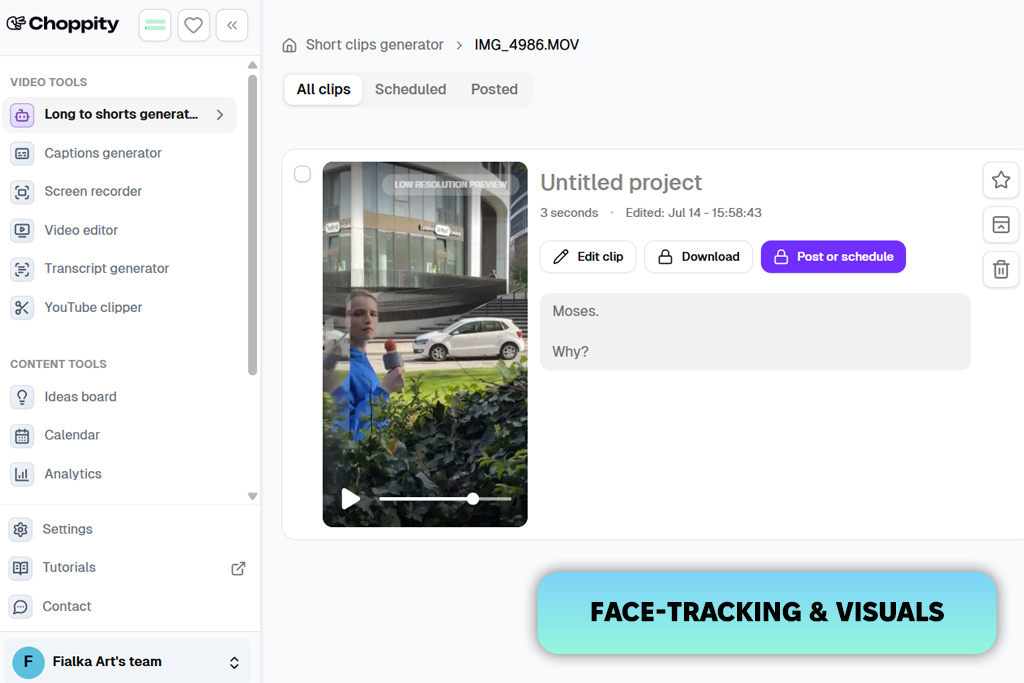
To test Choppity, I uploaded a full podcast episode from YouTube and let the AI create short clips automatically. Within minutes, it identified key moments, generated more than 10–30+ captioned videos, and organized everything in a transcript-based editor. I reviewed the suggested highlights, made a few quick caption edits, and exported the finished clips for TikTok, Instagram Reels, and YouTube Shorts. The entire workflow felt smooth and efficient, with almost no need for traditional timeline editing.
The platform has a straightforward layout that was easy to learn from the start. It significantly reduced the time needed to repurpose full podcast episodes by selecting standout segments and preparing short videos ready for social platforms within minutes. However, as with many AI clip makers, conversations with frequent speaker changes or overlapping dialogue sometimes required a few manual adjustments.
Price: Free (with watermark) or from $29/mo.
Availability: Web
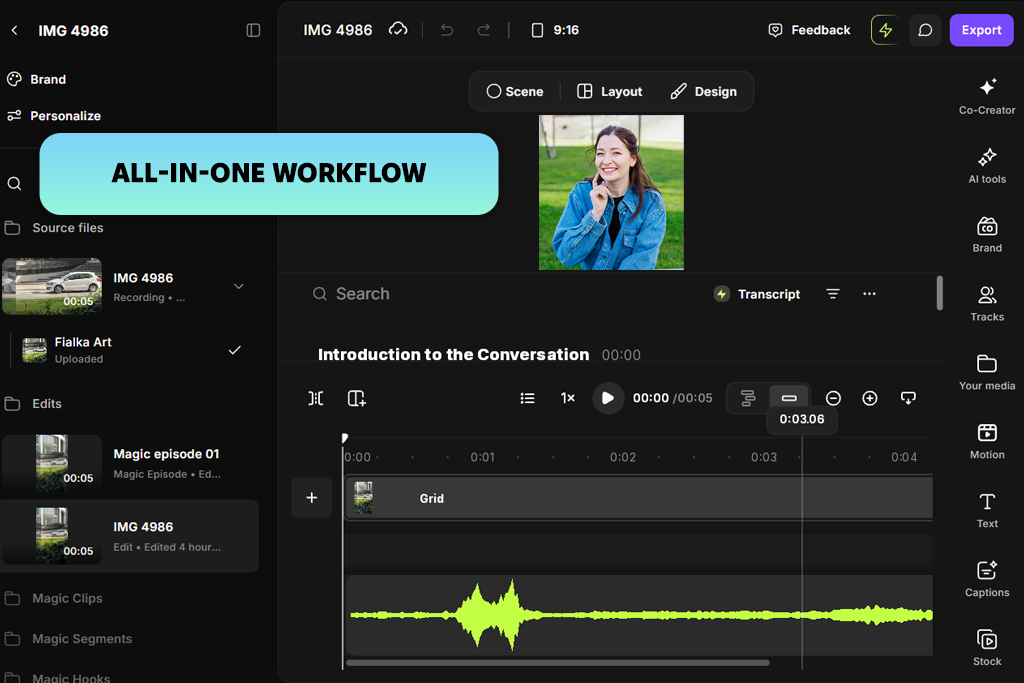
I found Riverside to be an excellent podcast recording software with built-in AI clipping tools. It records high-quality audio and up to 4K video with separate tracks, then uses Magic Clips to turn full podcast episodes into short, captioned videos ready for sharing. Having recording, editing, and exporting in one place made the workflow simple, and the clean, modern interface was easy to navigate.
I uploaded a podcast episode and used Magic Clips to create short videos automatically. The AI quickly found the best moments, added captions, and prepared the clips for social media. I made a few small edits to the captions and framing before exporting the videos for YouTube Shorts. While podcasts with multiple speakers sometimes needed minor adjustments, the final clips looked polished and were ready to share.
“The audio and video quality were impressive, and Magic Clips made creating short-form content much faster. Conversations with multiple speakers occasionally required a few quick adjustments.”

Price: Free trial or from $29/mo.
Availability: Web
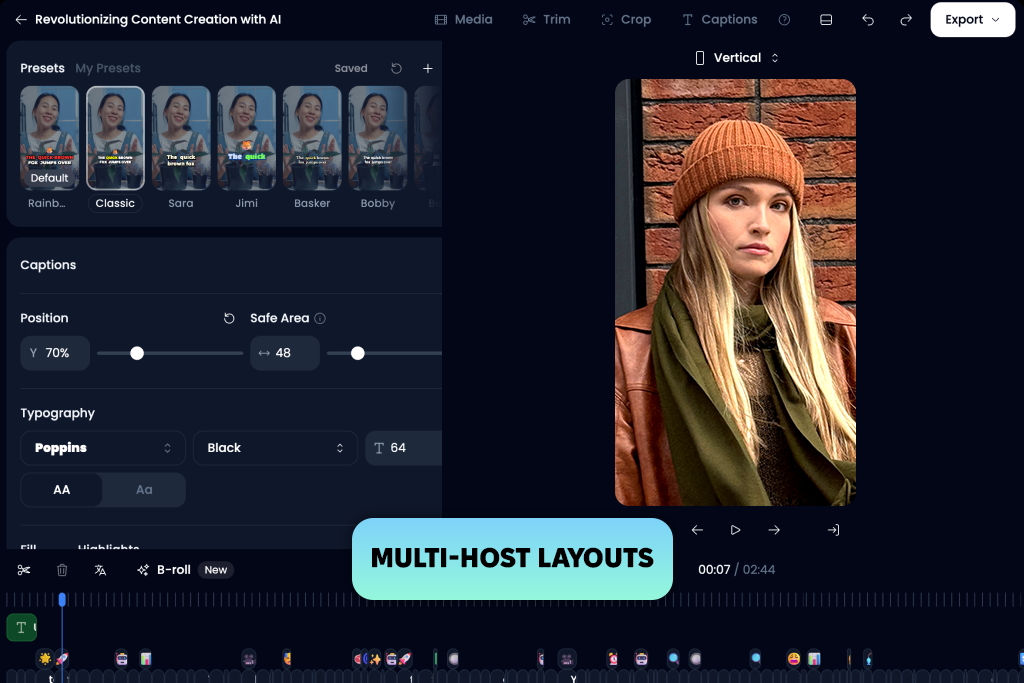
I tested Klap as an AI podcast video clip generator with several long podcast episodes. It automatically identified engaging moments, generated 10–20+ short clips, added speaker-labeled captions, applied multi-host layouts, and gave each clip an AI engagement score to help prioritize the best ones. The interface was clean and intuitive, with most actions requiring only a few clicks. I uploaded a podcast episode, let the AI analyze it, reviewed the generated clips, made a few caption edits, and exported the best videos for TikTok, Instagram Reels, and YouTube Shorts.
The prompt feature performed surprisingly well when I asked Klap to find specific topics and guest responses. Automatic split-screen layouts for multiple speakers, reliable speaker tracking, and the AI Virality Score made it much easier to identify the strongest clips. While the results were generally impressive, the AI occasionally overlooked subtle emotional moments or trimmed clips before a speaker had finished their thought.

Price: Free (with watermark) or from $19/mo.
Availability: Web
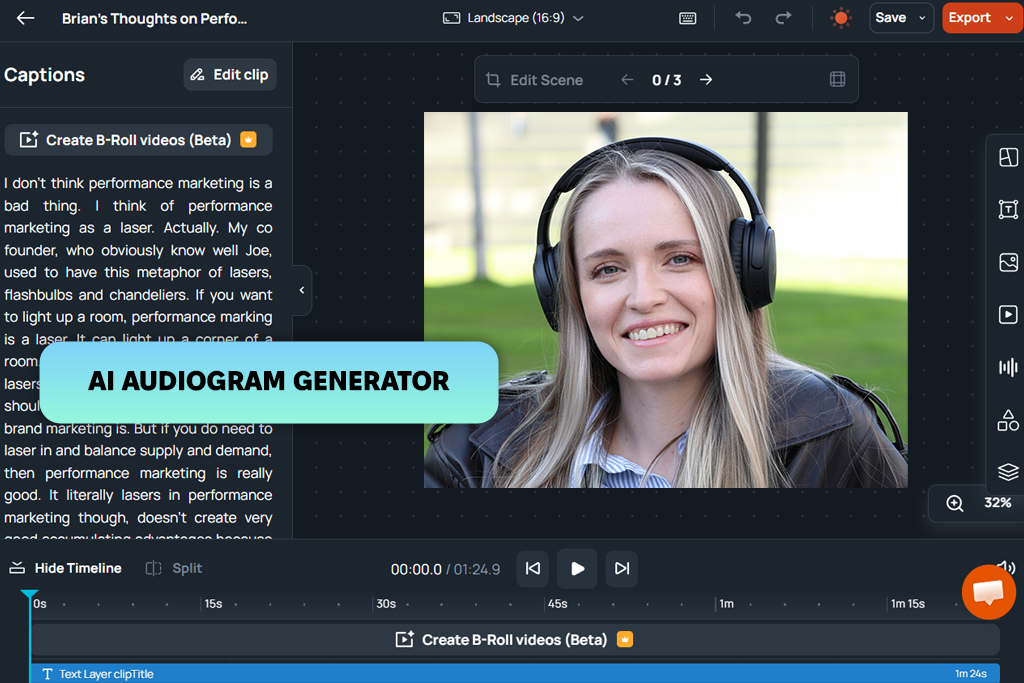
Flowjin is built to turn podcasts to short, shareable videos with minimal effort. It automatically finds engaging moments, creates vertical clips with captions, adapts the framing for different social platforms, generates titles and descriptions, and even produces audiograms with speaker identification.
To test its capabilities, I uploaded several photography podcasts featuring multiple speakers. I also used the transcript editor, experimented with different layouts, and created audiograms to see how well the platform handled various content formats.
The interface was intuitive, and editing clips by modifying the transcript was much faster than working with a traditional timeline. Flowjin delivered reliable subtitles, dynamic layouts, and short videos that needed very little polishing before publishing. I also found the AI-generated titles and descriptions helpful for speeding up the publishing process. The main drawback was the lack of advanced timeline controls, and free exports are limited to 720p.
“The suggested clips were good, so very little manual work was needed. My only drawback was the limited set of editing tools.”

Price: Free (10 credits) or from $16/mo.
Availability: Web
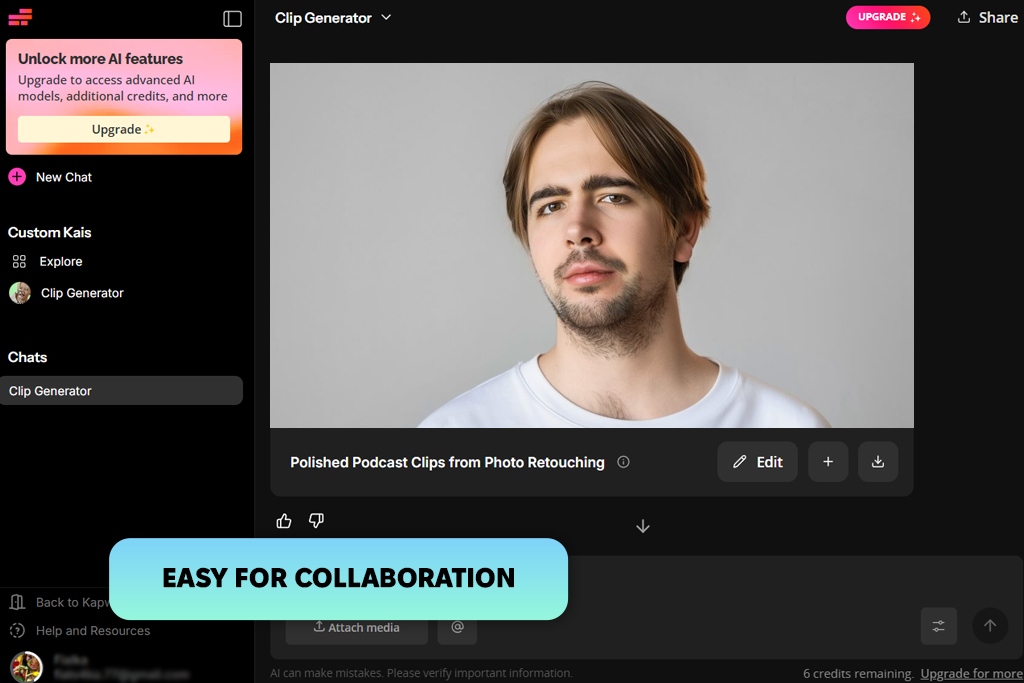
Kapwing makes it easy to repurpose long podcast episodes into short videos for social media. As an AI podcast clip generator, it can identify key moments, remove filler content, generate captions, support different aspect ratios, and let me fine-tune clips using its AI chatbot or built-in editor. It also works well as a video compilation maker by combining related moments into polished highlight videos, making it easy to create engaging content from a single podcast episode.
To evaluate Kapwing, I gave the AI different instructions, including finding certain discussion points and producing clips of various durations. After that, I applied my own brand colors, fonts, and logo before exporting. The web editor was intuitive, making it easy to switch between automated features and hands-on changes.
Most recommendations were relevant, and the tool cut out unnecessary parts with very little input from me. The biggest limitations were slower processing on larger projects and the restrictions included in the free version.
Price: 7-day free trial or from $19.99/mo.
Availability: Web
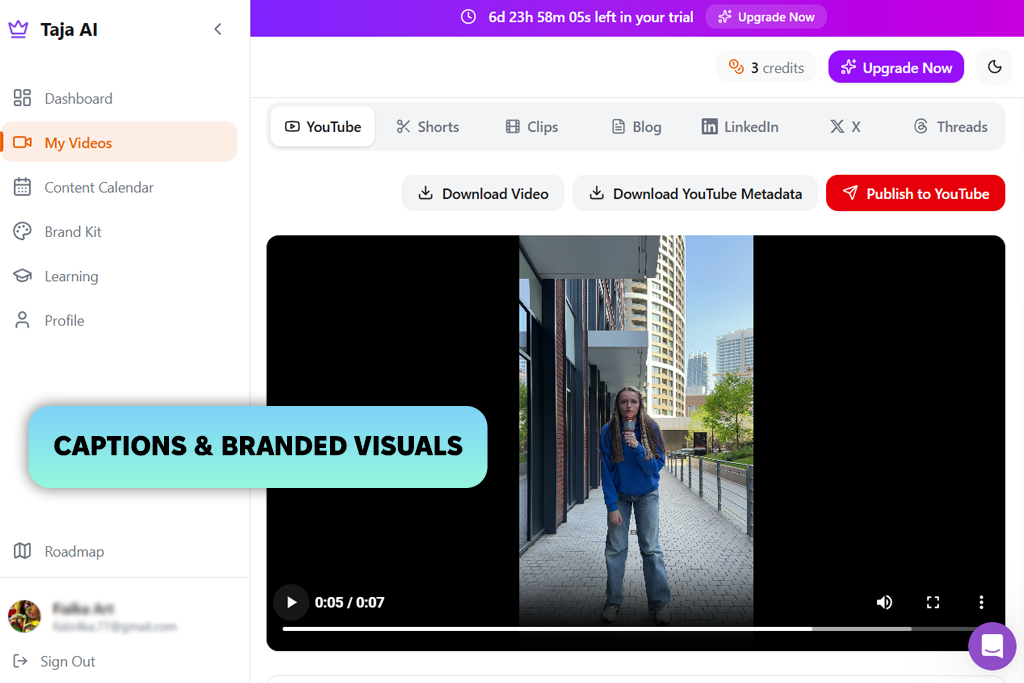
Taja does much more than create podcast clips. It transforms full podcast episodes into short videos, blog posts, thumbnails, social media captions, and other ready-to-publish content. The platform automatically finds standout moments, generates subtitles, writes hooks and titles, optimizes videos for Reels, Shorts, TikTok, and other platforms, and even lets you schedule posts from the same dashboard.
The interface is intuitive, and I appreciated being able to handle almost the entire process - from creating clips to publishing - without leaving the platform. Taja produced social-ready clips with very little manual refinement, while the AI-generated subtitles, headlines, and thumbnails saved me the most time. The built-in publishing tools also streamlined my workflow. My only real drawback was the lack of a free plan.
“The built-in scheduler and thumbnail generator were my favorite features. I still made a few edits to the captions for a more natural tone.”

Price: Free (1 upload a month) or from $17/mo.
Availability: Web
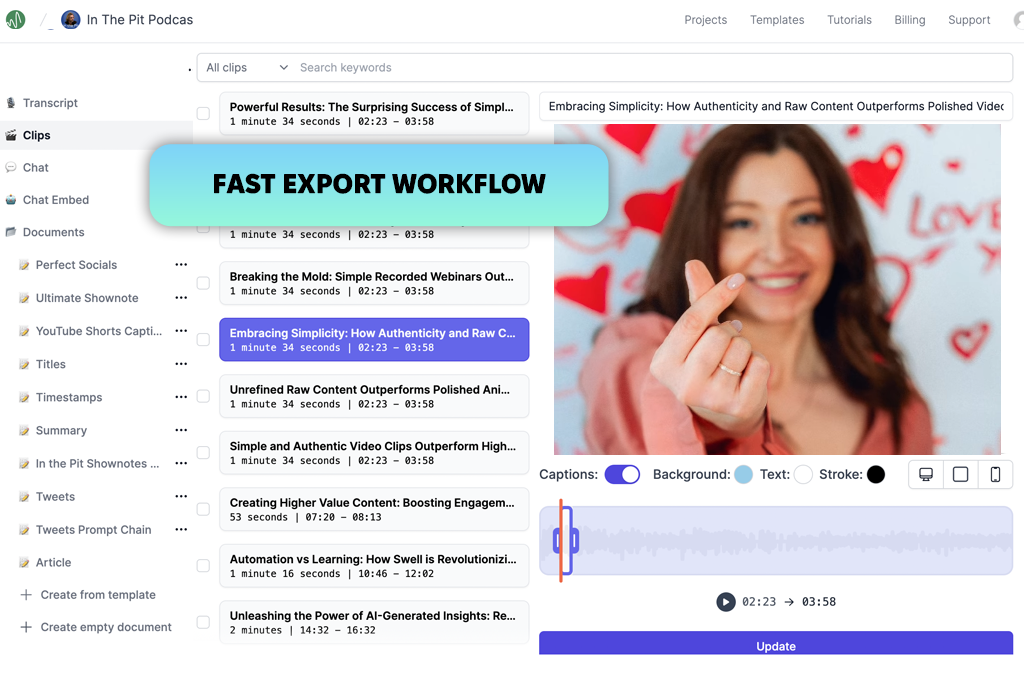
Swell is an AI podcast clipper designed to turn long podcast episodes into short, shareable videos. It creates clips in different lengths, adds captions automatically, recognizes speakers, and recommends the most engaging parts of the transcript for social media. To evaluate its performance, I tested Swell with podcasts featuring multiple speakers and different episode lengths. I reviewed the AI recommendations, refined several clips in the transcript editor, customized the captions, and exported the finished videos for social platforms.
The interface is clean and easy to learn, making the entire process quick even for first-time users. As a podcast shorts generator, Swell produced reliable transcripts and helpful clip suggestions that greatly reduced the amount of manual work. I also appreciated the automatic speaker labels and the option to share transcripts with teammates. Although the AI occasionally overlooked the most engaging moments, this AI video generator provided a strong foundation for creating high-quality short-form content.
Price: Free trial or from $8.99/mo.
Availability: Web
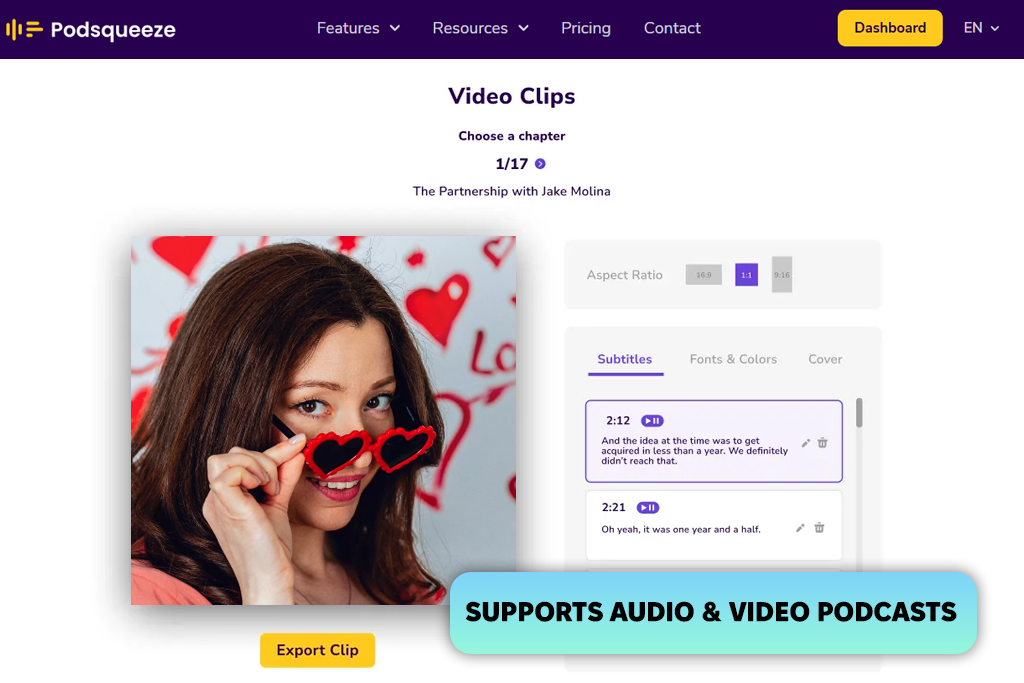
Podsqueeze helps repurpose full podcast episodes into short videos, audiograms, and social media content with the help of AI. As an AI podcast clip generator, it finds standout moments automatically, creates chapters, adds captions, and allows customization of fonts, colors, and aspect ratios before export. To evaluate its performance, I tested it with both audio and video podcasts. I also adjusted the branding, refined clips by editing the subtitles, and exported the final videos for TikTok, Instagram Reels, and YouTube Shorts.
The interface is intuitive, making it easy to create several short videos from a single podcast episode. I also found Podsqueeze useful as an AI Reel generator because it produced polished, branded content with very little effort. The main drawbacks were that some standout moments were occasionally overlooked and there isn't a free plan.
“I liked the AI-generated chapters because they made finding key moments easier. Some AI-written text needed minor edits.”

Price: Free (200 credits one-time) or from $13.99/mo.
Availability: Web
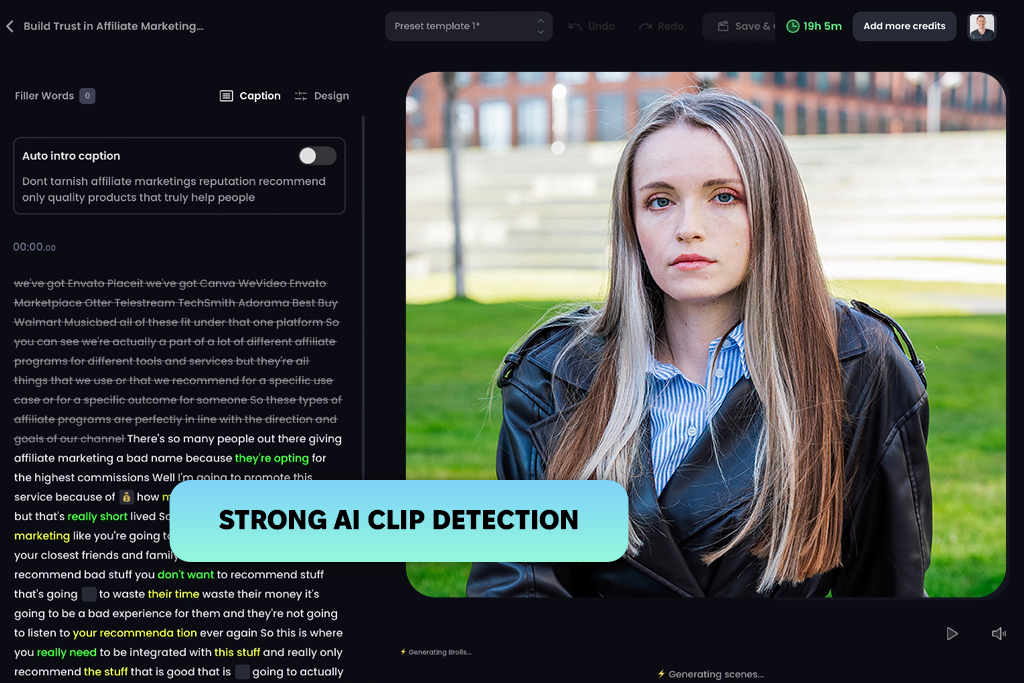
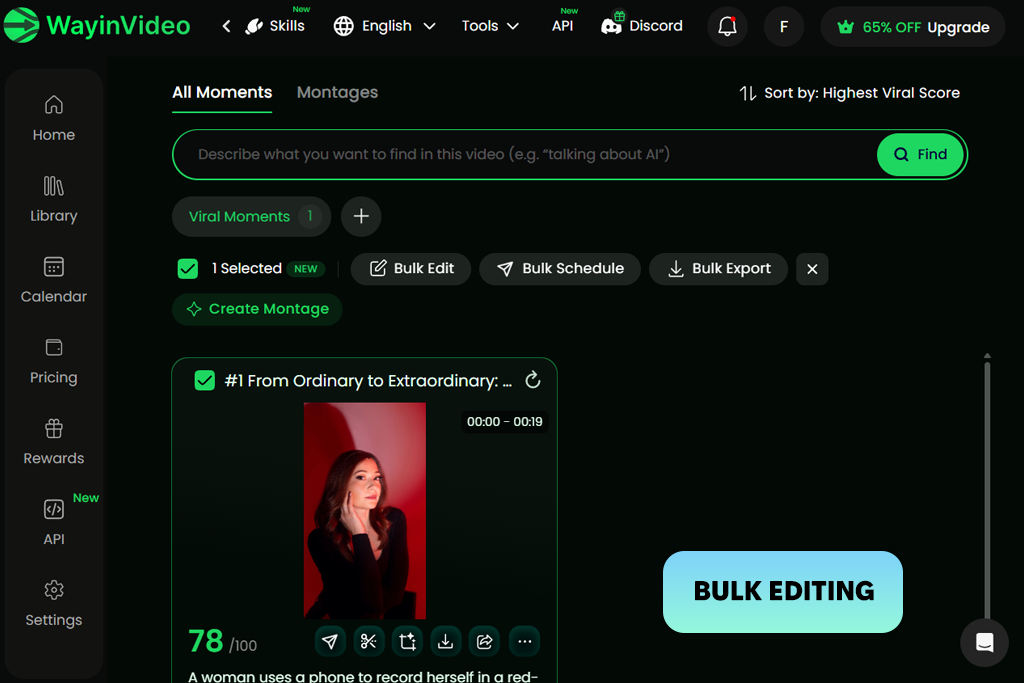
I tested WayinVideo as an AI podcast clip maker to see how well it could handle the entire content creation process. The platform combines a wide range of AI tools in one place, automatically identifying key moments, removing filler words and long pauses, generating captions, creating AI hooks and B-roll, applying smart layouts, and formatting videos for TikTok, Instagram Reels, and YouTube Shorts. This streamlined workflow made it much easier to make a viral video while reducing the need for manual editing.
Rather than reviewing an entire episode myself, I relied on the AI to suggest several short-video options and polished my favorites through the transcript editor. The built-in AI B-roll and opening hooks improved the final results without needing extra software. The layout was easy to follow, though I occasionally fine-tuned the opening text, smoothed a few scene changes, and waited a bit longer for lengthy episodes to finish processing.
Price: Free or from $9.99/mo.
Availability: Web
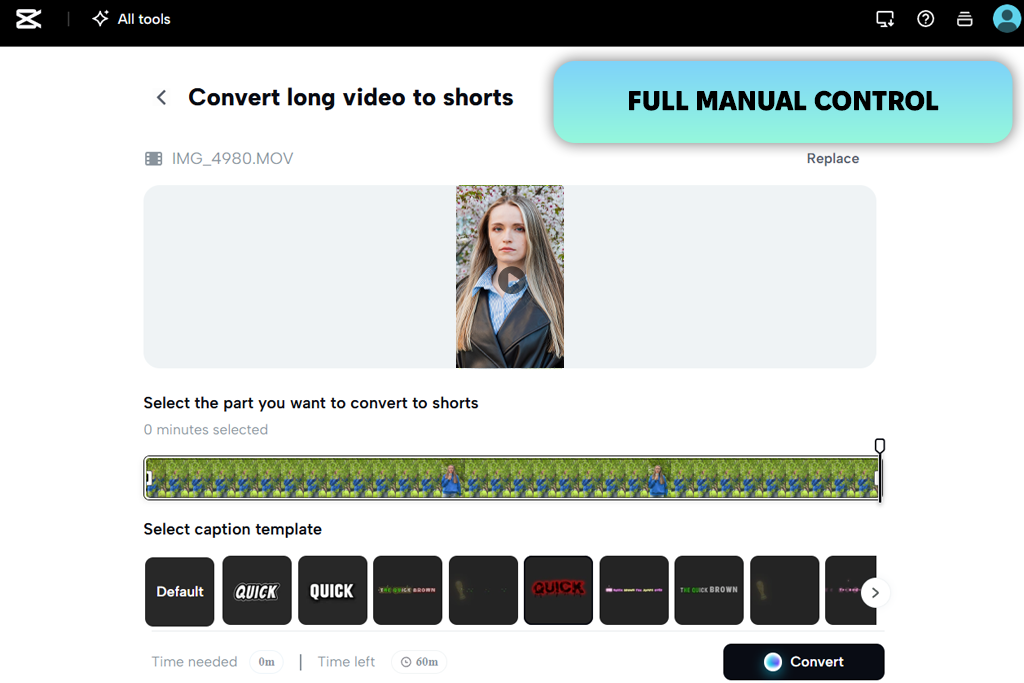
I tested CapCut to see how well it could turn podcasts to clips. Although it isn't as automated as dedicated podcast clipping tools, it provides a wide range of editing features for producing polished short-form content. As a podcast video clip generator, CapCut includes AI subtitles, multilingual captions, smart editing tools, transitions, audio enhancement, and flexible export options for content shared across social media for photographers.
To test CapCut, I imported a podcast episode and created short videos manually. I selected the best moments, generated captions, added text overlays, adjusted transitions, and exported the finished clips for TikTok, Instagram Reels, and YouTube Shorts. The interface was intuitive, and I liked having complete control over every edit. While the final videos looked polished, manually finding the strongest podcast moments made the workflow slower than with dedicated AI podcast clip generators.
“The editing tools gave me complete control over every clip. The only feature I missed was automatic highlight detection, especially for longer podcast episodes.”
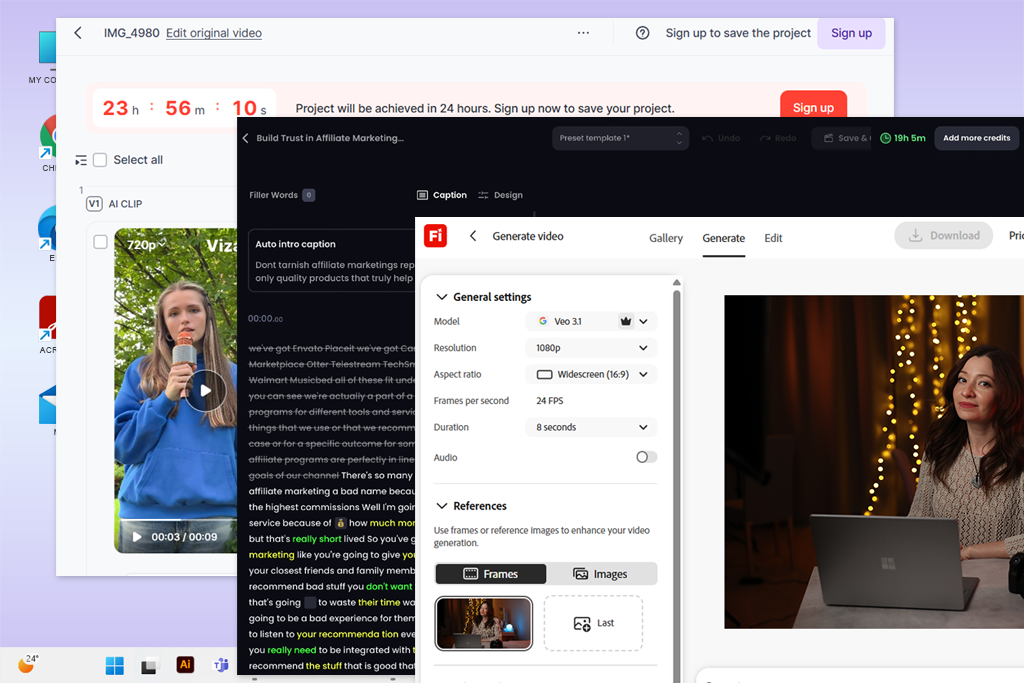
To put together this list, my colleagues from FixThePhoto and I evaluated dozens of AI podcast clip generators using real podcast episodes with different durations, recording conditions, and speaker setups.
Because we regularly repurpose long-form podcasts into short videos for blogs and social media, we looked for tools that delivered real-time savings and consistently produced high-quality results - not just those with the longest list of AI features.
Not every platform earned a place in our final selection. We also tested Descript, Vidyo.ai, Submagic, Repurpose.io, Monica, Castmagic, Ssemble, HeyGen, VEED, Vmaker, Riverside, Quso, and Exemplary. Some were better suited to general video editing or content repurposing than podcast clipping, while others fell short due to inconsistent highlight detection, limited podcast-focused features, uneven output quality, or a weaker overall value compared to our top picks.
During testing, we evaluated each AI podcast clip maker based on the following criteria:
After reviewing the results, I chose the AI podcast clip generators that consistently delivered the best balance of accuracy, speed, and ease of use. The final recommendations are based on my own testing together with feedback from the FixThePhoto team, focusing on the tools that made repurposing podcast episodes into short-form content the fastest and most reliable.
Yes. Most modern AI podcast clipping tools, such as Adobe Firefly and Opus Clip are designed to be beginner-friendly. In most cases, you only need to upload a podcast episode or paste a YouTube link, and the AI will identify key moments, create short clips with captions, and prepare them for social media. Usually, only a few small edits are needed before publishing.
Most AI podcast clip generators analyze transcripts, speech patterns, keywords, topic changes, pauses, and vocal emphasis to identify the most engaging parts of an episode. Some tools also use AI scoring to estimate which clips are more likely to perform well on social media. For example, Klap, and Vizard automatically detect highlights and recommend the strongest moments for short-form content.
Yes. Many AI podcast clip makers can transform audio-only episodes into engaging videos by adding animated waveforms, captions, branding, and background visuals. Tools like Podsqueeze and Flowjin support both audiograms and short-form video creation, making it easy to share audio podcasts on social media.
Yes. Most AI podcast clippers automatically transcribe your podcast, generate synchronized captions, and let you customize the text, fonts, colors, and styles. Tools like Riverside and Swell also include editable transcripts and speaker labels, making it easy to refine captions before publishing.
Yes. Most AI podcast clip generators let you export videos in the formats required by TikTok, Instagram Reels, YouTube Shorts, and other platforms. Many also support square (1:1), vertical (9:16), and widescreen (16:9) layouts, making it easy to repurpose the same content for different audiences. Adobe Firefly, WayinVideo, and CapCut all make switching between aspect ratios quick and straightforward.
Yes. Most AI podcast clip generators can process episodes that are over an hour long. For example, Klap supports podcasts up to 4 hours, while WayinVideo can handle videos longer than 10 hours, making both suitable for lengthy interviews, webinars, and extended podcast recordings.





![7 Best iPhone Mockup Generators [{{%year}} FixThePhoto Choice]](http://fixthephoto.com/blog/images/gallery/news_main__preview_29335.jpg)
![11 Best AI Virtual Assistants in {{%year}} [Reviewed & Ranked]](http://fixthephoto.com/blog/images/gallery/news_main__preview_29081.jpg)

![9 Best AI Car Video Generators [{{%year}} FixThePhoto Choice]](http://fixthephoto.com/blog/images/gallery/news_main__preview_29281.jpg)
![7 Best AI Video Highlight Generators [100% FREE]](http://fixthephoto.com/blog/images/gallery/news_main__preview_29348.jpg)


















