As a designer, I occasionally need to make iPhone mockups for app showcases and marketing campaigns. I typically turn to professional software like Adobe InDesign to fine-tune every single aspect of the project. That said, a part of our audience has been wondering: is it possible to make a pro-grade iPhone mockup without design skills or advanced software?
To help answer that question, I chose to check out a broad selection of iPhone mockup generators on my own. Additionally, I asked multiple coworkers from the FixThePhoto team to test 30+ tools with me, while focusing on ease of use, customization freedom, result quality, and general value.
Our objective was to find suitable options that let beginners, marketers, developers, and small business owners design high-quality mockups without spending time mastering professional design software.
The best iPhone mockup generator should provide high-quality device templates, user-friendly editing features, realistic rendering, and quick export. The selected options provide drag-and-drop controls, adjustable backgrounds, branding assets, and several iPhone models, ensuring you can use them for App Store screenshots and social media marketing.
Instead of solely focusing on the most popular solutions, I handpicked tools that managed to provide consistent, pro-grade results and allowed me to achieve my goals with minimal effort.
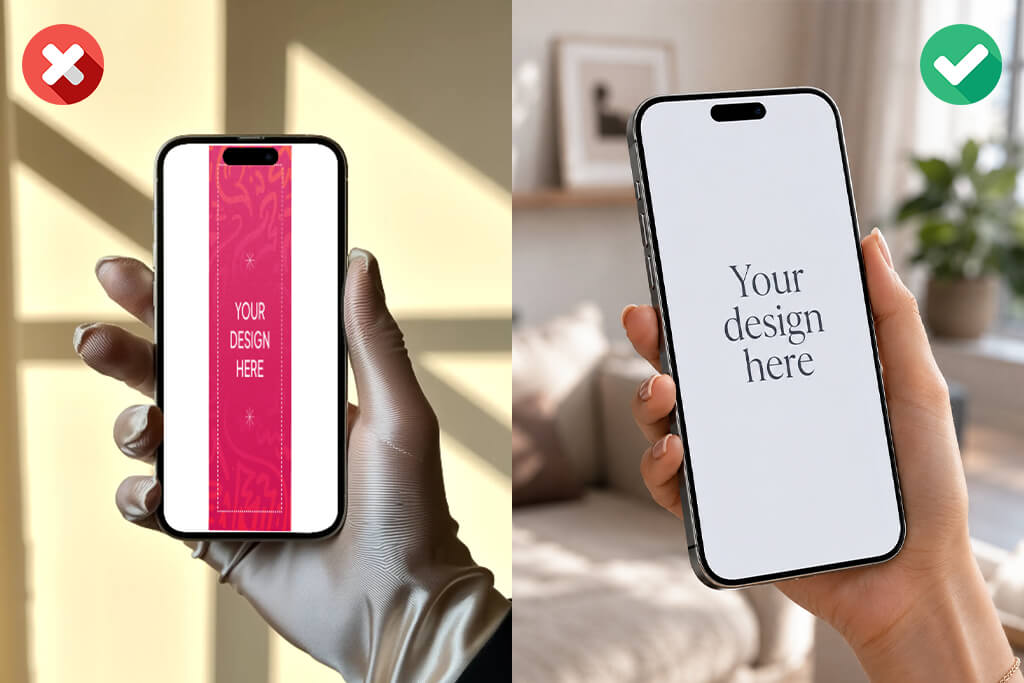
An iPhone app mockup generator can be very time-efficient, but the output quality is largely determined by your design decisions. Even the best AI tool for designers won’t deliver a premium-quality mockup if you don’t put the effort necessary into the presentation and export settings. I recommend paying attention to the following principles:
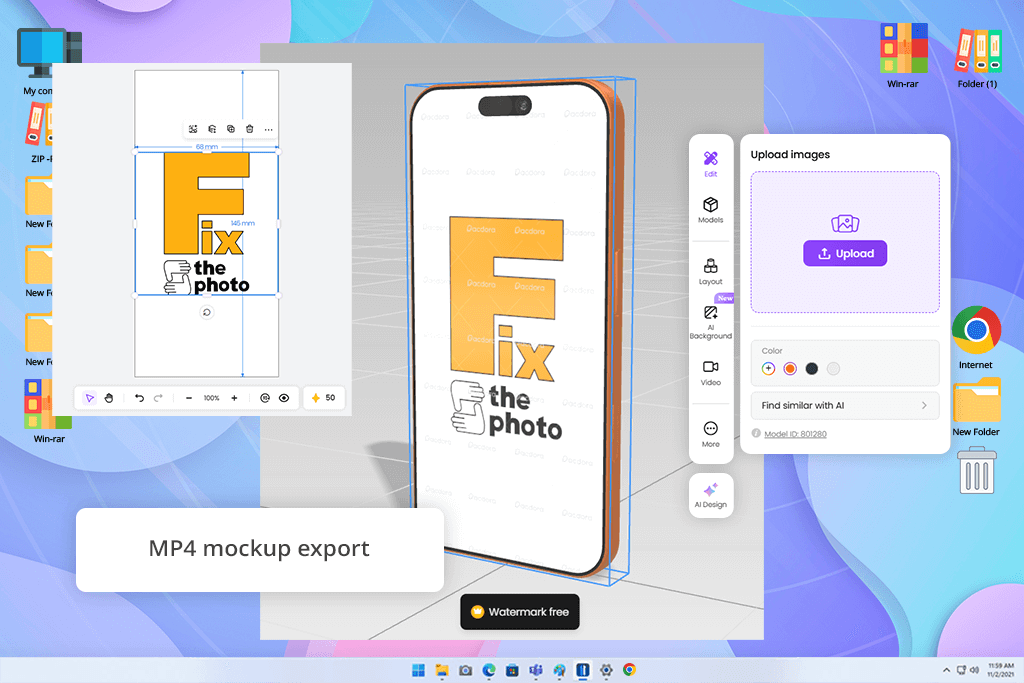
I already had experience using Pacdora as a packaging design software. Should I need a box, pouch, or label mockup but don’t want to mess around with advanced software, this is the solution I turn to.
What I haven’t noticed in the past was the impressive library of iPhone mockups. Once I started exploring this collection, I learned that Pacdora shows the same amount of love to device mockups as it does to its packaging templates, and I ended up using this platform a lot more than I initially planned.
“Saving PNGs and MP4s from the same project ensured I didn’t have to use multiple solutions. Additionally, I appreciated the availability of the latest iPhone models.”

Rather than forcing me to use one of a small selection of generic phone frames, this iPhone device mockup generator provides dozens of modern models, including the iPhone 16 Pro, 16 Pro Max, 15 Pro, and multiple previous generations.
I picked one of our application UI concepts and decided to showcase it in various ways: first as a basic screen preview, then as an Instagram-optimized visual, and lastly as part of a professional product showcase. Going from one scenario to the next felt organic. Pacdora lets me freely rearrange elements, tweak perspectives, and preview the changes instantly.
I was also very impressed by the export flexibility. When working on a project for a client, I saved my mockup as a high-resolution PNG, while for social media I rendered a brief MP4 clip showcasing the app screen inside the device.
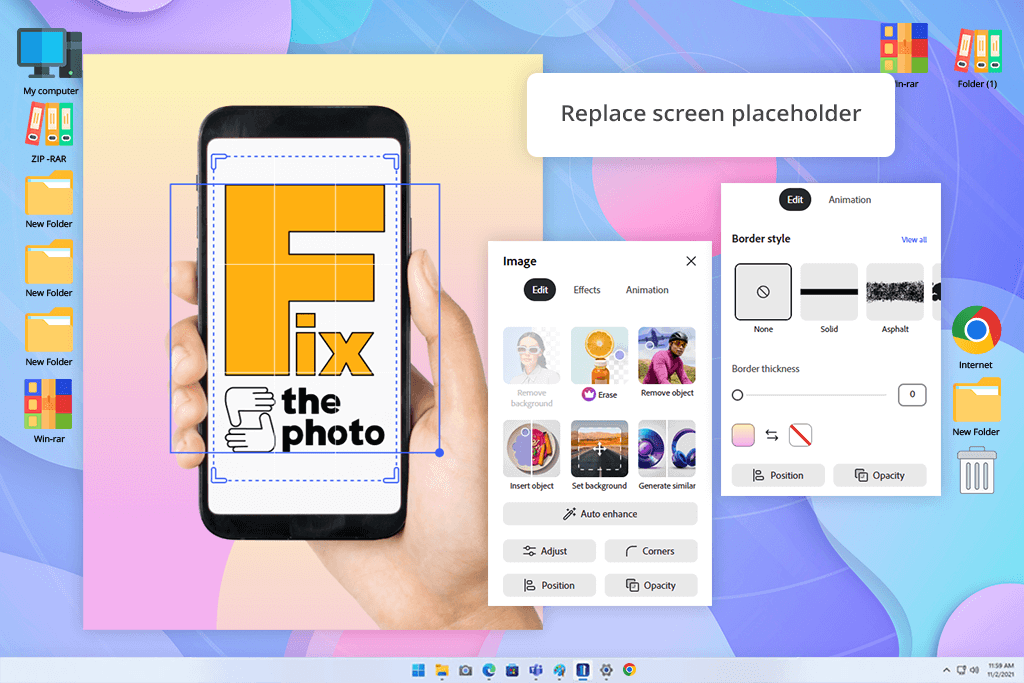
Whenever I hear that someone is looking for an online iPhone mockup generator that is a great fit for social media, Adobe Express is typically the first platform I recommend. In contrast to specialized mockup generators that stop at designing a device frame, it allows you to create the entire post without ever using any other software.
For my test, I not only made an iPhone mockup, but also prepared everything to publish an Instagram post. Moreover, Adobe Express allowed me to create animations and clips, which can both be very useful when working on promotional content.
“I tend to begin with a template, swap the screen image, tweak the colors, and add text to the same file. Adobe Express offers all the necessary social media formats.”

I started by typing “iPhone mockup” into the search bar of the Templates section and was instantly presented with over a hundred premade layouts. I appreciated how diverse the template categories felt. Minimalistic mockups were great for projects focusing on the app UI, while image-based options were a better choice for lifestyle-oriented projects.
I checked out a wide range of social media templates since many of them were presented in an Instagram-optimized format by default, including square posts and vertical stories.
Customizing the templates was easy and convenient. When making an Instagram Story, I clicked the screen placeholder, swapped it out for an app screenshot, tweaked the background color to fit the client’s brand, and repositioned the device a bit higher to leave enough space for text. With vector mockups, I could conveniently adjust the iPhone body color within seconds.
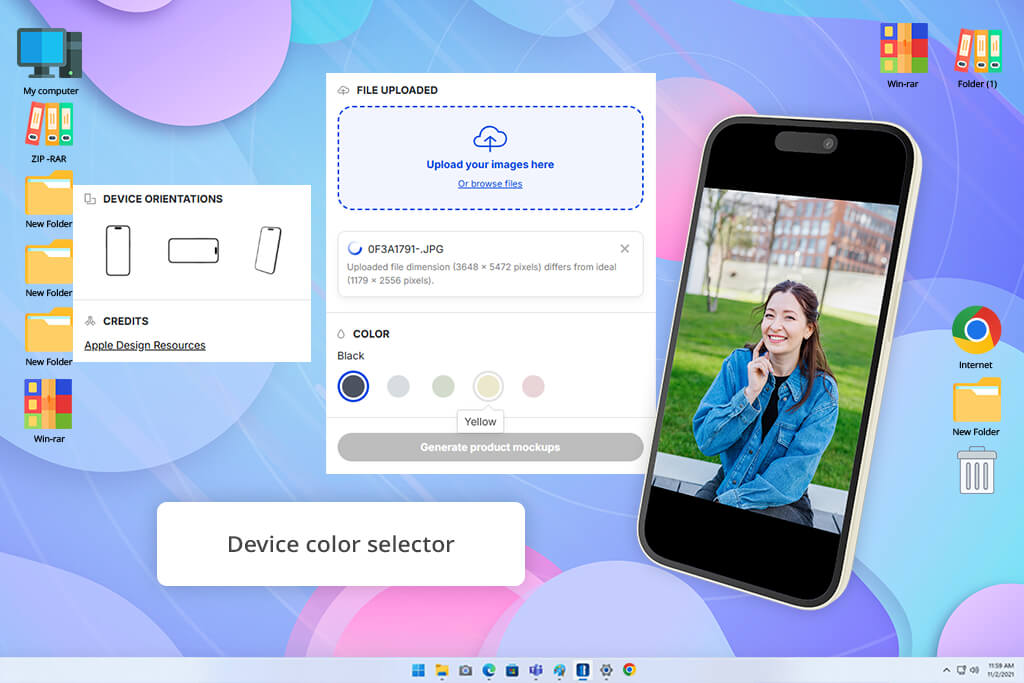
MockUPhone is a specialized free iPhone mockup generator for iOS app developers. I began by importing multiple app screenshots, and I liked the minimal setup. I could instantly go to picking a device and generating a polished mockup. The platform is compatible with iPhones, iPads, Android devices, and even TVs.
I liked its search tool. It helps avoid scrolling through an endless list of devices. I also liked the ability to pick the device color based on the real-world models released by Apple. When working on screenshots for an app landing page, I created the same design in several iPhone colors to check which version was the best match for the website’s branding.
The drag-and-drop controls felt intuitive, and saving the results in PNG only required a couple of clicks. Additionally, I enjoyed the ability to compare screenshots on different devices when examining responsive layouts. For client presentations, it can be useful to add your design to multiple realistic device frames since it allows you to avoid creating mockups manually in more complex software.
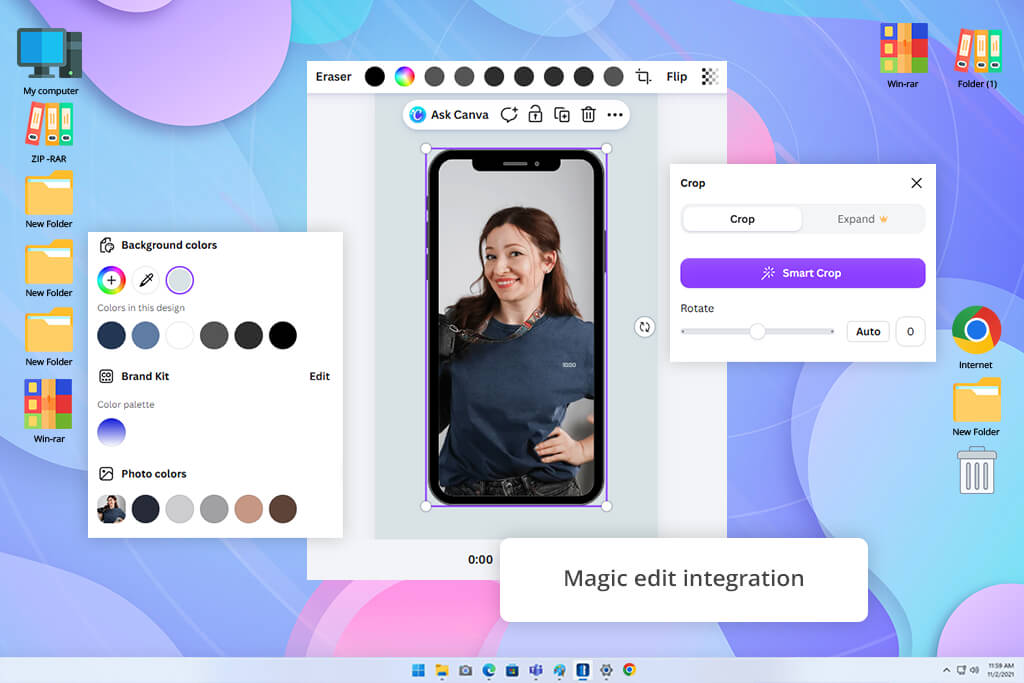
Rather than offering mockups as a separate tool, Canva includes them in its general ecosystem, ensuring I can go from an empty canvas to a polished promotional graphic without switching between various tools.
“I appreciate the ability to add comments, receive feedback, and collaborate on edits. Its AI is great at smaller tweaks, particularly when a client suddenly requests a new background.”
For my test project, I imported an app screenshot and added it to an iPhone mockup made for a website announcement. Having tweaked the composition, I utilized Magic Edit to check out various background elements and then got rid of distracting parts with the help of the Magic Eraser.
What I like about Canva is that the provided AI-based features are offered alongside the mockup tools instead of being hidden in other menus. The ability to resize my mockup for all popular platforms as well as the offered collaborative functionality are also huge selling points.
While certain AI tools are only available to Pro subscribers, meaning some creations demand a more elaborate approach if you’re a free user, all the essential mockup features are accessible to everyone.
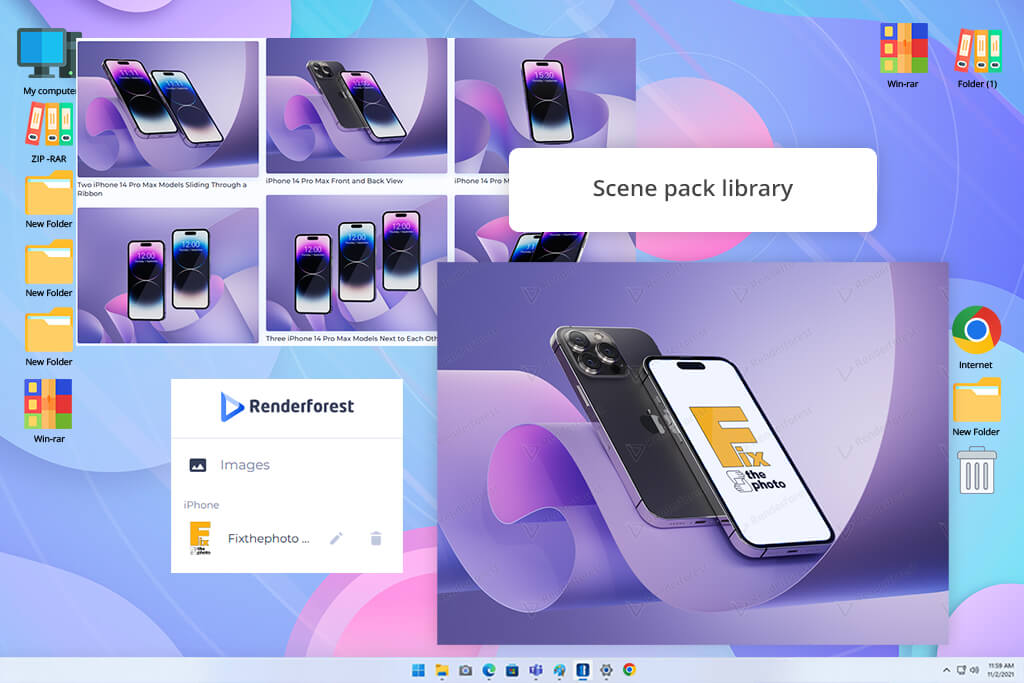
Renderforest was recommended to me by my coworker Kate, who had been relying on it for different marketing projects, so I wanted to check how it performs as an iPhone screen mockup generator.
I was impressed by the sheer number of offered scenes. Rather than looking at dozens of nearly indistinguishable device frames, I was examining iPhones held in hands, captured from different angles, and placed into realistic environments that felt perfect for client-facing projects.
“When creating drafts for a client, it’s nice to check how the same app comes across in a business vs lifestyle environment. I tend to save multiple versions since different people prefer different styles.”

I imported a screenshot and began checking out the provided mockup collections. The workflow was straightforward. I tried out multiple iPhone 15 templates and different scenes. Some scenes were a better fit for a product landing page, while others felt like they were made for social media. All mockups are organized into premade packs, meaning I didn’t have to create compositions manually.
What sets this option apart from Renderforest alternatives is the photorealistic quality of the mockups. Reflections, lighting, and device positioning looked natural, allowing me to use the results for my marketing drafts without extra editing.
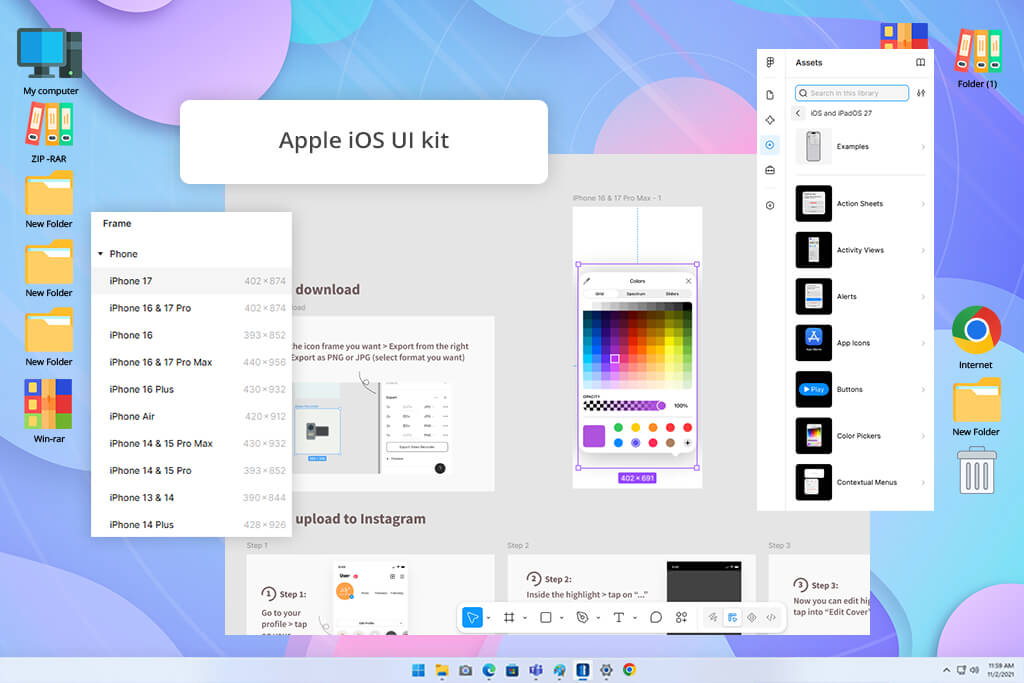
If I ranked all the iPhone website mockup generators by functionality alone, Figma would receive a significantly higher score. However, most users interested in such tools want a quick and intuitive option, while Figma requires you to learn a complex ecosystem before you can take full advantage of what it has to offer.
For a single mobile app concept, I began with Apple’s official iOS UI kit and designed the screens straight inside the prototyping tool. Whenever I wanted to tweak a button size or try a different navigation layout, I could make edits instantly. The plugin ecosystem is also very important since it helps me automate repetitive tasks.
The workflow here is very distinct compared to other options on this list. Instead of picking a mockup and importing an image, you need to create and refine the design itself. A basic mockup can be made within a couple of minutes in MockUPhone or Renderforest, whereas Figma requires a lot more time, particularly if your goal is to receive pro-quality results.
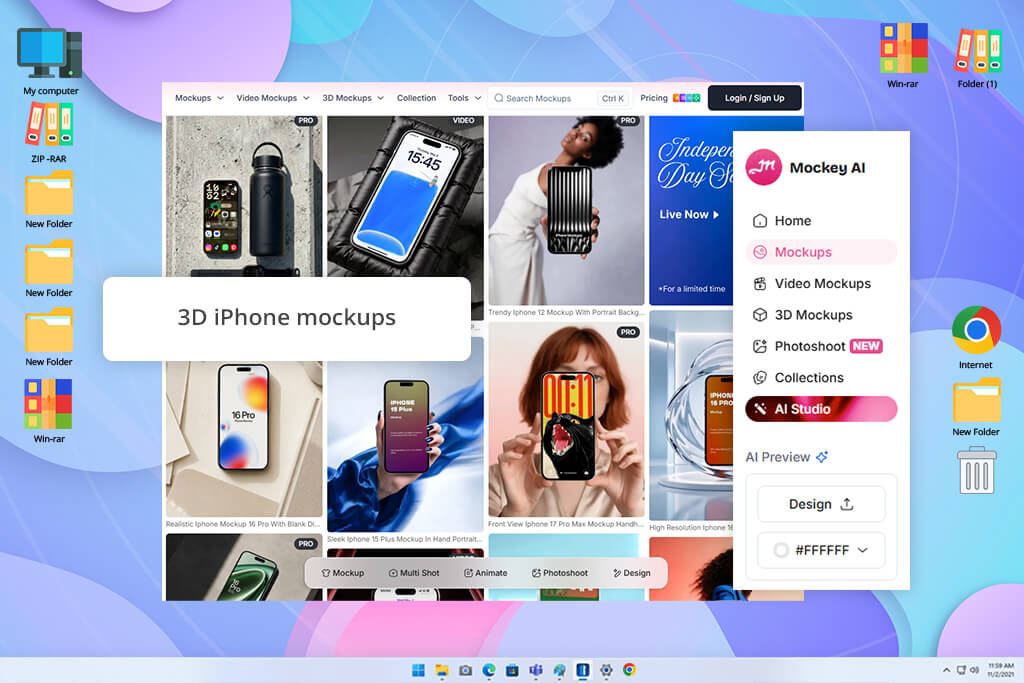
Using this iPhone mockup generator was easy. I simply wrote “iPhone” into the search bar and was presented with hundreds of templates. Rather than creating a scene from scratch, I could instantly begin comparing various mockups. Some featured a device floating against a clean backdrop, while others added it to more dynamic environments.
“The template selection is impressive, so I had no issues finding suitable options. Some templates look more realistic than others, which is why I prefer to generate several designs.”
With over 500 templates on offer, I could choose between a wide range of presentation styles. Mockey can be used as a 3D iPhone mockup generator while also featuring multiple video templates, allowing you to make your content more dynamic. Saving my results was easy, and I liked this platform doesn’t add any watermarks or limit downloads.
As I tackled a larger range of complex scenes, it became clear that certain compositions looked more natural than others. The cleaner designs did a better job blending screenshots into the device, while the more stylized options looked too artificial when examined more closely. That said, for casual use and social media content, this isn’t a real issue.
Since our FixThePhoto team frequently works on app presentations, marketing assets, portfolios, and product demos, we approached the task of finding the best iPhone mockup generator from a more practical point of view.
We want to figure out how well-suited every option is at allowing you to design pro-quality iPhone mockups without having to turn to premium design software.
I began by examining the quality and variety of the provided mockups. An expansive library is a huge benefit if the templates are relevant and look modern, so I focused on the device selection, availability of the latest iPhone models, scene variety, and the overall realism of the result.
The creation workflow is also very important. Kate tested to see how much time it took for an inexperienced user to import screenshots, personalize a mockup, adjust backgrounds, swap device colors, tweak layouts, and save the result.
Other than static images, Eva looked into extra features that facilitate professional workflows. These can include video mockups, animation functionality, collaborative features, AI-powered editing tools, branding options, template personalization, and support for a wide range of export formats.
Lastly, I evaluated the general balance of adaptability and accessibility. Some iPhone mockup generators focus on speed and user-friendliness, while others provide more in-depth customization and creative freedom.
By analyzing both extremes, we managed to determine which options are ideal for beginners interested in fast results and which offer enough depth to tackle more complex projects.





![9 Best AI Car Video Generators [{{%year}} FixThePhoto Choice]](http://fixthephoto.com/blog/images/gallery/news_main__preview_29281.jpg)


![9 Best AI PDF Editors in {{%year}} [Expert Tested Guide]](http://fixthephoto.com/blog/images/gallery/news_main__preview_29012.jpg)


















