
Making Art Deco visuals from the ground up is a serious time investment. You need precise geometric balance, refined typography, and that signature gold-and-black palette, without the final result feeling like a costume party throwback. So, I set out to find AI Art Deco design generators that could deliver polished outputs for articles, social media, and creative work.
The challenge was that most tools were disappointing in at least one key area. Some spit out bland retro graphics with no real style identity. Others fumble text placement or lock you into a handful of preset looks with no room to experiment. I tested over 15 tools, ran their results side by side, and looped in colleagues for honest takes on usability, output quality, and how much creative control each tool hands you.
| Tool | Output quality | Speed | Best For | Free plan |
|---|---|---|---|---|

|
★★★★★
|
Fast
|
Interior concepts, architecture, and polished design ideas
|
✔️
|

|
★★★★★
|
Fast
|
Posters, geometric artwork, and style experimentation
|
✔️
|

|
★★★★☆
|
Moderate
|
Quick vintage-inspired images and simple Art Deco concepts
|
✔️
|

|
★★★★☆
|
Moderate
|
Exploring different Art Deco looks and artistic interpretations
|
✔️
|

|
★★★★☆
|
Fast
|
Detailed, atmospheric artwork and luxurious interiors
|
❌
|

|
★★★★☆
|
Moderate
|
Interior concepts, multiple variations, and image-to-image editing
|
✔️
|

|
★★★★☆
|
Fast
|
Quick text-to-image concepts
|
✔️
|
Precise descriptions yield better results. Rather than telling AI software to produce something “vintage,” name the actual elements that define Art Deco, like geometric patterns, strict symmetry, stepped forms, sunburst details, and rich materials. The more specific the prompt, the more coherent the output.
Give the tool a clear picture of what you want to create. Whether it is a vintage travel poster, a decorative wallpaper pattern, a building facade, a luxury interior, name it. Then layer in details about its purpose, composition, and mood.
Compare these two prompts:
Vague: Art Deco interior
Specific: An elegant Art Deco living room with a symmetrical layout, a curved velvet sofa, a stepped marble fireplace, brass accents, and tall geometric wall panels.
The second version gives an AI Art Deco generator a defined subject and several visual anchors to work with.
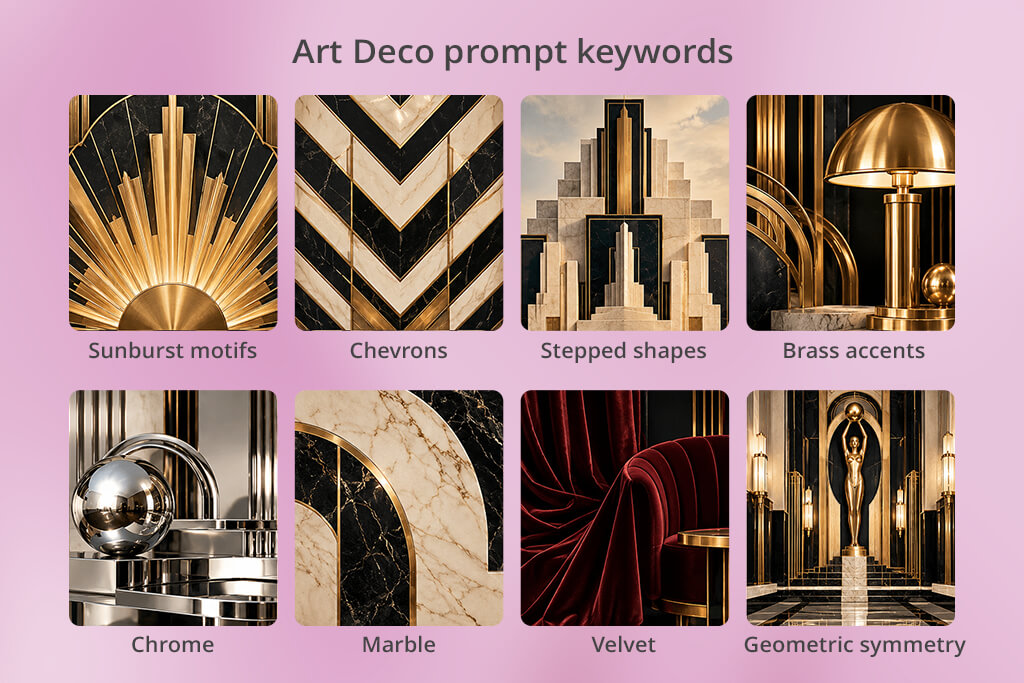
Precise design vocabulary helps the tool distinguish authentic Art Deco from generic retro or modern luxury. Here are useful terms to draw from:
No need to use every term at once. Pick 2 or 3 defining features, build the description around them, and keep the prompt focused. Overloaded prompts tend to produce cluttered results.
Cluttered output or inconsistent geometric patterns usually mean the prompt needs more structural direction. Add terms that describe how elements should sit together: clean symmetry, repeating geometric motifs, balanced negative space, crisp architectural lines. These cues help an AI Art Deco generator understand the intended layout, not just the subject.
Viewpoint is another lever worth adjusting. A straight-on perspective works well for a building facade. A wide-angle view suits an interior. A flat layout fits a poster. Naming the angle upfront saves several rounds of back-and-forth, especially for mood boards, marketing materials, or formal design presentations.
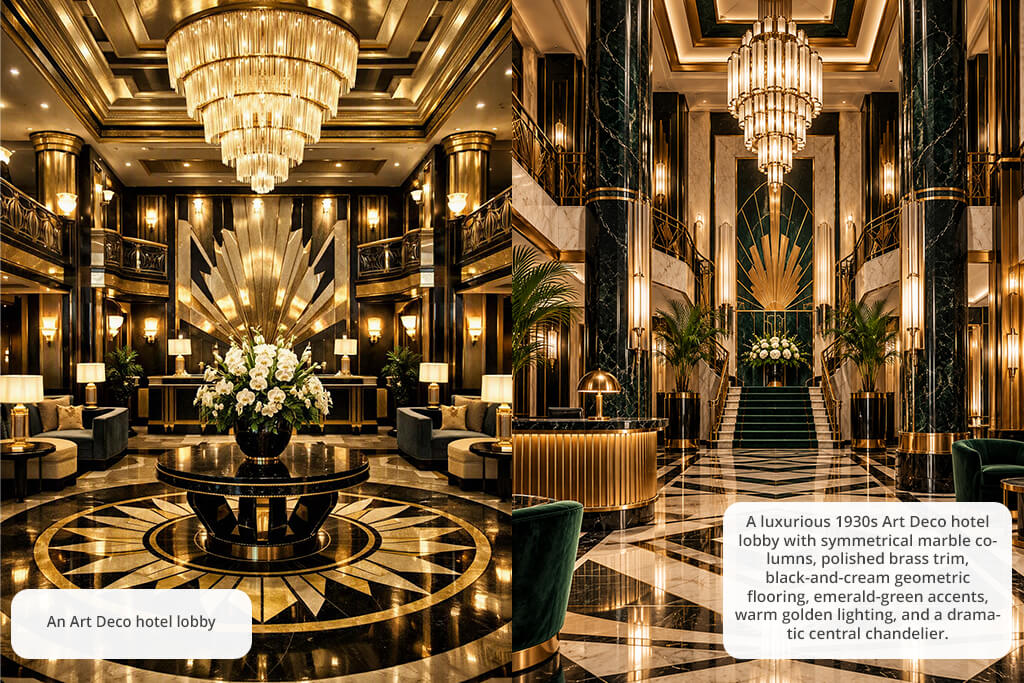
Two prompts with the same subject can produce completely different results based on color and light alone. Warm light, dark velvet, and brushed brass push a space toward glamour. Muted cream, deep red, and black on a limited palette read as vintage and graphic.
The difference becomes obvious when you compare:
Basic: An Art Deco hotel lobby.
Detailed: A luxurious 1930s Art Deco hotel lobby with symmetrical marble columns, polished brass trim, black-and-cream geometric flooring, emerald-green accents, warm golden light, and a dramatic central chandelier.
The basic prompt leaves too many decisions to chance. The detailed one gives the generator a full visual brief, covering structure, materials, color, and atmosphere. The result is more focused and true to the style.
When the first result is almost right, you just need to make small adjustments. Change one or two details at a time. Too much gold ornamentation? Scale back the decoration. Too contemporary in feel? Lean into 1920s and 1930s references, period-appropriate materials, and traditional geometric motifs.
A practical example: revise a glamorous Art Deco bedroom to a 1930s-inspired Art Deco bedroom with symmetrical walnut furniture, a fan-shaped headboard, cream silk walls, restrained brass details, and soft ambient light.
That single pass clarifies the era, the materials, and the tone. It also shows you exactly which words affect the result. If an Art Deco AI generator supports inpainting, image editing, or reference uploads, use those features to fix specific areas without a full regeneration.
For a set of related designs, this structure keeps the output consistent:
Subject + Art Deco elements + Materials + Color palette + Composition + Lighting
Possible prompt: A vintage Art Deco cocktail bar, stepped wall panels and sunburst motifs, black marble and polished brass, burgundy and champagne-gold palette, symmetrical composition, warm cinematic light, crisp details.
Use this as a starting framework. The same prompt can produce noticeably different results across tools, so run it through several generators and observe how each one handles symmetry, texture, and fine detail.
Expert tip: Reserve judgment until a tool has handled a few different briefs. Test an interior, a poster, and a repeat pattern. Strong atmospheric results do not always translate to precise geometry or clean typography, which plays an important role depending on the project.
Price: Free (limited credits) or from $11.99/mo.
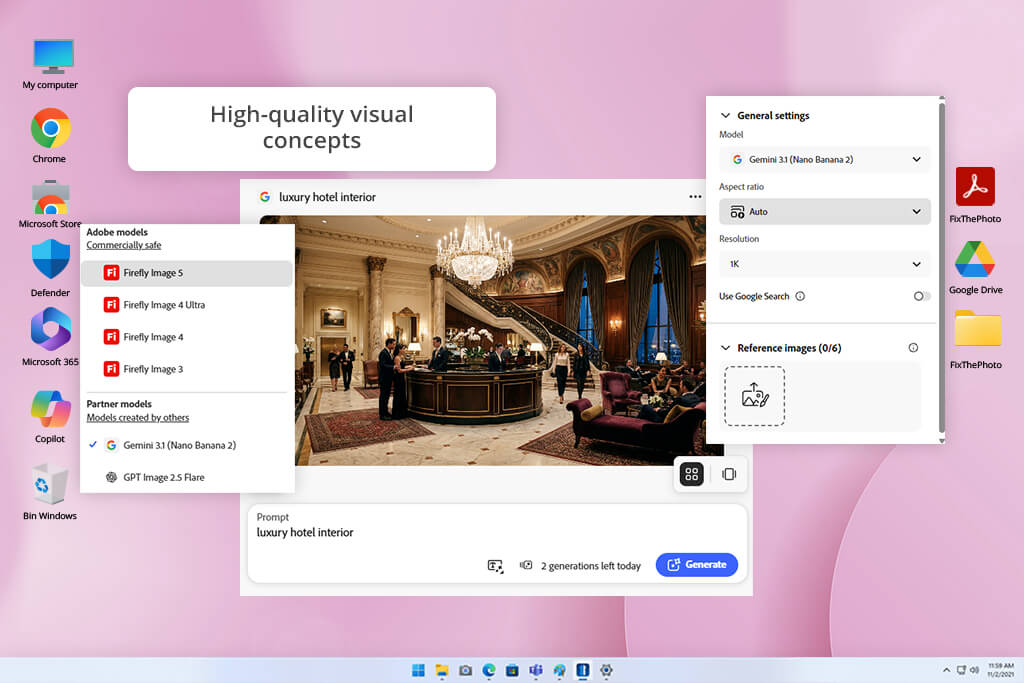
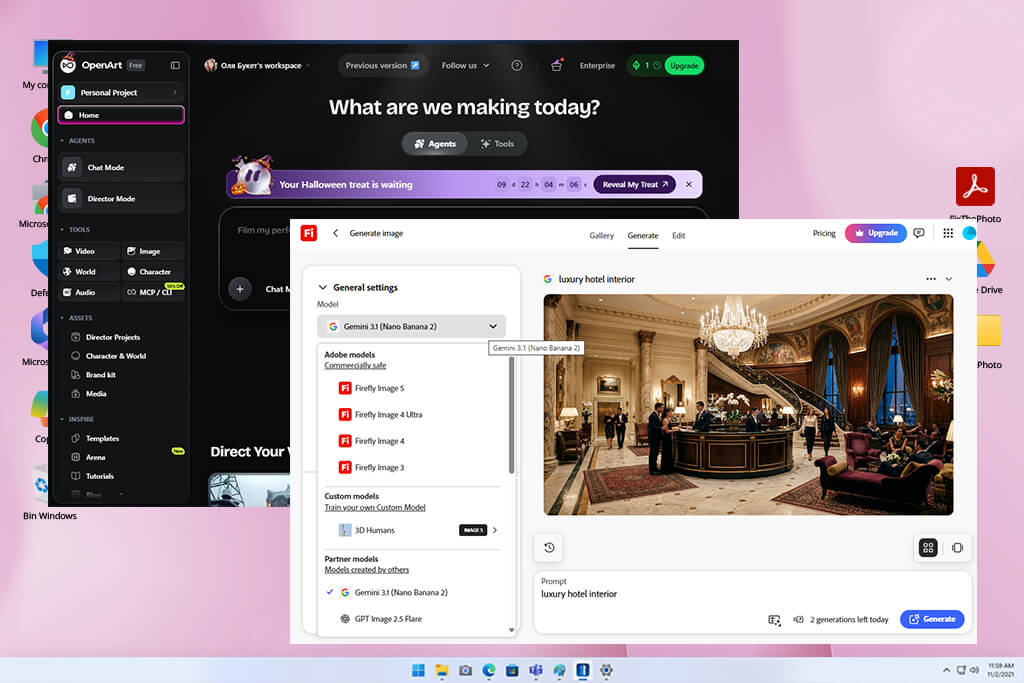
Adobe Firefly can be deservedly called one of the best AI Art Deco design generators thanks to its dedicated Art Deco effect. My first test was a luxury hotel interior. From there, I moved to a geometric jazz poster with gold accents, symmetrical shapes, and a black-and-cream color scheme. The outputs hit many of the style’s key signatures, including fan ornaments, stepped motifs, graceful arches, and metallic finishes that brought a genuine 1920s mood to each piece.
The tool also lets you play with lighting and color to shift the tone from bold and theatrical to quiet and refined. Navigation is straightforward, and it’s easy to generate multiple variations side by side to compare layouts, decorative details, and visual weight. Generative Fill is a handy feature for touching up specific areas without redoing the whole image.
The embedded AI architecture generator toolset is very useful, especially for sketching out Art Deco facades, interiors, and furniture ideas before committing to a more detailed design direction.
This free Adobe software works particularly well in the early stages of a project, when you want to explore visual directions before a concept is fully formed. Some results need a bit of polish to feel period-accurate, but as a starting point for posters, branding, or architectural concepts, it delivers. Still, keep in mind that the lettering can be unpredictable, so for anything that needs precise typography, it’s better to add that layer separately.
Price: Free or from $14/mo.
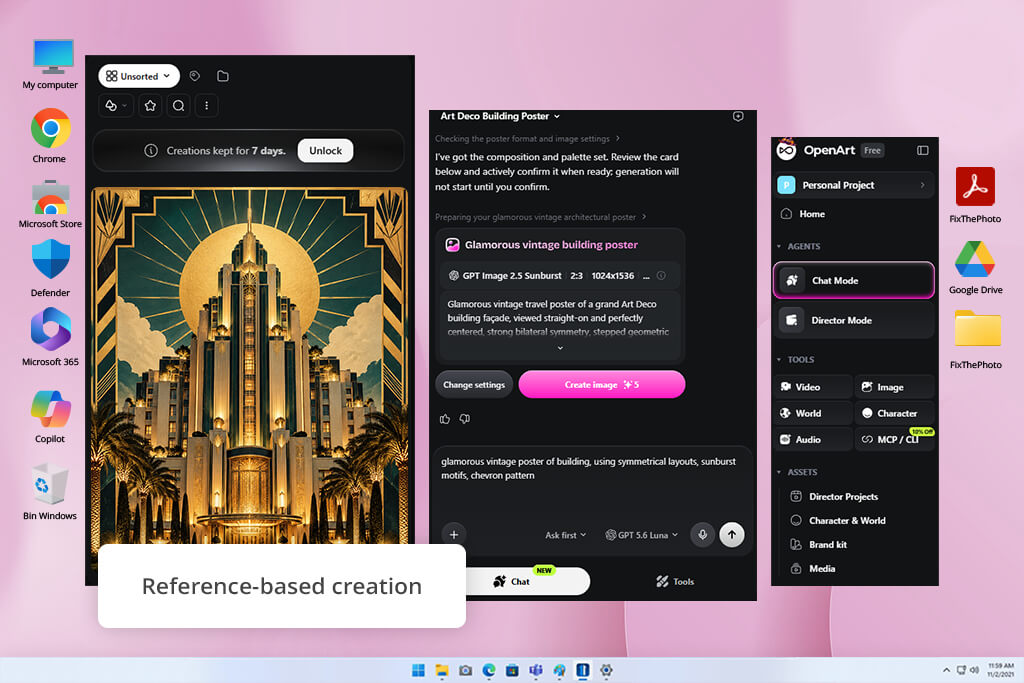
OpenArt is a solid Art Deco AI generator because it gives you style controls right from the start, so you spend less time wrestling with prompts. My first project was a vintage glamour poster built around sunburst shapes, chevron lines, gold tones, and balanced symmetry. That classic 1920s look came together without much effort.
The dedicated Art Deco Generator covers a good range of directions, from bold geometry to streamlined luxury, and a reference image option lets you anchor the output to a specific composition or palette.
The editing tools let OpenArt earn extra points. Inpainting handles targeted corrections without touching the rest of the image, expansion adjusts the crop, and upscaling adds sharpness to the final version. This AI art generator also works well for ornamental backgrounds, branding sketches, invitation designs, and decorative illustrations.
One thing to keep in mind is that output consistency depends on which model you choose, so tighter geometry or finer detail sometimes needs a few prompt revisions. For text-heavy designs, it’s worth adding the lettering separately. The free plan covers basic exploration, but heavier use or premium models will push you toward a paid tier fairly quickly.
“OpenArt was a fun way to explore different looks for Art Deco wall art. The one drawback was that some images needed extra editing afterwards, since the patterns didn’t always come out perfectly symmetrical.”

Price: Free or from $7.50/mo.
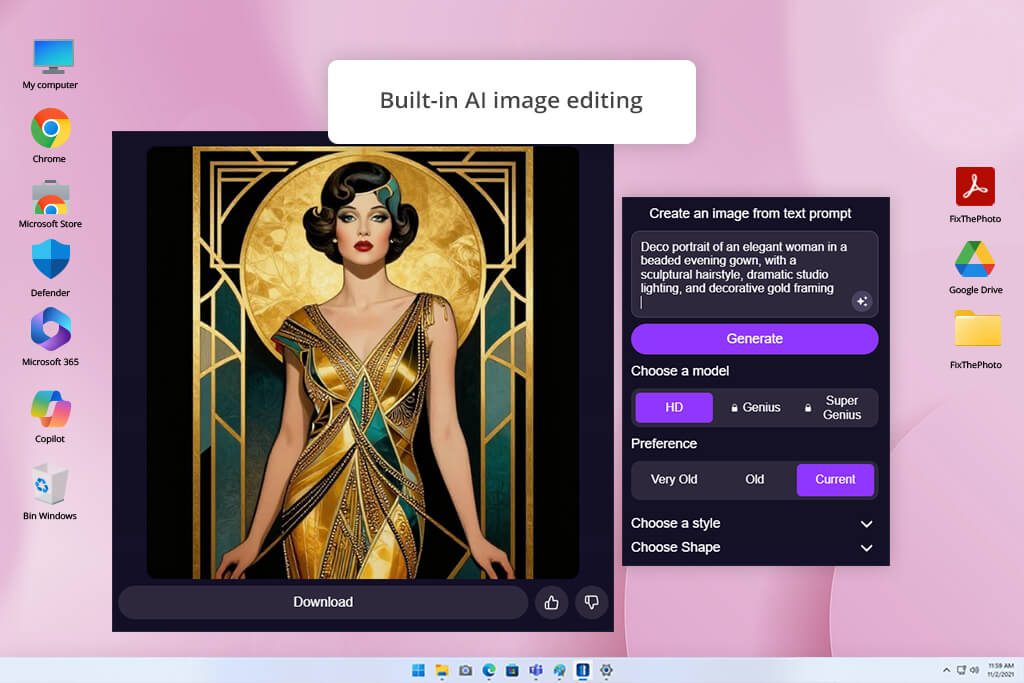
For a quick concept check, DeepAI removes every barrier between you and a first result. No account and no setup wait for you. I tested it with a portrait of an elegant woman in a beaded evening gown, with a sculptural hairstyle, dramatic studio light, and ornate gold borders.
The period presets, Very Old, Old, and Current, let you shift the overall atmosphere, and with over 100 style options and adjustable image shapes, there is enough room to steer the output in different directions. My focus was on geometric sharpness, symmetrical balance, and the metallic polish that defines the Art Deco look.
What works in DeepAI’s favor is the pace. Ideas go from prompt to image without delays, which makes it easy to run through several directions in a short session. This AI image generator offers extra tools, a photo editor, background removal, and Super Resolution. They add some practical value when a result needs a small adjustment or a cleaner finish.
Still, this AI Art Deco design generator online falls short in detail. The standard output suits a rough mood sketch better than a polished Art Deco piece, and fine geometric work tends to look uneven. Genius and Super Genius modes will help, but those require a Pro plan. As a free starting point for early-stage exploration, it earns its place.
Price: Free (5 daily credits) or from $12.49/mo.
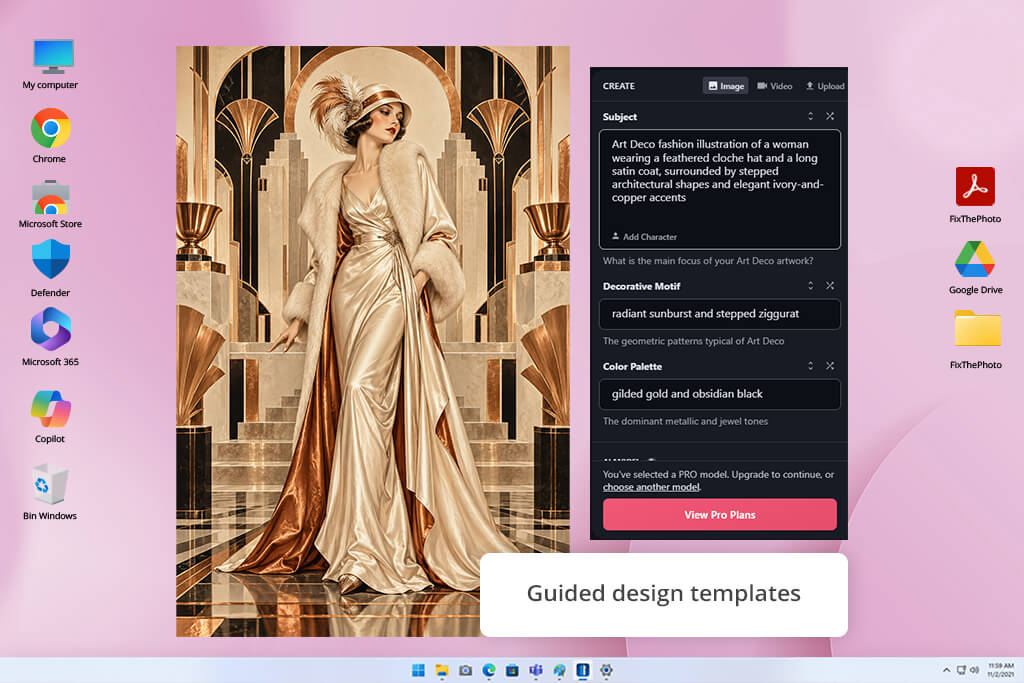
NightCafe outperforms many free AI Art Deco generators with the combination of ready-made templates and a wide model library. You get a solid creative framework without the need to construct every prompt from scratch. I tested the Art Deco Revival Generator, which lets you define the subject, select decorative motifs, and set a color palette in a few steps.
My prompt was a fashion illustration of a woman in a feathered cloche hat and a long satin coat, placed against stepped architectural backdrops and ivory-and-copper tones. The results were appealing and period-appropriate.
The template range is broad. Options span classic geometric artwork, vintage illustration styles, and Cyber-Deco aesthetics with a neon influence. With 30+ AI models available, including Flux and GPT Image, there is plenty of room to shift the visual direction depending on what a project needs.
The image-to-image feature gives even more flexibility. Rather than starting from a text prompt, you can feed in an existing photo or sketch and reshape it into an Art Deco style. The default 3:4 format is practical for posters and covers, and the community gallery gives you a steady stream of reference material.
The weak spots of this generative AI tool are consistency and credit limits. Results can vary noticeably between models. Detailed decorative work sometimes needs more than one attempt, and free daily credits are enough for light tests but not for extended sessions.
Price: From $10/mo.
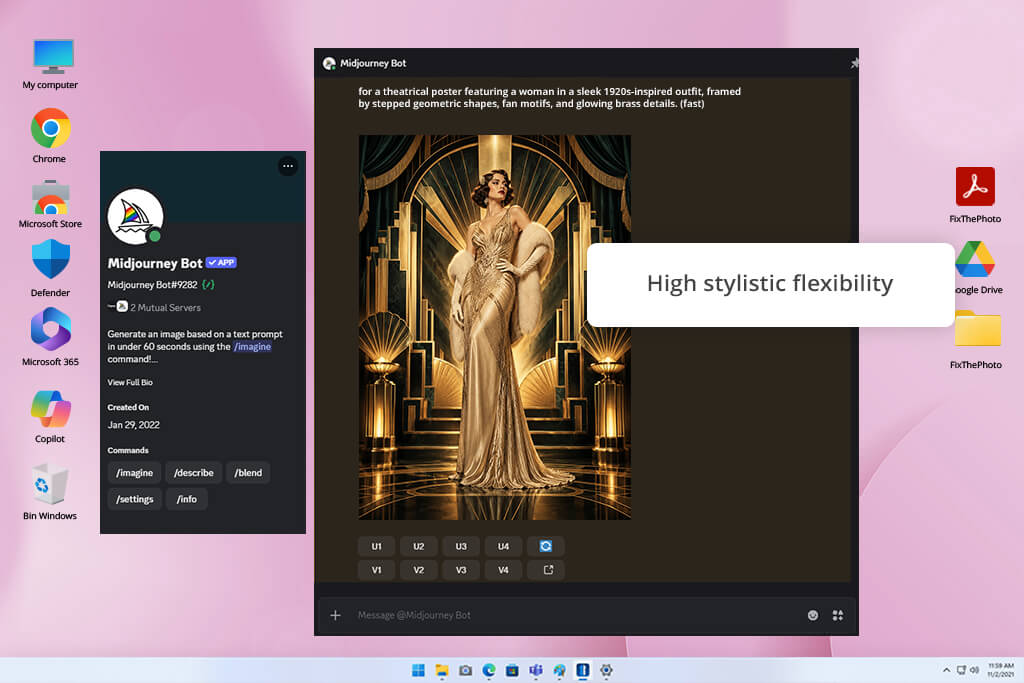
Midjourney earns its reputation as a top-tier Art Deco design generator from text, and my testing confirmed exactly that. I started with a theatrical poster prompt, featuring a woman in a sleek 1920s silhouette, set against fan motifs, stepped architectural forms, and warm brass detailing. The generator gave me rich surface textures, confident symmetry, and atmospheric lighting that pushed the whole image toward the cinematic.
From there, I shifted the brief toward something more experimental, namely, a Cyber-Deco fusion of classical Art Deco structure and neon-saturated color, with cyan and magenta cutting through the architecture like electric veins. That worked too, which says something about the tool’s range.
To receive great results with Midjourney, you need to write the prompt knowledgeably. Feed it materials, light sources, shapes, and spatial composition. Treat each prompt like a brief to a human designer rather than a search query. The more precise the language, the more resolved the output. Iteration plays a role as well. Small adjustments to phrasing can shift the mood or balance of a piece considerably.
Midjourney suits concept development, editorial work, fashion imagery, and print-ready poster aesthetics particularly well. Still, keep in mind that the tool struggles with legible text inside images, so typography is best handled in a separate design application. Plus, the Discord-based interface takes time to grasp. Access also requires a paid subscription from the start.
“Midjourney turned out some beautiful rich colors and textures for an Art Deco interior concept I worked on. The one frustration was with small decorative details. Those often came out a little odd, and it took a fair number of tries to get to a result that felt right.”

Price: Free (100 credits) or from $8/mo.
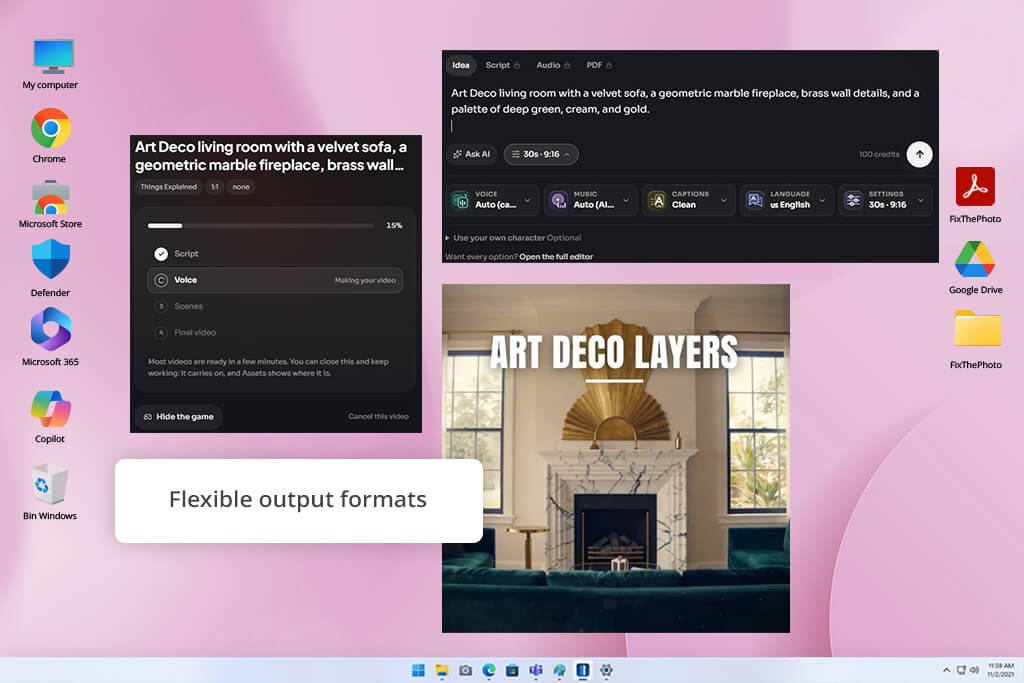
If you want to get into Art Deco design fast, FluxNote is a user-friendly AI Art Deco generator to start with. Rather than relying entirely on manual prompt craft, the platform steps in with built-in enhancements that sharpen and expand your input automatically. The Image Studio comes with a dedicated Art Deco preset, so the stylistic groundwork is already laid before you type a single word.
For my test, I designed a velvet sofa as the centerpiece, a geometric marble fireplace, brass details across the walls, and a palette that combined deep green, cream, and gold. Each prompt returned up to 4 variations at once, which turned the process into something closer to curation than creation. I could scan the results side by side, spot which composition had the strongest balance, and move forward from there.
The format options are another advantage. Square, landscape, and portrait outputs mean the same design concept can shift from a social media post to a printed poster with minimal extra work. The image-to-image tools, powered by Kontext Pro and Max, provide even more control. Instead of discarding a result that almost works, you can feed it back into the system and nudge it toward what you had in mind.
Still, FluxNote struggles with dense, repeating geometry. Symmetry can wobble when a prompt stacks too many fine ornamental elements together, especially delicate gold details. The results are usually recoverable with another iteration or two, but it is something to plan for when the design calls for high decorative complexity.
Price: Free (720p) or from $19/mo.
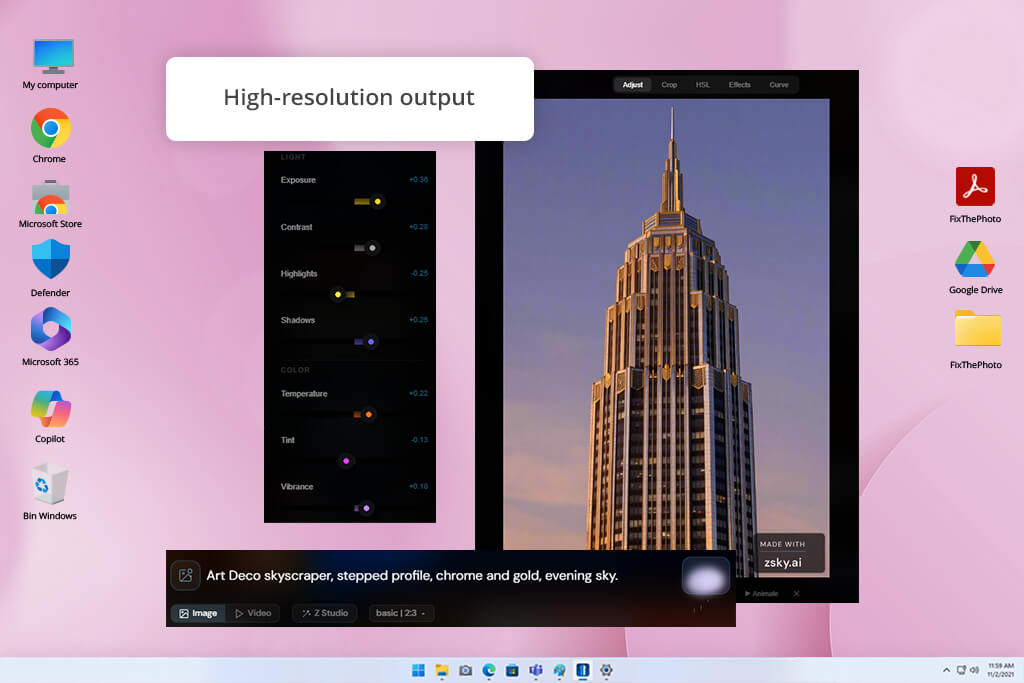
ZSky AI is a great free AI Art Deco generator when you want results fast. You describe your subject, specify the geometry and color palette, and the image appears in your browser within seconds. For my test, I used the prompt “Art Deco skyscraper, stepped profile, chrome and gold, evening sky.” The result was ready in about 5 seconds. A dramatic skyline with rich metallic tones came through clearly, and the 1920s atmosphere was exactly on point.
This AI tool for designers handles a solid range of use cases well. Architectural concepts, decorative surface patterns, poster layouts, and branding visuals sit comfortably within its strengths. The free tier is also notably generous, giving users unlimited generation with no credit card required. Besides, commercial use is permitted from the start. That combination is relatively rare and makes ZSky AI worth a look even before you consider a paid plan.
However, free downloads carry a small ZSky.ai watermark, which is fine for personal experimentation but less ideal for client-ready work. A paid subscription removes it. Prompt specificity also matters here more than on some other platforms. Broad or vague descriptions tend to produce results that look generic rather than distinctly Art Deco, so the more precise your input, the stronger the output.
Think about things that defined the era. Sunburst patterns, fan motifs, bold symmetry, geometric borders, and gleaming metallic surfaces were everywhere in the 1920s and 1930s. Feed that specificity into your prompt. “Art Deco poster” tells the generator very little. “1920s theater poster, symmetrical sunburst pattern, black background, gold geometric borders, elegant vintage typography” gives it a clear visual target to aim for.
No reference image is required. The best AI Art Deco design generators like ZSky AI and Adobe Firefly build visuals straight from text. Make sure you are descriptive. Name the subject, call out specific shapes, mention the materials, and define the color scheme. The more precise the prompt, the more focused the result.
Black and gold come to mind first, and for good reason. But the style has real range. Emerald green, burgundy, ivory, navy, silver, and chrome all belong to the same visual world. A prompt like “deep green velvet, polished brass, cream marble, warm lighting” leans into classic luxury. Swap that for “chrome surfaces, midnight blue, electric cyan, sharp geometric forms” and the result shifts toward something colder and more architectural.
Perfect symmetry is one of the harder things to ask of an image generator. Repeating a shape at exact intervals, mirroring details precisely, and keeping geometric patterns consistent across an image often cause errors. Fan motifs and ornamental borders are particularly prone to small but noticeable inconsistencies.
Very much so. Rather than committing to furniture or finishes without a clear picture, you can use tools like Adobe Firefly or FluxNote to explore ideas first. A prompt built around a velvet sofa, brass fixtures, a geometric fireplace surround, and an emerald and gold palette can produce something useful as a visual reference. Take the output as a mood board rather than a finished plan.
Focus on typeface qualities like tall geometric capitals, generous letter spacing, a polished gold finish, or classic 1920s display proportions. The catch is that Art Deco AI generators handle decorative backgrounds better than actual words. Letters often come out warped or misspelled. A reliable workaround is to generate the ornamental frame or backdrop in Midjourney or Adobe Firefly, then bring the file into a design editor to set the text properly.
In many cases, yes. Adobe Firefly has a Generative Fill tool that lets you select and rework specific parts of a composition. FluxNote takes a different approach, letting you upload an existing image and adjust it through image-to-image editing.
My colleagues Tetiana and Kate joined me to test over a dozen AI Art Deco generators and narrow the list down to the best options. We approached it systematically, using the same prompts on every platform so we could make fair comparisons.
I and my team from FixThePhoto wanted to see which tools understood Art Deco, its geometric symmetry, sunburst details, stepped architectural forms, metallic surfaces, and sophisticated color schemes. We also varied the subject matter across the tests, from lavish interiors and architectural renders to posters and ornamental patterns, so we could judge each tool across different creative scenarios.
“Firefly worked well for an Art Deco hotel lobby concept and gave me a solid base to build a mood board from. The overall layout came out pretty nice, though a few materials and decorative details needed some extra tweaks to get right.”
Several tools we tested didn’t satisfy us. PromeAI, Morphic, Kling AI, Stable Diffusion, DreamStudio, Simplified, Leonardo, Ideogram, NightCafe, Freepik, and Fotor were all excluded. Some of them focus primarily on video or general-purpose image creation. Others are built around broader design workflows. A few could produce Art Deco results, but only after significant prompt adjustments to get the geometric precision and decorative detail the style calls for. We kept the final list to tools that felt like a natural fit for this aesthetic.
Our evaluation covered nine areas:
“I used FluxNote to explore an Art Deco room look and appreciated the range of results it gave me. Not all of them were distinct enough from each other, and the finer decorative details could be hit or miss with the clarity.”
Adobe Firefly turned out to be among the best Art Deco AI generators for Art Deco interiors and architectural concepts, where polish and structural detail matter most. OpenArt is the strongest choice for dedicated Art Deco styles and poster work.
DeepAI suits anyone who wants vintage-flavored results without a complicated setup. The right pick depends entirely on your workflow and what you need the output to do.