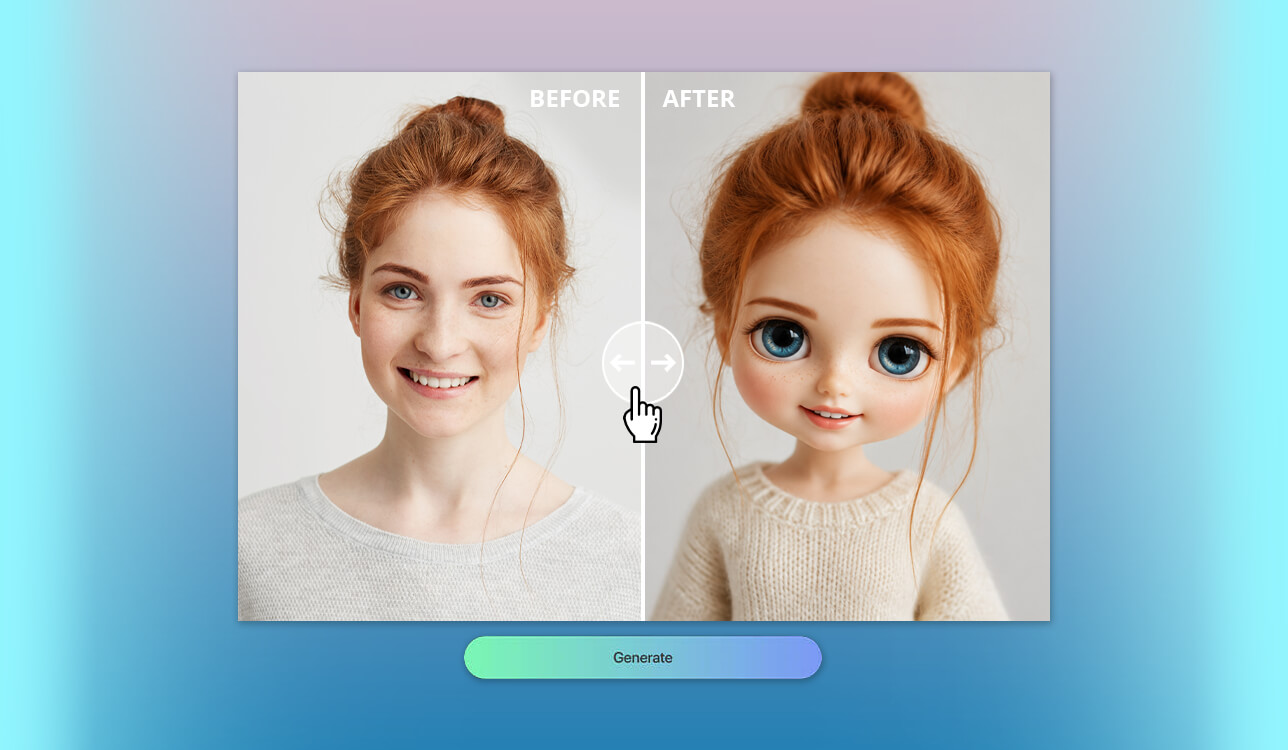
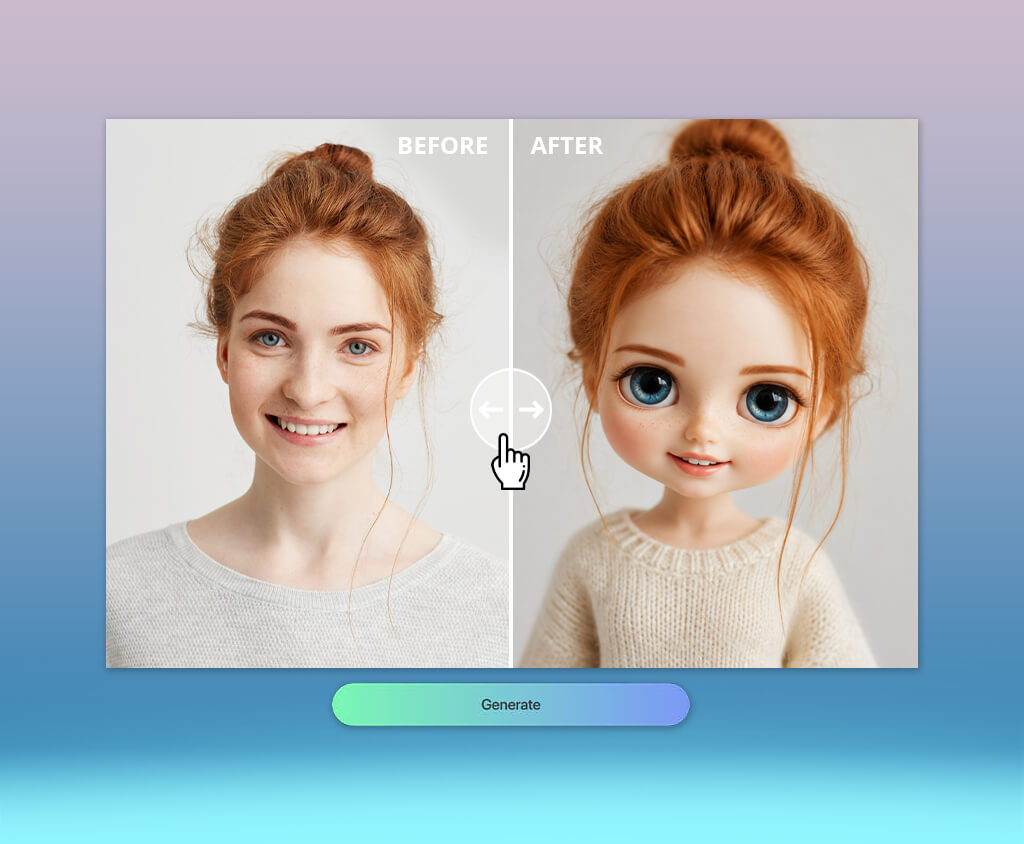
When my daughter started sending me her new Blythe-style portraits almost every day, I realized that this wasn’t just another trendy filter that would disappear in a couple of weeks. I regularly test new AI tools, so I decided to find out which Blythe doll AI generators convey the characteristic image of a doll with huge eyes, but at the same time do not turn each person into the same faceless image.
My team helped gather recommendations from Reddit, YouTube, Facebook groups, and doll collector forums. In total, I tested more than 30 generators. For the experiment, I used three portraits: my own, my daughter’s, and my sister’s. This revealed the weaknesses of the services. Some produced one goof result but failed to handle a different age, face shape, expression, or hairstyle.
During the testing, I tried to look at the tools through the eyes of real users. Collectors may need to visualize new eye chips or wigs, photographers may need an entire portrait series, TikTok creators may need a spectacular video on a current trend, and a small brand may need an unusual character or mascot. For me, a good AI Blythe doll generator should provide:
By repeatedly processing the same three photos, I noticed that it is difficult to assess both the capabilities of the Blythe doll AI generator and my own preferences from a single image. For example, my daughter usually liked the brightest and most delicate options in pastel shades. I, on the other hand, more often chose images with good lighting and well-preserved facial features.
It was precisely because of this difference that I came up with the idea for a seven-day experiment. The rules are very simple: every day you need to create a new version of yourself, changing only the visual direction. If possible, use the same clear portrait.
The result will not be seven random images, but a small collection of characters. At the same time, it will become clear which style really suits you.
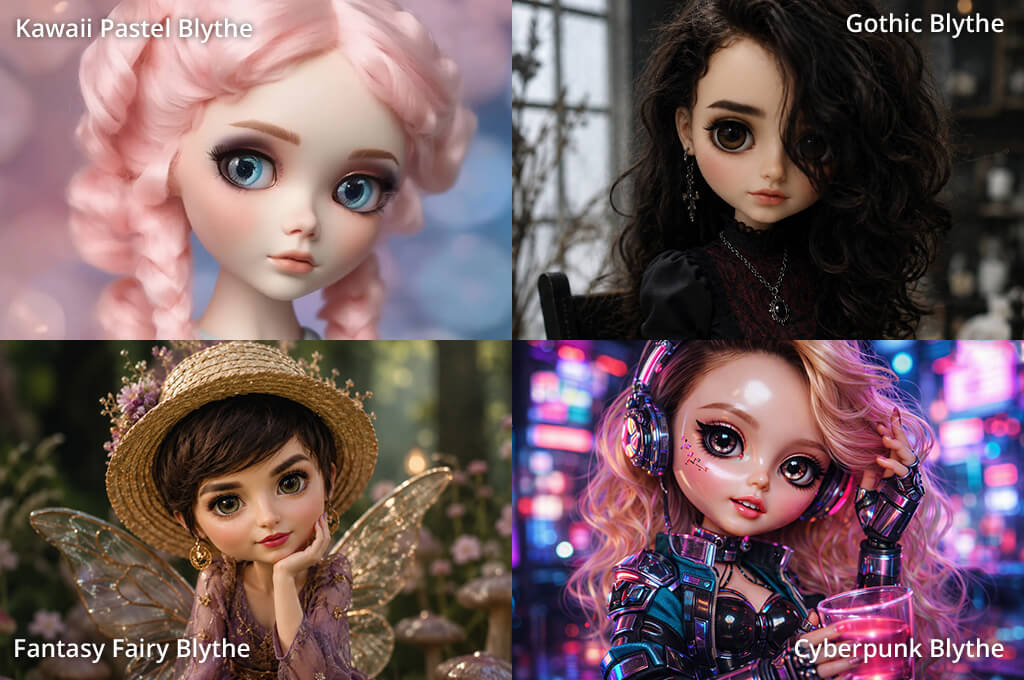
Day 1 – the classic 1972 Blythe. Start with a calm vintage look without unnecessary details.
Day 2 – Pastel kawaii Blythe. Add more cute details, bright accessories, and candy shades.
Day 3 – Gothic Blythe. Here you can check if the AI Blythe doll generator model can handle dark shades and complex makeup without making the face look dirty or too theatrical.
Day 4 – Blythe in the style of a fashion magazine shoot. This is my favorite option for testing clothes, poses, and studio lighting.
Day 5 – Fairy Blythe. Add elements that weak generators often start to get wrong: wings, flowers, glow, and a multi-layered background.
Day 6 – Blythe in a cyberpunk style. Use neon, metal, and reflective materials to see if the face remains clear and recognizable.
Day 7 – Your signature Blythe. Combine only the details you really liked over the previous six days.
The most unexpected thing for me was that the technically best picture was not always my favorite. My daughter chose the portrait with the most vibrant personality, my sister preferred the elegant look, and I kept coming back to the version that best resembled the person in the original photo.
That’s the point of the challenge. It turns a common visual trend into a small test of character and taste. The seven images show progress, look good in an Instagram carousel, and give followers a specific reason to leave a comment rather than just swipe through another avatar.
Post all the works as a carousel or a short video, invite your followers to choose a winner, and add the hashtag #My7Blythes. This way, the seven portraits will be perceived as a single creative project, not as a set of unrelated experiments.
Pricing: Free limited daily generations; from $9.99/mo; The Standard plan includes 2,000 monthly generative credits and unlimited standard image generations.
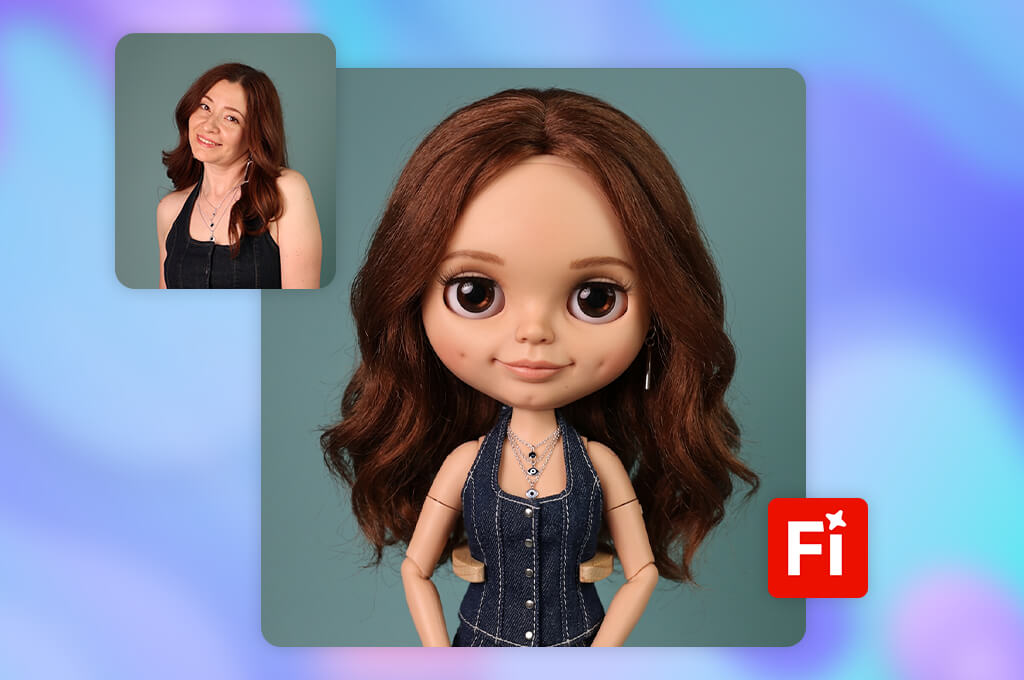
I started with the Firefly AI art generator because I have been using it for a long time to work with photos and videos. To launch it, you just need to log in to your Adobe account. There is no ready-made Blythe preset here, so the quality of the result largely depends on how accurately the request is formulated.
The first picture looked beautiful, but it was more like a regular glossy fashion doll. The eyes were large, but it lacked that slightly strange look of the collectible Blythe, which my daughter immediately noticed. Then I refined the shape of the head, added vinyl skin, shiny eyes, a small mouth, stitched hair, and asked to preserve the characteristic features from the original photo.
The main advantage of Firefly becomes apparent after the image is created. You can fix problematic areas using Prompt to Edit, Generative Fill, and Remove, enlarge the frame with Expand, get similar options with Generate Similar, or increase the resolution with Upscale. After that, the image can be opened in Photoshop or Adobe Express, and you can continue with the usual editing.
“Firefly also has Boards, video and audio tools, and third-party models. It is suitable not only for a single avatar, but for a full-fledged series of materials, an ad campaign, or a brand project.”

The free credits are enough to get acquainted with the free Blythe doll AI generator, but three portraits and several rounds of corrections use up the limit quite quickly. For those who create such content regularly, it’s easier to justify purchasing the Standard plan: the integration with other Adobe programs really reduces the time needed for editing.
My advice is not to try to change everything at once. First, it’s better to get the head and eyes in the right shape, and then separately adjust the hair, makeup, and clothing.
Pricing: Free base generations and opportunities to earn credits; from $7.49/mo with annual billing; Most newer models require credits, and some are available only with Pro.
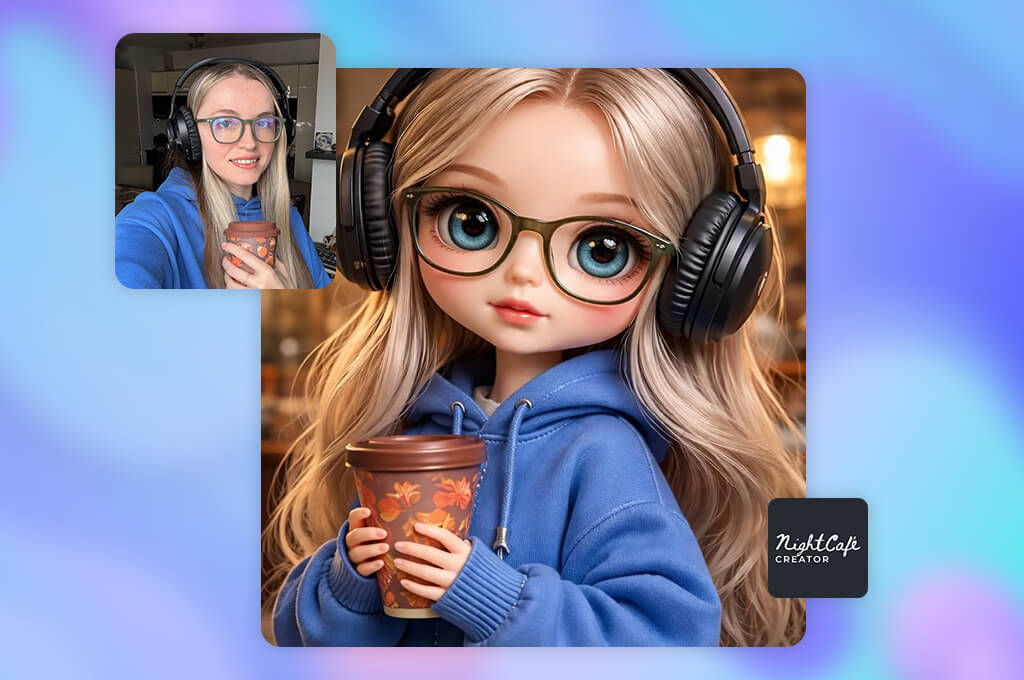
NightCafe was among the first results on Google, and its free Blythe doll AI generator page looked like a clear entry point for a beginner. I got the first image almost immediately. However, after opening the list of models, references, seeds, and advanced parameters, it became clear that the service is more complex inside than it seems on the main page.
Its strength lies in the ability to switch between different models within a single platform. There are options focused on accurately executing the prompt, editing photos, combining multiple images, and creating one recognizable character in a series.
This turned out to be useful: one model produced a more beautiful stylization, while the other preserved the face better. Thanks to the same seed, I could change only the wording and compare the results without getting a completely new composition each time.
For corrections, I used Evolve and inpainting instead of starting over. A small mask can be used to align the eyes or replace a specific piece of clothing, although local processing doesn’t always work the first time.
Resolution enhancement, negative prompts, Character Creator, and face or style retraining make this AI image generator a convenient option for collectors who need a whole series of images with a consistent design.
“I like that here you can install the NightCafe web app, publish your work, view open prompts from other users, and participate in themed contests.”

A free account also allows one limited attempt to train the model on your own face. This is sufficient for occasional experiments, but modern models and numerous corrections quickly deplete credits.
I advise first making draft versions on an inexpensive model, saving a successful seed, and only then spending more credits on the final version.
Pricing: Free entry point; paid from $7.90 for 40 credits. Credits expire after one or two months, depending on the pack.
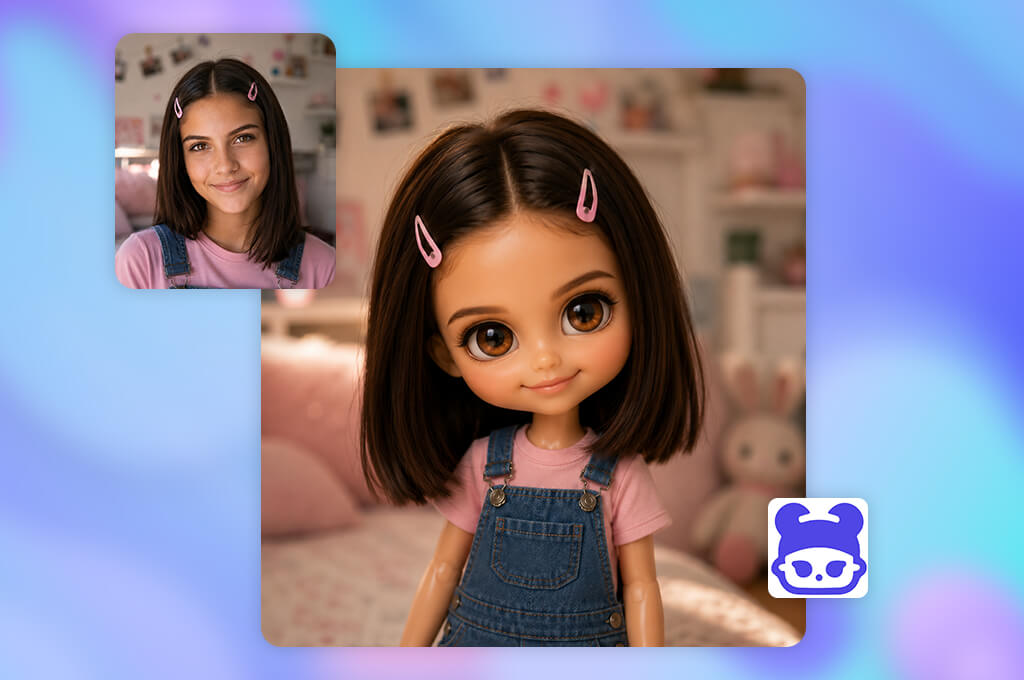
Blythe Doll AI appeared among the first Google results. The service immediately caught my interest with its narrow specialization. Unlike universal generators, it only works with the Blythe aesthetic, so I expected that I wouldn’t have to explain in detail the characteristic shape of the head, eyes, and other basic features of these dolls.
Getting started turned out to be easy. I described the desired look, specified the eye color, hairstyle, clothing, makeup, and mood. You can generate an image either from text or based on an uploaded photo. The service is based on Stable Diffusion XL. I liked the ready-made examples of prompts: they add lens parameters, a color palette, and stylistic techniques to the doll description.
There is no choice between dozens of models, and there are almost no complex parameters. This is convenient online Blythe doll AI generator for collectors who want to see in advance how different wigs, eye chips, makeup, or outfits will look. For photographers and designers who need precise and controlled corrections, such features will not be sufficient.
I did not find clearly described tools for working with masks, local inpainting, a built-in AI image upscaler, layer-by-layer editing, or useful integrations with third-party programs. If the eyes, hair, or clothes didn’t turn out well, most often the entire image had to be regenerated.
Credit packages are quite reasonably priced, especially for occasional experiments. However, for brand visuals, I would not use this service without additional permission. The published terms state that the license is for personal, non-commercial use.
I advise starting the prompt with the most recognizable facial features. After that, you can move on to the proportions of the doll, hairstyle, clothes, and overall style. You shouldn’t mix gothic, kawaii, vintage, and fantasy at the same time – the result is usually overloaded.

Pricing: Free limited AI access, 720p exports, and watermarks; Standard from $9.99/mo or $83.88/year; Premium from $17.99/mo or $155.88/year.
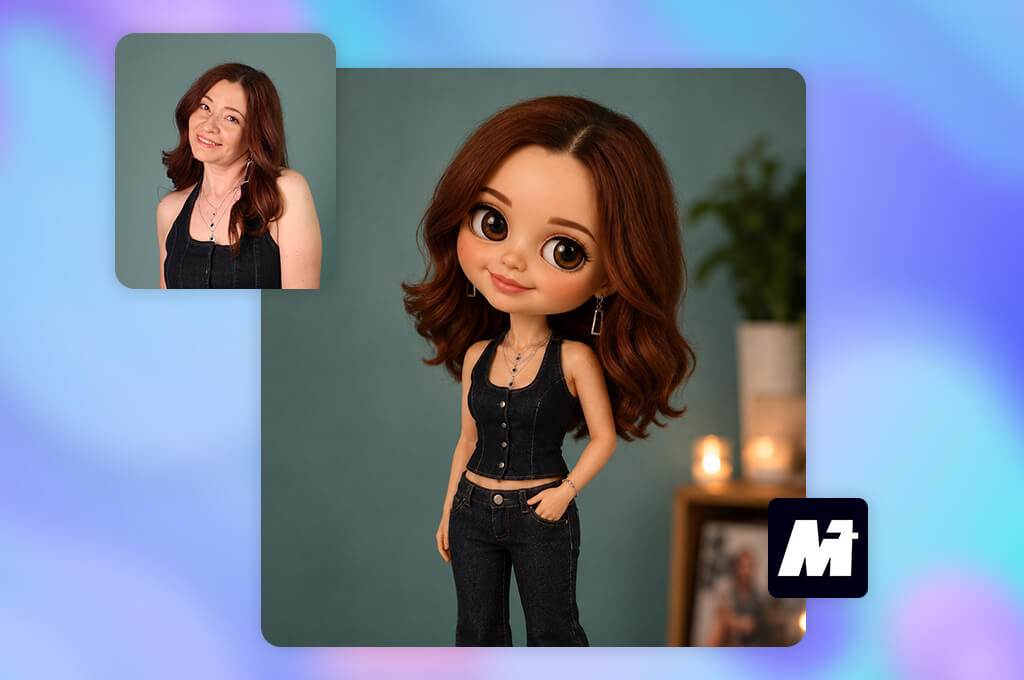
Media.io turned out to be one of the simplest free online Blythe doll AI generators in my test. Here, creating a doll portrait is more like applying a controlled photo effect than working with a complex generator. I uploaded a clear photo, took one of the ready-made text templates, and started processing directly in the browser.
The main advantage of Media.io is its extensive library of ready-made descriptions. It has classic, vintage, fashionable, fairy-tale, gothic, natural, and haute couture options. The prompts already specify the size of the eyes, the texture of the skin, the lighting, and the color scheme, so the user only has to add personal details.
“This generator is convenient for TikTok creators and regular users who need a predictable image in a current style without studying seeds, models, and transformation parameters.”

The Blythe generator is just part of a large collection of Media.io browser tools. After creating the portrait, I could improve the quality, increase the resolution, remove an unwanted object, adjust the face, remove the background, replace individual elements, or expand the frame borders.
This Bratz doll filter is also linked to video and audio tools. This is convenient if you need to turn a portrait into a Reel, TikTok, or a short video with a transformation effect.
The free mode is enough to try the feature once and evaluate the result. The subscription makes more sense for those who are going to use not only this effect but also other editors from the Media.io suite.
For a more accurate result, it is better to upload a sharp full-face portrait. I also advise first shortening the finished prompt, removing unnecessary decorations, and only then adding a description of your appearance, clothing, and desired mood.
Pricing: Free 100 daily credits, no watermarks; from $10/mo; from $120/year at the monthly rate.
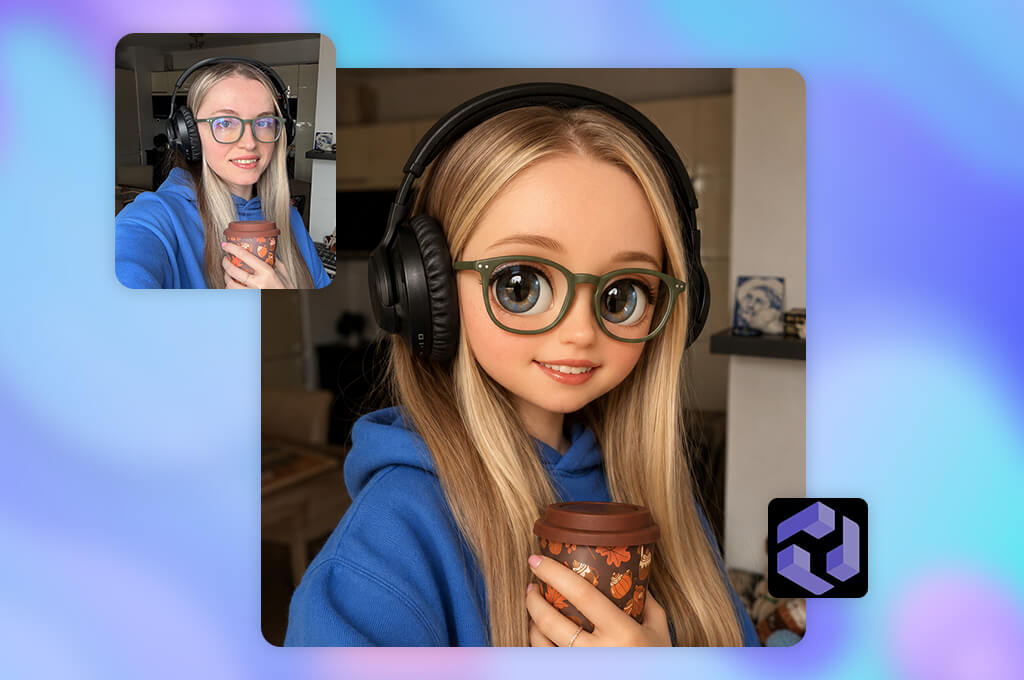
It took me a little longer to master CGDream than to work with simple one-click AI art generators. Models, filters, references, and various generation parameters appear in the interface right away, so first I had to figure out which ones were really needed for Blythe’s portrait.
CGDream stands out because it allows you to control one generation in several ways at once. A text prompt can be combined with style transfer, composition and structure reference, source images, and LoRA filters. The user also chooses the base model. The available ones include Flux Dev, Flux Pro, and Juggernaut XL – the generation engine is not hidden here, as it is in many simpler services.
When one eye turned out to be noticeably smaller than the other, I corrected only this area using inpainting, without recreating the entire portrait. The DreamUp feature in this AI Blythe doll maker also proved useful. It helped develop the general idea of a vintage look into a more detailed prompt when I lacked precise wording.
“CGDream is suitable for artists, doll customizers, and concept designers who value control over maximum simplicity.”

The free plan here is really suitable for full testing: 100 credits are restored every day. For commercial work, you will have to switch to a paid plan. It also unlocks private generation, increased priority, an expanded history, and the ability to continue creating images in slow mode after the monthly credit package expires.
It’s best to first choose one base model and add no more than one or two filters. When I used too many references at the same time, the pictures looked neat and expensive, but they looked less and less like the person in the original photo.
Pricing: Free trial with no sign-up entry; from $11.90/mo; from $69.60/year, billed annually at $5.80/mo.
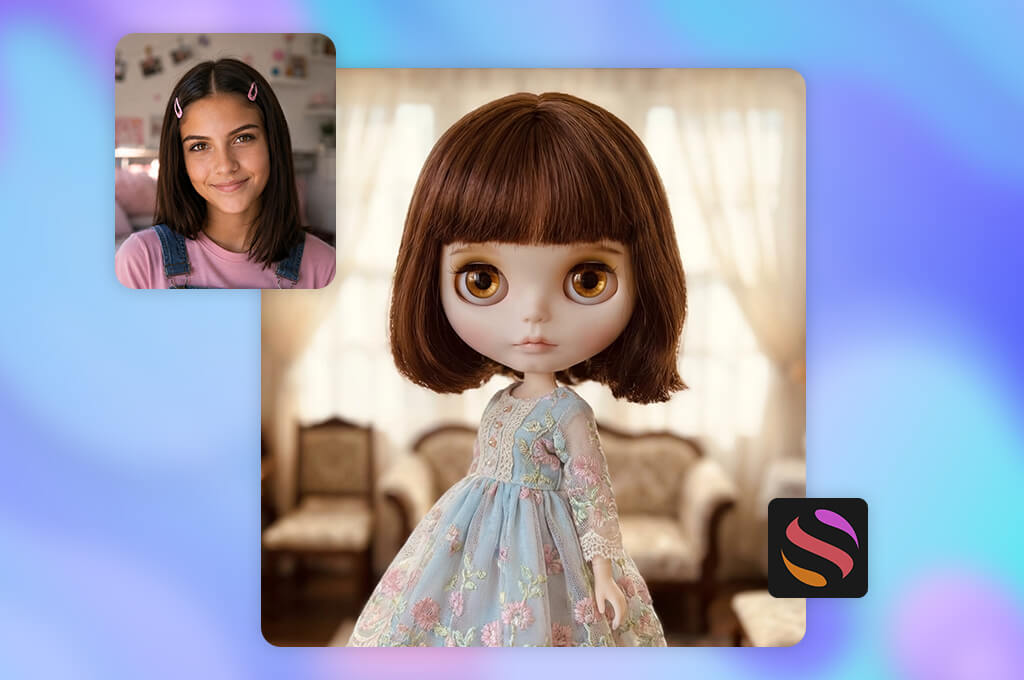
At first, GlobalGPT seemed very simple to me because there was already a ready-made prompt on the Blythe doll AI generator page. All I had to do was change the hairstyle, eye color, dress, and mood of the character, rather than create a description from scratch.
The main advantage of GlobalGPT is not the separate Blaze filter, but the large selection of generative models within a single platform. The list includes Unikorn, Flux, Ideogram, GPT Image, and other options. Thanks to this, I could quickly compare different interpretations of the same image without switching between multiple sites.
Unikorn performed best with decorative portraits that resembled staged photos of a collectible doll. Models that were more precise in handling instructions were more reliable in preserving the specified eye color and clothing details. In practice, switching between models was more beneficial than endlessly editing the same request.
Another interesting feature is the animation of the finished portrait. A static image can be turned into a short video where the character blinks, the hair moves slightly, and the lighting changes smoothly. Therefore, this free AI selfie generator is suitable for TikTok and Reels creators, as well as for those who create digital doll exhibitions.
I recommend saving the exact text of the prompt before each model change. Otherwise, it will be difficult to understand later what exactly improved the result: a different generator or a new wording of the prompt.
Pricing: Free to try; limited credits after sign-in
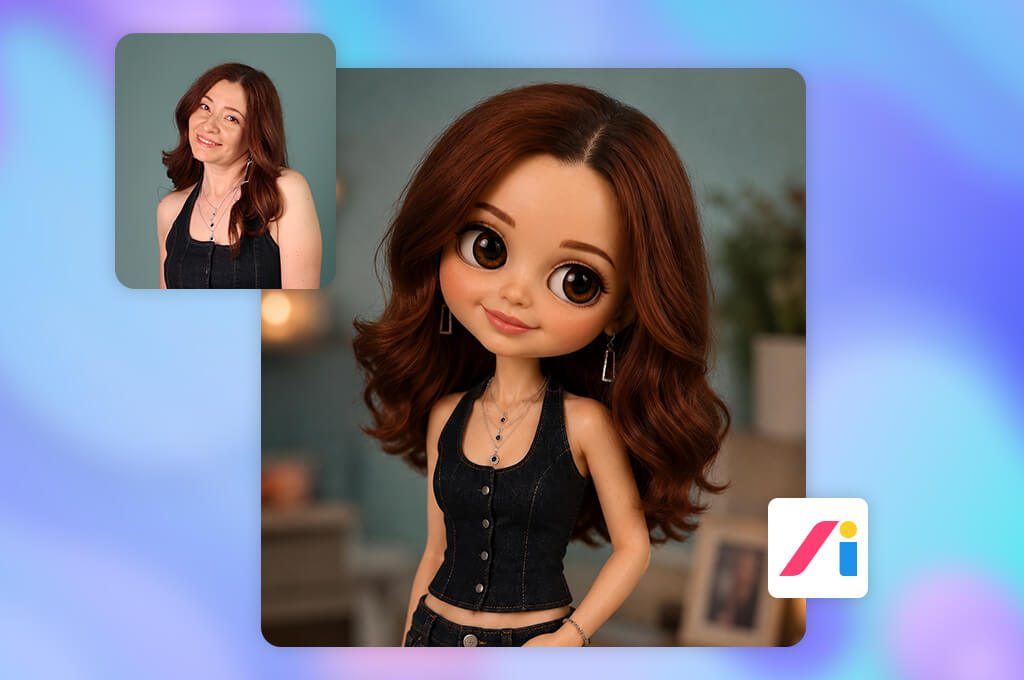
LogoAI differs from most AI Blythe doll makers on this list in that you don’t need to write a long request. I simply uploaded three test photos one by one and waited for the finished effect to be applied.
Since the stylistic direction is completely determined by the preset, it is impossible to check the understanding of complex prompts here. This is both the main advantage and the main disadvantage of LogoAI. A beginner can get an attractive picture in a few seconds, but a collector will not be able to precisely order a specific shade of eye chips, the texture of a wig, or the shape of lips.
“LogoAI is a fun and simple entertainment generator for casual users, social media creators, and small businesses who need a doll-style avatar quickly.”

I also couldn’t separately fix a bad eye or change only the makeup within the finished effect. For further processing, LogoAI suggests switching to the broader AiDesign environment. It includes image editors, a AI Pokemon generator, tools for creating videos, mockups, virtual fitting, templates for social networks, as well as Nano Banana and ChatGPT Image models.
It is best to upload a clear full-face portrait where the hair is fully visible and the clothing is not overloaded with details. The preset tries to transfer the entire original image to the result, so complex decorations and numerous accessories can become deformed.
Pricing: Free up to 25 images daily without watermarks; Pro from $11.99/mo
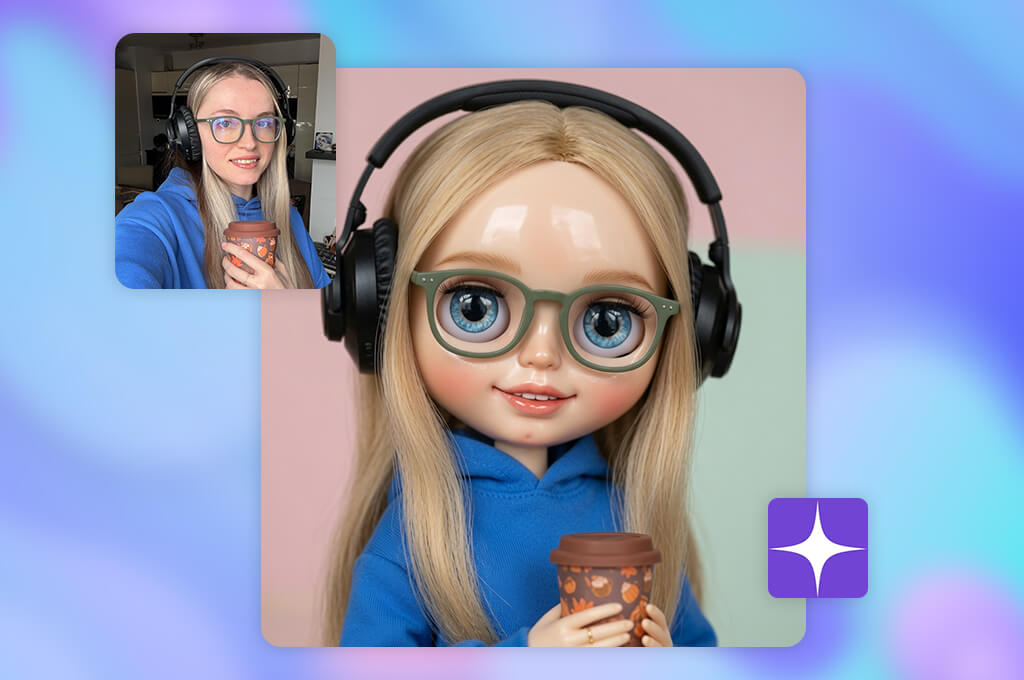
I came across Starryai while browsing the published works of other users in the Blythe style. I liked that you can take a ready-made image as a basis and build on it, rather than starting from a blank canvas and coming up with the entire prompt yourself. Starting the generation was easy, but choosing from a huge number of styles took me more time than writing the prompt itself.
Starryai captured the mood, color scheme, and overall artistic direction well. The custom Blythe doll AI generator handled specific details less well. In one version, the green eyes turned blue, although I clearly indicated the desired shade. In another, a simple dress unexpectedly turned into a complex costume with a lot of decorations.
“The free plan is well suited for occasional creative experiments. At the same time, users retain the rights to their images and can use them for both personal and commercial purposes.”

The main strength of Starryai is experimenting with style. The service has a large library of visual styles, tools for reimagining images, features like the Ghibli AI generator, quality enhancement, resolution increase, background removal, and the ability to create your own style. The finished image can also be animated using the image-to-video tool.
I advise you to first find one suitable visual style and use it for the entire series. This gives a more consistent result than simultaneously changing both the preset and the text of the prompt.
Pricing: Free 10 credits, 720p exports, and a Kapwing watermark; Pro from $24/mo or $192/year.
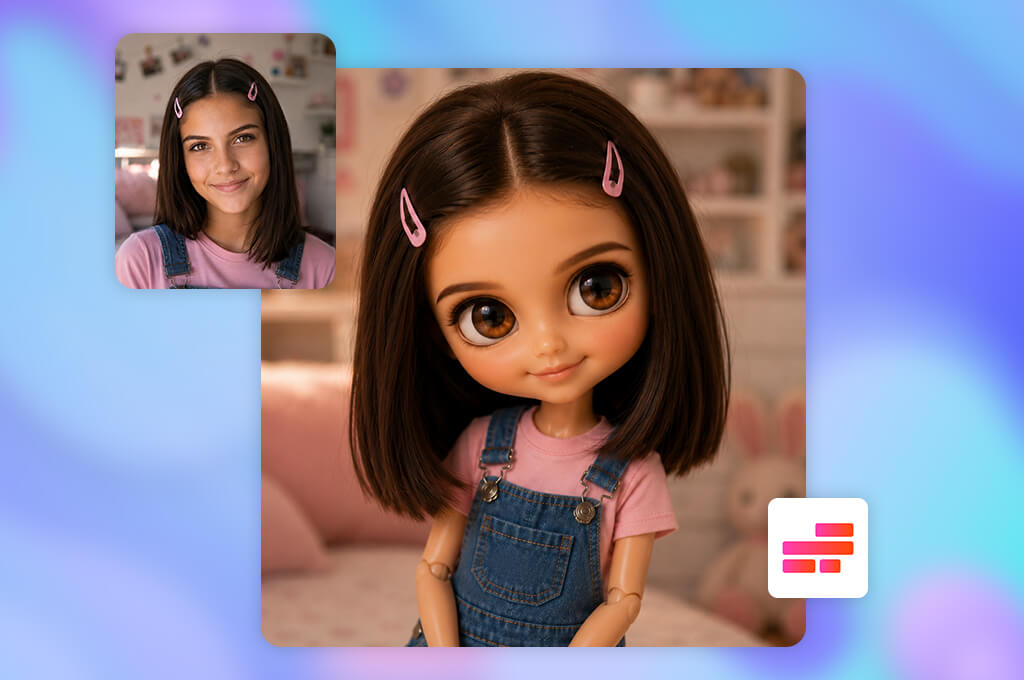
Kapwing immediately struck me as unusual, because working with it is more like a dialogue with a creative assistant. I uploaded a photo of my daughter, asked Kai to turn her into a Blythe character, and then continued to adjust the same result with short messages.
The main advantage of Kapwing is revealed after creating a portrait. In the same space, I could remove unnecessary objects, replace the background, add a caption, resize the canvas, or animate the doll. The generator works with several models for images and videos. In Custom Kai, you can save your favorite prompts and model settings for consistent outputs.
In addition, this free online Blythe doll AI generator supports real-time collaborative editing, comments, Brand Kits, subtitles, dubbing, sound cleaning, and exporting to different social networks. Therefore, it is especially convenient for TikTok creators, marketing teams, and brands that need not just one avatar, but a full series of materials for a campaign.
My advice is to make changes gradually. It’s better to first adjust the face, then the clothing, lighting, and background, rather than trying to replace everything with one message.
Together with the FixThePhoto team, I turned the testing of the AI Blythe doll makers into a full-fledged structured project. Moreover, my daughter turned out to be more demanding than any technical test. She immediately noticed when the eyes looked simply “cute and big” but did not convey the recognizable Blythe aesthetic at all.
First, I collected more than 30 tools. I found them through Google, Reddit, YouTube, Facebook groups, and doll forums. To make the comparison fair, I used three identical portraits for each service: my daughter’s, my own, and my sister’s. Different ages, face shapes, hair colors, makeup, and lighting quickly showed which generators could only work with one type of appearance.
Several well-known platforms were not included in the final rating:
We tested all the AI Blythe doll generators using the same criteria:
Customization and convenience. I looked at how long it takes to upload a portrait, understand the interface, and get a usable result. I considered the need to understand long instructions or a confusing credit system an additional disadvantage.
Accuracy of the Blythe style and similarity. We evaluated large, shiny eyes, a small mouth, head proportions, vinyl skin, hair, and facial expression. At the same time, the person in the original photo had to remain recognizable.
Prompt control and personalization. I changed the eye color, wigs, makeup, clothing, mood, and background to test how accurately the service follows specific instructions.
Stability and editing. The team compared repeated generations and investigated whether it was possible to correct just one eye, refine clothing, increase resolution, or create a series of similar portraits without a complete restart.
Speed, rights, and cost. In the final stage, we compared processing time, export quality, terms of commercial use, free limitations, and prices.
The leaders weren’t just the services with the most beautiful images. For me, it was more important that the tool consistently handled not only the first portrait, but also the second, third, and even seventh.


![7 Best AI Image Analyzers [{{%year}} FixThePhoto Choice]](http://fixthephoto.com/blog/images/gallery/news_main__preview_29393.jpg)

![7 Best AI Voice Designers [{{%year}} FixThePhoto Choice]](http://fixthephoto.com/blog/images/gallery/news_main__preview_29367.jpg)
![9 Best ImagineArt Alternatives [Better AI Art Apps]](http://fixthephoto.com/blog/images/gallery/news_main__preview_29310.jpg)



















