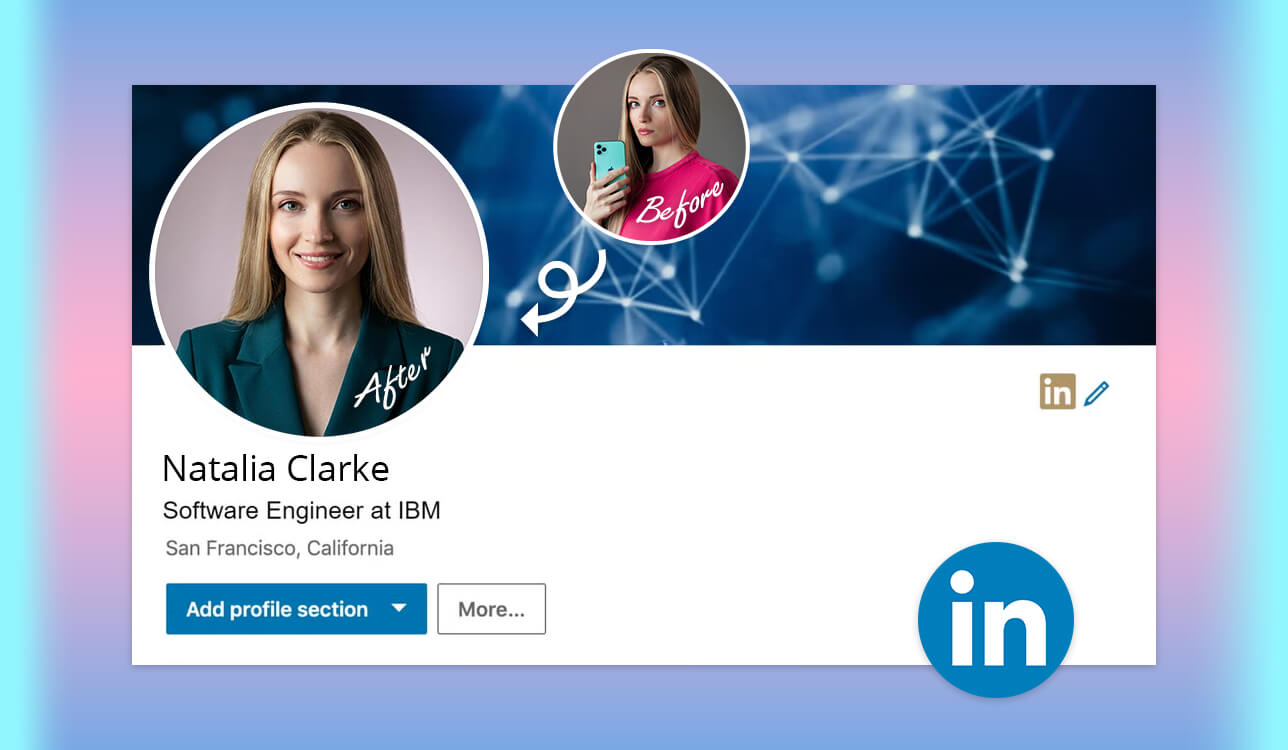
As an HR specialist at FixThePhoto, I know a good profile photo can make a candidate look more professional and trustworthy before I even read their resume. I wanted to see if an AI LinkedIn profile picture generator could be a good alternative to a quick selfie or an expensive studio photo.
I tested more than 50 tools more than 50 tools with help from my team, using recommendations from LinkedIn, Reddit, YouTube, Facebook, and professional forums to choose the strongest options. The final selection was tried on three people with different looks: me, a male coworker, and a female coworker. We used everyone’s photos with their permission.
This helped me see which tools really worked. Some created polished photos that still looked like the same person. Others changed the face too much, making the result look like someone else with smoother skin, different features, or clothing that did not look quite right.
From an HR point of view, this matters because a profile photo should look professional and still feel like the real person. I checked how well each tool handled the face, skin, hair, eyes, clothes, background, framing, and editing. I also looked at how fast the images were made, what controls were available, how much they cost, and whether the free version was worth using.
I also looked at how well each service worked for both men and women, rather than relying on a single good result. For me, the ideal tool should:
| Tool | Rating | Best for | Free plan | Price | Realism |
|---|---|---|---|---|---|
|
★★★★★
|
Custom professional edits
|
✔️
|
From $9.99/mo
|
★★★★★
|
|
|
★★★★★
|
Studio-style headshot sets
|
✔️
|
From $15/mo
|
★★★★★
|
|
|
★★★★☆
|
Consistent team portraits
|
✔️
|
$29 one-time
|
|
|
|
★★★★☆
|
Large portrait batches
|
✔️
|
$27 one-time
|
★★★★☆
|
|
|
★★★★☆
|
Easy branded profile design
|
✔️
|
From $18/mo
|
★★★★☆
|
|
|
★★★★☆
|
Fast free photo cleanup
|
✔️
|
$9 one-time
|
★★★★☆
|
|
|
★★★★☆
|
Prompt-based custom portraits
|
✔️
|
$4.99/mo
|
★★★★☆
|
During testing, I found that a good-looking AI generated LinkedIn profile picture was not always a good result. Some portraits had clear details, smooth skin, polished clothes, and nice lighting, but they still looked fake. Everything was simply too perfect to feel natural.
As an HR specialist, I would choose a slightly imperfect but realistic photo over one that looks overly polished. A LinkedIn photo does not have to look like a magazine shot. It should feel natural, professional, and close enough to the real person that I can recognize them right away in an interview.
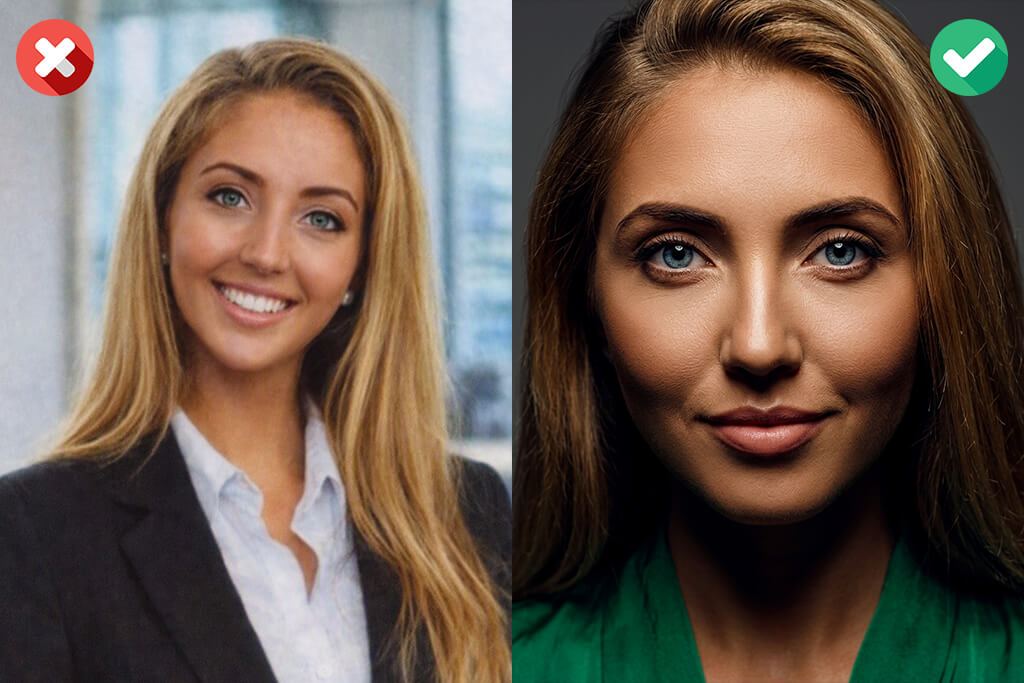
My best LinkedIn profile picture tip is to spend five minutes checking an AI-generated headshot before using it:
Minute 1: Check the eyes. I zoom in on the eyes and look closely at the pupils, eyelids, and light reflections. Different pupil sizes, overly shiny eyes, uneven reflections, or strange eyelashes can reveal a fake result. In some tests, the photo looked fine at first, but a closer look showed that one eye had a clear light reflection while the other did not.
Minute 2: Look at the skin and hair. Real skin has pores, fine lines, and small changes in tone. If the whole face looks perfectly smooth, it can seem artificial. I also check the hair for strange details, such as strands blending into the background, blurry edges near the ears, or an overly clean hairline.
One colleague who had no time to take a good profile picture got a great-looking result, but the tool removed a small mole on her cheek and changed the natural shape of her eyebrows. These details were small, but without them, the photo no longer looked like her.
Minute 3: Inspect the clothes. Clothing details can also expose problems. I check collars, buttons, earrings, jacket edges, and shirt seams for anything that looks off. Uneven buttons, distorted jewelry, fabric blending into the neck, or missing jacket edges can make an otherwise good portrait look fake. These details are easy to notice in a close-up profile photo.
Minute 4: Follow the light. The light should feel consistent from top to bottom. If one side of the face catches more light, nearby areas should reflect the same direction. I also watch for overly blurred backgrounds that look out of place around the hair or shoulders.
Minute 5: Compare it with the source photos. I put three to five versions next to the original photos and ask myself one question: would a coworker recognize this person right away? I look at features like the brows, jaw, nose, smile, hairline, and small differences between the two sides of the face. The best-looking version is not always the one that looks most like the real person.
For Adobe Firefly, I got better results when I gave clear instructions about lighting and skin texture:
For Gemini, I got better results by clearly telling it to keep the person’s original facial features:
Using several clear photos helped a lot, especially with front and angled views. Afterward, I compared a few versions side by side instead of choosing the first one that looked good.
Small fixes are fine. I might tone down skin smoothing, adjust the color balance, or fix an uneven background edge in Canva or Firefly. But if the eyes, face shape, or expression look wrong, I start over. The goal is to improve the photo, not change the person.
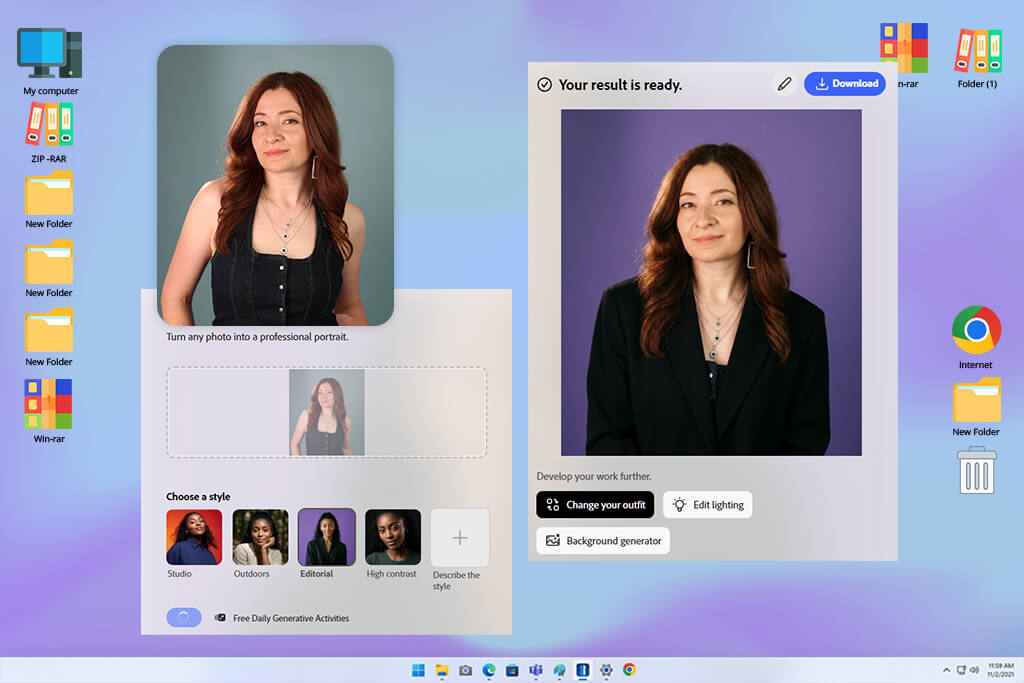
My colleagues suggested starting with Adobe Firefly. Since our FixThePhoto team already works with Adobe tools, I expected its editing options to give me more control than the simple one-click approach used by many dedicated AI headshot generators.
Getting started was easy. I opened Generate Image, added one reference photo, and described the look I wanted. Firefly supports JPG, PNG, and WEBP files, so I used clear front-facing photos of myself and two colleagues. In each prompt, I specified the outfit, setting, framing, lighting, and level of retouching.
What I liked most about this AI headshot generator for LinkedIn was the control I had after creating the image. With Generative Fill, Remove, Expand, background changes, upscaling, and prompt-based edits, I could fix one small problem without starting over. I could also move the finished image to Adobe Express or Photoshop on the web for further editing.
“I still use the Firefly portrait in my portfolio. It looks professional, but people who know me can still tell it’s me right away.”

This flexibility makes Firefly a good fit for recruiters, photographers, designers, personal-brand work, and teams that need consistent staff portraits.
My advice is to start with a sharp, evenly lit photo and ask for natural skin texture instead of perfect skin. Be specific about the crop, outfit, background, lens style, and lighting.
Pricing: Free – limited daily generations; from $9.99/mo;
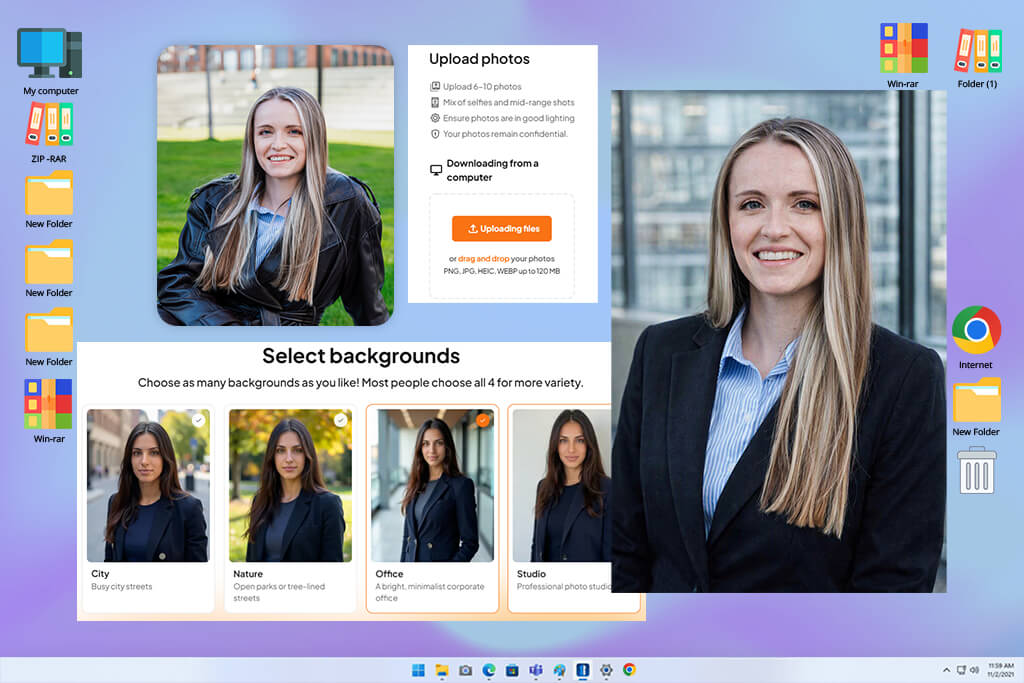
Aragon was easy to try. I first created an account and then uploaded six selfies for each person, making sure to include different angles. Instead of writing prompts, I simply chose the outfits and backgrounds from the available options.
Getting six good photos ready took some time. I avoided filters, sunglasses, repeated poses, and strong lighting. Each set took around 30 minutes to process, and Aragon sent an email when the portraits were ready.
Aragon also gives you useful ways to refine the final portrait. You can adjust clothes, backgrounds, hair, poses, lighting, and expressions, while other tools help with realism, unwanted objects, framing, and color. It can also help create LinkedIn background photo ideas. I would recommend it to job seekers, executives, real estate agents, lawyers, and teams that want matching staff photos without booking a photo session.
For me, Aragon works best when you need more than just a basic headshot. After generating the images, you can adjust the outfit, hair, background, pose, lighting, and expression. There are also tools for fixing color, removing unwanted details, and improving the framing. That makes it useful for job seekers, executives, real estate agents, lawyers, and teams that want consistent portraits without a studio session.
“I liked being able to choose different expressions for different uses. I picked a more serious photo for LinkedIn, while another felt better for our team page.”

The free version of this LinkedIn profile picture generator can produce a decent headshot, but the paid option offers more styles, better resolution, and more realistic results.
My advice is to use recent photos with the same hairstyle and facial hair, but vary the angle and expression. Avoid mixing heavily edited selfies with casual, untouched photos.
Pricing: The free option gives one basic headshot with limited styles and realism. Paid packages start at $35 one-time, with no monthly or annual plans.
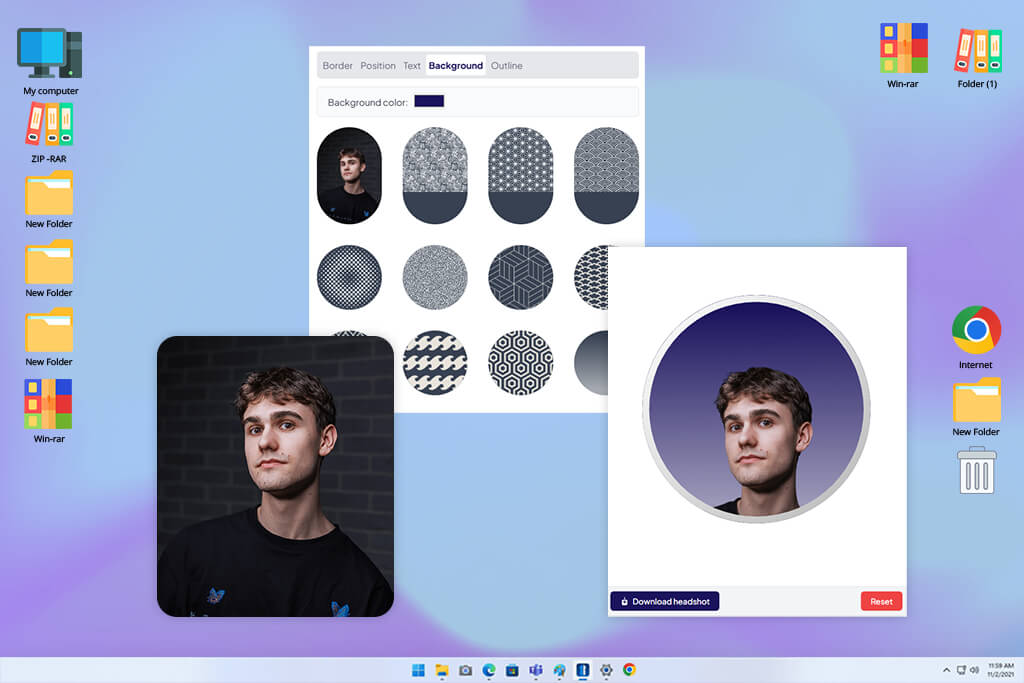
I discovered HeadshotPro through a Reddit discussion where job seekers compared AI portraits that still looked believable in interviews. The free process was one of the simplest I tested: no account or card was required, and I only had to upload one front-facing JPG, PNG, or HEIC selfie. I tested it under the same conditions on myself and both colleagues.
There was no prompt to figure out. The profile picture app automatically mixed outfits, lighting, and backgrounds, so the quality of the original photo mattered more than the wording. My previews arrived in about eight minutes, which was within the stated 5-10-minute range. The free option of this LinkedIn profile picture maker let me download one 1024 × 1024 image, while the other styles were only available as previews.
Paid users have more ways to customize the result, including outfit and background changes, pose and expression edits, blemish removal, extra space around the head, profile crops, branding, retries, and optional 4K output. This makes it useful for job seekers, recruiters, consultants, and companies creating matching team profiles.
“The Reddit recommendation turned out to be a good one. My final portrait looked confident and professional without making me look much younger or changing the way I look.”

The free plan is useful but limited: it includes a LinkedIn-ready headshot, one HD download, preset styles, square output, and no rerolls.
My advice is to use a recent head-and-shoulders photo with even lighting, a plain background, and a natural smile. Avoid close-up wide-angle shots, strong filters, and hard overhead light.
Pricing: Free – one 1024 × 1024 HD headshot, with other styles available as previews. Paid plans start at $29 one-time, with no monthly or annual subscriptions.

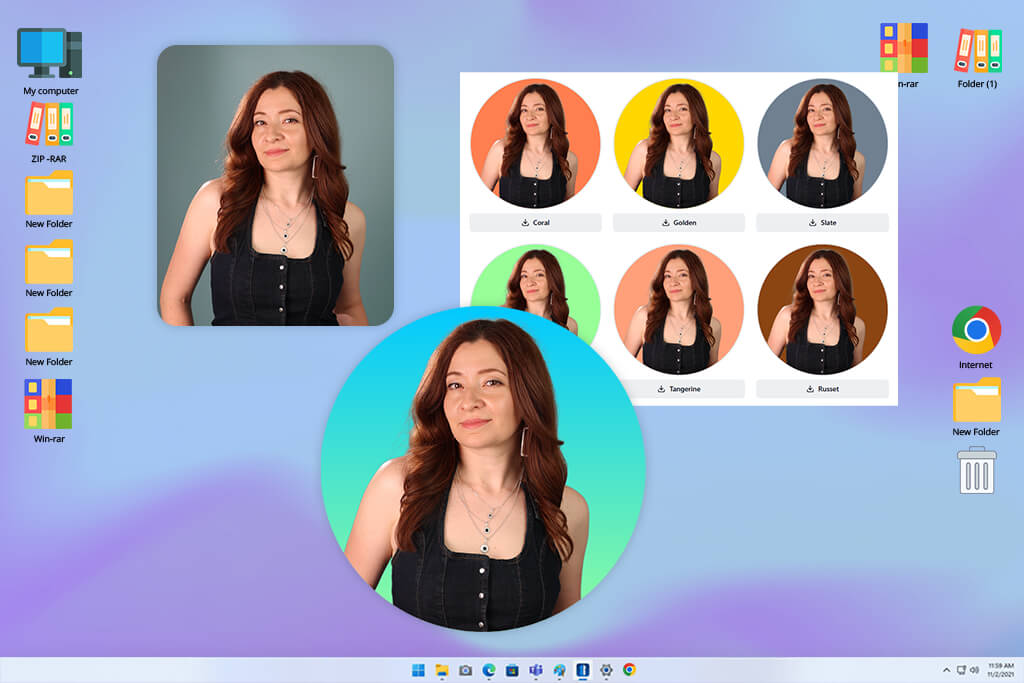
I first came across AI SuitUp in a Facebook group discussing affordable alternatives to corporate headshots or portraits. Its free LinkedIn tool was very straightforward: I uploaded one selfie, waited around 30 seconds, and picked a professional background. There was no prompt to write and no account needed.
The paid version works differently. It requires 16 clear selfies showing different angles, lighting, outfits, and expressions. You can then choose the clothing, background, and overall professional look you want.
What stood out in the paid test was the large number of options. AI SuitUp gives you 50, 100, or 150 images, depending on the package, and sends them within one to six hours. Some looked very natural, while others made the teeth too white, softened the skin, or altered the face too much.
“I expected another fake-looking suit, but one version turned out so natural that I replaced my old work messenger photo with it.”

Most of the choices are made before creating the image, including the job type, outfit, background, and overall look. The site of this LinkedIn profile photo generator also includes free portrait enhancement, hairstyle previews, outfit try-on, and an email signature tool.
I’d recommend it for job seekers, realtors, founders, sales teams, medical professionals, or groups that need several photo options. The free version is useful, but it offers less realism and fewer choices than the paid option.
My best tip is to use 16 photos with different angles and lighting, but keep your hairstyle, facial hair, and overall appearance consistent. Avoid sending nearly identical selfies.
Pricing: Free – one-photo LinkedIn background generator with no sign-up. Paid packages start at $27 one-time for 50 headshots, with no monthly or annual plans.
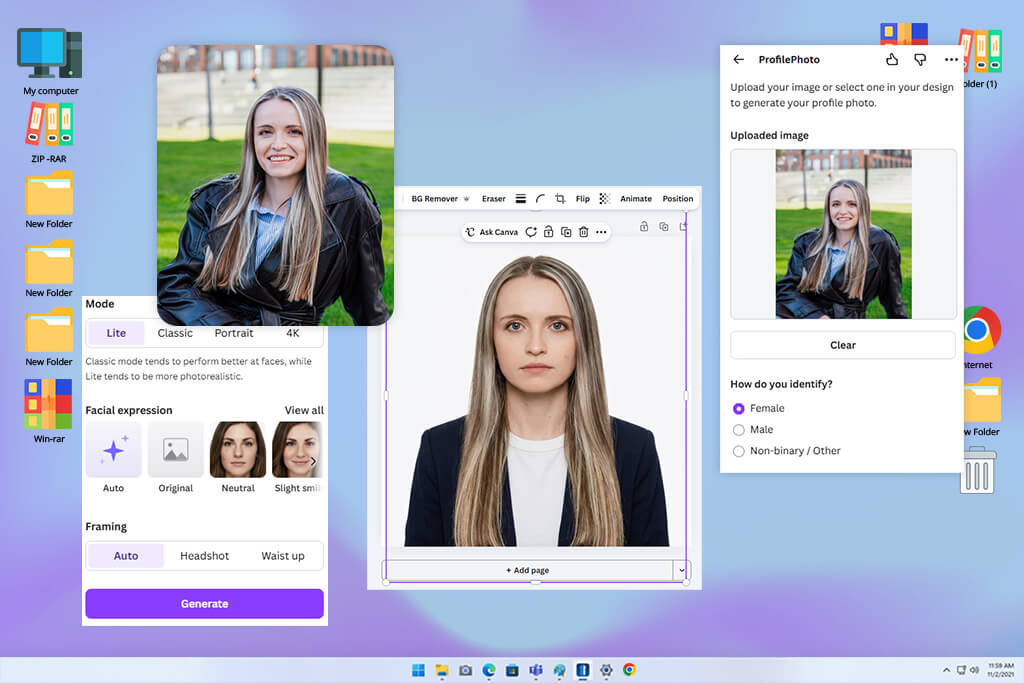
Canva appeared among the top Google results, and I had used it before for HR content and social media work. That previous experience made the setup quick and familiar.
I added one clear photo for each person, chose the professional style and gender, and got several versions within seconds. Canva includes two free headshot credits daily, so testing all three people meant either waiting for the next day or purchasing additional credits.
The biggest benefit came after creating the image. I could crop it for LinkedIn or Instagram profile photo requirements, adjust color and contrast, use templates, blur the background, or change clothes with Magic Edit. Tools like Background Remover, Magic Eraser, Magic Expand, image enhancement, and brand features made Canva more useful than apps that only deliver a finished photo.
“Canva did not change my photo as much as some other tools, but it made it easy to polish the result and create a matching LinkedIn banner.”

Canva is a good choice for job seekers, freelancers, recruiters, and small teams that need a headshot plus matching resume, banner, portfolio, or social content. The free plan of an AI headshot generator for LinkedIn is useful but limited to two headshots a day, while some advanced editing tools require Canva Pro.
My advice: Start with a clear, centered head-and-shoulders photo and even lighting. Keep outfit changes simple, as bigger edits can make the result look less like you.
Pricing: Free – two AI headshots every 24 hours; ProfilePhoto add-on from $7.99/mo; Canva Pro from $15/mo or $120/year for premium editing features. Pricing may differ depending on your location.
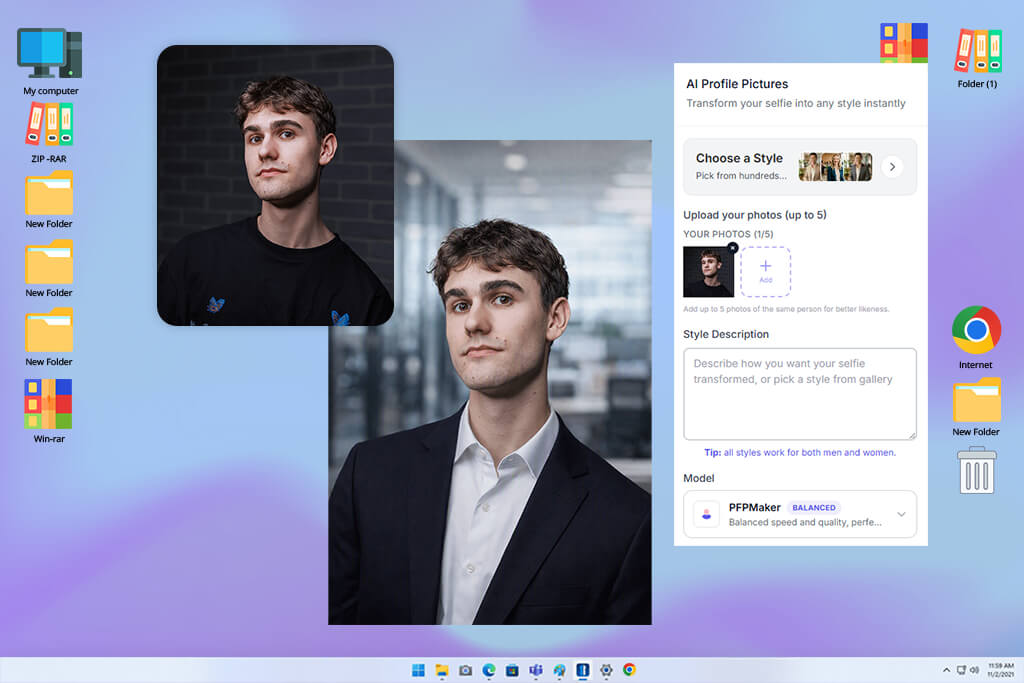
I came across PFPMaker in a YouTube video comparing fast LinkedIn photo tools. It only needed one photo and no account. For each tester, it removed the backdrop, enhanced the image, and created 30 work-ready versions in about 15 seconds.
PFPMaker felt more like a quick photo editor than a full portrait generator. For this type of tool, that was not a bad thing.
The basic version of this LinkedIn profile picture maker does not use prompts. I picked the background, color, frame, shadow, and crop, then adjusted the photo by hand. For bigger changes, the paid AI Headshot Generator works from one selfie and offers 400+ combinations of outfits, poses, expressions, and backgrounds, with results ready in about 20 seconds.
“I use PFPMaker when someone needs a better profile photo quickly. It is simple, fast, and works surprisingly well with a good original image.”

PFPMaker also offers background removal, sharpening, portrait edits, profile templates, and LinkedIn or resume summary tools. I recommend the free version for students, new job seekers, remote workers, and anyone with a decent selfie who wants a better photo without learning headshot photography tips.
The free version is easy to use with no account, watermark, or fee. It mainly enhances your photo, while new poses and outfits cost extra.
My advice: Use a bright, front-facing photo that shows your head, shoulders, and full hairline. Busy backgrounds or tight crops can make the cutout look less accurate.
Pricing: Free – one selfie enhancement, 30 styles, unrestricted downloads, with no account or watermark. Paid AI credits start at $9 one-time, with no monthly or annual plan required.
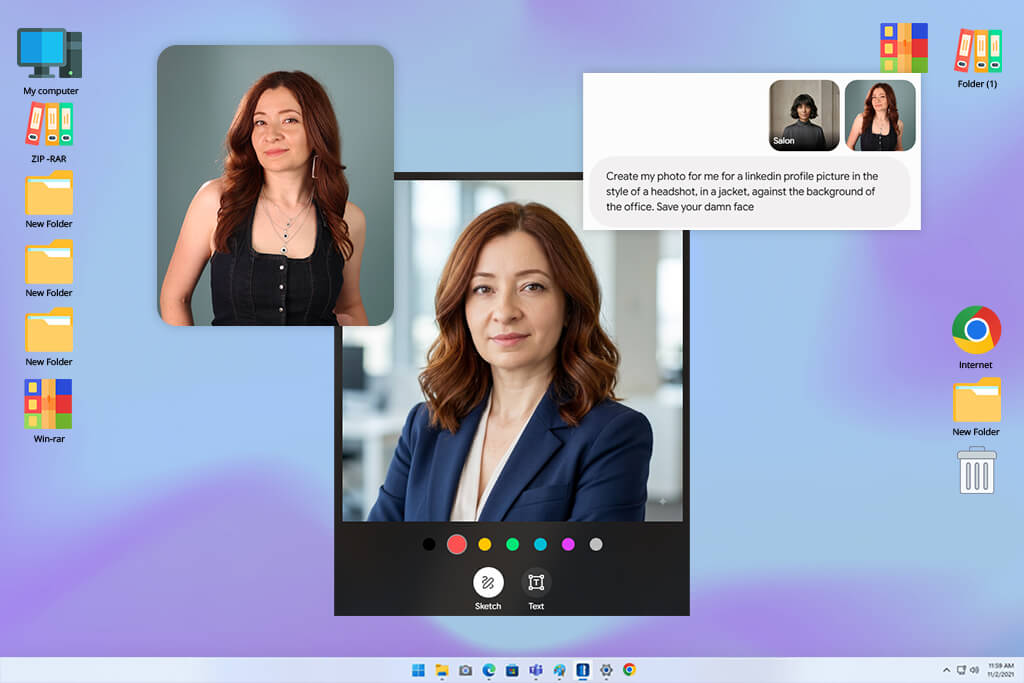
Gemini kept coming up in LinkedIn discussions about image editing, so I decided to test it. Getting started was easy: I opened Create images, added a portrait, and described the framing, outfit, lighting, background, and facial features I wanted to keep.
You do not need a fixed set of training photos, and Gemini allows up to ten supported files in one prompt, with a 100MB limit per image or other non-video file. In my tests, one or two clear photos that matched each other worked better than uploading every selfie I had.
Gemini responded much better to specific requests. A vague instruction like “Make this professional” gave me a nice but generic photo. Adding details such as natural skin texture, my eyebrow shape, a navy blazer, soft window light, and a plain gray background made the result feel much more like me.
The conversational editing workflow was the biggest advantage of the professional headshot generator for LinkedIn. I could ask Gemini to change just the jacket, reduce the background blur, adjust the crop, or restore a facial detail without starting over. It also supports multiple reference photos, targeted edits, character consistency, style changes, and resizing, making it useful for WhatsApp profile picture ideas.
“Gemini followed my second request closely. I could keep my face and change only the jacket, which made the process feel much easier.”

Free users get 1K downloads, while Google AI subscribers can export at 2K. I also used Gemini to improve resume text, write job descriptions, review files, and explore unfamiliar positions. It suits people who want to shape their own professional image rather than rely on preset styles.
My main advice is to clearly say which features should stay the same, especially your face shape, hairline, smile, brows, and natural skin texture.
Pricing: Free – image generation and editing with compute-based limits and 1K downloads; Google AI Plus from $4.99/mo or $49.99/year. Paid plans offer more usage and better image quality.
Using just one good selfie would not have told me much. I tested three real people with different features, so one lucky result could not decide which AI LinkedIn generator performed best.
With help from my FixThePhoto team, I collected 53 tools from Google, LinkedIn, Reddit, YouTube, Facebook, and photography forums. I ruled out basic avatar makers and services that could not create a professional-looking portrait, then tested the rest myself before selecting the final seven.
I tested each service with photos of me and two colleagues, one man and one woman, with their permission. For tools that needed several photos, I used similar sets with front views, three-quarter angles, neutral expressions, and a few natural smiles. For one-photo tools, I changed the source image so one great selfie could not make the results look better than they were.
Five other popular options did not make the final list:
I kept the FixThePhoto testing approach consistent throughout. I noted how long each service took, how many photos it needed, what was included at no cost, and how accurately it handled my requests. I then checked the final images for issues with facial features, hair, clothing, lighting, and the backdrop.
The final check was the most important. My team compared the results with the original photos without knowing which service created each image. We judged how quickly we could recognize the person, how professional the photo felt, and whether it looked believable for a job interview. A polished image that looked like a different person never scored well.





![7 Best PDF Watermark Removers [No Quality Loss]](http://fixthephoto.com/blog/images/gallery/news_main__preview_29462.jpg)

![9 Best AI Eye Contact Correction Online Tools [{{%year}} FixThePhoto Choice]](http://fixthephoto.com/blog/images/gallery/news_main__preview_29443.jpg)

















