In my work at FixThePhoto, I constantly experiment with tools that can speed up content creation and improve visual quality. Recently, I noticed a growing buzz around Adobe Firefly vs InVideo AI, two platforms that promise to simplify creative workflows using AI.
I decided to compare them because, while both are designed for creators, they solve different problems and are often recommended for overlapping tasks, making it hard to choose the right one.
Many creators struggle with time-consuming video edits, generating eye-catching visuals, or turning ideas into polished content quickly. Adobe Firefly excels at generating high-quality images, custom graphics, and design elements, while InVideo AI focuses on turning scripts or concepts into finished videos rapidly.
During my testing of Adobe Firefly vs InVideo AI, I focused on practical features that matter in real projects: AI content quality, editing flexibility, template variety, speed of generating results, customization options, and final output quality.
Final Verdict: After testing, Adobe Firefly comes out on top. Its superior AI-generated image and video quality, versatile design tools, and seamless workflow make it the better choice for creators who need high-quality visuals quickly. While InVideo AI is excellent for fast video creation, Firefly’s capabilities give it the edge for professional creative projects.
|
|

Adobe Firefly |

Invideo AI |
|
Key features
|
AI image and video generation, text-to-image, text-to-video, background removal, creative templates, stock assets
|
AI video creation, script-to-video, templates, stock video & audio library, automated editing
|
|
Workflow
|
Focused on image/graphic creation, integrates with Adobe Creative Cloud, intuitive for designers
|
Video-focused workflow, script → video automation, template-based editing
|
|
Free plan
|
✔️
|
✔️
|
|
Pricing
|
From $9.99/mo
|
From $28/mo
|
|
Primary use
|
Graphic design, social media visuals, marketing content
|
Video production, social media clips, marketing videos
|
|
Ease of use
|
★★★★★ (5/5)
|
★★★★☆ (4.5/5)
|
|
Platforms
|
Web, Windows, MacOS, iOS, Android
|
Web, iOS, Android
|
|
AI features
|
✔️
|
✔️
|
|
Collaboration
|
✔️
|
✔️
|
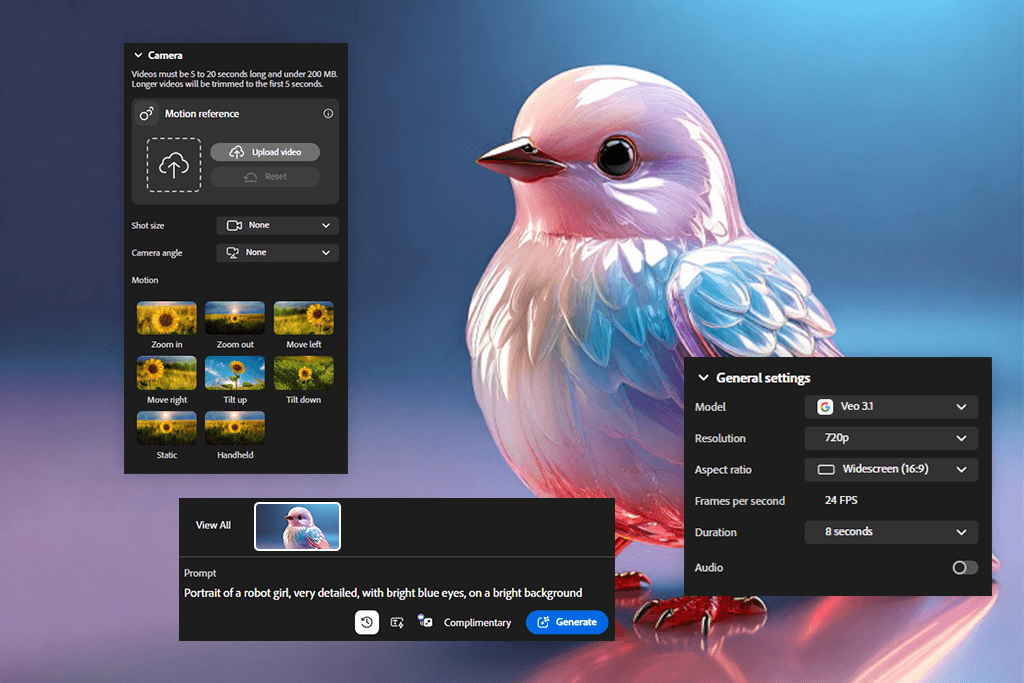
Adobe Firefly is an AI creative platform that helps designers, marketers, and content creators generate high-quality visuals and videos quickly. Firefly focuses on AI-generated images, text effects, background removal, and style adjustments, integrating seamlessly with Adobe Creative Cloud.
Beyond images, the Adobe Firefly video generator lets you create high-quality videos from text prompts or images. Creating videos with Firefly is fast and easy, requiring no production experience. From a few lines of text, I can generate polished video clips, add AI voiceovers, compose music, and assemble everything in the AI Video Editor.
Firefly delivers high-fidelity, cinematic 1080p videos, realistic motion, and expressive human close-ups. I can control lighting, camera motion, animation timing, and video style, making it perfect for e-commerce, social media, or storyboards.
Experimenting with Firefly is effortless, since you can test different prompts, styles, and variations in just a few clicks. Compared to InVideo AI, it also performs better at AI image creation, text effects, background removal, and style customization, all fully integrated into Adobe Creative Cloud.
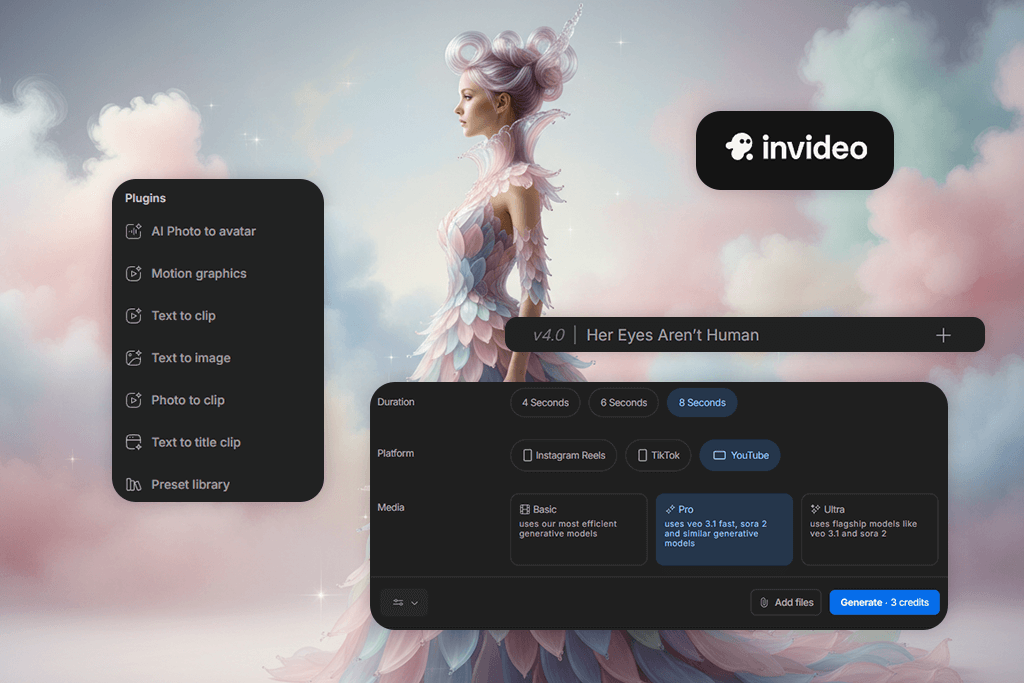
InVideo AI is a well-known platform for fast video creation that produces polished, professional results. While Firefly focuses on original visuals and cinematic-quality output, InVideo AI works by turning text prompts into videos using stock footage, pre-built animations, automatically generated scripts, voiceovers, subtitles, and music.
This Adobe Firely alternative works well as an AI art generator, especially for social media videos, ads, promotions, and presentations. It offers a fast workflow and doesn’t require strong technical skills.
You can create videos from simple text prompts, and the AI automatically writes the script, adds visuals, generates voiceovers in more than 50 languages, includes subtitles, and adds music. The platform also allows easy editing with text prompts. I can change the voiceover accent, delete or add scenes, or insert intros, all with a few simple commands.
InVideo AI combines AI-generated images and videos in one workflow, eliminating the need to juggle multiple tools. Its AI-powered scripts save time by generating tailored content for any topic, letting me focus on strategy and creativity.
Adobe Firefly is great for:
InVideo AI is great for:
Firefly and InVideo AI are both user-friendly generative AI tools for beginners. You can start creating with either one immediately. The key difference is in their feel: InVideo AI is built for speed, while Firefly’s simpler, cleaner design is better suited for creative work.
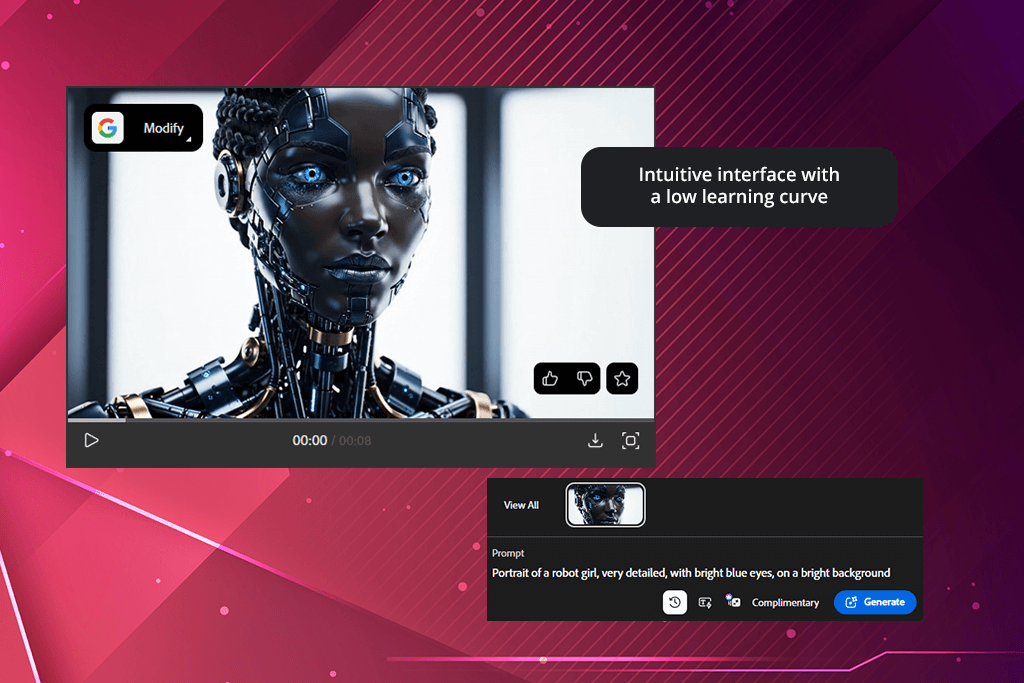
I find Firefly’s workflow smoother and its tools easier to switch between. InVideo AI works more with templates and fixed steps, but Firefly offers more freedom without being harder to use.
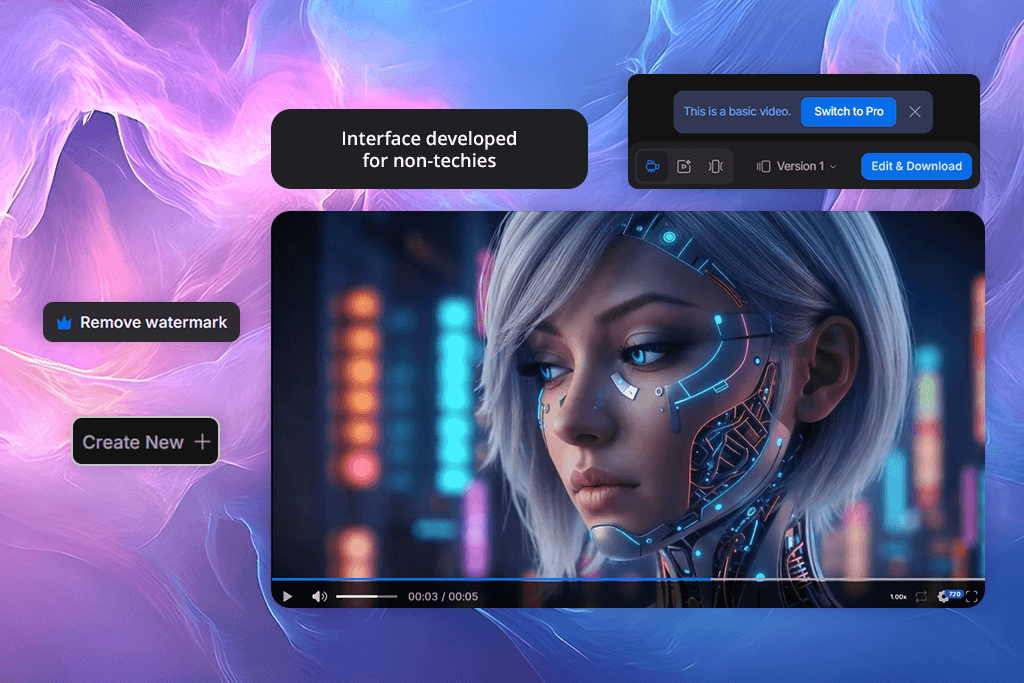
Both platforms are easy to learn. However, for creative projects I’ll work on over time, Firefly is a bit easier. When I need fast results from a template, InVideo AI is the better choice.
Both tools has powerful AI features, including text-to-video, AI voices, and automation. Overall, Firefly feels a bit more advanced. The main difference is that Firefly’s AI tools are more flexible - they work for both images and video, which allows for greater creativity.
What makes InVideo AI special is its AI for scripts, captions, and automatic editing. It is very effective when you need a fast, ready-made video from a simple prompt. It supports text-to-speech and automation, similar to Firefly, but its tools are better for quick assembly than for open-ended creation.
Looking at their AI features, Firefly focuses more on creative freedom, while InVideo AI is built for speed and quick results. Firefly’s tools feel more versatile for professional use, especially when working across images and videos. For this reason, Firefly is a better InVideo alternative for me when I want unique content instead of pre-designed formats.
I tried Adobe Firefly and InVideo, two AI video generators that make videos fast. Firefly’s videos are a bit better in quality, and you can adjust things more. Both let you create videos by typing a description, but with Firefly, the final videos feel more like a movie, and everything fits together better.
For my test, I asked both tools to “Create a cinematic product showcase with smooth camera motion, natural lighting, and a soft background.”
The results showed Firefly made cleaner, 1080p videos. The movement was smoother, and the scenes flowed together better, especially in close-up and movie-like shots. InVideo AI was good for making quick videos for social media. However, its movement felt more predictable, like it was using pre-made parts, which makes sense because it uses a library of stock elements.
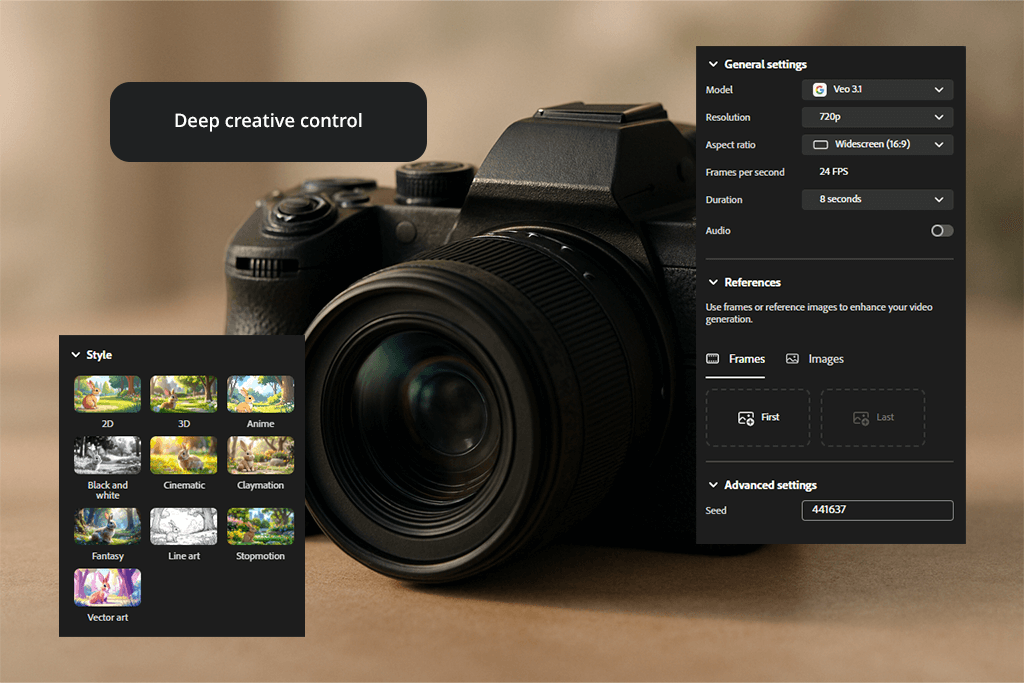
In terms of creative flexibility, Firefly is clearly ahead. Unlike InVideo AI, Firefly gives me control over lighting, camera motion, animation speed, and the overall look of the video. For instance, I was able to precisely adjust camera movement for a product video to achieve a more cinematic style, while InVideo AI mostly restricts me to preset transitions and fixed layouts.
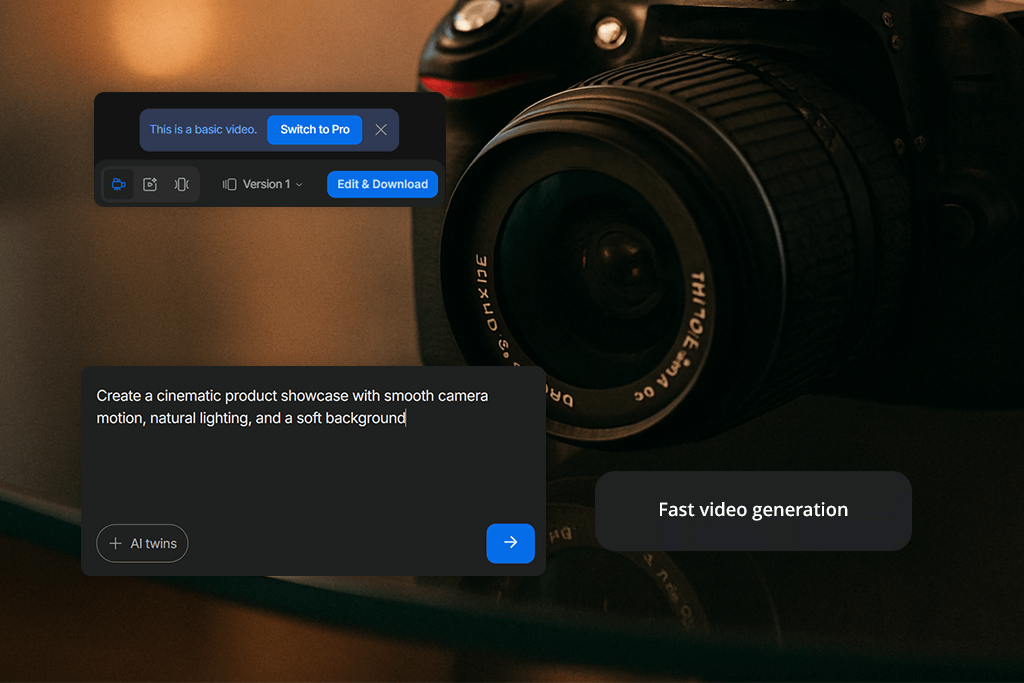
The main difference I noticed in AI video editing is the way each tool creates videos. Firefly produces custom AI-generated visuals, while InVideo AI puts videos together using stock clips, animations, and ready-made templates. While both tools allow fast editing, InVideo AI relies mostly on written commands, whereas Firefly offers more hands-on visual adjustments.
The biggest difference I noticed when using each AI video editor is how the videos are created. Firefly generates original visuals with AI, while InVideo AI builds videos using stock footage, animations, and pre-made templates. Even though both allow fast editing, InVideo AI mainly relies on text-based commands, while Firefly offers more direct visual control.

When I tested InVideo AI vs Adobe Firefly capabilities, I could really see the difference in how they make images. Both InVideo AI and Firefly can create pictures just from a text description. However, they are designed for different purposes.
For my evaluation, I worked with prompts such as: “Create a bright social media illustration of a happy family having a picnic in a sunny park,” and “Make a cinematic portrait of a young woman with soft lighting and expressive facial features, suitable for advertising.”
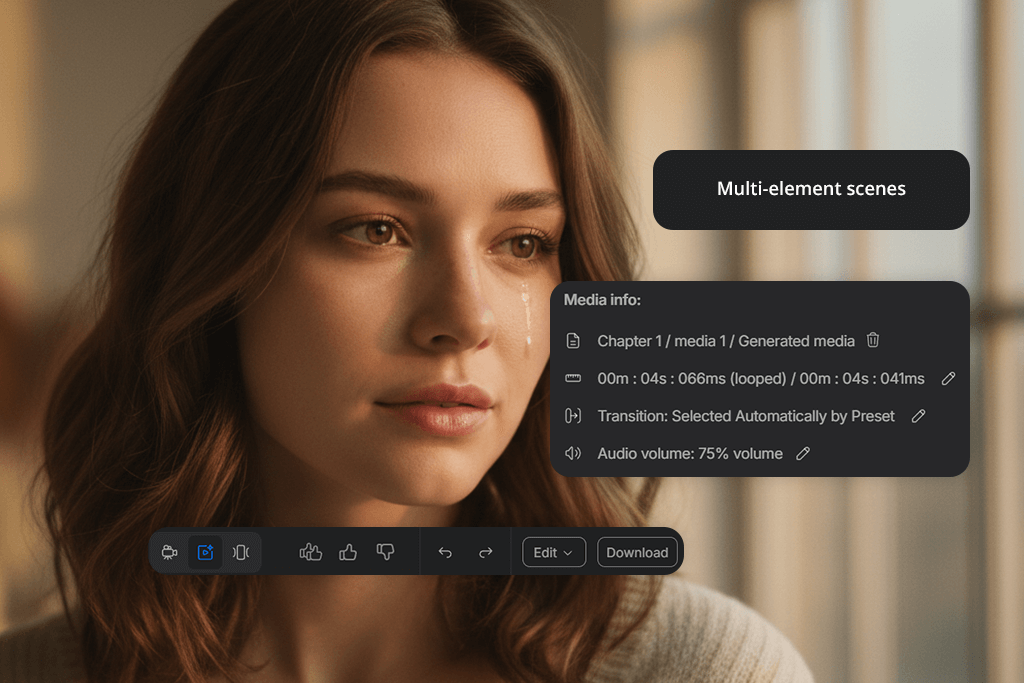
With InVideo AI, I can quickly create AI images by entering a short description and selecting a style. It works well for fast visuals such as social media posts, ads, product mockups, banners, illustrations, and simple storytelling graphics.
The AI image generator is easy to use, needs no setup, and creates unique images that are safe for commercial use. For quick marketing or content tasks, this fast process is a major benefit.
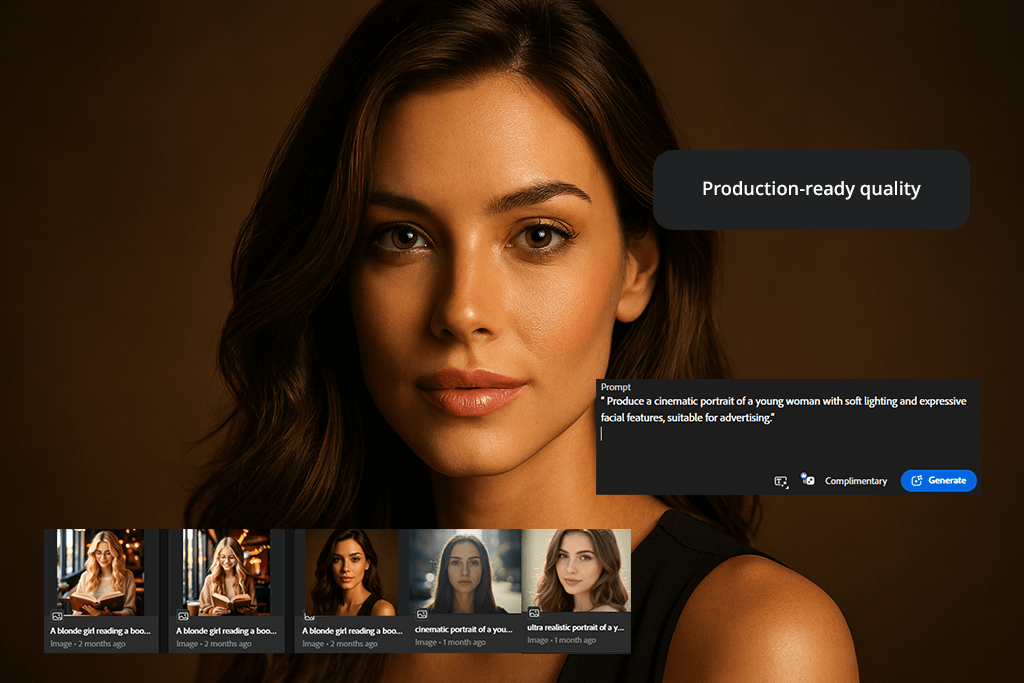
However, InVideo AI with Firefly comparison shows that Firefly clearly feels more polished. Its features go beyond simple image creation - the visuals look more realistic, with better lighting and composition, and the results are more consistent. I also need to spend less time correcting small details afterward, which is very important for professional work.
Editing is where Firefly really stands out. Unlike InVideo AI, it offers powerful tools for removing backgrounds, improving styles, and adjusting visuals, all built into Adobe Creative Cloud.
InVideo AI mainly focuses on creating images, while Firefly allows me to both create and refine them for final use. Firefly is better for high-quality design, branding, and product visuals, while InVideo AI works well for quick and flexible image creation when speed is more important than accuracy.
Try new creative looks with ease. Upload your photo to the Fix The Photo Body Editor&Tune, and skilled editors will take care of everything - turning images into cartoons, adjusting colors, adding or removing people, and much more. Your first photo is free, and you get unlimited revisions.


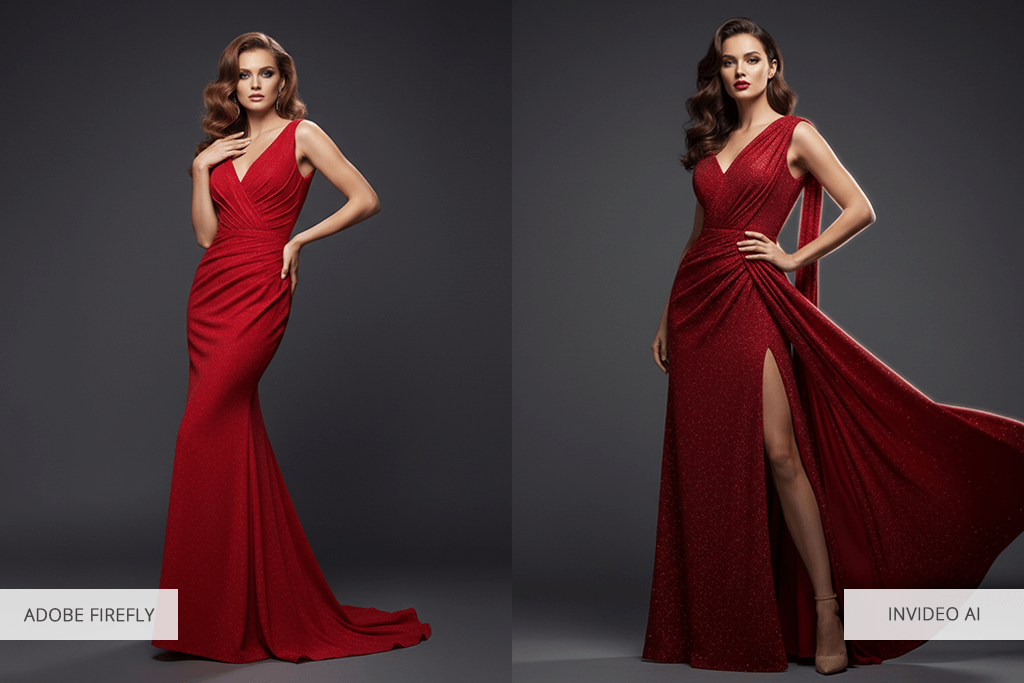
Based on my testing, the quality of results clearly separates Adobe Firefly from InVideo AI. Firefly delivers higher video resolution, more realistic visuals, and better audio timing. It allows me to create full-HD 1080p, cinematic-style videos with smooth movement, natural lighting, and detailed close-up shots, which works perfect for product showcases and social media.
In comparison, InVideo AI works well for fast content creation and template-based videos, but the video quality and smoothness are a bit lower. The audio sync and AI voiceovers function well, though they sometimes need small tweaks to fully match the visuals. InVideo AI supports text-to-speech in multiple languages, but unlike Firefly, the visuals feel less cinematic.
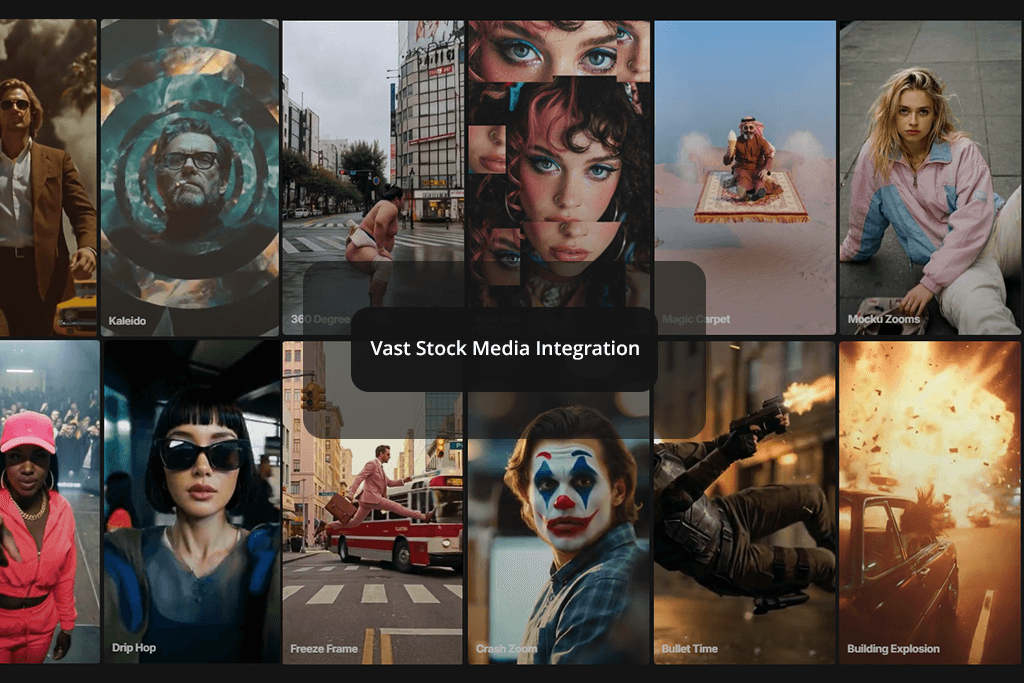
When I compare InVideo AI vs Firefly AI, I see a clear difference in how they manage media and assets. InVideo AI offers access to over 16 million stock images and videos, along with templates, animations, and music. This makes it easy and fast to build professional-looking content without having to create visuals from the beginning.
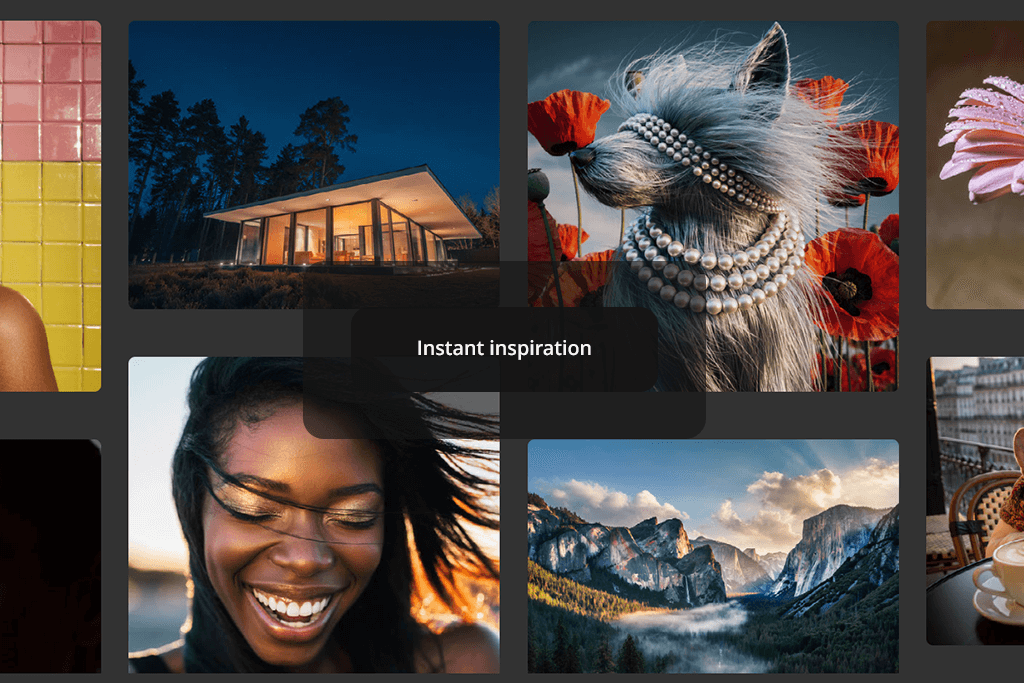
Adobe Firefly, compared to InVideo AI, puts more emphasis on creating original content with AI. I can generate images or videos straight from text descriptions and then improve them using Adobe’s built-in tools and assets.
One feature I really like is the community remix option, which lets me explore other users’ prompts, rework existing creations, and share my own images in the gallery. This creates a more collaborative and creative experience that InVideo AI does not provide.
Both InVideo AI and Firefly allow teamwork, but they handle it in different ways.
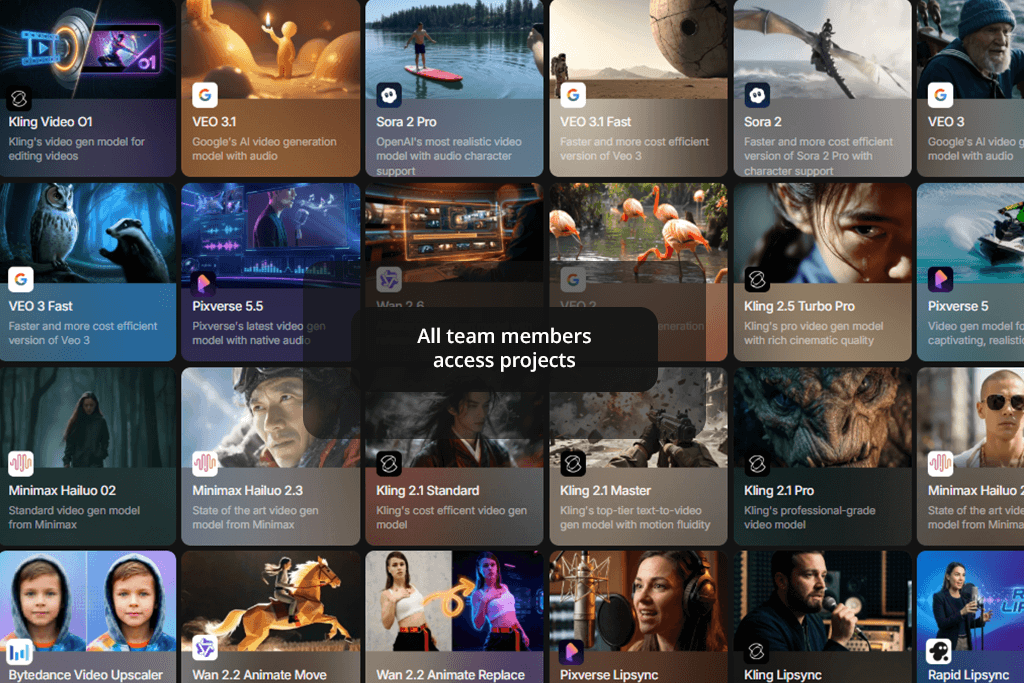
InVideo AI is designed for group projects, letting team members share templates, stock media, and video files easily. Exporting videos is simple, and content can be shared quickly on different platforms. However, its commenting and feedback options are limited, so teams often need other tools for more detailed discussions.
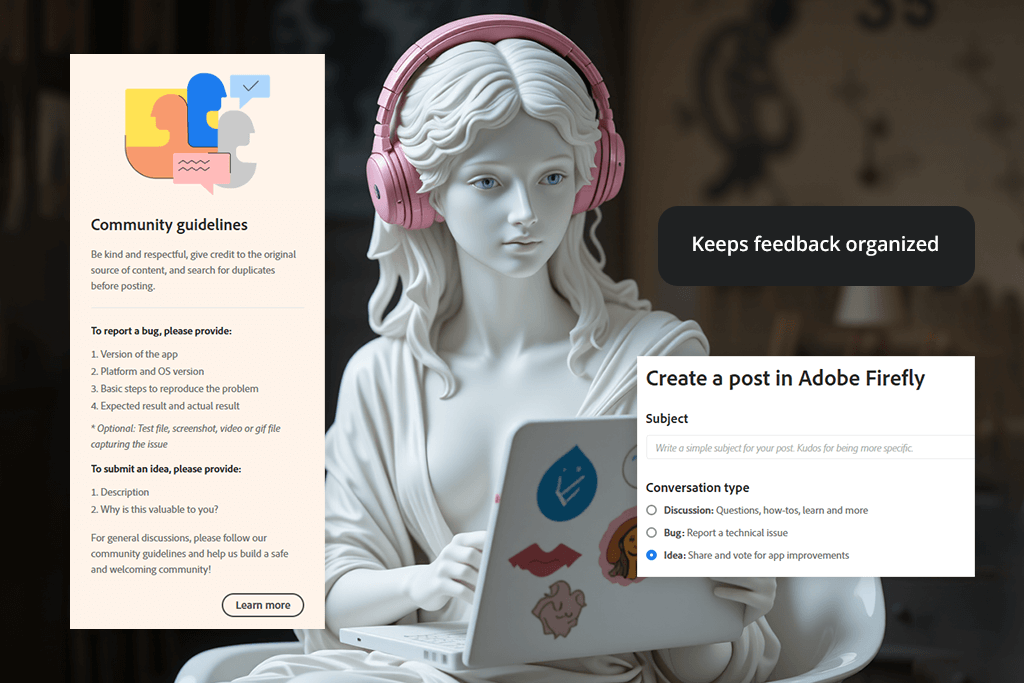
Adobe Firefly, compared to InVideo AI, is more closely connected to Adobe Creative Cloud, which makes teamwork smoother for me. I can share projects, use common libraries, and keep all assets stored online in one organized place. Being able to remix community prompts and share my own work also adds more ways to collaborate.
Firefly doesn’t only focus on exporting content - it helps me keep consistent quality across projects and makes it easier to exchange feedback with my team.
When I compare these two AI tools for designers, InVideo AI works best for fast teamwork and quick sharing. Firefly, on the other hand, is better when I need organized collaboration, cloud-based storage, and built-in options for creative feedback.
As for Adobe Firefly and InVideo AI pricing, provide a free option that lets users test their core features.
Adobe Firefly:
InVideo AI:
Firefly costs less to get started and is built around creative freedom, while InVideo AI becomes more expensive as you use it more and is mainly designed for quick, template-based video creation.
I found that both offer good help and learning materials. Adobe Firefly includes clear tutorials, step-by-step guides, and help documents, along with support from the wider Adobe community, which makes it easier to learn new tools. InVideo AI also provides guides and a help center, and its community forum is active for sharing tips and templates.
When it comes to customer support, Firefly gains an advantage from Adobe’s professional support services, which I found quick to respond and helpful with technical problems. InVideo AI’s support works well for basic questions, but it can be slower when dealing with more complicated issues.
Overall, both tools are easy to begin using and help users grow their skills, but Firefly has a small advantage because it offers more learning resources and more active community.
After trying InVideo AI vs Firefly features, it’s clear that the first option is well suited for creators who want fast, ready-made videos with very little work. Its large stock library, automatic script creation, and simple editing tools make it a good choice for social media posts, advertisements, and promotional content.
For me, Adobe Firefly stands out as the better overall solution. It gives me more control over creativity, produces higher-quality AI visuals, and delivers more cinematic video results. It’s ideal for professional marketing materials, product videos, and polished social media content.
While InVideo AI is fast and convenient, Firefly offers greater flexibility, originality, and stronger long-term creative possibilities.
To compare InVideo AI and Firefly, I tested both platforms following the same process across several key areas.
I reviewed their AI image and video creation, editing features, result quality, workflow speed, and collaboration tools. I also built similar projects on each platform to see how well they handle text-to-video prompts, AI voiceovers, templates, and customization options.
I also reviewed how easy each tool is to use, their pricing, media libraries, and learning materials to see which one works best for different kinds of creators.
During this process, I discussed my findings with my FixThePhoto teammates, using their experience with professional workflows, content quality, and everyday usability. Their feedback helped me better understand how each platform performs in real-world content creation.
This testing method helped me clearly see the advantages and weaknesses of each tool, so I could offer a thorough comparison for creators, marketers, and designers.


![7 Best Design Wizard Alternatives [{{%year}} FixThePhoto Choice]](/placeholder-450x300.svg)