Adobe Photoshop 2026
In this article, I want to tell you how to get Photoshop for free safe. You’ll learn 4 legal ways to get free Photoshop software for professional photo editing, main disadvantages and dangers of piracy and an overview of the best free alternatives to Photoshop CC.
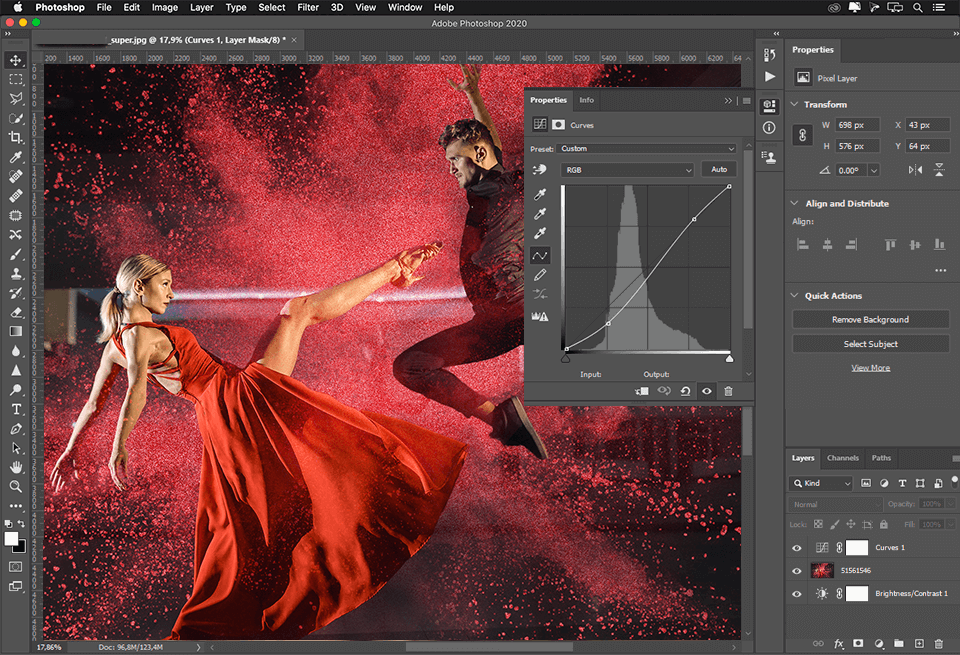
Before I talk about the risks of cracked versions or free alternatives, I want to explain why so many people still look for Adobe Photoshop in the first place. I use Photoshop when I need more than a quick filter or a basic online editor. It is powerful enough for professional retouching, creative design, social media graphics, product photos, and detailed image correction.
For me, the main value of Photoshop is that it combines many tools in one workspace. Instead of using one app for resizing, another for background removal, and another for color correction, I can do almost everything inside one program.
These benefits explain why Photoshop remains so popular even when there are many free editors on the market. Still, I always recommend using only legal versions, official trials, or safe alternatives because cracked Photoshop can create more problems than it solves.
|
Filename: |
Photoshop_2026_v27.7.exe (download)
|
|
Filesize: |
2.90 GB |
|
Filename: |
Photoshop_2026_v27.7.dmg (download)
|
|
Filesize: |
2.86 GB |
|
Filename: |
Photoshop_2026_v27.7.win64.zip (download)
|
|
Filesize: |
2.68 MB |
|
Filename: |
Photoshop_2026_v27.7.win32.zip (download)
|
|
Filesize: |
2.90 GB |
|
Filename: |
Photoshop_2026_v7.8.ipa (download)
|
|
Filesize: |
1.29 GB |
|
Filename: |
Photoshop_2026_v7.8.apk (download)
|
|
Filesize: |
0.54 GB |
|
Filename: |
Photoshop_2026_v1.5.0.2275.apk (download)
|
|
Filesize: |
0.51 GB |

I used to think that I would just use Photoshop on a phone for little adjustments rather than extensive editing. However, the Photoshop app on iPhone and Android now feels much closer to a true mobile creative tool, especially for rapid AI edits, background adjustments, retouching, collages, and social media visuals.
Speed is the primary distinction from desktop Photoshop. Without opening a laptop, I can make basic modifications more quickly on my phone:
My favorite thing about Photoshop Mobile is that it maintains a straightforward workflow while providing access to familiar Adobe features. Tap Select makes it simpler to modify a person, object, or backdrop independently, while Generative Fill allows me to add or remove material using text prompts.
For rapid tweaks, social media posts, and quick creative experimentation, the mobile app is superior to desktop Photoshop. When I need to edit straight from my phone, the mobile version is simpler, but the desktop version is still more powerful for detailed compositing, complicated layers, and expert retouching.
Premium tools make the app more serious: Object Select, Magic Wand Tool, Advanced Blend Modes, Content Aware Fill, extra export formats, and 100 generative credits. For me, Photoshop mobile is a good option when I need AI editing and quick retouching without a full desktop setup.
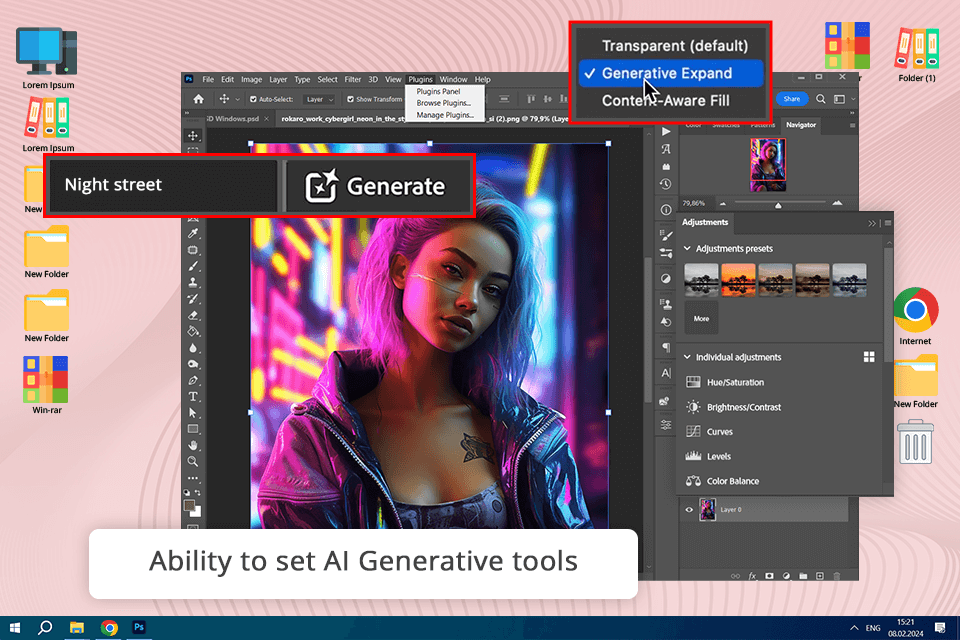
The recent version of Adobe Photoshop unveiled on April 23 comes with an upgraded toolset that now includes AI-driven tools that can generate anything on your photo/design just after adding a smart prompt
The Adobe's Firefly Generative Fill tool is a game-changer when it comes to removing blemishes, extending images, and more. It saves you a ton of time on editing photos or videos, and the best part is that it's non-destructive.
Using the Generative Fill tool, you can quickly add or replace objects in an image using simple text prompts. It can even automatically create or extend images with realistic visuals. You can also adjust the quality of the generated result and choose the type of content you want to generate from a variety of options.
However, it's not foolproof, and you might need to do some touch-ups afterward, especially if there are imperfections like dirt or dust spots. It's also not a replacement for manual retouching or the final edit.
Even if you use Photoshop free of charge, you will be able to access Adobe Firefly Image 3 Model. It supports advanced customization, which makes it better than the Generative Fill tool suitable for basic tasks.
There is no need to search for suitable backgrounds to ensure that they are in the same style as the image you have generated. While the Generative Fill tool available in Adobe Photoshop free and paid versions has limited functionality, the recently added Generative background feature enables users to replace the original background with an AI-generated one that has the same lighting, shadows, and perspective.
Due to this tool, you no longer need to spend a lot of time on manual editing as it allows you to enhance your images in a few clicks.
“I usually start by checking the system requirements and reinstalling the software, but if it still won’t run, contacting support is the safest option.”


Adobe's transition to more intelligent AI tools and completely non-destructive editing is being carried out by the most recent desktop versions of Photoshop. While version 27.7 concentrates on performance, bug repairs, and general stability, version 27.3 brought a number of innovative enhancements.
|
FEATURE
|
WHAT’S NEW
|
PRACTICAL BENEFIT
|
|
Clarity & Dehaze Adjustment Layer
|
Dedicated non-destructive layer for contrast and haze control |
Cleaner workflow without destructive edits or constant Camera Raw use |
|
Grain Adjustment Layer
|
Fully editable grain added as an adjustment layer |
Easier texture control without flattening the image |
|
Updated Firefly Models
|
Improved AI in Generative Fill & Expand |
More accurate blending, better lighting match, fewer artifacts |
|
Reference Image in Generative Fill
|
AI can follow a chosen reference image |
More consistent style, object shape, and lighting in composites |
|
Enhanced Remove Tool
|
Smarter pixel analysis for object removal |
Faster cleanup with less manual cloning |
|
Version 27.7 Stability Update
|
Performance improvements and bug fixes |
Smoother processing of large PSD and RAW files |
All things considered, Photoshop 2026 improves three key areas: workflow dependability, AI accuracy, and non-destructive control. While 27.7 makes ensuring the program operates more smoothly and consistently, particularly when dealing with large projects or AI-powered tools, 27.3's creative features increase editing versatility.
“I avoid cracked Illustrator because the official version is safer, more stable, and gives me proper updates without risking my files or device.”


The new Firefly Boards integration lets me send Photoshop PSD and PSDC files directly to Firefly Boards. I find this useful when I want to explore several creative directions before choosing the final version. Instead of saving multiple separate files or exporting flat images, I can send the project to Boards and continue building visual ideas there.
How I would use it:
For example, if I am working on a product photo, campaign concept, or social media design, I can open a local PSD file in Photoshop, go to Share, select Send to Firefly Boards, and choose whether to add it to an existing board or create a new one. This makes the process feel more organized, especially when I need to compare several background ideas, lighting styles, or composition options.

The updated Remove Tool is useful because I can now choose whether generative AI works in the cloud or directly on my device. I would use this for small cleanup tasks, like removing dust, wires, background marks, or tiny distractions from product photos and portraits.
I like this option because not every edit needs cloud AI. For simple fixes, on-device processing can make the workflow feel faster and more private, while cloud processing is still better for more complicated object removal.
You may use the Free Trial version during 7 days to test all features before buying Photoshop.
Download and register for your account in Creative Cloud, and after that, you can download a Photoshop free trial version and other free and paid Photoshop apps.
No. You will be asked to prolong your subscription by purchasing one of several paid subscriptions - Creative Cloud Pro or Single App. After your buy it, Photoshop will be automatically licensed upon relaunch.
Yes, this is a fully-fledged Photoshop software with all the features that are available for a paid subscription. If you want to save some money, I recommend using one of Adobe discounts.
You may use the Photoshop Online Free Editor, get the CS2 version of a decade ago for free, Photoshop CC is only available in trial mode or by subscription. Besides, you can pay attention to the mobile free photo editing apps from Adobe.
Yes, it is. Now all Adobe products are available only through Creative Cloud. Their separate work is impossible, and you need to register even on mobile devices.
For me, the easiest legal way to get Adobe Photoshop for free and still use all its main features is the official trial version. It is not permanent, because it lasts only 7 days after registration, but it is enough to test the software, try professional editing tools, and decide whether the paid plan is worth it.

There are three more ways to use this software free longer ‒ to download its latest Photoshop CS2 version, simplified Photoshop Elements version or mobile Photoshop Express app.
Photoshop CS2
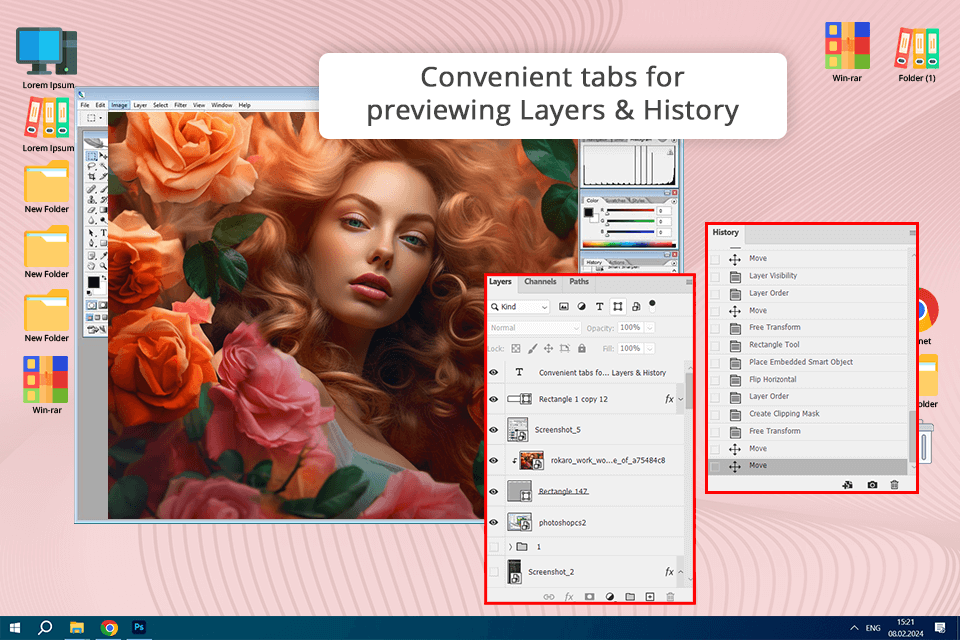
I know that some people still mention Adobe CS2 programs and Adobe Acrobat 7 as “free” options, but I would not treat Photoshop CS2 as a real replacement for modern Photoshop. Yes, it is an old version of popular photo editing software.
For me, the biggest problem is that Photoshop CS2 is more than 10 years old. It does not support many newer file formats, it does not work with Creative Cloud, and it lacks modern tools that I use for professional photo editing today. So even if it opens and works, the experience feels outdated compared to current Photoshop versions.
Another serious drawback is the lack of official support. Adobe does not provide help for fixing problems with this version, so if something stops working, I cannot rely on updates, bug fixes, or customer assistance. That is why I would only see Photoshop CS2 as an old legacy program, not as a safe or convenient way to use Photoshop for modern editing.
Photoshop Elements
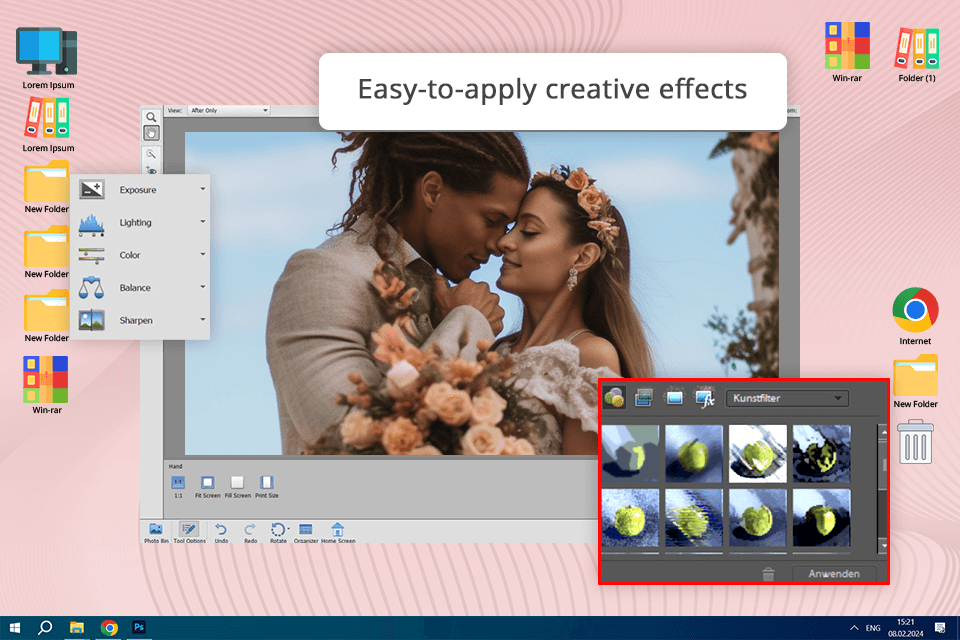
Adobe Photoshop Elements was created for users like me when I do not need the full power of Photoshop, but still want more than a simple mobile editor like Instagram or VSCO. It feels like a lighter version of Photoshop: easier to understand, less overloaded, but still useful for basic photo editing tasks.
I can download a 30-day free trial of Photoshop Elements, although it is not always easy to find in Adobe’s regular product lists. It is also not part of Creative Cloud, which feels a little strange to me because the program still has many useful Adobe editing features.
What I like about Photoshop Elements is that it includes several familiar Photoshop-style tools, including Camera RAW for color correction. For basic work, it is enough: I can crop images, adjust colors, improve exposure, and do simple retouching. I would not use it for advanced professional editing, but as a free Photoshop alternative for primary image correction, it works well.
Photoshop for iPhone

After the February 25 update, Photoshop for iPhone became much more useful for me as a mobile editing tool. I see it as a stronger option than Photoshop Express because it gives more advanced features, but still keeps the interface comfortable for touch-based editing on a phone.
In the free version, I can use basic tools like Spot Healing Brush, Tap Select, selections, and blending. However, if I need more professional options such as Content-Aware Fill, Clone Stamp, or Object Selection, I have to use a subscription. I also like that the app connects with Adobe Creative Cloud, so I can start editing on my iPhone and continue the same project later on desktop.
Photoshop for iPhone also supports familiar Photoshop-style tools, PSD files, and access to Adobe Stock assets. For me, it is a practical choice when I need high-quality image editing on the go, especially for quick retouching, content creation, and preparing visuals when I do not have my laptop nearby.
Photoshop Express Mobile

If I often work on a phone or tablet, Adobe Photoshop Express feels like the easiest official free Photoshop option to use. It is not limited by a short trial period, works with Creative Cloud, and also has its own cloud storage, which is convenient when I want to edit images across different devices.
However, I do not see Photoshop Express as a full replacement for desktop Photoshop. It does not give me the same comfortable, detailed retouching workflow. I can remove small skin imperfections, make quick corrections, adjust colors, apply filters, and improve photos for social media, but I would not use it for serious professional editing.
For me, Photoshop Express is more like a simple mobile editor with Adobe-style tools, not a full version of Photoshop. Still, the fact that it is free and official makes it useful for quick edits, basic color correction, and fast mobile content creation.
Many beginners, as well as amateurs, are tempted to use Photoshop CC illegally installing Photoshop torrents, as it saves their money.
Although I consider that $9.99/month, that is, $120/year is just ridiculous for such a powerful program as Photoshop, especially you will get two additional versions of Lightroom and 20GB of cloud storage.
Many photographers are convinced that the subscription system is wrong, and that earlier it used to be better when you just purchased it and forgot. But Photoshop CS6 now costs more than $600, and it means that you can pay 5 years for the Photoshop CC.
A huge advantage of working with the Photoshop CC license is cloud software, as well as quick transition from Photoshop to Lightroom.
If you want to continue your business for several years, and not pay a fine of $1,500 for using illegal programs, it makes sense to pay $10 for Photoshop monthly subscription.
No one will work professionally with a photographer who uses illegal cracked Photoshop software, and if your career is really important to you, do not use pirated software.
If you face any issue or Photoshop lagging, you can always turn to Adobe support, where you get some help in solving your problems. In the pirated version, this function is unavailable for you.
Due to the absence of any updates and fixing the problems in the work, errors and failures will haunt you more and more, so it is better to resist the temptation of getting a Photoshop free download.
It’s very difficult to find a completely free Photoshop alternative, because this software is the most powerful photo editing program, and it has a very low price in comparison with its paid analogues.
But if using Adobe programs is not a matter of principle for you, and you want a full-fledged program for free, then you can use programs like Photoshop.

If you want to have an almost as powerful and functional product like Adobe Photoshop, GIMP is considered to be one of the best alternatives. It is not only free, but it also has open source software, which allows a huge number of users to work on its improvement.
Thanks to this, many plug-ins and add-ons are written for GIMP, and it can also work with plug-ins for Adobe Photoshop.
Another advantage of GIMP image editing software is that it appeared in the mid-90s, and over the years, a huge number of free courses and instructions for working with it have accumulated on the web.

Paint.NET is an old project created as an alternative to Microsoft Paint, but over time, it turned into a powerful and at the same time simple free photo editor, which is able to solve the majority of amateur and semi-professional tasks.
Paint.NET supports working with layers, but it is necessary to connect a separate plugin for masks. The application has a large selection of filters and all sorts of tools, but not as wide as that of the GIMP free Photoshop analogue.

Sometimes you have to edit the photos on a computer where you simply do not have permission to install programs, or you need a program that you can run at any time on any computer with Internet access. Then the Pixlr Editor is a great choice.
This is a web application, and it means that it works directly in the browser. Pixlr Editor supports much of what other free photo editors have. The only thing missing is the automation of routine tasks, and the ability to create macros.
Nevertheless, this free Photoshop online analogue can perform the operations on several images simultaneously, and it works perfectly with RAW.

The interface of another Adobe Photoshop free alternative will be comprehensible and convenient at the same time for both beginners and advanced users. PhotoScape supports not only layers but also free Photoshop actions analogues for quick work with common tasks.
Previously, the program was shareware, allowing you to save images only in the resolution of a small format. But more recently, PhotoScape can be used for free without restrictions, and if you wish, you can support the project with a donation.

Krita isn’t a very popular free Photoshop editor analogue. I like that its interface resembles Photoshop - the toolbars are situated in a very similar manner.
By default, it has a dark theme (however you may customize it if you’d like to have different) and the tools themselves are very similar to Adobe. There’s support for tools, and you may also open multiple tabs, like in Photoshop.
It's completely free, but there’s a paid version available for everyone who would like to support developers.
To make photo editing, designing or drawing easier, you may download the following Ps actions to make the process faster and more realistically.

In addition to actions you can download Free Photoshop Overlays, Free Photoshop Textures, Free Photoshop Brushes, etc.
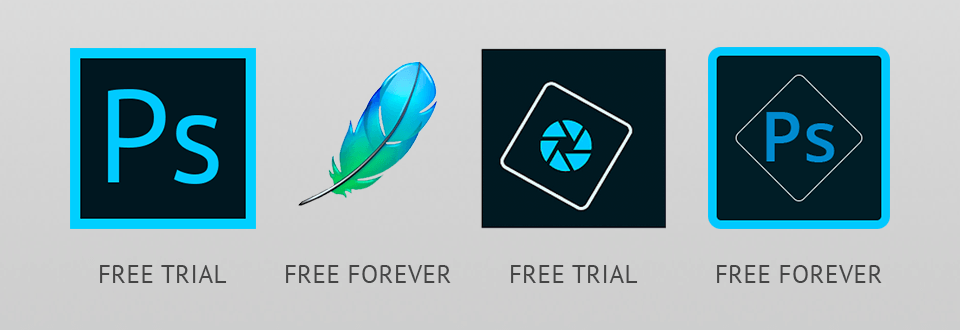
Use one of these links to get a legal version of Photoshop on your smartphone or laptop.
The main benefit of the Adobe Photoshop free trial is that you get the opportunity to review the program during the week for free and legally. If you are taking photography or photo retouching, Photoshop is the most popular program for this. (learn more about how to get Lightroom for free).
Due to this, it has thousands of fans around the world, which means that there is a lot of literature, free lessons and Photoshop tutorials from the best photo retouchers, as well as courses in each country.
Thanks to the built-in Camera RAW, you can perform the main color correction of your images, both basic and deep image retouching, or even change the image completely beyond all recognition. Photoshop supports all image formats and works with raw files best of all.