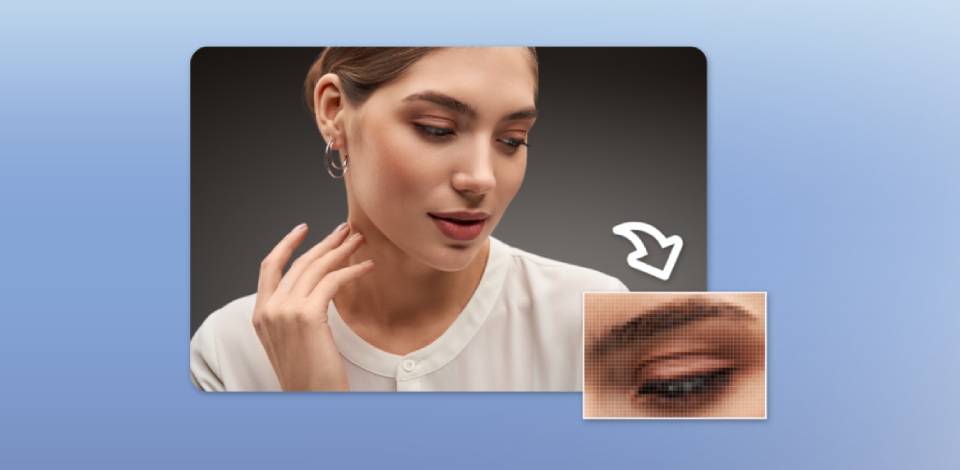
Until recently, I was firmly convinced that if a camera had a lot of megapixels and supported a certain resolution, it was enough for me to capture a sharp, high-quality photo.
At FixThePhoto, I often work with photographers, editors, and image-processing professionals who have helped me understand that it does not make sense to focus only on pixel count.
The number of pixels impacts how much detail a picture will include, how much you can crop a photo, how much you can enlarge it before printing it, and how much storage space your file will need. However, it’s impossible to predict whether your photos will be perfectly sharp, have a professional look, and be sufficiently detailed based on pixel count alone.
I realized that I do not need to focus only on the number of pixels when analyzing pictures captured with different cameras. A high-resolution camera might help me capture a perfectly detailed landscape.
However, if the focus is off, the output will look blurry. It’s possible to take better photos using a lower-megapixel camera if it has a better lens, more powerful autofocus, improved low-light performance, and larger pixels.
So, what is a pixel in photography, and why it is important?
A pixel is the smallest element of a digital image. Each pixel includes information about
To understand pixel meaning in photography, one should be aware of the fact that a pixel is the smallest addressable element of a digital image. Each pixel contains color and brightness. When combined, millions of pixels create a photo. If a picture has a lot of pixels, it can potentially include more information. However, it does not necessarily improve the image quality.
Besides the number of pixels in each image, one should also consider image resolution, sharpness, the camera’s sensor, file size, and AI image generation capabilities of the services used by photographers. Besides, one can also improve image resolution by using image editing tools.
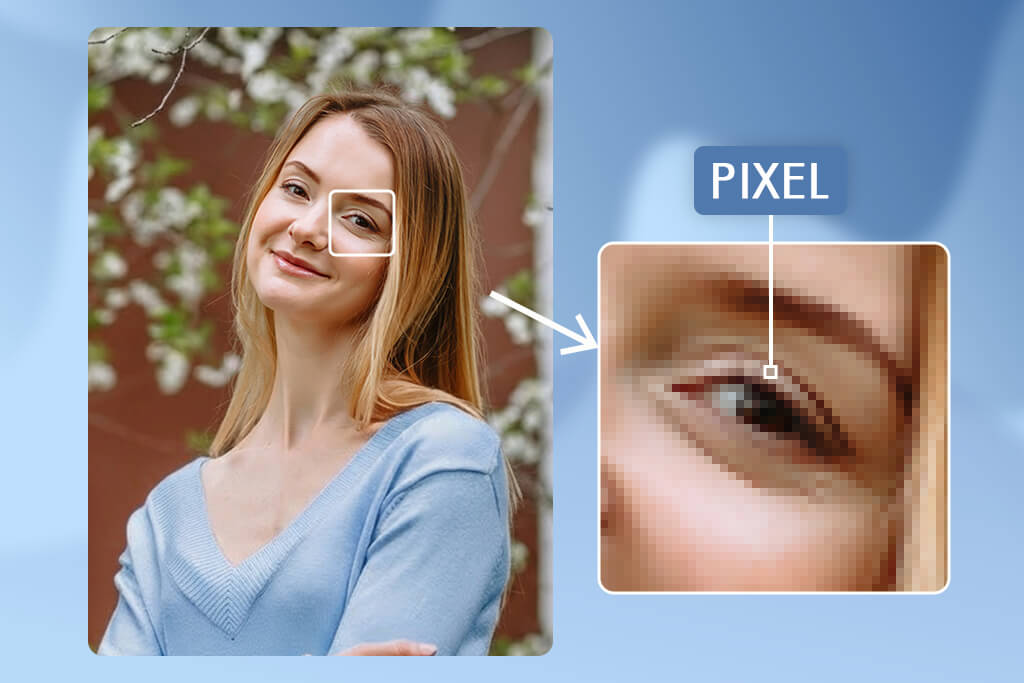
The word pixel stands for picture element. It’s the smallest building block of a digital image.
If you zoom into any digital photo, you will notice an extensive grid of colored squares. Each of them is nothing other than a pixel. When you take a look at it, you will realize that it does not provide a lot of information when considered on its own. However, when combined, millions of pixels can create a landscape, person, building, or any other object.
Every digital image is similar to a mosaic created from many small elements. A single piece is never enough to understand how a finished picture may look. When pixels in digital photography are arranged in different ways, they create all sorts of images.
When you look at a monitor, you can see many squares representing pixels. However, these elements cannot be seen when you are looking through a camera’s lens. They are a part of a digital image that was created from data captured by the camera sensor and processed to produce a visual.
It’s important to be aware of this difference because many people confuse the terms pixel and photosite.
Many brands use the word “pixel” when promoting their cameras. This is why there are many misconceptions among those who trust everything they read in marketing materials.
Cameras with more megapixels allow users to capture images with higher resolution. However, they do not necessarily take photos with better exposure, focus, color, dynamic range, or sharpness.
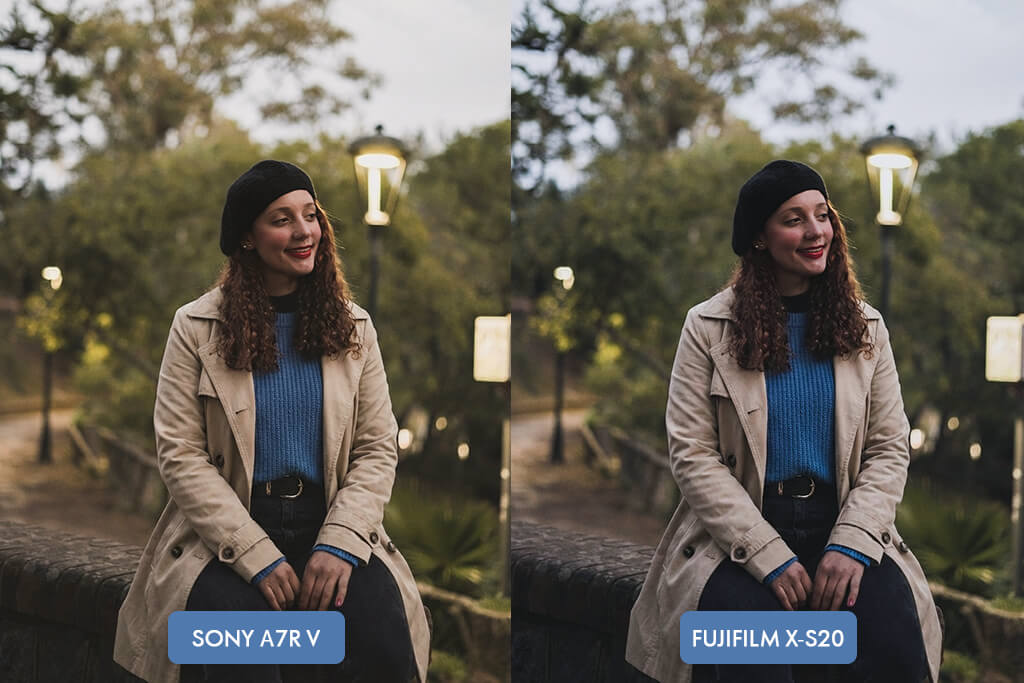
Professional photographers choose cameras and other gear based on the tasks they have to handle. They are typically interested in AF capabilities, reliability, a choice of compatible lenses, ergonomics, dynamic range, speed, and resolution.
It’s not always the case. A noise level depends on sensor design, pixel size, readout technology, exposure, ISO, processing capabilities, and viewing conditions. It does not depend solely on pixel count.
No. You can easily resize a high-resolution photo and export it at a smaller format.
When people use the term PPI, they refer to the relationship between image pixels and physical dimensions of a displayed or printed image. However, this term is not used for measuring camera quality.
When a photo gets upscaled, extra digital image pixels are added based on existing data. Modern AI tools can produce natural-looking outputs, but they do not recover the details that weren’t part of the original image.
A camera sensor includes special light-sensitive areas called photosites. They gather data about light captured by a lens. The camera analyzes that information to produce an image that consists of pixels.
The process can be described in the following way:
Light → sensor photosites → image processing → digital pixels → photograph
However, in some cases this process might become more complex, depending on the software used by a camera, the sensor design, filter array, and demosaicing process.
For the sake of simplicity, you can consider a pixel as a unit of data in a digital image rather than some sort of physical element that corresponds to a square you can see on your screen.
A pixel is not simply a square of a specific color. It’s an element that stores numerical data that directly impacts how a specific point in a picture will look.
In an RGB image, pixels include information that describes the amount of red, green, and blue data. The colors in photos are created when these main colors get combined in different proportions.
For instance, a certain pixel might represent a point of a dark blue sky, while another could be used to create the natural skin tone. The neighboring pixels have slightly different values, which ensures that there won’t be any abrupt transitions.
A photo that consists of millions of pixels still looks realistic because its elements blend seamlessly.

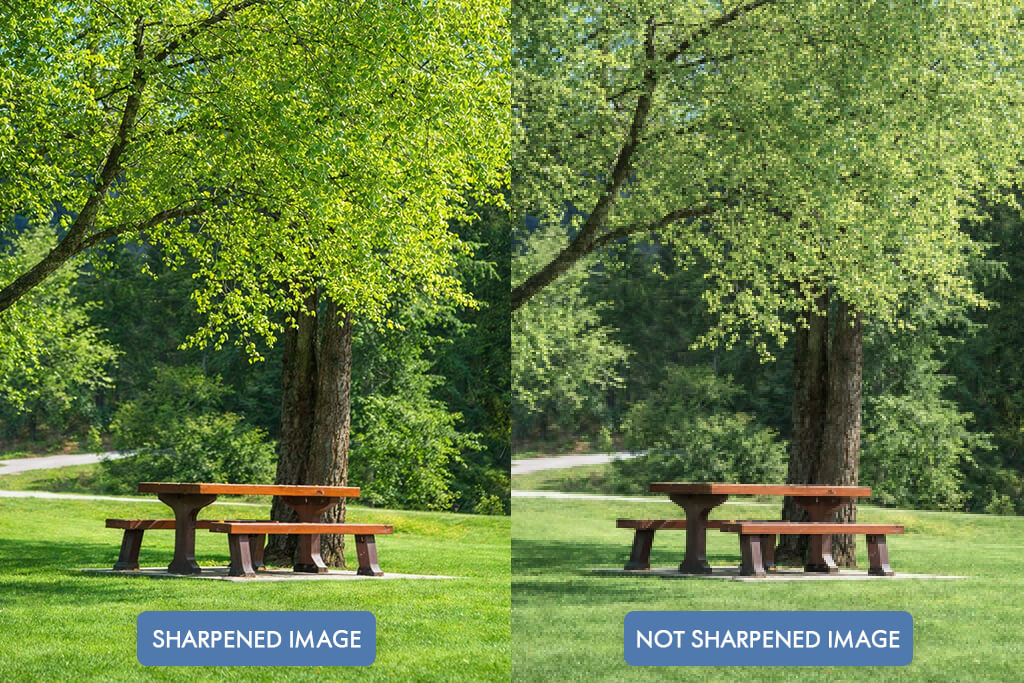
Even though pixels and sharpness might be connected, one should not confuse these terms. A camera with more pixels can capture images with a higher level of detail. However, it should be powerful enough to be able to do it.
One should be aware of this fact if they want to take professionally looking digital photos.
“If you decide to take a picture of a bird sitting on a branch and use a 45MP camera,it might be able to capture a lot of information. However, if you choose a low shutter speed, it won’t be able to capture the bird's movement, and the output might look blurry. It means that even if a camera captures photos with many pixels, the resulting image may still not look clean and polished enough.”

A similar issue may be caused by poor focus. If the lens focuses a bit behind the subject, you won’t be able to make your image less blurry by increasing the resolution.
Several factors impact image sharpness. It may depend on the following:
While a high-resolution can help you capture sharp images, you should take other factors into account as well. If you use the right focus and a high-quality lens, a 24MP photo might look better than a 60MP photo with poor focus.
For instance, if you want to see camera pixels explained, take this comparison table to understand what outputs you can get using two different cameras:
| Camera | Resolution | Result |
|---|---|---|
|
Camera A
|
24MP
|
The right focus, fast shutter, sharp lens
|
|
Camera B
|
61MP
|
Slight focus error, motion blur
|
Even though Camera B allows you to capture pics with a higher pixel count, Camera A may help you capture a photo that you will actually be able to use.
It’s essential to consider the difference between resolution and sharpness.
Resolution indicates how much image data is available when considered in terms of pixel dimensions. Sharpness determines how well edges and subtle details are rendered.
A high-resolution photo might still be blurry. A lower-resolution photo might have exceptional sharpness.
Pixels become an important factor to consider when the optical system you use allows you to capture fine details. A high-resolution sensor can capture a more detailed image when used with a good lens.
When photographers compare older lenses with newer high-resolution models, they immediately notice the difference. A lens that was perfect for a 12MP or 16MP camera is too limited for a modern camera equipped with a 50MP or 60MP sensor.
The lens itself did not become bad. However, newer cameras have higher resolution, making it easier to notice the imperfections of older lenses. When a photographer uses a high-resolution camera, the limitations of older lenses become more prominent.
If you choose a focus that is slightly off, you might still be able to post a small image online without anyone noticing the issue. However, the problem will become obvious when someone views your photo at 100%.
Many recently released cameras have high pixel counts. Professional cameras for photography capture pictures with dozens or even more than a hundred megapixels. Similarly, smartphones often have extremely high megapixel numbers, which is emphasized in their marketing campaigns.
Even though there a higher pixel count could be useful, one should be aware of some shortcomings of a higher number of pixels, especially when looking for a high-resolution camera.
How do pixels work? The best thing about a high-resolution photo is that it includes more spatial data. It allows a photographer to crop some parts of a photo and still get a polished image. However, when one uses a low-resolution file, it might be impossible to crop it and still have a decent image for printing or enlarging.
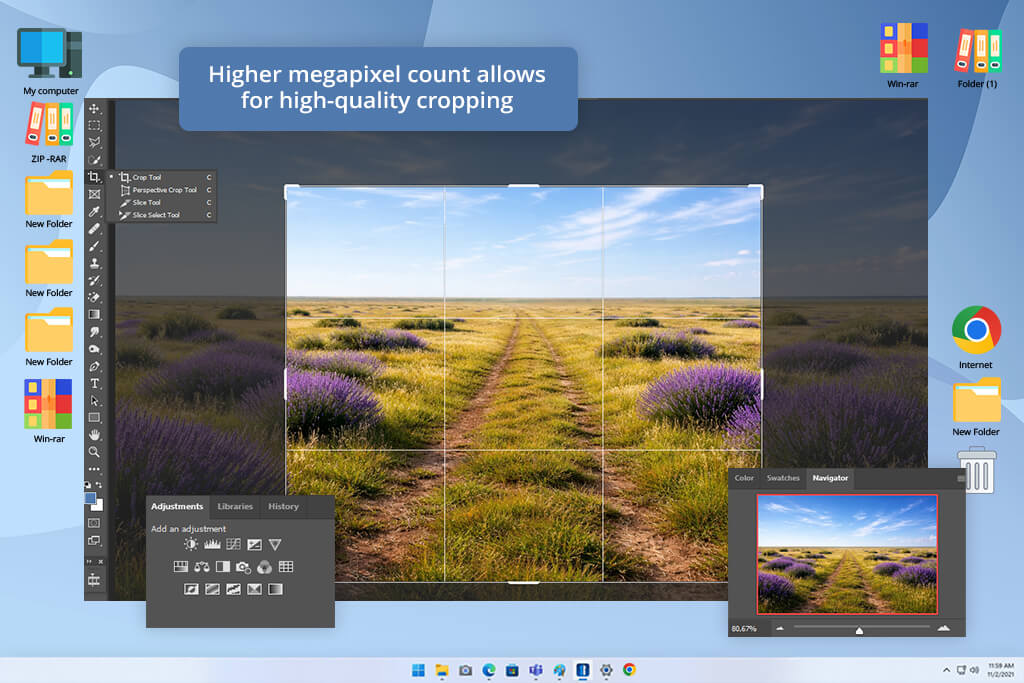
Cropping might be absolutely necessary in some situations. For instance, if you take a photo of a person standing in a room and use a 45MP camera.
However, then, you notice that the model takes up only a small part of the frame. You can crop your image and improve its composition while maintaining high resolution.
This is important for:
Wildlife photographers often crop their images because it’s challenging for them to approach their subjects. A bird might take up a small part of the frame, but if the source image has enough pixels, it’s possible to crop such images to get polished results.
More pixels will come in handy when photographs need to be printed at large sizes. It’s better to use a file with a high pixel count if you want to print it as a billboard, gallery print, fine-art photograph, or large wall display.
There is no one-fits-all megapixel count for every print. When choosing the output size, consider viewing distance and print resolution. The more pixels your image has, the easier it will be for you to save it in different output sizes.
For instance, if you understand how pixels work in photography, you can print a 6000 × 4000-pixel image at:
| Print Resolution | Approximate Print Size |
|---|---|
|
300 PPI
|
20 × 13.3 inches
|
|
200 PPI
|
30 × 20 inches
|
|
150 PPI
|
40 × 26.7 inches
|
These examples should not be considered strict quality guidelines. People often view large prints from afar, which means that you can use an image with a lower PPI and still get a superb output.
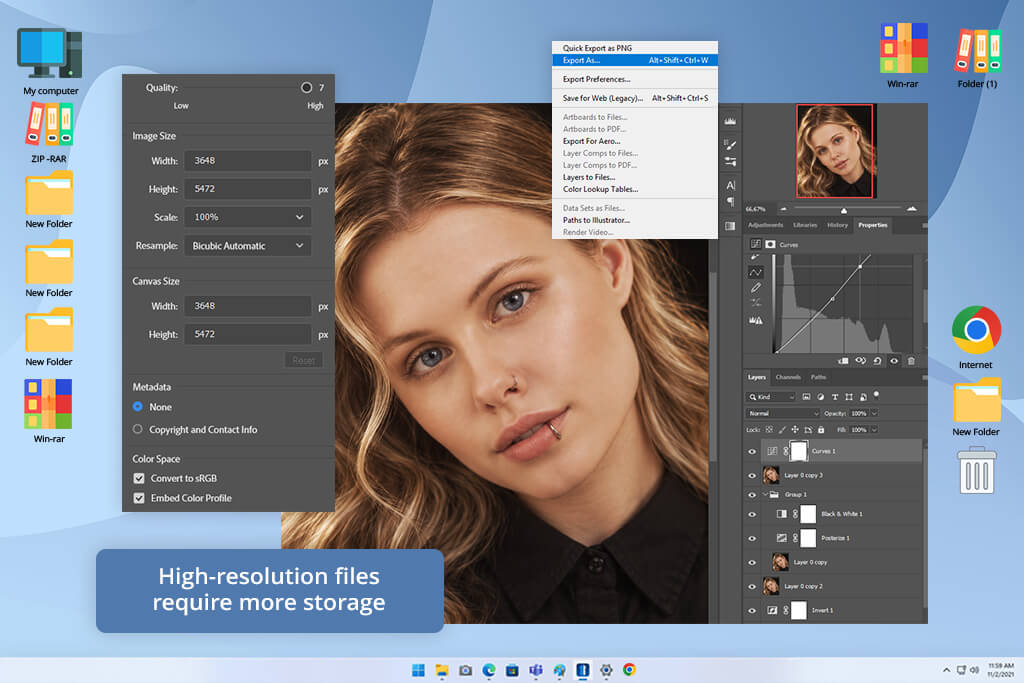
The main shortcoming of a higher pixel count is that such images are larger. A 60MP RAW file includes more data than a 20MP RAW image. The output size depends on the camera, bit depth, compression, and file format. However, high resolution typically results in a larger file size.
It might be inconvenient to use large images if a photographer takes a lot of photos during a photoshoot. A wedding or sports photographer can quickly run out of space during an event. However, if someone needs to take a few landscape photos per week, a large file could still be acceptable.
People who work with high-resolution images may need:
Modern computers are perfectly suitable for organizing large collections of high-resolution images. As a result, such pictures are easy to manage. However, if one needs to work on larger projects regularly and copy, back up, preview, edit, and export their files often, they may notice some delays when processing high volumes of files.
You may need to use more advanced editing software when working with large files. It might be taxing on system resources to open photos, create previews, add masks, use denoise tools, sharpen images, and create thumbnails if you use high-resolution files.
When a photographer needs to edit a lot of photos quickly, they may notice some delays when processing large files. Even though higher resolution is preferable for larger prints, some photographer may prefer to use low-resolution cameras to expedite their workflow.
For instance, if a photographer has two cameras that allow them to capture pictures that meet client requirements, but one of them takes photos that are twice larger that the pics captured with the other, it does not make sense to choose a camera that supports higher resolution.
Seasoned photographers often choose a camera depending on the tasks they have to handle when working on their projects.
Many people mistakenly believe that a higher pixel count is associated with improved image quality.
However, a pixel definition in photography that confuses these terms is clearly a misconception. Pixel count allows one to measure image resolution. It does not necessarily have anything to do with image quality.
A photo might have a lot of pixels, but its quality will be rather low if there are issues with exposure, focus, motion blur, excessive noise, dated optics, composition, or excessive processing.
A lower-resolution photo might still have a professional feel if the photographer uses good light, the right focus, a high-quality lens, and the most suitable exposure settings.
Image quality depends on multiple factors. When I assess the quality of photos when working on my projects, I do not focus only on pixel count. I analyze the whole picture.
Pay attention to the following:
This is why it’s better to consider resolution as only one factor that impacts image quality.
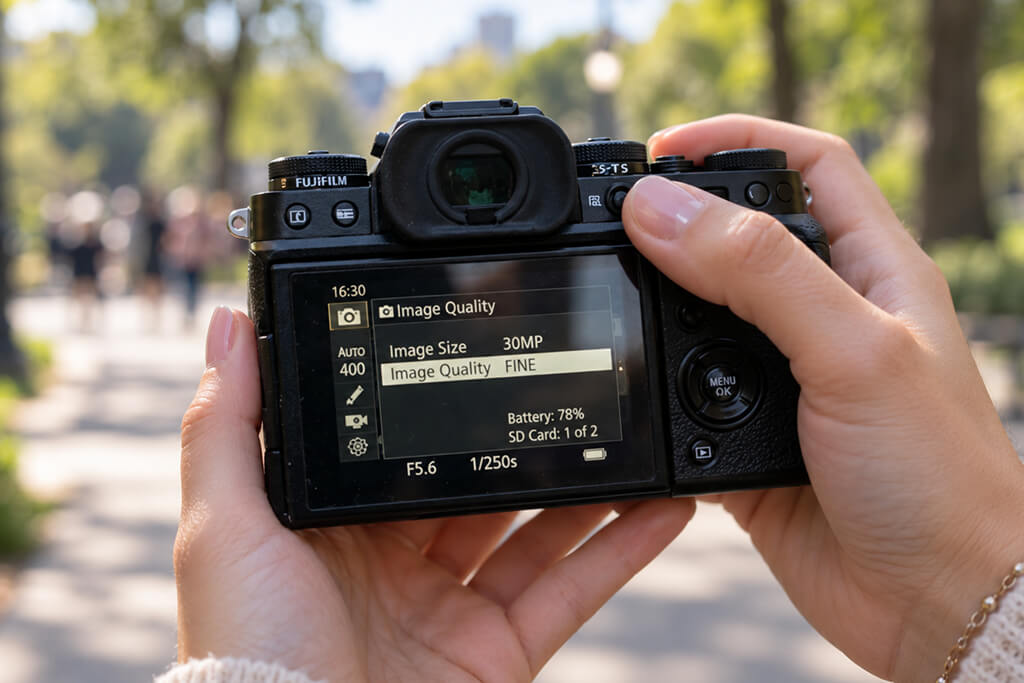
In many situations, it does not make sense for a photographer to use ultra-high resolution. It’s better to choose resolution depending on the subject, delivery, the necessity of cropping, and the desired printed size.
A photographer who mostly publishes portraits on Instagram does not need to use photos with the same number of pixels as a commercial photographer who needs to create large advertising visuals.
A wedding photographer wants to get images that will look good in albums and can be moderately cropped. For a wildlife photographer, extra pixels are important because subjects are captured from a large distance. A real-estate photographer may be more interested in dynamic range, lens coverage, and workflow optimization than in high resolution.
“A 20–30MP image will be perfect for many photographers. A modern camera in the 20–30MP range can capture professional photos for many uses.”

This resolution is suitable for:
The most important thing is that a photographer almost never needs to ensure that every photo includes the maximum possible number of pixels. If a photo is intended to be used on a website, it does not make sense to use a version with thousands of additional pixels.
It’s always better to choose higher resolution when working on the outputs that are intended to be used at large sizes.
Landscape photographers often need to get detailed images for large prints. Wildlife photographers often need to crop their images too much to create well-balanced compositions. Commercial photographers also benefit from using files in larger sizes as such images are better suited for all sorts of layouts. Fine-art photographers often need to print photos several feet wide.
For these professionals, it’s important to use images with more pixels. Before deciding on the desired resolution, try answering the question: How do I intend to use the photograph after I take it? It will allow you to understand which resolution to choose. This way, you won’t need to focus on the camera’s marketing specifications too much.
Resolution by use case
| Photography Type | Typical Priority |
|---|---|
|
Social media
|
Moderate resolution should suffice
|
|
Family photography
|
Moderate resolution
|
|
Weddings
|
Moderate to high resolution
|
|
Portraits
|
Resolution, as well as a lens and skin detail
|
|
Wildlife
|
High resolution is important
|
|
Landscape
|
High resolution facilitates creating large prints
|
|
Commercial
|
High resolution is more practical
|
|
Fine art
|
High resolution can be essential
|
|
Product photography
|
Resolution and controlled detail
|
|
Real estate
|
Resolution, dynamic range, and lens coverage
|
These guidelines may not be obligatory, but it pays off to follow them. An experienced photographer can use them to achieve top-level outputs with all sorts of resolutions.

Pixel art. Such digital images comprise many intentionally large pixels. This style is often used in modern illustration and design. Its aesthetics originate from the style of early video games. These days, you can produce such pictures quickly by using AI pixel generators.
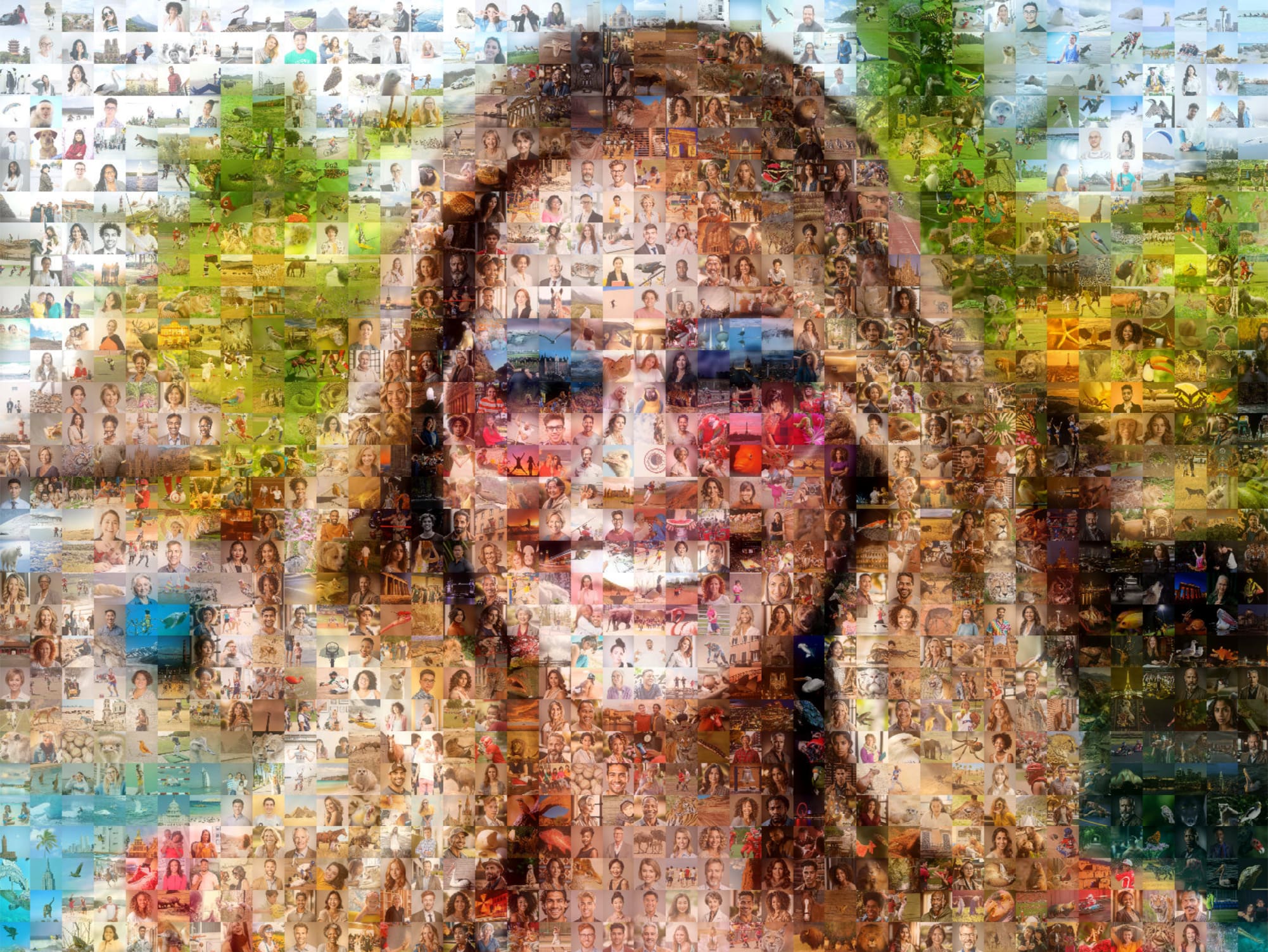
Photographic mosaic. Large images comprise hundreds or thousands of small photos. When seen from afar, they create a portrait or a scene. However, when a viewer approaches them, small images become visible.

Digital glitch art. Artists intentionally distort digital images by experimenting with colors, adding pixel blocks, and introducing artifacts. Such a style if often used for conveying the idea of a digital glitch.

Pixel portraits. Such portraits typically comprise many color squares that look like enlarged pixels. If one looks at them from a distance, they look like regular pictures. However, after examining them up close, one is bound to notice that they look distinctly pixelated.

Pixels in modern installations. Artists use LED screens, LED panels, and digital displays where images comprise countless LED chips. This allows them to combine traditional art with digital technologies.
Not necessarily. If a photo has more pixels, it means that fine details would be more noticeable. However, image sharpness also often depends on the lens you use, focus, shutter speed, camera stabilization, aperture, weather conditions, and image processing. If you take a 24MP photo with the right focus, it might be much sharper than a 60MP picture taken with a poor focus.
There is no one-fits-all number. In many cases, it would suffice to capture 20–30MP images. Higher resolution might be more important when you need to crop your image a lot, prepare large prints, or edit your photos at a professional level.
A pixel is only one element of a digital picture. A megapixel is one million pixels. For instance, a 24MP photo includes about 24 million pixels.
The number of megapixels might be important if one wants to enlarge their photos. Professionals who specialize in commercial, landscape, wildlife, architectural, and fine-art photography might benefit from using high-resolution images. Others might prefer using cameras with a high autofocus speed, excellent low-light performance, and continuous shooting support. Besides, they might need to use smaller files.
Image quality does not depend solely on resolution. A 24MP photo with a low noise level and perfect sharpness and exposure will look much better than a poorly processed 60MP picture with a lot of noise and a bad focus. Thus, pixels do not fully define image quality.
Yes. The space available for photosites is directly impacted by sensor size. Even if two cameras support the same megapixel count, they might have different sensor sizes and photosite dimensions, which results in different light-gathering capabilities and other imaging parameters.
Digital image pixels do not necessarily define image quality, as they indicate the amount of image data. If a picture has more pixels, it means that it’s more detailed. It’s easier to crop such images and print them at a larger size. However, one should also consider the lens, focus, sensor, exposure, lighting, and image processing when assessing the quality of a picture.




![9 Best AI Female Voice Generators [+ Good Prompts]](http://fixthephoto.com/blog/images/gallery/news_main__preview_29614.jpg)



















