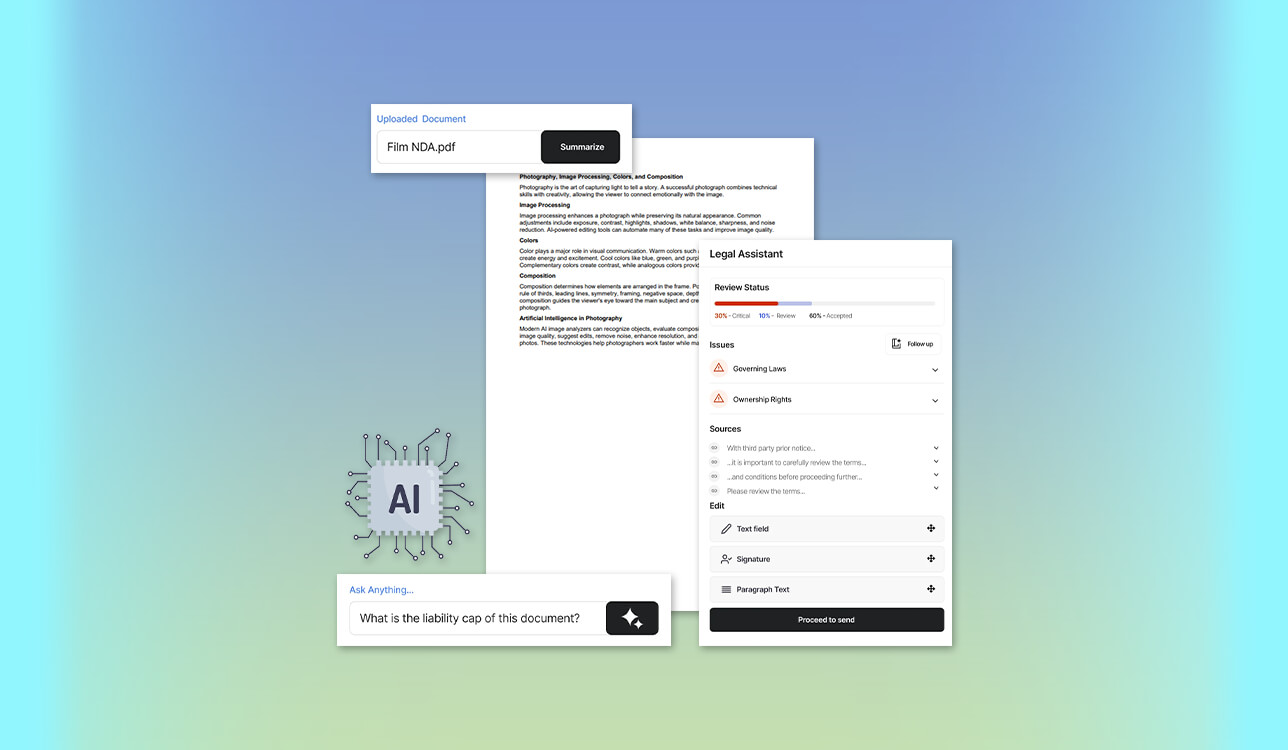
Managing research at FixThePhoto reached a breaking point when sifting through multiple software specs, pricing pages, technical contracts, and lengthy PDF guides became manually impossible. I spent hours every day pinpointing obscure facts, pulling key figures buried inside tables, and cross-referencing information across multiple files.
I knew I needed the best AI document analysis tool to streamline my daily workflow, but finding a truly reliable solution proved unexpectedly challenging. Early tests revealed major flaws across popular platforms. Some AI models produced polished summaries but left out crucial citations, making source verification a nightmare. Others handled single files reasonably well but stumbled completely when tasked with complex multi-document comparisons. Worse yet, several platforms generated hallucinated answers completely unsupported by the original text.
To find software that delivers on its promises, our team launched an exhaustive hands-on evaluation. Together with my FixThePhoto colleagues, we tested more than 35 AI tools for analyzing documents, sourcing top recommendations from legal professionals, expert academic researchers, Reddit communities, and YouTube tech reviewers.
Our evaluation process was both rigorous and multifaceted. Writers and reviewers scrutinized in-depth summarization quality and citation accuracy. Our design team tested how effectively each platform processed image-heavy reports, complex charts, and OCR-scanned pages. Meanwhile, editors cross-checked factual consistency, while team members working with legal contracts evaluated multi-doc search precision, file privacy, and security features. Here is what we discovered after weeks of intensive practical testing.
What I want from the best AI document analysis software:
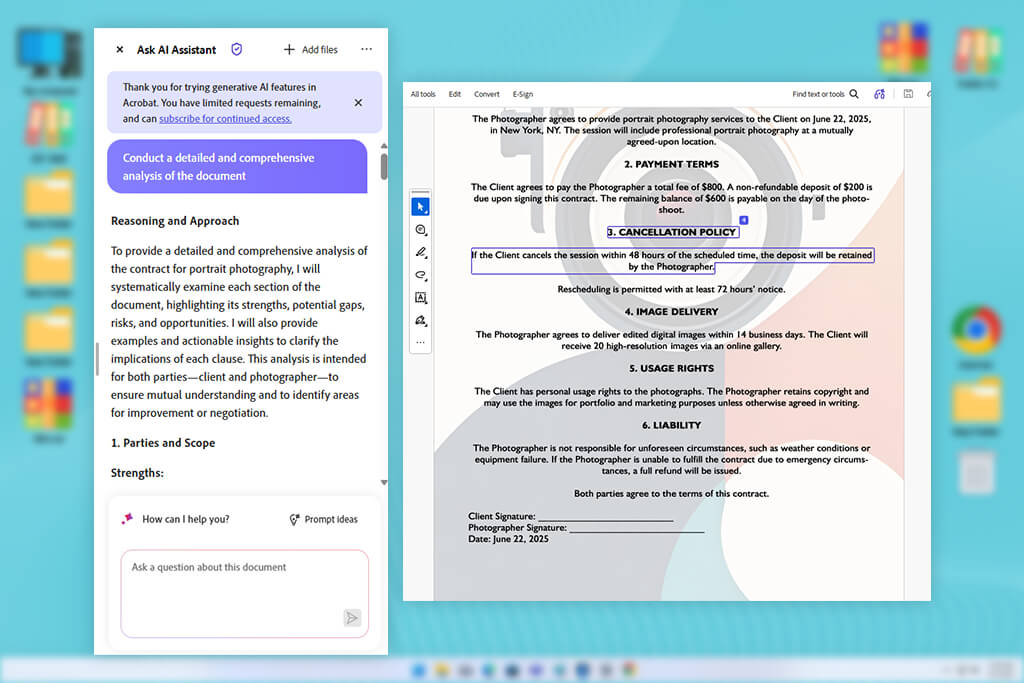
Modern workflows generate mountains of data, but with the best AI document analysis tool, you can efficiently jump from raw files to actionable insights. Unlike basic keyword search functions that only locate exact phrases, advanced AI document readers interpret context across PDFs, spreadsheets, presentations, and web pages properly.
Instead of manually hunting for terms, you can ask nuanced questions, like comparing annual revenue changes and identifying key drivers, and receive synthesized answers backed by precise citations. These intelligent tools go far beyond standard file readers. They parse structured data, generate targeted summaries, cross-reference multi-file projects, and draft original content grounded in your source materials.
However, exceptional performance isn't guaranteed. Output accuracy ultimately hinges on precise OCR capabilities for scanned documents, clean file formatting, sophisticated retrieval systems, and the strength of the underlying large language model driving the interaction.
Navigating the world of AI document readers isn’t without its pitfalls. During our testing, several major hurdles quickly emerged that every user should watch out for when evaluating software.
First, beware of convincing hallucinations. One platform delivered a polished breakdown of a company’s pricing strategy, except half the details weren't actually in the uploaded document. This is a huge risk when accuracy matters, as smooth writing can easily mask baseless assumptions.
Second, multi-document chaos remains a widespread issue. Many platforms handle a single file brilliantly, yet fall apart when managing a workspace filled with product specs, pricing sheets, and technical guides. They often scramble facts across different products or fail to attribute statements to the correct file.
Third, unreadable scanned PDFs frequently stump basic tools. Many free analyzers easily digest original digital files but choke on phone scans or multi-function printer uploads.
Fourth, beware of vague, surface-level summaries. Too many platforms compress complex 70-page reports into a few generic sentences, glossing over vital metrics, methodology, and key takeaways.
Fifth, watch out for lost visual context. AI readers routinely mangle complex financial tables, chart legends, diagrams, and footnotes by stripping away their formatting.
Best for: Professional PDF workflows, multi-document research, contracts
Platform compatibility: Web, Windows, macOS, iOS, Android
Pricing: Free tools are available. Acrobat Pro costs $19.99/month with an annual plan billed monthly
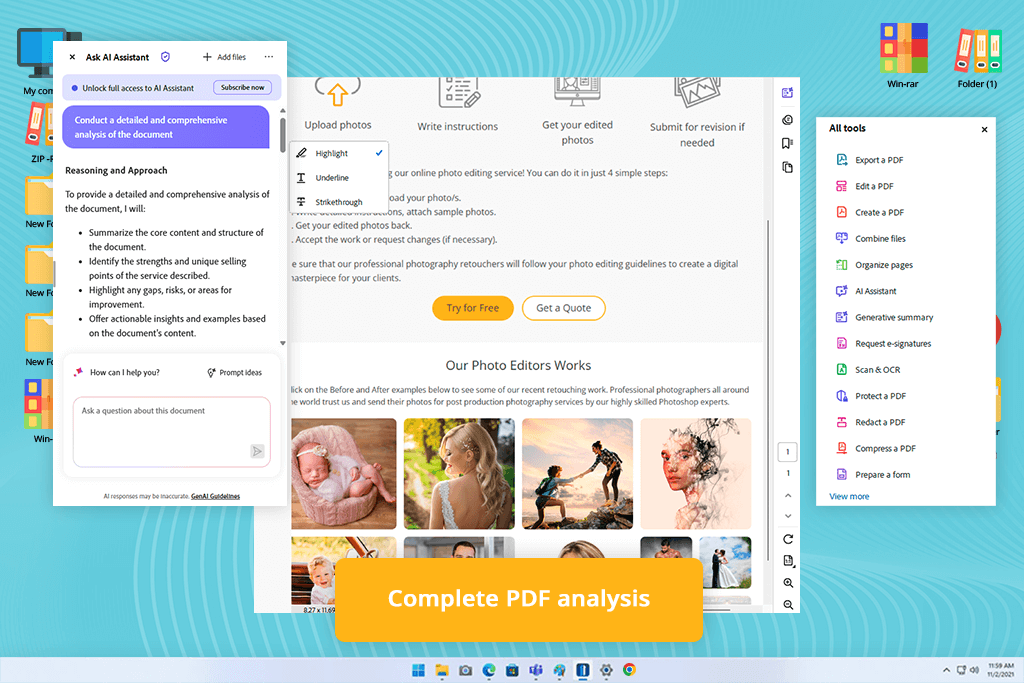
When my teammates at FixThePhoto recommended Adobe Acrobat, I initially expected nothing more than a conventional, everyday PDF editor. Because our creative team already relies extensively on Adobe apps for image editing, video production, and design, adding Acrobat felt like a seamless transition. However, testing its generative assistant completely shifted my perspective. It quickly proved to be vastly superior to simple text summarizers, ultimately standing out as the best AI document analysis tool for anyone managing dense research files and multi-layered projects.
When I asked it to isolate key findings, outline research limitations, and compare distinct user feedback groups, the output was neatly organized and remarkably precise. Even better, every response included interactive references, allowing me to jump straight back to the corresponding sections within the original document.
“My advice is to be as specific as possible with your questions. I also make a habit of checking Acrobat’s references to confirm important details before using them.”

The hallmark feature that truly elevates Acrobat is PDF Spaces. Rather than confining your research to isolated documents, PDF Spaces lets you aggregate PDFs, slide decks, Word files, and webpages into a single interactive workspace. You can query the entire collection as a unified library, generating cross-referenced answers grounded in your specific files. Adobe engineered this workspace specifically to eliminate the need to switch between separate windows while synthesizing information across multiple diverse assets.
In one practical test, I built a custom space featuring a software manual, pricing structures, presentation slides, and several live URLs. I asked Acrobat to cross-reference advertised features against documented software constraints. What normally demands hours of painstaking tab-switching and manual table creation was delivered instantly. If your daily routine involves analyzing heavy volumes of documentation, Acrobat’s intelligent features deliver unmatched speed, accuracy, and workflow efficiency.
Best for: Students, short reports, quick PDF questions
Platform compatibility: Web, desktop app, mobile browsers
Pricing: Free access
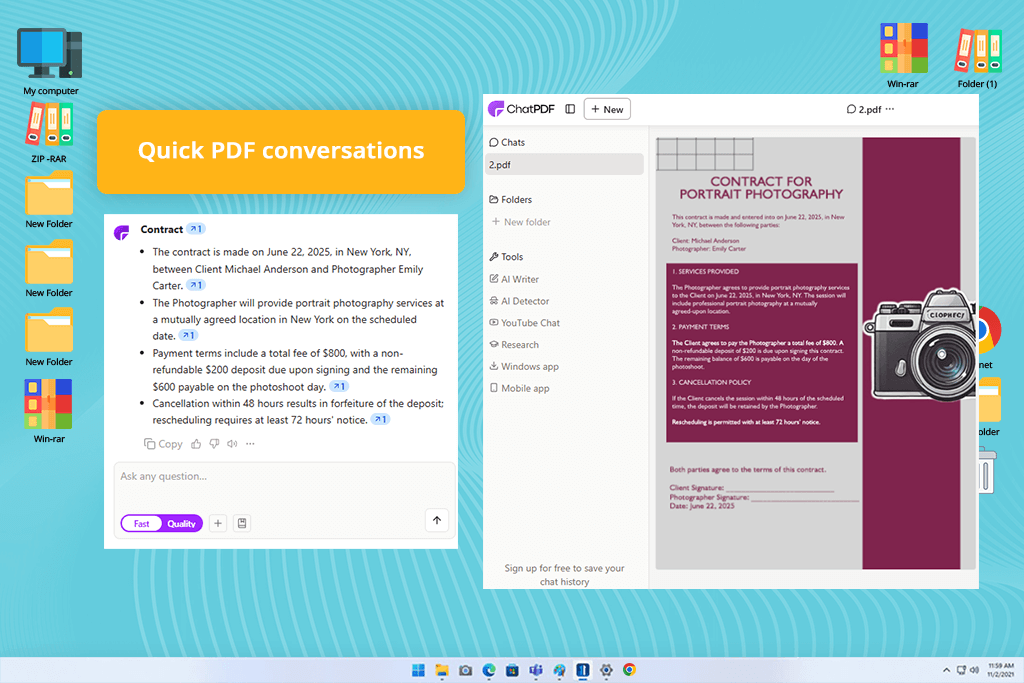
When searching online for an intuitive document assistant, ChatPDF caught my attention with its laser focus on usability. The platform's clean interface centers entirely on a straightforward workflow. You can drag, drop, and start asking targeted questions without any fluff or complex setup steps.
When I requested a beginner-friendly explanation for configuring a specific autofocus setting, it provided a clear, plain-English response along with direct page references, saving me from tedious manual index hunting.
For users seeking the best free AI document analysis tool to speed up daily reading tasks, ChatPDF delivers exceptional value right out of the box. You can test documents immediately without signing up, so it works perfectly for quick, one-off lookups. Registering a free account further enables chat saving, file organization, and expanded tools like flashcards and webpage-based AI querying.
To push its capabilities further, I uploaded a complex research paper containing technical methodologies and experiment metrics. Rather than requesting a broad summary, I asked ChatPDF to distinctly isolate the project's hypothesis, experimental variables, sample size, key findings, and methodological limitations. It broke down every critical component accurately, so I believe it is a practical tool for students, reviewers, and light researchers alike.
Best for: Research papers, technical reports, legal documents
Platform compatibility: Web; desktop and mobile browsers
Pricing: A free plan is available. Paid individual, team, and enterprise subscriptions provide larger page allowances, more advanced models, and expanded collaboration features.
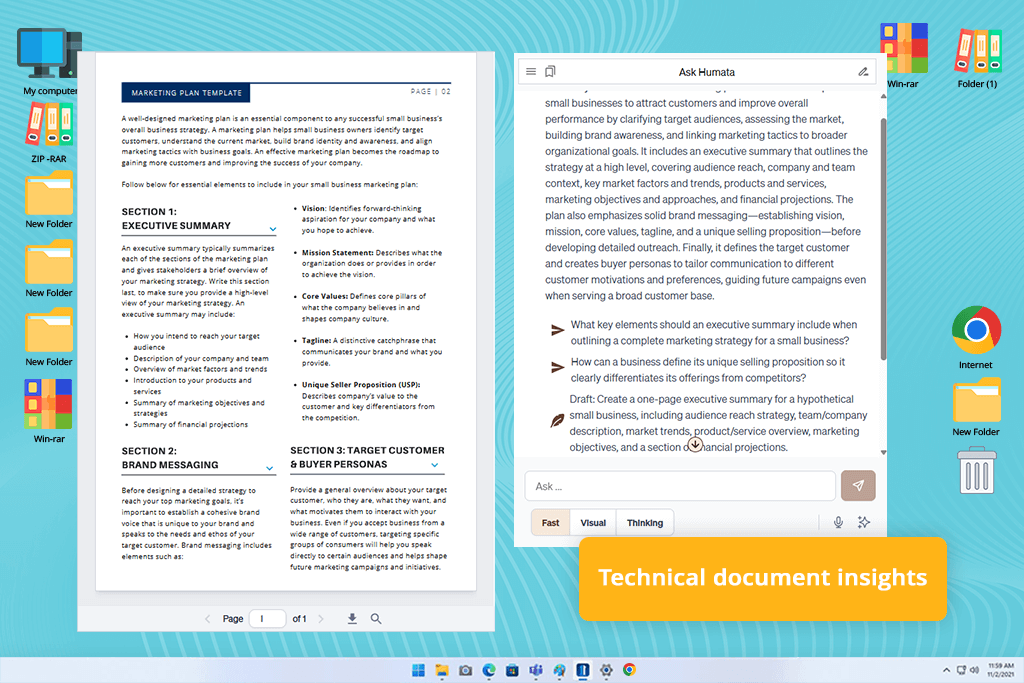
While exploring advanced tools for legal and academic research, I came across Humata. Marketed as an AI knowledge workspace, this platform focuses heavily on extracting deep insights, answering targeted questions, and synthesizing data across dense files. It immediately felt like a purpose-built solution for turning long, technical papers into accessible information.
Instead of asking for a generic summary, I prompted Humata to explain the methodology assuming a foundational knowledge of machine learning. The result was impressive. It maintained essential technical terms while explaining the core concepts with remarkable clarity.
“I've noticed Humata performs much better with targeted research. Instead of requesting a full summary, I ask about particular methods, key terms, conflicting information, or supporting evidence, and the responses are usually more insightful.”

Next, I asked it to convert the paper’s experimental data into a structured table showing tested models, datasets, metrics, and outcomes. Humata pulled the data smoothly, saving manual input time while keeping every entry linked directly to the original page source for verification.
This top-tier AI document analyzer offers multi-turn contextual conversations. I was able to probe deeper with targeted follow-up questions, asking why specific metrics were chosen, what methodology limitations the authors admitted, and whether the data fully justified their conclusions. Each answer maintained context properly.
Humata offers a functional free tier without requiring a credit card. While upgrading is necessary for high-volume processing or team collaboration, its ability to navigate rigorous scientific content makes it an invaluable asset for serious researchers and analytical teams.
Best for: Multi-source research, study materials, content planning
Platform compatibility: Web, iOS, Android
Pricing: A free version is available with source and generation limits. Google AI plans provide higher notebook, source, report, audio, video, quiz, and generation limits.
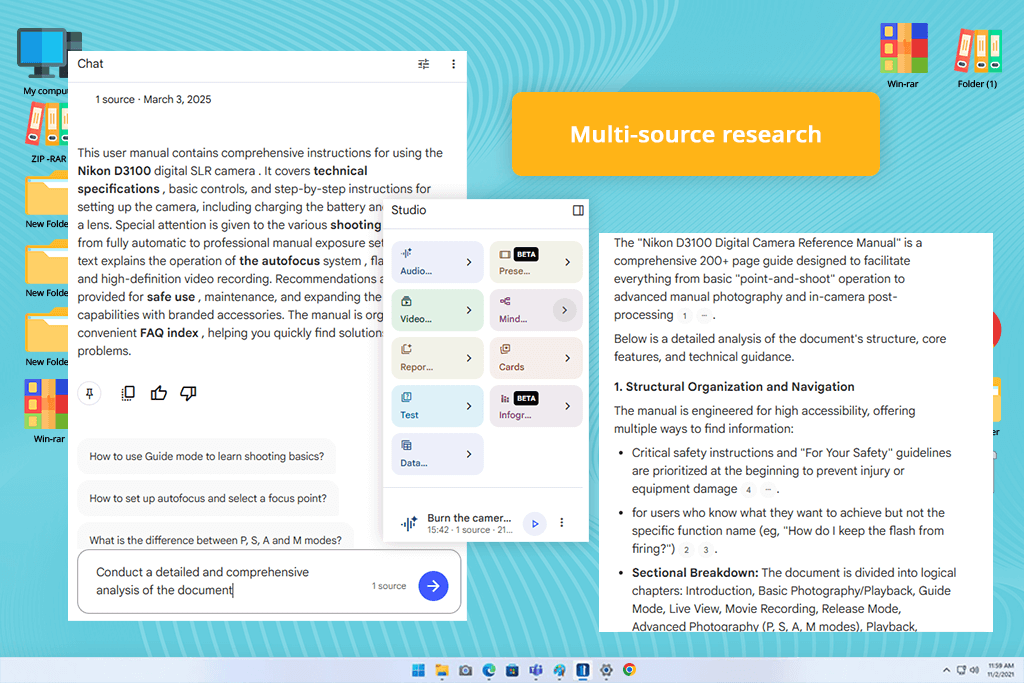
When Google rebranded NotebookLM as Gemini Notebook in July 2026, it retained its status as an exceptionally powerful research assistant built around your personal data. Rather than functioning as a standard chatbot, this studio environment operates entirely on the specific sources you feed it. Whether you are managing research papers, client decks, or multi-tab web links, it unifies scattered files into a cohesive knowledge base. It accurately transforms raw documentation into structured insights.
As a free AI document analysis tool, Gemini Notebook excelled at synthesizing key takeaways across all uploaded materials, highlighting explicit points of disagreement between reports, and identifying unique claims native to single sources.
The true strength of the workspace is its citation system and creative transformation options. Every generated insight links directly to original source passages, making verification painless. Beyond basic text answers, the platform dynamically converts raw research into structured study guides, detailed timelines, interactive quizzes, flashcards, slide decks, and even conversational audio or video overviews. These audio summaries create a podcast-style discussion between synthetic hosts, allowing you to absorb dense research on the move.
While Gemini Notebook is not designed for editing, redacting, compressing, or electronically signing individual PDFs, it remains one of the top AI tools to chat with PDF files for high-level synthesis and creative content generation.
If your daily workflow demands synthesizing complex, disparate research assets into structured summaries or dynamic multimedia overviews, Gemini Notebook provides an exceptional solution for modern students, innovative content creators, researchers, and demanding analytical professionals alike.
Best for: Academic papers, literature reviews, Chrome workflows
Platform compatibility: Web, iOS, Android, Chrome extension
Pricing: Limited free access is available. Paid plans start at approximately $11–$14.99/month
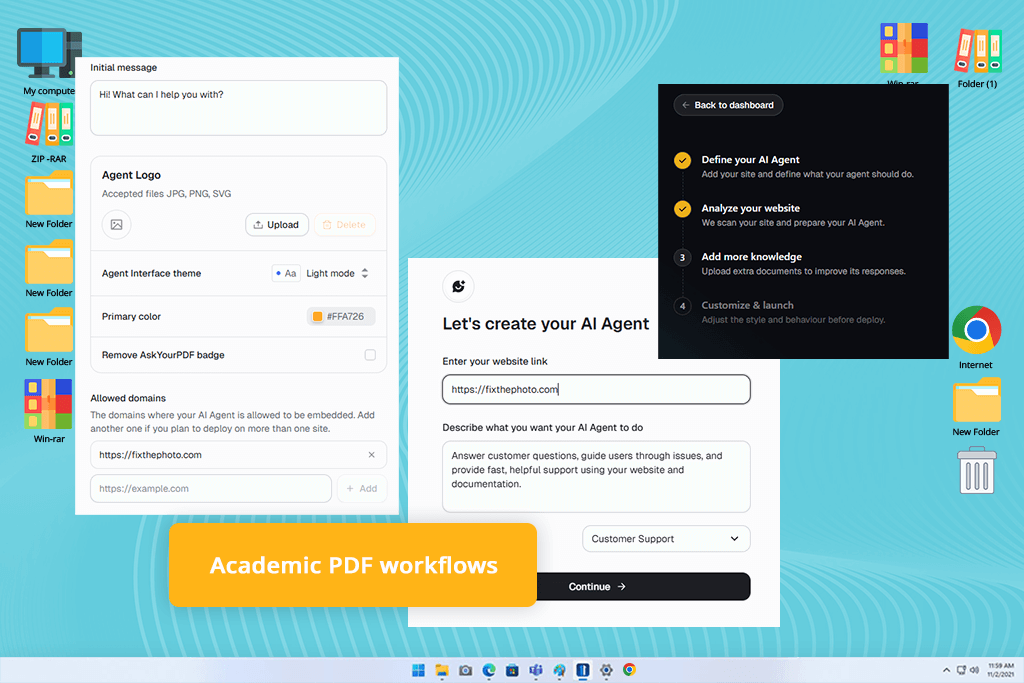
AskYourPDF has established itself as a premier AI document analyzer online, particularly among students, academic researchers, and professionals who frequently process dense literature reviews. Built specifically to streamline heavy document consumption, it transforms static text into interactive, conversational AI sessions that save hours of tedious manual reading.
AskYourPDF parsed the material smoothly, allowing me to query multiple documents back-to-back without re-uploading files or losing contextual thread history.
“If you regularly study, teach, or work with research papers, AskYourPDF is worth trying. I liked how it combines document chats with built-in note-taking and writing features, so everything stays organized.”

Beyond its core web dashboard, AskYourPDF offers impressive ecosystem flexibility with dedicated mobile apps and a handy Chrome browser extension. The browser extension proved particularly invaluable during online research sessions: rather than downloading dozens of web PDFs locally and re-importing them, I could initiate real-time AI analysis directly within my browser tab right at the original source.
While the free tier provides a great playground for light skimming, tight daily caps on document uploads and question volume mean serious power users will eventually need a paid subscription. Premium plans typically start around $11 to $14 per month, unlocking expanded page limits and advanced model access. If your daily routine involves heavy reading, academic research, or web-based document analysis, AskYourPDF remains a remarkably practical, feature-packed choice.
Best for: Beginners, individual PDFs, quick information extraction
Platform compatibility: Web and Chrome extension
Pricing: A free Hobby plan is available. Pro costs $10/month when billed annually, Ultimate costs $20/user/month, and Enterprise costs $30/user/month.
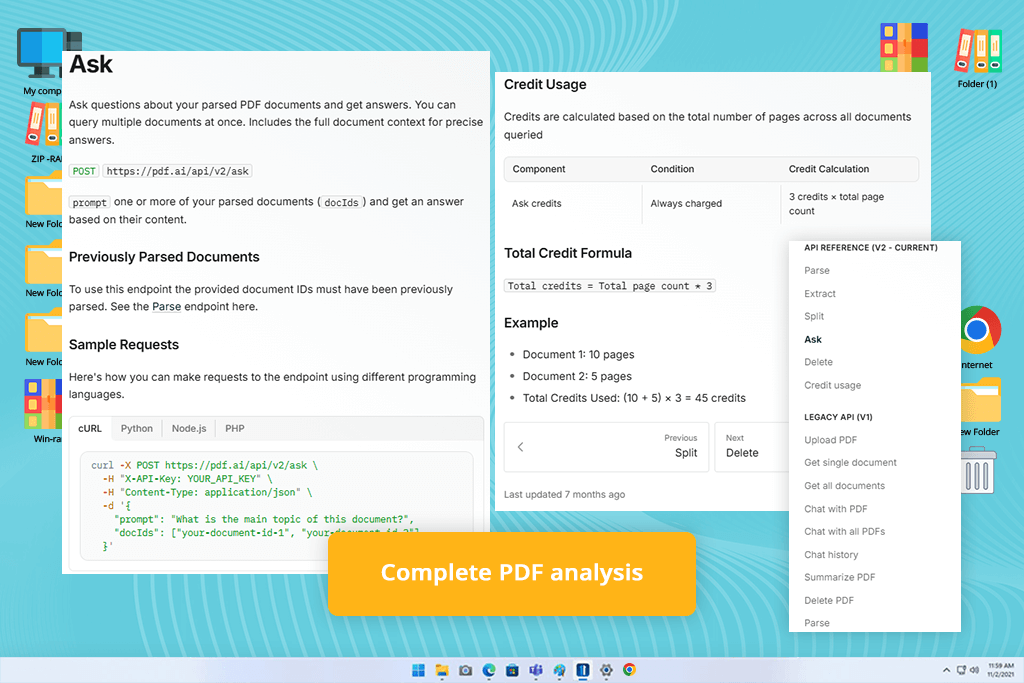
If you want to skip mastering complicated tools and get straight into document chats, PDF ai stands out as an exceptionally approachable option. Its intuitive layout strips away complex menus, allowing you to drag, drop, and start asking targeted questions without reading tutorials or managing tricky settings.
Beyond basic document chats, PDF ai includes practical extras like a Chrome extension, OCR support for scanned pages, and developer APIs for custom data extraction. While it lacks the advanced PDF editing of Adobe Acrobat or the multi-format synthesis of Gemini Notebook, its simplicity is its greatest strength. For everyday readers needing rapid, fuss-free document extraction, PDF ai delivers an ideal balance of speed and clarity.
Best for: Consultants, legal teams, large document collections
Platform compatibility: Web; desktop and mobile browsers
Pricing: A free Community plan is available. Team costs $18 per seat monthly with a minimum of three seats
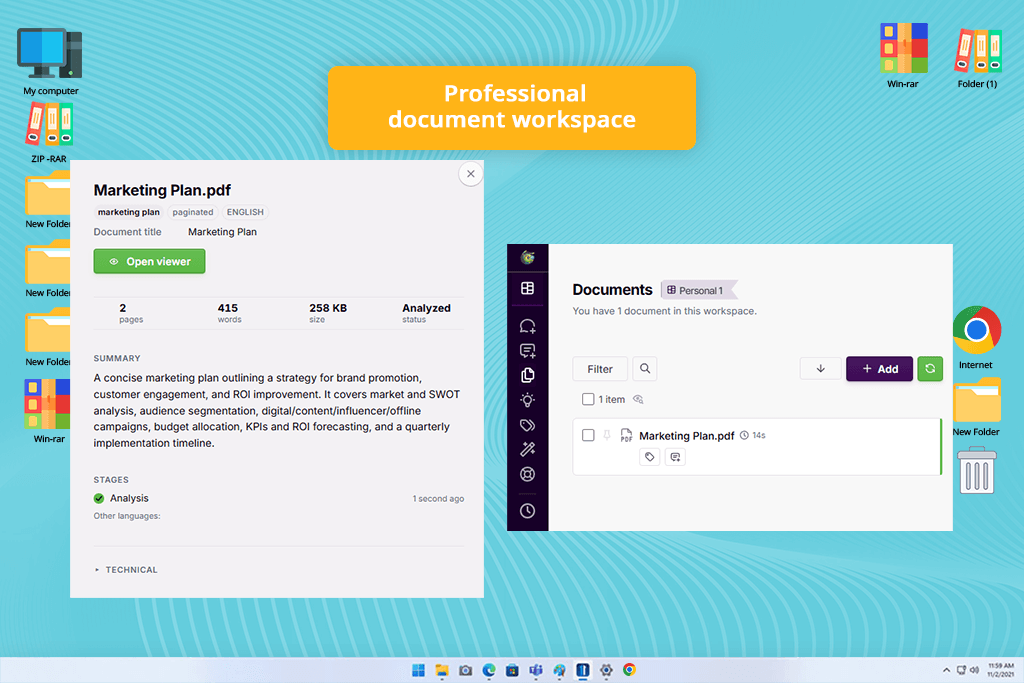
While basic PDF tools handle simple Q&As, docAnalyzer operates as a sophisticated, full-fledged AI document workspace designed for complex professional workflows. Instead of treating file processing as a fleeting chat session, it maintains continuous conversational context, allowing you to generate, refine, and transform dynamic assets like spreadsheets, diagrams, HTML files, and structured reports across multiple steps.
Because contractual phrasing varied wildly across files, the initial output required a quick prompt refinement. Once I clarified the specific criteria, the platform updated the dataset properly unlike some free PDF editors, embedding clickable citations directly back to the original source text for instant auditability.
What makes docAnalyzer an exceptionally versatile hub for AI document analysis online is its compound asset creation and model flexibility. After generating the contract comparison table, I instructed the assistant to synthesize those findings directly into an executive summary report. Rather than starting from scratch, the system built upon the existing table data within the exact same workspace thread.
“For me, docAnalyzer stands out because it creates outputs that are ready to use. Whether it's a structured report or a spreadsheet, I end up with something practical instead of having to piece together information from a chat conversation.”

Furthermore, docAnalyzer gives users access to over 30 leading AI models, allowing you to switch engines mid-conversation without losing active thread context or session history. With built-in OCR capable of recognizing text in 40+ languages, it handles scanned documents and legal archives.
Although its feature-rich environment takes more time to master than lightweight readers, its persistent context and multi-format outputs make docAnalyzer an unmatched asset for legal teams, analysts, and project managers handling complex, multi-document reviews.
Finding the best AI document analysis tool requires going far beyond basic PDF summarization. To identify truly reliable platforms, the FixThePhoto team and I conducted an extensive practical evaluation. Our daily creative and editorial operations demand constant engagement with complex technical reports, software manuals, administrative contracts, price lists, and research papers.
We initially gathered over 35 widely recommended services across productivity forums, academic communities, and AI directories. Our multidisciplinary team meticulously analyzed each contender. Writers and editors verified summary accuracy and context retention. Data reviewers tested cross-document product comparisons and structured data extraction. Designers evaluated image-heavy slide decks, technical diagrams, and visual layouts. Administrative testers scrutinized OCR precision and data privacy safeguards.
While many popular tools performed well, several notable platforms didn't make our top recommendations:
To identify the most reliable AI tools for analyzing documents, our evaluation team rigorously evaluated each platform. Rather than relying on marketing promises, we tested each program using a standardized set of complex real-world files across 10 core evaluation criteria:
Summary accuracy. We uploaded extensive reports ranging from 20 to 150 pages, verifying that generated summaries accurately retained essential names, critical dates, statistical figures, research limitations, and core conclusions.
Question answering. We posed factual, comparative, and intentionally misleading prompts to confirm the software accurately retrieves data while actively rejecting false premises hidden in user questions.
Citation quality. We tested interactive source links to ensure they directed users straight to specific source paragraphs and exact passages rather than vague, overly broad page ranges.
Multi-document analysis. Our team uploaded combined collections of technical manuals, pricing sheets, slide decks, and web pages to assess how each platform synthesizes information across distinct sources.
OCR capabilities. FixThePhoto experts processed distorted mobile photographs, faded photocopies, and low-resolution office scans to ensure visual flaws did not trigger AI hallucinations or missing details.
Visual data extraction. We queried complex financial charts, footnotes, and multi-column comparison tables, manually cross-checking every extracted metric against original source documents.
Prompt consistency. I asked identical questions using varied phrasing and terminology to guarantee stable, reliable factual responses across repeated conversational turns.
Workflow exporting. We evaluated how effortlessly extracted insights could be reformatted, downloaded, shared, or converted into structured executive reports without manual clean-up.
User experience. Our team awarded top marks to platforms offering intuitive drag-and-drop workflows and clear document management that required less time to grasp or reading multiple tutorials.
Security & free limits. We audited data privacy policies, encryption standards, team controls, and daily free-tier query, upload, and page processing restrictions.
While every evaluated AI document reader accelerates research speed, we exclusively selected platforms that prioritize transparent source verification, ensuring you can always validate AI-generated insights against original documentation.





![7 Best AI Age Progression Tools in {{%year}} [Tested & Reviewed]](http://fixthephoto.com/blog/images/gallery/news_main__preview_29353.jpg)


![9 Best ImagineArt Alternatives [Better AI Art Apps]](http://fixthephoto.com/blog/images/gallery/news_main__preview_29310.jpg)

















