
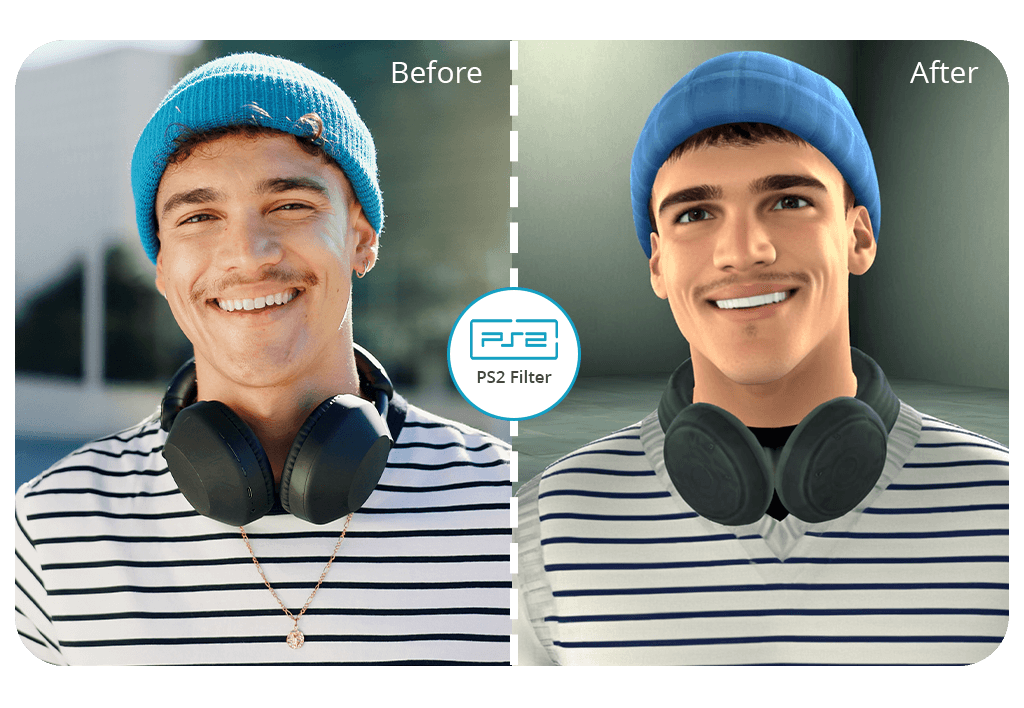


The Fix The Photo Body Editor & Tune app allows you to apply the PS2 filter to create beautiful portraits with the help of experienced retouchers and pro-grade AI effects. Keep in mind that your first image is free. You can test out this service and get a professionally enhanced photo without watermarks.
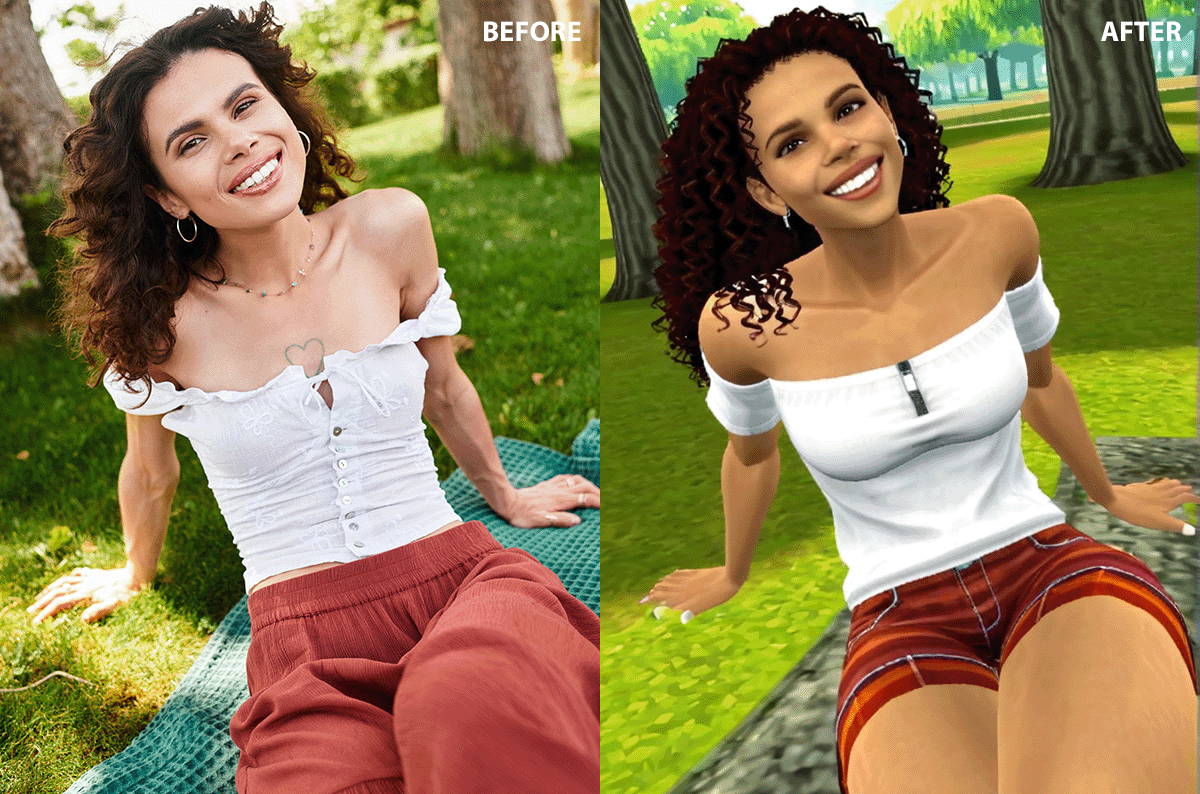
The PS2 filter is an excellent choice for those who want to add a retro effect to their pics. Whether you want to enhance your portrait photos, fashion pics, or other images, it will allow you to edit your photos in the Y2K style. What makes this PS2 filter app unique is that it allows users to benefit from manual retouching services. Even though the app has a PS2 AI filter, each photo is edited by experienced retouchers who know how to make outputs more realistic.
There is no need to rely on AI generators and experiment with complex prompts to achieve the PS2-style effects. Upload your image, describe your requirements in detail, and wait until the team sends you your enhanced pics. Our professional retouchers can also add text and graphics to your photos to make them look as stylish as PS2 game covers.
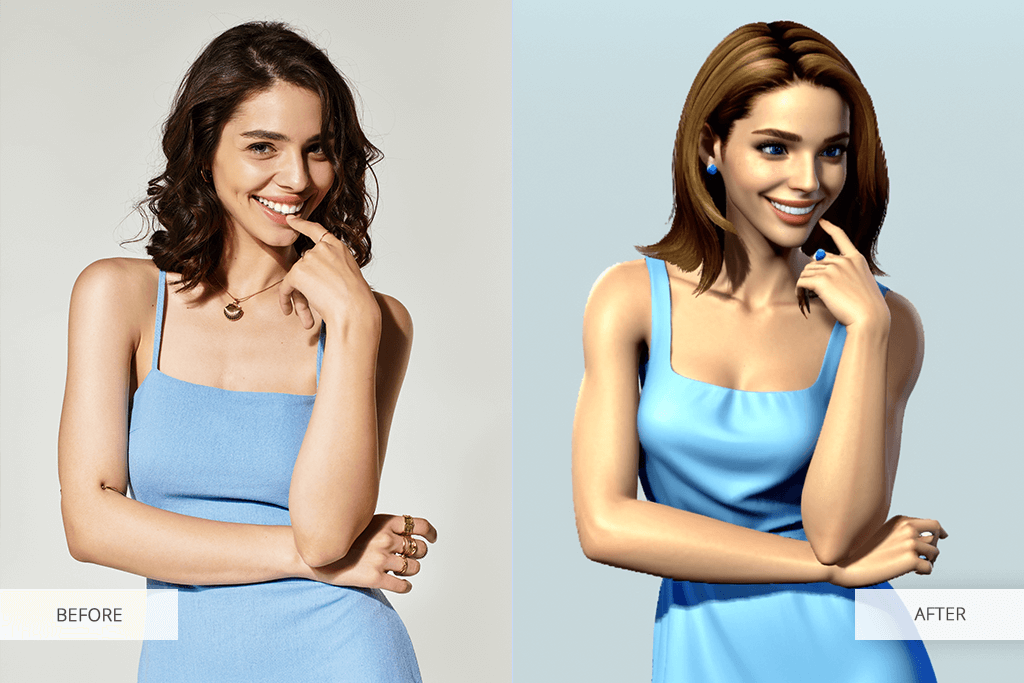
Besides applying the PS2 character filter, you can order other available services. The app has the Bridgerton portrait generator and allows users to add angel wings to their photos as well as perform other creative edits.
Thanks to the short turnaround time, you will get your edited photo in no time. The app is a trusted service popular among casual users and professionals who need to meet tight deadlines.
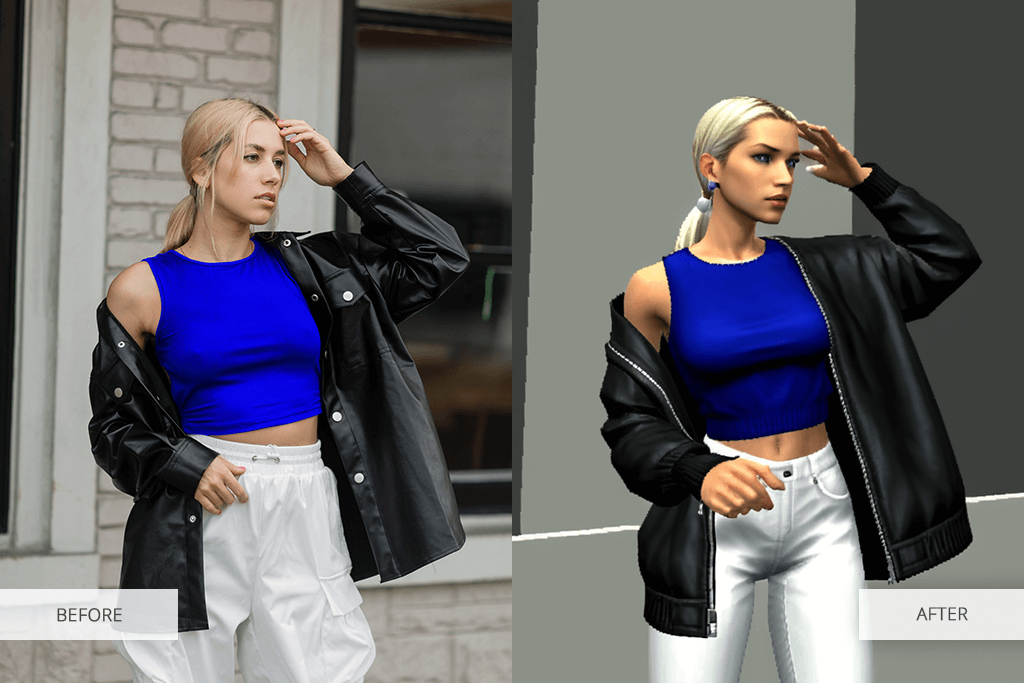
The PS2 image filter is not only a trendy effect. It allows users to add a cinematic feel to their pictures and recreate a nostalgic atmosphere. Here are the main reasons people use the PS2 graphics filter:
It makes it easy to create eye-catching photos. If you want your photos to get noticed on social media feeds, use this effect to make your pics look moody and cool.
It’s an excellent choice for portraits & style shoots. You can apply this PS2 filter online to make skin tones softer and blend hues to achieve a creative effect. It will allow you to enhance your portrait photos, fashion editorials, or cosplay pics.
It recreates a unique gaming aesthetic. If you enjoyed playing on PS2 or prefer the retro game style, this effect will allow you to enhance your photos in the desired style. With it, you can turn your photo into a screenshot from your favorite game with ease.
It is suitable for enhancing photos with Y2K fashion outfits. The PS2 filter will help you enhance photos where a model wears denim, leather, neon, or minimalist outfits. With it, you can recreate the early 2000s style, especially if you use vintage poses or props.
It facilitates achieving an artistic but subtle effect. What makes it different from many popular one-click effects is that the PS2 picture filter transforms the style of your image without distorting it. It maintains the attention on the main subject while tweaking the image settings.
If you want to achieve a moody effect or give your picture a nostalgic feel, the PS2 filter will help you recreate the retro aesthetic of old games. You may also use the professional services available in the Fix The Photo Body Editor & Tune app.
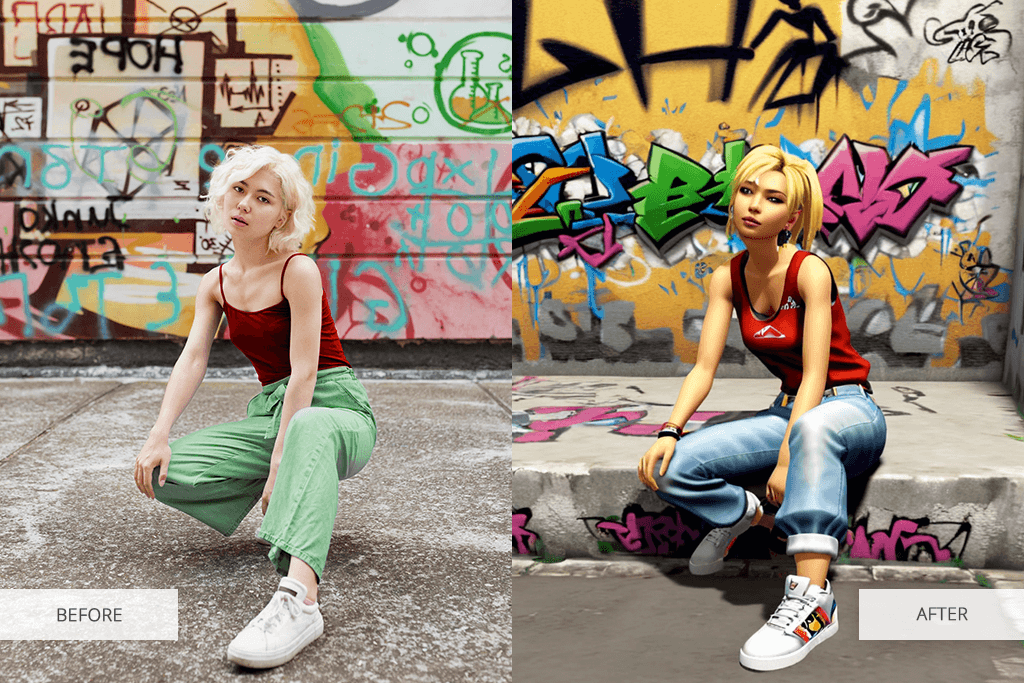
By applying the PS2 filter, you can quickly transform the atmosphere in your photo and make it more nostalgic. However, it might take you a while to achieve the desired effect. I created these guidelines to help you create amazing PlayStation 2 characters like Kratos, Solid Snake, Cloud Strife, Sly Cooper, Ratchet & Clank, and others:
Find the right photo. It’s better to use a clean photo without any lighting issues. Natural light or indoor lighting is the best choice. They will emphasize the PS2 effect that already has a bit muted, pixelated look. Don’t use photos with a lot of shadows or blur.
Choose basic backgrounds. It’s better to use a simple or solid background to emphasize the retro details. The PS2 filter playground will help you enhance portraits with flat color backgrounds or natural views. You may use photos with busy streets, walls, or the sky in the background.
Consider the outfit and styling. You may make your outfit more stylish by recreating a Y2K effect. Wear sporty, grunge, or casual clothes in the style of the 2000s. Denim, track jackets, or massive accessories will give your outfit an authentic feel.
Avoid excessive editing. It’s better to avoid applying any noticeable filters before or after the filter that allows you to replicate PS2 effects. This filter emphasizes textures, highlights subtle color variations, and gives images a soft feel. If you add too many layers, it might degrade the quality of your photo and affect its overall style.
Tell the retouchers more about your requirements. When placing an order in the FixThePhoto app, make your notes more detailed. You may write something like, “Emphasize the details,” “I want to achieve a noticeable PS2 game effect,” or “Apply the PS2 filter following these guidelines.” If you provide more details, it will allow you to reproduce a realistic PlayStation 2 game effect.
Use enhanced photos for creative projects. PS2 filter is perfectly suitable for those who want to create unique album colors, engaging social media posts, stylish lookbooks, or attention-grabbing cosplay photos. You may also experiment with moody expressions and bold poses to achieve the desired effect.
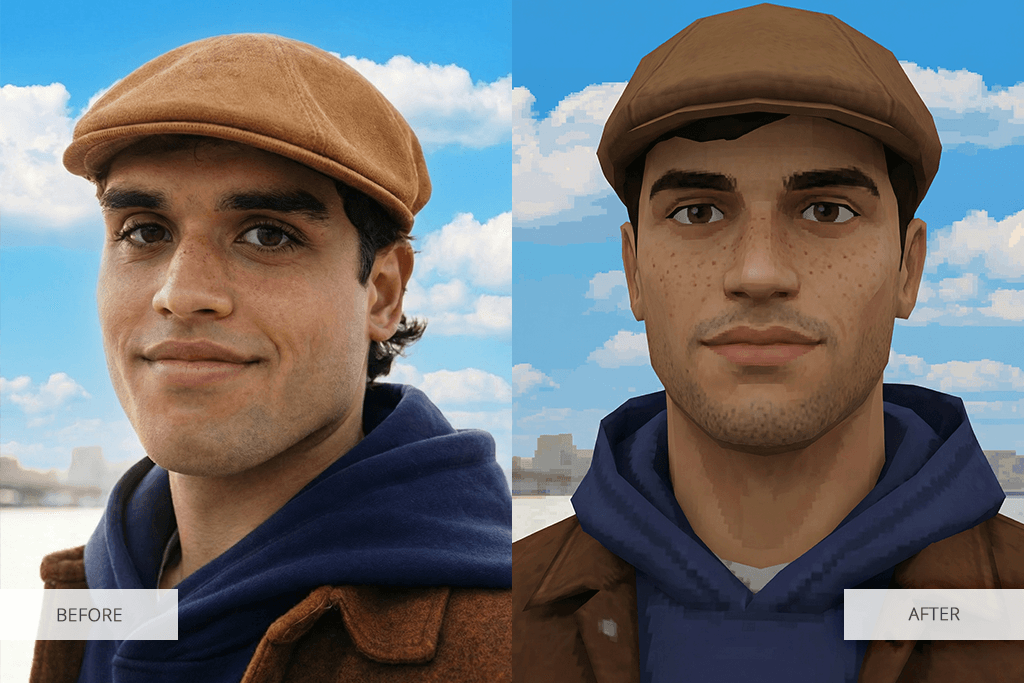
Use the Fix The Photo Body Editor & Tune app to give your photo a retro feel and make it look as a screenshot from a video game. Apply the PS2 AI filter without paying a dime in a few clicks. You can download the app on your Android or iOS device.


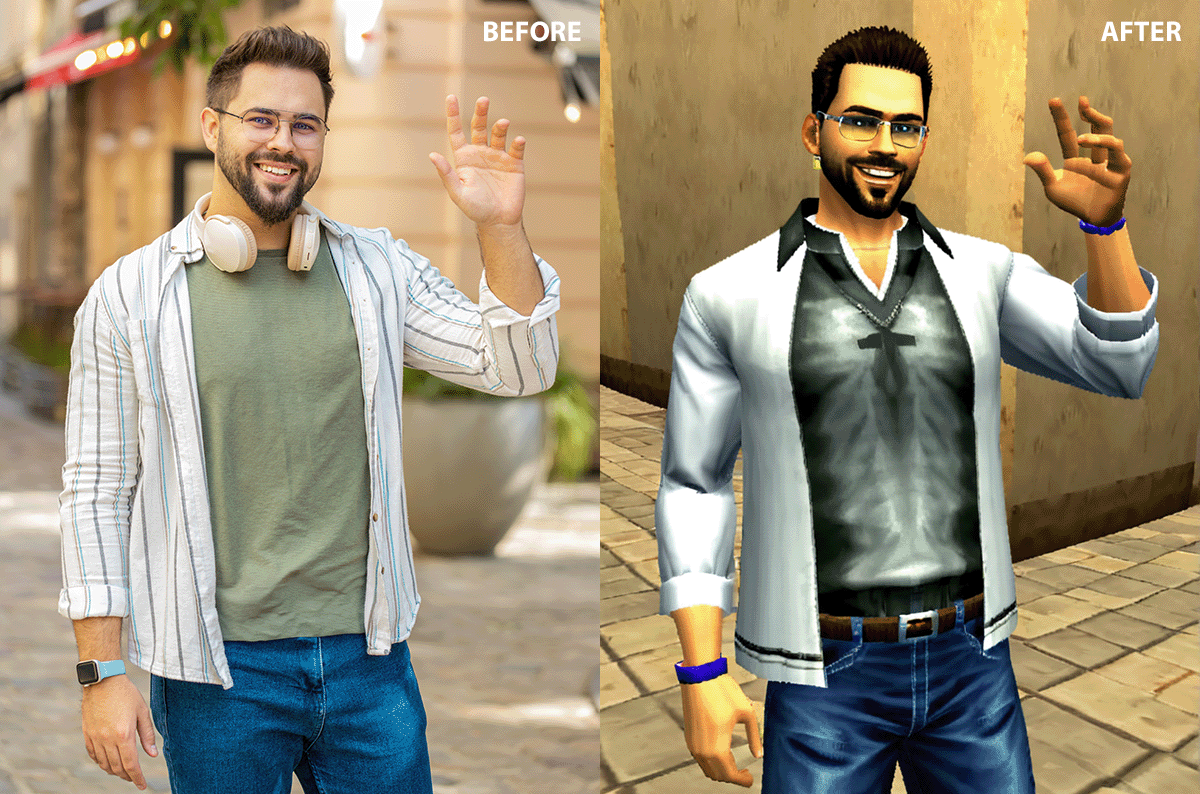
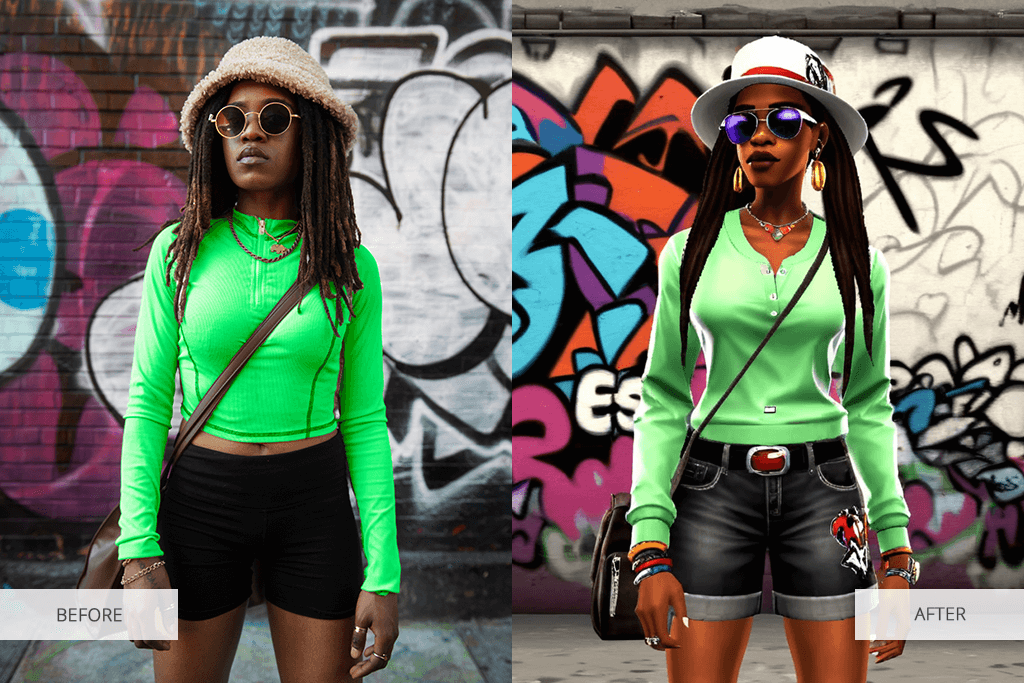
If you want to apply the PS2 filter with high accuracy, it’s important to pay attention to detail to achieve the desired look. The Fix The Photo Body Editor & Tune app offers professional services to its clients. Instead of automatically applying a basic AI PS2 filter, the experienced retouchers will use advanced AI tools and perform manual retouching to achieve the right artistic results.
Most AI PS2 filter apps allow users to apply a simple effect to their pictures. As a result, users get photos that look flat and overly edited. However, instead of relying only on the PS2 filter AI generator, the FixThePhoto experts edit each photo manually, which allows them to preserve the skin texture, tweak lighting, and enhance background elements.
The Fix The Photo team will carefully enhance the appearance of your PlayStation 2 generation character. Before applying the PS2 filter, you can specify your requirements. These professionals can achieve the symmetrical face effect, fix teeth, reshape the face, apply virtual makeup, improve lighting, fix issues with shadows, and remove unwanted elements to enhance your picture.
This professional approach guarantees that your image will look realistic even after the team applies the PS2 filters to it. The app will help you create a high-quality image for social media profiles and editorials. Besides, you can use it to enhance your cosplay photos and express your unique personality.






![Barbie Filter App Online [First Photo FREE]](http://fixthephoto.com/blog/images/gallery/news_main__preview_27852.png)

![DnD Character Art Creator Online [FREE]](http://fixthephoto.com/blog/images/gallery/news_main__preview_25928.png)


















