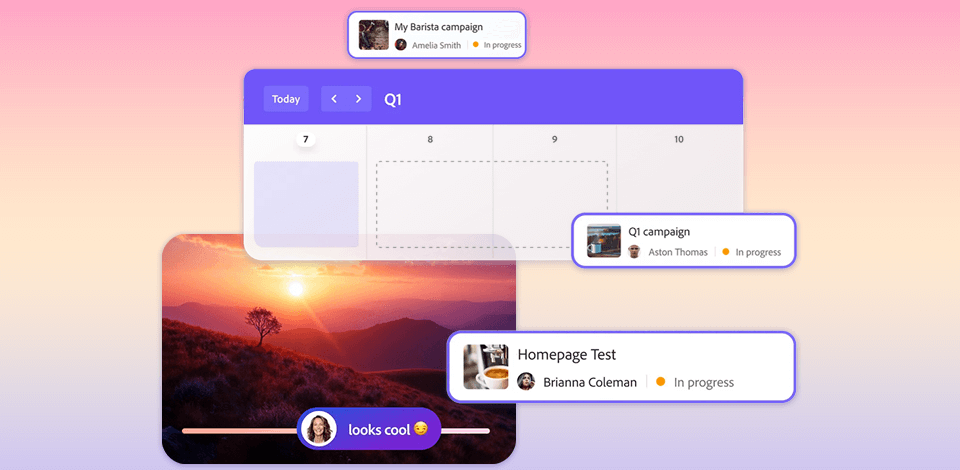
Adobe Workfront is a cutting-edge project management tool. Using it, you can make team collaboration more efficient, expedite repetitive tasks, and keep a close eye on your projects. Primarily, this software was designed for medium and large enterprises that seek improved real-time collaboration, vast integration possibilities, and advanced project management features.
If you want to add this program to your toolkit, it makes sense to conduct in-depth research to analyze its strong and weak points. However, you don’t need to do that on your own. We’ve already collected all the important details.
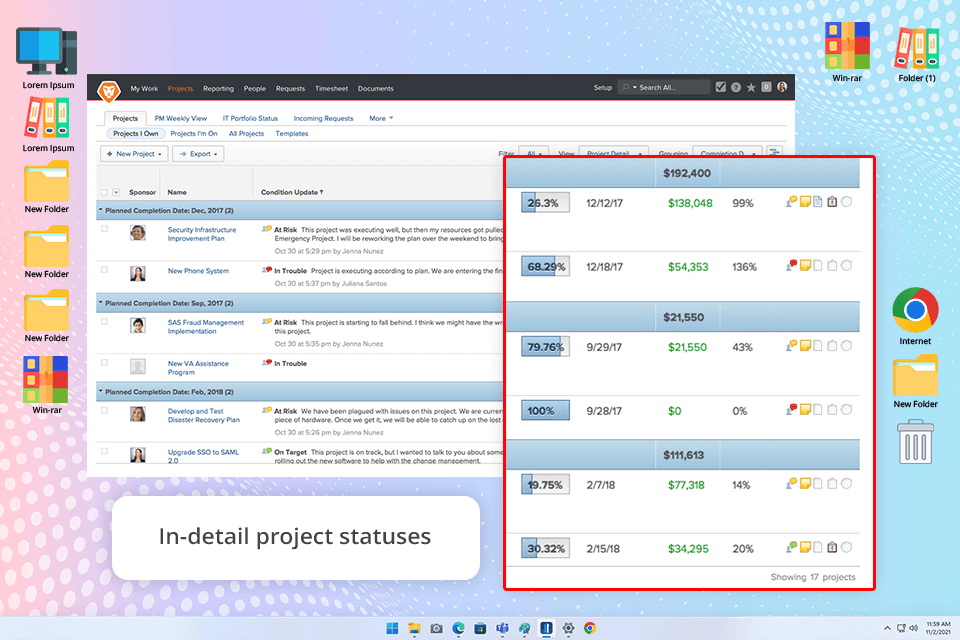
Adobe Workfront is modern cloud-based project management software with tools for managing tasks, resources, and project portfolios in the most efficient manner. It was launched in 2001 and since that time has become a go-to service for many companies.
The software stands out with customizable dashboards, workflow automation tools, and real-time reporting. Besides, handling of deactivated users is much easier with Adobe Workfront, so your team can stay productive and focused all the time.
Adobe Workfront is a great option for businesses that are past the small startup stage and need a strong system to manage projects. Using the provided tools, team members can work together effectively and track every step of a project. Companies from the marketing, IT, healthcare, and finance segments can get the most benefit from this Adobe product.
Recently, the program has been updated. Task management has become even more streamlined thanks to:
“The Catch Me Up was a nice surprise for me. When you take a break from a project for several days, it can be difficult to return to it. By using it, I got a quick summary of the changes made by my colleagues and grasped how to proceed.”

Project and task management. Workfront offers tools to create detailed plans, showing how tasks are related and when they’re due. Therefore, each team member can see the program, handle assignments, and meet deadlines. You can also customize your work processes and automate repetitive tasks.
One of the best Adobe Workfront features is that it helps you prioritize. This free task management software uses a scoring system, so your team can easily see which projects are the most important and work on those first.
Resource management and workload balancing. The program provides real-time information about who’s working on what and how much they have to do. If someone is overloaded, managers can move tasks to other team members. Thus, you can be sure every employee has a manageable workload, which is important when you have a big team working on many projects at once.
What’s more, this free Adobe software allows you to assign several different jobs to a single user. You can also specify a percentage of their time for each role.
Proofing and approval tools. The most popular options are version control and check-in/out functionalities. Team members can review files, add comments, and approve documents, videos, and pictures without resorting to third-party tools. The latest HTML5 proofing viewer makes it possible to collaborate and share ideas in real-time.
Custom dashboards and reporting. One of the most important Adobe Workfront benefits is its customizable dashboards. It is possible to adjust what is displayed on the dashboard and how. For instance, you can get an immediate view of the key project data, performance metrics, resource utilization, etc. In addition to standard tracking, the platform offers:
Integrations and API. Being a modern solution, Workfront smoothly integrates with Adobe Creative Cloud, Microsoft 365, Slack, Jira, Salesforce, and other enterprise software. Besides, it has an open API, meaning companies can connect it with their regular tech stacks.
Mobile app. Workfront is optimized for mobile use. Run it on your Android or iOS devices to keep tabs on the projects, send requests, approve tasks, and communicate with your colleagues on the go.
Adobe Workfront has jumped on the AI bandwagon, similar to many other tools. It integrates with Adobe Sensei, Adobe’s artificial intelligence and machine learning platform. Here’s how AI is used in Workfront:
Predictive work management. The software relies on AI to detect potential problems and risks with a project. For example, AI can evaluate whether an allocated timeframe is sufficient for this type of work or whether the amount of resources is unreasonably huge. The program uses both historical project data and real-time input to deliver objective conclusions.
Smart prioritization & resource allocation. Adobe Workfront AI also helps you figure out which projects should be handled first and how many resources they require. This is very helpful if you have lots of tasks simultaneously.
Automated workflows. AI is particularly beneficial for expediting routine tasks. Besides, it comes in handy for fulfilling those tasks and approving them.
Sentiment & content insights (via Adobe integrations). It is recommended to combine the power of Workfront AI with other Adobe tools, namely, Experience Manager and Creative Cloud. Thus, you can understand how efficient your content strategy is, whether the target audience responds to the call, etc.
Workload balancing & burnout prevention. Distributing workload across all employees is very important. With Workfront AI doing that is easier.
Adobe Workfront is a powerful and feature-rich tool. It can speed up and simplify most tasks creative companies need to handle. Still, you can get such outcomes only if you know how to use the software properly.
Novices may feel it tough to get down to work straight away. In fact, Asana or Monday are easier to master. Fortunately, you can find an Adobe Workfront tutorial devoted to different processes and learn the program step by step.
Each user has a unique role with specific access to see only the information they need. This approach is better suited for large companies, while smaller teams may be worried about workflow transparency. To make the most of Adobe Workfront, especially if you’re in a smaller team, check out Adobe Workfront tips.
As for shortcomings, there is no way to chat inside the program. So, to exchange ideas and comments with your team members, you have to use Slack, Microsoft Team, and similar programs.
There are different Adobe Workflow pricing plans to choose from:
If you want to use Adobe Workfront, you’ll need to reach out to the team to learn the price. They don’t have a standard price list because the cost is based on your specific needs, like how many people will be using it and what features you want. You can also ask Adobe representatives for an Adobe Workfront free trial to see if it’s a good fit for your business.
You can get support for Adobe Workfront in different ways. They provide helpful documents, live training sessions, quick chat support, and step-by-step tutorials. They usually respond fast, but first-time users may spend some time, picking the most suitable support option.
The mobile app support team is very agile. However, if you have a complicated issue, it may take longer than expected because they need to send it to specialists. This method may irritate users looking for a quick fix.
If you don’t want to use Adobe Workfront for any reason, pay attention to these alternatives:
Best for:
Not good for:
You can add deadlines for each task or project in Adobe Workfront. The system will automatically send out notifications, either by email or inside the platform, so your team knows the due date.
Yes, it is. Workfront connects with Outlook so you can keep your tasks, calendar, and updates in one place.
Yes, Adobe Workfront integrates with Salesforce. Thus, it is easier to keep project tasks and customer details in sync.
Yes, it can. Adobe Workfront supports different project styles, including Scrum. You can use sprint planning, backlogs, scrum boards, and other features.
Yes, you can customize the notifications in Workfront to get updates about specific changes or progress in your project.
Yes, there are built-in time-tracking tools that you usually expect to see in purpose-made time management software. Thus, you can see how long you work on specific tasks or projects.
It has tools for sharing files, starting discussions, and editing together in real time.




![7 Best AI Background Generators [Real Tests]](http://fixthephoto.com/blog/images/gallery/news_main__preview_28187.jpg)

![7 Best Fotor Alternatives in {{%year}} [Free & Cheap]](http://fixthephoto.com/blog/images/gallery/news_main__preview_27745.png)
![8 Best AI Video Translators in {{%year}} [Reviewed & Tested]](http://fixthephoto.com/blog/images/gallery/news_main__preview_27947.jpg)



















