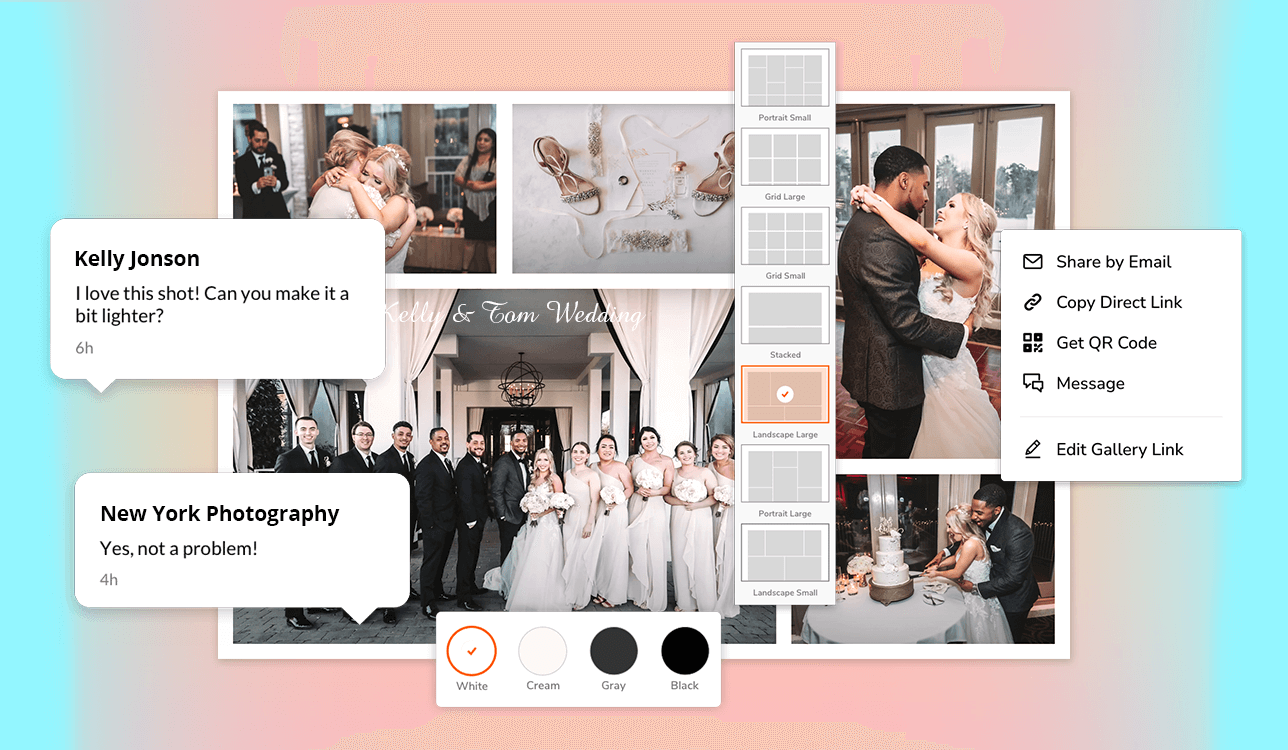
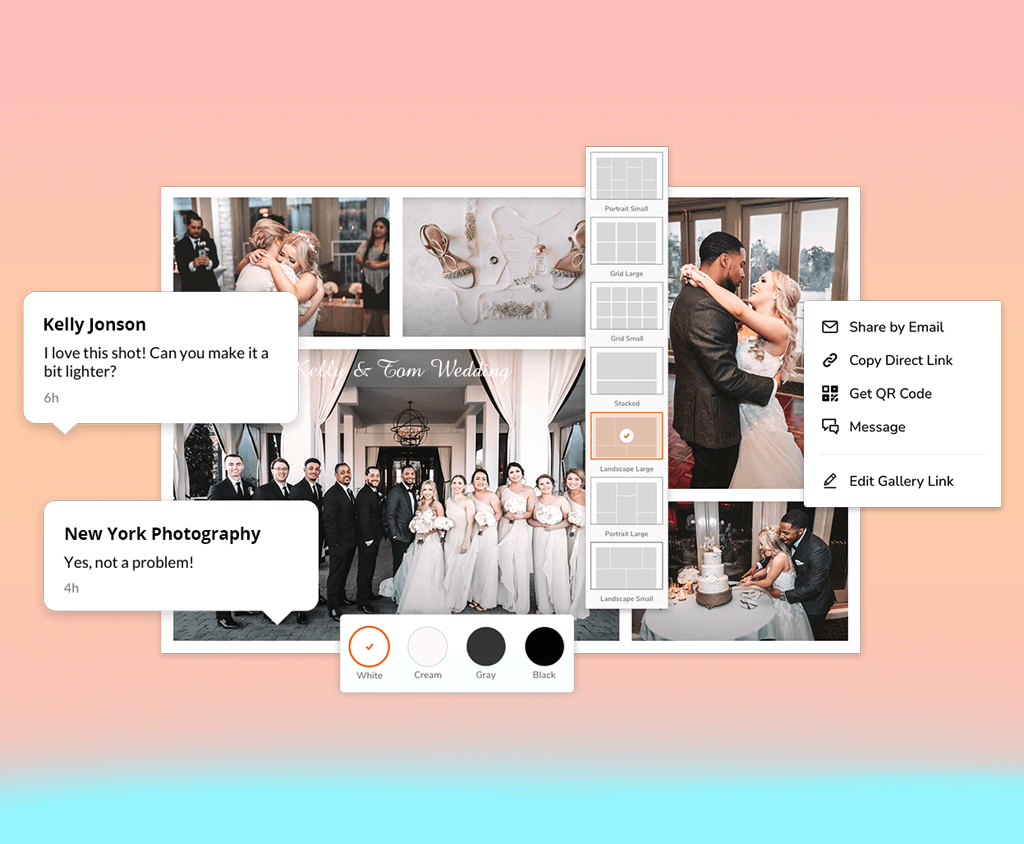
I’ve devoted many years to my photography occupation, and I know that having effective client proofing tools is a must. It doesn’t matter whether you prefer gallery-based systems or online platforms, the main thing is that such tools can cut down on administrative work and elevate the client experience. Put simply, client proofing is a streamlined way to present selected images to clients. They can flick through files, leave comments, and choose their favorites. Such tools are important because they improve communication, eliminate confusion, and ensure clients feel actively involved in the process.
Working with the FixThePhoto team, I often communicate with our clients and subscribers. One of the most common questions I get from beginner photographers is: “What’s the best way to send photos to clients?” They’re usually looking for something secure, professional, and easy to use. So, I decided to write this guide together with my colleagues. We reached out to seasoned pros engaged in various photography genres and tested today’s top proofing platforms to pick the best client proofing tools for photographers.
Before using specialized client proofing programs, I relied on email to share images and get feedback. It was chaos because of lost files, mixed-up versions, and unclear comments. Now, everything is easier and faster.
Clients leave comments directly on the photos, and I get perfect instructions right away. For example, after a recent wedding shoot, I finished the album in just three days, compared to the two weeks it used to take. It was possible because I was able to hash out everything with clients efficiently.
One of the biggest surprises for me was the boost in print sales. Before, maybe 1 in 4 clients would order an album or wall print. But once I leveraged client proofing for photographers and added online galleries where people could easily order prints right as they viewed their photos, that number nearly doubled. It turns out that when it’s simple and fast, clients are way more likely to hit “buy.”
Moreover, I feel so much more relaxed these days. With a centralized client proofing system, I've forgotten about repetitive emails like, “Can you send that link again?” or “I think I liked the other version better – can I see it one more time?”. Now, communication is quick, and my clients are clearly more pleased with how the work is organized.
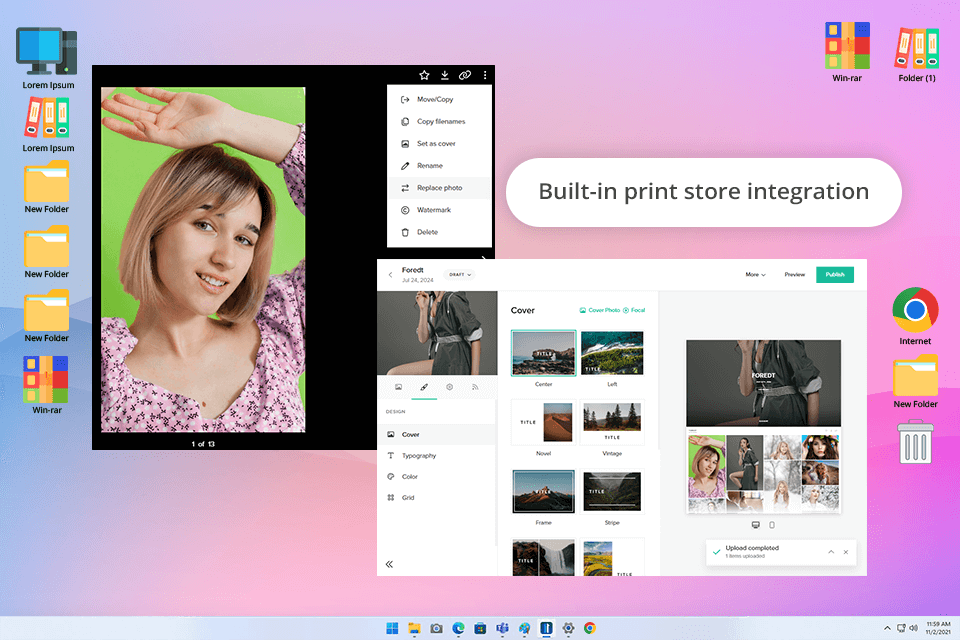
We held a team vote to determine the best client proofing site for photographers. Pixieset easily came out on top. Personally, I use it regularly to build sleek galleries after a shoot, arrange photos into collections, add watermarks, and let clients pick their favorites.
I decided to test it by uploading around 150 RAW-to-JPEG conversions into a new gallery. I quickly added a watermark through Pixieset’s interface and sorted the images by location. In just a few minutes, I had a neat and minimalist gallery ready for sharing. The client could indicate pictures she liked the most, and I immediately saw her feedback.
If you are going to start a photography business, Pixieset is a fantastic pick. Its free plan will surely come in handy. In addition to the basics, I checked out additional features, including contracts and invoicing. Still, the proofing gallery is the highlight of the platform. It is incredibly easy to navigate. The only disappointment is the price for unlimited storage. But if you’re not dealing with huge galleries every day, the 1 TB plan will likely do the trick.
Price: free version or from $8 per month.
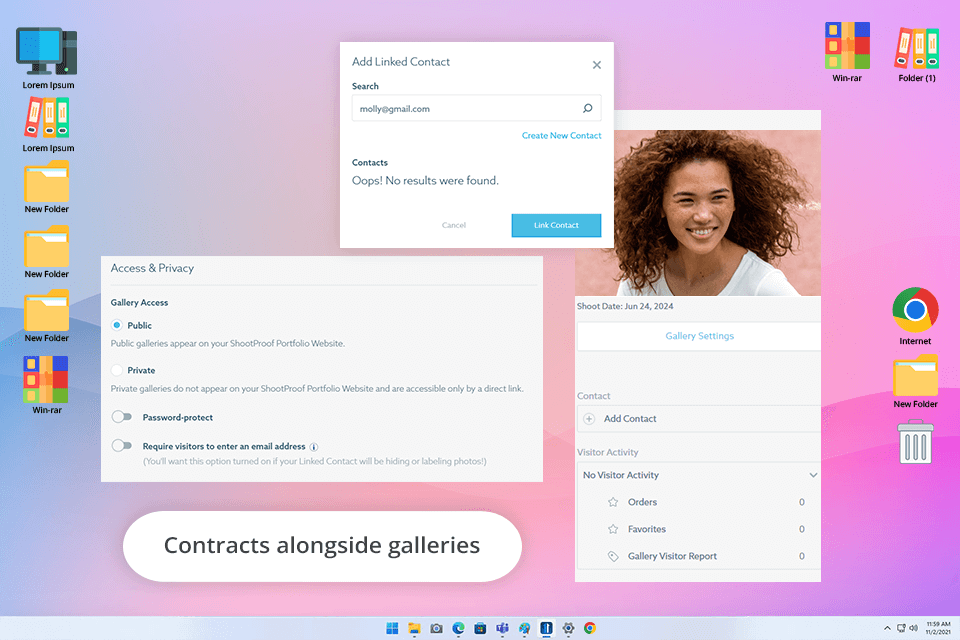
If you’re looking for a tool that ticks all the boxes when it comes to client proofing, ShootProof is the one I swear by. It can satisfy both beginner and experienced photographers because it brings proofing and business tools together in one package. I’ve used it to deliver wedding galleries, create vendor albums, and even send contracts. Yes, it can replace several separate apps.
Another advantage of this client proofing for photographers software is a Lightroom plugin. I connected it with my workflow and was able to export 350 retouched portraits straight into a new gallery. When I made a few skin tone tweaks after the upload, the changes automatically synced to the gallery. This is amazing. Moreover, I’ve set up photo printing services within the gallery, so clients can order high-quality prints directly. They did appreciate such a possibility.
Still, everything can’t be perfect. For instance, the dashboard navigation disappointed me. Sometimes, I need to spend several minutes to locate a specific feature. However, functions aimed at clients are amazing. What’s really great is that ShootProof keeps adding new features. Recently, the program was upgraded with slideshow music and contract templates. Thus, it feels that the platform will always cater to my business needs.
Price: free version or from $10.99 per month.

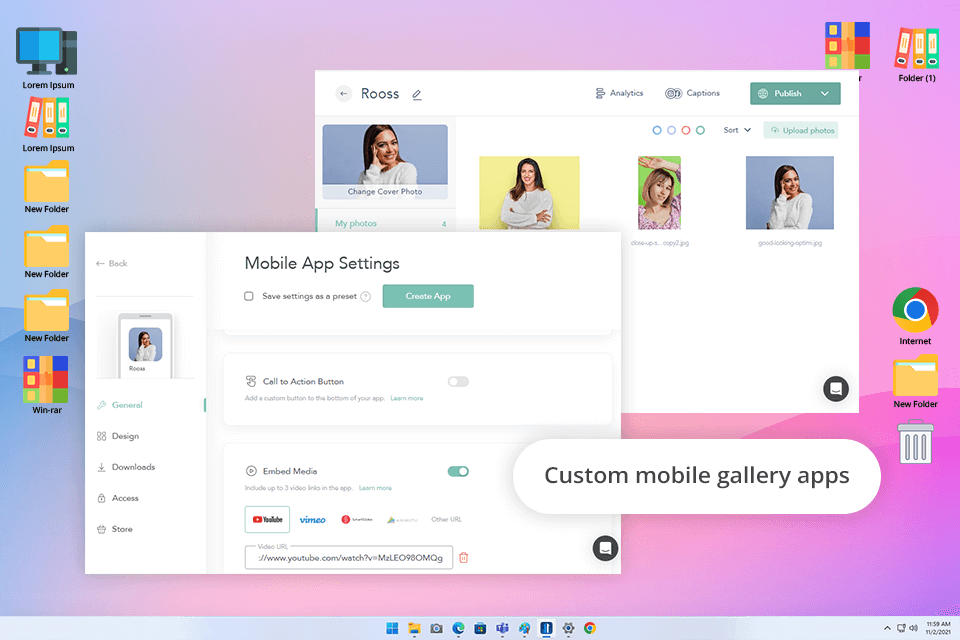
When looking for the best printing service for photographers client proofing and sales, I was truly amazed by CloudSpot. The platform has a clean and up-to-date design, complemented by pre-made gallery styles. I added my own branding for a personalized look. The process was quick and intuitive. I uploaded a set of wedding photos, put my custom watermark and a video link in.
I set up e-commerce and added Apple Pay to make checkout. Also, I gave people the option to buy either single digital files or the full bundle. The first orders appeared that very day. This was one of those rare moments when my photos sold themselves. So, if you want to make money with photography, you can’t miss this platform.
Augmented reality previews were fantastic. Clients could visualize wall art right in their space, and that was the final push they needed. Some of them ended up ordering framed prints after seeing how awesome they looked on their own walls.
I’d love to give CloudSpot a top score, but the no-RAW-files policy holds it back. I crave more flexibility in my workflow. This is particularly true for editorial or commercial clients who occasionally want to peek at high-res RAW files before making final decisions. But if you mainly work with JPEGs, CloudSpot is one of the easiest platforms for clients to navigate and use.
Price: free version or from $15 per month.
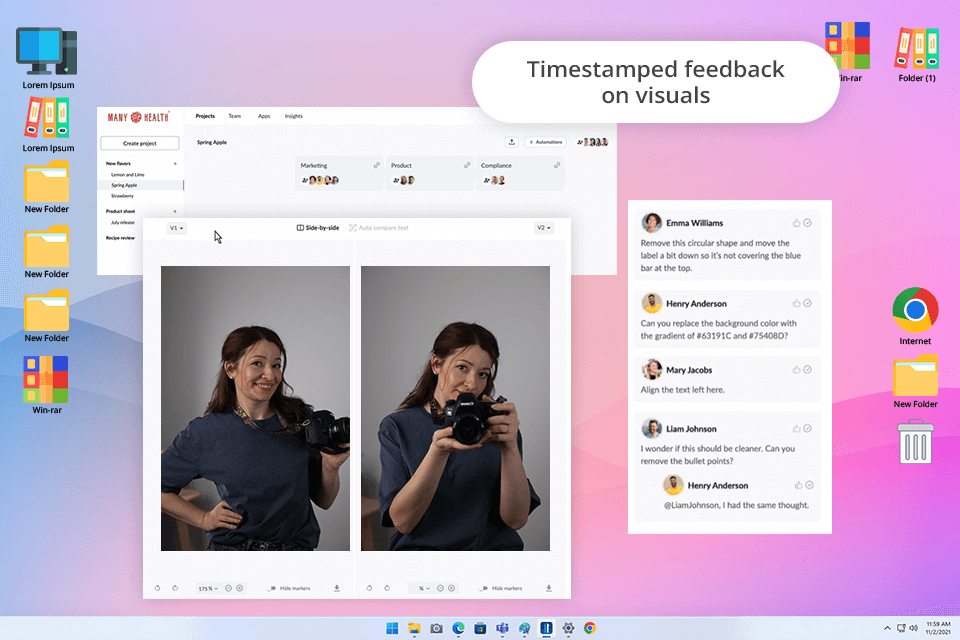
I didn’t expect Filestage to be useful for photography. However, it surprised me in the best way. I was working on a commercial shoot that required several rounds of retouching. I needed a tool to collect clear, visual feedback from a client. So, I tried Filestage. I uploaded the first batch of color-corrected JPEGs in virtually no time. The client was dropping comments like “make this area brighter” right on the images. It was simple and fast. Moreover, it eliminated the need for back-and-forth emails.
I also like how neatly Filestage keeps every version under one roof. I had three rounds of revisions. Each round was clearly marked and easy to track. Instead of juggling multiple files, I worked with a single package.
You don’t need a degree in computer science to master this client proofing tool. The interface is simple, clutter-free, and works seamlessly in your browser. When you’re knee-deep in feedback rounds, this online collaboration software expedites most processes. The pricing leans more toward agency budgets, so if you're flying solo or running a small studio, it may feel a little heavy on the wallet.
Price: free version or from $113 per month.
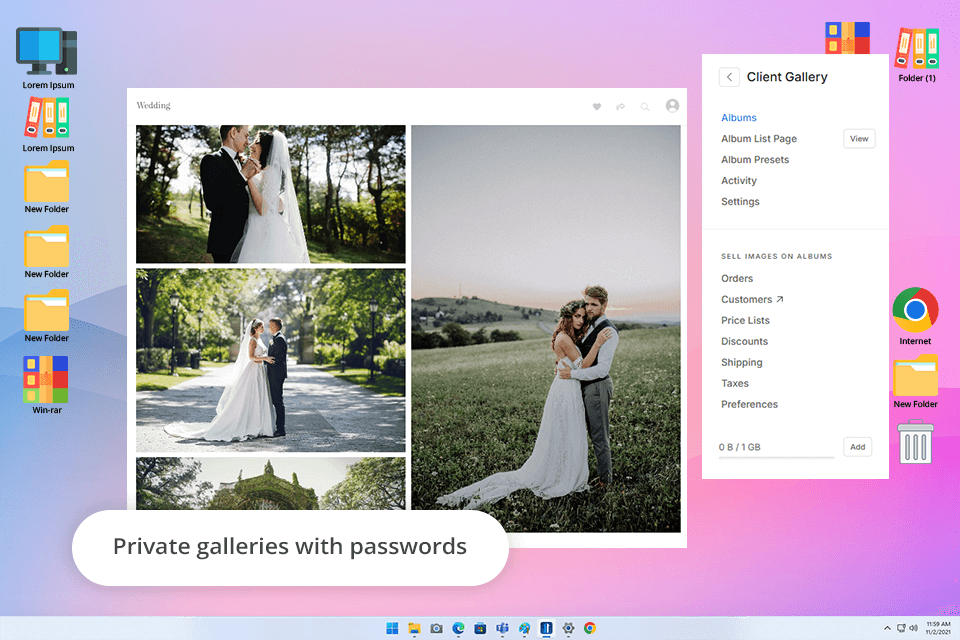
I discovered Pixpa thanks to my colleague Eva. She frequently uses this free client proofing for photographers when she handles wedding images. Her verdict was short - “It just works”, and I couldn’t agree more. The platform is easy to use, even for beginners, letting you build elegant, professional-looking galleries. I also like privacy options. Users can add password protection and disable downloads to keep client content 100% secure.
I tested the professional plan and immediately understood why my colleagues like it so much for building online stores and image galleries. The process was fast and beginner-friendly. But what really makes Pixpa special is the absence of transaction fees. This is a big advantage for photographers looking to earn from their work without losing a chunk of their income.
As for shortcomings, the design templates are somewhat restricted. Moreover, the editing interface can feel a bit clunky at times. But unless you're a perfectionist, Pixpa delivers where it matters. It offers a clean, pro-grade setup to display your portfolio and sell images without breaking the bank.
Price: from $8.10 to $4.05 per month, a free trial is available.
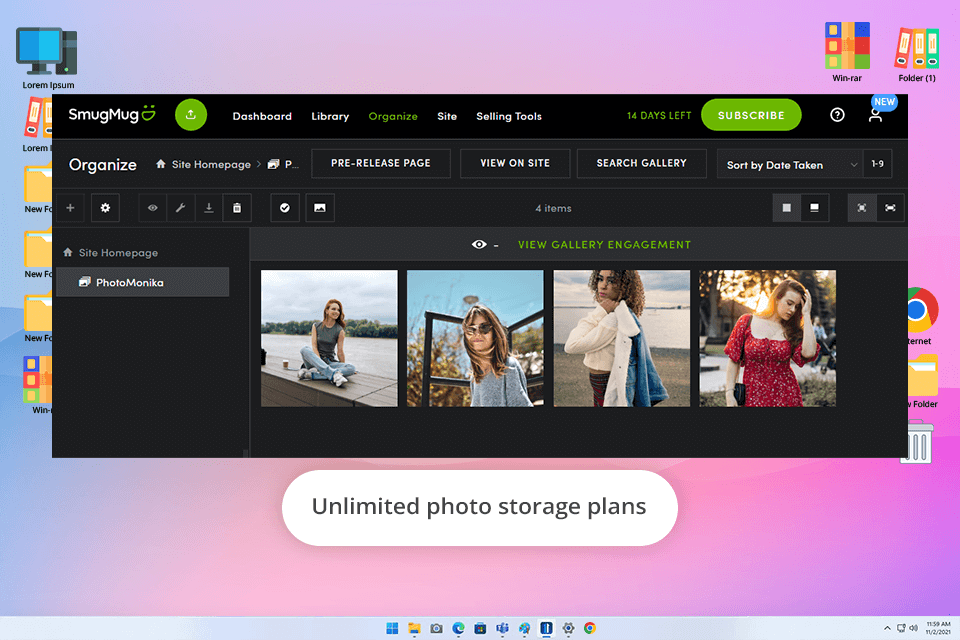
I came across SmugMug when I decided to get serious about my photography portfolio. I wanted more than a site that looked nice. At that point, I was looking for a platform that let me proof photos with clients, sell prints, and keep all my files and transactions well organized. SmugMug surprised me pleasantly. You can tell it’s built with photography needs in mind. There are templates that showcase your work beautifully, unlimited storage, and Lightroom integration.
What I love is that clients can easily access the gallery, view every image in full quality, heart their favorites, and even buy prints. All operations are performed in one place thanks to SmugMug’s print lab integration. Besides, the galleries are optimized for mobiles. When it comes to digital downloads, namely, watermarks, privacy settings, and delivery, the processes are automated.
One thing to note is that SmugMug’s design options are a bit rigid. While the templates are clean and modern, there’s not much wiggle room to make them personalized. Plus, with no free tier, you have to pay upfront. That could be a sticking point if you’re just starting or comparing several tools.
Price: from $25 per month, a free trial is available.
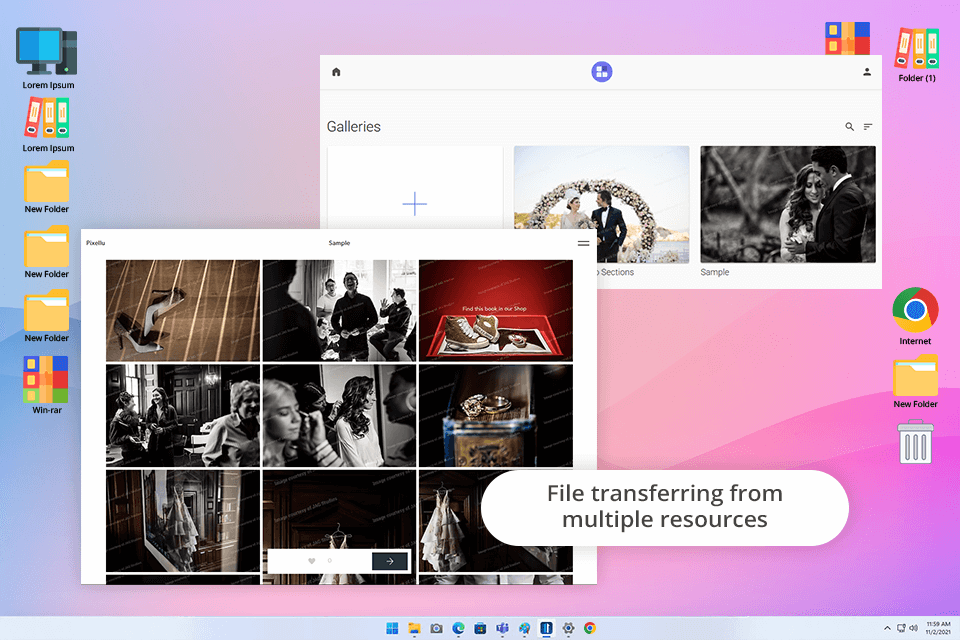
Pixellu’s galleries are beautiful and customizable. I was impressed by them from the get-go. To my mind, this is an ideal option for heartfelt family sessions or stylish wedding collections where presentation counts. Another advantage is limitless storage. Plus, with Google Analytics baked right into my plan, I could track client engagement.
I also decided to try SmartSlides by Pixellu to turn a newborn shoot into a slideshow with the vibe of a photo album. It was surprisingly quick - just 15 minutes. I picked a song, popped in the photos, shuffled the order a little, and got an amazing result. I sent the mobile-ready link to the client and received many complimentary words. If you’re into portraits or weddings, it’s a no-brainer way to leave a lasting impression.
Still, there are a few things to keep in mind. Pixellu doesn’t have a built-in online store. So, if you want to sell prints straight from your gallery, you’d better select a different tool. Moreover, the platform doesn’t offer a vertical video option. This is limiting if you want to create Stories and Reels.
Price: from $8 per month, a free trial is available.
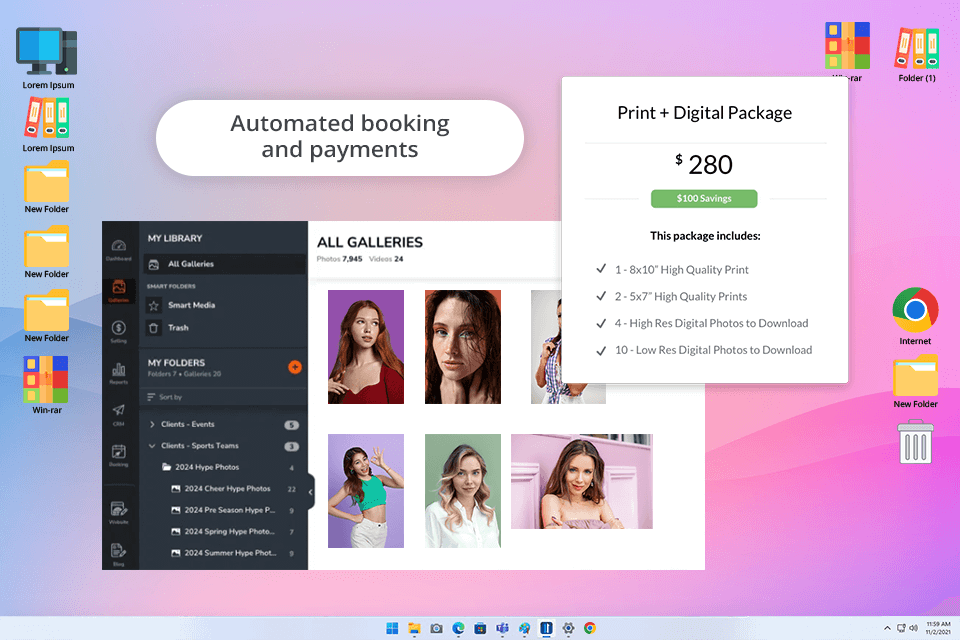
For quite some time, I’d been hearing fellow photographers sing the praises of Zenfolio, especially for managing client galleries and handling bookings. When I decided to run a test for the best client proofing site for photographers, I tested this one. It was immediately clear why it's considered such a reliable all-in-one solution. Setting up my first client gallery was easy thanks to the ready-to-use templates and mobile responsiveness.
What really caught me off guard with Zenfolio was the storage situation. It's not exactly “unlimited”. I used the entry-level plan and saw that the cloud storage for photos was fairly limited. I had to get picky about what I uploaded, especially with bigger wedding galleries. As for templates, they really look stylish, but customizing their layouts is impossible. So, don’t expect to create a bespoke showcase for your clients.
All things considered, if you’re a photographer looking for an easy way to showcase, sell, and deliver proof prints in one place, you may opt for Zenfolio. Just remember, though, that as you use it more, storage limits may become an issue. Besides, you have to put up with limited customization options.
Price: from $9 per month, a free trial is available.
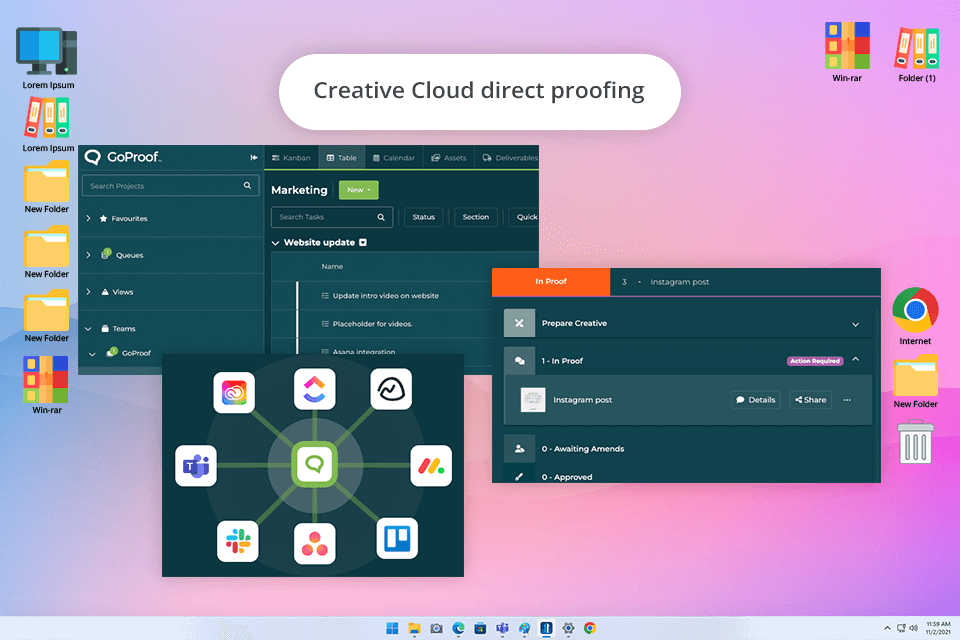
GoProof offers an incredibly helpful organization. You can find statistics, projects, and feedback right on the main page. Another advantage is the variety of markup tools. There are simple highlighters, rulers, question marks, and more. Thus, you can quickly grasp what your client implies.
One of the best features is the real-time commenting. Using it, you can exchange information with clients promptly. Besides, you can take advantage of the free Adobe Creative Cloud integration. It is particularly beneficial for creatives who want to save time and work directly in the software they already use and love.
However, I have to admit, the comparison mode disappointed me. While it was easy to switch between versions, it wasn’t the most intuitive setup. People who are used to checking reviews side-by-side will dislike it. The user management system also seemed a bit tricky.
Price: from $159 per month, a free trial is available.
I wanted to thoroughly test and rate each client proofing tool, so I simulated my average process of delivering photos. I uploaded complete galleries from my latest wedding, family, and portrait sessions to see how clients would interact with them. I paid attention to whether they could see the photos, make selections, add comments, and download their files. For every tool, I created a full gallery, customized its look, and sent test links to a few of my regular clients. I asked them to specify whether it was easy and intuitive to use these tools.
When we tested these tools, we determined several main factors. We checked how fast the photo galleries showed up, how good and professional they looked to clients, and how easy it was to manage settings. We checked whether clients could easily mark their favorite photos, download pictures, and add comments. It was really important that the tools could handle large, high-quality photo files without making them smaller, which is especially important for print. We also tried out the shop features to see if it was easy to connect with photo labs and order prints.
We also paid close attention to how well each gallery worked on mobile. Since most people use portable devices for different tasks, we tested these tools on an older iPhone and a basic Android tablet. I also explored the admin side of each tool, evaluating how easy it was to set up, if it could integrate with online photo storage, and if it was possible to add my own logo and style.
When selecting the top client proofing tools for photographers, we concentrated on two main things. First, what the clients would see in the end, and second, how much time it would take me to deliver a finished, high-quality gallery to them.





![Stable Diffusion Alternatives [1 Prompt – 9 Competitors]](http://fixthephoto.com/blog/images/gallery/news_main__preview_28384.jpg)
![7 Best AI Wallpaper Generator Tools in {{%year}} [Reviewed & Tested]](http://fixthephoto.com/blog/images/gallery/news_main__preview_28192.jpg)

![7 Best AI Icon Generators [Not for Designers Only]](http://fixthephoto.com/blog/images/gallery/news_main__preview_27831.jpg)


![Fat Maker for Photos Online [FREE]](http://fixthephoto.com/blog/images/gallery/news_main__preview_27731.jpg)


















