I began my search for the best AI image detector after noticing how frequently AI-made pictures started slipping into my workflow without me even knowing it. As someone who constantly works with content created for online platforms, a large part of my duties involves examining pictures submitted by contributors. Sometimes the images look too “perfect,” so I wanted to find a dependable solution to determine if they were made by humans or generated by AI. It wasn’t just about curiosity, but also about credibility and licensing issues.
My project dealt with an entire series of editorial articles and sponsored posts that both demanded authentic imagery. We needed to follow specific guidelines: stock images were supposed to be properly licensed, and AI-made imagery had to be disclosed or not included at all. I wanted to find an AI image detector that could easily examine imported photos and provide a dependable score or explanation on their origin. Precision was paramount as well as transparency, as I needed to know why a specific example was flagged as an AI creation instead of simply being presented with a yes-or-no result.
The key factors for choosing reliable AI picture detectors were simple but mandatory. A proper solution needs to support high-resolution photos, be compatible with a wide range of formats (JPEG, PNG, WebP), and process images without compressing them. It should also be capable of identifying imagery generated by most popular models and not a single platform. Speed is important too, as I often go through over a hundred photos a day, so spending multiple minutes on a single upload is impractical.
I prioritized solutions that offer both metadata and visual pattern analysis. I performed multiple tests on each tool – using an AI-generated portrait, a heavily edited photo, and an untouched DSLR picture to compare the results. The best AI photo detector had to reliably identify AI patterns while keeping genuine images unflagged.
To avoid wasting time on testing, I asked my colleagues from the FixThePhoto team for help. Together, we prepared a list of tools that were recommended by forum users, Google search, and ChatGPT, and then evaluated all of them based on the parameters I mentioned previously.
Verifying image authenticity. Probably the biggest reason why people employ AI image checkers is to learn if a specific picture is real or made by AI. This is particularly relevant for journalists, editors, and publishers who need to verify authenticity before publishing content.
Preventing misinformation. AI-produced images are frequently used to share fake news or misleading narratives. Some people depend on AI image detectors to check the authenticity of viral images before posting them on social media or sending them to friends.
Content moderation. Platforms, forums, and online communities rely on such solutions to identify or flag AI-generated imagery that goes against posting rules or demands labeling. This allows preserving transparency and community trust.
Copyright and licensing checks. Designers, agencies, and businesses employ detectors to find AI-generated photos that might have murky or restricted usage rights, allowing them to bypass potential legal and licensing problems.
Academic and research integrity. Professors and researchers use AI image identifiers to find AI-produced visuals in assignments, presentations, or research materials, facilitating academic transparency.
Brand safety and advertising compliance. Marketers employ such tools to make sure ads meet platform regulations that demand disclosure of AI-generated images or prohibit certain uses.
Stock photo and marketplace validation. Marketplaces and stock photography websites depend on detectors to check submissions, making sure clients know if the content they’re buying is manmade or generated by AI.
Legal and forensic analysis. In legal, investigative, or forensic contexts, AI image detectors facilitate authenticity validation, which is essential when reviewing evidence or working on a case.
Personal reassurance. Regular users can take advantage of such a tool to check their suspicions. For instance, they might want to learn if a profile picture, illustration, or viral photo is real or made by AI.
Internal content audits. Businesses can check their image libraries to find AI-generated imagery that might require labels, updates, or replacement.
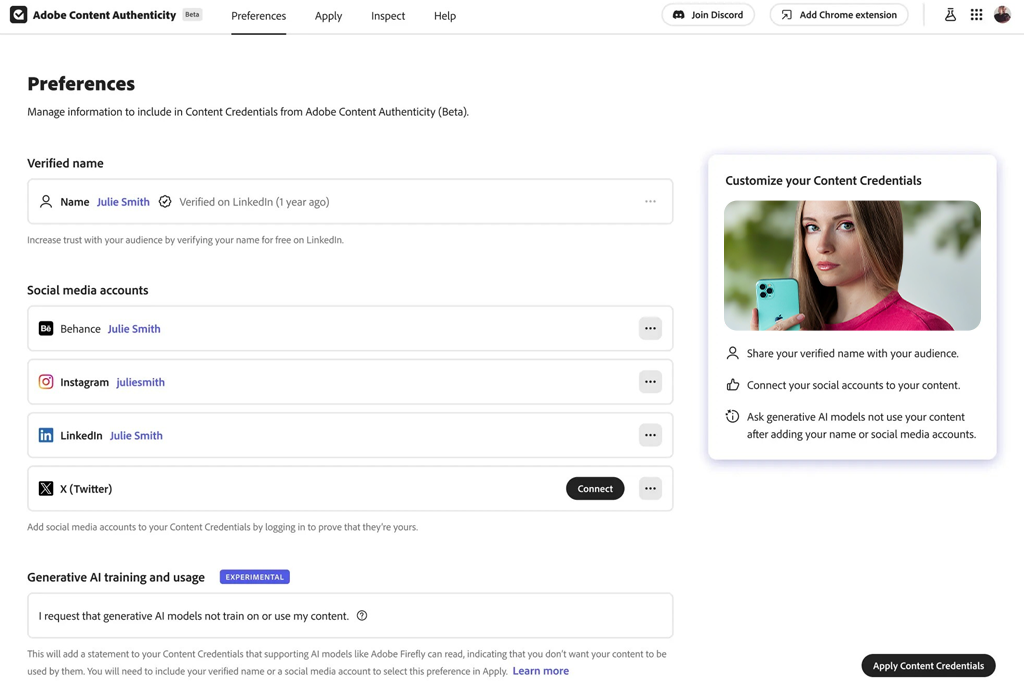
I tried Adobe Content Authenticity’s AI image detection functionality when working on photos sent for an editorial project that required full disclosure of AI involvement. Rather than importing photos for visual analysis, I verified if they contained Content Credentials metadata. If an image was edited or created with the help of Adobe tools like Firefly or Photoshop’s generative functionality, the software clearly showed that information. This helped me instantly figure out if AI was involved, without any guesswork.
For my test, I imported three images: one made with Adobe Firefly, one retouched in Photoshop, and one raw DSLR picture. The first two were properly marked with AI use, while the camera image displayed clean metadata. The main benefit is the transparency, as this tool allows me to see how and when AI functionality was applied. This is perfect for editorial compliance and internal audits.
“I primarily deal with editorial images, so I wanted to find a solution I could actually rely on. I appreciate the fact that this tool doesn’t rely on guesswork, but instead lets me know where the photo or illustration came from and how it was created. If the credentials are available, the answer is fact-based, not random. It helps me feel more confident in my work compared to when I used probability-based detectors in the past.”

This solution stands out because it isn’t probability-based. It prioritizes verifiable origin data, which is the more dependable approach for professional needs. The biggest drawback is that it can’t identify AI content that was generated outside of paid or free Adobe software.
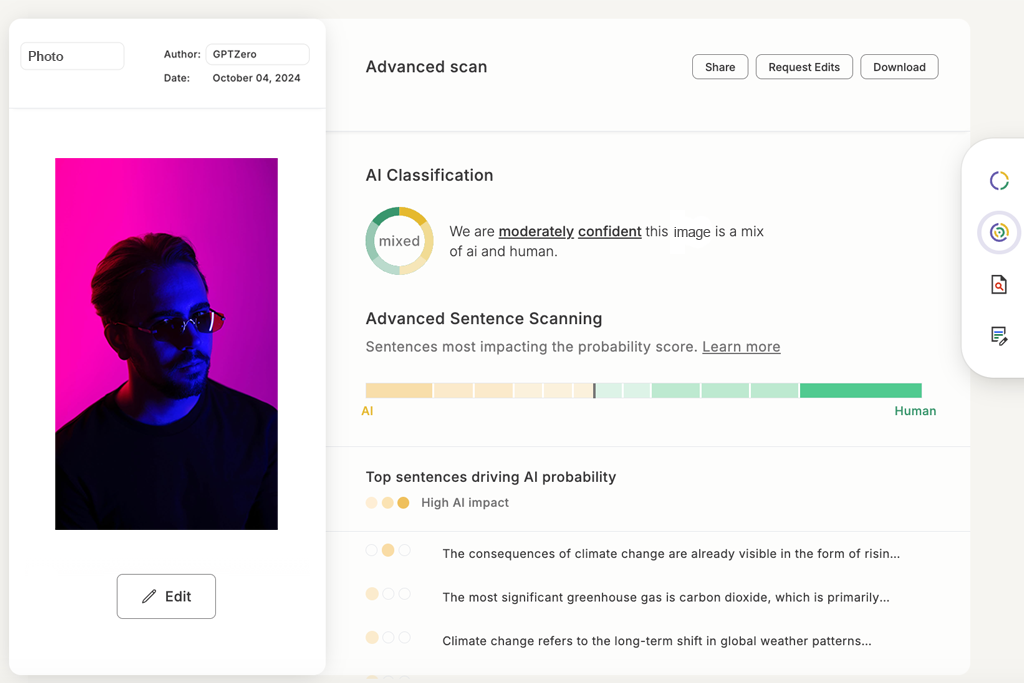
I initially decided to test GPT Zero to check if it could help me answer the question "Is this image AI?” when dealing with photos associated with AI-generated content. In this case, I was working on a task that required me to examine submissions for an editorial platform, which frequently featured images with captions or text that could be AI-generated.
I imported three picture sets with relevant AI-made text, covering social media posts, stock-style images, and graphics that featured AI captions. GPTZero identified the posts with AI text, and even though it didn’t directly examine the photos, it did a great job describing which content likely involved AI generation.
“This solution has very high standards, which I liked. I used it for both AI portraits and real images, and it identified the AI-made ones very quickly. It did mistakenly flag some edited photos, but those cases were in the minority compared to how many times this solution helped me.”

To verify its dependability, I purposefully mixed actual photos with AI-made captions. GPTZero marked them as highly likely to be AI-made, which meant I had to give those pictures another closer look. Meanwhile, authentic images combined with human-made captions didn’t receive any false positives.
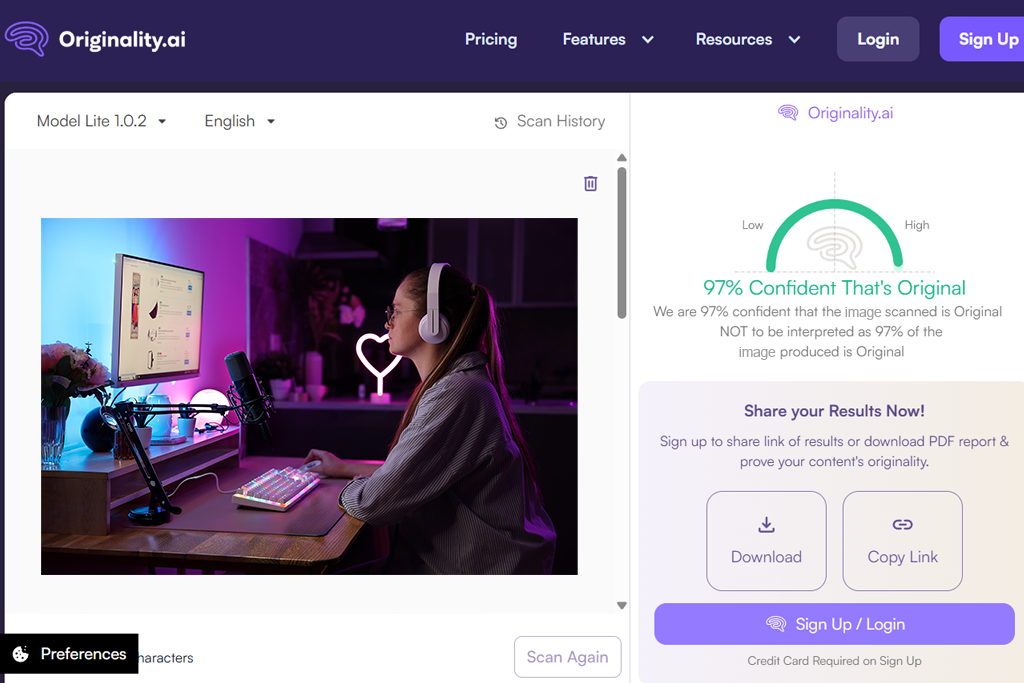
I used Originality AI to examine contributor pictures that looked too polished. The import process was fast, and I instantly received percentage likelihoods for all my images. I tested this platform with an AI portrait, a stock image, and a heavily retouched photo. The AI portrait received a very high score, while the real photo was properly marked as human-made.
I liked the confidence breakdown system, which goes into detail on why a picture could be made with an AI image generator. This allowed me to explain editorial decisions rather than having to depend solely on my intuition. Originality AI is good at processing high-resolution images without compressing them.
“I initially employed it for text, but decided to check how it handles images as well. Importing them was simple, and the results were calculated in no time. It’s highly accurate when processing obvious cases, but has more trouble with realistic photos. Better suited for initial analysis rather than final verdicts.”

That said, borderline cases got moderate-probability scores, meaning it was up to me to make the final call. It’s not a yes-or-no tool, but it can help you assess your risks. If you need an AI photo detector for content moderation needs, then this solution should be right up your alley.
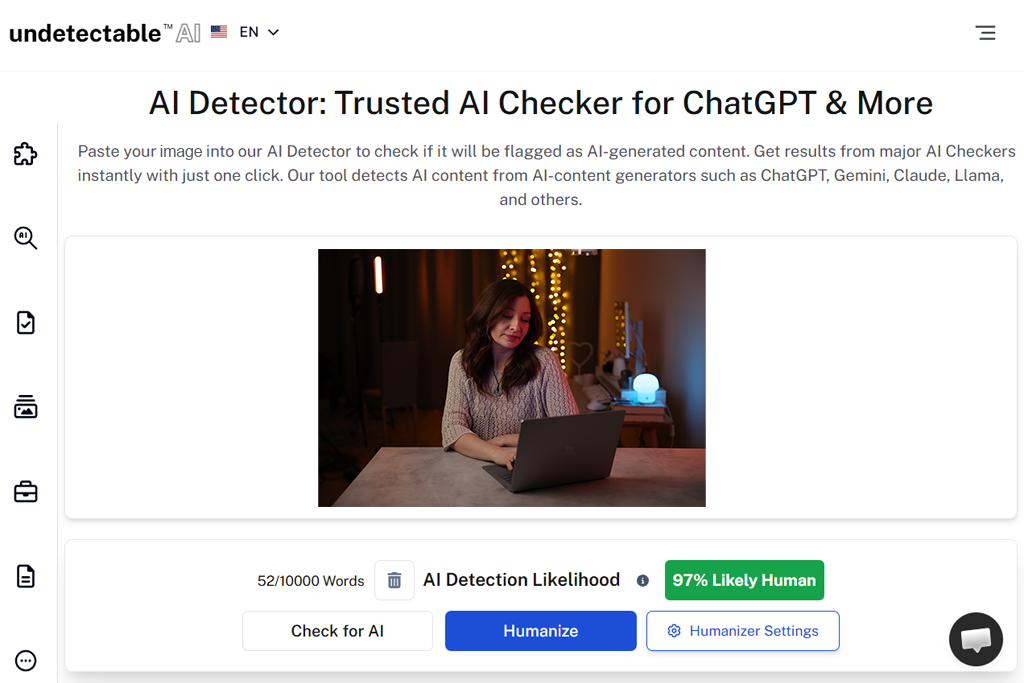
I used Undetectable AI on photos that were made to emulate real professional photography, including AI-produced portraits and landscapes. I wanted to check if it can recognize realistic AI renders that look staggeringly similar to actual DSLR images. I imported six AI-made pictures that featured people in natural settings and cityscapes, and Undetectable AI calculated a moderate-to-high probability of their AI origins.
The UI of this AI photo checker is pleasantly straightforward, and the results are calculated quickly. I especially like that this option doesn’t flag heavily enhanced real photos, ensuring editorial teams have an easier job handling mixed-quality imagery. For instance, an actual photo I retouched in Photoshop received a low score, proving that UndetectableAI is good at figuring out the difference between AI and human edits.
“I used this solution on photos that were meant to “fool” detectors. It impressed me with how well it managed to recognize patterns in faces and backgrounds. I wouldn’t use it as the end-all tool, but it can be very helpful in determining which photos look suspicious. The intuitive UI is also a huge plus.”

What helps set this platform apart from the rest is its batch processing functionality. UndetectableAI allows you to import several photos, both generated with AI and photos taken by my colleague, simultaneously, which is essential when handling dozens of submissions for blogs or website articles. This is extremely time-efficient and helps cut down the manual workload.
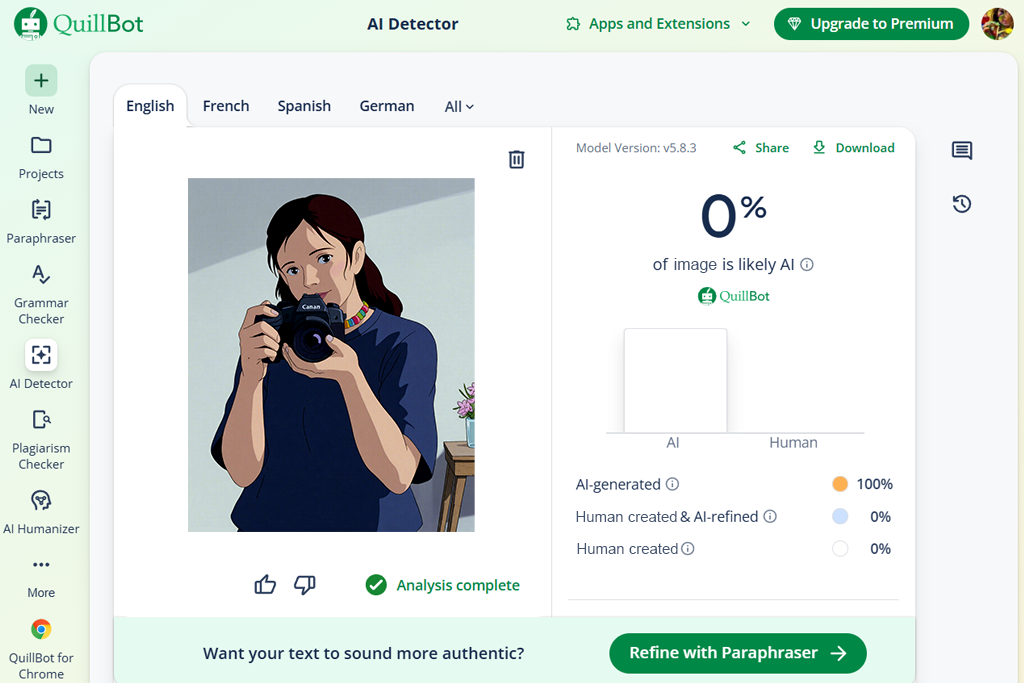
While QuillBot is mainly advertised as a text solution, I also wanted to test its AI detection functionality by uploading images with textual content that I’ve received in my editorial submissions. I imported three image-caption pairs, multiple of which had stock images with text generated by AI. This platform marked two of the three pictures as AI-related, providing a probability score and a breakdown on why the caption possibly had an AI origin.
I appreciated QuillBot’s ability to showcase text-image inconsistencies, allowing me to verify if a photo might have been AI-made or seemed suspicious. For example, one AI portrait with human-written text passed, while an infographic that was AI-generated with a free infographic maker with a correlating AI caption was flagged instantly.
“This solution isn’t exactly a perfect fit for images. I used it on social media content and received mixed results. Some AI-generated photos were identified properly, while others weren’t detected. I view QuillBot as more of an assisting tool than my go-to AI picture checker.”

QuillBot prioritizes content consistency over visual examination, which is why it serves best as an extra verification tool when analyzing projects that include both imagery and text. If your workflow often includes captioned photos and illustrations, then this is a great solution to add to your toolkit. Otherwise, I recommend sticking to more specialized options.
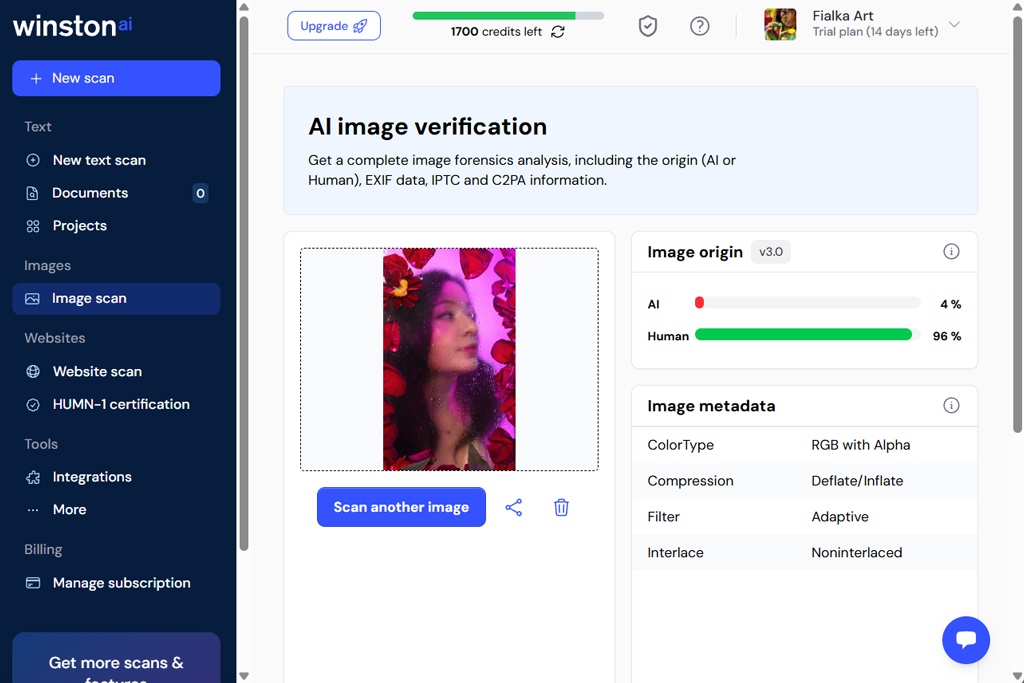
I employed WinstonAI as an AI image detector to examine a bunch of AI-made portraits and landscapes. The process was quick and convenient: I imported the photos, and the platform delivered a confidence score and a visual heatmap showcasing which image areas triggered the AI detection algorithm. This feature can come in handy when processing complex photos that feature crowded streets or forest scenery.
I’m also thankful for the visual breakdown that helped me understand why a specific image could be flagged. For instance, an AI-made portrait of a woman with an intricate hairstyle and patterned clothing suffered from a few inconsistencies in texture, which is how I realized the reasoning behind the algorithm's decision. Actual photos received low-probability scores, proving WinstonAI’s dependability.
“I appreciated the detailed explanations provided to me by the platform. Most alternatives simply generate a score, while WinstonAI makes it easy to understand why it suspects AI use even if you’re not tech-savvy. I used it for landscape and portrait images, and it tackled both task types impressively well. A great find for users who need to review photos daily.”

Additionally, I appreciated the batch import functionality, enabling me to process several images, both real ones and ones made with the help of AI art generators, quickly, while still receiving a proper explanation for every photo. This is a perfect fit for my daily workflow that involves examining hundreds of images for editorial approval.
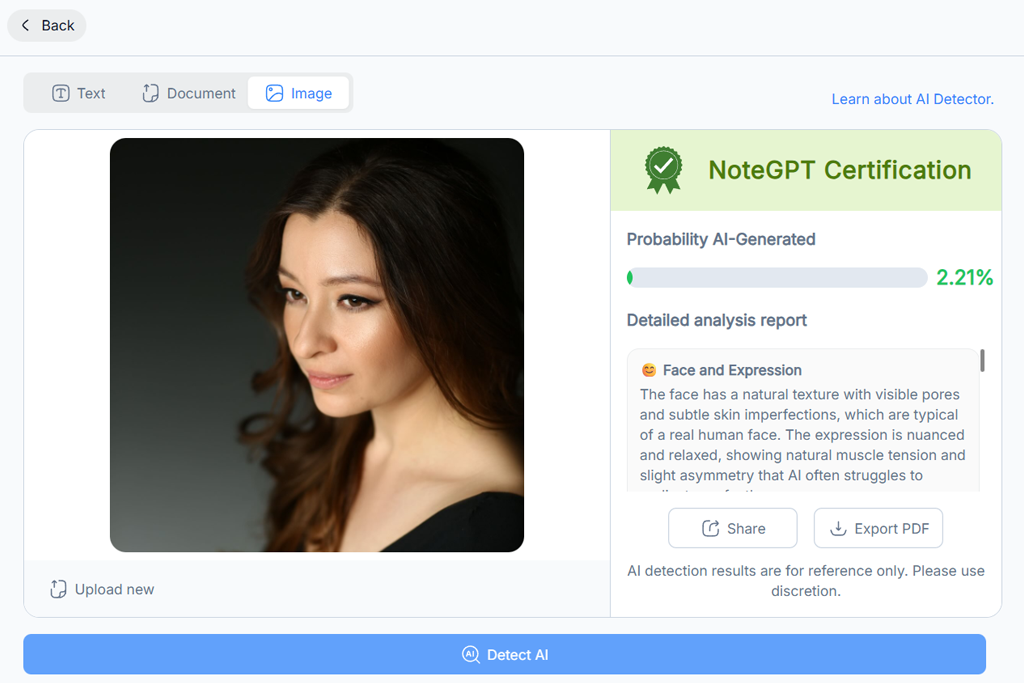
NotGPT isn’t as visually oriented as the average free AI image detector, but it can still be useful for analyzing presentations and reports. It marked pictures that likely contained AI-made summaries or captions, letting me know that I should inspect them more thoroughly. I imported three presentations: one entirely human-made, one created with AI assistance, and one completely AI-generated. This solution managed to properly identify all AI-related images.
NoteGPT excels at analyzing patterns in content usage and context, instead of simply focusing on pixels. For instance, charts and infographics made with AI but presented with human-written text were still flagged since the platform recognized metadata patterns.
“My initial expectations were quite low, so I was happy to see how great NoteGPT is at dealing with AI-generated images. The results are presented clearly, making it easy for me to share them with my coworkers. A great option for quick checks.”

I think it’s a particularly efficient option for academic and business use, where AI-generated content might not be visually obvious but can still hurt authenticity. NoteGPT is fantastic when going over large collections of materials submitted for research or editorial projects.
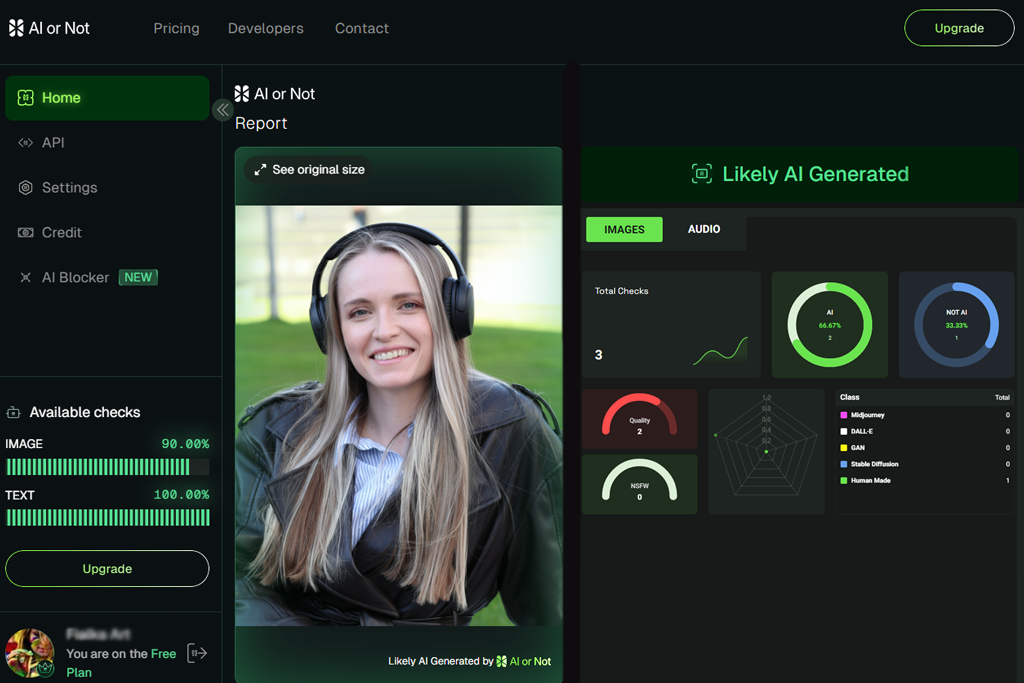
I initially used this solution's AI-generated image detection functionality to verify a set of contributor photos for an editorial project. I imported multiple photos, and AI or Not instantly calculated a probability rating for every image, letting me know the likelihood of their AI origin.
An AI selfie I imported received a high score, while an authentic landscape shot received a near-zero probability result. Next, I analyzed a photo that I edited in Photoshop, and it got a low score, meaning minor retouching doesn’t lead to false positives. The results are calculated quickly and are easy to understand, which is ideal for reviewing images before publishing them.
“This is a pleasantly intuitive solution. Import the photo, wait a couple of seconds, and receive a concise answer. I like the user-friendliness and how accurate the results are, particularly when analyzing clean, unedited images.”

I’d also like to highlight the color-coded scoring system, which makes it easy to understand the result without a more detailed review. Lastly, the capability to copy the results into reports for editorial review can also be very handy.
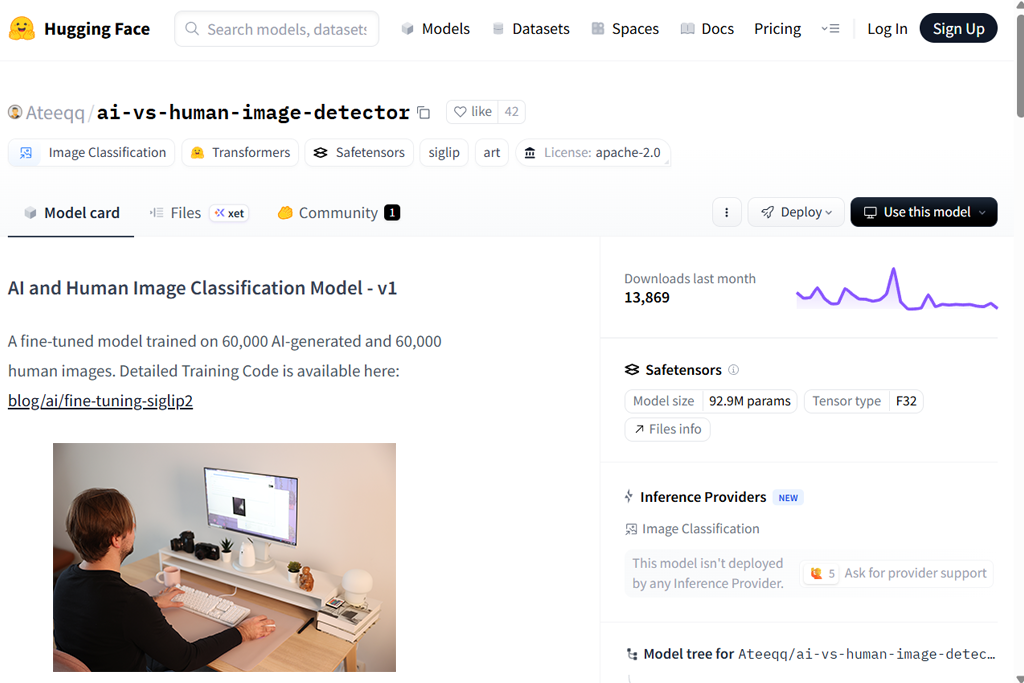
I tried Hugging Face since it offers multiple AI detectors for images, allowing me to explore different directions. I imported a collection of AI-made landscapes, GAN portraits, and actual photos to test the available models. The dependability of the results is largely determined by the quality of the model, but overall, this platform did a great job marking AI images.
I particularly appreciate how flexible Hugging Face is. It allows me to pick a model, adjust the thresholds, and test edge cases. For instance, a diffusion-based landscape photo received a 90% score with one model but just 70% with another. This made me keep in mind how important model choice is with this solution.
“This resembles a research platform more than a market-ready product. It helped me with several edge cases. The results can sometimes be questionable, but Hugging Face helped understand how detection models function. Advanced users can get a lot more mileage out of this tool compared to beginners.”

Another benefit of Hugging Face is that it can be integrated into scripts and batch workflows. This way, you can analyze dozens of photos simultaneously without having to import each one manually.
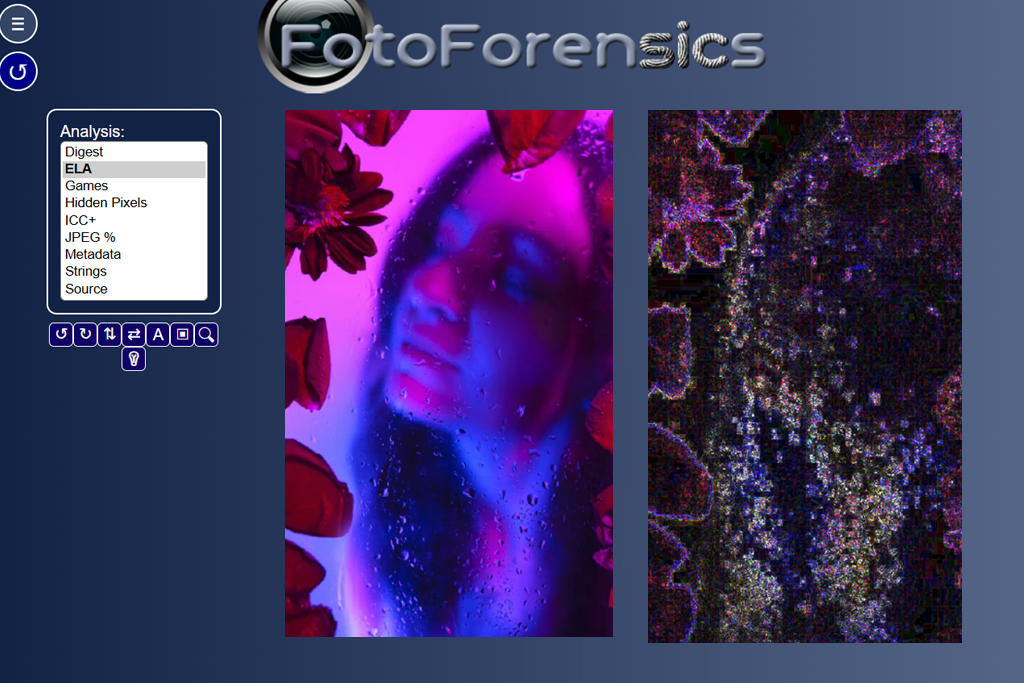
Foto Forensics deserves its name, as using it does feel like being in a forensic lab while asking yourself, "Is this image AI?” Rather than providing AI/not-AI probabilities, it delivers Error Level Analysis (ELA), metadata, and compression artifact maps, which you can employ to analyze multiple test images. I imported an actual photo, an AI-made portrait, and a dramatically edited stock photo to study the provided ELA maps.
The AI-generated portrait had unnatural uniformity of the noise and compression patterns, while the real photography featured realistic sensor noise. While Foto Forensics didn’t definitely declare “Made with AI,” the visual cues were evidence enough once I understood them. That’s why this is a great choice for investigative and important editorial situations.
“I employ Foto Forensics whenever I want to examine photo details more closely. Rather than letting me know if it’s AI or not, it allowed me to analyze the metadata, compression, and edits. It’s a great tool for investigations, but it’s not suitable for quick checks.”
The metadata analysis feature can help you determine the creation software and timestamps. If the AI photo was made outside of the Adobe ecosystem, the metadata remains mostly empty, which is a huge sign of its synthetic origin.
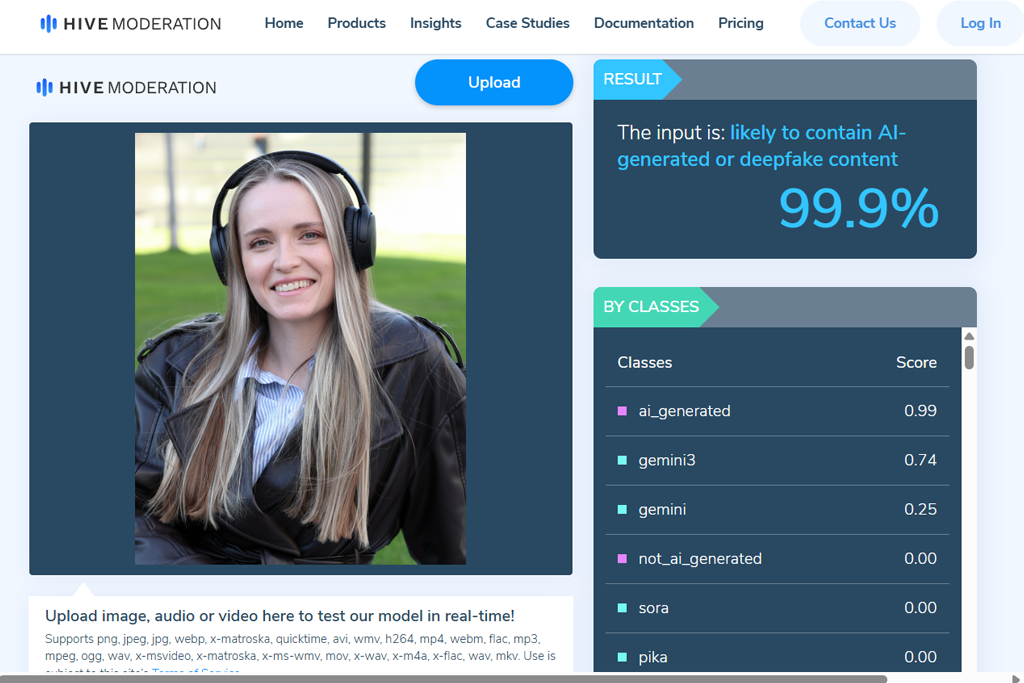
Hive Moderation was first used for an extensive content review scenario. I imported dozens of pictures from several contributors simultaneously to check how this solution tackles batch processing. This AI art detector marked AI-made imagery with handy probability scores, while also delivering clarifications for different kinds of content, which is very useful for editorial workflows.
The main selling points are efficiency and scalability. For instance, I examined over 50 pictures in less than five minutes, while getting detailed scoring that helped me figure out which photos needed a second look. Hive Moderation is a great pick for users interested in fast content moderation at scale.
“This solution is primarily suited for moderating visual content at scale. I imported entire folders of photos while enjoying highly consistent results. It helped me identify tons of AI-made images that weren’t flagged by other tools. Hive Moderation is great if you’re often handling large volumes of content.”

I appreciated the provided API integration, which helped me import results straight into our company’s internal review dashboard. This did wonders for saving time on doing menial tasks.
Our mission with Kate Debela, Robin Owens, and Tani Adams was to figure out both whether a solution could detect AI images and how reliable and applicable its results were in real-world scenarios.
We put together a flexible test set that contained fully AI-generated portraits, AI-made landscapes, actual photos, and significantly edited human-made images. Some of the AI images were generated with the help of the most popular platforms, while others were received from contributor submissions with questionable origins. Each tool was put through the same set of images to guarantee consistency. We examined how accurately each solution flagged AI photos and how frequently it delivered false positives on real photos.
Throughout the testing process, Kate Debela prioritized evaluating the result clarity and explanation quality, verifying if the AI image detectors offered logical reasoning behind their scores. Robin Owens examined detection precision on difficult cases like photos with light retouching or compression from social media platforms.
Tani Adams focused on workflow efficiency, checking aspects like upload speed, batch processing, and export or reporting features. Platforms that delivered highly accurate results with easy-to-understand explanations received higher ratings from us.
The difference in quality between the various options can be quite staggering. The most reliable AI image checkers marked AI-made visuals while letting actual photos through, even if they were noticeably edited or resized. Additionally, we discovered that platforms that only show probability scores aren’t as dependable as the tools that also offer metadata analytics.



![11 Best Jasper AI Alternatives in {{%year}} [Reviewed & Tested]](http://fixthephoto.com/blog/images/gallery/news_main__preview_28888.jpg)

![12 Best AI Flyer Generators [Online & Free]](http://fixthephoto.com/blog/images/gallery/news_main__preview_28910.jpg)
![9 REVE Alternatives with Better Results [Free & Paid]](http://fixthephoto.com/blog/images/gallery/news_main__preview_28905.jpg)


![7 Best YouTube to MKV Converters [{{%year}} FixThePhoto Choice]](http://fixthephoto.com/blog/images/gallery/news_main__preview_28907.jpg)


















