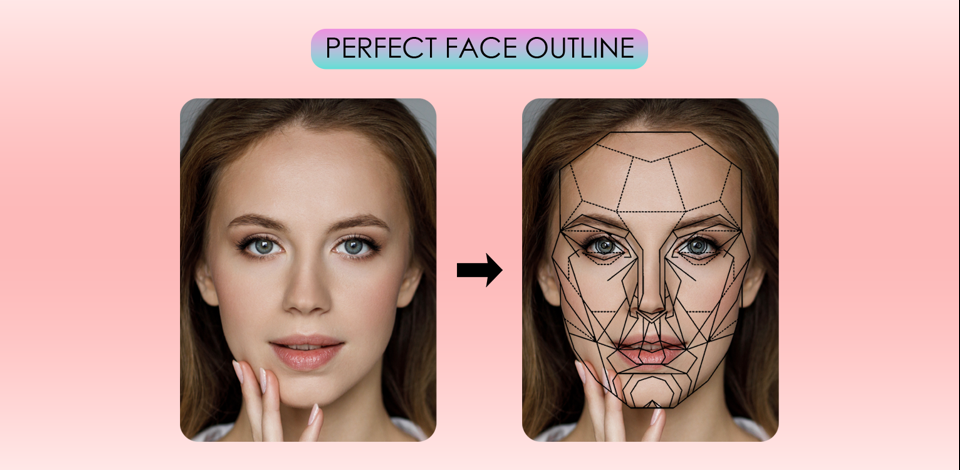
As a professional retoucher at FixThePhoto, I’ve spent a lot of time perfecting facial features to create natural but stunning portraits. A crucial part of top-notch retouching is shaping the perfect face outline - balancing symmetry, structure, and softness to enhance beauty without making you look fake.
A clear and well-defined face outline is key to an attractive appearance. Whether for fashion shoots, beauty ads, or personal photos, the face’s shape determines how light interacts with its features, adding depth and dimension. My favorite feature for this task is Photoshop’s Liquify tool.
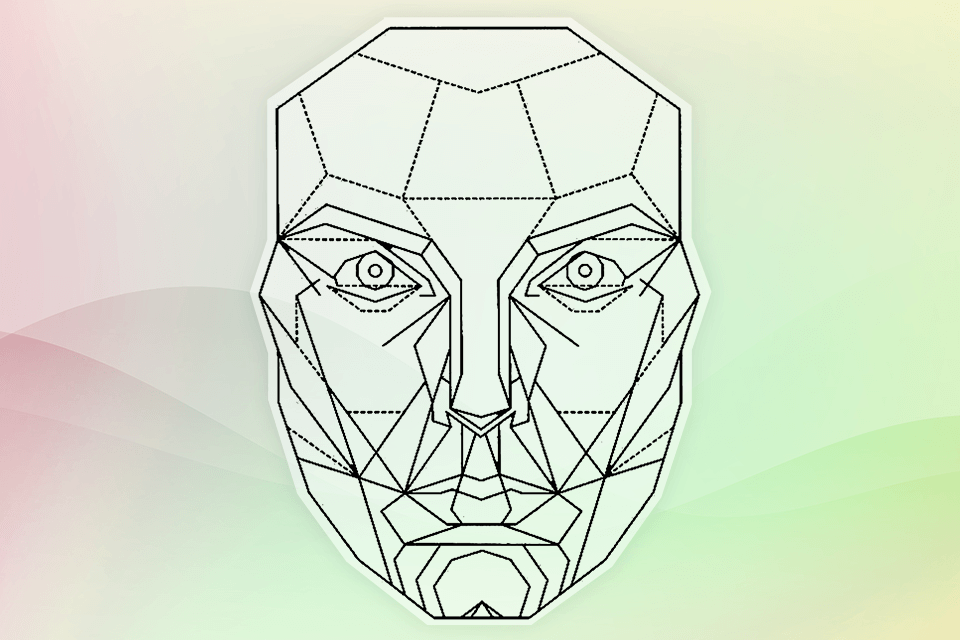
Scientists and facial experts discovered that beauty is often linked to mathematical proportions. The Golden Ratio Face Mask (developed by Dr. Stephen Marquardt, a surgeon who studied facial beauty), uses the Golden Ratio (1.618), which is a pattern found in nature, art, and design.
The Golden Ratio Face Mask is placed over a human face to measure how well it matches ideal proportions. Key features include:
The Golden Ratio Face Mask goes beyond being a mathematical idea: it’s a practical tool used in photography, beauty, digital retouching, and cosmetic surgery. By applying this mask, professionals in different fields can evaluate and improve facial proportions to create the perfect face outline for both men and women.
As a retoucher at FixThePhoto team, I occasionally use this mask as an assistant for gentle adjustment of facial symmetry in portrait edits. But it’s important to remember that beauty is a matter of taste. The Golden Ratio mask is a helpful tool, not a must-follow rule.
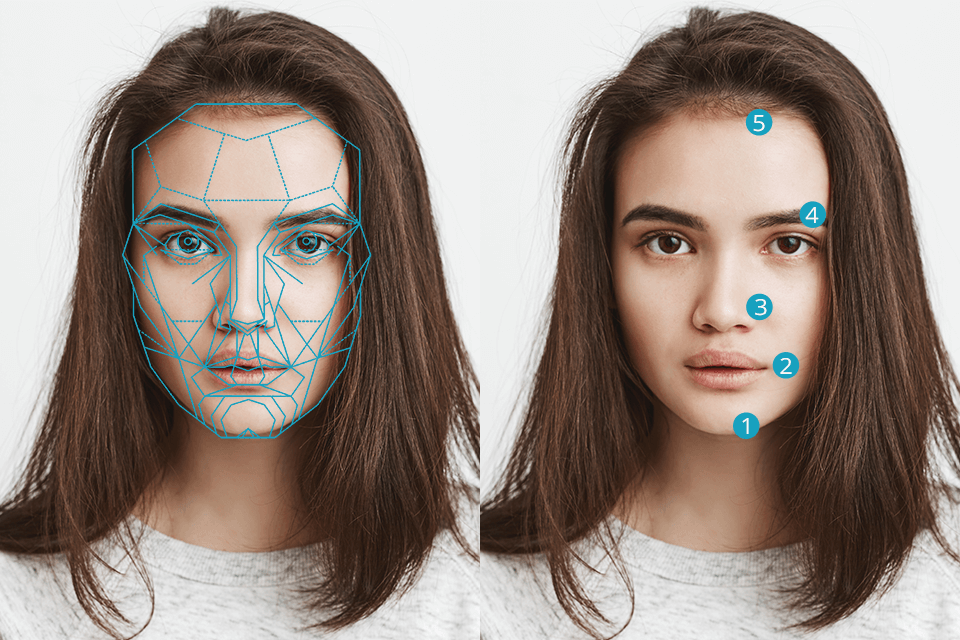
When editing a girl portrait, I took advantage of the Golden Ratio Face Mask, carefully fine-tuning each facial feature to achieve perfect proportions without any artificial flavours. We tested different programs, but concluded that Photoshop remains the best solution for this purpose. This is because it has features like the Liquify tool in Photoshop, Face-Aware Liquify, and Warp Transform that provide overall control over the creative process.
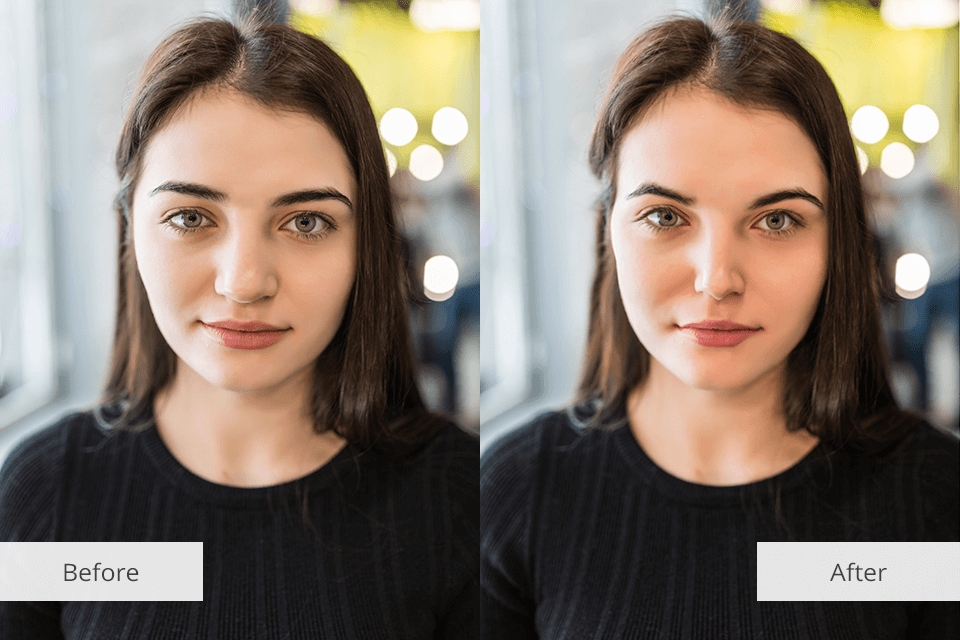

Creating a perfectly sculpted face isn’t just about genetics, it’s also about angles, lighting, and posing. As a photographer, I use these techniques when shooting portraits, influencer content, or engagement photos to define facial structure and highlight my clients’ best features.
Lighting is everything. I use soft, angled light to create natural shadows that define cheekbones and jawlines. A simple 45-degree light setup works great - placing the light slightly to the side and above the subject shapes the face beautifully. For outdoor shoots, I love taking pics during the golden hour photography because the warm, low sunlight naturally highlights facial features.
Master the right angles. I often have models turn their heads slightly away from the camera to add depth and create natural shadows. A small downward tilt emphasizes the jawline, while a slight chin lift prevents double chins and sharpens the face.
Lens choice matters. I usually don’t use wide-angle lenses when taking close-up portraits, because they can stretch facial features and make them look unnatural. Instead, I rely on an 85mm or 50mm lens, which beautifully complements facial proportions and adds subtle definition without distortion.
Posing for definition. A natural but intentional pose can really improve a photo. I tell my clients to push their forehead forward a little to better outline the jawline, place their tongue on the roof of their mouth for a sharper look, and slightly squint their eyes for more intensity and shape.
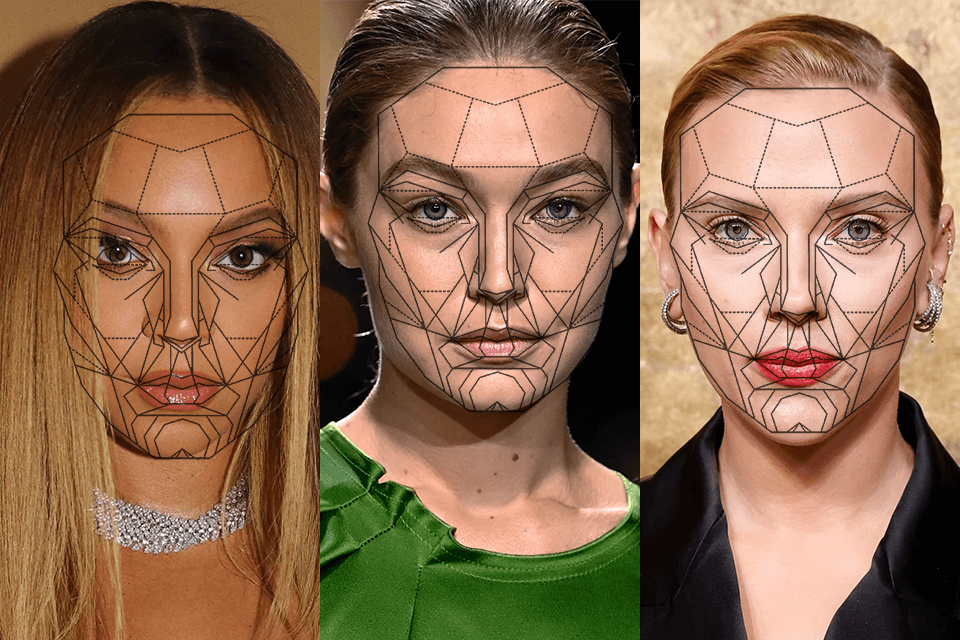
Beyoncé. Known for her symmetrical face, she has a well-defined jawline, high cheekbones, and a harmonious appearance that enhances her beauty and grace.
Angelina Jolie. Recognized for her strong jawline, high cheekbones, and perfectly proportioned face, Angelina is often considered to have one of the most striking and balanced facial features in Hollywood.
Gigi Hadid. The supermodel’s sharp cheekbones, strong jawline, and angular face shape make her a standout example of a perfect face outline.
Emma Watson. Known for her soft but defined features, Emma has a gently shaped jawline and a balanced profile, often regarded as the perfect face outline for a girl.
Tom Cruise. Among male celebrities, Tom Cruise is frequently praised for his youthful, symmetrical appearance, particularly for his strong jawline and well-balanced proportions, creating a sharp and appealing face outline.
Scarlett Johansson. Scarlett’s face is admired for its perfectly balanced facial proportions, featuring full lips, high cheekbones, and a strong jawline, making her one of Hollywood’s most celebrated looks.
Henry Cavill. With his strong jawline, sharp cheekbones, and harmonious facial proportions, Henry Cavill is often seen as one of Hollywood’s most handsome men, admired by many fans.
Brad Pitt. His sharp jawline, prominent cheekbones, and well-defined features create a face shape that is both masculine and attractive.
The 1/3 face rule is a way to measure facial balance in photography, art, and beauty. It splits the face into three equal parts: the top (hairline to eyebrows), the middle (eyebrows to nose base), and the bottom (nose base to chin). A balanced face has these parts roughly the same height, creating a natural, attractive look. This rule is applicable to portrait photography to focus on symmetry and structure.
This usually involves symmetrical features like evenly spaced eyes, a sharp jawline, and lips and cheekbones that are well-proportioned. The oval face shape is commonly regarded as the most balanced, but beauty is very subjective and can differ based on cultural standards and individual tastes.
Yes, the rules for a balanced and symmetrical face work for both men and women. However, the ideal look can differ slightly because men and women have different facial features. For example, men often have a sharper jawline and more defined cheekbones, while women may have softer, smoother curves for a perfect female face outline.
To create an ideal face shape outline for women using makeup, apply contouring products to shade areas such as the sides of the forehead, beneath the cheekbones, and along the jawline. Use a highlighter on the center of the face, like the bridge of the nose, the tops of the cheekbones, and the chin. Blending well is essential for a seamless and natural finish.
There are many popular apps, such as Beauty Scanner and FaceApp, designed to create the ideal face shape. These apps use facial symmetry, structure, and the golden ratio to evaluate and enhance someone's appearance to achieve a more balanced and symmetrical look. Using AI, they analyze facial features and recommend adjustments based on the ideal proportions like reshaping jawlines, defining cheekbones, modifying eye spacing, or making lips fuller.