Adaptive AI presets, particularly Lightroom Adaptive Presets, have become my go-to solution when editing hundreds of images weekly at FixThePhoto. I’ve learned one truth - consistency is paramount, but efficiency is not less pivotal. Every photo needs its own personality while meeting our strict quality standards.
When you’re always adjusting skin tones, lighting, and colors, AI presets help you work faster, keep edits consistent, and get pro results in less time.
Lightroom’s AI-powered presets were launched in June 2022. These smart filters can automatically adjust portraits, subjects, skies, and backgrounds by analyzing each photo. Instead of manually selecting areas to edit, the AI does it for me, so I can focus on perfecting the image rather than doing tedious masking work.
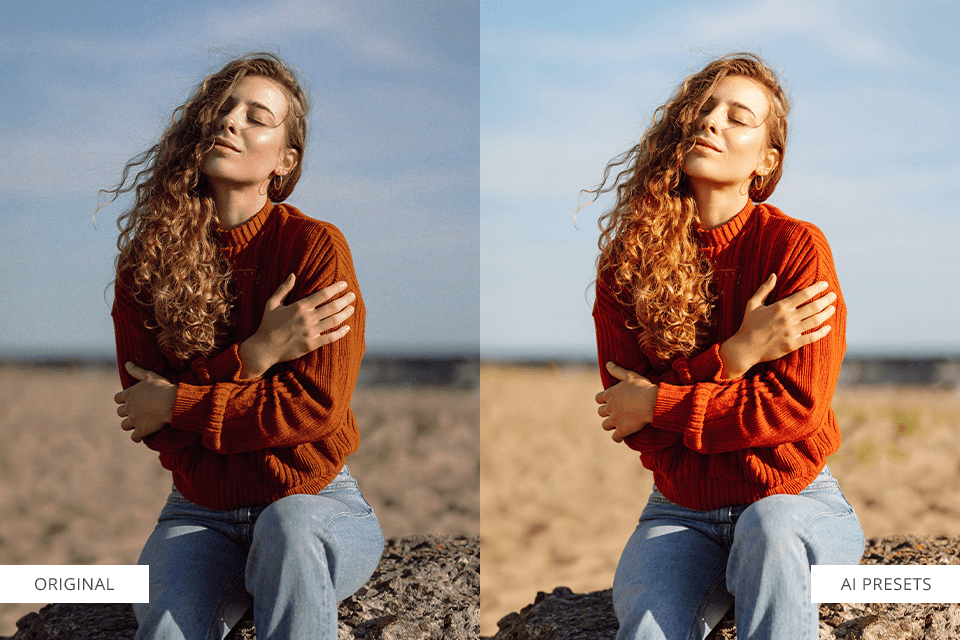
Normal presets edit every photo the same way. But AI presets are smarter, as they study each photo and only adjust what needs fixing, like faces, skies, or dark areas. It’s like having an editor who understands your photo’s needs.
Take portraits, for instance - when I apply an AI preset, it works like a skilled retoucher. It naturally brightens faces, subtly enhances skin, and artfully blurs the background, all without any manual masking. What makes these presets special is how they intuitively adapt to each image’s unique needs. For example:
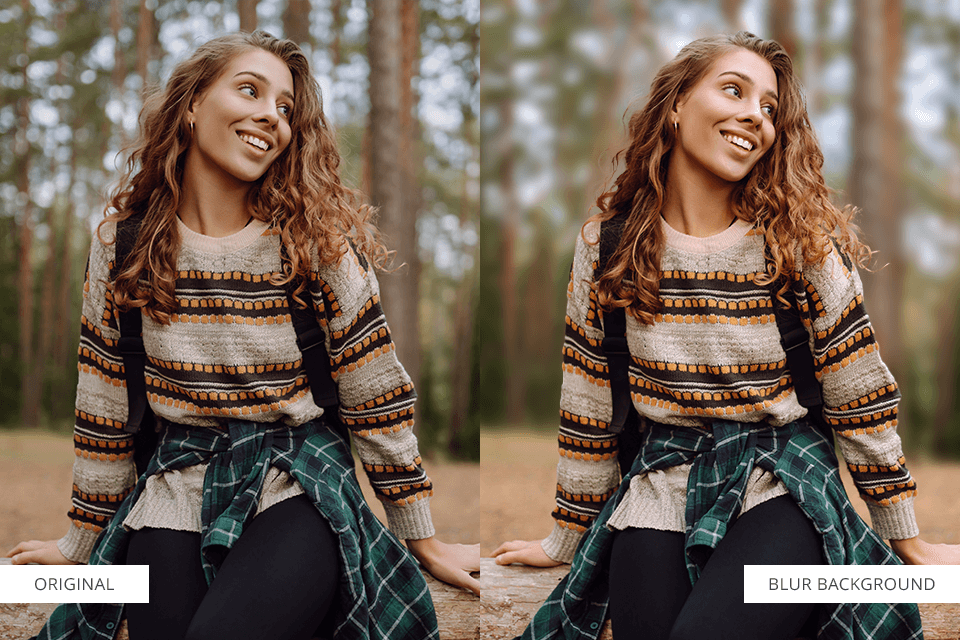
For portraits, the AI smartly blurs just the background while keeping your subject sharp - creating that nice professional camera look automatically.
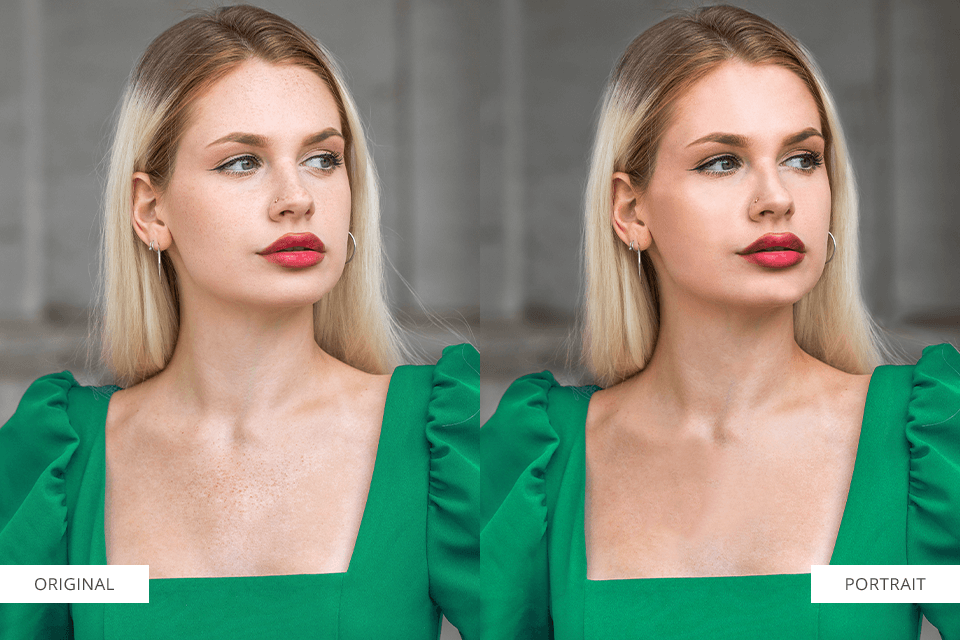
For headshots, the AI automatically finds faces and applies subtle skin smoothing and color correction, keeping hair and backgrounds completely untouched.
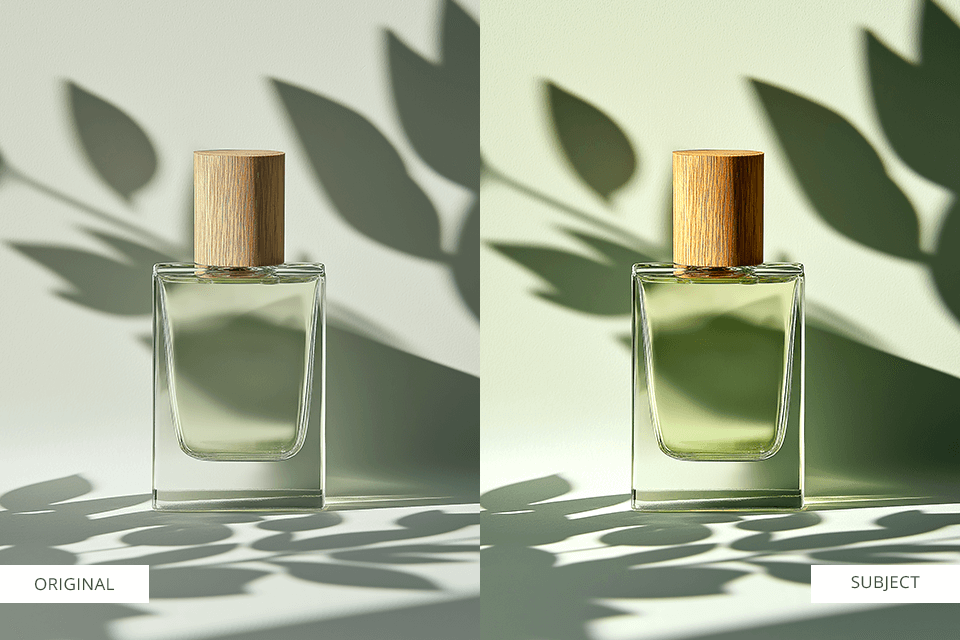
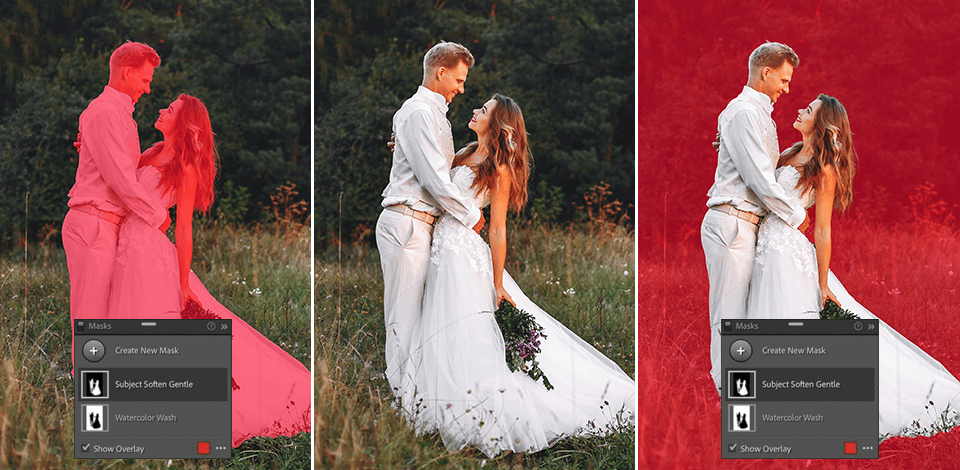
When it comes to product and fashion shots, the Subject preset automatically detects the focal point and applies the needed enhancements like added clarity, richer contrast, or vibrancy - all without manual selections.
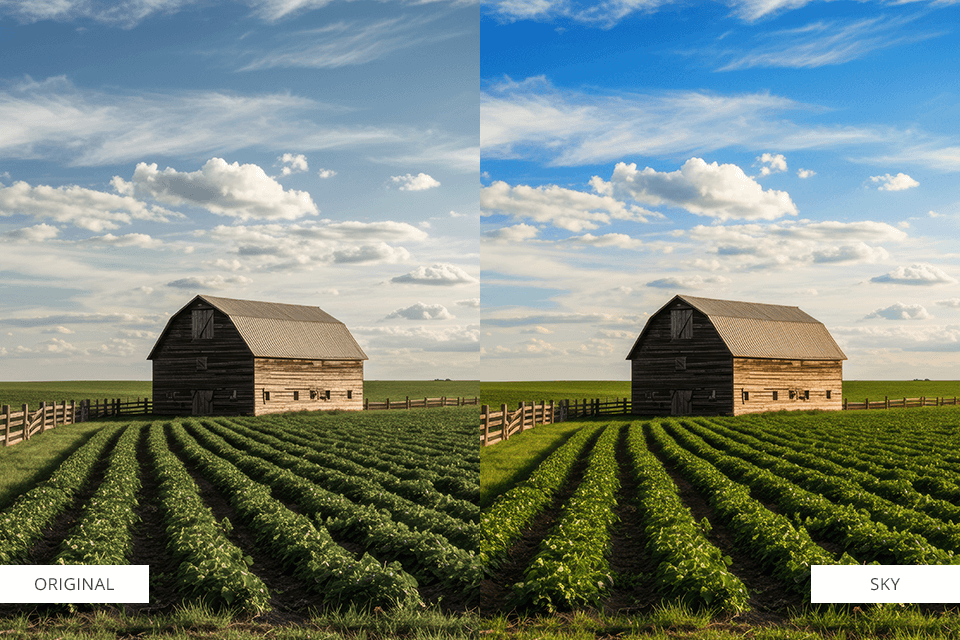
For landscapes, the Sky preset instantly detects the sky and lets you intensify blues, enrich cloud textures, or amplify sunset hues in an instant. Traditional presets don’t offer this smart, adaptive approach.
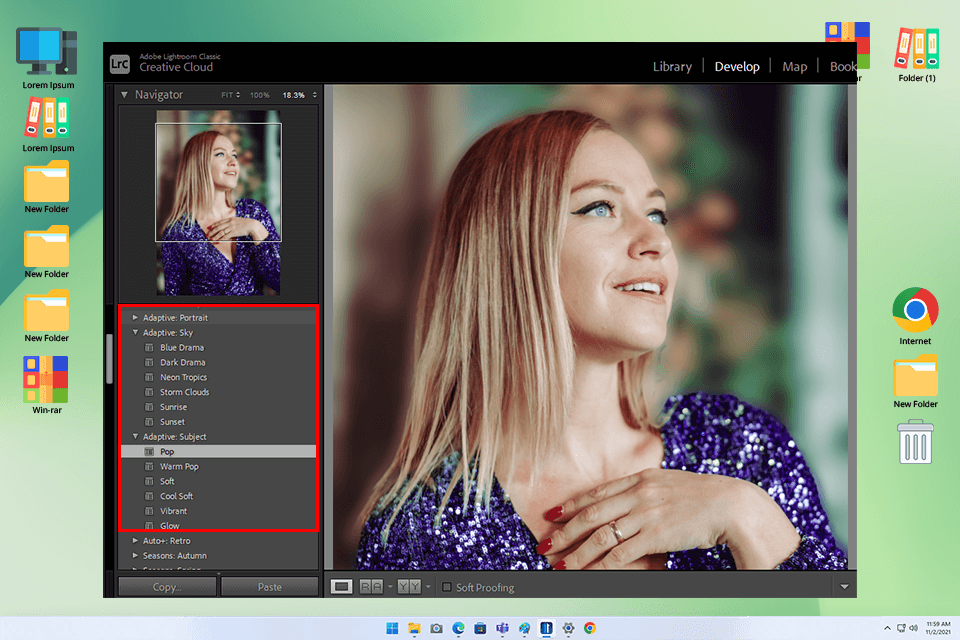
For AI-powered editing, Adobe Lightroom stands out as a top choice and its presets have become indispensable in my professional retouching workflow.
Adobe’s AI-powered “Adaptive Presets” (launched June 2022) use smart Sensei technology to edit photos like a human would. Instead of applying basic adjustments, they analyze what’s actually in your image and then they tweak only the areas that need it.
Lightroom’s Adaptive Presets don’t just edit your whole photo at once. This photo editing software for PC and Mac uses smart AI to automatically detect and adjust specific areas from broad elements like skies and backgrounds to precise details like facial features, teeth, and even individual strands of hair.
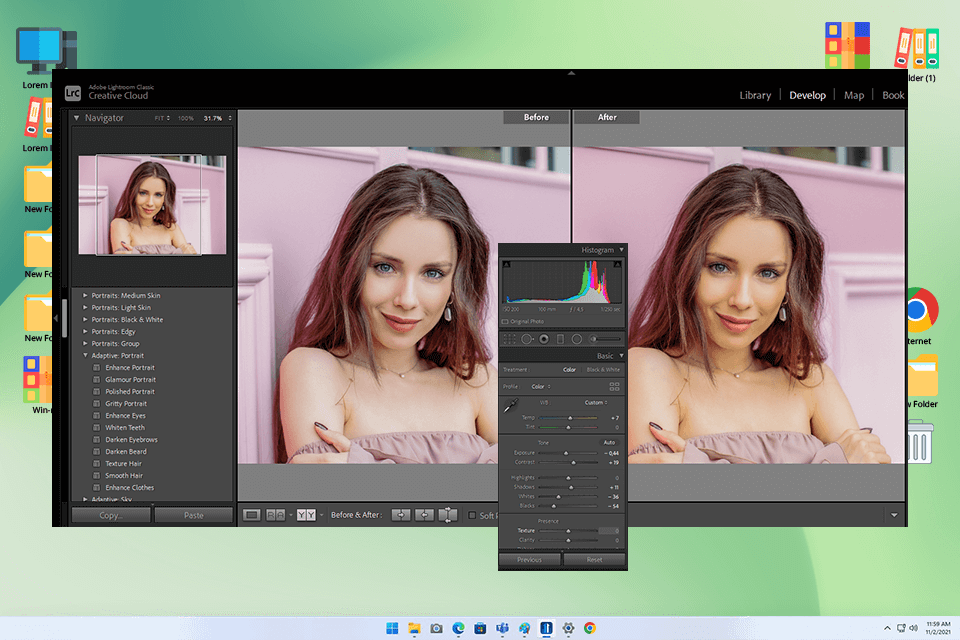
Lightroom’s AI tools deliver excellent precision with effortless control. For example, I use AI in Lightroom to subtly brighten just the subject’s face, enhance the crispness of their eyes, and add a flattering warmth to their skin. Presets with sky detection can refine overexposed areas and boost blue tones in the background, leaving your subject completely unaffected.
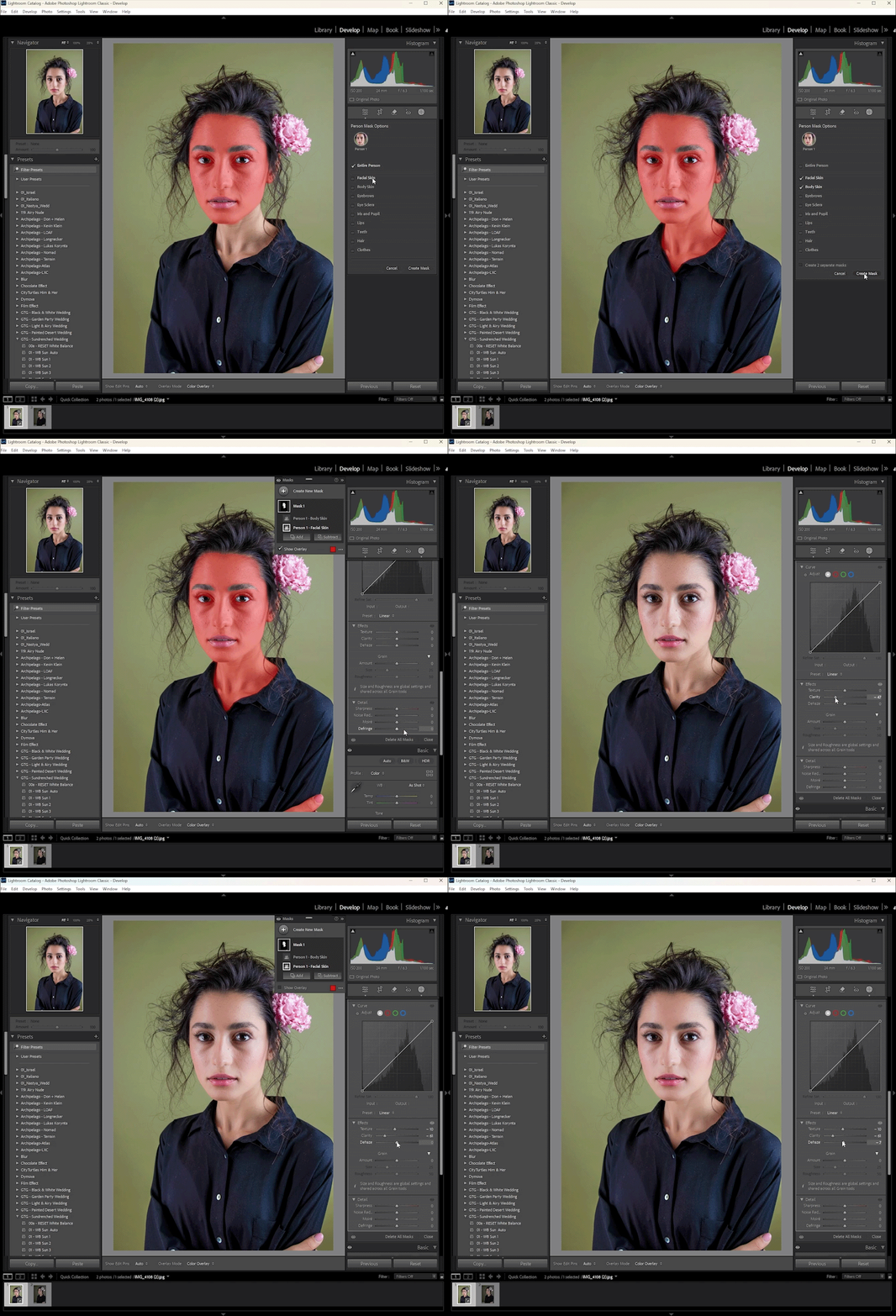
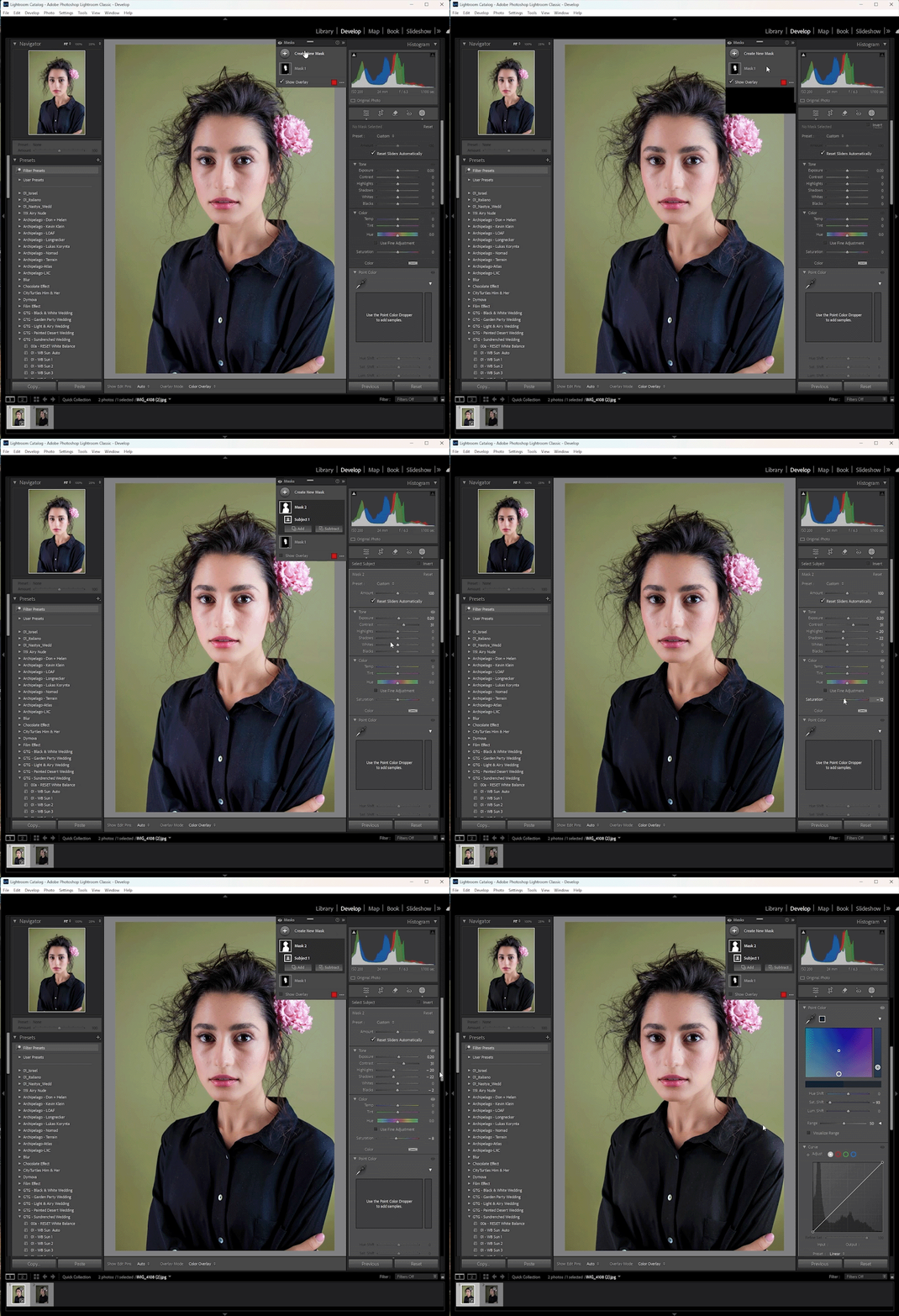
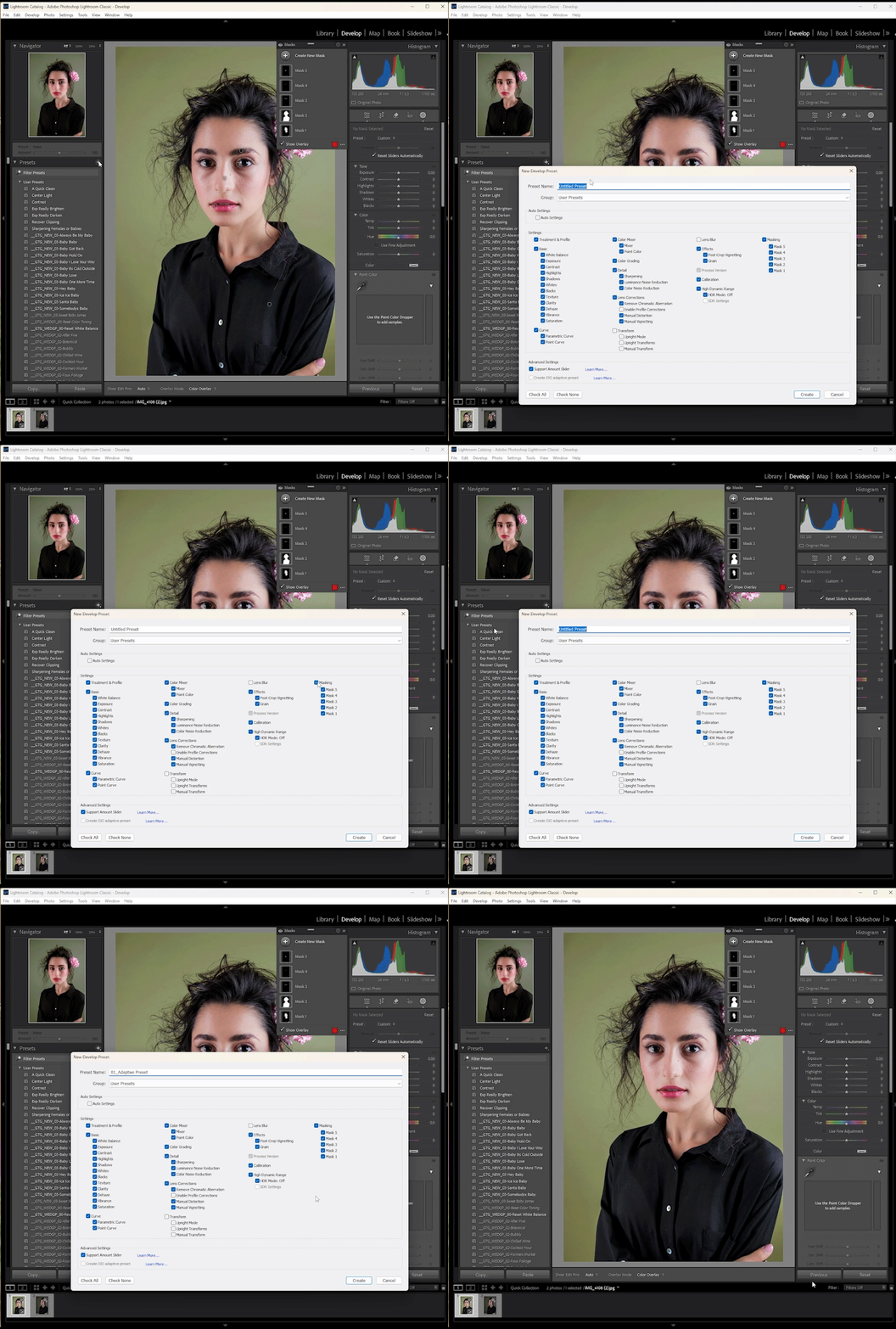
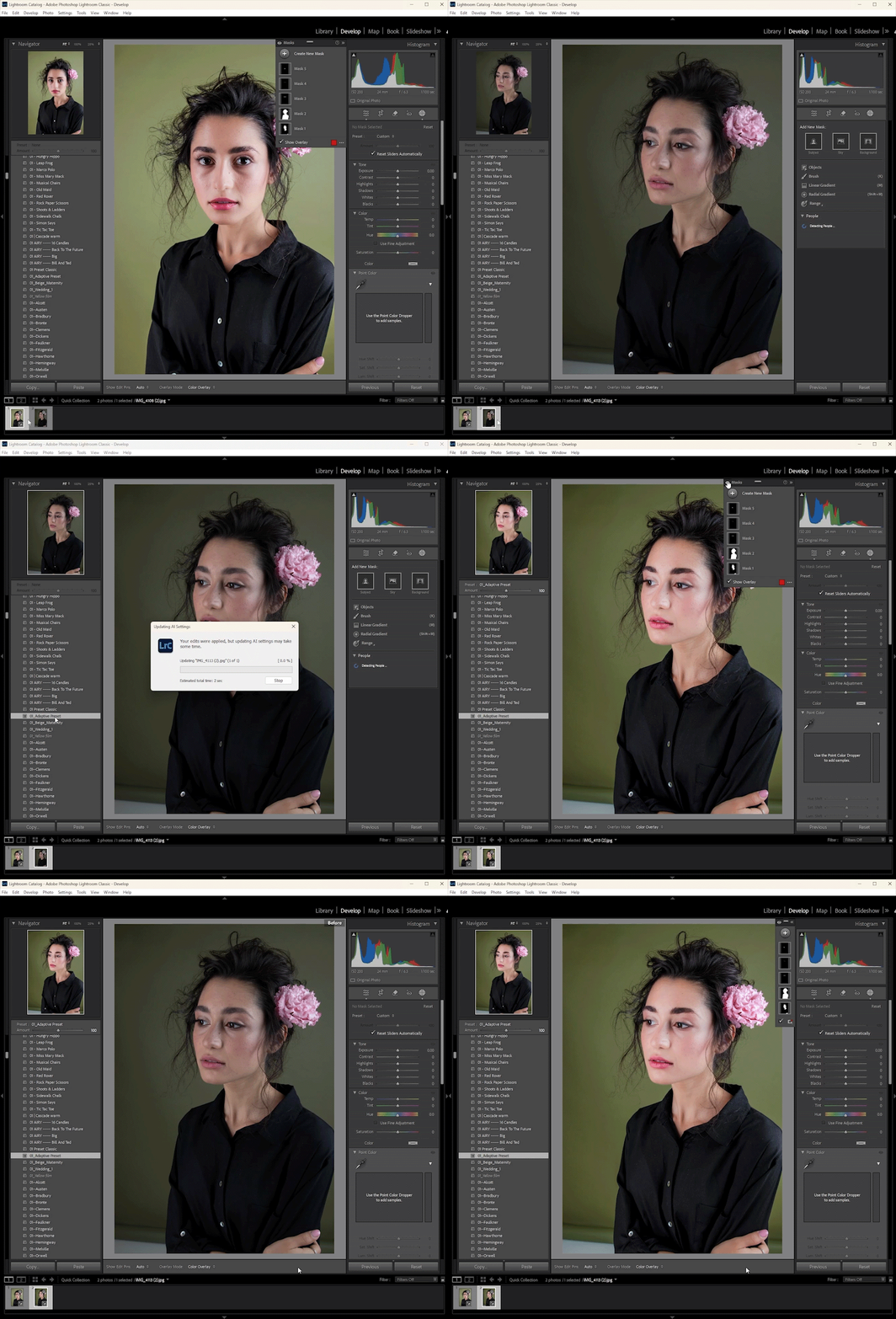
What makes these AI Lightroom presets truly powerful is the ability to craft your own filter. After applying AI-generated masks to target specific elements in an image, I refine the adjustments for each area until everything looks just right. Then, with a single click, I can save this entire editing setup as a custom preset. You can tweak every detail to suit your needs.
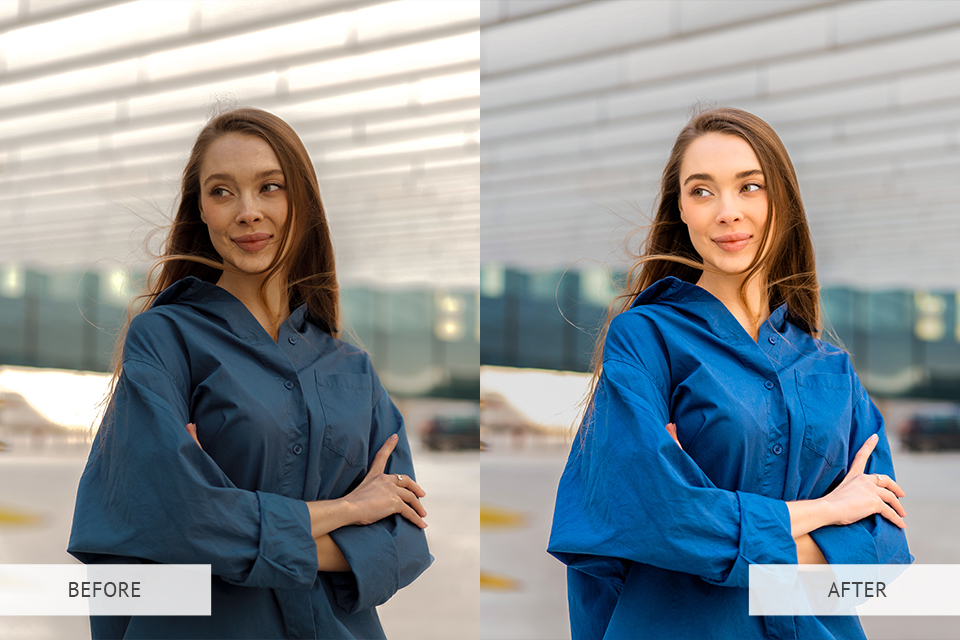
Massive time saving. AI presets save me loads of time. What used to take 10-15 minutes of manual editing now takes just seconds, as the preset does most of the work automatically. I just added the finishing touches to make it perfect.
Less manual masking. Previously, portrait editing required extensive manual work - creating radial filters for spot adjustments, linear gradients for transitions, and carefully brushing masks to isolate features.
Now, Lightroom’s Adaptive Presets with AI automatically detect key elements: facial features, sky areas, background sections, and primary subjects. This intelligent recognition lets me precisely enhance these zones immediately, eliminating the need for manual masking tools.
Professional-looking results. Even with challenging images with poor lighting or muted tones, AI presets frequently produce perfectly balanced results immediately. They analyze image content: for instance, when detecting an underexposed face, the AI selectively brightens only the subject’s shadows rather than globally over-lightening the entire photo. The difference is subtle but striking.
Consistent style across batches. When editing large photoshoots or client work, keeping a consistent look is key. Free AI presets help me achieve a uniform style across all images, even when lighting or locations vary. The smart adjustments adapt to each photo, so everything looks naturally polished, not copy-pasted.
Beginner-friendly and expert-ready. AI presets are a game-changer for photographers at any level. Newcomers can achieve stunning edits effortlessly, while professionals like me use them as great starting points. These presets maintain complete creative flexibility while optimizing both speed and precision in your editing.
More time for creative work. With AI handling the basic edits, I can focus on the creative side, perfecting skin tones, playing with colors, and crafting unique styles. It saves me from tedious work and lets me devote more time to making each photo stand out.
Customizability. AI presets provide a smart head start, but you’ll still need to fine-tune the results to match your creative vision. For client projects, I regularly adjust colors, contrast, or masking intensity after applying a preset to achieve the exact look they want. The AI gives me a solid foundation, but the artistic control stays in my hands.
Thanks to Adaptive Presets, my workflow is now lightning-fast without sacrificing precision, while keeping full creative control.
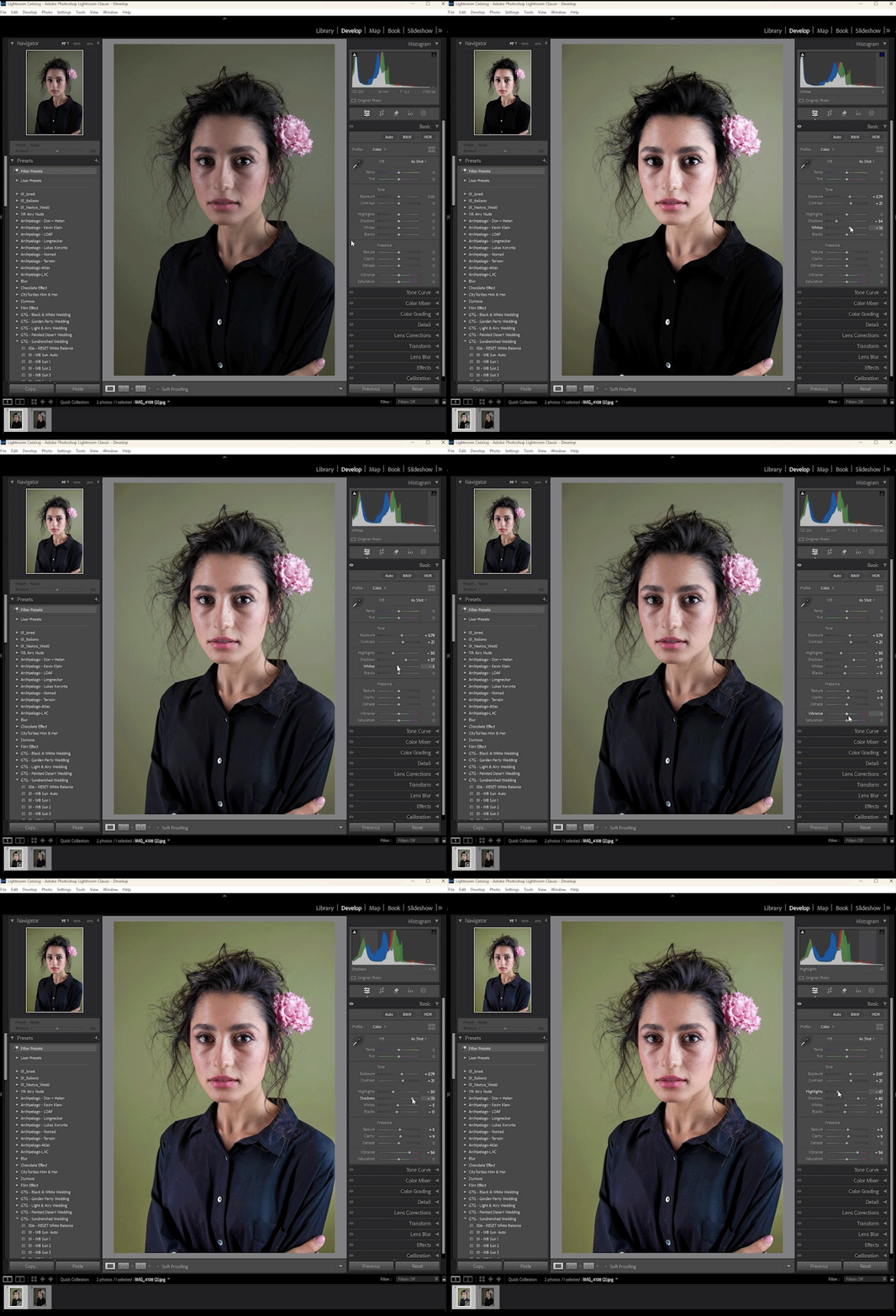
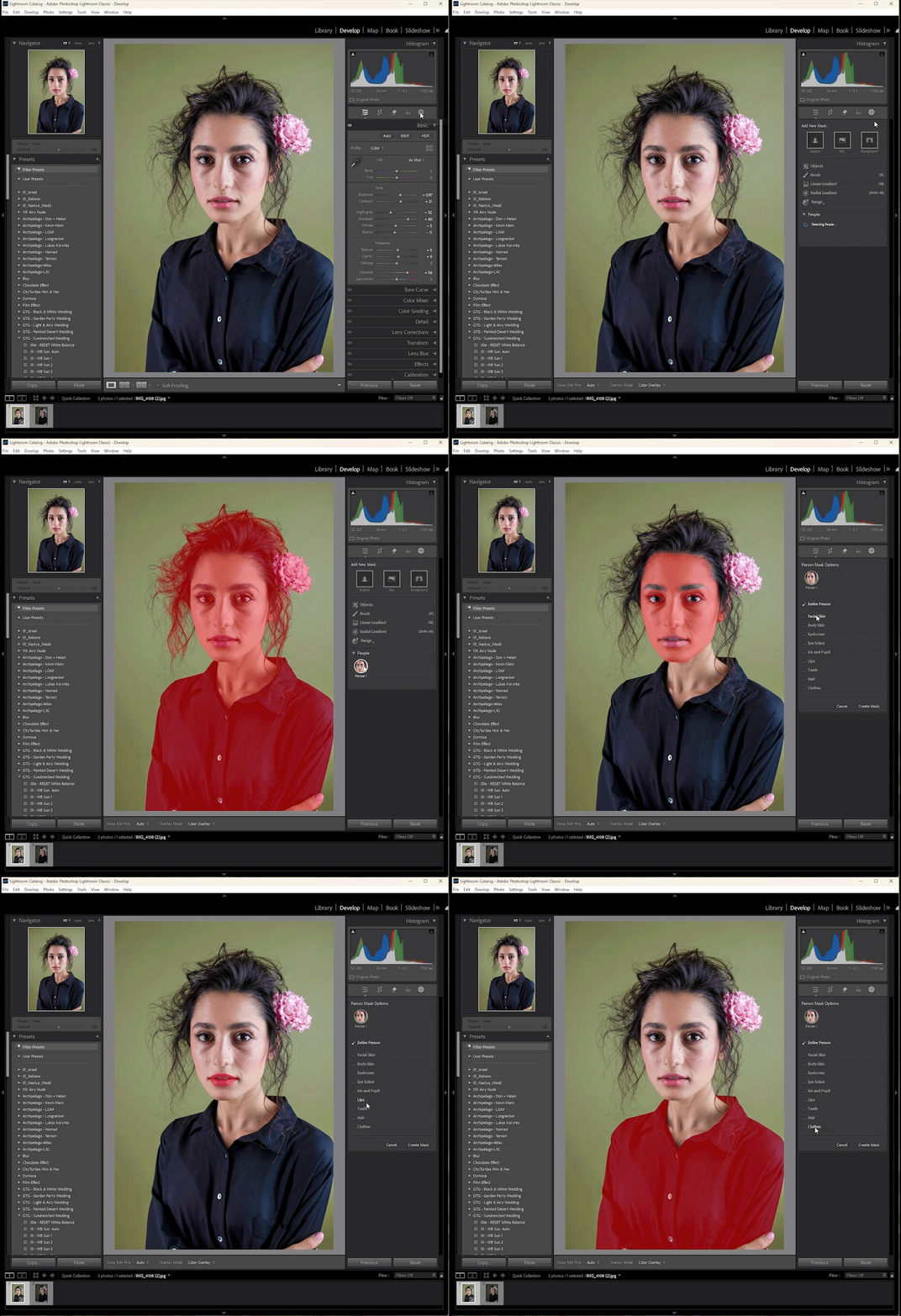
Photoshop offers AI photo presets like Neural Filters, Quick Actions, and Select Subject, all powered by Adobe Sensei. Though they are actually not the traditional “AI presets”, these tools work the same way. They automatically handle tough edits like smoothing skin, removing backgrounds, fixing faces, and adjusting colors, all with just a few clicks.
Luminar AI uses Templates, which are smart presets that automatically adjust to your photo’s content. Whether it’s a landscape, portrait, or close-up shot, these templates detect the subject and apply the right enhancements. You can even save your own custom presets to edit faster while keeping your personal style.
Sora AI presets are automated video-enhancement tools within OpenAI’s Sora, which specializes in converting text prompts into videos. Still in development, these presets analyze scenes or text prompts to apply cinematic filters, lighting adjustments, and dynamic motion effects. Unlike traditional photo presets, they’re designed specifically for AI-generated video and currently function as experimental features.
Download AI presets for fast edits and keep a consistent style, but take in mind that they work best when you also make some manual tweaks, especially for creative or professional work.
Some programs like Lightroom Classic work offline, while others like Canva need internet access because their AI runs in the cloud.
FixThePhoto provides an extensive collection of expert-designed Lightroom presets to accelerate your editing workflow. These presets work seamlessly across all major Lightroom versions, including 4-6, CC, Classic, and Mobile, and process both RAW and JPG files with equal precision.
Developed by seasoned retouchers and rigorously tested to ensure reliable, premium results. The versatile library includes black and white presets, matte, film, portrait/wedding, sepia, fashion, landscape, vintage styles, and beyond.
Once you add presets to Lightroom, you achieve high-end edits in seconds with single-click effects that preserve quality while saving effort.



![Most Wanted Photography Editing Styles [Fixthephoto’s Version]](http://fixthephoto.com/blog/images/gallery/news_main__preview_27886.png)
![Foreshortening In Photography [Tips, Ideas & Examples]](http://fixthephoto.com/blog/images/gallery/news_main__preview_27905.jpg)
![Ripped Paper Effect in Photoshop [+FREE Bonus Tools]](http://fixthephoto.com/blog/images/gallery/news_main__preview_27940.jpg)