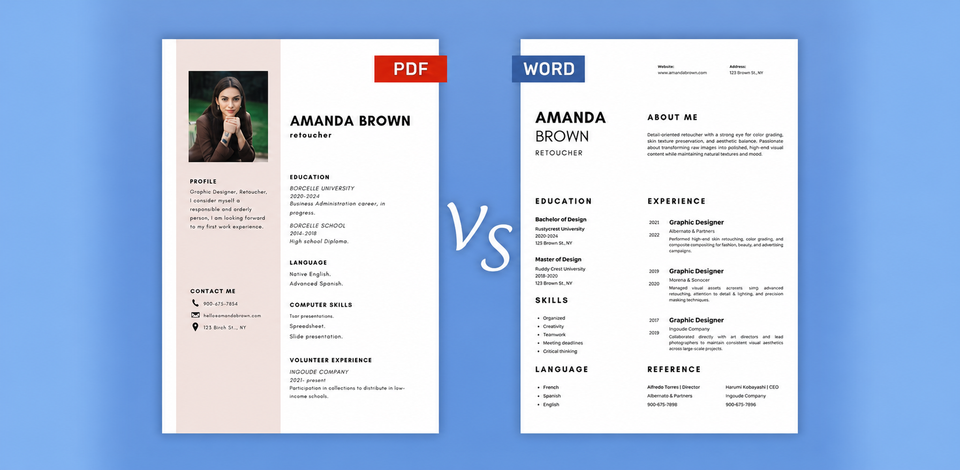
PDF vs Word – which one should you choose for your resume? It sounds like a simple question, but for many job seekers, the answer is unclear. As someone who reviews resumes for creative, technical, and a range of other roles, I hear this question regularly, and I get why it trips people up. Both formats are common, yet they can behave in different ways depending on whether a resume goes through an automated system or lands on a recruiter’s desk.
So, I decided to take a proper look at the PDF vs Word debate from two angles, namely, recruiter experience and ATS compatibility. To go beyond my own perspective, I also brought in members from the FixThePhoto team. Together, we set out to pinpoint the real-world differences between the two formats, and to figure out which one works better, and when.
When an employer accepts either format, my go-to is PDF. It keeps your resume layout intact, information looks the same on any device, and the document looks neat. A well-exported, text-based PDF also holds up fine with most modern applicant tracking systems.
“I usually stick with PDF, keep DOCX as an alternative, and follow whatever format the company asks for.”

However, there are two situations where the PDF vs Word document comparison heads in a different direction. First, if the job posting specifically requests a DOCX file, send exactly that. Second, if you submit through an ATS and have no clear instructions on format, Word tends to be the safer bet for clean text extraction.
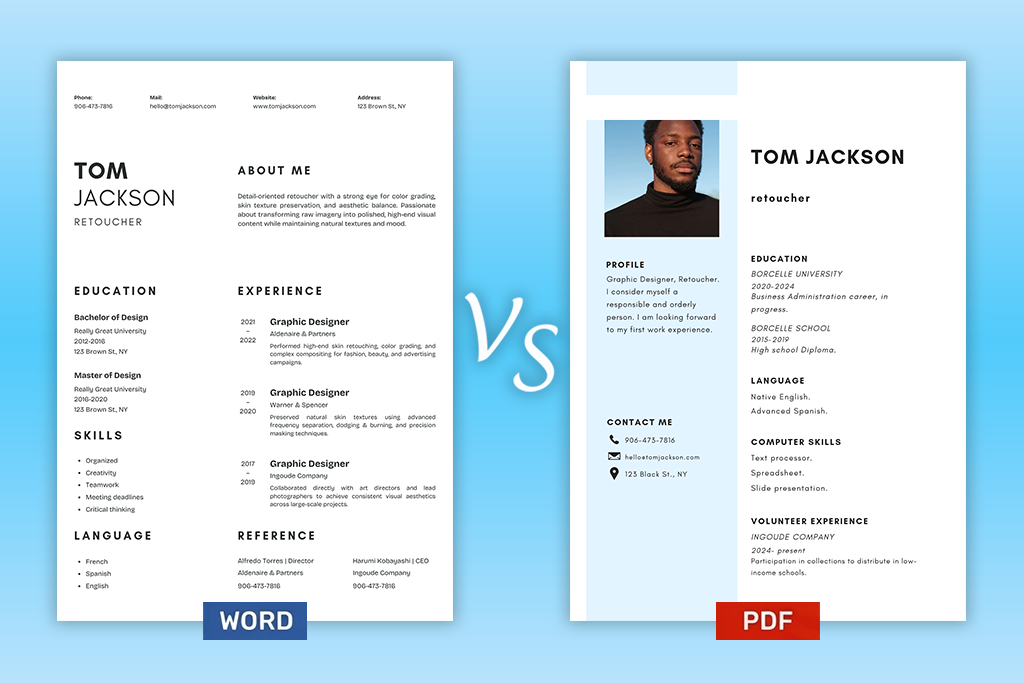
At its core, the difference is about control, specifically, how much control you keep over your resume after it leaves your hands. A PDF holds its shape. The layout you built stays exactly as it was, with fonts, spacing, and structure locked in place across any device and operating system.
Open a DOCX file on a different computer, and that reliability disappears. Fonts can swap out, spacing can shift, and the clean layout you worked on may look nothing like the original.
This is not a small thing for a resume. The document has two separate tasks to complete. A recruiter needs to read it comfortably, and an applicant tracking system needs to pull the text from it accurately. Both matter, and that is the real reason the PDF or Word question deserves a more careful answer than most people give it.
| Word (DOCX) | ||
|---|---|---|
|
Layout
|
✔️ The original formatting is kept intact
|
⚠ Formatting differences when opened elsewhere
|
|
Editing
|
❌ Not the best option for editing
|
✔️ Easy to edit
|
|
Visual consistency
|
✔️️ Usually looks the same across devices
|
⚠ Hinges upon the software, fonts, and settings
|
|
ATS processing
|
✔️ Easy handling by many modern ATSs when made correctly
|
✔️ Commonly supported and straightforward to parse
|
|
Best practical use
|
✔️ When you need to keep the final resume layout
|
✔️ When DOCX is requested, or you need to edit information
|
Keep in mind that a text-based PDF and a scanned PDF are two very different files, even though both carry the same extension. Export your resume from Word or Google Docs, and the text inside stays live. A machine can read it directly. Scan a resume or save it as an image, and that changes. The system now has to interpret what it sees rather than extract what is there. So, when comparing PDF vs Word, we should always consider how the files were created.
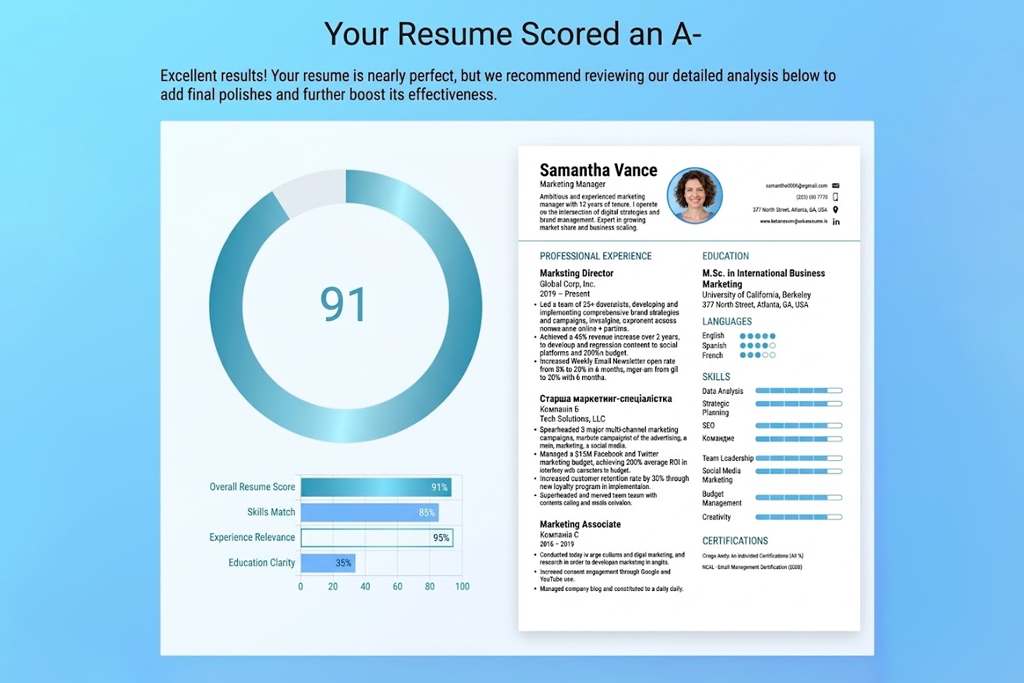
For anyone focused on ATS compatibility, the PDF vs. DOCX battle has a clear frontrunner. Word files store text in a format that applicant tracking systems can read and sort. So, DOCX is the low-risk option when a job listing stays silent on file preferences. But that does not mean a PDF resume is doomed from the start.
Today’s ATS and recruitment software have come a long way. Platforms like Workday HiredScore officially accept both PDF and DOCX. The real question is not the format itself but the method behind it. A PDF created from a Word file or a text editor keeps its content fully readable by machines, while a scanned document or an image-based PDF can send the parser in circles and cause key details to disappear.
“To me, a resume is a formatted document. An ATS treats it as a source of data. It scans the file and identifies key details, including the candidate's name, experience, education, skills, and dates.”

Layout decisions carry just as much weight here. Columns split across the page, text boxes, icons, non-standard headings, and content buried in awkward spots on the page can hinder clean data extraction. A no-frills DOCX is better than a heavily styled PDF, yet a straightforward text-based PDF can move through modern systems without a hitch.
That is why a file extension alone is not enough to guarantee ATS success. The smarter approach is to copy the resume content into a plain text document and see what survives. If the result looks coherent and organized, with recognizable sections like Experience, Education, and Skills, the resume is in good shape regardless of format.
“My first choice depends on the job posting. If it asks for a specific format, I stick to that. When either format is fine, DOCX seems the safer bet for ATS. PDF is still a good option if I want the resume to look exactly as intended.”

Most recruiters, given a free choice, tend to reach for PDF resumes by default. The reason is simple. By the time a resume lands in front of a hiring professional, it should look exactly the way the candidate meant it to look, with fonts, spacing, headings, and structure unchanged. PDF makes that happen reliably, no matter what software opens the file or what fonts happen to be absent on the recruiter’s machine.
“I prefer PDF because it keeps the formatting neat and consistent. Still, when employers ask for DOCX, they usually have a good reason. My advice is to stick to the format listed in the job ad.”

Still, the difference between PDF and Word is not a settled discussion on the recruiter side either. A lot depends on the workflow. Some recruiters need to open a DOCX file to add comments, strip out contact details before passing the resume to a client, or work within a platform that handles Word files more smoothly. This situation comes up most often when a staffing agency or external recruiter is part of the process.
Once a resume actually reaches the person who will read it, the file format tends to fade into the background. What takes center stage is how fast and how clearly the document communicates. A recruiter needs to scan the page, spot recent experience, pick out relevant skills, and locate key details without wrestling with the layout.
A tidy DOCX will serve that purpose better than a PDF that is cluttered or hard to follow. Equally, a well-structured PDF surpasses a Word file if its formatting has fallen apart somewhere between the sender and the inbox.
When discussing PDF vs. Word pros and cons, HRs usually end up with the same answer. Keep both formats ready, because each one serves a different purpose. A Word document works best as the master copy. Titles change, skills need refreshing, and different roles often call for a tailored version. A DOCX handles all of that without hassle. When the resume is ready to send, a quick export to PDF locks the layout in place.
The reverse also has its uses. A recruiter asks for DOCX, but only a PDF exists? A conversion produces an editable file without starting from scratch.
Either way, always check the result before sending. Fonts shift, spacing collapses, bullet points move, and hyperlinks can break. A converted file rarely mirrors the original exactly. A few minutes on a final review can save a very awkward first impression.
After looking at both formats side by side, the question of “When to use PDF vs Word?” does not have one universal answer. The best choice comes down to your specific situation – how you plan to submit the resume, what the employer has asked for, and whether layout stability or easy editing matters most to you.
Go with PDF when:
Go with DOCX when:
Without specific instructions from the recruiter, PDF is usually the right call. Your formatting stays intact no matter what device or operating system opens it. If the recruiter does request Word, switch to DOCX without hesitation.
In most cases, export it first rather than sharing a link. Save it as a PDF or DOCX, then take 30 seconds to open the file and scan it visually. Google Docs sometimes shifts page breaks or changes fonts slightly during export, and catching that before the recruiter does makes a real difference.
It does. DOCX is the format Word runs on now, so it handles fonts, spacing, and structure more reliably. DOC is an older standard that most employers no longer expect. Unless a job listing explicitly asks for DOC, DOCX is the smarter default for any resume that needs to stay editable.
Keep it simple and recruiter-friendly. Something like FirstName-LastName-Resume.pdf or FirstName-LastName-Resume.docx tells the reader exactly what they have before they even open it. Avoid anything vague like final-version.docx or document1.pdf. Those names suggest disorganization before the resume itself gets a chance to impress.
Only if the employer asks for both. Attaching two versions unprompted creates confusion and can come across as indecision rather than thoroughness. Pick the format requested, send that one, and keep the other copy on hand in case it gets requested separately later.