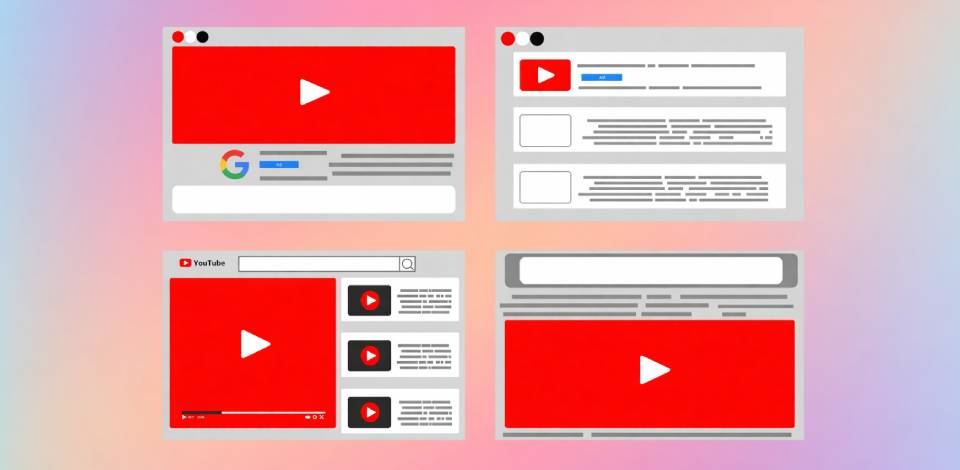
Each format of YouTube ad has its own intention. Some ads help people recognize a brand, while others are made to bring visitors to a website or encourage purchases.
For businesses, knowing these ad types helps them spend money wisely. For marketers, this knowledge helps improve results. For content creators, it creates chances to earn money and work smarter with brands. Choosing the right format can decide whether people skip the ad or actually watch it.
As a content creator at FixThePhoto, I have tested almost all YouTube ad formats while promoting tutorials, reviews, and creative projects. By trying different options, I saw how each ad works in real life: from skippable in-stream ads to short bumper ads.
In this article, I’ll explain what I learned about picking the right format, making ads more interesting, and using YouTube ads as a useful growth tool instead of just another task on a marketing list.
A YouTube advertisement format is the structure that controls how a video ad is shown and how viewers interact with it. It decides where the ad appears (before, during, or after a video), how long it is, if viewers can skip it, and which devices it supports.
Every format is made for a specific goal, so understanding how they work can help you show the right message to the right people instead of using a random video ad. From my experience, it is important to think about a few key points before choosing a format for your social media marketing ideas:
Over time, YouTube has added many ad formats to match different marketing goals and viewing habits. Some ads play before a video, others appear in the feed, and some show up briefly between videos.
Each format works in its own way, including how advertisers pay for it and how it gets attention. The best choice depends on what you want to say and how you want viewers to respond.
These ads play before, during, or after a YouTube video, and viewers can skip them after five seconds. They can be several minutes long, but the best-performing ones usually last less than 30 seconds.
Advertisers only pay when someone watches at least 30 seconds or interacts with the ad, which makes this option budget-friendly and fair for viewers.
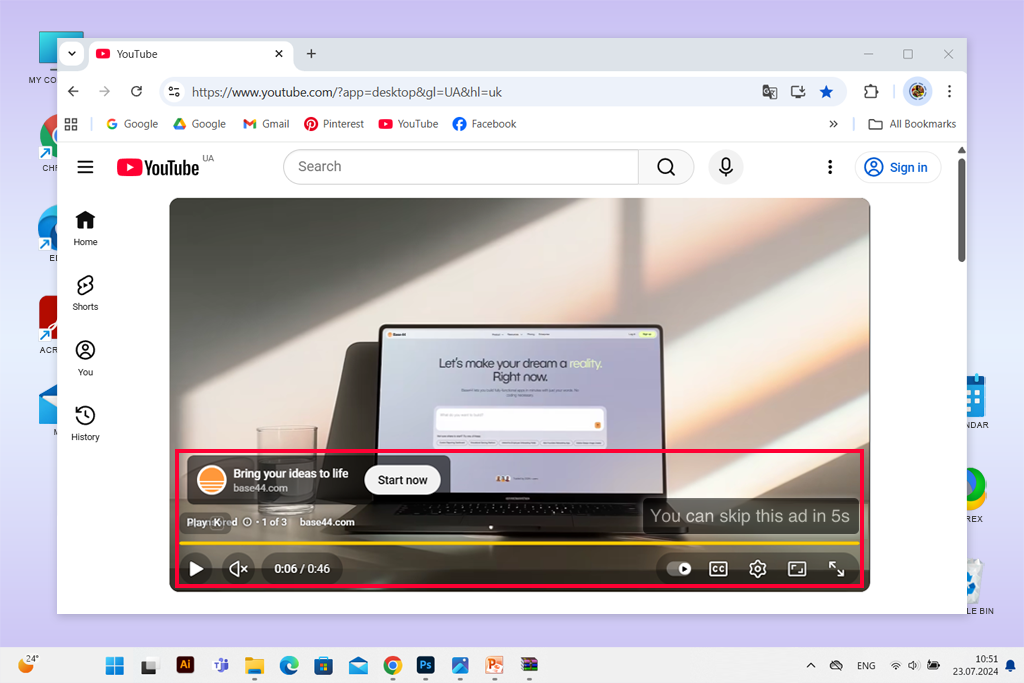
Best for: Product brands on a budget
These ads also appear before, during, or after a YouTube video, but viewers must watch them fully before the video continues. They usually last between 15 and 20 seconds, which gives just enough time to share a clear message.
Since skipping is not allowed, advertisers know the full ad will be seen, but the content must be well-paced and visually strong, so it does not irritate viewers.
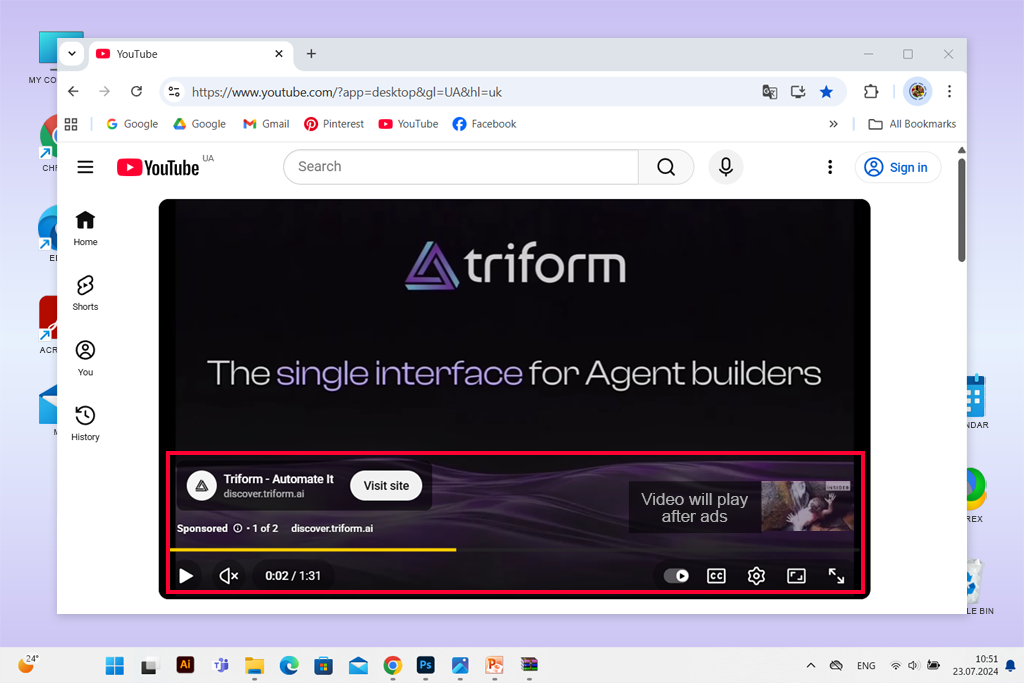
Best for: Brands that need their full message to be seen during major campaigns
Bumper ads are very short videos that last up to six seconds and play before the selected video starts. Viewers cannot skip them.
Their main goal is to share a quick message that stays in the viewer’s memory, often as a reminder or support for a bigger campaign.
Since they are so short, these ads focus more on strong visuals and clear brand signs instead of telling a story, which helps people recognize the brand faster.
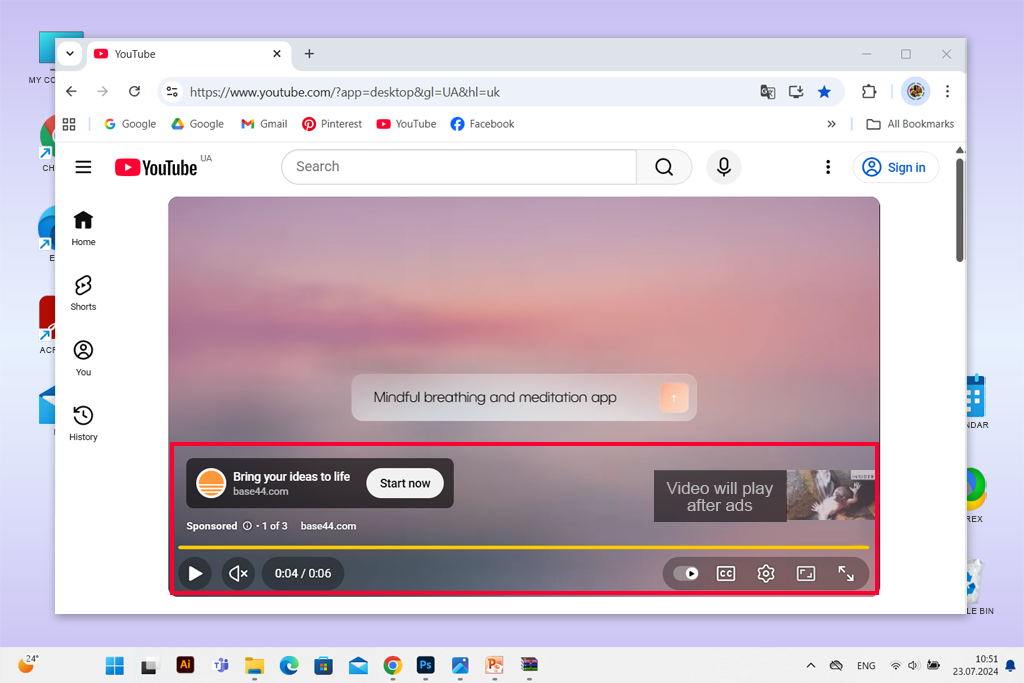
Best for: Boosting brand recall with quick, memorable 6-second reminders
These videos appear next to similar videos, in YouTube search results, or on the homepage feed. They show a thumbnail, a title, and a short text, and viewers decide whether to click and watch.
Because they look like normal YouTube content, they feel less pushy. This YouTube ad format works best for discovery campaigns or for sharing useful and interesting videos that fit naturally into the platform.
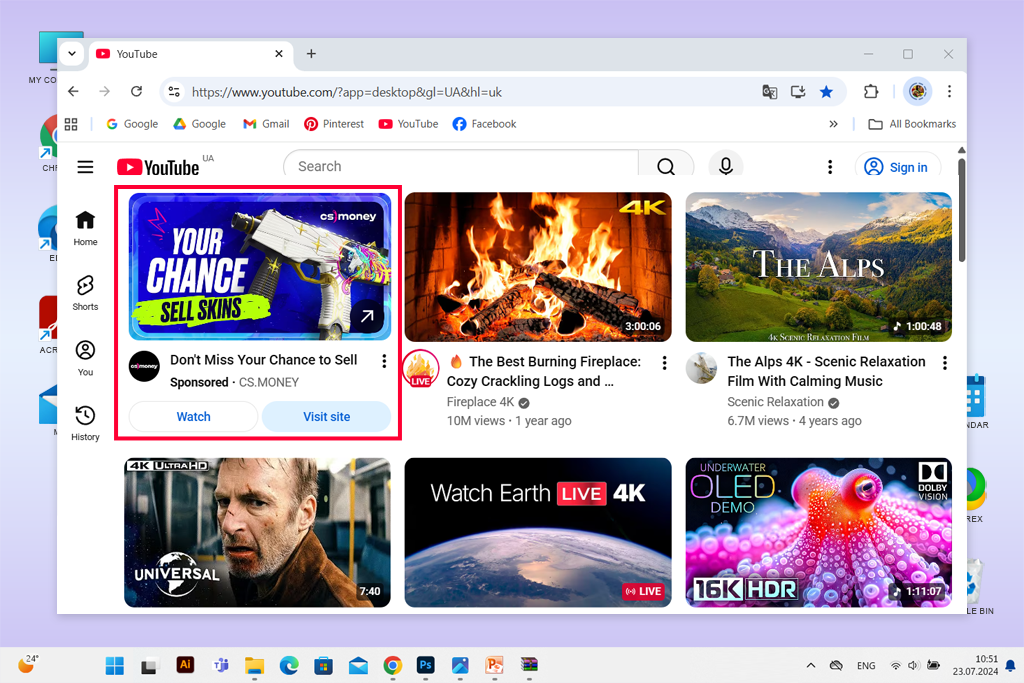
Best for: Creators or brands that want people to find their content naturally
Masthead ads appear at the top of YouTube’s homepage for one full day, making them very noticeable. They start playing automatically without sound and can run for up to 30 seconds on desktop, mobile, and TV.
Because so many users see them at once, these ads are often used for big product launches or large campaigns that aim to create fast awareness.
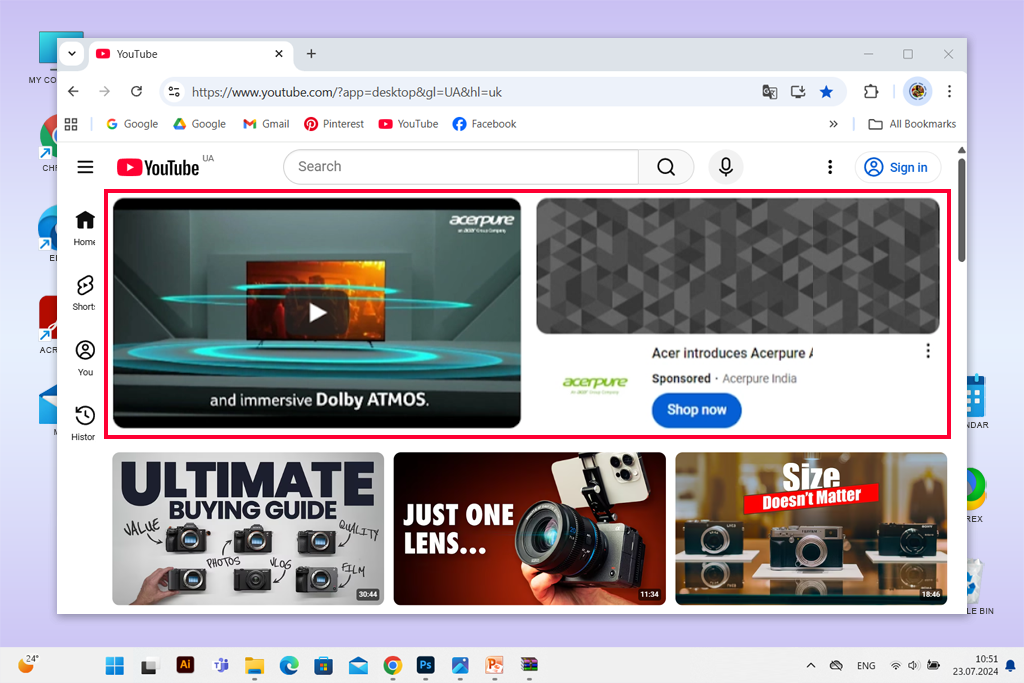
Best for: Big launches that need wide attention in one day
Overlay ads are semi-transparent banners that show at the bottom of YouTube videos on desktop devices. They usually take up about 20% of the screen and can include text, images, or simple movement.
These ads are useful for promoting websites, sales, or upcoming content without stopping the video. When the message is short and clear, overlay ads can be effective without bothering viewers.
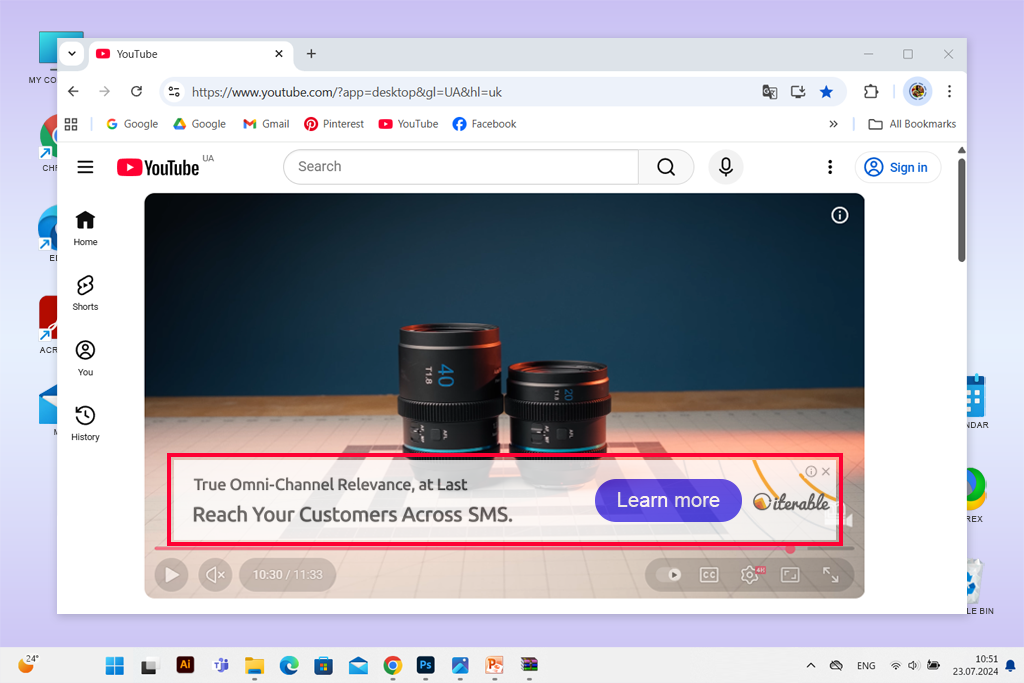
Best for: Desktop campaigns that need low-cost and quiet promotion
Out-stream ads are made for mobile users and appear outside YouTube on partner websites and apps in the Google Video network. They play automatically without sound, and users can turn on the sound if they want.
These ads are useful for reaching people beyond YouTube, especially those who watch videos often on their phones.
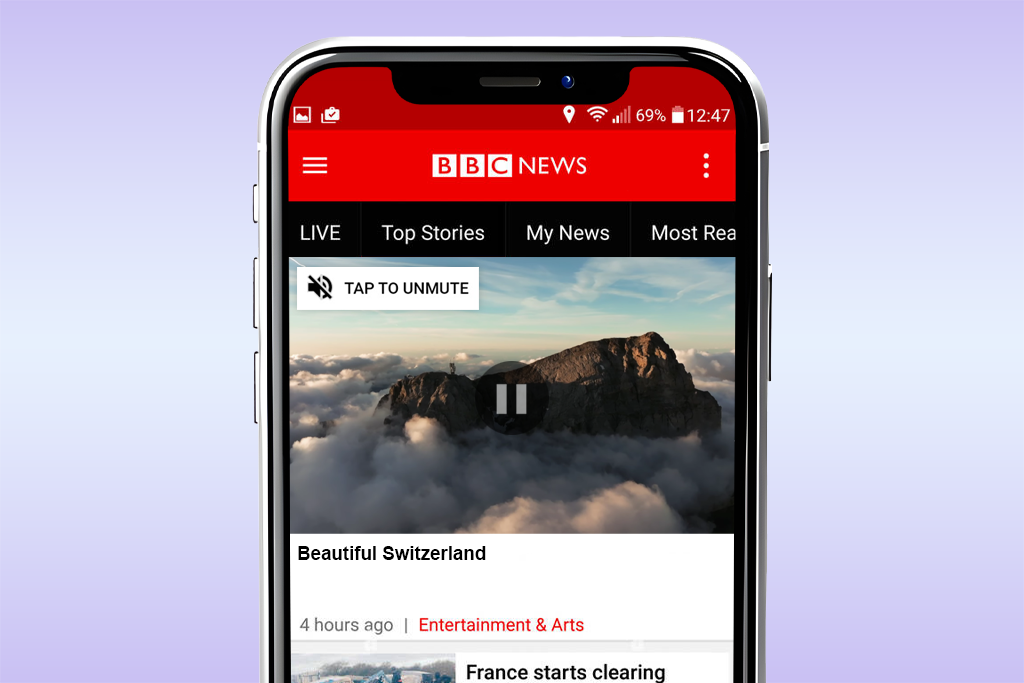
Best for: Reaching mobile users beyond YouTube’s main platform
When I decide which YouTube ad format to use, I always begin with the main goal of the campaign. Every format is made for a different task: some help people notice a brand; others push viewers to take action or stay engaged.
Instead of thinking only about price or how many people will see the ad, I choose the format based on what I want viewers to do: remember the brand, click a link, or keep watching. This goal-focused method has worked best across all my campaigns.
Brand awareness. For reaching a wide audience, I usually choose non-skippable in-stream and bumper ads. These YouTube formats for video ads ensure the full message is seen, even if it lasts only a few seconds.
Short videos with emotion and clear visuals tend to stay in people’s minds, especially when they appear many times on different videos or devices. This approach works well for building a strong brand identity.
Lead generation. When my goal is to get viewers to sign up, download something, or share their details, skippable in-stream ads give the best results. They allow enough time to explain the offer and include a clear call to action without pushing too hard. When these ads are combined with accurate targeting and a simple landing page link, they usually bring steady and reliable results.
Product promotion. To promote a specific product or service, I often use in-feed and out-stream ads. These YouTube ad formats let users choose to watch the content, which feels more natural and builds trust. For product marketing, having a clear thumbnail, short description, and well-chosen keywords plays an important role in attracting the right audience.
Content engagement. If I want more people to visit my YouTube channel or spend more time watching videos, I rely on in-feed video ads. They reach users who are already looking for similar content and encourage active interest instead of passive views. This helps build a loyal audience rather than just collecting fast impressions.

Over time, I’ve learned that even the right ad format will not s쳮d without strong creative work behind it. Good YouTube ads combine storytelling with data and creativity with careful planning. After running many campaigns, I’ve found several practical tips that help improve results, no matter the goal or budget.
The first five seconds. The opening moments decide if viewers stay or skip. I treat these seconds as the headline of the ad, using movement, emotion, or curiosity to catch attention fast. Showing the product or main idea right away works much better than slow introductions or long logo displays. When interest is created early, viewer engagement increases quickly.
Call to action (CTA). Every strong ad clearly tells viewers what to do next, such as visiting a website, watching another video, or subscribing. I’ve noticed that simple and direct CTAs always perform better than unclear ones. Even a short spoken message or an on-screen button can improve results if it fits naturally into the video.
Storytelling. The ads people remember most feel like short stories instead of sales messages. I often base my ads on everyday situations, small emotions, or visual contrasts that viewers can relate to. Even short YouTube ad formats benefit from storytelling, as it makes the brand feel more human and trustworthy, which is something numbers alone cannot create.
I always begin by deciding exactly who my target audience is. I don’t stop at age or location; I also think about interests, habits, and what kind of videos people watch.
YouTube offers detailed targeting options, such as remarketing and custom intent audiences, which help show ads only to users who are likely to watch them. I usually test small and very specific audiences first, as this gives clearer data before expanding the campaign.
As for budgeting, I’ve learned that how you spend matters more than how much you spend. I often start with a low daily budget, watch metrics like cost per view and engagement, and then make changes based on live results. Since YouTube’s system favors stable performance, increasing the budget slowly works better than sudden increases. It also often leads to lower costs over time.
A/B testing helps show what works best with your audience faster than guessing. I run two or more versions of the same campaign and change only one thing at a time, such as the ad format, the thumbnail, or the first line of the video. Small changes can lead to big differences in how people react. For example, I once saw higher engagement just by switching from a non-skippable ad to a skippable one, while costs stayed almost the same.
It’s important to test wisely and allow each version to get enough views to collect proper data. I track key numbers like watch time, click-through rate, and conversions, and I look at results over several days instead of reacting too fast. When one version clearly performs better, I move most of the budget to it while still testing new ideas, since audience behavior changes over time.
Since more than half of YouTube views happen on phones, mobile-friendly advertisement formats are a must. I always design ads for small screens first, using clear images, large text, and short voiceovers that still make sense without sound.
Vertical and square videos often work better than wide formats (you can easily adjust format in video ad making software), especially in short video feeds and social placements.
I also focus on how fast the message is delivered. Mobile users scroll quickly, so simple visuals and good timing matter more than long explanations. Keeping important elements like the product, logo, and call to action in the center helps avoid cropping. If an ad looks nice and clear on a phone, it usually performs well on other devices too.
Even campaigns that seem well planned can fail if small details are missed. Over time, I’ve noticed that most weak ads have similar problems, which are easy to fix once you notice them. Below are three common mistakes I’ve seen and also made myself in the beginning of my career that can hurt an otherwise good campaign.
Every strong YouTube ad campaign needs good creative tools behind it. Over time, I’ve tried many software for each step of the process, from writing scripts to editing videos and checking performance. After testing different options, I created a unique workflow that helps me work faster while keeping the quality consistent.
For editing videos, I mainly use Adobe Premiere Pro. It gives me full control over timing, sound, and colors, which is important for making ads feel smooth and professional. When I need fast edits for social media or vertical versions of ads, I turn to Adobe Express, which offers ready-made templates and smart resizing tools powered by AI.
For visual design, I often use Canva photo editor to make thumbnails, on-screen graphics, and short text animations that match YouTube’s style. When I need more advanced motion effects, I switch to After Effects to create small animations or smooth logo intros.
For sound and performance improvement, I use Audition to adjust voiceovers and background music, so everything sounds balanced. I also rely on tools like TubeBuddy and VidIQ to study viewer behavior, test different thumbnails, and improve targeting using real data.
Jointly, these tools help me run smooth, data-focused campaigns while still keeping the creative ideas that make people stop and watch.