The team behind Movavi Video Converter 22.5 aimed to make video conversion faster, simpler, and more flexible, focusing on quick processing, wide format support, and easy automation. This upgrade overcomes the drawbacks of earlier versions by introducing faster GPU-powered conversion, smart file compression, and support for more formats, including 4K and HEVC. So, it is definitely a great choice for video makers, teachers, and regular users.
As a video editor at FixThePhoto team, I got to test Movavi Video Converter 2025 version early while converting batches of client videos and YouTube Shorts. What really helped were the live preview and ready-made settings - I could instantly adjust files for social media without confusing technical choices. Compared to older versions, this one works faster and feels simpler, especially when handling high-quality videos.
This free video converter will come in handy for those who deal with bulky files or are looking for a functional tool for everyday conversion tasks. It offers a smooth experience that combines speed with easy-to-use features.
|
File name:
|
MovaviVideoConverter_Set-Up (movavi.com)
|
|
File size:
|
2.61MB
|
|
File name:
|
MovaviVideoConverter_Set-Up (movavi.com)
|
|
File size:
|
2.95MB
|
|
File name:
|
MovaviVideoConverter_Set-Up (movavi.com)
|
|
File size:
|
3.06MB
|
|
File name:
|
MovaviVideoConverter_Set-Up (movavi.com)
|
|
File size:
|
2.84MB
|
|
File name:
|
MovaviVideoConverter_Set-Up (movavi.com)
|
|
File size:
|
3.45MB
|
|
File name:
|
MovaviVideoConverter_Set-Up (movavi.com)
|
|
File size:
|
3.86MB
|
After testing Movavi Video Converter on PC 64 bit, I noticed some aspects that need to be improved:
Stronger subtitle support. Right now, Movavi Video Converter 22.5 only lets you add simple subtitles. It would be great if it could also style text, adjust timing, or create automatic captions. These upgrades would be perfect for tutorial makers. While Movavi is free for some basic features, advanced subtitle tools aren't included.
Smarter audio customization. The program can't adjust volume, add fade effects, or remove background noise. It doesn't even show sound waves to help you edit. I had to use another program just to fix hissing sounds - an extra hassle that shouldn't be necessary.
More powerful automation for batch jobs. The converter would be even better with automatic features like saved workflows or auto-convert folders. These would save so much time when processing lots of files regularly. Currently, I still have to manually add files, choose settings, and start conversion for every batch.
If Movavi Video Converter free version is not enough, but you are not ready to spend $54.95 on it, there are capable free alternatives available. Based on my testing, many free media converters provide reliable performance, whether you're a novice or require support for high-resolution files, these options deliver essential functionality without a paid license.
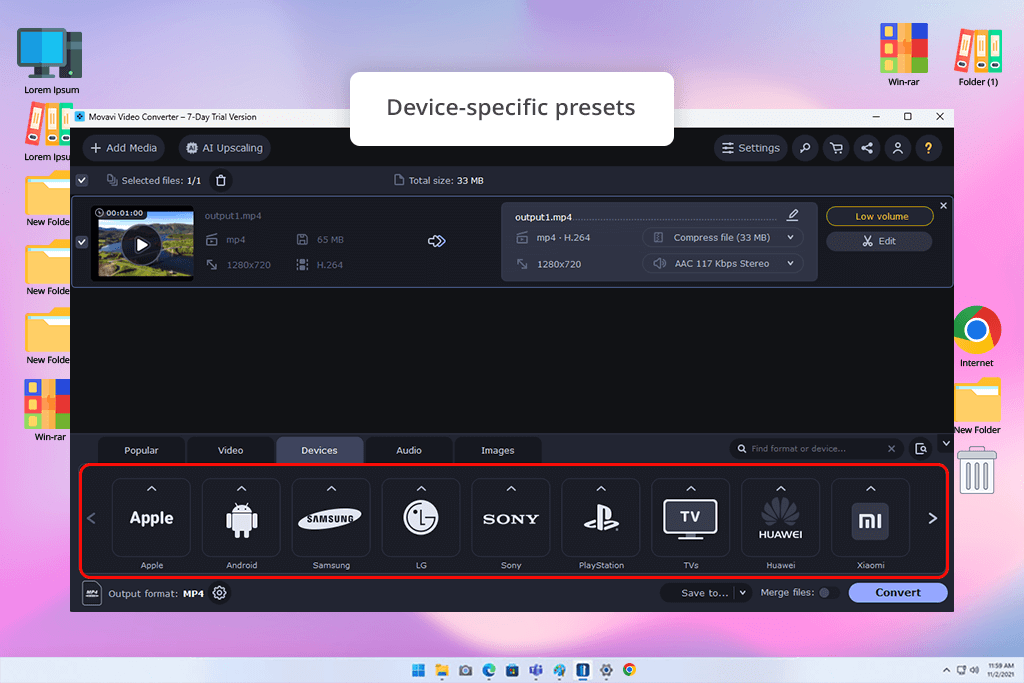
Download HandBrake if you need a free open-source option instead of downloading Movavi Video Converter 22.5. It works with almost all video formats and offers advanced controls for compression and output settings, though the interface takes some getting used to. The built-in presets for Apple devices and web streaming are especially useful.
Shutter Encoder is a hidden treasure, which is all-in-one batch conversion, editing, and video encoding software. It uses FFmpeg to work with pro formats like DNxHD and ProRes - something Movavi can’t do. I rely on it for video and audio projects because it’s fast, dependable, and completely free on Windows and Mac.
Download Format Factory if you need a simple Windows converter that works with many file types. It's not as polished as Movavi Video Converter 22.5, but it converted my hour-long MP4 to AVI in minutes. It even works with PDFs and audio CDs.
VideoProc Converter trial version gives you full access to most features without watermarks. It's just as fast as Movavi Video Converter 22.5, thanks to GPU boosting, plus it includes extra tools like video stabilization and cropping. I especially liked watching my computer's performance during big file conversions.
FFmpeg is the most capable video converter available, if you don't mind typing commands. I converted RAW 4K videos to H.264 and resized them automatically, while Movavi Video Converter 22.5 would require multiple manual steps for the same task.






















